
I want a laptop for high school, but I don't want to overpay — and I don't want something so cheap it can't keep up either. Is there something that'll actually last me through college too?
Hey, Takumi here from ZippyLaptop.
Now that you're in high school, you're probably starting to think about getting your own laptop — but figuring out what actually matters can be tricky. Here's the thing though: if you settle for whatever your school hands out, or just grab the cheapest model you can find, you'll likely hit a wall the moment you start college — not enough power to handle papers or coding assignments, and you'll end up replacing it almost immediately.
So after going hands-on with a ton of laptops over the years, I've broken down what makes a laptop that'll stay a daily driver all the way through your 7 years of school, from high school to college into three simple conditions, and picked out my recommendations. Stick with me to the end and you'll know exactly what not to skip when picking a laptop for high school.
Let's get into it! 🏃♂️
Quick Answer
I'll get straight to the point.
For high schoolers, the sweet spot is Intel Core 5/AMD Ryzen 5 or better, 16GB+ RAM, and a budget around $1,200!
Based on the conclusion above, here are the 3 laptops I'd recommend first.
If you're stuck deciding, picking from this shortlist will rarely lead you wrong.
The rest of the article breaks down the differences and how to choose.
Our TOP 3 Picks
A true 1kg laptop that's fast and light enough to last from high school through college
Build quality, performance, and battery life — this one's got it all.
Buying Guide
Specs: 16GB+ RAM and a mid-range CPU are the bare minimum to make it through college
If you want a laptop that lasts from high school all the way through college, it's safest to go with a fairly recent-gen CPU — Intel Core 5 / AMD Ryzen 5 or better (M4 chip or better for Macs) — and at least 16GB of RAM.
- CPU: Intel Core 5 / AMD Ryzen 5 or better (M4 chip or better for Mac)
- RAM: 16GB or more
- Storage: 256GB minimum, 512GB recommended
- Display: IPS or better, OLED if you can swing it
A really common mistake is picking a cheap 8GB model based on price alone, only to have it choke the moment you open a few apps at once in a college lecture. Stuff you could get away with in high school — a paper notebook, printed handouts — turns into juggling papers, research, and coding assignments all at once in college, with your browser, Word, and an AI tool all open at the same time as the new normal.
On top of that, coding classes are now required in a lot of high schools, and programming shows up on standardized tests too. So if you want something that can actually run Python without choking, aim for at least an Intel Core 5 / AMD Ryzen 5-class CPU, or M4 or better for Mac. Personally, if you're going with a Mac in high school, I think the MacBook Neo still holds up just fine.
Hit this spec bar and you're covered from high school homework and coding all the way through college papers, for years to come.
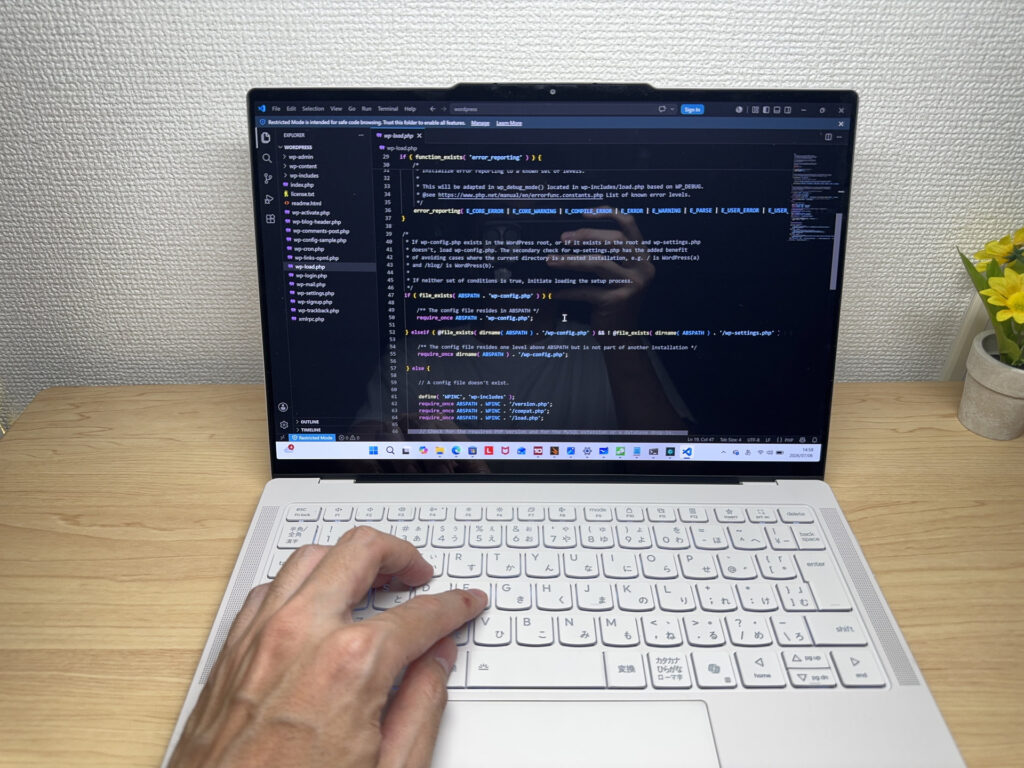 With a reasonably recent CPU and 16GB of RAM, you shouldn't run into trouble with programming
Everyday use: a light 13–14 inch model keeps you covered through college too
For portability, you can't go wrong with a 13–14 inch model on the lighter side.
- Screen size: 13–14 inches
- Weight: under 1.4 kg (~3.1 lbs) — ideally around 1.2 kg (~2.6 lbs)
- OS: Windows or Mac (the two real options if you're thinking through college)
A common pattern is brushing off your own laptop because "the school Chromebook covers it," then scrambling to pick one in a hurry once papers and research pile up in college. A school-issued laptop might get you through high school classes, but once you factor in studying at home, using AI tools, and lugging one around to lectures, the library, and coffee shops in college, having your own Windows or Mac machine really pays off. Think about tossing it in your bag between classes — light really is right. 😊
Also, some schools have BYAD (Bring Your Own Approved Device) policies, so check with your school before buying anything on your own — don't skip this step.
And hey, you're in high school — you deserve to game a bit too. Integrated GPUs have gotten a lot better lately, so lighter games like Fortnite or Minecraft run just fine. 🎮 Heavy, 3D-intensive PC games are a different story though — for that, you'll want to look at a dedicated gaming laptop instead.
Check these boxes and you're set for hauling it around in high school and well into college life, stress-free.
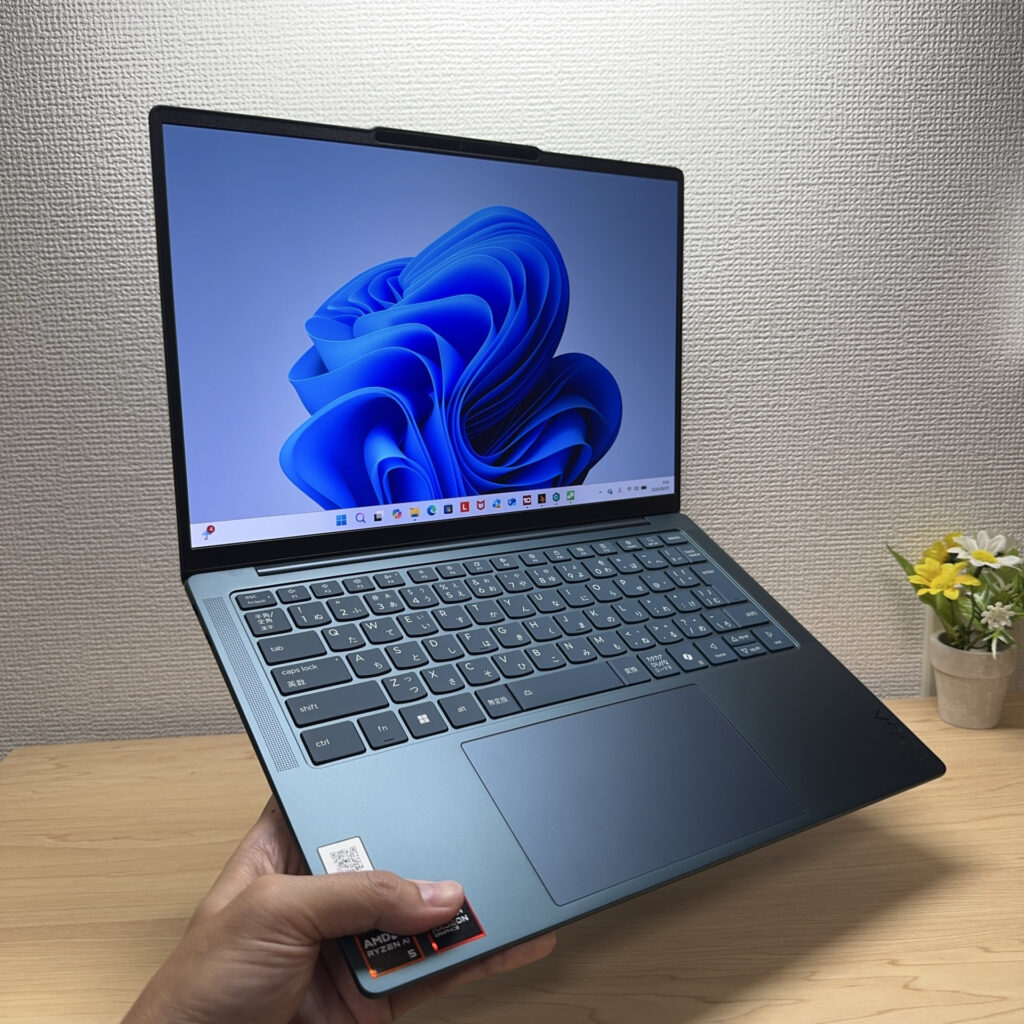 A laptop you can grab and carry with one hand is genuinely convenient
Price: cheap laptops end up costing more. Budget around $1,200
Aim for a budget of around $1,200. "That much for a high schooler's laptop?" you might be thinking — but when you account for using it all the way through college, not cutting corners here is actually the biggest money-saver.
- Budget: around $1,200
- Avoid: used laptops, extremely cheap models
- Microsoft Office: skip it for now (buy a one-time license later if you need it)
That's because if you go for a used or ultra-cheap model just to save money, you often end up with something underpowered, or with hidden wear and tear you can't spot from the outside — and you're stuck replacing it almost immediately. Used laptops can have surprisingly worn-out batteries, and even brand-new bargain models usually skimp on RAM, the display, or storage somewhere. Buying cheap now and having to replace it later ends up costing more overall — that's the trap you want to avoid.
That's why setting aside a budget of around $1,200 lets you comfortably hit everything I've covered so far — 16GB+ RAM, a mid-range CPU, an IPS or OLED display — without compromise. If you're planning to use it all the way through college, this price range is where you get the most for your money, in my experience.
By the way, you don't need to buy Microsoft Office (Word, Excel, etc.) right now. Once you're in college, most schools give students free access to a license, so it's fine to wait until you actually need it. If you do need it sooner, though, I'd recommend a one-time-purchase version of Office from Amazon instead of paying for a Microsoft 365 subscription every year. One purchase covers up to two devices, and the license carries over if you upgrade laptops later.
Get one laptop in the $1,200 range and you can ride it all the way through college with zero replacement costs in between.
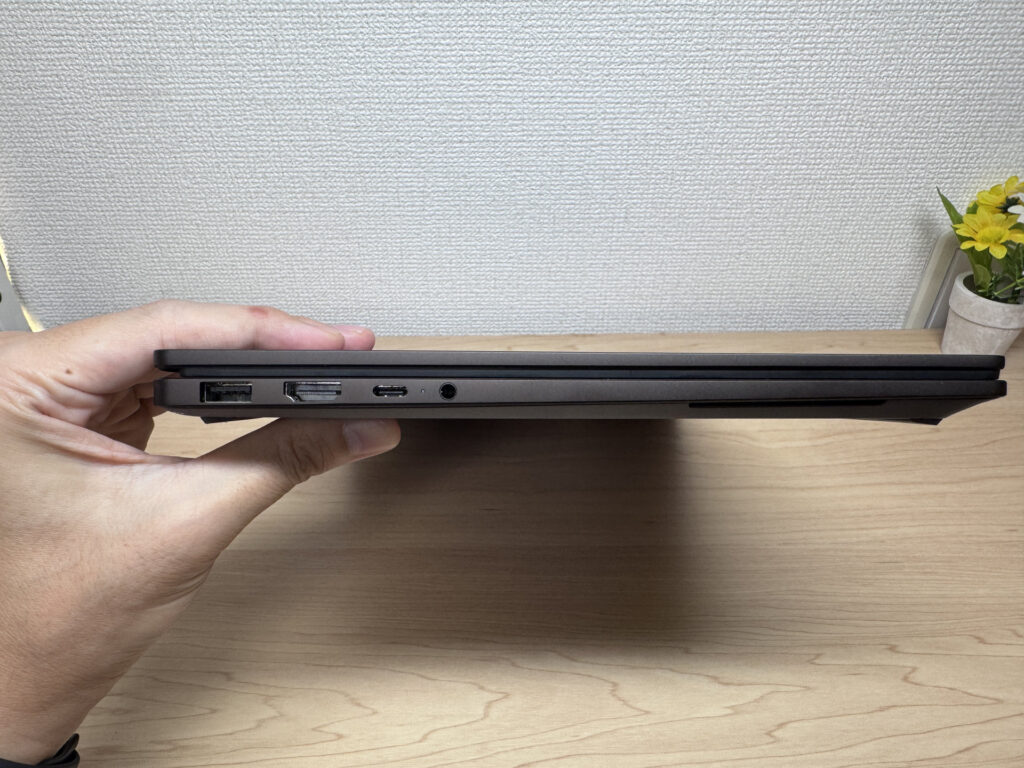 Spend a bit more up front and you also get a thinner, easier-to-use laptop
So, here's the bottom line for picking a laptop as a high schooler — nail these three things and you're good.
- CPU: Intel Core 5 / AMD Ryzen 5 or better (M4 chip or better for Mac), 16GB+ RAM
- 13–14 inch, on the lighter side (Windows or Mac)
- Budget around $1,200, skip Office until you need it in college (buy a one-time license then)
Hit these three and you'll have a laptop that carries you from high school through college without any replacement regrets. No "wait, this isn't powerful enough, I need a new one" moment once you get to college — just less stress and more focus on classes and assignments.
And in this article, I'm rounding up laptops that check all these boxes, so take a look below.
Our Picks
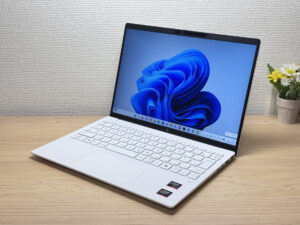
#1HP OmniBook 7 Aero 13-bg
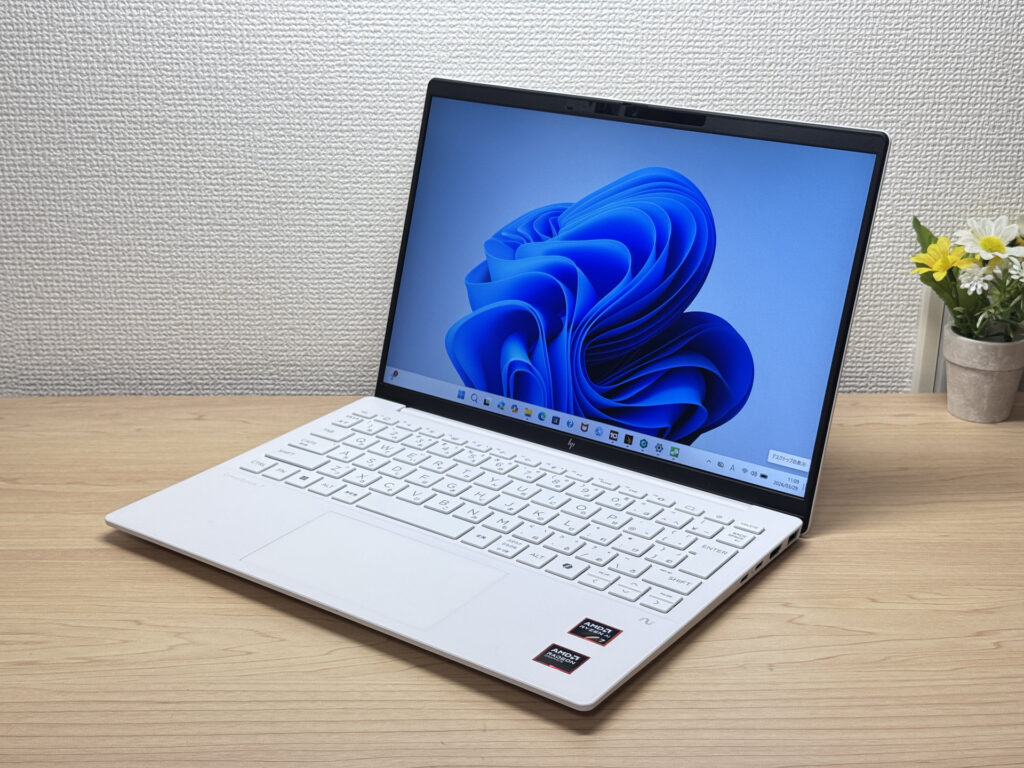
- ·You carry your laptop everywhere and want something that doesn't weigh you down
- ·You need a solid machine for writing papers, browsing, and video calls
- ·You work from coffee shops, campus, or anywhere outside your desk
- ·You need serious gaming or video editing performance — this isn't built for that
- ·You spend long days away from an outlet and need all-day battery life
Key Specs
- CPU
- AMD Ryzen AI 7 350
- Display
- 13.3-inch 1920x1200 IPS
- RAM
- 16GB
- Weight
- 0.97 kg (2.14 lbs)
- Storage
- 1TB SSD
- Battery
- ~15.5h
Why We Picked It
If you want a laptop that checks all three boxes for high school — light, genuinely capable, and built to last — the OmniBook 7 Aero 13-bg is it.
Its biggest strength is packing 16GB of RAM and a 512GB SSD into a body that weighs in at roughly 1kg, so it breezes through college papers, coding assignments, and running an AI tool at the same time. The AMD Ryzen AI 5 340 handles Python from your high school computer science class without breaking a sweat, and it stays snappy even with a ton of browser tabs open. The 13.3-inch 16:10 IPS display gives you more vertical space, which means less scrolling and more of each document visible at once — a small thing that adds up when you're studying at home. The ceramic white design looks sharp when you pull it out in class or at a coffee shop, and it's light enough that you'll barely notice it in your bag — a real plus once you're hauling it around campus every day in college.
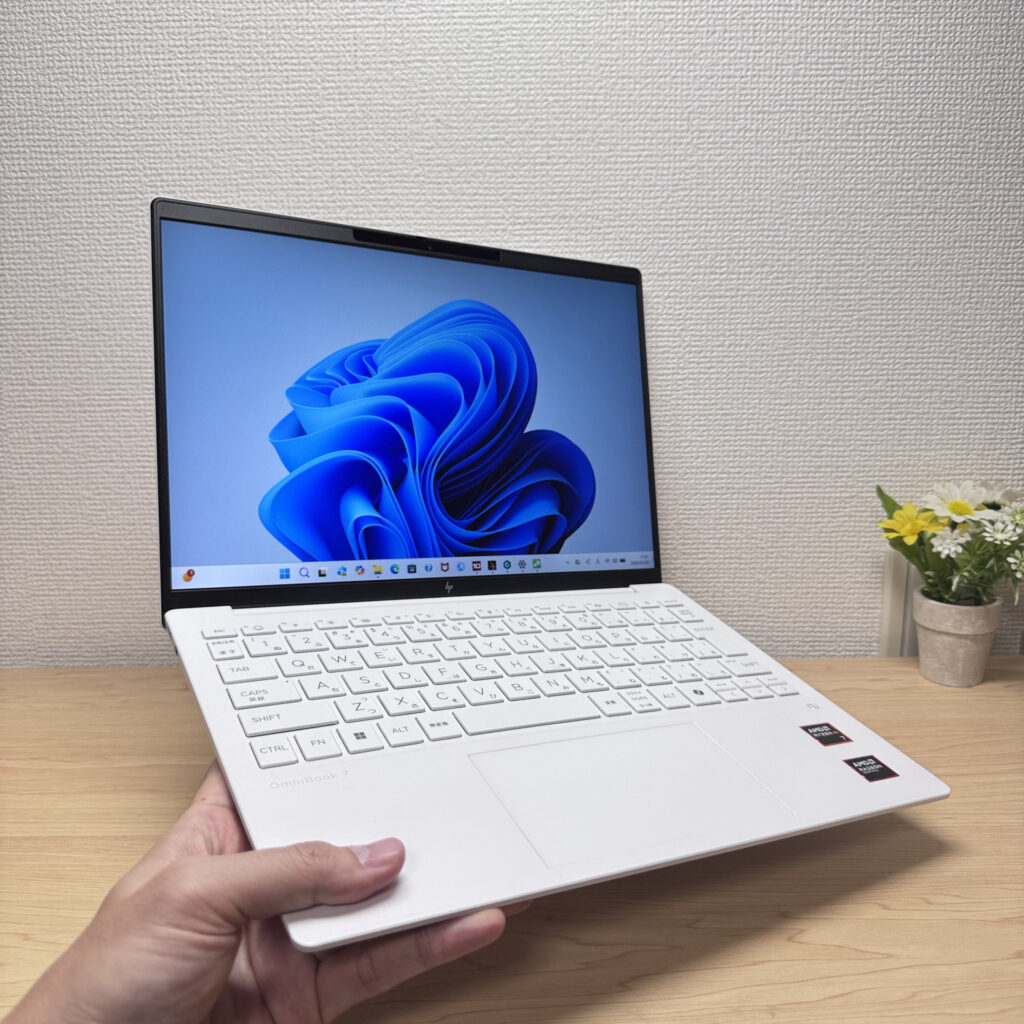
One thing worth flagging: battery capacity sits at 43Wh, which isn't huge, so on heavy workload days you might burn through it faster. That said, tossing a small, lightweight USB-C charger in your bag covers it easily — and since the laptop itself is this light, even with the charger added your total load stays comfortably light.
If you're looking for something you won't need to replace once you get to college, this balance of weight and specs is about as close to ideal as it gets 😊
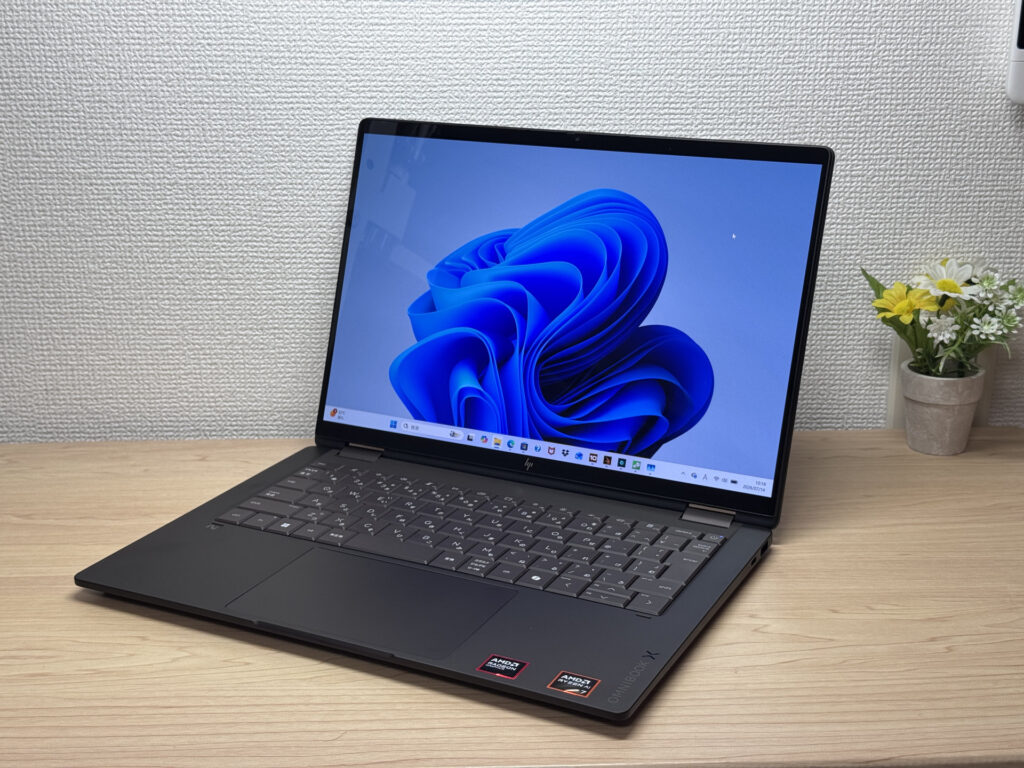
#2HP OmniBook X Flip 14-kc
- ·You want one device that works as both a laptop and a tablet
- ·You need something that handles papers, browsing, and multitasking smoothly
- ·You want a great screen and sound for watching videos and movies
- ·You're bothered by screen glare and want a matte display instead
- ·You need serious video editing power or heavyweight gaming — other options may serve you better
- ·Weight is your top priority and you're after something in the 1.2 kg (~2.6 lb) range
Key Specs
- CPU
- AMD Ryzen AI 5 430
- Display
- 14.0-inch 1920x1200 OLED touch
- RAM
- 16GB
- Weight
- 1.40 kg (3.09 lbs)
- Storage
- 512GB SSD
- Battery
- ~24.0h
Why We Picked It
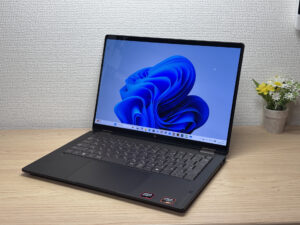
The HP OmniBook X Flip 14 is a 14-inch 2-in-1 with a premium Deep Espresso finish and a gorgeous 2880×1800, 120Hz OLED display. It supports tablet mode and pen input, and with the AMD Ryzen AI 7 450 plus 32GB of RAM, it handles multitasking without breaking a sweat. The glossy screen does pick up some reflections, but given the build quality and expandability, it's still a solid value.
Premium build meets 2-in-1 versatility
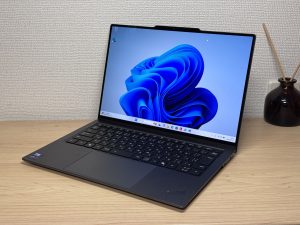
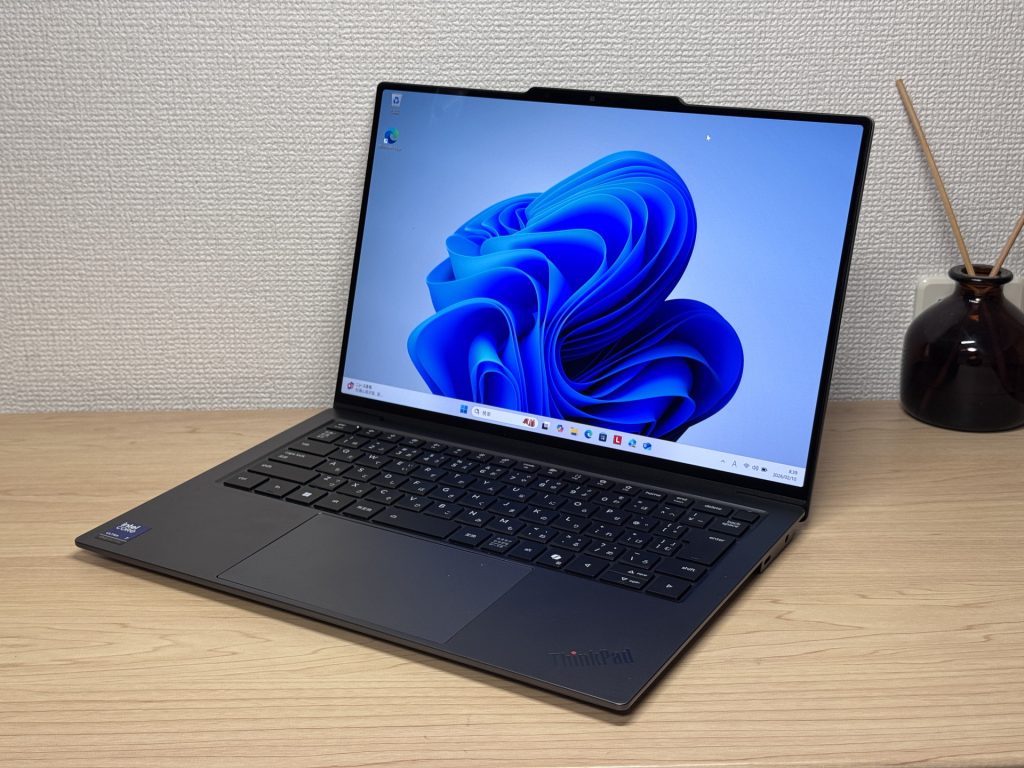
#3Lenovo ThinkPad X9 14 Gen 1 Aura Edition(14" Intel)
- ·You carry your laptop to campus or the office every single day
- ·You need all-day battery life without stressing about finding an outlet
- ·You want a display that actually makes movies and photos look great
- ·You do a lot of writing, note-taking, or document work
- ·You rely on lots of peripherals — the limited ports will frustrate you
- ·You need serious GPU performance for gaming or video editing
Key Specs
- CPU
- Intel Core Ultra 7 258V
- Display
- 14.0-inch 2880x1800 OLED touch
- RAM
- 32GB
- Weight
- 1.27 kg (2.80 lbs)
- Storage
- 1TB SSD
- Battery
- ~20.5h
Why We Picked It
ThinkPad X9 14 Gen 1 Aura Edition(14" Intel) sits at the top of Lenovo's mobile lineup, and honestly, it earns that spot. Pairing an Intel Core Ultra 7 258V with 32GB of RAM and an OLED display, it manages to nail portability, performance, and screen quality all at once — which is harder than it sounds. At around 2.85 lbs (1,293g), with a claimed 20+ hour battery life and a haptic trackpad that clicks no matter where you press, this thing is clearly built for people who carry their laptop everywhere and actually use it all day.
That said, you're only getting two USB-C ports and one HDMI. If you've got a lot of peripherals, a USB-C hub is basically required — not a dealbreaker, but worth knowing upfront. And yeah, the price is not for the faint of heart. If you're shopping on a budget, this probably isn't your machine. But if you refuse to compromise on your daily driver? You'll be happy here.
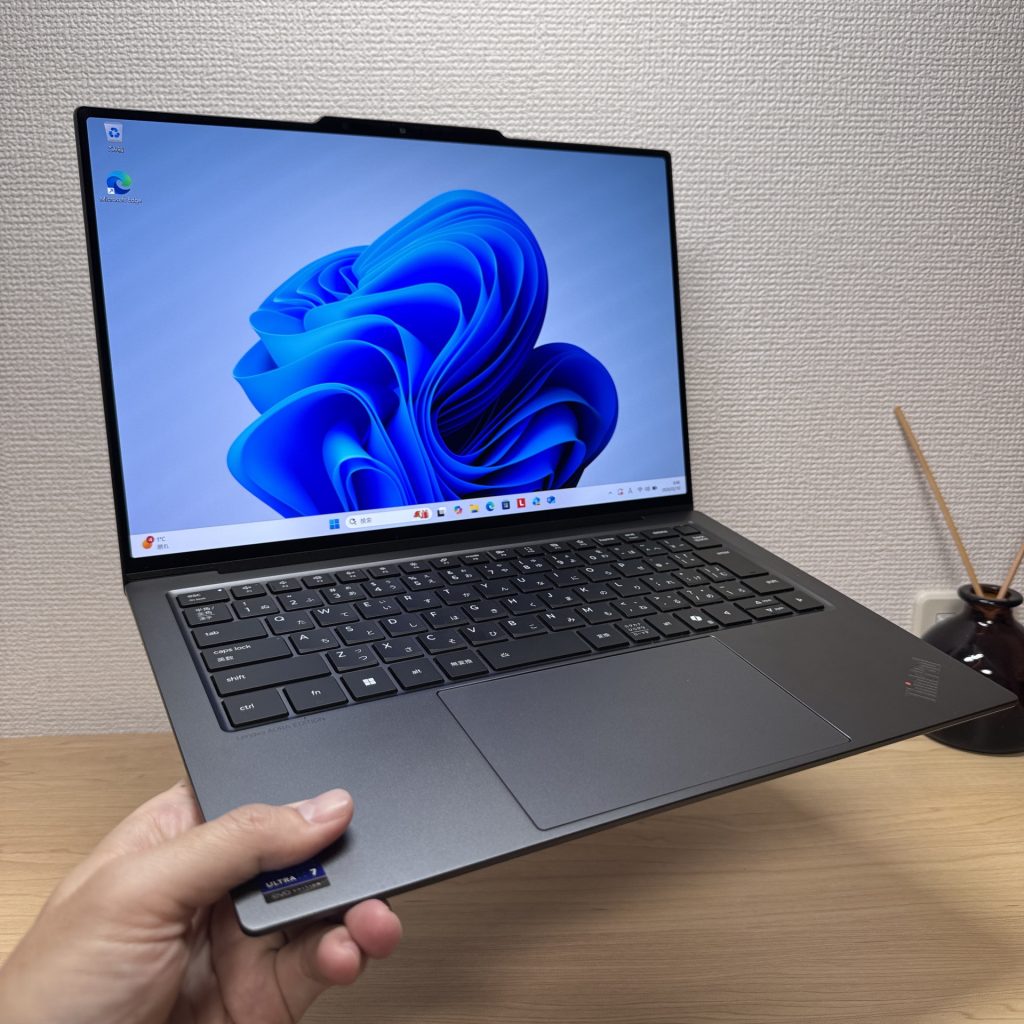 OLED display, lightweight build, and haptic trackpad — this thing is the full package
More Recommended Models
If our TOP 3 didn't quite click, take a look here too. These are picked with the same criteria, so you won't go far wrong either.
2.6 lbs with a 3K OLED — it's not cheap, and it doesn't pretend to be.

Current-gen power plus Copilot+ in a 14-inch you can actually afford.
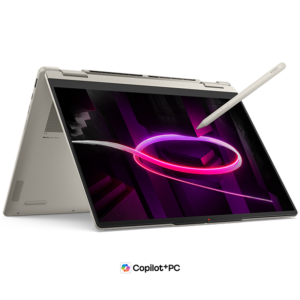
OLED display, 2-in-1 versatility, and 32GB RAM — all under 3 lbs. Honestly, hard to beat at this price.
Spec Comparison
Compare specs of all 6 recommended models at a glance.
Note: This table is ordered by our editors' picks for this use case, not by ZippyScore.
| Model | Image | Stores | Highlights | ZippyScore | CPU | RAM | Storage | Display | Battery | Weight | Full Review |
|---|---|---|---|---|---|---|---|---|---|---|---|
|
🥇 Best Overall
HP
OmniBook 7 Aero 13-bg
|
|
Amazon | A true 1kg laptop that's fast and light enough to last from high school through college | Best 4.5/5 | Best AMD Ryzen AI 7 350 Passmark: 24,959 | 16GB | Best 1TB |
13.3"
1920x1200
IPS
|
~15.5h | Best 0.97 kg (2.14 lbs) | Full Review |
|
🥈 Best Balanced Pick
HP
OmniBook X Flip 14-kc
|
|
Amazon | A gorgeous OLED 2-in-1 that punches way above its price. | 4.5/5 | AMD Ryzen AI 5 430 Passmark: 13,437 | 16GB | 512GB |
14.0"
1920x1200
OLED
|
~24.0h | 1.40 kg (3.09 lbs) | Full Review |
|
🥉 Best Value Pick
Lenovo
ThinkPad X9 14 Gen 1 Aura Edition(14" Intel)
|
|
Amazon | Build quality, performance, and battery life — this one's got it all. | 4.3/5 | Intel Core Ultra 7 258V Passmark: 18,961 | Best 32GB | Best 1TB |
Best 14.0"
2880x1800
OLED
|
~20.5h | 1.27 kg (2.80 lbs) | Full Review |
|
ASUS
Zenbook S 14 (UX5406SA)
|
|
Amazon | 2.6 lbs with a 3K OLED — it's not cheap, and it doesn't pretend to be. | 4.3/5 | Intel Core Ultra 7 258V Passmark: 18,961 | Best 32GB | Best 1TB |
14.0"
1920x1200
OLED
|
~23.3h | 1.20 kg (2.65 lbs) | — |
|
Acer
Aspire 14 AI
|
|
Amazon | Current-gen power plus Copilot+ in a 14-inch you can actually afford. | 4.2/5 | Intel Core Ultra 5 226V Passmark: 18,095 | 16GB | 512GB |
14.0"
1920x1200
IPS
|
~22.0h | 1.41 kg (3.11 lbs) | — |
|
Lenovo
Yoga 7a 2-in-1 Gen 11 (14" AMD)
|
|
Amazon | OLED display, 2-in-1 versatility, and 32GB RAM — all under 3 lbs. Honestly, hard to beat at this price. | 4.1/5 | AMD Ryzen AI 5 430 Passmark: 13,437 | 24GB | 512GB |
14.0"
1920x1200
OLED
|
Best ~26.0h | 1.38 kg (3.04 lbs) | Full Review |
Frequently Asked Questions
Is 8GB of RAM not enough?
How much storage do I actually need?
Windows or Mac — which is better?
Can I game on it?
Should I buy Microsoft Office?
Summary
Here's a quick recap of the conclusion from this article:
These are the models that meet those criteria:
- #1 HP OmniBook 7 Aero 13-bg
- #2 HP OmniBook X Flip 14-kc
- #3 Lenovo ThinkPad X9 14 Gen 1 Aura Edition(14" Intel)
- #4 ASUS Zenbook S 14 (UX5406SA)
- #5 Acer Aspire 14 AI
- #6 Lenovo Yoga 7a 2-in-1 Gen 11 (14" AMD)
We hope you find the laptop that's right for you here.
Happy laptop hunting!
About the author
