

I want a laptop for under $800, but I don't want something so cheap it's basically unusable... I'd like to pick the best one I can within that budget, but I have no idea which one that is. Someone please just tell me 😂
Hey, it's Takumi here from ZippyLaptop.
So you're trying to find a laptop for $800 or less, but the specs on cheap models are all over the place and you have no idea what to actually look for... sound familiar? Honestly, prices have gone up a lot lately, so finding a decent laptop under $800 gets harder every year 😂.
And if you go in without doing your homework and just chase the lowest price, you can end up with a laptop so laggy it's basically money down the drain. A laptop's a real purchase — you don't want to get this one wrong.
So let's bring in some expert opinion 👍. I've reviewed over 100 laptops and helped a ton of people pick the right one, and in this guide I'll walk you through three key tips for choosing a laptop under $800, plus the models I can genuinely recommend. Read to the end and you'll know how to pick a laptop you won't regret, even on a tight budget.
Alright, here we go! Let's get started !
Quick Answer
I'll get straight to the point.
Under $800? Go new, insist on at least 8GB of RAM, and skip anything used — stretch the budget a little and you can land a genuinely comfortable laptop.
Based on the conclusion above, here are the 3 laptops I'd recommend first.
If you're stuck deciding, picking from this shortlist will rarely lead you wrong.
The rest of the article breaks down the differences and how to choose.
Our TOP 3 Picks
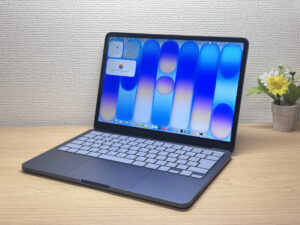
Full Apple quality at a starter price — honestly, the best first Mac you can buy.
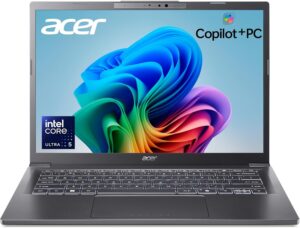
Current-gen power plus Copilot+ in a 14-inch you can actually afford.
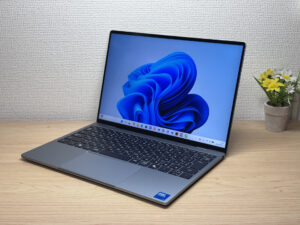
Ridiculously light and gorgeous, with a 2.5K display that steals the whole show
Buying Guide
Specs: With a laptop under $800 you'll have to compromise somewhere — but don't compromise on 8GB of RAM
Honestly, if you're aiming for $800 or less these days, you can't avoid compromising on spec somewhere. Prices have climbed across the board lately, so $800 is a genuinely tough budget to hit.
That said, there's one spec worth holding the line on: RAM. Go with at least 8GB. Modern operating systems eat up more memory than they used to, so 8GB is really the bare minimum these days.
True budget laptops love to sneak in 4GB of RAM. Seriously, avoid any model with 4GB — just don't. With 4GB it's laggy to the point of being unusable. 8GB is the floor.
By the way, if you happen to find a model with 16GB of RAM under $800, that's a genuine find. Treat it like buried treasure — it could turn out to be a really solid machine ✨.
As for the CPU, you're mostly looking at Intel Celeron / Core 3 / Ryzen 3 territory, and there's not much you can do about that.
Honestly, at this price point you have to accept some slowdown and stutter here and there. If you're just browsing the web or using it a few times a month, a low-spec machine is fine — but if you want more than that, brace yourself. Being honest with yourself about how you'll actually use it is the real key to not regretting a laptop in this price range.
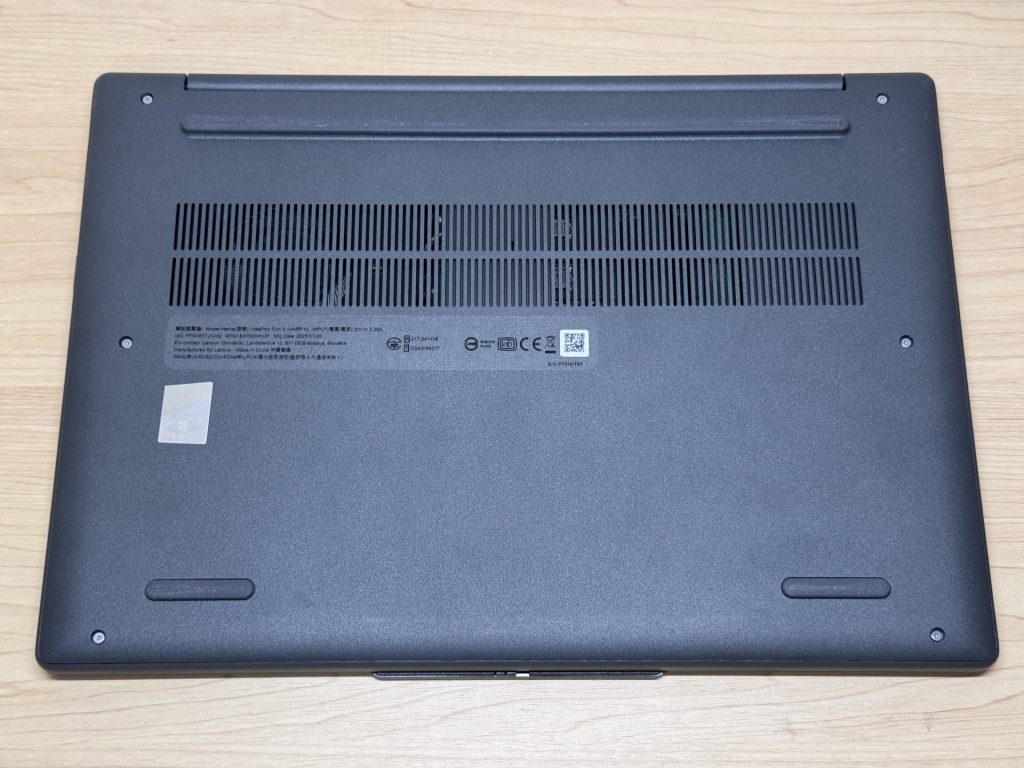 Budget laptops often use plastic to cut costs, but honestly, that's not really something worth worrying about.
Usability: Don't jump at a used or refurbished unit just because it's cheap
Here's another important tip: don't casually pick up a used or refurbished laptop. I get the appeal of saving money, believe me — but this is something I really want to stress. With a used laptop, you're rolling the dice on things like:
- A battery that's already worn down and dies fast
- A keyboard that's worn smooth and unpleasant to type on
- An outdated CPU, or RAM stuck at 4GB
Search Amazon and you'll find plenty of used and refurbished units. The prices are tempting, no doubt 😂. But it's really common for these to come bundled with hidden landmines — battery wear, a worn keyboard, an old CPU, 4GB of RAM.
And if you're shopping for a laptop under $800, odds are you're a first-time buyer just getting started. Honestly, judging the condition of a used unit yourself is genuinely hard. Even someone like me, who's handled a ton of laptops, has to stay sharp about it — so jumping at a used laptop purely for the price is risky if you're new to this.
Luckily, there are actually new laptops available for under $800 these days. So there's no real reason to take on the risk of buying used. For the same budget, a new unit with a known, clean condition will serve you better in the long run.
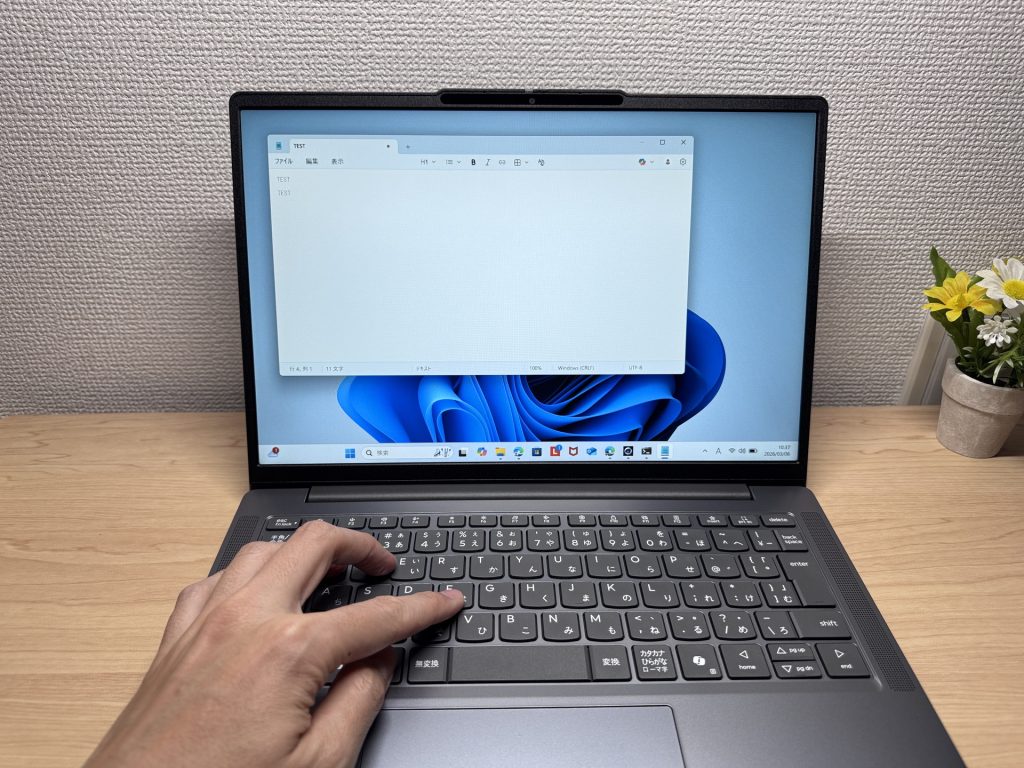 A shiny, worn keyboard on a used laptop is a real mood-killer. You won't run into that with a new one.
Price: If you can stretch it a little, aim for $1,000 instead
Last one's a bit of an honest confession. $800 or less is a genuinely tough budget. Which is exactly why, if you can possibly swing it, I'd really encourage you to stretch your budget to around $1,000 😉.
Here's the thing — that gap between $800 and $1,000 isn't huge, but it can completely change your options. The specs that are full of compromises under $800 suddenly hit a genuinely solid tier once you can stretch to $1,000. Everyday responsiveness, and how little the laptop stresses you out day to day — both jump noticeably at that point.
A laptop isn't something you replace all that often. It's a tool you'll likely be living with for years. So it really is worth having one that stays responsive the whole time you own it. If a small bump upfront buys you several genuinely comfortable years, that's money well spent, in my book.
Trim a little elsewhere and $1,000 is often more reachable than you'd think. Stretching your budget just a bit is the single best shortcut to a laptop you won't regret. That said, I'll still walk you through the best options I can genuinely recommend under $800 👍
Our Picks
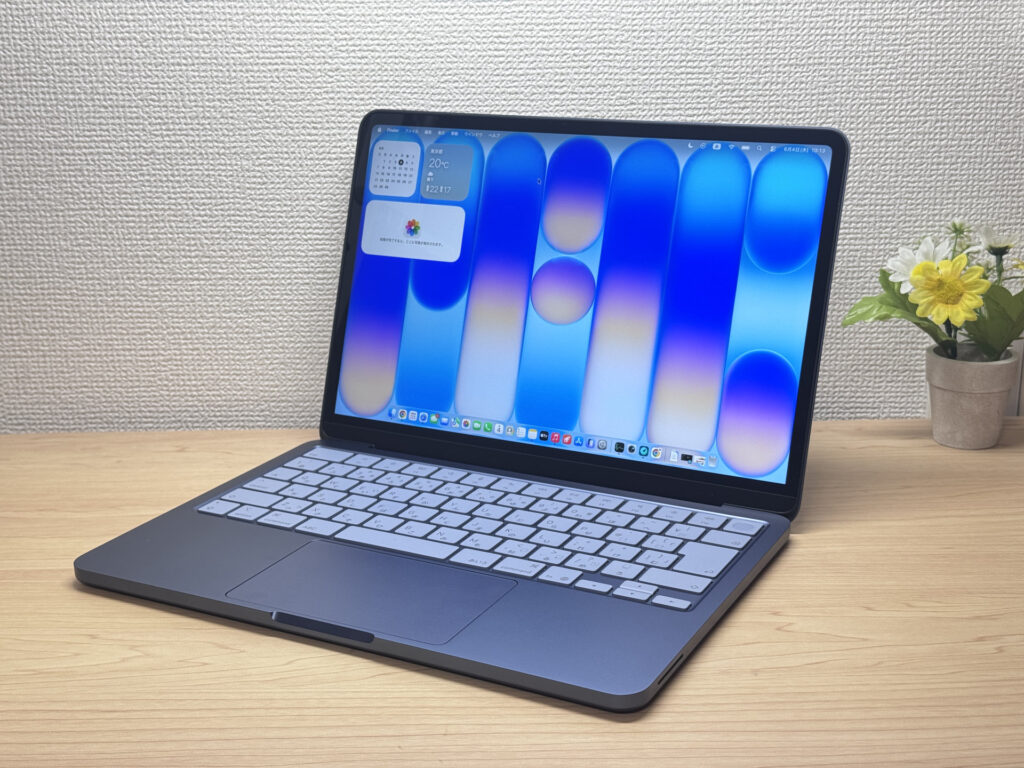
#1Apple MacBook Neo
- ·First-time laptop buyers or total beginners
- ·People who mostly browse the web, check email, or work in spreadsheets and docs
- ·Anyone who wants Apple quality without spending MacBook Air money
- ·People switching to Mac for the first time
- ·Heavy gamers or video editors — this chip isn't built for that kind of workload
- ·People with lots of USB-A peripherals who don't want to deal with a hub
Key Specs
- CPU
- Apple A18 Pro
- Display
- 13.0-inch 2408x1506 IPS
- RAM
- 8GB
- Weight
- 1.23 kg (2.71 lbs)
- Storage
- 256GB SSD
- Battery
- ~16.0h
Why We Picked It
MacBook Neo is the best value Mac you can buy right now, starting at . The all-aluminum unibody construction — top to bottom — gives it a premium feel you just don't get from Windows laptops at this price, which almost always cut corners with plastic somewhere. The A18 Pro is the same chip inside the iPhone 16 Pro, and since there's no fan, it runs completely silent — using it almost feels like operating a phone. The laptop itself weighs 2.7 lbs (1.23 kg), and the charger with cable comes in at just 3 oz (84g), making the whole setup ridiculously easy to carry around. 8GB of RAM sounds tight for a modern machine, but in practice this thing is snappy — it genuinely doesn't feel like 8GB.
Build quality that doesn't feel like it belongs at this price
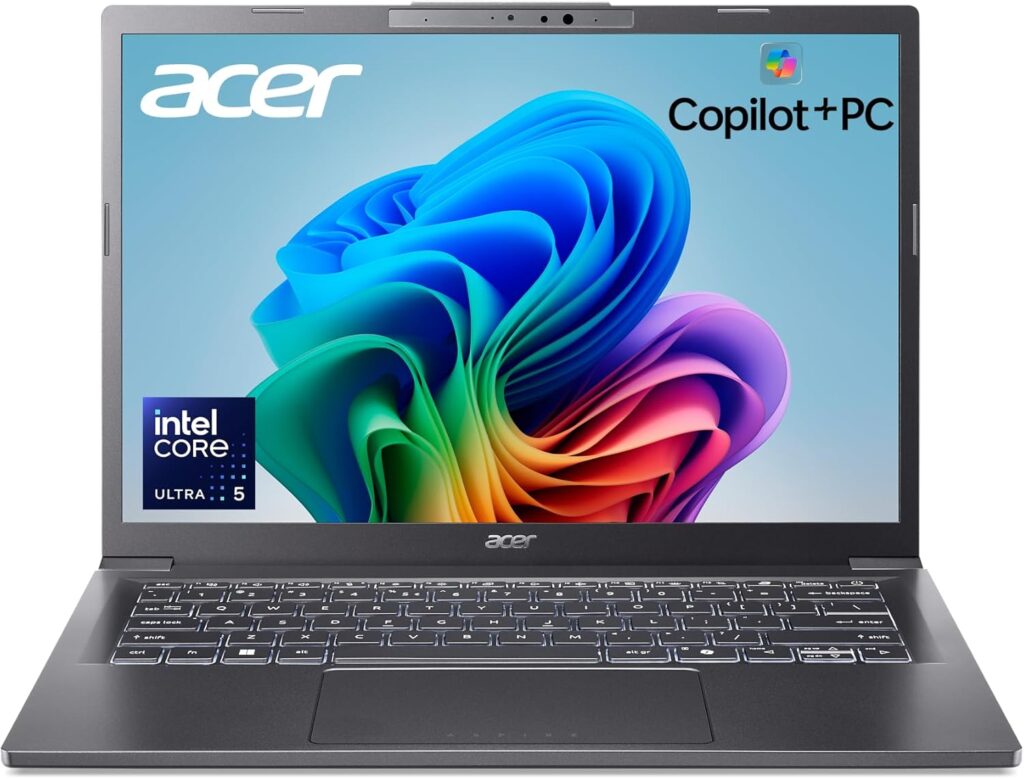
#2Acer Aspire 14 AI
- ·You want to breeze through reports, web browsing, and video streaming
- ·You need long battery life without hunting for an outlet when you're out
- ·You want to try the latest Windows AI features like Copilot+ without paying a premium
- ·You use HDMI and USB-A and don't want to carry adapters around
- ·Not for you if heavy gaming or serious video editing is your main thing
- ·If you care about the vivid colors of an OLED panel, worth looking at other options
- ·Heads-up if you want to upgrade the RAM and keep the machine for the long haul
Key Specs
- CPU
- Intel Core Ultra 5 226V
- Display
- 14.0-inch 1920x1200 IPS
- RAM
- 16GB
- Weight
- 1.41 kg (3.11 lbs)
- Storage
- 512GB SSD
- Battery
- ~22.0h
Why We Picked It
The Acer Aspire 14 AI (A14-52M) is a Copilot+ 14-inch ultraportable built on Intel's latest silicon. With 16GB of RAM and a full port lineup — USB-C (Thunderbolt 4), HDMI, and USB-A, it's ready to handle your day-to-day work and studying. The power-efficient design and a claimed 22-ish hours of battery are reassuring too. It's not made for heavy gaming or serious video editing, but for web browsing and document work it's more than enough — and landing all this at an affordable price makes it a genuinely good deal.
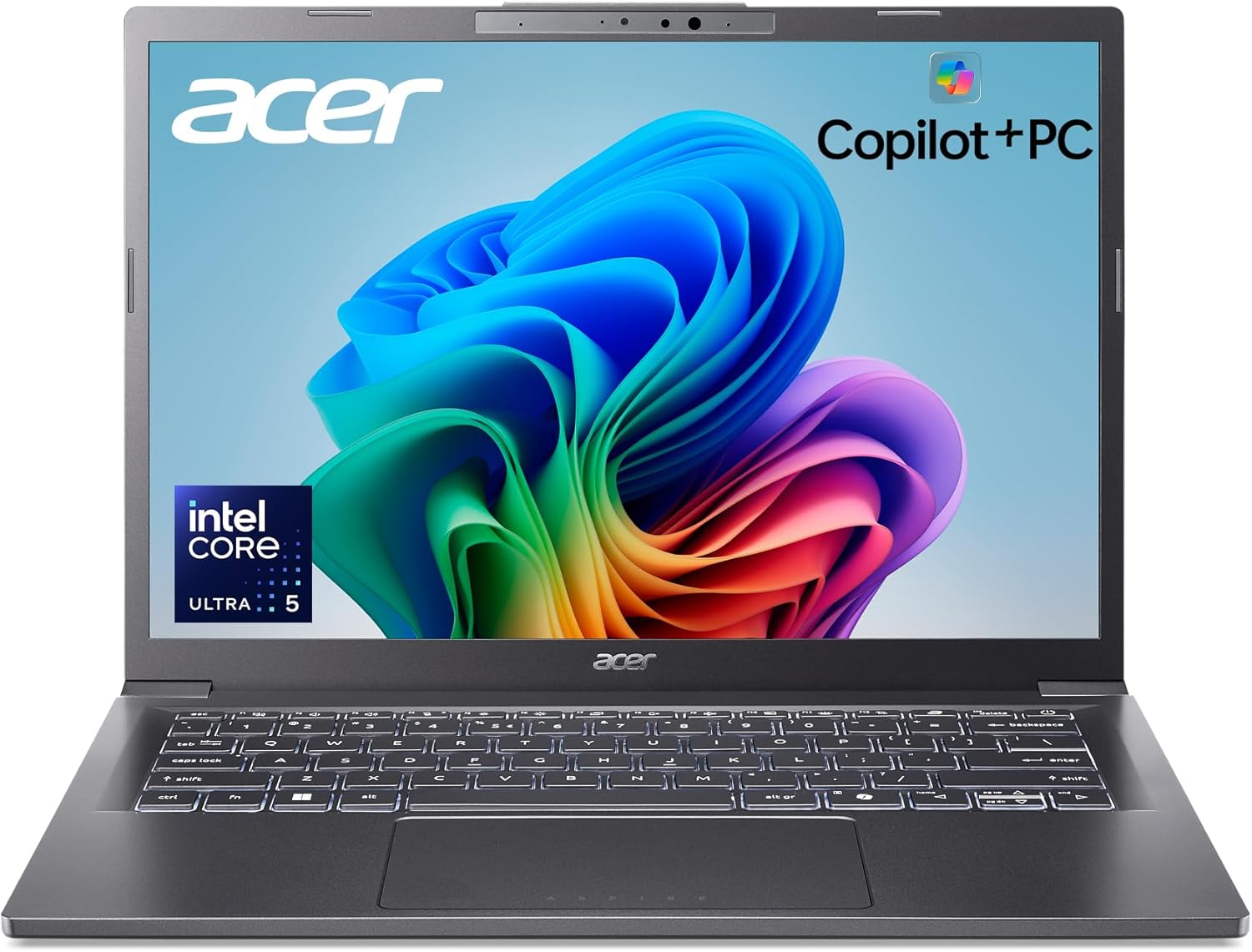 The 14-inch Aspire 14 AI (A14-52M), around 1.41 kg (~3.1 lbs)
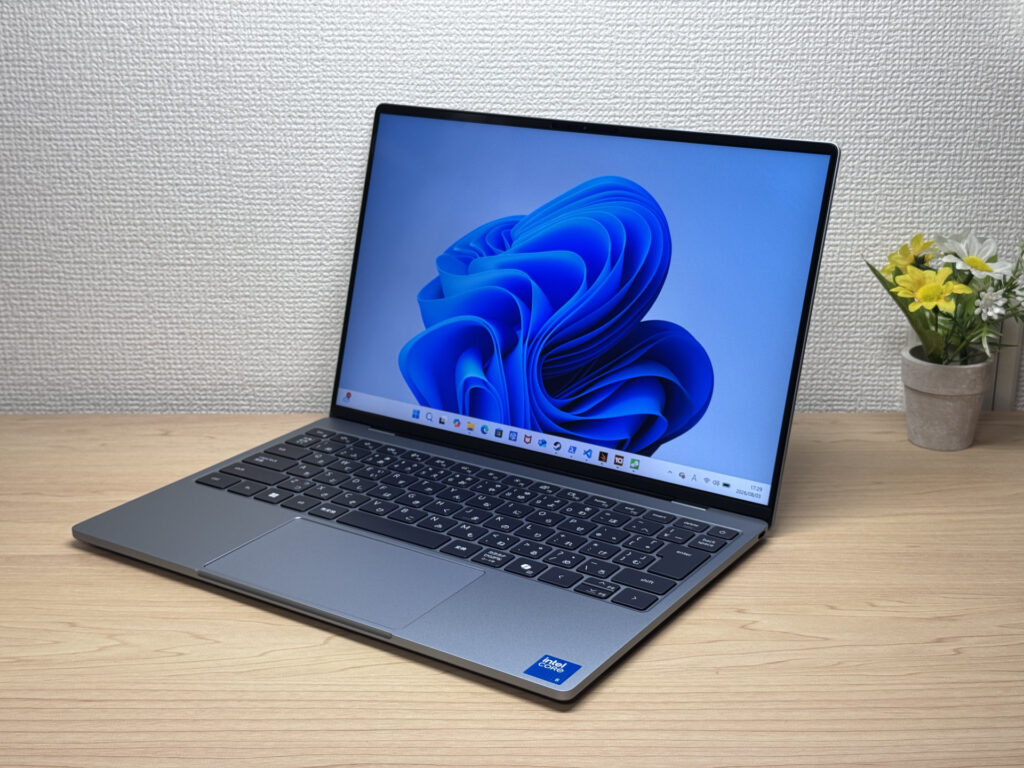
#3Dell XPS 13 (DX13260, 2026)
- ·College students and professionals who carry a laptop around every day
- ·Anyone picking out their first Windows laptop
- ·Mac-curious shoppers drawn to that compact, premium MacBook Neo-style feel
- ·Anyone who wants touchscreen input
- ·Not a great fit if you need to run a lot of peripherals without a USB-C hub
- ·If you want to plug in wired earbuds directly, you might want to look elsewhere
Key Specs
- CPU
- Intel Core 5 320
- Display
- 13.4-inch 2560x1600 touch
- RAM
- 8GB
- Weight
- 1.00 kg (2.20 lbs)
- Storage
- 512GB SSD
- Battery
- ~17.0h
Why We Picked It
The Dell XPS 13 (DX13260, 2026) is a 13.4-inch ultraportable that stands out for its machined-unibody build quality and the razor-thin bezels made possible by InfinityEdge. It pulls off a rare combo: a featherlight 1045 g (~2.3 lbs) chassis paired with a 2.5K, 120Hz touchscreen, and the whole package feels like a direct answer to the MacBook Neo. It's whisper-quiet at idle, and the keyboard has a satisfying, clicky feel that left a great first impression. The 8GB RAM ceiling and having only two USB-C ports hold it back a bit, but given the build quality and that stunning display, this one's an easy recommend.
InfinityEdge makes for razor-thin bezels up front
More Recommended Models
If our TOP 3 didn't quite click, take a look here too. These are picked with the same criteria, so you won't go far wrong either.
A 16-inch 2-in-1 that runs 20 hours and still finds room for a number pad.
Current-gen Ryzen AI on a roomy 16-inch screen — without the premium price tag.
A big 16-inch screen and all-day battery, without the big-screen price.
Spec Comparison
Compare specs of all 6 recommended models at a glance.
Note: This table is ordered by our editors' picks for this use case, not by ZippyScore.
| Model | Image | Stores | Highlights | ZippyScore | CPU | RAM | Storage | Display | Battery | Weight | Full Review |
|---|---|---|---|---|---|---|---|---|---|---|---|
|
🥇 Best Overall
Apple
MacBook Neo
|
|
Amazon | Full Apple quality at a starter price — honestly, the best first Mac you can buy. | Best 4.3/5 | Apple A18 Pro Passmark: 12,849 | 8GB | 256GB |
13.0"
2408x1506
IPS
|
~16.0h | 1.23 kg (2.71 lbs) | Full Review |
|
🥈 Best Balanced Pick
Acer
Aspire 14 AI
|
|
Amazon | Current-gen power plus Copilot+ in a 14-inch you can actually afford. | 4.2/5 | Intel Core Ultra 5 226V Passmark: 18,095 | Best 16GB | 512GB |
14.0"
1920x1200
IPS
|
Best ~22.0h | 1.41 kg (3.11 lbs) | — |
|
🥉 Best Value Pick
Dell
XPS 13 (DX13260, 2026)
|
|
Amazon | Ridiculously light and gorgeous, with a 2.5K display that steals the whole show | 4.1/5 | Intel Core 5 320 Passmark: 15,482 | 8GB | 512GB |
13.4"
2560x1600
|
~17.0h | Best 1.00 kg (2.20 lbs) | Full Review |
|
Lenovo
IdeaPad 5 2-in-1 Gen 10 (16 inch, AMD)
|
|
Amazon | A 16-inch 2-in-1 that runs 20 hours and still finds room for a number pad. | 3.8/5 | Best AMD Ryzen AI 5 340 Passmark: 19,609 | Best 16GB | Best 1TB |
16.0"
1920x1200
IPS
|
~20.5h | 2.00 kg (4.41 lbs) | — |
|
HP
OmniBook 5 16-ag
|
|
Amazon | Current-gen Ryzen AI on a roomy 16-inch screen — without the premium price tag. | 3.8/5 | Best AMD Ryzen AI 5 340 Passmark: 19,609 | Best 16GB | 512GB |
16.0"
1920x1200
IPS
|
~16.5h | 1.79 kg (3.95 lbs) | — |
|
ASUS
Vivobook 16 (X1607QA)
|
|
Amazon | A big 16-inch screen and all-day battery, without the big-screen price. | 3.7/5 | Snapdragon X X1-26-100 | Best 16GB | Best 1TB |
16.0"
1920x1200
IPS
|
~19.6h | 1.88 kg (4.14 lbs) | — |
Frequently Asked Questions
How much RAM do I need for a laptop under $800?
Is it okay to buy a used or refurbished laptop?
Is a Celeron or Core 3 CPU good enough?
What's the best way to get Office on my laptop?
Is $800 or less really a tough budget?
Summary
Here's a quick recap of the conclusion from this article:
These are the models that meet those criteria:
- #1 Apple MacBook Neo
- #2 Acer Aspire 14 AI
- #3 Dell XPS 13 (DX13260, 2026)
- #4 Lenovo IdeaPad 5 2-in-1 Gen 10 (16 inch, AMD)
- #5 HP OmniBook 5 16-ag
- #6 ASUS Vivobook 16 (X1607QA)
We hope you find the laptop that's right for you here.
Happy laptop hunting!
About the author
