ZippyScore
ZippyScore is a proprietary rating based on 6 criteria: performance, portability, display, battery, value, and connectivity.
See rating criteria
- Performance: CPU / GPU performance
- Portability: Screen size & weight
- Display: Panel type, aspect ratio & refresh rate
- Battery: Rated battery life
- Value: Specs-to-price balance
- Connectivity: Port types & count
Pros & Cons
Pros
- At around 2.85 lbs (1,293g), it's easy to carry to class or the office every day
- With 32GB of RAM, multitasking and demanding workflows feel effortless
- The OLED display makes photos, videos, and everyday content genuinely pop
- Battery life is strong enough to get through a full day without hunting for an outlet
- Face unlock and fingerprint login mean you're in and working in about one second
Cons
- No USB-A ports — if you use peripherals, a USB-C hub is basically required
- Fan noise is noticeable under heavy load, though it's doing its job
Specs Summary
| OS | Windows 11 Pro |
|---|---|
| CPU | Intel Core Ultra 5 226V (PassMark: 18,095) Intel Core Ultra 7 258V (PassMark: 18,961) Intel Core Ultra 7 268V (PassMark: 19,421) |
| RAM | 16GB / 32GB |
| Storage | 256GB / 512GB / 1TB |
| Display | 14" OLED (Anti-glare, 60Hz) 1920x1200 (16:10) 14" OLED (Touchscreen) 2880x1800 (16:10) |
| Weight | 1.27 kg (2.80 lbs) |
| Ports | USB-C × 2 (Thunderbolt 4/40Gbps/PD/Video out), HDMI × 1, Headphone jack × 1 |
| GPU | Intel Arc Graphics (G3D Mark: 5,486) Intel Arc 140V (G3D Mark: 5,133) Intel Arc 130V |
| Biometrics | Fingerprint, Face Recognition |
| Battery | Up to 20.5 h (Capacity: 55 Wh) |
| Dimensions | Approx. 311.8 × 212.3 × 17.2 mm (W × D × H) |
| Wi-Fi | Wi-Fi 7 |
| Bluetooth | Bluetooth 5.4 |
| Color | Thunder Grey / Gray |
Configurations vary by retailer, region, and availability.
Hands-on Review
Here's a full hands-on look at ThinkPad X9 14 Gen 1 Aura Edition(14" Intel). The unit I tested came in this configuration:
| Component | Specs (review unit) |
|---|---|
| CPU | Intel Core Ultra 7 258V |
| RAM | 32GB |
| Storage | 1024GB SSD |
| Display | 14.0" OLED (2880×1800, 120Hz, touchscreen) |
| Graphics | Intel Arc Graphics |
| Color | Thunder Grey |
Note: specs may vary depending on region and configuration.
Design
My review unit came in Thunder Grey, and the moment you pick it up, the Aura Edition premium feel hits immediately. I'd honestly put it up there with the nicest-looking laptops on the market right now — and I don't say that lightly. The ThinkPad "i" dot on the lid lights up in this subtle, understated way that somehow makes it look more sophisticated, not flashier. It's the kind of detail that makes you go "okay, they actually thought about this."
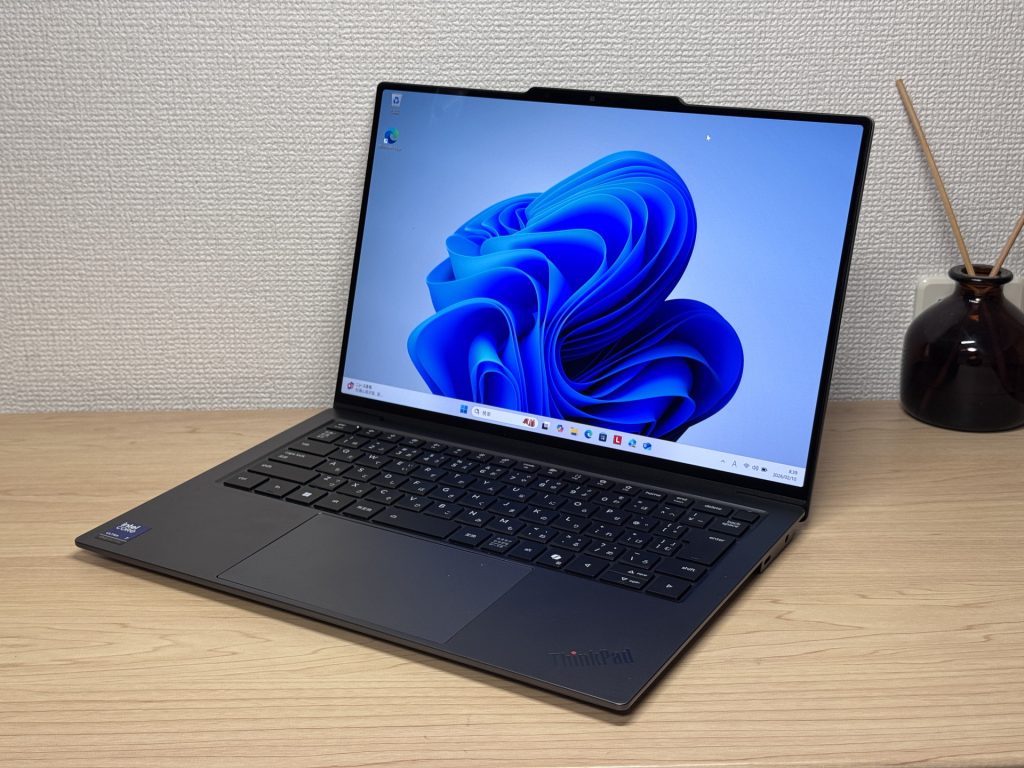 Front view of the Aura Edition — premium all around
Both the lid and the bottom panel have a matte finish that genuinely resists fingerprints. Sounds minor, but when you're touching the thing all day, it matters. No smudge-city here.
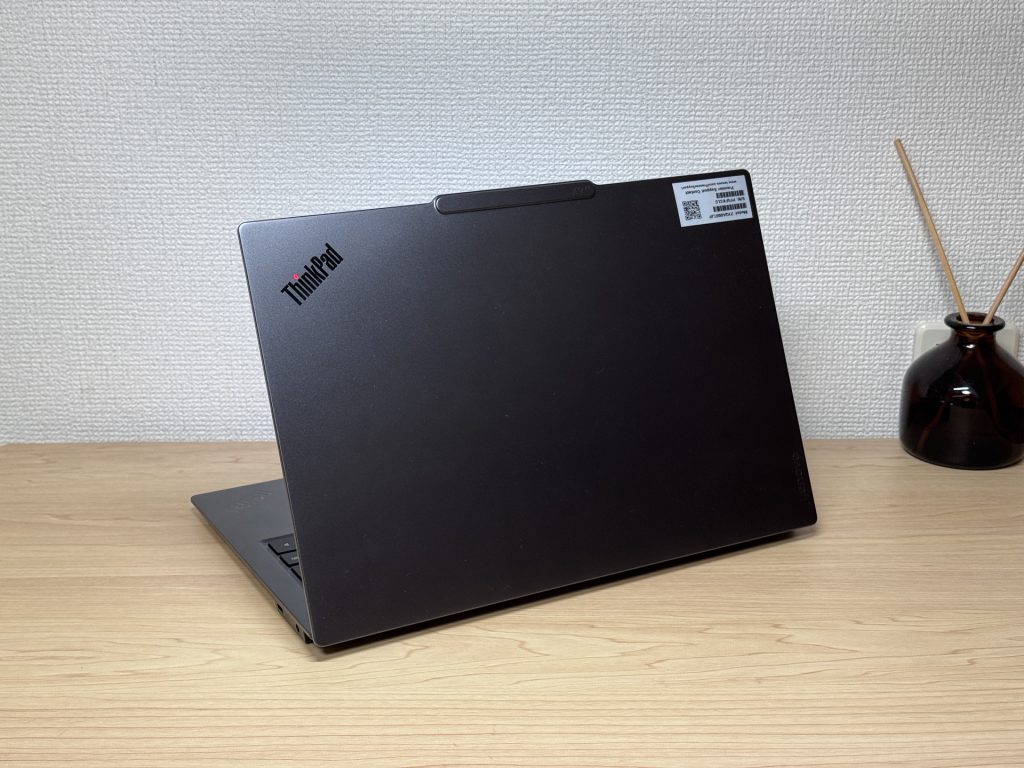 Matte finish keeps fingerprints to a minimum
It's also genuinely thin. Like, "slides into your backpack without a second thought" thin. No wrestling with a bulging laptop sleeve.
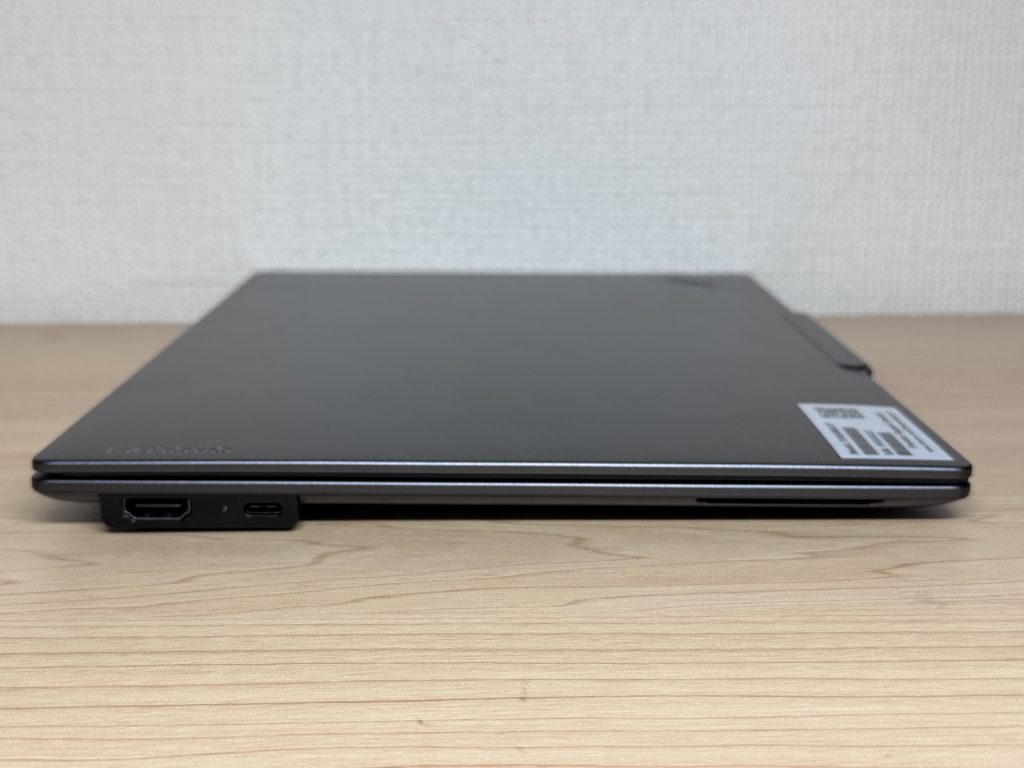 Slim profile fits easily into any bag
The rubber feet on the bottom are solid and grippy — no sliding around on your desk mid-typing session. Small thing, appreciated.
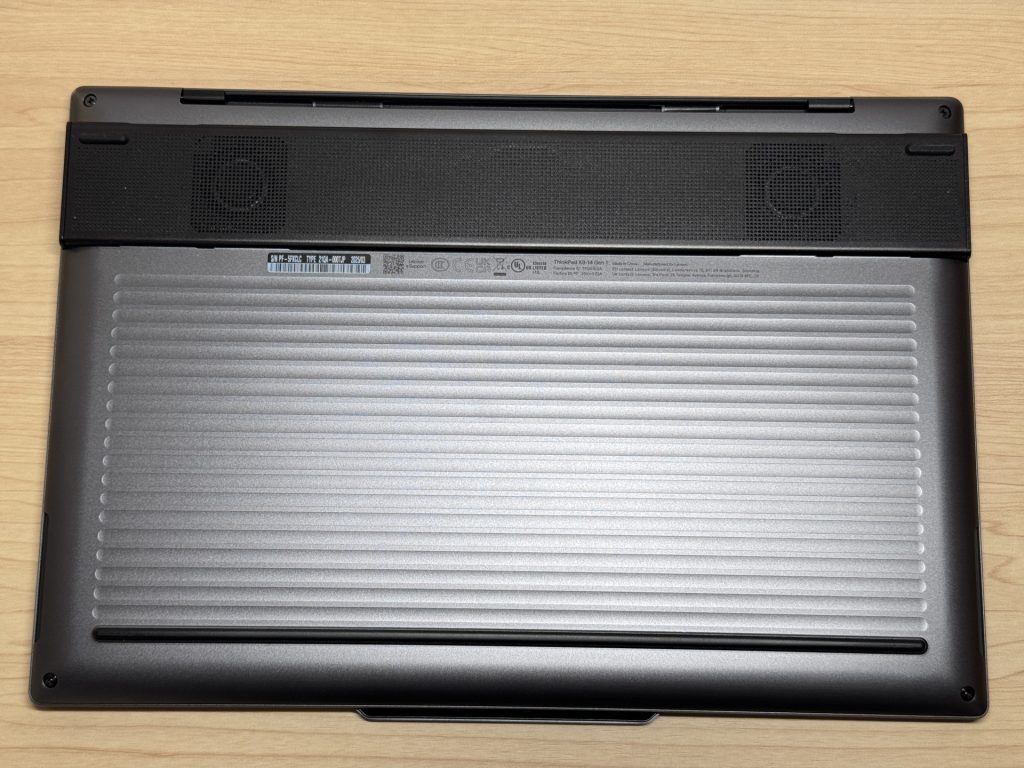 Grippy rubber feet keep it stable on the desk
The webcam housing has a slight bump on the lid that makes it really easy to flip open one-handed. No fingernail-digging required. You just... open it. Sounds obvious, but a surprising number of laptops get this wrong.
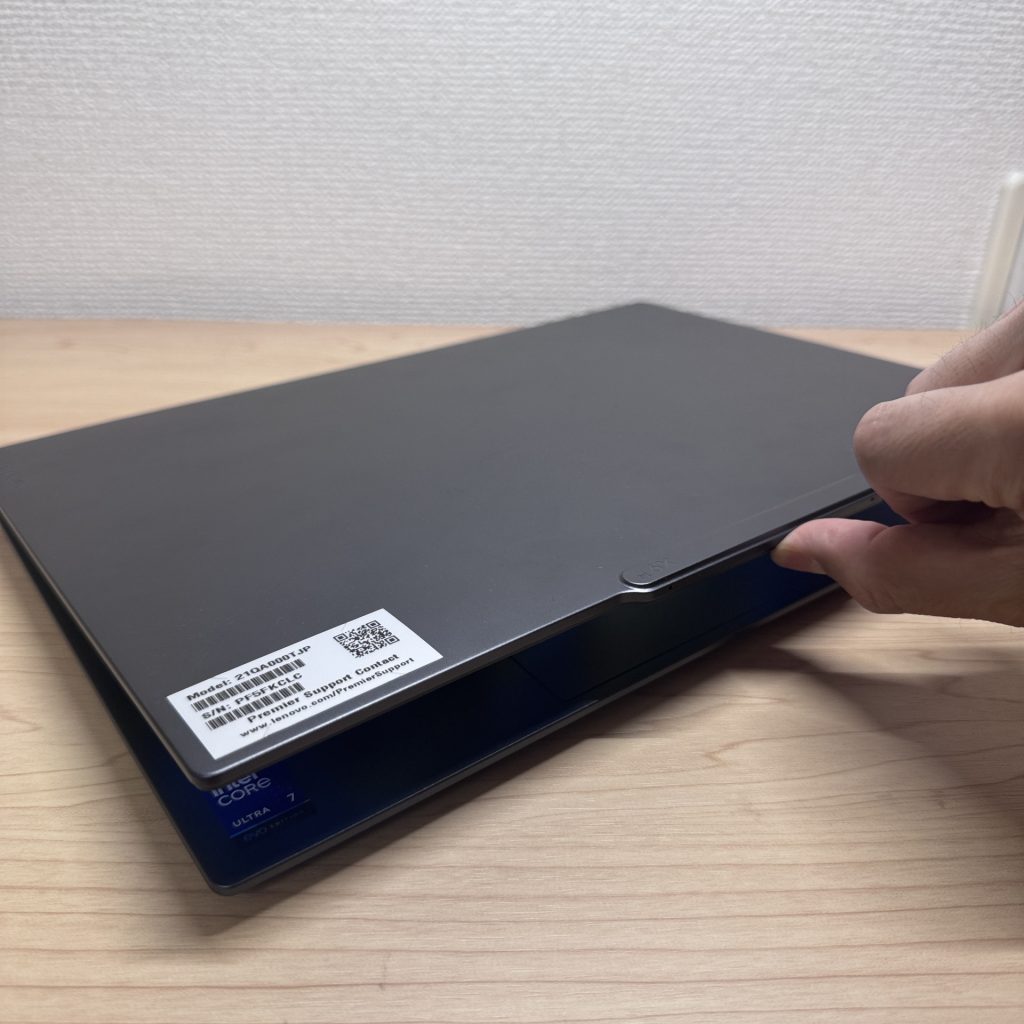 Webcam bump makes the lid easy to open
Portability
At 2.85 lbs (1,293g), this is the kind of machine you toss in your bag without even thinking about it. "Should I bring my laptop today?" stops being a question. The price? Decidedly less light — but the weight? Chef's kiss.
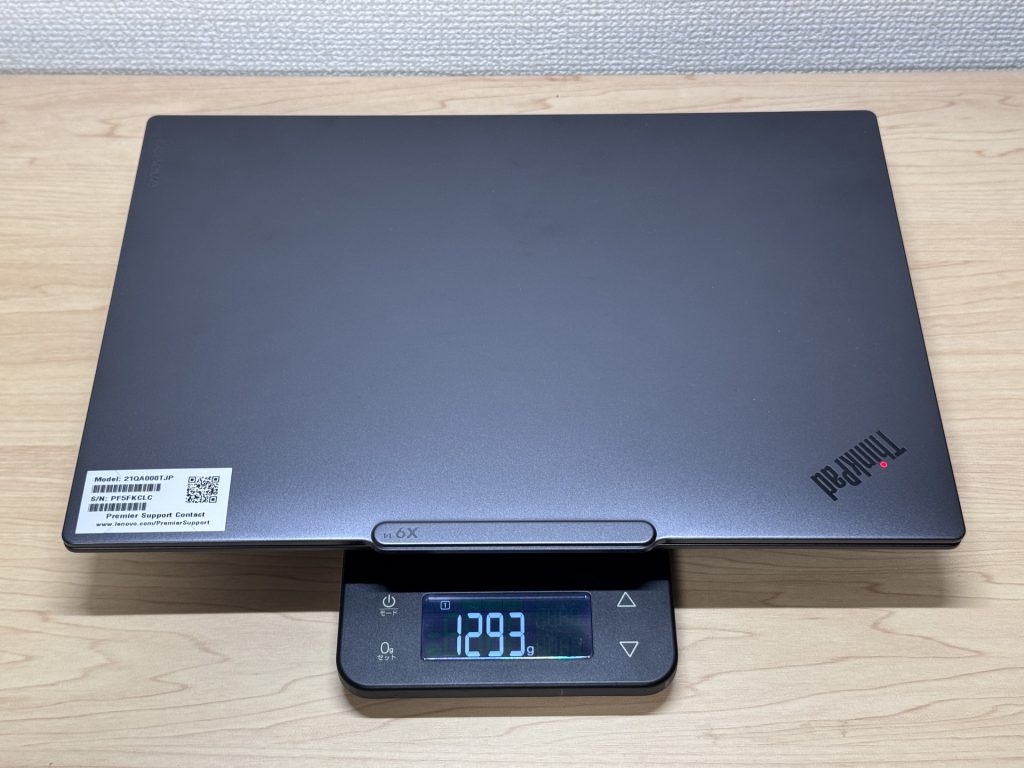 Measured at 1,293g (about 2.85 lbs)
The included charger weighs around 212g, which does add up a bit. Since ThinkPad X9 14 Gen 1 Aura Edition(14" Intel) charges over USB-C, though, you can totally swap it out for a compact third-party charger — something like an Anker Nano works great and shaves off meaningful weight from your bag.
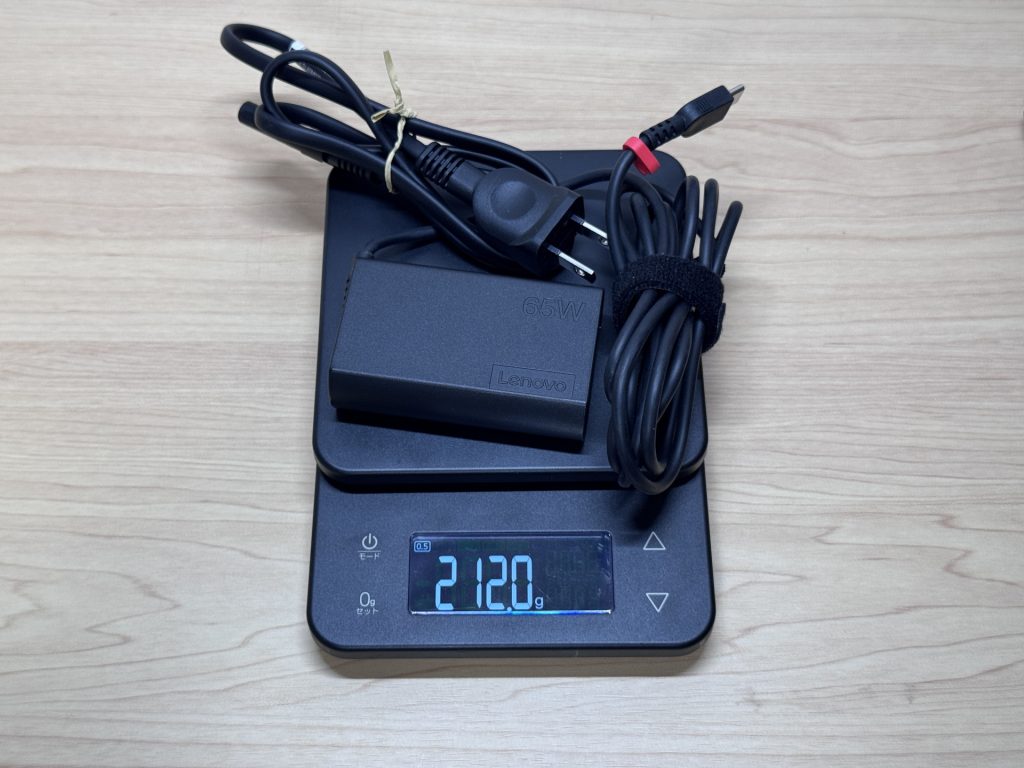 Charger weighs 212g — worth swapping for a lighter USB-C option
One-handed carry is completely comfortable. No death grip required.
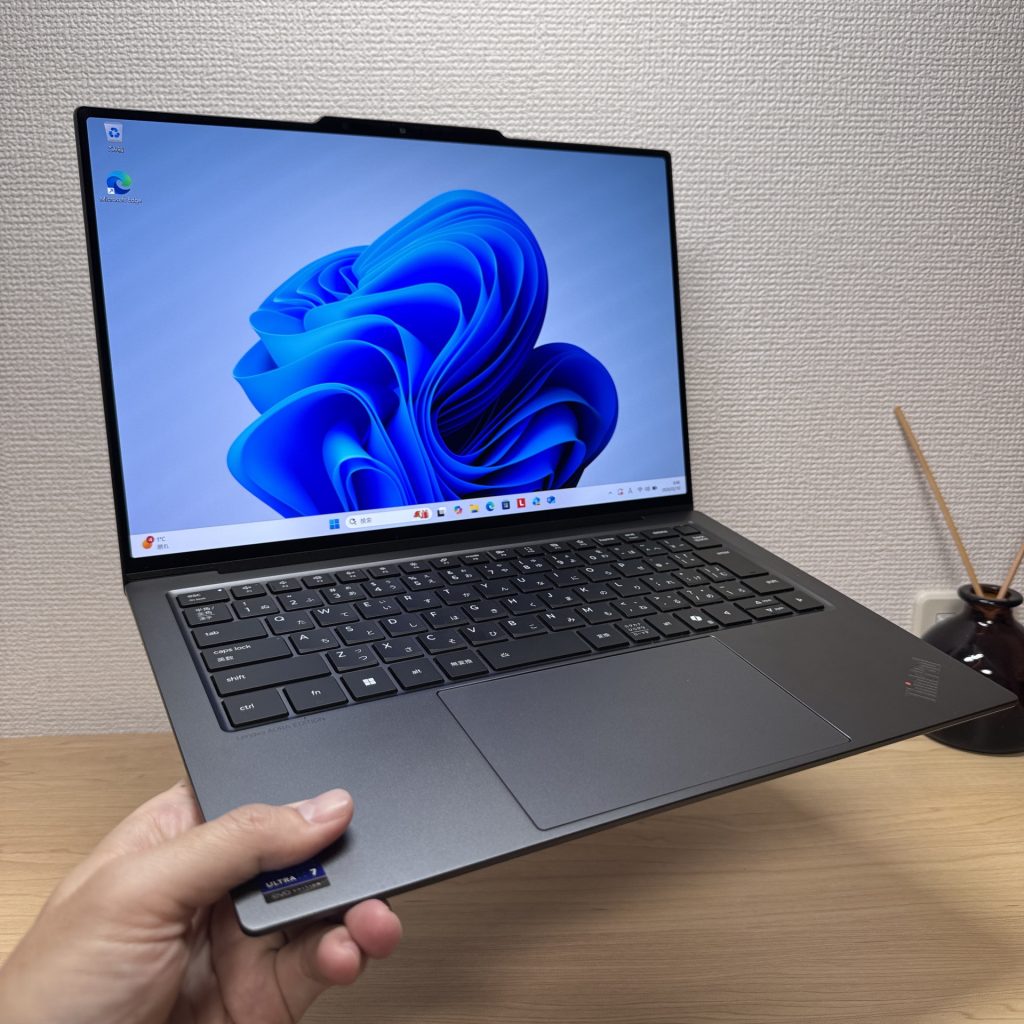 Easy to carry with one hand
Display Quality
The OLED panel on this thing is genuinely great. If you've been staring at IPS screens your whole life, the first time you open a photo or video on this display is kind of a "wait, what?" moment. Blacks are actually black. Colors pop without looking oversaturated. The thin bezels make it feel immersive in a way that's hard to go back from.
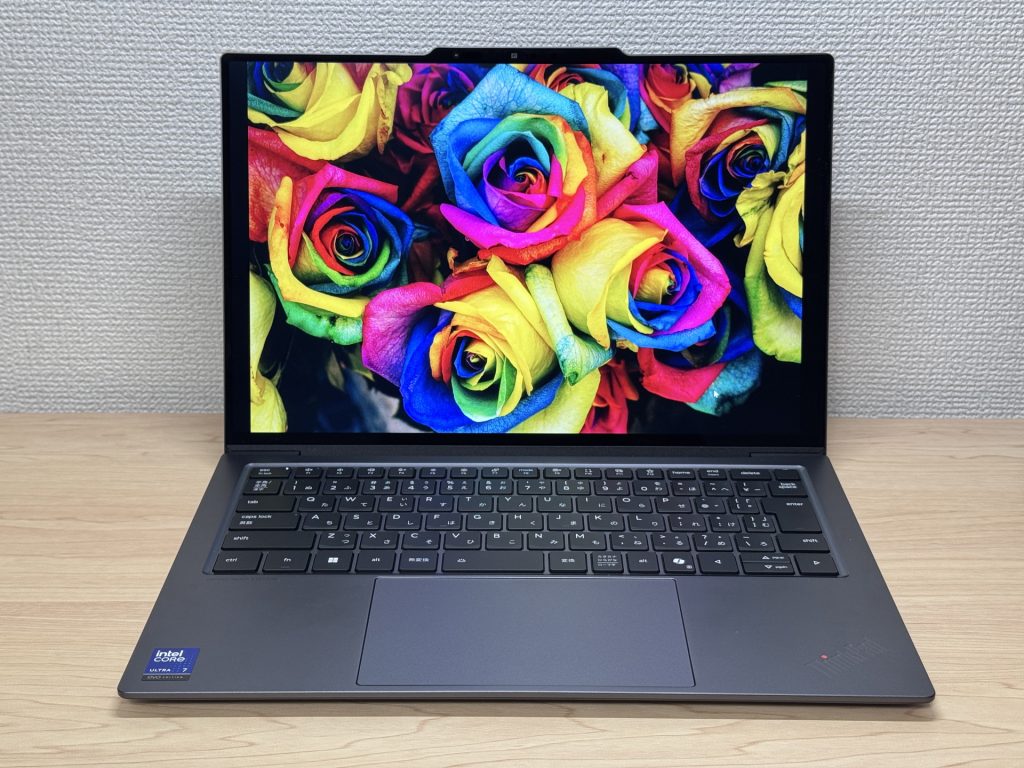 OLED color accuracy is genuinely impressive
Wide viewing angles too — colors stay consistent even when you're not sitting directly in front of it. Useful when you're showing something to someone next to you.
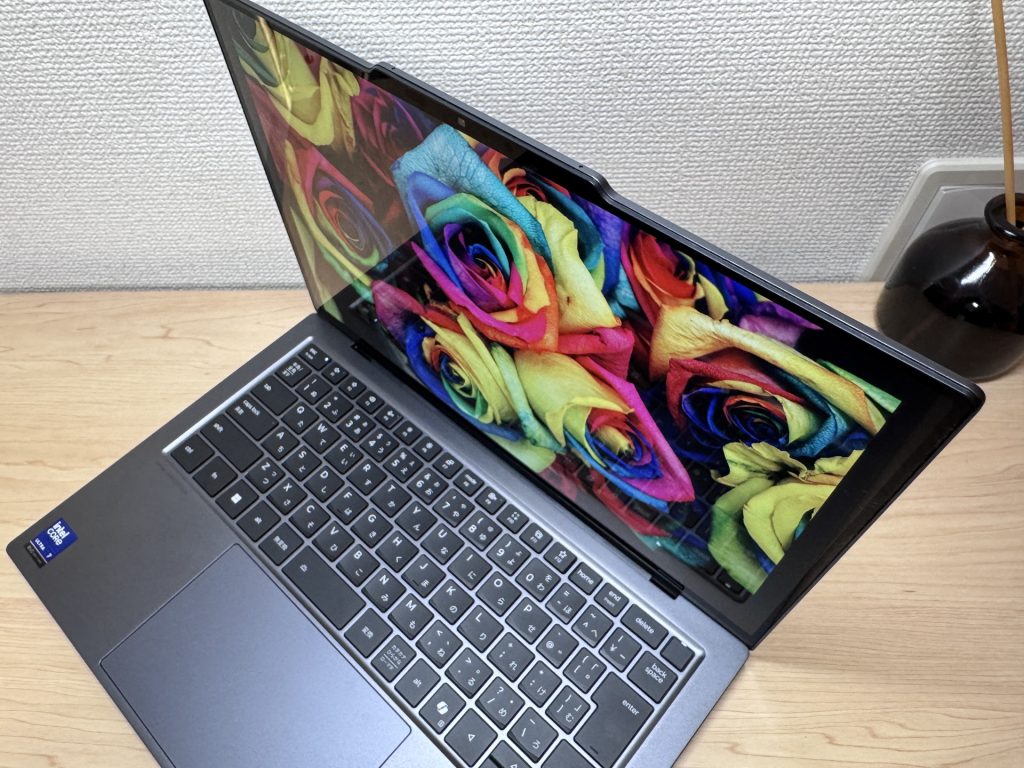 Wide viewing angles with no color shift
Touchscreen support is a nice bonus. Useful for scrolling through docs or quick navigation without reaching for the trackpad — especially helpful if you're coming from a tablet or phone and find touching the screen second nature.
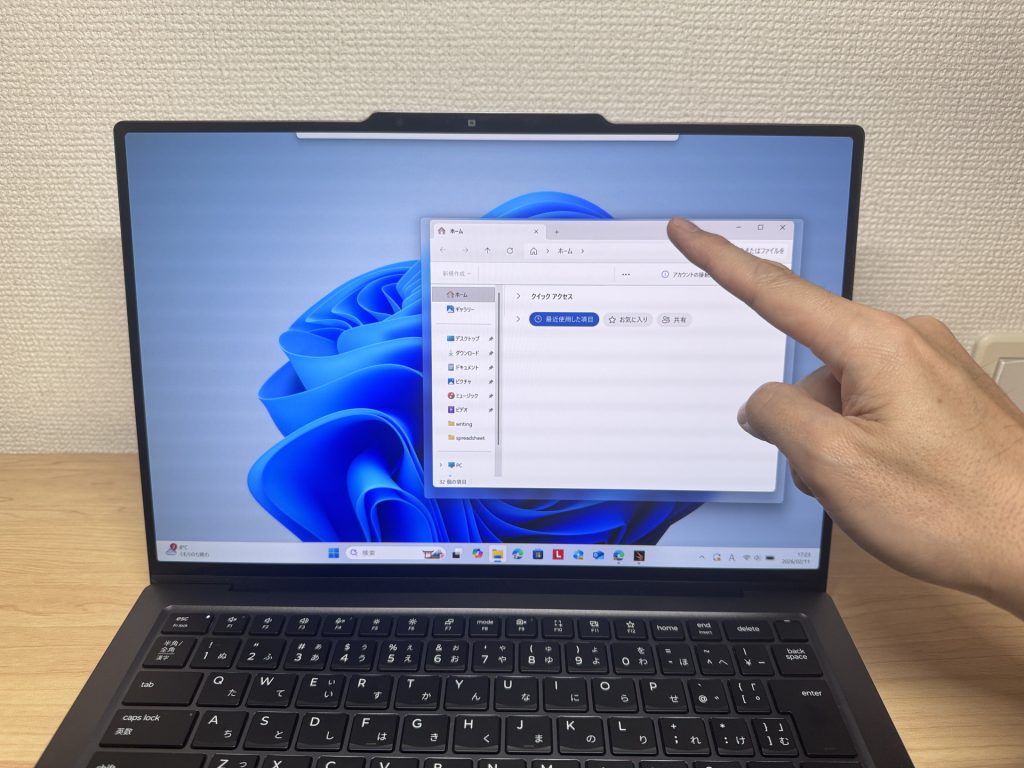 Touchscreen makes navigation feel natural
The 16:10 aspect ratio gives you noticeably more vertical screen space than your typical 16:9 laptop. More of your spreadsheet or webpage visible at once. It's one of those things that feels minor until you go back to a 16:9 machine and immediately notice something feels... cramped.
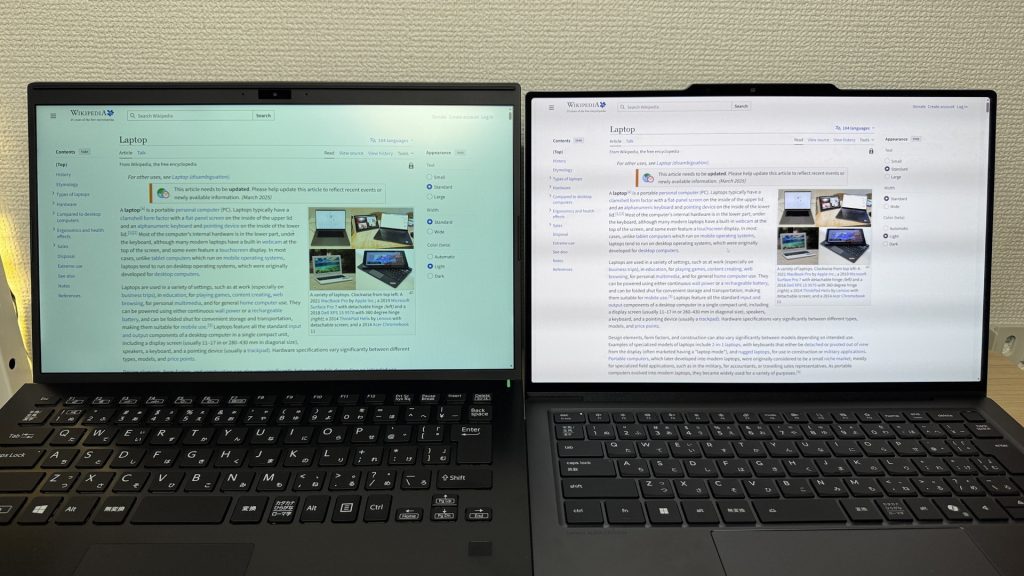 16:10 aspect ratio means more usable vertical space
It's a glossy panel, so glare is theoretically a concern — but there's an anti-reflective, anti-smudge coating on the display that does a surprisingly good job keeping reflections manageable in real-world use. Solid call by Lenovo there.
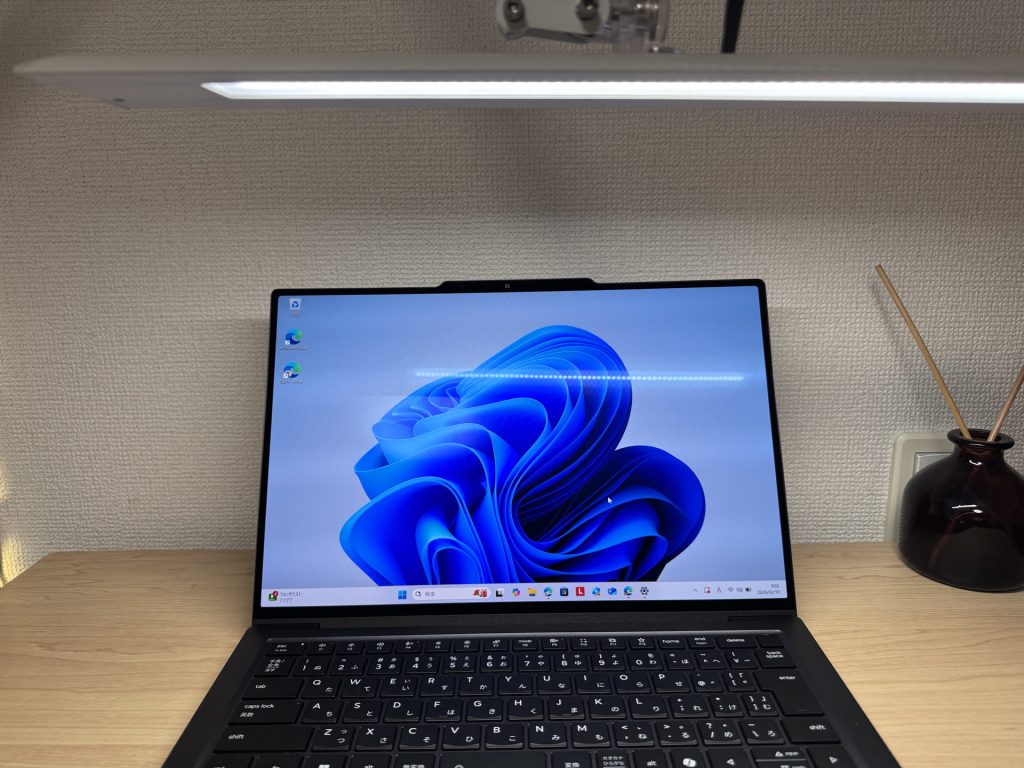 Anti-reflective coating keeps glare under control
Keyboard
The keyboard layout is clean and sensible — no weird key placement, no shrunken arrow keys, no compromises to squeeze things in. If you're coming from basically any other laptop, it'll feel instantly familiar.
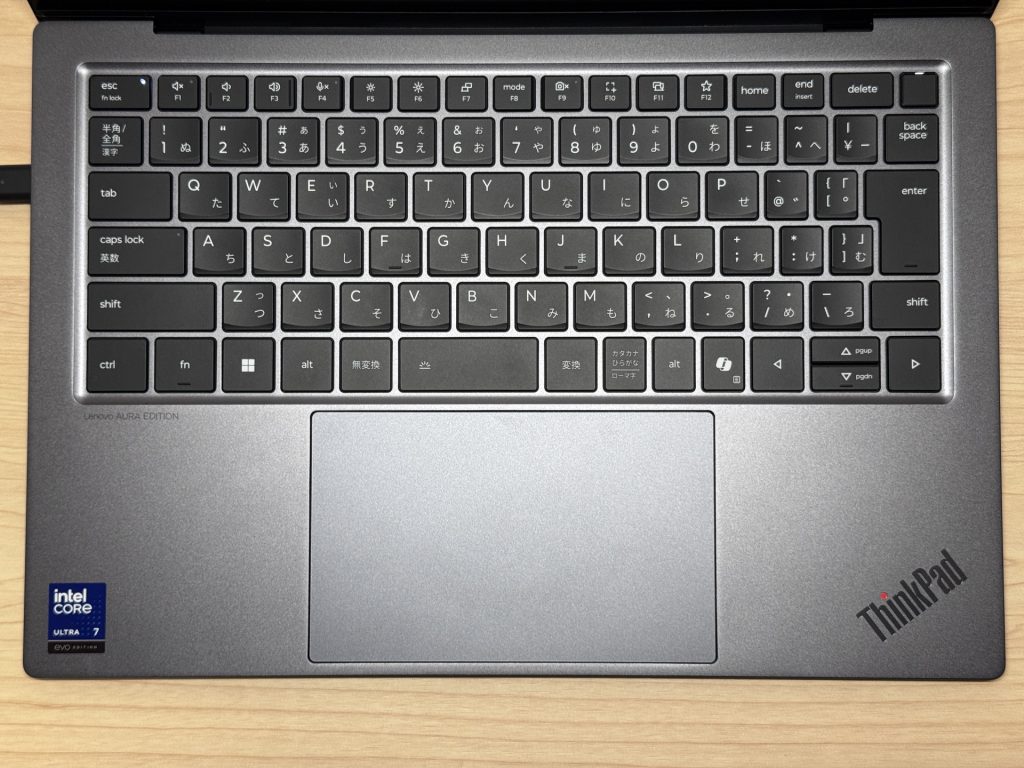 Standard layout with no awkward key placement
Typing feel is genuinely one of the better experiences I've had on a laptop. Good travel, satisfying tactile feedback — think MacBook Pro territory, maybe even a bit snappier. Backlit keys are included, so working in a dim coffee shop or late at night is no issue.
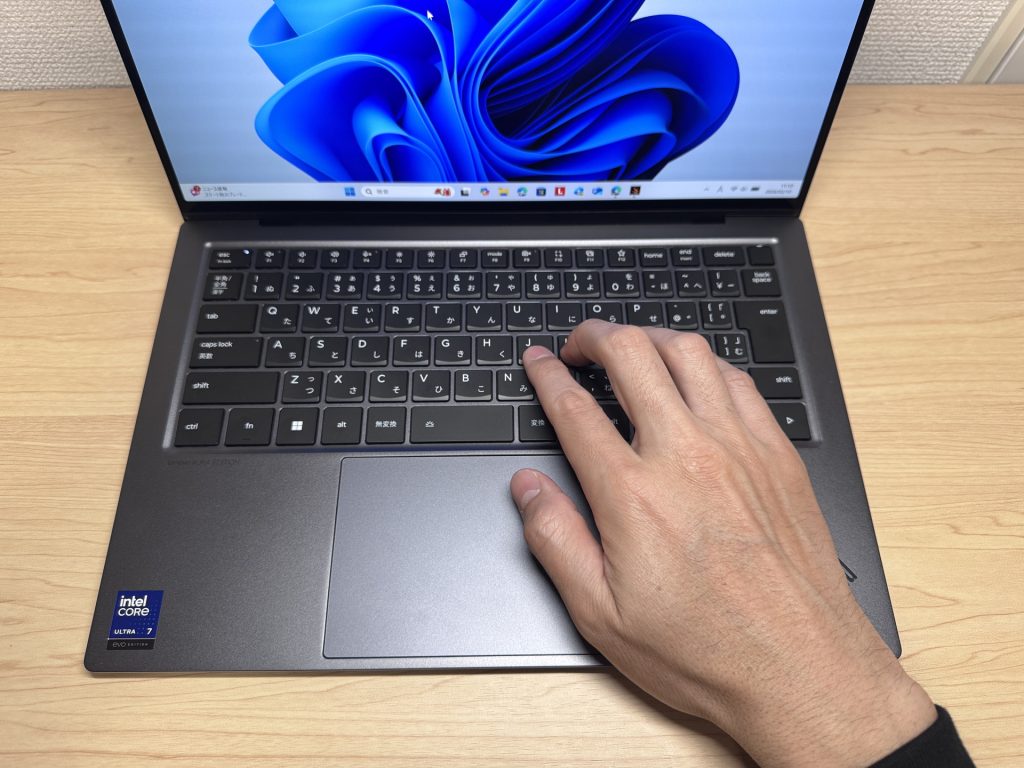 Typing feel rivals MacBook Pro — very satisfying
Trackpad
The trackpad is large, smooth, and responsive. Gesture support works well — window switching, scrolling, pinch-to-zoom all feel natural. Easy to go all day without ever reaching for a mouse.
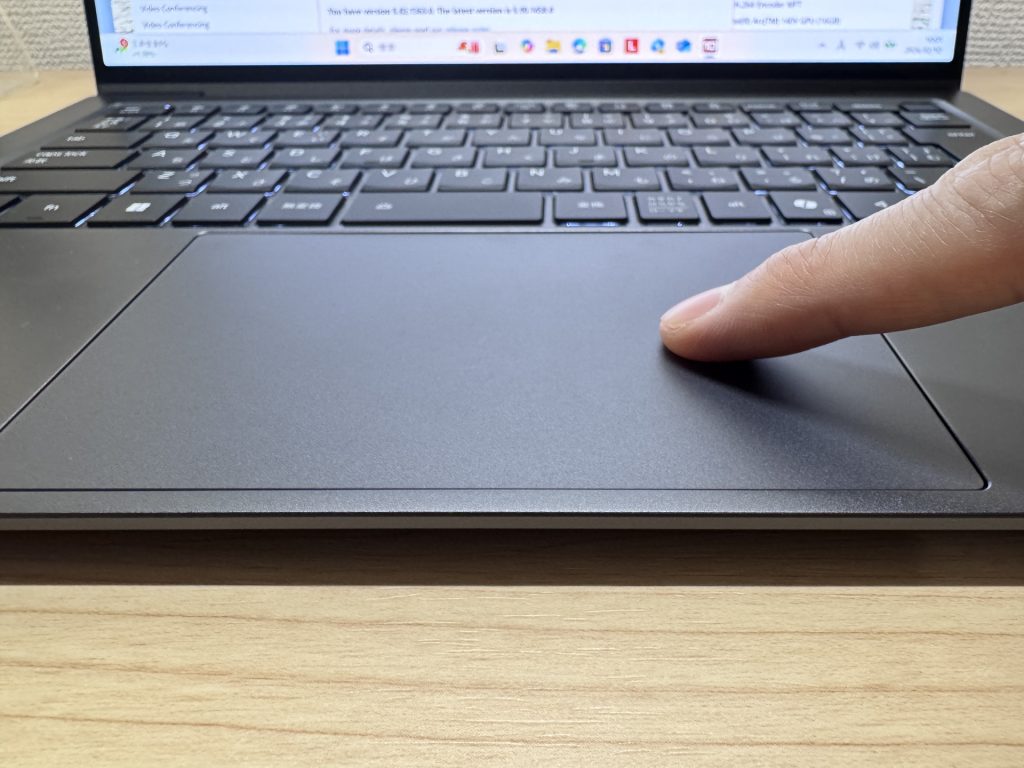 Large, smooth trackpad with solid gesture support
What really stands out: it's a haptic trackpad. Unlike traditional clickpads that are stiff in the upper corners, this one registers a click anywhere on the surface with consistent feedback. It's also noticeably quieter — no loud click sound, which is genuinely appreciated in a quiet library or coffee shop. Honestly, once you've used a haptic trackpad, it's hard to go back.
Performance
PCMark 10 came in at 7,318 — that's a strong score. Day-to-day use is snappy across the board, and it handles things like light photo editing and running multiple browser tabs + apps simultaneously without breaking a sweat. No real bottlenecks in typical productivity workflows.
| Total Score | Rating | What it feels like in real use |
|---|---|---|
| ~4,000 | Bare minimum | Web browsing and simple tasks work, but multitasking or many tabs feels sluggish. |
| 4,000–5,000 | Light use | Daily tasks are doable, but running multiple apps means waiting around. |
| 5,000–6,500 | Comfortable (mainstream) | Handles most work without stress — fine for office, school, video calls. |
| 6,500–8,000 | High performance This PC | Plenty of headroom. Light photo editing and programming feel snappy. |
| 8,000+ | Very high performance | Tackles video editing and heavy workloads. Long-lasting performance. |
*PCMark 10 reflects overall comfort. Actual feel depends on CPU, RAM, and SSD speed.
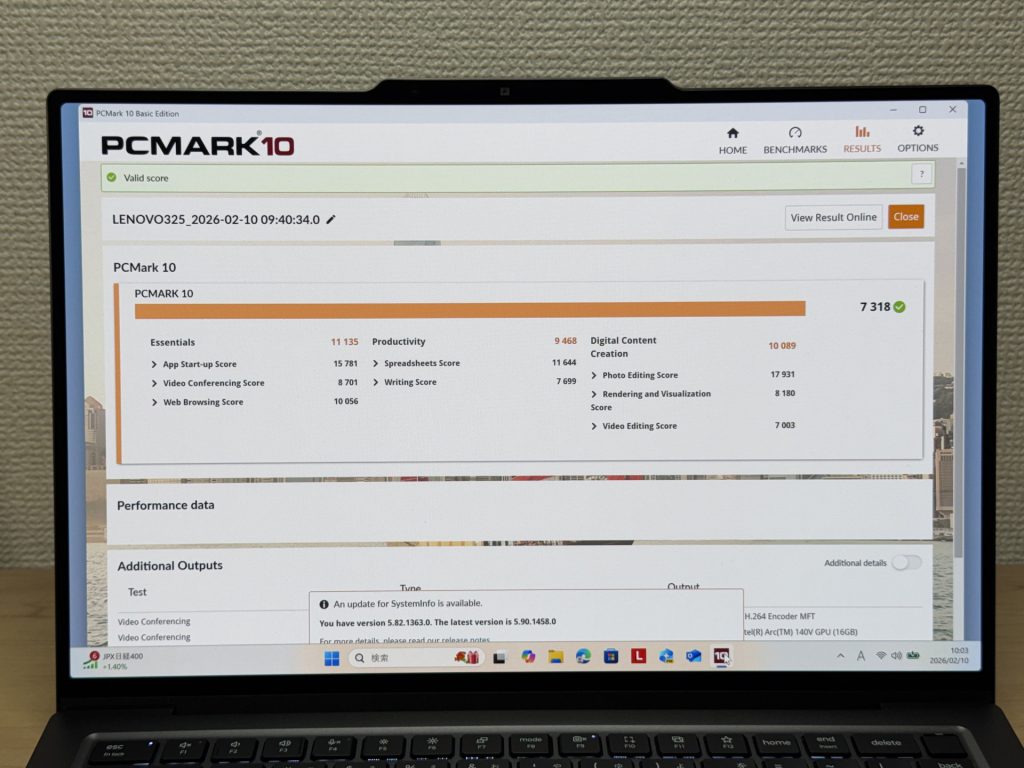 PCMark 10 score of 7,318
GPU performance hit 2,657 on 3DMark Steel Nomad Light. For integrated graphics, that's legitimately good — casual and indie games should run fine. Don't expect to run the latest AAA titles at high settings, but for anything light or mid-range, you're covered.
| Score | Rating | What it feels like in real use |
|---|---|---|
| Up to 400 | Bare minimum | 3D performance is quite limited. Not really suited for gaming. |
| 400–900 | Light 3D | Lighter games and low-load 3D processing work. |
| 900–1,500 | Average (mainstream) | Standard for integrated GPUs. Light to medium games playable with right settings. |
| 1,500–2,200 | High performance | Strong for an integrated GPU. Games and 3D work feel comfortable. |
| 2,200+ | Very high performance This PC | Top-tier 3D performance for thin laptops. Real graphics headroom. |
*3DMark Steel Nomad Light targets thin laptops and integrated GPUs. Score range differs from Time Spy, so direct comparison isn't valid.
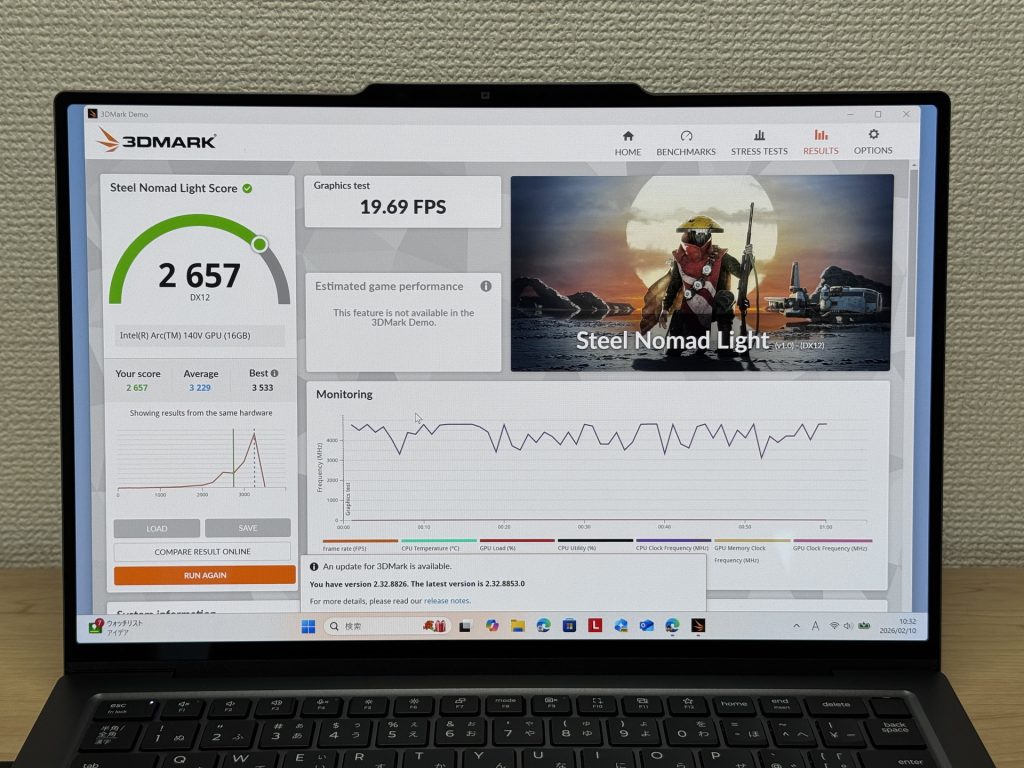 3DMark Steel Nomad Light score: 2,657
SSD speeds: Read 6,553 MB/s, Write 5,665 MB/s. That's fast. Boot times, app launches, large file transfers — everything feels immediate. It's one of those things you stop noticing because nothing ever makes you wait.
| Score | Rating | What it feels like in real use |
|---|---|---|
| Up to 600 MB/s | Bare minimum | Faster than HDD, but slow for modern SSDs. App launches feel slightly slow. |
| 600–1,500 MB/s | Average | Fine for daily use, though loading is noticeably slower than top-tier SSDs. |
| 1,500–3,500 MB/s | Comfortable (mainstream) | App launches and file loading feel smooth. No real complaints in daily use. |
| 3,500–5,500 MB/s | Fast | Loads large data and apps quickly. Definitely upper-tier SSD speed. |
| 5,500+ MB/s | Very fast This PC | High-end NVMe territory. Heavy data work without waiting. |
*CrystalDiskMark measures SSD speed. It mainly affects app launch and file loading speed, not overall PC performance.
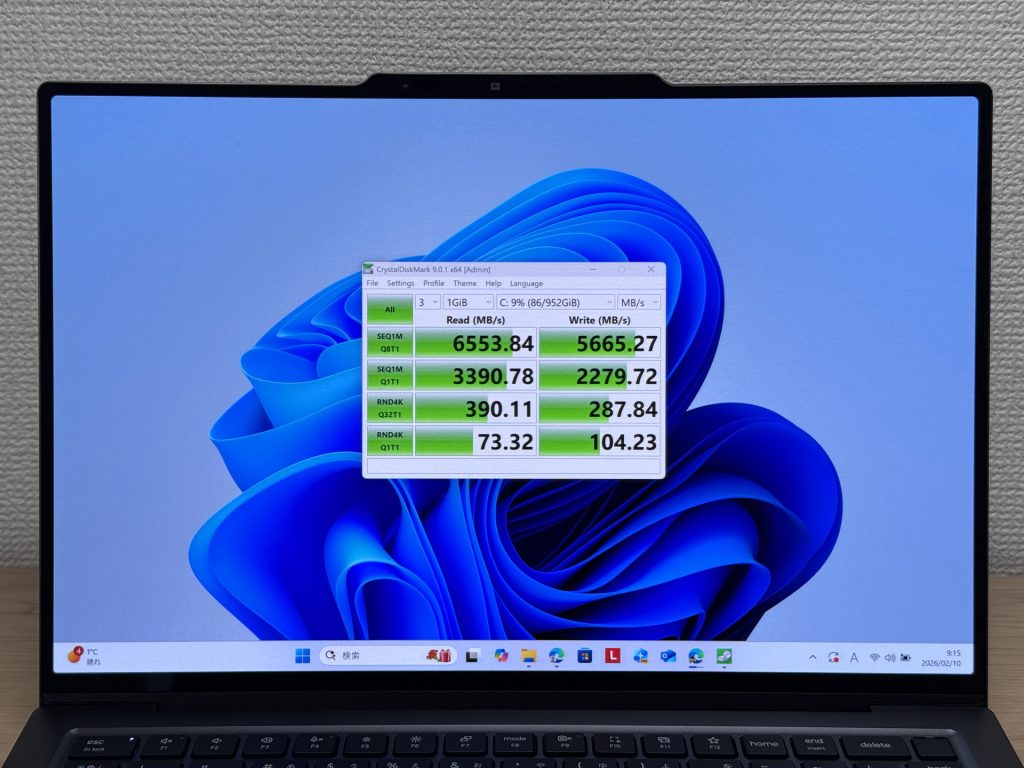 SSD read speed: 6,553 MB/s
Battery Life
Battery rating: above average
The spec sheet claims 19.7 hours, which is impressive for a thin-and-light with an OLED panel running at 120Hz. The Core Ultra V series is remarkably power-efficient, and it shows — you can realistically get through a full workday on a charge during lighter use. USB-C charging means you can leave the bulky brick at home and pack a small charger instead.
That said, I'll be real: OLED + 120Hz is not the most battery-friendly combination. Crank the brightness, stream video for hours, and you'll burn through it faster. On heavy-use days, having access to a charger or a compact power bank isn't a bad idea. For typical productivity use though — docs, email, video calls — the endurance here is solid.
Fan Noise and Heat
At idle, it measured 21.4 dB. That's basically silent. You won't hear it in a quiet room. Perfect for library use or late-night work sessions when you don't want any ambient noise.
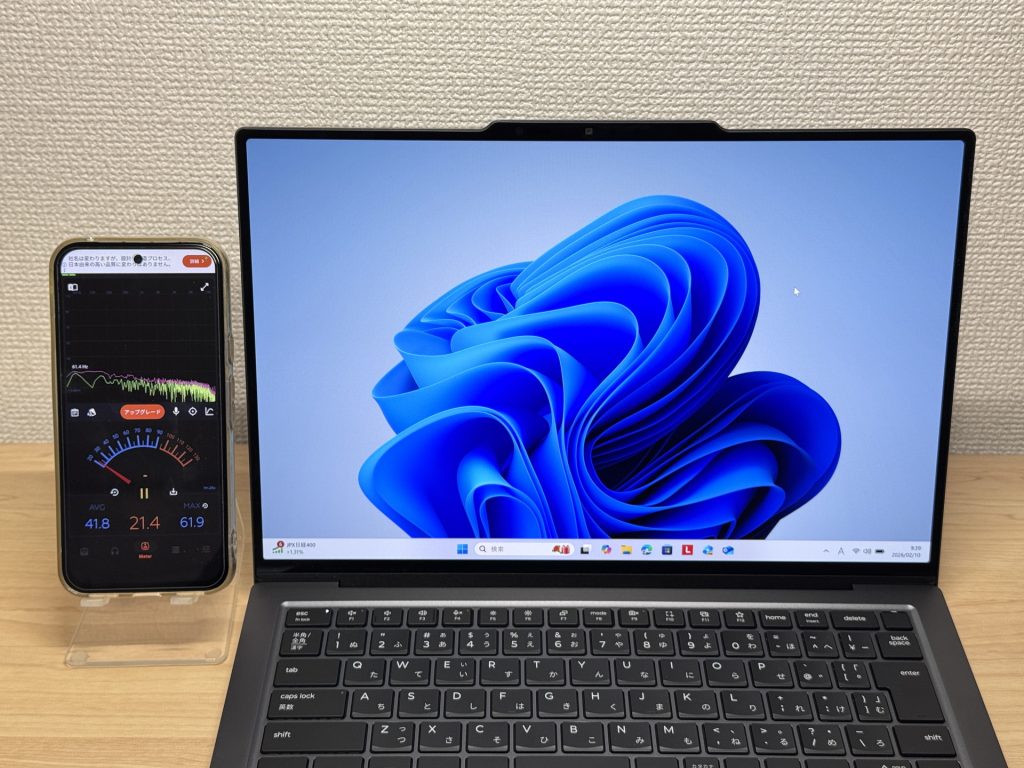 Idle noise measured at 21.4 dB — nearly silent
Under load, it hit 37.4 dB — audible, but not obnoxious. It's the fans doing their job, which I'd rather have than thermal throttling. Kicks in when needed, backs off when it's not.
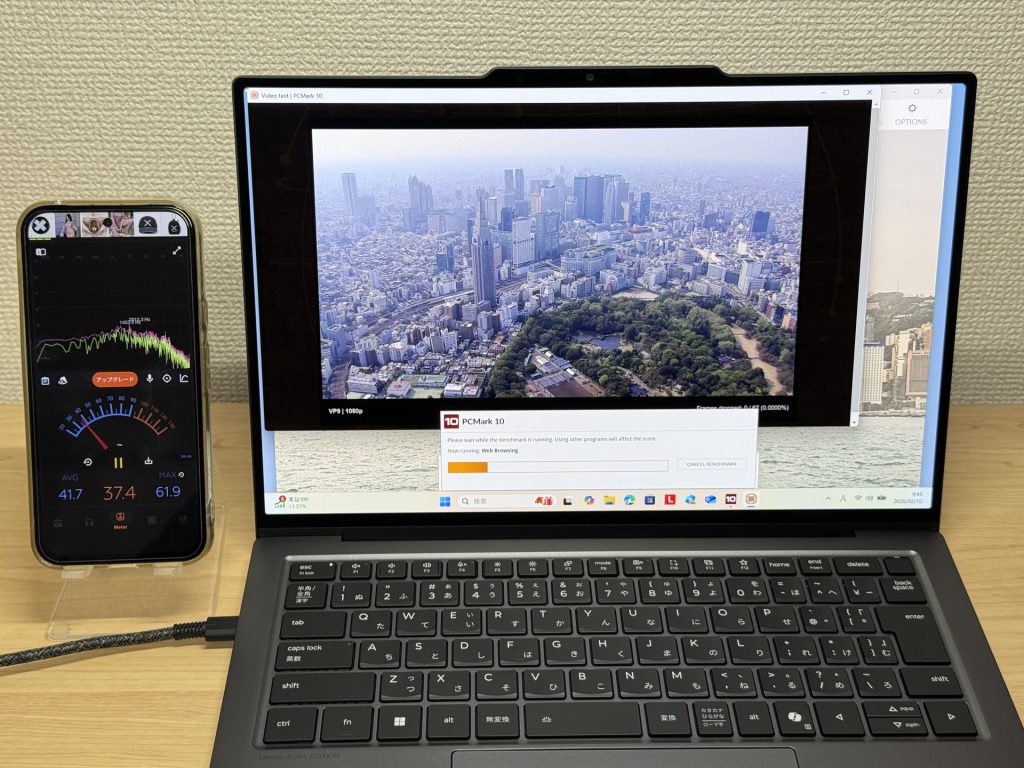 Under load: 37.4 dB — fans working as intended
The exhaust vents are at the back of the machine, so hot air doesn't blow across your hands while you're using the mouse. Minor detail, but appreciated on long work sessions.
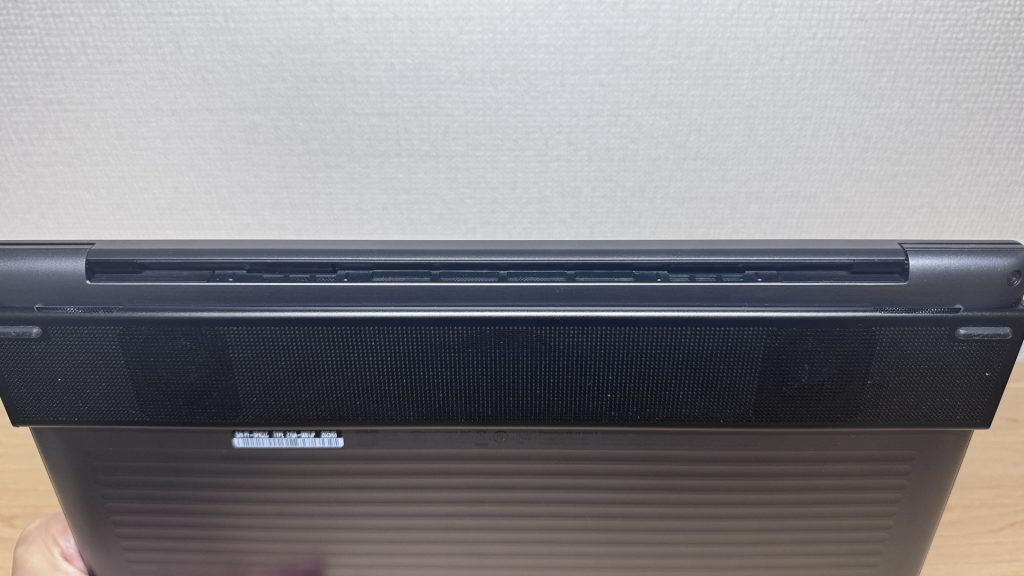 Rear exhaust keeps hot air away from your hands
Ports
Here's the weak spot. You get two USB-C ports and one HDMI — that's it. No USB-A, no SD card slot. If you use a mouse, a USB drive, or any other full-size USB accessories, a USB-C hub is essentially required. The HDMI port saves you from needing an adapter for external monitors, which is something — but heavy peripheral users will definitely feel the pinch.
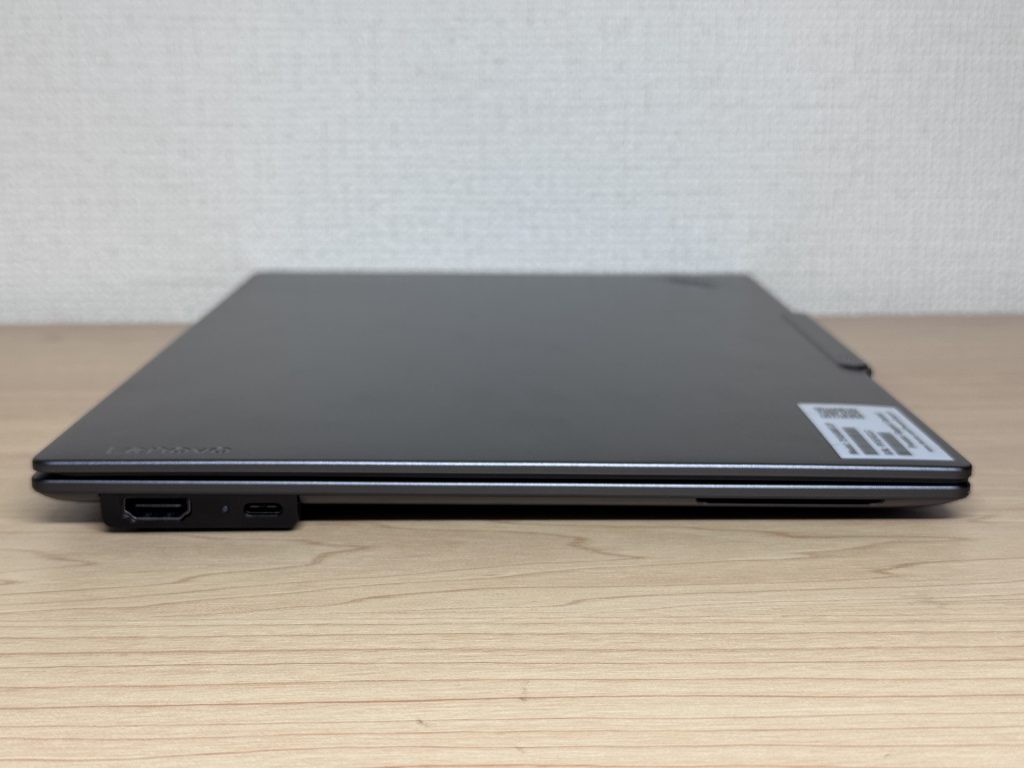 Port selection: 2x USB-C and 1x HDMI
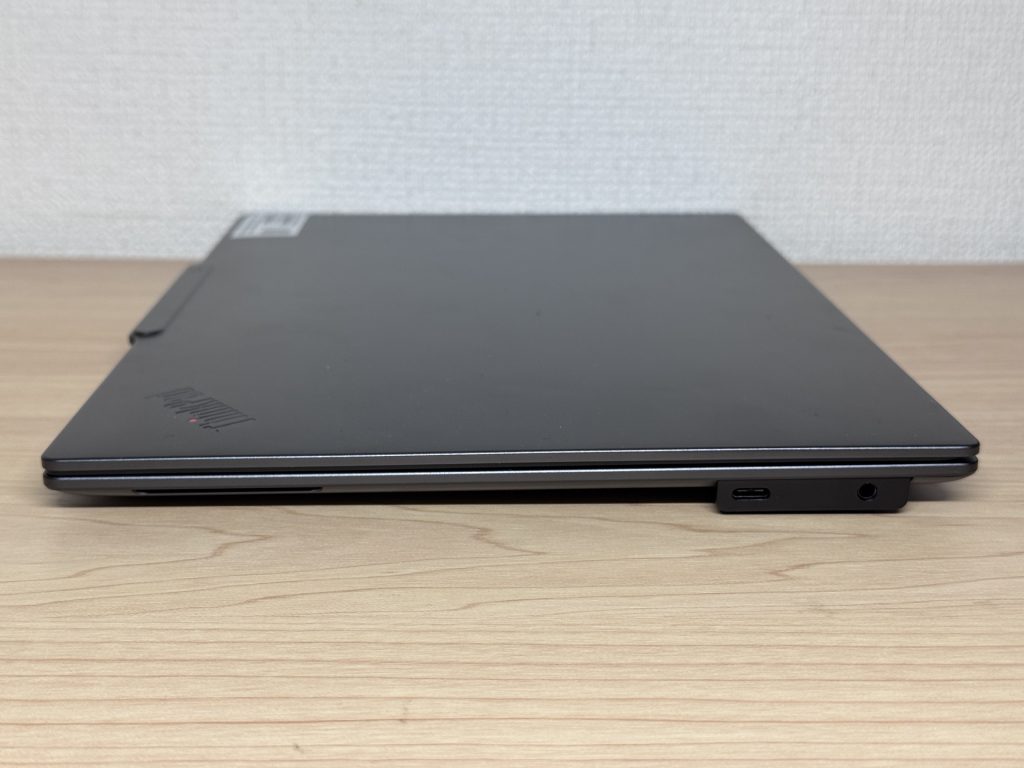 Combined port count is minimal on both sides
HDMI output to a 4K monitor worked without any issues — no adapter needed, just plug in and go.
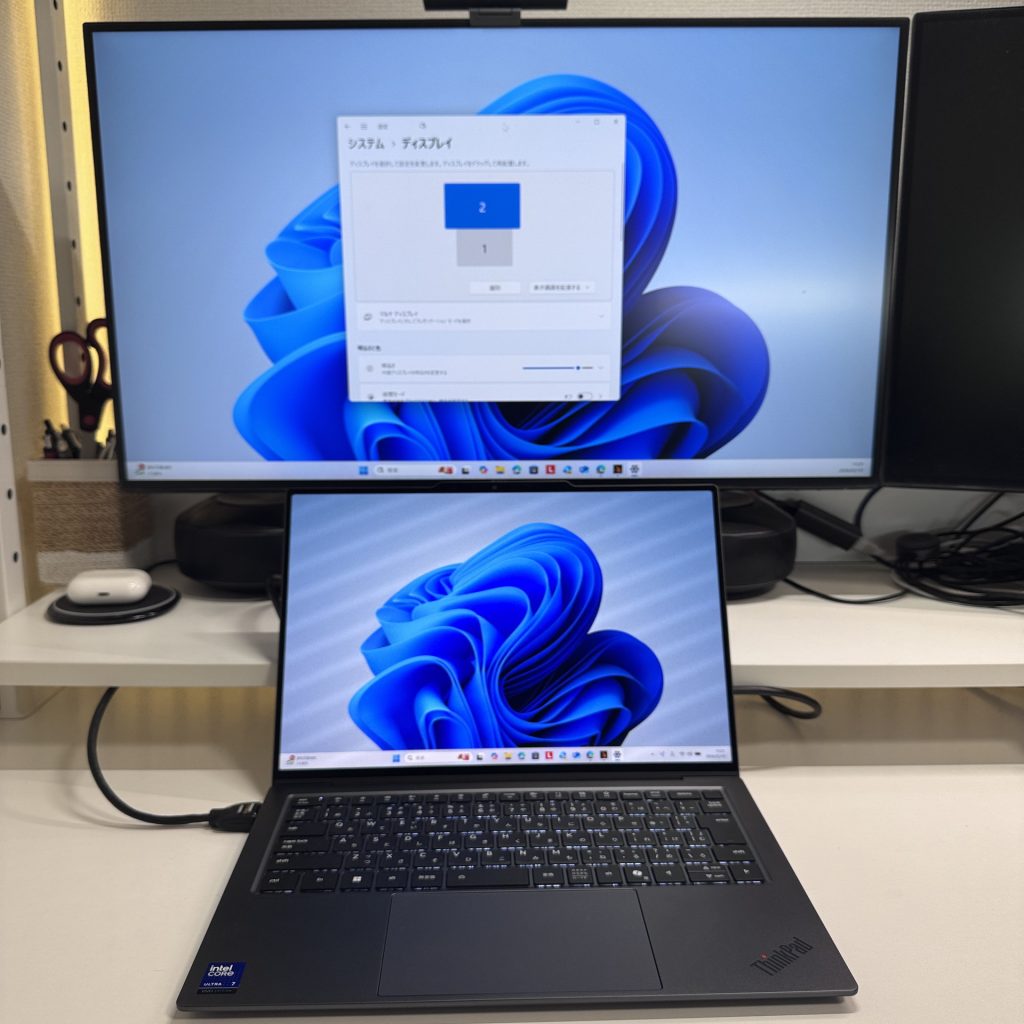 HDMI to 4K monitor output confirmed working
Dual 4K monitor output over USB-C also worked. One thing to note: I did hear what sounded like coil whine in that configuration. If you're planning to run dual external displays regularly, worth keeping an eye on.
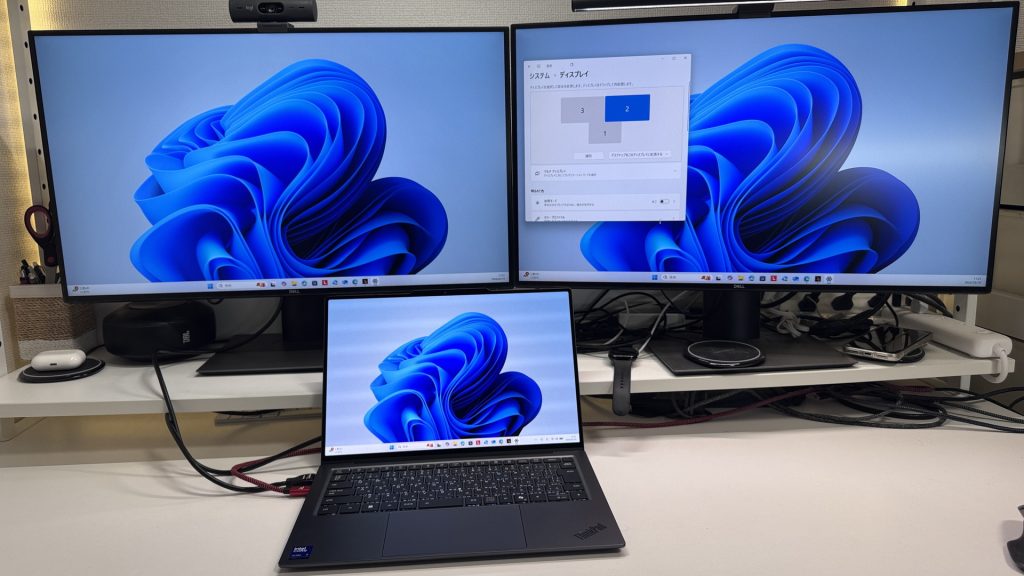 Dual 4K output via USB-C is possible
No SD card slot, so photographers who want to pull images directly off a card will need an adapter.
Webcam
The built-in camera is noticeably better than what you'd expect. Colors look natural, image is clear — video calls look good without needing to buy an external webcam. No more "sorry, my camera is bad" apologies.
 Built-in webcam quality is above average for a laptop
There's a privacy shutter, which I always appreciate. It's software-controlled rather than a physical slider, so if you've never used it before, you might have a brief "wait, where is that setting?" moment — but once you know where it is, it works fine.
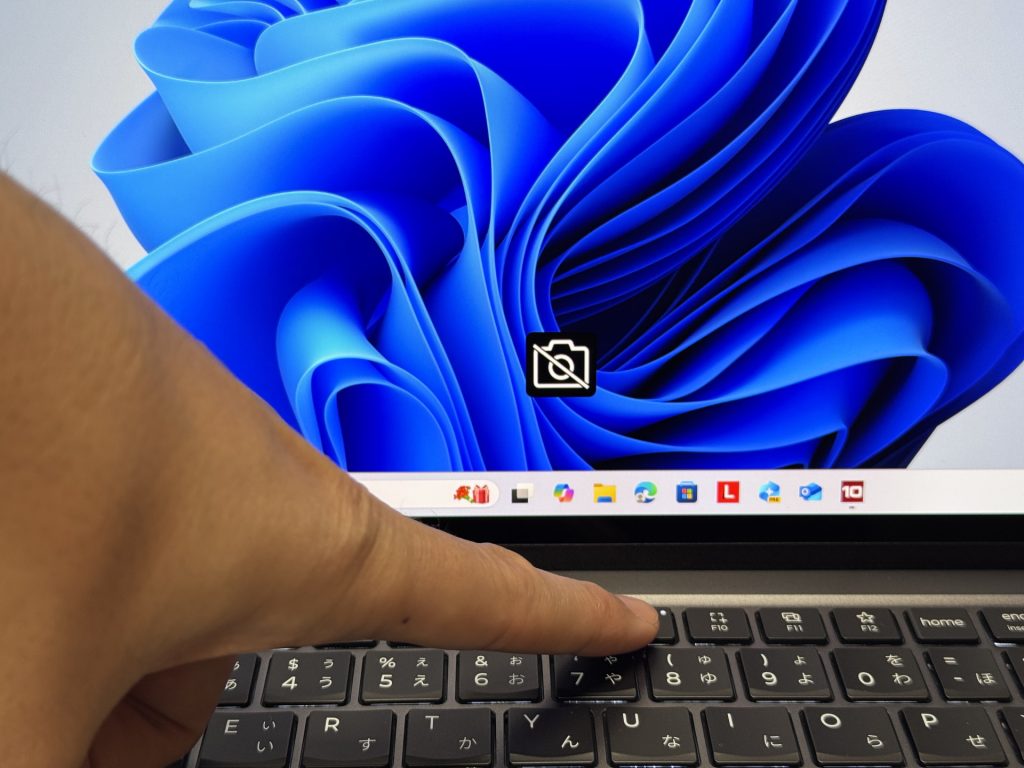 Privacy shutter blocks the webcam when not in use
Speakers
Genuinely good speakers. There's actual bass here, which is not something I say about laptop speakers often. Music sounds decent, and watching movies or YouTube doesn't feel like you're listening through a tin can. For a laptop at this price, I'd have been disappointed if the audio was bad — good news, it's not.
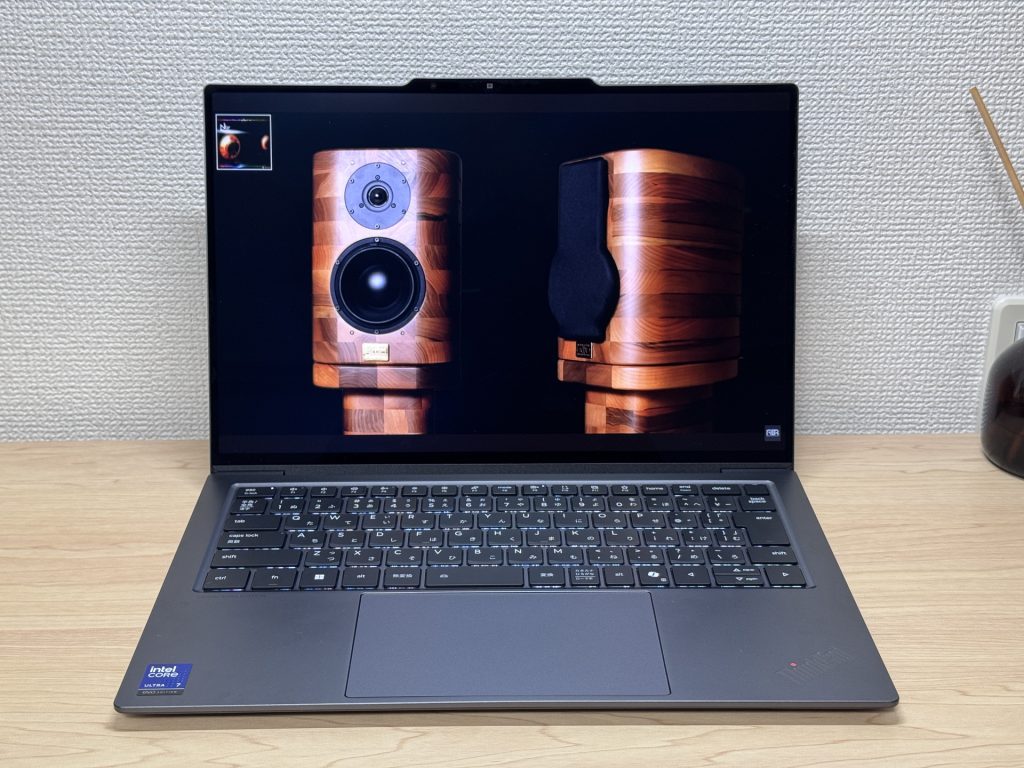 Speakers deliver real bass and solid audio quality
Security
Face unlock works well — open the lid and you're in. No password typing, no PIN entry, especially nice first thing in the morning when your brain hasn't fully booted up yet.
The power button doubles as a fingerprint reader, so powering on and logging in happen in one motion. Wake from sleep is fast and auth is nearly instant. It all just works.
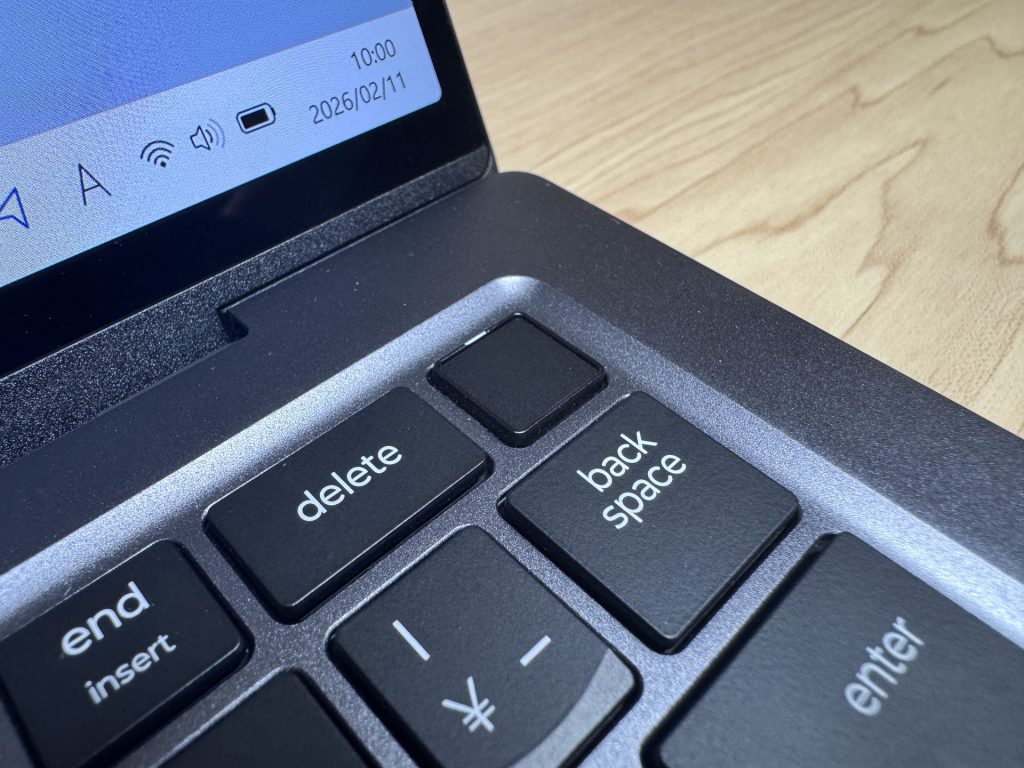 Power button fingerprint reader means login takes about one second
Final Verdict
ThinkPad X9 14 Gen 1 Aura Edition(14" Intel) is one of those machines that gets the fundamentals right in a way that actually matters for daily use. Light enough that you always bring it, a display good enough that you want to use it, a keyboard satisfying enough that writing doesn't feel like a chore, and battery life that doesn't have you hunting for outlets by 2pm. The port situation is genuinely limited and the coil whine under dual-monitor load is a real thing — if you're a heavy peripheral user, plan for a hub. But for professionals, college students, and anyone who wants a no-compromise portable machine that's a pleasure to use every single day, this one's hard to beat.
✅ Great fit for
- People who carry their laptop to class or work every day
- Anyone who needs all-day battery without stressing about outlets
- Watching movies or working with media on a great screen
- Heavy writers, note-takers, or anyone doing a lot of typing
⚠️ Think twice if
- You use lots of peripherals — a USB-C hub will be a must
- You need serious GPU power for gaming or video editing
Build quality, performance, and battery life — this one's got it all.
Where to Buy
* Prices may vary. Please check each store for the latest price and availability.
Where this laptop ranks


About the author