ZippyScore
ZippyScore is a proprietary rating based on 6 criteria: performance, portability, display, battery, value, and connectivity.
See rating criteria
- Performance: CPU / GPU performance
- Portability: Screen size & weight
- Display: Panel type, aspect ratio & refresh rate
- Battery: Rated battery life
- Value: Specs-to-price balance
- Connectivity: Port types & count
Pros & Cons
Pros
- Under 2.2 lbs — light enough to carry every single day without thinking about it
- 16GB+ RAM handles multitasking without breaking a sweat
- A solid processor keeps everyday tasks feeling snappy and responsive
- Great port selection — you won't be hunting for a dongle
- Biometric face login gets you in instantly
Cons
- Fan noise gets noticeable under heavy load
- Battery is on the smaller side — you'll want to find a plug if you're out all day
Specs Summary
| OS | Windows 11 Home |
|---|---|
| CPU | AMD Ryzen AI 7 350 (PassMark: 24,959) |
| RAM | 16GB / 32GB |
| Storage | 1TB |
| Display | 13.3" IPS (Anti-glare, 60Hz) 1920x1200 (16:10) 13.3" IPS (Anti-glare, 60Hz) 2560x1600 (16:10) |
| Weight | 0.97 kg (2.14 lbs) |
| Ports | USB-C × 2 (10Gbps/PD/Video out/ver.2.1), USB-A × 1 (10Gbps), USB-A × 1 (5Gbps), HDMI × 1 (ver.2.1), Headphone jack × 1 |
| GPU | AMD Radeon 860M (G3D Mark: 4,882) |
| Biometrics | Face Recognition |
| Battery | Up to 15.5 h |
| Dimensions | Approx. 297 × 211 × 17.4 mm (W × D × H) |
| Wi-Fi | Wi-Fi 6E |
| Bluetooth | Bluetooth 5.3 |
| Color | Glacier Silver / Ceramic White |
Configurations vary by retailer, region, and availability.
Hands-on Review
Here's my full hands-on review of the OmniBook 7 Aero 13-bg. The unit I tested had the following specs:
| Spec | Review Unit |
|---|---|
| CPU | AMD Ryzen AI 7 350 |
| RAM | 32GB |
| Storage | 1024GB SSD |
| Display | 13.3-inch IPS (1920×1200, 60Hz) |
| Graphics | AMD Radeon 860 |
| Color | Ceramic White |
*Specs may vary by region and retailer.
Design
The review unit came in Ceramic White — and it genuinely stands out. In a laptop market full of silver and black, this one catches eyes. Pull it out at a coffee shop or on campus and it reads as "person with taste." Especially solid choice for college students who want their setup to look as good as it performs.
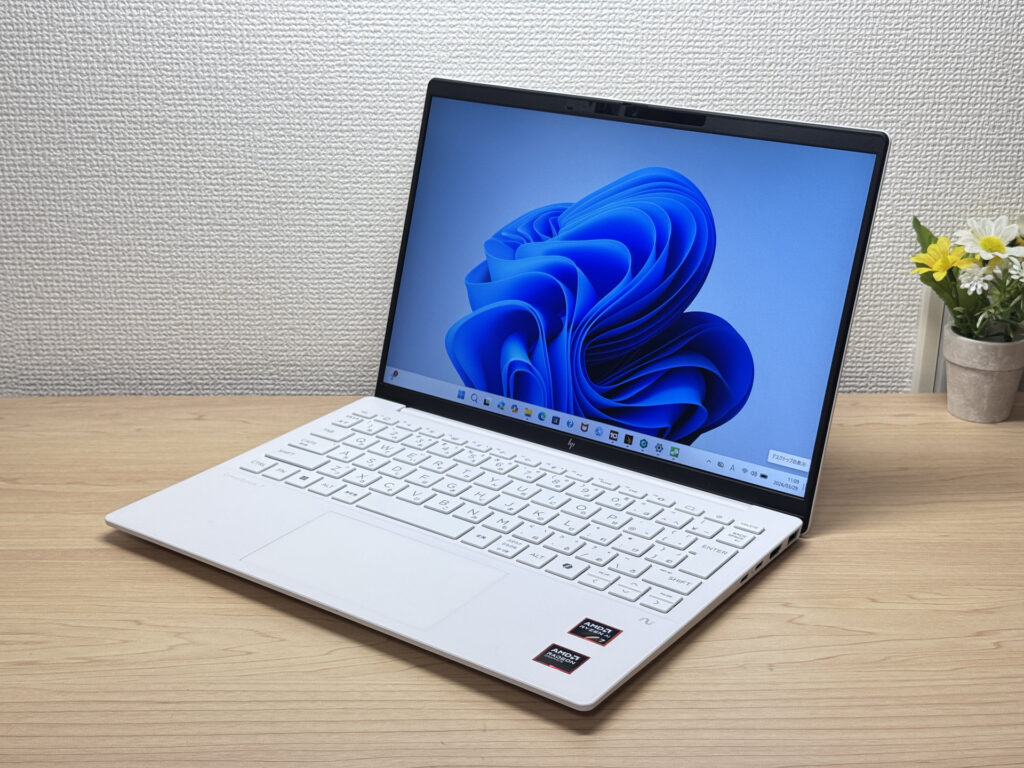 Ceramic White front panel
The lid is also Ceramic White and looks clean — but I'll be straight: it's plastic. Does it feel premium? Not really. That said, it's a fair trade-off for a sub-2.2 lb chassis. Lightweight machines make compromises somewhere, and the build material is where this one makes its.
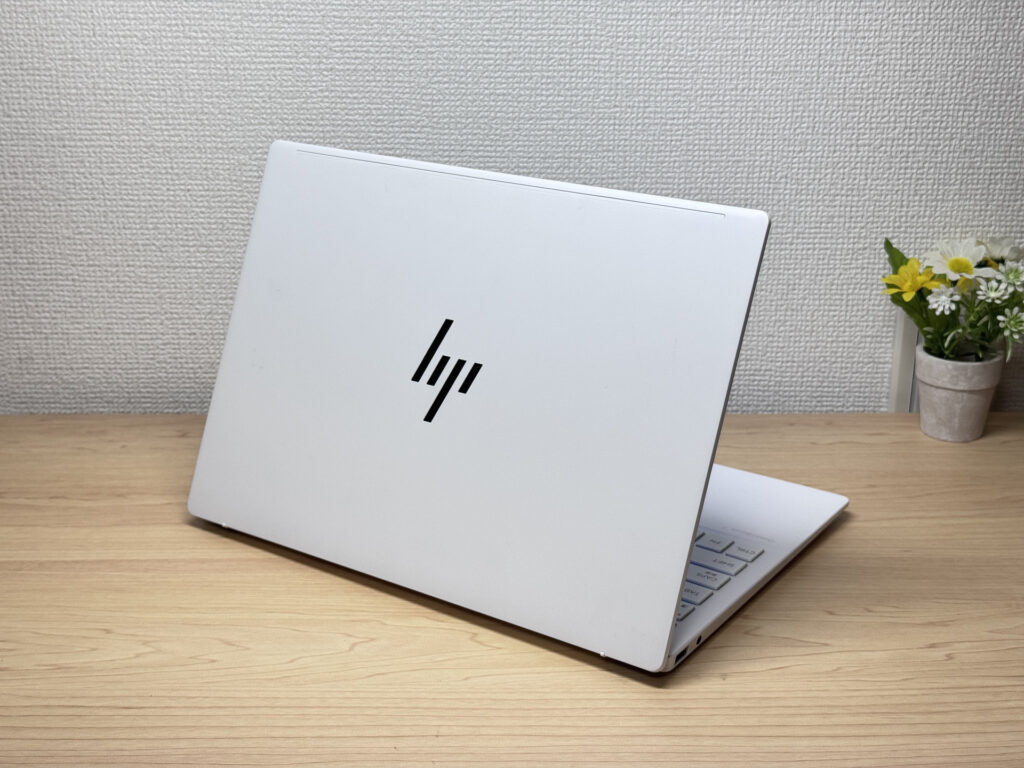 White on the back too
It's genuinely slim — slides right into a bag without fighting it. Passes the thin-laptop test easily.
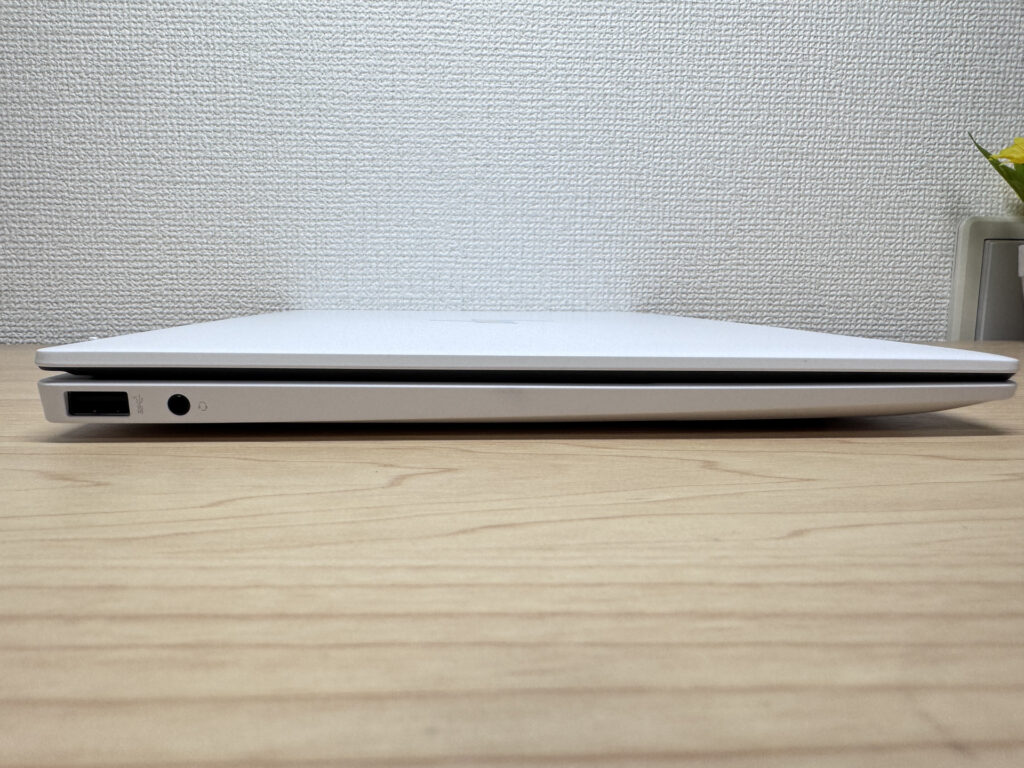 Impressively thin profile
The rubber feet grip reasonably well, but because the chassis is so light, aggressive typing can shift the laptop around a bit. Worth knowing if you're a heavy typer.
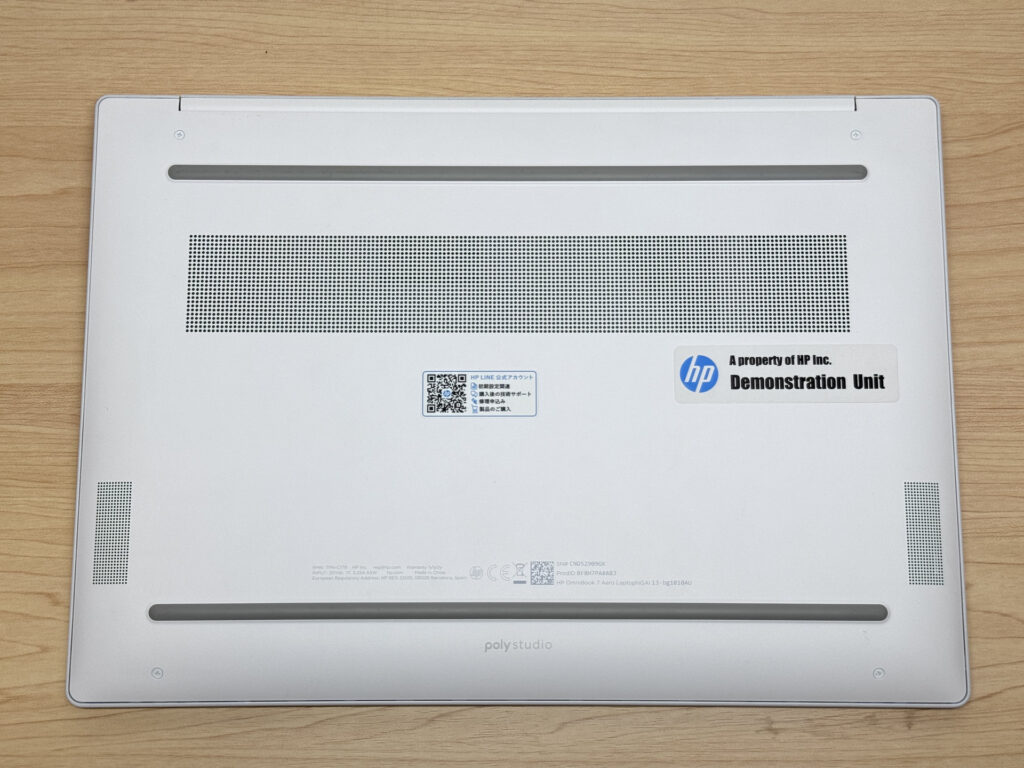 Rubber feet provide grip
The lid notch makes it easy to open, but because the laptop is so light, one-handed opening tends to lift the whole machine. You'll want to get into the habit of holding down the base.
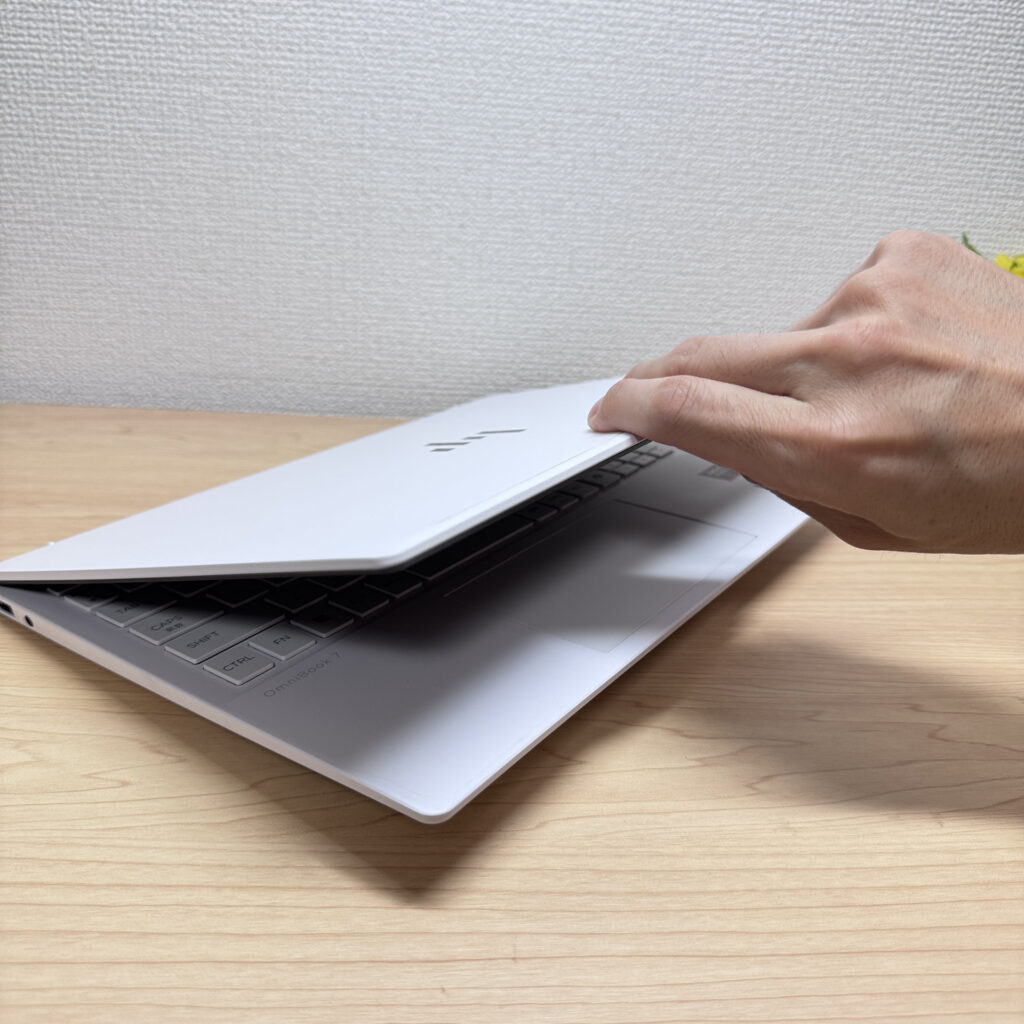 Opening the lid
Portability
Real-world weight came in at exactly 1,000g (2.2 lbs), just a hair over the 970g spec — but that's noise. Either way, this is legitimately light for a laptop. You won't notice it on the daily commute or between classes.
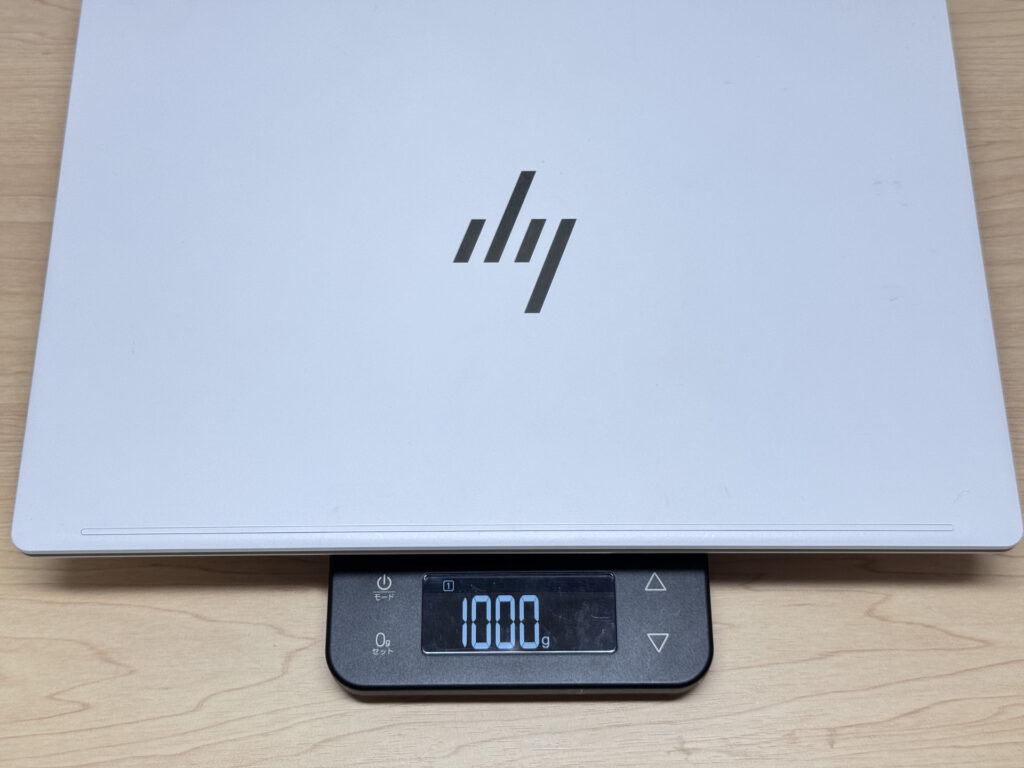 Real-world weight: 1,000g (2.2 lbs)
The charger, though, measured 323g (~11 oz). Kind of defeats the purpose of a featherweight laptop. When you're out, swap it for a compact USB-C charger from Anker or similar — your bag will thank you.
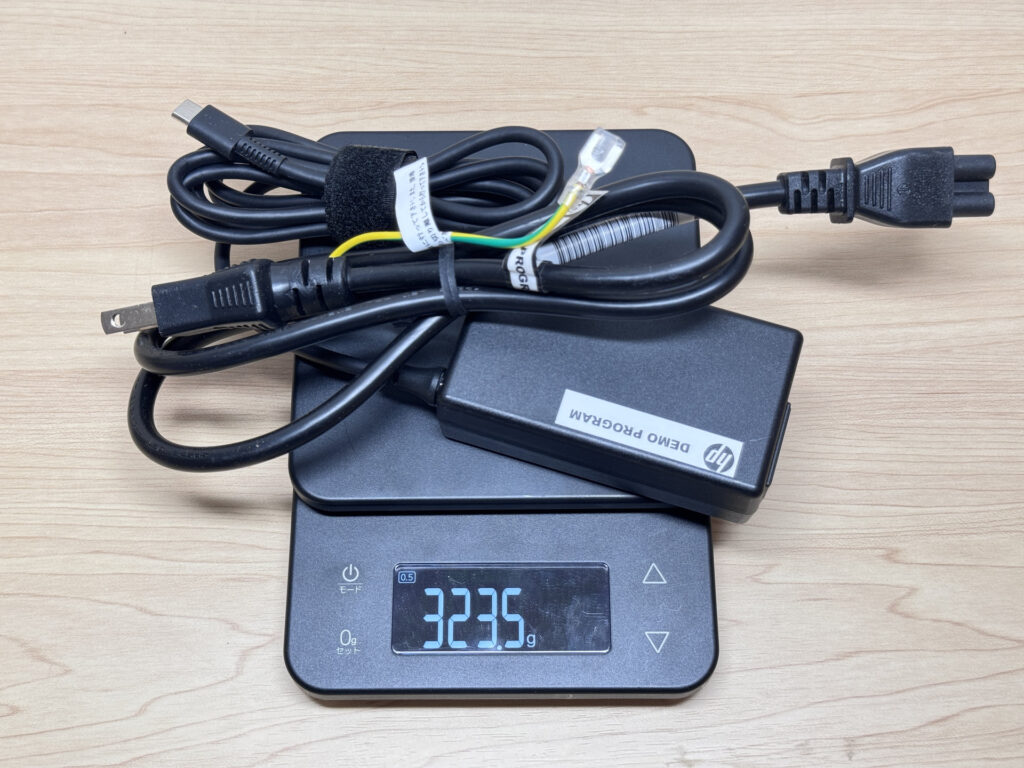 The charger weighs 323g (~11 oz)
One-handing it around campus or the office is effortless. Even on days when your bag is packed, you'll grab this without thinking twice.
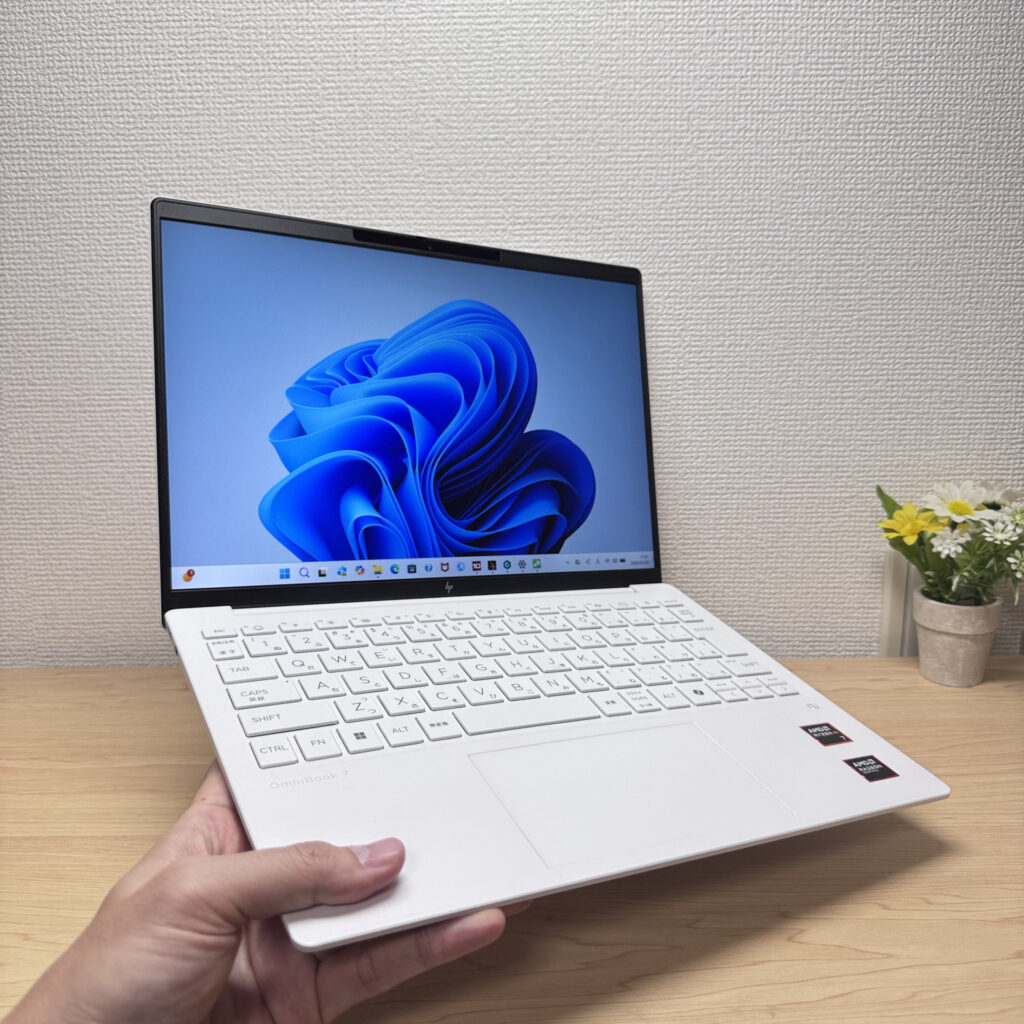 No effort required for one-handed carry
Display Quality
The IPS panel delivers solid, accurate color — not in a "budget IPS" way either. Colors look genuine, and the slim bezels give it a clean modern look.
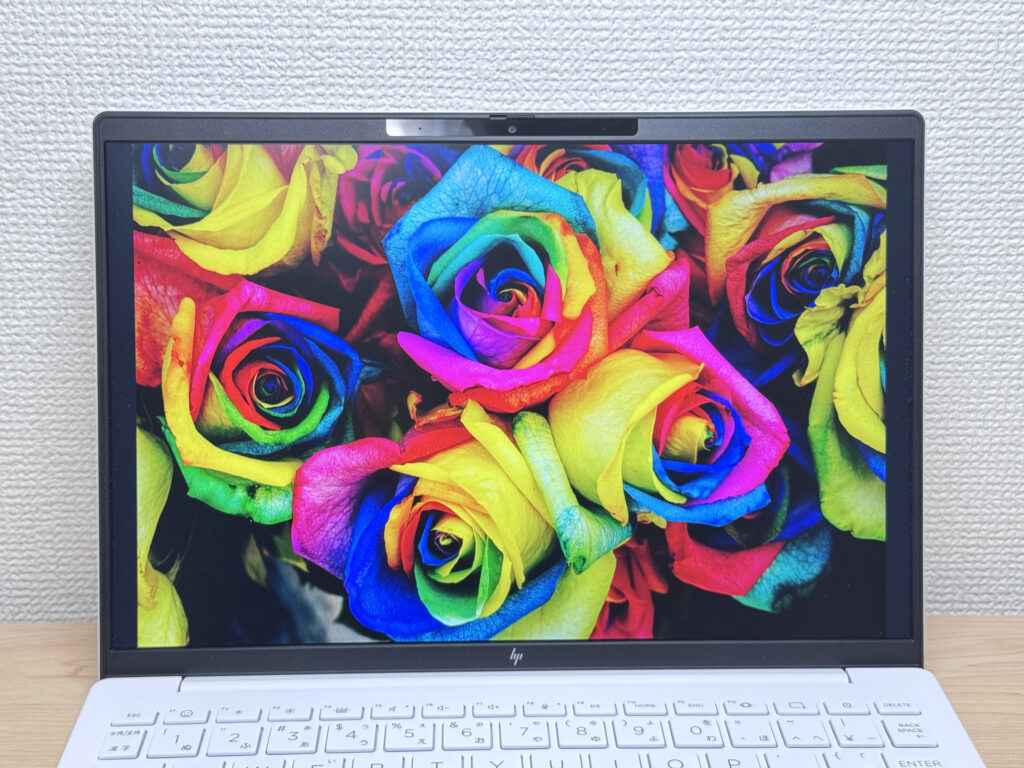 Punchy, accurate colors
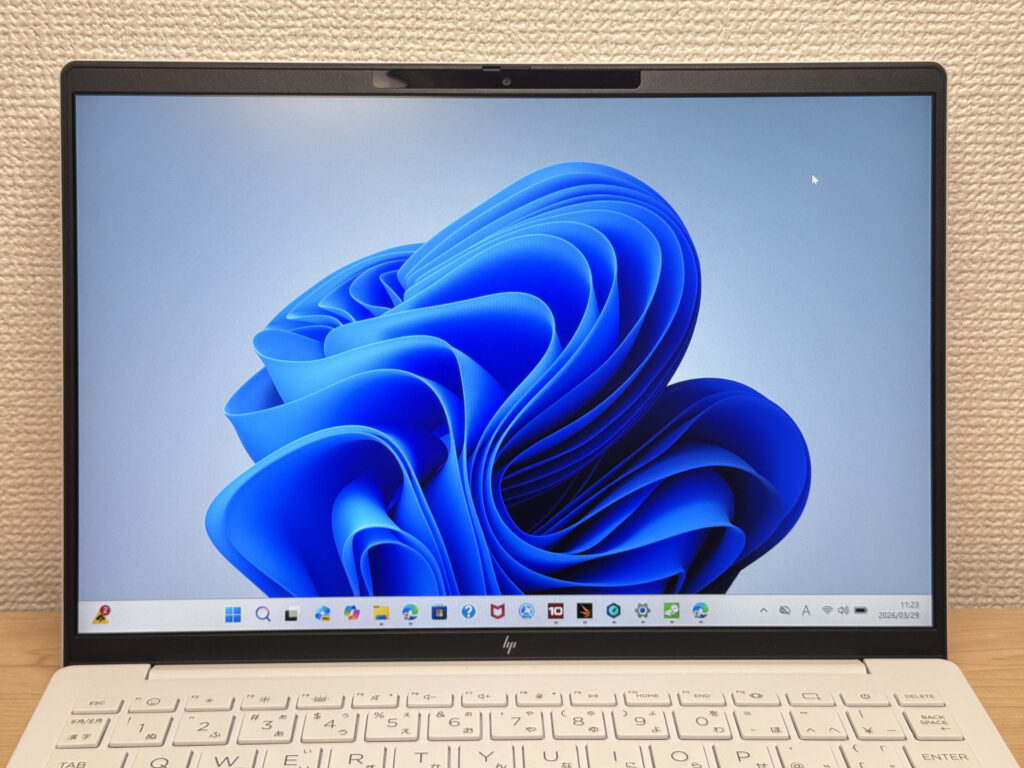 Clean slim bezels
Viewing angles are wide — typical of a good IPS. Colors hold up well from the side, so sharing the screen is no problem.
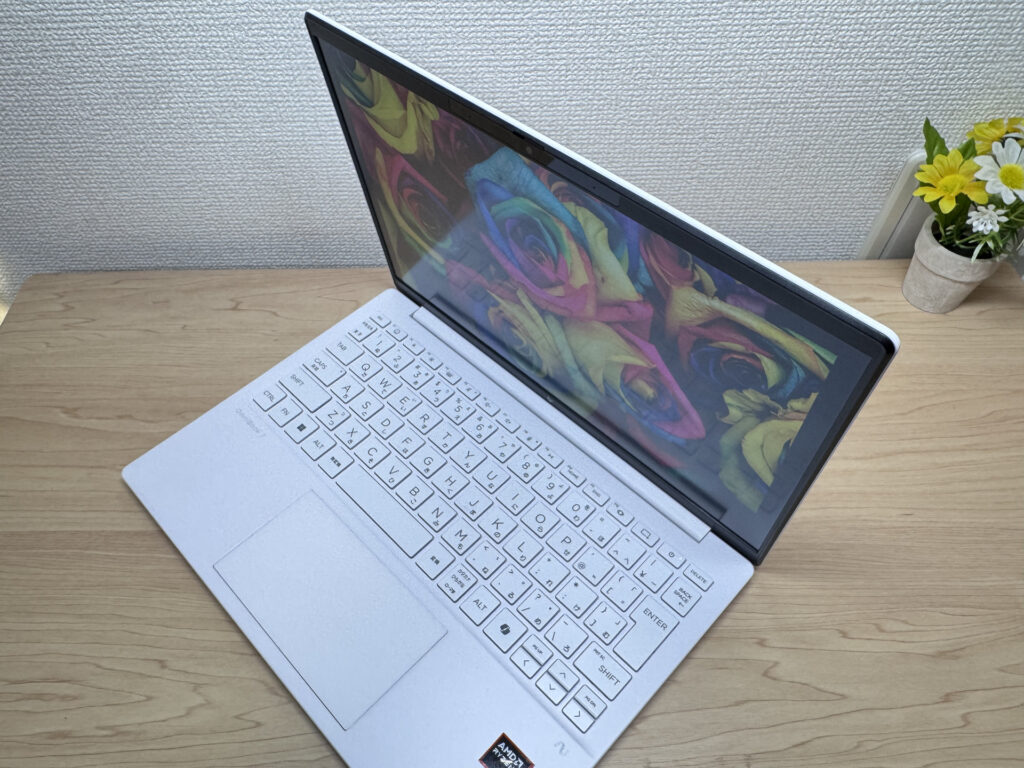 Solid viewing angles
No touchscreen, for those who want that.
Resolution is 1920×1200 with a 16:10 aspect ratio. That extra vertical real estate means less scrolling on webpages and more rows visible in spreadsheets. It's one of those things you don't notice until you go back to a 16:9 screen and wonder why everything feels cramped.
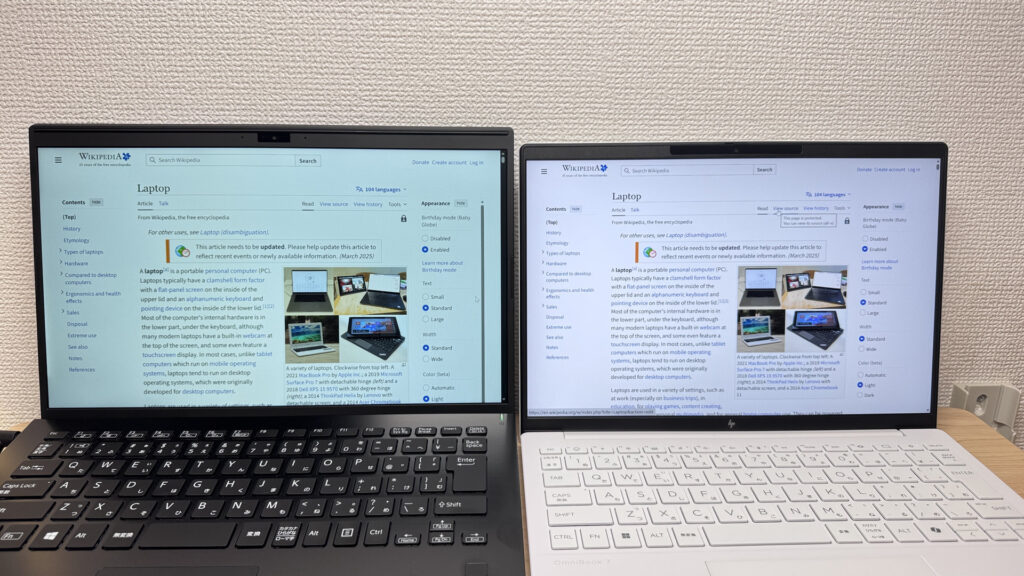 More vertical space than a standard 16:9 display
The matte panel keeps reflections minimal. Even under harsh indoor lighting, glare is a non-issue.
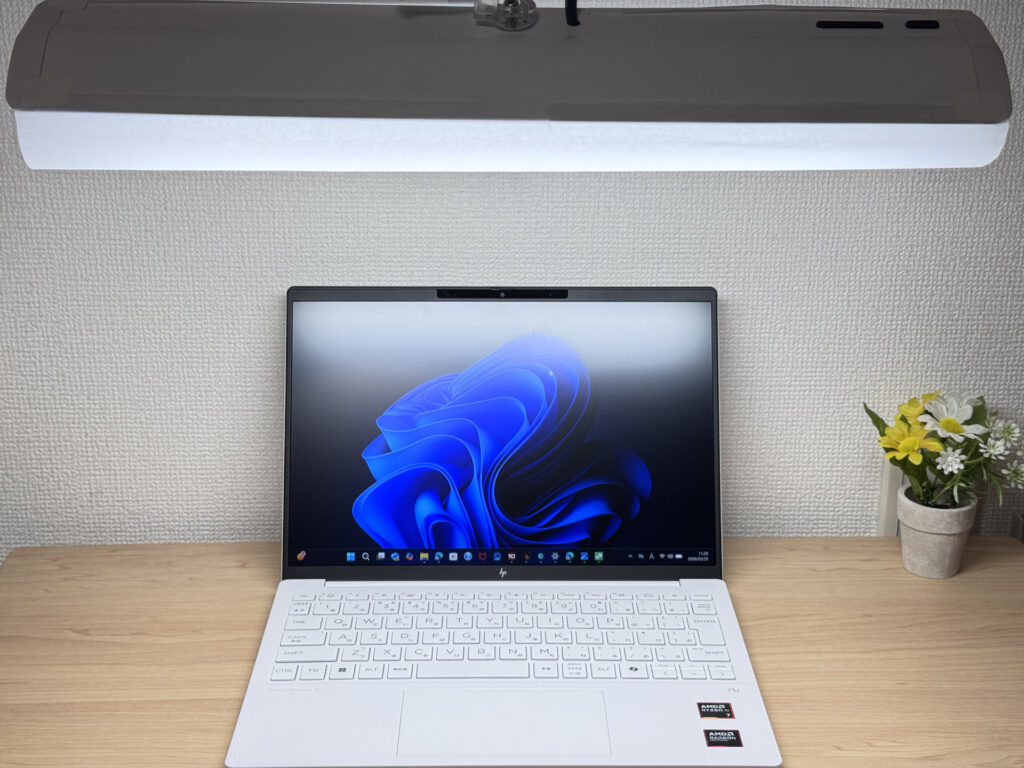 Low reflections — matte panel does its job
Keyboard Feel
HP has been putting real effort into keyboard layouts lately, and it shows here. Key placement feels natural, and if you're switching from another laptop the adjustment period is minimal. The Enter key shape in particular is spot on.
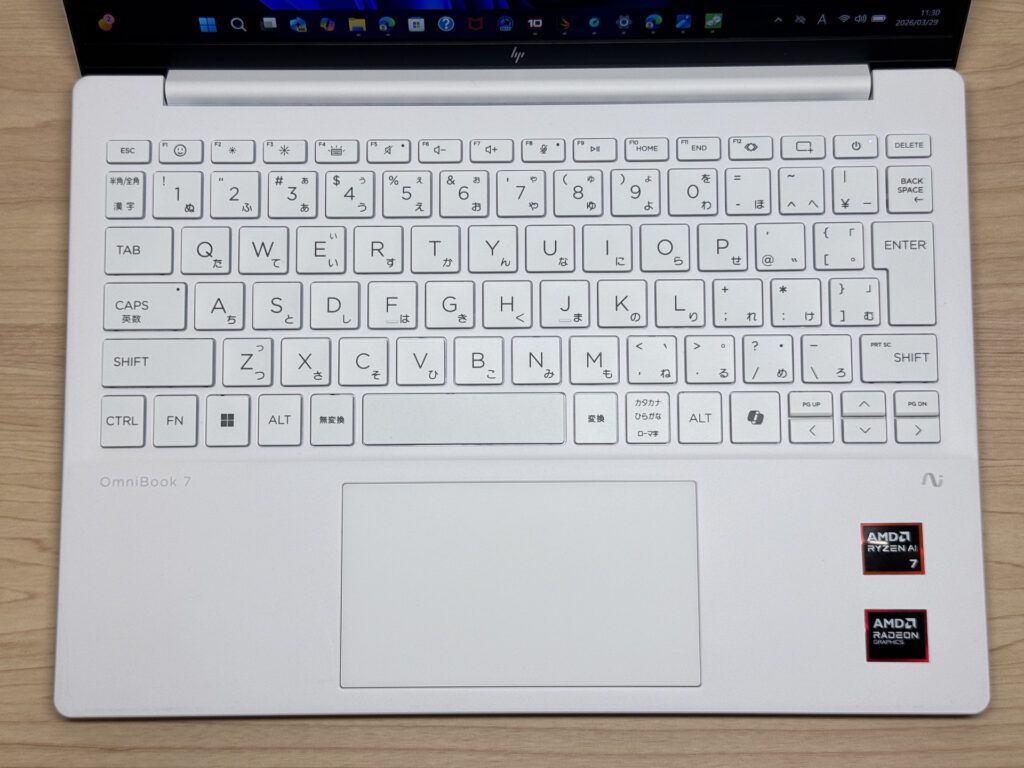 Thoughtful key layout
Typing feel is light — don't expect a ThinkPad-style click. But for a thin lightweight it's comfortable. Fine for banging out assignments at a coffee shop.
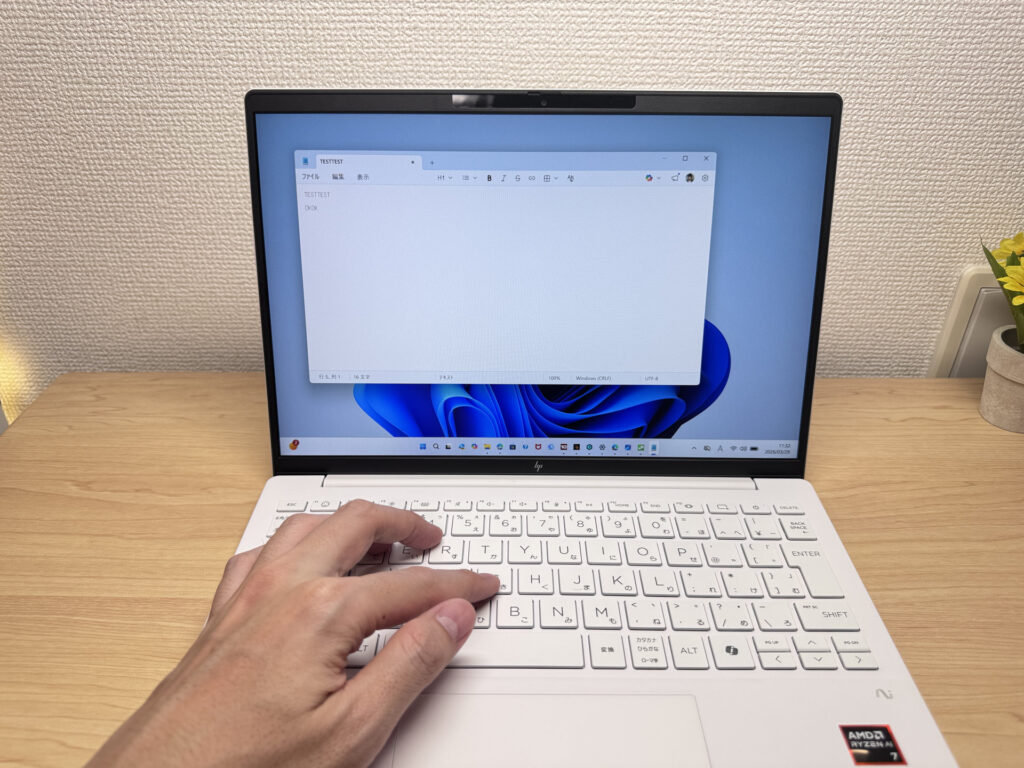 Light but comfortable typing feel
Backlight has two brightness levels plus always-on. Typing in the dark is no problem.
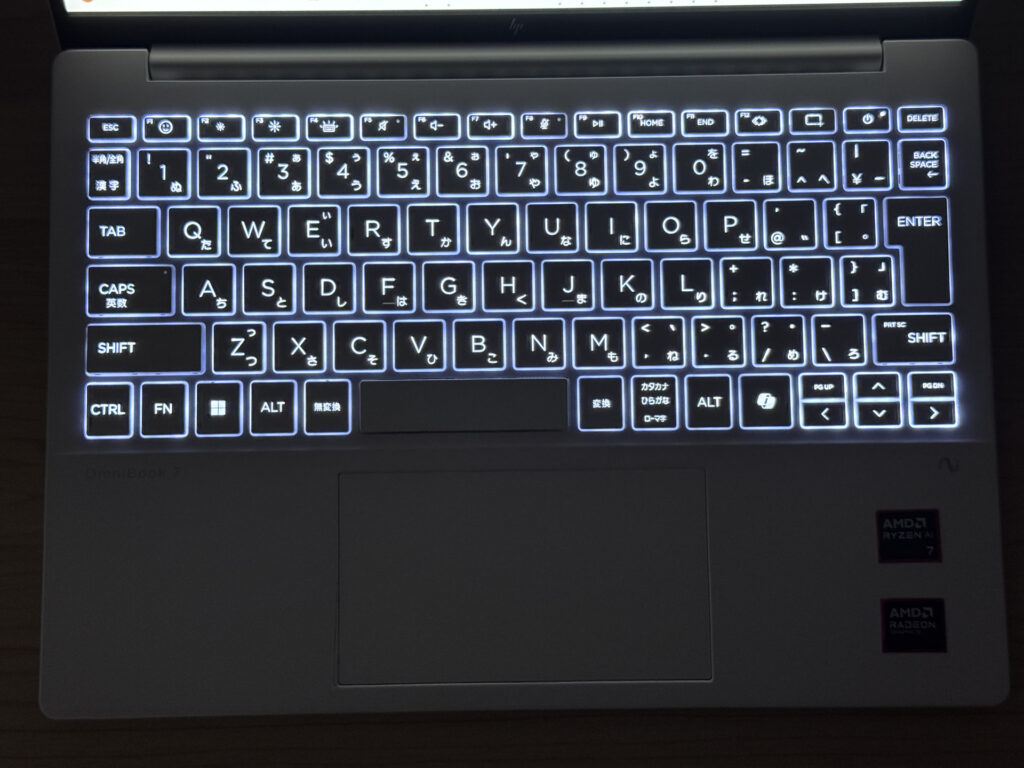 Backlight keeps keys visible in the dark
Trackpad
Smooth and accurate — the trackpad is a strong point here. Size is generous for a 13-inch class laptop, and you'll rarely feel the need to reach for a mouse when you're on the go.
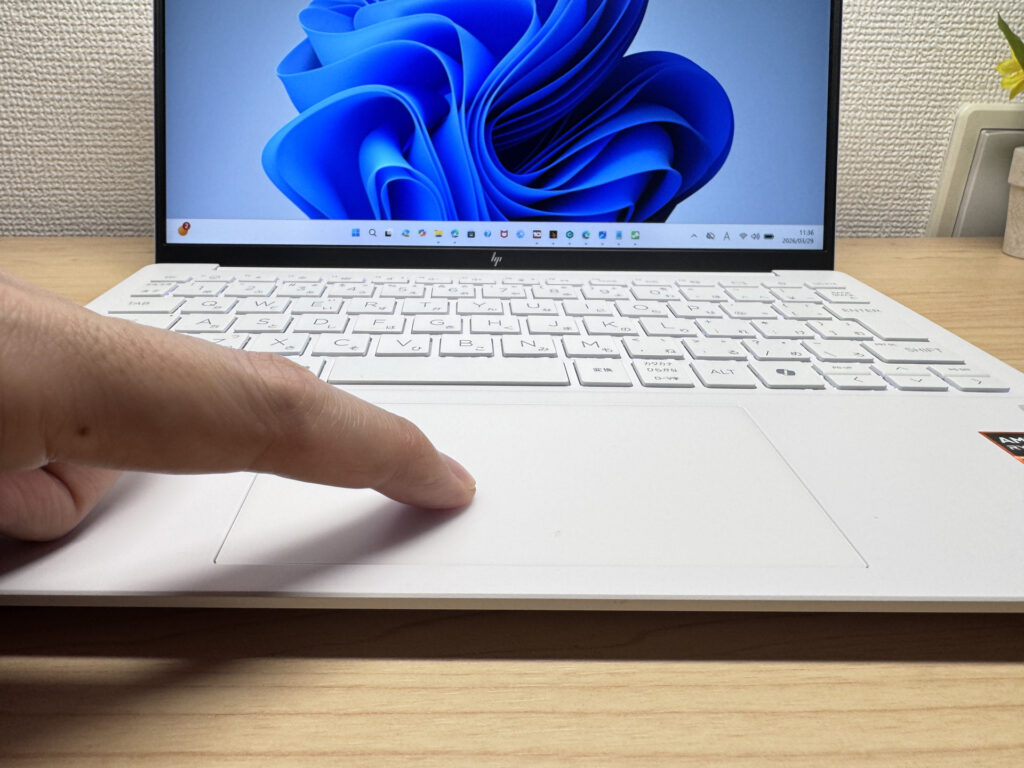 Smooth, accurate trackpad
Three-finger gestures work fluidly. Window switching and swiping feel natural. Honestly, "I don't need my mouse today" is a realistic outcome.
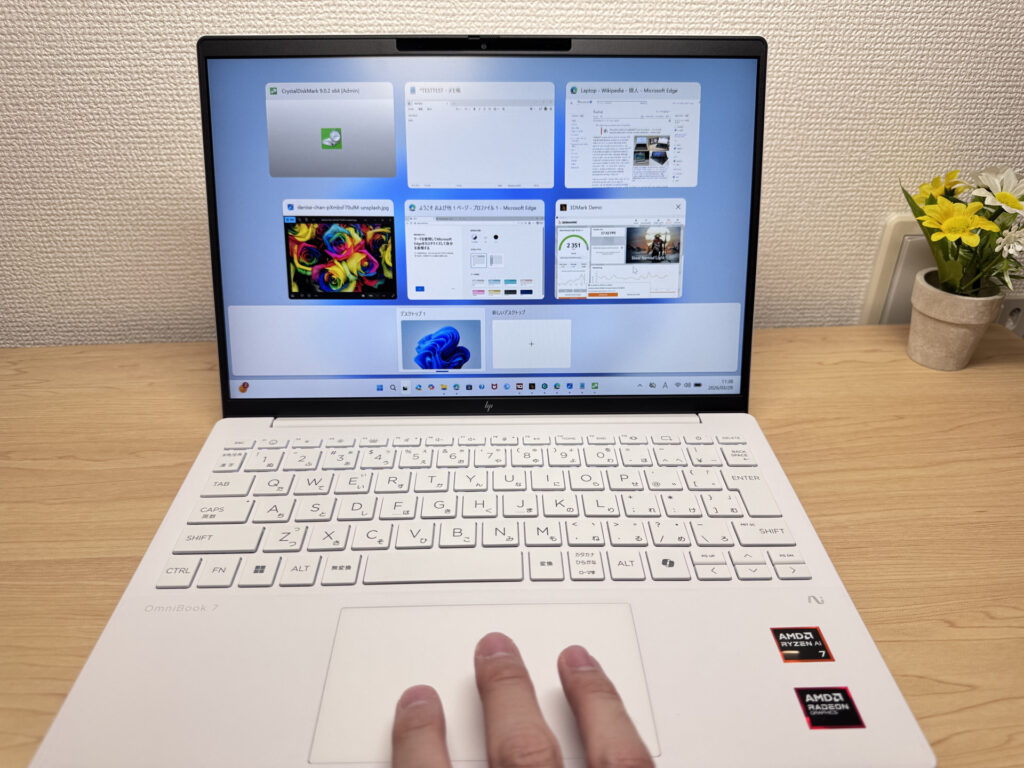 Gestures feel fluid and natural
Performance
PCMark 10 score: 6946. For a lightweight mobile laptop, that's genuinely impressive. Running multiple browser tabs while on a video call, crunching through spreadsheets — this handles all of it without breaking a sweat. You'll be hard-pressed to feel the machine struggling in everyday use.
| Total Score | Rating | What it feels like in real use |
|---|---|---|
| ~4,000 | Bare minimum | Web browsing and simple tasks work, but multitasking or many tabs feels sluggish. |
| 4,000–5,000 | Light use | Daily tasks are doable, but running multiple apps means waiting around. |
| 5,000–6,500 | Comfortable (mainstream) | Handles most work without stress — fine for office, school, video calls. |
| 6,500–8,000 | High performance This PC | Plenty of headroom. Light photo editing and programming feel snappy. |
| 8,000+ | Very high performance | Tackles video editing and heavy workloads. Long-lasting performance. |
*PCMark 10 reflects overall comfort. Actual feel depends on CPU, RAM, and SSD speed.
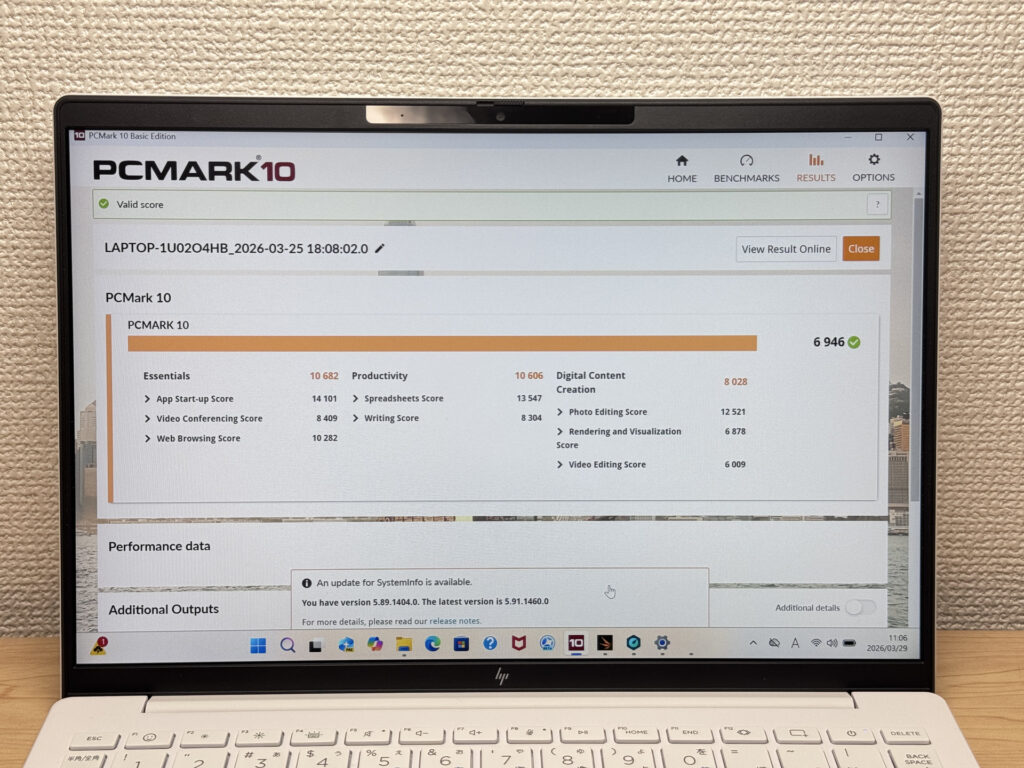 PCMark 10: 6946
Cinebench 2026 multi-thread score: 3002. Solid number — light photo editing and typical creative work are fair game.
| Score | Rating | What it feels like in real use |
|---|---|---|
| Up to 1,000 | Bare minimum | Light tasks work, but heavier processing or multitasking feels constrained. |
| 1,000–2,000 | Standard (power-efficient) | Handles daily tasks, but heavier loads create waiting. |
| 2,000–3,000 | Comfortable (mainstream) | Office, school, video calls all work comfortably. Plenty for most users. |
| 3,000–4,000 | High performance This PC | Comfortable for multitasking, light/medium editing, and dev work. |
| 4,000+ | Very high performance | Handles video editing and heavy workloads with room to spare. |
*Cinebench 2026 is the latest CPU multi-core benchmark. Scores trend lower than R23, so direct comparison isn't valid.
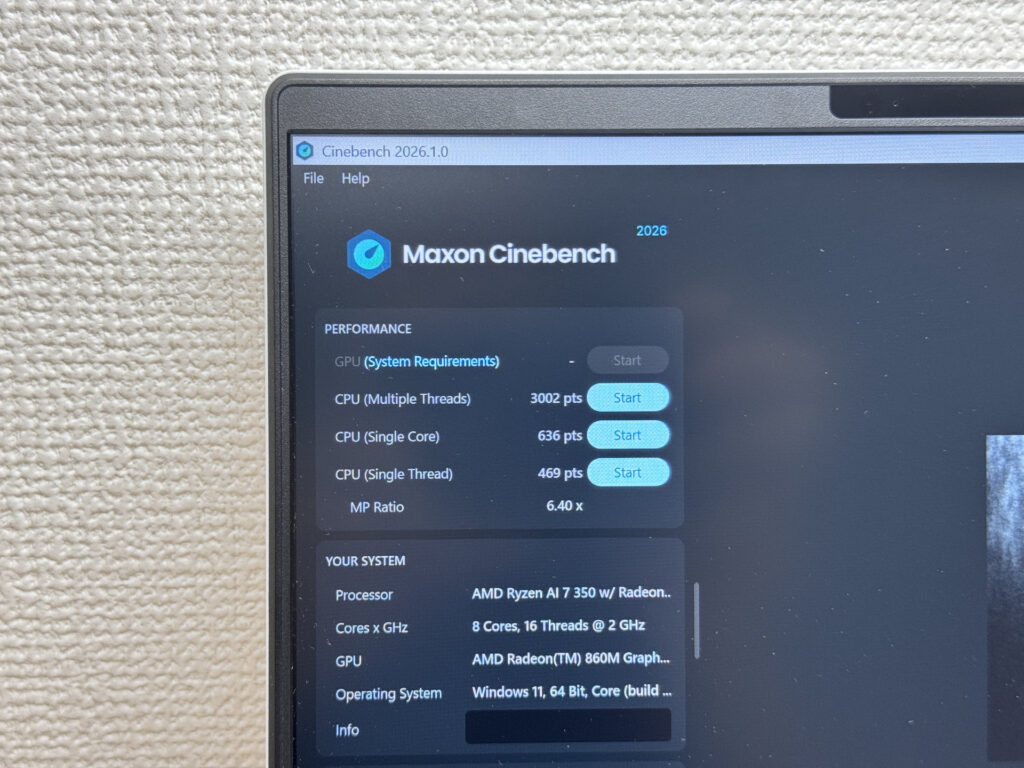 Cinebench 2026 score
3DMark Steel Nomad Lite: 2351. Not bad for integrated graphics — casual gaming is possible. Don't expect AAA titles to run well, but lighter games are doable.
| Score | Rating | What it feels like in real use |
|---|---|---|
| Up to 400 | Bare minimum | 3D performance is quite limited. Not really suited for gaming. |
| 400–900 | Light 3D | Lighter games and low-load 3D processing work. |
| 900–1,500 | Average (mainstream) | Standard for integrated GPUs. Light to medium games playable with right settings. |
| 1,500–2,200 | High performance | Strong for an integrated GPU. Games and 3D work feel comfortable. |
| 2,200+ | Very high performance This PC | Top-tier 3D performance for thin laptops. Real graphics headroom. |
*3DMark Steel Nomad Light targets thin laptops and integrated GPUs. Score range differs from Time Spy, so direct comparison isn't valid.
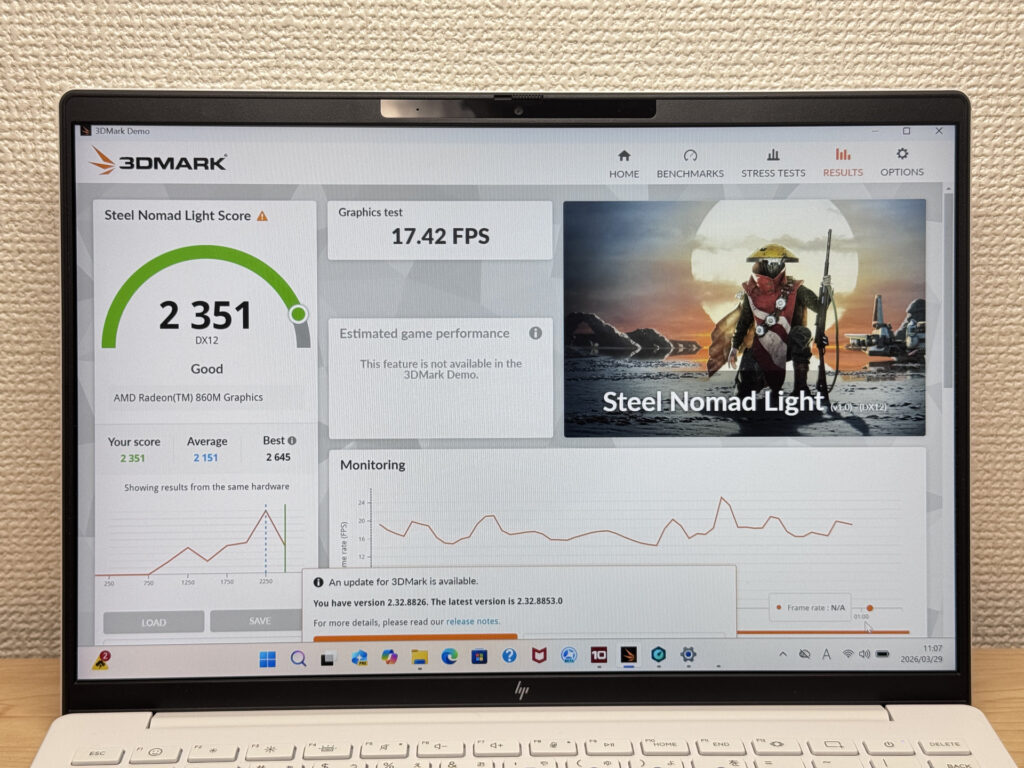 3DMark Steel Nomad Lite
CrystalDiskMark read speed: 6119 MB/s. That's fast. App launches and large file transfers finish quickly, and you won't be staring at a loading bar.
| Score | Rating | What it feels like in real use |
|---|---|---|
| Up to 600 MB/s | Bare minimum | Faster than HDD, but slow for modern SSDs. App launches feel slightly slow. |
| 600–1,500 MB/s | Average | Fine for daily use, though loading is noticeably slower than top-tier SSDs. |
| 1,500–3,500 MB/s | Comfortable (mainstream) | App launches and file loading feel smooth. No real complaints in daily use. |
| 3,500–5,500 MB/s | Fast | Loads large data and apps quickly. Definitely upper-tier SSD speed. |
| 5,500+ MB/s | Very fast This PC | High-end NVMe territory. Heavy data work without waiting. |
*CrystalDiskMark measures SSD speed. It mainly affects app launch and file loading speed, not overall PC performance.
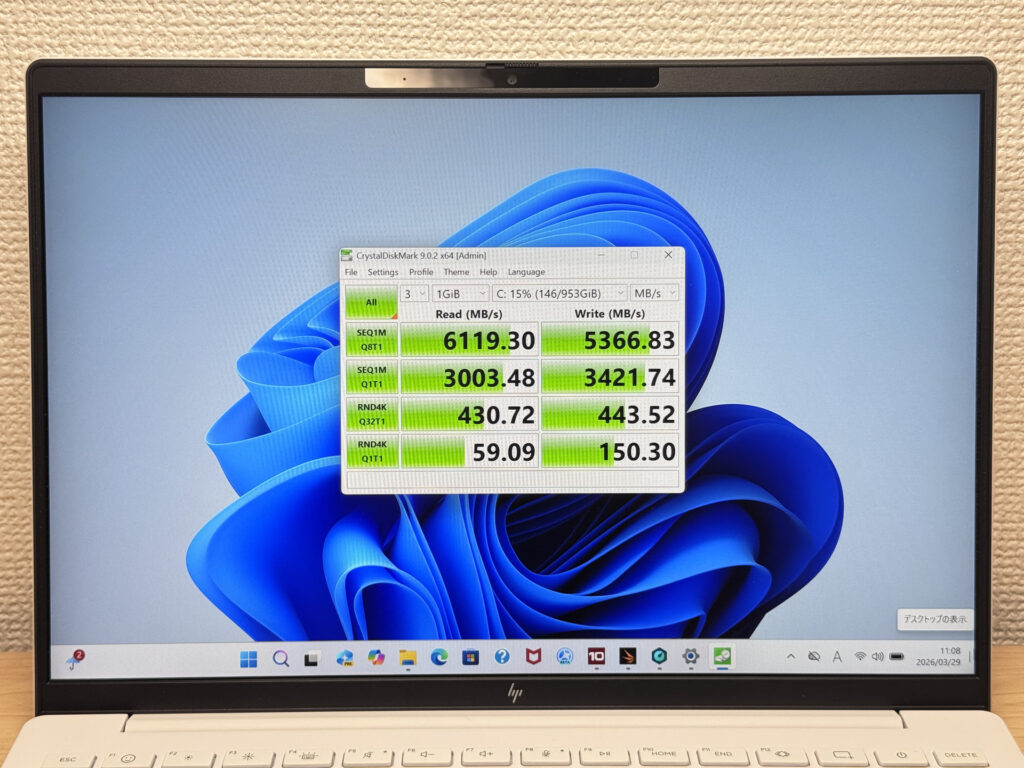 SSD read speed: 6,119 MB/s
Battery Life
Battery rating: Average
Battery capacity is 43 Wh — standard for a slim mobile build. HP claims up to 15.5 hours, but your mileage may vary depending on workload. For light browsing and writing, you'll get a solid workday out of it. Add heavy loads or video streaming and drain picks up. If you've got a long day out, plan for a plug.
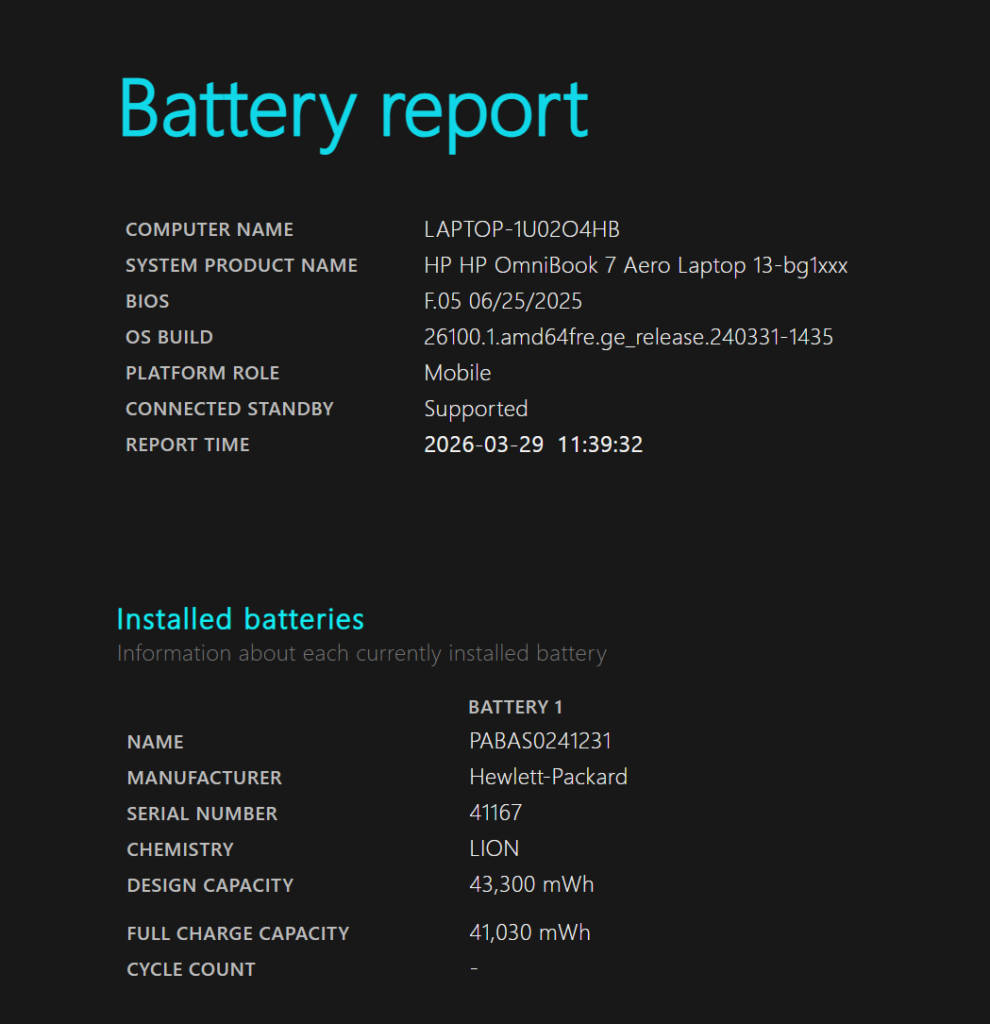 Battery capacity: 43 Wh
If the charger weight bugs you — and it should — a compact USB-C charger is the move. The laptop is light; your charger can be too.
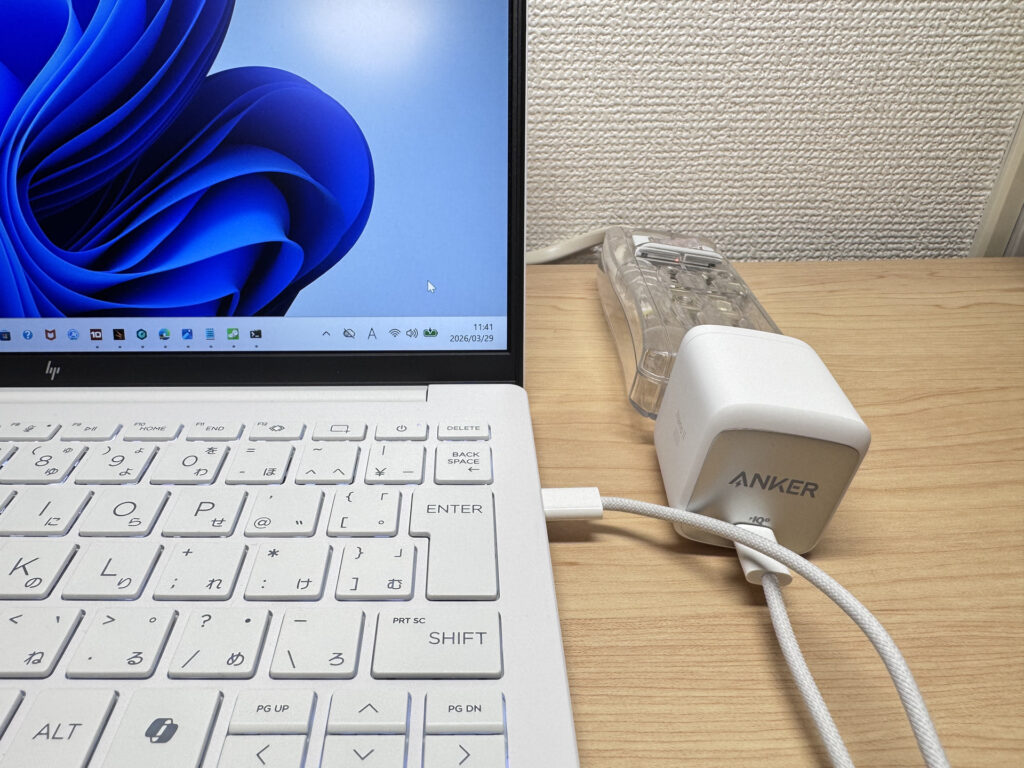 Swap in a compact USB-C charger
Fan Noise & Heat
At idle, it's essentially silent. Library-quiet. You won't think about the fan during normal use.
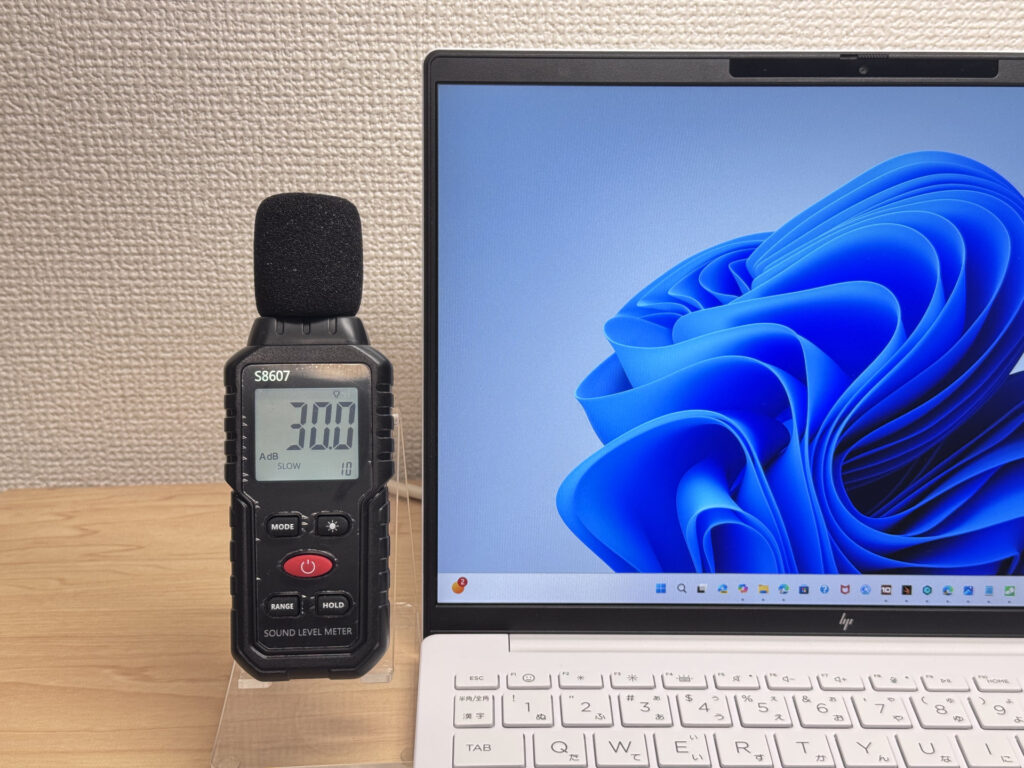 Barely a whisper at idle
Under load it hits 39 dB — you'll hear it. In a quiet room with sustained heavy work, it's noticeable. But the fan only spins up when it needs to, and it does keep the system cool.
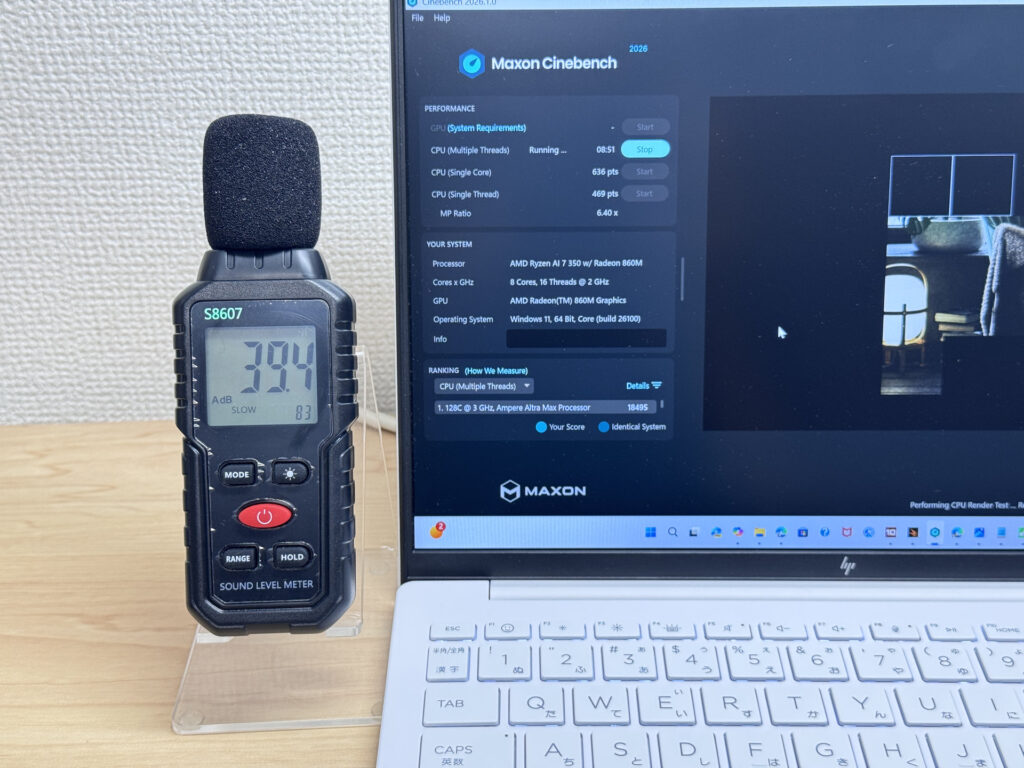 39 dB under heavy load
Exhaust vents are on the underside, pointing backward. Hot air goes away from your hands — no sweaty palm problem during long sessions.
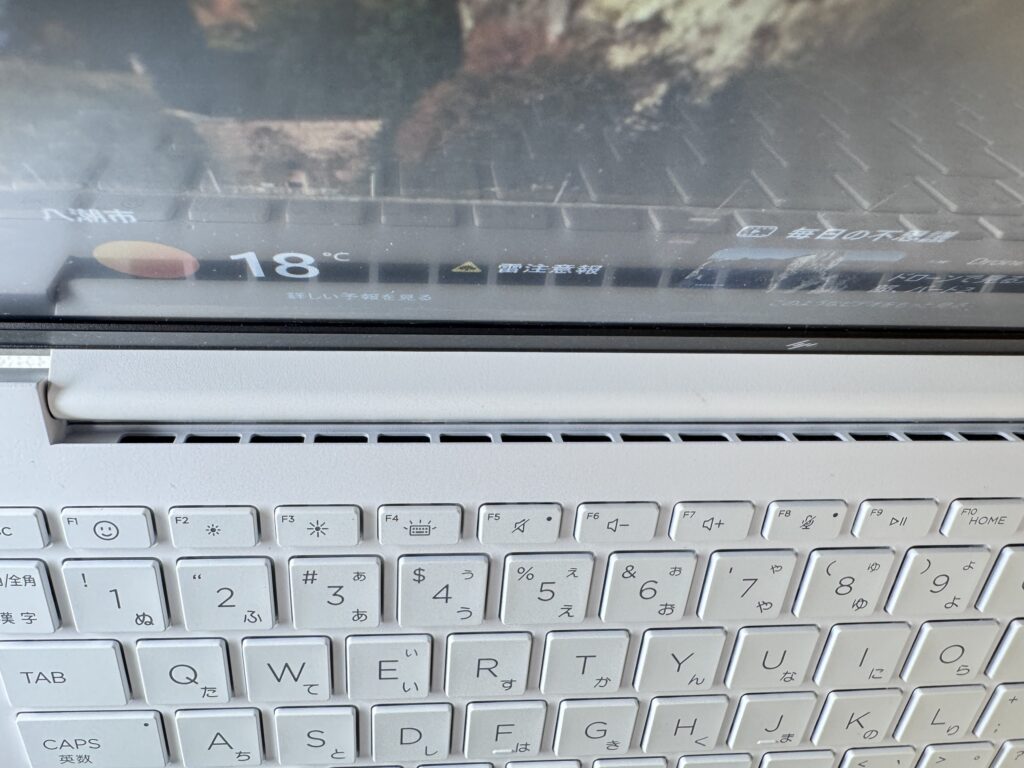 Exhaust goes out the bottom — away from your hands
Ports
Left side: USB-A and a headphone jack. Right side: HDMI, USB-A, and a USB-C port with DisplayPort Alt Mode and Power Delivery. One cable for video out or charging — no adapters needed for most setups.
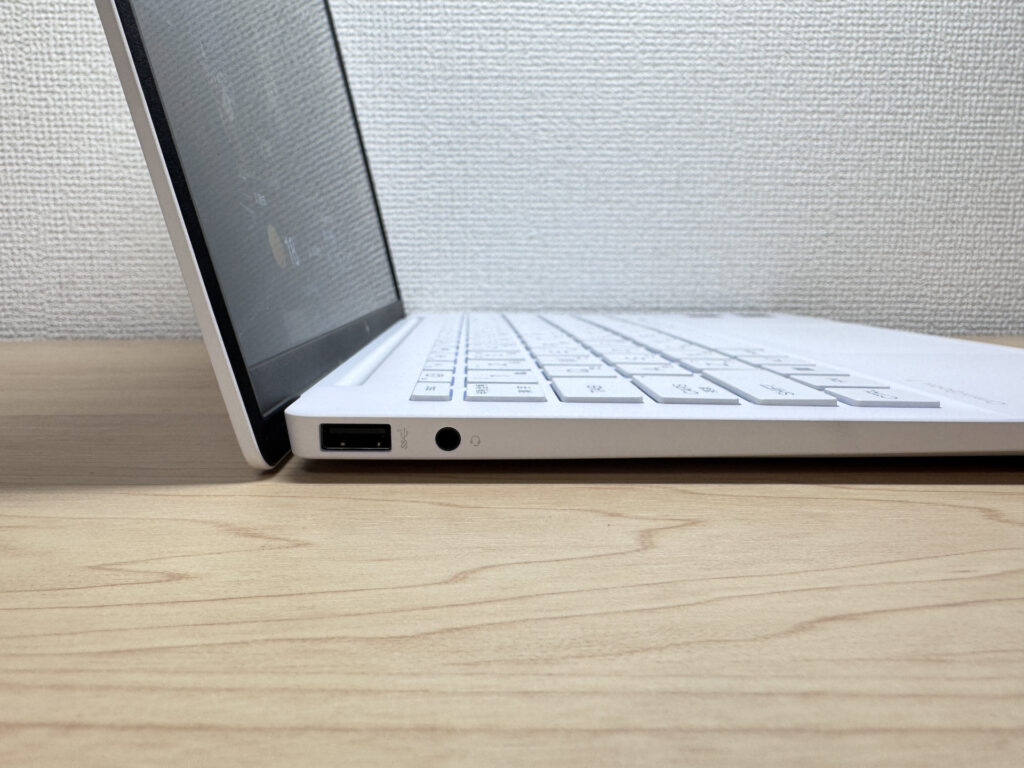 Left side ports
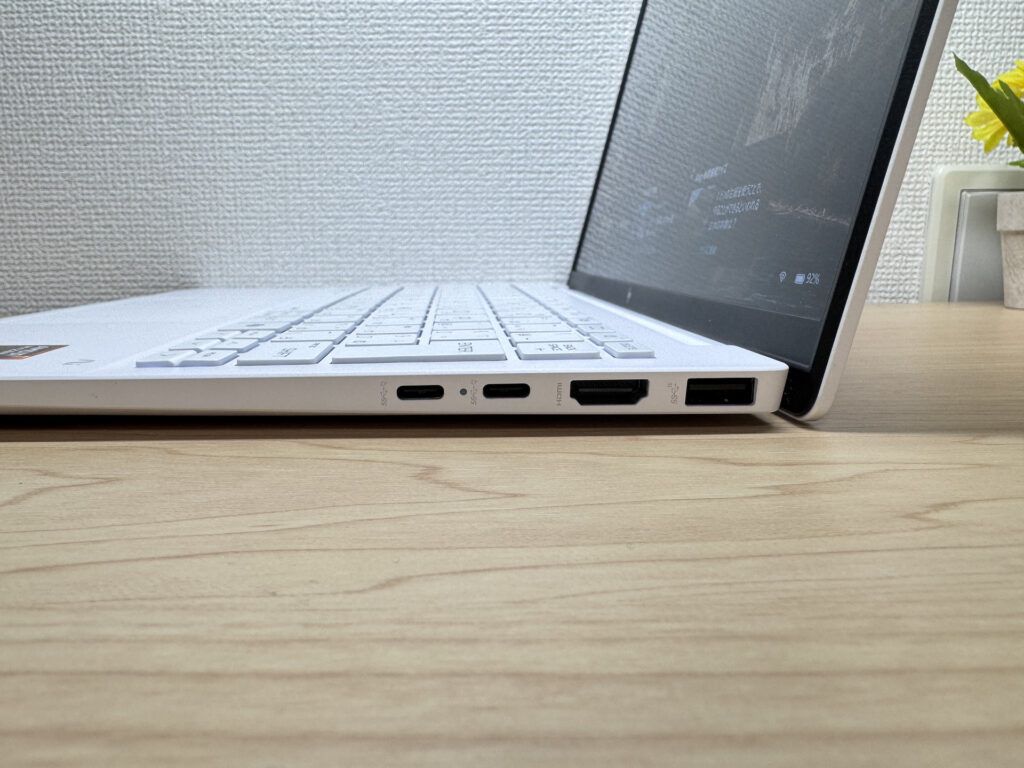 Right side ports
4K monitor output via HDMI confirmed. Plug in a cable before a presentation and it just works.
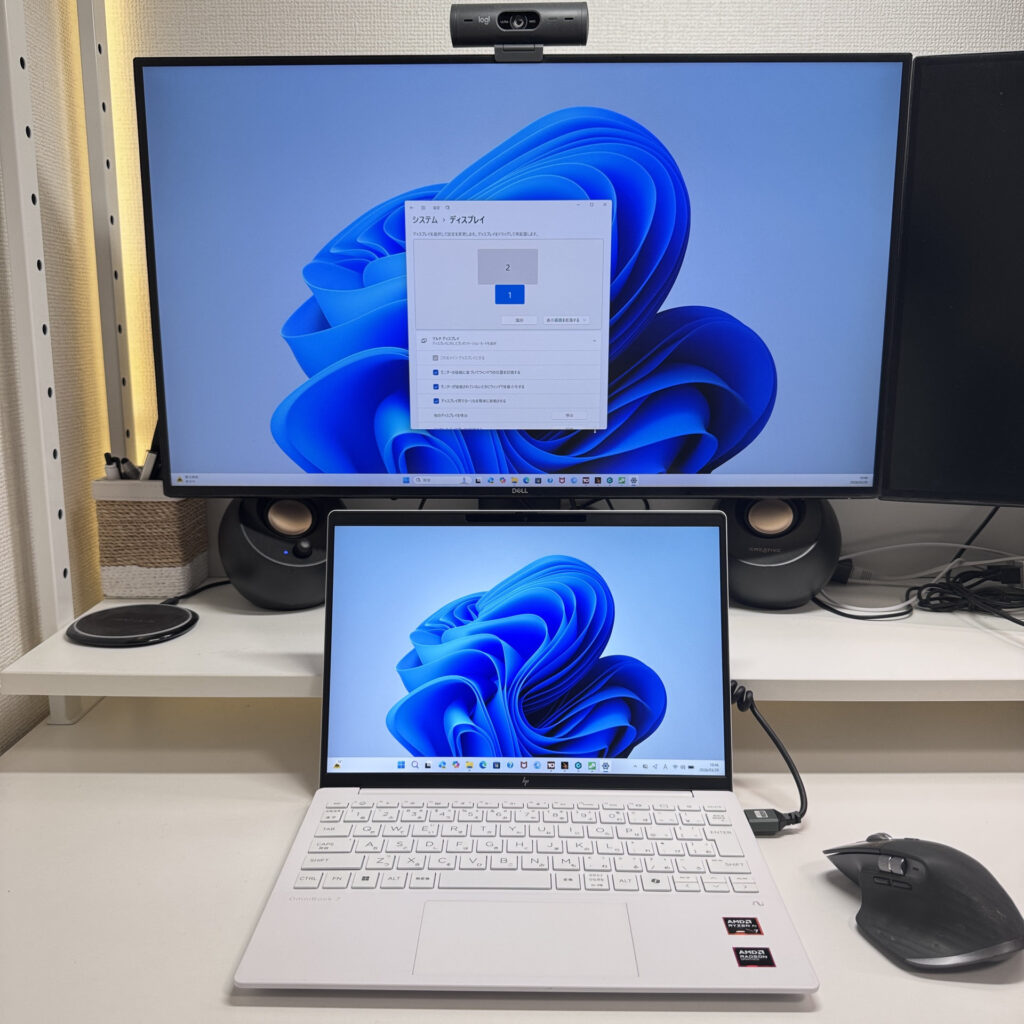 4K output via HDMI — confirmed
Dual 4K output via USB-C also confirmed. At home or the office, you can run a full desktop setup with two big monitors, then unplug and take the laptop with you. Good bang for your buck if that's your workflow.
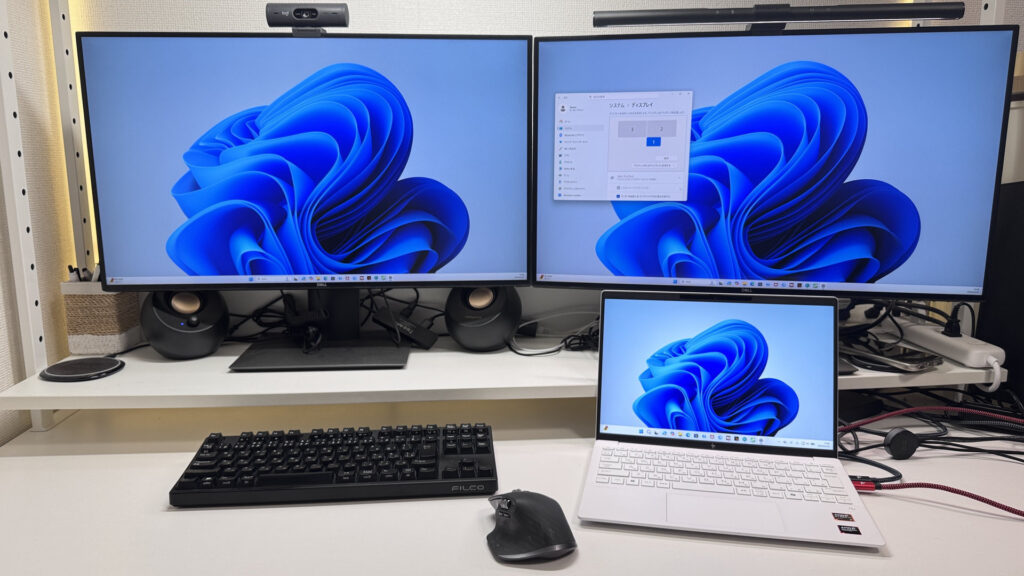 Dual 4K output via USB-C
Webcam
Camera quality is better than expected at this price. Bright and clear — you won't look washed out or blurry on video calls.
 Clear, bright webcam output
Physical privacy shutter is a nice touch. Slide it over and the camera is physically blocked — more reassuring than any software toggle.
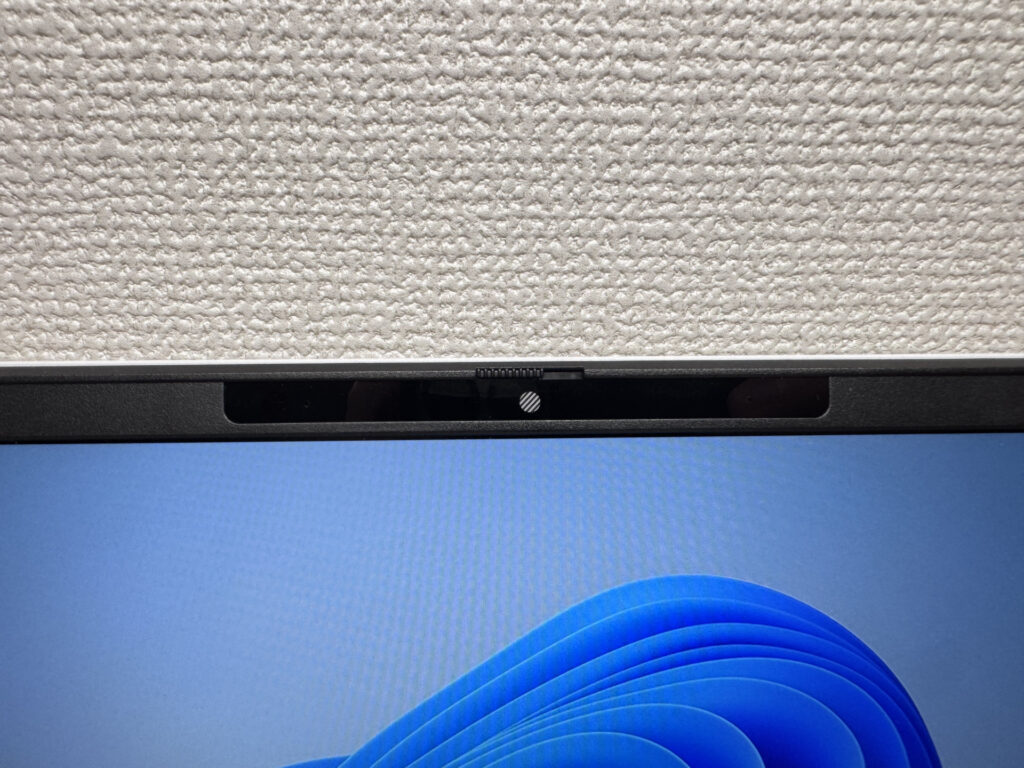 Physical shutter — the real deal
Speakers
Audio has decent bass presence and sounds clear enough for streaming. Watching movies or shows on Amazon Prime without headphones is totally fine. For a thin travel laptop, the speakers punch above their weight.
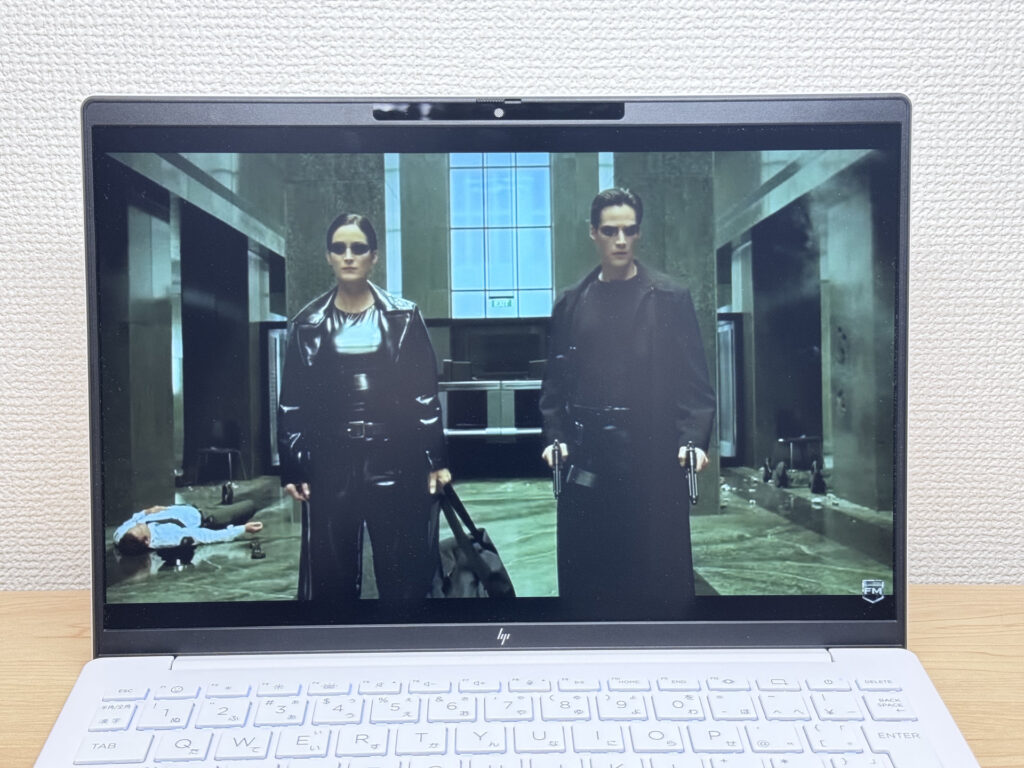 Surprisingly solid audio for the size
Security
Face unlock works well — open the lid, look at the screen, and you're in. It's nearly instant. Honestly wasn't expecting it to be this snappy.
No fingerprint sensor, but face unlock at this speed makes it a non-issue. For a laptop at this price point, the login experience is genuinely good.
Verdict
The OmniBook 7 Aero 13-bg pulls off a solid balancing act: around 1 kg (2.2 lbs), a PCMark 10 score of 6946, 32GB of RAM, and a blazing-fast SSD. For a daily-carry laptop, that's a compelling lineup. The plastic lid and 43 Wh battery are the honest downsides — but if your priority is a lightweight machine that actually performs, this one makes a strong case.
✅ Buy it if you...
- Carry your laptop every single day and want something that doesn't weigh you down
- Need a solid machine for writing papers, browsing, and video calls
- Work from coffee shops, campus, or anywhere that isn't your desk
⚠️ Skip it if you...
- Need serious gaming or video editing performance
- Spend long days out away from a charger
Under 2.2 lbs and ready for daily carry — a well-balanced travel laptop
Where to Buy
* Prices may vary. Please check each store for the latest price and availability.
Where this laptop ranks


About the author