ZippyScore
ZippyScore is a proprietary rating based on 6 criteria: performance, portability, display, battery, value, and connectivity.
See rating criteria
- Performance: CPU / GPU performance
- Portability: Screen size & weight
- Display: Panel type, aspect ratio & refresh rate
- Battery: Rated battery life
- Value: Specs-to-price balance
- Connectivity: Port types & count
Pros & Cons
Pros
- At ~3.0 lbs (1.38 kg), it's legitimately light for a 2-in-1 — easy to carry to class or the office every day
- 32GB of RAM keeps things snappy even when you've got a dozen tabs open alongside multiple apps
- The OLED display makes photos, video, and everyday content look noticeably better than a typical IPS panel
- 70Wh battery gives you solid all-day coverage for lighter workloads
- HDMI, USB-A, and USB-C all included — most setups won't need a dongle
Cons
- No discrete GPU means demanding games and heavy video editing are off the table
- The two USB-C ports are split one per side, which can get awkward when charging and connecting a display at the same time
Specs Summary
| OS | Windows 11 Home |
|---|---|
| CPU | AMD Ryzen AI 5 430 (PassMark: 13,437) AMD Ryzen AI 7 445 (PassMark: 20,770) |
| RAM | 16GB / 24GB |
| Storage | 512GB / 1TB |
| Display | 14" OLED (Glossy, Touchscreen, 60Hz) 1920x1200 (16:10) |
| Weight | 1.38 kg (3.04 lbs) |
| Ports | USB-A × 1 (5Gbps), USB-C × 2 (10Gbps/PD/Video out), HDMI × 1, microSD × 1, Headphone jack × 1 |
| GPU | AMD Radeon 840M (G3D Mark: 3,805) |
| Biometrics | Face Recognition |
| Battery | Up to 26 h (Capacity: 70 Wh) |
| Dimensions | Approx. 316 × 228 × 15.4 mm (W × D × H) |
| Wi-Fi | Wi-Fi 6E |
| Bluetooth | Bluetooth 5.3 |
| Color | Seashell |
Configurations vary by retailer, region, and availability.
Feature Review
Design
The build quality here is what you'd expect from the Yoga line — solid, premium-feeling, no flex or creaking. The chassis measures 316 × 228 × 15.4 mm, which is impressively slim for a 14-inch 2-in-1. The Seashell colorway is understated but polished — the kind of laptop you can pull out at a coffee shop or in a meeting without it looking out of place. Yoga has a strong track record for build consistency across generations, and this one looks to continue that.
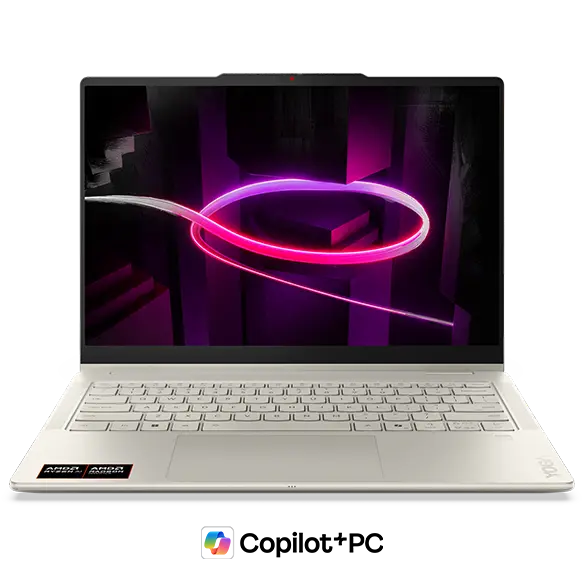 Stylish OLED 2-in-1 chassis typical of the Yoga lineup
2-in-1 Functionality
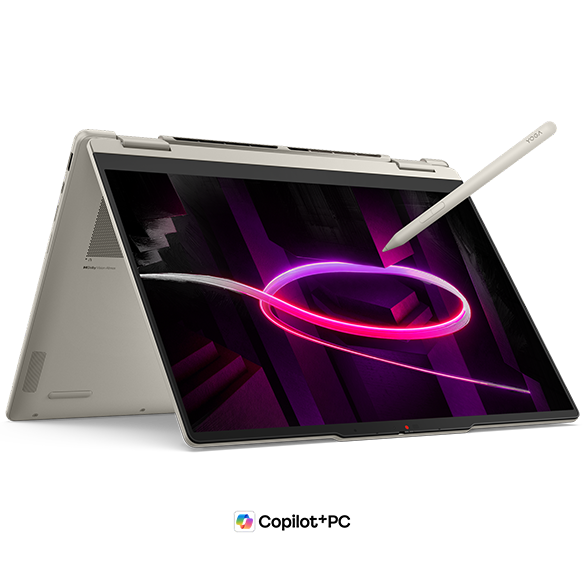
The headline feature is the full 360-degree hinge that unlocks four usage modes — laptop, tablet, tent, and display mode. Touchscreen and pen input are both supported, so you can sketch, annotate PDFs, or take handwritten notes without needing a separate device.
 360-degree hinge lets you flip between four modes depending on what you're doing
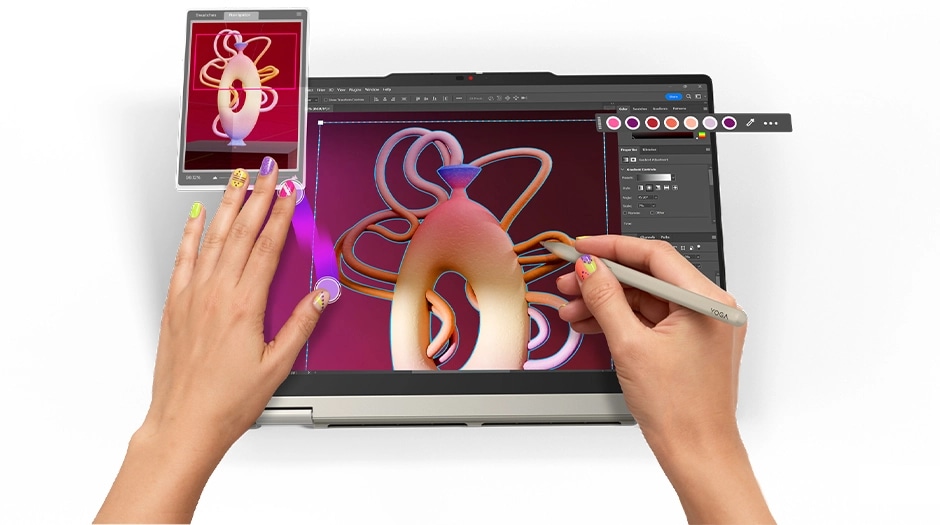 Pen input works great for annotations and quick sketches
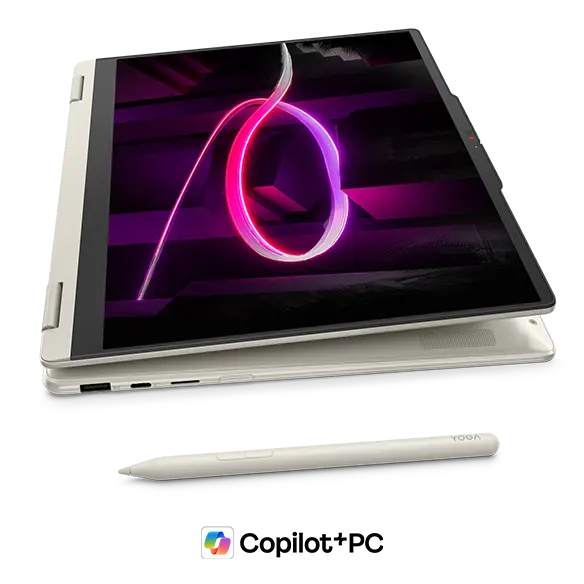
What I find particularly clever is Display Mode — flip the screen around so the keyboard hides underneath, pair a Bluetooth keyboard and mouse, and you've essentially got a mini desktop setup. It's a niche use case, but if you work from a desk part of the day and want to reclaim some space, it's a legitimately useful trick. Combined with pen support, this thing handles a pretty wide range of workflows.
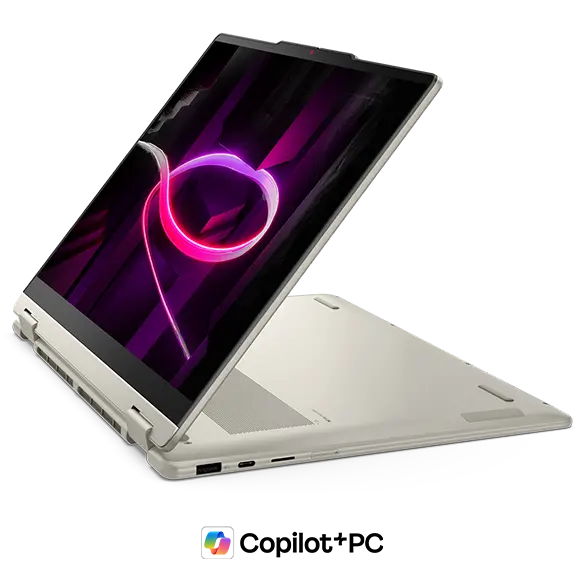 Display mode — pair a Bluetooth keyboard and you've got a compact desktop situation
Portability
At 1.38 kg (~3.0 lbs), this is genuinely light for a 2-in-1. Throwing it in a backpack for campus or a daily commute is a non-issue. That said, holding it one-handed in tablet mode for extended periods is a different story — 3 lbs adds up fast. Think "prop it on a table and use the touchscreen" rather than "hold it like an iPad." USB-C charging means you can get away with a small, lightweight charger in your bag and keep the overall load manageable.
Display Quality
Depending on the configuration, you can get either a WUXGA (1920×1200) or WQXGA (2880×1800) OLED panel. OLED blacks are in a completely different league from IPS — colors pop, contrast is deep, and photos and video look genuinely great. Honestly, once you've used an OLED laptop for a while, going back feels rough. The 16:10 aspect ratio adds a bit of extra vertical real estate, which makes a noticeable difference when you're scrolling through long documents or have multiple windows open side by side.
Touchscreen interaction feels natural — pinch to zoom, scroll with your finger, the usual. Worth noting: this is a glossy panel with no mention of anti-glare coating, so strong overhead lighting or windows behind you may cause some reflections. Something to keep in mind depending on where you usually work.
Keyboard Feel
The layout is clean and standard — no weird key placement that takes weeks to unlearn. Yoga keyboards have a good reputation for key feel, and there's every reason to expect a satisfying, comfortable typing experience here. Backlit keys are included, which is a small but appreciated touch for low-light situations. (Quick note for US buyers: the photos show a US layout keyboard, which is what you'll get in the US market.)
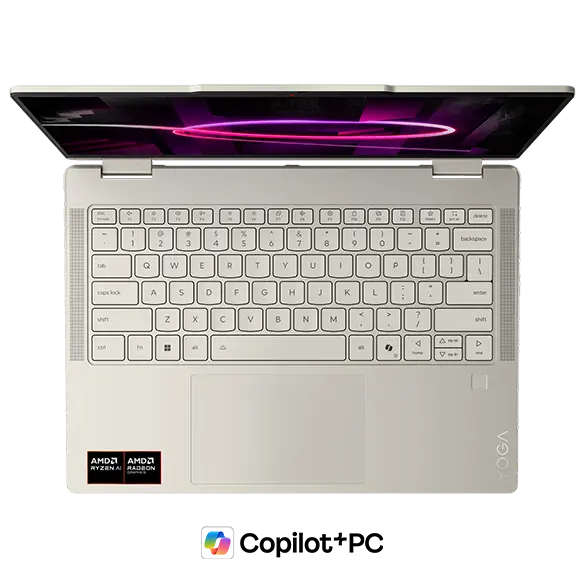 Standard layout — no surprises, just comfortable typing
 Yoga's keyboard feel lives up to the lineup's reputation
Trackpad
The trackpad is large, which gives your fingers room to breathe. A bigger pad generally means more precise control, especially for fine cursor movements or multi-finger gestures. Expect a comfortable, responsive experience here.
 Generously sized trackpad — more room, more control
Performance
The AMD Ryzen AI 7 445 posts a PassMark multi-core score of around 20,770. In practical terms: everyday tasks, browser-heavy multitasking, Office work, and light video or photo editing are all handled comfortably. It's not a workstation chip, but it's more than fast enough for most people's day-to-day.
| Score | Rating | What it feels like in real use |
|---|---|---|
| Up to 5,500 | Tight on headroom | Hiccups during multitasking; comfort takes a hit. Daily use feels constrained. |
| 5,500–8,000 | Daily use | Web, Office, remote work — handles them without issue. |
| 8,000–12,500 | Comfortable (standard) | Daily PC tasks with real headroom. Light video editing and casual games work. |
| 12,500–20,000 | High performance (mainstream) | Multitasking feels good. Heavier work and 3D games are workable. |
| 20,000–40,000 | Very high performance This PC | Comfortable even for demanding work and gaming. |
| 40,000+ | Exceptional | Plenty of headroom for creative work and heavy loads. Long-lasting performance. |
*PassMark CPU Mark measures multi-threaded CPU performance. Some variance is normal between runs even with the same CPU.
The bigger deal might actually be the 32GB of RAM. With 32GB, you're not going to hit a wall when you've got 20 browser tabs open alongside Spotify, Slack, and a docs window. I've personally settled on 32GB as my baseline for any machine I use daily — once you have it, it's hard to go back.
Battery Life
Battery rating: above average
The 70Wh battery is a solid number for a 2-in-1. OLED panels do tend to draw a bit more power than IPS equivalents, so real-world battery life will depend on your brightness settings and what you're doing. For lighter tasks — writing, browsing, remote meetings — you should get through most of a workday without hunting for an outlet. Heavy use with the screen cranked up will eat through it faster. If you're planning a full day away from a charger, tossing a small USB-C power brick in your bag is a smart call.
Port Selection
The port lineup covers the bases: 2× USB-C (both support video output and charging), 1× USB-A, 1× HDMI, a microSD card slot, and a 3.5mm headphone jack. Having both HDMI and USB-A means you can connect most peripherals and monitors without a dongle, which is more than you can say for some thin-and-lights. The microSD slot is a quiet win if you shoot photos or transfer files from a phone.
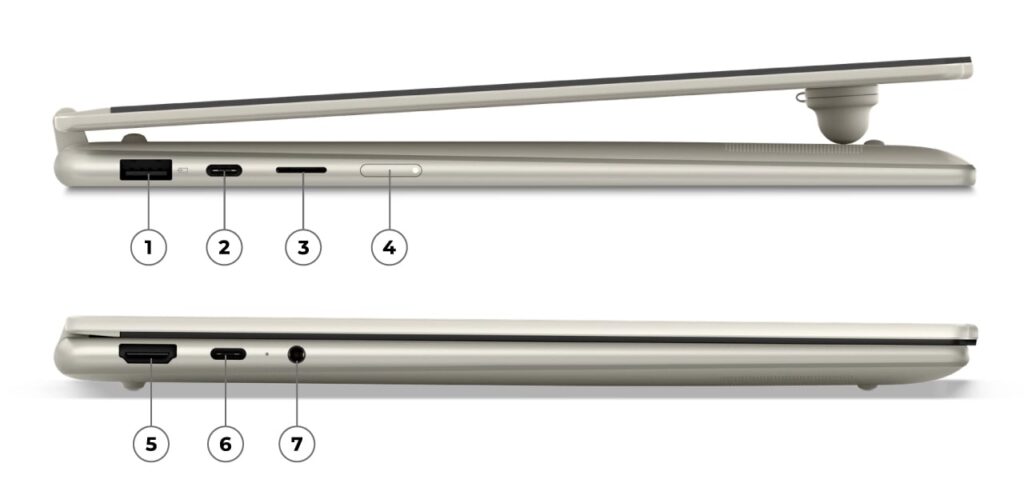 HDMI, USB-A, and dual USB-C — you can leave most dongles at home
Here's the one thing that bugs me though: the two USB-C ports are split one per side. If you want to drive an external display via USB-C while also charging, your cables end up going in opposite directions. It's a minor gripe, but port placement matters more than people realize until they're actually setting up their desk every morning.
Webcam
The webcam clocks in at 5MP, which is notably better than the 2MP shooters you'll find on most laptops in this class. Video calls should look noticeably sharper — a genuine upgrade if you're on remote meetings or classes regularly.
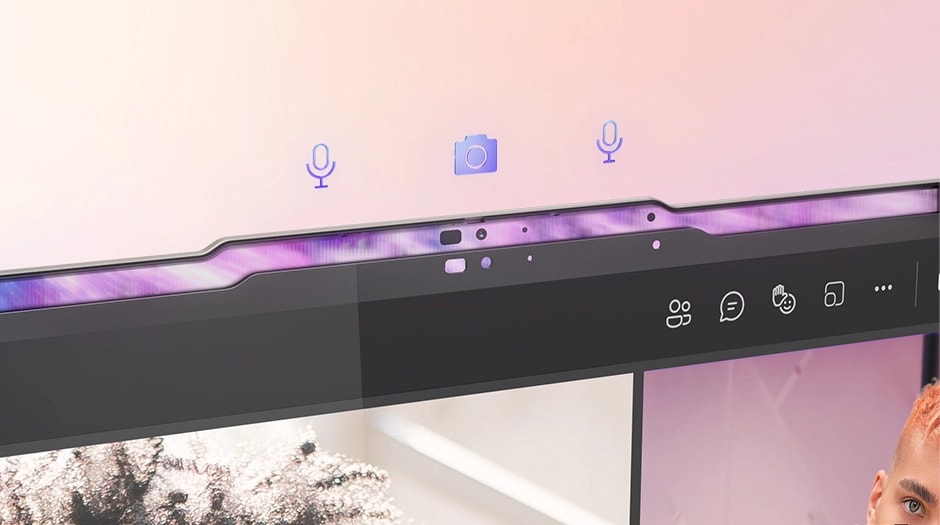 5MP webcam — a meaningful step up from the usual 2MP standard
There's also a physical privacy shutter, which I always appreciate. Knowing you can physically block the lens — not just disable it in software — takes one more thing off the mental checklist.
Security
Windows Hello facial recognition is on board. The laptop unlocks just by looking at it — no typing passwords, no fingerprint fumbling. For a 2-in-1 where you're flipping between modes often, this is especially convenient. It just gets out of your way.
Value
OLED display, 32GB RAM, Ryzen AI 7 445, and a 2-in-1 hinge — pulling all of that together at this price point is legitimately impressive. Spec-for-spec, it sits favorably against the competition, and the 2-in-1 flexibility is on top of that. If you're after a versatile daily driver that covers everything from productivity to casual creative work, the price-to-feature ratio here is hard to argue with.
Verdict
The Yoga 7a 2-in-1 Gen 11 (14" AMD) nails the brief: beautiful OLED screen, flexible 2-in-1 form factor, and enough horsepower for real work — all in a reasonably light body. The 32GB RAM and Ryzen AI 7 445 combo gives it breathing room for multitasking and light creative tasks, and the port selection means you're not constantly reaching for adapters.
It's a great fit if you carry your laptop to class or the office every day, want a screen that makes Netflix actually look good, or have been curious about pen input. If your main use case is serious gaming or 3D rendering, the lack of a discrete GPU will hold you back. But for anyone who wants strong specs and real versatility without overpaying, this one's worth a serious look.
Where to Buy
* Prices may vary. Please check each store for the latest price and availability.
Where this laptop ranks


About the author