ZippyScore
ZippyScore is a proprietary rating based on 6 criteria: performance, portability, display, battery, value, and connectivity.
See rating criteria
- Performance: CPU / GPU performance
- Portability: Screen size & weight
- Display: Panel type, aspect ratio & refresh rate
- Battery: Rated battery life
- Value: Specs-to-price balance
- Connectivity: Port types & count
Pros & Cons
Pros
- The stock charger is just 150 g and its prongs fold away, so it barely takes up space in your bag
- 32GB of RAM keeps things smooth even when you're juggling multiple tasks at once
- The OLED display makes videos and photos look genuinely vivid
- A solid port selection including HDMI and USB-A means great expandability
- Poly Studio speakers give videos and music a surprisingly spacious, surround-like sound
Cons
- The glossy screen picks up some glare from overhead lights and windows
- At a measured 1,428 g (~3.15 lbs), it's on the heavier side for daily carry
Specs Summary
| OS | Windows 11 Home |
|---|---|
| CPU | AMD Ryzen AI 5 430 (PassMark: 13,437) |
| RAM | 16GB |
| Storage | 512GB |
| Display | 14" OLED (Touchscreen) 1920x1200 (16:10) |
| Weight | 1.40 kg (3.09 lbs) |
| Ports | USB-C × 2 (40Gbps/PD/Video out), USB-A × 2 (10Gbps), HDMI × 1 (ver.2.1), Headphone jack × 1 |
| GPU | AMD Radeon 840M (G3D Mark: 3,805) |
| Biometrics | Face Recognition |
| Battery | Up to 24 h (Capacity: 70 Wh) |
| Camera | 5.0 MP |
| Dimensions | Approx. 313 × 218.5 × 14.4 mm (W × D × H) |
| Wi-Fi | Wi-Fi 7 |
| Bluetooth | Bluetooth 6.0 |
| Color | Deep Espresso |
Configurations vary by retailer, region, and availability.
Hands-on Review
Design
Let's start with the look. This one comes in Deep Espresso, and you can feel the quality the second you open the lid. It's got a level of polish you just don't expect from a laptop in this price range.
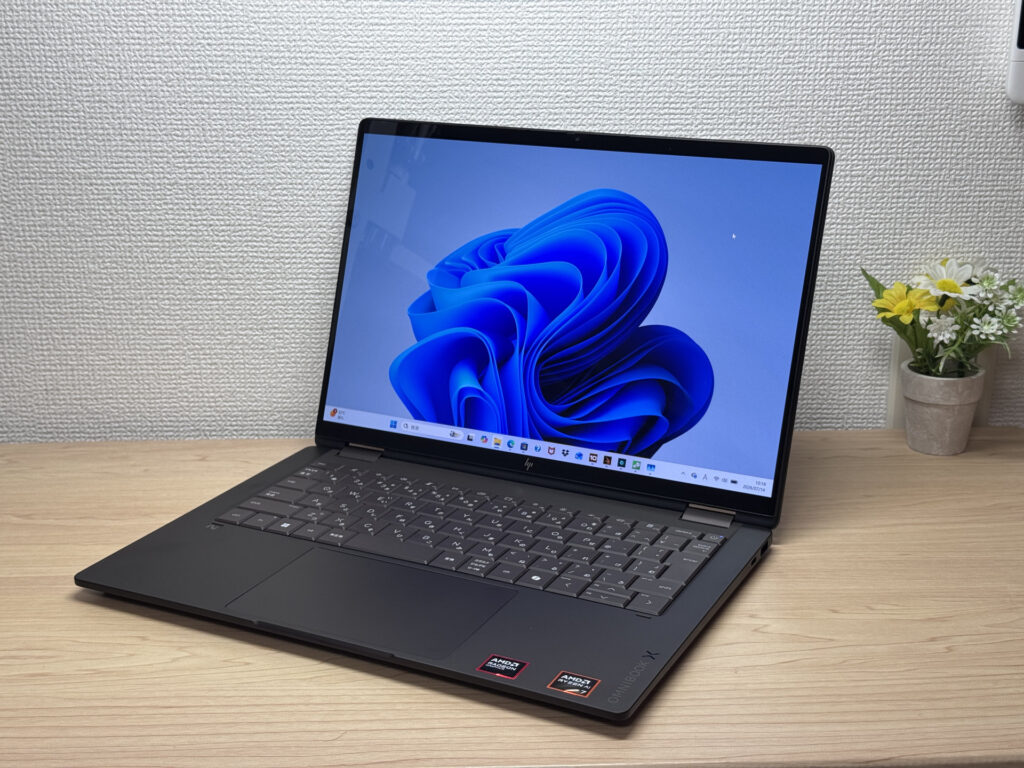 You can tell the build quality just from the front view
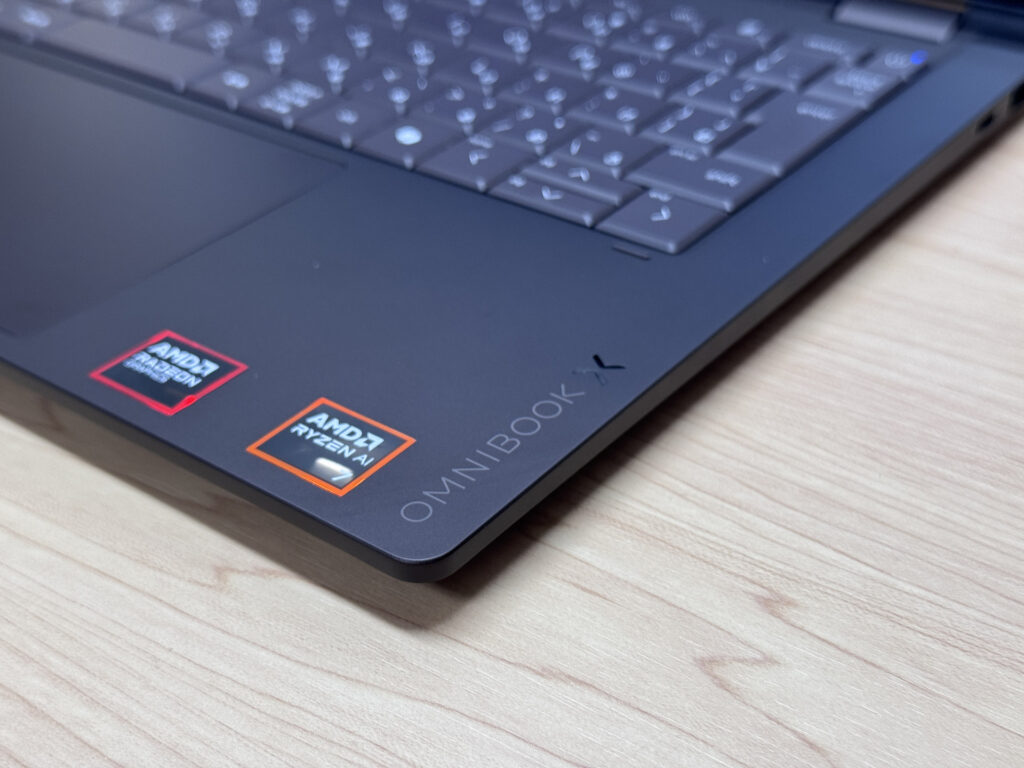 The understated logo placement looks great too
The lid has a silver HP logo that catches the light nicely — it looks sharp without being flashy. The lid design keeps things simple without overdoing it, which only adds to the classy feel.
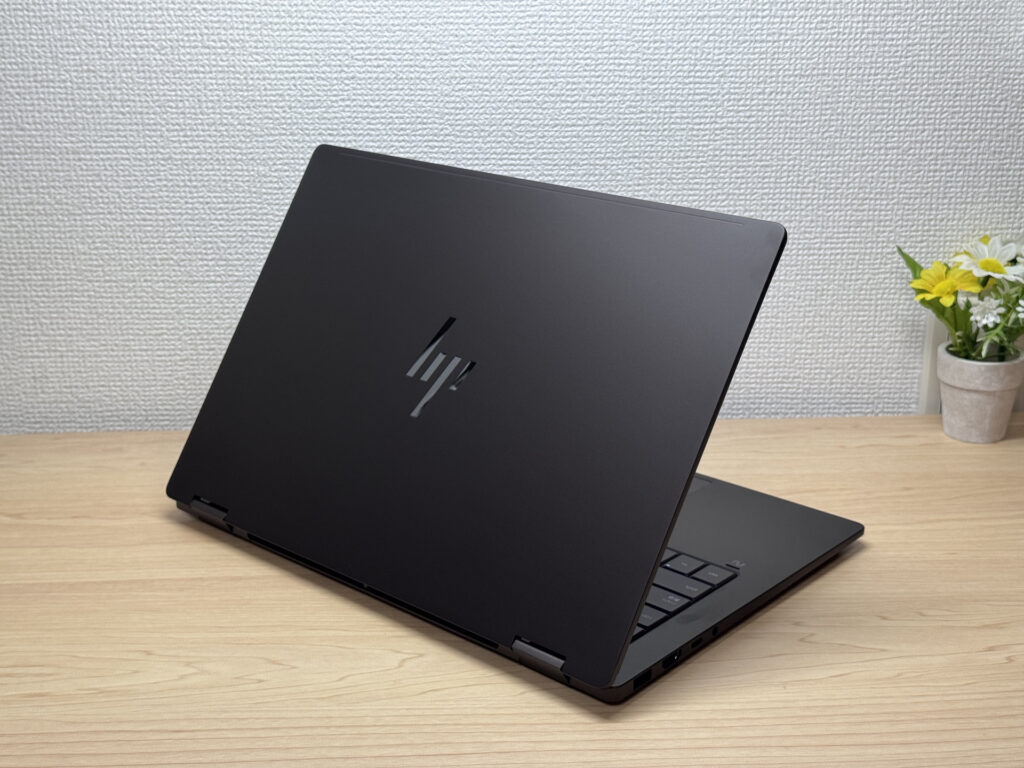 Not flashy, just tastefully put together
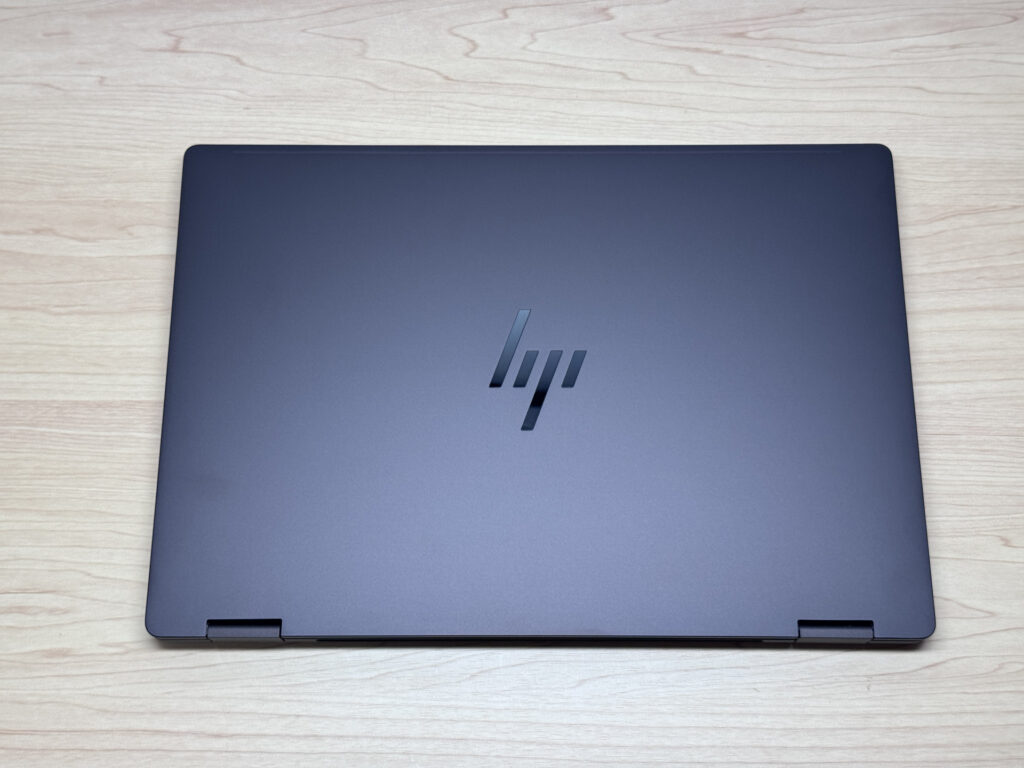 It looks great from every angle
It's pretty thin, so it slides easily into a bag. Personally, I think thin laptops like this are the easiest to just drop straight into a bag with a dedicated laptop sleeve.
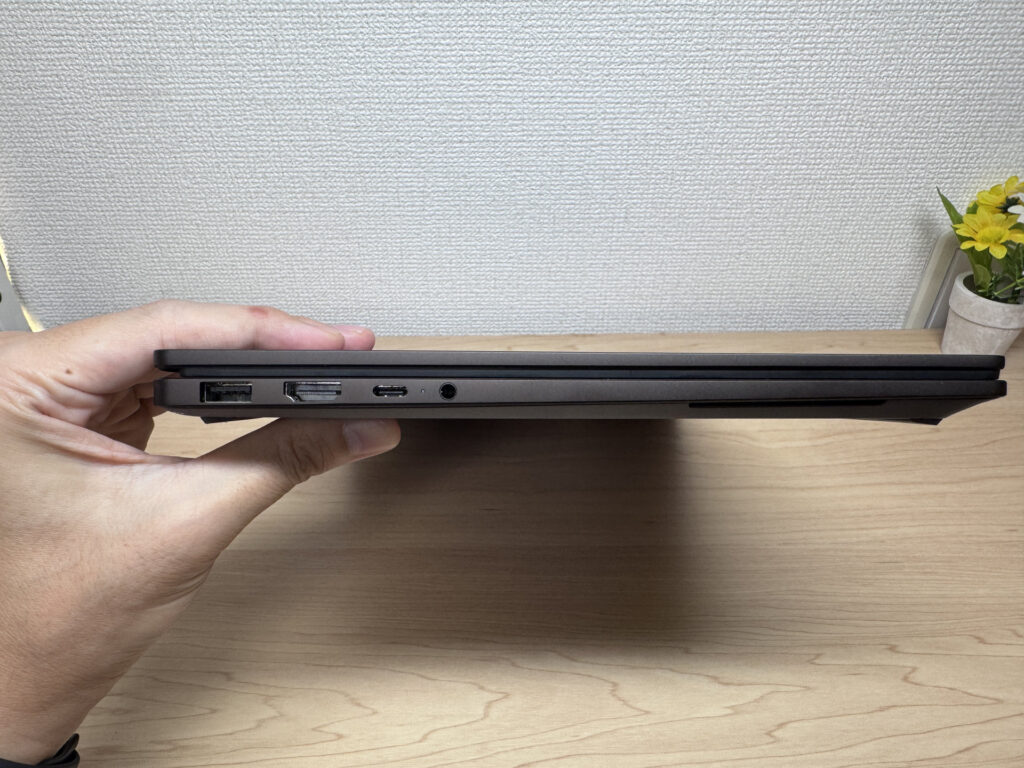 Surprisingly slim silhouette
The bottom panel has solid airflow venting, so heat dissipation looks good. The rubber feet also do their job — the laptop stays put while you're typing, which I appreciate.
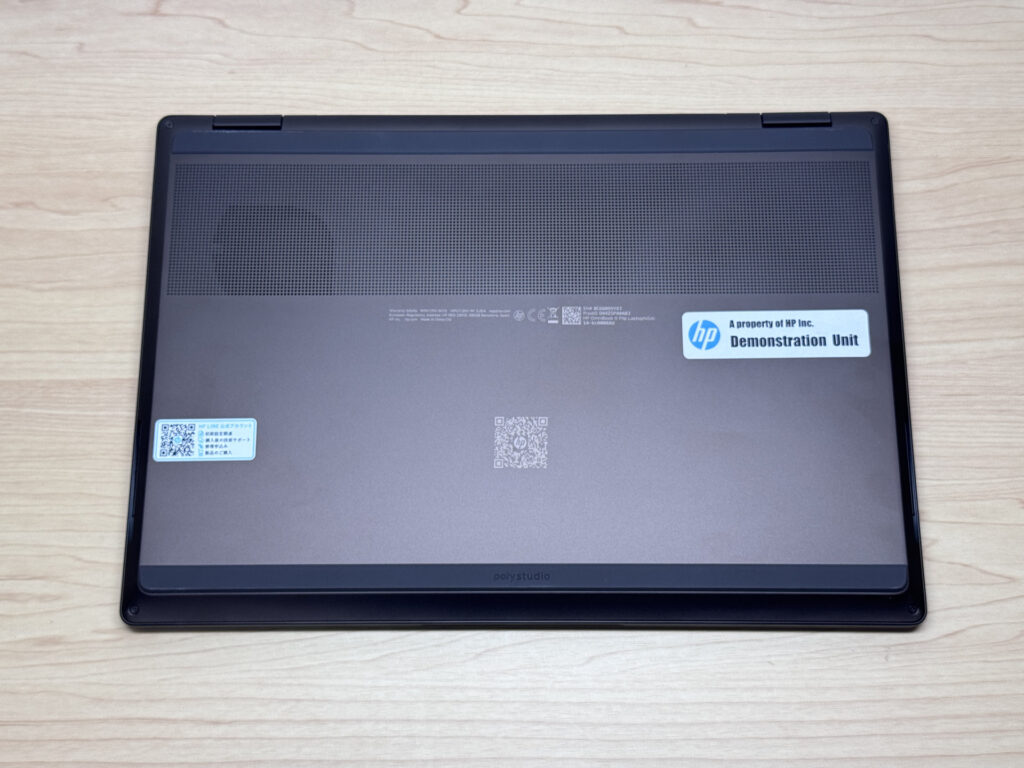 Even the bottom is built well enough that you can barely spot a screw
The hinge lets you open the lid smoothly with one hand — no wrestling with it.
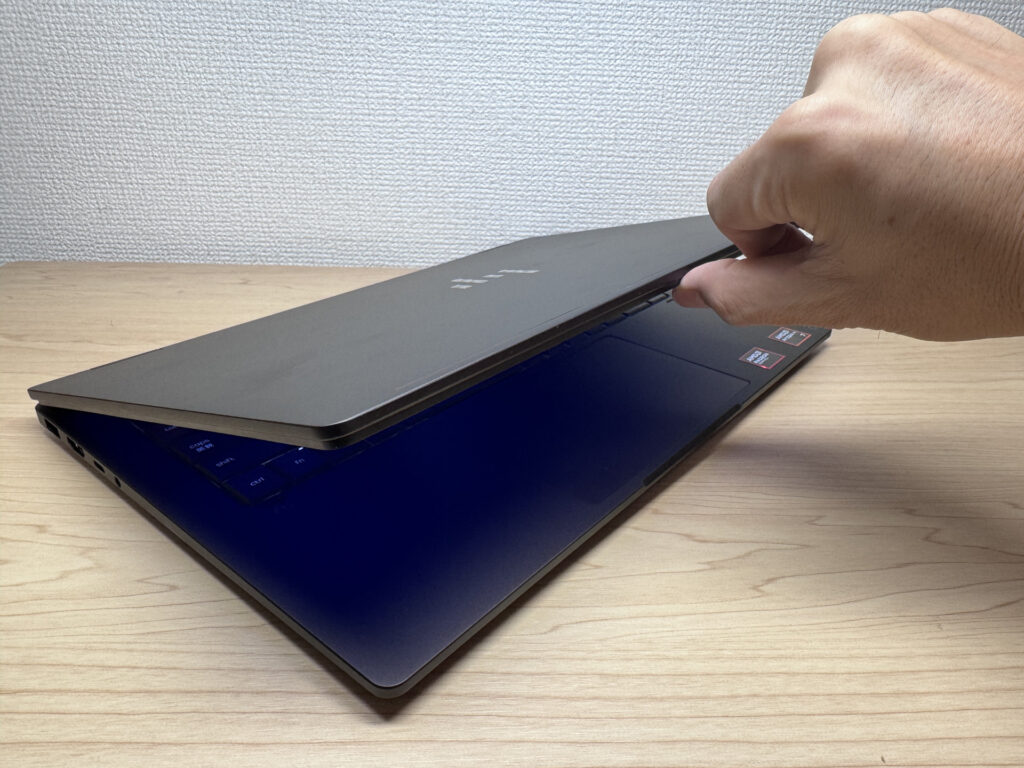 Being able to pop it open one-handed is a small but nice touch
2-in-1 Versatility
The biggest feature here is obviously the tablet mode. Being able to use it for reading news or e-books, then switch back — one device pulling double duty — is genuinely handy.
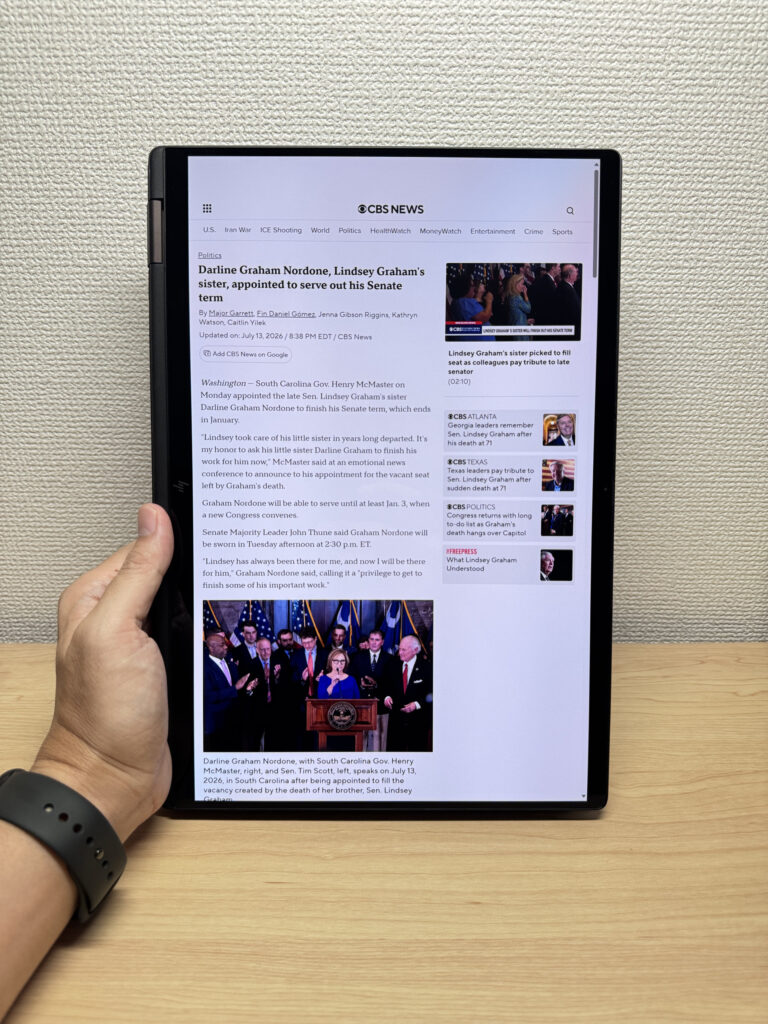 Surprisingly manageable even with one hand
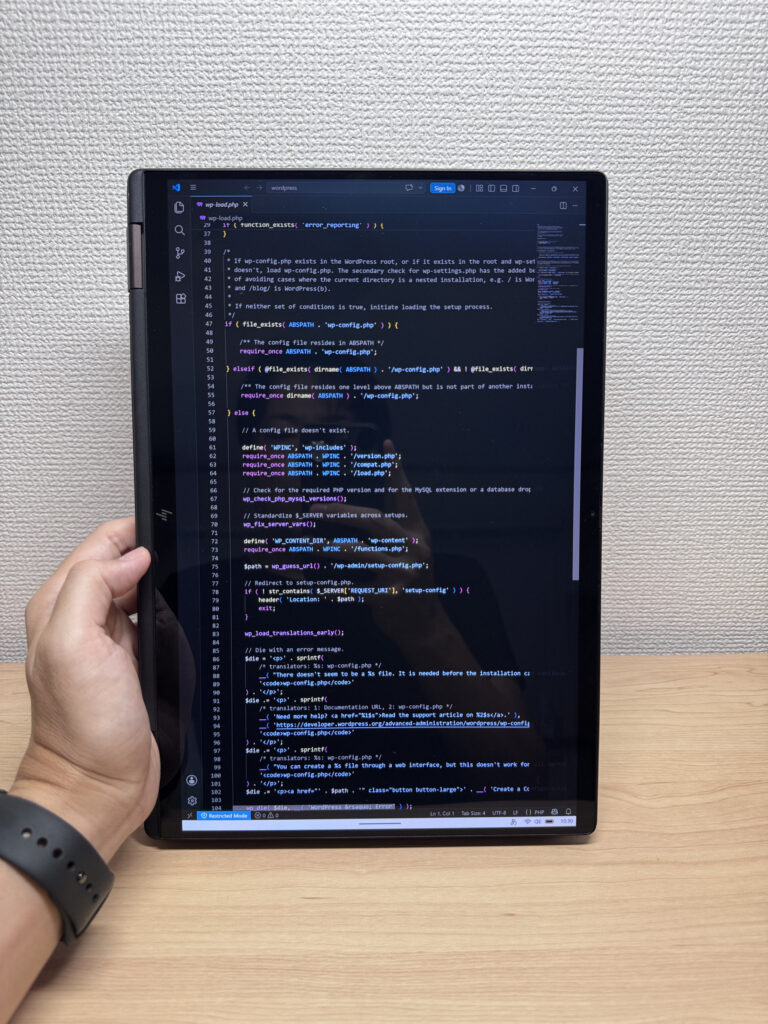 Works just fine for reading through source code too
The pen isn't included in the box, so you'll need to grab one separately, but multitouch support means you can still sketch or jot down handwritten notes — always a nice option to have.
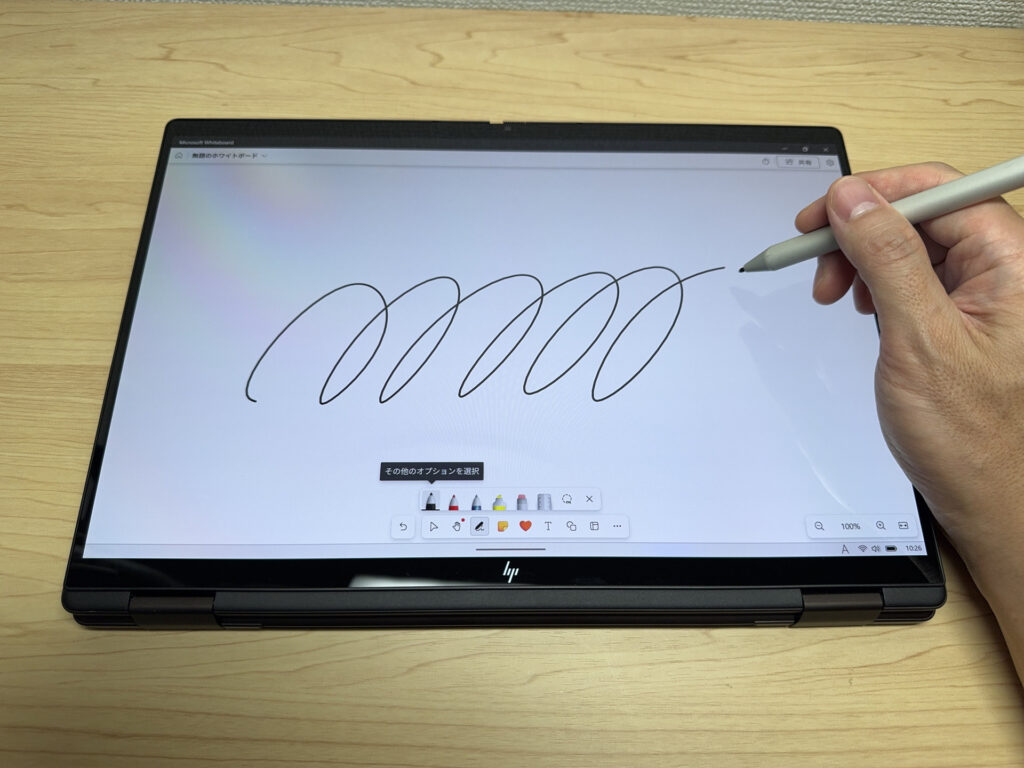 Having one device that also works as a tablet is genuinely handy
My personal favorite is display mode — pair it with a Bluetooth keyboard and mouse and it basically turns into a mini desktop. Being able to set up a desktop-like workspace even when you're out and about is a pretty compelling feature.
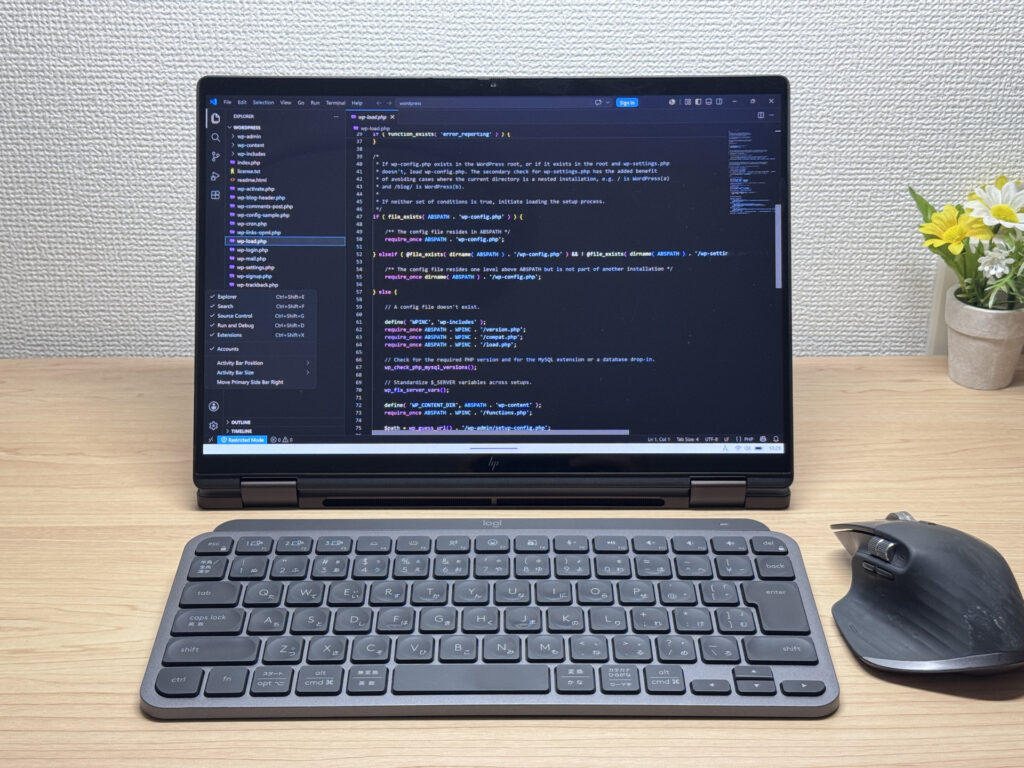 Honestly, this is how I'd want to use it
Tent mode is great for watching movies — it makes things feel a lot more immersive.
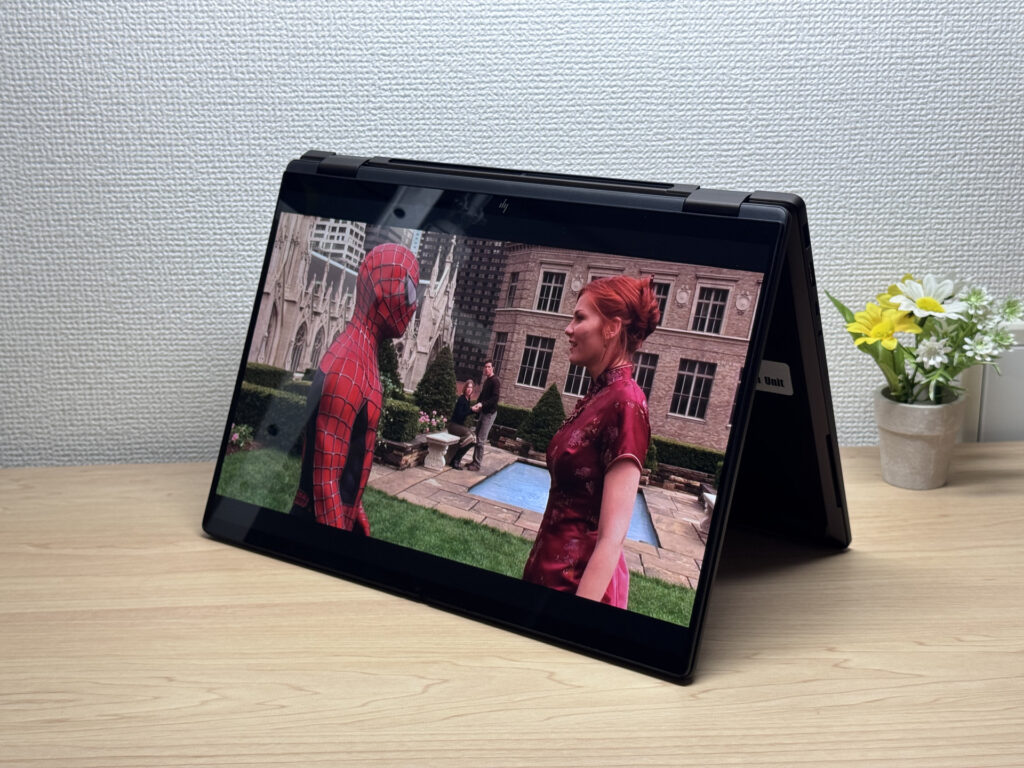 Tent mode ramps up the immersion
Portability
It weighed in at 1,428 g (~3.15 lbs) on my scale. That's fine for tossing in a bag, but holding it up with one hand for a while starts to feel a bit heavy.
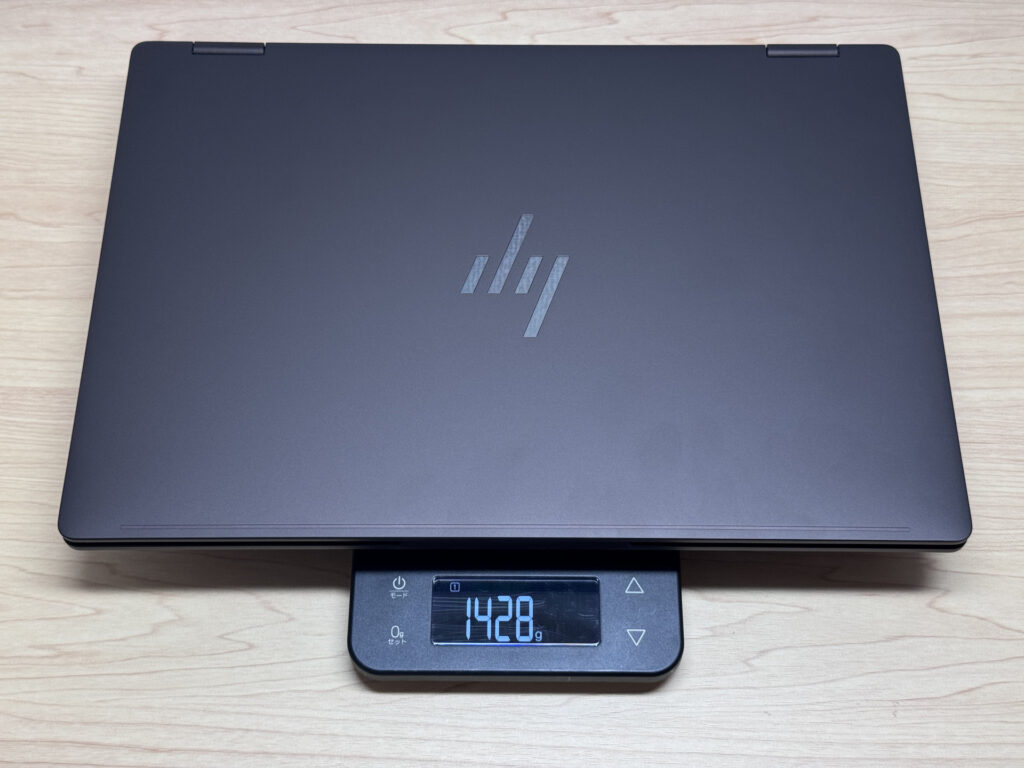 Yeah, laptops in the 1.4 kg (~3 lb) class do feel a bit heavy
That said, the charger is impressively light. The 65W USB-C charger weighed in at about 150.7 g (~5.3 oz), which is light for a stock charger. And the fact that the AC prongs fold away is a nice, uncommon touch.
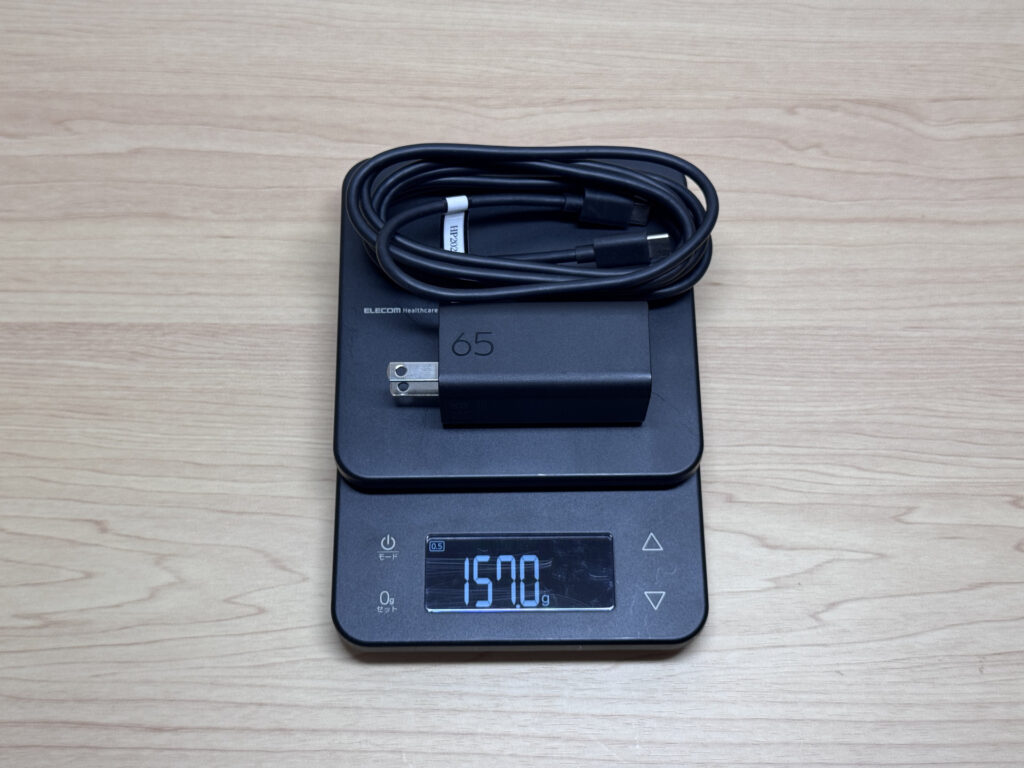 Honestly surprised a stock charger is this light
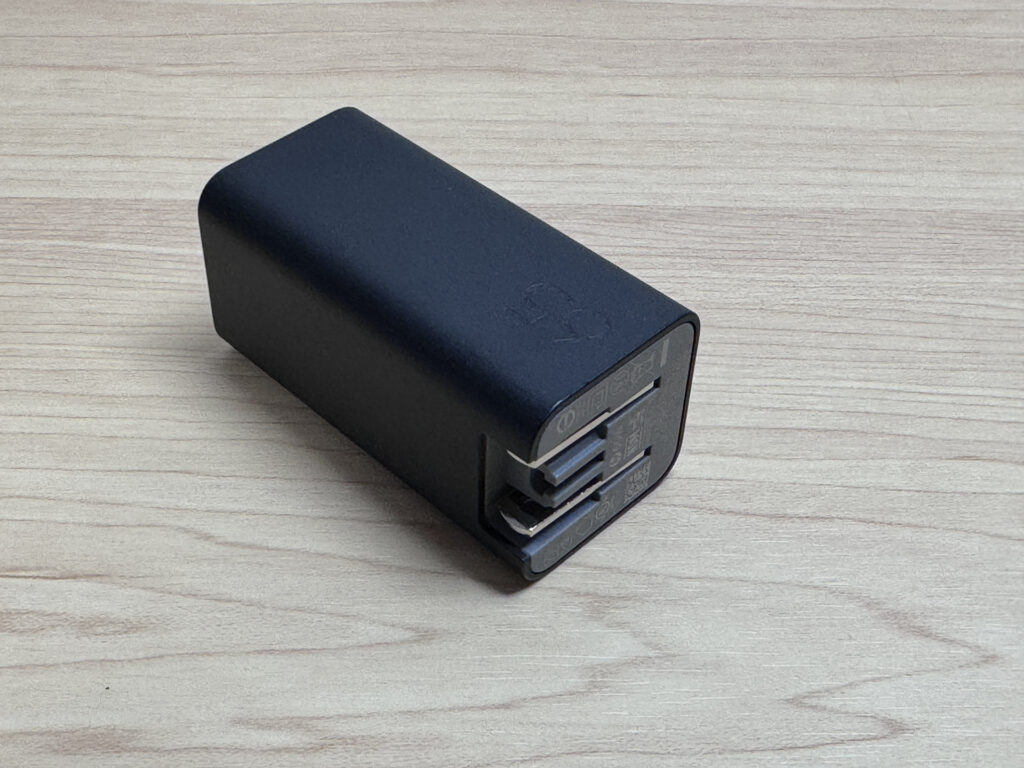 Foldable prongs are pretty rare to see
Holding it in one hand, you do feel that 1.4 kg (~3 lb) heft, but it's totally fine once it's in a bag. Personally, I consider 1.4 kg (~3 lbs) about the upper limit for something I'd call portable.
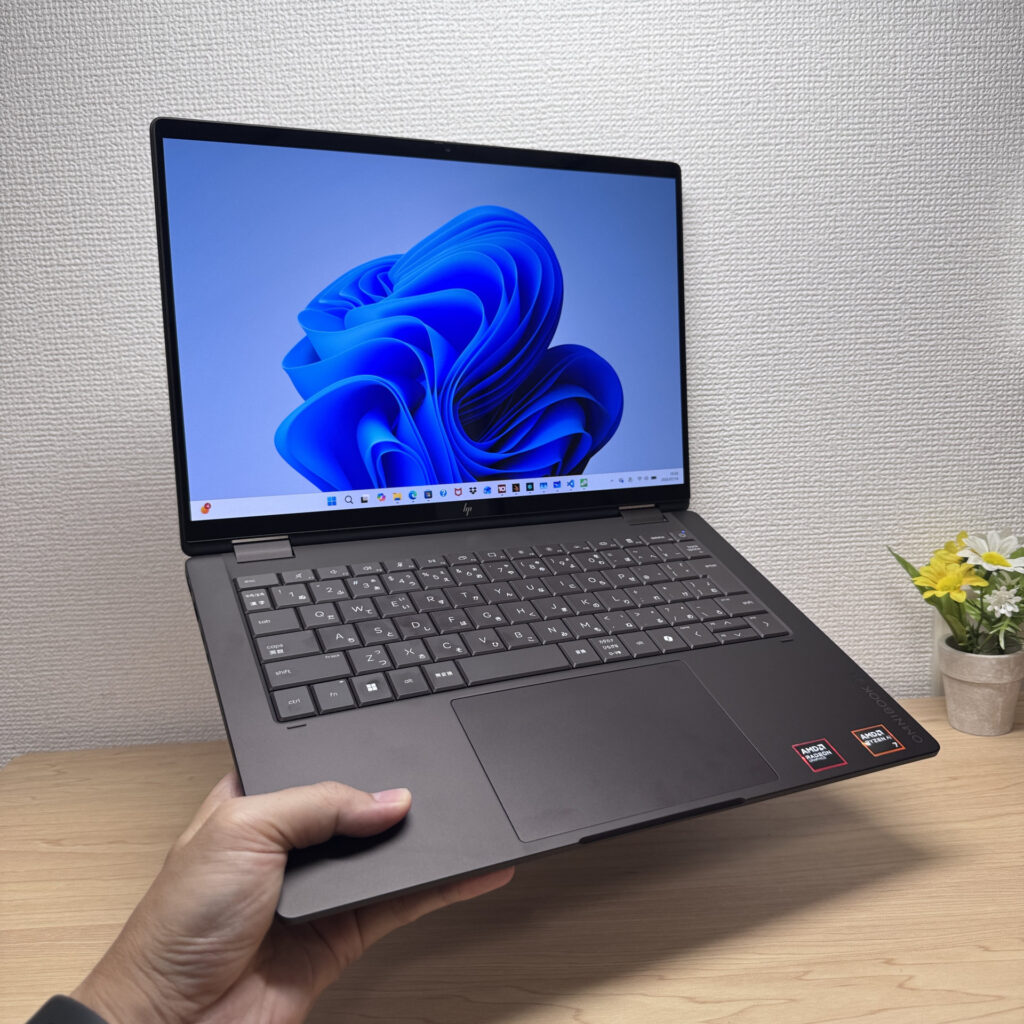 Heavy one-handed, no problem in a bag
Display Quality
The display is genuinely excellent. It's OLED, so the colors pop and the blacks are on another level.
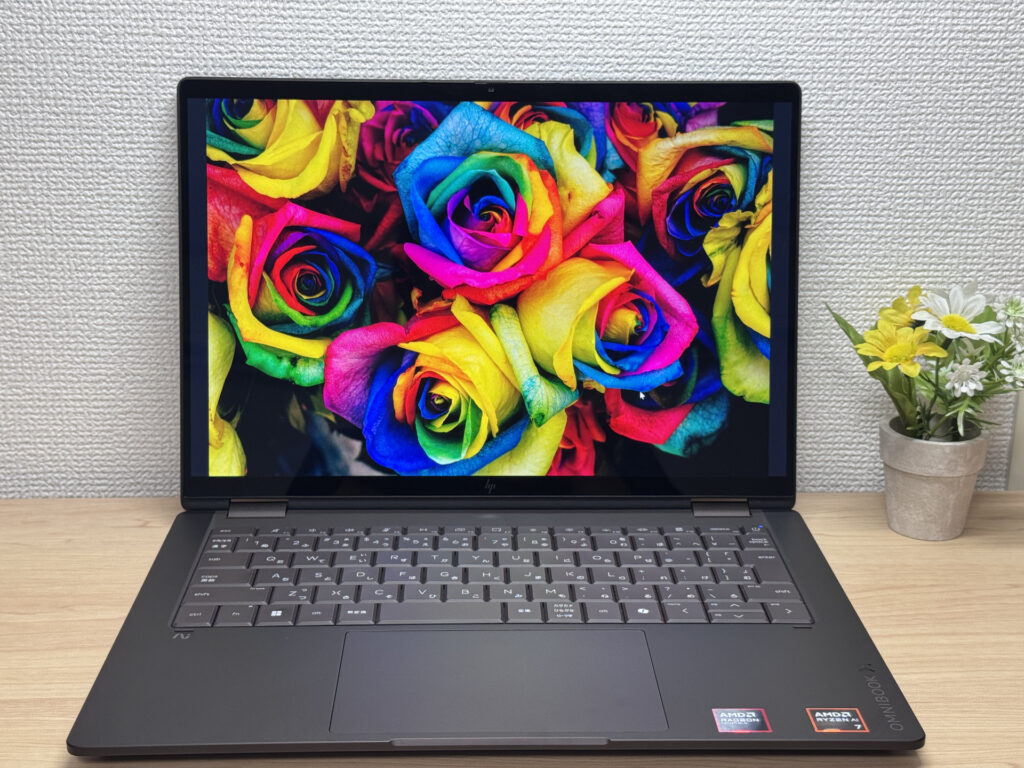 The black levels are on a completely different level
At 3K (2880×1800) with a 16:10 aspect ratio and a 120Hz refresh rate, scrolling feels buttery smooth. Viewing angles are wide too — the colors barely shift even from an angle.
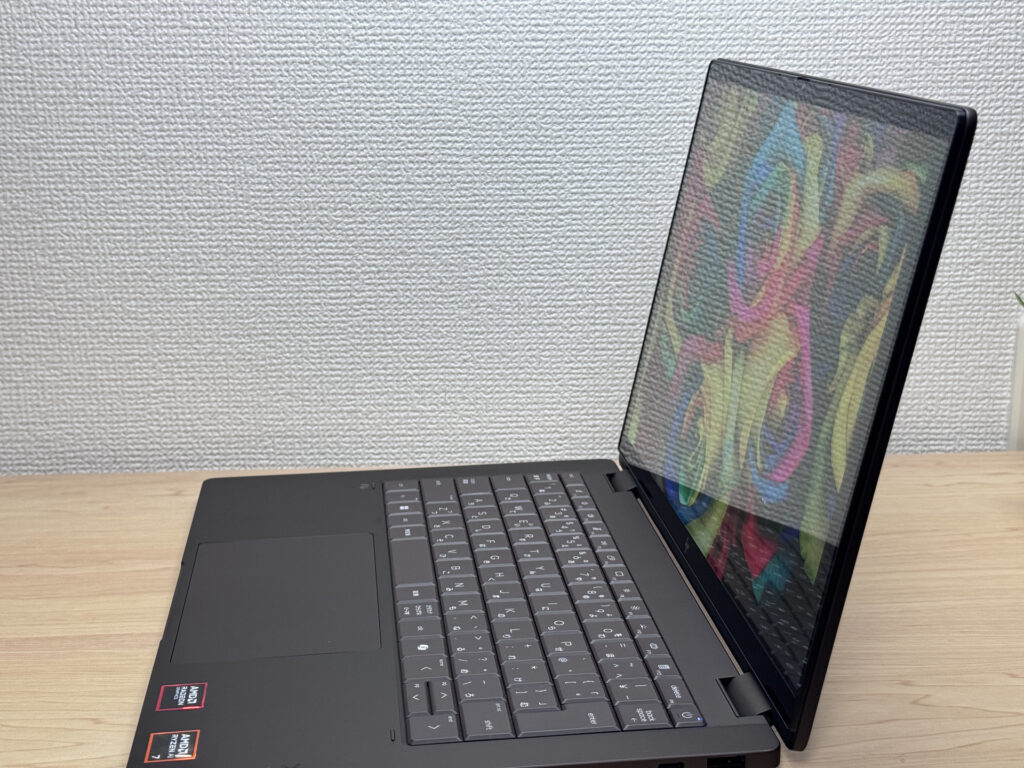 Colors stay consistent no matter the angle
It's touchscreen too, so you get intuitive controls — a nice bonus if you're not super tech-savvy.
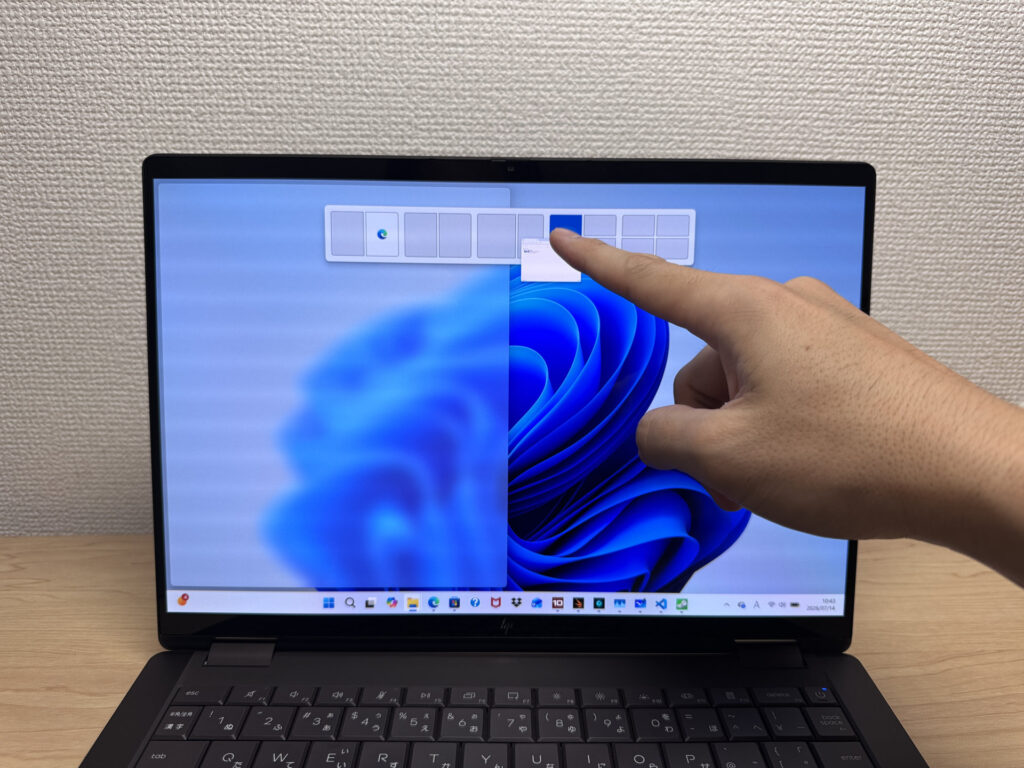 Touch support makes it feel intuitive to use
The 16:10 aspect ratio gives you more vertical space than a 16:9 panel, so you end up scrolling less — small thing, but it adds up.
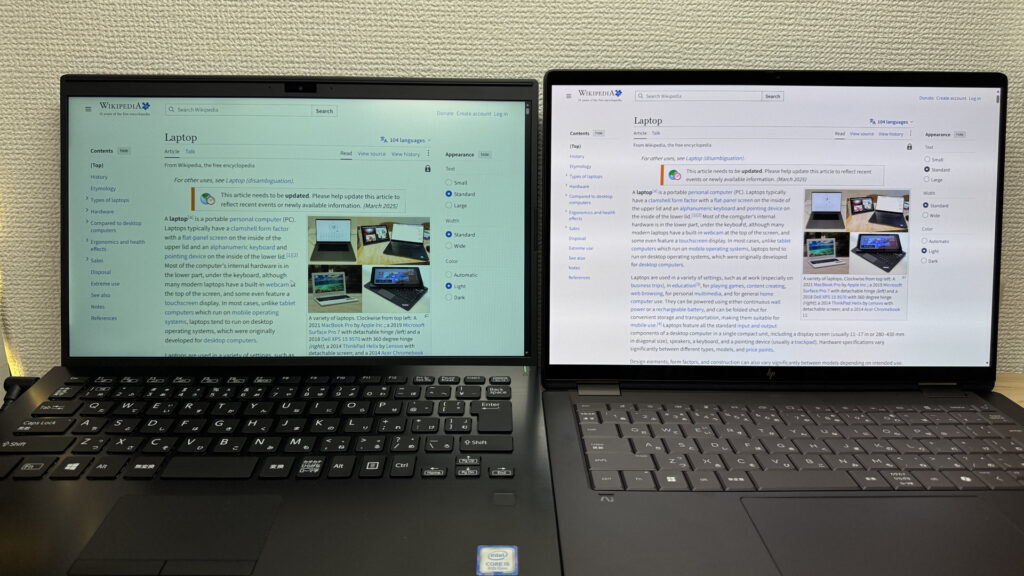 More vertical room makes documents easier to read
It is a glossy panel, so you'll pick up reflections from overhead lights or windows now and then. Still, the color quality is good enough that I think it's worth the tradeoff.
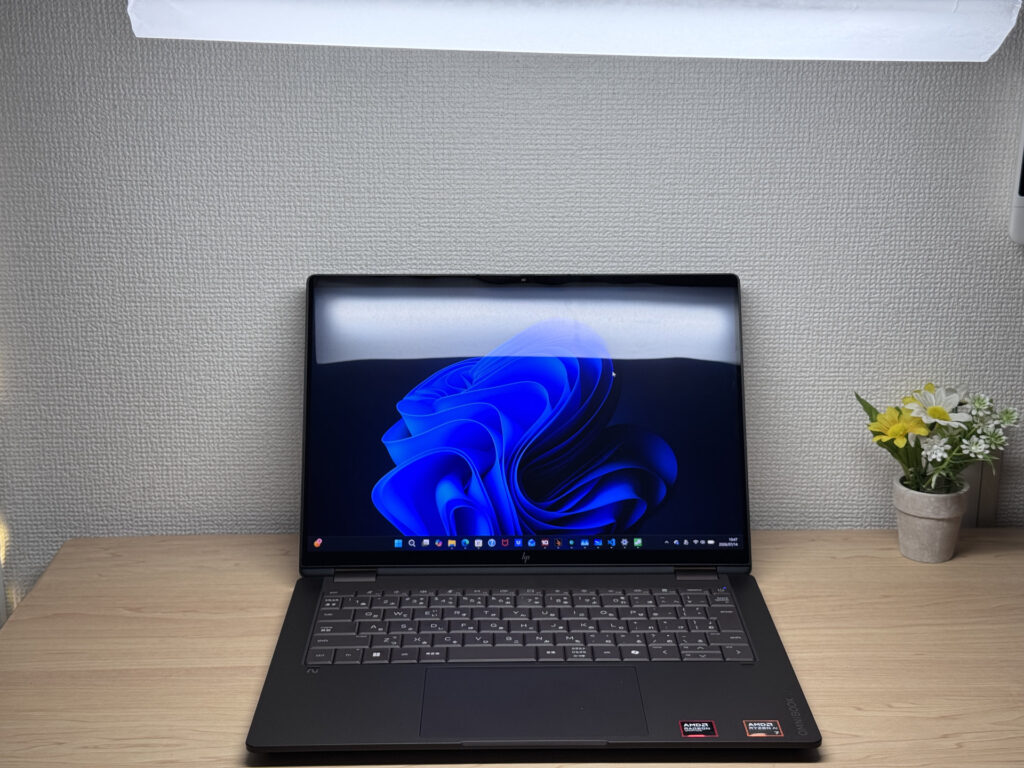 Reflections are just the price of admission with glossy screens
Keyboard Feel
True to recent HP laptops, the keyboard fills the chassis edge to edge, and even on this Japanese layout, the key arrangement looks clean.
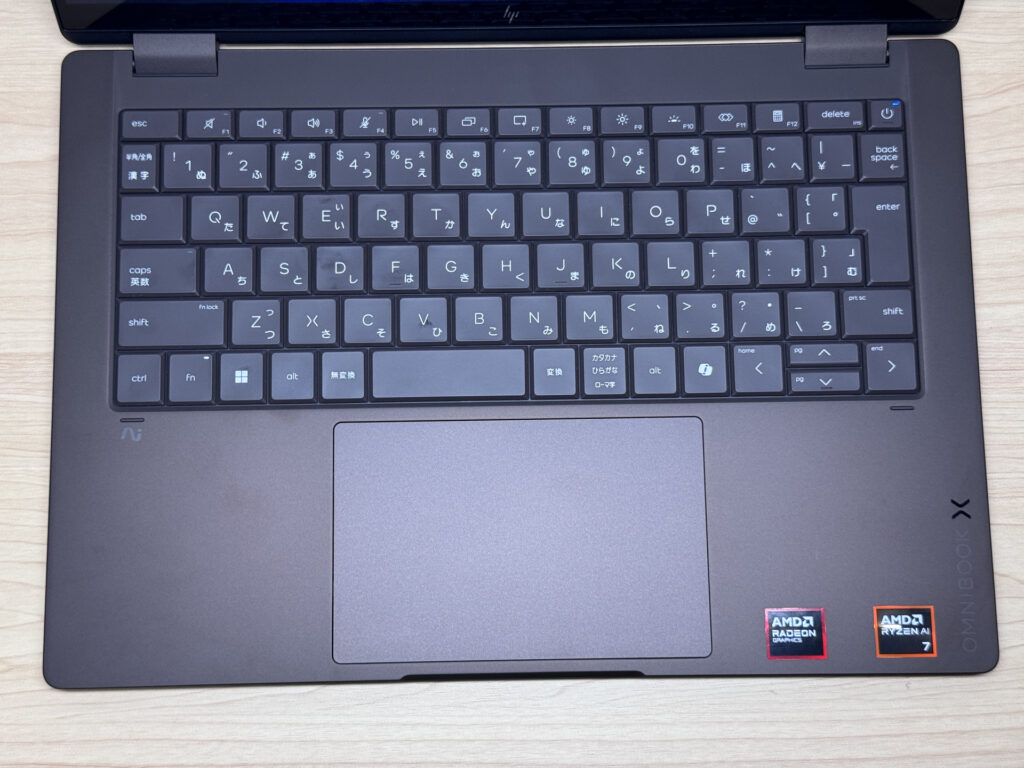 A neatly organized key layout
The typing feel is really solid — no flex in the deck, and having Ctrl in the bottom-left corner makes it comfortable to use. The arrow keys are a good size too, and I like that Home, End, Page Up, and Page Down are clearly labeled.
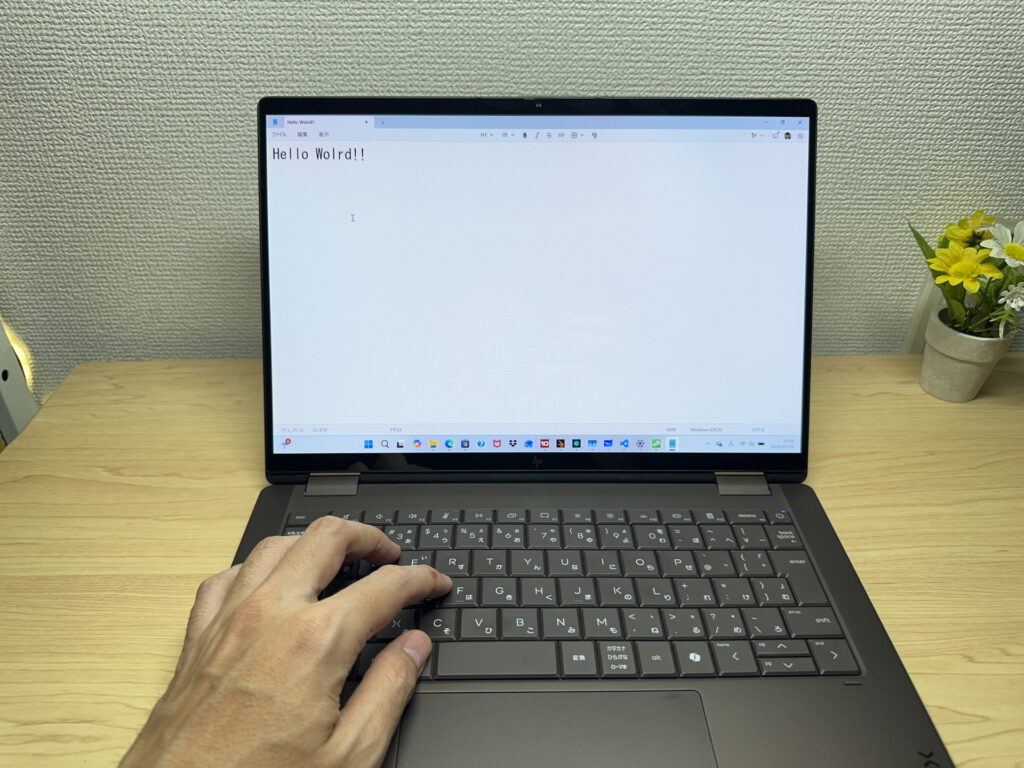 I'd give the typing feel a 9 out of 10
It's backlit too, of course, so working in low light isn't an issue.
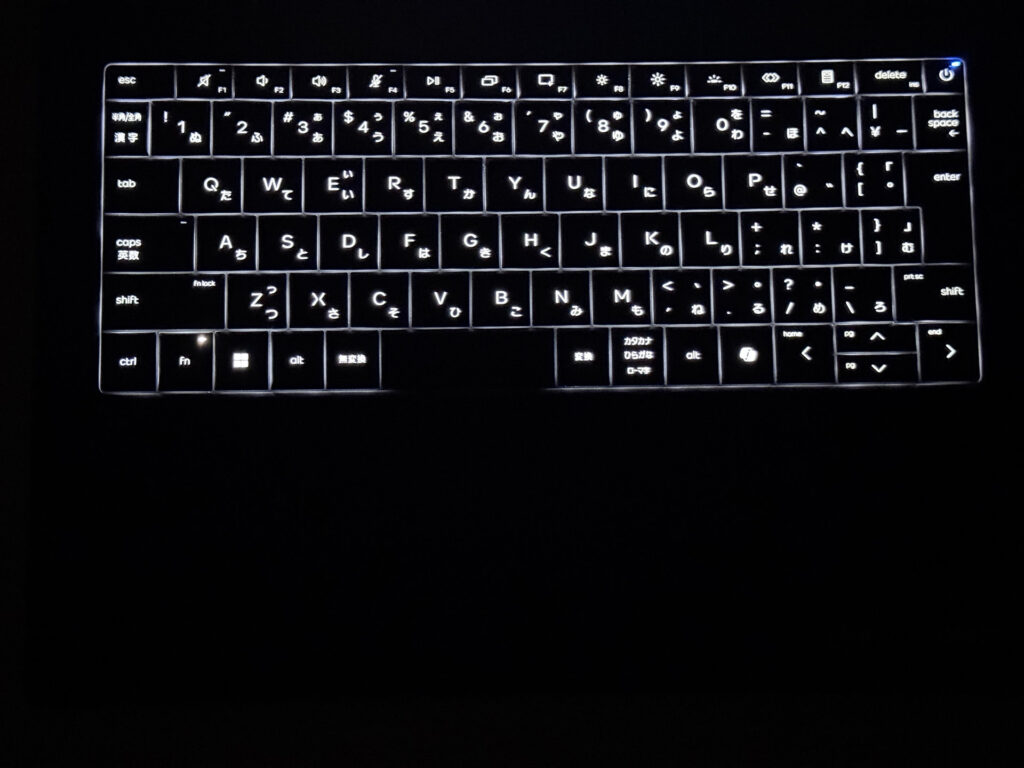 You can read the keys just fine in the dark
Trackpad
The trackpad has been enlarged, and it's easy to use. It's not a haptic force-sensing trackpad, but it's noticeably big relative to the keyboard, so it's comfortable to use on your lap even without a mouse.
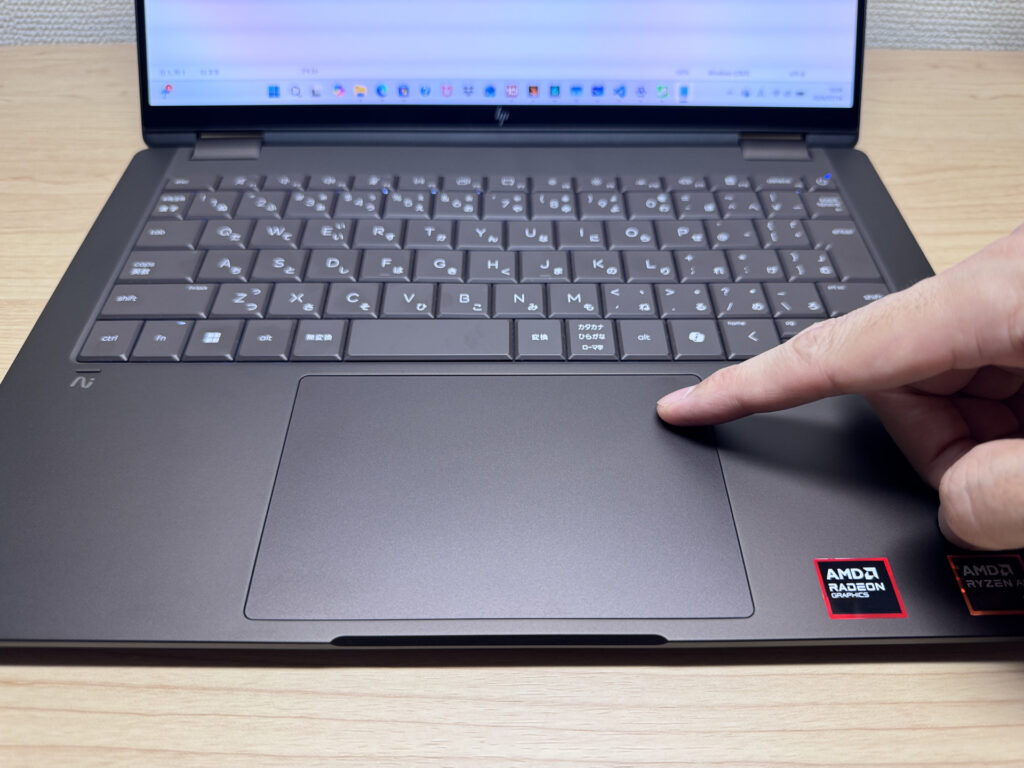 Feels almost like using a MacBook
With a trackpad this big, gesture controls are easy to pull off — honestly, you could get by without a mouse at all.
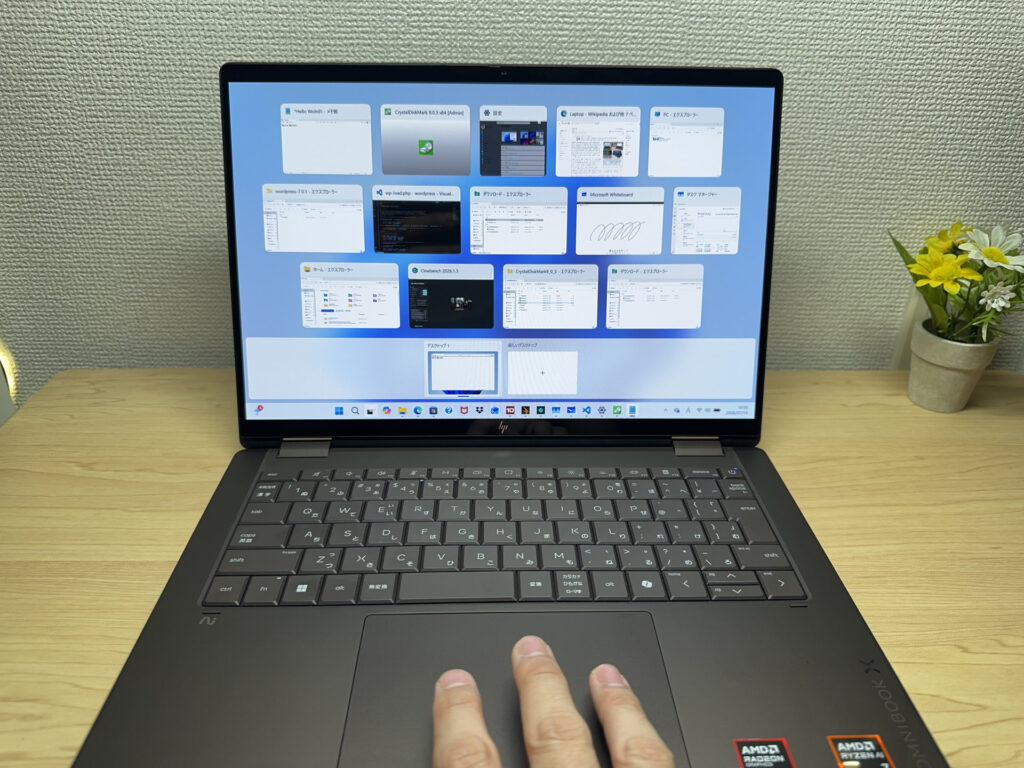 Gestures register smoothly every time
Performance
Let's talk performance. This configuration has an AMD Ryzen AI 7 450 with 32GB of RAM. PCMark 10 scored 7951, which suggests everyday use should feel snappy without any hiccups.
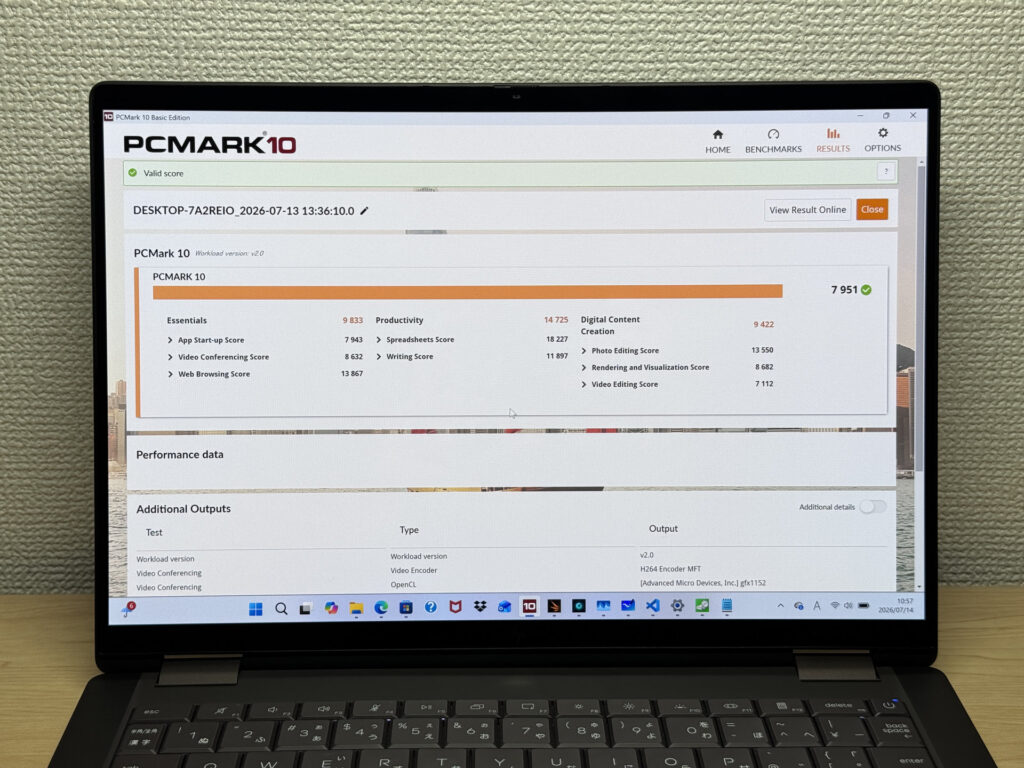 A reassuringly high score of 7951
| Total Score | Rating | What it feels like in real use |
|---|---|---|
| ~4,000 | Bare minimum | Web browsing and simple tasks work, but multitasking or many tabs feels sluggish. |
| 4,000–5,000 | Light use | Daily tasks are doable, but running multiple apps means waiting around. |
| 5,000–6,500 | Comfortable (mainstream) | Handles most work without stress — fine for office, school, video calls. |
| 6,500–8,000 | High performance This PC | Plenty of headroom. Light photo editing and programming feel snappy. |
| 8,000+ | Very high performance | Tackles video editing and heavy workloads. Long-lasting performance. |
*PCMark 10 reflects overall comfort. Actual feel depends on CPU, RAM, and SSD speed.
What surprised me was Cinebench 2026 — it hit 2920 pts multi-core, which is genuinely high. With a 6-core, 12-thread CPU, it's a solid pick for multitasking, and video encoding shouldn't be a concern either.
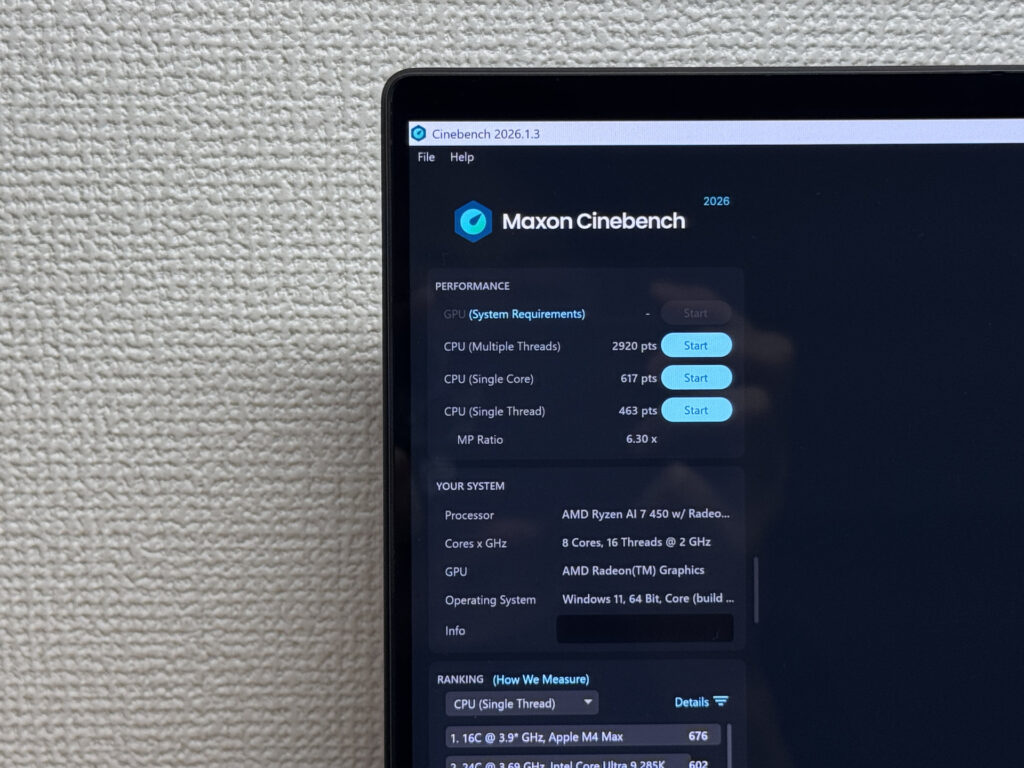 That 2920 multi-core score isn't just for show
| Score | Rating | What it feels like in real use |
|---|---|---|
| Up to 1,000 | Bare minimum | Light tasks work, but heavier processing or multitasking feels constrained. |
| 1,000–2,000 | Standard (power-efficient) | Handles daily tasks, but heavier loads create waiting. |
| 2,000–3,000 | Comfortable (mainstream) This PC | Office, school, video calls all work comfortably. Plenty for most users. |
| 3,000–4,000 | High performance | Comfortable for multitasking, light/medium editing, and dev work. |
| 4,000+ | Very high performance | Handles video editing and heavy workloads with room to spare. |
*Cinebench 2026 is the latest CPU multi-core benchmark. Scores trend lower than R23, so direct comparison isn't valid.
3DMark Steel Nomad Light landed at 2562, enough to handle lighter PC games. Given the price point, that's genuinely good value.
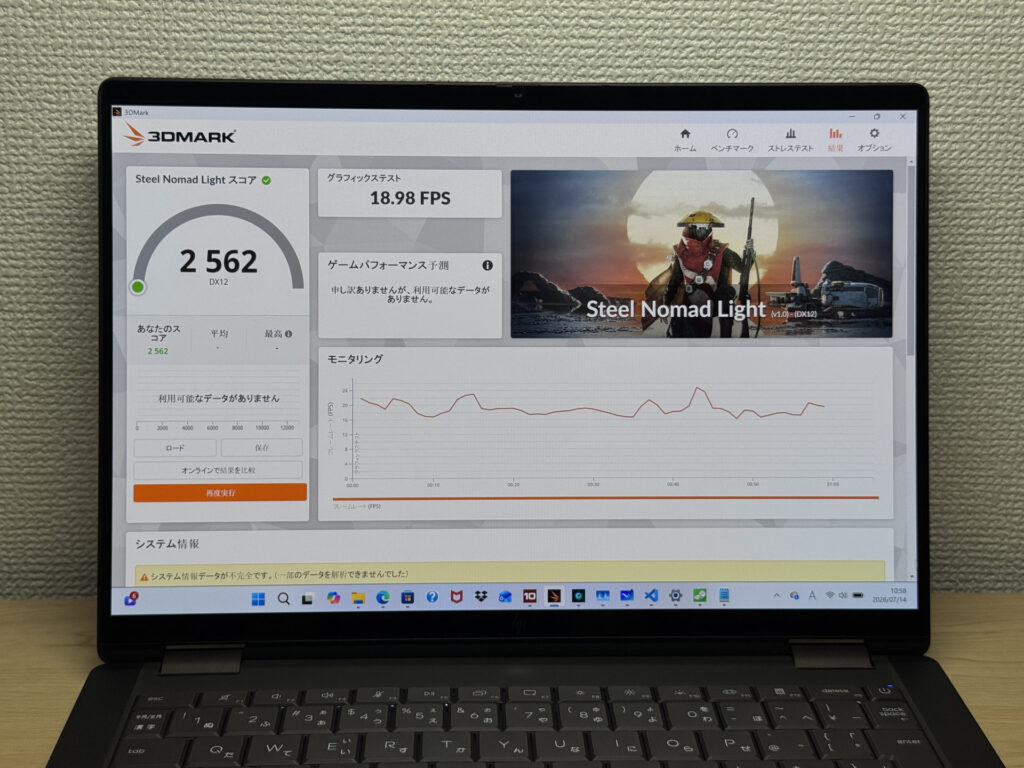 A score that can handle some lighter gaming
| Score | Rating | What it feels like in real use |
|---|---|---|
| Up to 400 | Bare minimum | 3D performance is quite limited. Not really suited for gaming. |
| 400–900 | Light 3D | Lighter games and low-load 3D processing work. |
| 900–1,500 | Average (mainstream) | Standard for integrated GPUs. Light to medium games playable with right settings. |
| 1,500–2,200 | High performance | Strong for an integrated GPU. Games and 3D work feel comfortable. |
| 2,200+ | Very high performance This PC | Top-tier 3D performance for thin laptops. Real graphics headroom. |
*3DMark Steel Nomad Light targets thin laptops and integrated GPUs. Score range differs from Time Spy, so direct comparison isn't valid.
I also checked storage speed: 7921 MB/s sequential read and 5867 MB/s write — seriously fast. You won't notice much wait time even moving large files around.
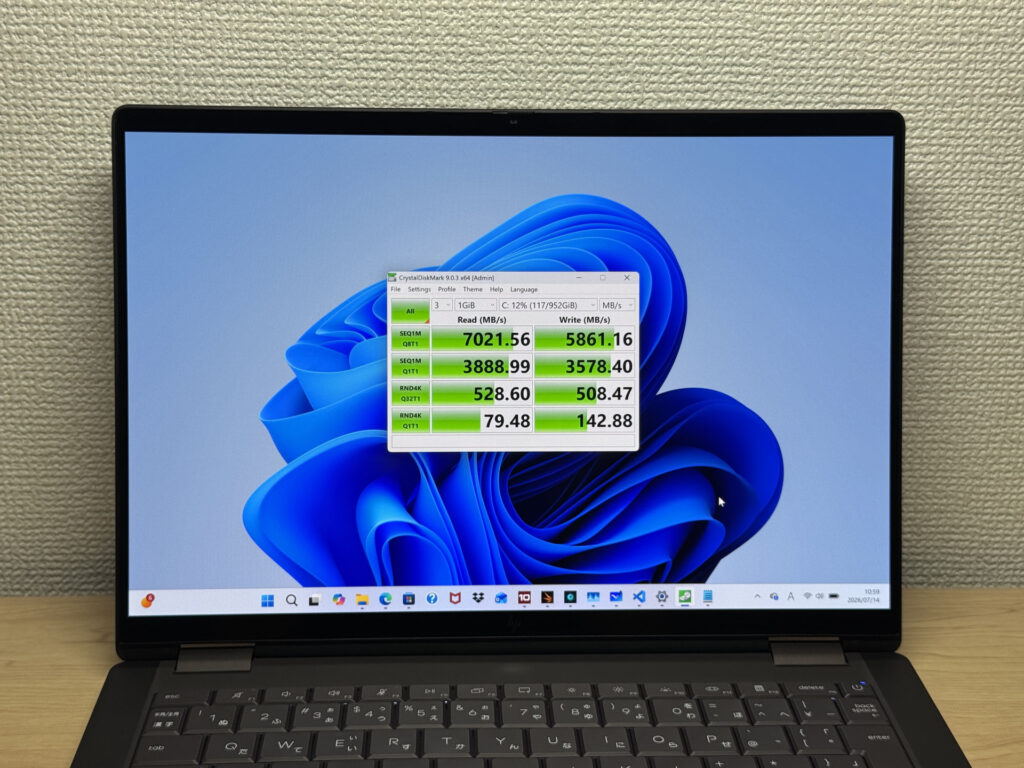 Fast enough that even video editing with large files feels smooth
| Score | Rating | What it feels like in real use |
|---|---|---|
| Up to 600 MB/s | Bare minimum | Faster than HDD, but slow for modern SSDs. App launches feel slightly slow. |
| 600–1,500 MB/s | Average | Fine for daily use, though loading is noticeably slower than top-tier SSDs. |
| 1,500–3,500 MB/s | Comfortable (mainstream) | App launches and file loading feel smooth. No real complaints in daily use. |
| 3,500–5,500 MB/s | Fast | Loads large data and apps quickly. Definitely upper-tier SSD speed. |
| 5,500+ MB/s | Very fast This PC | High-end NVMe territory. Heavy data work without waiting. |
*CrystalDiskMark measures SSD speed. It mainly affects app launch and file loading speed, not overall PC performance.
Battery Life
Battery rating: excellent
It packs a large 70Wh battery, with a rated max battery life of 24 hours. The actual battery report showed a design capacity of 70,820 mWh, right in line with the spec. And since the stock charger is light too, you can head out without stressing much about battery level — genuinely convenient.
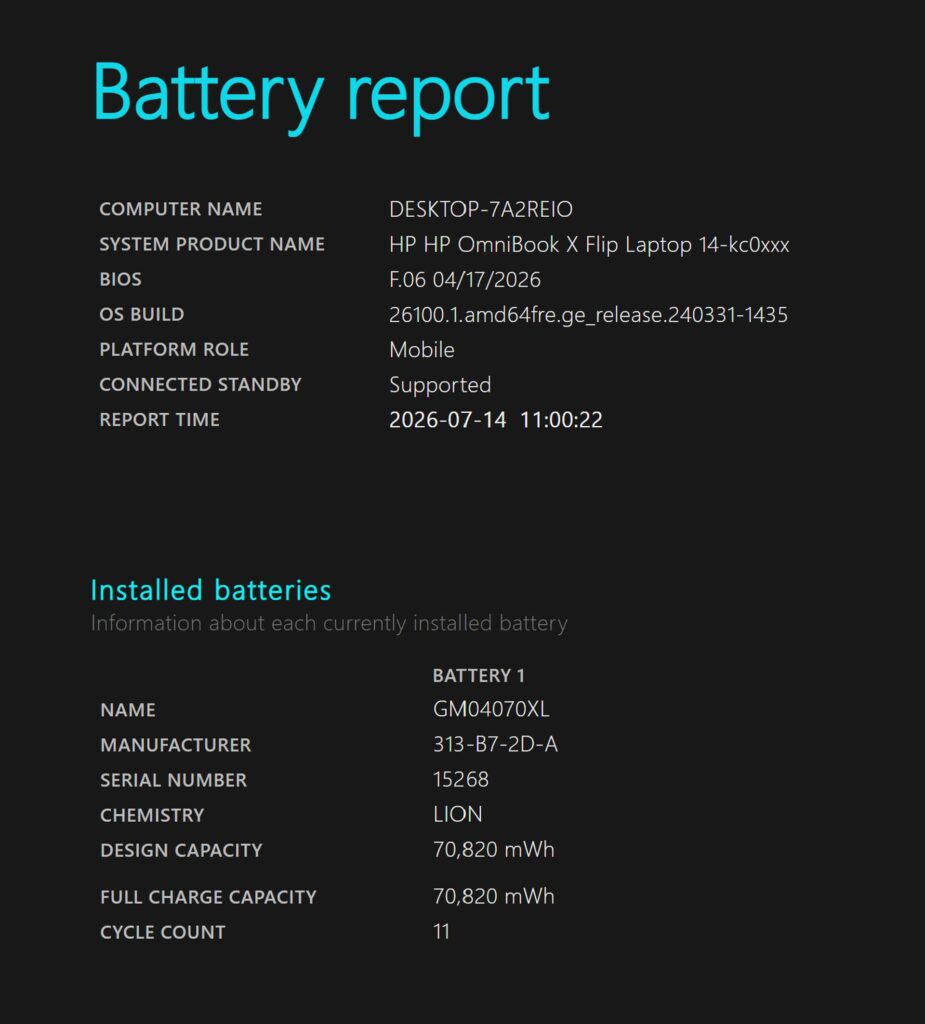 Design capacity of 70,820 mWh, matching the spec sheet
It also supports USB-C charging — I confirmed it charges fine with my own third-party Anker charger. These days, USB-C charging support is genuinely a relief to see.
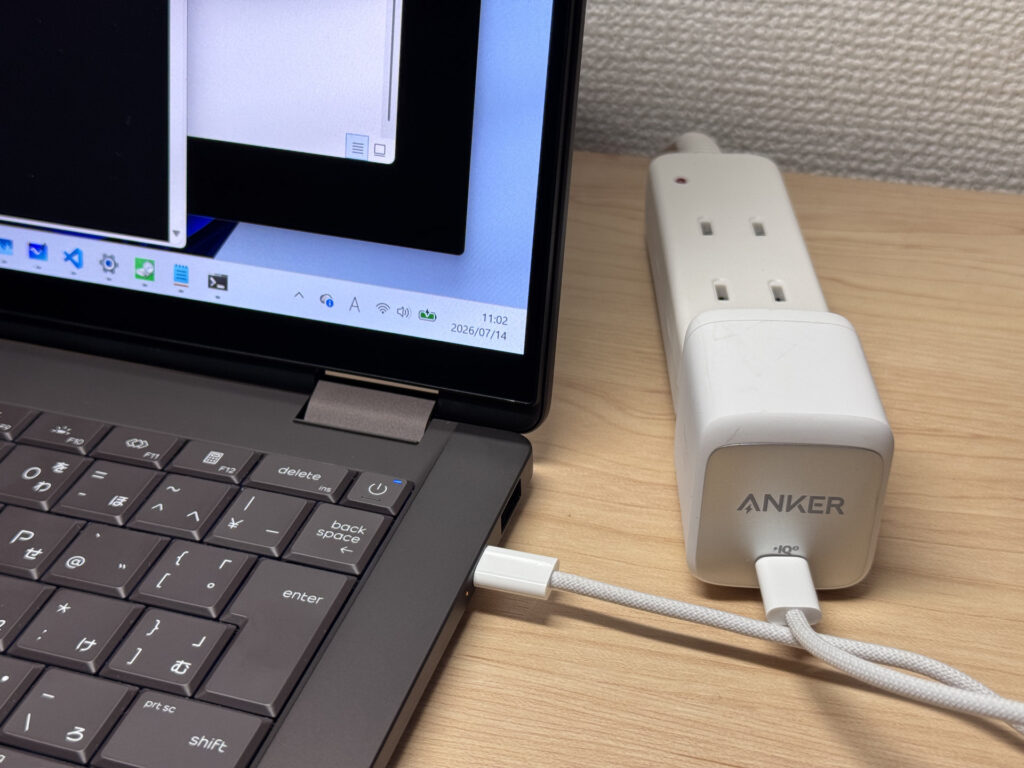 Charged just fine even with a third-party charger
Fan Noise and Heat
Let's check fan noise and heat, since those matter too. At idle, it measured about 20dB — basically silent.
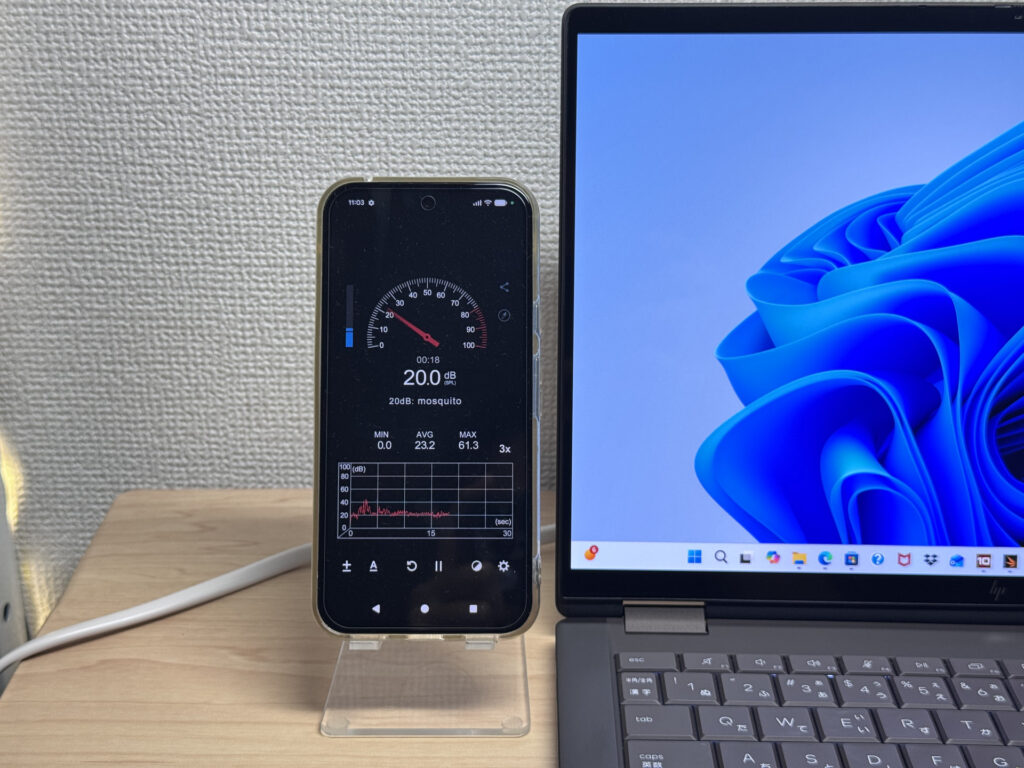 About 20dB — nearly silent
Even under load, it measured about 38.5dB, staying under 40dB. Compared to other laptops I've tested, that's on the quieter side.
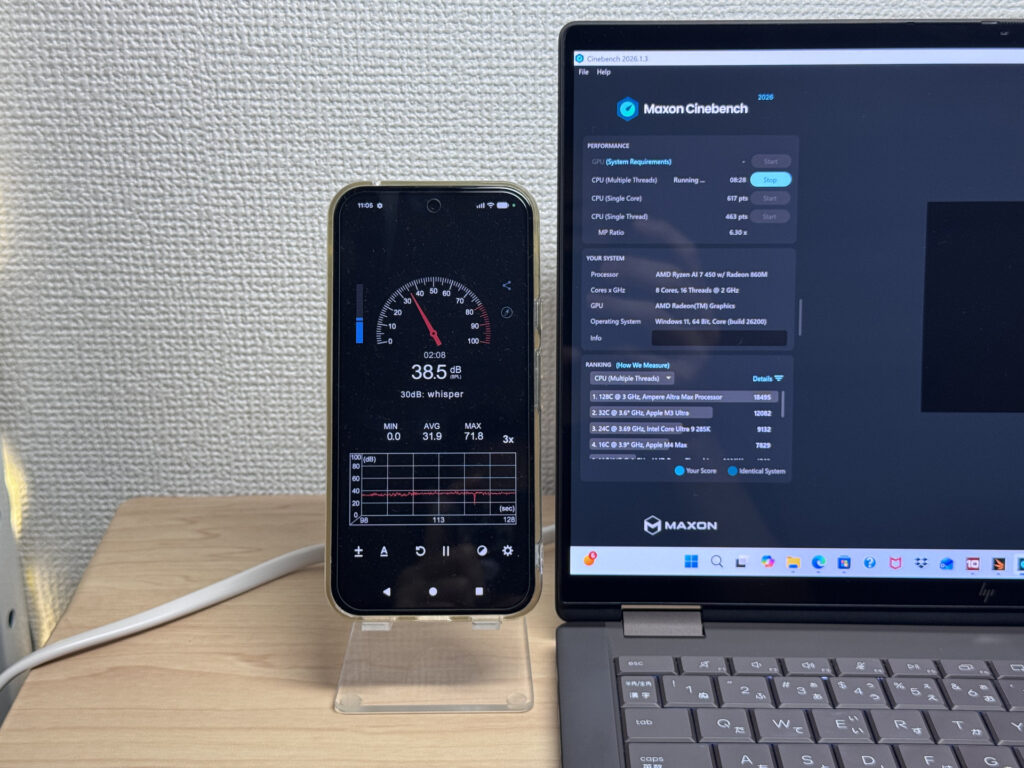 Staying under 40dB is pretty quiet
| Noise Level | Rating | Feel |
|---|---|---|
| Under 30 dB | Near-silent Idle | Fan noise is barely perceptible — library-quiet and ideal for focused work. |
| 30–35 dB | Quiet | Faintly audible but non-distracting. Easy to work in a quiet room. |
| 35–40 dB | Noticeable Load | You can tell the fan is spinning, but it rarely interrupts work. |
| 40–45 dB | Somewhat loud | Can become distracting in quiet environments. Headphones start to help. |
| 45–50 dB | Loud | Noticeable stress over extended use. Cooling is clearly prioritized. |
| 50 dB+ | Very loud | Prominent fan noise under load — gaming/high-performance thermal design. |
The exhaust vent sits at the back near the hinge, so warm air doesn't blow onto your hands even with them resting on either side.
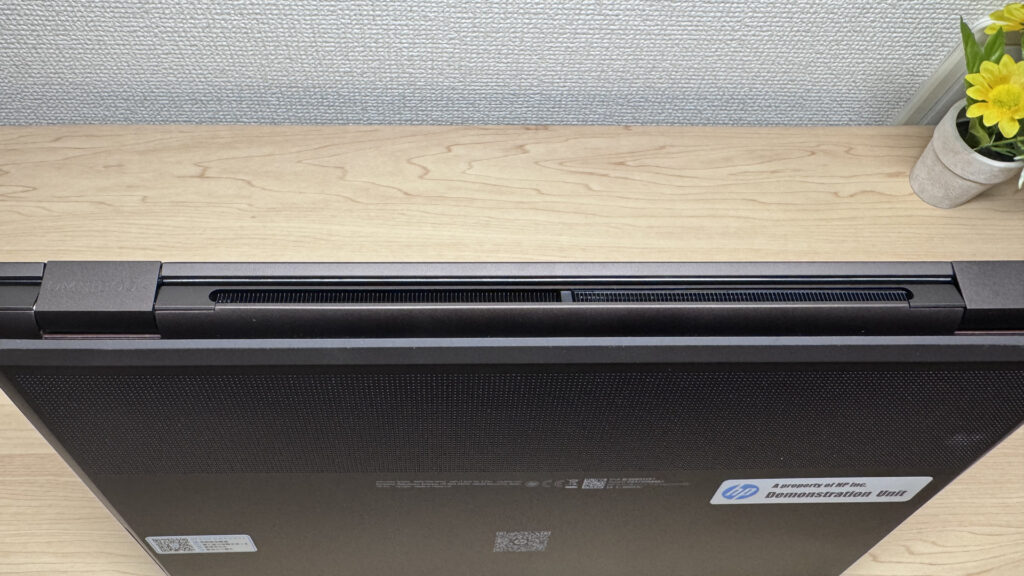 Designed so warm air doesn't hit your hands
Expandability
Port selection is pretty solid too. On the left side you've got USB-A, HDMI, USB-C, and a headphone jack.
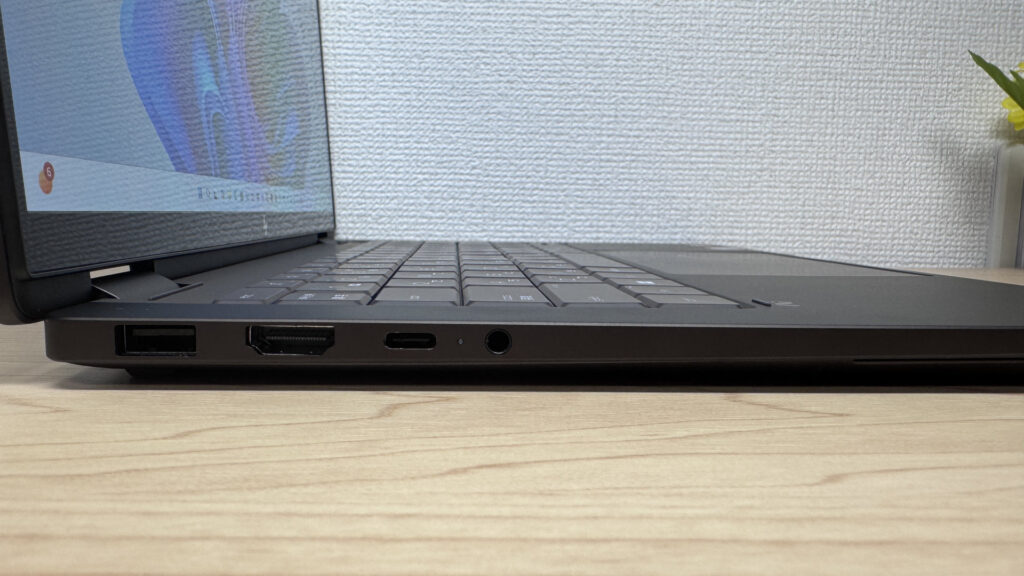 The left side alone covers a lot of ground
There's another USB-C on the right side. There's no SD card slot, but with a USB-C hub on hand, you can expand as much as you need.
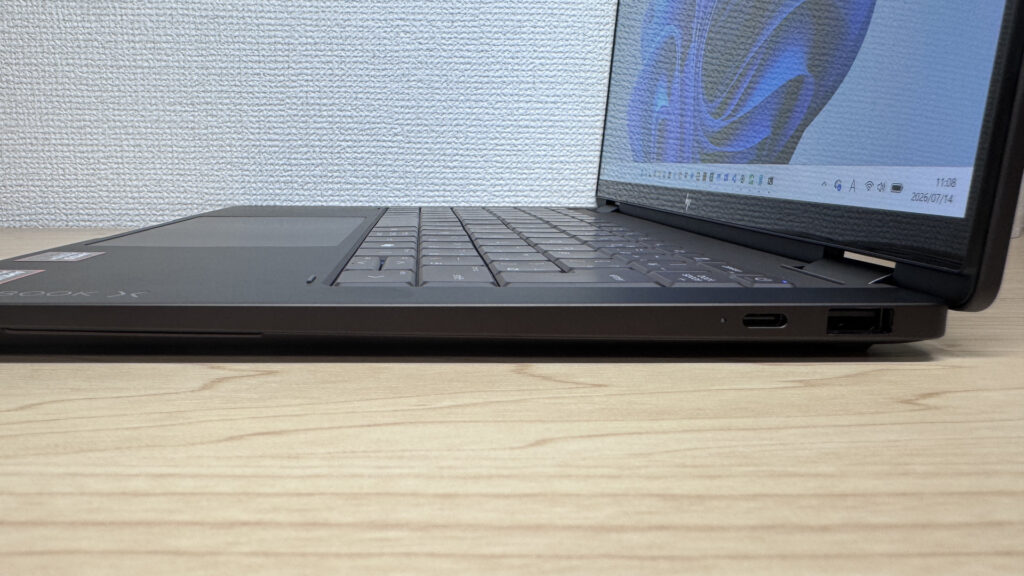 Having USB-C on both sides means you can work while charging
I tried outputting to an external display over HDMI, and it worked without any issues.
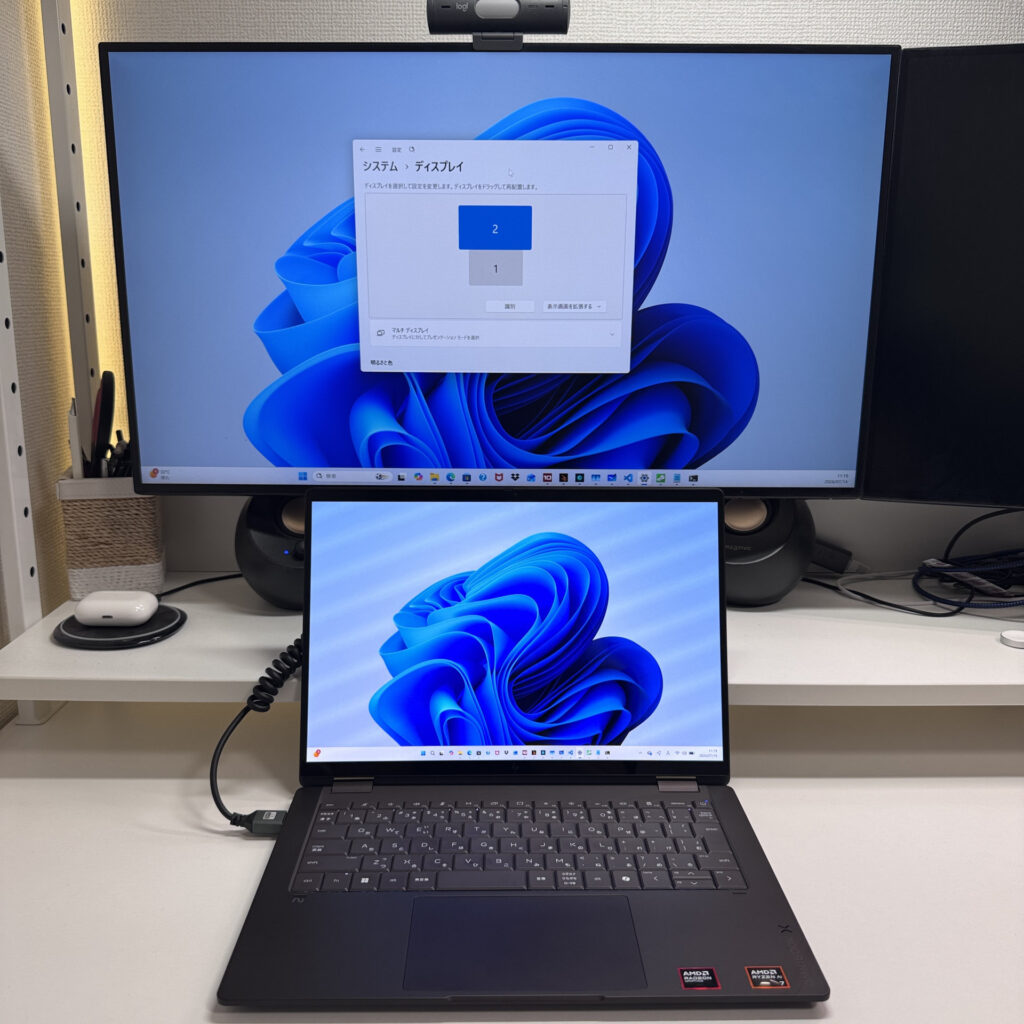 HDMI output displays perfectly
You can even use USB-C to output to two displays at once, letting you set it up like a desktop. Being able to build a triple-monitor setup off a single laptop is genuinely impressive expandability.
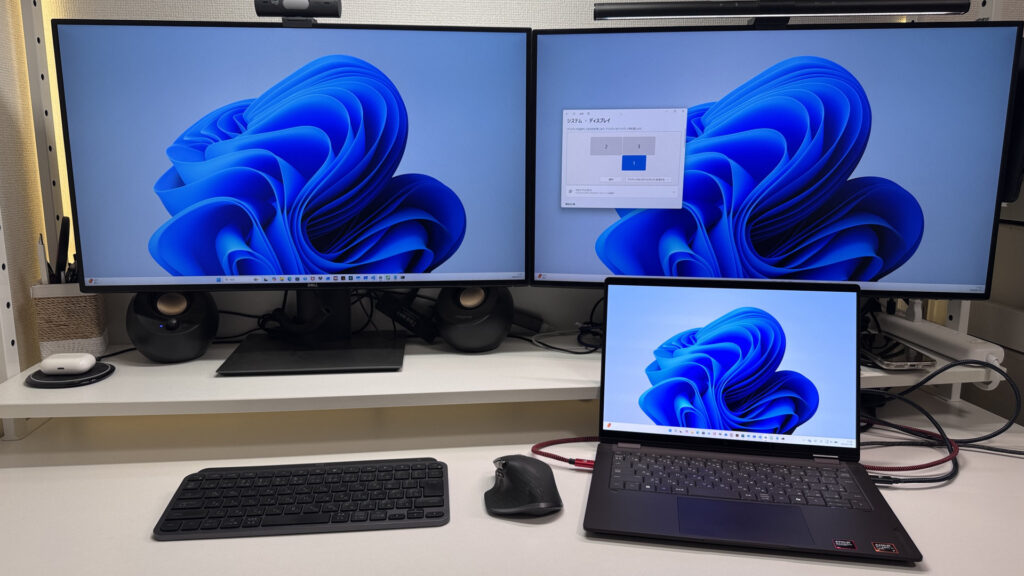 Setting it up like a desktop feels really comfortable
For what it's worth, I tried it with a small UGREEN USB-C hub I picked up recently — keep one of these in your bag and you won't need to worry about ports at all.
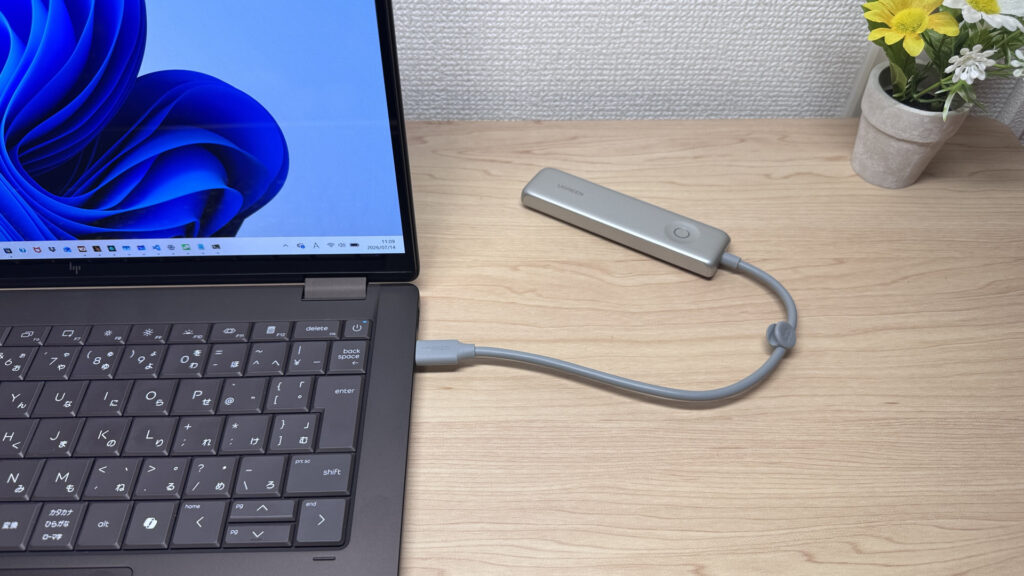 One small hub and you're covered
Webcam
The built-in webcam is 5 megapixels, and testing it in the camera app produced a bright, clean image. The sensor seems to be doing its job well.
 If the built-in camera can do this, that's plenty good enough
It's also got a physical privacy shutter, so you can just cover the lens when you want peace of mind. Windows Hello facial recognition felt precise too — it'll even prompt you if you get too close to the camera.
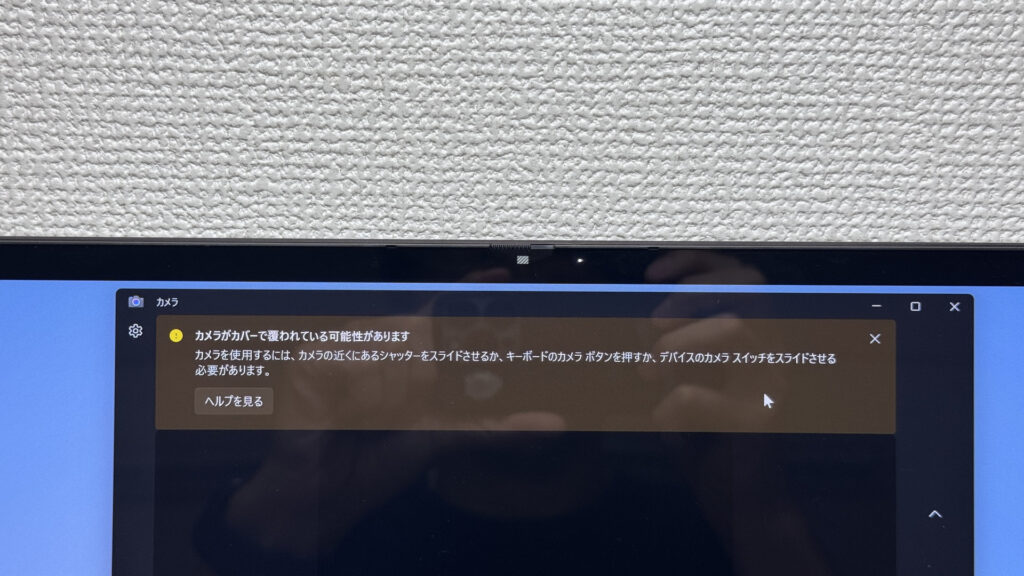 With a privacy shutter, you can block the camera in an instant
Speaker Quality
The speakers are dual Poly Studio units, and after watching a movie on them, the sound had a genuinely spacious, surround-like feel. Honestly good enough to give a 10 out of 10.
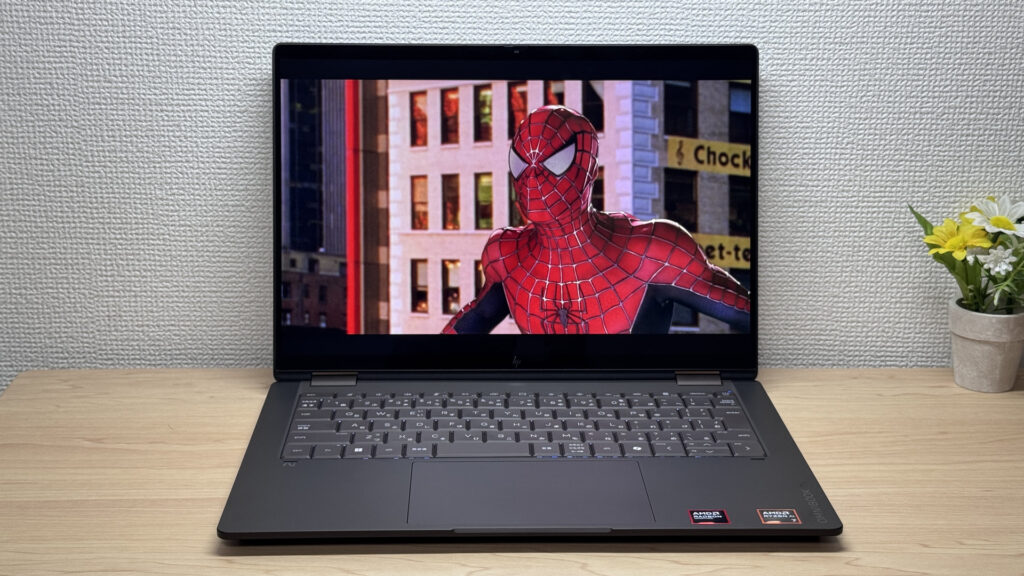 The sense of spaciousness is a full 10 out of 10
Security
It has facial recognition, so unlocking Windows is as easy as just looking at the screen. Being able to jump right back into work as soon as you open the lid is a small but genuinely appreciated touch. There's no fingerprint reader, but face unlock alone is plenty practical.
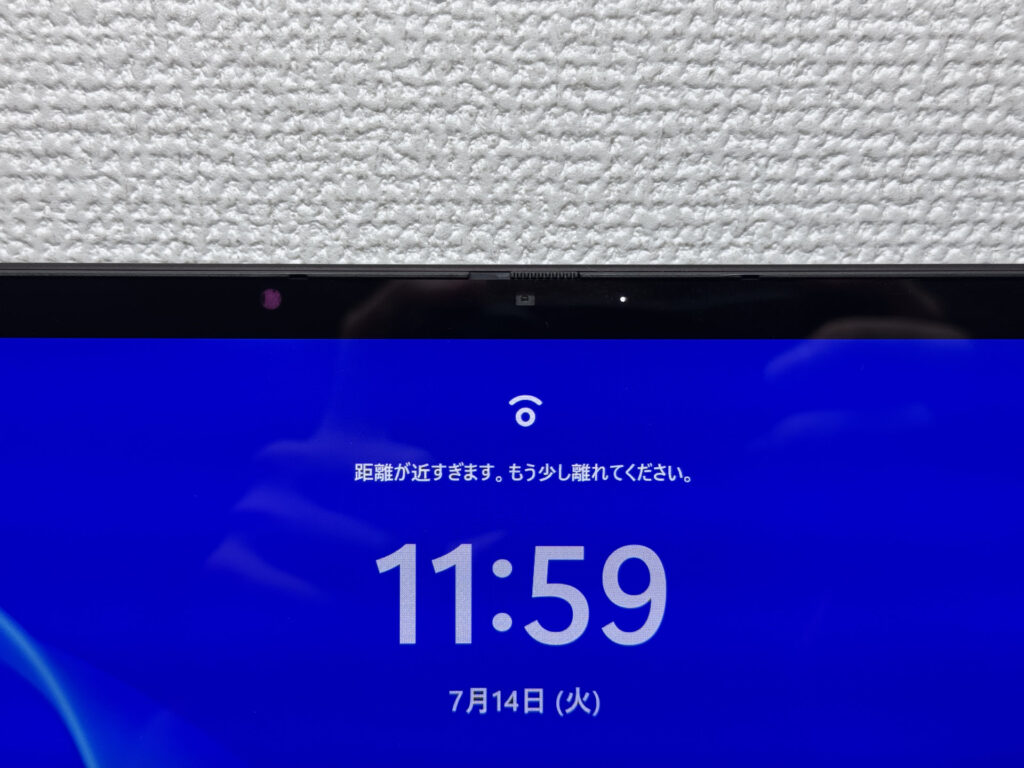 Just look at the screen and you're unlocked
Price
There's a decent price gap between the 16GB Ryzen AI 5 configuration and the 32GB Ryzen AI 7 configuration, but the 16GB config is plenty for everyday use. Given the build quality and performance on offer, getting this for $901.00 is a genuinely good deal. With memory prices climbing due to semiconductor demand right now, the value here stands out even more.
Verdict
This is a 2-in-1 with real performance and build quality that punches well above its price. The glossy screen's reflections and the over-1.4 kg weight are things to keep in mind, but the sturdy chassis and comfortable typing make it feel polished enough for daily use as a main machine. My take: if you want one device that covers both laptop and tablet duty, or you're after a great screen for videos and illustration work without breaking the bank, this one's a great fit.
The combo of 2-in-1 flexibility and premium build is its biggest strength
Where to Buy
* Prices may vary. Please check each store for the latest price and availability.
Where this laptop ranks



About the author