

I've been coding for a while now and I'm ready for a serious upgrade.
Running virtual environments and multiple AI agents at the same time, and my current machine is starting to struggle.
I don't want to cheap out on my work tools, but I also don't want to overspend. 😂
Someone just tell me what to get!
Hey, Takumi here from ZippyLaptop.
Once you've gotten comfortable with coding, that itch for a smoother setup kicks in. Spinning up Docker containers, running multiple AI agents, keeping your browser, editor, and terminal open all at once... before you know it, your current machine starts choking and you lose your flow. Sound familiar?
Here's the thing: if you're at the intermediate level, picking a laptop with half-baked specs now just means you'll be upgrading again in a year. Cutting corners on your main dev tool is honestly one of the most expensive mistakes you can make.
So let's get a pro opinion on this. I've personally reviewed over 100 laptops and run a triple-display setup for my own development work. From that experience, here's what I'd say actually matters for intermediate developers.
In this guide, I'll walk you through three key factors — specs, usability, and price — so you can find a laptop you won't regret. Stick around to the end and you'll find your next dev machine. Let's get into it.
Quick Answer
I'll get straight to the point.
For intermediate programmers, go for 32GB RAM, Core 5/Ryzen 5 (or M4 or better), and a high-res display — you won't look back.
Based on the conclusion above, here are the 3 laptops I'd recommend first.
If you're stuck deciding, picking from this shortlist will rarely lead you wrong.
The rest of the article breaks down the differences and how to choose.
Our TOP 3 Picks
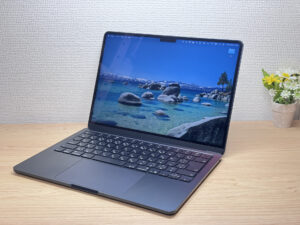
Fanless, featherlight, and fast enough to make the Pro feel pointless.
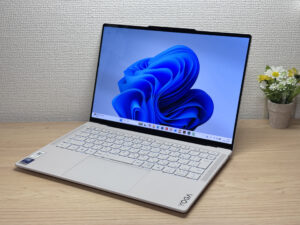
Stunning OLED in a featherlight 964g (2.1 lbs) body — this one's a total win.
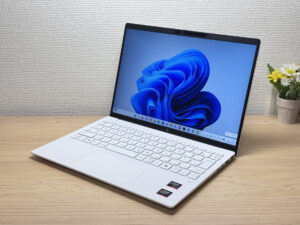
Under 2.2 lbs and ready for daily carry — a well-balanced travel laptop
Buying Guide
Specs: Go for 32GB RAM and a High-Res Display
If you've been coding for 3+ years and you're ready for your next machine, here's what I'd recommend:
- CPU: Intel Core 5 / AMD Ryzen 5 or better (Mac: M4 chip or better)
- RAM: 32GB or more
- Display: At least IPS, ideally OLED with high resolution (3K–4K class)
In the age of running Docker environments and multiple AI agents like Codex or Claude Code simultaneously, 16GB RAM will hit a wall fast. Juggling your editor, browser, terminal, AI agents, and virtual environments all at once? Trust me, 32GB makes a noticeable difference.
Now, about that display. I keep hearing people say "3K and 4K make text too small" — that's a misconception. Both Windows and Mac have display scaling, so you can get razor-sharp text at normal sizes. The result is that source code is genuinely easier to read. Personally, once I switched to a high-res display for coding, there's no going back to Full HD. I'm convinced it's easier on your eyes too.
 Source code on a high-res display looks genuinely beautiful. 😍
Usability: 13–14 inches + External Monitor = Portable Desktop
If portability matters to you, 13–14 inches is the sweet spot. Whether you're at a coffee shop, working remotely, or at home, there's a real difference in just grabbing it and getting to work. Anything smaller gets cramped when you're trying to view AI agent output and your code side by side. On the flip side, 15-inch and larger can work — but only if it's a lightweight model. Bigger laptops are harder to fit in a bag and generally heavier, so think carefully before going that route.
The single biggest boost to your productivity, though, is making your home or office setup desktop-like with an external monitor as your main screen. When you're on the go, your laptop handles it all — but when you're settled in at home or the office, pairing it with an external keyboard, mouse, and monitor is the ultimate setup. At that point, your laptop's screen size becomes irrelevant.
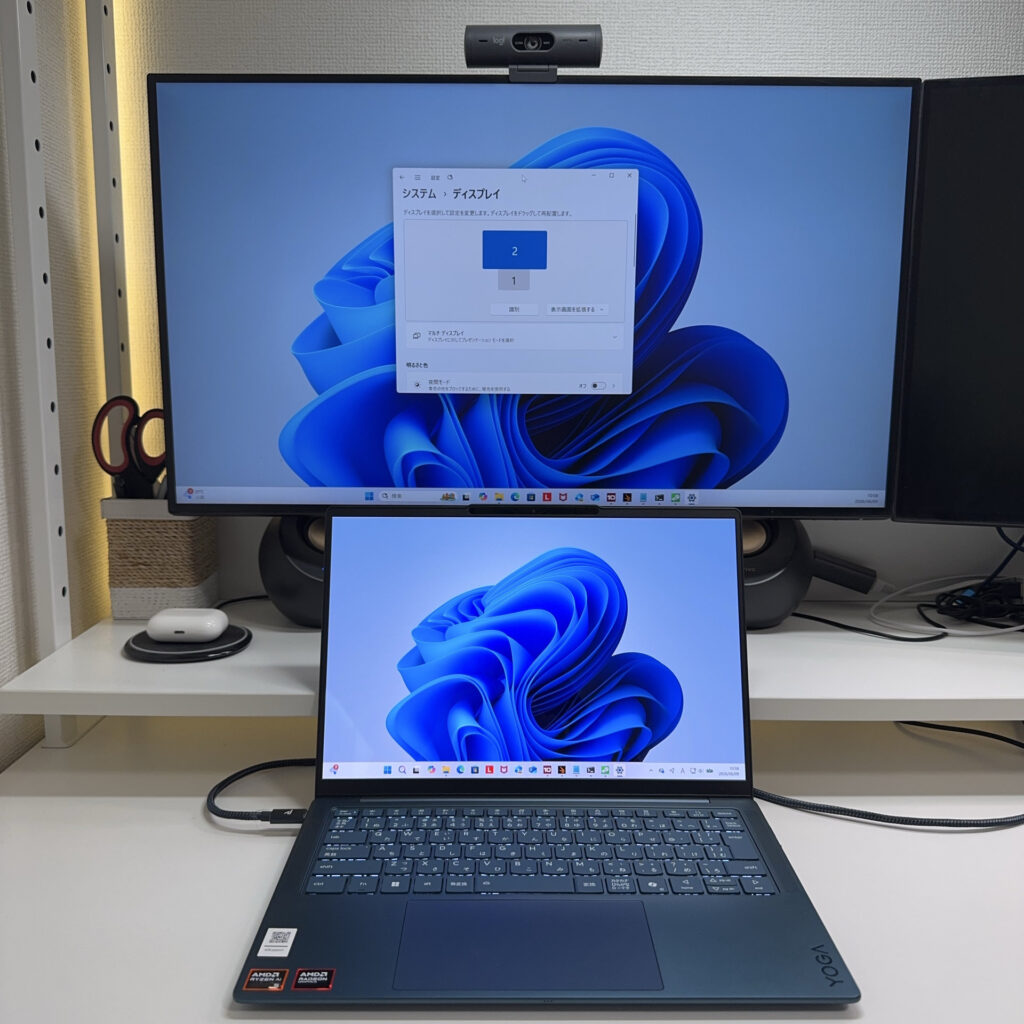 Honestly, an external monitor is one of the best investments you can make for your dev setup.
For what it's worth, I run my laptop with two 27-inch 4K monitors in a triple-display setup — that's the answer I landed on. More screen space directly equals more productivity. 💪 Portability on the go, wide screen at home — you get the best of both worlds.
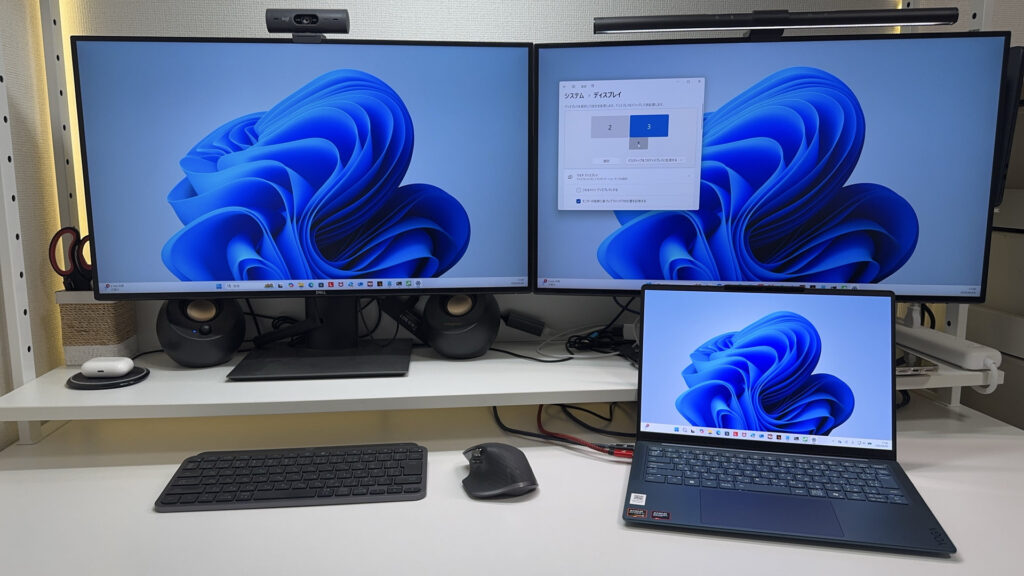 Two 27-inch monitors side by side is the perfect fit — 32-inch would be too wide.
Price: Your Work Tools Are Worth Investing $1,600–$2,500 In
As for price, if you're past the intermediate level, go ahead and invest in a solid machine in the $1,600–$2,500 range. Think of it as an investment in yourself.
Honestly, there's no upside to cutting corners here. Don't cheap out — that's my genuine take. 🔥 Yes, things like a high-res 4K display push the price up, but this is your daily work tool. If you compromise on it, you're just making things harder for yourself — and you can always out-earn the cost with better output. For an intermediate developer, your laptop is like a baseball bat for a pro player. You can make do with a cheap one, but if you're serious, you want something that actually fits your hands.
A great laptop just feels good to use, and that satisfaction feeds directly into your motivation to code. Spending a bit more on a machine you genuinely enjoy using every day — one that speeds up your work and learning — is absolutely worth it. Pick something you'll be happy with long-term, and you're far less likely to regret it.
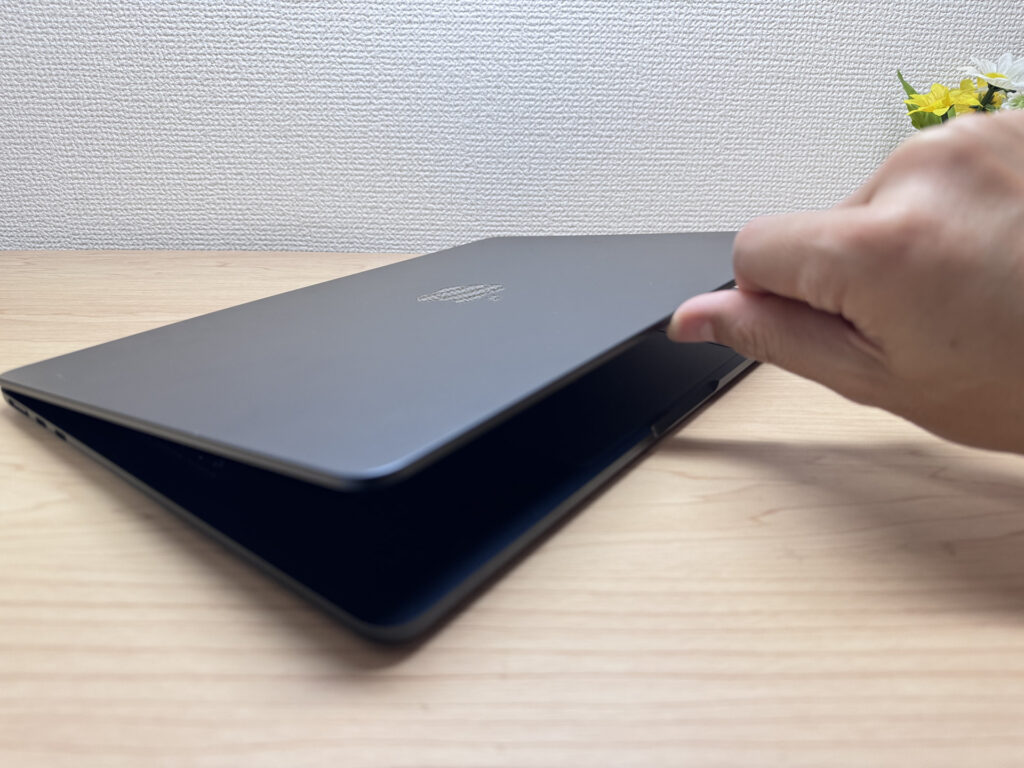 A quality laptop opens with one finger. That little detail says a lot. ✨
Our Picks
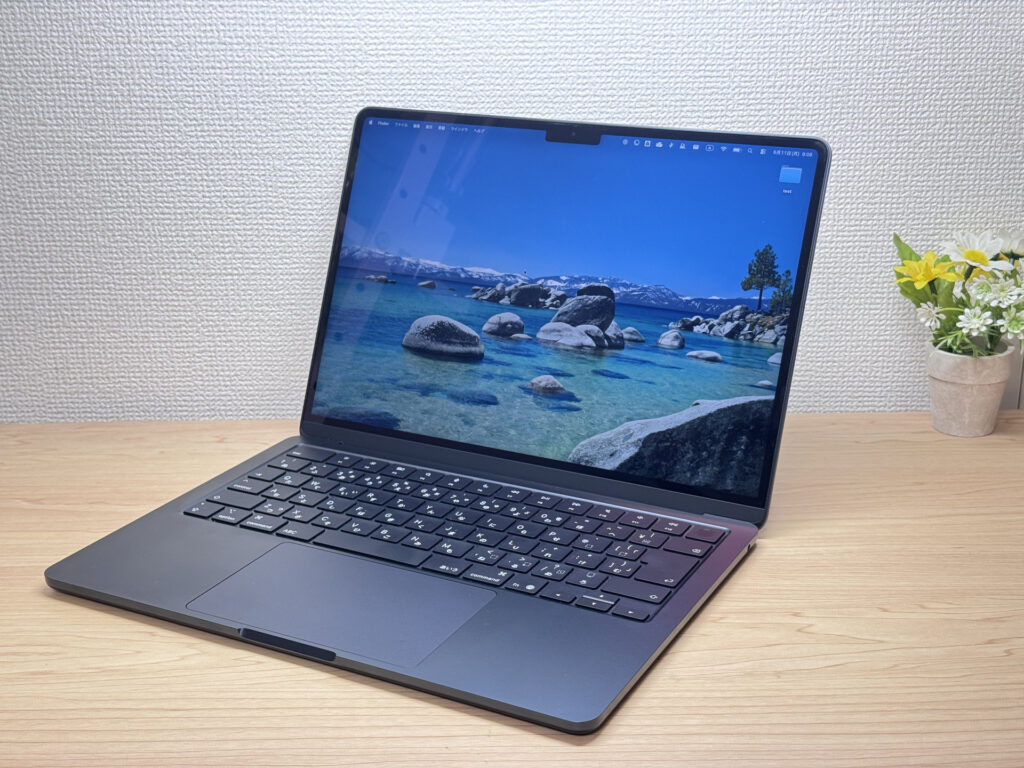
#1Apple MacBook Air (13-inch, M4, 2025)
- ·You carry your laptop to campus, the office, or a coffee shop every day
- ·You want all-day battery without hunting for outlets
- ·You work in quiet spaces like a library or co-working space
- ·You need a capable machine for writing, browsing, and everyday tasks
- ·You have a lot of peripherals — USB-C only means you'll need a hub
- ·Your main use case is heavy gaming or workstation-level GPU tasks
Key Specs
- CPU
- Apple M4
- Display
- 13.6-inch 2560x1664 IPS
- RAM
- 32GB
- Weight
- 1.24 kg (2.73 lbs)
- Storage
- 1TB SSD
- Battery
- ~18.0h
Why We Picked It
The MacBook Air (13-inch, M4, 2025) does something I didn't fully expect: it handles programming, video editing, and multi-monitor setups in complete silence — no fan, not ever. At 2.7 lbs (1.22 kg) and just 11.3mm thin, it practically disappears in a backpack. The Retina display is gorgeous, the trackpad is still the best in the business, and the whole thing just feels dialed in.
The main downsides? Only two USB-C ports means a hub becomes a given for heavy peripheral users. And the Midnight finish is a fingerprint magnet — Silver would probably be smarter. But overall, this machine covers everyday work through serious creative tasks without breaking a sweat. It's the Air that makes you ask why anyone pays extra for the Pro.
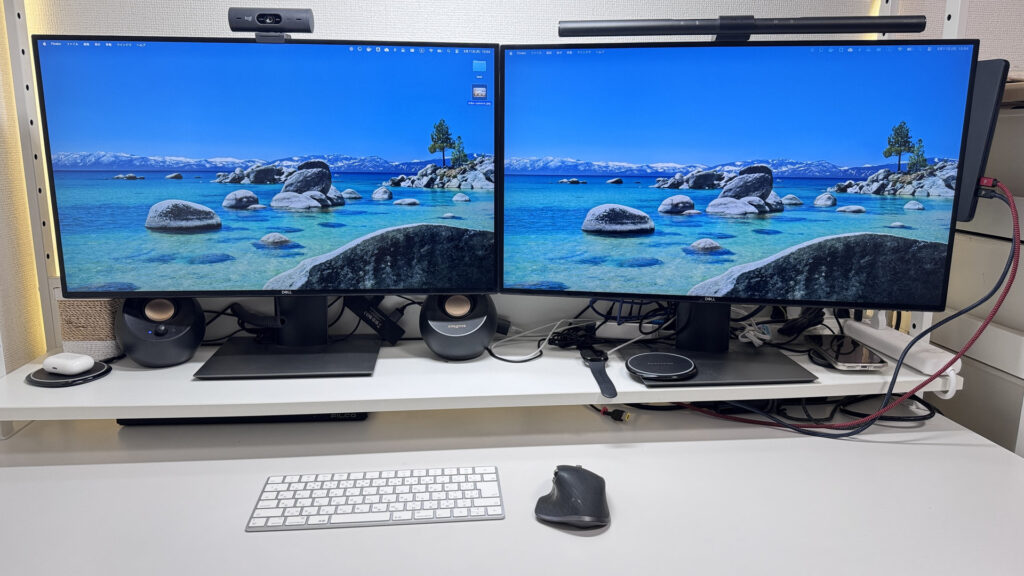 My personal favorite: running it in clamshell mode as a full desktop setup.
#2Lenovo Yoga Slim 7i Ultra Gen 11 Aura Edition
- ·You do creative work, like content creation or editing
- ·You're a professional who cares about premium build quality
- ·You're an intermediate-or-above user looking to step up to something nicer
- ·You want a great screen for watching movies and videos
- ·You're shopping on price above all else — this isn't the budget pick
- ·You need to connect a lot of peripherals at once without carrying a hub
Key Specs
- CPU
- Intel Core Ultra 7 355
- Display
- 14.0-inch 2880x1800 OLED touch
- RAM
- 32GB
- Weight
- 0.97 kg (2.15 lbs)
- Storage
- 1TB SSD
- Battery
- ~22.8h
Why We Picked It
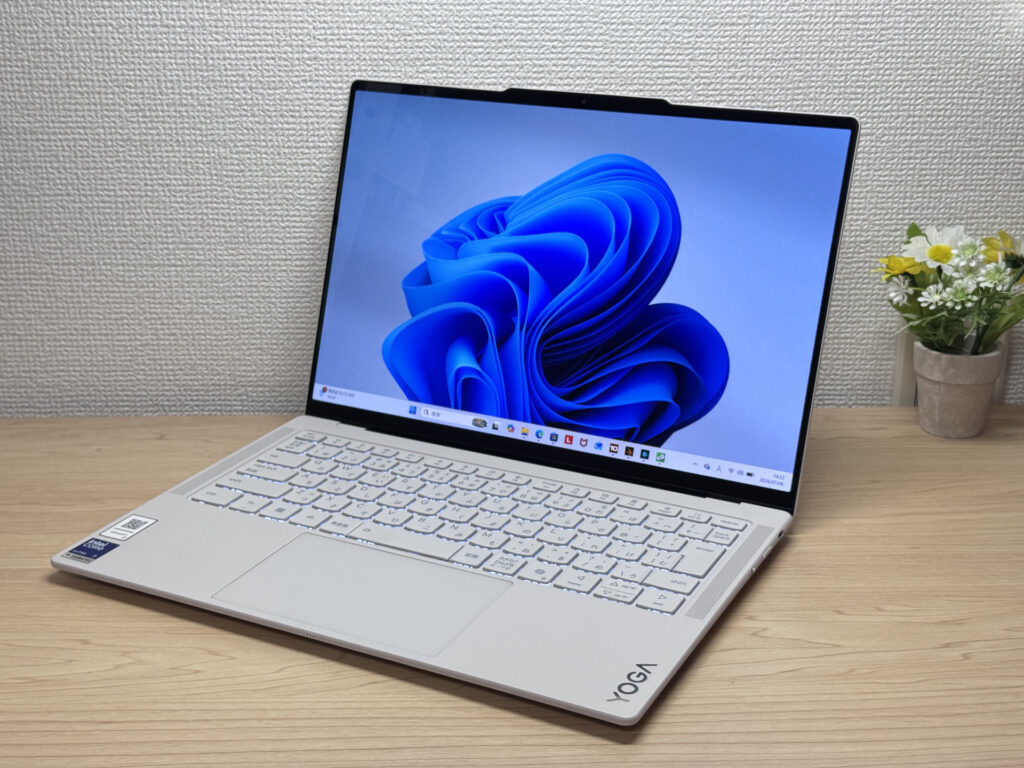
Lenovo Yoga Slim 7i Ultra Gen 11 Aura Edition is a premium ultraportable that pulls off something rare: a 964g magnesium-aluminum body paired with a vivid OLED display. You're limited to USB-C ports and the price runs a bit high, but factor in the buttery-smooth 120Hz OLED panel and a pressure-sensitive haptic trackpad, and the balance of build quality, performance, and portability starts to make a lot of sense.
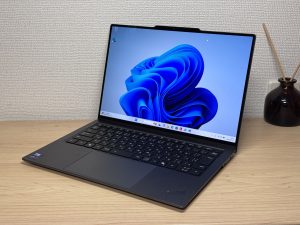
That silky magnesium-aluminum finish makes for a gorgeous front design!
#3HP OmniBook 7 Aero 13-bg
- ·You carry your laptop everywhere and want something that doesn't weigh you down
- ·You need a solid machine for writing papers, browsing, and video calls
- ·You work from coffee shops, campus, or anywhere outside your desk
- ·You need serious gaming or video editing performance — this isn't built for that
- ·You spend long days away from an outlet and need all-day battery life
Key Specs
- CPU
- AMD Ryzen AI 7 350
- Display
- 13.3-inch 2560x1600 IPS
- RAM
- 32GB
- Weight
- 0.97 kg (2.14 lbs)
- Storage
- 1TB SSD
- Battery
- ~15.5h
Why We Picked It
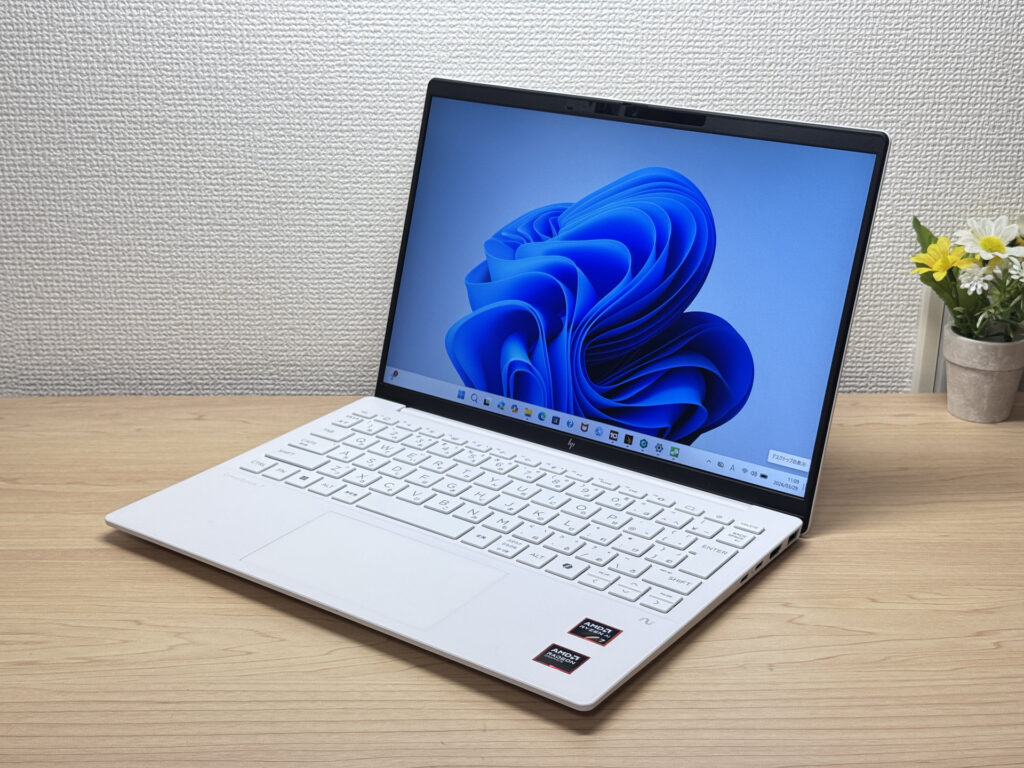
The OmniBook 7 Aero 13-bg's headline feature is its weight: just 970g (about 2.1 lbs), light enough to toss in a backpack every morning without thinking about it. The Ceramic White finish turns heads at coffee shops and on campus — this is one of those laptops that actually looks good in public. Powered by the AMD Ryzen AI 7 350, it scored 6946 on PCMark 10 — solid horsepower for a thin-and-light. The IPS panel looks great too, handling everything from daily browsing to video calls without complaint.
The flip side: the lid is plastic, so don't expect a premium feel. The charger weighs 323g (~11 oz) — surprisingly heavy for such a light machine. Battery is 43 Wh, so plan for a plug if you're out all day. But if portability, performance, and looks matter to you in equal measure, this one genuinely delivers.
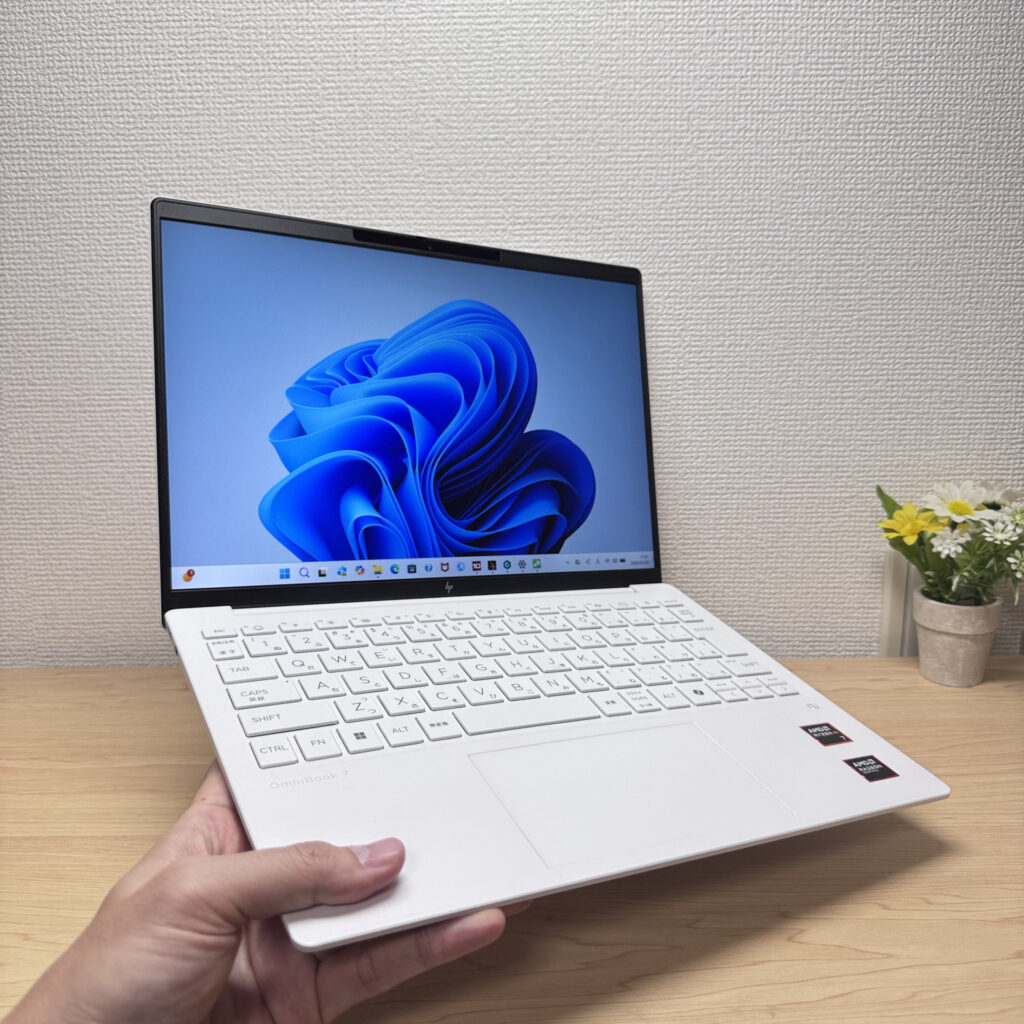 Light enough to carry in one hand with ease
More Recommended Models
If our TOP 3 didn't quite click, take a look here too. These are picked with the same criteria, so you won't go far wrong either.
One 2-in-1 with a pen — handles work, notes, and everything in between.
Build quality, performance, and battery life — this one's got it all.
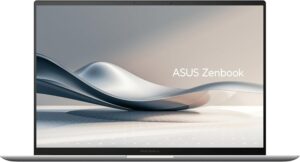
2.6 lbs with a 3K OLED — it's not cheap, and it doesn't pretend to be.
Spec Comparison
Compare specs of all 6 recommended models at a glance.
Note: This table is ordered by our editors' picks for this use case, not by ZippyScore.
| Model | Image | Stores | Highlights | ZippyScore | CPU | RAM | Storage | Display | Battery | Weight | Full Review |
|---|---|---|---|---|---|---|---|---|---|---|---|
|
🥇 Best Overall
Apple
MacBook Air (13-inch, M4, 2025)
|
|
Amazon | Fanless, featherlight, and fast enough to make the Pro feel pointless. | Best 4.6/5 | Apple M4 | 32GB | 1TB |
13.6"
2560x1664
IPS
|
~18.0h | 1.24 kg (2.73 lbs) | Full Review |
|
🥈 Best Balanced Pick
Lenovo
Yoga Slim 7i Ultra Gen 11 Aura Edition
|
|
Amazon | Stunning OLED in a featherlight 964g (2.1 lbs) body — this one's a total win. | Best 4.6/5 | Intel Core Ultra 7 355 Passmark: 20,954 | 32GB | 1TB |
Best 14.0"
2880x1800
OLED
|
~22.8h | 0.97 kg (2.15 lbs) | Full Review |
|
🥉 Best Value Pick
HP
OmniBook 7 Aero 13-bg
|
|
Amazon | Under 2.2 lbs and ready for daily carry — a well-balanced travel laptop | 4.5/5 | Best AMD Ryzen AI 7 350 Passmark: 24,959 | 32GB | 1TB |
13.3"
2560x1600
IPS
|
~15.5h | Best 0.97 kg (2.14 lbs) | Full Review |
|
Lenovo
IdeaPad 5a 2-in-1 Gen 11 (14" AMD)
|
|
Amazon | One 2-in-1 with a pen — handles work, notes, and everything in between. | 4.4/5 | AMD Ryzen AI 7 445 Passmark: 20,770 | 32GB | 1TB |
14.0"
1920x1200
IPS
|
- | 1.54 kg (3.40 lbs) | Full Review |
|
Lenovo
ThinkPad X9 14 Gen 1 Aura Edition(14" Intel)
|
|
Amazon | Build quality, performance, and battery life — this one's got it all. | 4.3/5 | Intel Core Ultra 7 258V Passmark: 18,961 | 32GB | 1TB |
Best 14.0"
2880x1800
OLED
|
~20.5h | 1.27 kg (2.80 lbs) | Full Review |
|
ASUS
Zenbook S 14 (UX5406SA)
|
|
Amazon | 2.6 lbs with a 3K OLED — it's not cheap, and it doesn't pretend to be. | 4.3/5 | Intel Core Ultra 7 258V Passmark: 18,961 | 32GB | 1TB |
14.0"
1920x1200
OLED
|
Best ~23.3h | 1.20 kg (2.65 lbs) | — |
Frequently Asked Questions
Do intermediate developers really need 32GB RAM? Can't 16GB work?
What CPU performance should I be looking for?
Won't a high-res display make text too small to read?
What AI coding tools do you recommend?
Isn't $1,600–$2,500 too expensive?
Summary
Here's a quick recap of the conclusion from this article:
These are the models that meet those criteria:
- #1 Apple MacBook Air (13-inch, M4, 2025)
- #2 Lenovo Yoga Slim 7i Ultra Gen 11 Aura Edition
- #3 HP OmniBook 7 Aero 13-bg
- #4 Lenovo IdeaPad 5a 2-in-1 Gen 11 (14" AMD)
- #5 Lenovo ThinkPad X9 14 Gen 1 Aura Edition(14" Intel)
- #6 ASUS Zenbook S 14 (UX5406SA)
We hope you find the laptop that's right for you here.
Happy laptop hunting!
About the author
