ZippyScore
ZippyScore is a proprietary rating based on 6 criteria: performance, portability, display, battery, value, and connectivity.
See rating criteria
- Performance: CPU / GPU performance
- Portability: Screen size & weight
- Display: Panel type, aspect ratio & refresh rate
- Battery: Rated battery life
- Value: Specs-to-price balance
- Connectivity: Port types & count
Pros & Cons
Pros
- Around 2.7 lbs (1.22 kg) — light enough to carry all day without thinking about it
- Up to 32GB RAM keeps multitasking smooth even with plenty of tabs and apps open
- Up to ~18-hour battery means you can leave the charger at home most days
- Fanless design runs in complete silence — great for libraries, coffee shops, or anywhere quiet
- Touch ID in the power button makes login instant
Cons
- USB-C only, so you'll want a hub if you run multiple peripherals
- Midnight finish shows fingerprints easily — Silver is cleaner in practice
Specs Summary
| OS | macOS |
|---|---|
| CPU | Apple M4 |
| RAM | 16GB / 24GB / 32GB |
| Storage | 256GB / 512GB / 1TB |
| Display | 13.6" IPS (Glossy, 60Hz) 2560x1664 (16:10) |
| Weight | 1.24 kg (2.73 lbs) |
| Ports | USB-C × 2 (Thunderbolt 4/40Gbps/PD/Video out), Headphone jack × 1 |
| GPU | Apple M4 GPU 8-core Apple M4 GPU 10-core |
| Biometrics | Fingerprint |
| Battery | Up to 18 h (Capacity: 53 Wh) |
| Camera | 12.0 MP |
| Dimensions | Approx. 304.1 × 215 × 11.3 mm (W × D × H) |
| Wi-Fi | Wi-Fi 6E |
| Bluetooth | Bluetooth 5.3 |
Configurations vary by retailer, region, and availability.
Hands-on Review
Here's my full hands-on review of the MacBook Air (13-inch, M4, 2025). I actually bought this unit and have been using it as my daily driver. Here's the config I tested:
| Spec | Review Unit |
|---|---|
| CPU | Apple M4 |
| RAM | 32GB |
| Storage | 512GB SSD |
| Display | 13.6" IPS (2560×1664, 60Hz) |
| Graphics | Apple M4 GPU 10-core |
Note: configuration may vary by retailer and region.
Design
I went with the Midnight colorway, and honestly, it looks sharp. There's something satisfyingly understated about a matte-black machine with a blacked-out Apple logo. ✨ I always end up going dark when I buy a MacBook — I just can't help it.
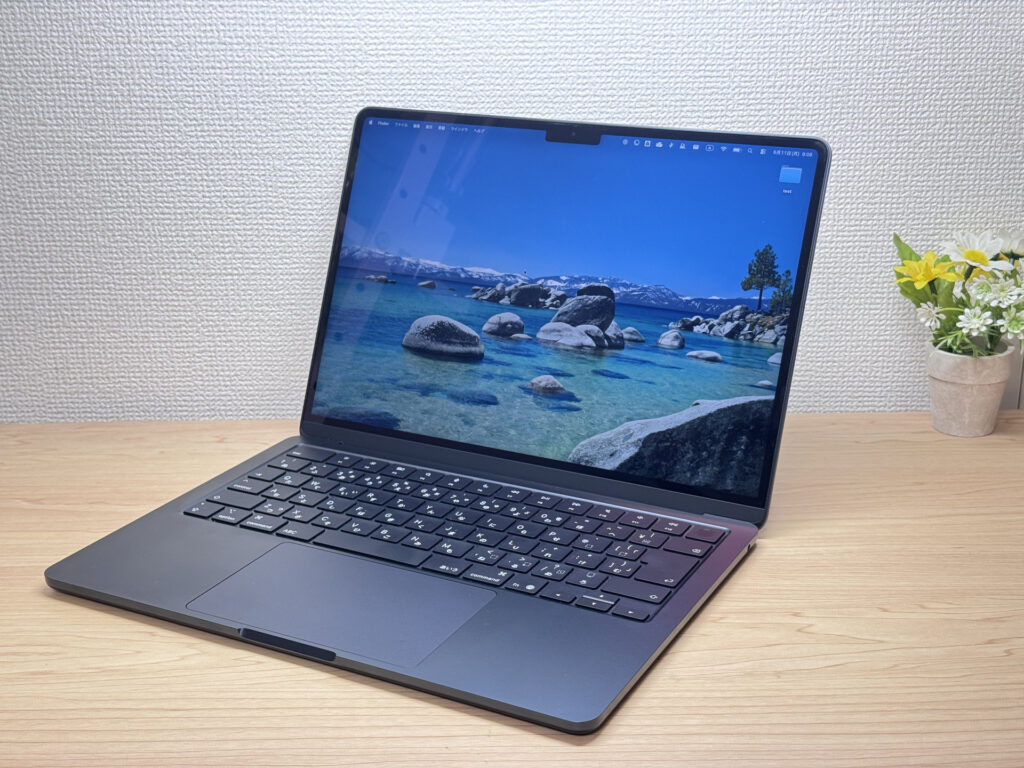 The Midnight colorway: sleek and understated.
Real talk though: black means fingerprints. 😅 Silver would probably be way better about this, and honestly I thought about it. Still looks great — that blacked-out Apple logo on the lid is clean.
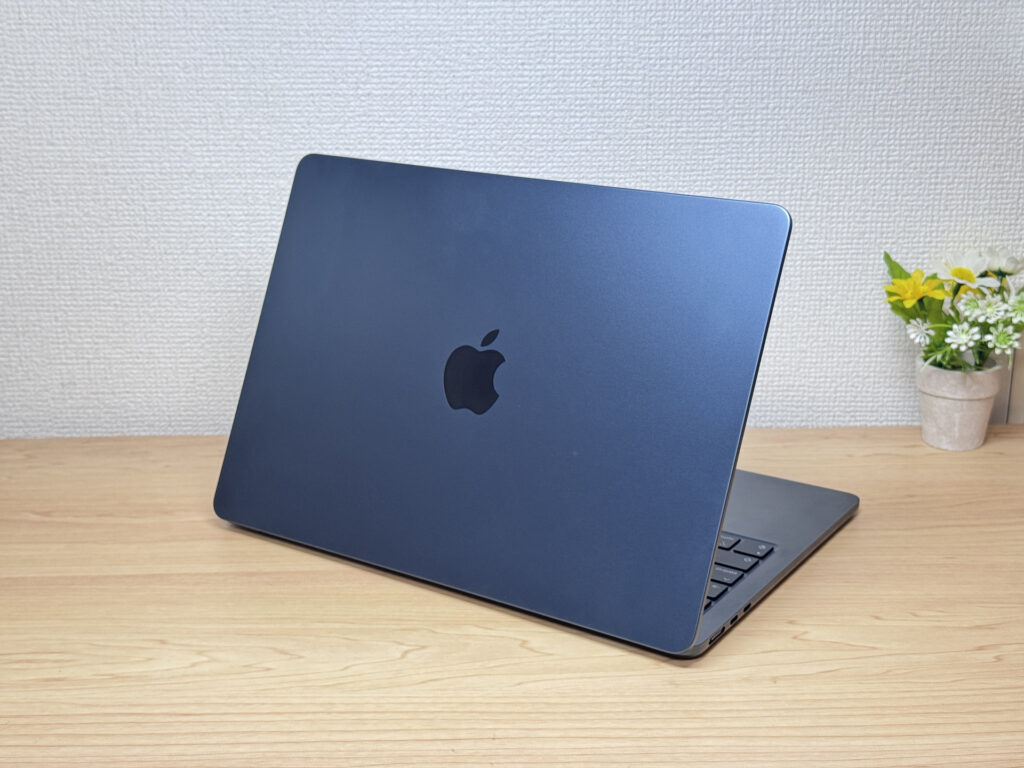 That matte black Apple logo is *clean*.
The thinness hits different when you actually hold it. 11.3mm sounds like a spec number, but the moment you pick it up you're like "oh, this is actually thin." Slides into a backpack like nothing. 💼
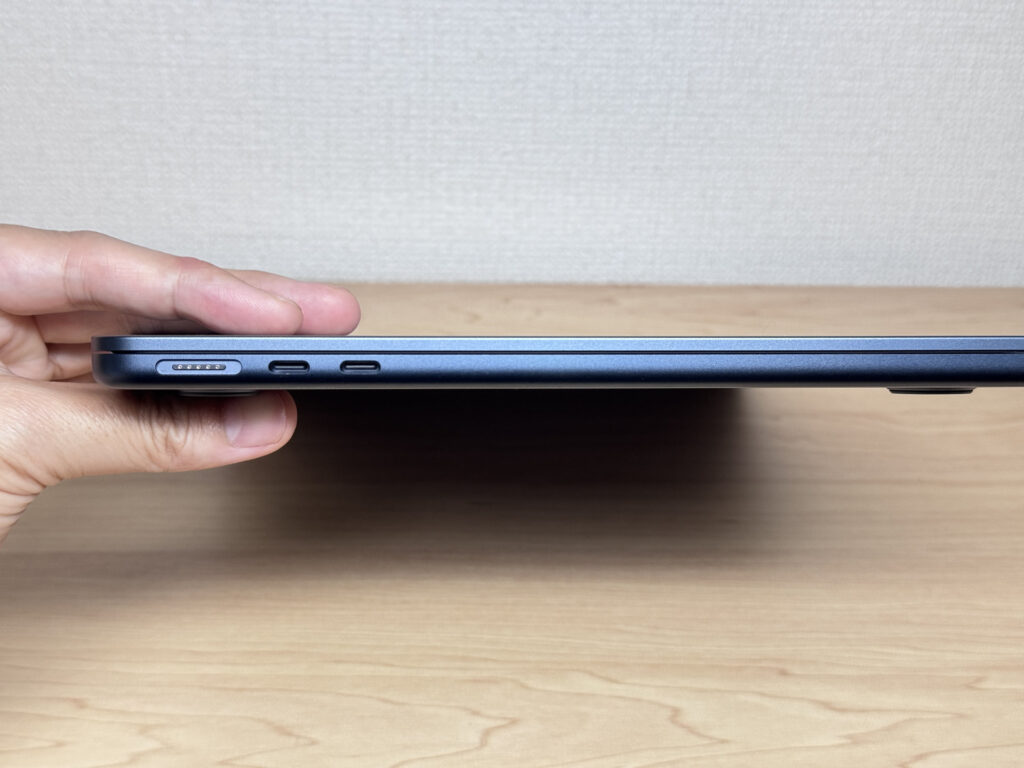 True to the Air name — shockingly thin.
The rubber feet on the bottom aren't the stickiest I've used. The chassis is light enough that it does slide a bit on slick surfaces — but not enough to be annoying during a normal typing session.
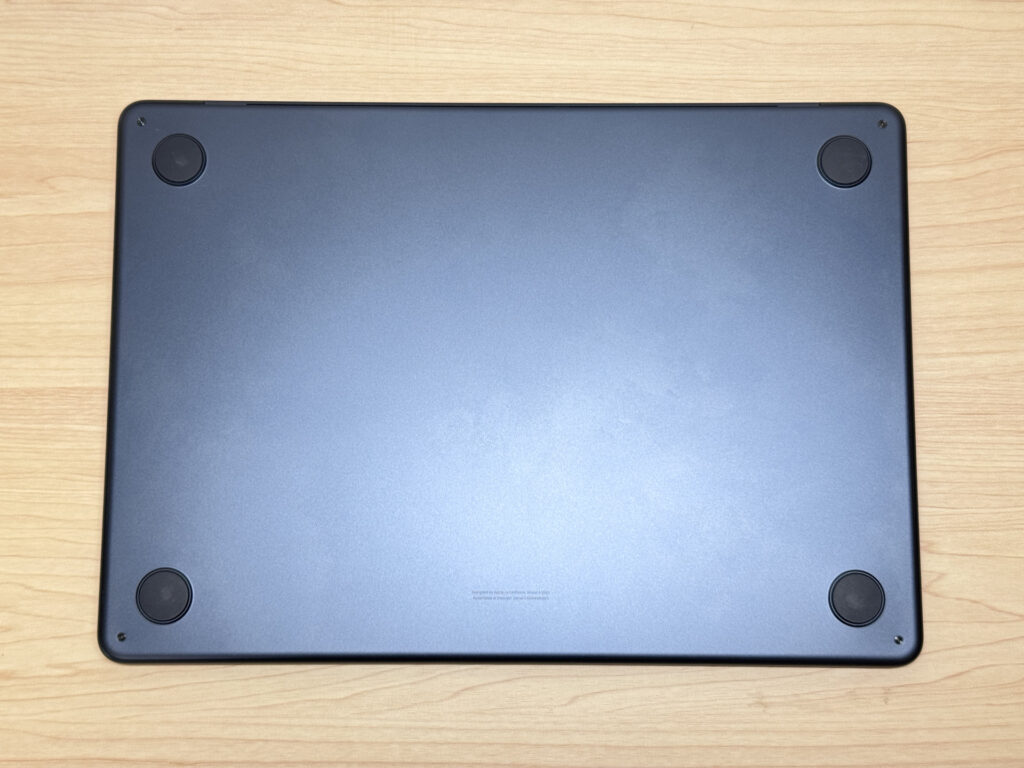 Four rubber feet on the bottom — functional, if not super grippy.
One thing that genuinely impressed me: the lid opens one-handed without the base lifting off the desk. On a laptop this light, you'd normally expect it to tip up — but Apple's engineering keeps it planted. Nice. 👍 Max opening angle isn't the full 180° some Lenovo models do, but it never mattered in practice.
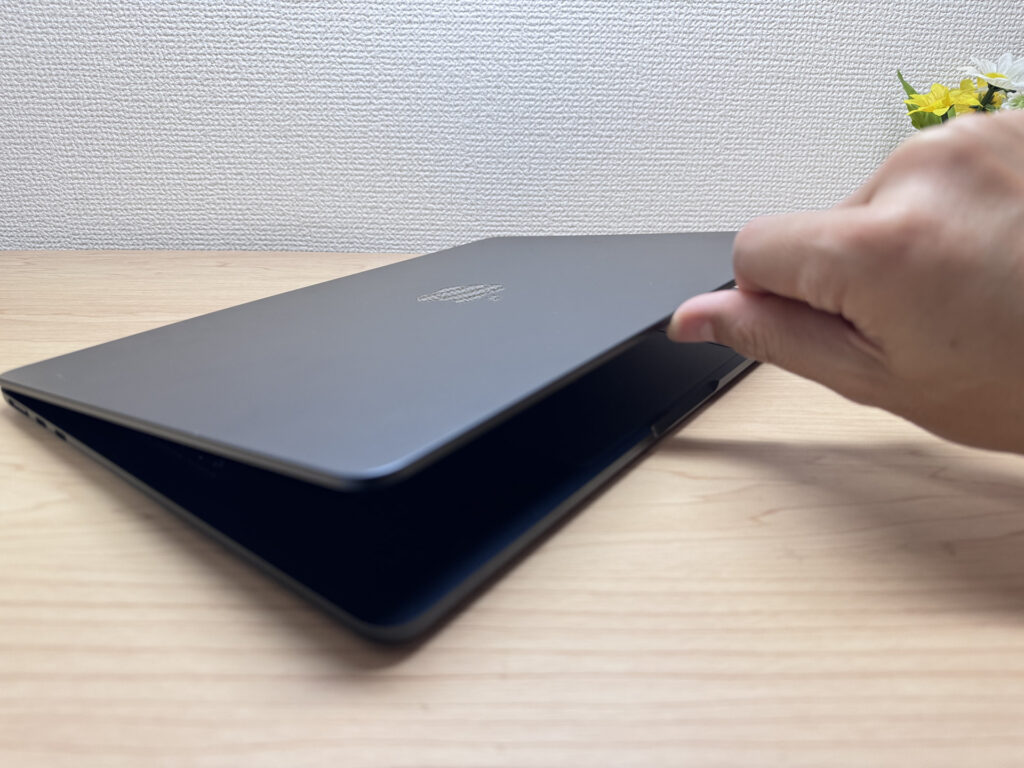 Opens one-handed — the base doesn't budge.
 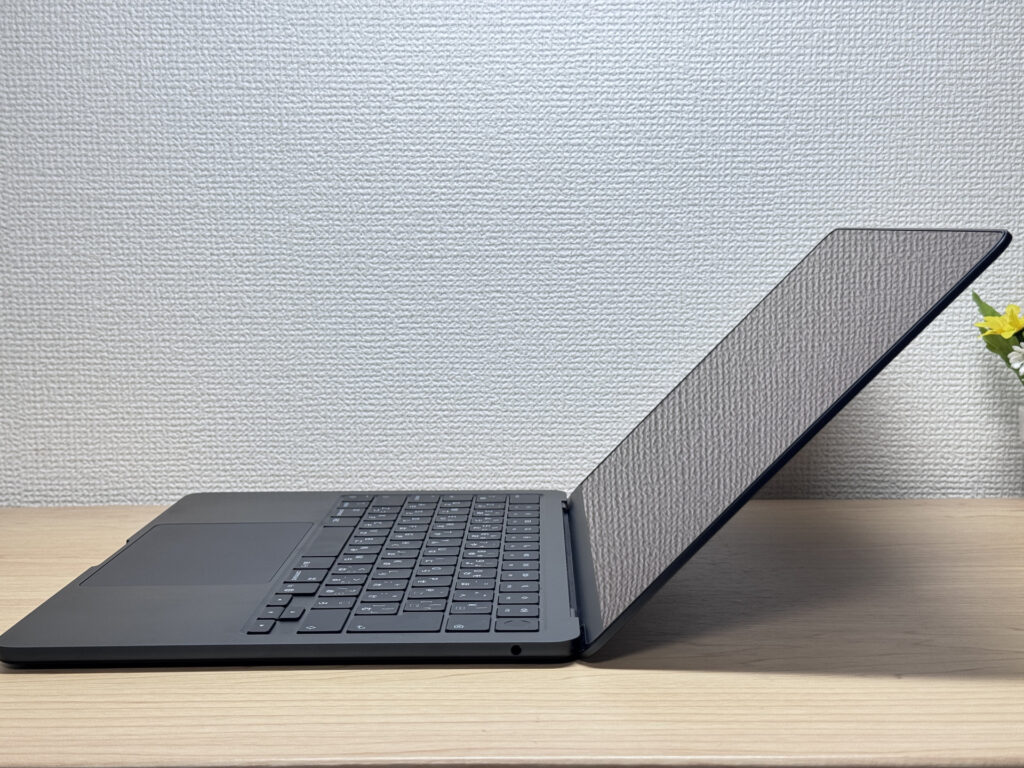 Max open angle is an intentional Apple design choice.
Portability
Actual weight came in at 2.7 lbs (1.22 kg). It's not sub-2-lb ultralight territory, but 2.7 lbs is firmly in the "light" column — and combined with the slim profile, it never feels heavy in a bag. 🚶♂️ Portability is genuinely excellent.
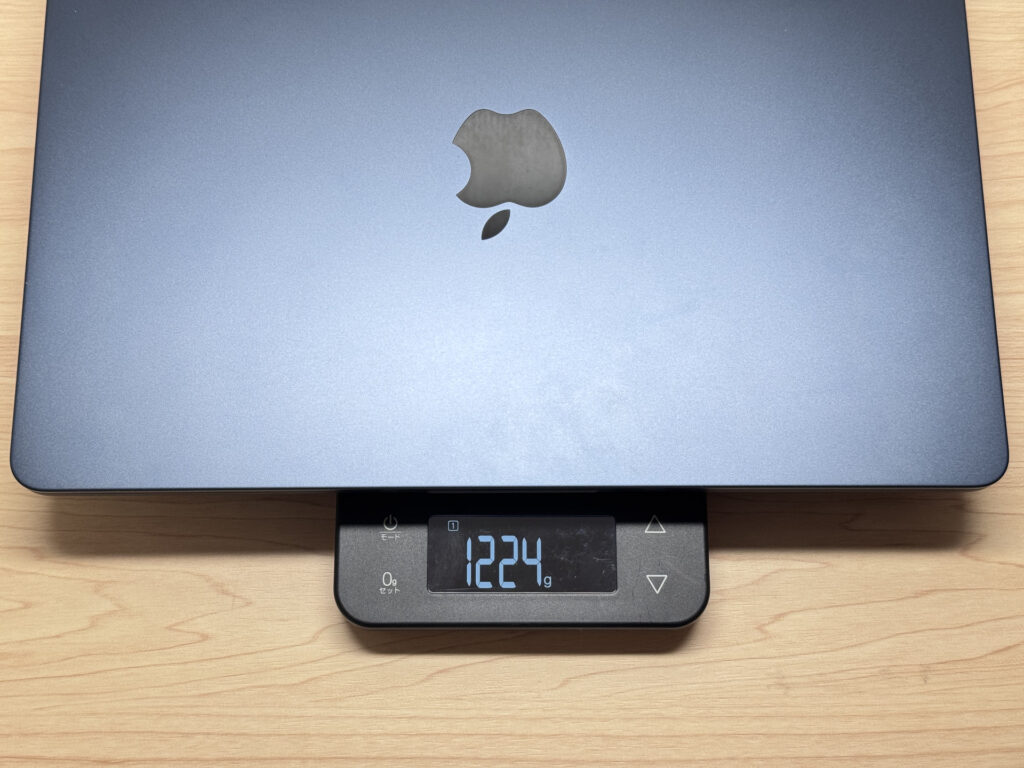 Measured at 2.7 lbs (1.22 kg) — light enough to carry every day.
The included charger weighed in at 5.7 oz (162g) — impressively light. Total carry weight stays manageable. 🙆♂️ And if you picked up Midnight, the cable color matches the machine — a small detail only Apple bothers with.
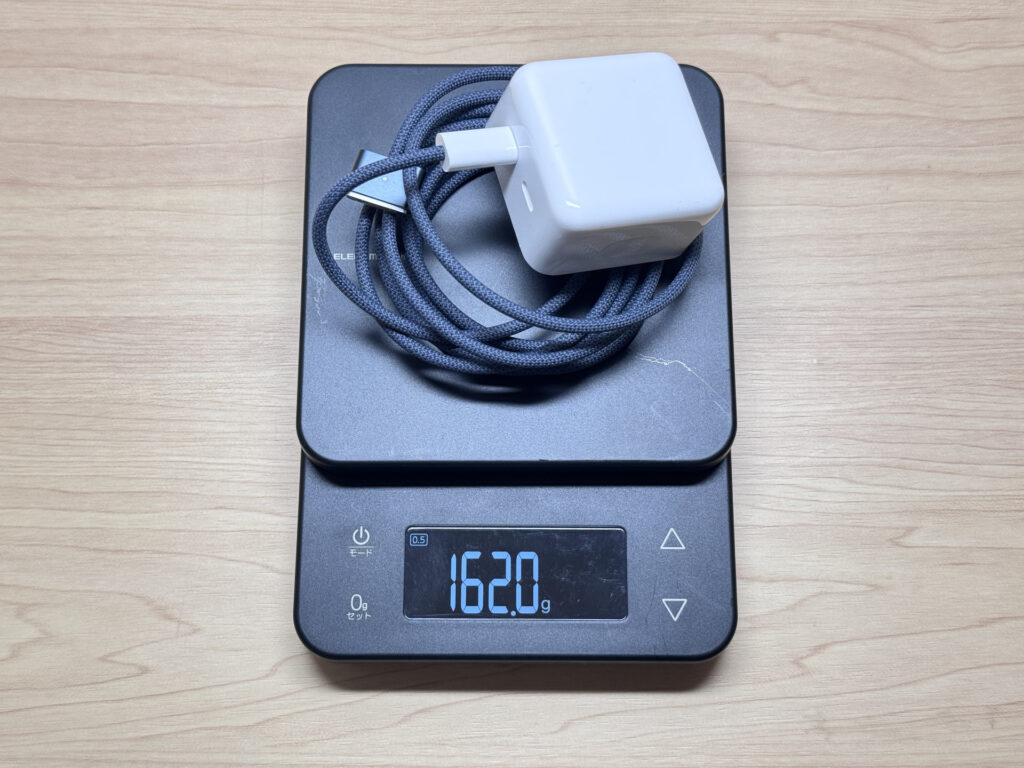 5.7 oz (162g) charger — light enough to forget it's in your bag.
 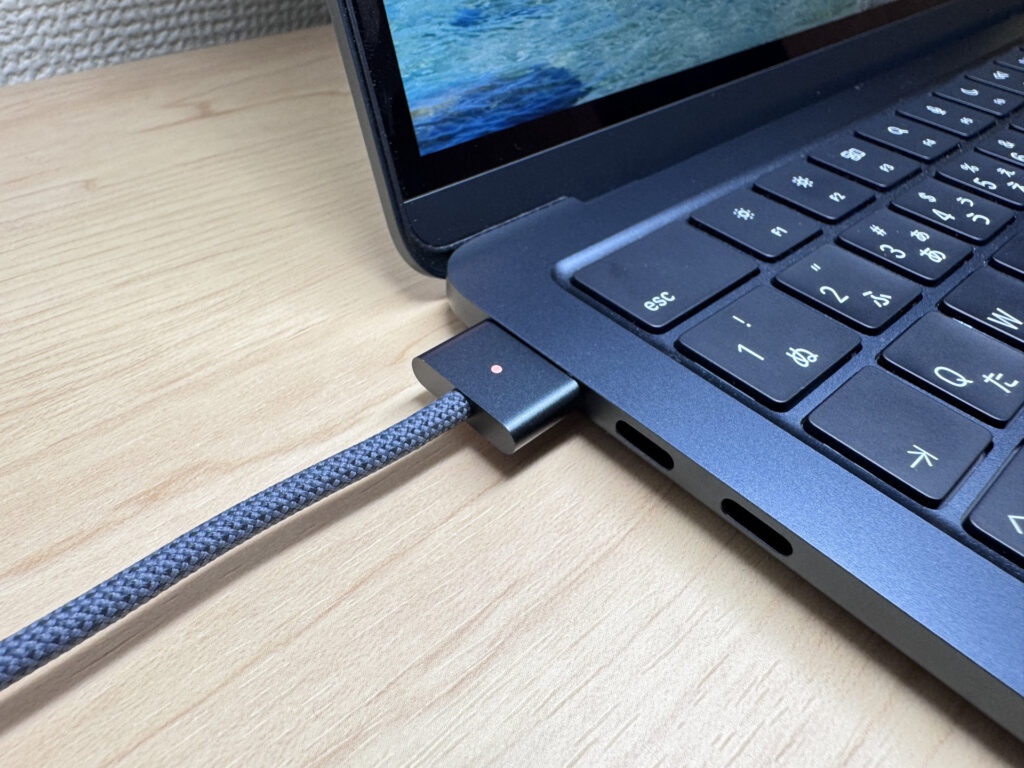 The cable even matches the Midnight finish. Classic Apple.
One-handed carry is no problem at all. Grab it off the desk, walk to another room — 2.7 lbs is comfortable enough that you don't think about it. 😄
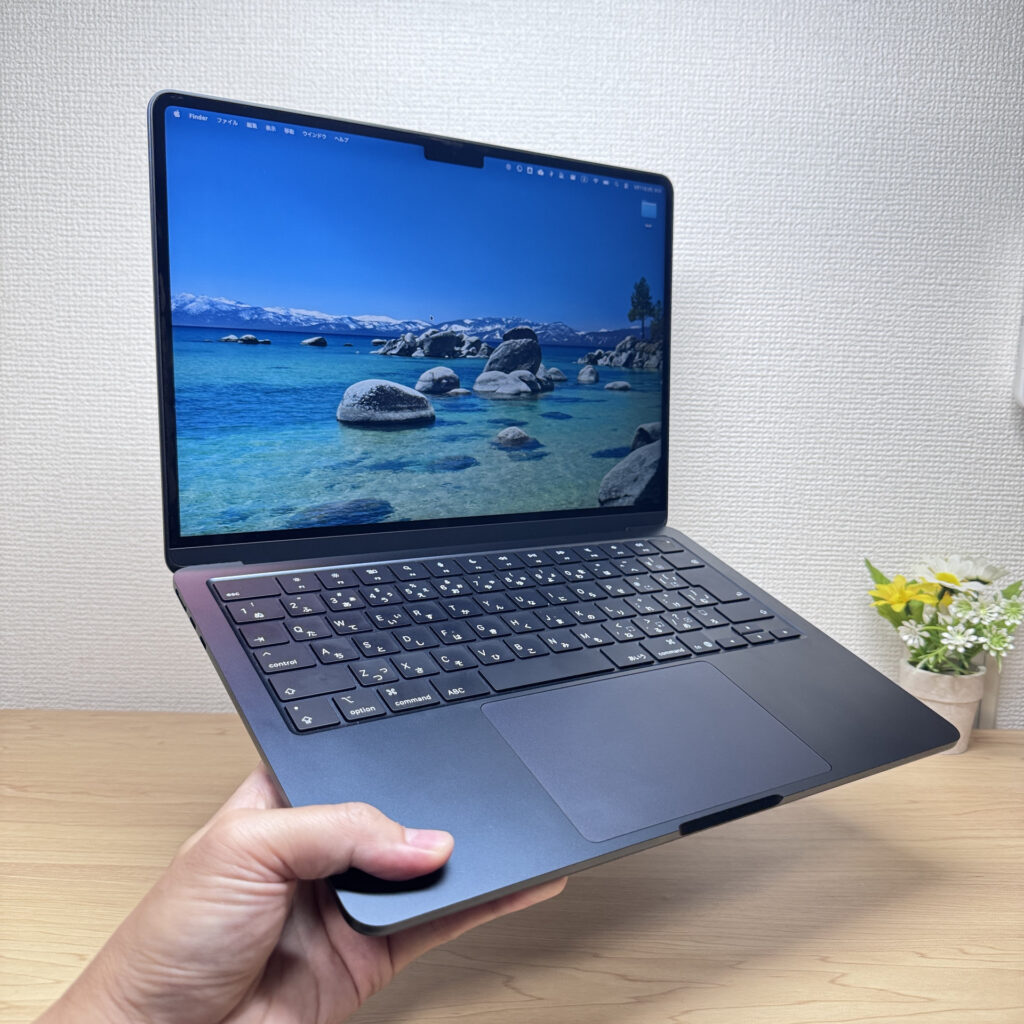 One-handed carry? Easy.
Display Quality
Retina IPS panel, and the colors are genuinely great. Punchy, vivid — watching video on this thing is a treat. 😍 Max brightness is 500 nits, which holds up well in bright indoor environments. Eye fatigue in long sessions? Barely noticeable — the panel quality really shows.
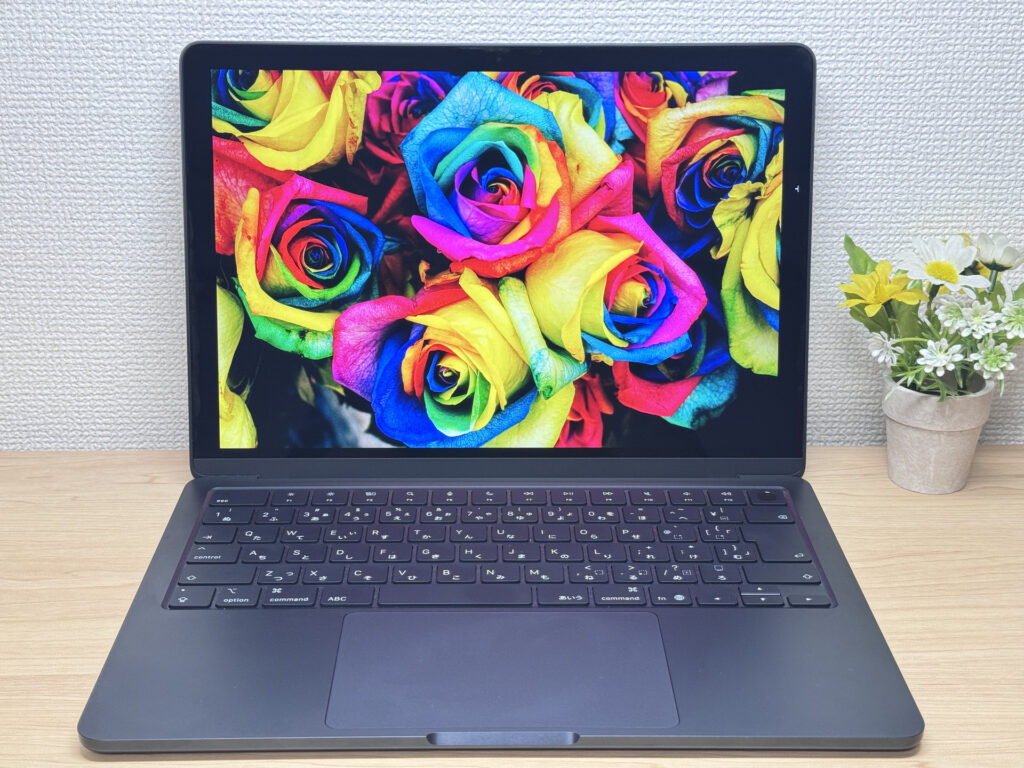 Retina IPS: punchy, vivid, easy on the eyes.
IPS means wide viewing angles too — color stays accurate even when someone's looking over your shoulder. ✅
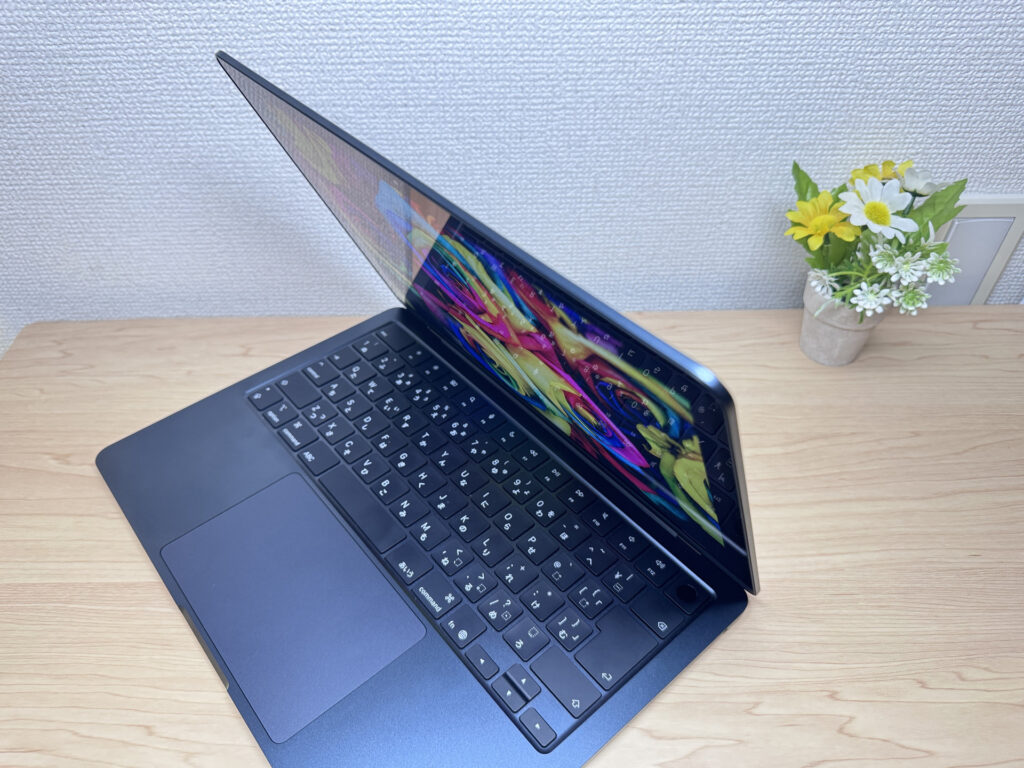 Wide viewing angles — no color shift from the side.
The 16:10 aspect ratio gives you noticeably more vertical space than a 16:9 screen. I set it next to a VAIO running 16:9, and the difference in how much you see per scroll was immediately obvious — more of a web page, more of a document, per screenful.
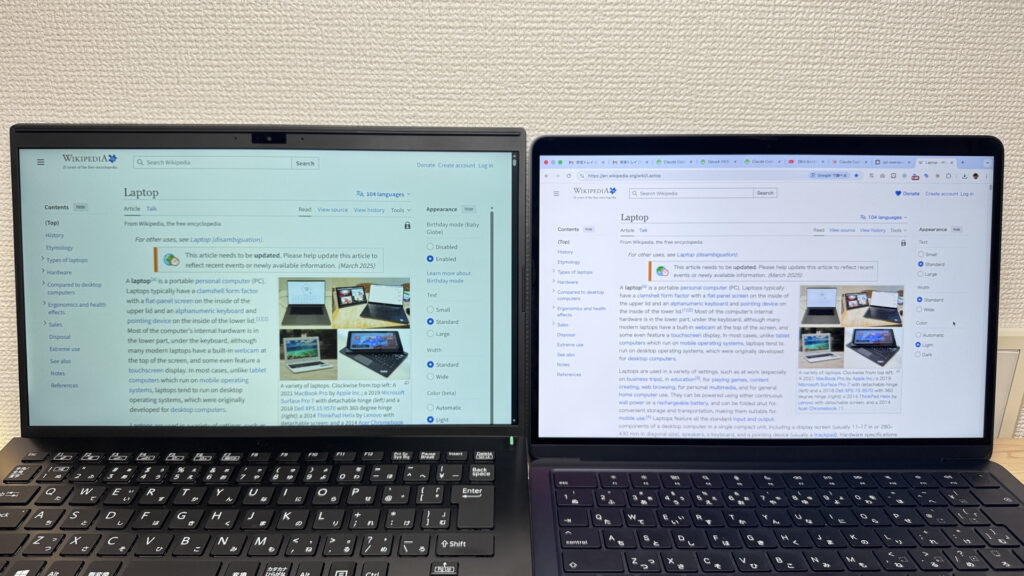 16:10 on the left vs. 16:9 VAIO on the right — more vertical real estate matters.
It's a glossy panel, so reflections are real. That said, there seems to be some anti-reflective treatment — better than bare glass, even if it's not as matte as the MacBook Pro. Depending on your lighting, this might bug you.
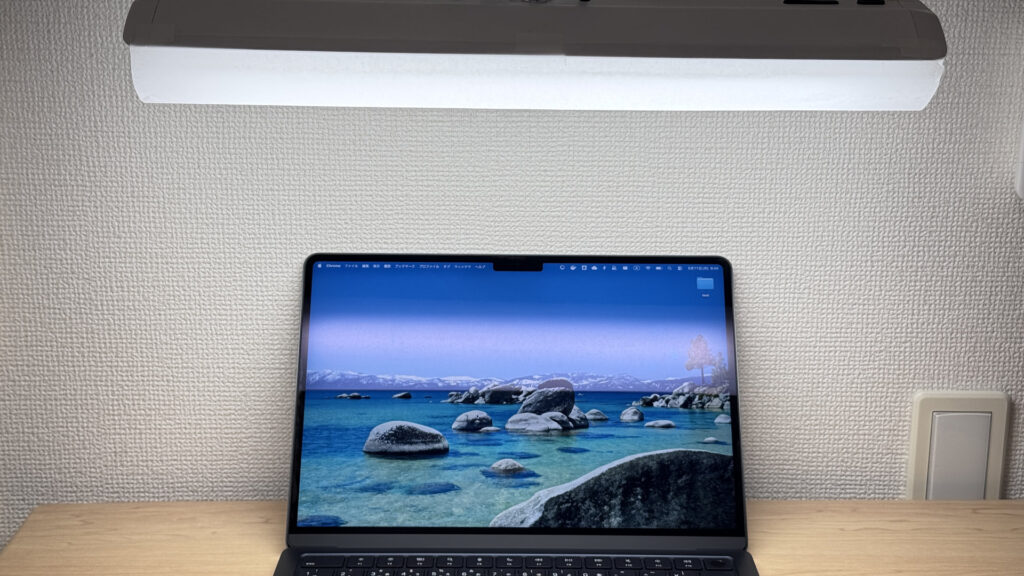 Glossy panel = you'll see yourself. Factor in your lighting.
Keyboard Feel
The key layout is clean and well-organized — looks great. This review unit has a JIS (Japanese) keyboard, so US retail units will have a standard ANSI layout. ⌨️
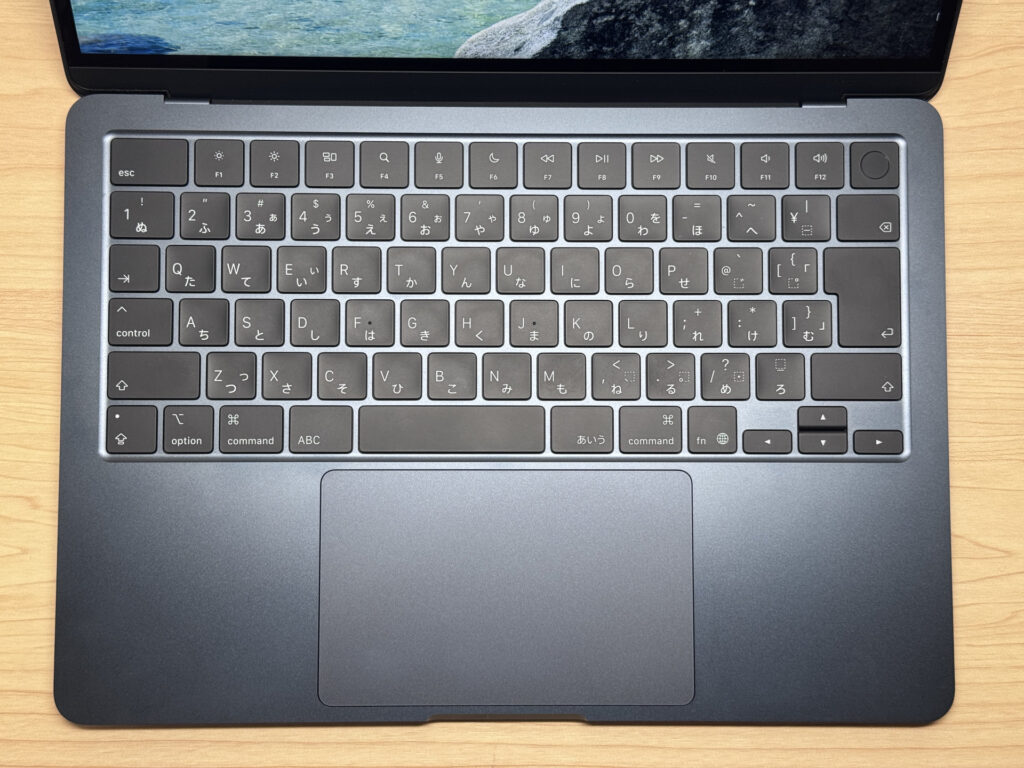 Clean, organized keyboard layout.
Key feel is genuinely good — nice rebound for a thin chassis, and I personally enjoyed typing on it. One minor thing: the keycaps have a noticeably smooth, almost silky texture. Coming from the Magic Keyboard's slightly glossier feel, this was a slight adjustment. Zero friction under your fingers at all — whether that's a good thing is personal preference.
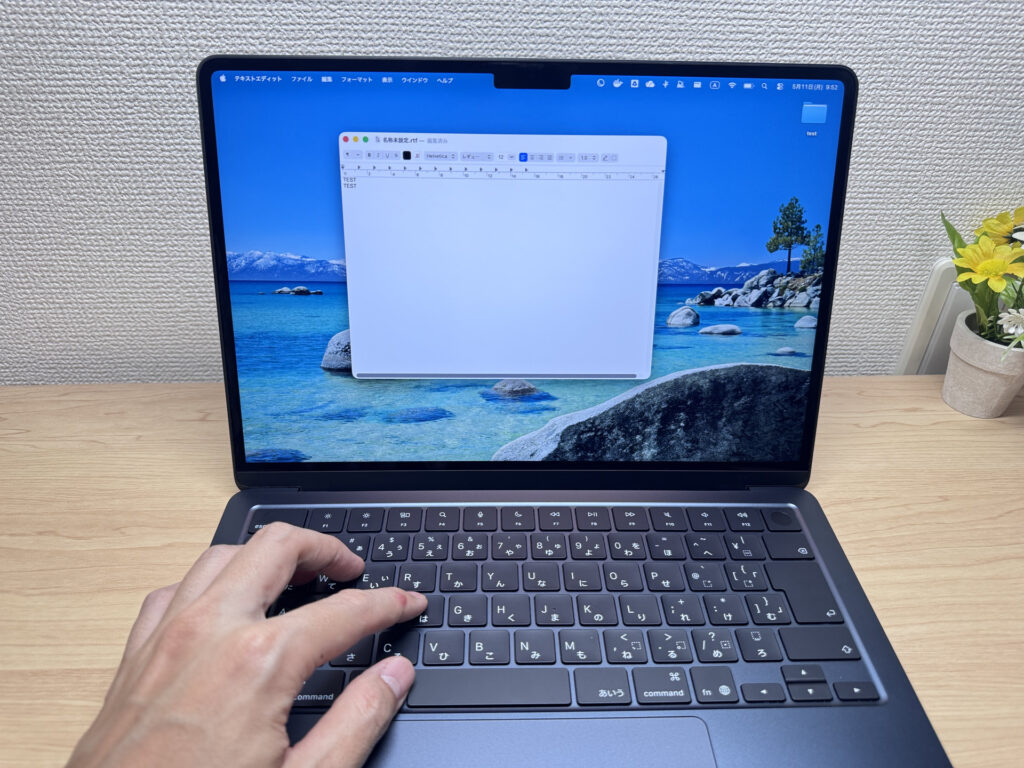 Thin chassis, solid key rebound — a satisfying type.
Backlight is included and gets genuinely bright — fully legible in a dark room or late-night session. 🌙
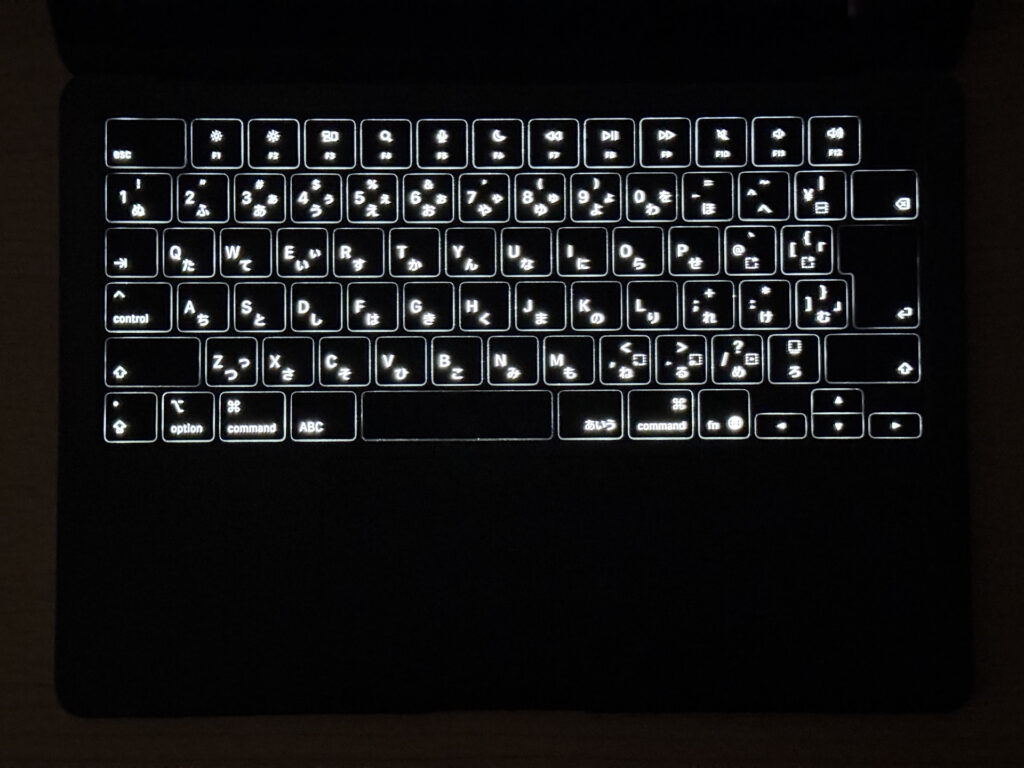 Backlit keyboard handles low-light sessions just fine.
Trackpad
The MacBook trackpad, man. It's big. It's smooth. No other laptop manufacturer is doing this at scale. 😄
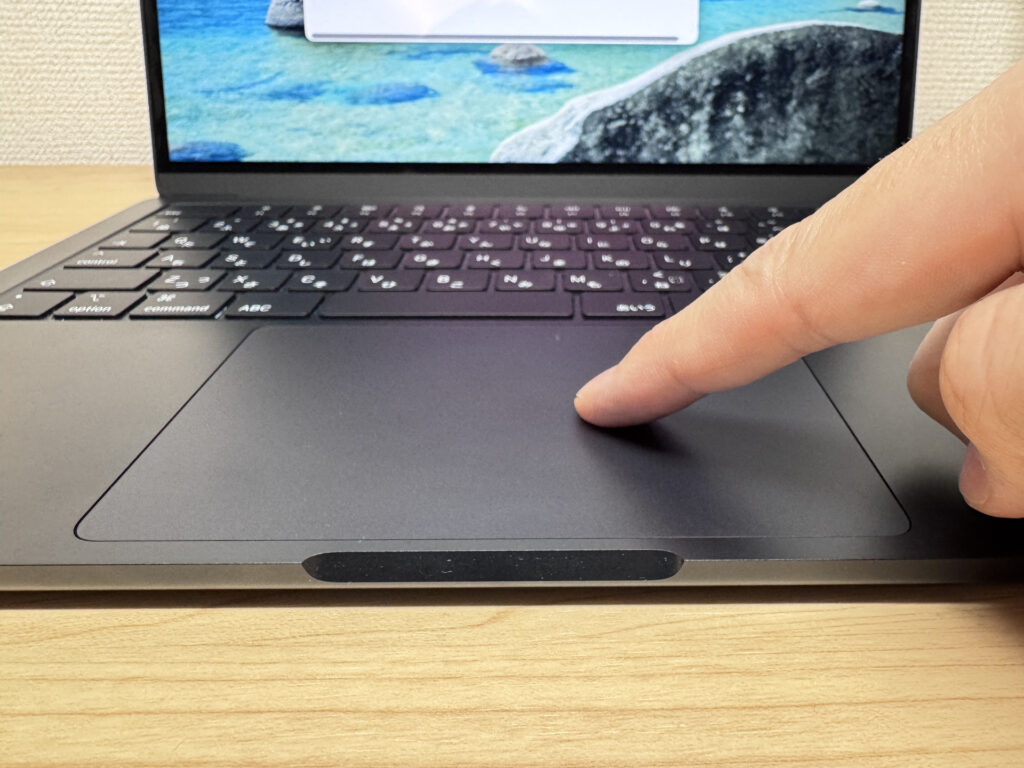 Big, smooth, accurate. This is what a trackpad should be.
Three- and four-finger gestures feel native in macOS — Mission Control, app switching, all buttery. I'm mostly a mouse guy when I'm docked, but I'm still impressed every single time I use this trackpad. Once you get used to a Mac trackpad, going back to Windows is genuinely hard. 😉
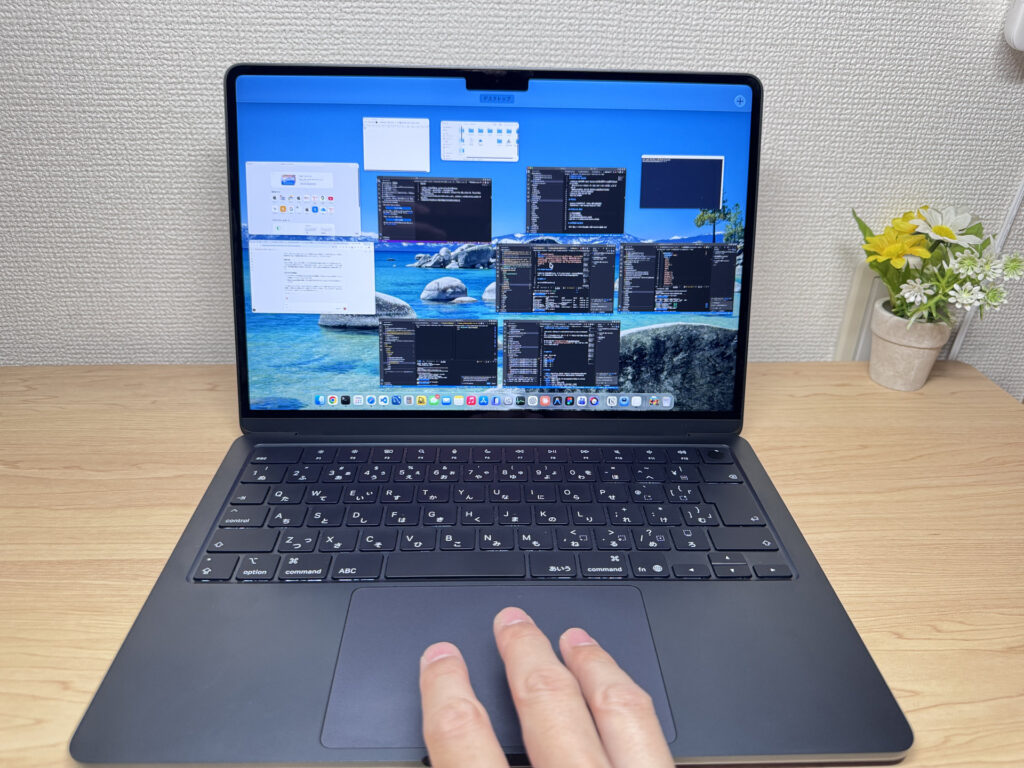 Multi-finger gestures are tight with macOS — feels native.
It's a Force Touch trackpad — haptic feedback simulates the click rather than physically depressing. The big win: consistent click feel no matter where you press on the pad. Normal trackpads get stiffer near the top; this one doesn't. ✅
Performance
The M4 chip is genuinely powerful. Coding, video editing, driving multiple monitors — all handled without a hiccup. Geekbench 6 scores: Single-core 3,637 / Multi-core 14,720.
| Score | Rating | What it feels like in real use |
|---|---|---|
| Up to 1,500 | Bare minimum | Light tasks work, but heavy processing or multitasking feels underpowered. |
| 1,500–2,300 | Light work | Day-to-day use is OK, but heavier tasks introduce noticeable wait times. |
| 2,300–3,000 | Comfortable | Office work, study, and video calls are smooth. Plenty for most people. |
| 3,000–3,500 | High performance | Apps launch quickly and the system feels responsive. Multitasking is smooth. |
| 3,500–4,000 | Very high performance This PC | Daily use feels effortless, with headroom for light editing and development. |
| 4,000+ | Top tier | Excellent responsiveness — single-core performance rarely becomes a bottleneck. |
*Geekbench 6 single-core score measures per-core CPU performance. It reflects everyday "snappiness" — how quickly apps launch and respond.
| Score | Rating | What it feels like in real use |
|---|---|---|
| Up to 4,000 | Bare minimum | Light tasks are fine, but heavy parallel work or video editing feels underpowered. |
| 4,000–8,000 | Light work | Day-to-day use is OK, but heavier processing introduces wait times. |
| 8,000–12,000 | Comfortable | Office work, study, video calls, and light photo editing are all comfortable. |
| 12,000–17,000 | High performance This PC | Multitasking, light-to-medium editing, and somewhat heavier processing are all manageable. |
| 17,000–22,000 | Very high performance | Video editing and heavy workloads are smooth, with headroom under load. |
| 22,000+ | Top tier | Even very heavy or creative workloads rarely feel constrained. |
*Geekbench 6 multi-core score measures parallel CPU performance. It reflects comfort with heavier workloads like video editing and running many apps at once.
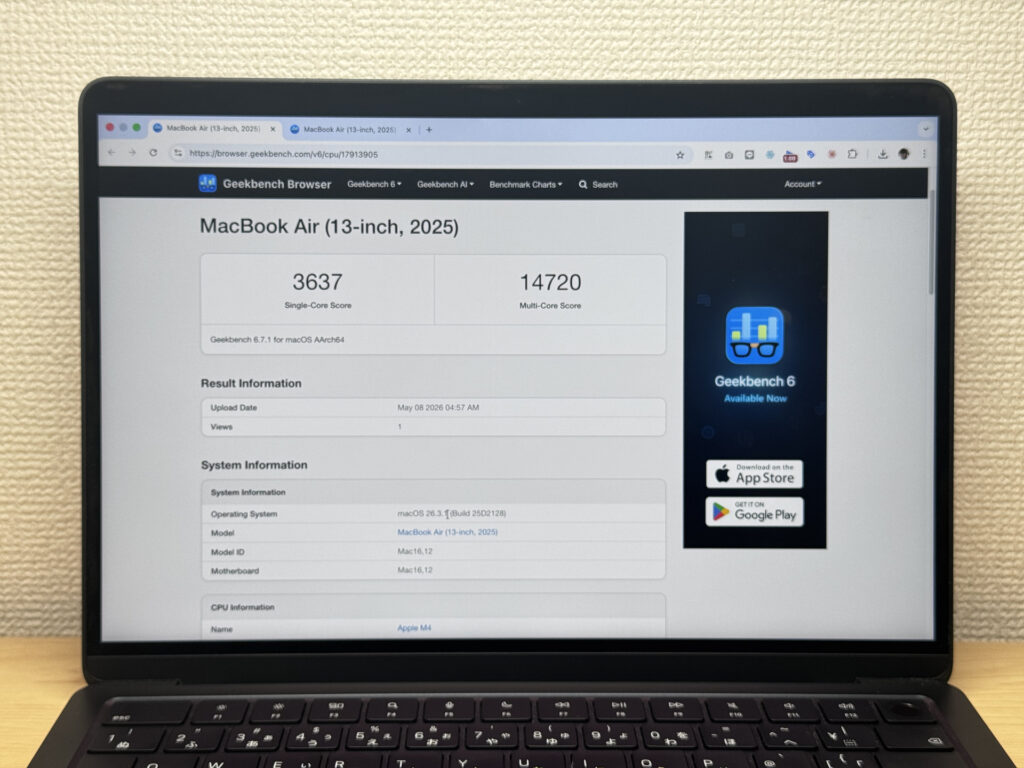 Geekbench 6 CPU: 3,637 single / 14,720 multi — strong numbers for an Air.
GPU-wise: Steel Nomad Lite hit 2,985, and Geekbench GPU came in at 35,911. Honestly, I was surprised. 😮 "I didn't know an Air could do that" was my exact reaction.
| Score | Rating | What it feels like in real use |
|---|---|---|
| Up to 400 | Bare minimum | 3D performance is quite limited. Not really suited for gaming. |
| 400–900 | Light 3D | Lighter games and low-load 3D processing work. |
| 900–1,500 | Average (mainstream) | Standard for integrated GPUs. Light to medium games playable with right settings. |
| 1,500–2,200 | High performance | Strong for an integrated GPU. Games and 3D work feel comfortable. |
| 2,200+ | Very high performance This PC | Top-tier 3D performance for thin laptops. Real graphics headroom. |
*3DMark Steel Nomad Light targets thin laptops and integrated GPUs. Score range differs from Time Spy, so direct comparison isn't valid.
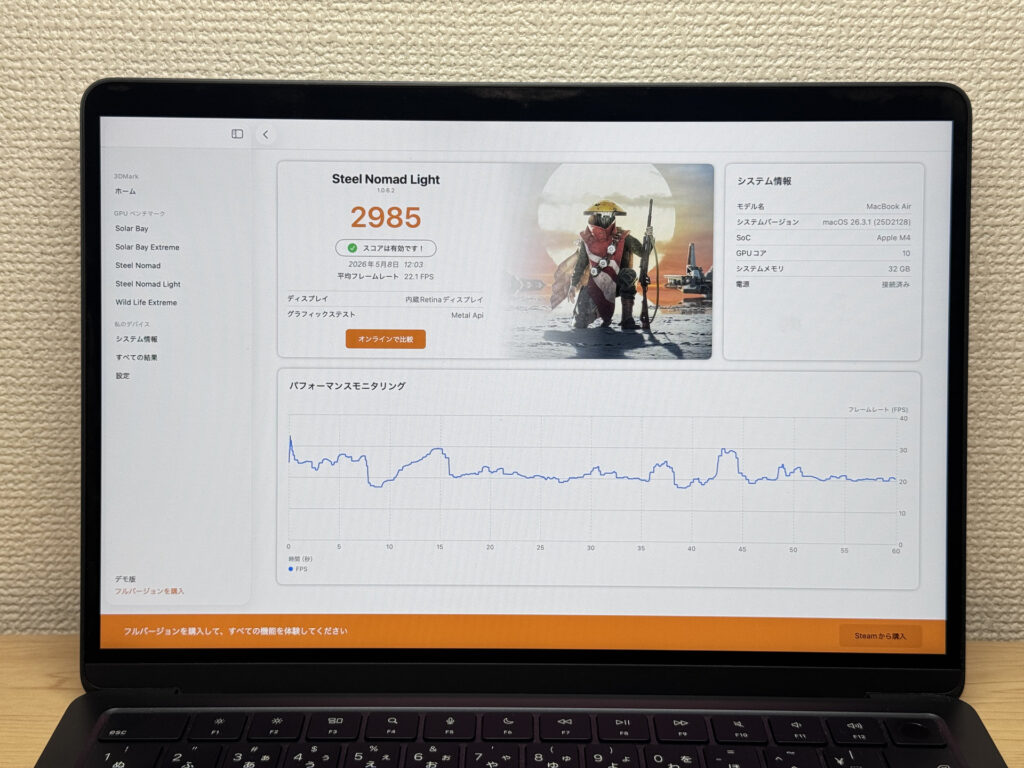 3DMark Steel Nomad Lite: 2,985.
 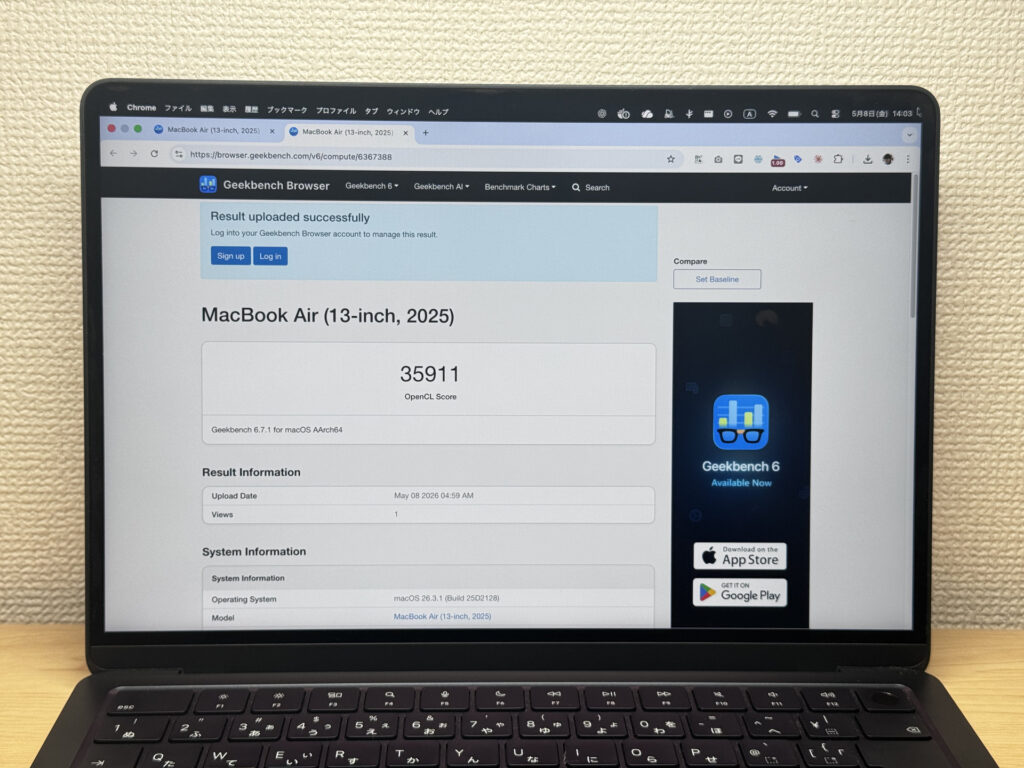 Geekbench GPU: 35,911.
Storage reads hit 3,177 MB/s. Some Windows laptops at this price push 5,000–6,000 MB/s on paper, but you will not feel the difference in real-world use. Files move fast — end of story.
| Score | Rating | What it feels like in real use |
|---|---|---|
| Up to 600 MB/s | Bare minimum | Faster than HDD, but slow for modern SSDs. App launches feel slightly slow. |
| 600–1,500 MB/s | Average | Fine for daily use, though loading is noticeably slower than top-tier SSDs. |
| 1,500–3,500 MB/s | Comfortable (mainstream) This PC | App launches and file loading feel smooth. No real complaints in daily use. |
| 3,500–5,500 MB/s | Fast | Loads large data and apps quickly. Definitely upper-tier SSD speed. |
| 5,500+ MB/s | Very fast | High-end NVMe territory. Heavy data work without waiting. |
*CrystalDiskMark measures SSD speed. It mainly affects app launch and file loading speed, not overall PC performance.
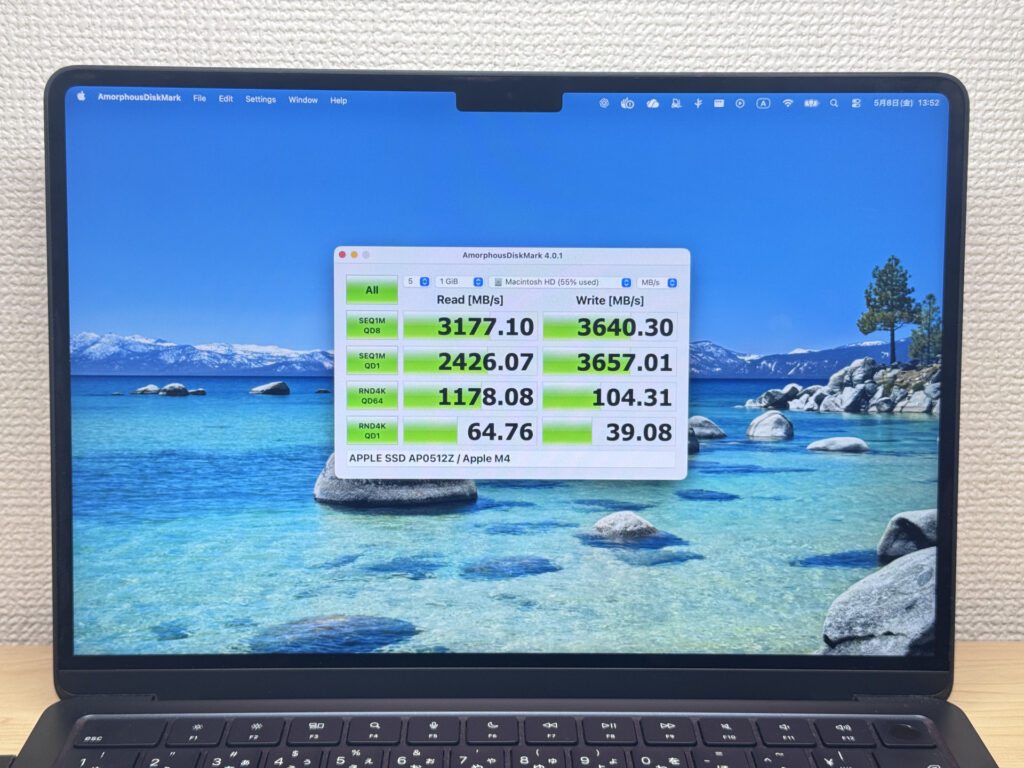 Storage read: 3,177 MB/s — plenty fast in practice.
Battery Life
Battery verdict: excellent stamina
53Wh battery + M4 efficiency = solid real-world endurance. Apple's 18-hour claim is the optimistic ceiling, but for light-to-moderate work, all-day use away from an outlet is totally realistic. The fanless design helps too — less heat, less wasted energy. Just keep in mind that sustained video editing or running multiple monitors will eat through the battery faster. And since it charges via USB-C, you don't need Apple's charger — any quality USB-C charger gets the job done. 🔌
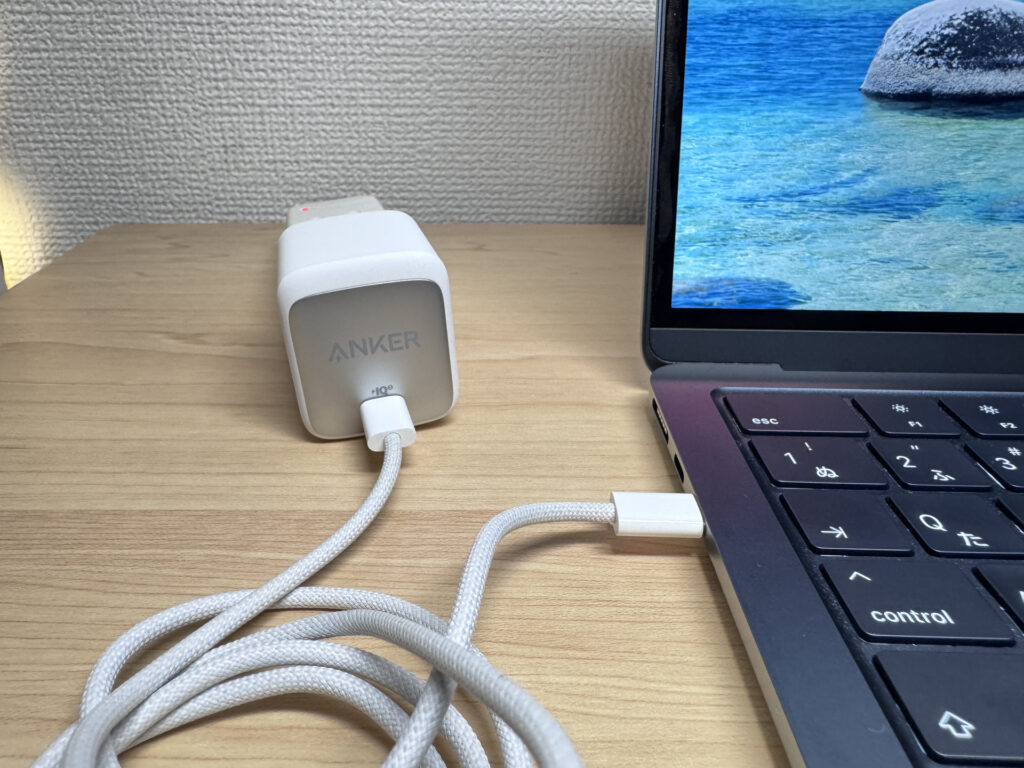 USB-C charging means any decent charger works — not just Apple's.
Fan Noise & Heat
This thing is completely silent. Like, unsettlingly silent the first time you use it. No fan means no fan noise — ever. If you've been annoyed by a laptop spinning up during a Zoom call or a compile run, the absence of that sound here is genuinely freeing. Fanless is the right call. 😄
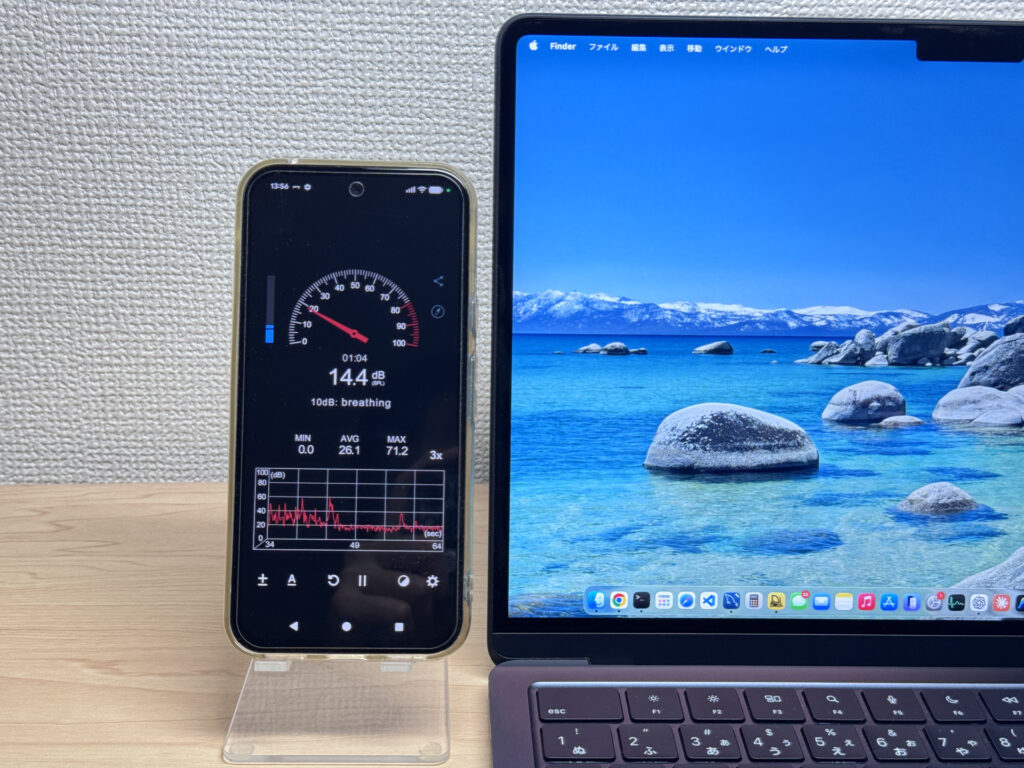 Zero fan noise. The decibel meter is basically decoration here, lol.
Ports & Connectivity
Left side: two Thunderbolt 4 USB-C ports and MagSafe. Right side: headphone jack only. The port selection isn't expansive. 😅 No USB-A, no HDMI — if you have a bunch of peripherals, a USB-C hub becomes a given.
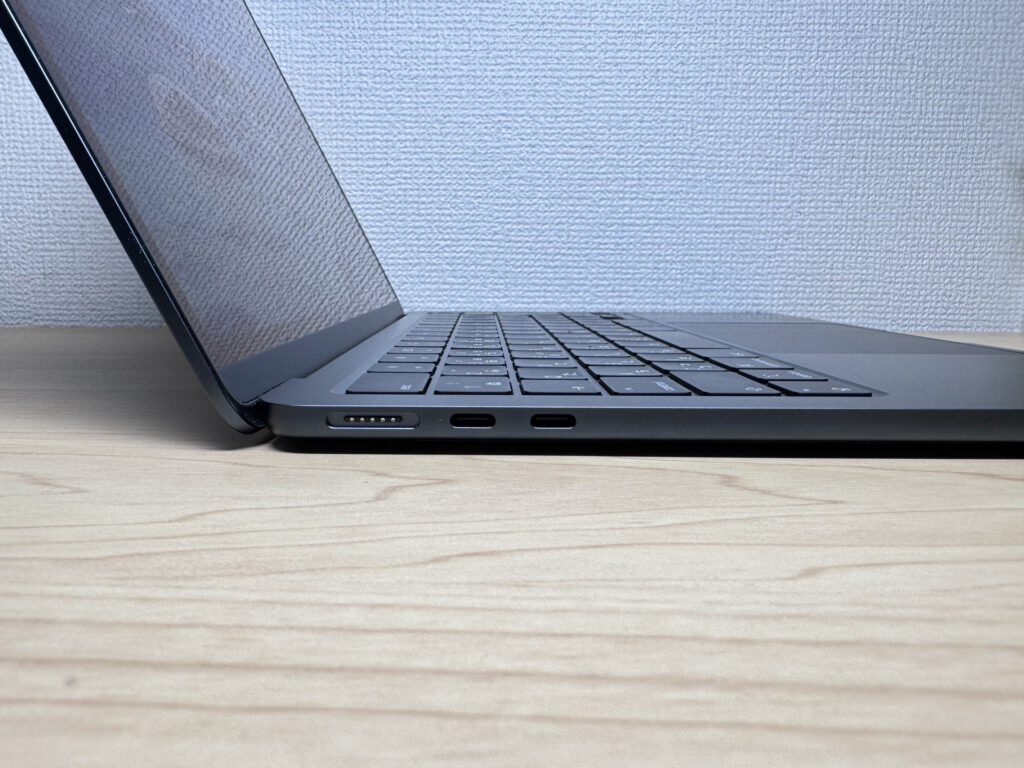 Left: Thunderbolt 4 ×2 + MagSafe.
 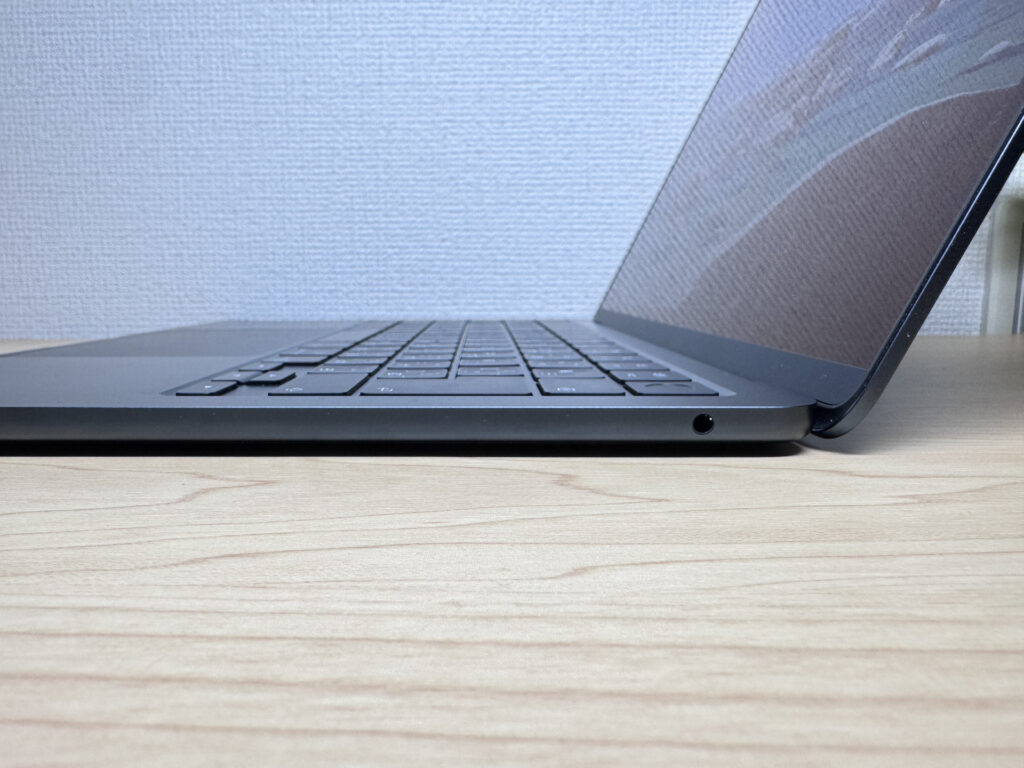 Right: just a headphone jack.
That said, one decent USB-C hub unlocks HDMI, USB-A, SD card — basically everything. In practice, I run a monitor, speakers, and a webcam off mine without issues. "Two ports, but it works out" is an honest summary.
One USB-C cable to a 27" 4K monitor opens up a ton of screen real estate.
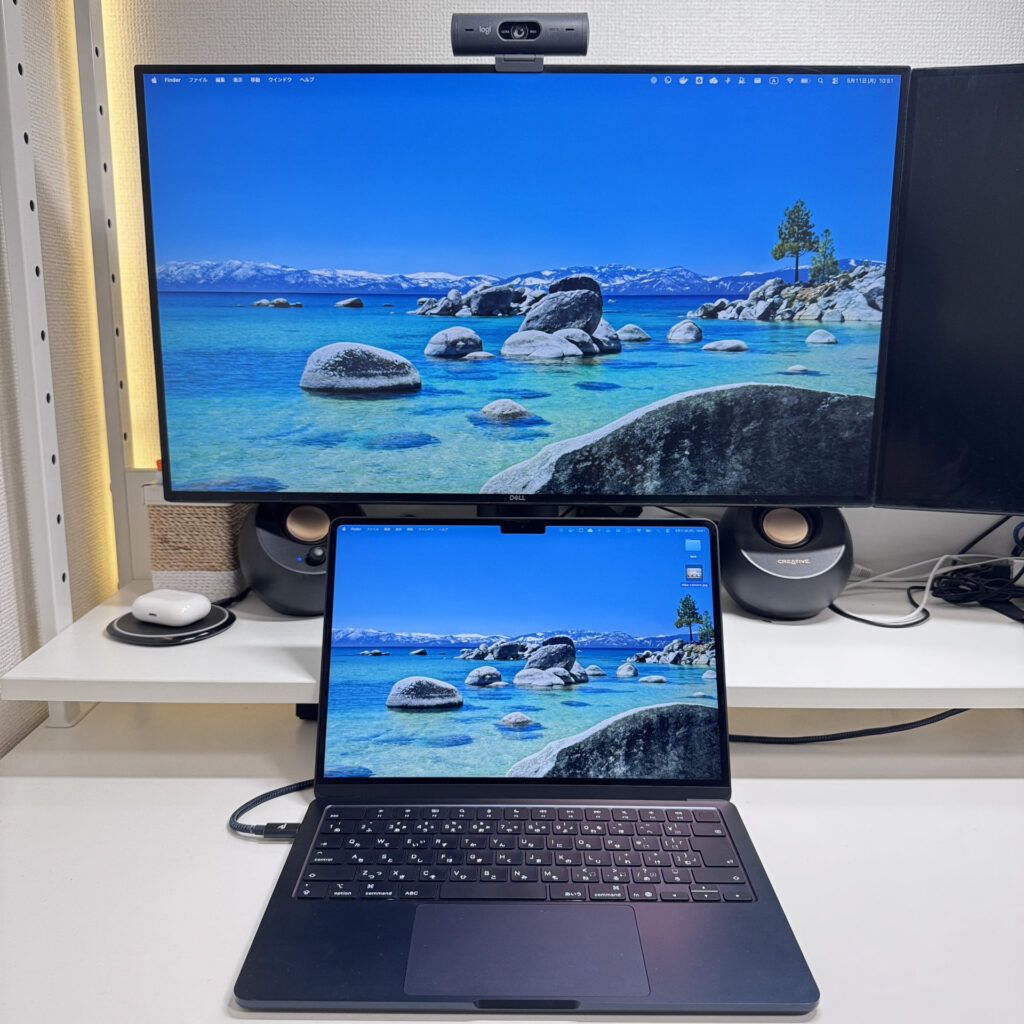 A USB-C monitor is a solid upgrade — highly recommend.
My personal setup: two external monitors via USB-C, Apple keyboard and mouse, MacBook Air (13-inch, M4, 2025) in clamshell mode all day. Going desktop with this machine absolutely levels up your productivity.
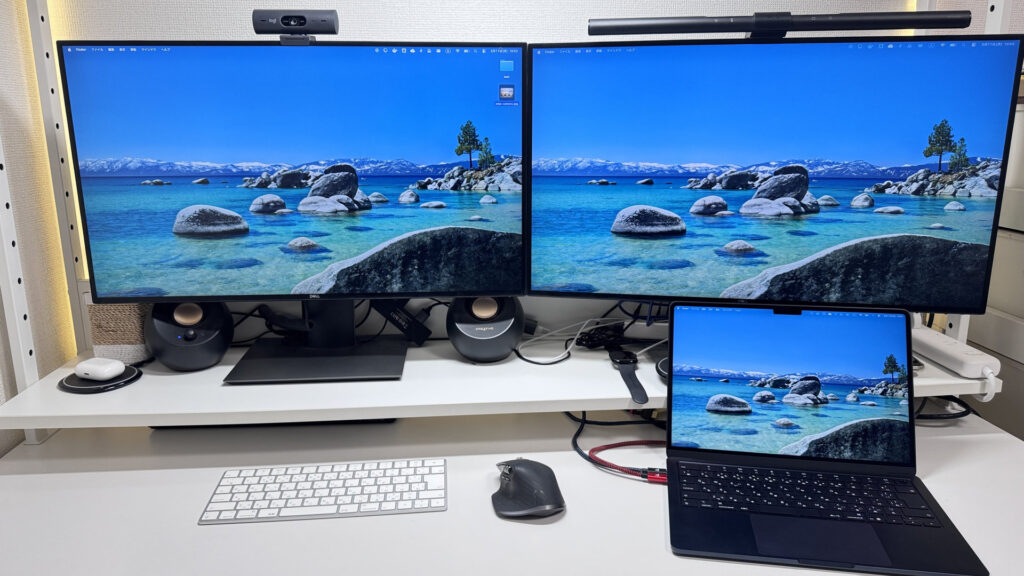 One USB-C cable to a 4K monitor — clean desk, big screen.
One more thing I love: since it's Apple Silicon, clamshell mode is genuinely worry-free. On old Intel Macs, running with the lid closed would heat things up fast and I'd worry about longevity. The Silicon chip runs so much cooler that I just leave it closed and forget about it. Highly recommend. 👍
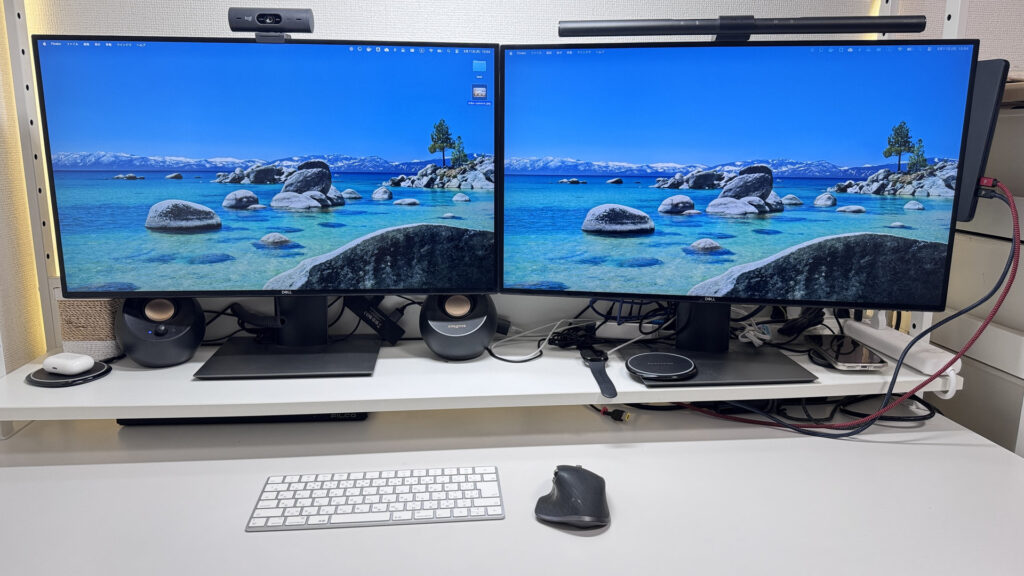 Clamshell + dual monitors: my favorite way to use this thing.
Webcam
12MP webcam, and the image is surprisingly bright. The sensor handles low-light rooms well — you don't look like a silhouette on video calls. The built-in camera is good enough that you'll never feel the urge to do the whole "use your iPhone as a webcam" thing. 😄
 12MP webcam with solid low-light performance — video calls look great.
No physical privacy shutter though, so if that matters to you, grab a stick-on cover.
Speaker Quality
I genuinely didn't expect speakers this capable from a chassis this thin. The low end is actually present, and the mids have real body. I watched a movie on Amazon Prime and it felt like a proper viewing experience — not "laptop speakers trying their best." 🎬 Pair that Retina display with these speakers and media consumption is legitimately good.
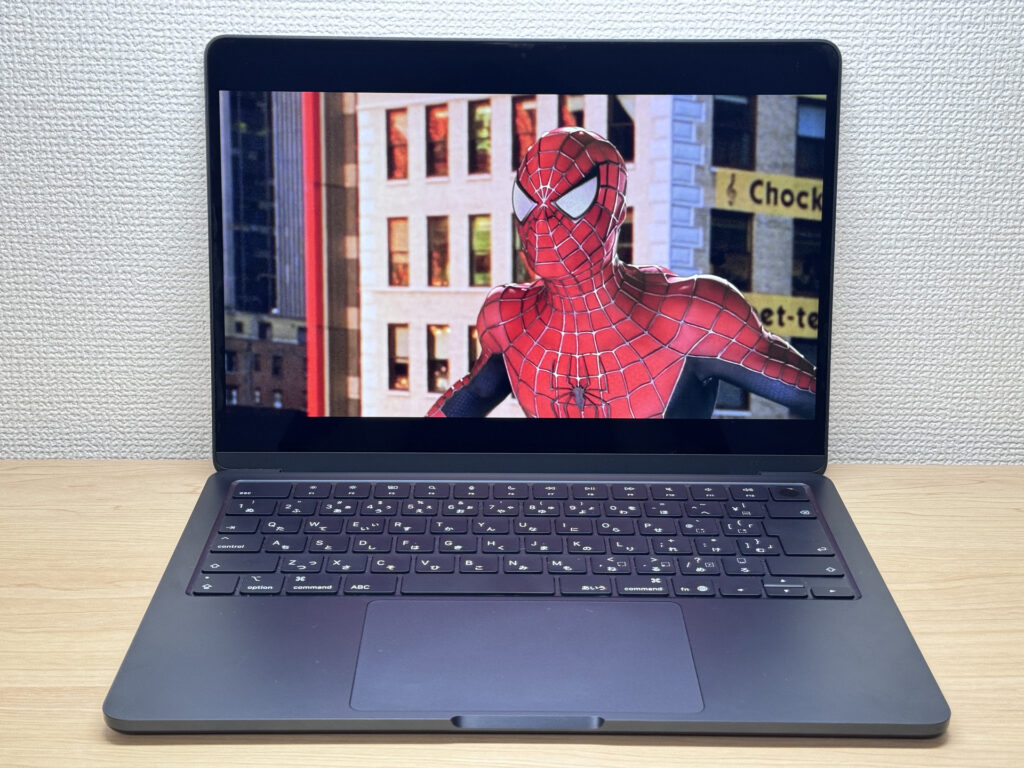 Thin chassis, real bass — surprisingly capable speakers.
Security
Touch ID is built into the power button. Login, browser passkeys — all handled with a fingerprint tap. ✅ It's one of those things you start to take for granted, and then you use a laptop without it and immediately miss it.
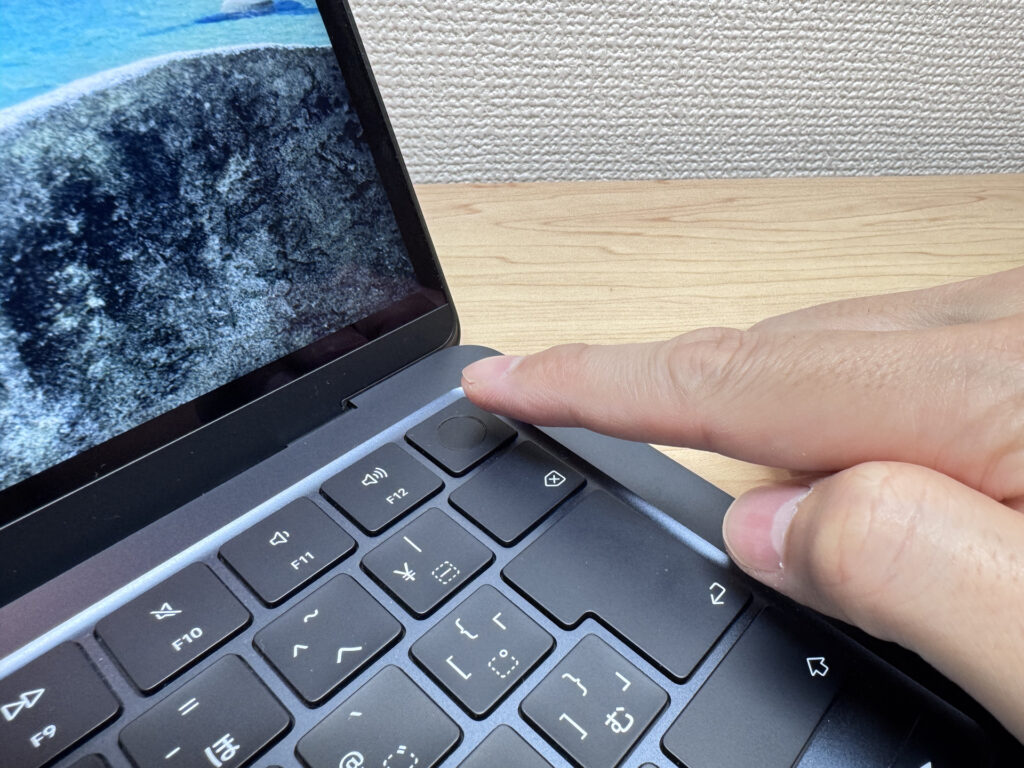 Touch ID in the power button — fast and reliable.
Verdict
The M4 chip genuinely changed the MacBook Air's positioning. Programming, video editing, dual 4K monitor setups — this machine handles it all in complete silence. At 2.7 lbs (1.22 kg) with a 5.7 oz charger, portability is top-tier. The trade-off is real though: two USB-C ports means a hub is practically required if you run a lot of peripherals. But if you want to work without fan noise, without weight in your bag, and without worrying about battery — this is the one. ✌️
✅ Great if you...
- Carry your laptop to campus, the office, or coffee shops every day
- Want all-day battery without hunting for an outlet
- Work in quiet spaces like a library or co-working space
- Need a capable machine for writing, editing, and everyday tasks
⚠️ Think twice if you...
- Have a lot of peripherals — USB-C only means a hub is basically required
- Need heavy gaming or serious external GPU performance
Fanless, featherlight, and fast enough to make the Pro feel pointless.
Where to Buy
* Prices may vary. Please check each store for the latest price and availability.
Where this laptop ranks

About the author