ZippyScore
ZippyScore is a proprietary rating based on 6 criteria: performance, portability, display, battery, value, and connectivity.
See rating criteria
- Performance: CPU / GPU performance
- Portability: Screen size & weight
- Display: Panel type, aspect ratio & refresh rate
- Battery: Rated battery life
- Value: Specs-to-price balance
- Connectivity: Port types & count
Pros & Cons
Pros
- At 964g on our scale, it's light enough to carry every day without feeling like a chore
- With 32GB of memory, it stays smooth even when you're juggling multiple tasks
- The OLED display makes video and photos genuinely pop
- A large battery rated for about 22.8 hours means you can go all day without hunting for an outlet
- The pressure-sensitive haptic trackpad lets you click reliably all the way up to the top edge
Cons
- Only three USB-C ports, so you'll likely need a hub if you've got a lot of peripherals
- The glossy display picks up noticeable glare from overhead lighting
- Pricing runs a bit high, so it's worth waiting for a sale
Specs Summary
| OS | Windows 11 Pro |
|---|---|
| CPU | Intel Core Ultra 7 355 (PassMark: 20,954) |
| RAM | 32GB |
| Storage | 1TB |
| Display | 14" OLED (Touchscreen) 2880x1800 (16:10) |
| Weight | 0.97 kg (2.15 lbs) |
| Ports | USB-C × 3 (Thunderbolt 4/40Gbps/PD/Video out) |
| GPU | Intel Graphics (G3D Mark: 3,183) |
| Biometrics | Face Recognition |
| Battery | Up to 22.8 h (Capacity: 75 Wh) |
| Camera | 5.0 MP |
| Dimensions | Approx. 312.6 × 213.8 × 13.9 mm (W × D × H) |
| Wi-Fi | Wi-Fi 7 |
| Bluetooth | Bluetooth 5.4 |
| Color | Seashell / Cosmic Blue |
Configurations vary by retailer, region, and availability.
Hands-on Review
Time to get into the Yoga Slim 7i Ultra Gen 11 Aura Edition hands-on. Here's the exact configuration I tested:
| Spec | Review Unit Configuration |
|---|---|
| CPU | Intel Core Ultra 7 355 |
| Memory | 32GB |
| Storage | 1024GB SSD |
| Display | 14-inch OLED (2880x1800, 120Hz) |
| Graphics | Intel Graphics |
| Color | Sea Shell |
※Configurations may vary depending on when and where you buy.
Design
First, let's look at the overall design. The chassis is wrapped in a magnesium-aluminum alloy, and what really stands out is that it's light, yet has this smooth, almost silky texture. Fingerprints barely show up, and it just feels great to hold 👌.
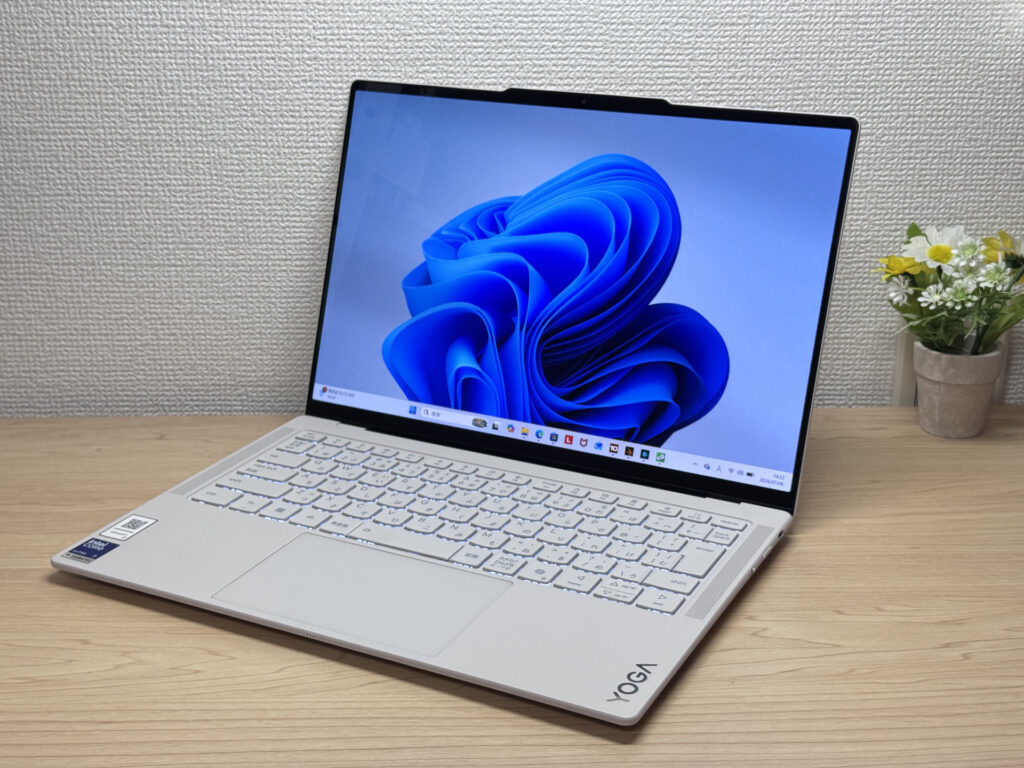 That silky magnesium-aluminum finish makes for a gorgeous front design!
There's a YOGA logo tucked in the bottom right corner, adding a nice touch of premium flair.
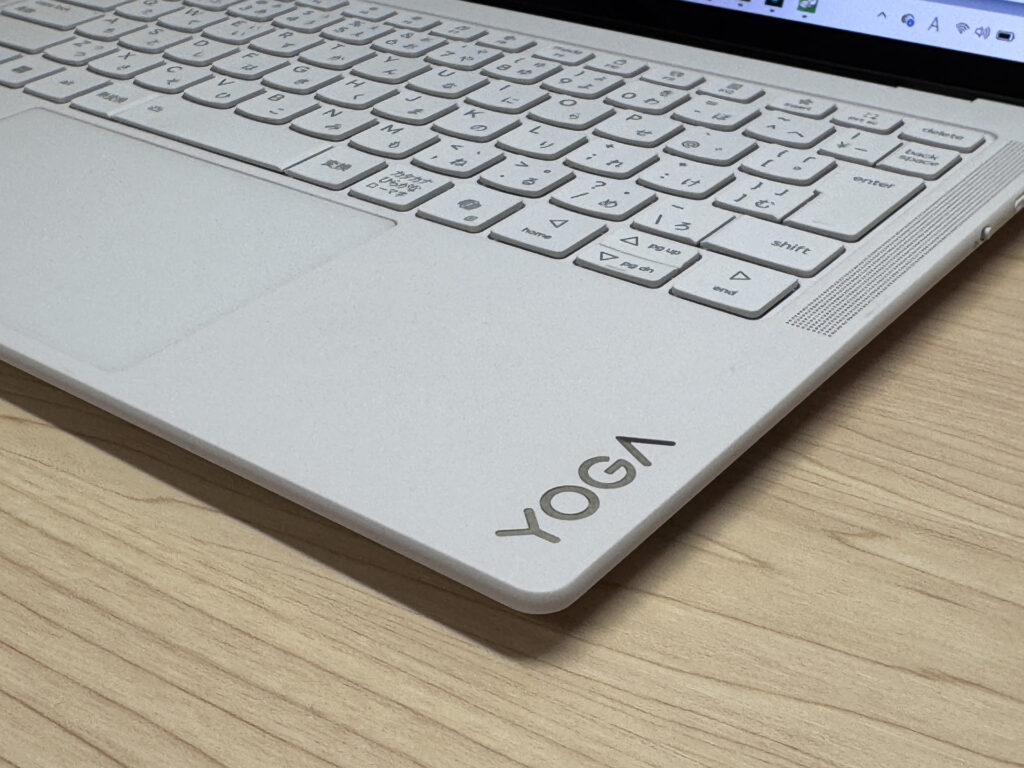 The subtle YOGA logo adds a premium touch
The lid also has a silver Lenovo logo, giving it a nice accent point. This is a genuinely beautiful laptop ✨.
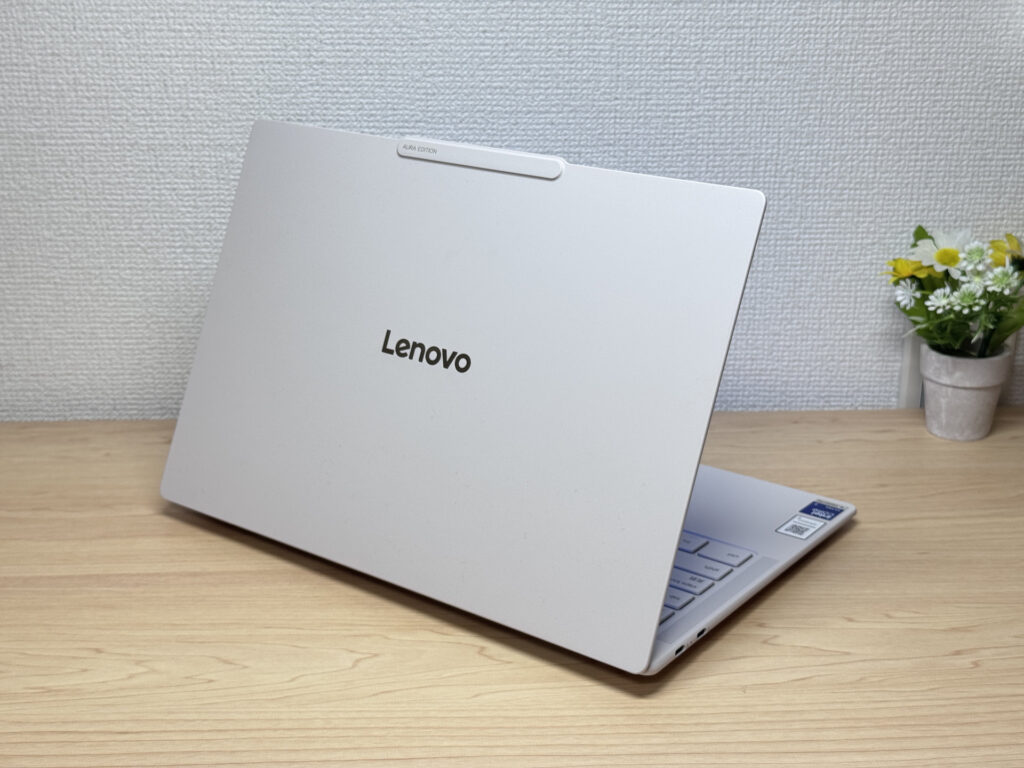 A silver Lenovo logo rounds out the back design
At 13.9mm thick, it's properly slim — true to the Yoga Slim name. The tradeoff for that thinness is that you're stuck with USB-C only, which is admittedly a downside, but the way it slips into a bag makes up for it.
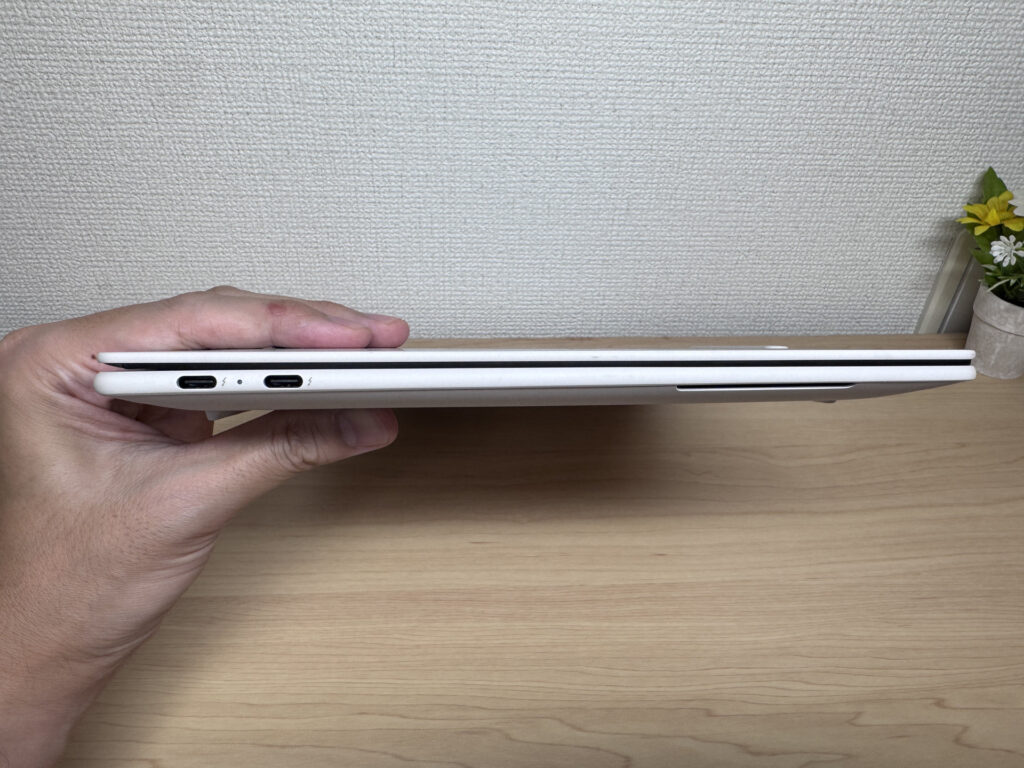 At 13.9mm thick, it slides right into a bag. Thin!
The bottom panel keeps the screw holes hidden, and the airflow design is efficient, pulling air in and pushing it out through the mesh vents. The rubber feet grip well too — I never had the laptop slide around while typing.
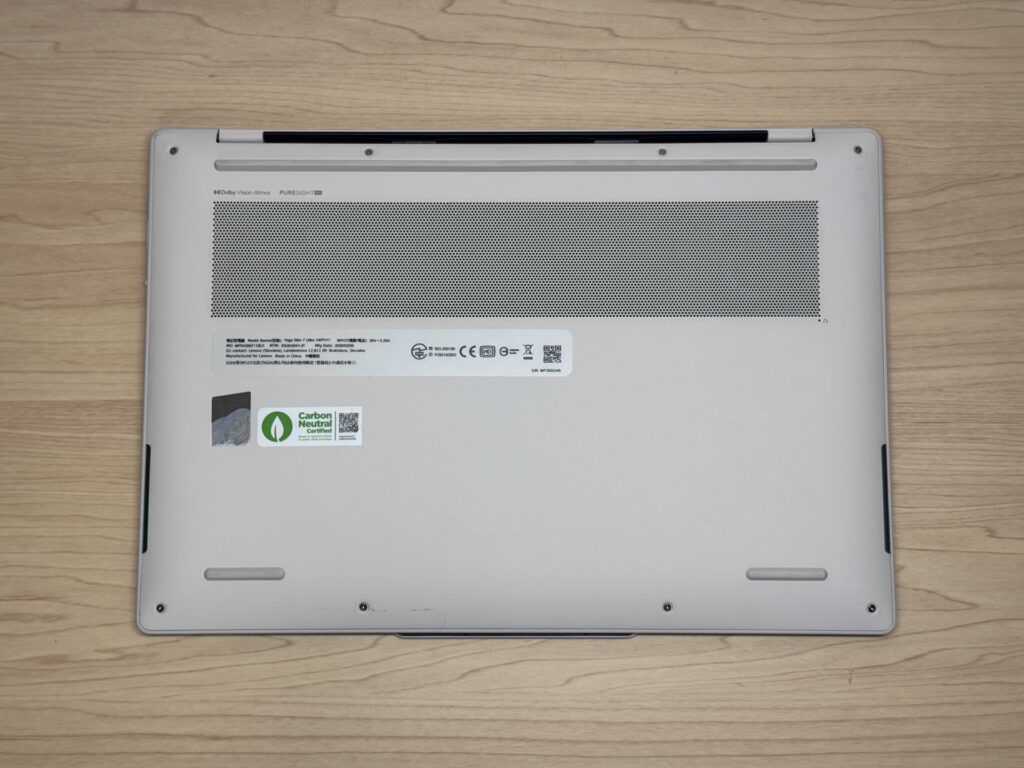 The rubber feet hold firm even while typing
Opening the lid is smooth and one-handed thanks to a high-quality hinge. The camera bump sticks out just slightly, giving you something to hook a finger under to pop it open easily. Max opening angle is around 170 degrees — a bit more conservative than some other Lenovo machines that go up to 180, but honestly, that's not something I found myself missing.
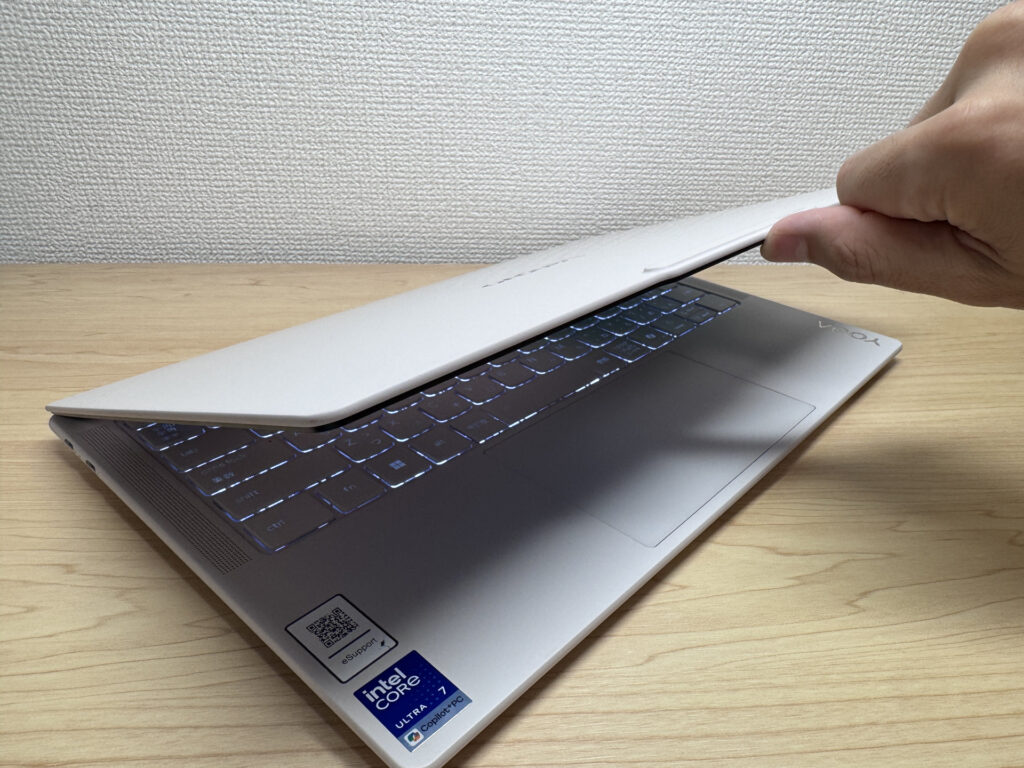 A quality hinge that opens smoothly with one finger
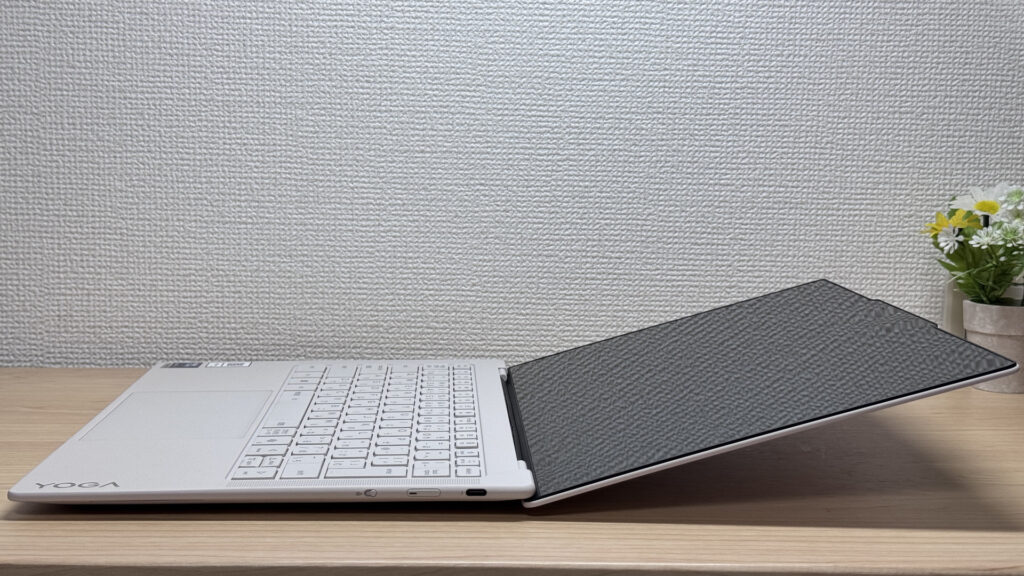 Opens to about 170 degrees. Not hitting 180 doesn't really hurt in daily use
Portability
Next, portability. On my scale, it came in at 964g — actually lighter than the official spec. Coming in under 1kg, at a class-leading 964g (2.1 lbs), this thing is genuinely easy to carry around.
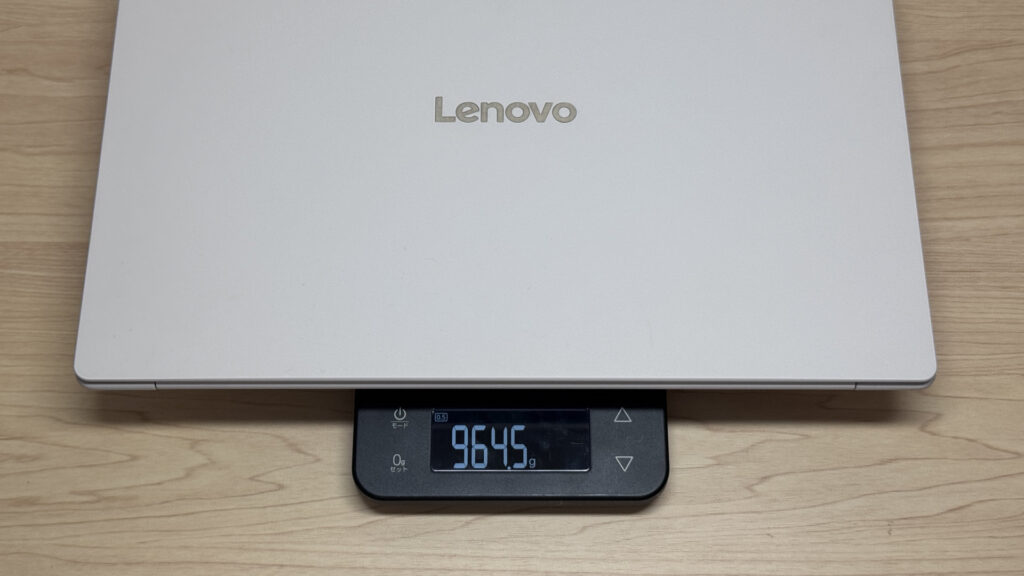 964g (2.1 lbs) on my scale — among the lightest laptops out there!
The included 65W USB-C charger is light too, weighing in at 176g, so even with the laptop it doesn't add much bulk. That said, at this price point, I honestly would've liked to see a folding AC plug.
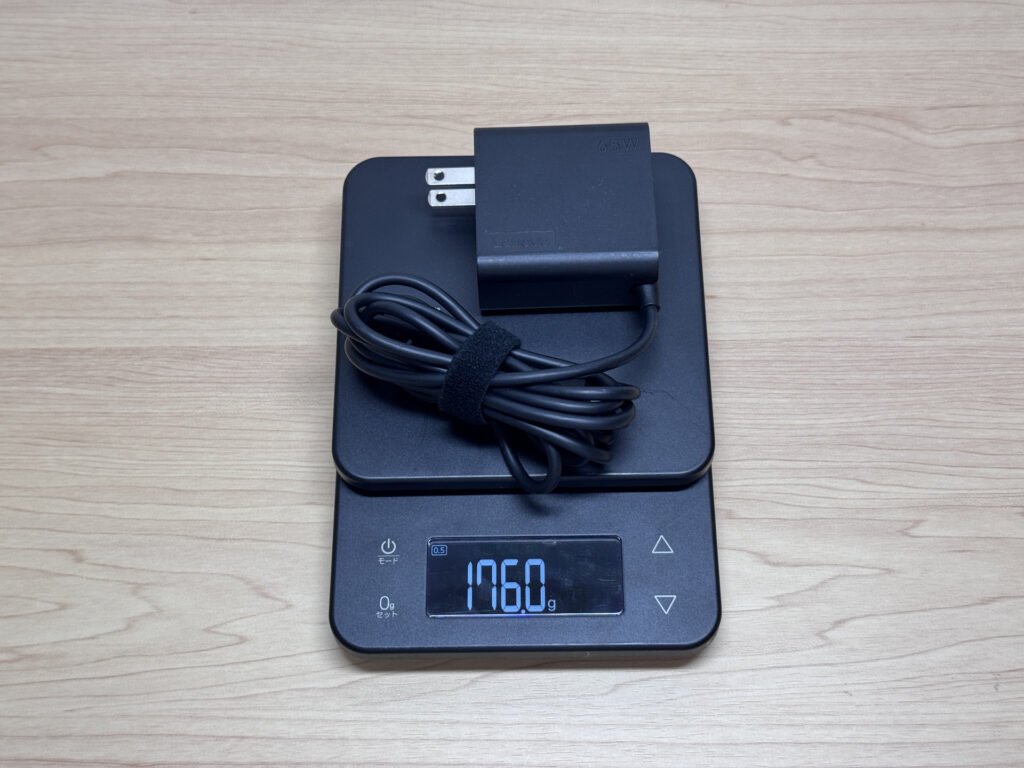 A lightweight 65W USB-C charger at 176g
Holding it in one hand, the sub-1kg weight makes it effortless. Whether you're moving between meeting rooms or just switching where you work at home, that lightness really pays off 👍.
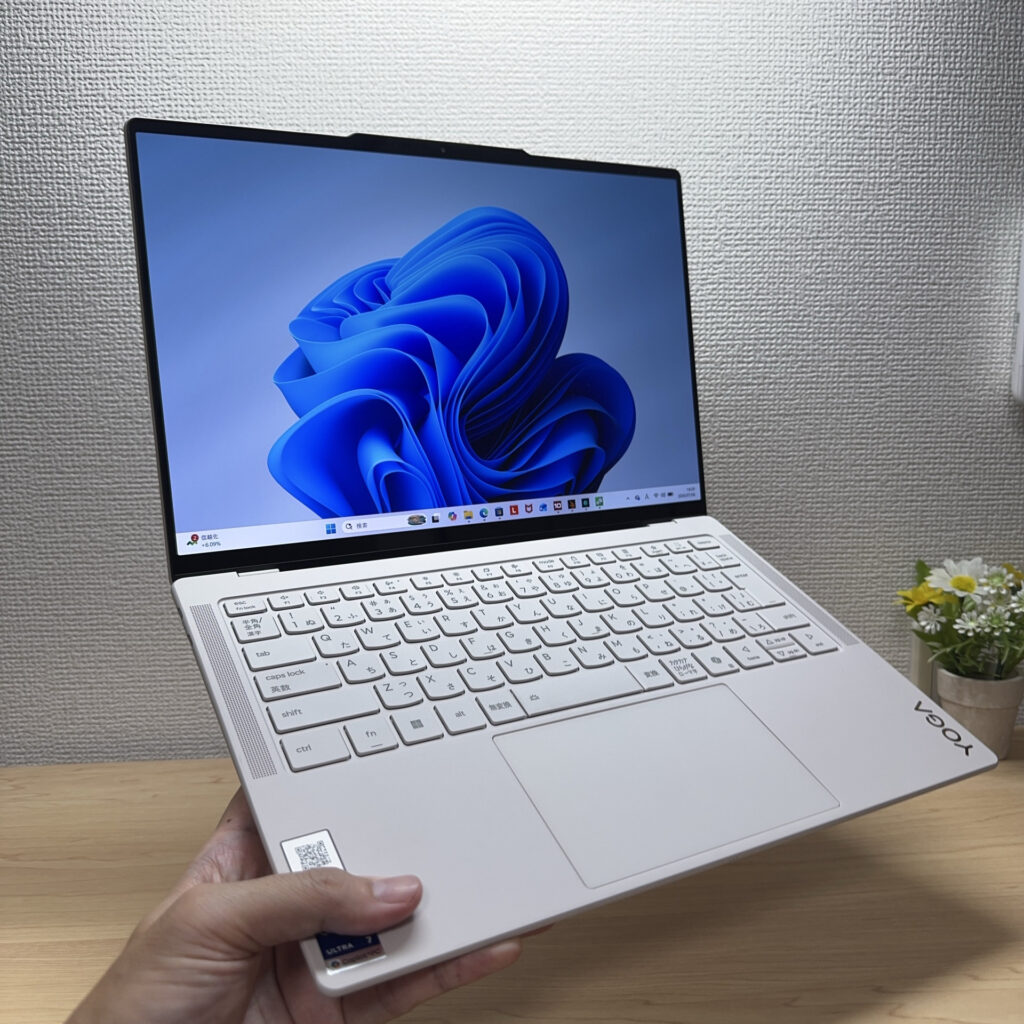 Easy to hold with one hand at 964g
Display quality
Now the display. The unit I tested has a 14-inch, 2.8K OLED panel with touch support, Corning Gorilla Glass for scratch resistance, and a 120Hz refresh rate. The colors are vivid — this is OLED doing what OLED does best.
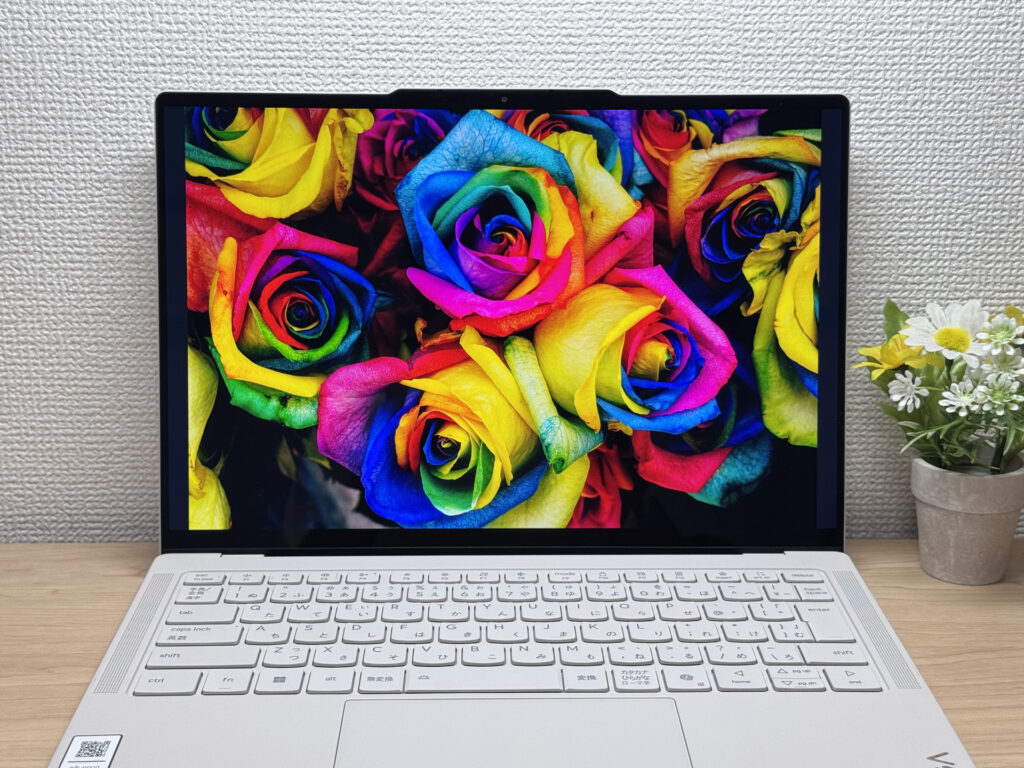 Deep blacks that only OLED can pull off!
I also opened up VS Code to try some coding, and thanks to the OLED panel, text was extremely easy to read — this laptop handles programming just fine too.
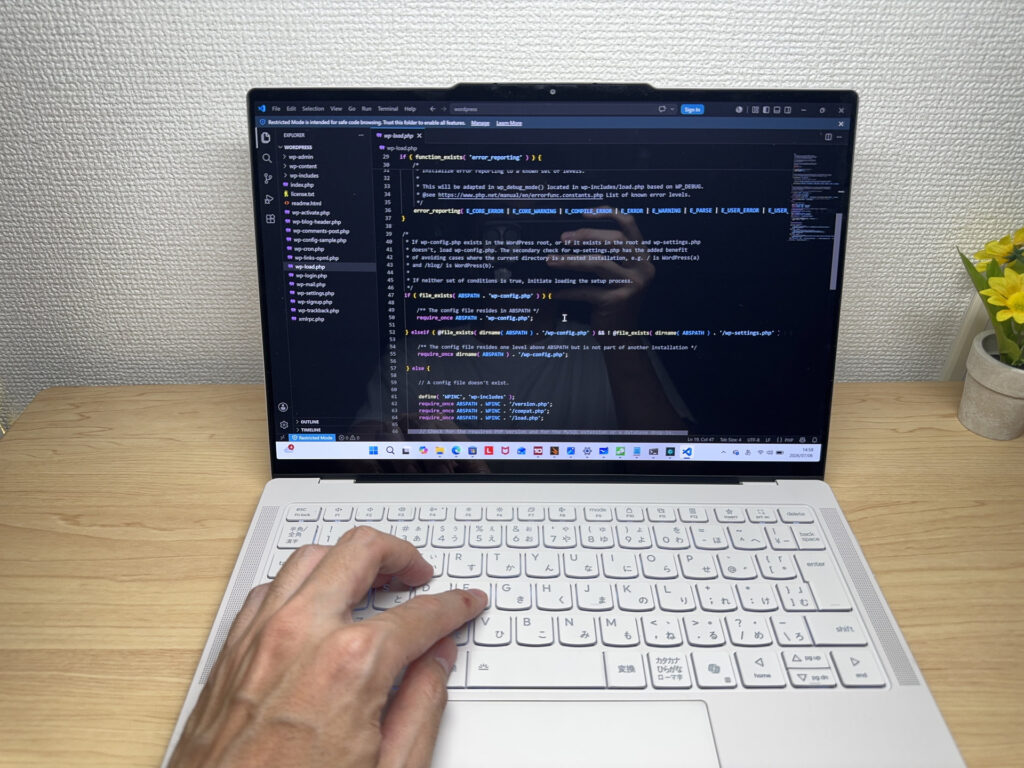 Great for programming too.
Viewing angles are wide — the colors barely shift even from the side. Rather than having to tilt the screen just right, it just looks good from pretty much any angle.
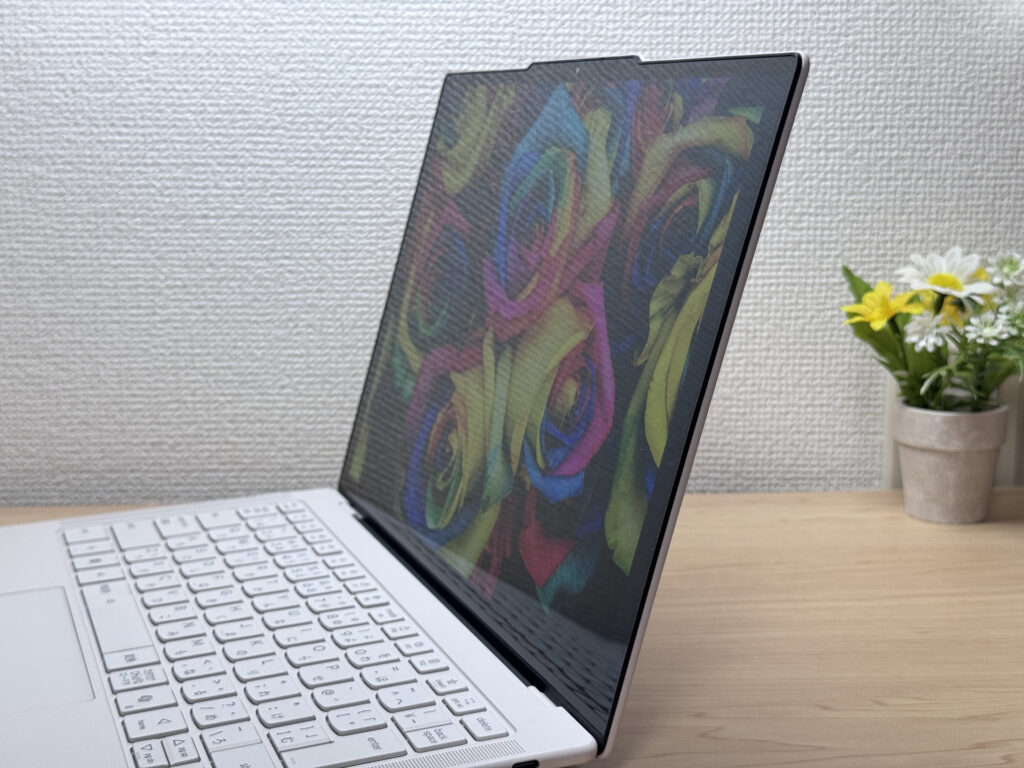 Colors hold up even from the side.
The 120Hz refresh rate also makes window management and scrolling feel buttery smooth. And since it's touch-enabled, you can sketch with a pen or navigate windows with your finger just fine. It's a bit awkward to write directly on since it's a clamshell, but having touch support at all opens up more intuitive ways to interact with it.
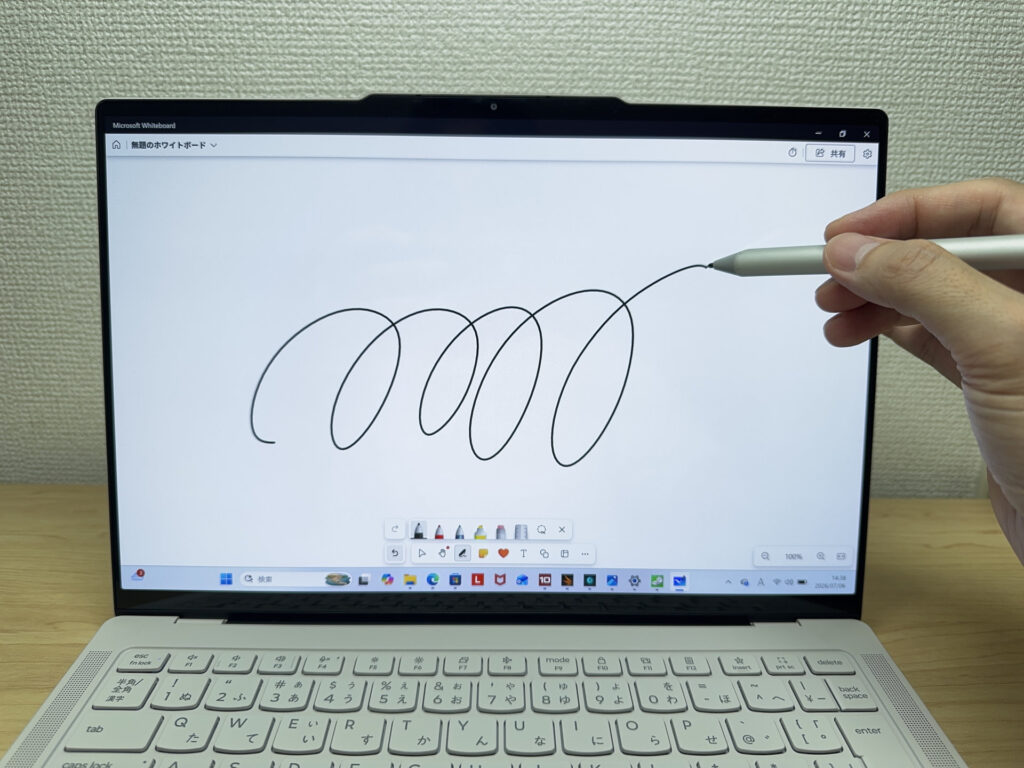 Touch support adds some intuitive control. Not that I do much handwriting though.
The 16:10 aspect ratio also means more vertical space than a 16:9 screen, which makes it easier to view documents at a glance.
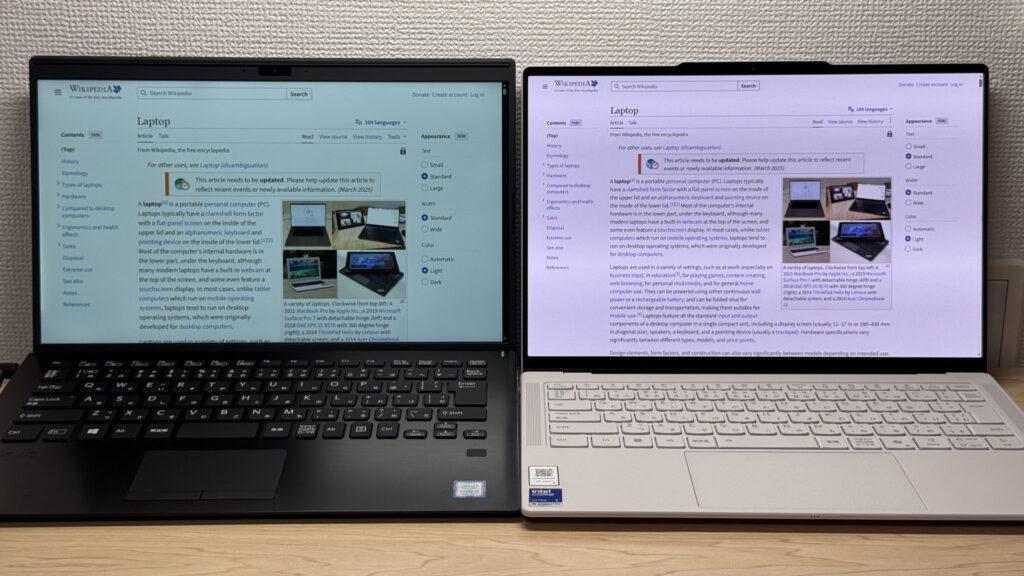 16:10 means more screen real estate for viewing documents (right)
One thing that bugged me a bit was glare. It's a glossy panel, so fluorescent lighting reflects fairly noticeably. I was hoping for better anti-glare coating on a laptop at this price, but it's not a dealbreaker — tilting the screen slightly gets rid of most of it.
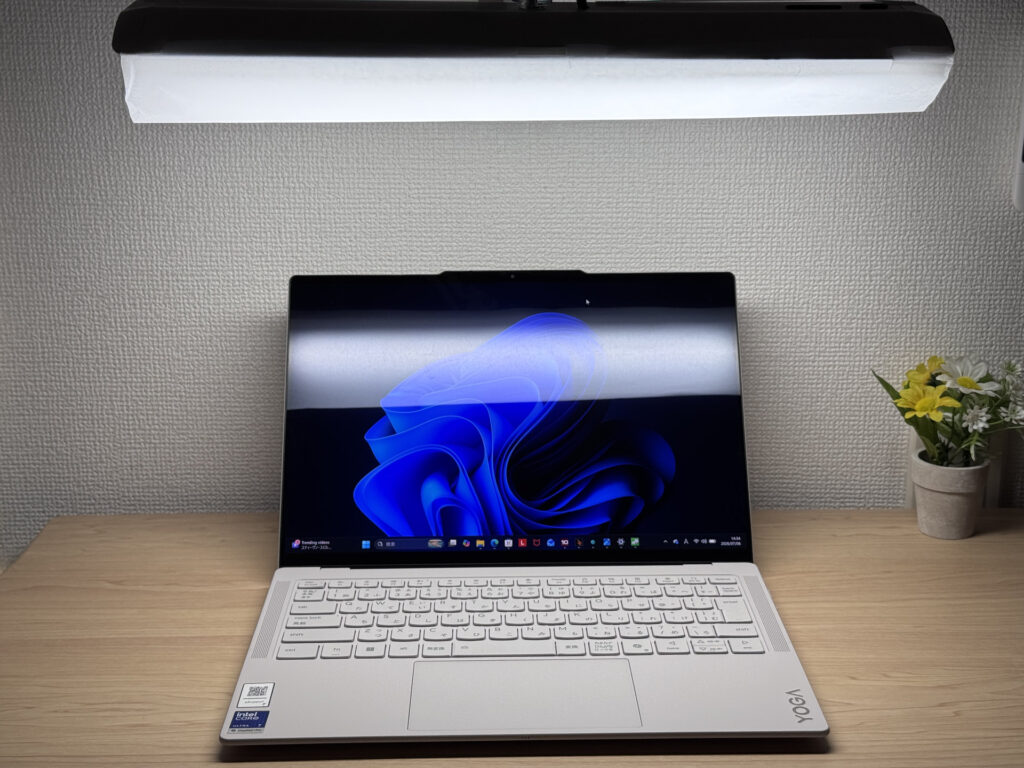 Fluorescent light reflections are a bit noticeable
Keyboard feel
Next, the keyboard. The unit I borrowed has a Japanese layout, but the overall layout doesn't feel unusual for a global manufacturer's product — it's straightforward to use.
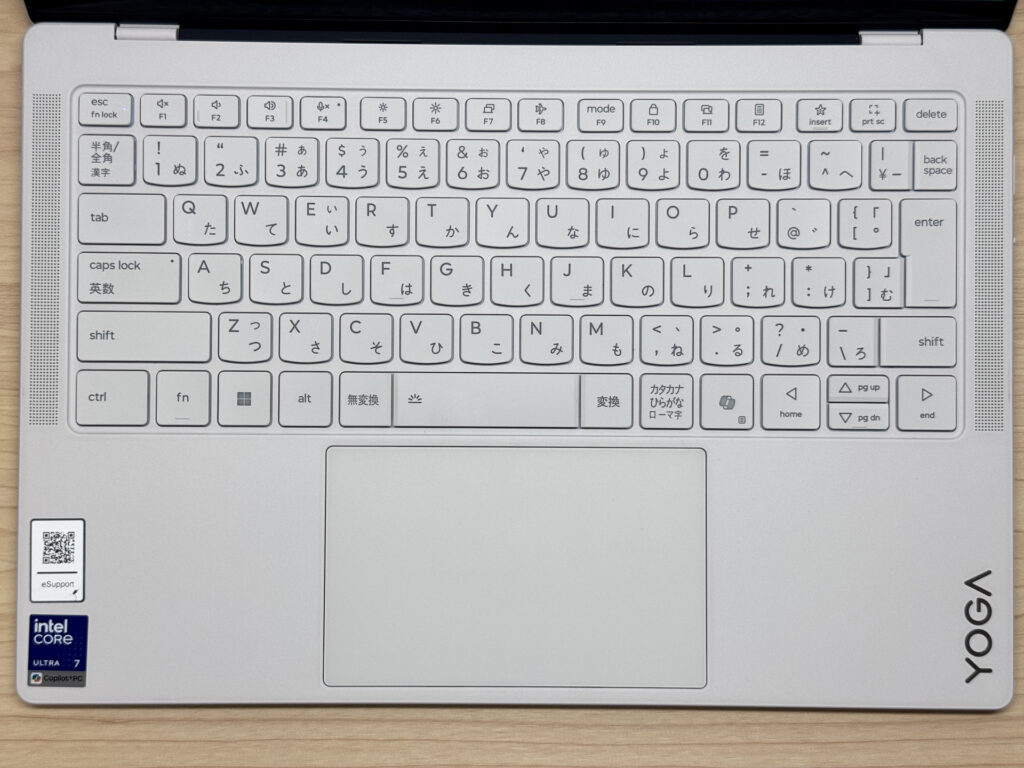 A clean, no-fuss key layout
Typing feel is genuinely great — the keycaps have this smooth texture that feels nice under your fingers. I'd give the typing experience a solid 9 out of 10; it stays comfortable even during long typing sessions.
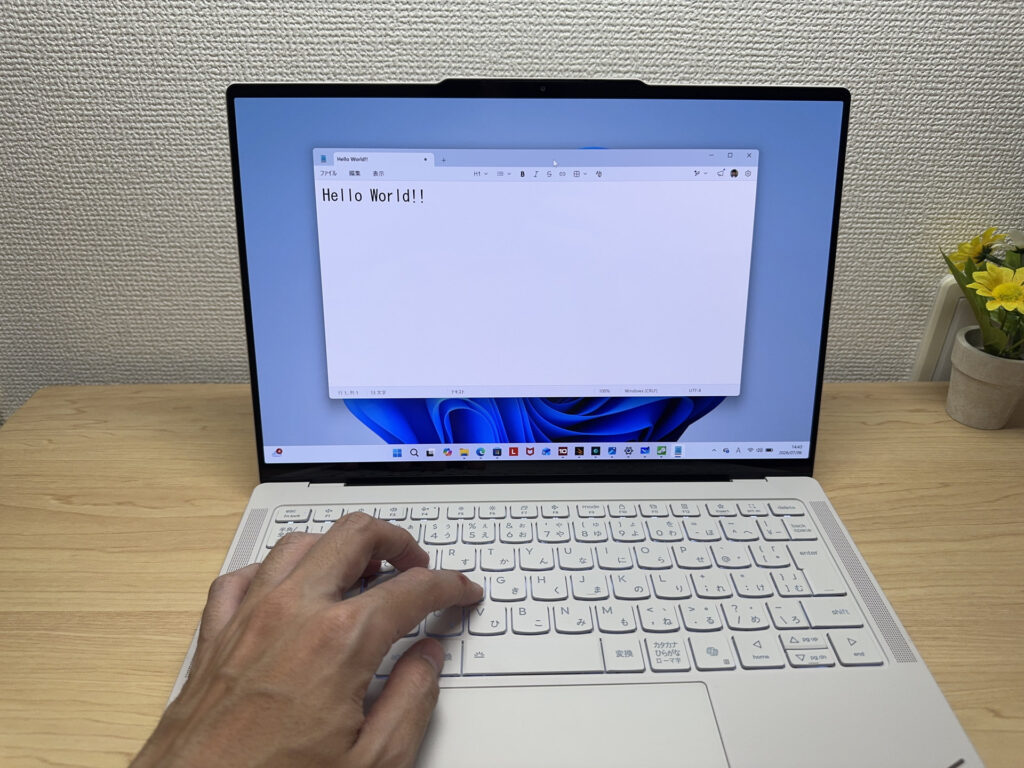 Smooth keycaps and a great typing feel
The backlit keyboard also lights up brightly, so it's easy to see and type on in dark environments.
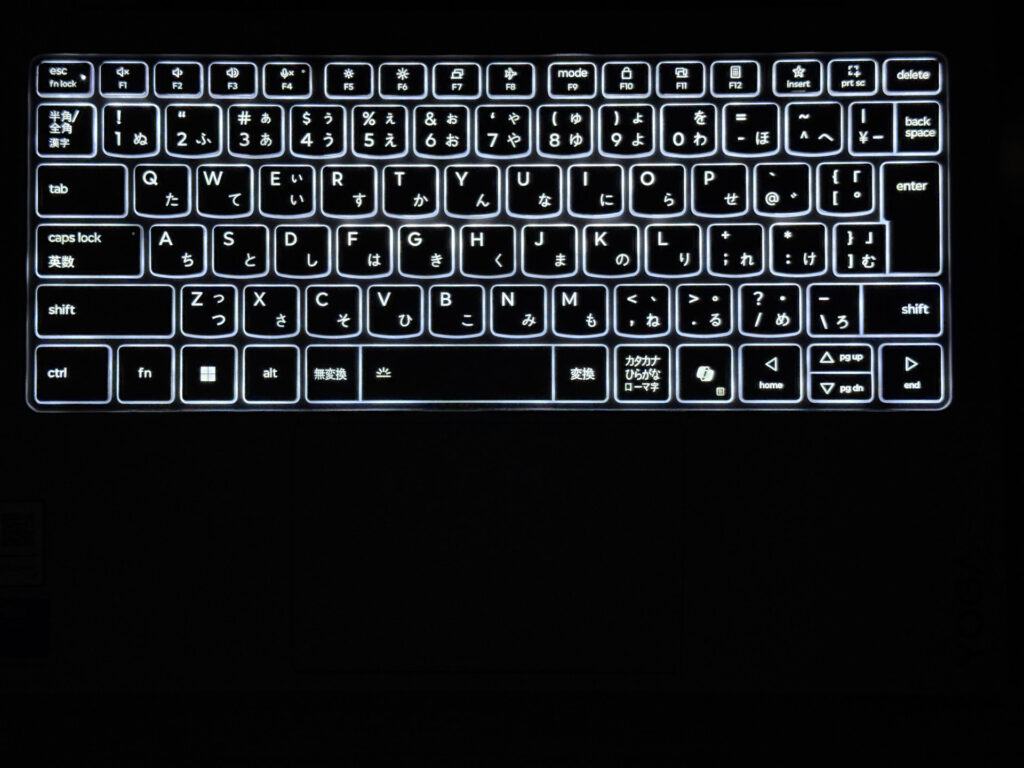 Easy to see even in low light
Trackpad usability
Next, the trackpad. It's large for a 14-inch chassis, and glides smoothly enough that you can get real work done without a mouse.
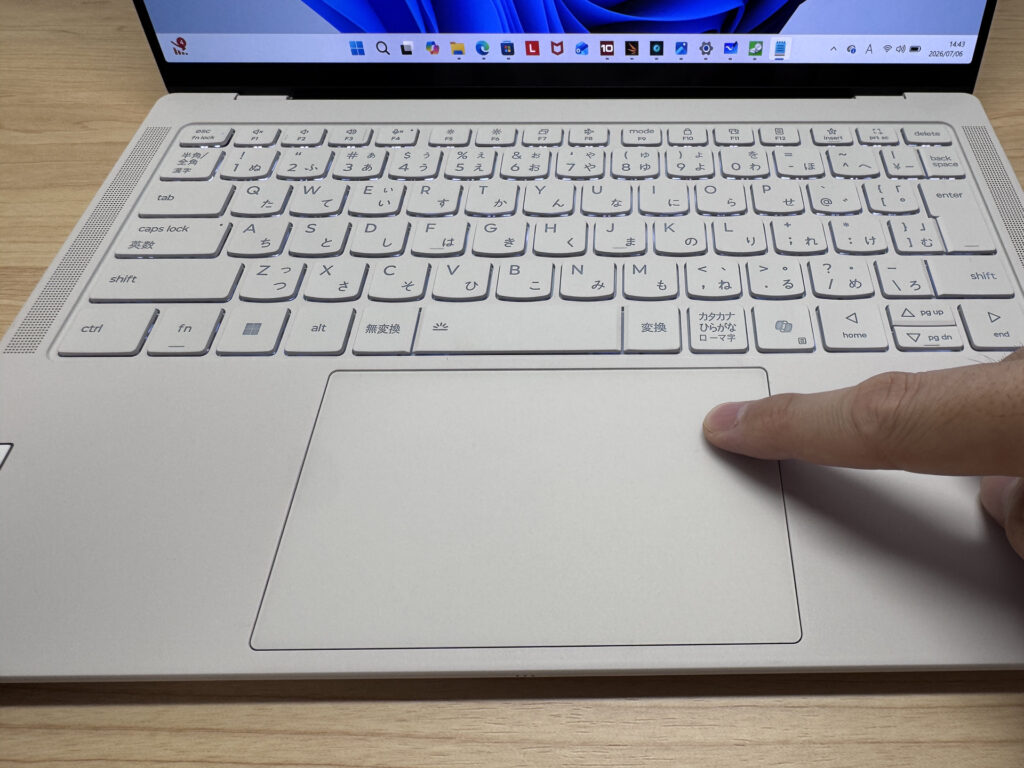 A large, smooth-gliding trackpad
On top of that, it's a pressure-sensitive haptic trackpad — instead of physically depressing when you click, you get a little buzz of haptic feedback, similar to how MacBook trackpads work. Since it's pressure-sensitive across the whole pad, you can click even near the top edge, which solves the classic trackpad complaint of "the top part doesn't register clicks." Three-finger gestures also pull up the desktop or a window overview, giving it a very Mac-like feel that's easy to get used to.
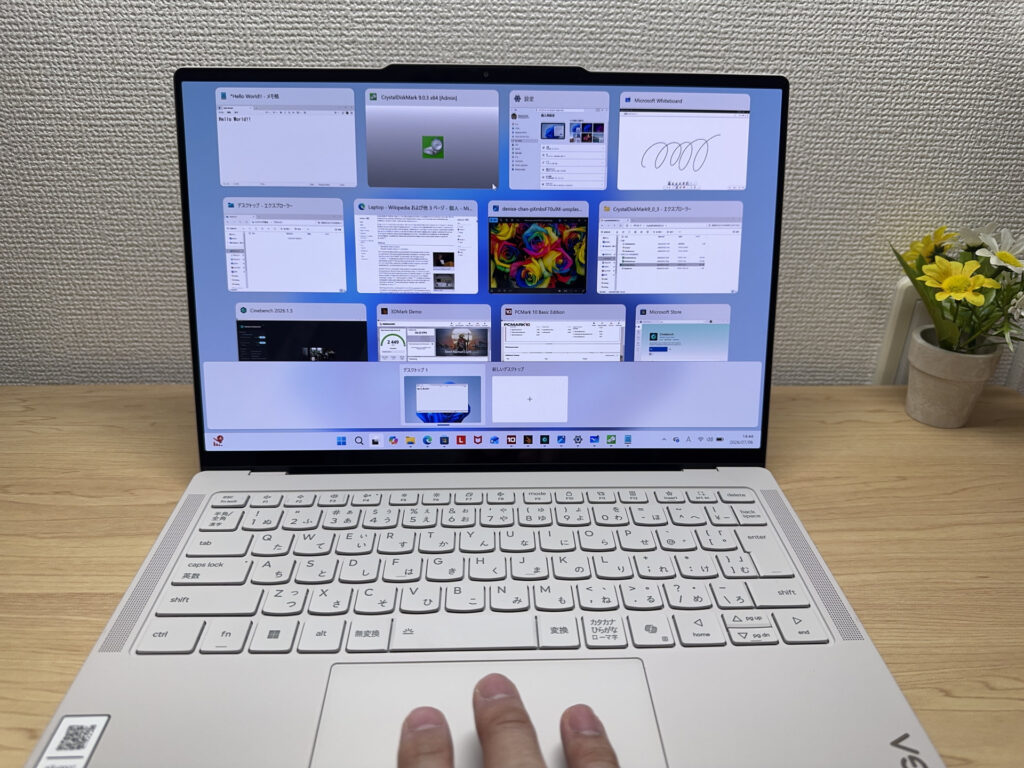 Three-finger gestures give it a Mac-like feel
Performance
Let's check out performance. It scored 7728 on PCMark 10, which is more than enough for everyday use, with plenty of headroom for light video editing too.
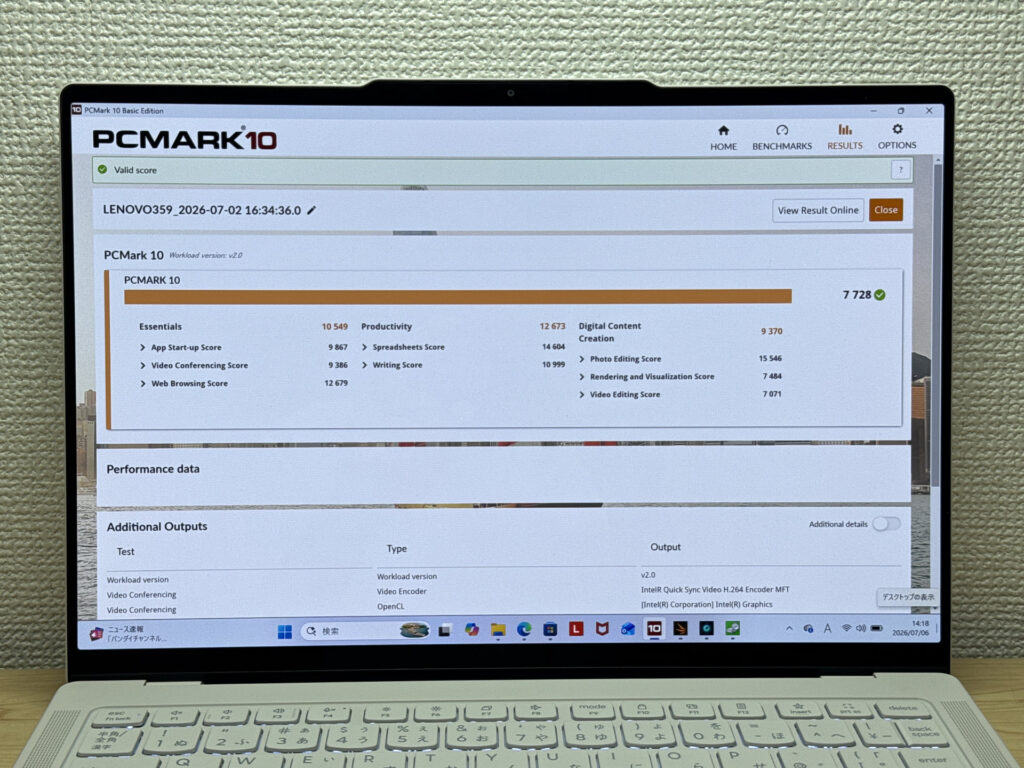 A high score of 7728 on PCMark 10!
| Total Score | Rating | What it feels like in real use |
|---|---|---|
| ~4,000 | Bare minimum | Web browsing and simple tasks work, but multitasking or many tabs feels sluggish. |
| 4,000–5,000 | Light use | Daily tasks are doable, but running multiple apps means waiting around. |
| 5,000–6,500 | Comfortable (mainstream) | Handles most work without stress — fine for office, school, video calls. |
| 6,500–8,000 | High performance This PC | Plenty of headroom. Light photo editing and programming feel snappy. |
| 8,000+ | Very high performance | Tackles video editing and heavy workloads. Long-lasting performance. |
*PCMark 10 reflects overall comfort. Actual feel depends on CPU, RAM, and SSD speed.
Cinebench's multi-core score also came in at a strong 2458.
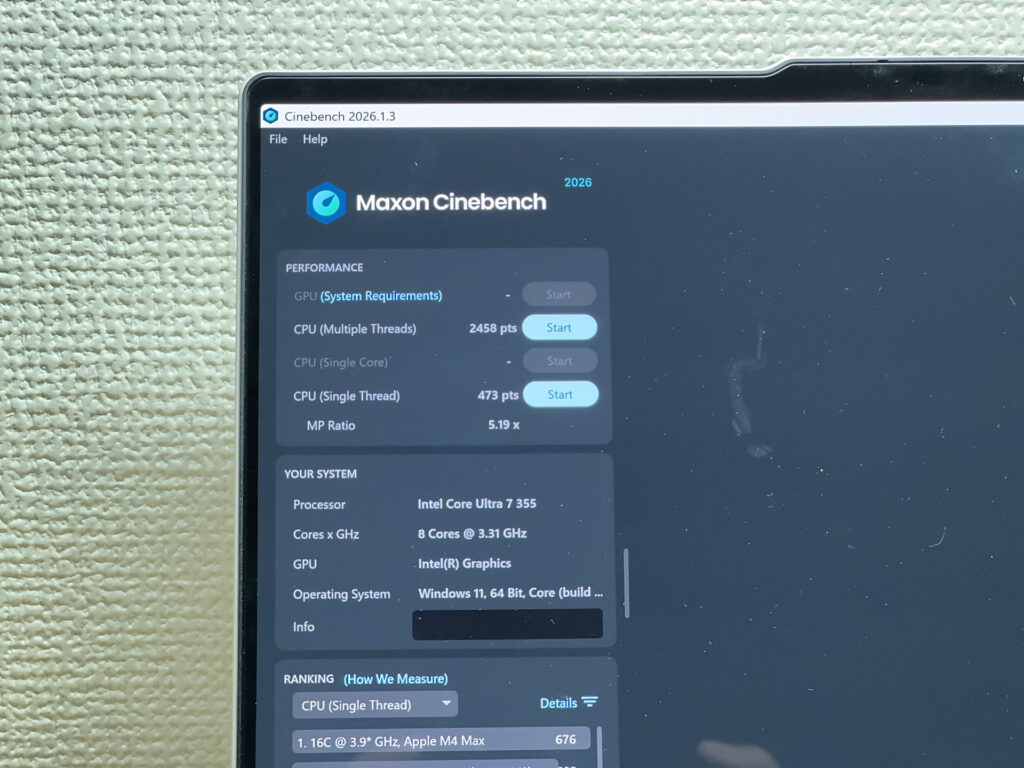 A solid 2458 in Cinebench multi-core
| Score | Rating | What it feels like in real use |
|---|---|---|
| Up to 1,000 | Bare minimum | Light tasks work, but heavier processing or multitasking feels constrained. |
| 1,000–2,000 | Standard (power-efficient) | Handles daily tasks, but heavier loads create waiting. |
| 2,000–3,000 | Comfortable (mainstream) This PC | Office, school, video calls all work comfortably. Plenty for most users. |
| 3,000–4,000 | High performance | Comfortable for multitasking, light/medium editing, and dev work. |
| 4,000+ | Very high performance | Handles video editing and heavy workloads with room to spare. |
*Cinebench 2026 is the latest CPU multi-core benchmark. Scores trend lower than R23, so direct comparison isn't valid.
On 3DMark (Steel Nomad Light), it hit 2449 — enough to handle some lightweight PC gaming.
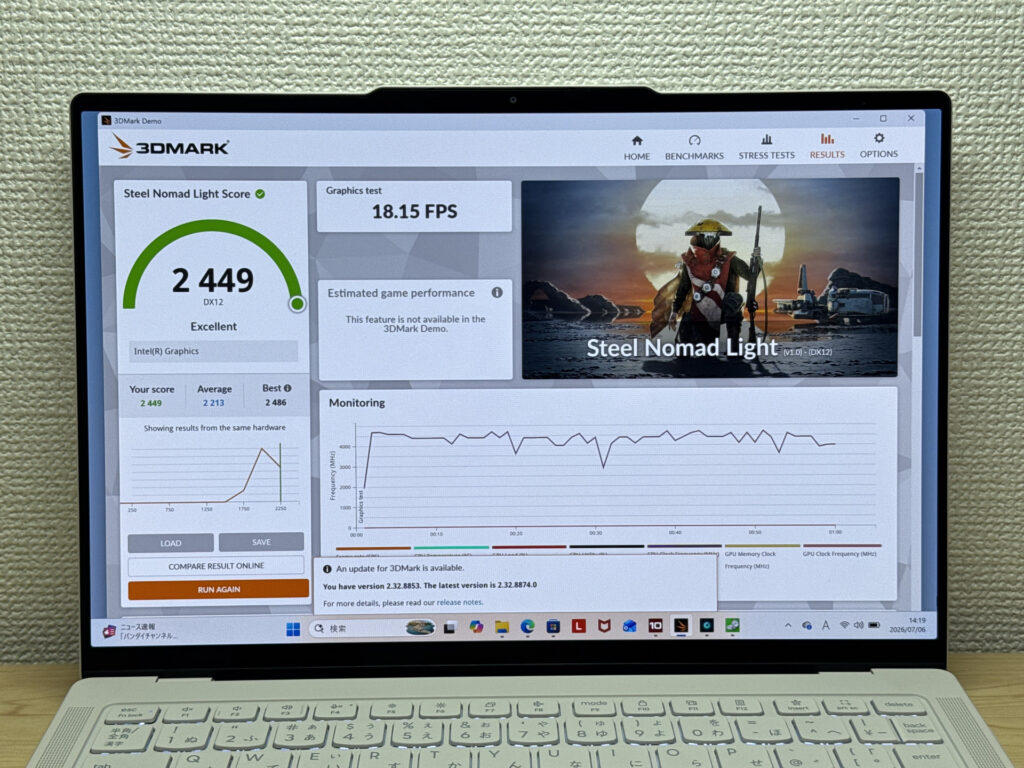 A 3DMark score of 2449 handles lighter games just fine
| Score | Rating | What it feels like in real use |
|---|---|---|
| Up to 400 | Bare minimum | 3D performance is quite limited. Not really suited for gaming. |
| 400–900 | Light 3D | Lighter games and low-load 3D processing work. |
| 900–1,500 | Average (mainstream) | Standard for integrated GPUs. Light to medium games playable with right settings. |
| 1,500–2,200 | High performance | Strong for an integrated GPU. Games and 3D work feel comfortable. |
| 2,200+ | Very high performance This PC | Top-tier 3D performance for thin laptops. Real graphics headroom. |
*3DMark Steel Nomad Light targets thin laptops and integrated GPUs. Score range differs from Time Spy, so direct comparison isn't valid.
Storage speeds are also excellent, hitting 6592MB/s read and 5867MB/s write. Reading and writing large files is stress-free, which makes it solid for file editing work too.
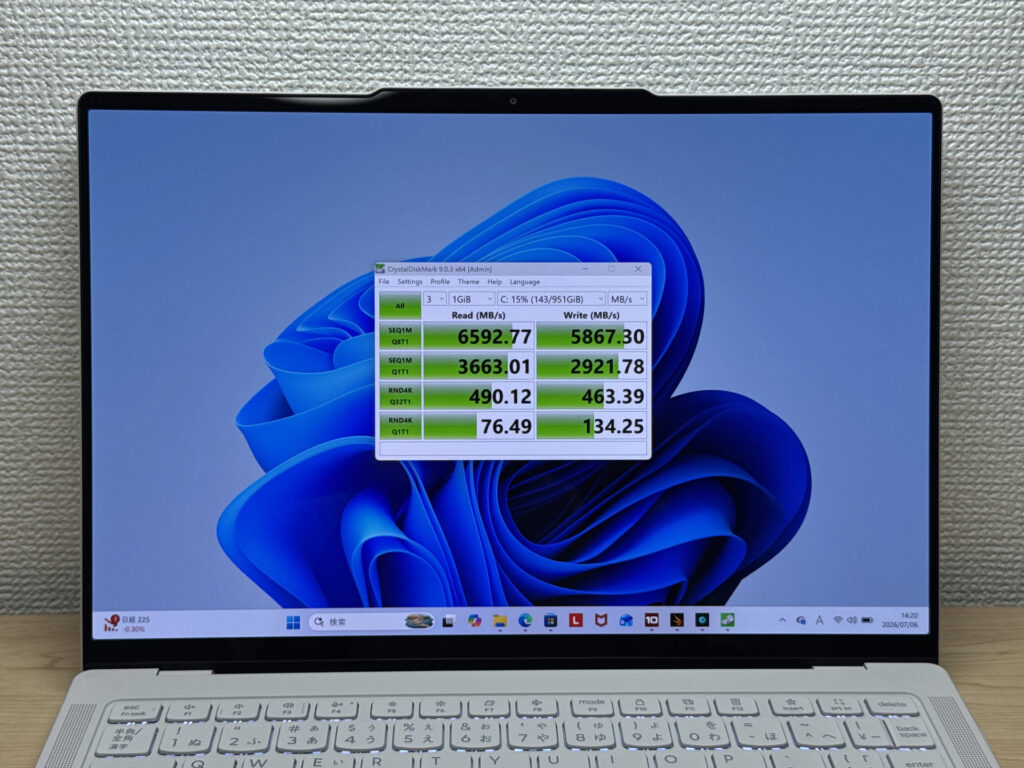 Blazing-fast storage at 6592MB/s read / 5867MB/s write
| Score | Rating | What it feels like in real use |
|---|---|---|
| Up to 600 MB/s | Bare minimum | Faster than HDD, but slow for modern SSDs. App launches feel slightly slow. |
| 600–1,500 MB/s | Average | Fine for daily use, though loading is noticeably slower than top-tier SSDs. |
| 1,500–3,500 MB/s | Comfortable (mainstream) | App launches and file loading feel smooth. No real complaints in daily use. |
| 3,500–5,500 MB/s | Fast | Loads large data and apps quickly. Definitely upper-tier SSD speed. |
| 5,500+ MB/s | Very fast This PC | High-end NVMe territory. Heavy data work without waiting. |
*CrystalDiskMark measures SSD speed. It mainly affects app launch and file loading speed, not overall PC performance.
With 32GB of memory standard, you've got plenty of headroom to keep multiple apps open and running smoothly.
Battery life
Battery rating: Long-lasting
It packs a large 75Wh battery, with a rated runtime of around 22.8 hours. The OLED display and 120Hz refresh rate do add some extra power draw, but there's still comfortably enough capacity to get through a full day out and about.
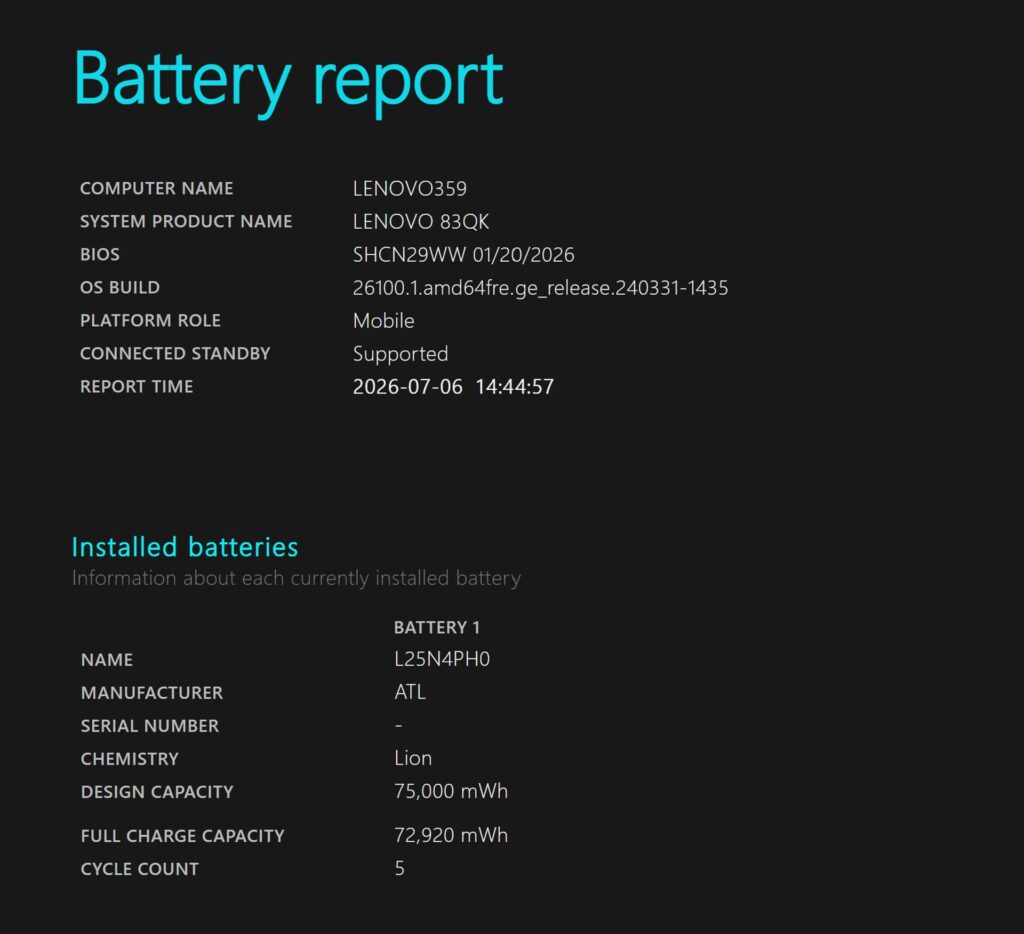 A large 75Wh battery for peace-of-mind battery life
It also supports USB-C charging, so a compact 65W charger is all you need to bring along.
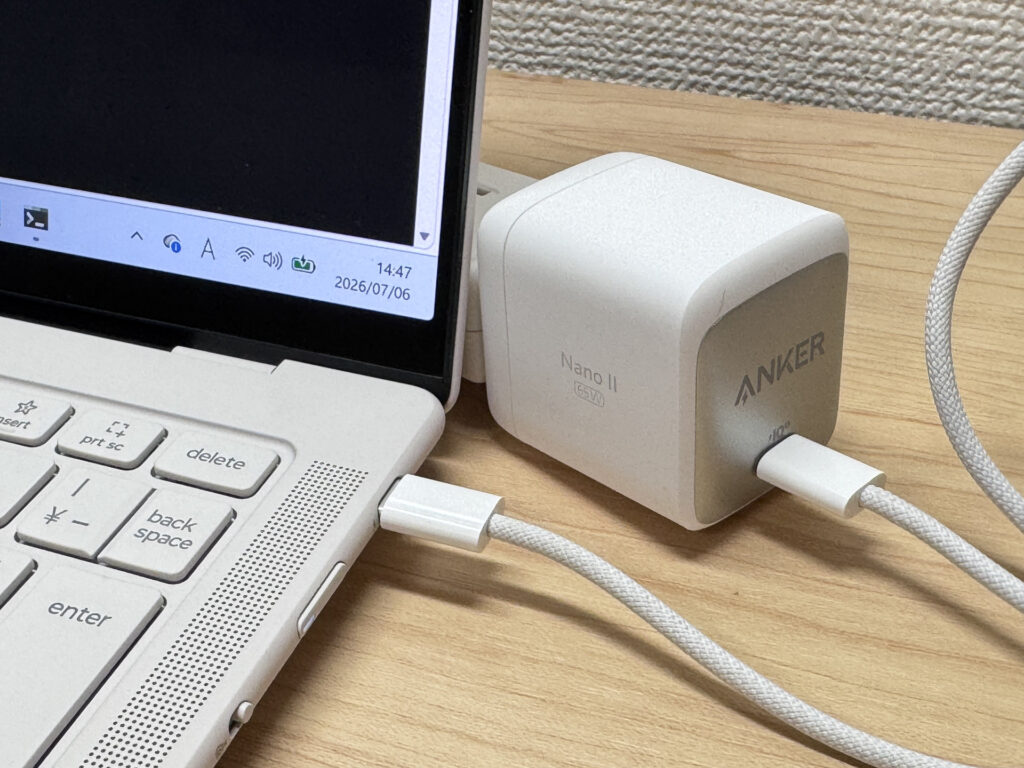 USB-C charging keeps your bag light
Fan noise and heat
Let's check the noise levels too. At idle, it's basically silent — the airflow design seems to be doing its job well.
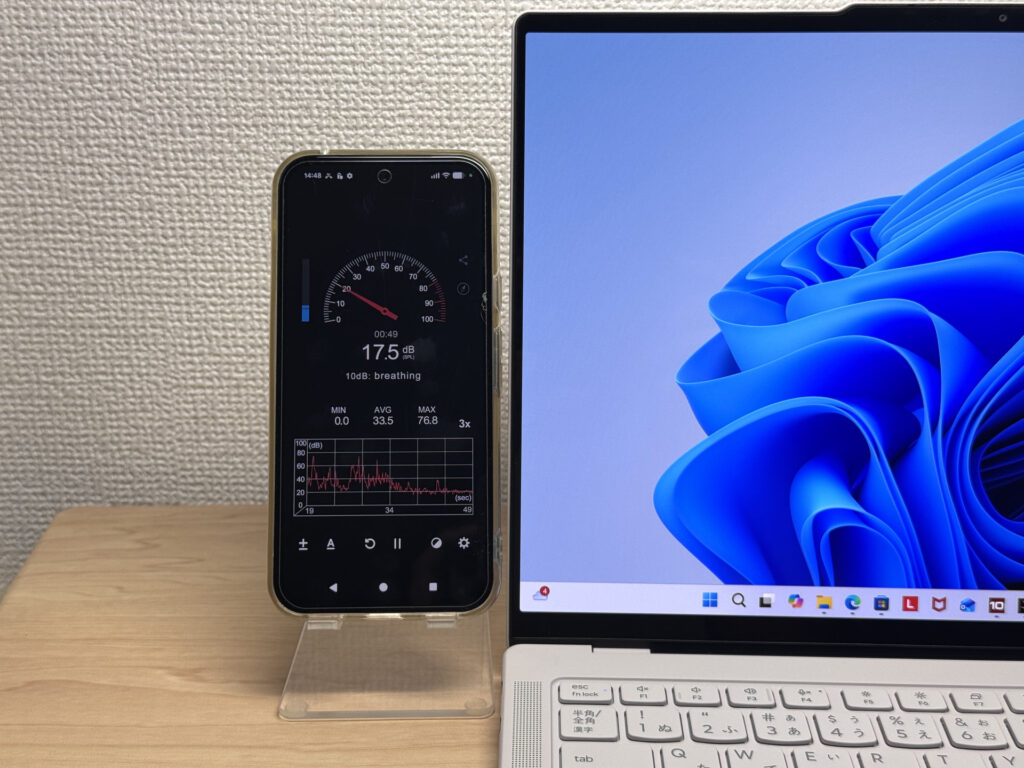 Practically silent at idle
It's not completely fanless, and under heavy load it climbs past 40dB, but it's not a harsh or grating sound, so it's not too bothersome.
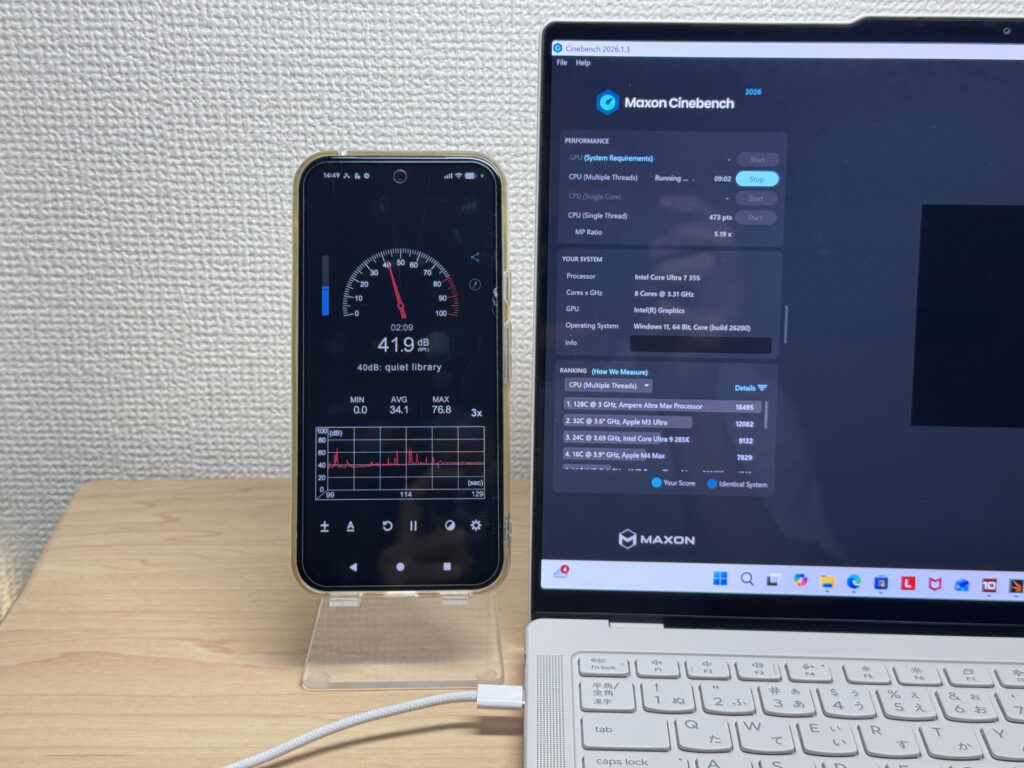 Climbs into the 40dB range under load, but it's not too irritating
| Noise Level | Rating | Feel |
|---|---|---|
| Under 30 dB | Near-silent Idle | Fan noise is barely perceptible — library-quiet and ideal for focused work. |
| 30–35 dB | Quiet | Faintly audible but non-distracting. Easy to work in a quiet room. |
| 35–40 dB | Noticeable | You can tell the fan is spinning, but it rarely interrupts work. |
| 40–45 dB | Somewhat loud Load | Can become distracting in quiet environments. Headphones start to help. |
| 45–50 dB | Loud | Noticeable stress over extended use. Cooling is clearly prioritized. |
| 50 dB+ | Very loud | Prominent fan noise under load — gaming/high-performance thermal design. |
The exhaust vents are on the back of the unit, so hot air doesn't blow toward you under load — a small detail, but a welcome one.
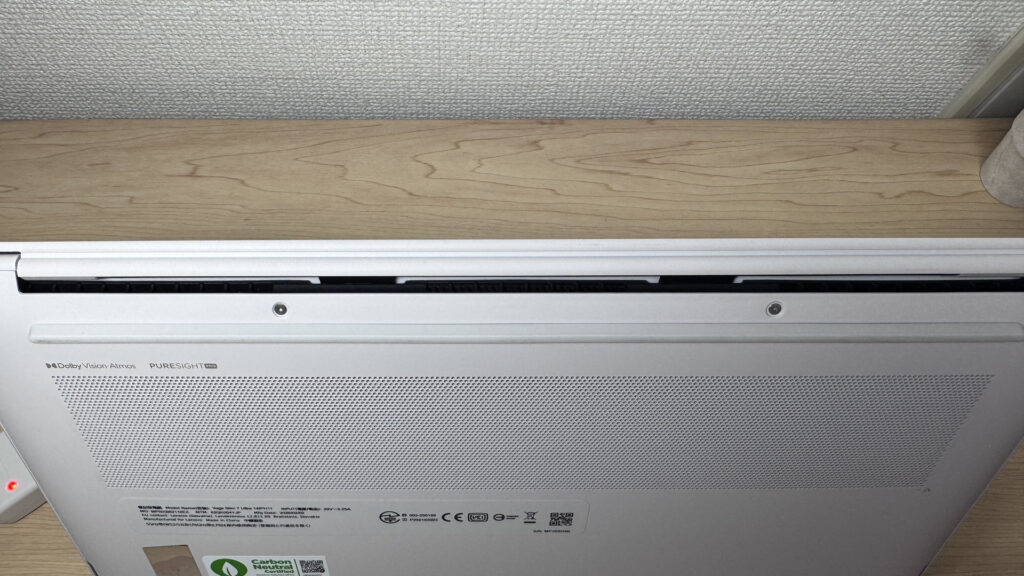 Rear exhaust keeps your hands comfortable even in summer
Expandability
Let's look at the ports. Since the chassis is so thin, external ports are limited to three USB-C connections. All three support Thunderbolt 4, so you can output video or charge from any of them. That said, the limited port selection is honestly the one real drawback of this machine.
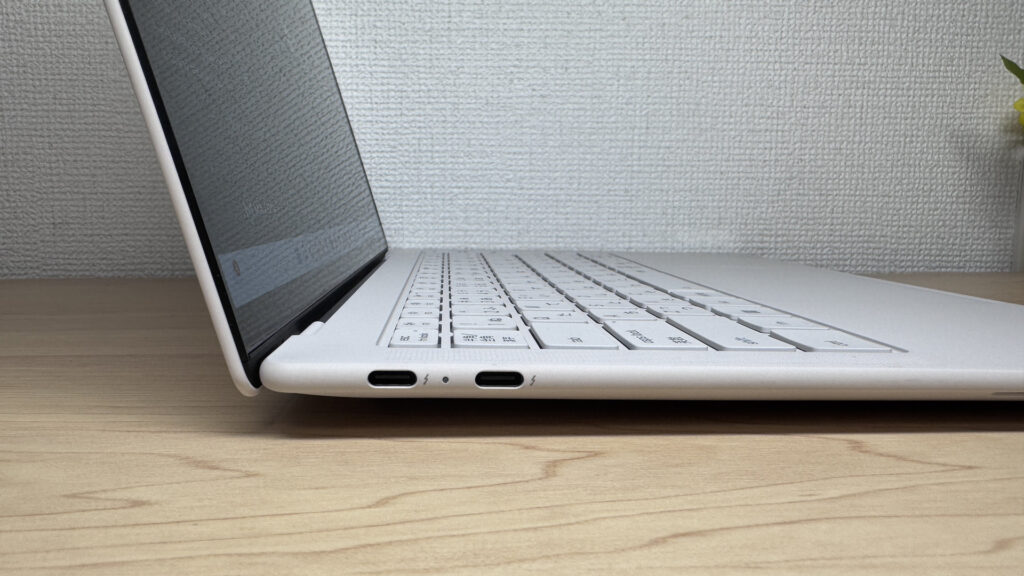 All three ports support Thunderbolt 4
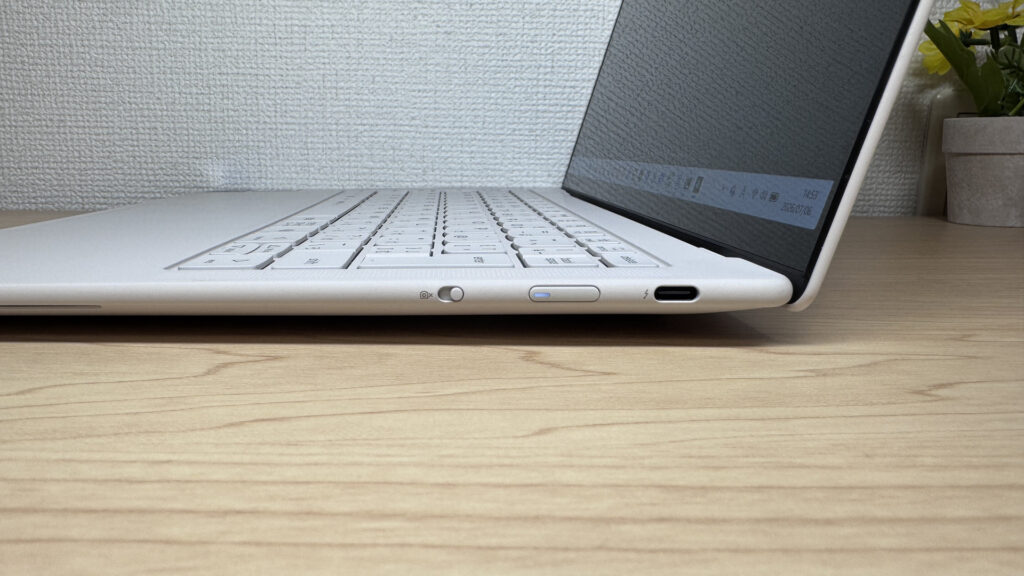 Video output and charging work from any port
That said, a small USB-C hub is all it takes to cover your bases. With how compact USB-C hubs have gotten these days, this downside is easy to work around.
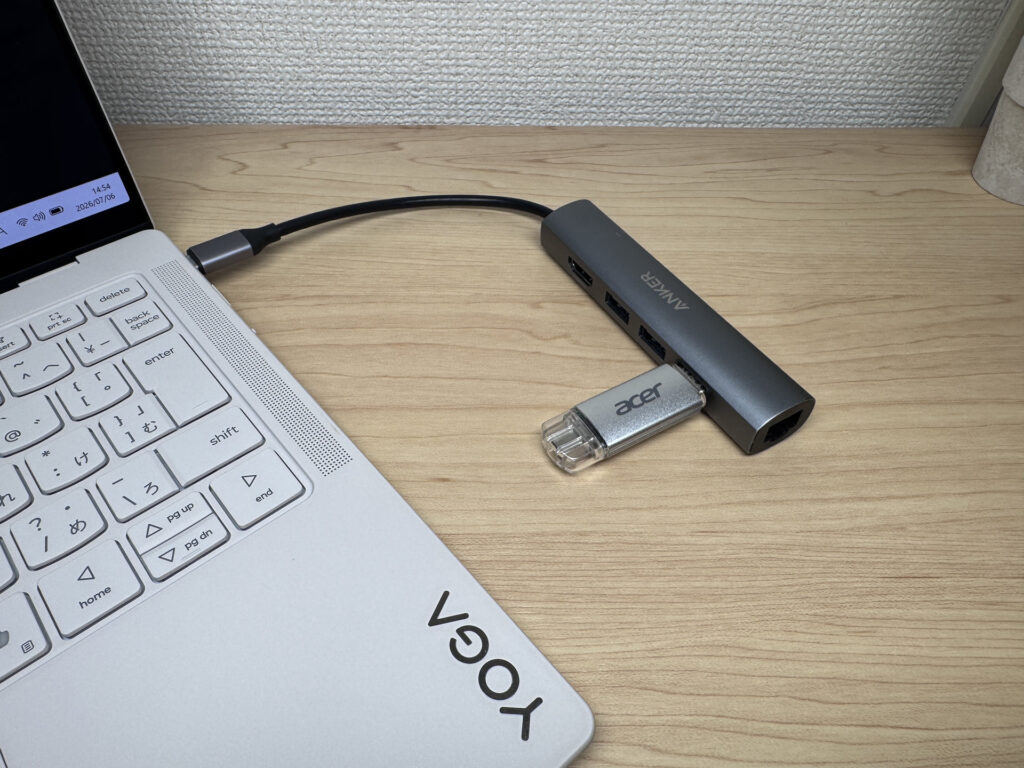 A simple, USB-C-only port layout
I also connected it to my own 27-inch 4K monitor over USB-C, and the picture came through crisp and clean.
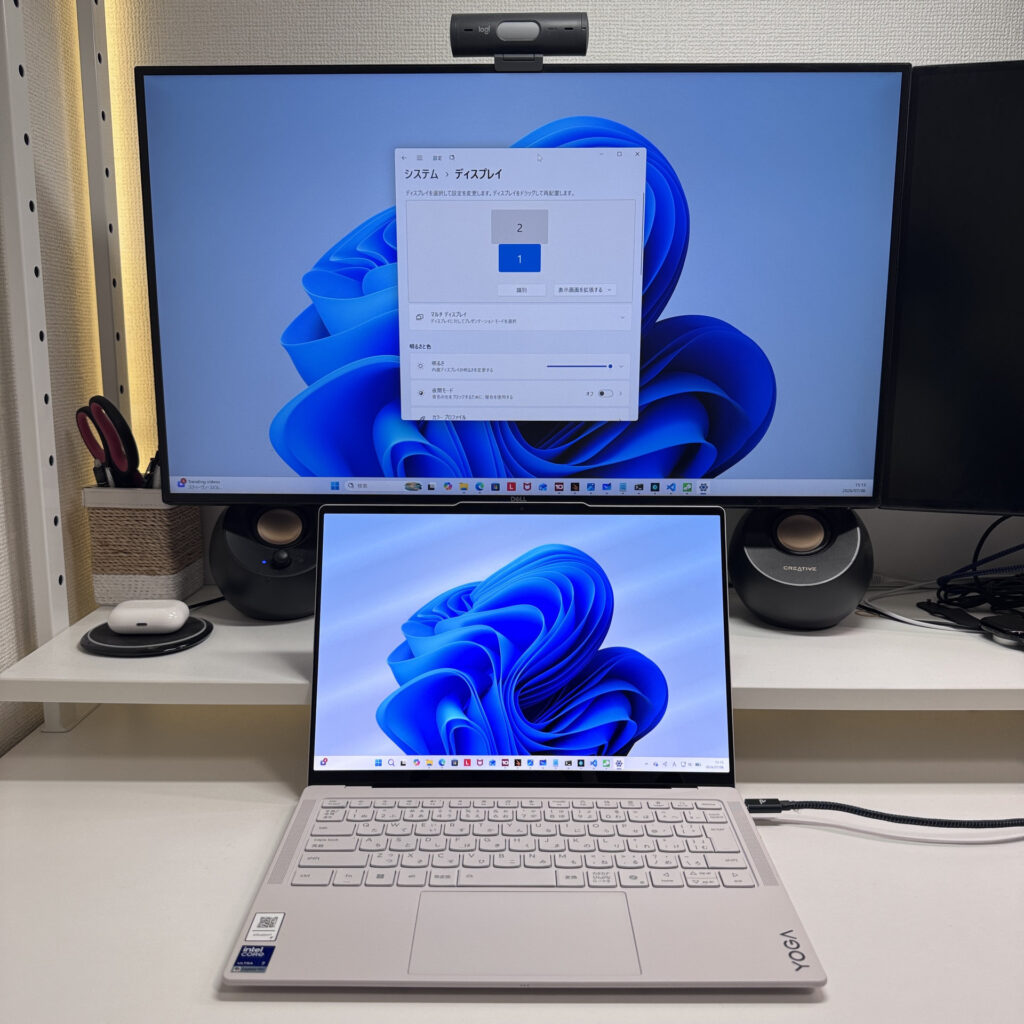 A crisp, clean 27-inch 4K output over a USB-C hub
It handled dual-display output cleanly as well, so setting it up as a triple-monitor desktop workstation is a genuinely solid option 😉. Personally, I'd pair it with a Bluetooth keyboard and mouse for exactly that kind of setup.
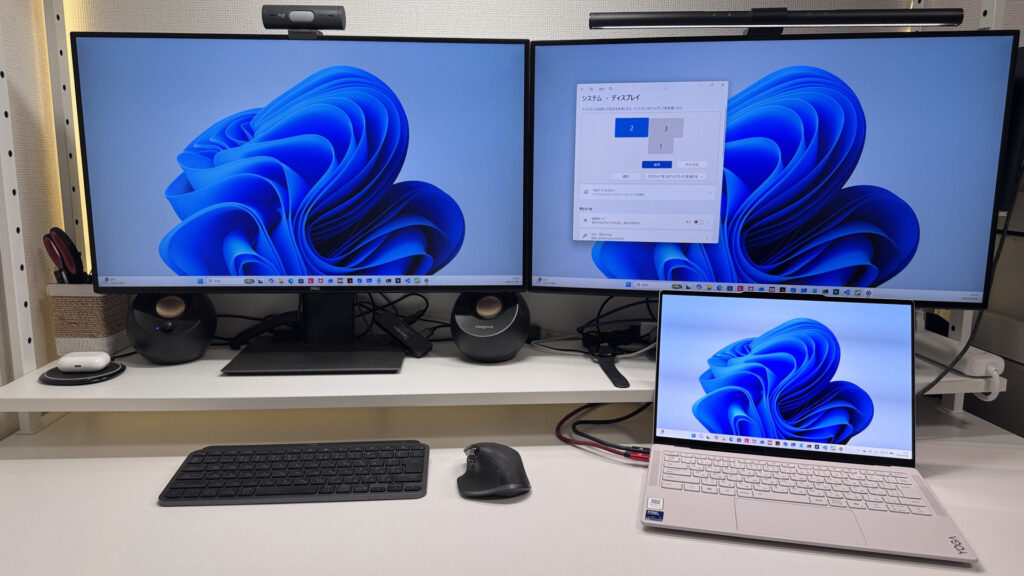 Stable dual-display output — great for a desktop setup too
Webcam
Let's talk about the webcam. The built-in 5-megapixel camera isn't just about the pixel count — the actual image comes out bright, so you show up clearly to whoever you're talking to.
 Bright footage at 5 megapixels
It also has a physical privacy shutter, so you can flip a switch to cover the lens whenever you don't want to be seen.
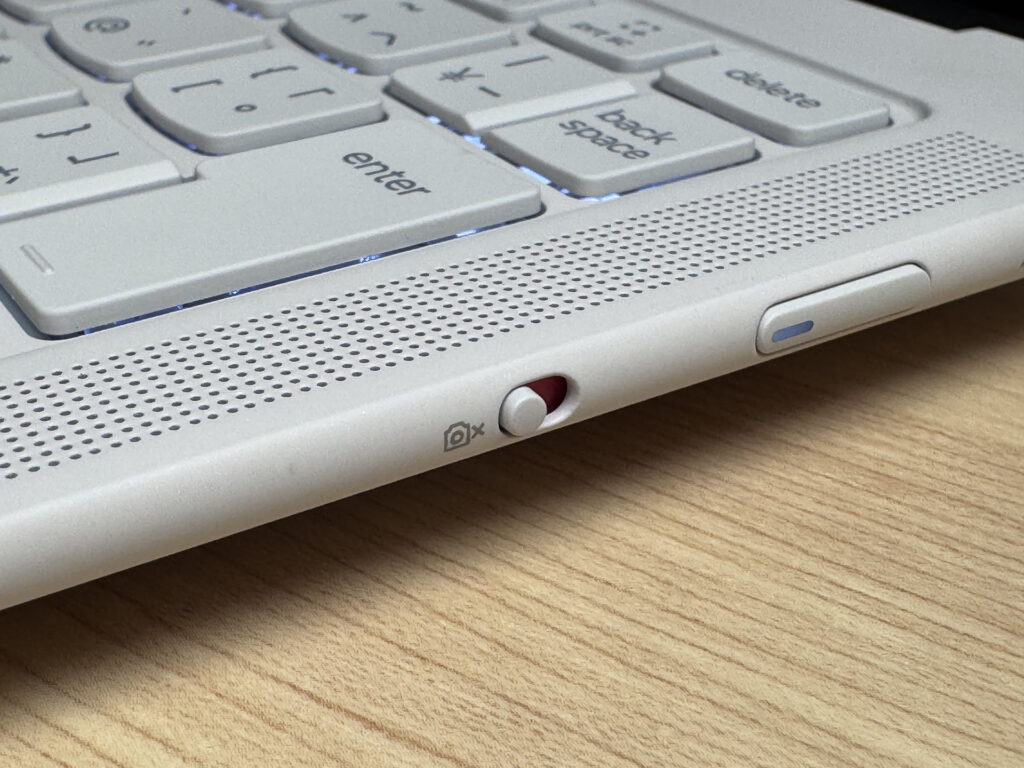 A physical privacy shutter, one flip away
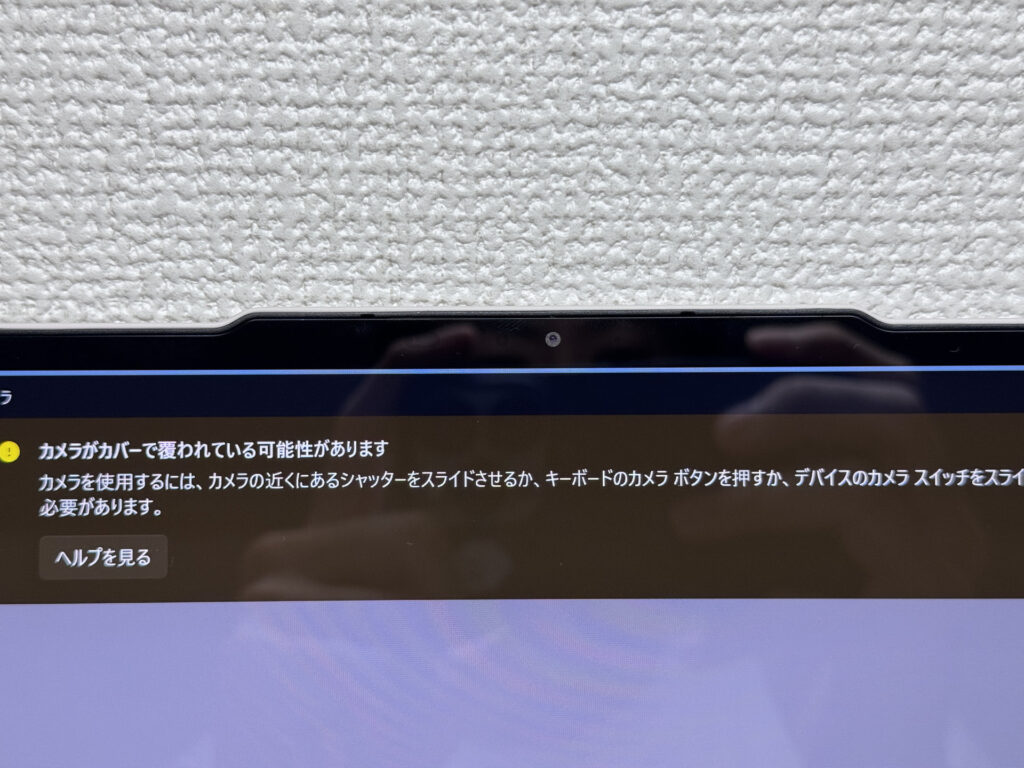 Peace of mind with a physical cover
Speaker quality
I also tested the speakers by playing a movie. The sound holds up nicely even into the midrange, and it's genuinely pleasant to listen to, with a four-speaker setup near the keyboard and along the sides giving it a surprisingly wide, surround-like feel. This laptop alone is honestly enough to enjoy a movie night 🎬.
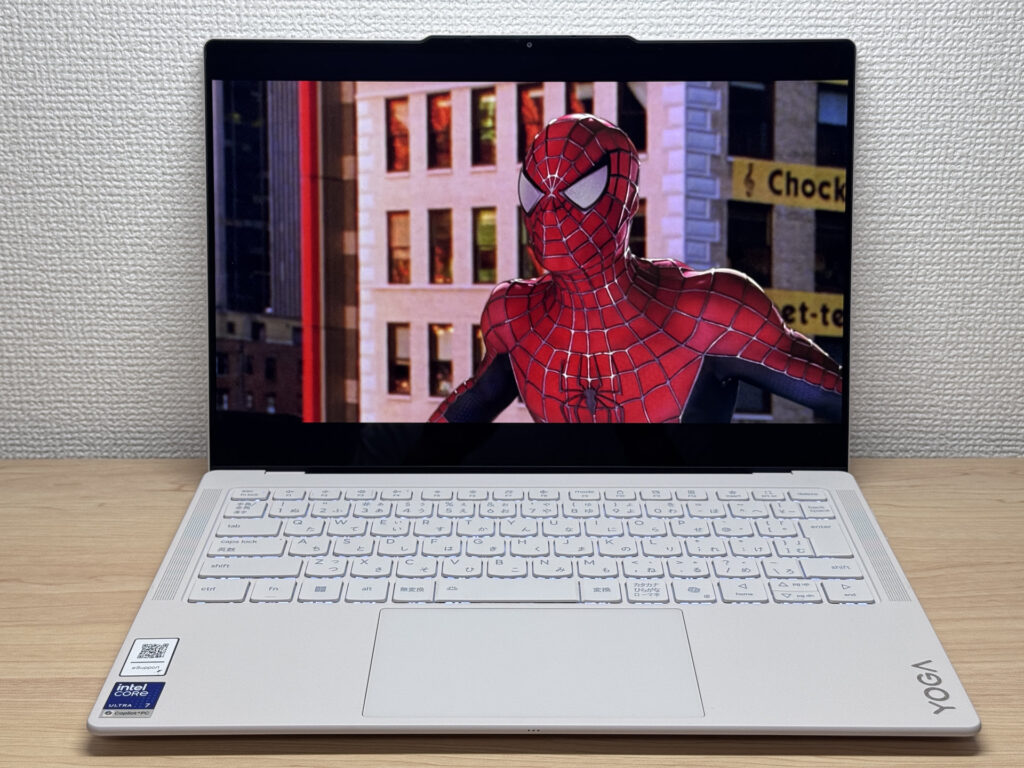 Good enough sound quality to enjoy a movie on its own
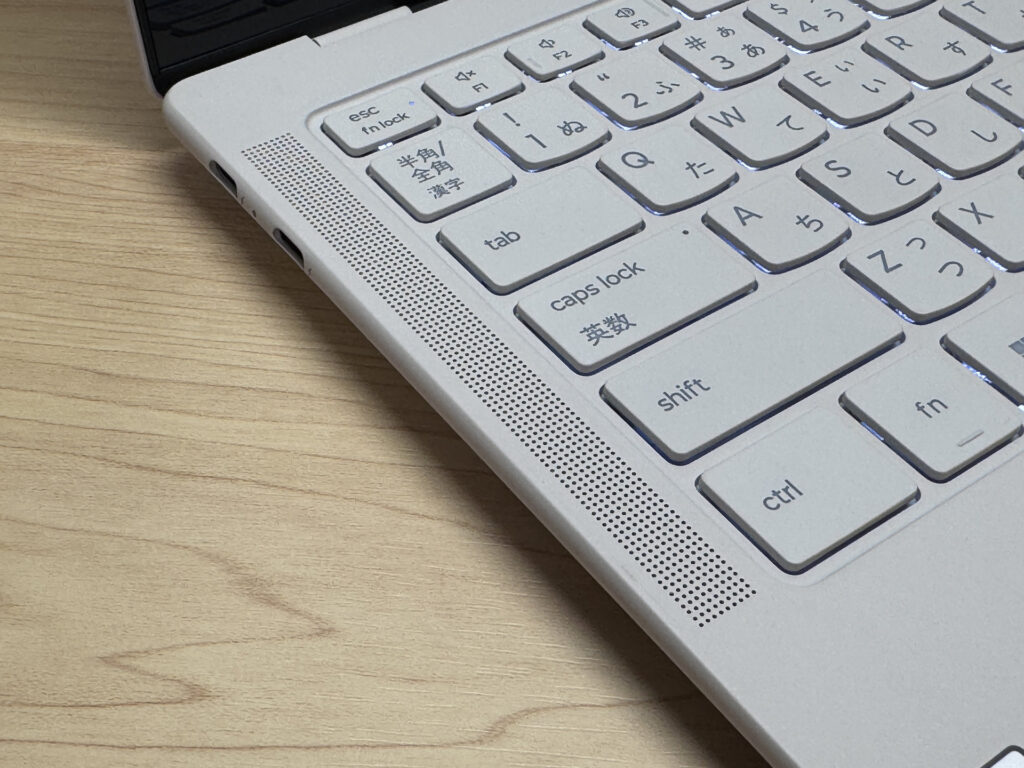 Speakers sit next to the keyboard here, and
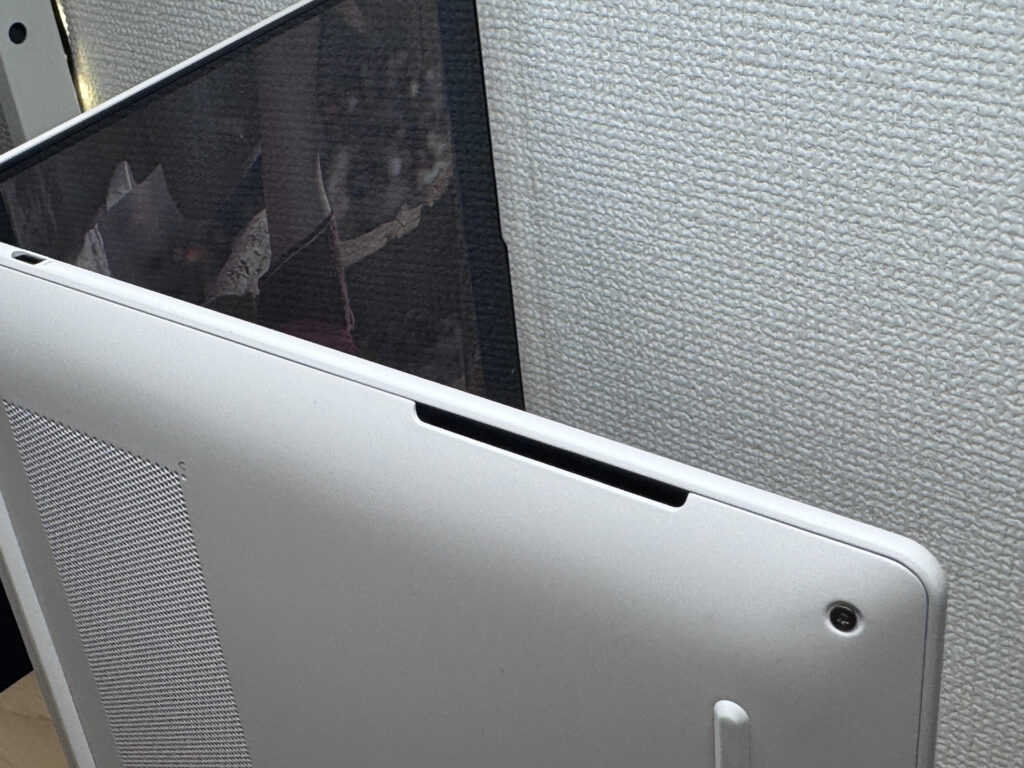 and also along the sides of the chassis for fuller sound!
Security
On the security side, it supports facial recognition, and unlocking is nearly instant.
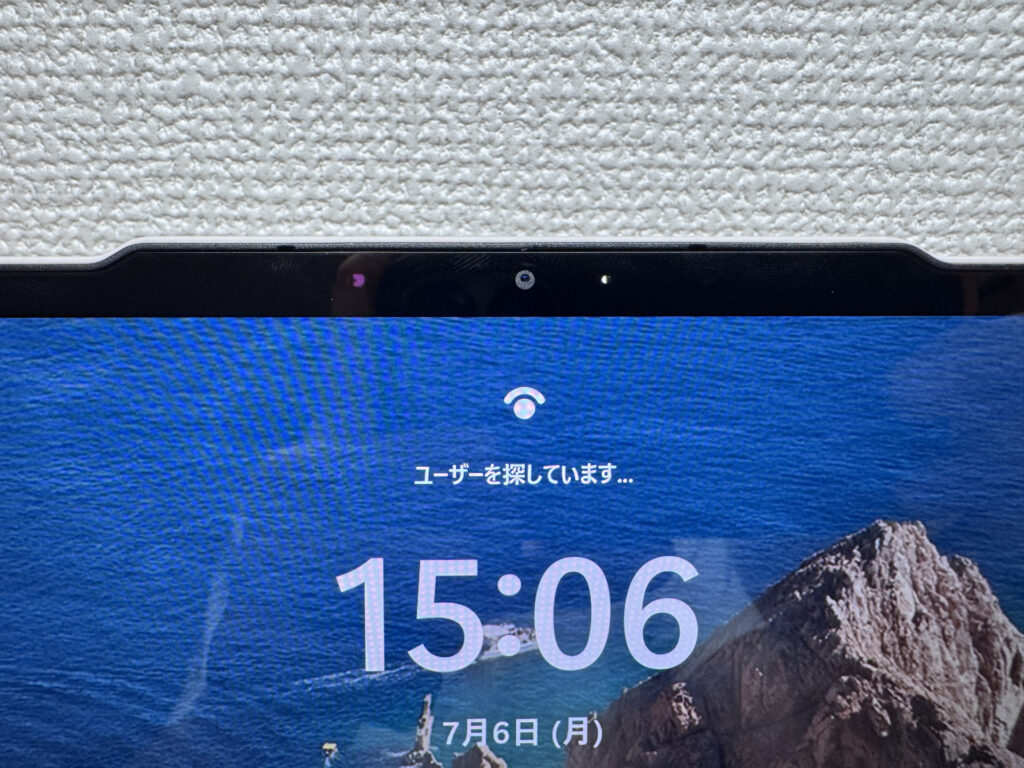 Instant unlock with facial recognition
Price
The price is honestly on the higher side, but this model goes on sale often enough that timing your purchase around a deal is worth it. The price is fair for the specs, but if you want to save a bit, keep an eye out for sales.
Final thoughts
Having reviewed a lot of laptops that try to do everything, I can say this one lands in my personal top five. It's not cheap, but the build quality, performance, and everyday usability more than justify the price — I genuinely struggled to find real complaints. I'd happily make this my daily driver. If you're a creator, a professional, or just an intermediate-or-above laptop user looking to step up to something nicer, this is the one.
A flagship ultraportable that feels genuinely satisfying to own!
Where to Buy
* Prices may vary. Please check each store for the latest price and availability.
Where this laptop ranks


About the author