
Picking a laptop for remote freelance work feels like a minefield — spend too much and it's overkill, spend too little and it freezes mid-meeting. So which one do I actually get?
Hey, Takumi here from ZippyLaptop.
If you're freelancing or running your own business and working remotely, you've probably had that moment where your laptop locks up mid-call and suddenly you're the one holding up the meeting. Employees just get whatever machine their company hands them, but when you're on your own, picking the laptop is entirely on you — and that's honestly more stressful than it sounds.
At the same time, going too cheap backfires just as hard. Grab something underpowered to save a few bucks, and the second you open a handful of windows it starts chugging, your output tanks, and you've basically pulled off a buy-cheap-pay-twice move. When it's your work tool, that sting doesn't go away.
So if you don't want to get burned picking a remote-work laptop, I've spent a lot of time going hands-on with notebooks, and I'm walking you through the three things that actually matter — plus my picks. Read to the end and you'll know exactly what to look for 👍
Let's get into it! 🏃♂️
Quick Answer
I'll get straight to the point.
For freelance remote work, go with 16GB RAM, a 14–16-inch build, and an external monitor to go full desktop!
Based on the conclusion above, here are the 3 laptops I'd recommend first.
If you're stuck deciding, picking from this shortlist will rarely lead you wrong.
The rest of the article breaks down the differences and how to choose.
Our TOP 3 Picks
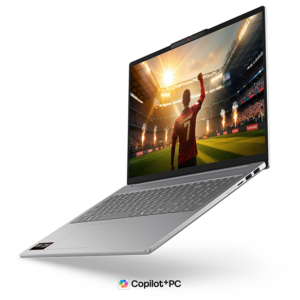
A 16-inch OLED at about 1.69kg — built to go full desktop at home and still travel when you need it to.
Buying Guide
Specs: 16GB of RAM and a mid-range CPU is the bare minimum for a remote-work laptop
The baseline requirement for any remote-work laptop is enough horsepower to keep multiple windows open during a video call without choking. Concretely, that means covering these three boxes:
- CPU: A recent Intel Core 5 / AMD Ryzen 5 or better (M4 chip or better if you're on a Mac)
- RAM: 16GB or more
- Storage: 256GB or more (512GB if you can swing it)
A classic mistake is shopping by price alone and ending up with an outdated bargain machine, where the second you open Excel or a browser during a video call, everything freezes and work grinds to a halt. Stutter through a meeting or freeze mid-screen-share, and that's an awkward look in front of a client.
Remote work means you're constantly running things in parallel — a video call, a document, your chat app, all at once. A reasonably modern CPU paired with 16GB of RAM is what keeps all of that running smoothly instead of grinding to a halt.
A mid-range spec sheet is genuinely all it takes to avoid a mid-meeting freeze-up. You don't need a high-end machine for this.
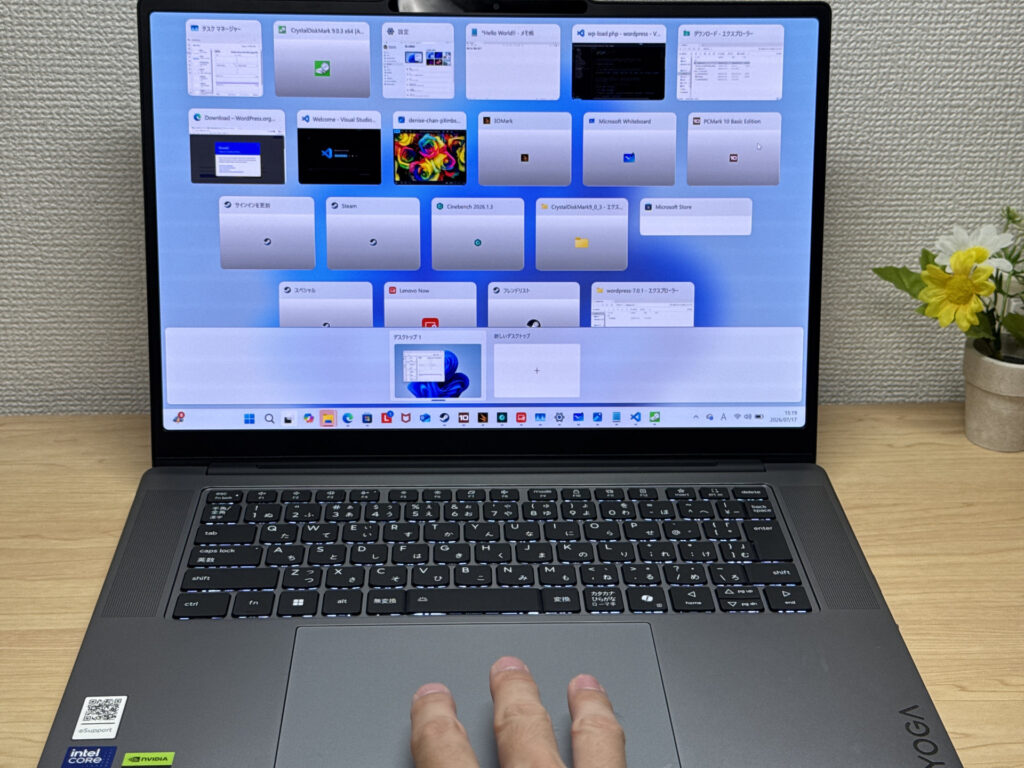 Mid-range performance is honestly all you need to keep a dozen windows open without a hiccup
Usability: turn it into a desktop setup with an external monitor and a Bluetooth keyboard/mouse
My number one recommendation for remote work is hooking your laptop up to an external display and running it like a desktop. Connect an external monitor, grab a Bluetooth keyboard and mouse, and that's it — you've got a full desktop setup.
- One external monitor
- A Bluetooth keyboard
- A Bluetooth mouse
Since you're already working remotely, there's no reason to be stuck working off a single laptop screen. External monitors are dirt cheap on Amazon these days, so honestly, just get one — it makes a massive difference to how much you get done.
Personally, I'd also recommend mounting an external webcam on top of your monitor. That's exactly how I run my setup — with all that extra screen real estate, I can keep a video call open on one side while running Excel, a browser, and whatever I'm working on on the other. That's something you just can't pull off at a coffee shop — it's a perk unique to working remotely from home.
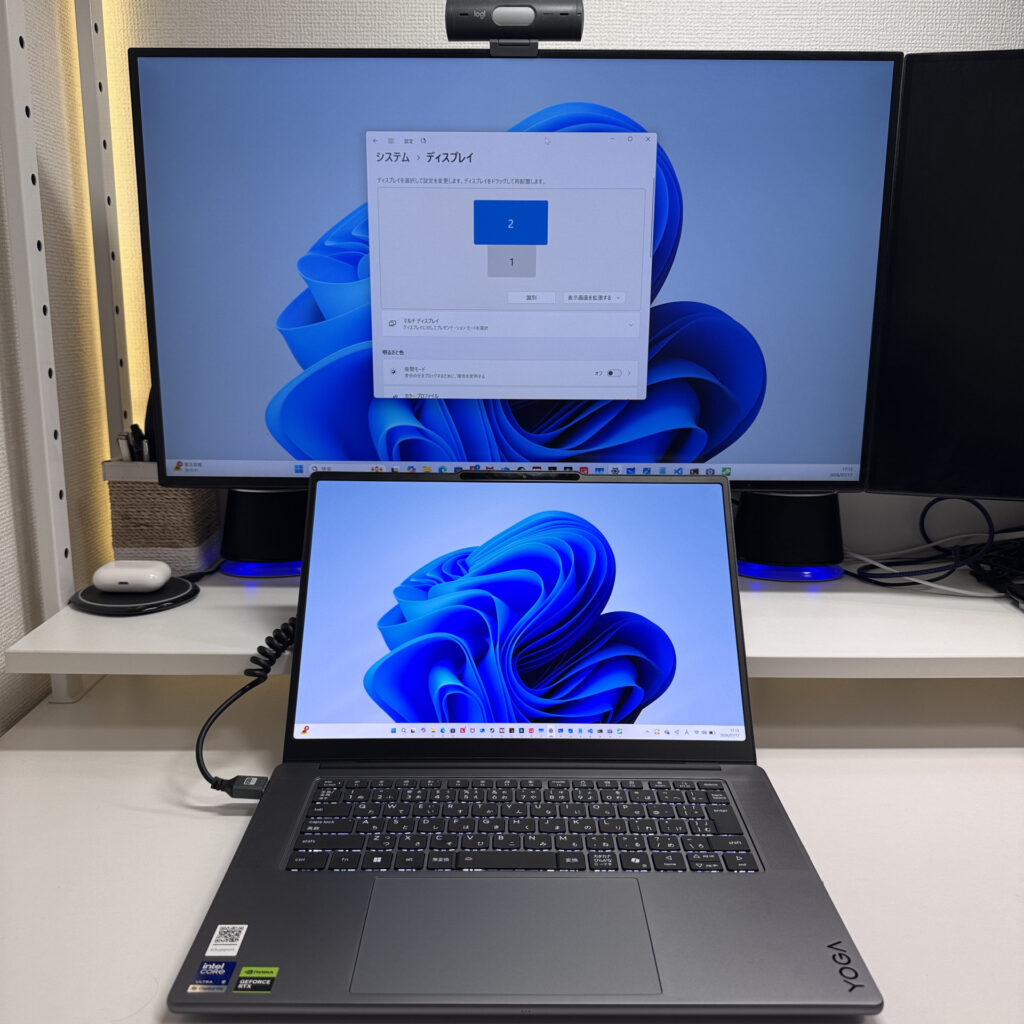 One external monitor and your productivity goes through the roof!
On top of that, it's smart to pick something in the 14- to 16-inch range (16-inch is fine as long as it's light) — that way you can run it like a desktop day-to-day, but you're still covered if you need to head into the office or work from a coffee shop.
That way you get the best of both worlds — a comfortable desktop setup at home, and a lightweight laptop the moment you step out.
Price: $1,600 or so is a worthwhile investment in your work tool
There's no reason to feel guilty about spending real money on the computer that's literally your work tool. Just like a carpenter's plane, a laptop is a genuine tool of the trade for anyone working remotely.
What I see all the time is people trying to save money by picking an underpowered, cheap laptop, only to end up with something so slow that their output drops and it turns into a classic case of buying cheap and paying twice. Do that with your work tool, and it quietly chips away at your productivity every single day.
Saving a few hundred bucks here isn't worth it if it means daily frustration or freezing up on a call and looking unreliable in front of a client — that's putting the cart before the horse. A better machine means better output, and better output tends to translate into more income down the line, so for your work computer specifically, I'd recommend going a notch better than you think you need.
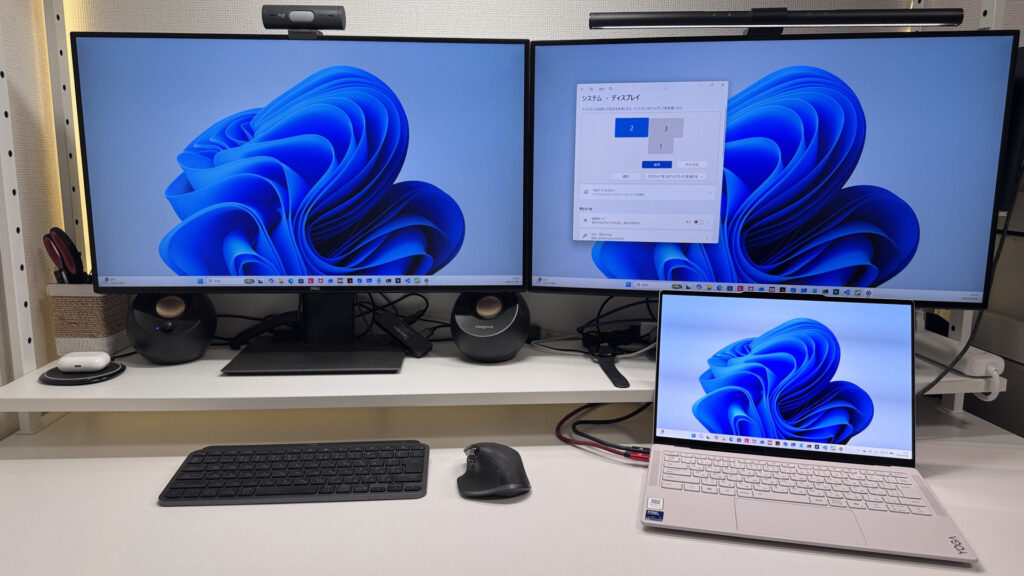 For what it's worth, I run a triple-monitor setup and it's glorious 😁
Budget-wise, setting aside around $1,600 for a remote-work laptop means you won't have to compromise on performance.
Stretch your budget a little for a slightly better machine, and you end up with something that'll serve you reliably for years.
So, bottom line — nail these three things and you're set for picking a remote-work laptop.
- CPU: A recent Intel Core 5 / AMD Ryzen 5 or better (M4 chip or better on Mac), with 16GB+ of RAM
- A portable 14- to 16-inch build that can go full desktop with an external monitor and a Bluetooth keyboard/mouse
- Budget around $1,600 for a proper work tool
Cover those three, and you'll sidestep the froze-mid-meeting nightmare and end up with a choice you won't regret 👍 Build out a proper setup at home and it also gets a lot easier to switch between "on" and "off," which makes your day-to-day work noticeably more comfortable.
And in this article, I'm walking through the laptops that check all three boxes — take a look below.
Our Picks
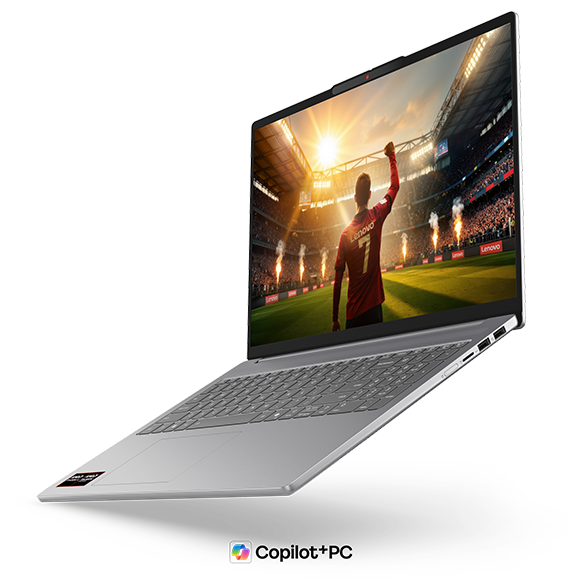
#1Lenovo IdeaPad Slim 5a Gen 11(16-inch AMD)
- ·You want to watch videos or movies on a genuinely great-looking screen
- ·You're a business user who works in Excel or presentations and wants more screen space
- ·You want 16 inches but aren't willing to give up portability
- ·You want to hop on video calls or log in with face recognition quickly
- ·Your main use case is serious PC gaming or heavy 3D video editing
- ·You're committed to keeping weight under 1.5 kg (3.3 lbs) for daily carry
Key Specs
- CPU
- AMD Ryzen AI 7 445
- Display
- 16.0-inch 1920x1200 IPS
- RAM
- 16GB
- Weight
- 1.69 kg (3.73 lbs)
- Storage
- 512GB SSD
- Battery
- ~16.3h
Why We Picked It
A 16-inch OLED display in a body that stays around 1.69kg — this model is built to give remote workers the best of both "at home" and "on the go."
The remote-work ideal is running a full desktop setup at home via an external monitor, while still being able to grab it and head out for a last-minute trip or meeting without a second thought. This laptop handles both without breaking a sweat. Its Ryzen AI 7 445 (PassMark 20770) delivers enough performance that you'll rarely see it choke even with a video call running alongside several Excel sheets and browser tabs, and the 16GB RAM / 512GB storage combo covers remote-work day-to-day with room to spare. The 16-inch OLED is also a standout for laying documents side by side, and the numpad-equipped keyboard layout will feel instantly familiar if you're a freelancer who spends a lot of time in accounting software or punching in numbers. The port lineup — HDMI, two USB-A, two USB-C — is a stress-free bonus too, since you can plug in an external monitor and peripherals directly, no adapters needed.
That big 16-inch screen plus the numpad makes this a one-machine solution for getting work done
The one downside worth flagging is that at around 1.69kg, it'll feel a bit on the heavy side if you're someone who's frequently carrying it around while out and about. That said, if your pattern is mostly running it as a desktop at home with only a few outings a week, that trade-off lines up nicely with what the 16-inch build gives you in return.
For freelancers who want a bigger screen to boost their day-to-day efficiency but still want the flexibility to grab it and go when they need to, this is a genuinely practical sweet spot. 😊
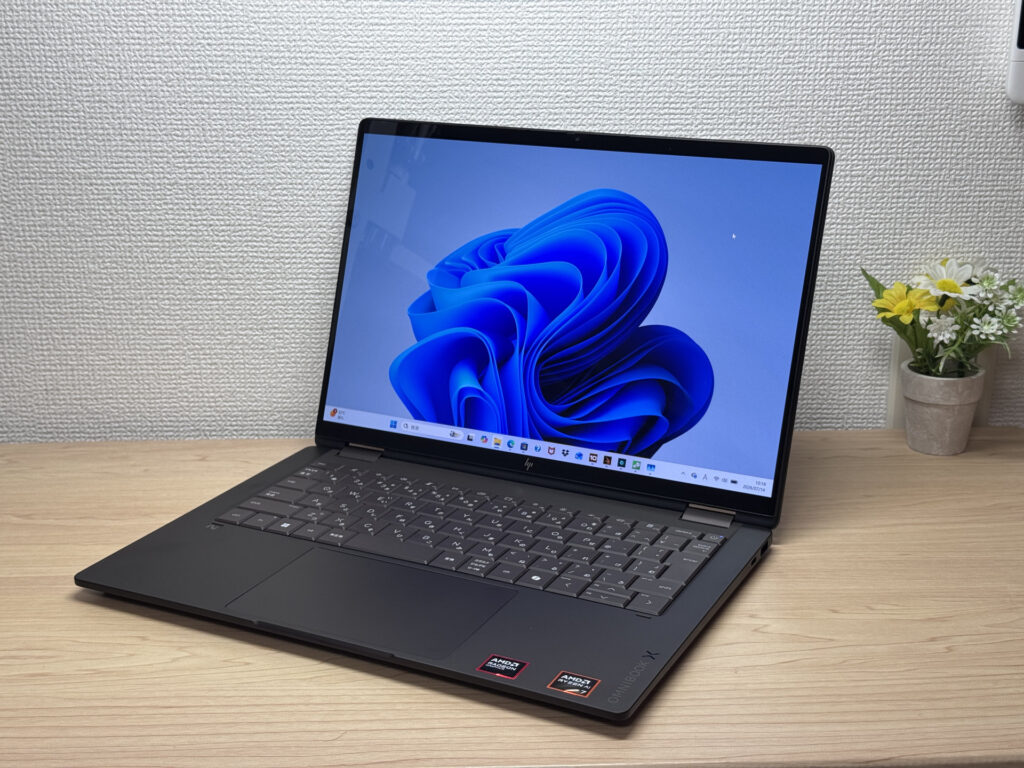
#2HP OmniBook X Flip 14-kc
- ·You want one device that works as both a laptop and a tablet
- ·You need something that handles papers, browsing, and multitasking smoothly
- ·You want a great screen and sound for watching videos and movies
- ·You're bothered by screen glare and want a matte display instead
- ·You need serious video editing power or heavyweight gaming — other options may serve you better
- ·Weight is your top priority and you're after something in the 1.2 kg (~2.6 lb) range
Key Specs
- CPU
- AMD Ryzen AI 5 430
- Display
- 14.0-inch 1920x1200 OLED touch
- RAM
- 16GB
- Weight
- 1.40 kg (3.09 lbs)
- Storage
- 512GB SSD
- Battery
- ~24.0h
Why We Picked It
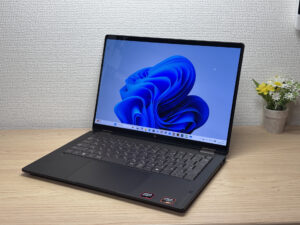
The HP OmniBook X Flip 14 is a 14-inch 2-in-1 with a premium Deep Espresso finish and a gorgeous 2880×1800, 120Hz OLED display. It supports tablet mode and pen input, and with the AMD Ryzen AI 7 450 plus 32GB of RAM, it handles multitasking without breaking a sweat. The glossy screen does pick up some reflections, but given the build quality and expandability, it's still a solid value.
Premium build meets 2-in-1 versatility
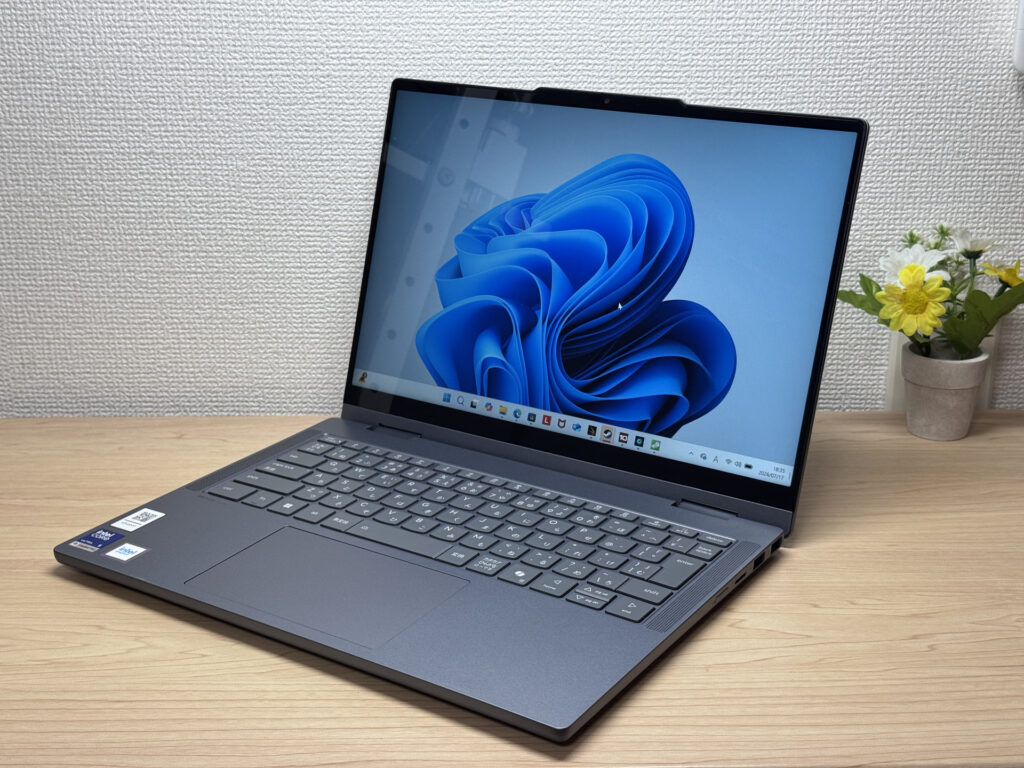
#3Lenovo IdeaPad 5i 2-in-1 Gen 11 (14-inch Intel)
- ·You want a laptop that handles reports and web browsing without breaking a sweat
- ·You don't want to worry about finding an outlet while you're out
- ·You're a student who wants to take handwritten notes in tablet mode with the stylus
- ·You want to pair it with an external monitor and keyboard for a mini desktop setup
- ·You're carrying it around every single day
- ·You're after serious gaming or video editing
- ·You want a machine built primarily for illustration or handwriting
Key Specs
- CPU
- Core Ultra 5 322
- Display
- 14.0-inch 1920x1200 IPS touch
- RAM
- 16GB
- Weight
- 1.54 kg (3.40 lbs)
- Storage
- 512GB SSD
- Battery
- ~20.0h
Why We Picked It
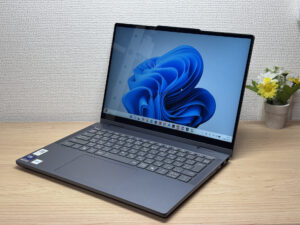
The IdeaPad 5i 2-in-1 Gen 11 (14-inch Intel) is a 14-inch 2-in-1 laptop with a 360° hinge and a bundled Lenovo Yoga Pen, giving you tablet and stylus input on top of regular laptop use. With an Intel Core Ultra 5 and 16GB of RAM, everyday tasks feel snappy, and a well-rounded port selection — two USB-A, HDMI, and two USB-C — makes hooking up peripherals easy. At 1.54 kg (~3.4 lbs) it runs a bit heavy, but it's hard to find a 2-in-1 this feature-packed at the price — the value here is hard to argue with.
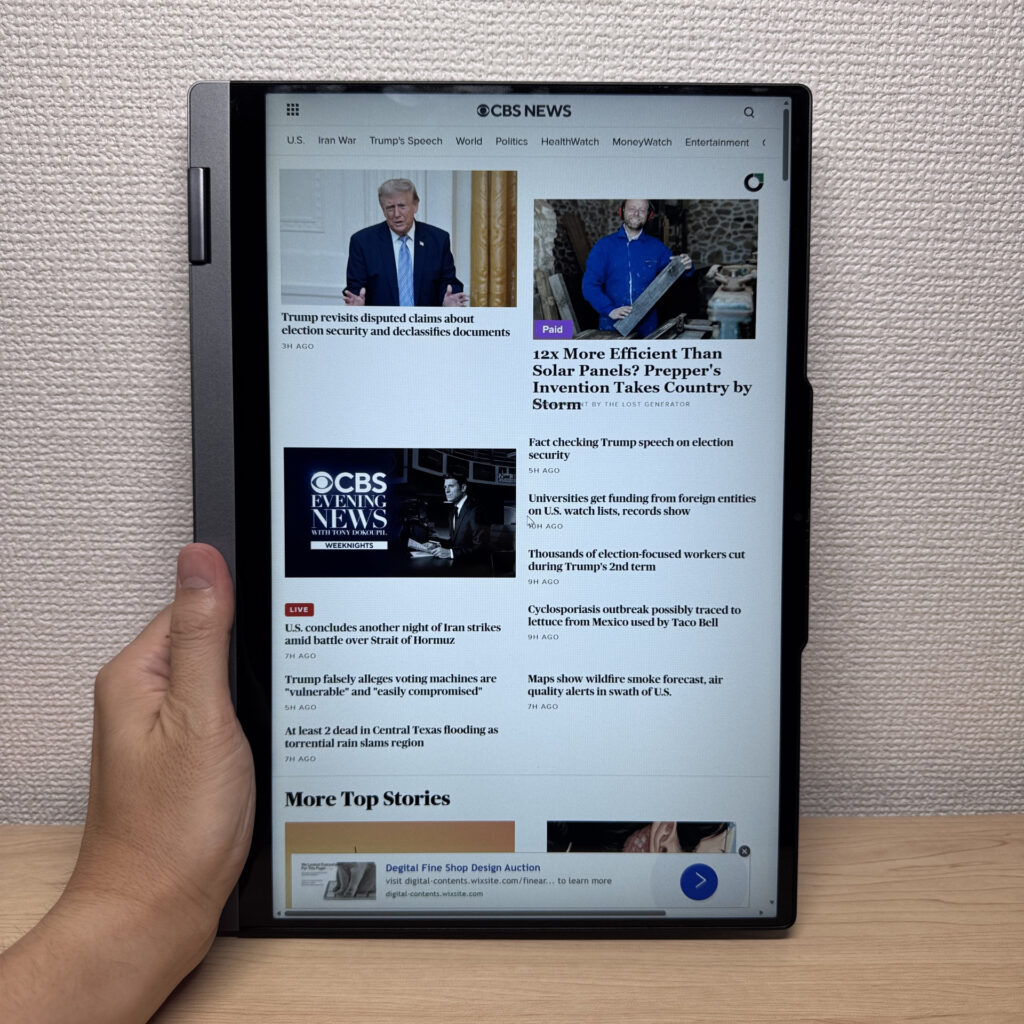 A 2-in-1 that flips into 4 modes, with solid build quality too
More Recommended Models
If our TOP 3 didn't quite click, take a look here too. These are picked with the same criteria, so you won't go far wrong either.
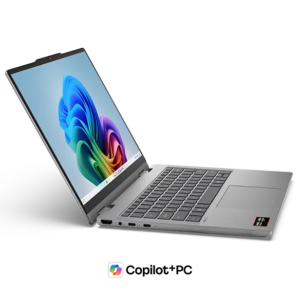
One 2-in-1 with a pen — handles work, notes, and everything in between.
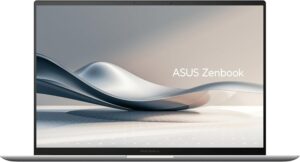
2.6 lbs with a 3K OLED — it's not cheap, and it doesn't pretend to be.
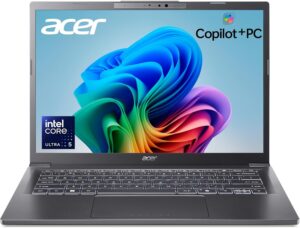
Current-gen power plus Copilot+ in a 14-inch you can actually afford.
Spec Comparison
Compare specs of all 6 recommended models at a glance.
Note: This table is ordered by our editors' picks for this use case, not by ZippyScore.
| Model | Image | Stores | Highlights | ZippyScore | CPU | RAM | Storage | Display | Battery | Weight | Full Review |
|---|---|---|---|---|---|---|---|---|---|---|---|
|
🥇 Best Overall
Lenovo
IdeaPad Slim 5a Gen 11(16-inch AMD)
|
|
Amazon | A 16-inch OLED at about 1.69kg — built to go full desktop at home and still travel when you need it to. | Best 4.7/5 | Best AMD Ryzen AI 7 445 Passmark: 20,770 | 16GB | 512GB |
16.0"
1920x1200
IPS
|
~16.3h | 1.69 kg (3.73 lbs) | Full Review |
|
🥈 Best Balanced Pick
HP
OmniBook X Flip 14-kc
|
|
Amazon | A gorgeous OLED 2-in-1 that punches way above its price. | 4.5/5 | AMD Ryzen AI 5 430 Passmark: 13,437 | 16GB | 512GB |
14.0"
1920x1200
OLED
|
Best ~24.0h | 1.40 kg (3.09 lbs) | Full Review |
|
🥉 Best Value Pick
Lenovo
IdeaPad 5i 2-in-1 Gen 11 (14-inch Intel)
|
|
Amazon | A 2-in-1 that flips into tablet mode, stylus included | 4.5/5 | Core Ultra 5 322 Passmark: 15,438 | 16GB | 512GB |
14.0"
1920x1200
IPS
|
~20.0h | 1.54 kg (3.40 lbs) | Full Review |
|
Lenovo
IdeaPad 5a 2-in-1 Gen 11 (14" AMD)
|
|
Amazon | One 2-in-1 with a pen — handles work, notes, and everything in between. | 4.4/5 | AMD Ryzen AI 5 430 Passmark: 13,437 | 16GB | 512GB |
14.0"
1920x1200
IPS
|
- | 1.54 kg (3.40 lbs) | Full Review |
|
ASUS
Zenbook S 14 (UX5406SA)
|
|
Amazon | 2.6 lbs with a 3K OLED — it's not cheap, and it doesn't pretend to be. | 4.3/5 | Intel Core Ultra 7 258V Passmark: 18,961 | Best 32GB | Best 1TB |
14.0"
1920x1200
OLED
|
~23.3h | Best 1.20 kg (2.65 lbs) | — |
|
Acer
Aspire 14 AI
|
|
Amazon | Current-gen power plus Copilot+ in a 14-inch you can actually afford. | 4.2/5 | Intel Core Ultra 5 226V Passmark: 18,095 | 16GB | 512GB |
14.0"
1920x1200
IPS
|
~22.0h | 1.41 kg (3.11 lbs) | — |
Frequently Asked Questions
Is 16GB of RAM enough, or should I go for 32GB?
Windows or Mac — which is better for remote work?
If I'm using AI tools, do I need to beef up the specs?
What's the best way to get Office (Word, Excel)?
Can I get away with a cheap used or outlet laptop?
Summary
Here's a quick recap of the conclusion from this article:
These are the models that meet those criteria:
- #1 Lenovo IdeaPad Slim 5a Gen 11(16-inch AMD)
- #2 HP OmniBook X Flip 14-kc
- #3 Lenovo IdeaPad 5i 2-in-1 Gen 11 (14-inch Intel)
- #4 Lenovo IdeaPad 5a 2-in-1 Gen 11 (14" AMD)
- #5 ASUS Zenbook S 14 (UX5406SA)
- #6 Acer Aspire 14 AI
We hope you find the laptop that's right for you here.
Happy laptop hunting!
About the author
