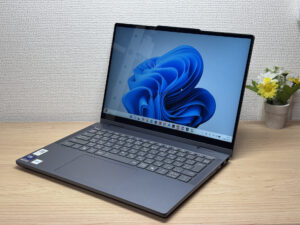
ZippyScore
ZippyScore is a proprietary rating based on 6 criteria: performance, portability, display, battery, value, and connectivity.
See rating criteria
- Performance: CPU / GPU performance
- Portability: Screen size & weight
- Display: Panel type, aspect ratio & refresh rate
- Battery: Rated battery life
- Value: Specs-to-price balance
- Connectivity: Port types & count
Pros & Cons
Pros
- 16GB of RAM keeps things running smoothly even when you're juggling multiple tasks
- A generous 60Wh battery means you won't have to stress about finding an outlet on the go
- A well-rounded port selection means you're less likely to need adapters
- The 16:10 display gives you more vertical space, making it easier to see what you're working on
- A solid webcam helps you look sharp on video calls
Cons
- At around 1.54 kg (~3.4 lbs), it's on the heavier side → if you're carrying it around all day, every day, a lighter machine might suit you better
- Not built for heavy gaming or serious video editing → fine if you stick to lighter workloads
Specs Summary
| OS | Windows 11 Home |
|---|---|
| CPU | Core Ultra 5 322 (PassMark: 15,438) Intel Core Ultra 5 322 (PassMark: 15,438) Core Ultra 7 355 (PassMark: 20,954) |
| RAM | 16GB |
| Storage | 512GB / 1TB |
| Display | 14" IPS (Glossy, Touchscreen, 60Hz) 1920x1200 (16:10) |
| Weight | 1.54 kg (3.40 lbs) |
| Ports | USB-C × 1 (5Gbps/PD/Video out), USB-C × 1 (5Gbps), USB-A × 2 (5Gbps), HDMI × 1, microSD × 1, Headphone jack × 1 |
| GPU | Intel Graphics (G3D Mark: 3,183) |
| Biometrics | Face Recognition |
| Battery | Up to 20 h (Capacity: 60 Wh) |
| Camera | 2.1 MP |
| Dimensions | Approx. 311.6 × 224.9 × 17.4 mm (W × D × H) |
| Wi-Fi | Wi-Fi 7 |
| Bluetooth | Bluetooth 5.4 |
| Color | Luna Grey / Cosmic Blue |
Configurations vary by retailer, region, and availability.
Hands-on Review
Design
First up: design. The IdeaPad 5i 2-in-1 Gen 11 (14-inch Intel) comes in Lunar Grey, a subdued color that fits Lenovo's usual look. The chassis feels genuinely sturdy, and honestly, the build quality punches above its price.
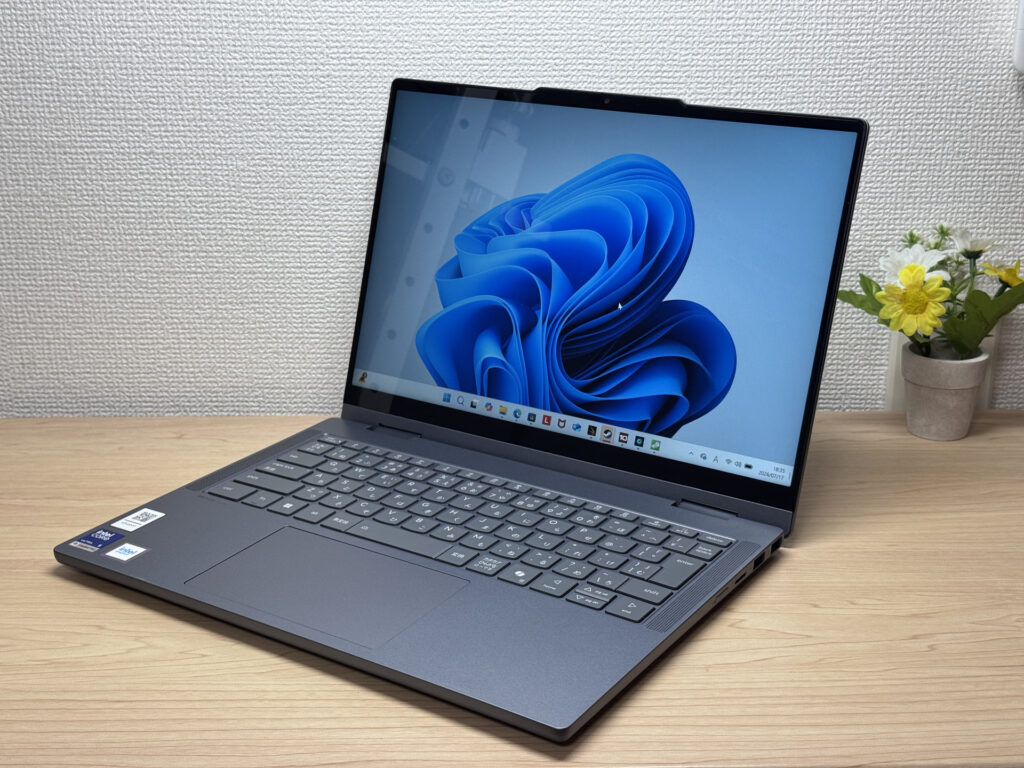 A subdued Lunar Grey front, and the rigidity holds up too!
Next to the keyboard, there's a Dolby Atmos speaker grille and a QR code sticker. A small detail, but it hints at the attention to detail here.
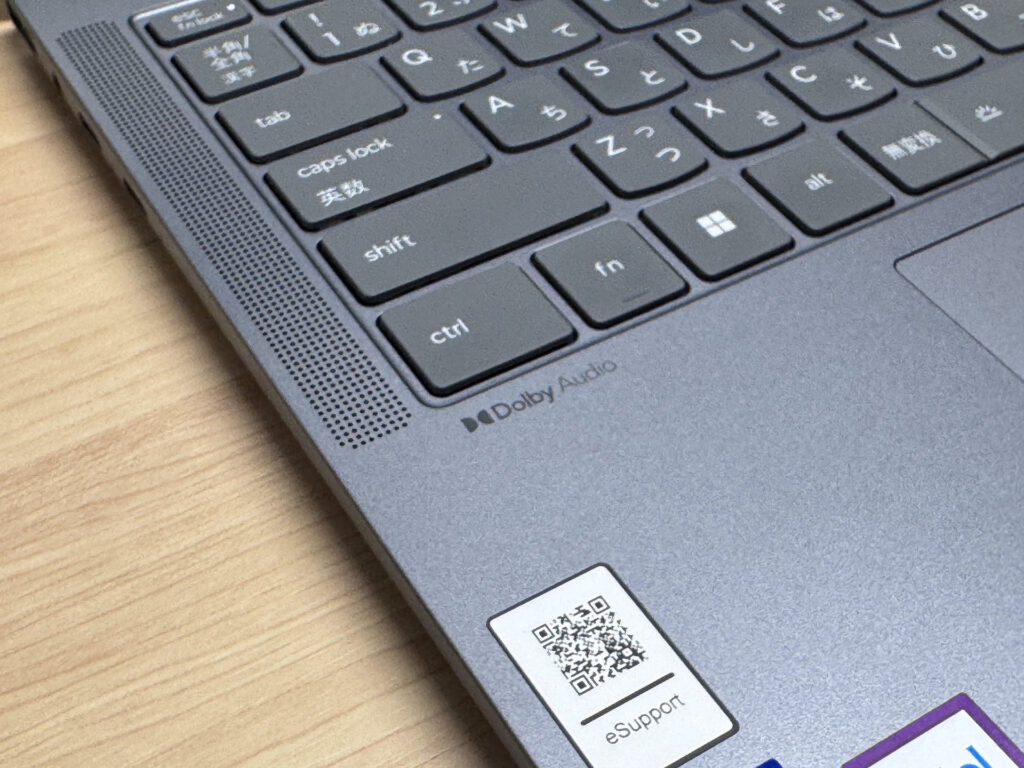 Even the corner near the speakers is well put together
Even with the lid closed, that matte texture comes through clearly.
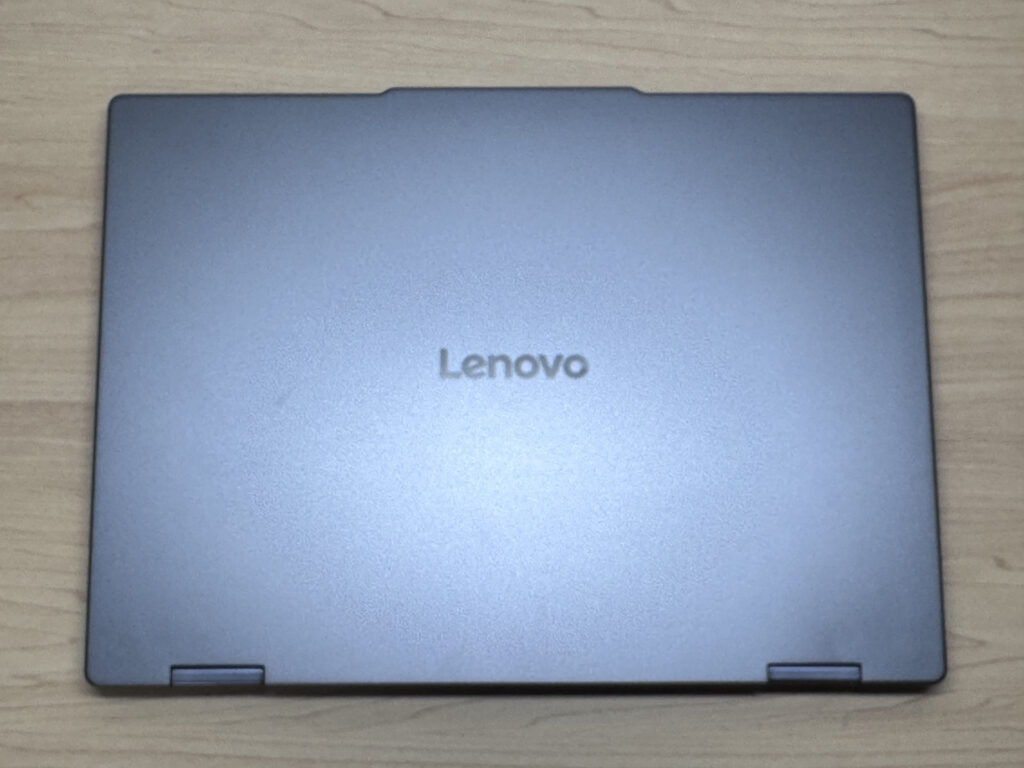 That matte finish looks great even closed
The Lenovo logo sits subtly on the lid, and the matte finish does a good job hiding fingerprints.
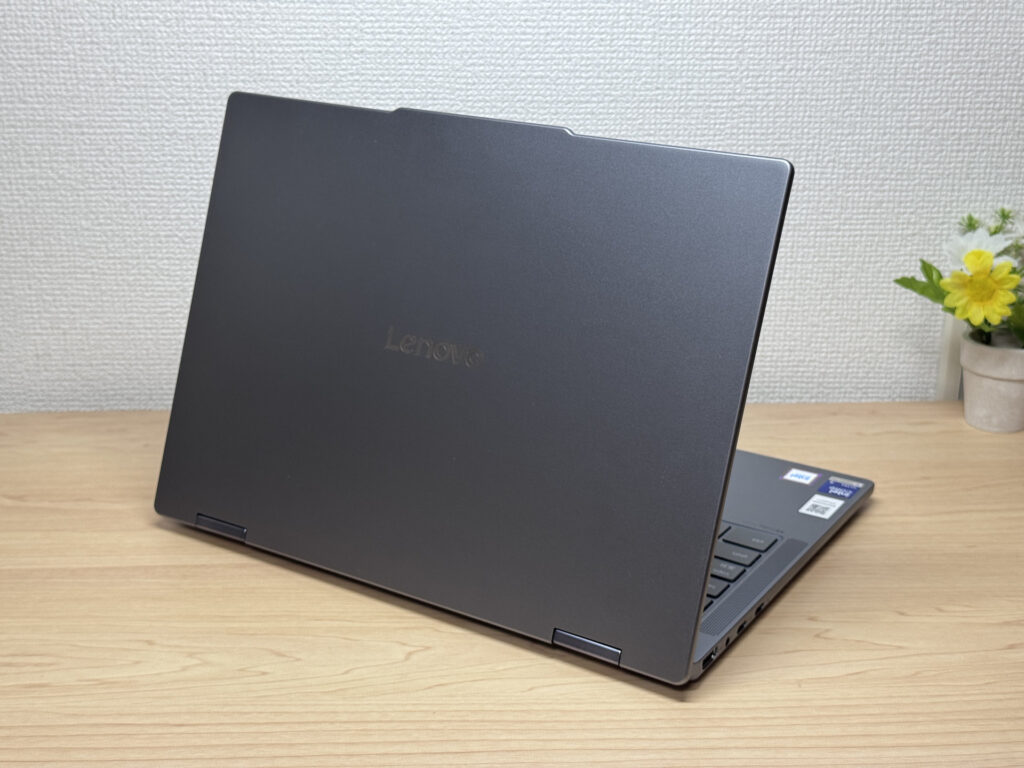 Lenovo logo on a matte lid that resists fingerprints
At 17.4mm thick, it's pretty slim for a 2-in-1. It should slide into a bag without much fuss.
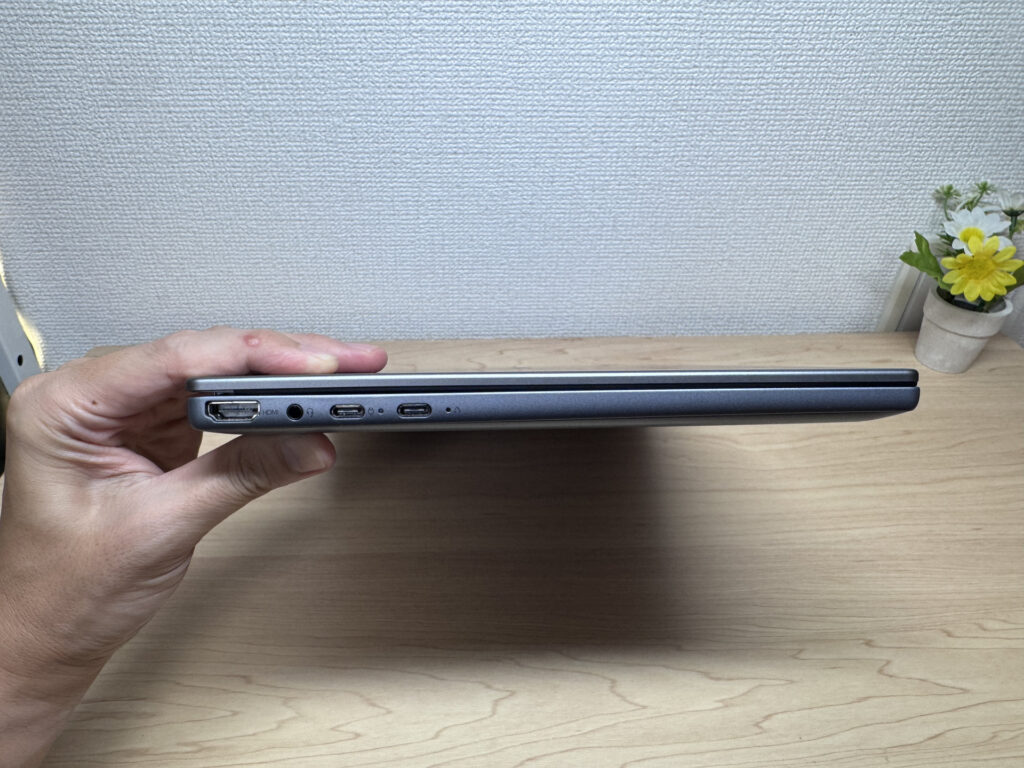 17.4mm is impressively thin for a 2-in-1
The bottom keeps things simple with a single intake fan. Even though this leans entry-level, the rubber feet are solid, so you shouldn't have to worry about the laptop sliding around while you type.
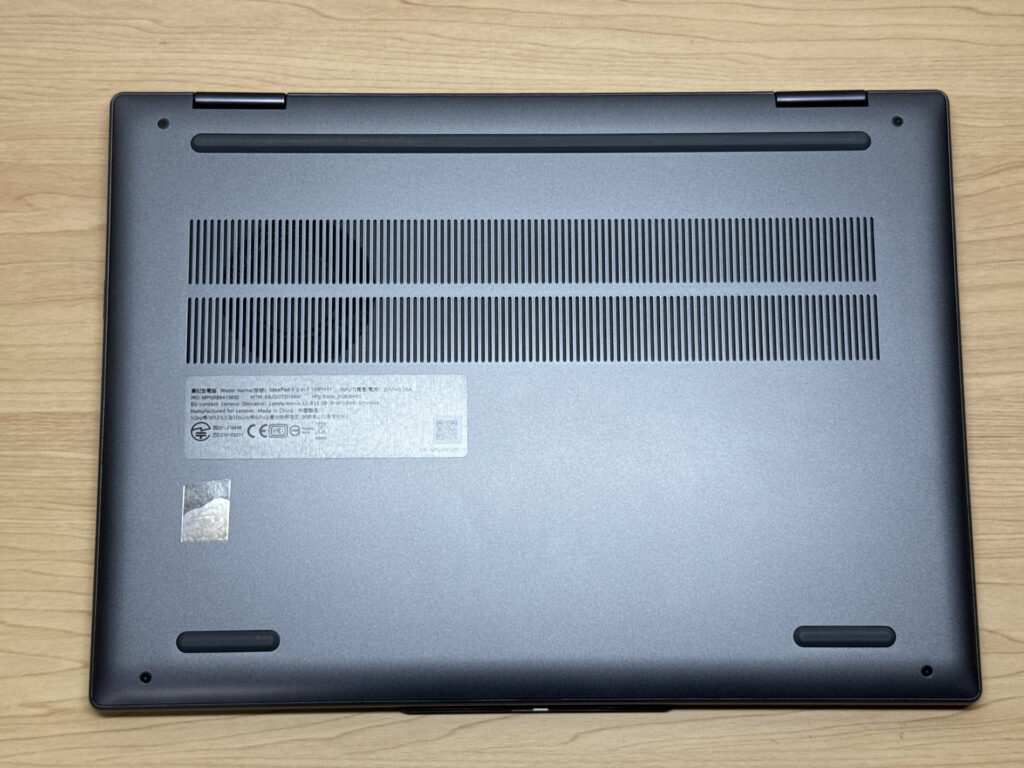 A bottom with a solid intake vent and rubber feet
You can open the lid with one hand, but the base is a bit heavy, so you'll need to hold it down slightly. The notch near the camera makes it easy to get a finger under, so opening it isn't a hassle.
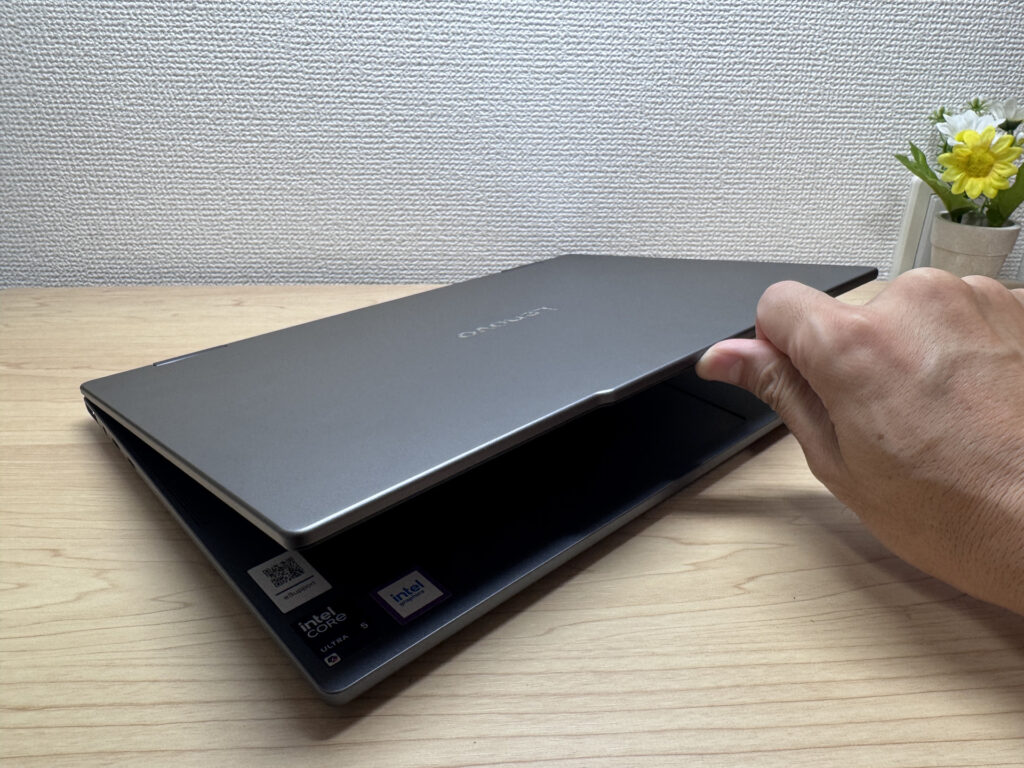 An easy-to-grip notch near the camera makes for smooth opening
It opens up to 180 degrees, so you can flip the screen around to show someone sitting across from you.
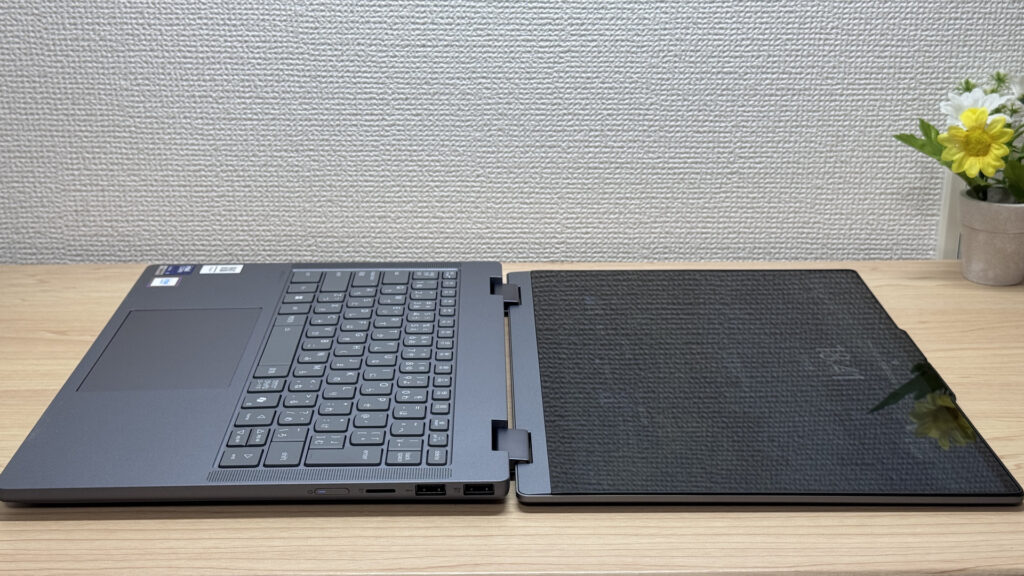 180-degree hinge makes sharing the screen easy
2-in-1 Versatility
Next, let's check out the 2-in-1 versatility. The star feature is obviously the 360-degree hinge. Flip it into tablet mode and it's a great size for reading the news, though at 1.54 kg, holding it one-handed for long gets tiring fast.
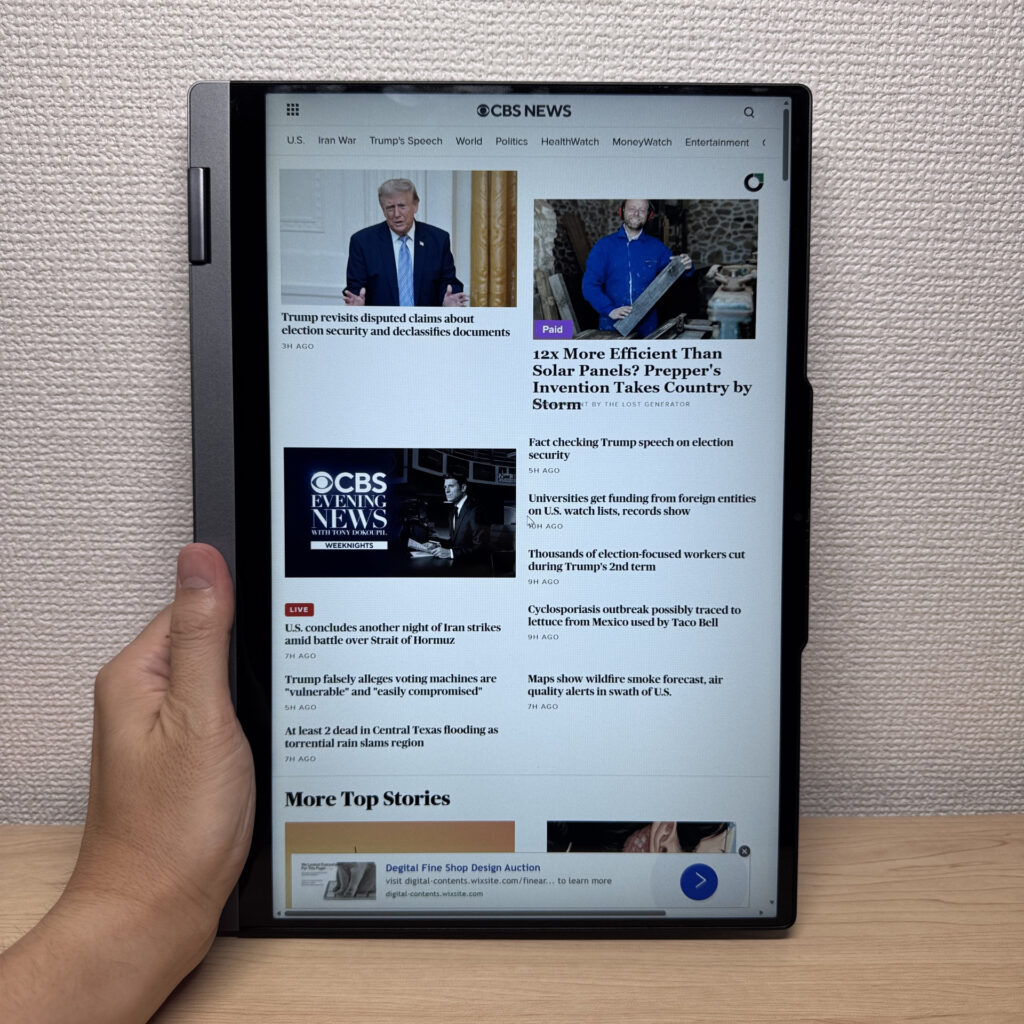 Quick news check in tablet mode
The bundled Lenovo Yoga Pen is a nice touch, letting you write directly on the screen. Honestly though, the pen tip didn't glide as smoothly as I'd hoped during testing. Might've been the room's humidity, but if writing feel is a priority for you, don't count on it too much.
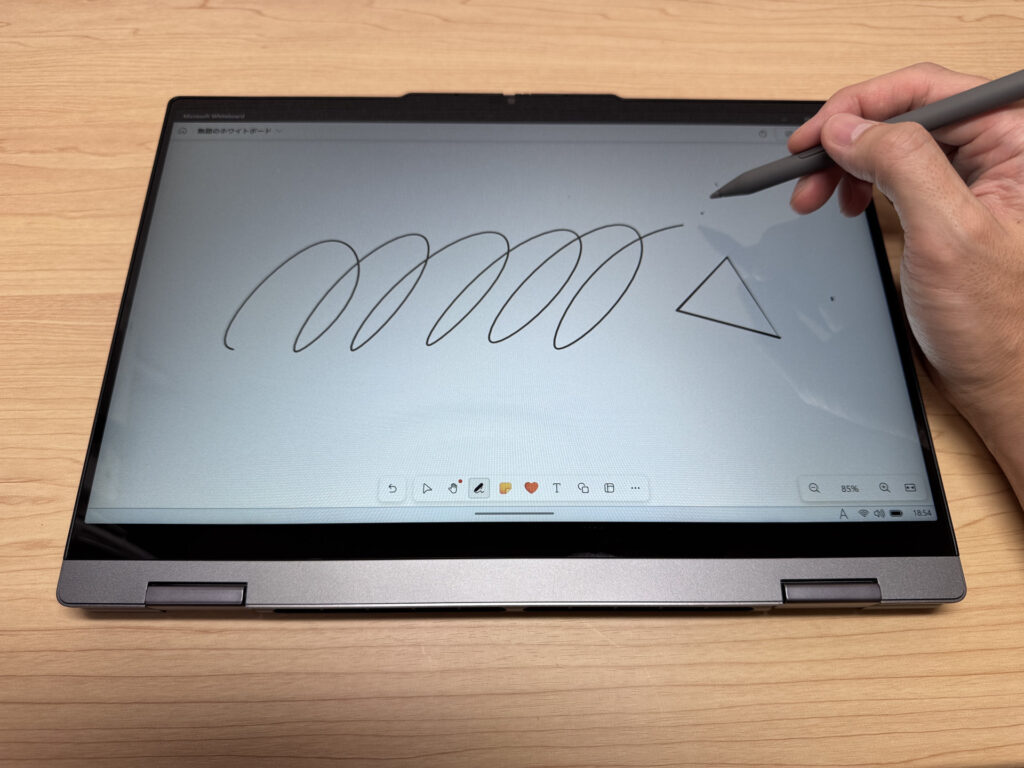 Handwriting with the included pen works, but the glide feels a bit stiff
You can magnetically attach the Yoga Pen to the lid, though I doubt many people will actually leave it there.
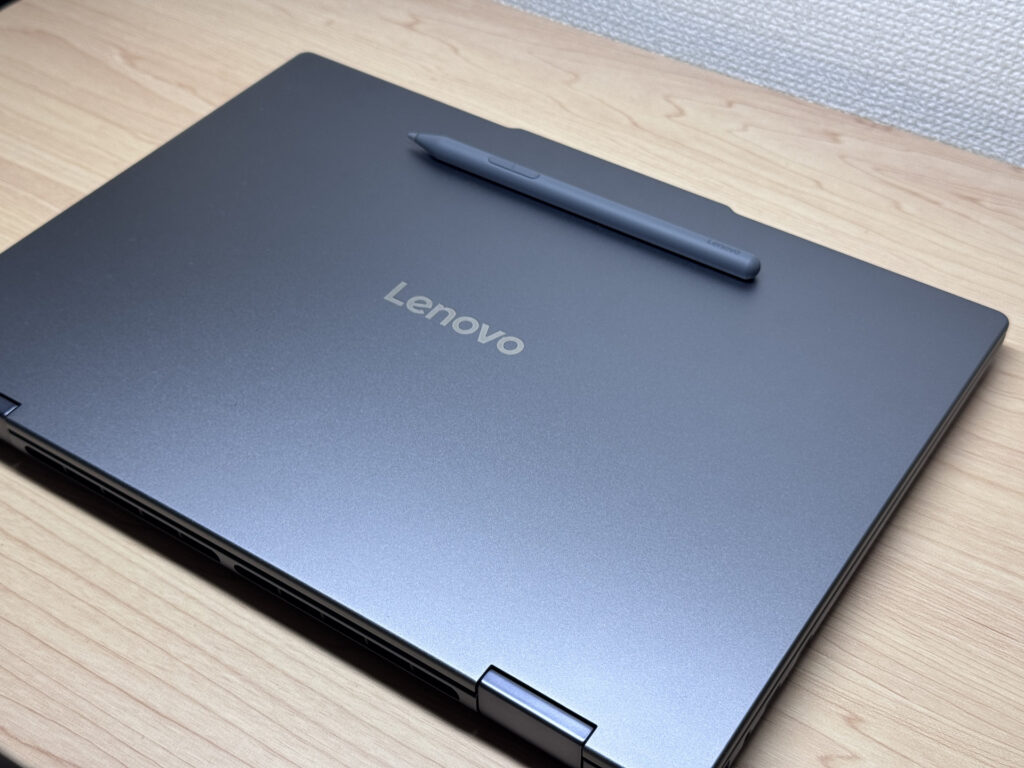 The Lenovo Yoga Pen snaps onto the lid magnetically
My personal favorite is display mode. Fold the keyboard back and pair it with a Bluetooth keyboard and mouse, and you've got yourself a mini desktop setup. I've never really loved built-in laptop keyboards, so this setup really grew on me.
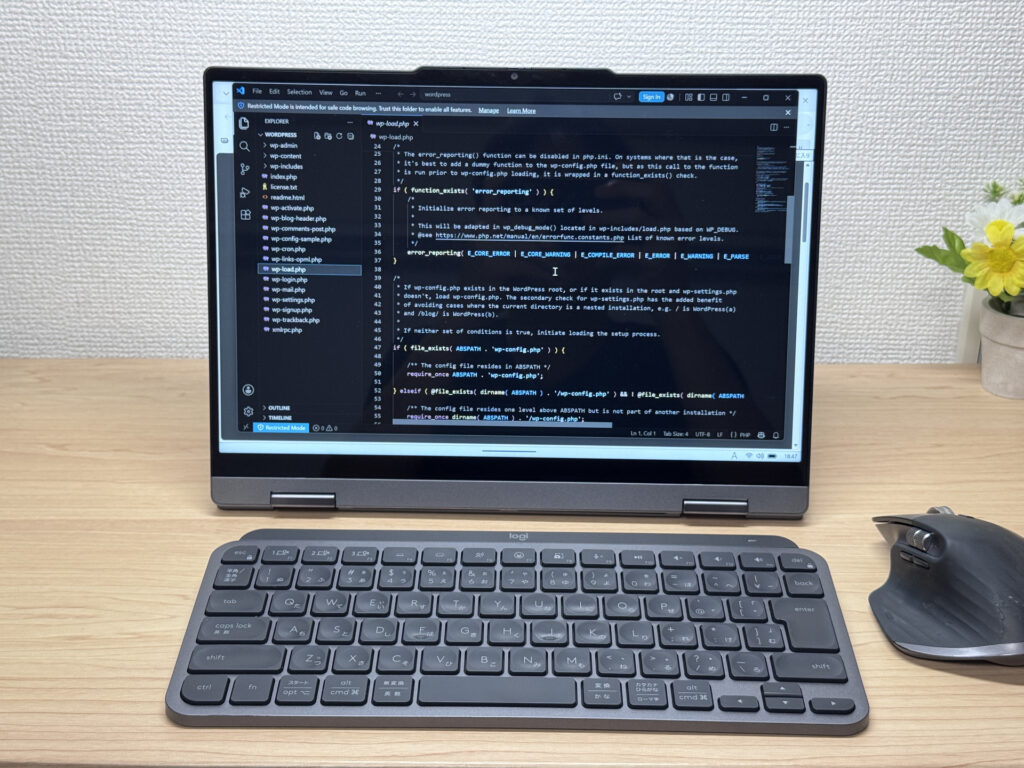 A mini desktop setup with an external keyboard and mouse
Tent mode comes in handy in tight spaces too. Since only the screen stands upright, it's great for watching videos.
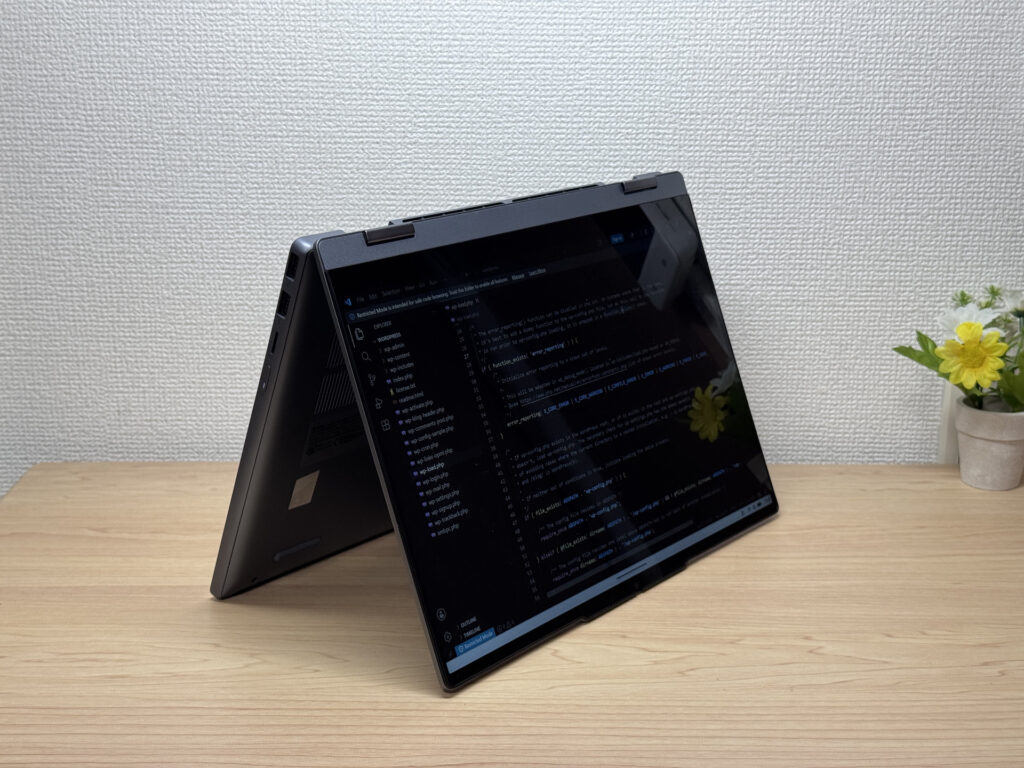 Tent mode is handy when space is tight
Portability
Now for portability. The measured weight comes in at 1566g. That's the tradeoff with a 2-in-1 build — it's inevitably a bit heavier, and honestly, carrying it around for hours every day does add up.
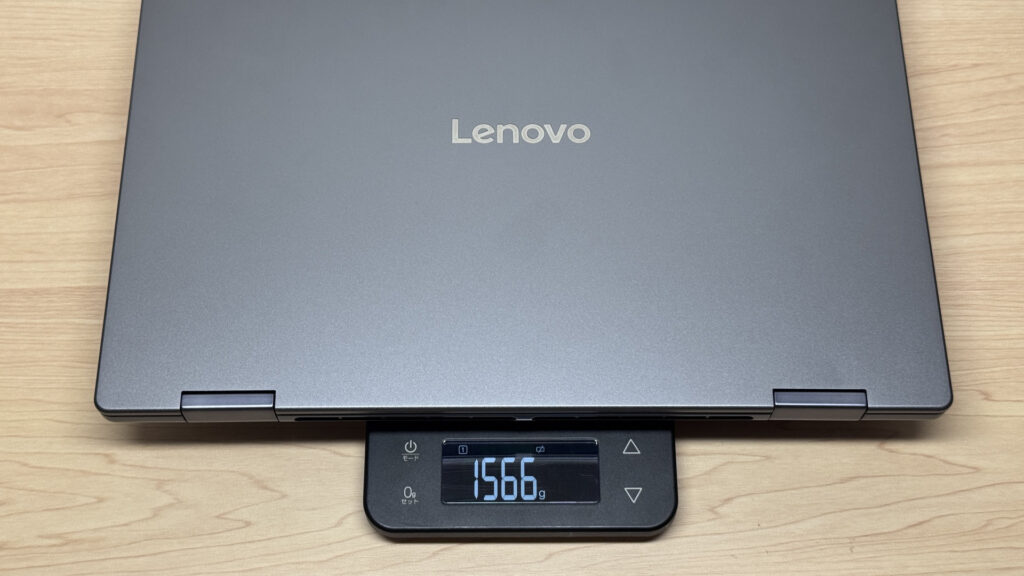 1566g measured — a bit on the heavy side
The included 65W USB-C charger also weighs in at 303.5g, which is on the heavier side. If you're carrying this around, I'd swap it for a smaller third-party charger.
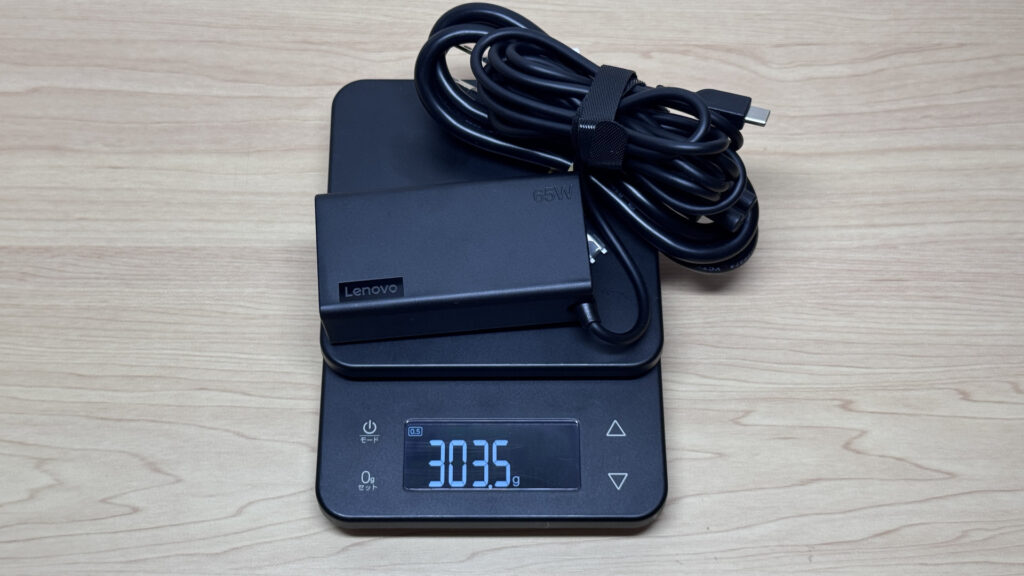 The included charger measures 303.5g
Swapping in a small Anker USB-C charger noticeably lightens the load.
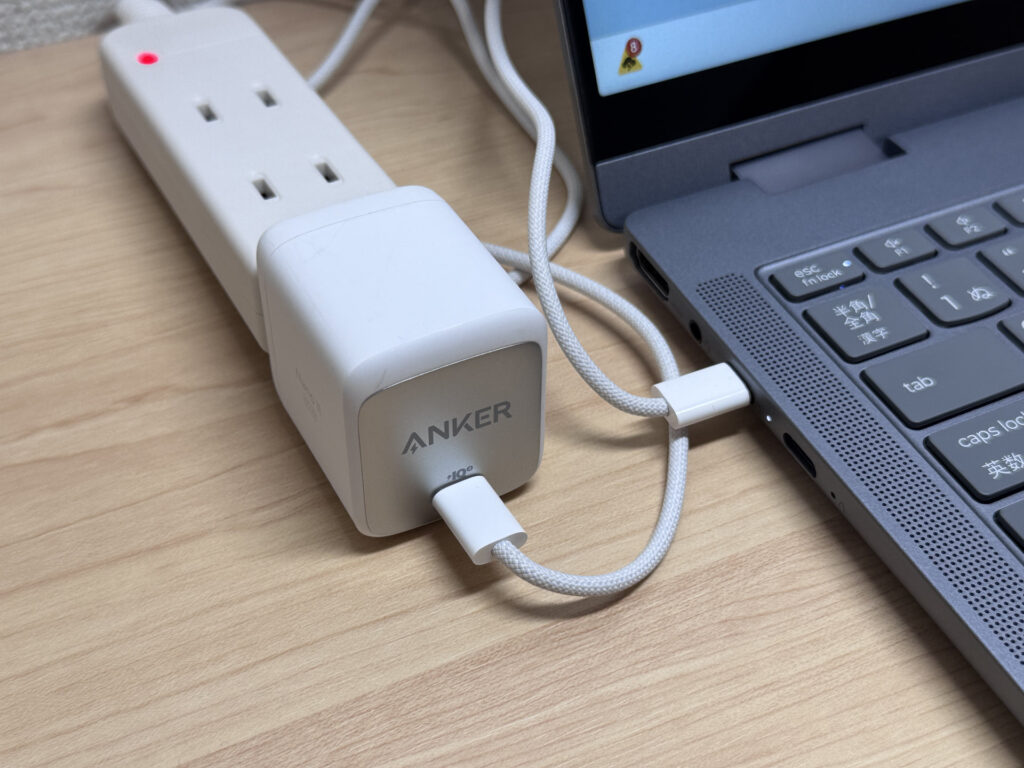 Swap in a small Anker charger to lighten your bag
Holding it one-handed, 1566g is definitely noticeable — you can't hold it like that for long. Even as a grown adult, one-handed holding was a struggle for me 😅.
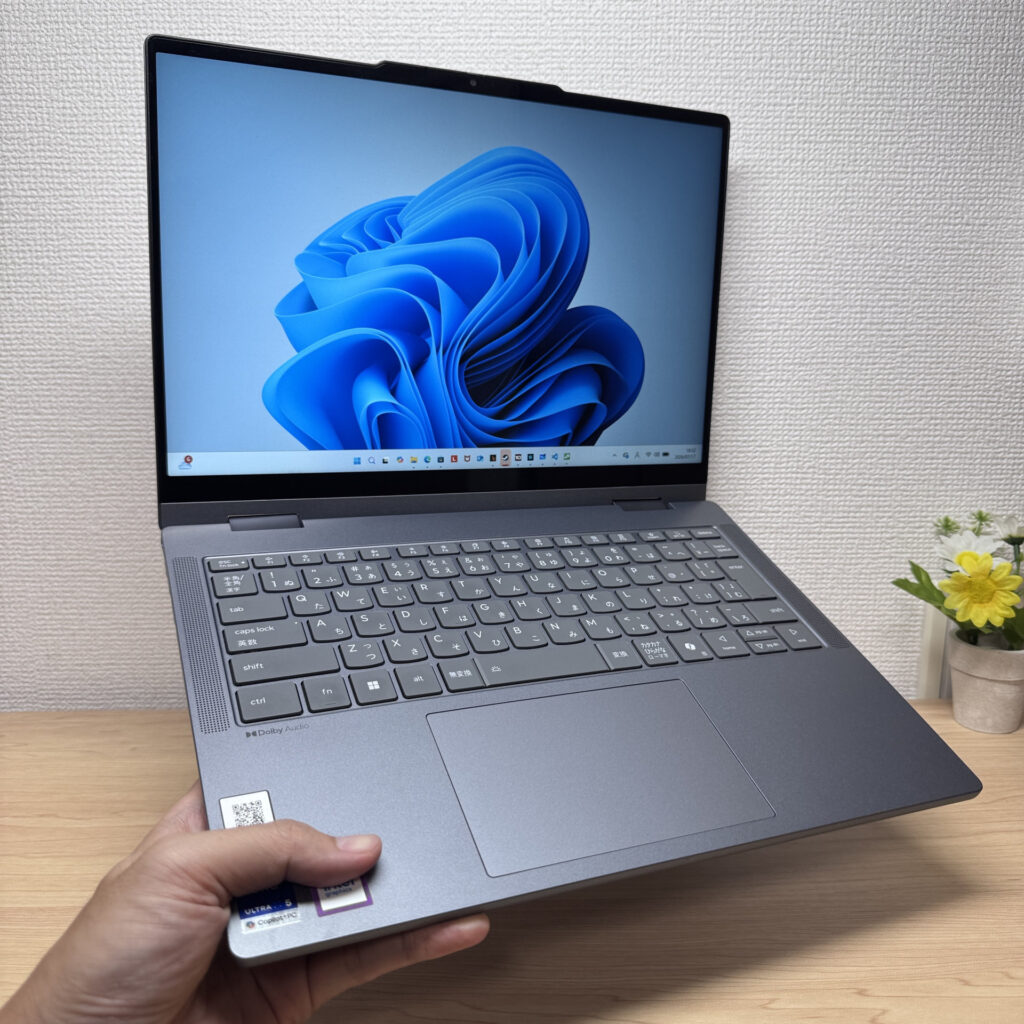 One-handed holding gets tiring fast
Display Quality
Next up, the display. It's a 14-inch WUXGA (1920×1200) IPS panel. Color output is decent, but honestly, I didn't come away thinking it was anything spectacular. With a 45% NTSC rating, it's about what you'd expect for the price.
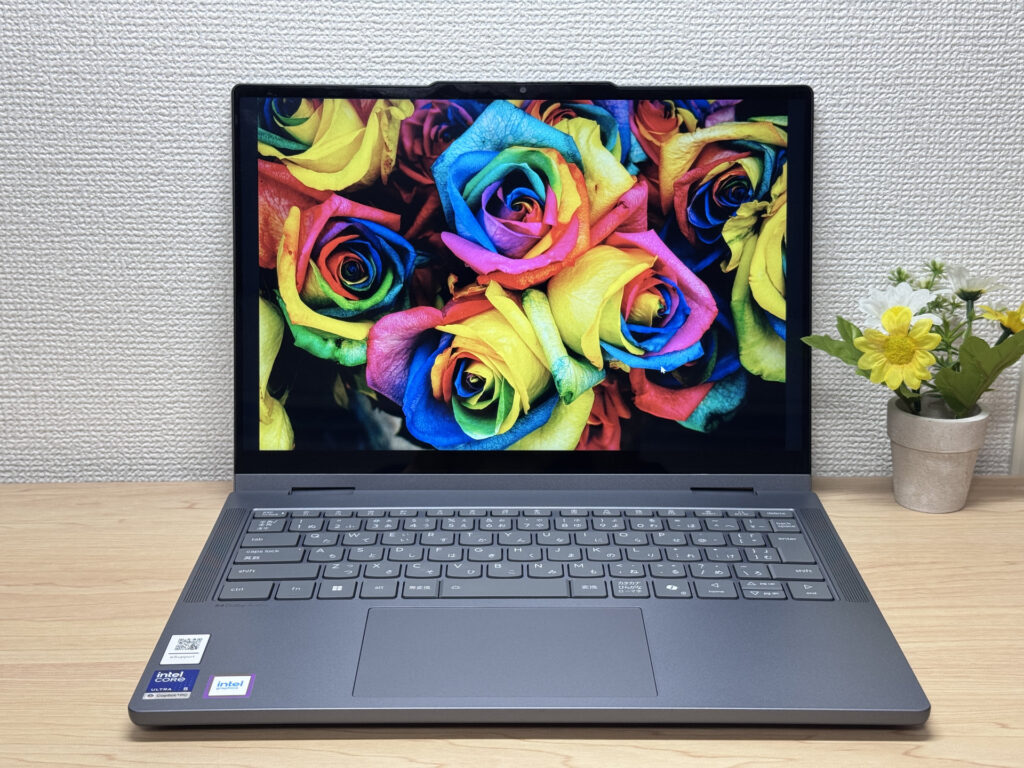 Color output feels right in line with the price
Viewing angles are pretty solid — colors don't shift too much even at an angle.
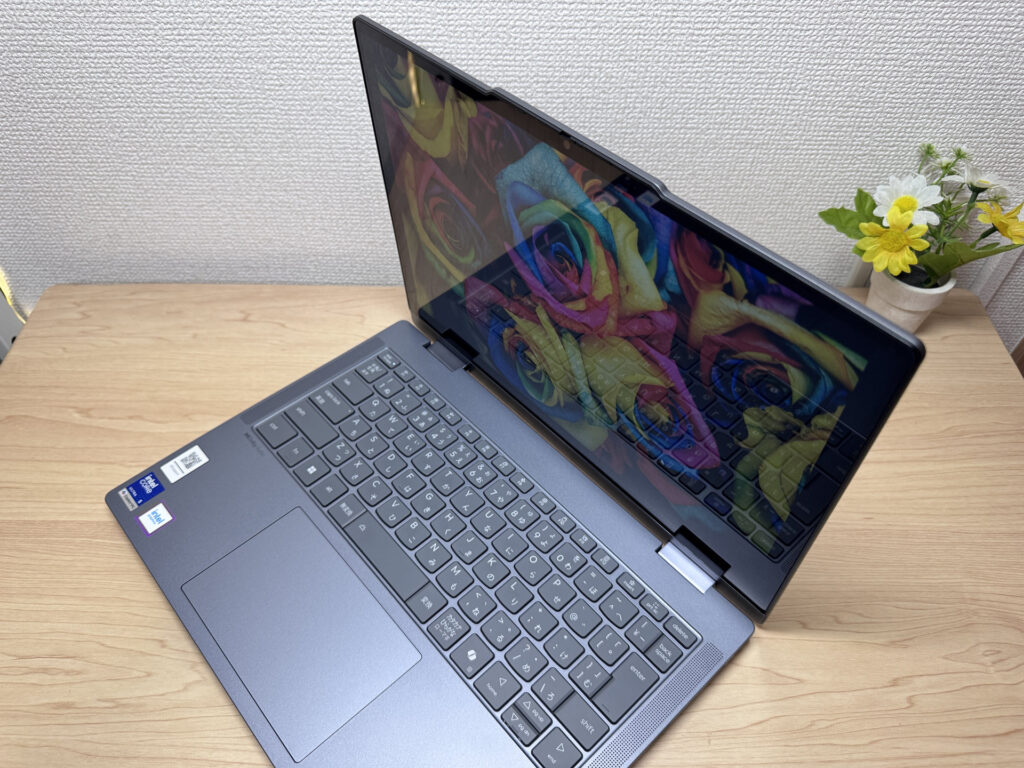 Minimal color shift, even from the side
Touch support makes scrolling and interacting with your finger feel intuitive — a real strength for a 2-in-1.
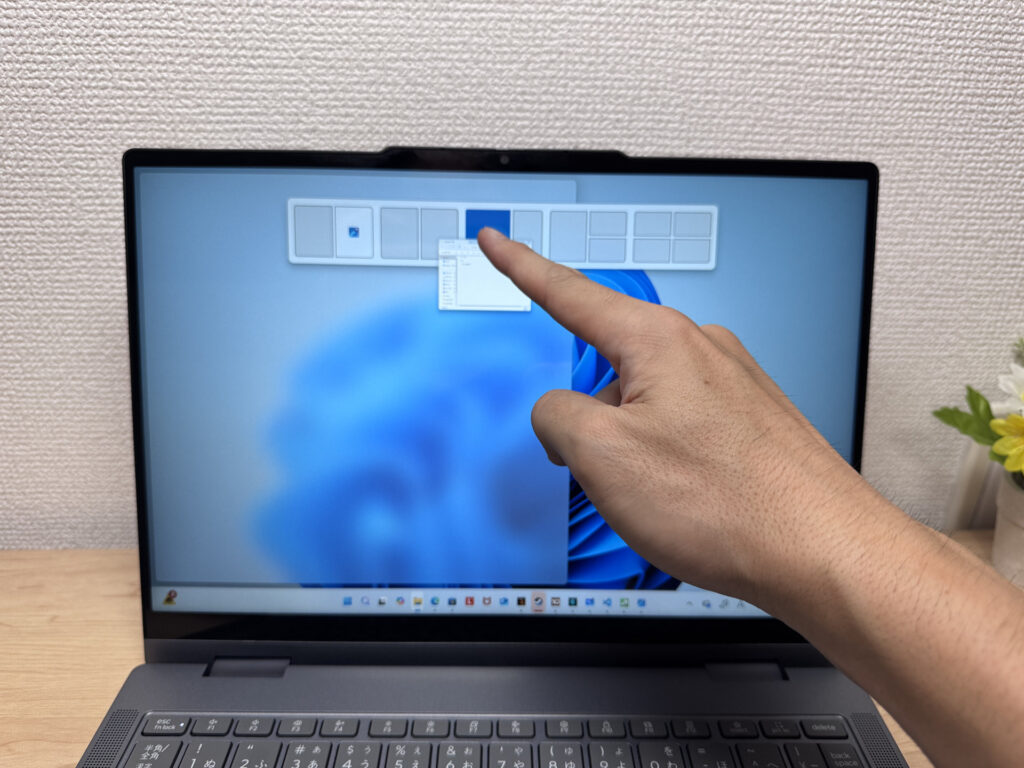 Touch input is smooth and responsive
With a 16:10 aspect ratio, you get noticeably more vertical screen space than a 16:9 laptop, which cuts down on scrolling — a small thing, but it's genuinely nice.
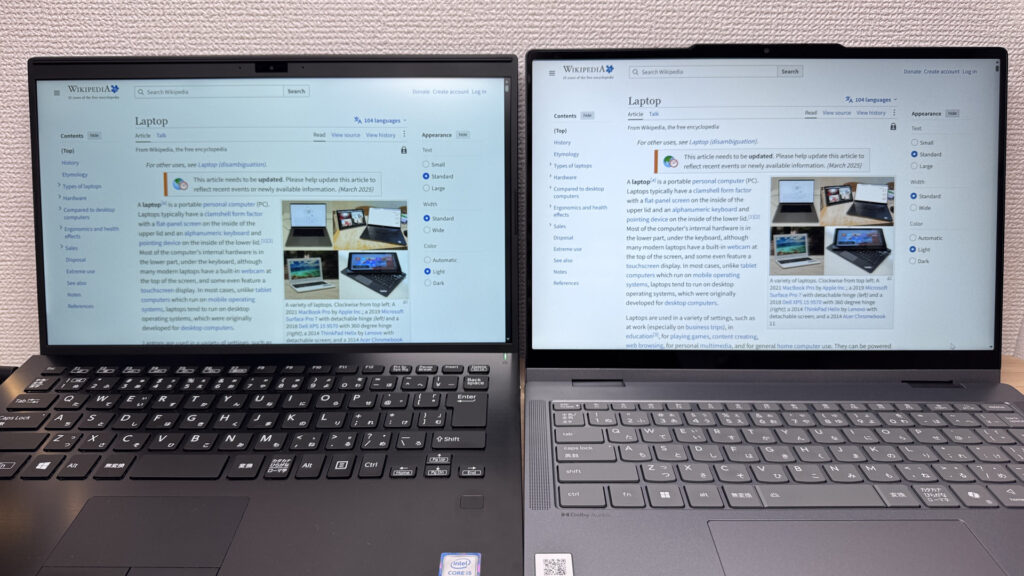 Noticeably more vertical space than 16:9
It's a glossy panel, so you'll get some glare under fluorescent lighting or similar light sources. A slight adjustment to your seating position or screen angle should keep it manageable.
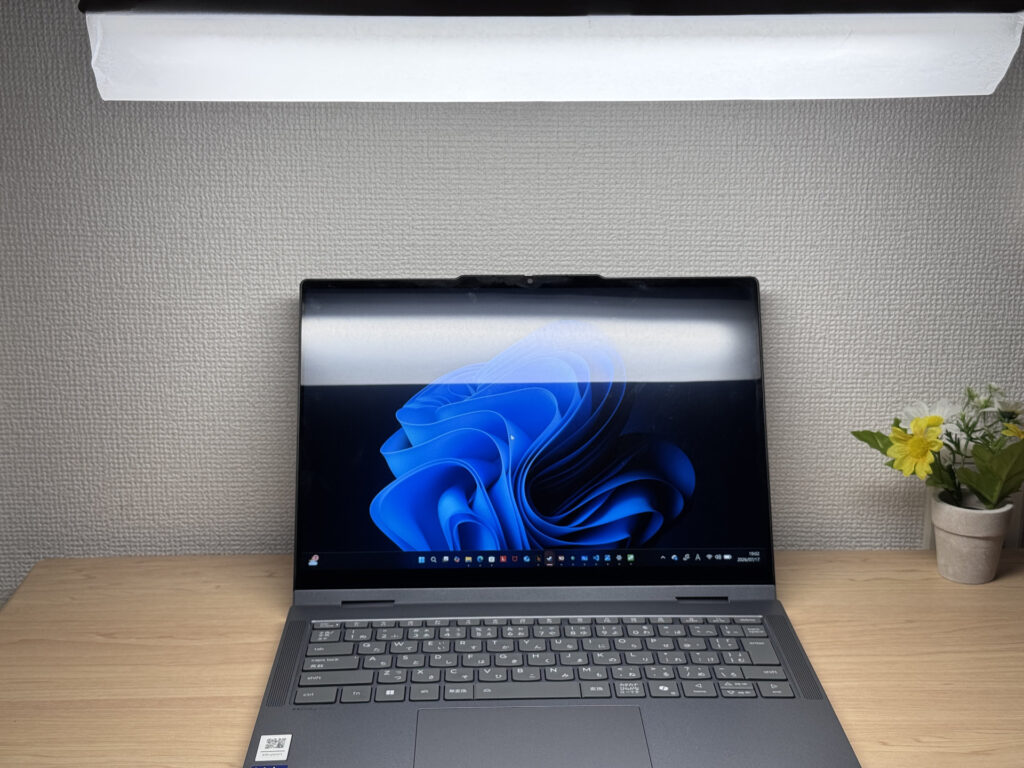 Glossy panel means glare shows up fairly easily
Keyboard
Next, the keyboard. It skips the number pad for a simple layout that's easy to read and use, even in Japanese.
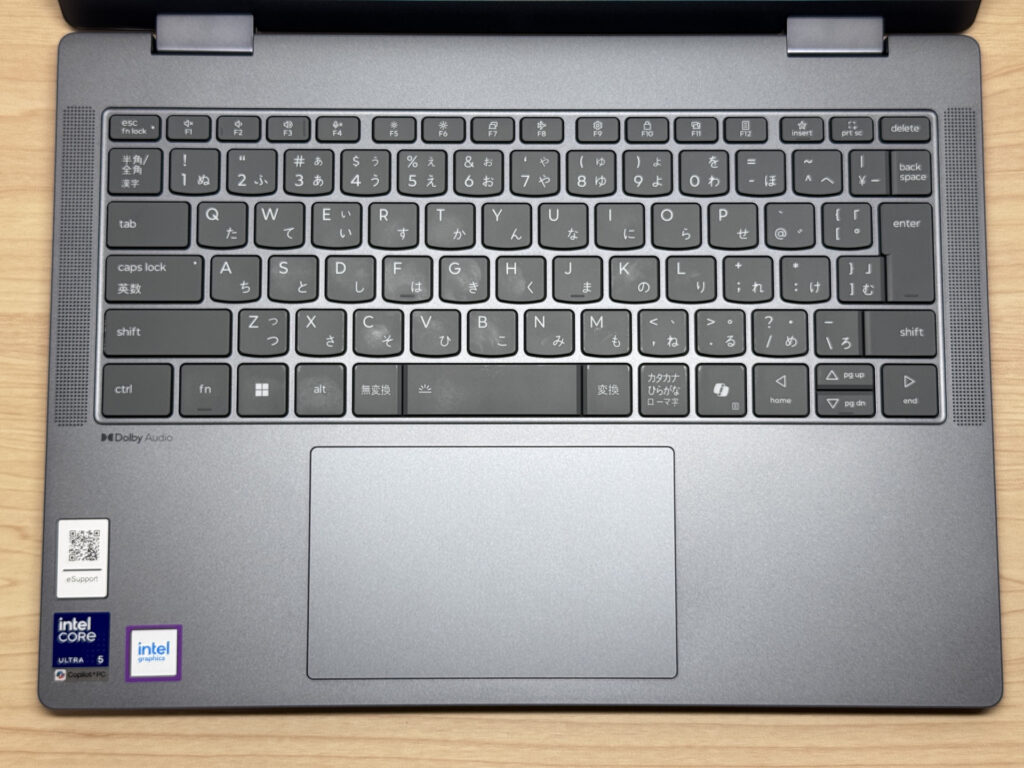 A simple layout without a number pad
Typing on it, the sturdy base means no flex even with heavy typing — it feels snappy and satisfying.
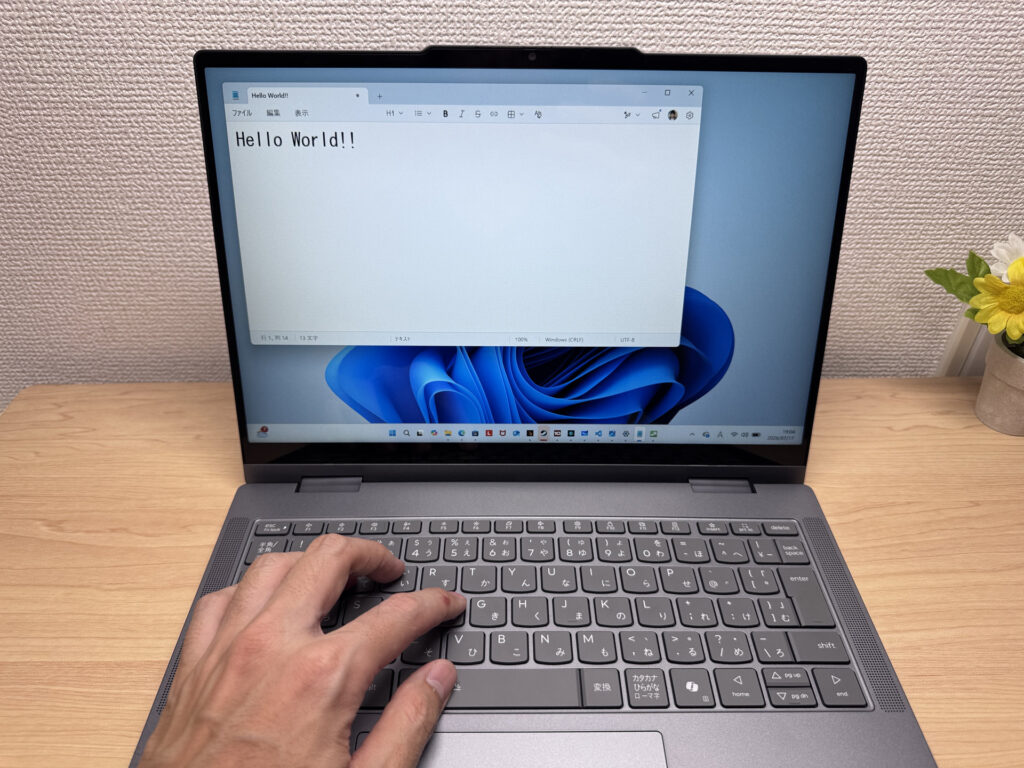 A rigid base makes for snappy, flex-free typing
The backlight is bright and even, so working in dim environments shouldn't be an issue.
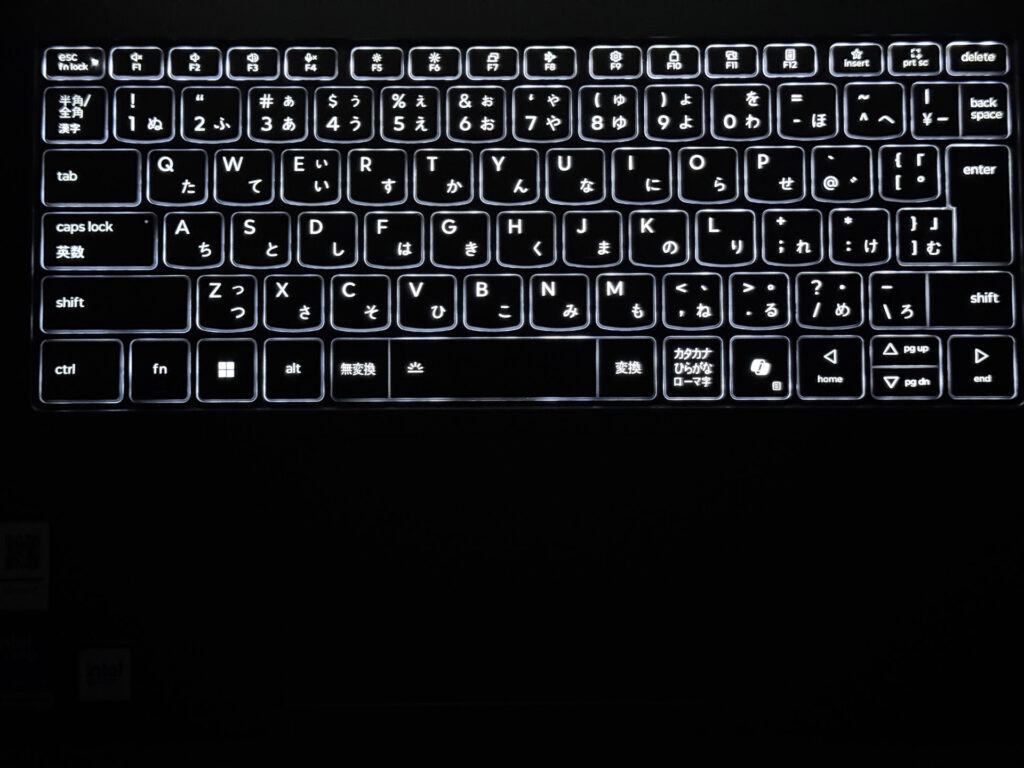 Backlighting stays visible even in low light
Heads-up: these photos are the Japan-market unit, so the keyboard shown is the Japanese layout. US models ship with the standard US (ANSI) layout.
Touchpad
Now the touchpad. It's a glass touchpad that's a bit larger than the keys, and the glide feels great.
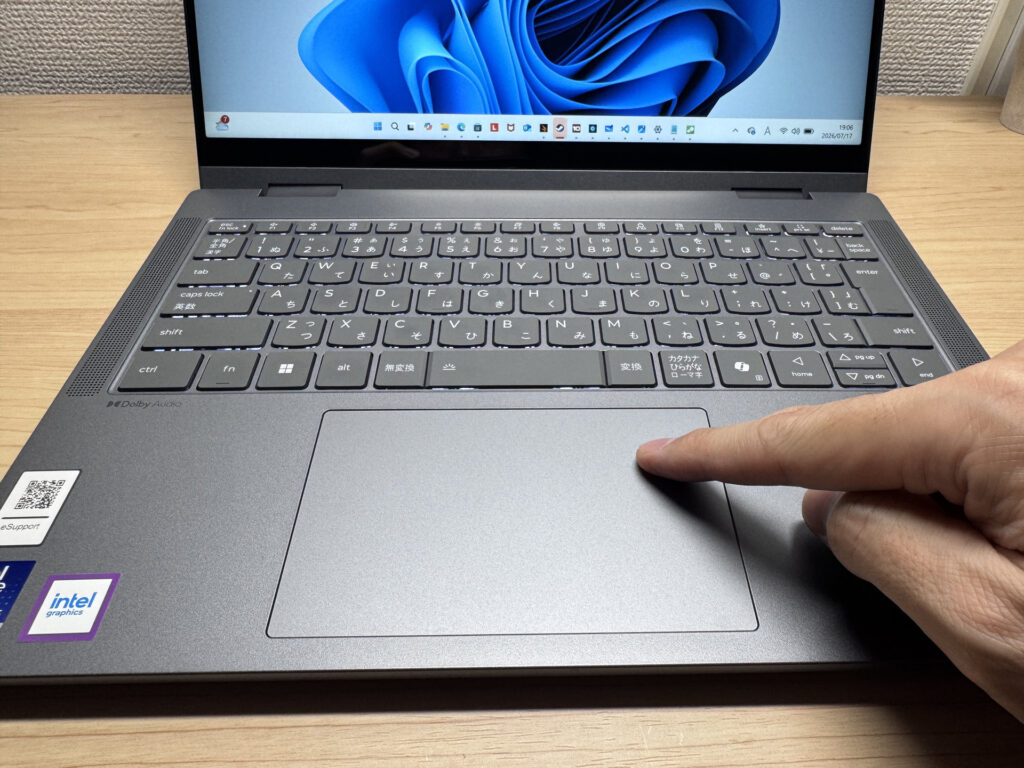 A glass touchpad with a nice, smooth glide
Three-finger gestures for switching tasks are snappy too, and navigating without a mouse feels comfortable. It honestly reminded me of using a MacBook.
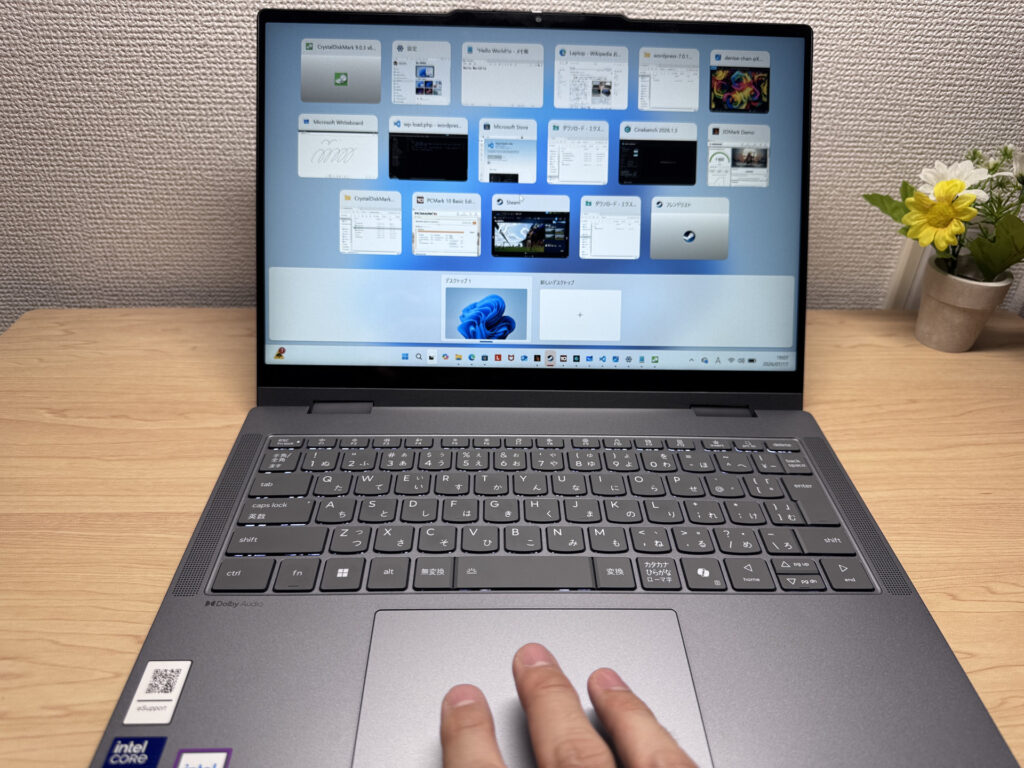 Three-finger gestures respond quickly
Performance
Let's look at CPU performance. The PCMark 10 score came in at 6756. That's standard performance — office work and web browsing are no problem, and it should handle light video editing too.
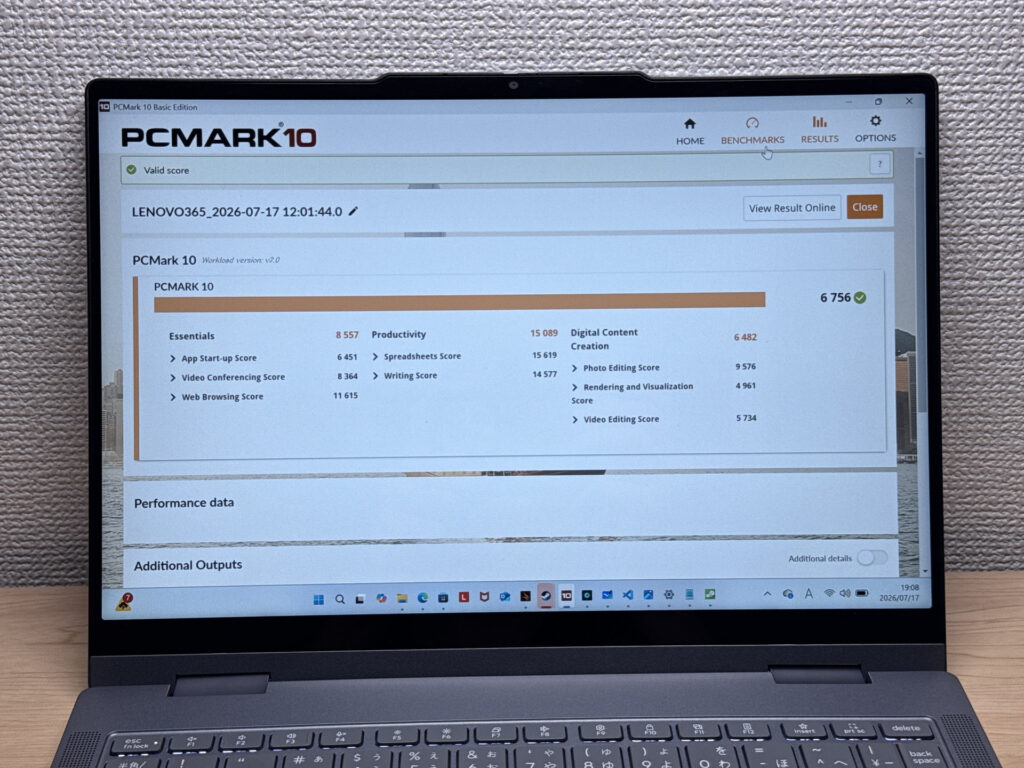 A standard PCMark 10 score of 6756
| Total Score | Rating | What it feels like in real use |
|---|---|---|
| ~4,000 | Bare minimum | Web browsing and simple tasks work, but multitasking or many tabs feels sluggish. |
| 4,000–5,000 | Light use | Daily tasks are doable, but running multiple apps means waiting around. |
| 5,000–6,500 | Comfortable (mainstream) | Handles most work without stress — fine for office, school, video calls. |
| 6,500–8,000 | High performance This PC | Plenty of headroom. Light photo editing and programming feel snappy. |
| 8,000+ | Very high performance | Tackles video editing and heavy workloads. Long-lasting performance. |
*PCMark 10 reflects overall comfort. Actual feel depends on CPU, RAM, and SSD speed.
GPU performance lands at 1022 on 3DMark Steel Nomad Light. Light PC games are playable, but heavier titles are going to be a stretch.
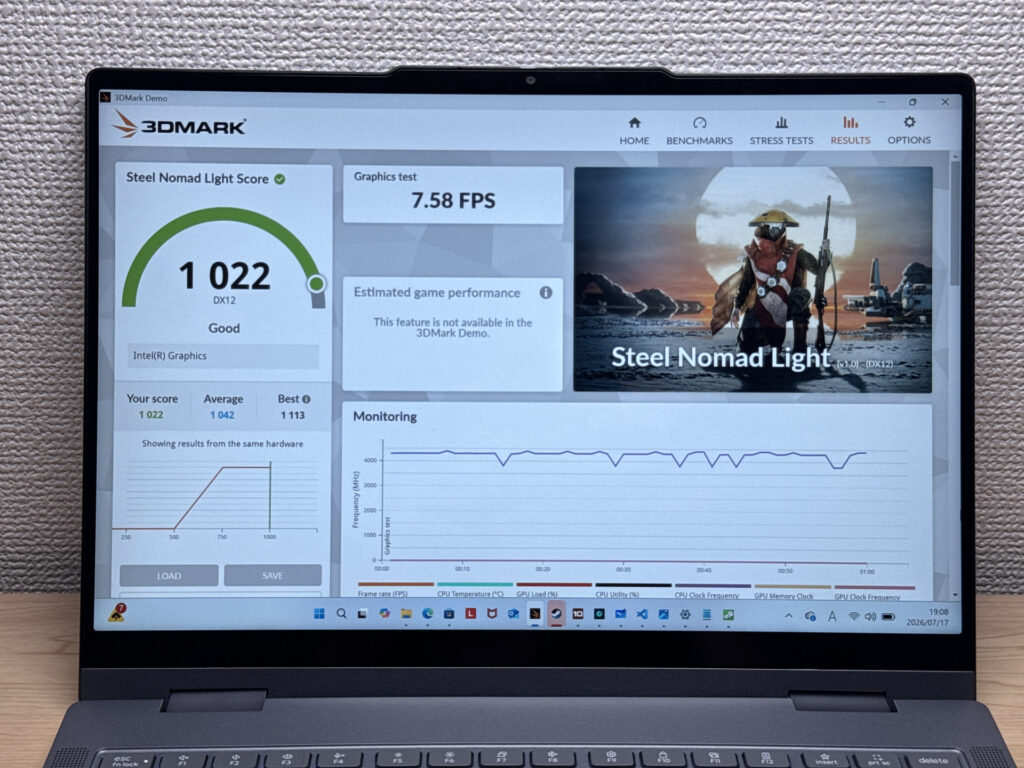 3DMark Steel Nomad Light score of 1022
| Score | Rating | What it feels like in real use |
|---|---|---|
| Up to 400 | Bare minimum | 3D performance is quite limited. Not really suited for gaming. |
| 400–900 | Light 3D | Lighter games and low-load 3D processing work. |
| 900–1,500 | Average (mainstream) This PC | Standard for integrated GPUs. Light to medium games playable with right settings. |
| 1,500–2,200 | High performance | Strong for an integrated GPU. Games and 3D work feel comfortable. |
| 2,200+ | Very high performance | Top-tier 3D performance for thin laptops. Real graphics headroom. |
*3DMark Steel Nomad Light targets thin laptops and integrated GPUs. Score range differs from Time Spy, so direct comparison isn't valid.
Storage speed is seriously fast — 6105 MB/s read and 4918 MB/s write. Moving large files or editing video shouldn't feel like a chore.
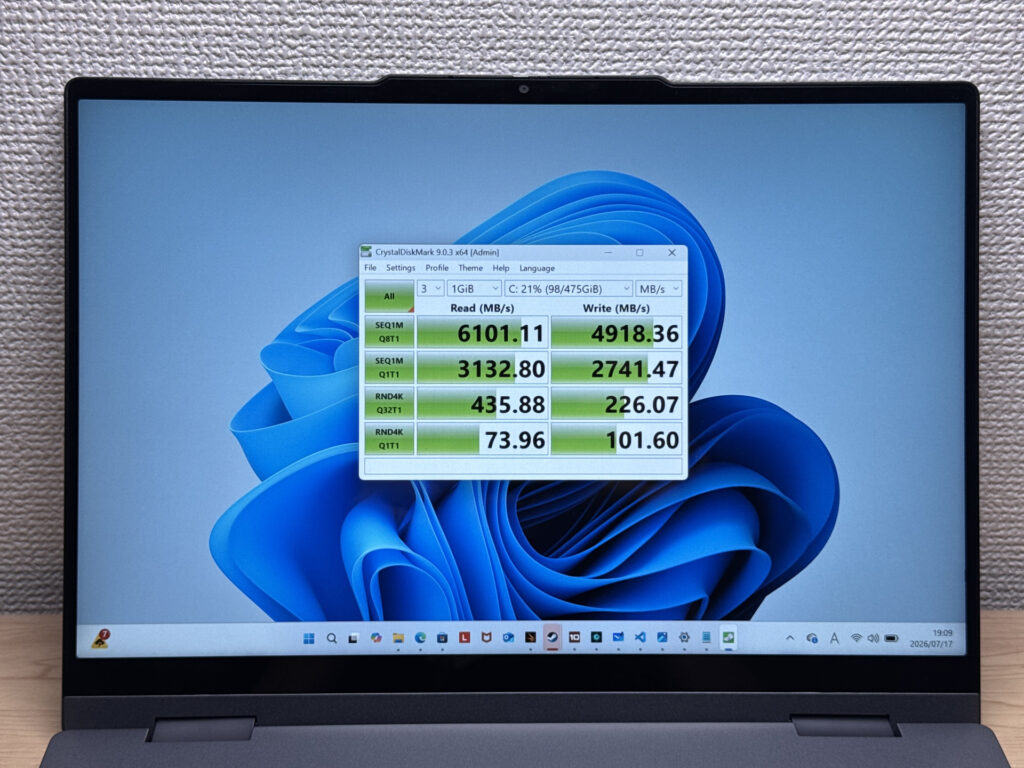 Blazing-fast storage with reads above 6105 MB/s
| Score | Rating | What it feels like in real use |
|---|---|---|
| Up to 600 MB/s | Bare minimum | Faster than HDD, but slow for modern SSDs. App launches feel slightly slow. |
| 600–1,500 MB/s | Average | Fine for daily use, though loading is noticeably slower than top-tier SSDs. |
| 1,500–3,500 MB/s | Comfortable (mainstream) | App launches and file loading feel smooth. No real complaints in daily use. |
| 3,500–5,500 MB/s | Fast | Loads large data and apps quickly. Definitely upper-tier SSD speed. |
| 5,500+ MB/s | Very fast This PC | High-end NVMe territory. Heavy data work without waiting. |
*CrystalDiskMark measures SSD speed. It mainly affects app launch and file loading speed, not overall PC performance.
Battery Life
Battery rating: above average
Let's talk battery. It packs a 60Wh battery, a generous capacity for a 14-inch laptop. For everyday use, it should easily last half a day or more without you having to hunt for an outlet.
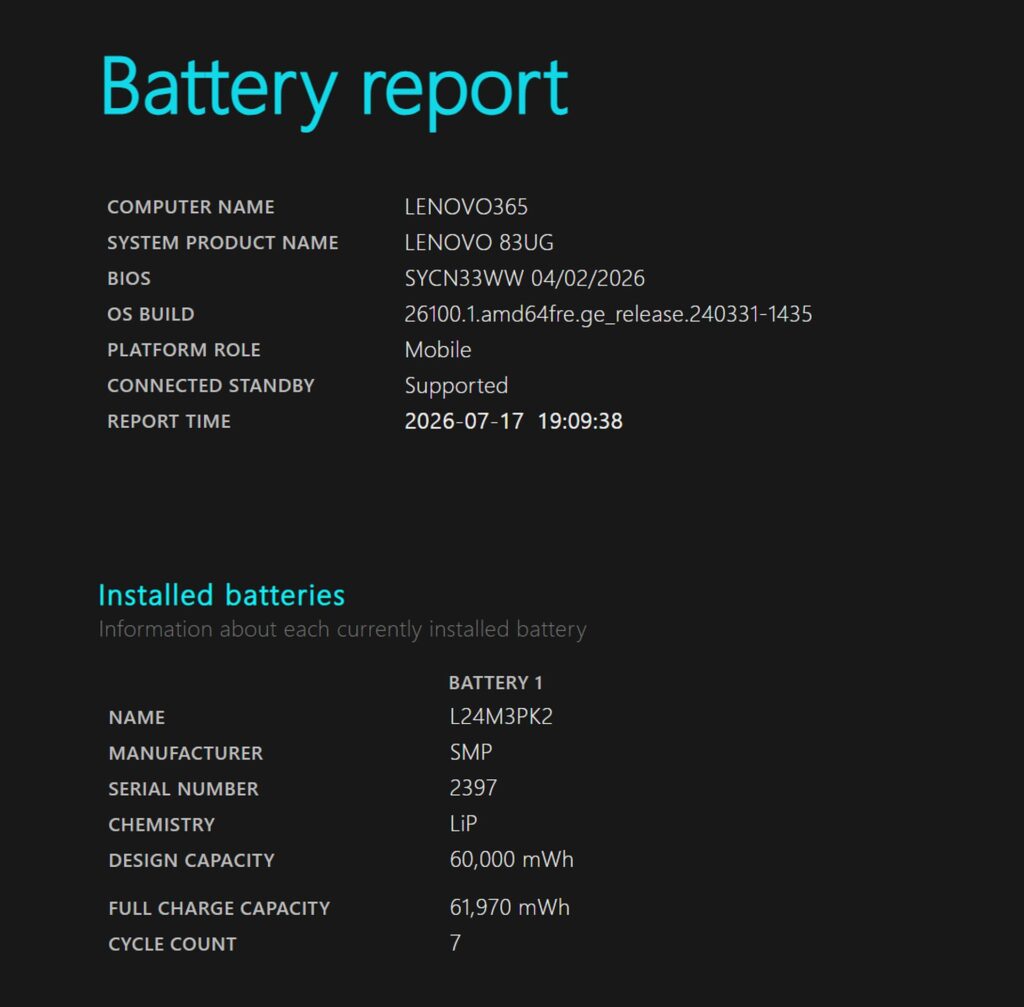 7 charge cycles, with virtually no battery wear
Fan Noise and Heat
Let's check on fan noise and heat, two things people tend to care about. At idle, it registers 20.5dB — practically silent.
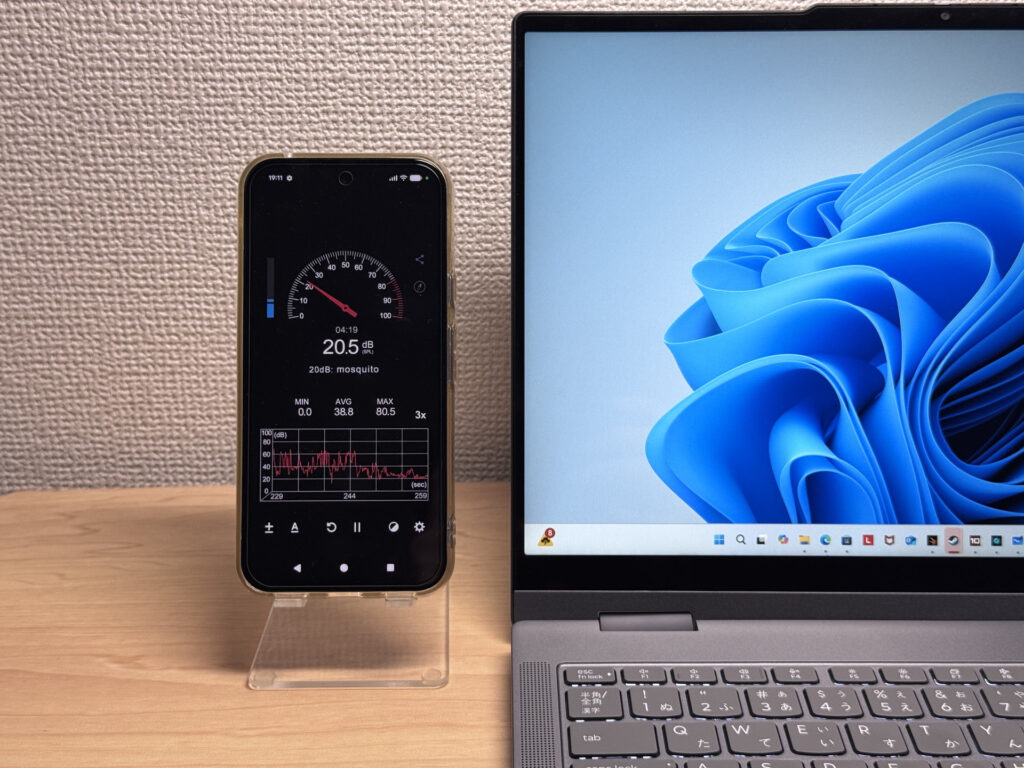 20.5dB at idle, practically silent
Under load, the fan kicks in noticeably and climbs to 36.7dB. It stays under the 40dB mark though, which is a solid showing.
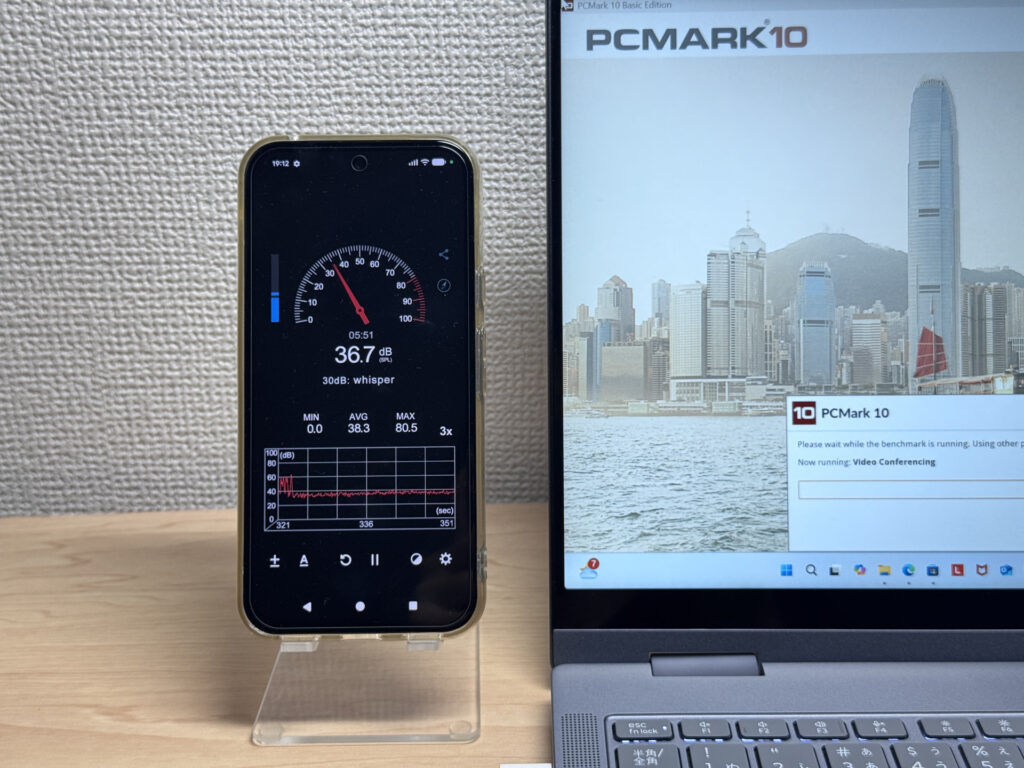 Even under load, it stays at a respectable 36.7dB
| Noise Level | Rating | Feel |
|---|---|---|
| Under 30 dB | Near-silent Idle | Fan noise is barely perceptible — library-quiet and ideal for focused work. |
| 30–35 dB | Quiet | Faintly audible but non-distracting. Easy to work in a quiet room. |
| 35–40 dB | Noticeable Load | You can tell the fan is spinning, but it rarely interrupts work. |
| 40–45 dB | Somewhat loud | Can become distracting in quiet environments. Headphones start to help. |
| 45–50 dB | Loud | Noticeable stress over extended use. Cooling is clearly prioritized. |
| 50 dB+ | Very loud | Prominent fan noise under load — gaming/high-performance thermal design. |
The exhaust vent sits at the rear near the hinge, so you shouldn't feel warm air blowing on your hand if you're using a mouse with your right hand.
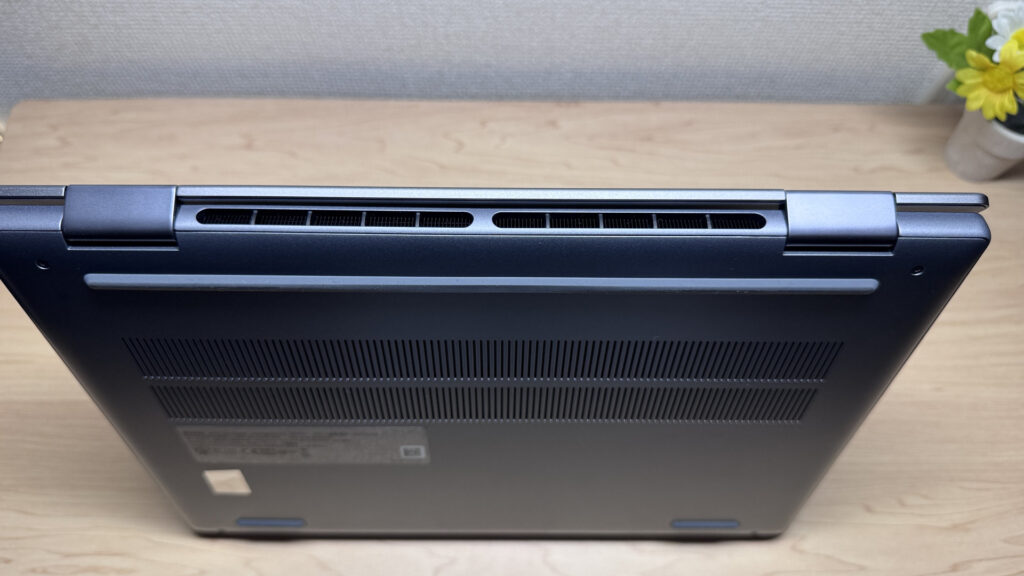 Rear exhaust near the hinge keeps warm air away from your hands
Ports
Next, let's talk ports. The left side has HDMI, two USB-C (one supports USB PD and video output), and a headphone jack.
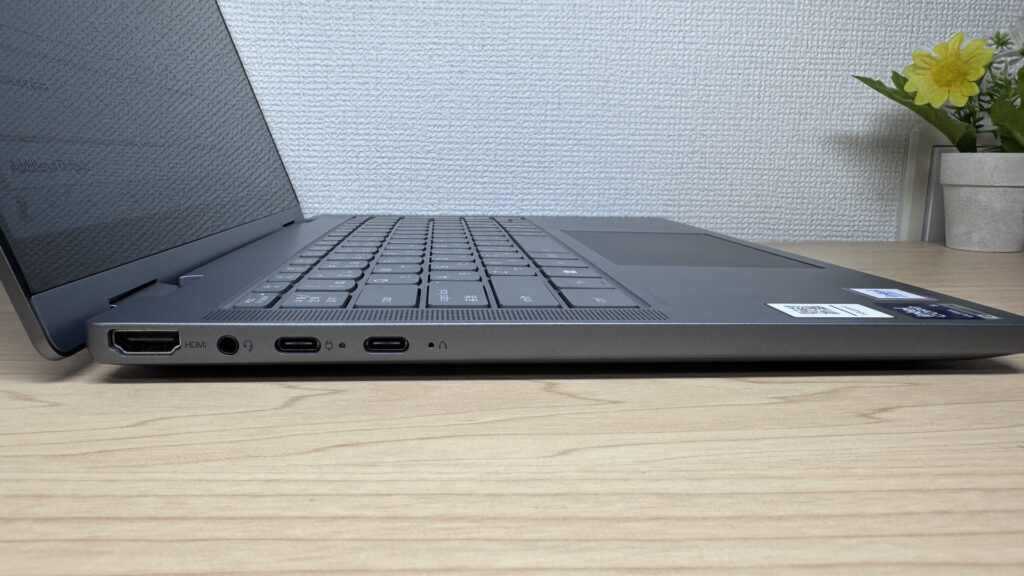 HDMI and two USB-C on the left, with video output support
The right side has two USB-A ports and a microSD card slot, making it easy to connect peripherals without needing an adapter.
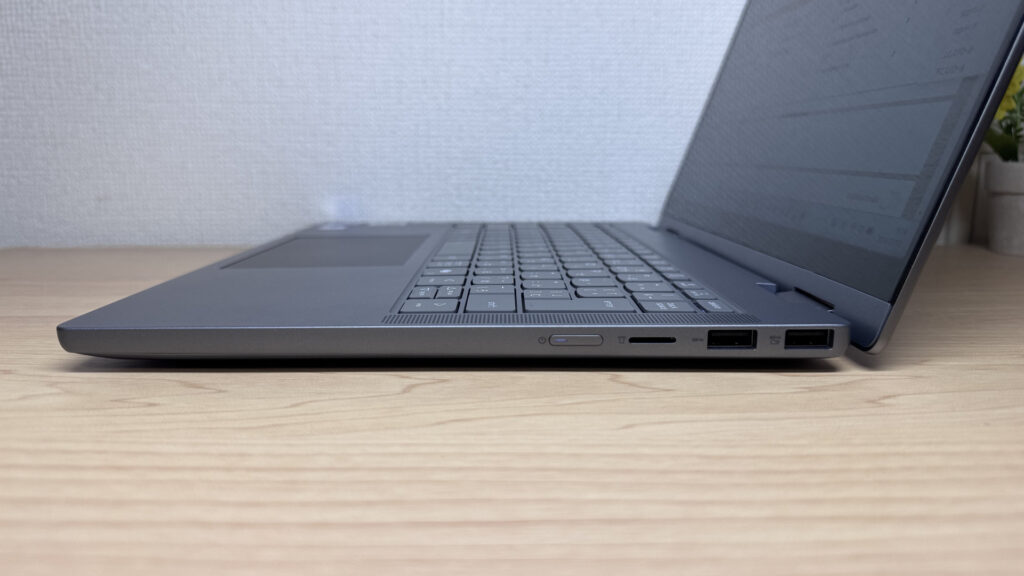 Two USB-A ports and microSD on the right for solid expandability
Being able to plug straight into an external display via HDMI is genuinely convenient, and hooking it up to a 27-inch 4K monitor worked flawlessly.
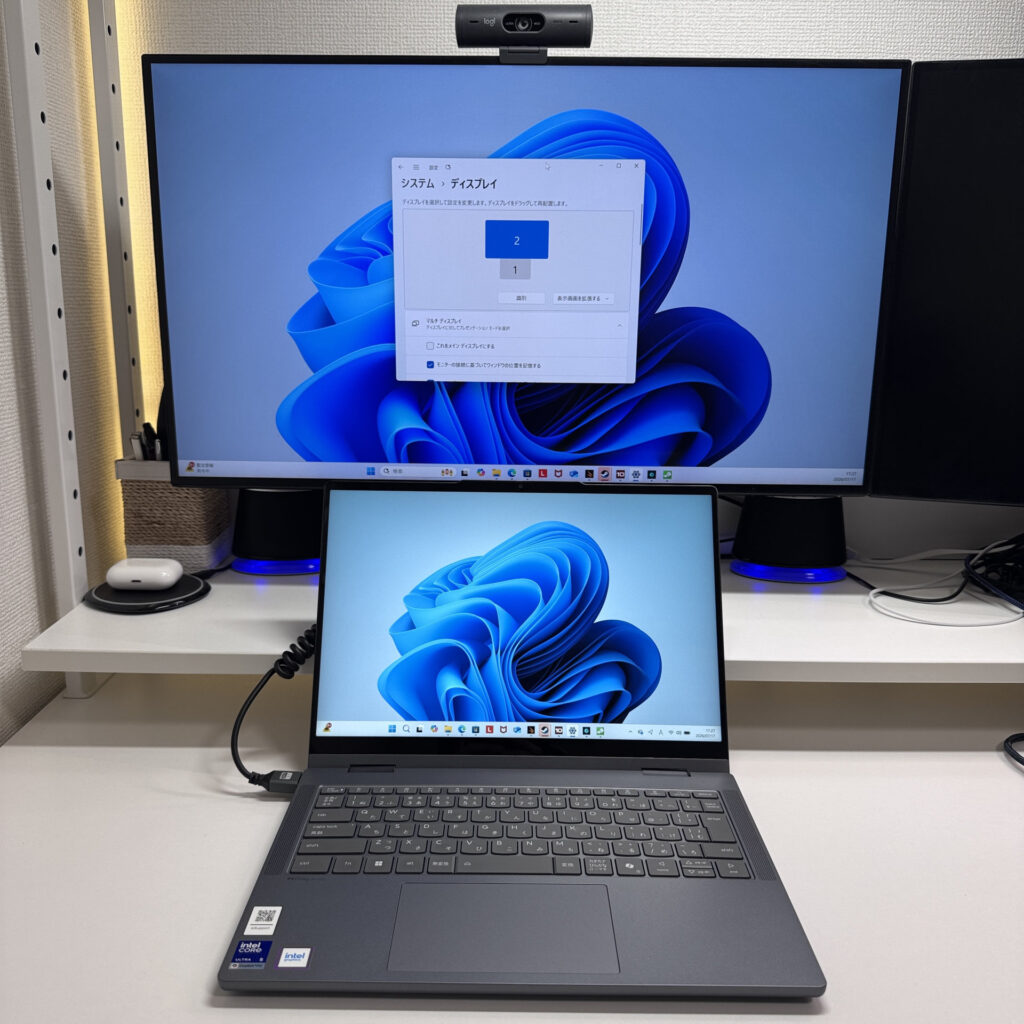 Flawless output to a 27-inch 4K monitor
You can also drive multiple displays over USB-C. I tried outputting to two 4K monitors plus a portable display — four screens total — and it worked. That's admittedly a lot to ask of this machine in some scenarios, but pair it with a Bluetooth keyboard and mouse and your productivity gets a real boost.
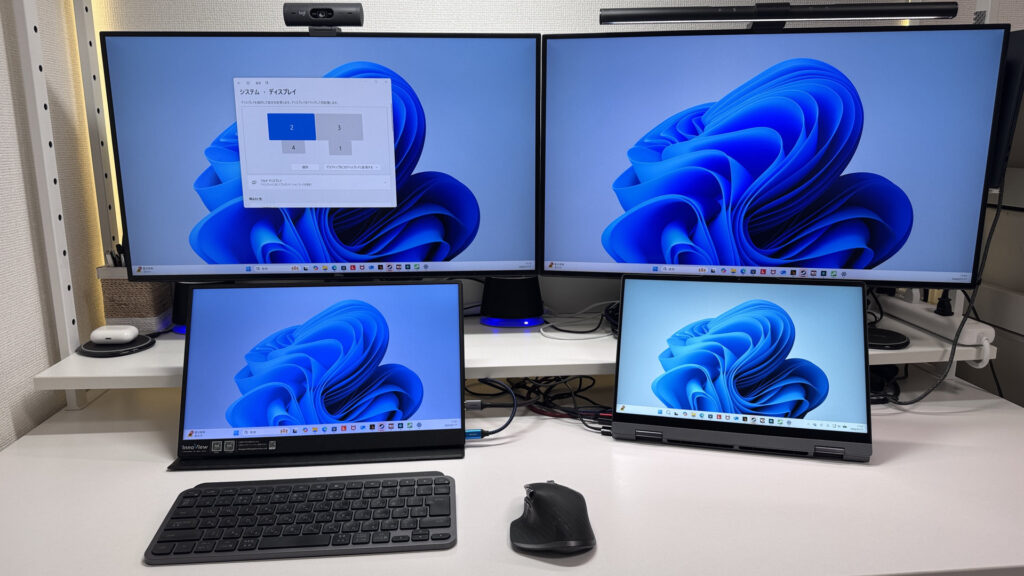 Successfully drove four displays at once
Popping in a microSD card, it barely sticks out — a clean, tidy fit. You could probably leave it plugged in permanently.
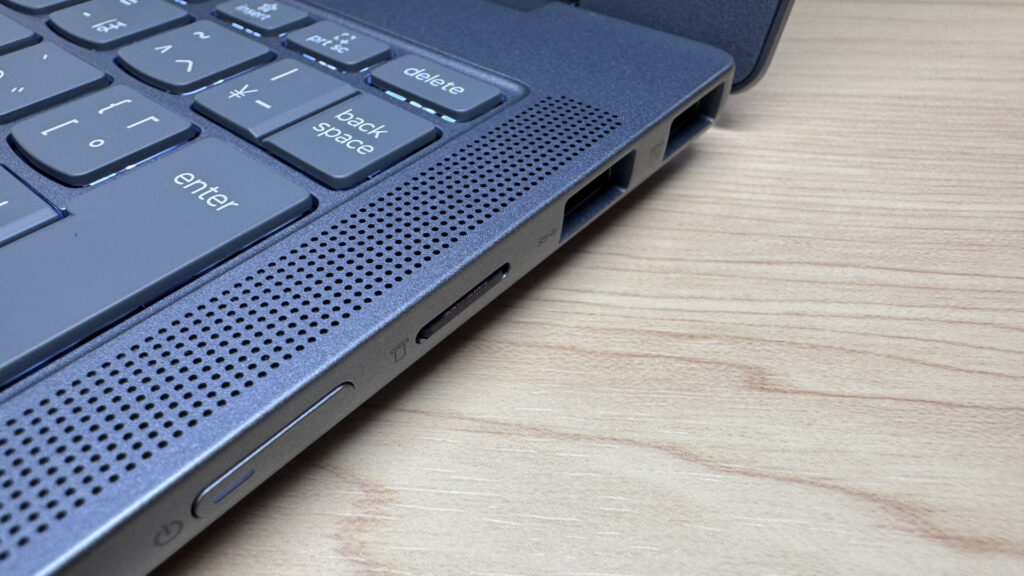 microSD barely protrudes once inserted
Webcam
Let's check out the webcam too. The built-in camera is a 2.07-megapixel FHD unit, and image quality is about average in practice — solid enough to make a good impression on video calls.
 2.07 megapixels for above-average image quality
There's also a physical privacy shutter, which is reassuring — you can fully block the camera when you're not using it.
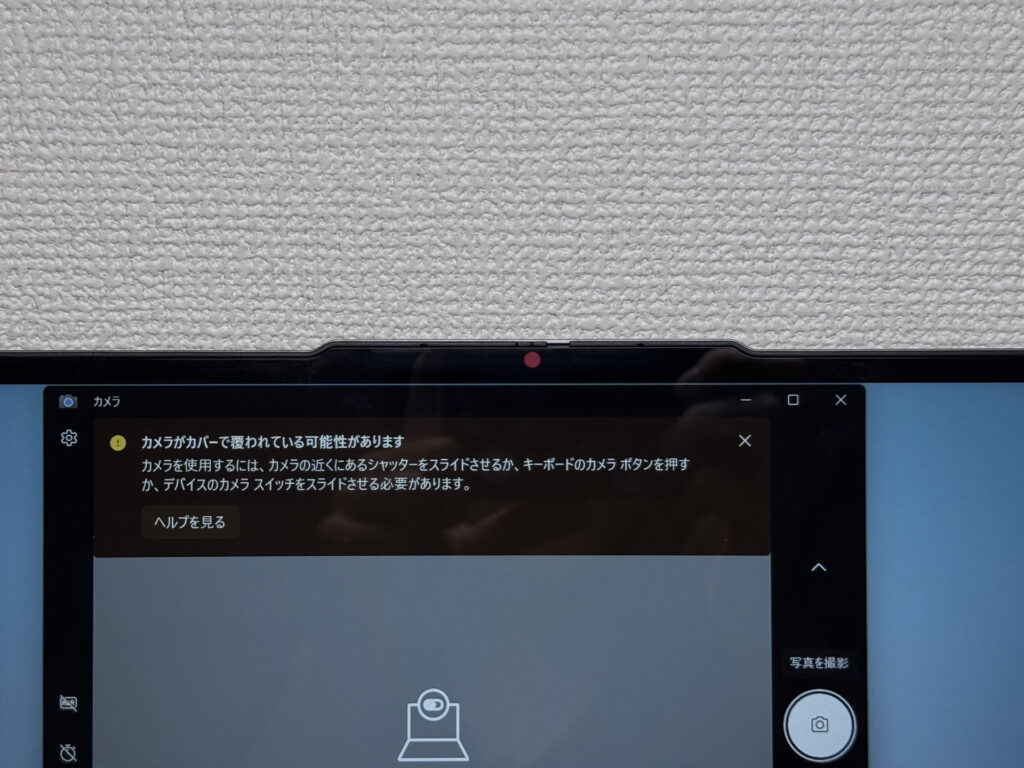 A physical shutter gives peace of mind by fully blocking the camera
Speaker Quality
Last up, speaker quality. Playing a video, the bass really comes through, and overall sound quality left a good impression. It sounded good enough that I'd honestly consider watching a movie on this thing alone.
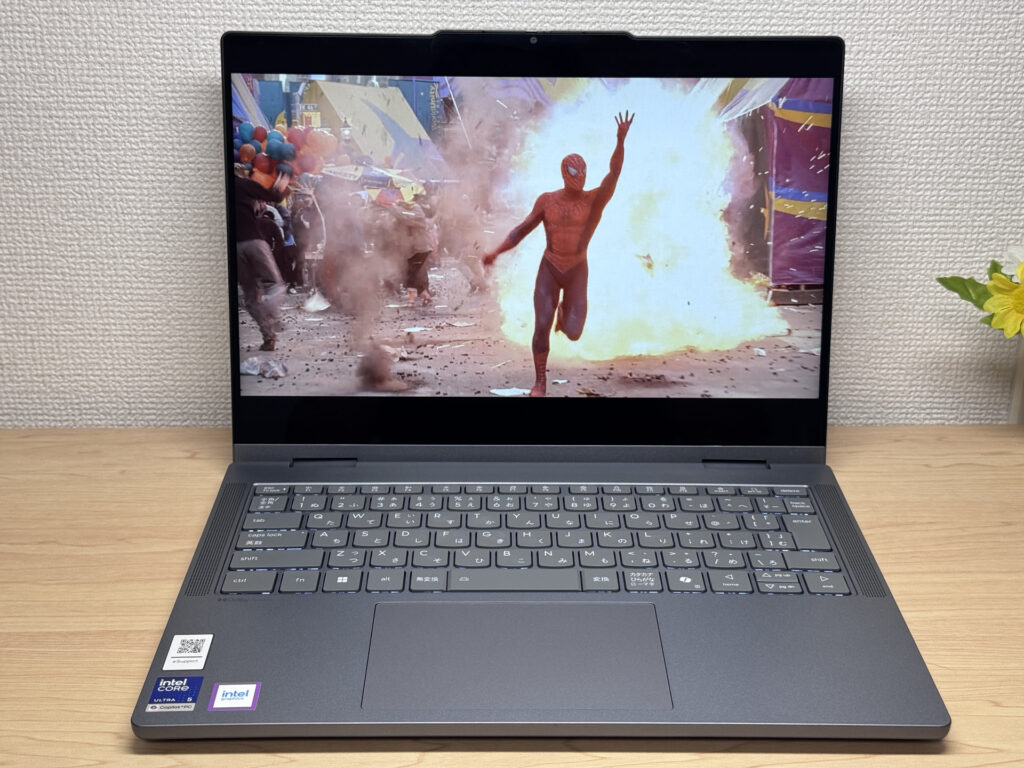 Speakers with solid bass leave a good impression
Security
Let's check out security features too. It supports facial recognition via an IR camera — just look at the screen and it unlocks. That means you can sit down and start working right away.
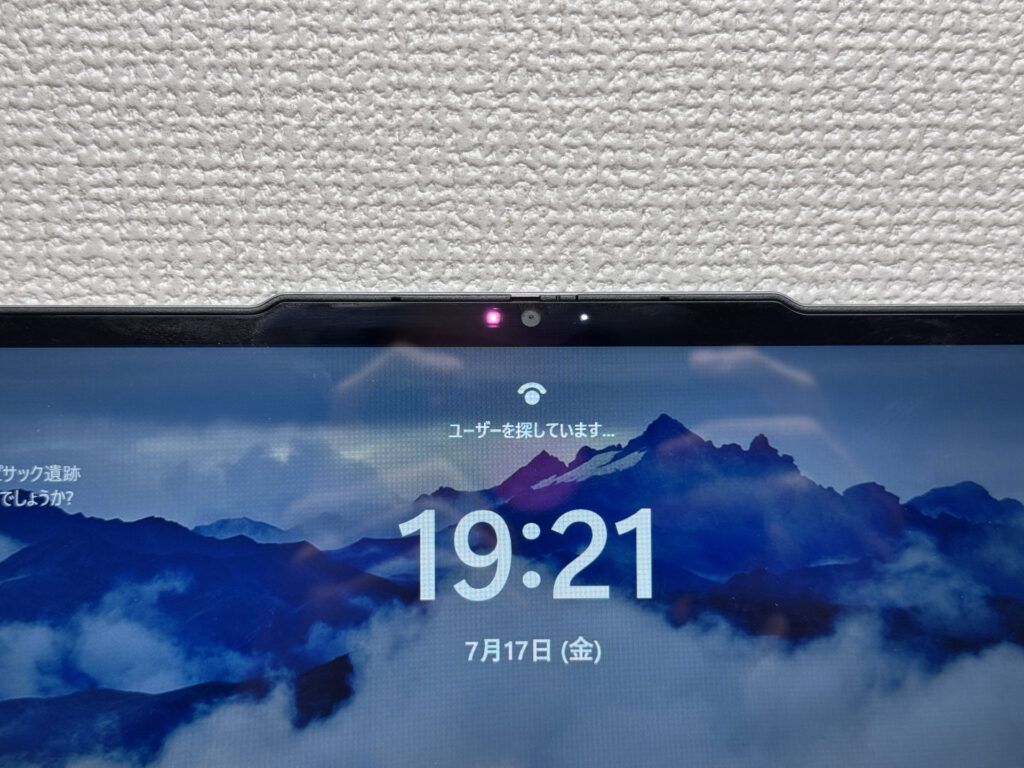 A quick unlock just by looking at the screen
Price
A word on price. Landing in this price range while still being a 2-in-1 is a genuinely good deal. Given the CPU performance, battery capacity, and included stylus, $999.00 feels like a solid asking price. It's an easy pick if you want to try out 2-in-1 flexibility without breaking the bank.
Final Verdict
Bottom line: for a 2-in-1, the value here really stands out. You get solid CPU power plus tablet mode, stylus input, and display mode, so it shouldn't get old anytime soon. The 1566g weight and so-so stylus glide were my only real gripes, but even with those, this is easy to recommend. If you're a student who carries a laptop around daily but occasionally wants to jot handwritten notes, or if you're just cost-conscious, this one's a great fit.
Four modes of flexibility, and the value is hard to beat
Where to Buy
* Prices may vary. Please check each store for the latest price and availability.
Where this laptop ranks


About the author