
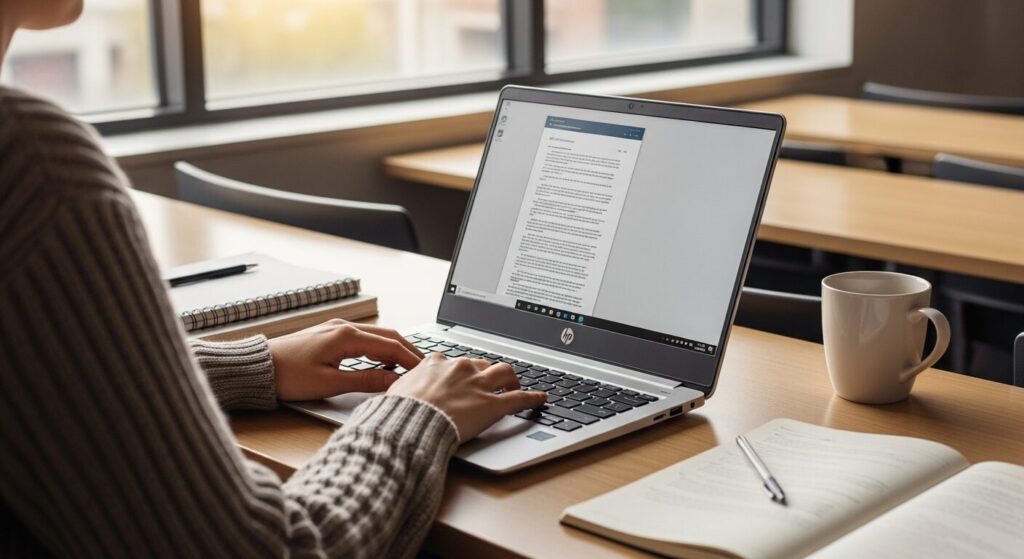
Starting uni soon and apparently I need a laptop. There's so much jargon and I genuinely don't know what's right for me. I also really don't want to spend more than I have to. Someone just tell me what to get 😂
Hey, Takumi from ZippyLaptop here.
Picking a laptop for uni is honestly one of the trickier purchases you'll make as a student 🤔
Even if you're perfectly comfortable on your phone, the moment you start laptop shopping you're hit with CPUs, RAM, SSDs — and cutting through all that to find the right one is genuinely hard.
You could head to a high street tech shop, but fair to say the staff there tend to push whatever's got the best margin, so I've never really trusted that route 😇
I've reviewed over 100 laptops and helped plenty of people figure out what to buy. So here I'm going to share how to pick a laptop you won't regret after four years at uni — plus my actual top picks 👍
By the end, you'll have a clear sense of what to look for as a uni student.
Quick Answer
I'll get straight to the point.
For uni students, the sweet spot is 16GB RAM, 13–14 inches, under 1.4 kg, and 10+ hours of battery life — and buy early before stock runs low.
Based on the conclusion above, here are the 3 laptops I'd recommend first.
If you're stuck deciding, picking from this shortlist will rarely lead you wrong.
The rest of the article breaks down the differences and how to choose.
Our TOP 3 Picks
OLED brilliance at a fair price — handles work and media, wherever you are.
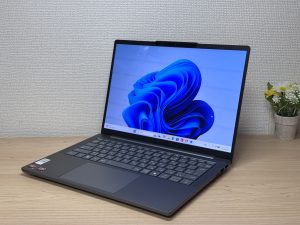
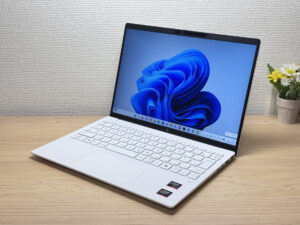
Under a kilo and ready for the daily commute — a well-rounded travel laptop
A featherweight OLED 14-incher with barely a weak spot — unbeatable value.

Buying Guide
① Performance: Pick Specs You Won't Outgrow Before Graduation
 Get the right specs and your uni experience changes completely
The number one rule for picking a laptop for uni: don't skimp on performance. This is the one thing you absolutely cannot compromise on.
Three things to look for 👌
- CPU: Intel Core i5 or AMD Ryzen 5, minimum
- RAM: 16GB
- Storage: 512GB or more
Hit those three and you're sorted — writing essays, coding if your course requires it, running AI tools in the background, all of it stays responsive. RAM especially matters these days, so 16GB is the number to hit.
Display is worth a mention too. Some cheaper laptops still ship with TN panels, and please, avoid TN at all costs. Narrow viewing angles and real eye strain after an hour. Go IPS at minimum — or OLED if the budget stretches — and your eyes will thank you during long study sessions 👀
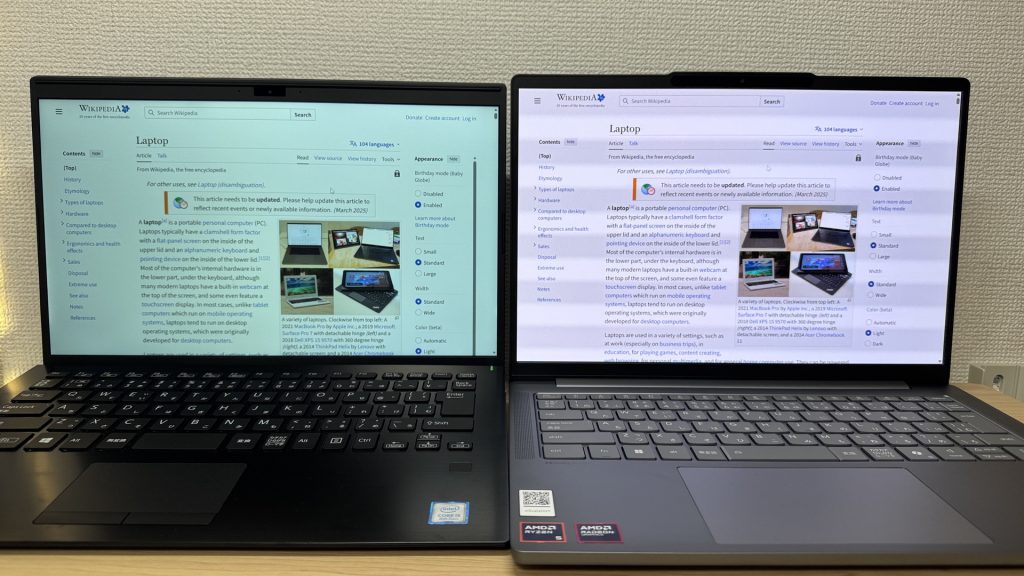 The laptop on the left has off colours and will tire your eyes out quickly.
Buy something low-spec to save money and you'll be fighting slowdowns constantly — I've seen plenty of people do that and end up replacing it two years later, spending more overall 😂
So start your search from laptops that hit these specs.
② Usability: Pick Something You'll Actually Enjoy Carrying Around
Now for the practical side.
Uni students carry their laptops far more than most people expect. Between lectures, the library, a café, and back home — it's in your rucksack every single day.
So you want something light and portable. My recommendation: 14 inches and under 1.4 kg. That size range makes daily carrying noticeably easier.
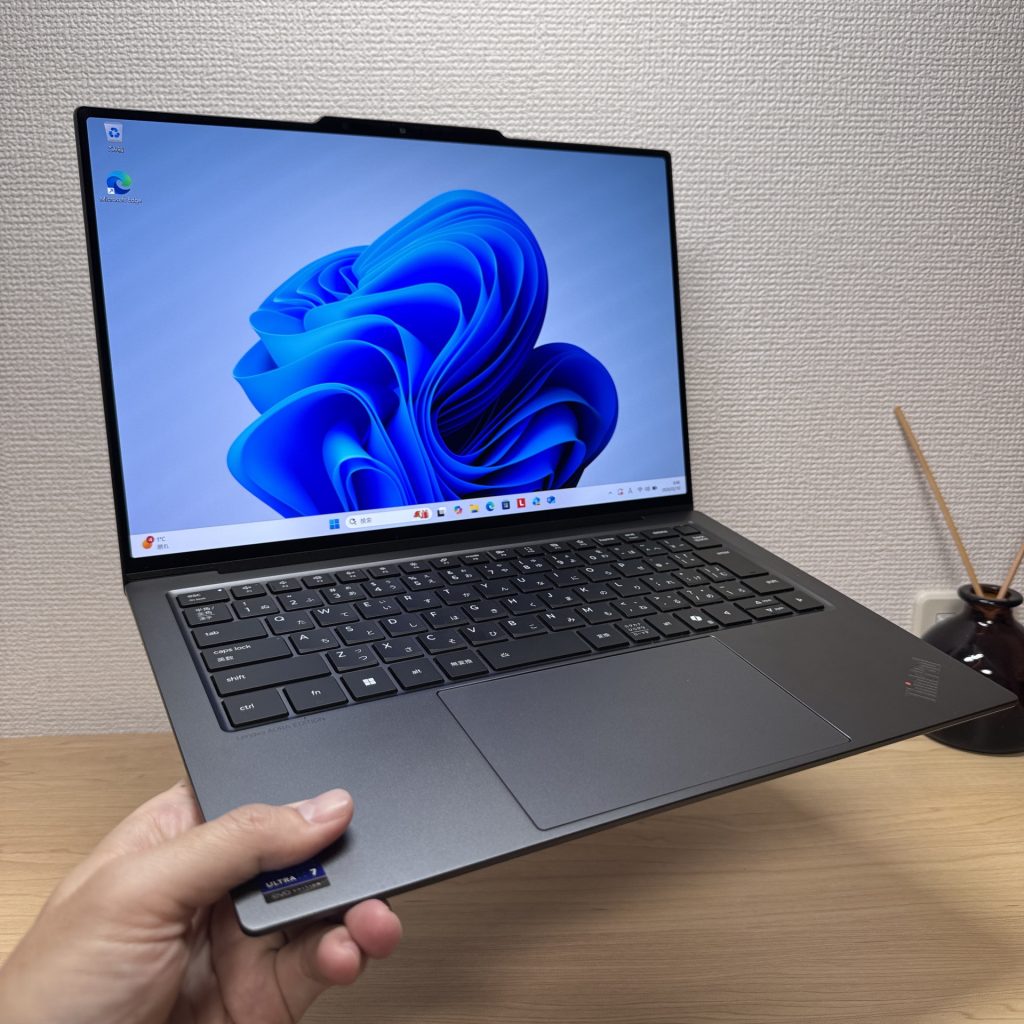 Light is right.
Next: battery life. Campus outlets aren't always available — back row of a big lecture theatre, forget it. Aim for 10+ hours of battery life.
USB-C charging is a nice bonus. A compact USB-C charger is cheap, fits in any bag, and means you can top up wherever you are. Genuinely useful 👌 The stock charger that ships with most laptops is heavier than you'd expect.
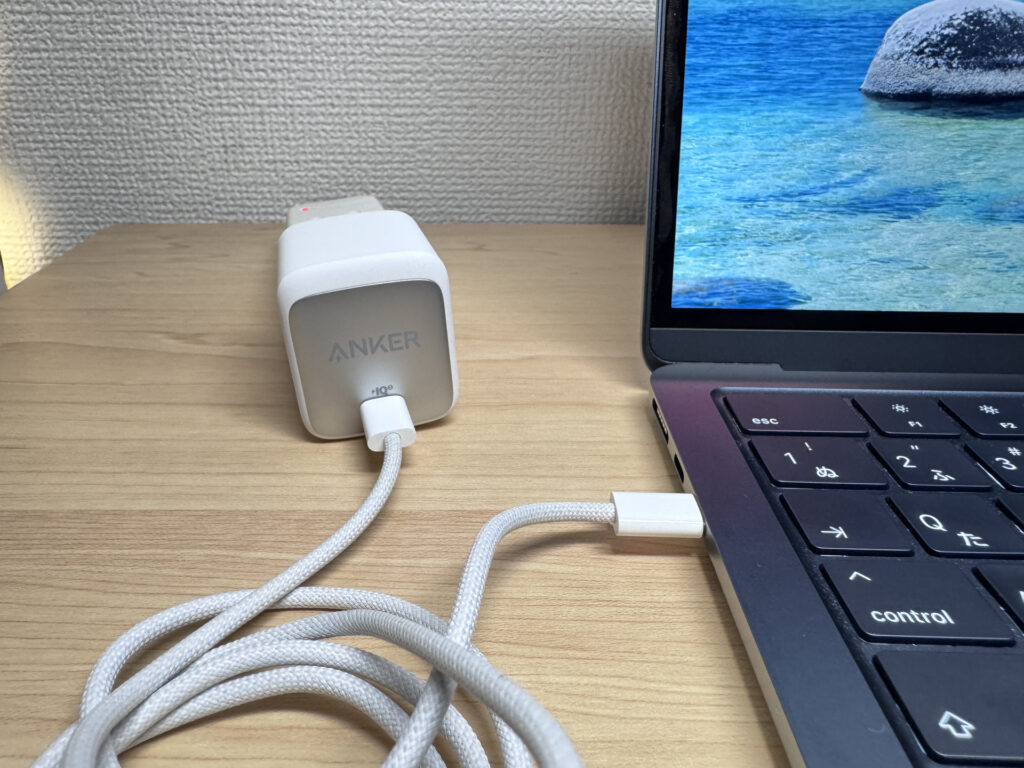 Anker USB-C chargers are tiny — throw one in your bag and forget about it
Finally: the keyboard.
You'll be writing a lot of essays and reports, so a comfortable keyboard matters more than people think. What I've noticed from reviewing loads of laptops: cheaper models almost always have mediocre keyboards. Once you're spending around £800+, you're much more likely to get something that actually feels good to type on.
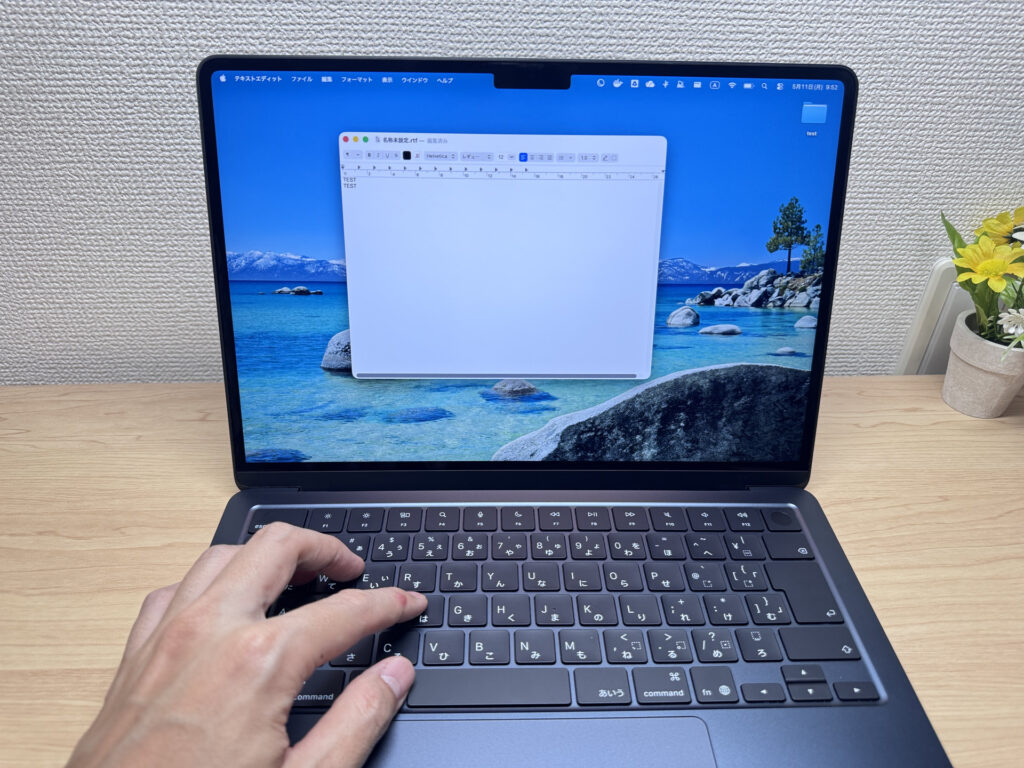 A good keyboard makes writing essays feel considerably less painful 😉
AI voice input is making typing less necessary overall, but the keyboard is still worth getting right ⌨️
③ Timing: The Most Overlooked Factor
Finally, when to buy. This one catches people off guard.
Because freshers all start at the same time, demand for laptops spikes at exactly the same time every year.
Here's a Google Trends chart showing when students search for laptops — the spike before the new academic year is hard to miss.
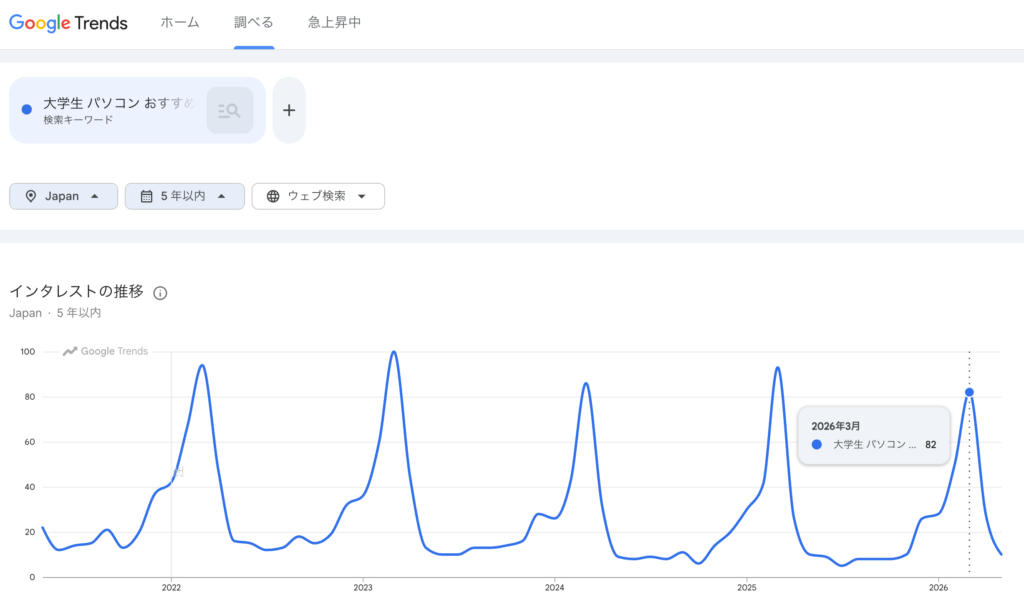 Everyone starts searching at the same time!
What that means in practice: the best value laptops go out of stock right when everyone wants them. Leave it too late and you'll end up settling for something pricier or less ideal.
So if you're heading to uni, buy your laptop early.
There's another upside to buying early: you get time to get properly comfortable with the laptop before term starts. A lot of students are far more at home on their phones than a laptop, so that head start makes the first weeks of uni considerably less stressful 👍
So there you have it — three things to nail when buying a laptop for uni:
- Performance: Core i5 / Ryzen 5 or better, 16GB RAM, 512GB+ storage, IPS or better display
- Usability: 14 inches, under 1.4 kg, 10+ hour battery, USB-C charging, good keyboard
- Timing: Buy early to avoid the back-to-term stock crunch
Nail all three and you've got a laptop you won't regret for all four years 👍
The picks below all check these boxes at a solid price — have a look.
Our Picks
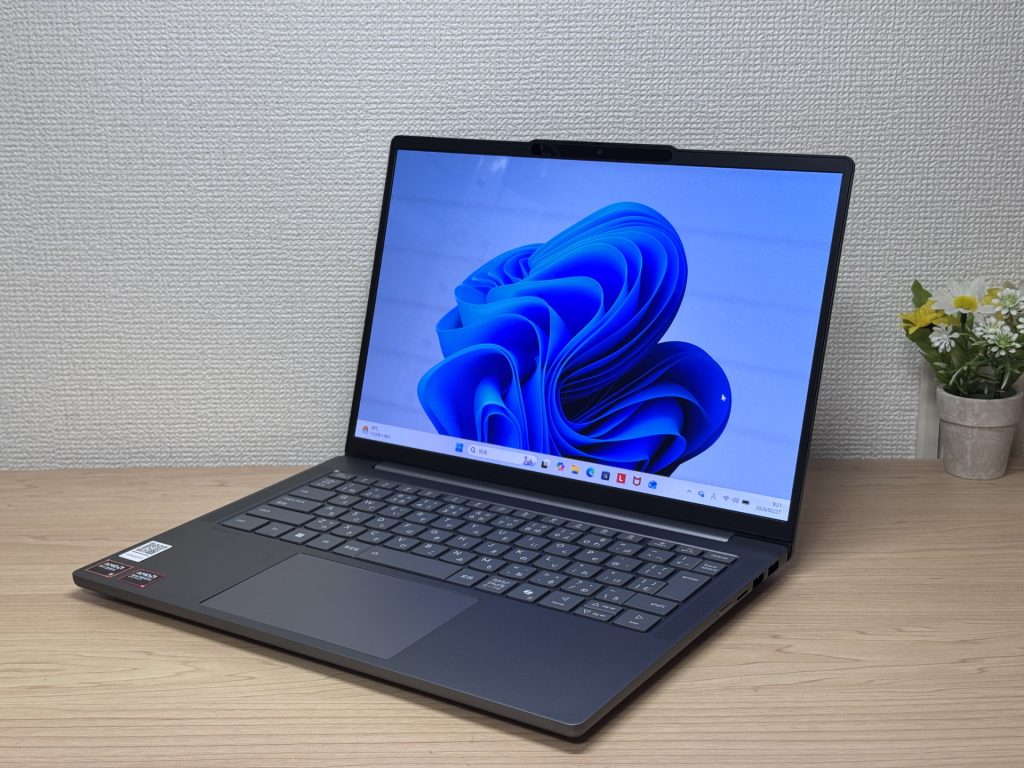
#1Lenovo IdeaPad Slim 5 Gen 10 (14-inch AMD)
- ·You carry your laptop to work or uni every day
- ·You want a great screen for films and streaming
- ·You need all-day battery life away from a power socket
- ·You need to connect up quickly in meetings or lectures
- ·Demanding gaming or heavy video editing is your primary use case
- ·You regularly do intensive tasks in quiet environments
Key Specs
- CPU
- AMD Ryzen AI 5
- Display
- 14.0-inch
- RAM
- 16GB
- Weight
- 1.39 kg (3.06 lbs)
- Storage
- 512GB SSD
- Battery
- ~19.8h
Why We Picked It
IdeaPad Slim 5 Gen 10 (14" AMD) is a 14-inch laptop that genuinely earns its value tag, largely down to that OLED display. At this price, the colour vibrancy and black depth are in a class of their own — great for streaming films or sorting through photos. A PCMark 10 score of 6,778, 16 GB of RAM, and a 60 Wh battery rated up to 19.8 hours round off a very compelling package.
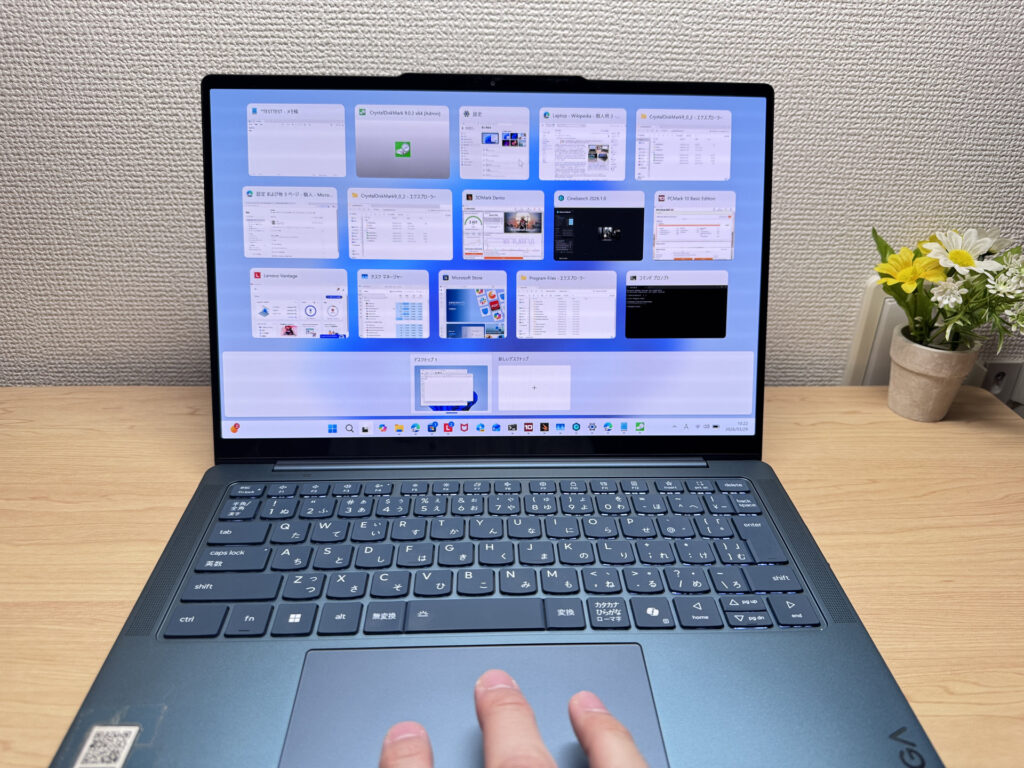
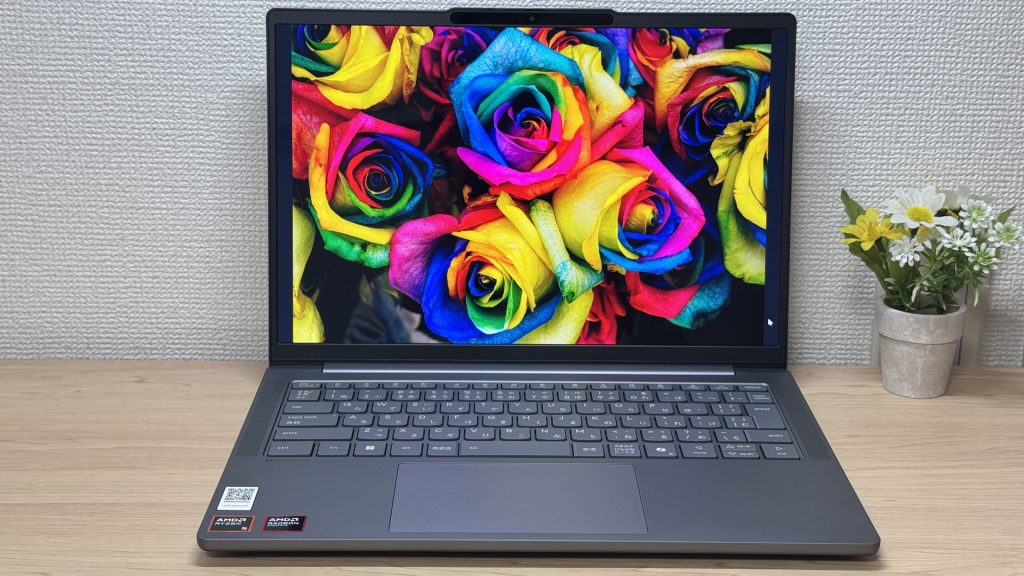 That OLED really is something.
The glossy panel does pick up reflections — fair trade-off for that display quality, honestly. Ports are plentiful enough that you won't need a USB-C hub, which is always appreciated. A solid all-rounder for everyday use and lighter creative work.
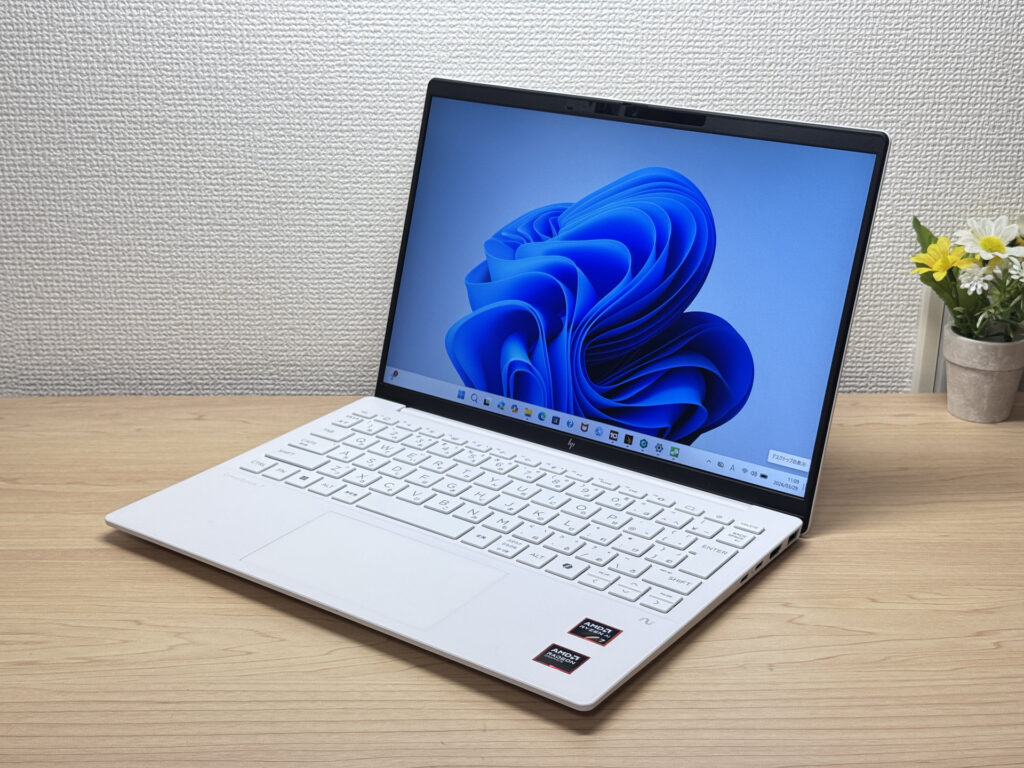
#2HP OmniBook 7 Aero 13-bg
- ·You carry your laptop everywhere and want something genuinely lightweight
- ·You want a solid machine for essays, browsing, and video calls
- ·You often work from cafés, lectures, or anywhere outside the office
- ·You need a machine for heavy gaming or video editing
- ·You're regularly away from a charger for long stretches
Key Specs
- CPU
- AMD Ryzen AI 7 350
- Display
- 13.3-inch 1920x1200 IPS
- RAM
- 16GB
- Weight
- 0.97 kg (2.14 lbs)
- Storage
- 1TB SSD
- Battery
- ~15.5h
Why We Picked It
The OmniBook 7 Aero 13-bg's standout feature is its weight: just 970g, genuinely light enough to carry around all day without really noticing it. The Ceramic White finish looks great — the kind of laptop you'd actually want to get out at a café or on campus. Powered by the AMD Ryzen AI 7 350, it scored 6946 on PCMark 10 — solid performance for a machine this light. The IPS display delivers good colour and handles everything from daily browsing to video calls without complaint.
The downsides are straightforward: the lid is plastic, so don't expect a premium feel. The charger weighs a chunky 323g — surprisingly heavy given how light the laptop is. Battery is 43 Wh, so you'll want a plug handy on longer days out. Still, if you want a good balance of portability, performance, and looks, this is a strong contender.
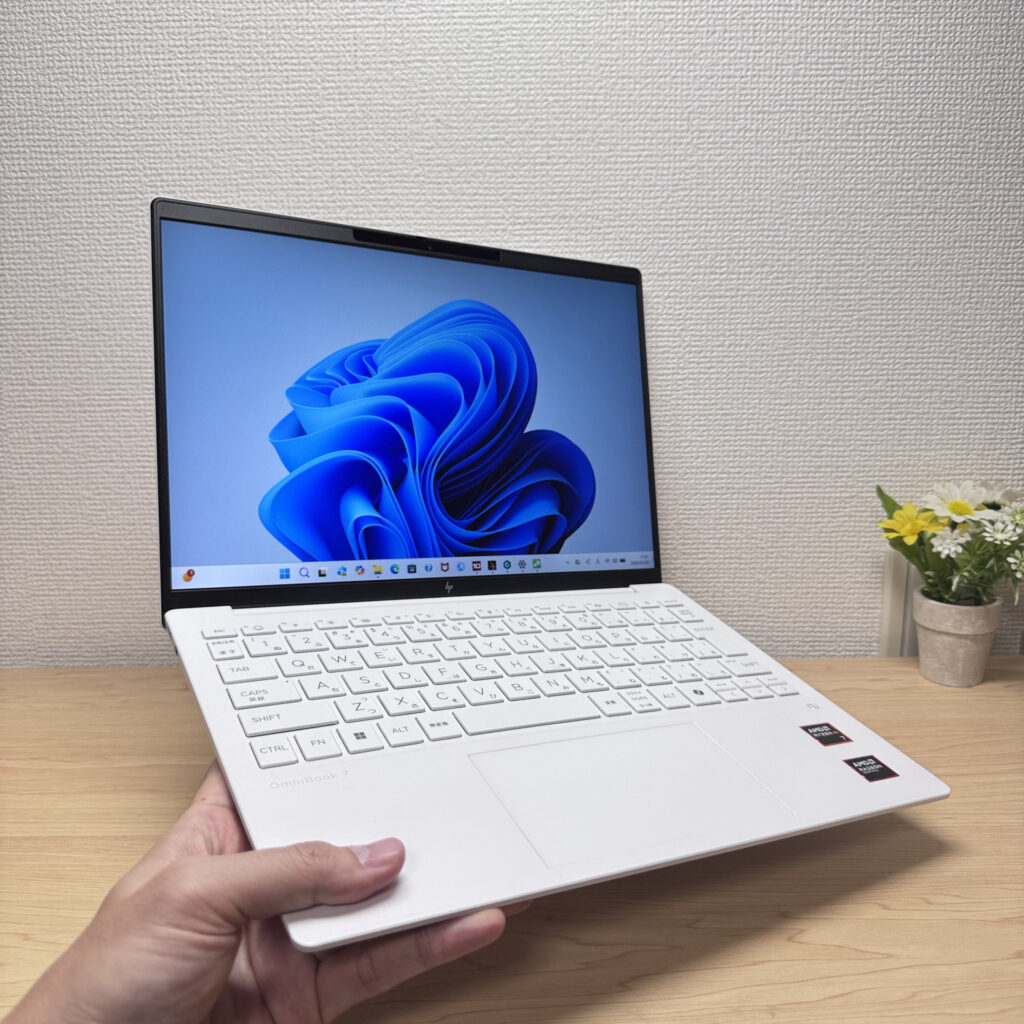 Light enough to carry in one hand with ease
#3Lenovo IdeaPad Slim 5a Gen 11 (14" AMD)

- ·You want an OLED laptop without paying a premium price
- ·You want to enjoy video and photos on a genuinely good screen
- ·You're new to laptops and want something straightforward
- ·You want to hook up multiple external monitors and use it like a desktop
- ·You're after serious gaming or video editing power — look elsewhere
- ·You're sensitive to screen glare — the glossy panel isn't ideal in bright rooms
Key Specs
- CPU
- AMD Ryzen AI 5 430
- Display
- 14.0-inch 1920x1200 IPS
- RAM
- 16GB
- Weight
- 1.37 kg (3.02 lbs)
- Storage
- 512GB SSD
- Battery
- ~17.2h
Why We Picked It
The Lenovo IdeaPad Slim 5a Gen 11 (14" AMD) pairs an OLED display and an AMD Ryzen AI 7 445 with a 1.37kg build and genuinely strong value, making it one of my top picks among 14-inch laptops. Living with it day to day, I was won over by the quality of the one-handed hinge, the soft-touch typing feel, and connectivity generous enough to drive four screens. The glossy screen picks up a bit of glare, but even so, this is a thoroughly accomplished machine.
 That vivid colour reproduction that's uniquely OLED
More Recommended Models
If our TOP 3 didn't quite click, take a look here too. These are picked with the same criteria, so you won't go far wrong either.
Under a kilo at 0.98 kg (2.2 lbs) and a claimed 32 hours — a 14-inch built around portability.
A 14-inch at roughly 1.3 kg (2.9 lbs) — current-gen power that's genuinely easy to carry.
Battery that goes the distance and ports for days — a proper all-rounder in a 14-inch body.

Spec Comparison
Compare specs of all 6 recommended models at a glance.
Note: This table is ordered by our editors' picks for this use case, not by ZippyScore.
| Model | Image | Stores | Highlights | ZippyScore | CPU | RAM | Storage | Display | Battery | Weight | Full Review |
|---|---|---|---|---|---|---|---|---|---|---|---|
|
🥇 Best Overall
Lenovo
IdeaPad Slim 5 Gen 10 (14-inch AMD)
|
|
Amazon | OLED brilliance at a fair price — handles work and media, wherever you are. | Best 4.8/5 | AMD Ryzen AI 5 Passmark: 19,356 | 16GB | 512GB |
14.0"
|
~19.8h | 1.39 kg (3.06 lbs) | Full Review |
|
🥈 Best Balanced Pick
HP
OmniBook 7 Aero 13-bg
|
|
Amazon | Under a kilo and ready for the daily commute — a well-rounded travel laptop | 4.5/5 | Best AMD Ryzen AI 7 350 Passmark: 24,959 | 16GB | Best 1TB |
13.3"
1920x1200
IPS
|
~15.5h | Best 0.97 kg (2.14 lbs) | Full Review |
|
🥉 Best Value Pick
Lenovo
IdeaPad Slim 5a Gen 11 (14" AMD)
|
|
Amazon | A featherweight OLED 14-incher with barely a weak spot — unbeatable value. | 4.4/5 | AMD Ryzen AI 5 430 Passmark: 13,437 | 16GB | 512GB |
14.0"
1920x1200
IPS
|
~17.2h | 1.37 kg (3.02 lbs) | Full Review |
|
ASUS
Zenbook A14 (UX3407QA)
|
|
Amazon | Under a kilo at 0.98 kg (2.2 lbs) and a claimed 32 hours — a 14-inch built around portability. | 4.1/5 | Snapdragon X X1-26-100 | 16GB | Best 1TB |
14.0"
1920x1200
OLED
|
Best ~32.0h | 0.98 kg (2.16 lbs) | — |
|
ASUS
Vivobook S 14 (S5406SA)
|
|
Amazon | A 14-inch at roughly 1.3 kg (2.9 lbs) — current-gen power that's genuinely easy to carry. | 4.1/5 | Intel Core Ultra 5 226V Passmark: 18,095 | 16GB | 512GB |
14.0"
1920x1200
OLED
|
~21.5h | 1.30 kg (2.87 lbs) | — |
|
HP
OmniBook 7 14-fr
|
|
Amazon | Battery that goes the distance and ports for days — a proper all-rounder in a 14-inch body. | 3.9/5 | Intel Core Ultra 7 255U Passmark: 17,866 | 16GB | Best 1TB |
14.0"
1920x1200
OLED
|
~20.0h | 1.41 kg (3.11 lbs) | Full Review |
Frequently Asked Questions
Is 8GB of RAM okay, or do I really need 16GB?
What screen size works best for uni students?
Should I get a Mac or a Windows laptop?
Do I need to buy Microsoft Office?
How much should I budget for a uni laptop?
Summary
Here's a quick recap of the conclusion from this article:
These are the models that meet those criteria:
- #1 Lenovo IdeaPad Slim 5 Gen 10 (14-inch AMD)
- #2 HP OmniBook 7 Aero 13-bg
- #3 Lenovo IdeaPad Slim 5a Gen 11 (14" AMD)
- #4 ASUS Zenbook A14 (UX3407QA)
- #5 ASUS Vivobook S 14 (S5406SA)
- #6 HP OmniBook 7 14-fr
We hope you find the laptop that's right for you here.
Happy laptop hunting!
About the author
