ZippyScore
ZippyScore is a proprietary rating based on 6 criteria: performance, portability, display, battery, value, and connectivity.
See rating criteria
- Performance: CPU / GPU performance
- Portability: Screen size & weight
- Display: Panel type, aspect ratio & refresh rate
- Battery: Rated battery life
- Value: Specs-to-price balance
- Connectivity: Port types & count
Pros & Cons
Pros
- Under a kilo — genuinely light enough to carry every day without thinking about it
- 16GB+ RAM keeps multitasking smooth without any slowdown
- A capable processor means everyday tasks feel responsive and snappy
- A solid port selection means you're unlikely to need a dongle
- Biometric face login gets you in almost instantly
Cons
- Fan noise becomes noticeable under sustained heavy load
- Battery is on the smaller side — plan ahead if you're out for a long day
Specs Summary
| OS | Windows 11 Home |
|---|---|
| CPU | AMD Ryzen AI 7 350 (PassMark: 24,959) |
| RAM | 16GB |
| Storage | 1TB |
| Display | 13.3" IPS (60Hz) 1920x1200 (16:10) |
| Weight | 0.97 kg (2.14 lbs) |
| Ports | USB-C × 2 (10Gbps/PD/Video out/ver.2.1), USB-A × 1 (10Gbps), USB-A × 1 (5Gbps), HDMI × 1 (ver.2.1), Headphone jack × 1 |
| GPU | AMD Radeon 860M (G3D Mark: 4,882) |
| Biometrics | Face Recognition |
| Battery | Up to 15.5 h |
| Dimensions | Approx. 297 × 211 × 17.4 mm (W × D × H) |
| Wi-Fi | Wi-Fi 6E |
| Bluetooth | Bluetooth 5.3 |
| Color | Glacier silver |
Configurations vary by retailer, region, and availability.
Hands-on Review
Here's my full hands-on review of the OmniBook 7 Aero 13-bg. The unit I tested had the following specs:
| Spec | Review Unit |
|---|---|
| CPU | AMD Ryzen AI 7 350 |
| RAM | 32GB |
| Storage | 1024GB SSD |
| Display | 13.3-inch IPS (1920×1200, 60Hz) |
| Graphics | AMD Radeon 860 |
| Colour | Ceramic White |
*Specs may vary by region and retailer.
Design
The review unit came in Ceramic White — and it genuinely stands out. In a laptop market full of silver and black, this one catches the eye. Get it out at a café or on campus and it reads as "person with taste." A particularly good shout for uni students who want their setup to look as good as it performs.
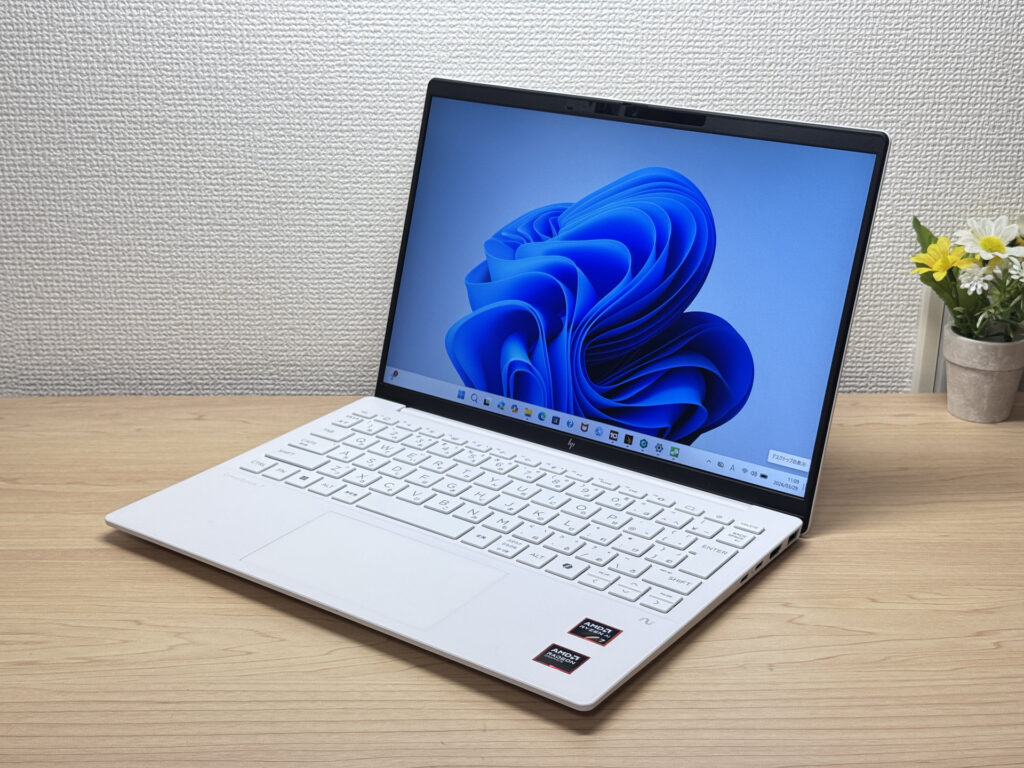 Ceramic White front panel
The lid is also Ceramic White and looks clean — but I'll be honest: it's plastic. Does it feel premium? Not really. That said, it's a fair trade-off for a sub-kilo chassis. Lightweight machines make compromises somewhere, and the build material is where this one makes its.
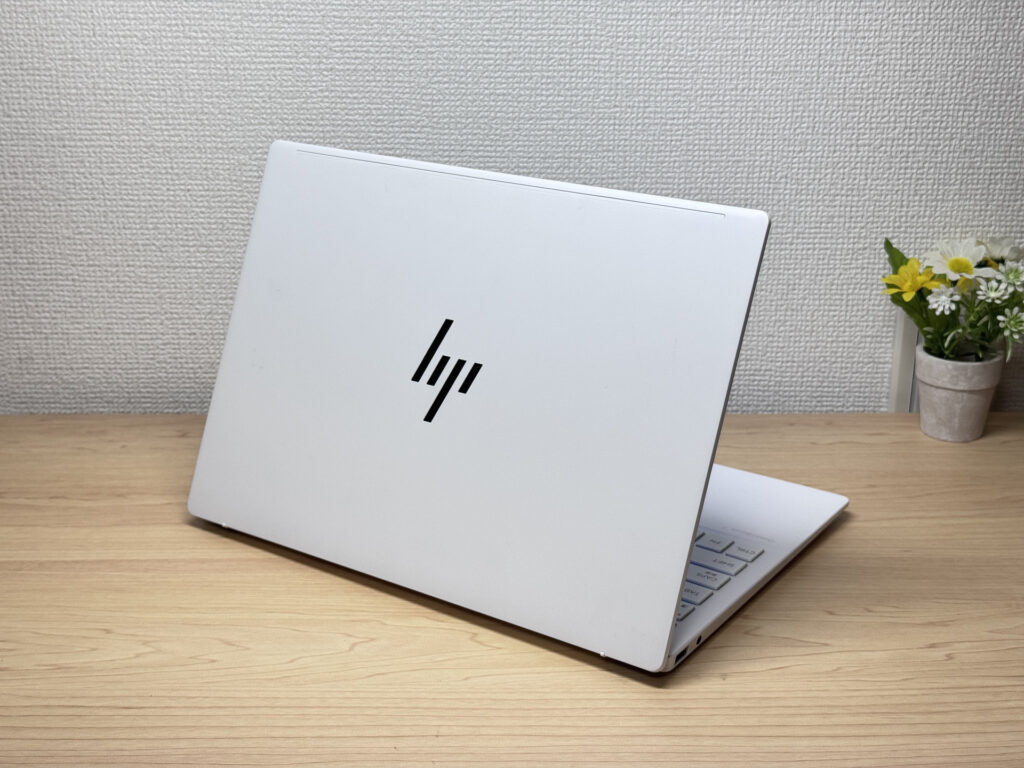 White on the back too
It's genuinely slim — slides into a bag without any fuss. Passes the thin-laptop test easily.
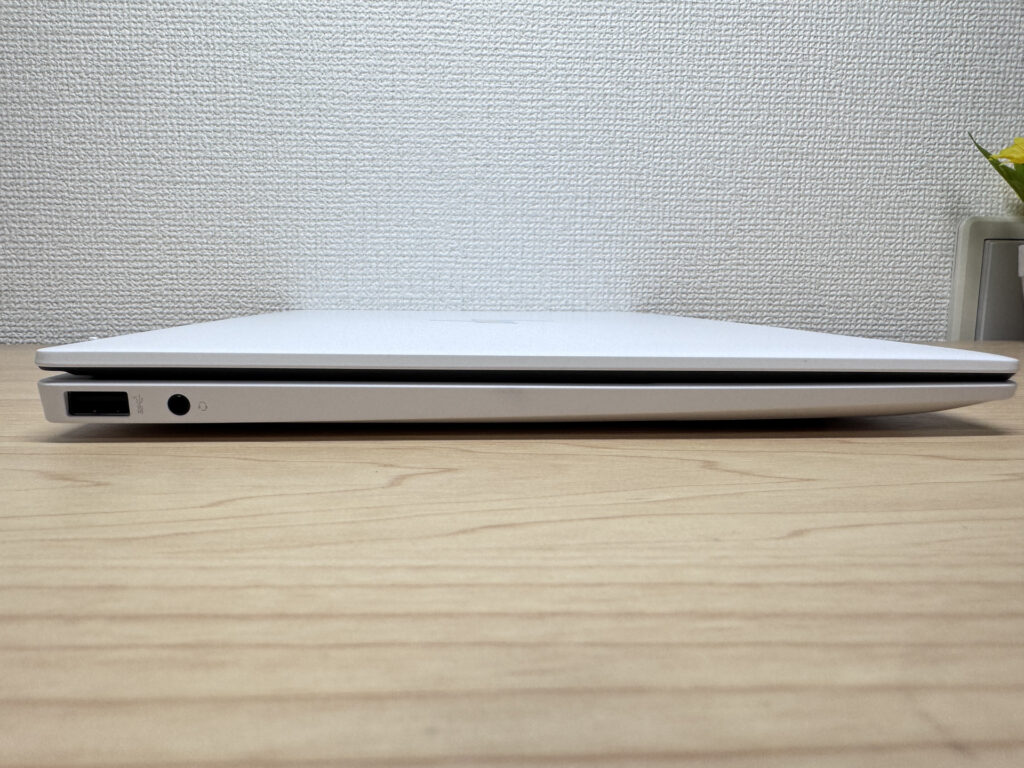 Impressively thin profile
The rubber feet grip reasonably well, but because the chassis is so light, aggressive typing can shift the laptop around a bit. Worth keeping in mind if you type heavily.
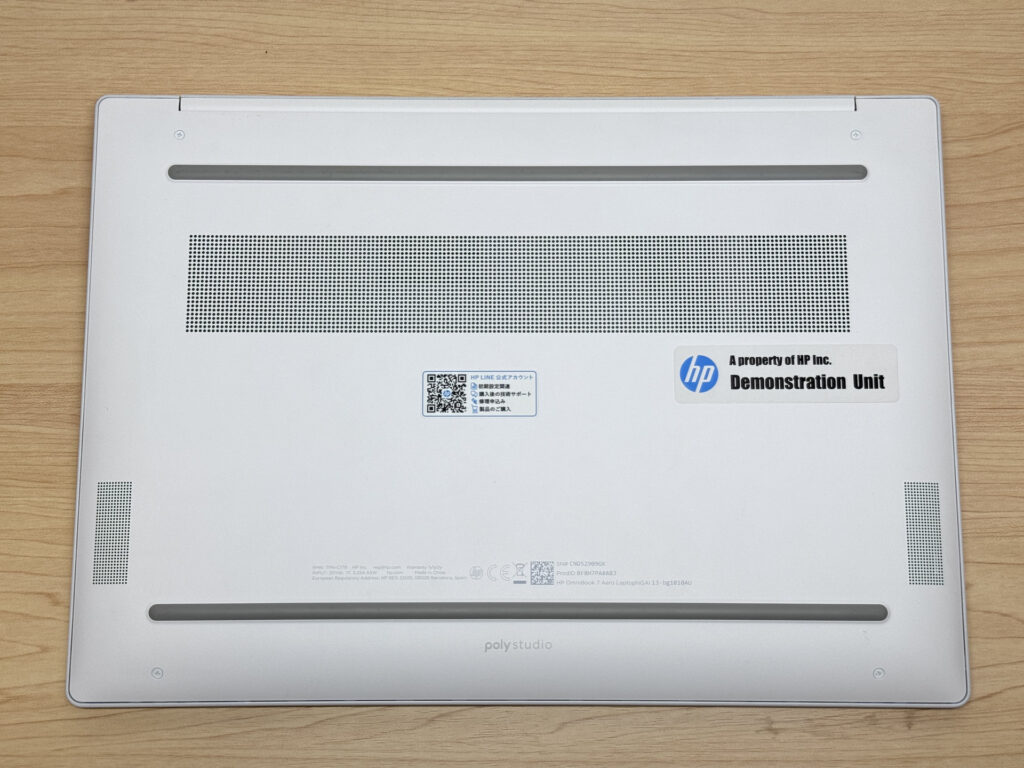 Rubber feet for grip
The lid notch makes opening easy, but because the machine is so light, one-handed opening tends to lift the whole thing. You'll want to get into the habit of holding the base down.
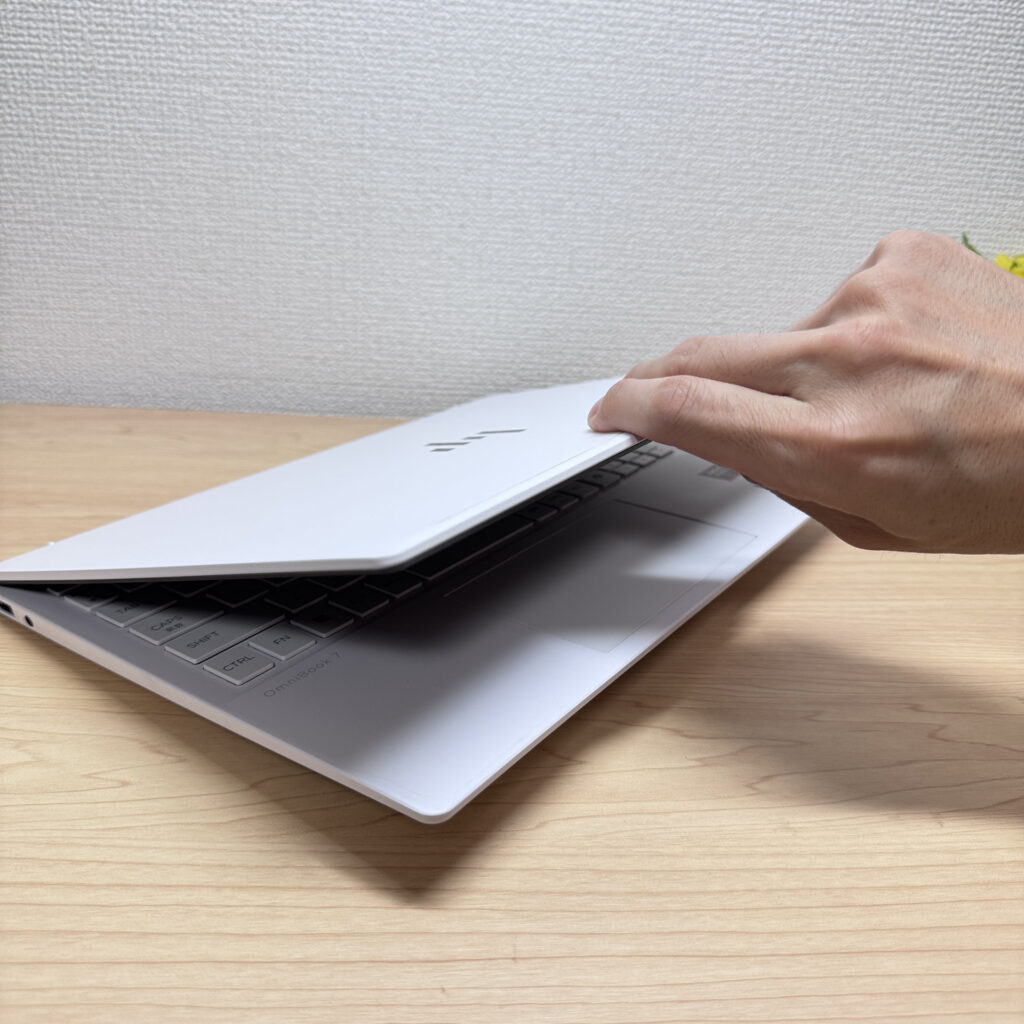 Opening the lid
Portability
Real-world weight came in at exactly 1,000g, just a hair over the 970g spec — well within margin. Either way, this is legitimately light for a laptop. You won't notice it in your rucksack on the daily commute or between lectures.
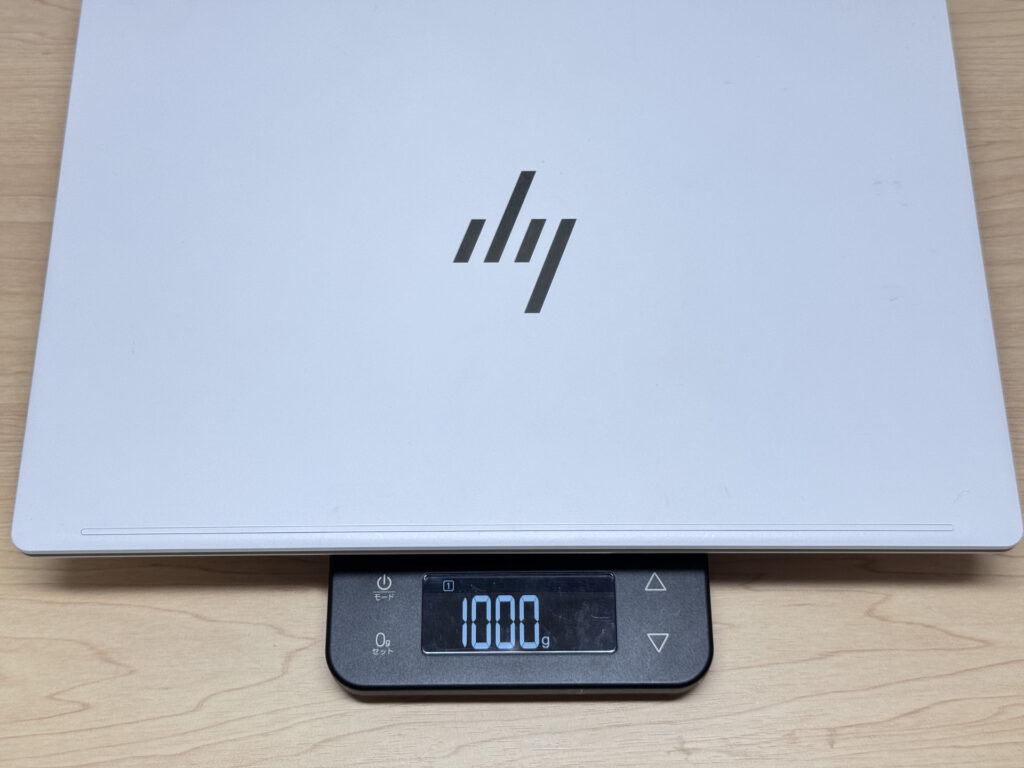 Real-world weight: 1,000g
The charger, though, measured 323g — rather heavy for a machine that's otherwise so light. When you're out, swap it for a compact USB-C charger and the total carry weight gets much more manageable.
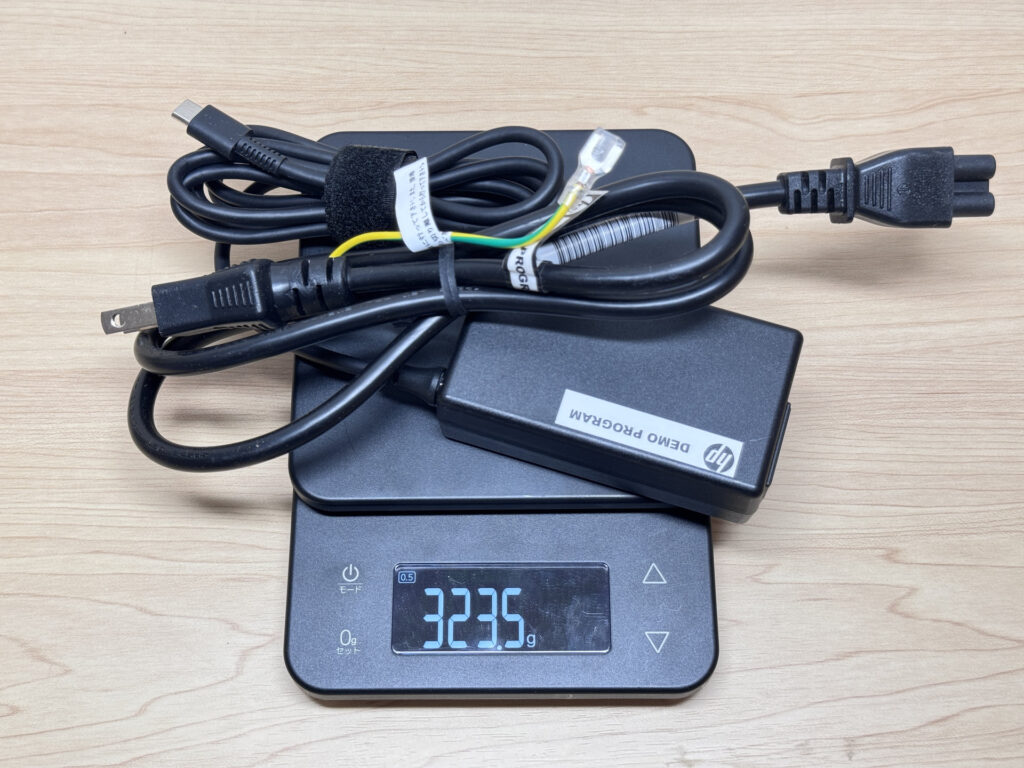 The charger weighs 323g
One-handing it around the office or campus is effortless. Even on days when your bag is already packed, you'll grab this without a second thought.
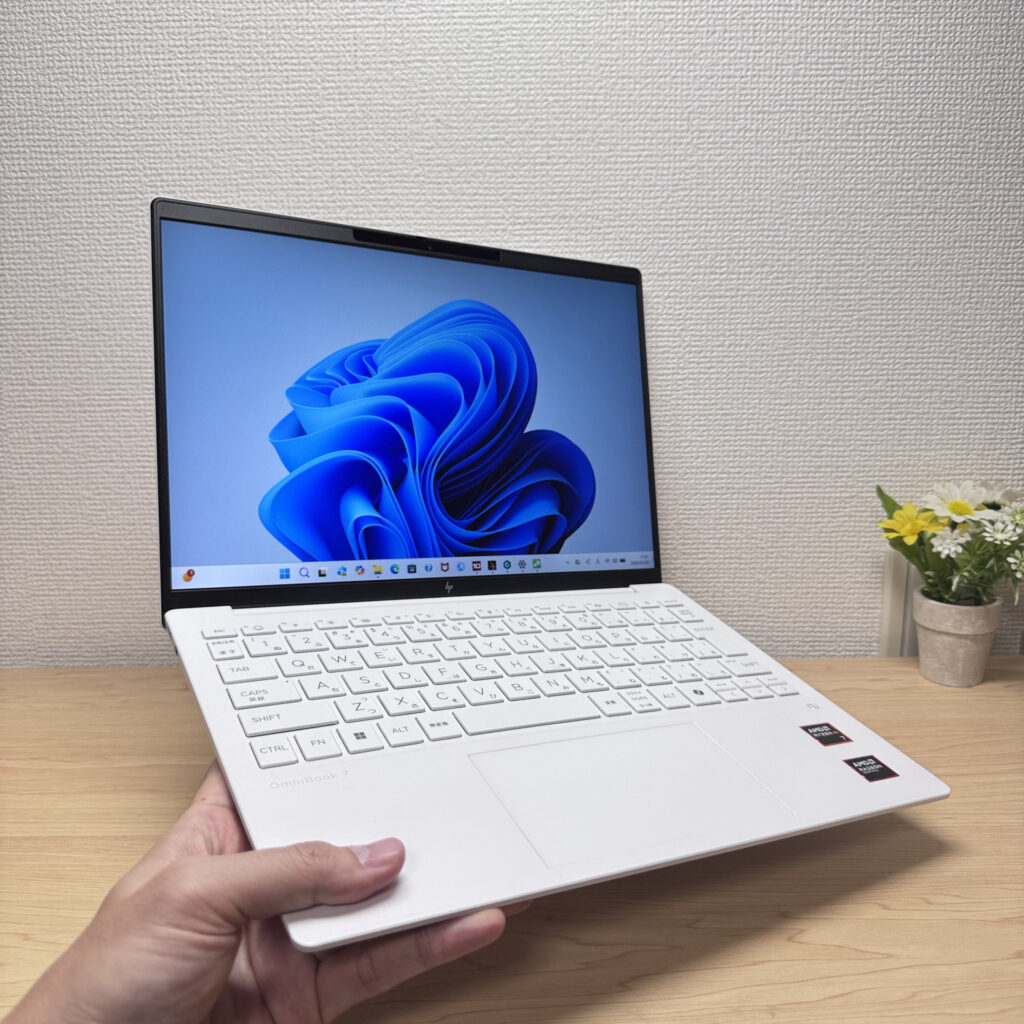 One-handed carry is no bother at all
Display Quality
The IPS panel delivers solid, accurate colour — not in a "budget IPS" way. It looks genuinely good. The slim bezels give it a clean, modern look too.
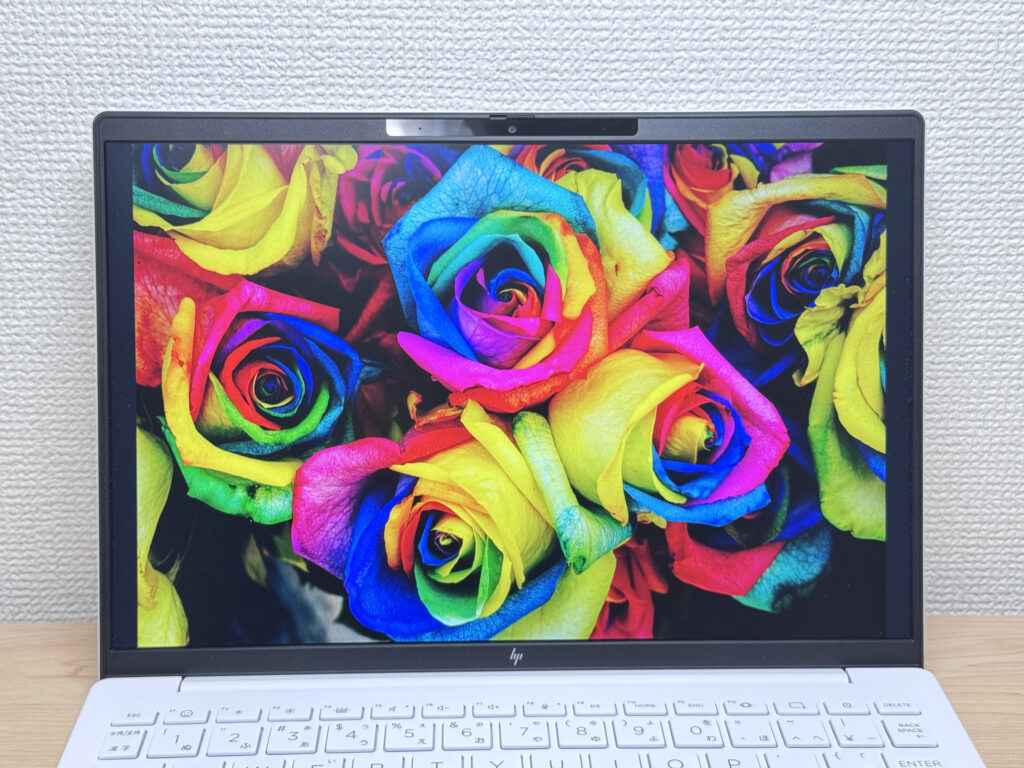 Accurate, punchy colours
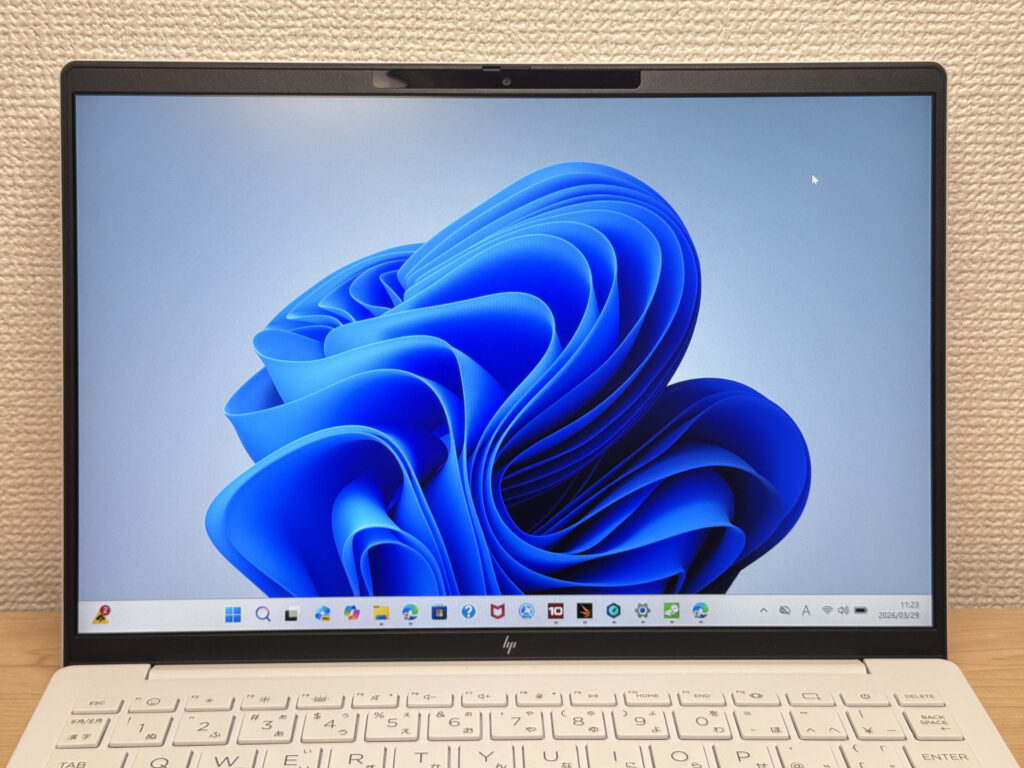 Clean slim bezels
Viewing angles are wide — as you'd expect from a decent IPS. Colours hold up well from the side, so sharing the screen is no trouble.
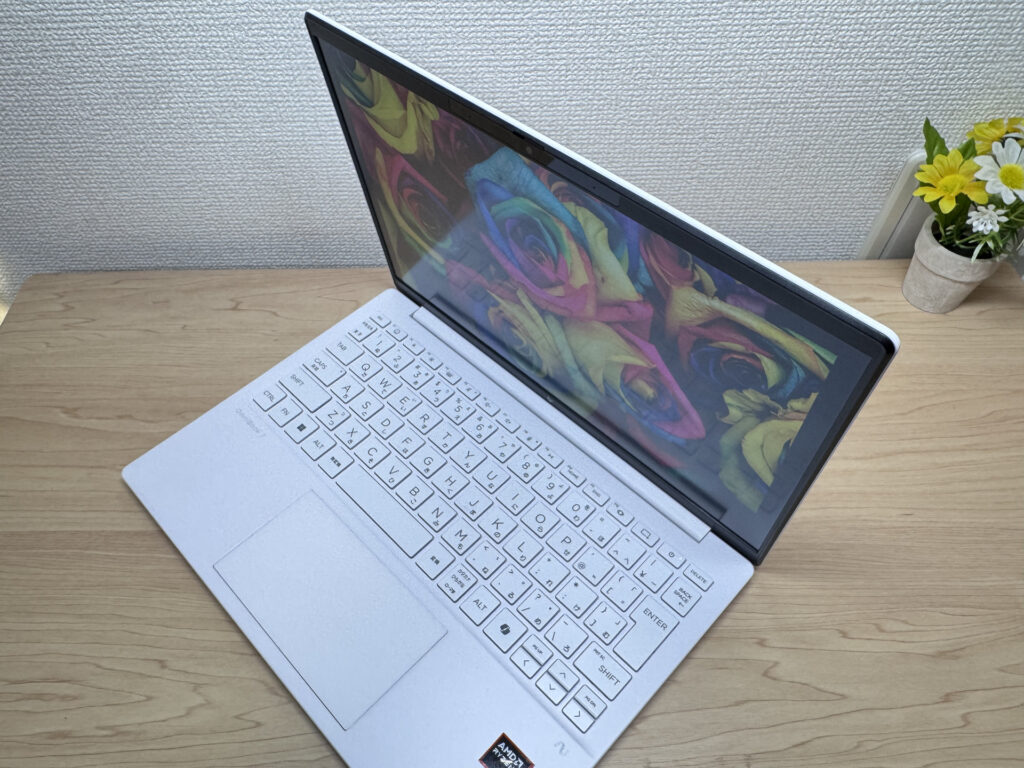 Solid viewing angles from the side
No touchscreen, for anyone who wants that.
Resolution is 1920×1200 with a 16:10 aspect ratio. The extra vertical space means less scrolling on web pages and more rows visible in spreadsheets. It's one of those things you don't notice until you go back to a 16:9 screen and wonder why everything feels cramped.
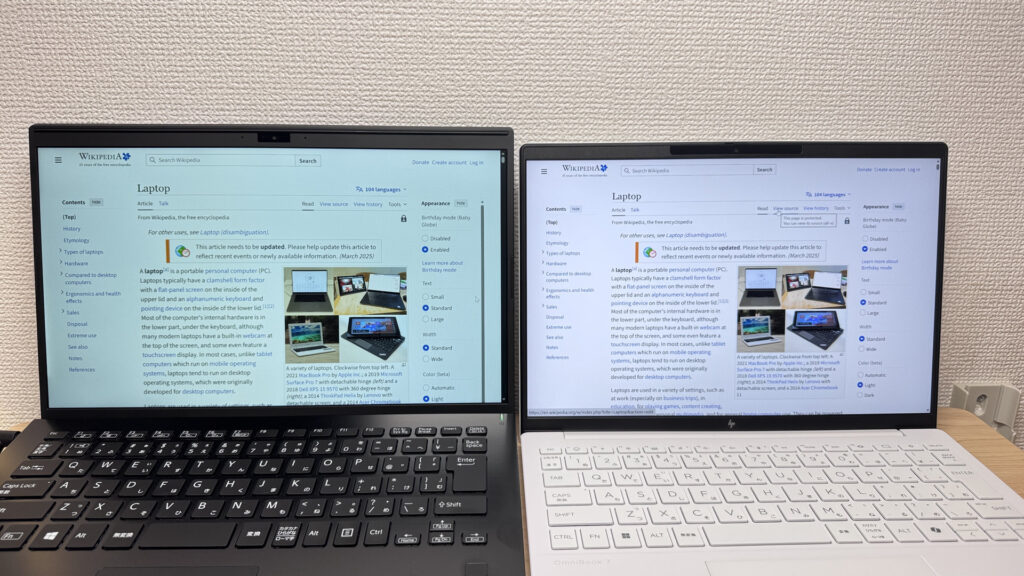 More vertical space than a standard 16:9 display
The matte panel keeps reflections to a minimum. Even under bright office lighting, glare isn't an issue.
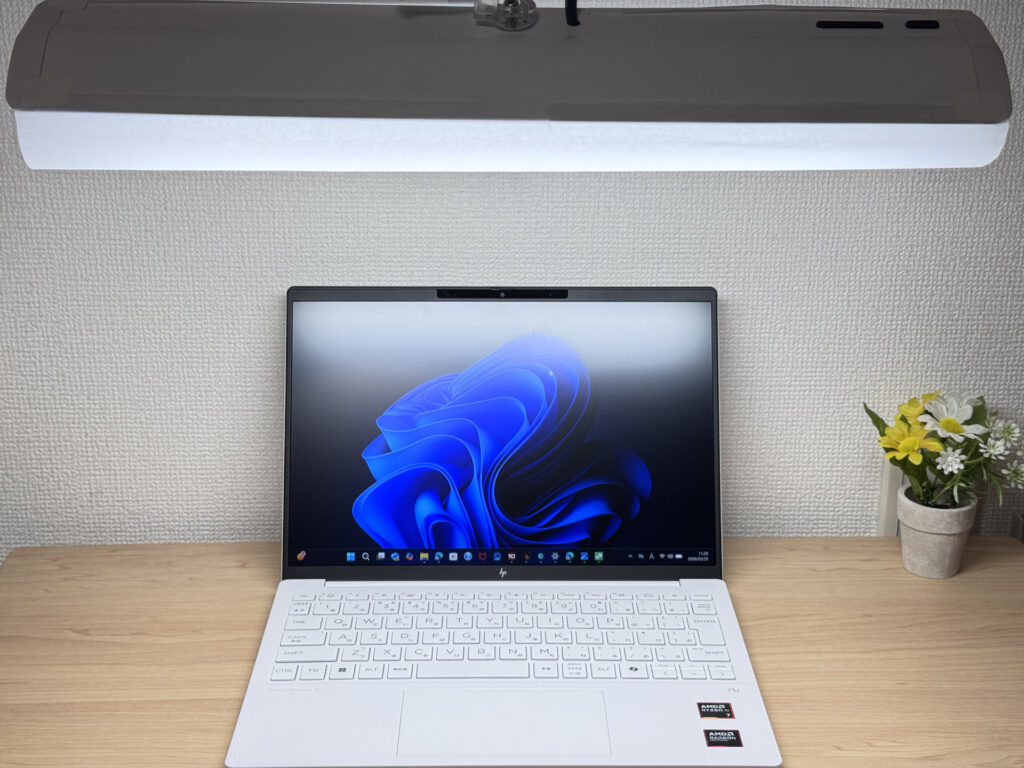 Low reflections — the matte panel does its job
Keyboard Feel
HP has been putting real effort into keyboard layouts lately, and it shows here. Key placement feels natural — switching from another laptop, the adjustment period is minimal. The Enter key shape in particular is well-judged.
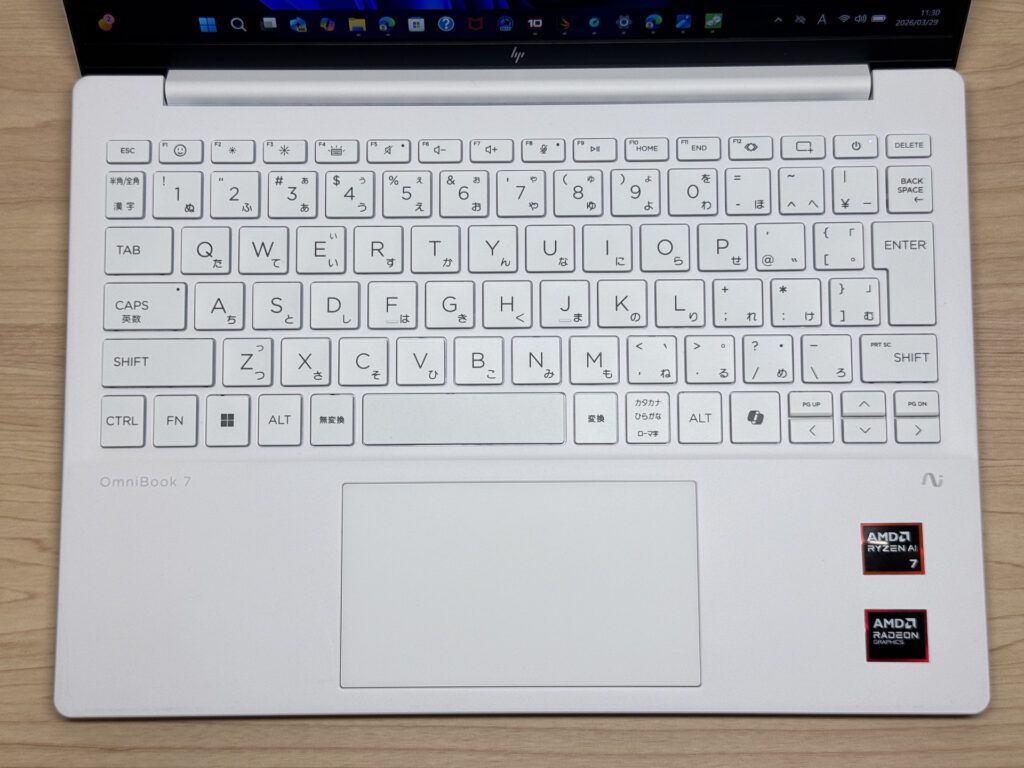 Thoughtful key layout
Typing feel is light — don't expect a ThinkPad-style click. But for a thin lightweight, it's comfortable enough for a full day's work at a café.
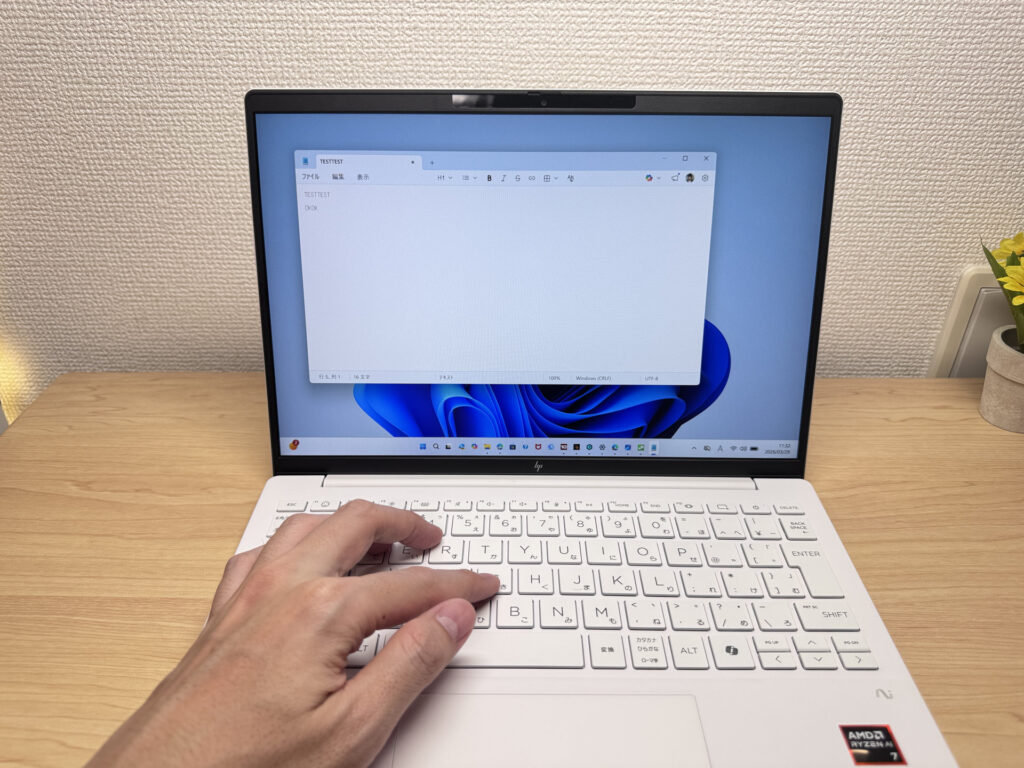 Light but comfortable to type on
Backlight has two brightness levels plus always-on. Typing in the dark is no problem.
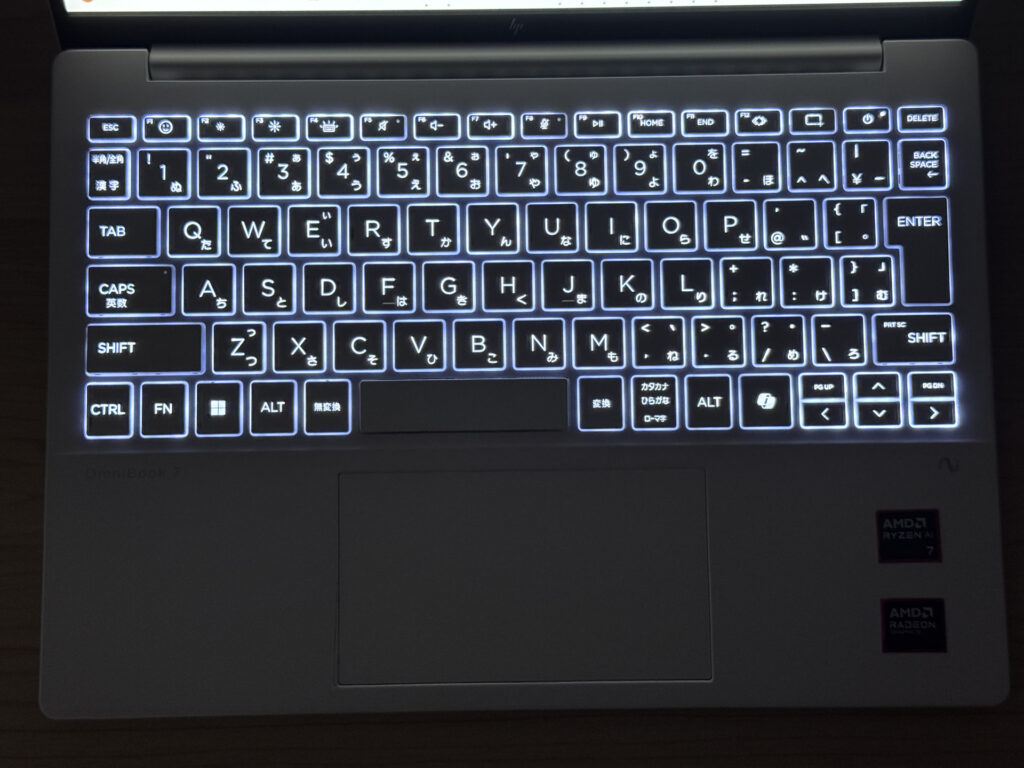 Backlight keeps keys visible in low light
Trackpad
Smooth and accurate — the trackpad is a genuine highlight. Size is generous for a 13-inch class laptop, and you'll rarely feel the need to get out a mouse when you're on the go.
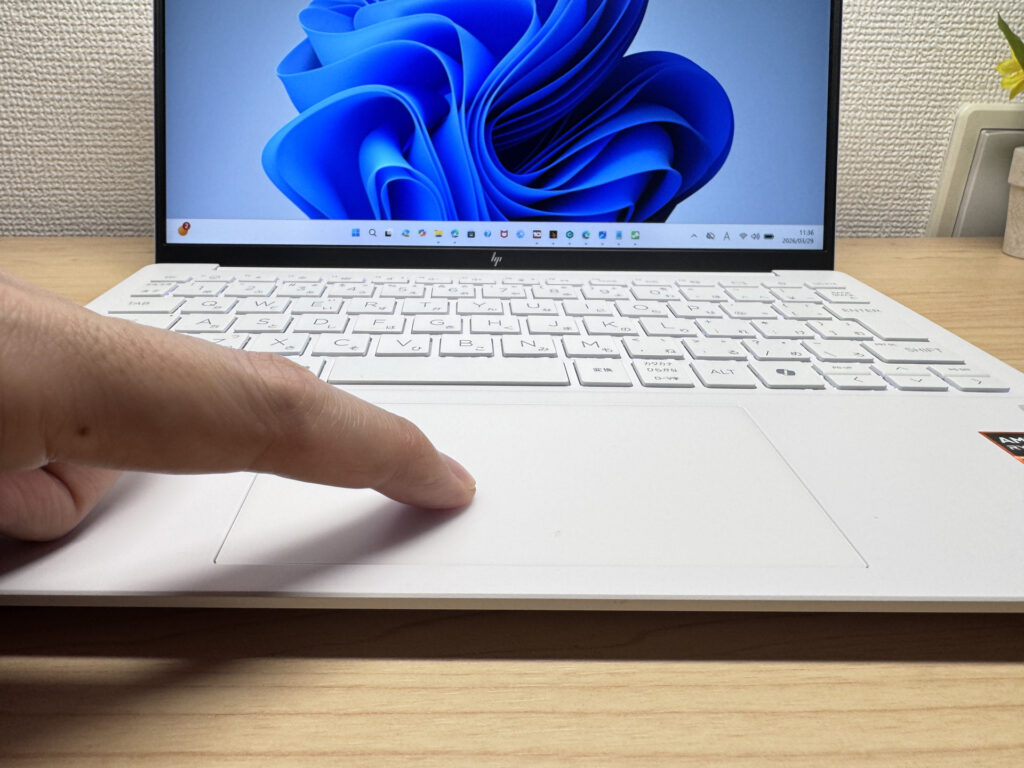 Smooth, accurate trackpad
Three-finger gestures work fluidly. Window switching and swiping feel natural. Honestly, "I don't need my mouse today" is a realistic outcome.
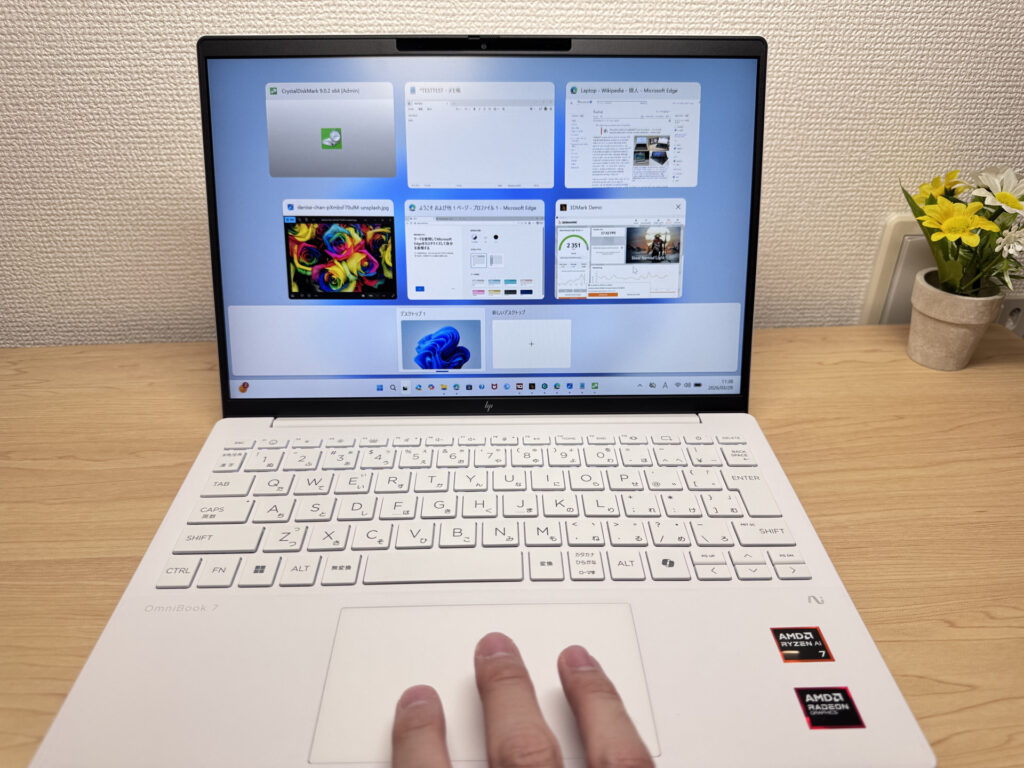 Fluid and natural gesture support
Performance
PCMark 10 score: 6946. For a lightweight mobile laptop, that's genuinely impressive. Running multiple browser tabs during a video call, crunching through spreadsheets — this handles it all without complaint. You'll be hard-pressed to feel it struggling in everyday use.
| Total Score | Rating | What it feels like in real use |
|---|---|---|
| ~4,000 | Bare minimum | Web browsing and simple tasks work, but multitasking or many tabs feels sluggish. |
| 4,000–5,000 | Light use | Daily tasks are doable, but running multiple apps means waiting around. |
| 5,000–6,500 | Comfortable (mainstream) | Handles most work without stress — fine for office, school, video calls. |
| 6,500–8,000 | High performance This PC | Plenty of headroom. Light photo editing and programming feel snappy. |
| 8,000+ | Very high performance | Tackles video editing and heavy workloads. Long-lasting performance. |
*PCMark 10 reflects overall comfort. Actual feel depends on CPU, RAM, and SSD speed.
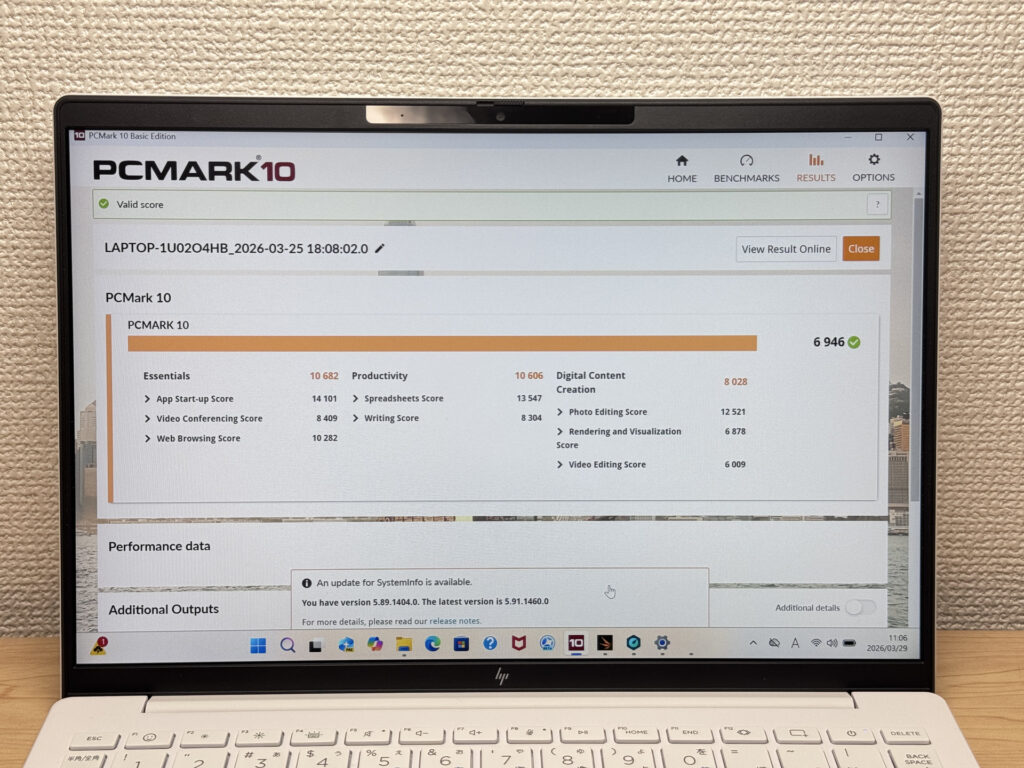 PCMark 10: 6946
Cinebench 2026 multi-thread score: 3002. A solid number — light photo editing and typical creative tasks are all fair game.
| Score | Rating | What it feels like in real use |
|---|---|---|
| Up to 1,000 | Bare minimum | Light tasks work, but heavier processing or multitasking feels constrained. |
| 1,000–2,000 | Standard (power-efficient) | Handles daily tasks, but heavier loads create waiting. |
| 2,000–3,000 | Comfortable (mainstream) | Office, school, video calls all work comfortably. Plenty for most users. |
| 3,000–4,000 | High performance This PC | Comfortable for multitasking, light/medium editing, and dev work. |
| 4,000+ | Very high performance | Handles video editing and heavy workloads with room to spare. |
*Cinebench 2026 is the latest CPU multi-core benchmark. Scores trend lower than R23, so direct comparison isn't valid.
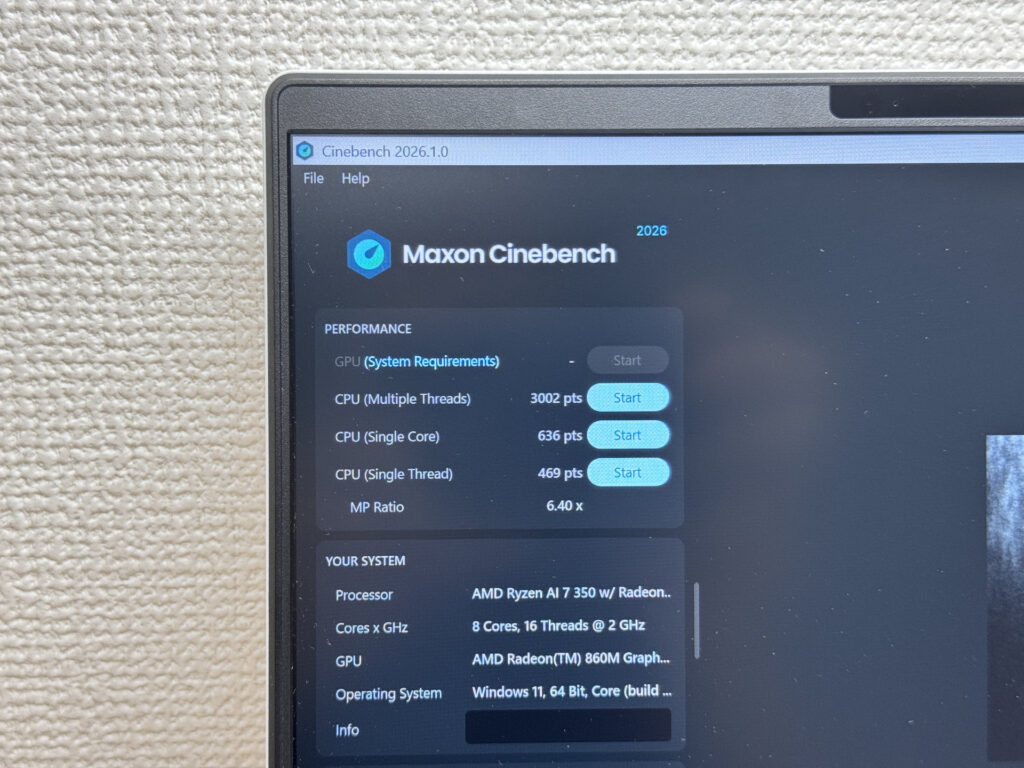 Cinebench 2026 score
3DMark Steel Nomad Lite: 2351. Not bad for integrated graphics — casual gaming is possible. Don't expect demanding titles to run well, but lighter games are doable.
| Score | Rating | What it feels like in real use |
|---|---|---|
| Up to 400 | Bare minimum | 3D performance is quite limited. Not really suited for gaming. |
| 400–900 | Light 3D | Lighter games and low-load 3D processing work. |
| 900–1,500 | Average (mainstream) | Standard for integrated GPUs. Light to medium games playable with right settings. |
| 1,500–2,200 | High performance | Strong for an integrated GPU. Games and 3D work feel comfortable. |
| 2,200+ | Very high performance This PC | Top-tier 3D performance for thin laptops. Real graphics headroom. |
*3DMark Steel Nomad Light targets thin laptops and integrated GPUs. Score range differs from Time Spy, so direct comparison isn't valid.
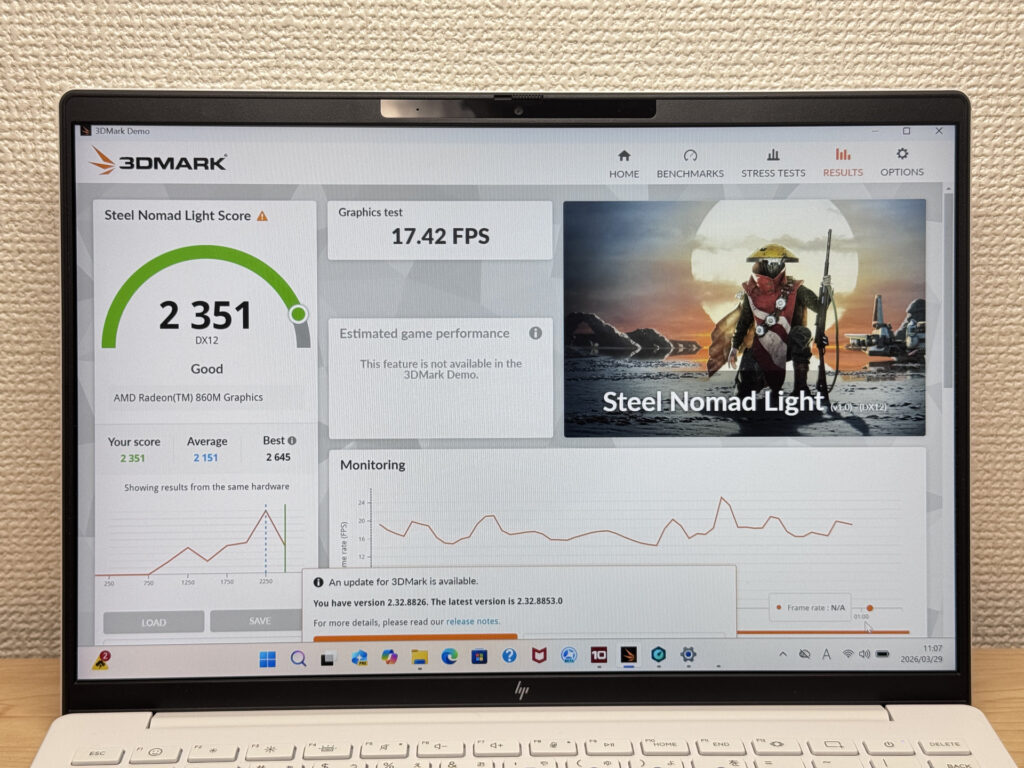 3DMark Steel Nomad Lite
CrystalDiskMark read speed: 6,119 MB/s. That's fast. App launches and large file copies happen quickly, and you won't be staring at a loading bar.
| Score | Rating | What it feels like in real use |
|---|---|---|
| Up to 600 MB/s | Bare minimum | Faster than HDD, but slow for modern SSDs. App launches feel slightly slow. |
| 600–1,500 MB/s | Average | Fine for daily use, though loading is noticeably slower than top-tier SSDs. |
| 1,500–3,500 MB/s | Comfortable (mainstream) | App launches and file loading feel smooth. No real complaints in daily use. |
| 3,500–5,500 MB/s | Fast | Loads large data and apps quickly. Definitely upper-tier SSD speed. |
| 5,500+ MB/s | Very fast This PC | High-end NVMe territory. Heavy data work without waiting. |
*CrystalDiskMark measures SSD speed. It mainly affects app launch and file loading speed, not overall PC performance.
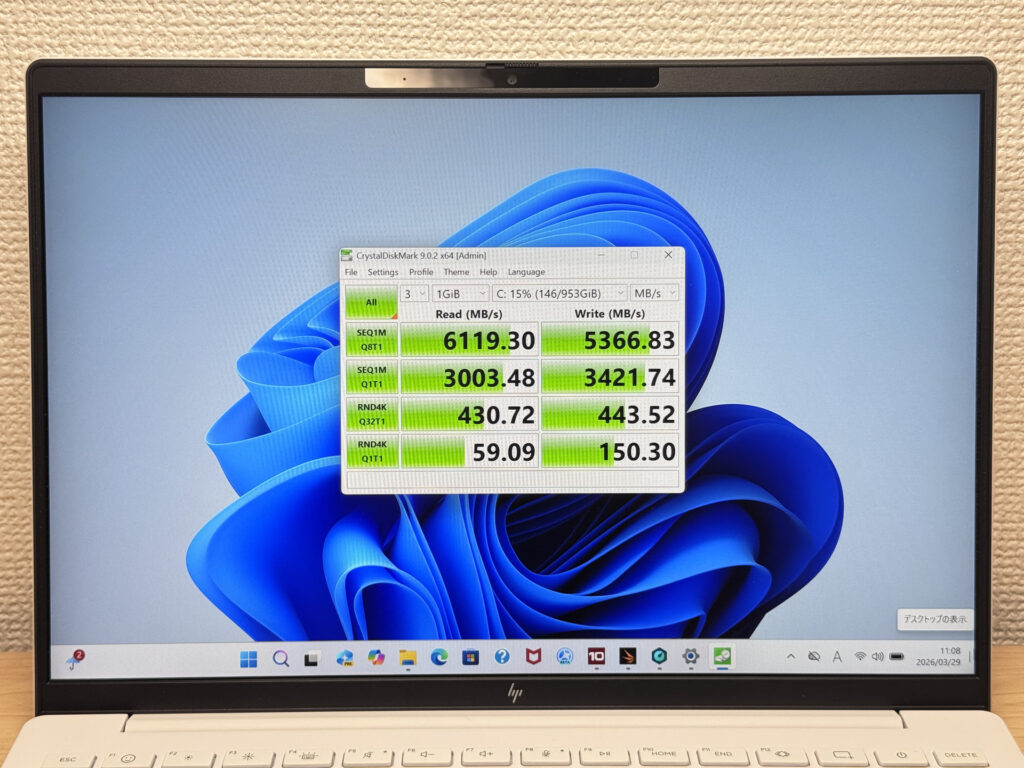 SSD read speed: 6,119 MB/s
Battery Life
Battery rating: Average
Battery capacity is 43 Wh — standard for a slim mobile build. HP quotes up to 15.5 hours, but real-world results will vary depending on workload. For light browsing and writing, you'll get a solid working day out of it. Add heavier tasks or streaming and the drain picks up. If you've got a long day out, plan for a socket nearby.
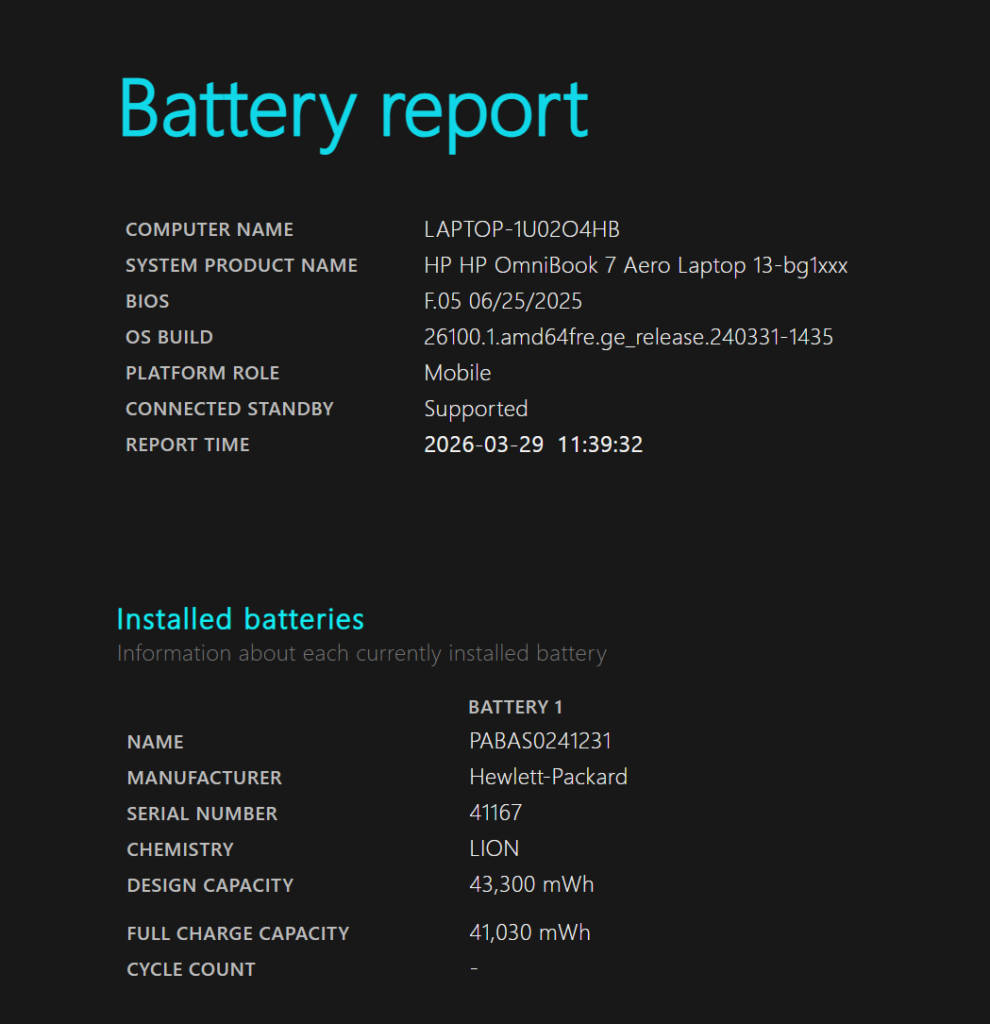 Battery capacity: 43 Wh
If the charger weight bothers you — and it's fair if it does — a compact USB-C charger is the answer. The laptop is light; your charger can be too.
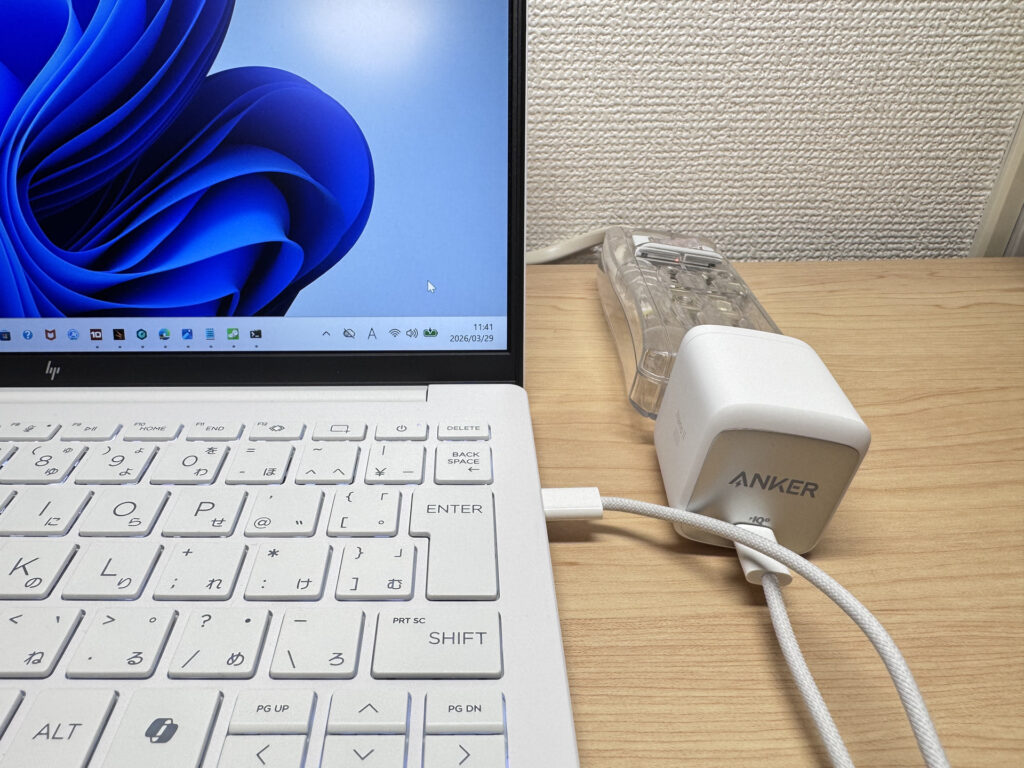 Swap in a compact USB-C charger
Fan Noise & Heat
At idle, it's essentially silent. Library-quiet. You won't think about the fan during normal use.
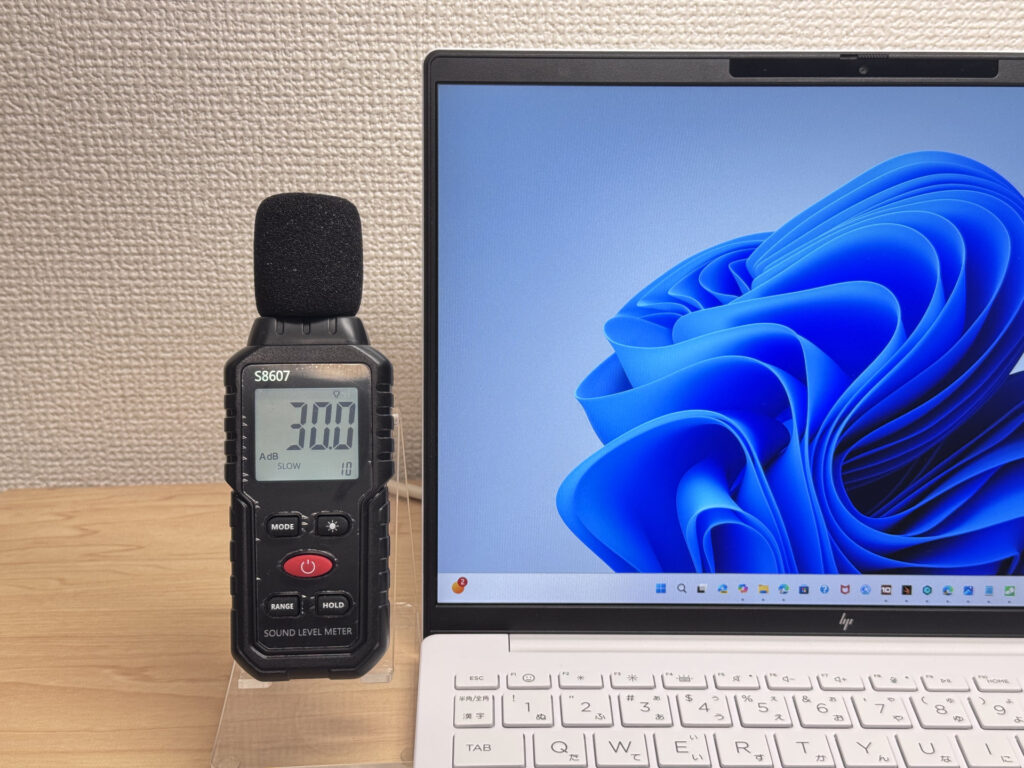 Barely a whisper at idle
Under load it reaches 39 dB — you'll hear it. In a quiet room with sustained heavy work, it's noticeable. But the fan only spins up when needed, and it does keep things cool.
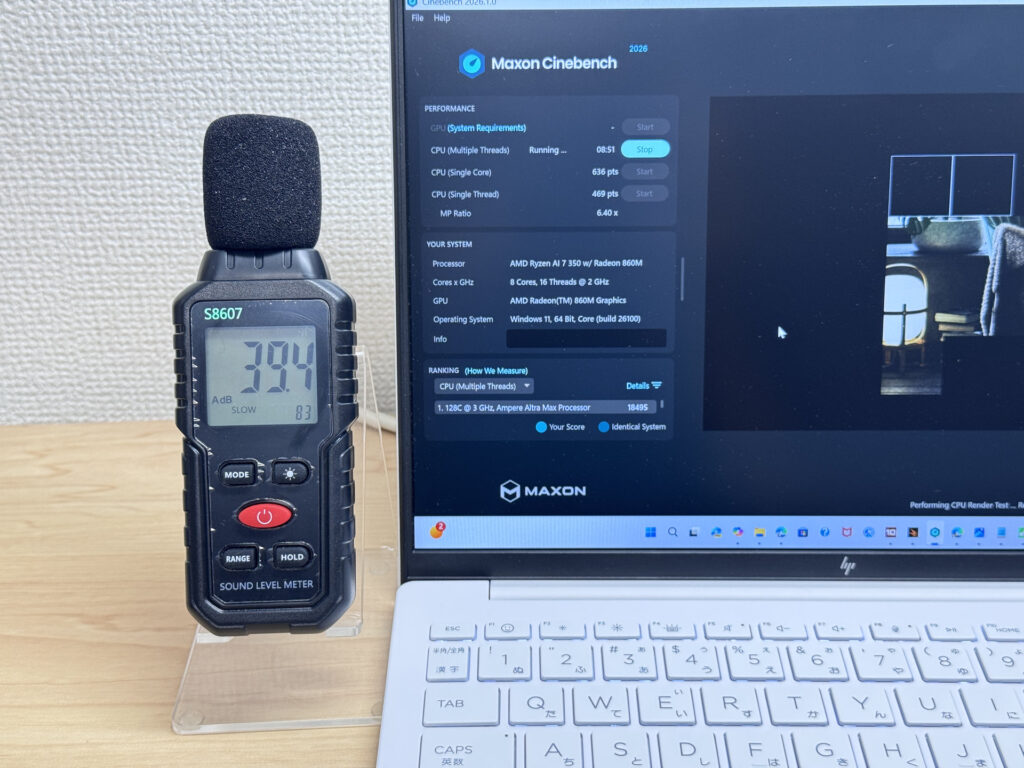 39 dB under heavy load
Exhaust vents are on the underside, pointing backwards. Hot air goes away from your hands — no uncomfortable warmth during long sessions.
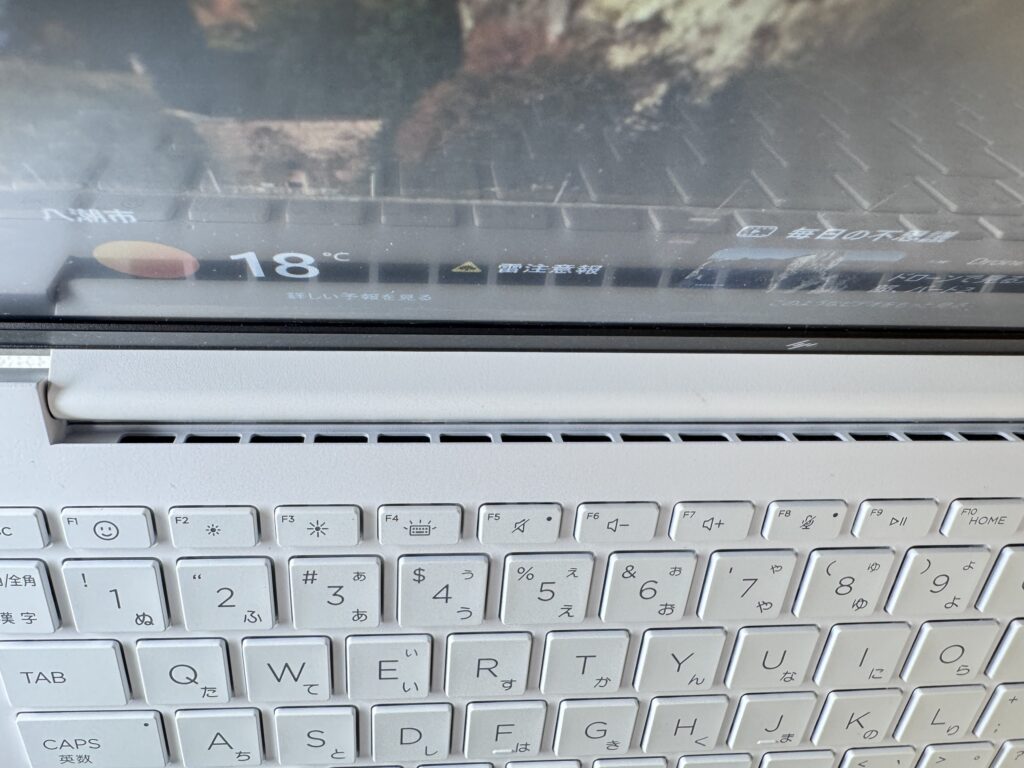 Exhaust vents on the underside — away from your hands
Ports
Left side: USB-A and a headphone jack. Right side: HDMI, USB-A, and a USB-C port with DisplayPort Alt Mode and Power Delivery. One cable for video output or charging — no adapters needed for most setups.
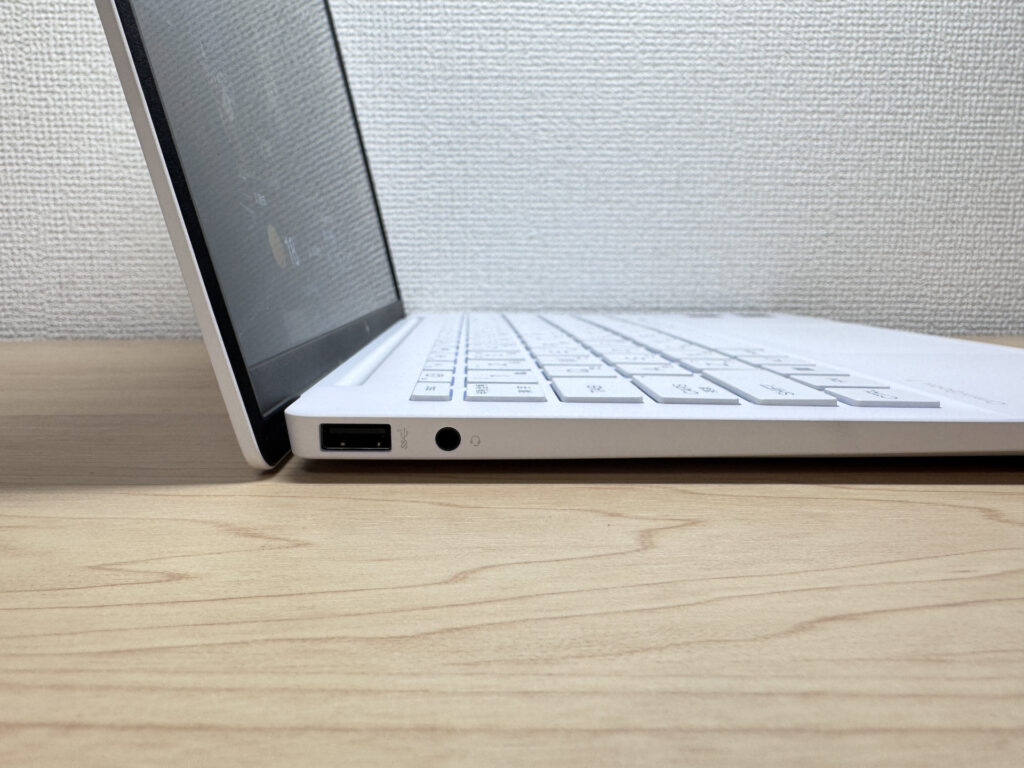 Left side ports
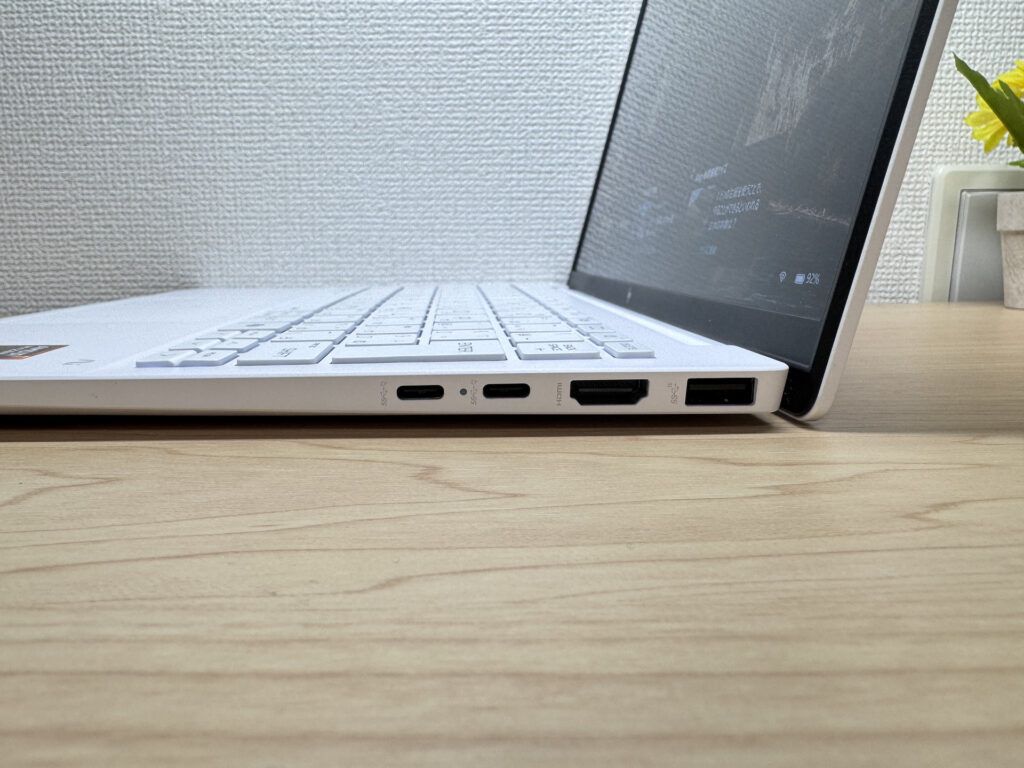 Right side ports
4K monitor output via HDMI confirmed. Plug in a cable before a presentation and it works straight away.
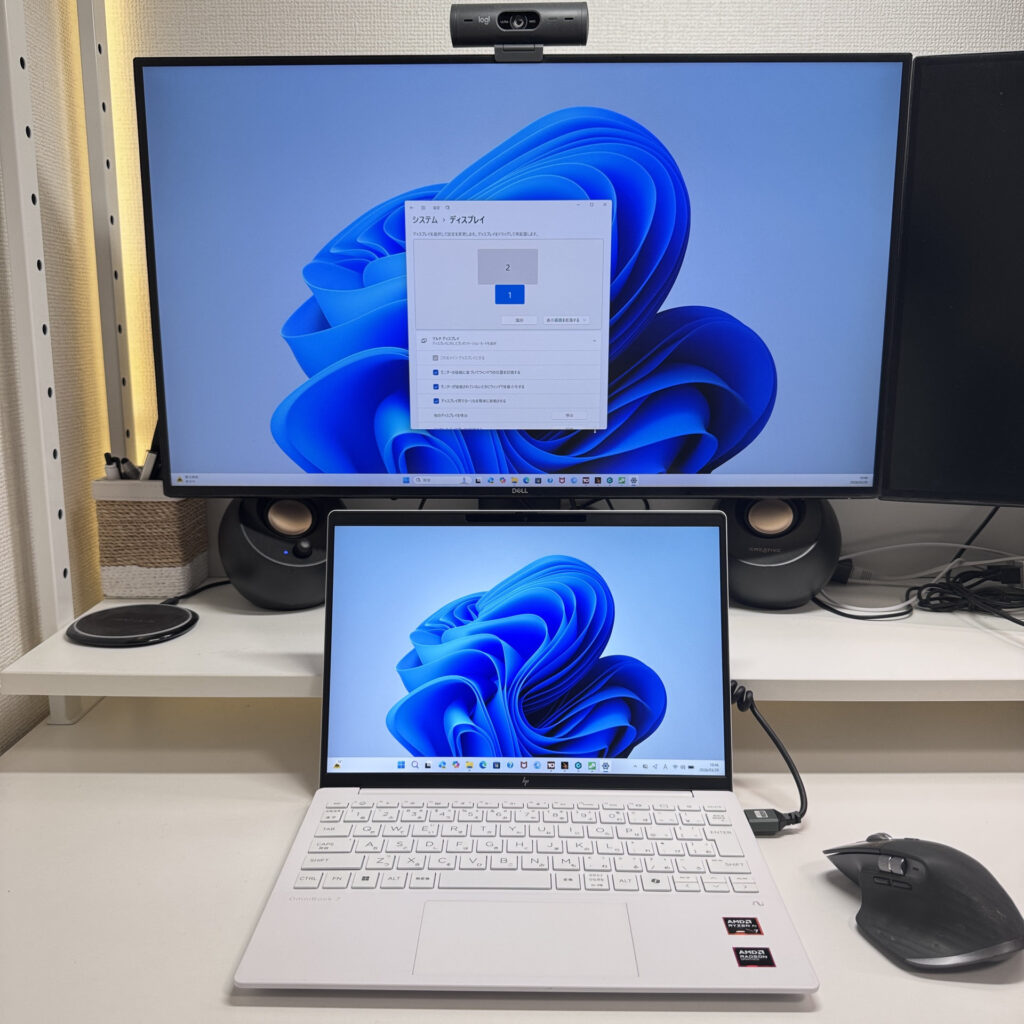 4K output via HDMI — confirmed
Dual 4K output via USB-C also confirmed. At home or in the office you can run a full desktop setup with two large monitors, then unplug and take the laptop with you. A genuinely useful trick if that's your workflow.
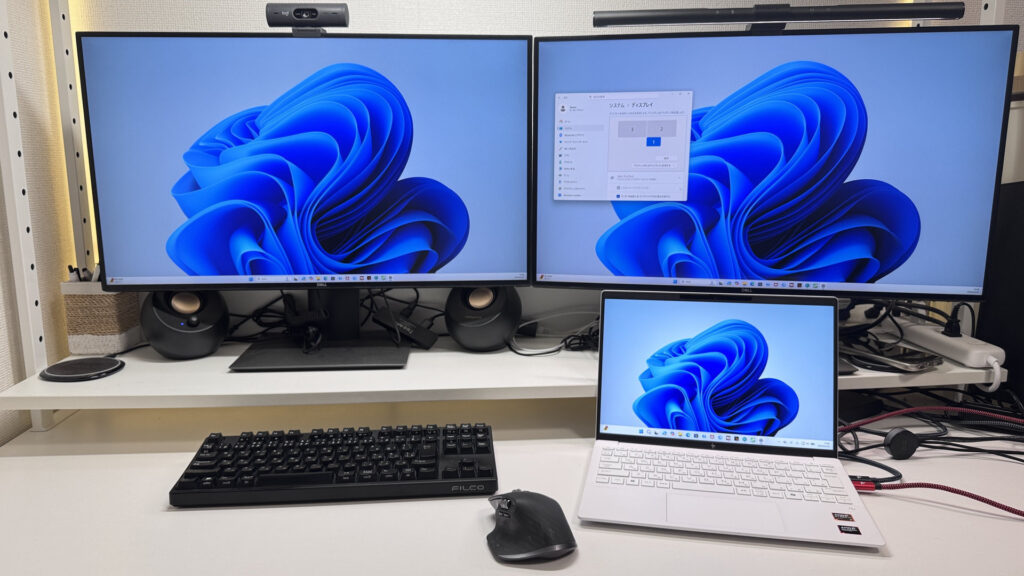 Dual 4K output via USB-C
Webcam
Camera quality is better than you'd expect at this price. Bright and clear — you won't look washed out or blurry on video calls.
 Clear, bright webcam output
Physical privacy shutter is a welcome feature. Slide it across and the camera is physically blocked — more reassuring than any software toggle.
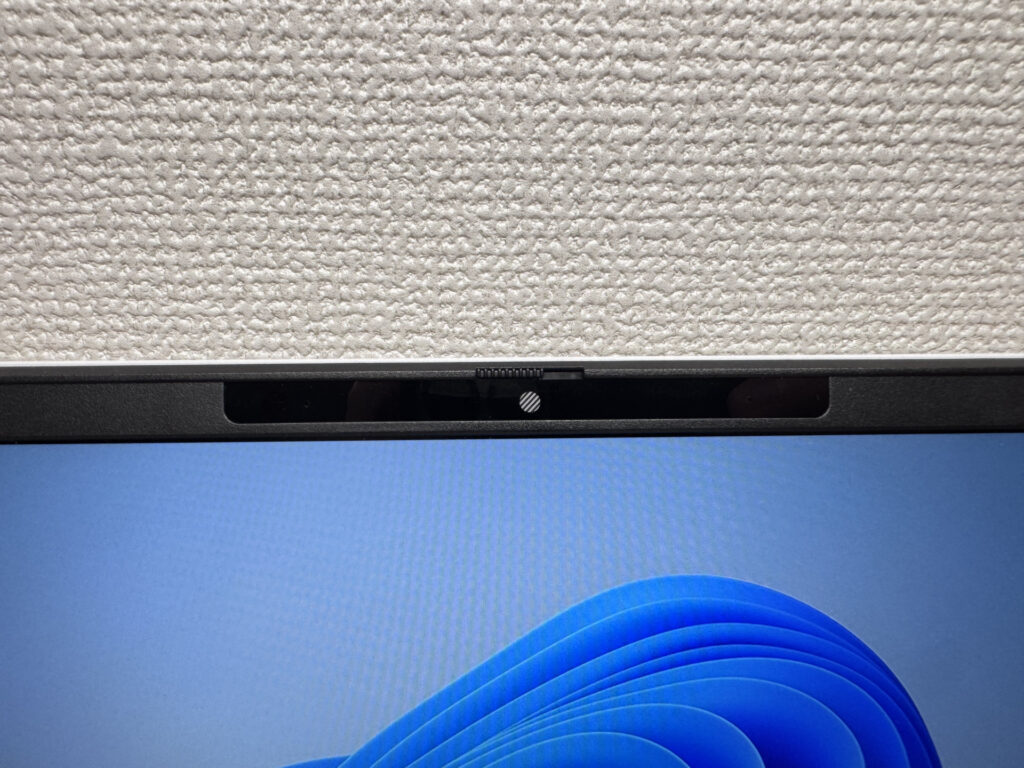 Physical shutter — proper peace of mind
Speakers
Audio has decent bass and sounds clear enough for streaming. Watching something on Amazon Prime without headphones is perfectly fine. For a thin travel laptop, the speakers hold up well.
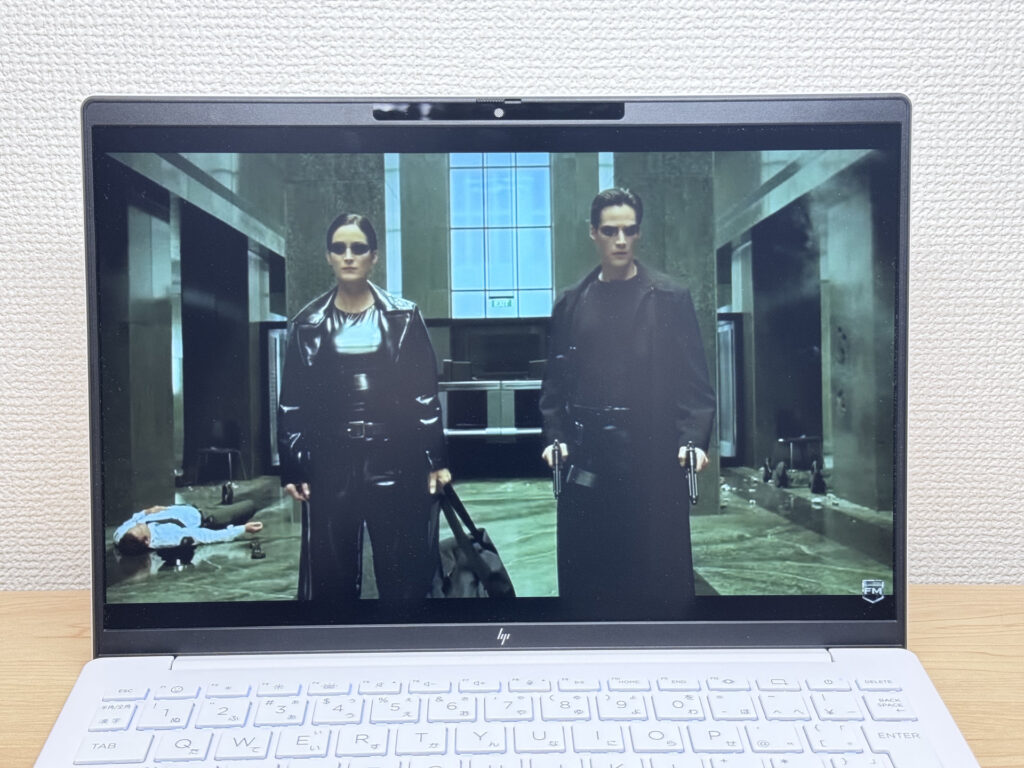 Solid audio for the size
Security
Face unlock works well — open the lid, look at the screen, and you're in. It's nearly instant. Honestly, I wasn't expecting it to be this quick.
No fingerprint sensor, but face unlock at this speed makes it a non-issue. For a laptop at this price point, the login experience is genuinely good.
Verdict
The OmniBook 7 Aero 13-bg strikes a solid balance: around 1 kg, a PCMark 10 score of 6946, 32GB of RAM, and a very fast SSD. For a daily-carry laptop, that's a compelling package. The plastic lid and 43 Wh battery are the honest shortcomings — but if what you want is a lightweight machine that genuinely performs, this makes a strong case for itself.
✅ Worth a look if you...
- Carry your laptop every day and want something genuinely lightweight
- Need a solid machine for essays, browsing, and video calls
- Often work from cafés, lectures, or anywhere outside the office
⚠️ Give it a miss if you...
- Need a machine for heavy gaming or video editing
- Are regularly away from a charger for long stretches
Under a kilo and ready for the daily commute — a well-rounded travel laptop
Where to Buy
* Prices may vary. Please check each store for the latest price and availability.
Where this laptop ranks



About the author