
ZippyScore
ZippyScore is a proprietary rating based on 6 criteria: performance, portability, display, battery, value, and connectivity.
See rating criteria
- Performance: CPU / GPU performance
- Portability: Screen size & weight
- Display: Panel type, aspect ratio & refresh rate
- Battery: Rated battery life
- Value: Specs-to-price balance
- Connectivity: Port types & count
Pros & Cons
Pros
- 32GB of RAM means multitasking feels genuinely smooth
- A claimed 20-hour battery gives real peace of mind when you're out and about
- A generous port line-up including Thunderbolt 4 stretches to four-display output
- The sharp 16:10 IPS screen makes reading source code a breeze
Cons
- The official charger needs 100W — a 65W charger will only give you slow charging
- The hinge lifts slightly if you open it one-handed, though two hands does the trick smoothly
Specs Summary
| OS | Windows 11 Home |
|---|---|
| CPU | Intel Core Ultra 5 225U (PassMark: 17,844) Intel Core Ultra 7 255U (PassMark: 17,866) Intel Core 5 220H (PassMark: 21,884) Intel Core Ultra 7 255H (PassMark: 48,931) |
| RAM | 16GB / 24GB / 32GB |
| Storage | 512GB / 1TB |
| Display | 14" OLED 1920x1200 (16:10) |
| Weight | 1.41 kg (3.11 lbs) |
| Ports | USB-C × 1 (Thunderbolt 4/40Gbps/PD/Video out), USB-C × 1 (10Gbps/PD/Video out), USB-A × 1 (10Gbps), USB-A × 1 (5Gbps), HDMI × 1 (ver.2.1), Headphone jack × 1 |
| GPU | Intel Graphics (G3D Mark: 3,183) Intel Arc 140T (G3D Mark: 5,634) |
| Biometrics | Face Recognition |
| Battery | Up to 20 h (Capacity: 59 Wh) |
| Dimensions | Approx. 314 × 226 × 18.9 mm (W × D × H) |
| Wi-Fi | Wi-Fi 7 |
| Bluetooth | Bluetooth 5.4 |
| Color | Silver / Glacier Silver |
Configurations vary by retailer, region, and availability.
Hands-on Review
Right, let's get into the hands-on review of the OmniBook 7 14-fr. Here's the configuration I used for testing:
| Spec | Review Unit Configuration |
|---|---|
| CPU | Intel Core Ultra 7 255H |
| Memory | 32GB |
| Storage | 1024GB SSD |
| Display | 14" IPS (2240x1400) |
| Graphics | Intel Arc 140T |
| Colour | Glacier Silver |
Configuration may vary depending on purchase timing/retailer.
Design
Let's start with the design. The unit I've got in for review is finished in Glacier Silver — the OmniBook 7 14-fr also comes in Meteor Silver and SAKURA — and this Glacier Silver has a matte, smooth-to-the-touch finish where fingerprints don't show up easily, which is a nice touch. Given the price bracket, it doesn't feel cheap at all.
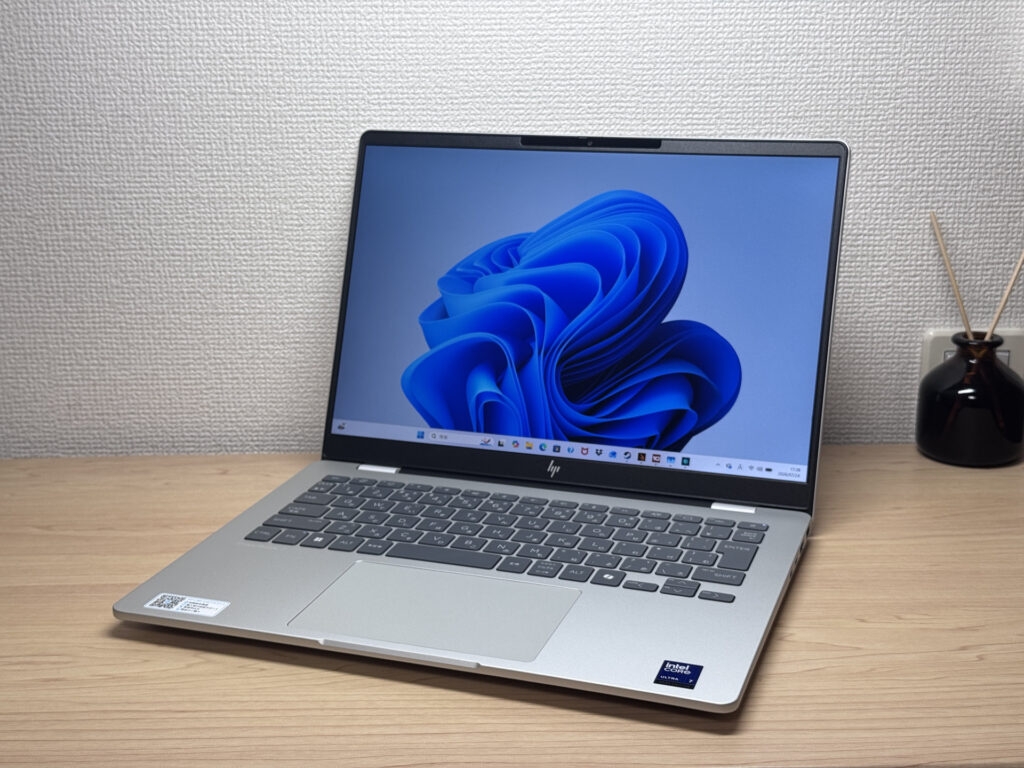 That matte finish feels lovely and smooth up front!
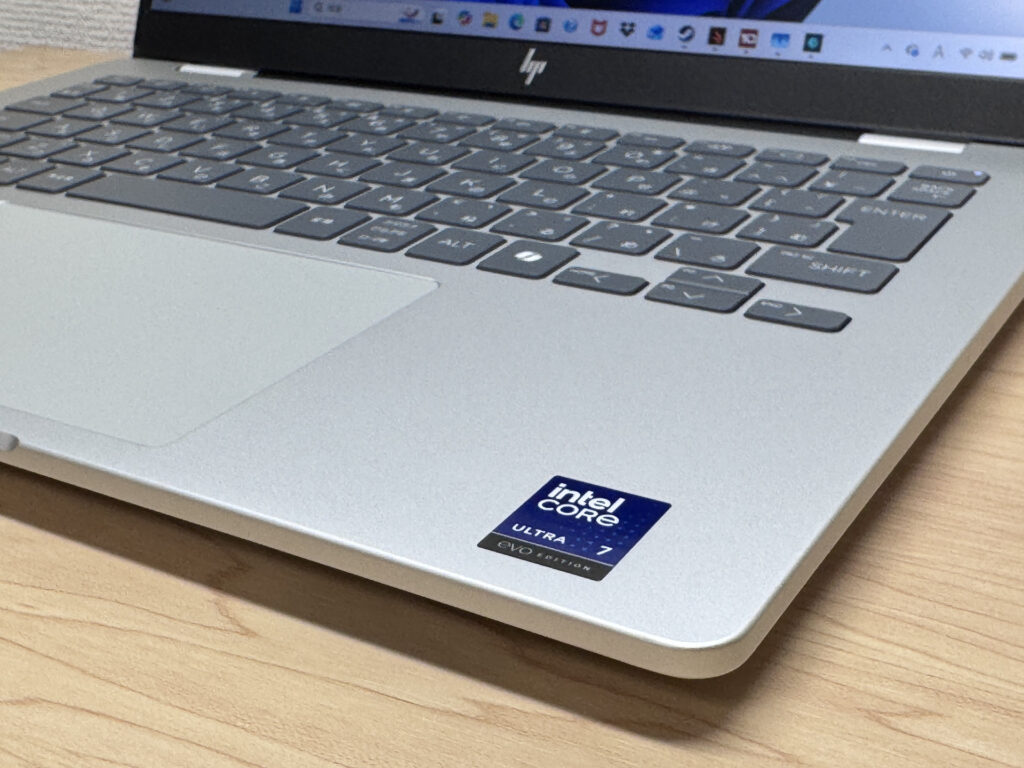 Quietly chuffed that fingerprints don't show up👍
The lid keeps things simple, with the HP logo placed subtly in the corner.
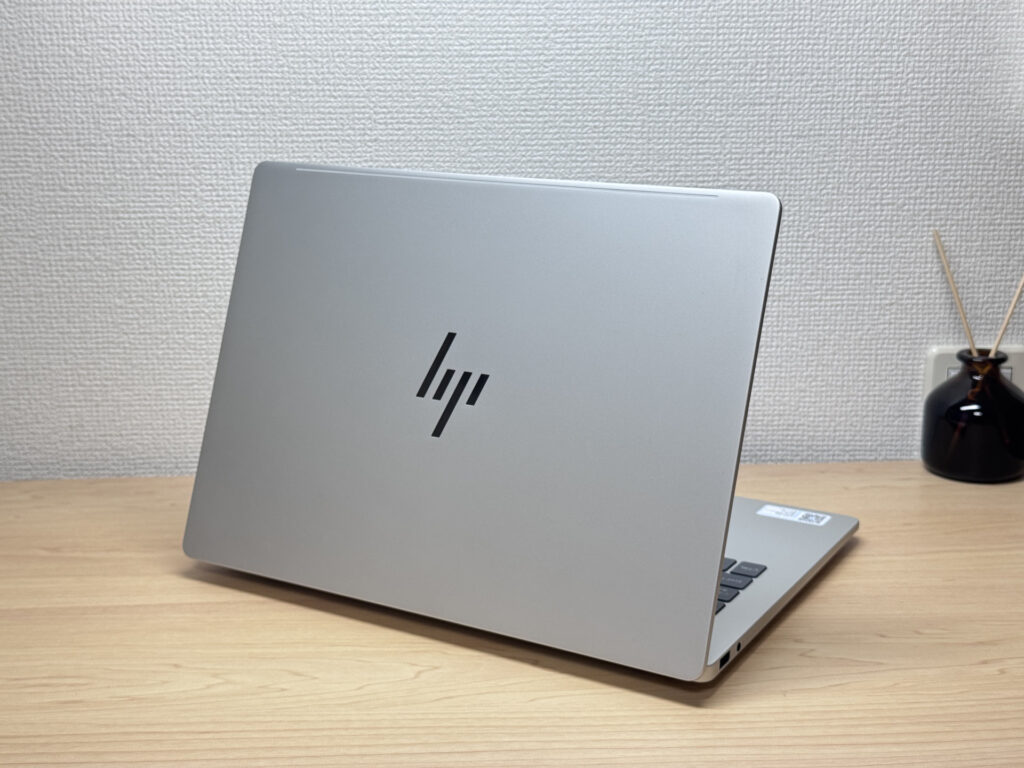 That understated HP logo does the job nicely
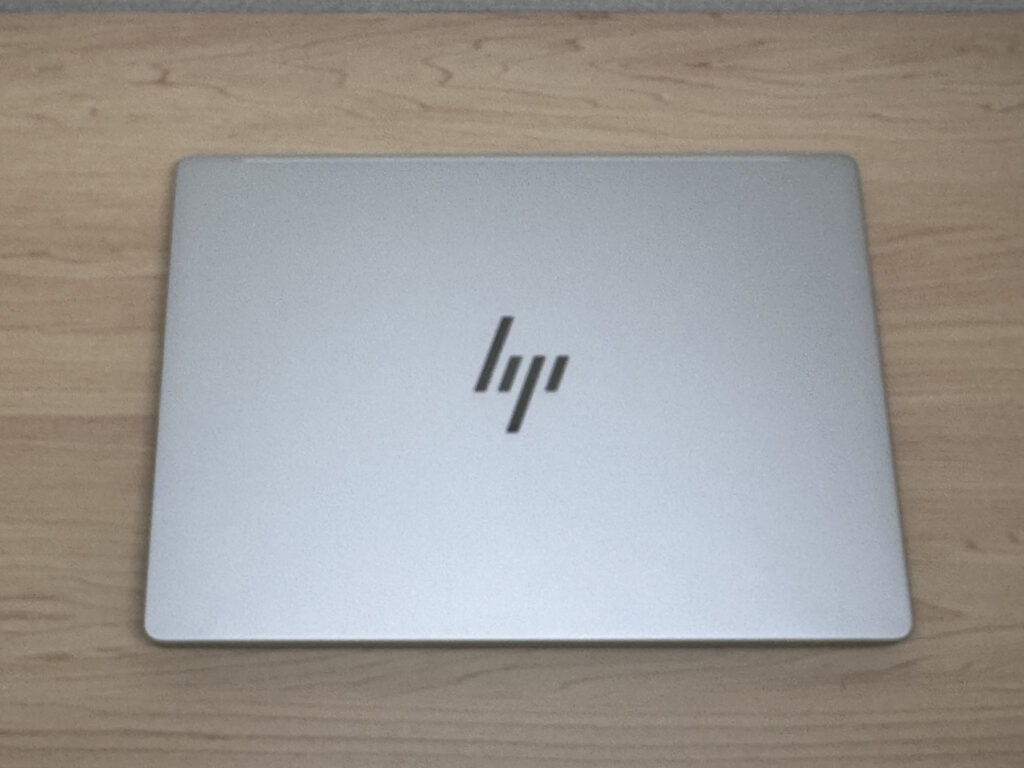 No-nonsense lid design, and I'm here for it
As for thickness, it measures 314 × 226 × 18.9 mm, which is fairly standard for a 14-inch laptop. It's not ultra-thin by any means, but it's a comfortable size for everyday use.
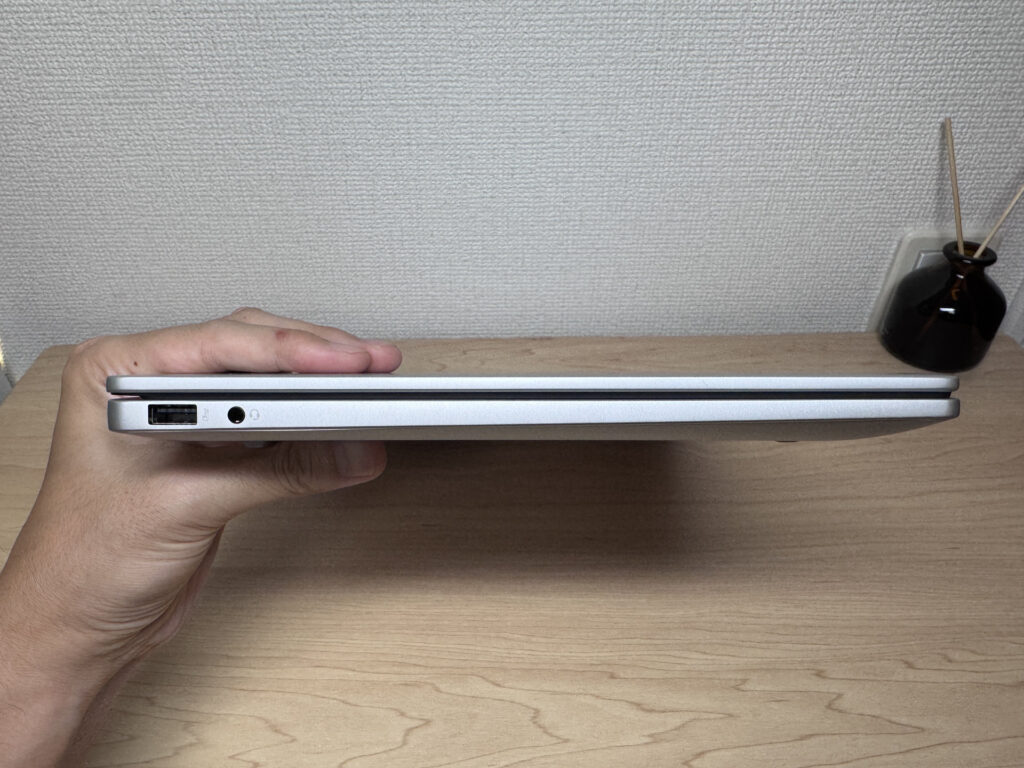 Standard thickness that slips into a bag with no fuss
On the underside, there are fairly large air intakes that seem to be doing solid work for cooling. The rubber feet are sturdy too, so there's no worry about it sliding around while you type.
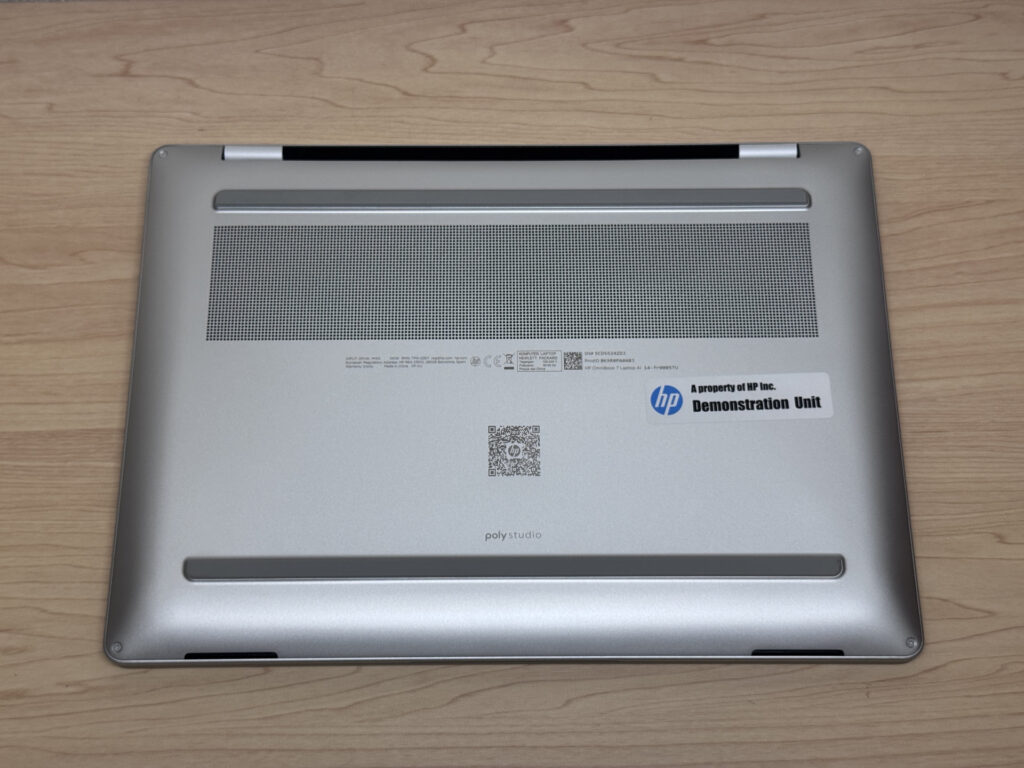 Spotted generous air intakes and sturdy rubber feet
Opening the lid one-handed, the base lifts very slightly off the desk. That said, if you open it with your right hand while lightly holding the base down with your left, it opens smoothly enough — not really an issue in practice.
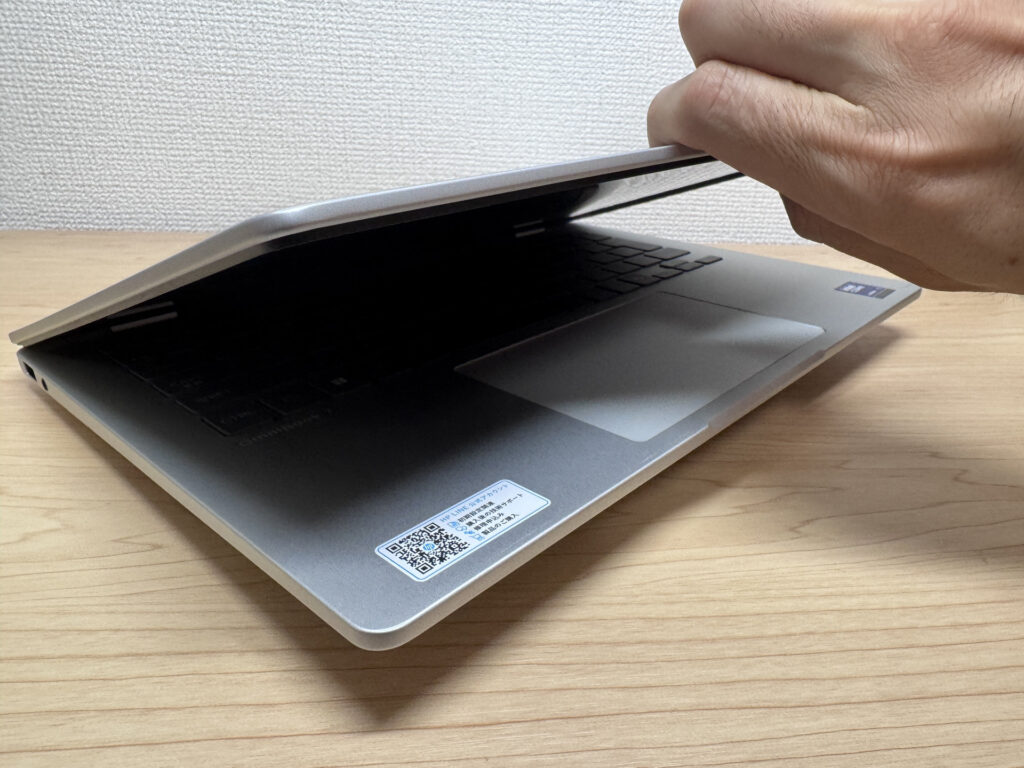 Lifts a touch when opened one-handed, but nothing to worry about
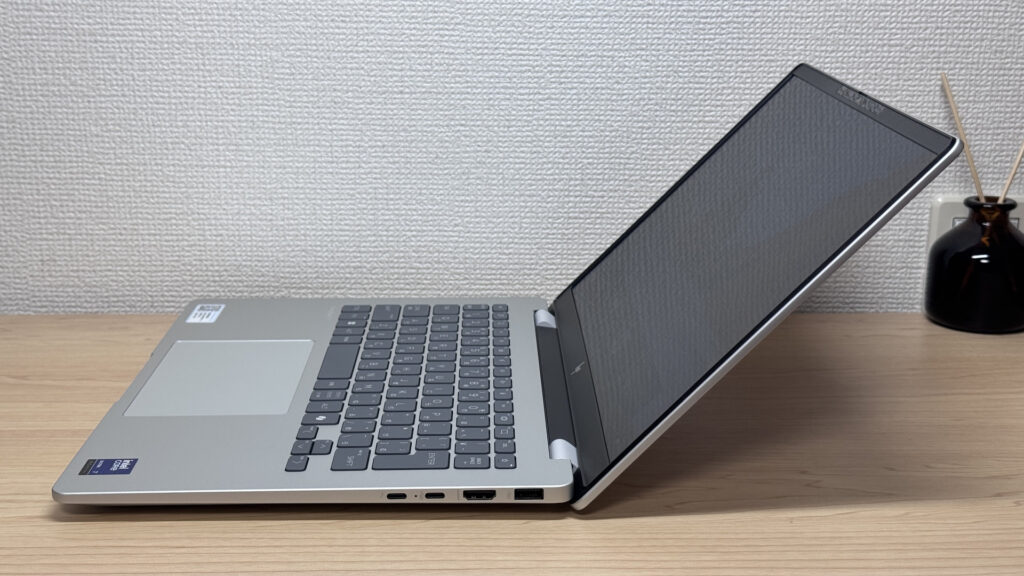 The opening angle is plenty for everyday use too
Portability
Next up is portability. I weighed the unit myself and got 1,488 g (3.28 lbs), which lines up almost exactly with the claimed 1.41 kg.
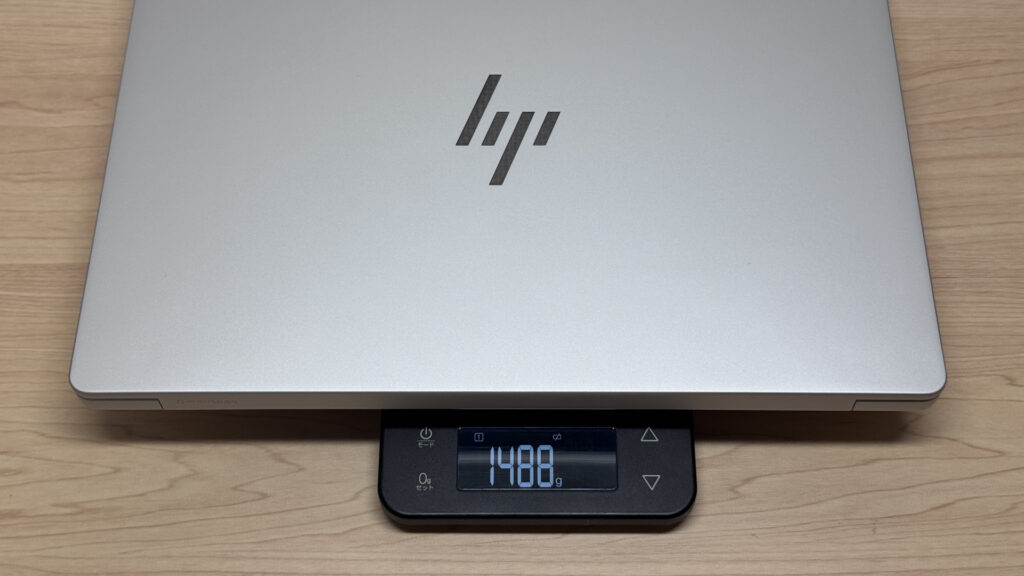 Measured 1,488 g — nearly bang on the spec sheet!
The official charger weighed in at around 422 g, which is on the heavier side — that's because this laptop needs a full 100W to charge. Honestly, that surprised even me.
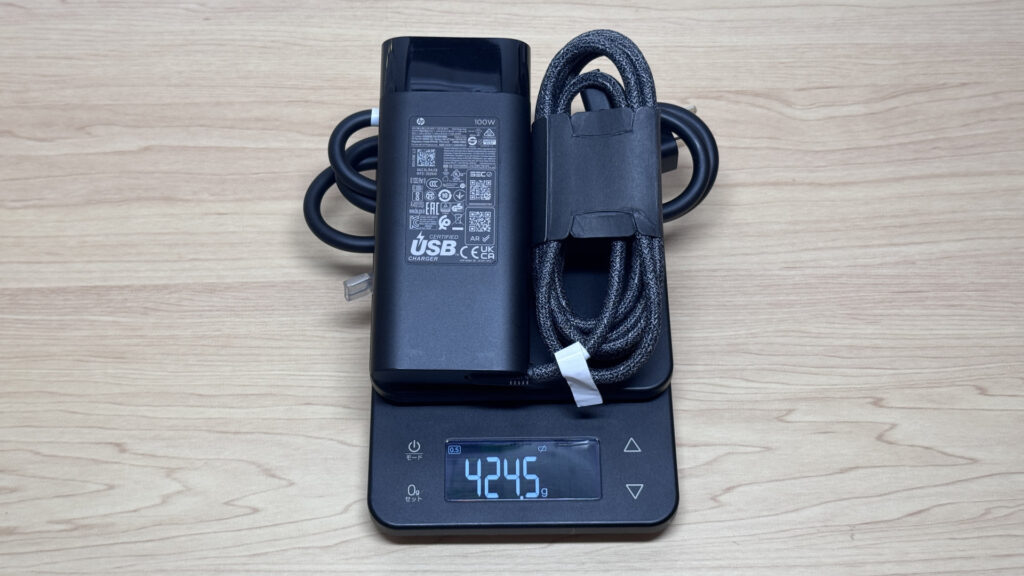 The official charger comes in at around 422 g — a bit weighty
At around 1.41 kg, it's not exactly featherweight, but it's a fairly standard weight for the 14-inch class, and it's fine to carry in your daily bag for work or uni. Carrying it in one hand, you definitely feel the heft, but with both hands it's perfectly manageable. I'll come back to the charger's weight in the battery life section.
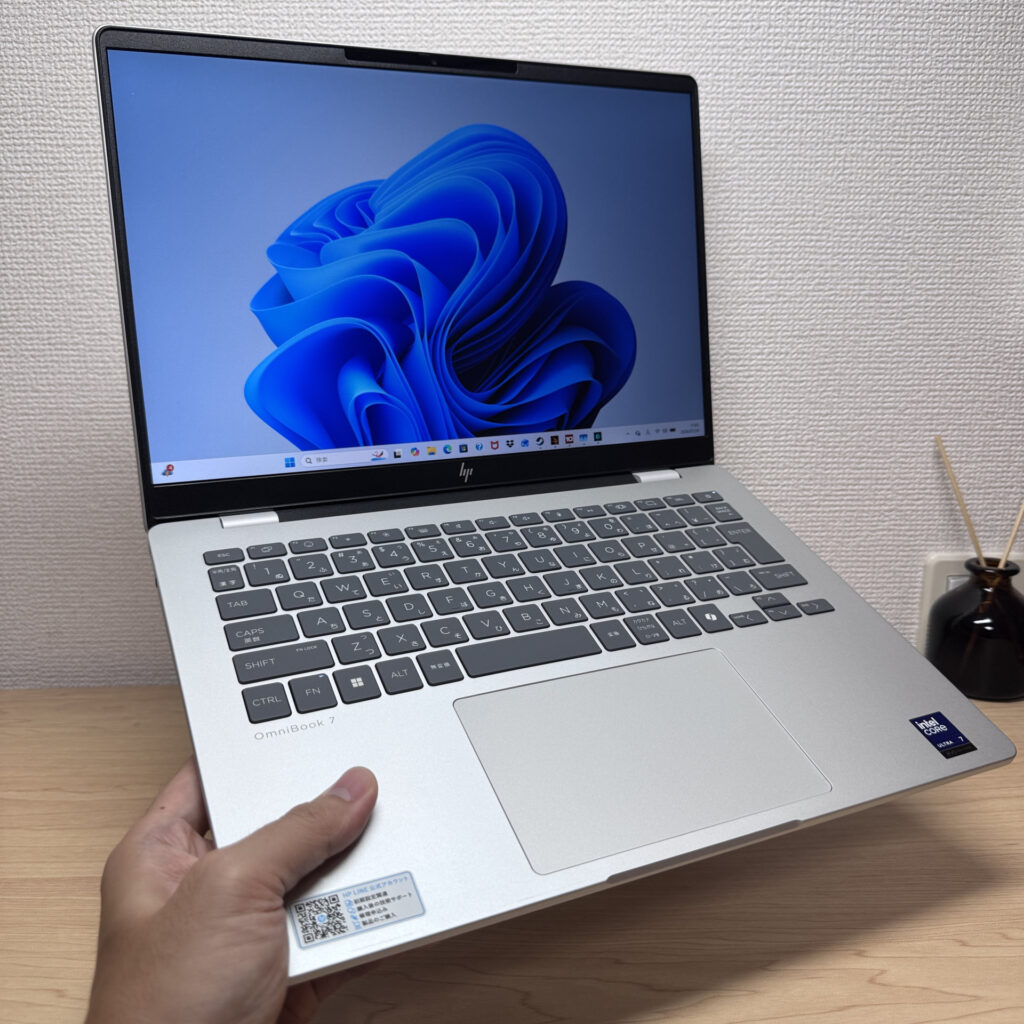 Noticeably heavy one-handed, but no bother with both hands
Display quality
On to the display. This configuration has a 14-inch, 2240×1400 IPS panel, and the colour reproduction is really good. When I pulled up a colourful photo of roses, the vivid tones came through beautifully.
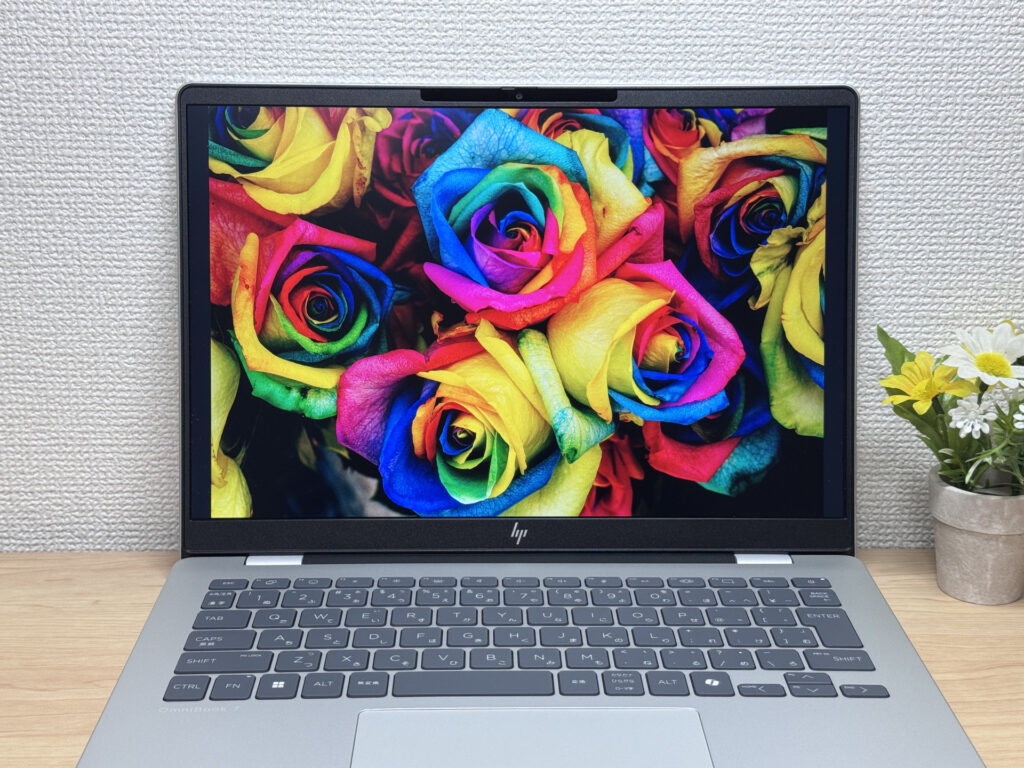 Those roses look gorgeously vivid — properly swoon-worthy
Viewing angles are wide too — colours don't shift much even glancing at the screen from an angle. It's an IPS panel, after all, so it holds up well here.
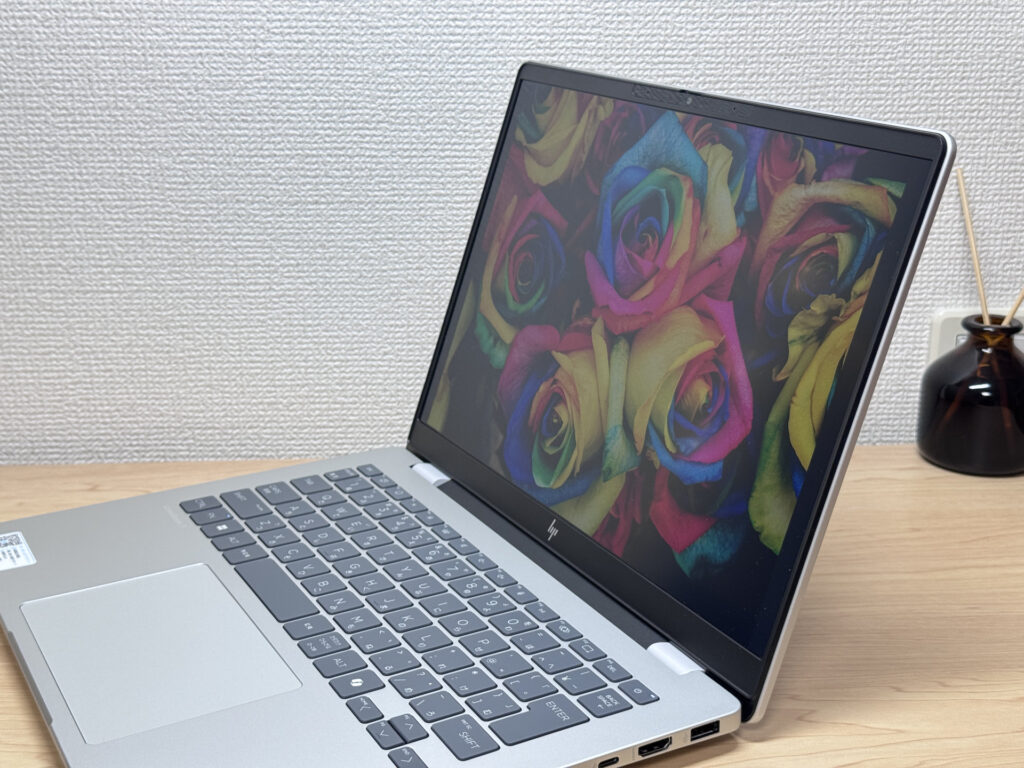 Colours stay true even from an angle!
The aspect ratio is 16:10, and lining it up against a 16:9 laptop, you can clearly see how much more vertical space you get. It quietly makes a difference — less scrolling, more of a document visible at once. Pulling up some source code, it was easy on the eyes too.
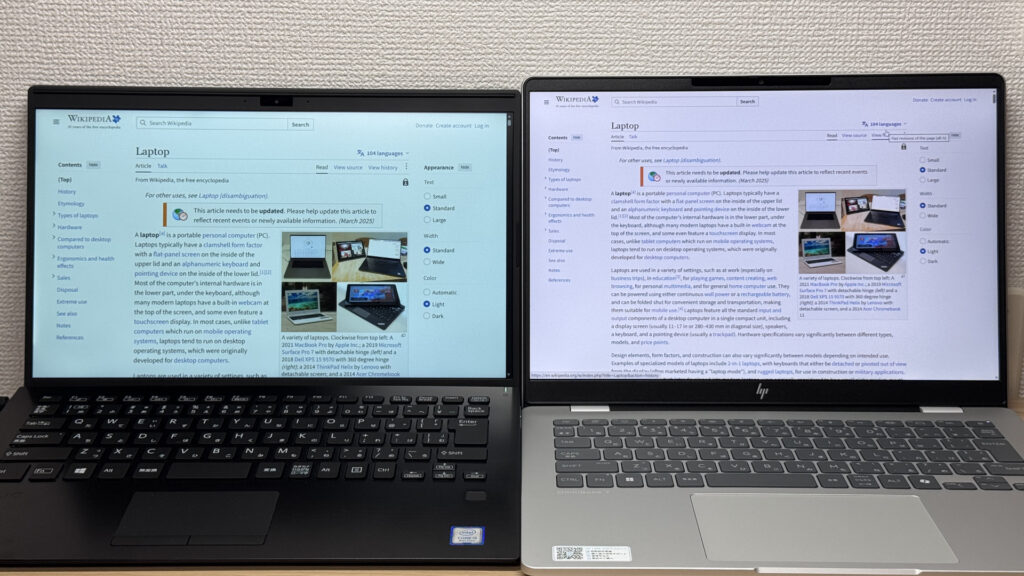 That 16:10 ratio gives you a proper bit more vertical space
Brightness measured at 300 nits, which isn't blindingly bright but is plenty for everyday use. And since it's a matte, anti-glare panel, reflections were kept well in check even under indoor lighting.
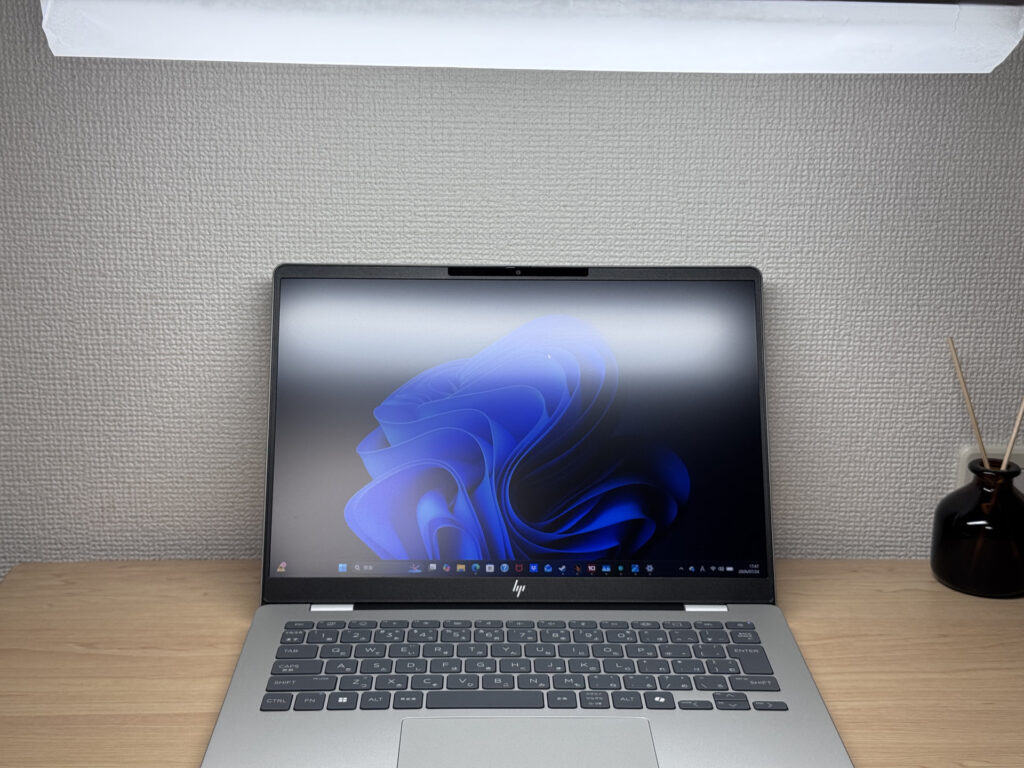 The matte finish keeps reflections right down
Keyboard comfort
The keyboard is an isolated-style layout — on this unit, the Japanese layout — and the overall arrangement feels really comfortable to type on.
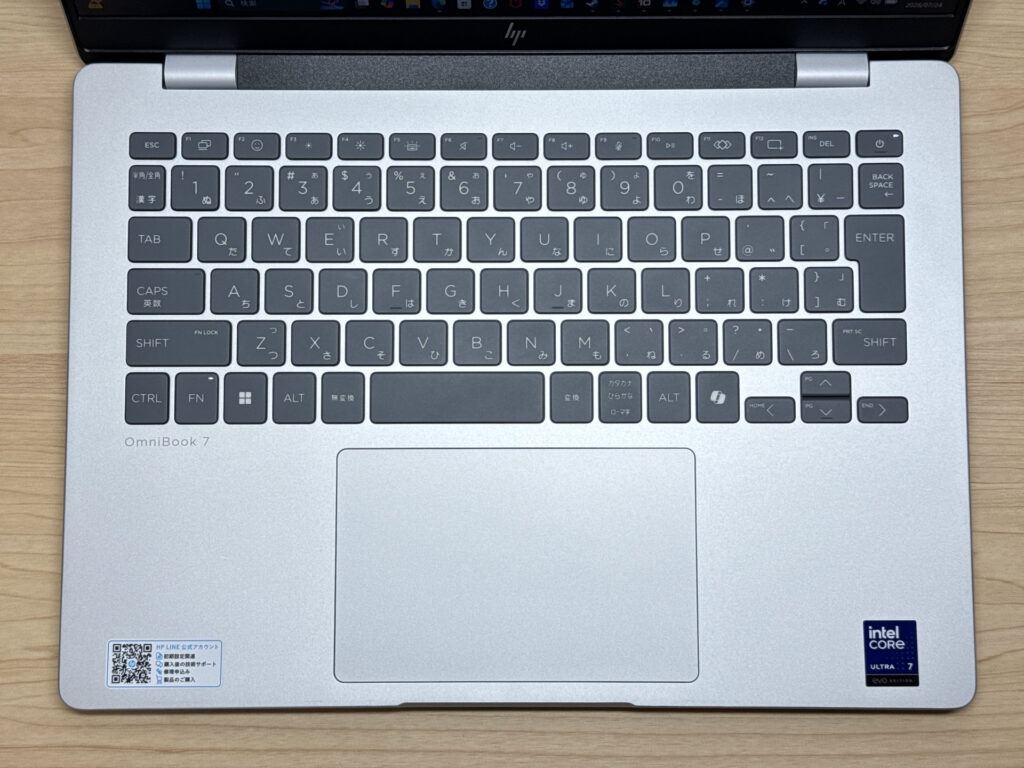 This Japanese-layout keyboard looks properly comfortable to type on
I typed away with some source code open on screen, and thanks to the sturdy chassis there's no flex at all — just a light, snappy click with every keystroke. Personally, this is exactly the kind of typing feel I go for.
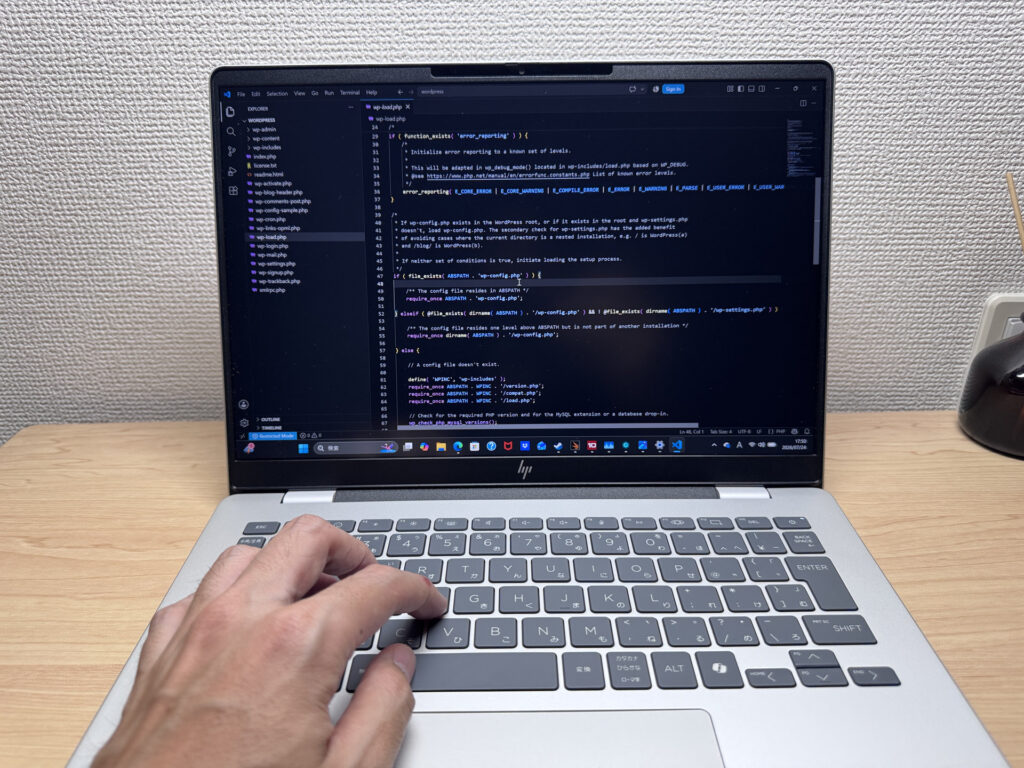 Zero flex and a lovely light, snappy click!
It's backlit too, so working in dim conditions isn't a problem.
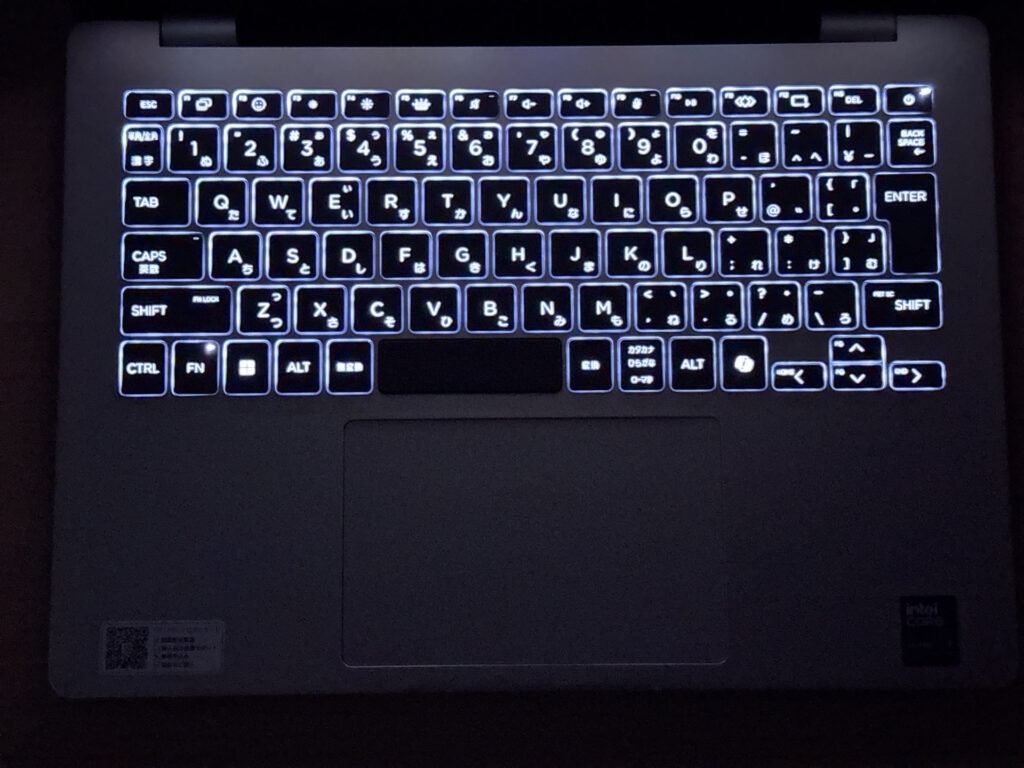 The backlight has you covered in low light
Quick heads-up: these photos are the Japan-market unit, so the keyboard shown is the Japanese layout. UK models ship with the standard UK (ISO) layout.
Touchpad usability
Next, the touchpad. It's on the larger side, even relative to the keyboard, and your finger glides across it really smoothly.
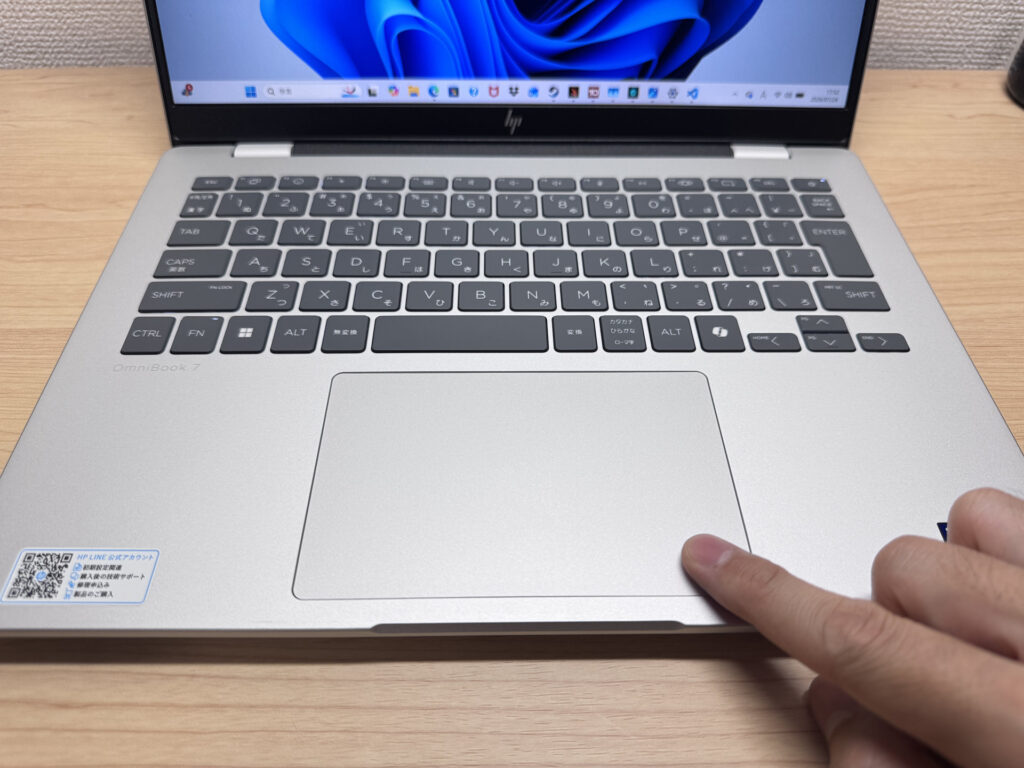 Generously sized with a lovely smooth glide
Three- and four-finger gestures registered smoothly too, so at this size you could comfortably get by without a mouse.
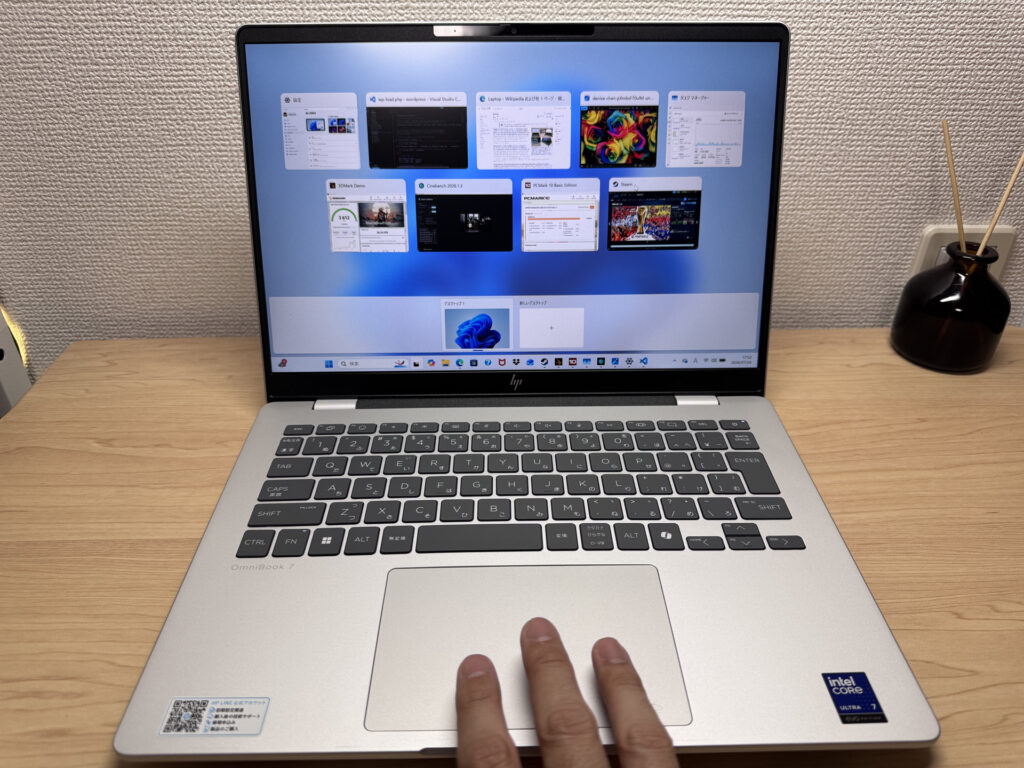 Gestures register quickly and reliably
Performance
Let's check the performance too. It scored 8736 in PCMark 10 — a pretty high number, which makes sense given the high-spec Core Ultra 7 255H and 32GB of RAM. Everyday tasks feel snappy, and it's got enough grunt for light video editing too.
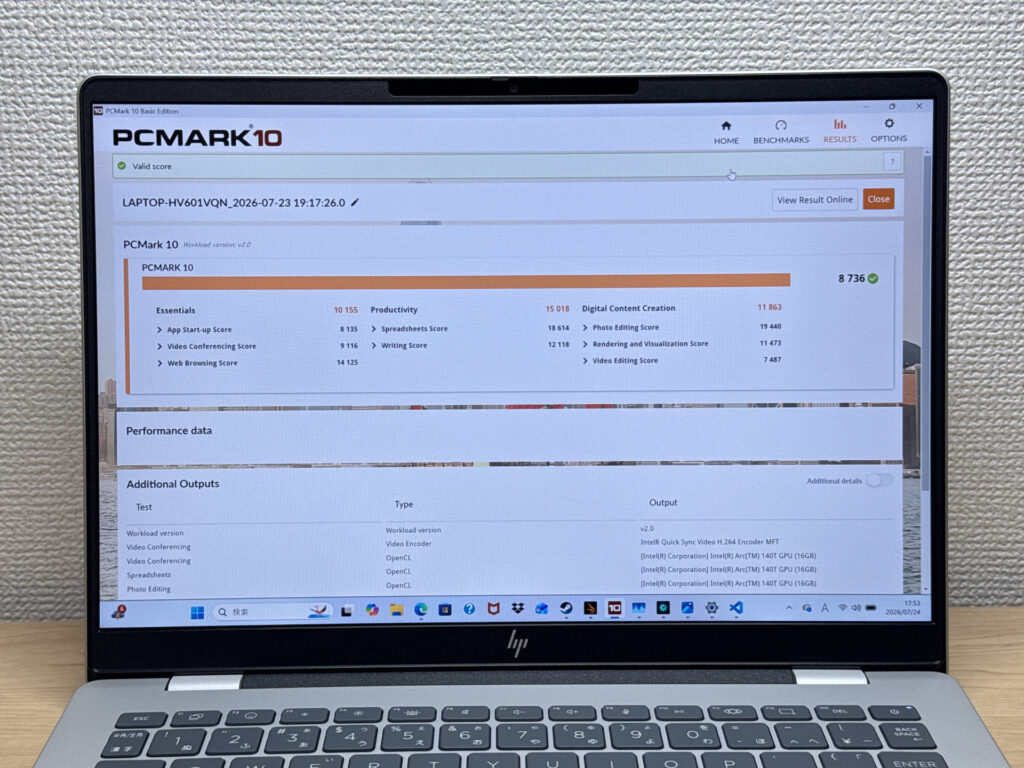 A strong 8736 in PCMark 10!
| Total Score | Rating | What it feels like in real use |
|---|---|---|
| ~4,000 | Bare minimum | Web browsing and simple tasks work, but multitasking or many tabs feels sluggish. |
| 4,000–5,000 | Light use | Daily tasks are doable, but running multiple apps means waiting around. |
| 5,000–6,500 | Comfortable (mainstream) | Handles most work without stress — fine for office, school, video calls. |
| 6,500–8,000 | High performance | Plenty of headroom. Light photo editing and programming feel snappy. |
| 8,000+ | Very high performance This PC | Tackles video editing and heavy workloads. Long-lasting performance. |
*PCMark 10 reflects overall comfort. Actual feel depends on CPU, RAM, and SSD speed.
I ran Cinebench 2026 as well, and it posted a strong 4271 points on the multi-thread test.
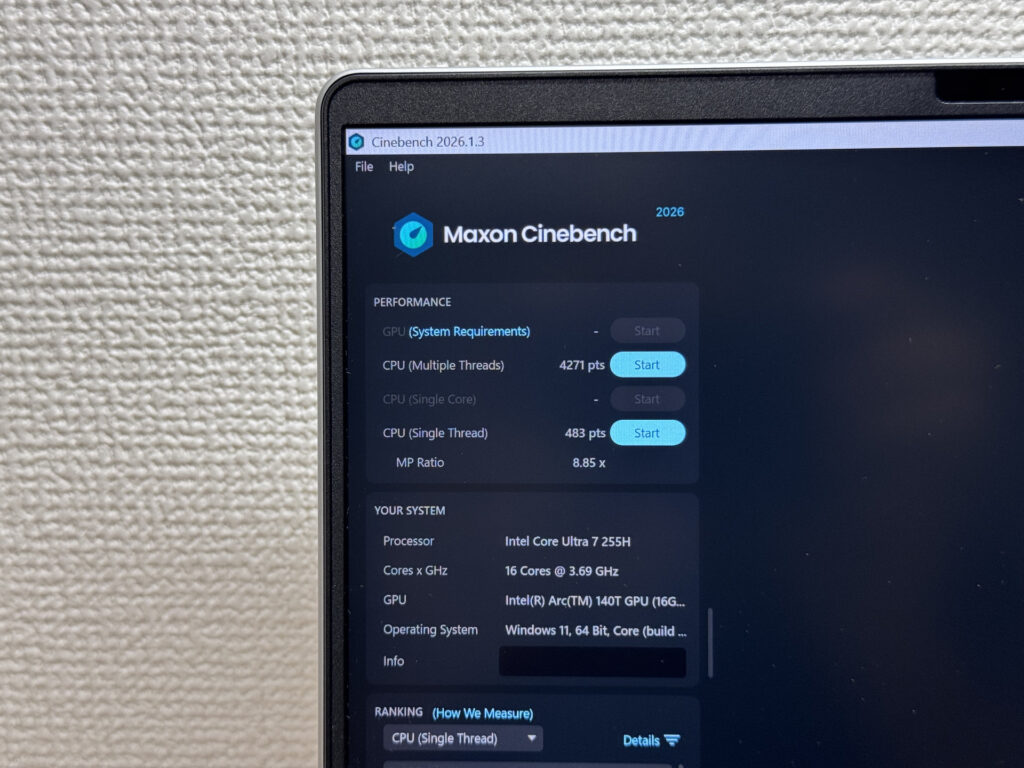 4271 points multi-core in Cinebench 2026
| Score | Rating | What it feels like in real use |
|---|---|---|
| Up to 1,000 | Bare minimum | Light tasks work, but heavier processing or multitasking feels constrained. |
| 1,000–2,000 | Standard (power-efficient) | Handles daily tasks, but heavier loads create waiting. |
| 2,000–3,000 | Comfortable (mainstream) | Office, school, video calls all work comfortably. Plenty for most users. |
| 3,000–4,000 | High performance | Comfortable for multitasking, light/medium editing, and dev work. |
| 4,000+ | Very high performance This PC | Handles video editing and heavy workloads with room to spare. |
*Cinebench 2026 is the latest CPU multi-core benchmark. Scores trend lower than R23, so direct comparison isn't valid.
GPU performance is solid too — 3612 in 3DMark Steel Nomad Light, which is a decent score. It'll handle lighter PC games without breaking a sweat, and it'll speed up video exports as well.
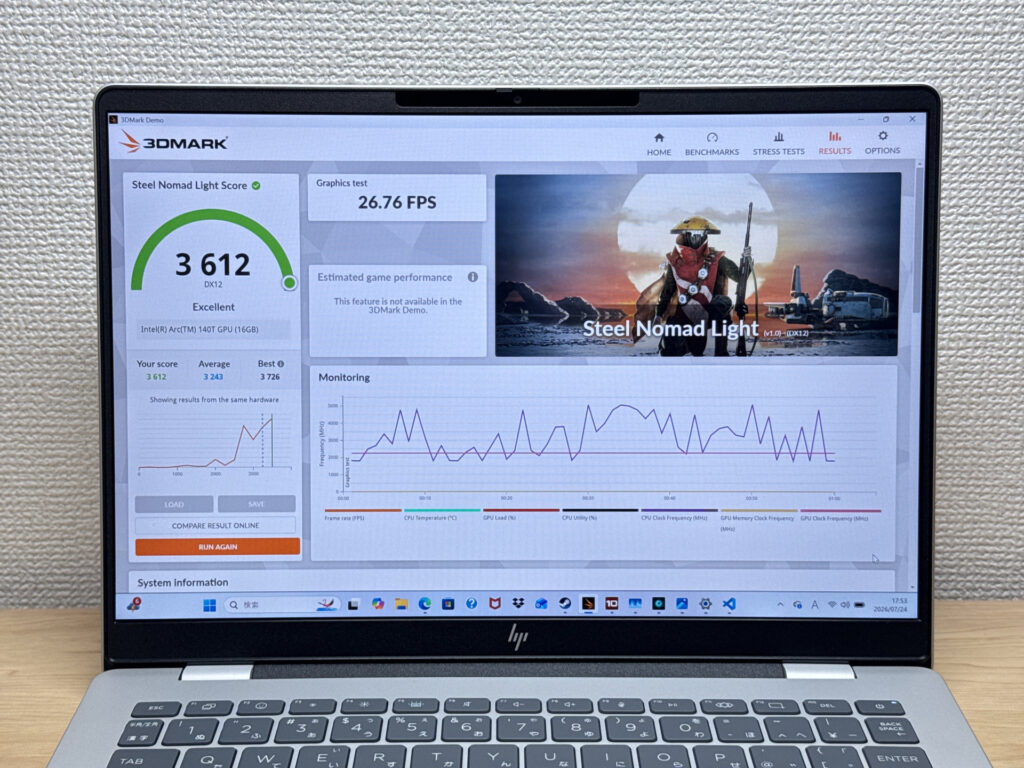 3612 in Steel Nomad Light — fine for lighter games too
| Score | Rating | What it feels like in real use |
|---|---|---|
| Up to 400 | Bare minimum | 3D performance is quite limited. Not really suited for gaming. |
| 400–900 | Light 3D | Lighter games and low-load 3D processing work. |
| 900–1,500 | Average (mainstream) | Standard for integrated GPUs. Light to medium games playable with right settings. |
| 1,500–2,200 | High performance | Strong for an integrated GPU. Games and 3D work feel comfortable. |
| 2,200+ | Very high performance This PC | Top-tier 3D performance for thin laptops. Real graphics headroom. |
*3DMark Steel Nomad Light targets thin laptops and integrated GPUs. Score range differs from Time Spy, so direct comparison isn't valid.
Storage speed was blazing fast too — CrystalDiskMark returned 6196 MB/s read and 5331 MB/s write. Large files are no bother at all.
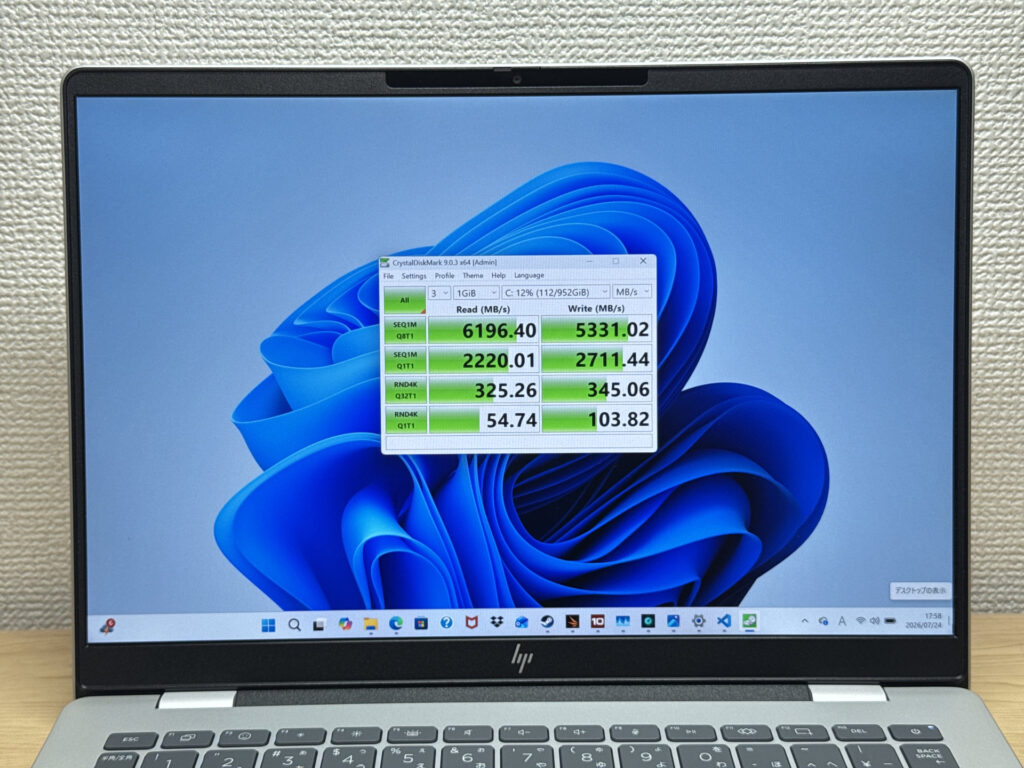 Blazing-fast storage at 6196 MB/s read!
| Score | Rating | What it feels like in real use |
|---|---|---|
| Up to 600 MB/s | Bare minimum | Faster than HDD, but slow for modern SSDs. App launches feel slightly slow. |
| 600–1,500 MB/s | Average | Fine for daily use, though loading is noticeably slower than top-tier SSDs. |
| 1,500–3,500 MB/s | Comfortable (mainstream) | App launches and file loading feel smooth. No real complaints in daily use. |
| 3,500–5,500 MB/s | Fast | Loads large data and apps quickly. Definitely upper-tier SSD speed. |
| 5,500+ MB/s | Very fast This PC | High-end NVMe territory. Heavy data work without waiting. |
*CrystalDiskMark measures SSD speed. It mainly affects app launch and file loading speed, not overall PC performance.
Battery life
Battery verdict: long-lasting
Let's talk battery. It's got a 68Wh cell, which is generous for a laptop at this price point. The spec sheet claims up to 20 hours, so it's fair to call this one a long-lasting laptop.
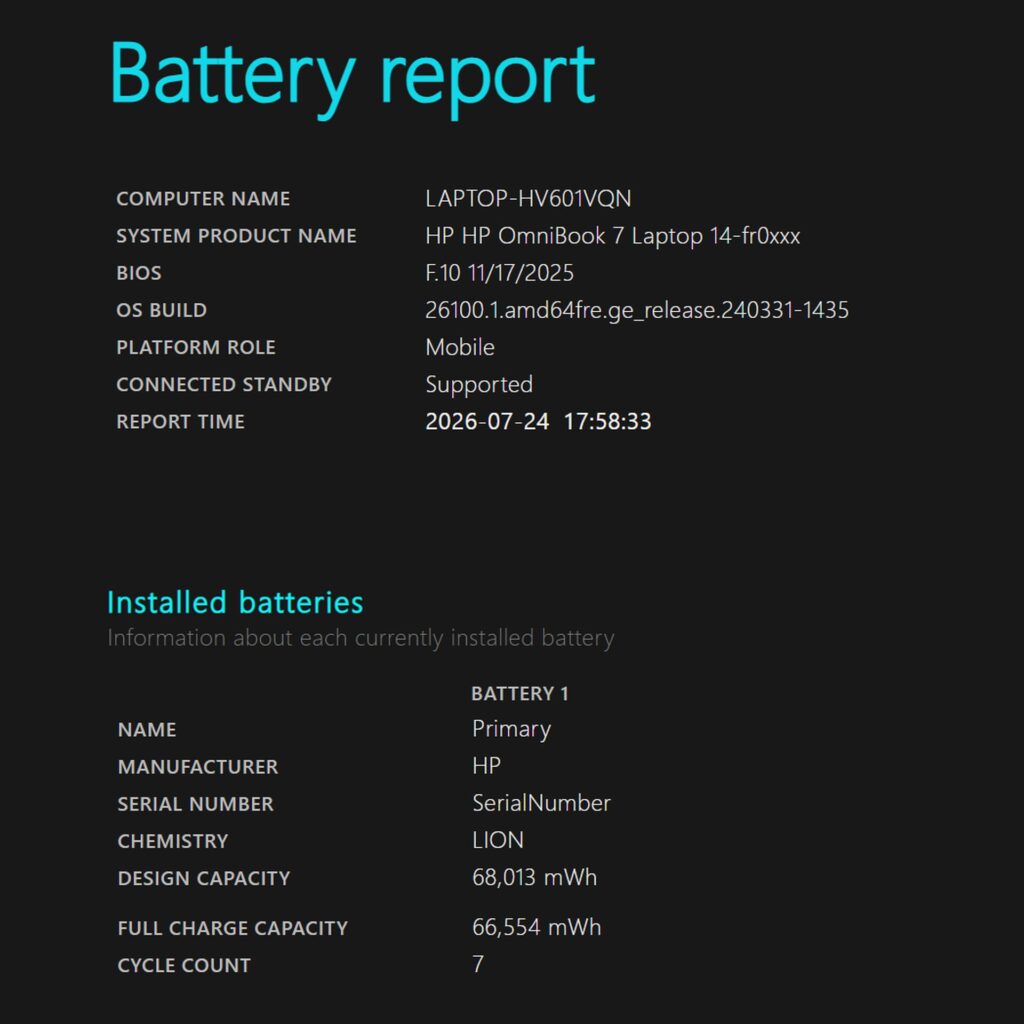 That 68Wh battery gives real peace of mind
By the way, the official charger for this laptop is 100W, and when I tried plugging in my own Anker 65W USB-C charger, a slow-charging warning popped up on screen. It still showed as charging, but it may leave you a bit short on power. It's unusual to see a 14-inch laptop without a discrete GPU demand a full 100W.
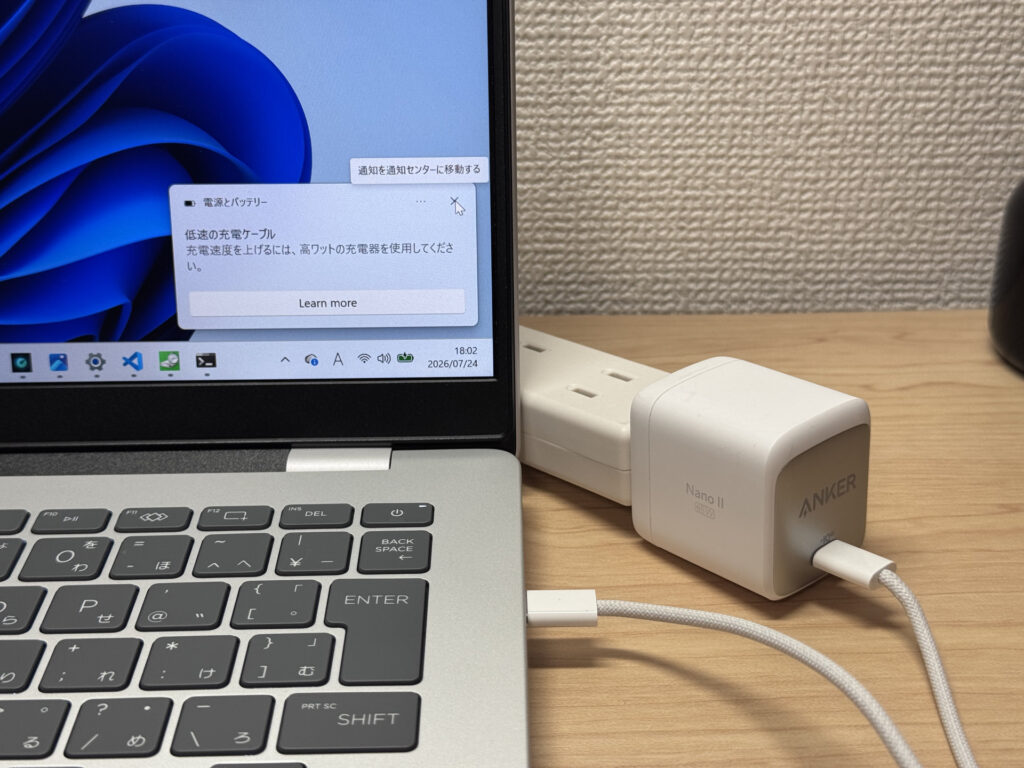 Plug in a 65W charger and you get a slow-charging warning…
With Anker's 100W USB-C charger, though, no warning appeared and it charged just fine. If you're planning to use this on the move, I'd recommend picking up a 100W-class third-party charger.
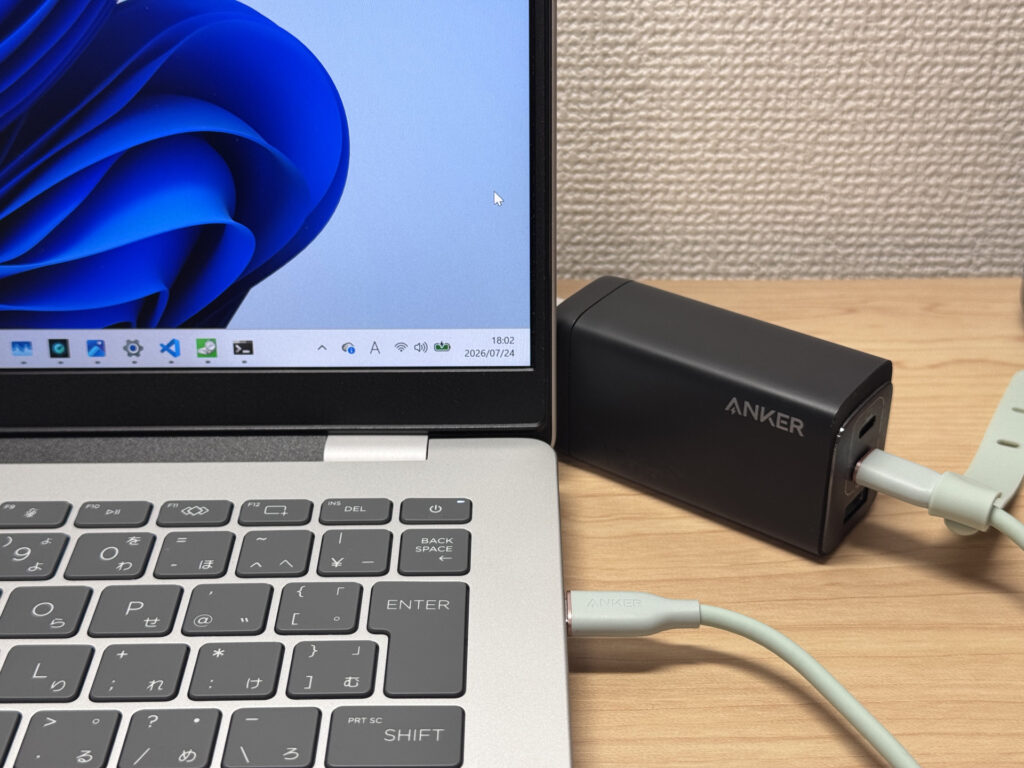 A 100W charger and it charges without a hitch!
Actual runtime will drop faster than the official figure depending on brightness and workload, so it's safer to plan around 70-80% of the claimed number in real-world use. That said, for lighter everyday tasks, the battery comfortably sees you through a full day.
Fan noise and heat
Let's check fan noise and heat too. At idle, I measured around 18dB, which is impressively quiet — practically silent in use.
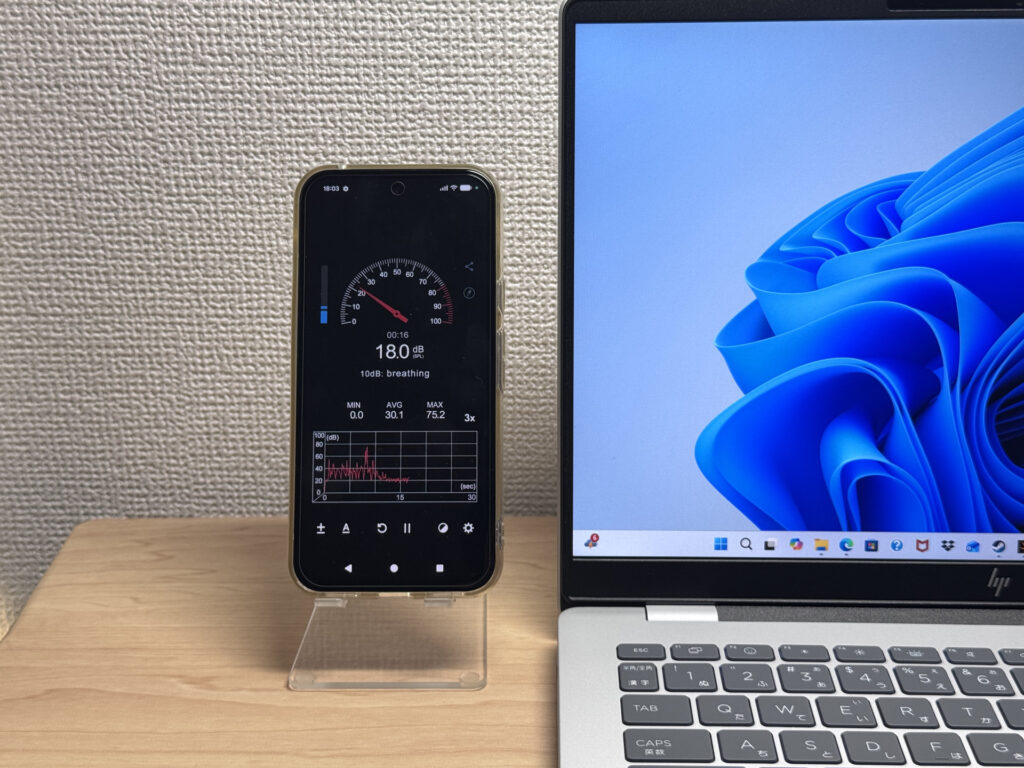 18dB at idle — near silent!
Under load, it climbs to 40.3dB, and at that point you can definitely hear the fan spinning up.
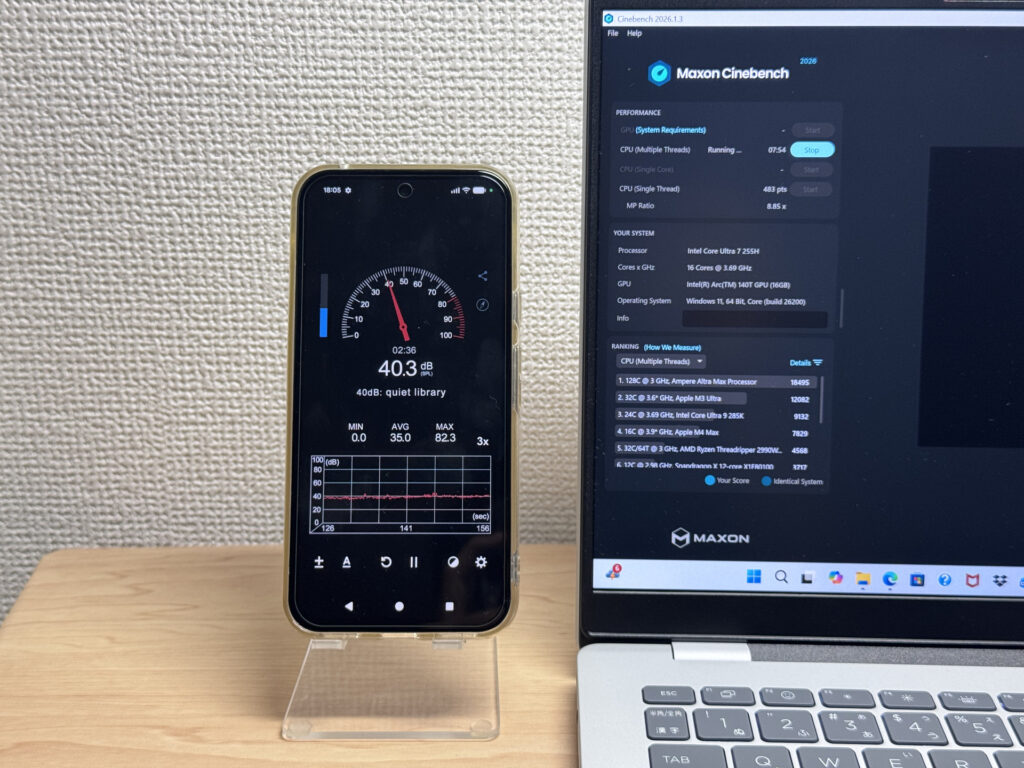 Rises to 40.3dB under heavy load
| Noise Level | Rating | Feel |
|---|---|---|
| Under 30 dB | Near-silent Idle | Fan noise is barely perceptible — library-quiet and ideal for focused work. |
| 30–35 dB | Quiet | Faintly audible but non-distracting. Easy to work in a quiet room. |
| 35–40 dB | Noticeable | You can tell the fan is spinning, but it rarely interrupts work. |
| 40–45 dB | Somewhat loud Load | Can become distracting in quiet environments. Headphones start to help. |
| 45–50 dB | Loud | Noticeable stress over extended use. Cooling is clearly prioritized. |
| 50 dB+ | Very loud | Prominent fan noise under load — gaming/high-performance thermal design. |
The exhaust vent sits at the back of the unit, so even if you're using a mouse with your right hand, warm air blowing on you shouldn't be an issue.
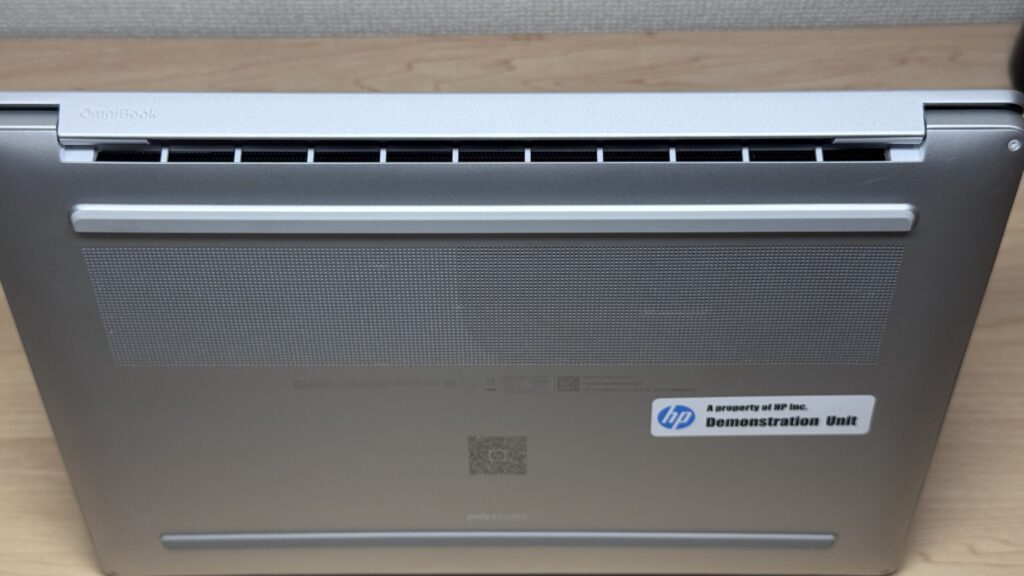 Rear-facing exhaust keeps your hands comfortable
Port selection
On to the ports. The left side has a USB-A port and a headphone jack.
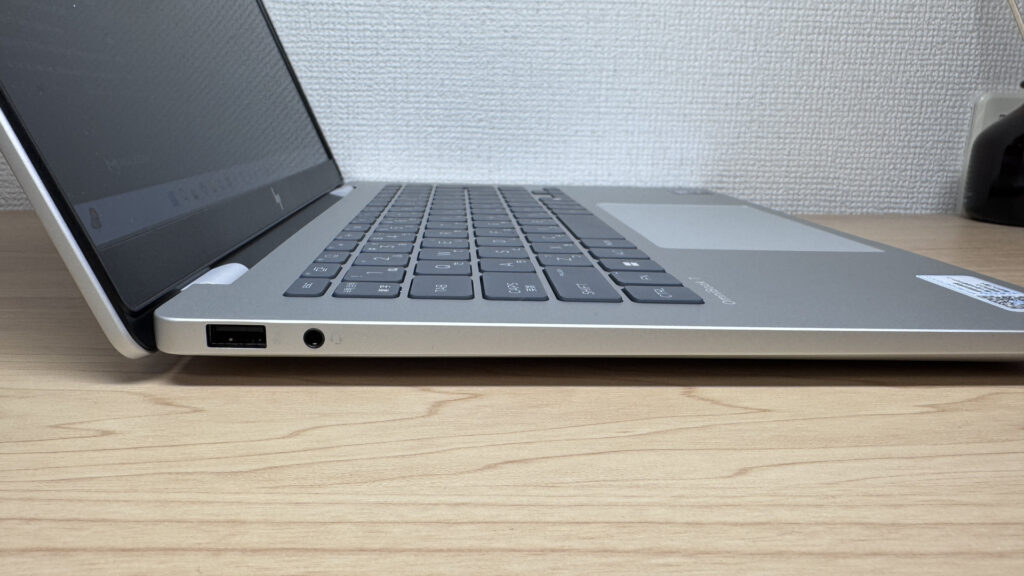 USB-A and a headphone jack on the left
The right side has a Thunderbolt 4-capable USB-C port, another USB-C, a USB-A, and HDMI 2.1 — a genuinely generous line-up. You can hook up most peripherals without needing a hub at all.
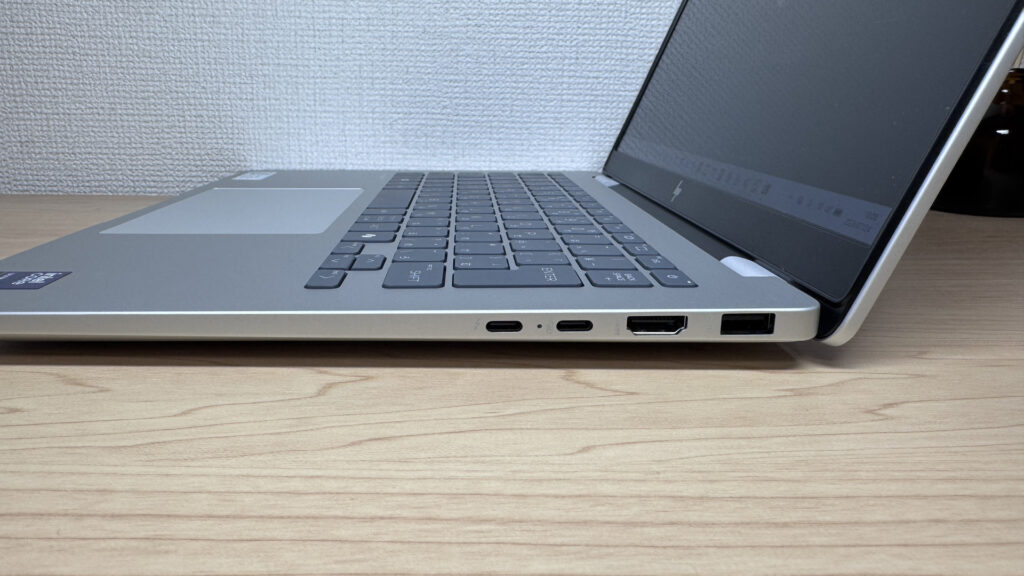 Thunderbolt 4 and more packed onto the right side
I connected it to a 4K monitor, and 4K output over HDMI worked without a hitch.
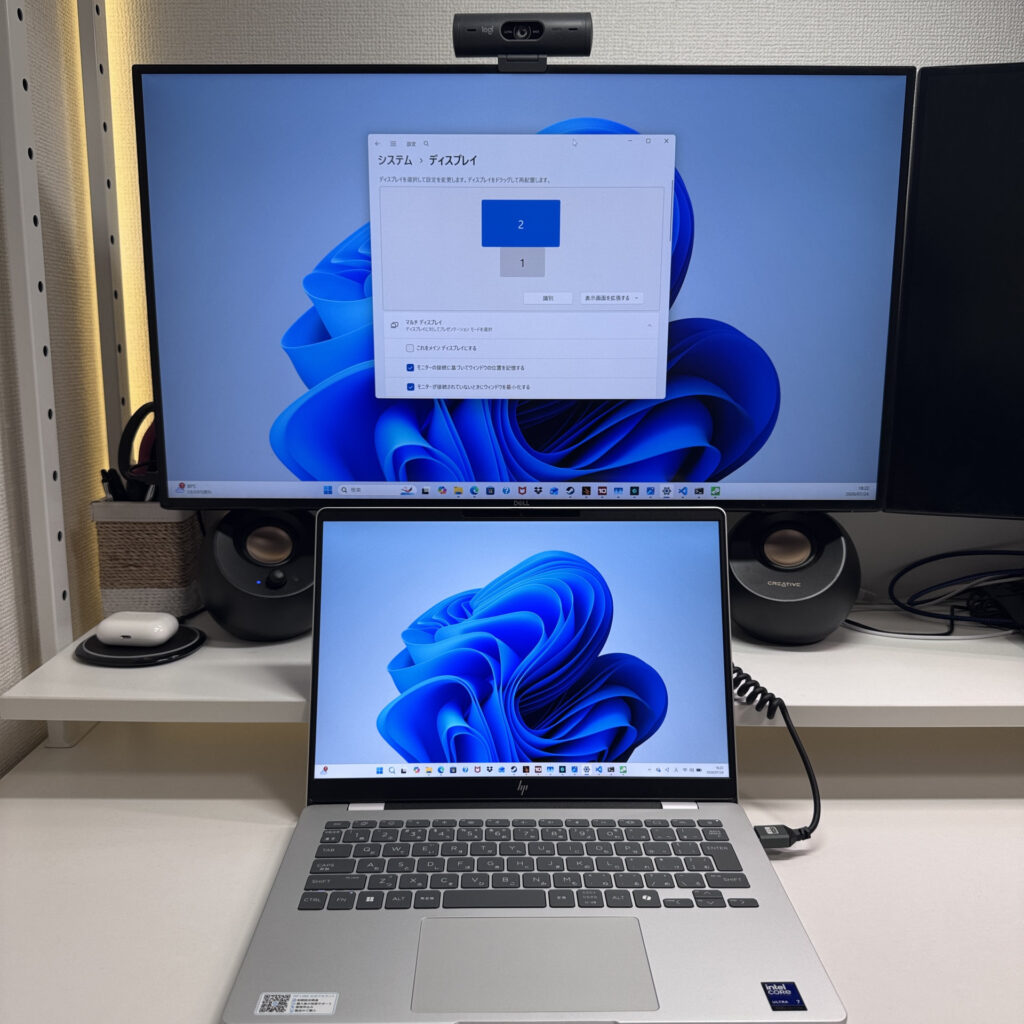 4K output over HDMI, no bother at all
Adding the USB-C video output into the mix as well, I got two 4K monitors and a portable display all running off this single laptop — four screens total, no problem. It's amazing what laptops can do these days. Genuinely impressive👍.
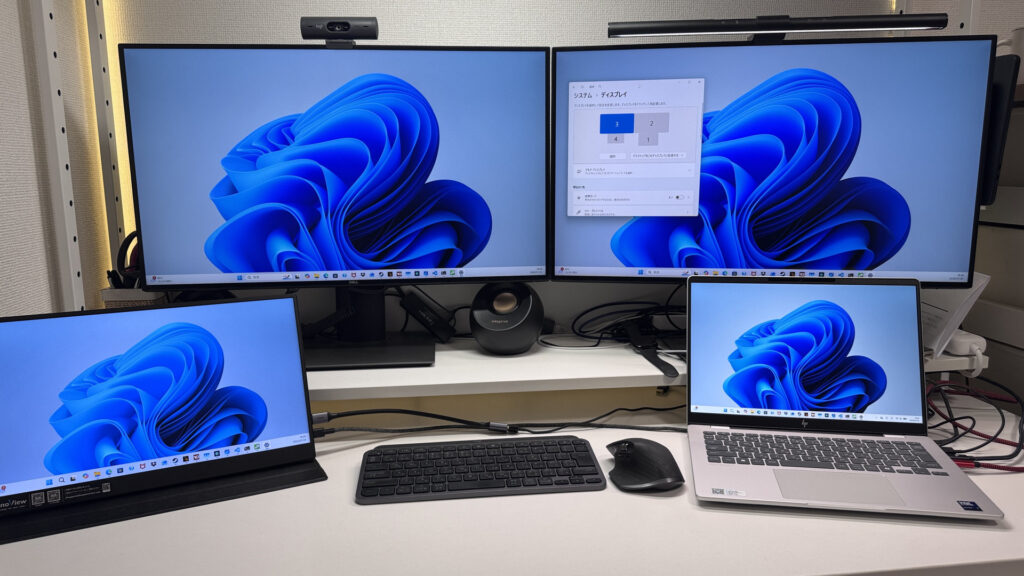 USB-C plus HDMI gets you a solid four-display setup!
If you need even more ports, pairing it with a USB-C hub like this extends things further, so don't worry on that front.
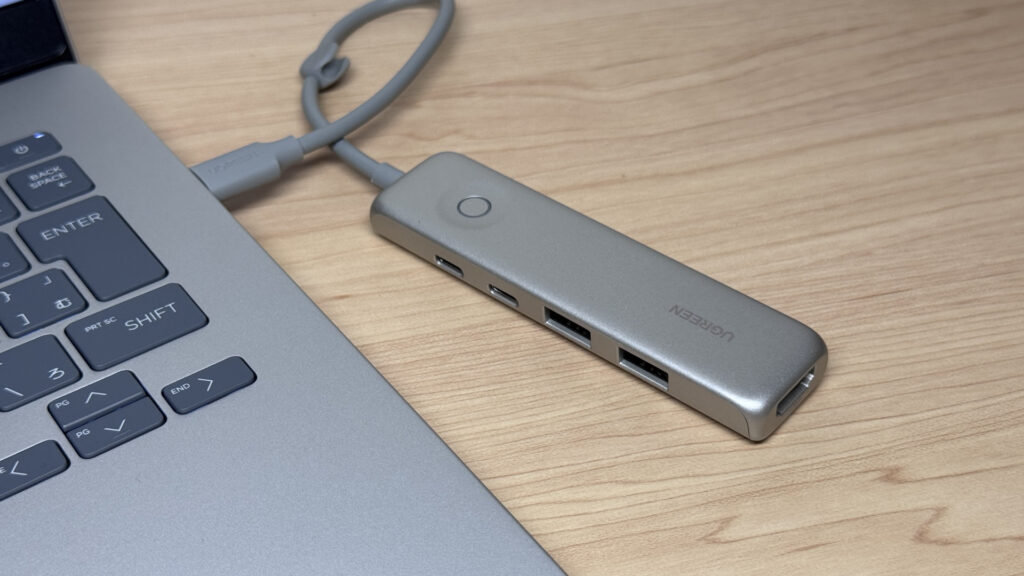 Add a hub and expandability goes up another notch
Webcam usability
I checked out the webcam too. It's a 2-megapixel camera, and in testing it produced a decently sharp image with a bright sensor, so it should look good on video calls.
 Surprisingly crisp for a 2-megapixel camera!
There's also a privacy shutter, so you can physically block the camera whenever you don't want it in use. It's a physical shutter rather than a software toggle, which adds a bit of extra peace of mind.
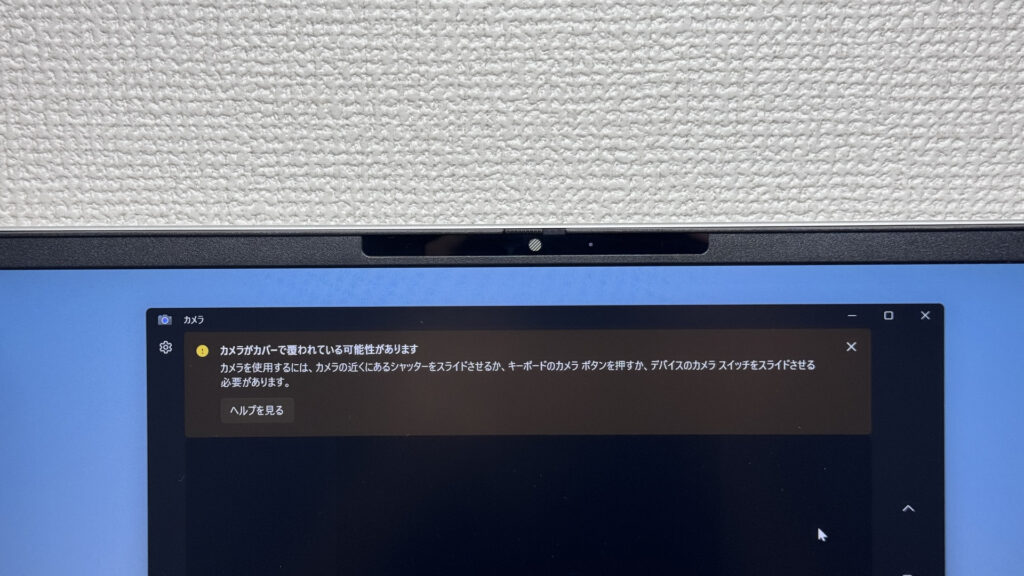 That physical shutter over the lens is reassuring
Speaker quality
Let's check speaker quality too. I played a film through it, and dialogue came through clearly.
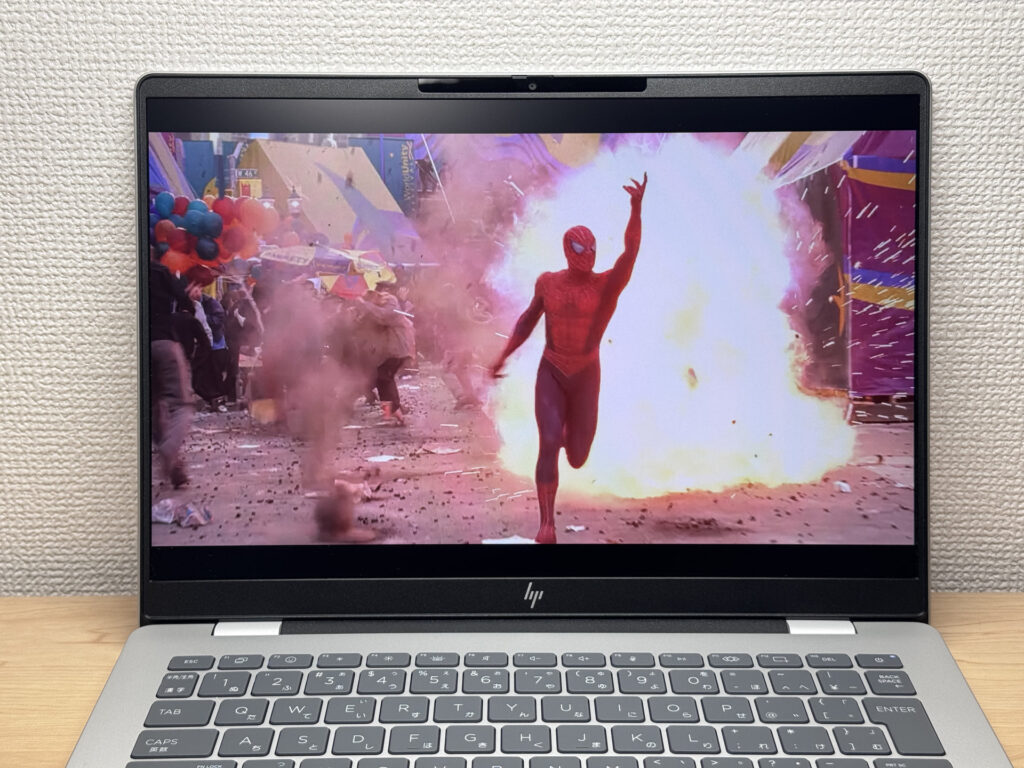 Crystal-clear audio while watching a film!
That's apparently down to the Poly Studio sound system it's equipped with, and the manufacturer's claim of "clear, rich sound" doesn't seem to be marketing spin. The speakers are also positioned towards the front of the chassis, which helps the sound spread out nicely too.
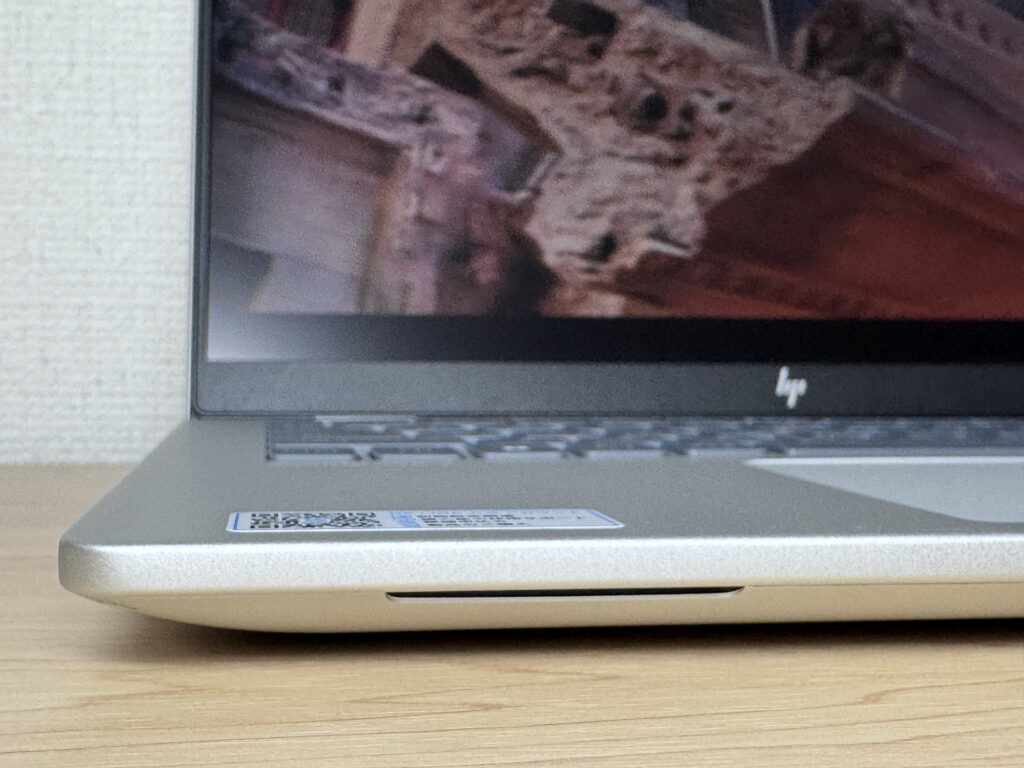 Front-facing speaker placement is doing a proper job
Security features
On security, it supports facial recognition via Windows Hello, and it unlocked smoothly just by opening the lid. A quietly handy feature.
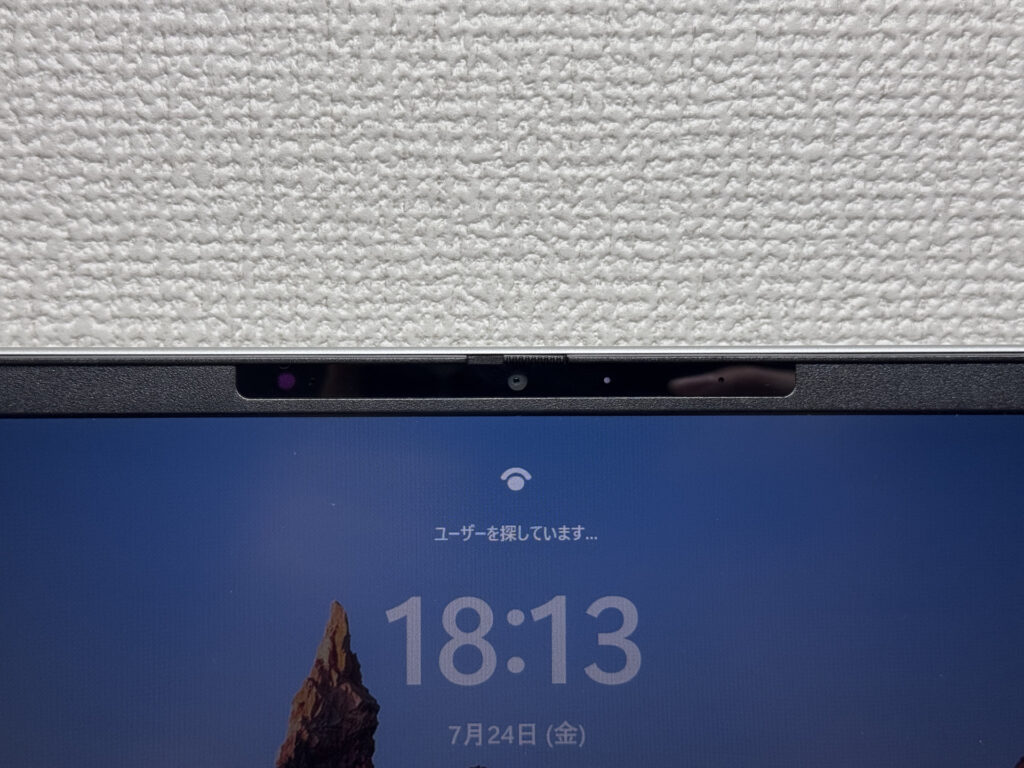 Straight in with Windows Hello, no fuss
Price
On price, when you factor in features like Thunderbolt 4, HDMI 2.1 and the privacy shutter, being able to pick this up from £699.00 feels like genuinely good value.
Final verdict
Taking it all together, the HP OmniBook 7 14-fr strikes a genuinely solid balance between battery life, performance and connectivity — a proper standard-bearer in the 14-inch category. The need for a 100W-class charger and the fan noise under load are minor gripes, but even accounting for those, getting this level of performance, Thunderbolt 4 and four-display output at this price is excellent value. I reckon this laptop alone could easily last you five years or more. I'd say it's a great fit for uni students juggling coding and coursework, or professionals who want to work across multiple monitors.
Seriously impressive expandability, right up to four displays!
Where to Buy
* Prices may vary. Please check each store for the latest price and availability.
Where this laptop ranks



About the author

