ZippyScore
ZippyScore is a proprietary rating based on 6 criteria: performance, portability, display, battery, value, and connectivity.
See rating criteria
- Performance: CPU / GPU performance
- Portability: Screen size & weight
- Display: Panel type, aspect ratio & refresh rate
- Battery: Rated battery life
- Value: Specs-to-price balance
- Connectivity: Port types & count
Pros & Cons
Pros
- OLED display delivers vivid, vibrant visuals
- 16 GB+ RAM handles multitasking without breaking a sweat
- Large battery means you can get through the day without hunting for a socket
- Under 1.4 kg makes it comfortable to carry to uni or the office every day
- Plentiful ports mean no USB-C hub needed
Cons
- Glossy panel can pick up reflections
- Fan noise becomes noticeable under heavy workloads
Specs Summary
| OS | Windows 11 Home |
|---|---|
| CPU | AMD Ryzen AI 5 (PassMark: 19,356) AMD Ryzen AI 5 340 (PassMark: 19,609) AMD Ryzen AI 7 350 (PassMark: 24,959) |
| RAM | 16GB / 32GB |
| Storage | 512GB / 1TB |
| Display | 14" IPS (Anti-glare, 60Hz) 1920x1200 (16:10) |
| Weight | 1.39 kg (3.06 lbs) |
| Ports | USB-C × 2 (10Gbps/PD/Video out), USB-A × 2 (5Gbps), HDMI × 1, microSD × 1, Headphone jack × 1 |
| GPU | AMD Radeon 840M (G3D Mark: 3,805) AMD Radeon 860M (G3D Mark: 4,882) |
| Biometrics | Face Recognition |
| Battery | Up to 19.8 h (Capacity: 60 Wh) |
| Dimensions | Approx. 313.4 × 222.0 × 16.9 mm (W × D × H) |
| Wi-Fi | Wi-Fi 6 |
| Bluetooth | Bluetooth 5.2 |
| Color | Luna Grey |
Configurations vary by retailer, region, and availability.
Hands-on Review
Here's a closer look at the IdeaPad Slim 5 Gen 10 (14" AMD). The review unit I tested had the following configuration:
| Spec | Review unit |
|---|---|
| CPU | AMD Ryzen 5 8645HS |
| Memory | 16 GB |
| Storage | 512 GB SSD |
| Display | 14.0-inch OLED (1920×1200, 60 Hz) |
| Graphics | AMD Radeon 760M |
| Colour | Luna Grey |
※ Specs may vary depending on region and retailer.
Design
The review unit came in Luna Grey — understated and genuinely smart-looking. Pull it out in a café or at uni and it fits right in. For the price, the build quality is a pleasant surprise. No plastic flimsiness here; it feels solid and well put-together.
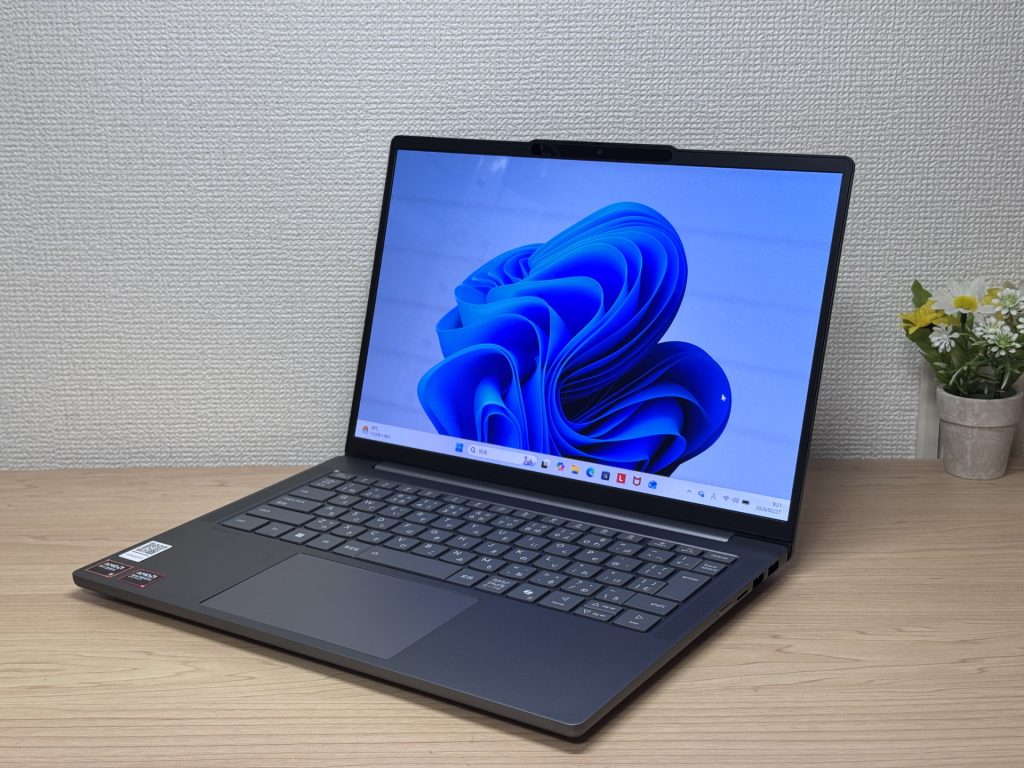 Luna Grey — a stylish front view
The matte lid keeps fingerprints at bay, which is a small but genuinely useful thing when you're handling it every day. The Lenovo logo is nicely discreet — no shouty branding.
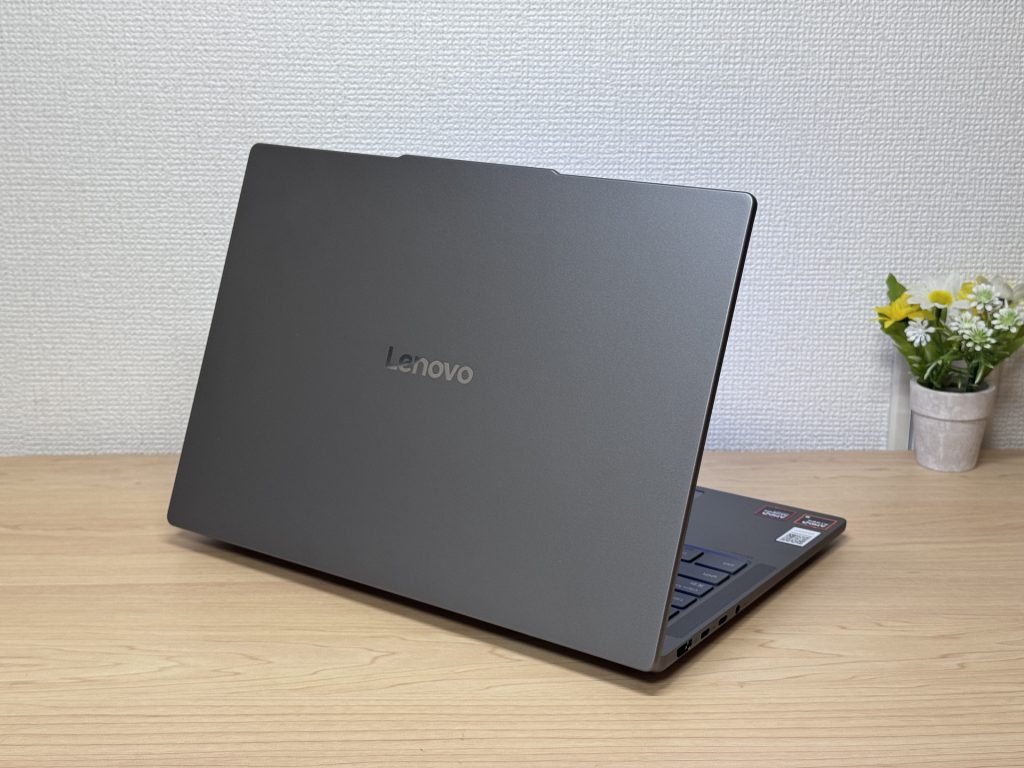 Matte lid resists fingerprints
Thickness is firmly in modern-slim-laptop territory — not ultra-thin, but slim enough to slip into a rucksack without any fuss.
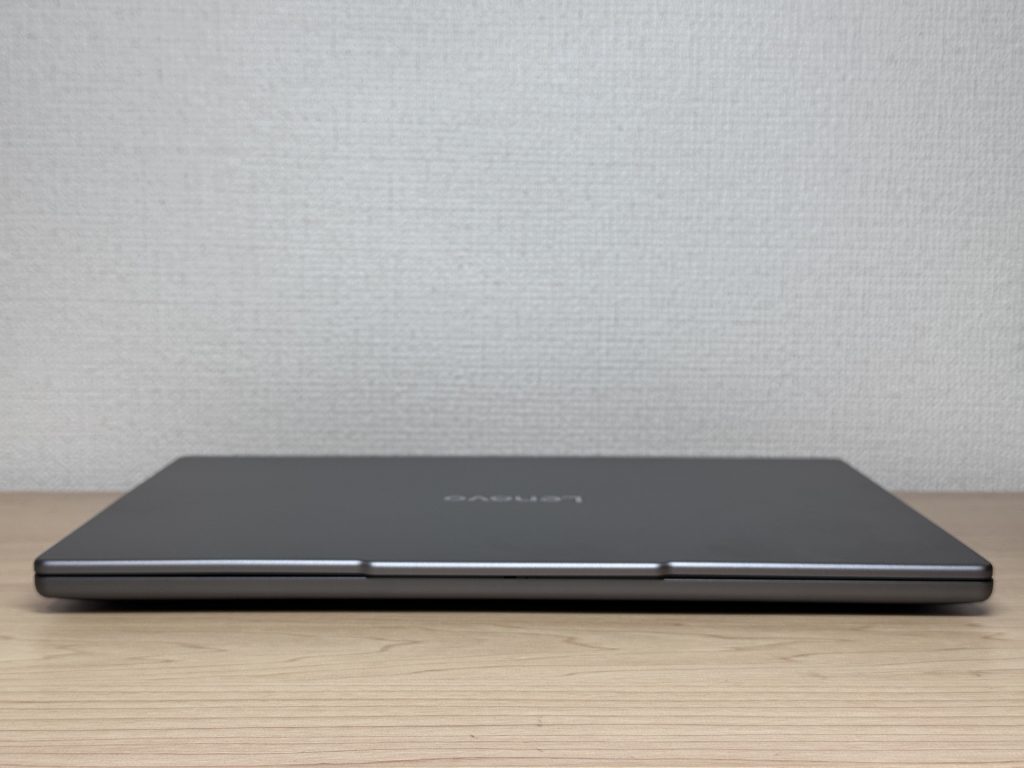 Standard slim profile, easy to pack
The rubber feet on the base do their job. The laptop won't vacuum-seal itself to your desk, but it's steady enough for everyday use.
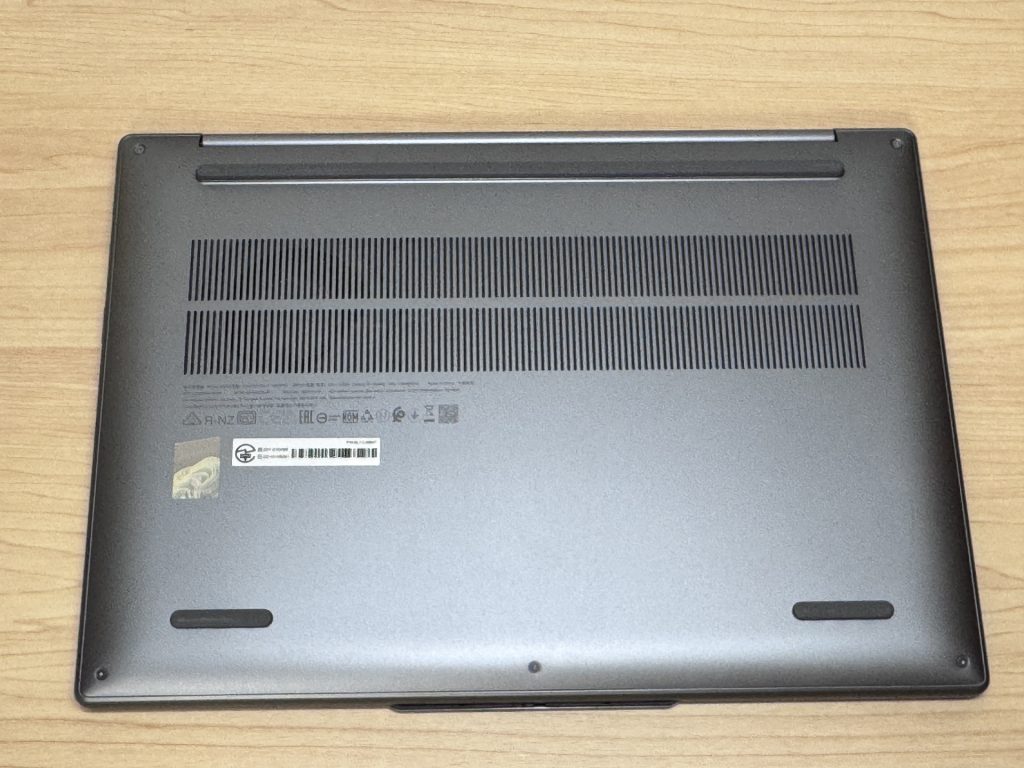 Rubber feet on the base
A slight protrusion around the webcam lets you open the lid with one finger — no nail-prying required. Little details like this add up.
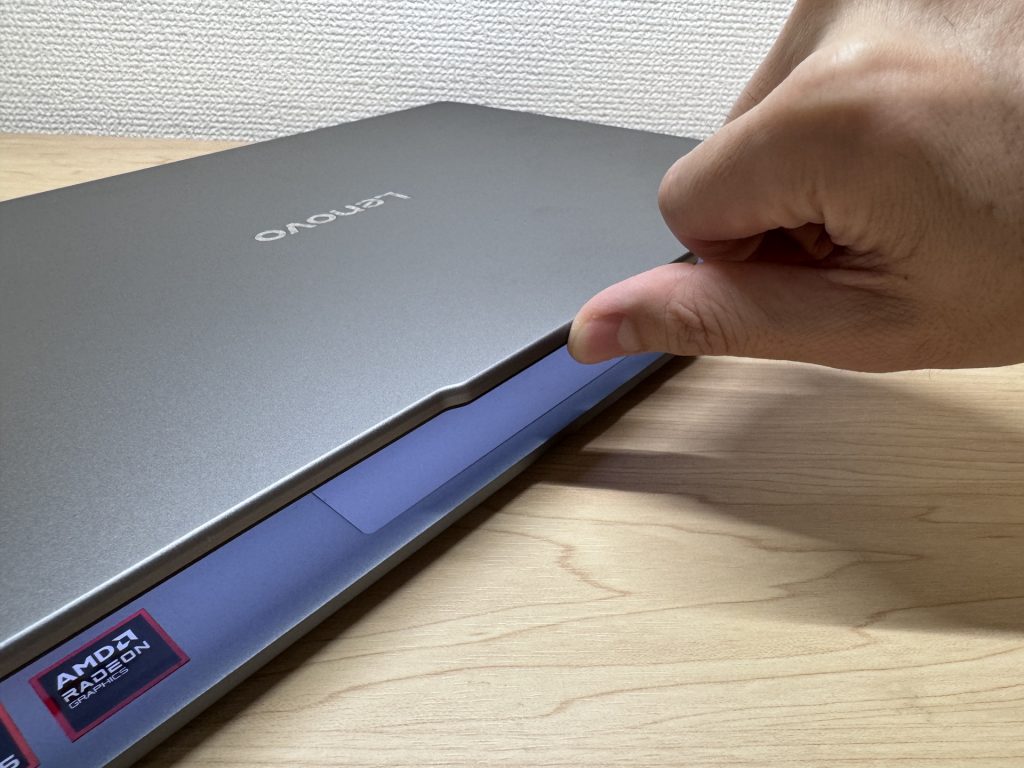 Webcam bump makes one-finger opening easy
Portability
Weight comes in under 1.4 kg — not featherlight, but well within what you'd happily carry to work or uni each day.
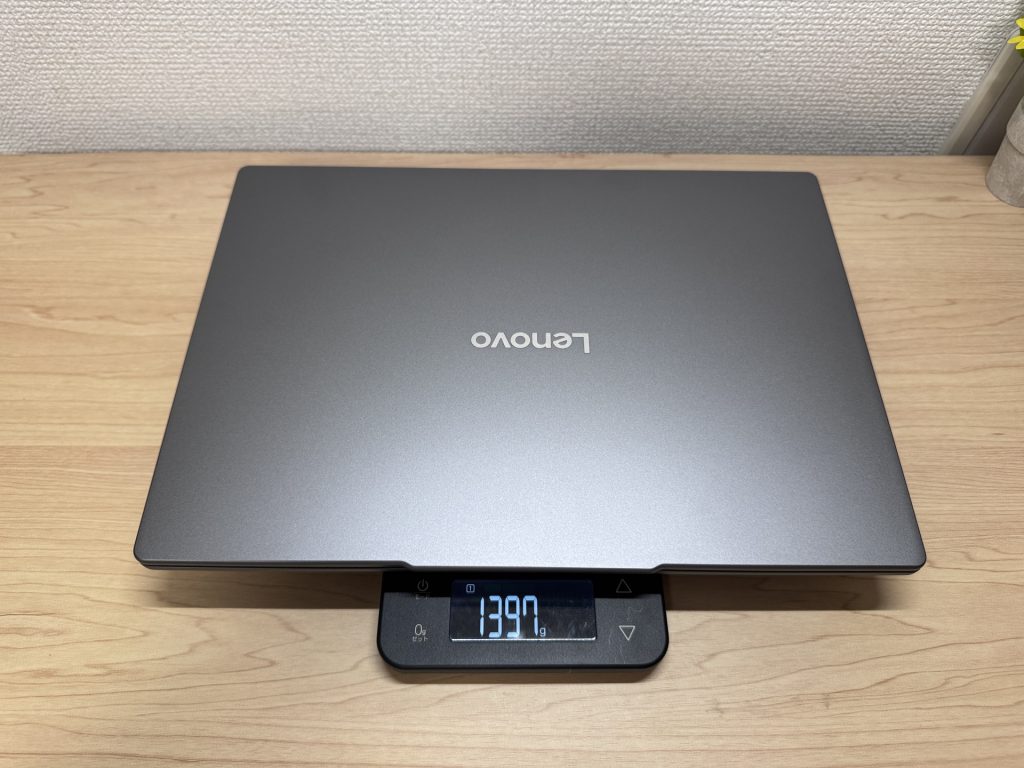 Under 1.4 kg body weight
The bundled charger is 183 g, which is fine, though the mains plug doesn't fold flat — a minor gripe. The good news: this laptop charges via USB-C, so a compact Anker USB-C charger is all you really need on the go.
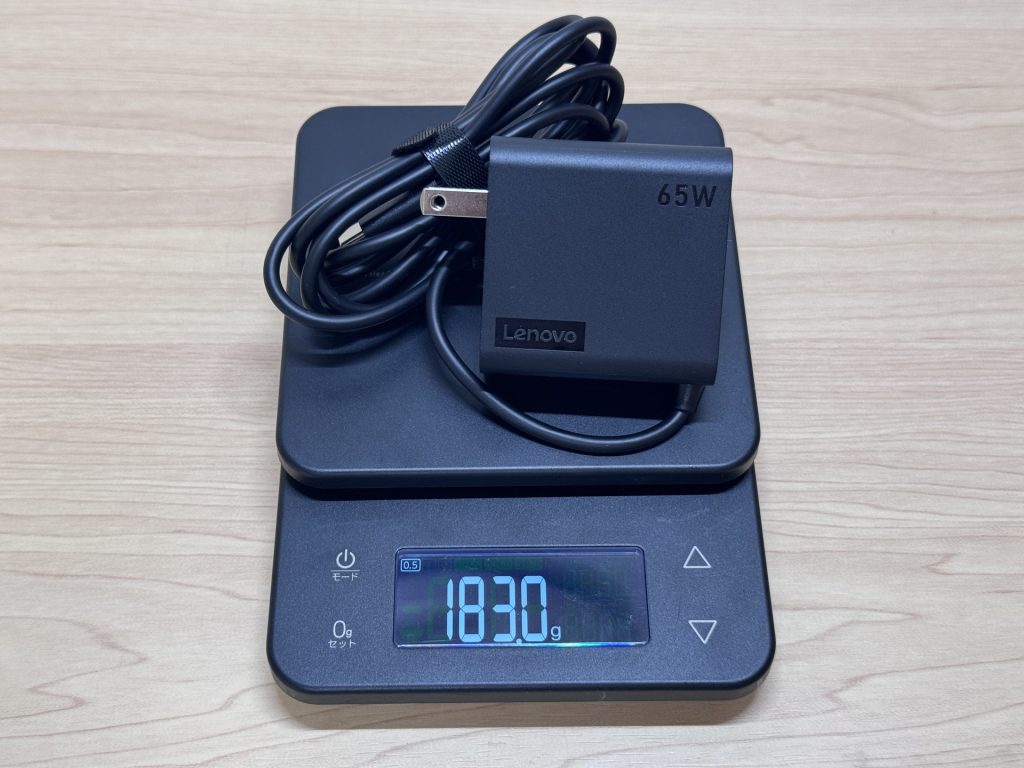 Bundled charger at 183 g
One-handed carry does feel a bit weighty, as you'd expect. For a 14-inch machine under 1.4 kg, though, it's hard to complain.
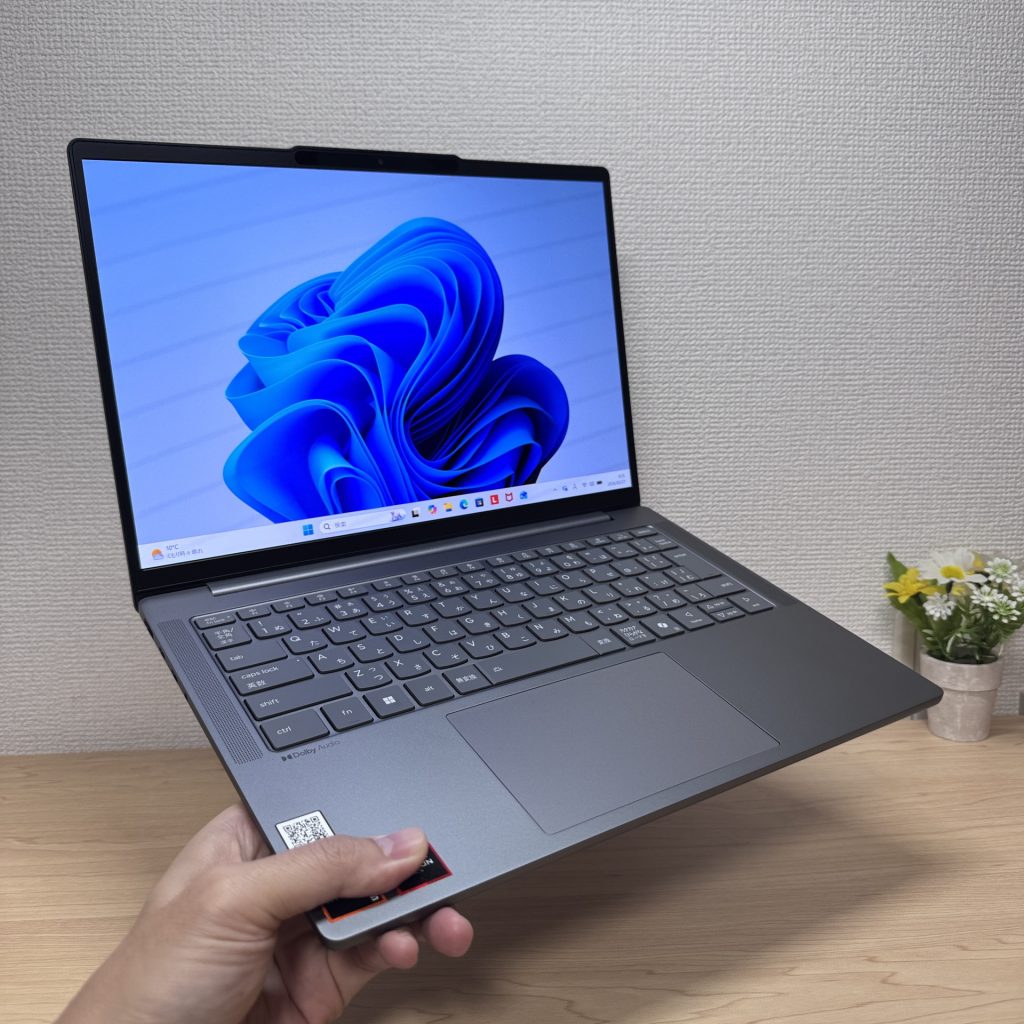 Slightly heavy for one-handed carrying
Display Quality
The OLED panel is where this laptop really shines. Colour depth and black levels are simply in another league compared to an IPS display at this price. Once you've seen it side by side, going back is tough. Photos and video are a genuine pleasure.
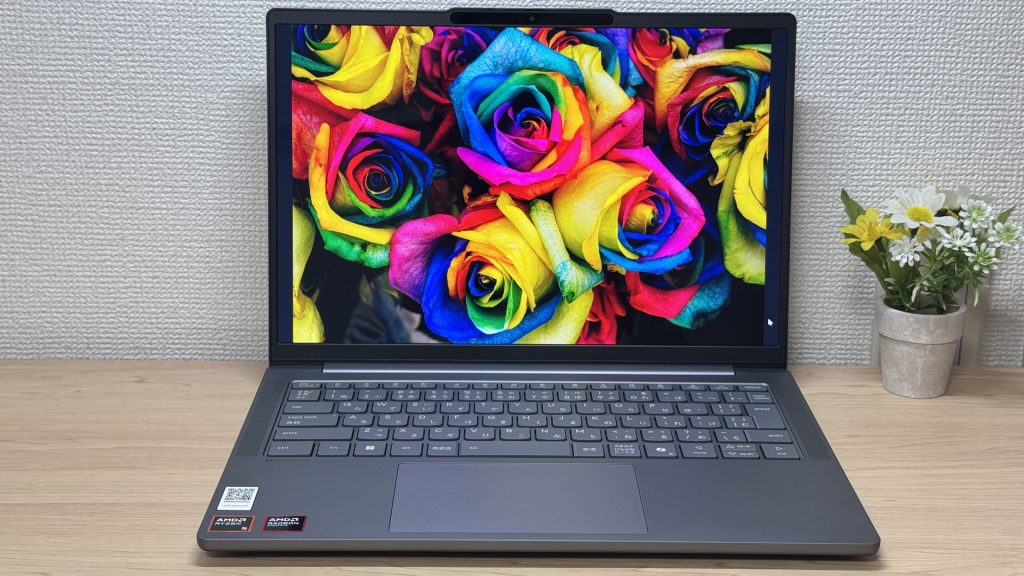 Vivid OLED colours
Viewing angles are wide — tilt it, share the screen, and there's no colour shift whatsoever.
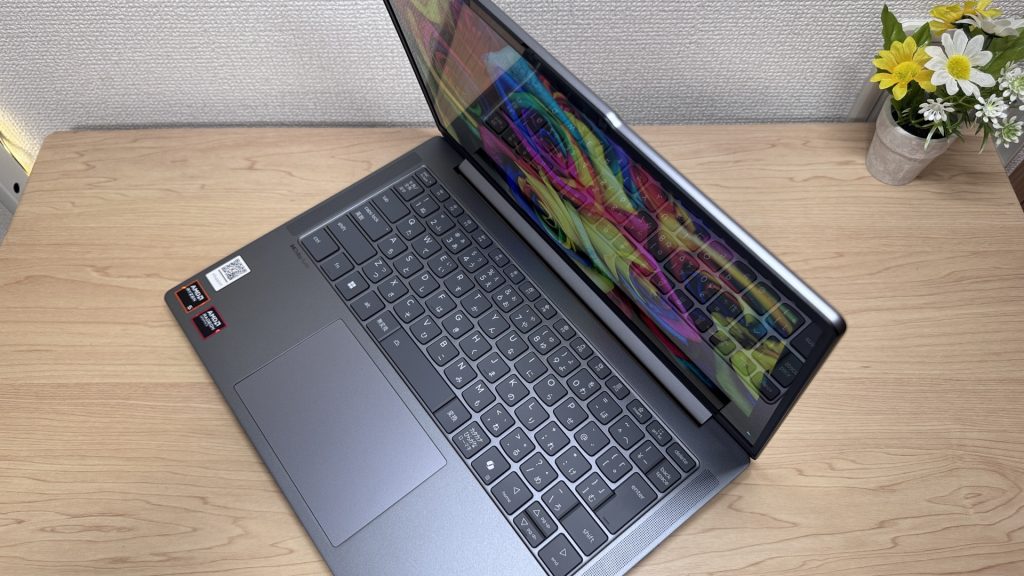 Wide viewing angles, consistent colour
The slim bezels look the part, and the 16:10 aspect ratio is a practical upgrade over 16:9 — more vertical screen space means less scrolling through documents and web pages.
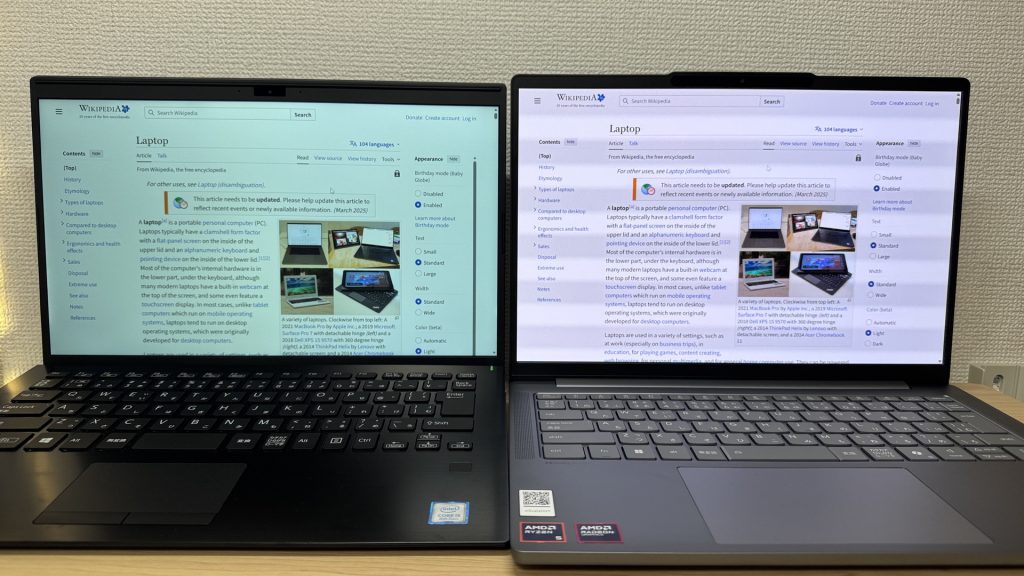 VAIO (left, 16:9) vs this machine (right, 16:10)
The glossy screen does pick up reflections. It's the trade-off you make for that display quality — same as your phone, really. Worth bearing in mind if you work in bright environments.
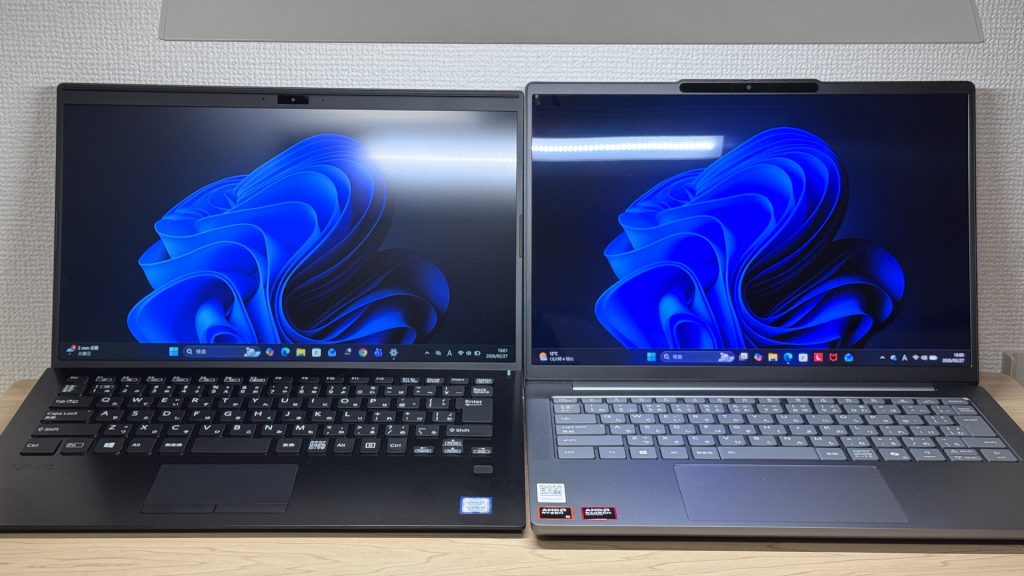 Reflections are present but reasonably controlled
Keyboard Feel
The layout is broadly standard — a couple of minor quirks from the shared international keyboard design, nothing you won't adapt to quickly. Switch from any other laptop and you'll feel at home almost straight away.
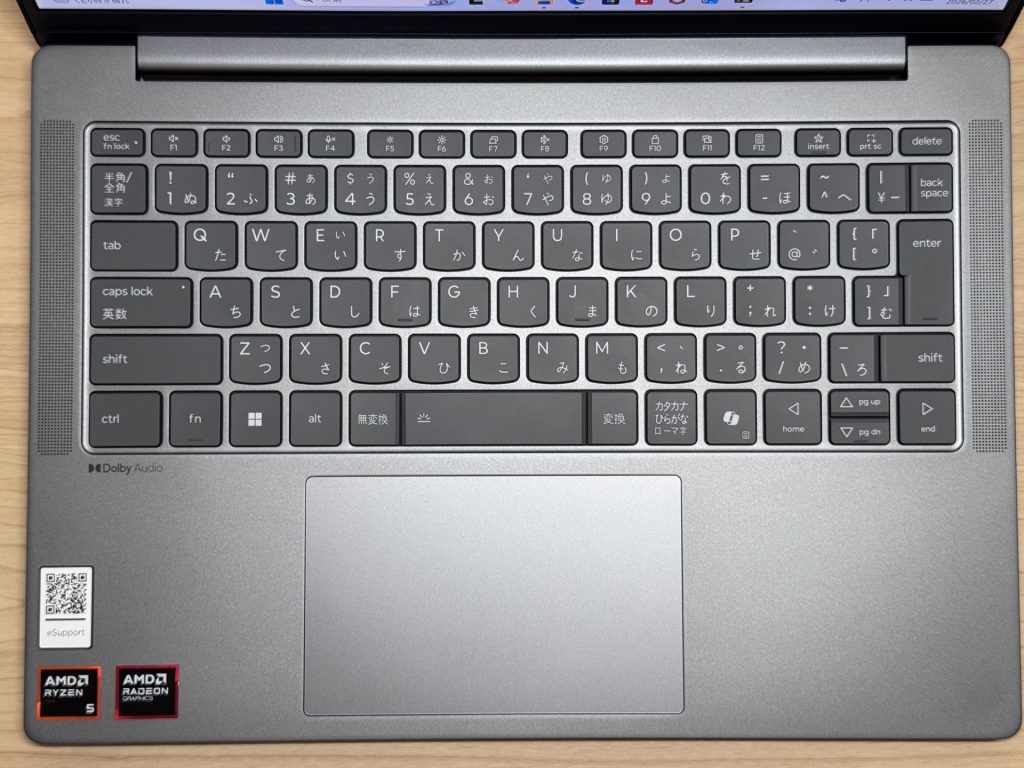 Standard layout, comfortable to type on
The typing feel itself is good. There's a satisfying click, and the key tops have a slightly soft texture that makes extended typing comfortable. Long sessions won't leave your fingers worn out.
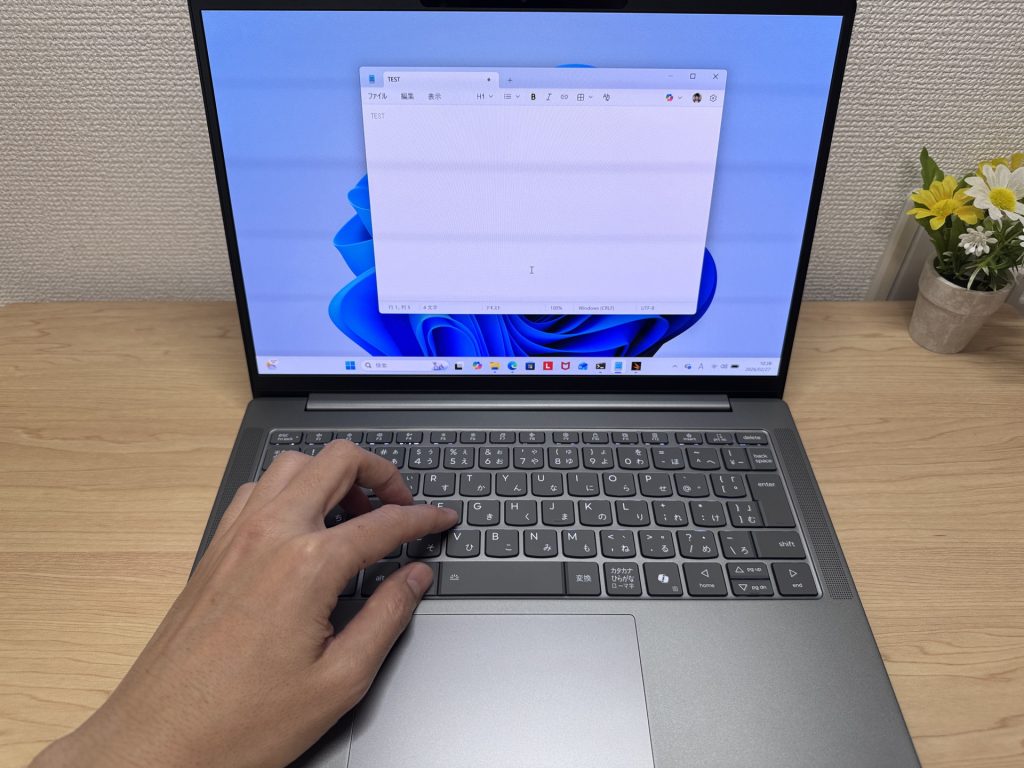 Soft key tops for comfortable extended typing
The backlight has four levels — off, low, high, and auto. More than enough for working in low-light conditions.
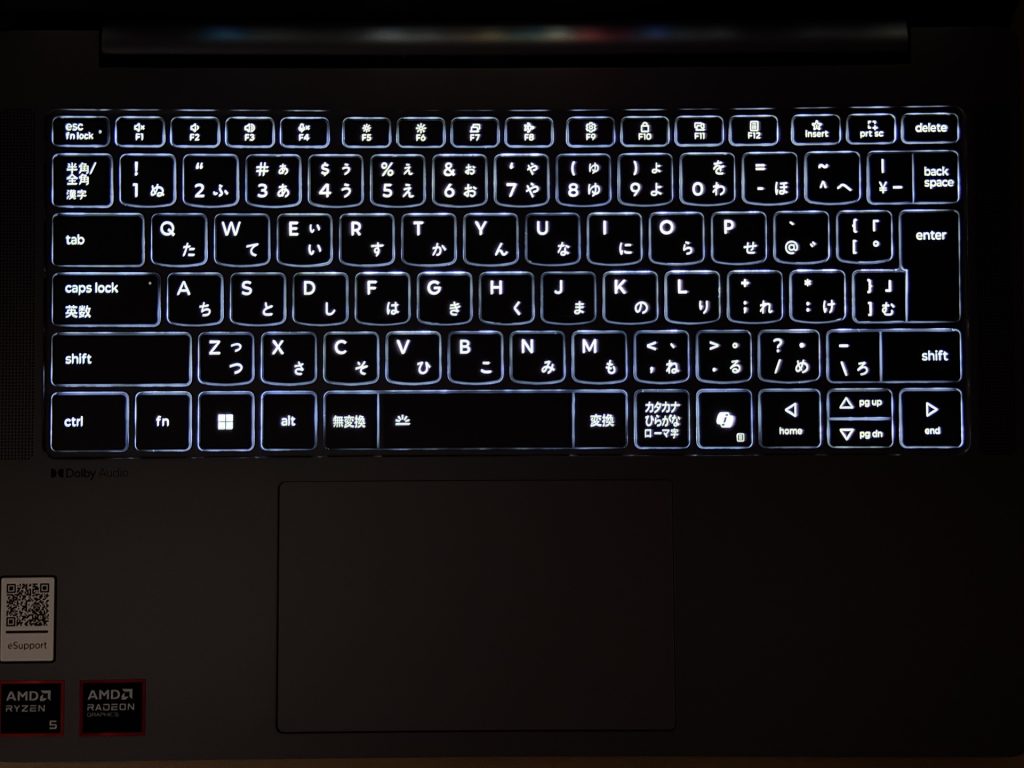 Four-level backlight
Trackpad
The trackpad is smooth and generously sized. Going mouse-free is comfortable — no wrestling with cramped gestures or sticky surfaces.
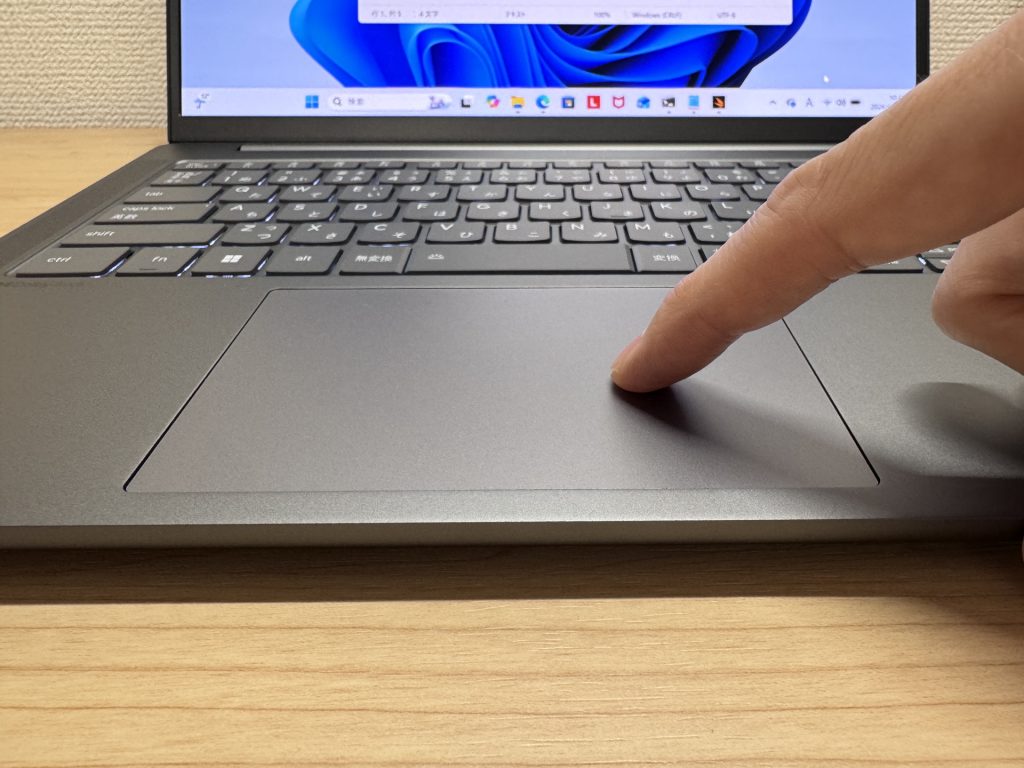 Large, smooth trackpad
Three-finger gestures for app switching work a treat — almost MacBook-like once you've settled in. Window management becomes much less of a faff.
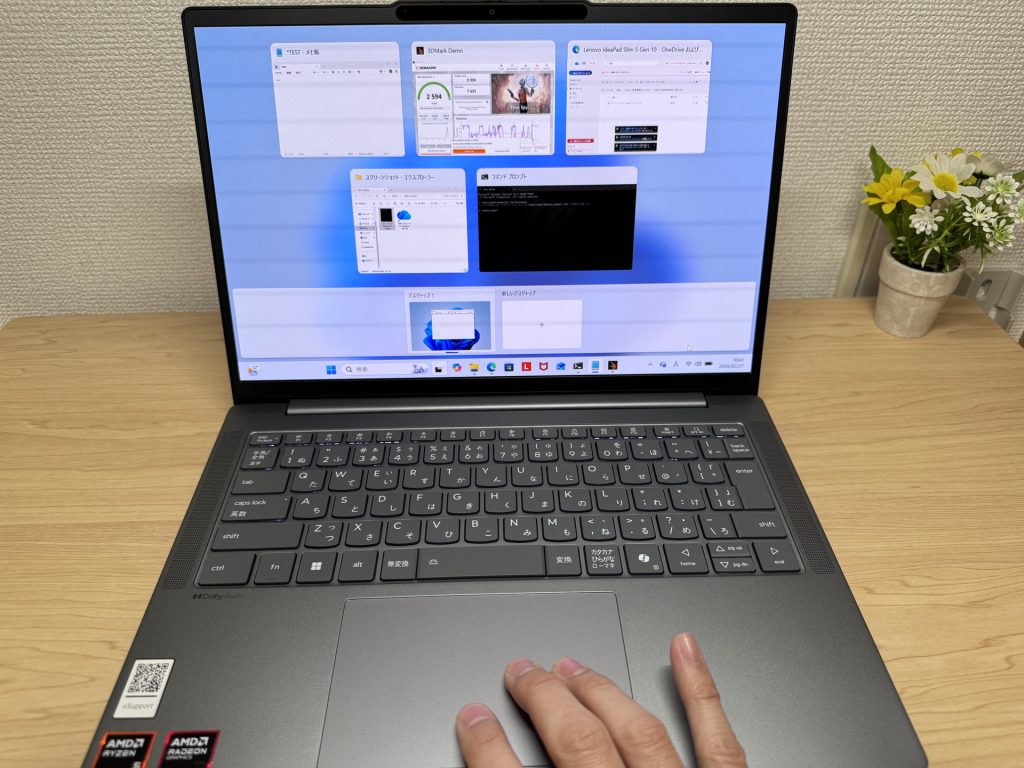 Gesture controls work nicely
Performance
PCMark 10 overall score: 6,778. Comfortable across the board — multitasking, light photo editing, development work. Running 20 browser tabs, a Zoom call, and a spreadsheet simultaneously? No bother.
| Total Score | Rating | What it feels like in real use |
|---|---|---|
| ~4,000 | Bare minimum | Web browsing and simple tasks work, but multitasking or many tabs feels sluggish. |
| 4,000–5,000 | Light use | Daily tasks are doable, but running multiple apps means waiting around. |
| 5,000–6,500 | Comfortable (mainstream) | Handles most work without stress — fine for office, school, video calls. |
| 6,500–8,000 | High performance This PC | Plenty of headroom. Light photo editing and programming feel snappy. |
| 8,000+ | Very high performance | Tackles video editing and heavy workloads. Long-lasting performance. |
*PCMark 10 reflects overall comfort. Actual feel depends on CPU, RAM, and SSD speed.
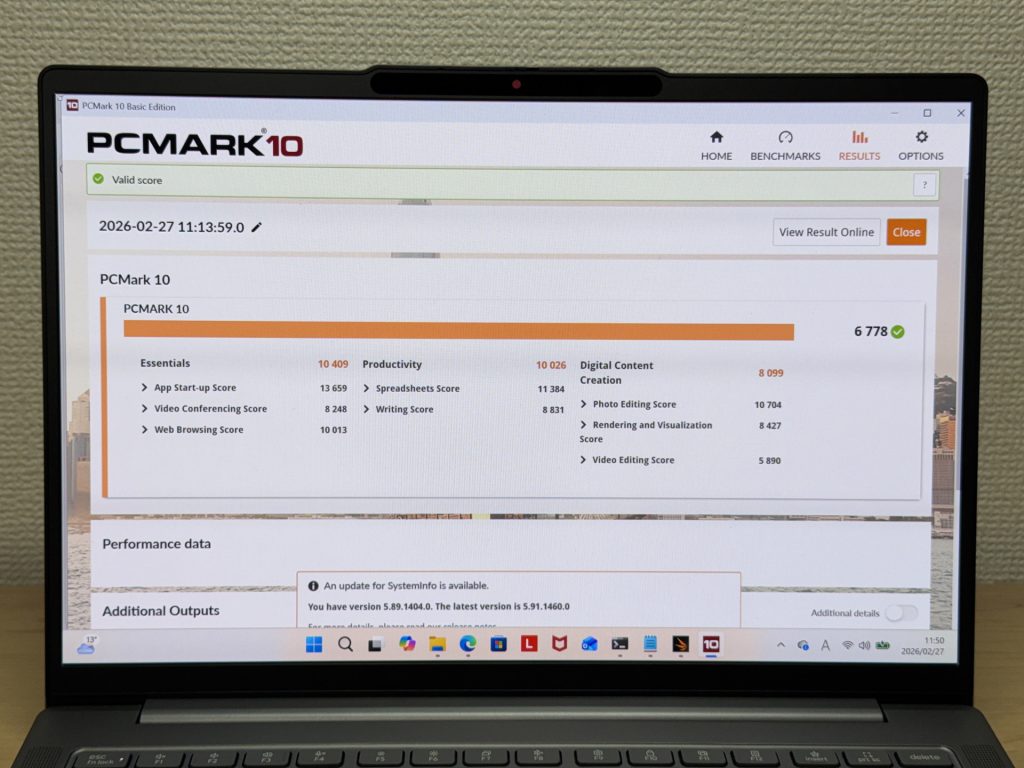 PCMark 10 benchmark: 6,778
Cinebench Multi-Core lands at 11,276 — impressively capable for a laptop at this price.
| Score | Rating | What it feels like in real use |
|---|---|---|
| Up to 4,000 | Bare minimum | Web browsing and Office work, but heavier or parallel tasks feel underpowered. |
| 4,000–7,000 | Light use | Daily use is fine, but photo editing and heavier work mean waiting. |
| 7,000–10,000 | Comfortable (mainstream) | Office, school, video calls, light image editing — handles it all comfortably. |
| 10,000–15,000 | High performance This PC | Multiple apps, programming, moderate editing all feel responsive. |
| 15,000+ | Very high performance | Plenty of headroom for video editing and heavy multitasking. CPU rarely a bottleneck. |
*Cinebench R23 measures CPU multi-core performance — a useful proxy for heavy work like gaming and video editing.
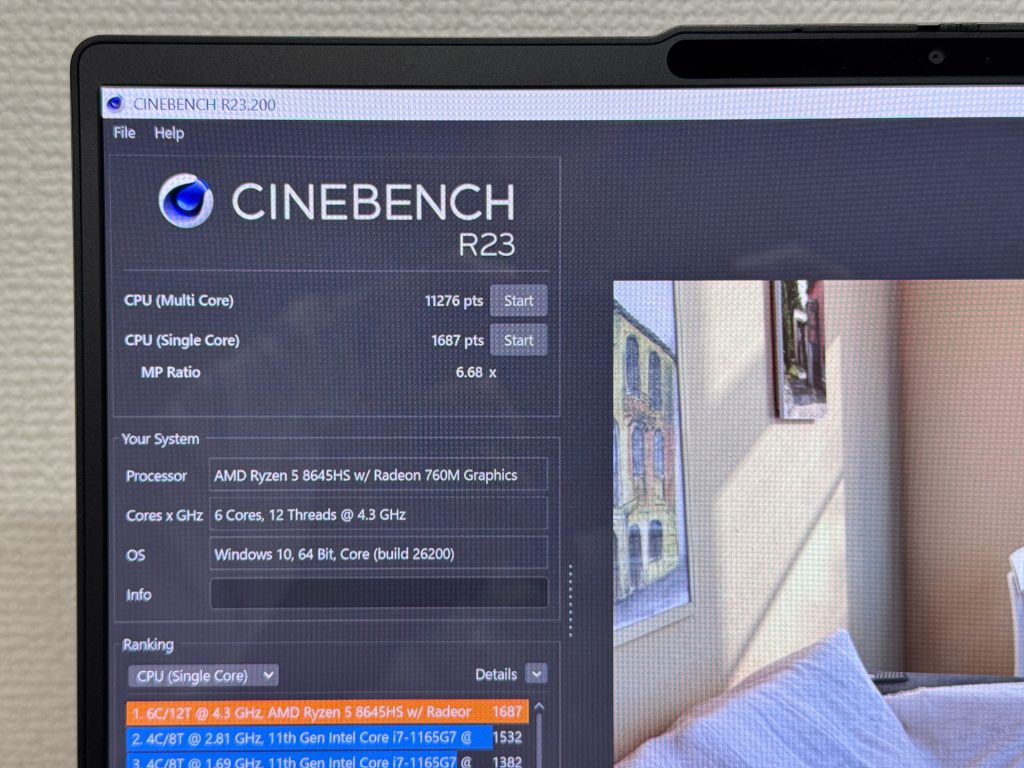 Cinebench benchmark: 11,276
3DMark Time Spy scores 2,594 — genuinely strong for integrated graphics. Demanding 3D gaming is a stretch, but casual titles and media playback are handled without complaint.
| Score | Rating | What it feels like in real use |
|---|---|---|
| Up to 1,500 | Bare minimum | 3D performance is limited. Modern games and heavy 3D aren't a good fit. |
| 1,500–3,000 | Light 3D This PC | Lighter games and low-load 3D tasks are workable. |
| 3,000–6,000 | Average | Light to medium games are playable depending on settings. |
| 6,000–10,000 | High performance | Most games run comfortably. Real GPU headroom available. |
| 10,000+ | Very high performance | Heavy games and high-quality settings are within reach. |
*3DMark Time Spy measures GPU 3D performance — a proxy for gaming comfort and 3D rendering.
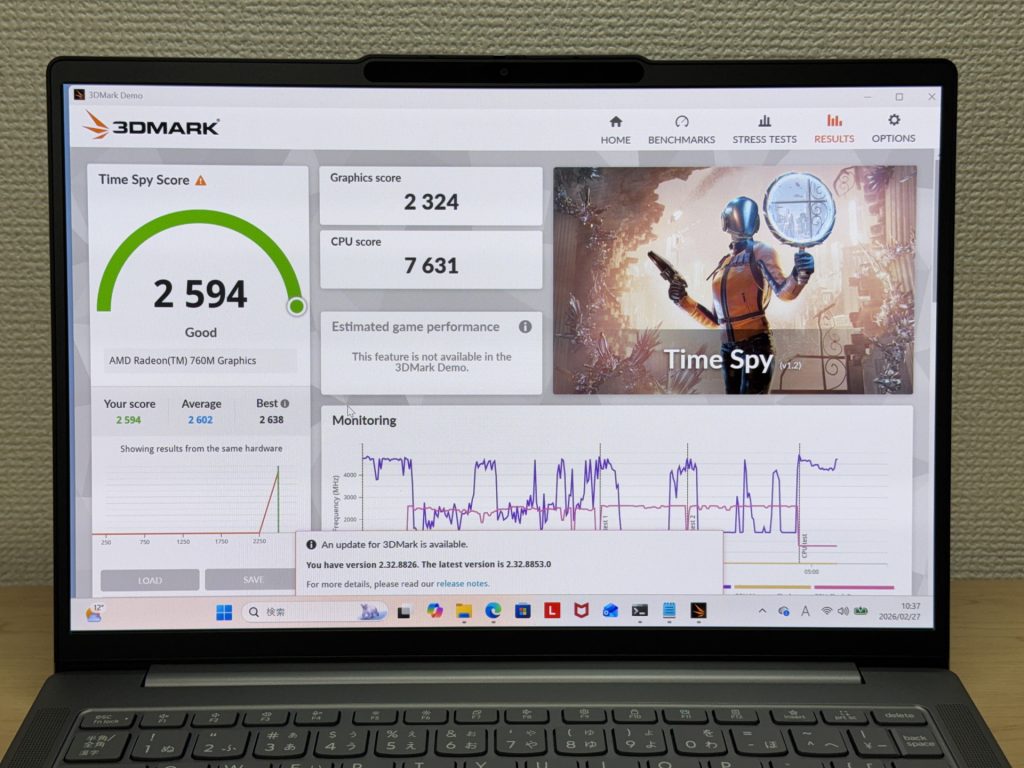 3DMark Time Spy: 2,594
SSD speeds: Read 6,581 MB/s, Write 5,605 MB/s. Genuinely quick — large file transfers are a non-issue.
| Score | Rating | What it feels like in real use |
|---|---|---|
| Up to 600 MB/s | Bare minimum | Faster than HDD, but slow for modern SSDs. App launches feel slightly slow. |
| 600–1,500 MB/s | Average | Fine for daily use, though loading is noticeably slower than top-tier SSDs. |
| 1,500–3,500 MB/s | Comfortable (mainstream) | App launches and file loading feel smooth. No real complaints in daily use. |
| 3,500–5,500 MB/s | Fast | Loads large data and apps quickly. Definitely upper-tier SSD speed. |
| 5,500+ MB/s | Very fast This PC | High-end NVMe territory. Heavy data work without waiting. |
*CrystalDiskMark measures SSD speed. It mainly affects app launch and file loading speed, not overall PC performance.
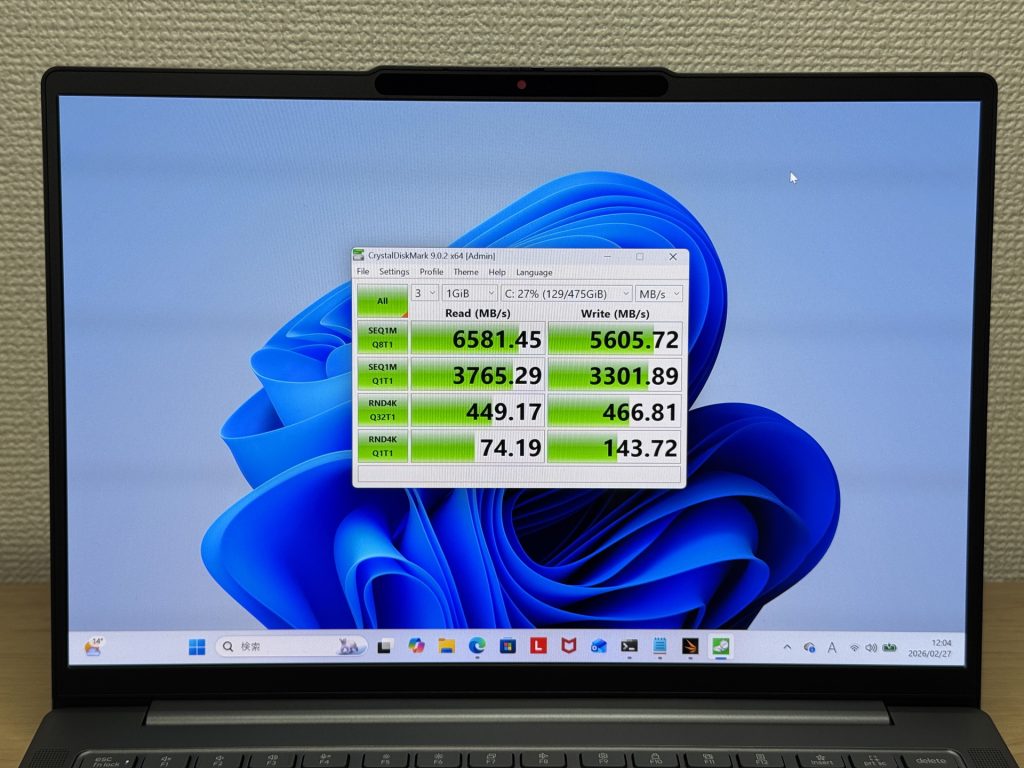 Blazing SSD read/write speeds
Battery Life
60 Wh battery, rated up to 19.8 hours. Getting through a full working day without hunting for a socket is very much on the cards. USB-C charging is supported, and swapping the bundled charger for a compact option means you travel lighter too.
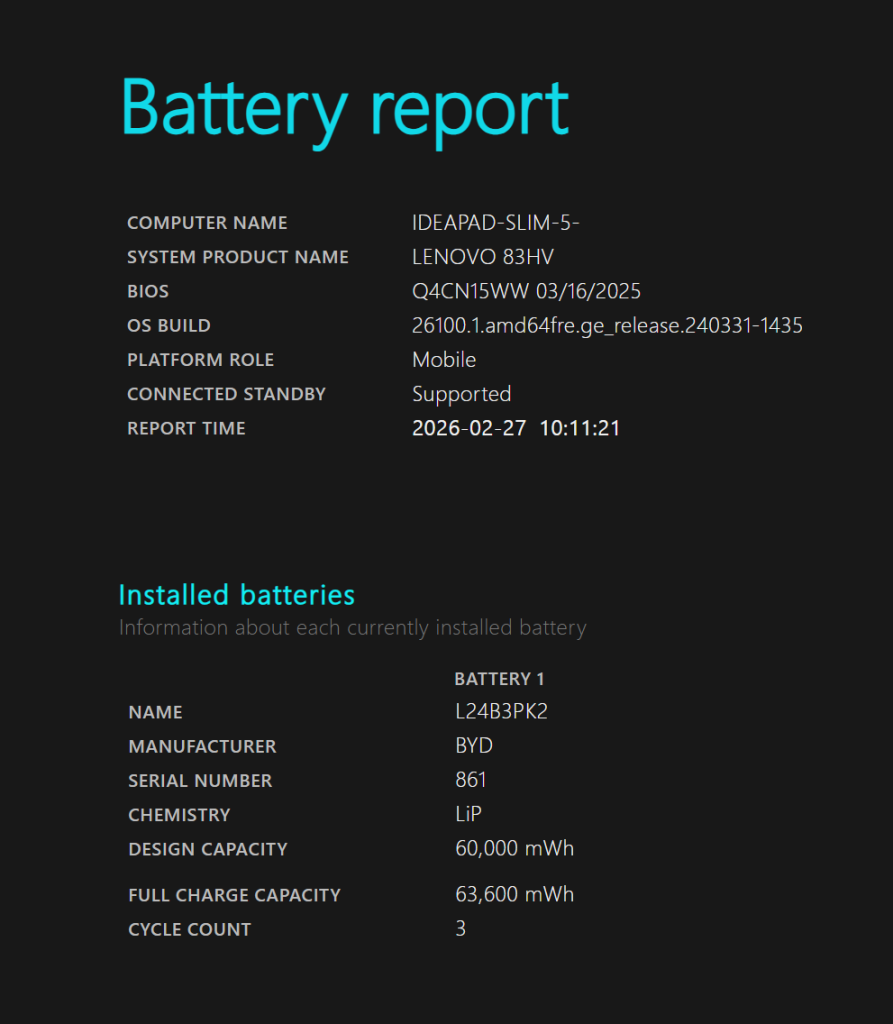 Battery report confirming 60 Wh capacity
Being able to top up with a small USB-C charger is the kind of practical detail that makes daily life that bit easier.
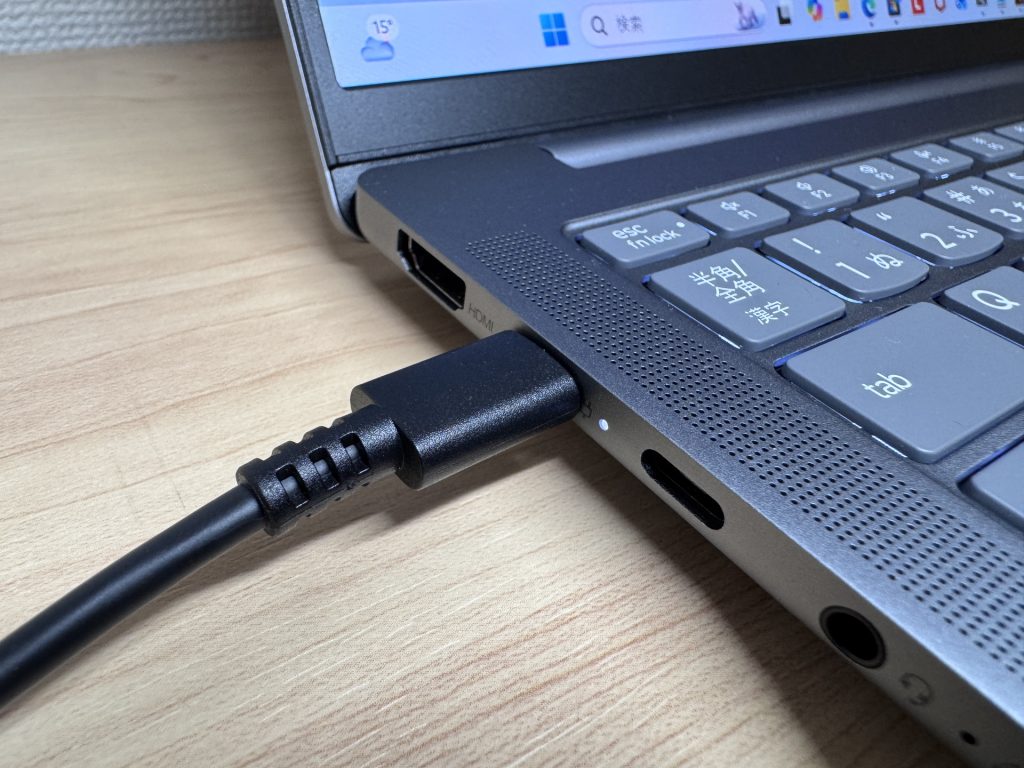 USB-C charging supported
Fan Noise & Heat
At idle: 17.7 dB — essentially silent. In a quiet room, you won't hear it.
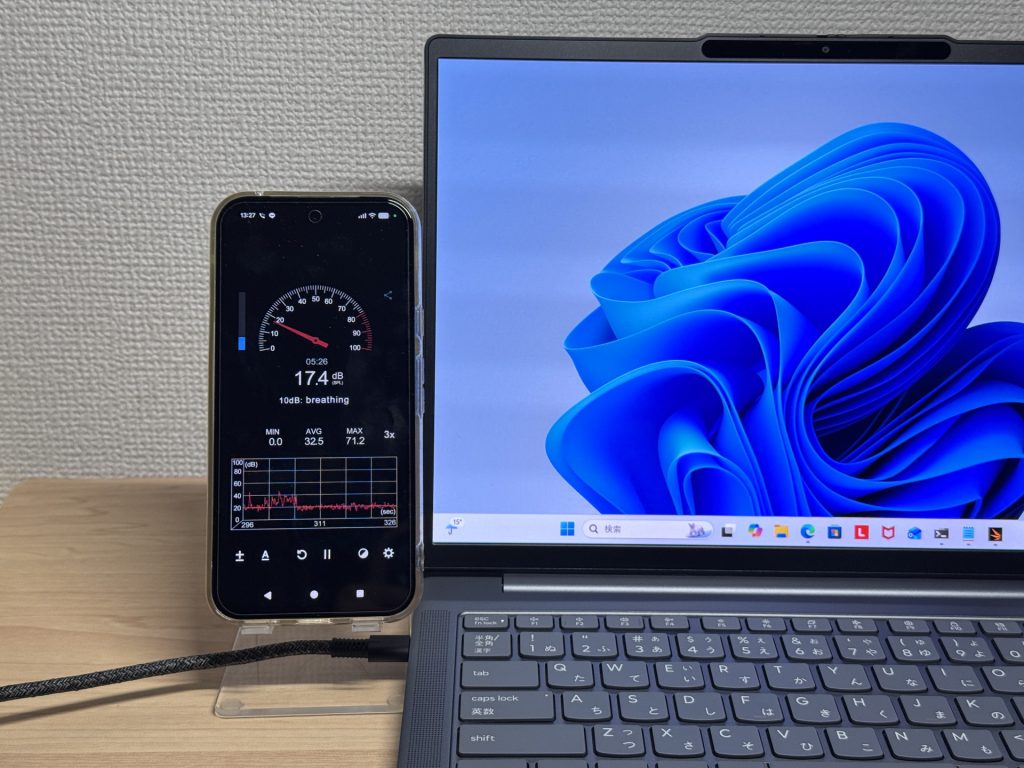 17.7 dB at idle — near silent
Under load it rises to 41.3 dB. Noticeable, but that's the cooling doing its job. It only spins up during heavy tasks rather than running constantly.
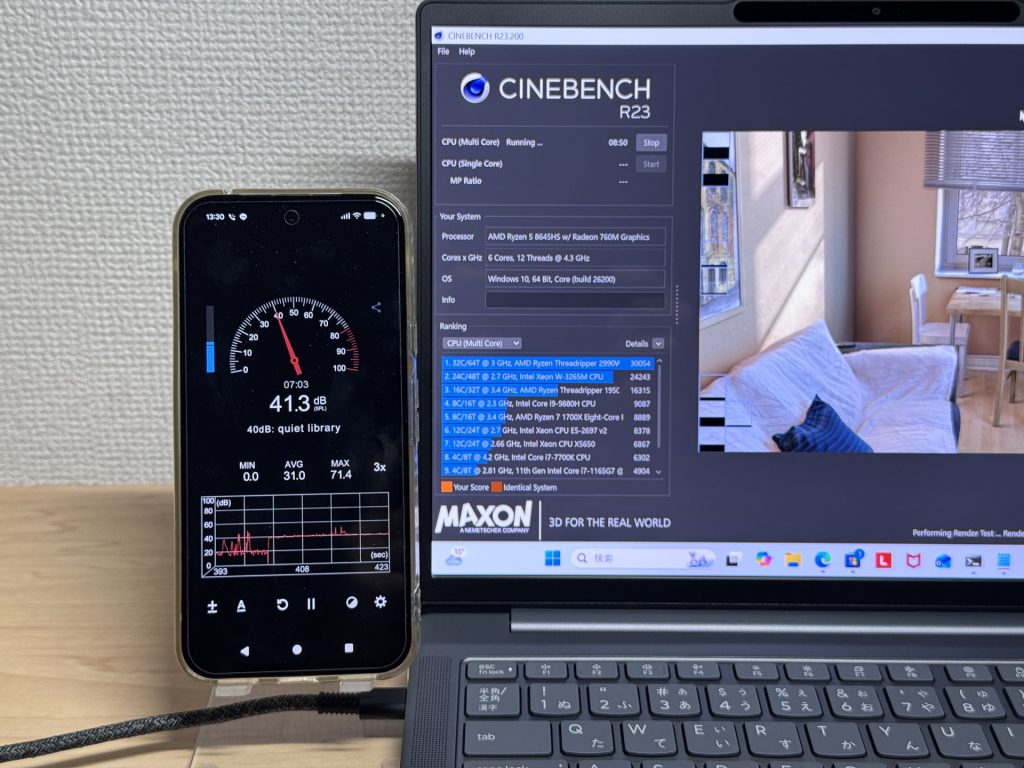 41.3 dB under load
The exhaust vent is at the rear, so warm air doesn't blow over your hands during long sessions. A thoughtful piece of design.
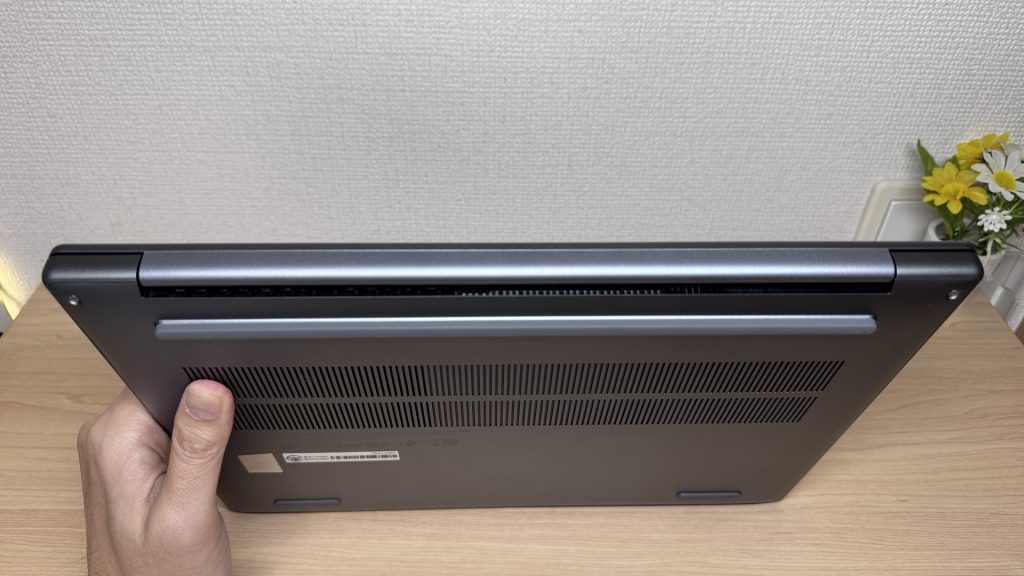 Rear exhaust keeps warm air away from your hands
Ports
The selection is excellent: HDMI × 1, USB 3.2 Gen 1 × 2, USB 3.2 Gen 2 Type-C × 2, a microSD slot, and a headphone jack. No USB-C hub required — a genuine bonus.
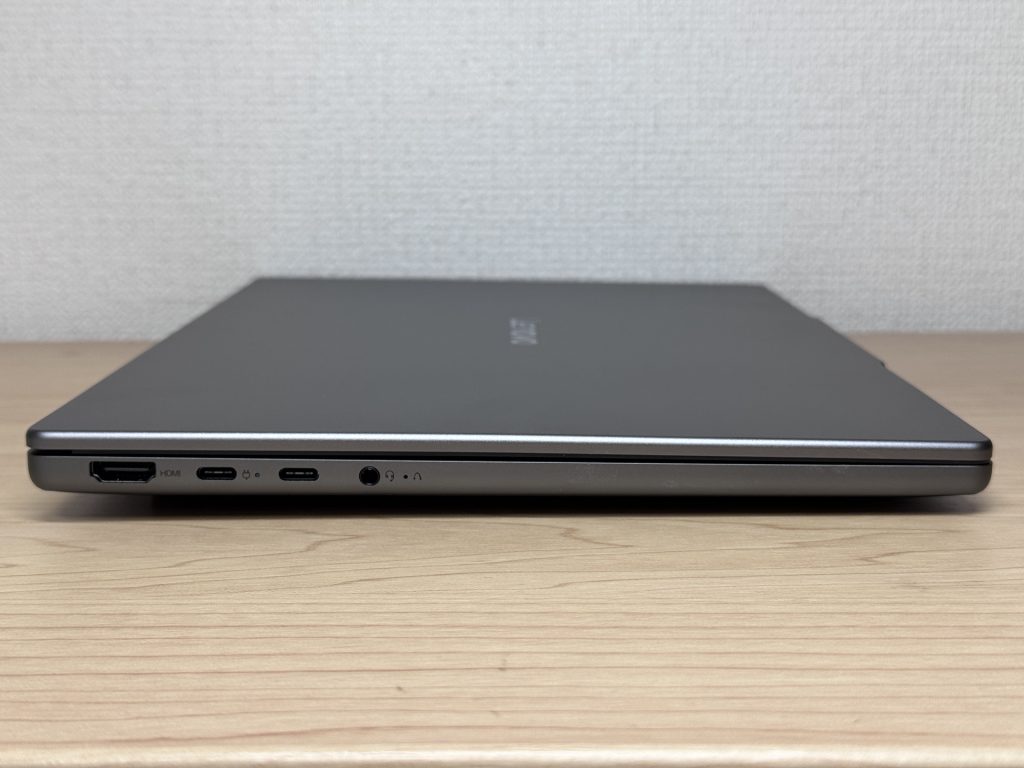 Left-side ports
 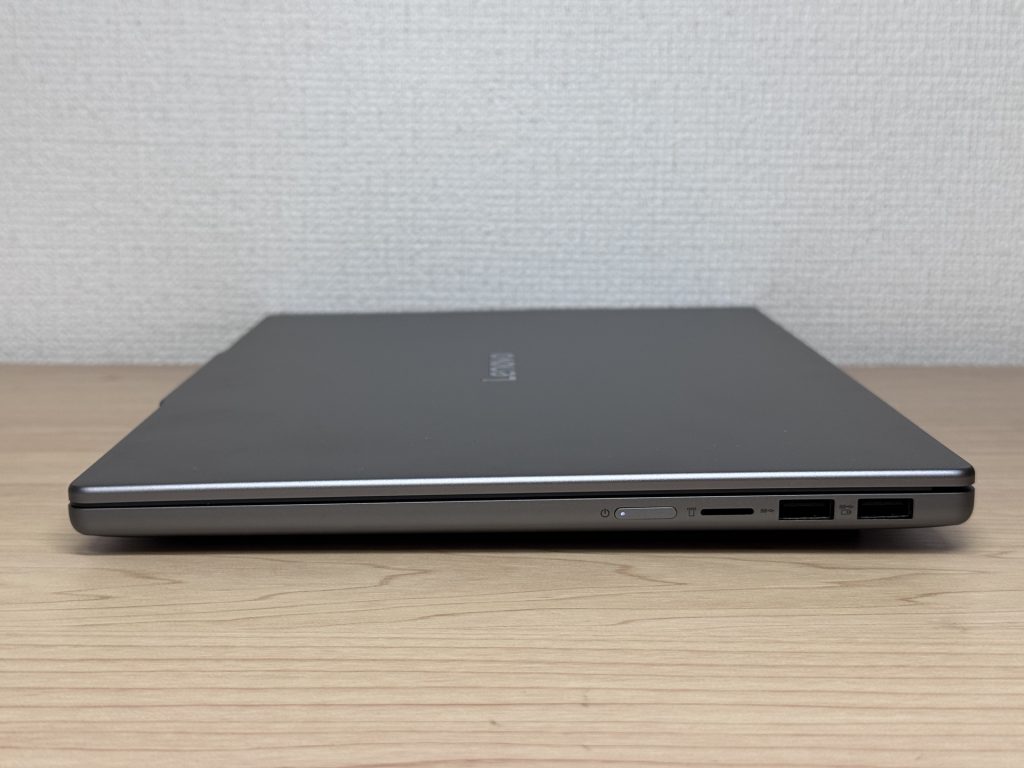 Right-side ports
4K monitor output via HDMI works well. Use it standalone on the go, then dock it to a big screen at home or in the office.
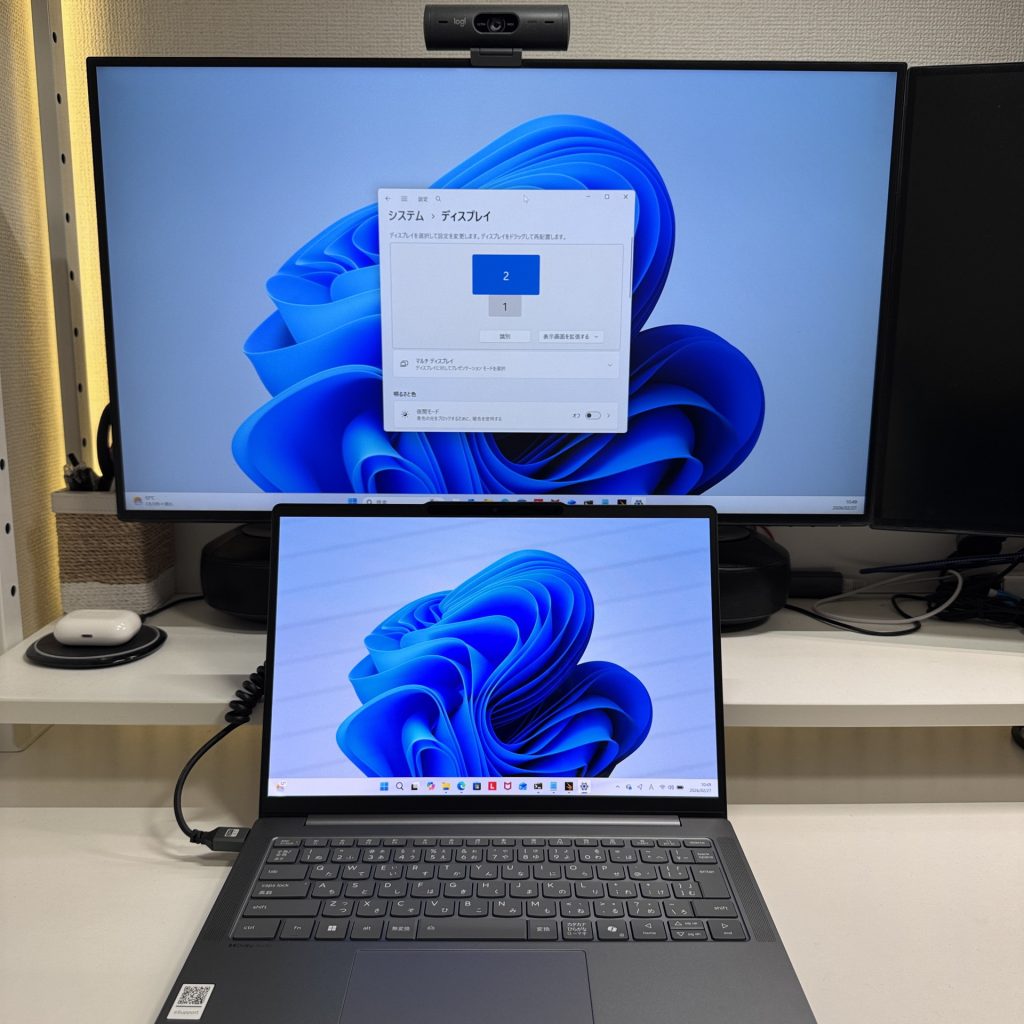 4K monitor output via HDMI
Two USB-C ports can each drive a 4K display for a triple-monitor setup. Brilliant for productivity if you work with a lot of windows open.
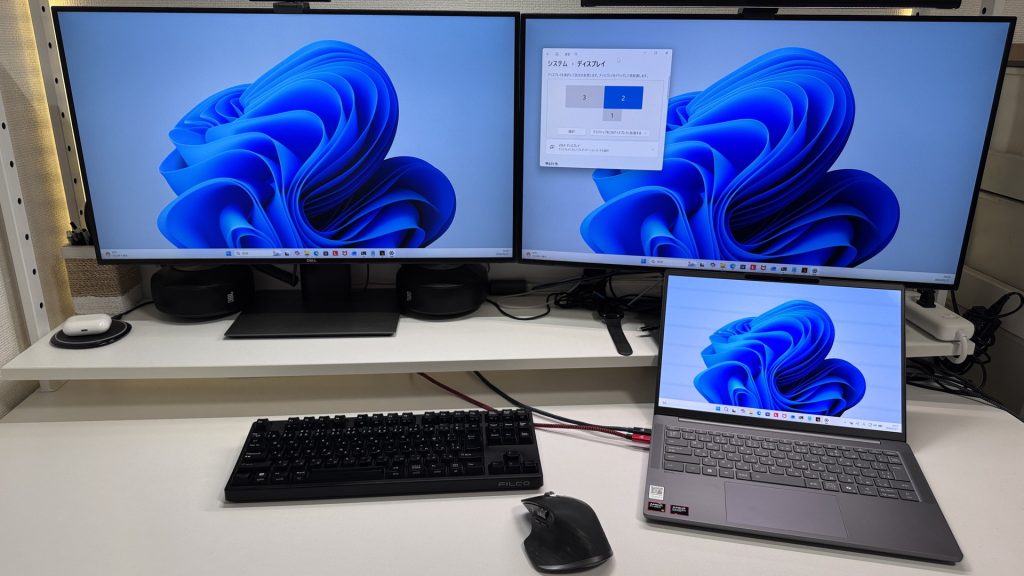 Triple-monitor setup via USB-C
The microSD slot is handy for importing photos straight from a camera — and the card sits almost flush, which is a neat touch.
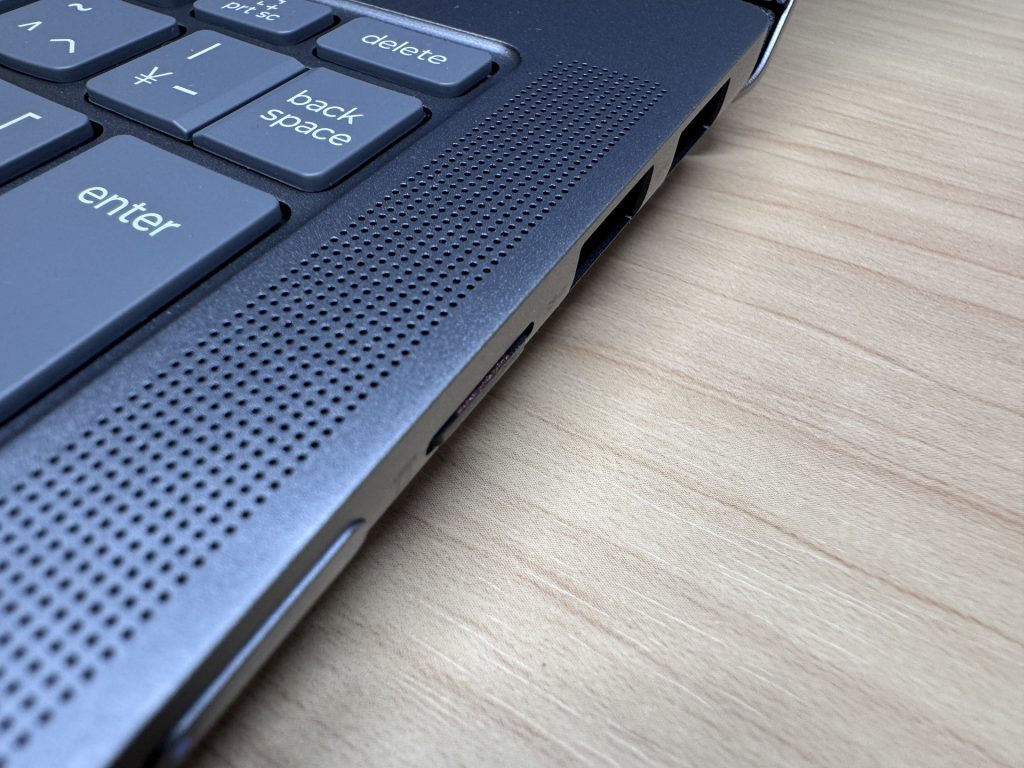 microSD slot included
Webcam
The built-in camera is adequate for video calls — a touch dim, but a decent desk lamp sorts that out. Colour is fine; online meetings or remote lectures won't be a problem.
 Built-in camera image quality
There's a physical privacy shutter — properly physical, not software-controlled. You can see at a glance whether the lens is covered. No more wondering if something's watching.
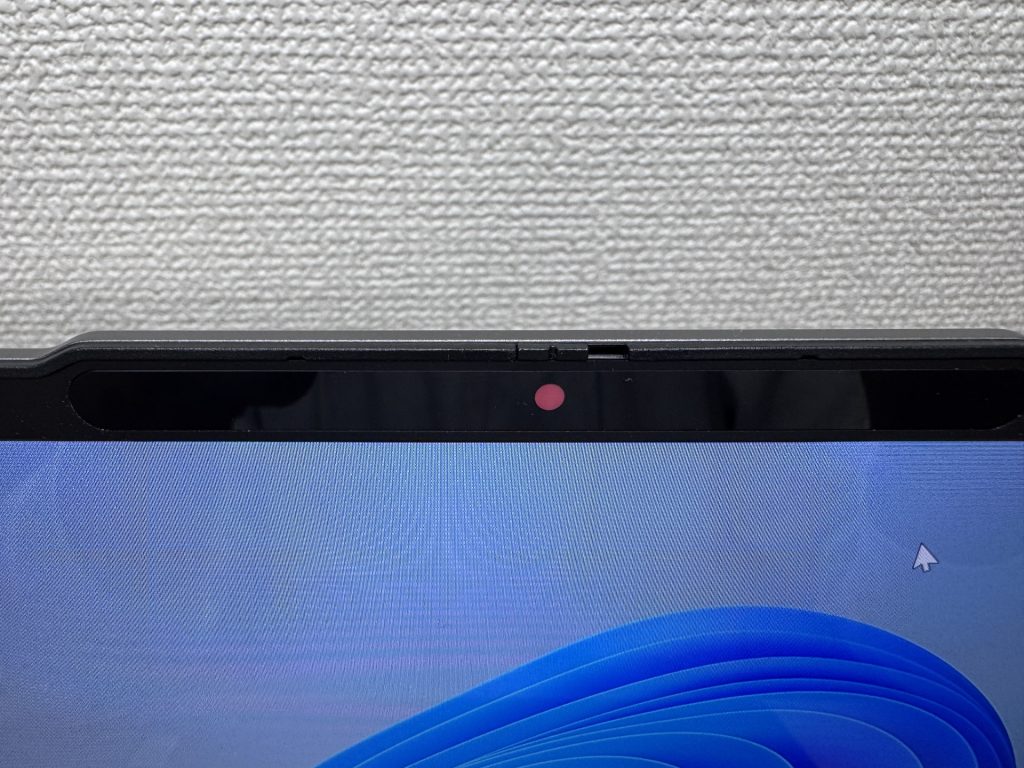 Physical privacy shutter
Speaker Quality
Better than expected for this price. There's genuine bass, and video or casual gaming audio is enjoyable rather than tinny. The left-right speaker placement around the keyboard helps with the stereo image — a clear notch above what you'd normally find at this price point.
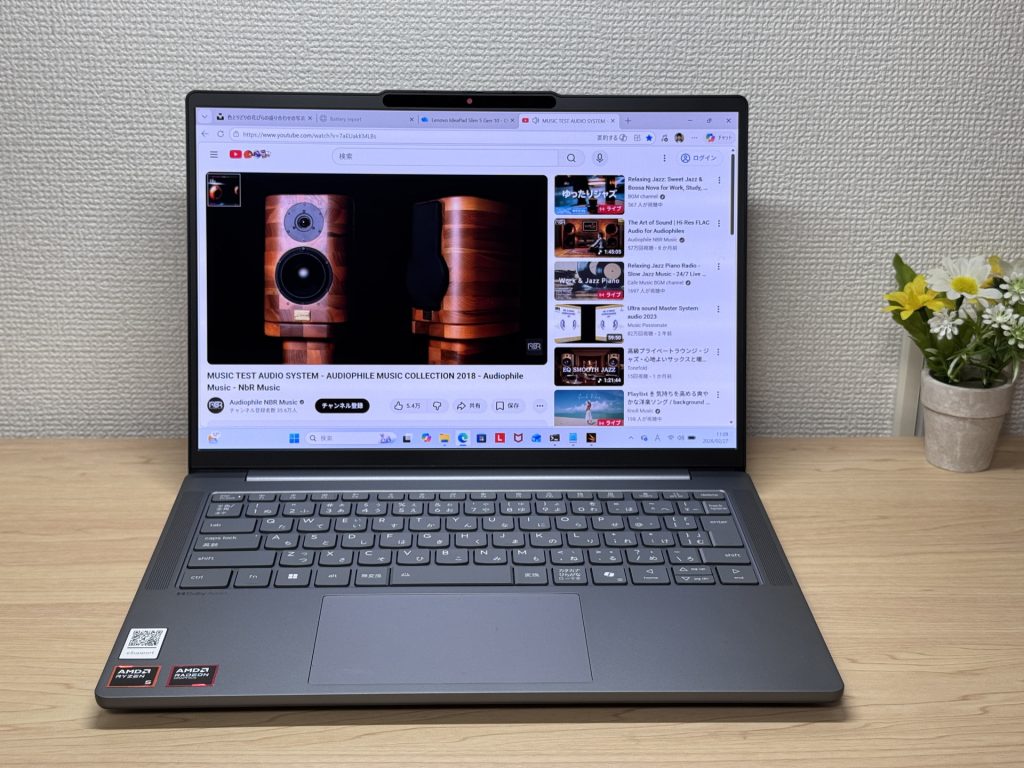 Left-right speaker placement
Verdict
OLED display, 16 GB RAM, and a 60 Wh battery at this price is a strong combination. Add in the excellent port selection and triple-monitor capability, and the value case is hard to argue with. The main trade-offs are glossy panel reflections and fan noise under sustained load. If you want a laptop that looks great, lasts all day, and connects to everything without dongles, this earns its price.
✅ Great for
- People who carry their laptop to work or uni every day
- Anyone who wants a great screen for films and streaming
- Those who need all-day battery without hunting for a socket
- Anyone who needs to connect up quickly in meetings or lectures
⚠️ Worth noting
- Not ideal for demanding gaming or heavy video editing
- Fan noise under sustained heavy workloads in quiet environments
OLED brilliance at a fair price — handles work and media, wherever you are.
Where to Buy
* Prices may vary. Please check each store for the latest price and availability.
Where this laptop ranks



About the author