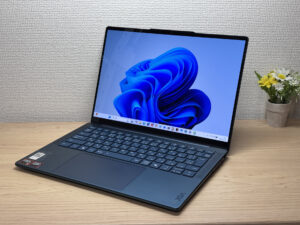
ZippyScore
ZippyScore is a proprietary rating based on 6 criteria: performance, portability, display, battery, value, and connectivity.
See rating criteria
- Performance: CPU / GPU performance
- Portability: Screen size & weight
- Display: Panel type, aspect ratio & refresh rate
- Battery: Rated battery life
- Value: Specs-to-price balance
- Connectivity: Port types & count
Pros & Cons
Pros
- At around 1.28 kg / 2.8 lbs, it's light enough to carry to lectures or the office every day without a second thought
- The OLED display is genuinely stunning — vivid colours and deep blacks that most laptops at this price can't match
- 16 GB+ of RAM keeps things smooth when you've got a dozen tabs open alongside other apps
- 70 Wh battery means you can get through a full day without hunting for a socket
- Solid port selection — HDMI and dual USB-C (USB4) mean you rarely need to reach for a hub
Cons
- The glossy panel picks up reflections from overhead lighting, which can be distracting depending on your environment
- Fan noise climbs noticeably under sustained load — worth knowing if you regularly work somewhere very quiet
Specs Summary
| OS | Windows 11 Home |
|---|---|
| CPU | AMD Ryzen AI 5 340 (PassMark: 19,609) |
| RAM | 16GB |
| Storage | 512GB |
| Display | 14" OLED (Glossy, 60Hz) 1920x1200 (16:10) |
| Weight | 1.28 kg (2.82 lbs) |
| Ports | USB-C × 2 (40Gbps/PD/Video out), USB-A × 1 (5Gbps), HDMI × 1, Headphone jack × 1 |
| GPU | AMD Radeon 840M (G3D Mark: 3,805) |
| Biometrics | Face Recognition |
| Battery | Up to 18.4 h (Capacity: 70 Wh) |
| Dimensions | Approx. 312.0 × 219.3 × 13.9 mm (W × D × H) |
| Wi-Fi | Wi-Fi 7 |
| Bluetooth | Bluetooth 5.4 |
| Color | Tidal Teal |
Configurations vary by retailer, region, and availability.
Hands-on Review
Here's my hands-on with the Yoga Slim 7 Gen10 (14" AMD). The unit I tested was configured as follows:
| Component | Spec |
|---|---|
| CPU | AMD Ryzen AI 7 350 |
| RAM | 32 GB |
| Storage | 512 GB SSD |
| Display | 14.0" OLED (2880×1800, 120 Hz, touch) |
| Graphics | AMD Radeon 860M |
| Colour | Tidal Teal |
Note: configuration may vary depending on region and retailer.
Design
My review unit came in Tidal Teal, and honestly, it's a proper head-turner. It's a deep, confident blue-green that you don't see on many laptops — understated enough to use in a meeting, distinctive enough that people do a double-take when you pull it out at a café. The build quality feels genuinely solid throughout, with a premium feel that you wouldn't necessarily expect at this price tier.
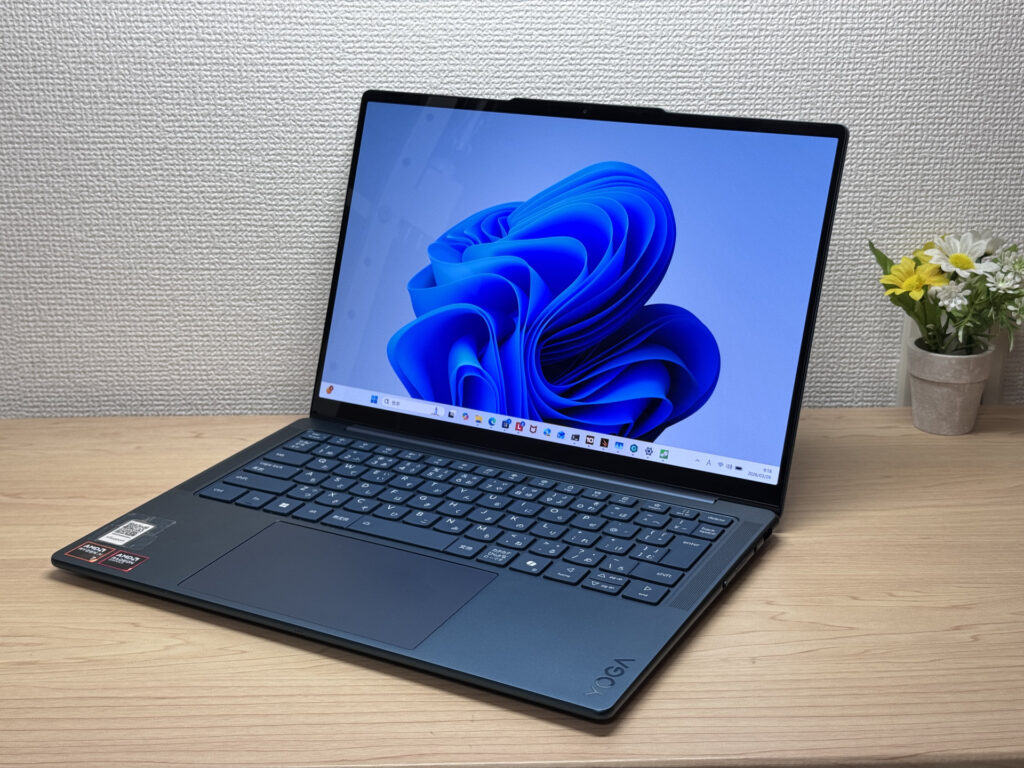 Front view of the Tidal Teal colourway
The lid has a smooth, matte finish that resists fingerprints well — a small thing, but one less thing to worry about. The Lenovo logo is small and tasteful rather than plastered across the entire lid, which I appreciate. If you're the sort of person who finds big manufacturer logos a bit much, this won't bother you.
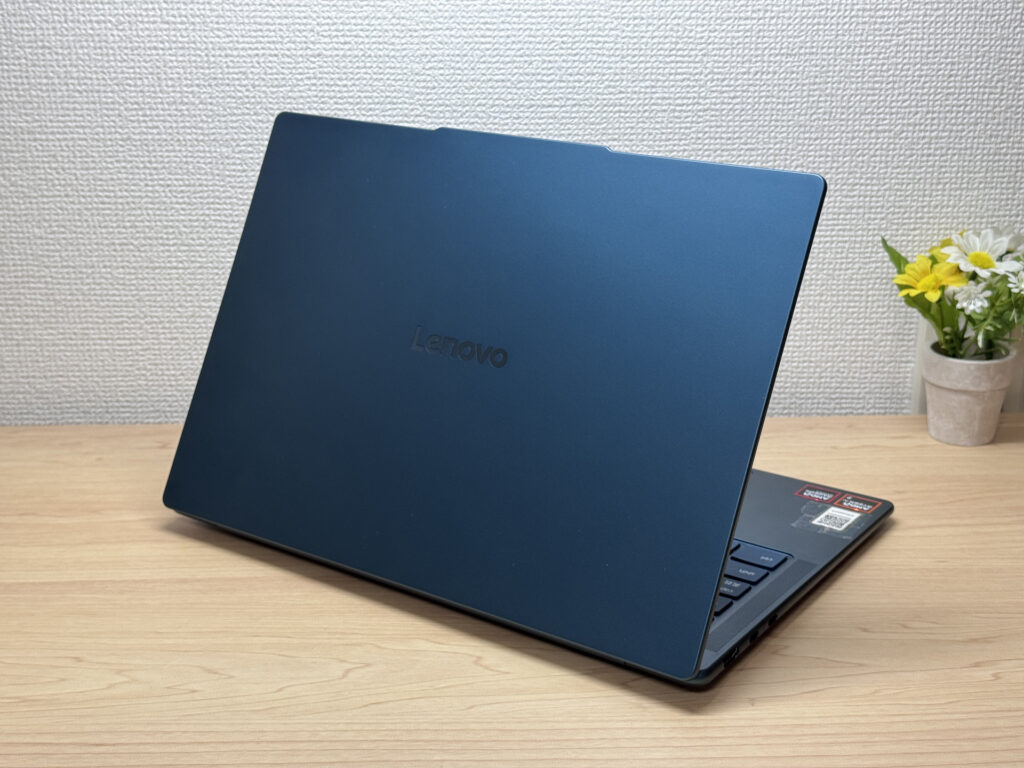 Matte lid finish with minimal fingerprints
At 13.9 mm thick, the Yoga Slim name really does earn its keep. Slipping this in and out of a rucksack is effortless — no awkward angling required. It's a different kind of portability advantage from weight alone, and it's one that genuinely makes a difference day to day.
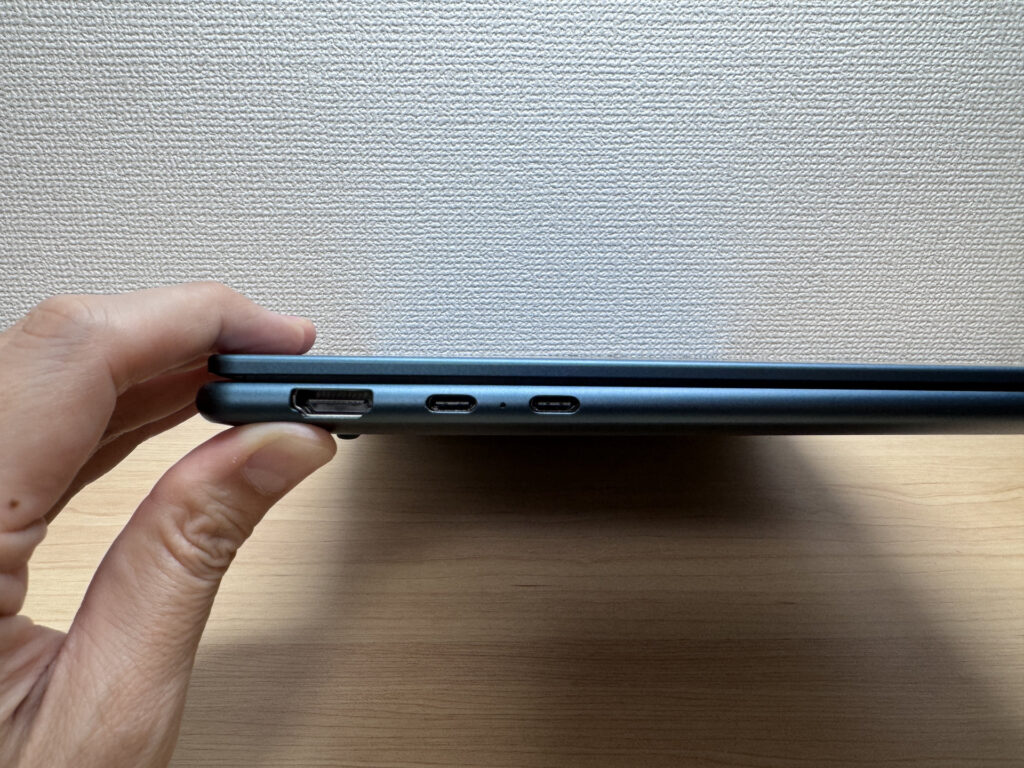 Side profile showing the slim chassis
The rubber feet on the base are larger than average, and they work. I typed for extended periods without the laptop shifting even slightly. The hinge balance is also nicely tuned — the lid opens with one hand without the base lifting off the desk, which makes getting into a working state feel quick and natural.
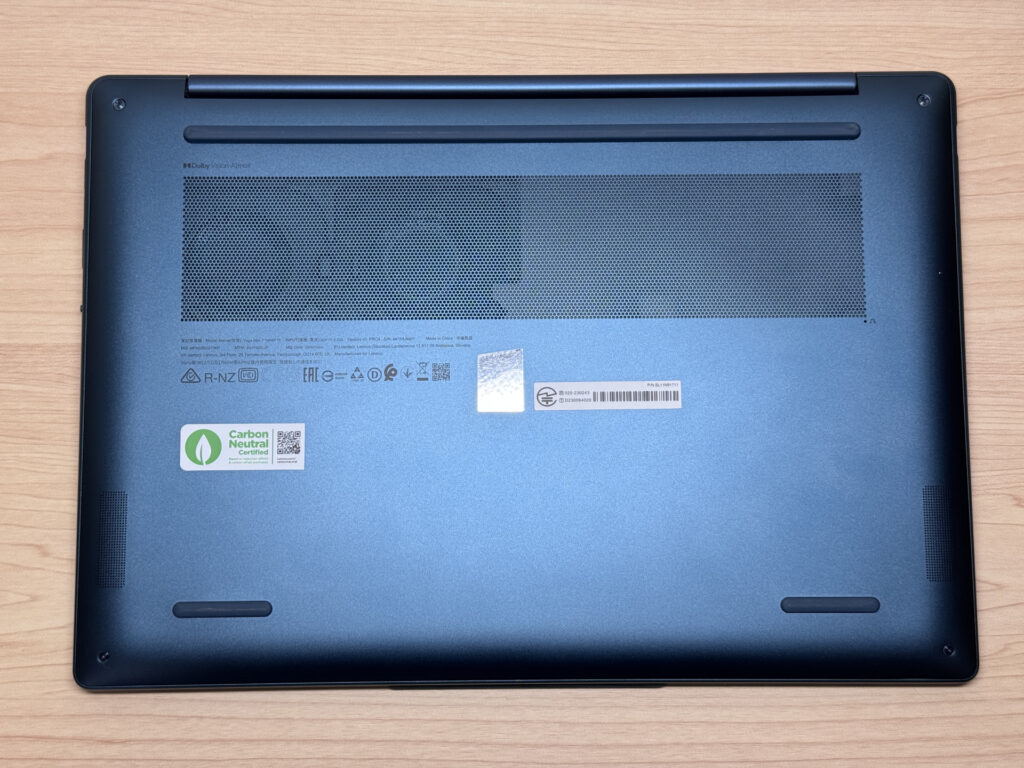 Large rubber feet for a stable typing experience
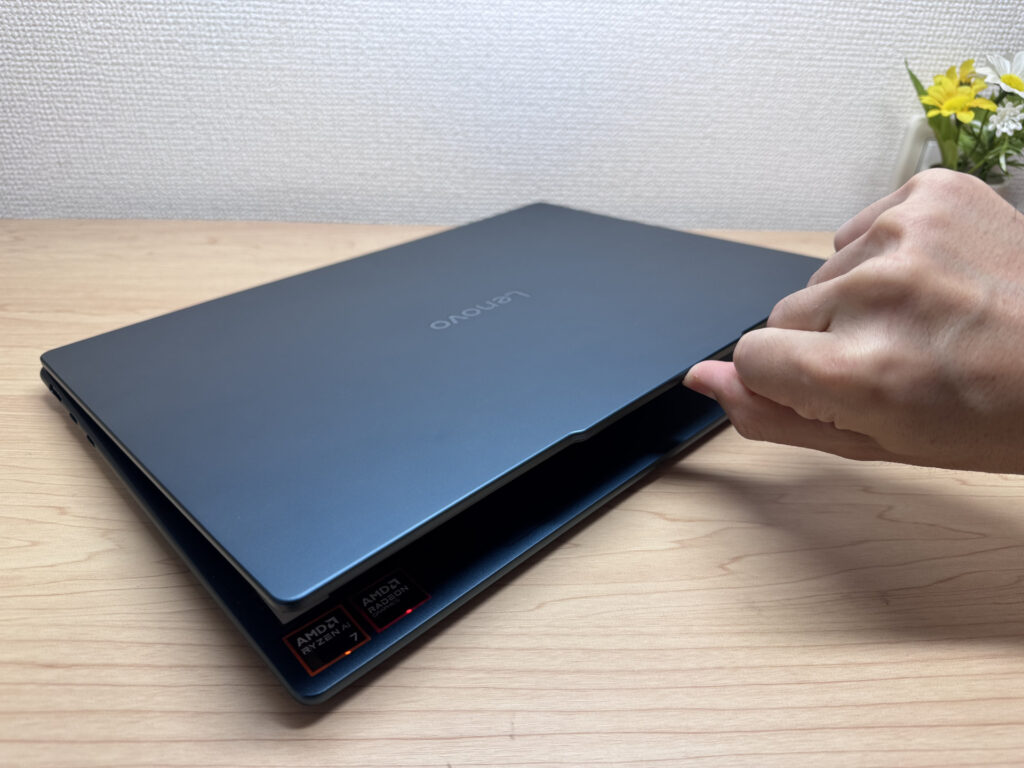 Lid opens smoothly without lifting the base
Portability
On my scales, the Yoga Slim 7 Gen10 (14" AMD) weighed in at 1,299 g (roughly 2.9 lbs) — impressively light for a 14-inch machine. You can pick it up with one hand without any drama, and it's genuinely the kind of laptop you'll never leave at home because it feels too heavy to bother with.
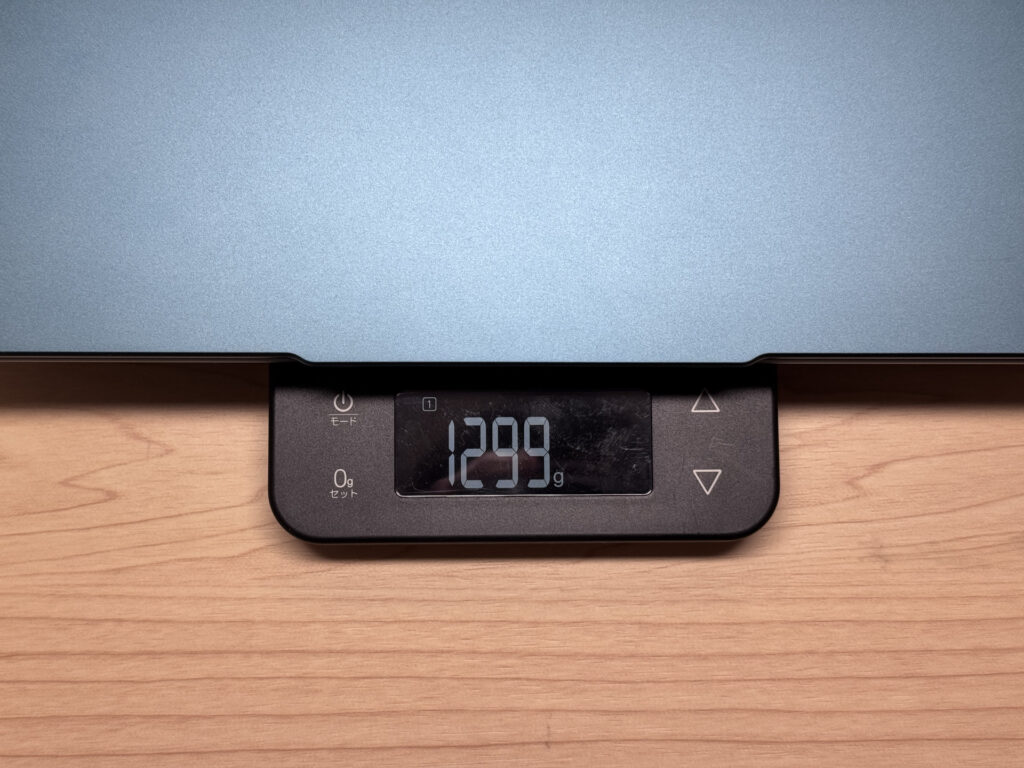 Measured weight of 1,299 g on scales
The bundled charger weighed in at 171 g, which is reasonably compact for what it is. One minor gripe: the AC plug doesn't fold flat, which makes it slightly more awkward to pack neatly. That said, Yoga Slim 7 Gen10 (14" AMD) supports USB-C charging, so you can just throw a compact USB-C charger — an Anker nano or similar — in your bag and leave the original charger at home. Lighter and tidier all round.
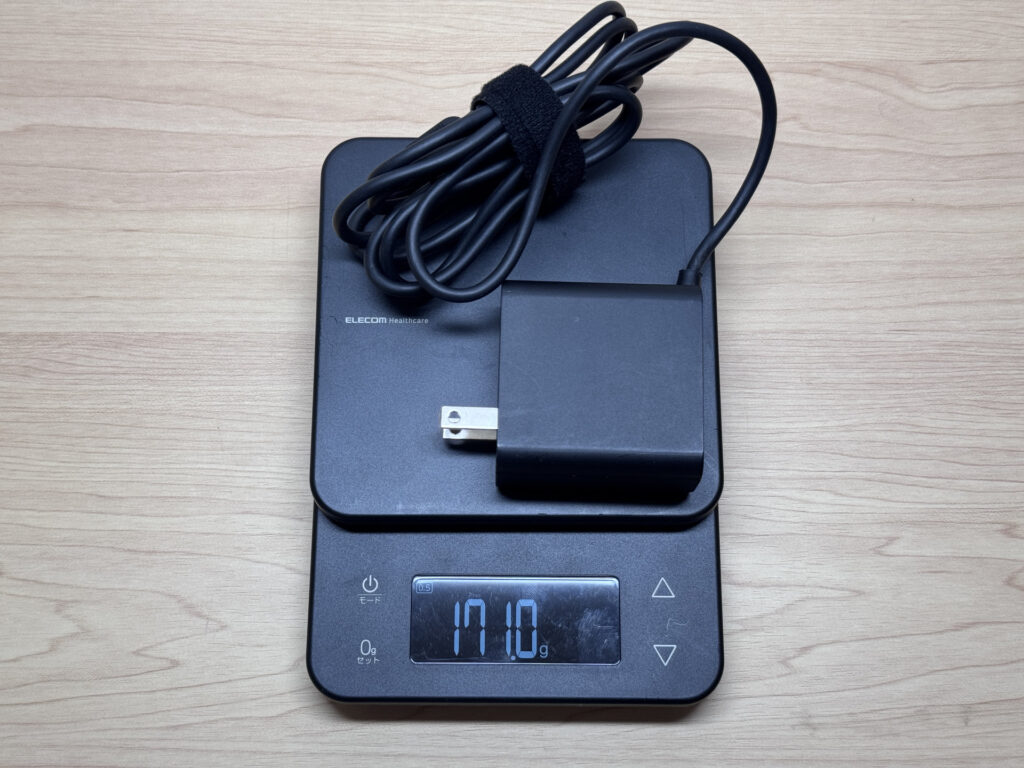 Bundled charger weighing 171 g
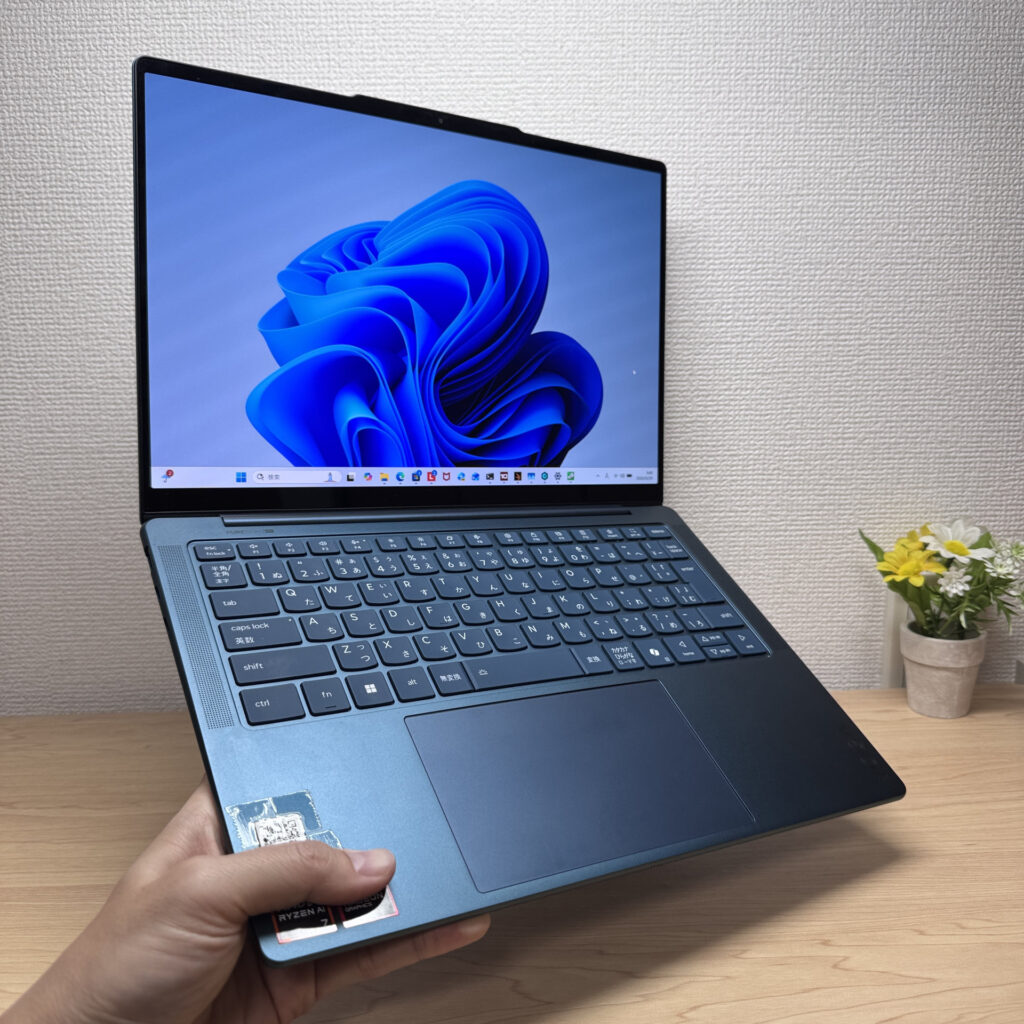 Comfortable one-handed carry
Display Quality
Right, the OLED screen. This is where the Yoga Slim 7 Gen10 (14" AMD) really makes its case. The blacks are genuinely deep, colours pop without looking oversaturated, and the overall image quality is a clear step above a typical IPS panel. At 2880×1800, text is razor-sharp — I actually noticed myself admiring how clean the fonts looked while typing, which isn't something that happens often.
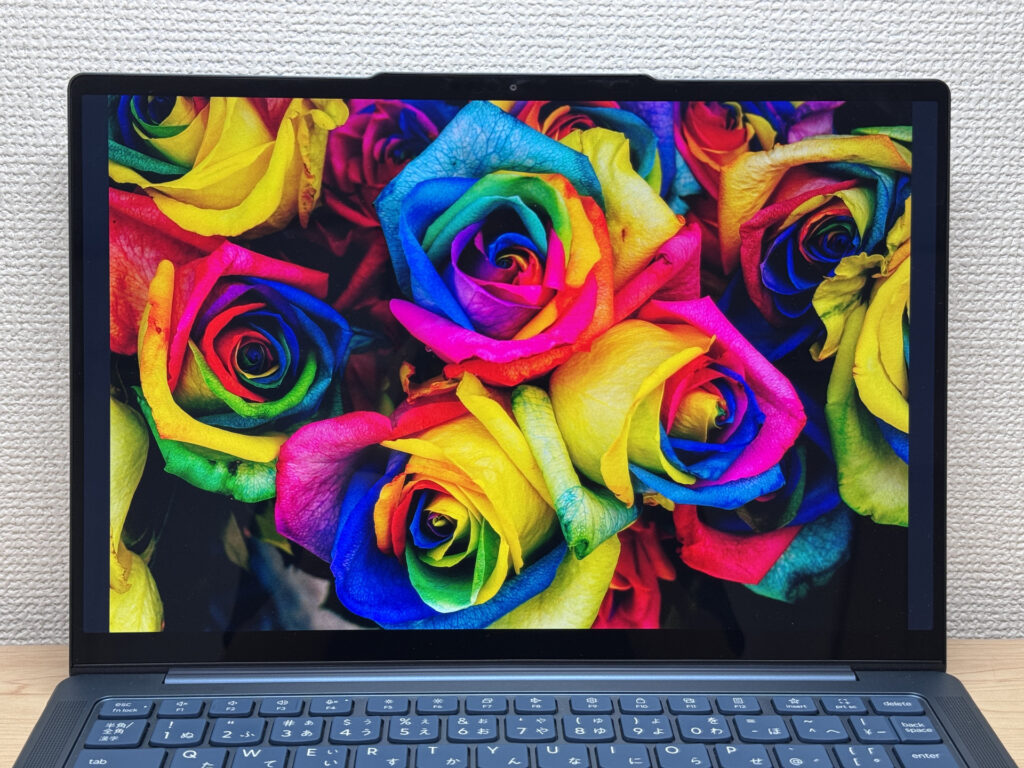 Vivid OLED display showing rich colours
Viewing angles are wide and consistent — colours hold up well from oblique angles, so sharing the screen with someone next to you isn't an issue. Touch input works reliably too, which can be handy if you're used to a tablet workflow or just want to scroll a webpage with your finger occasionally.
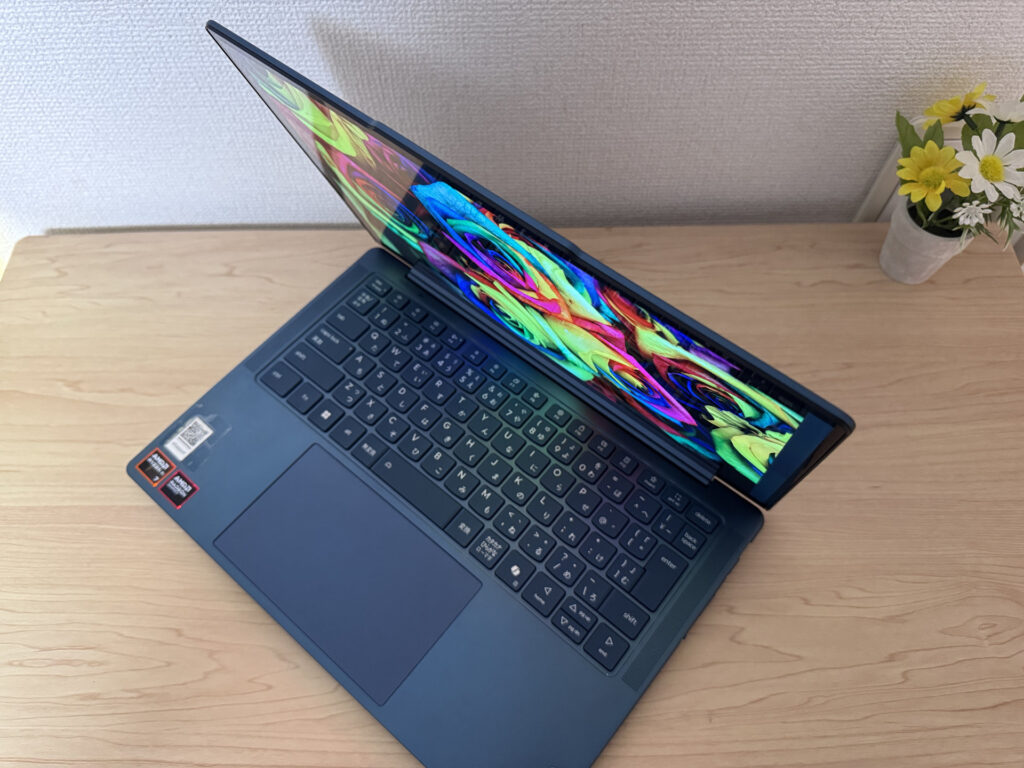 Wide viewing angles with consistent colour
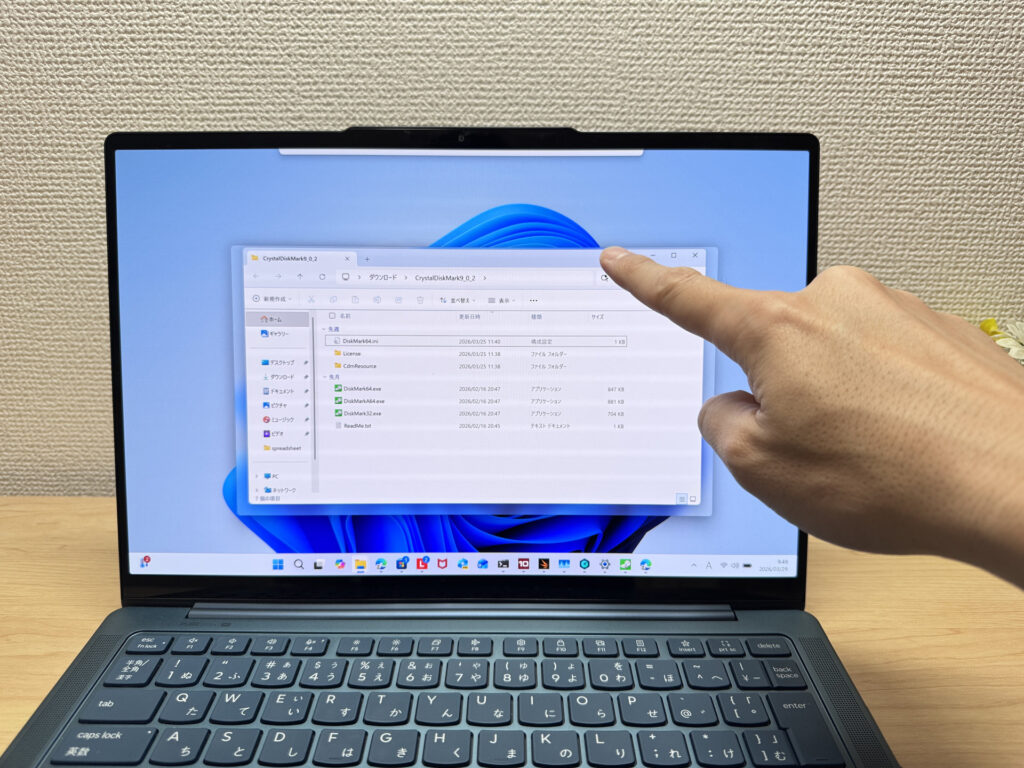 Touch input in use
The 16:10 aspect ratio also helps for productivity — more vertical real estate means less scrolling through documents and web pages, and it adds up. Compared to a 16:9 machine, you genuinely see more content on screen at once.
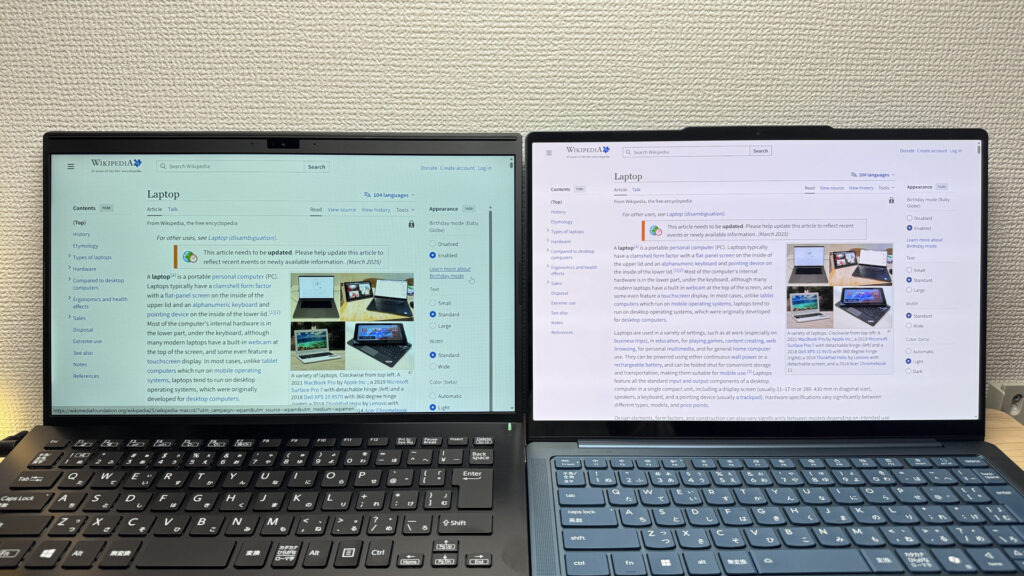 16:10 aspect ratio showing more vertical content
Here's the honest bit though: the glossy panel does reflect. Depending on your lighting — office fluorescents, a bright window behind you — reflections can be distracting. There's minimal anti-glare treatment on the glass. It's the trade-off you make for that OLED image quality, and it's worth being aware of before you buy.
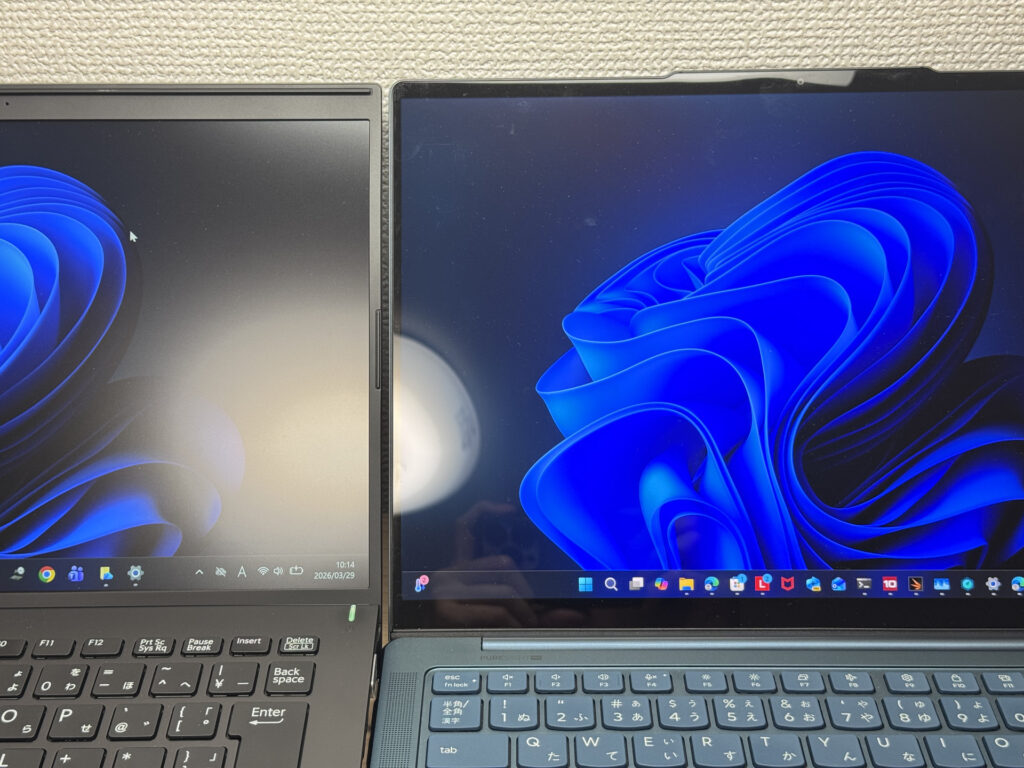 Glossy panel showing some reflections
Keyboard
The keyboard feel is one of the nicer surprises here. The chassis is rigid enough that there's no flex when you're typing hard, and the keycaps have a slightly soft, tactile texture that feels distinctly non-cheap. Long writing sessions — whether that's essays, emails, or code — don't feel like a chore.
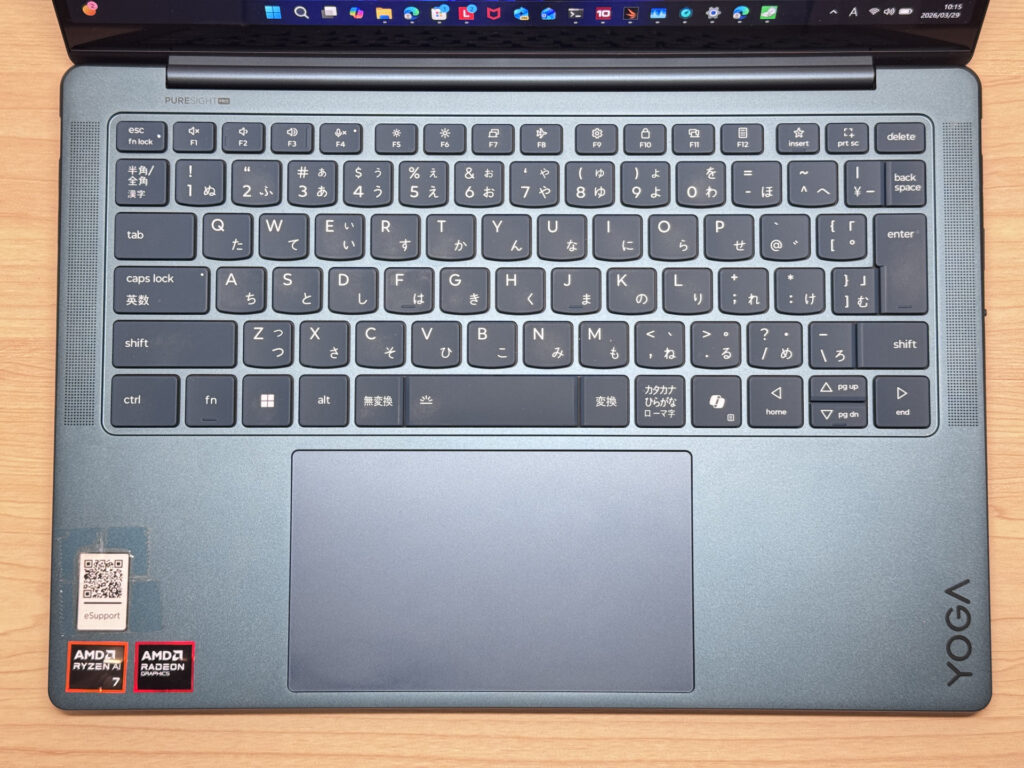 Keyboard layout overview
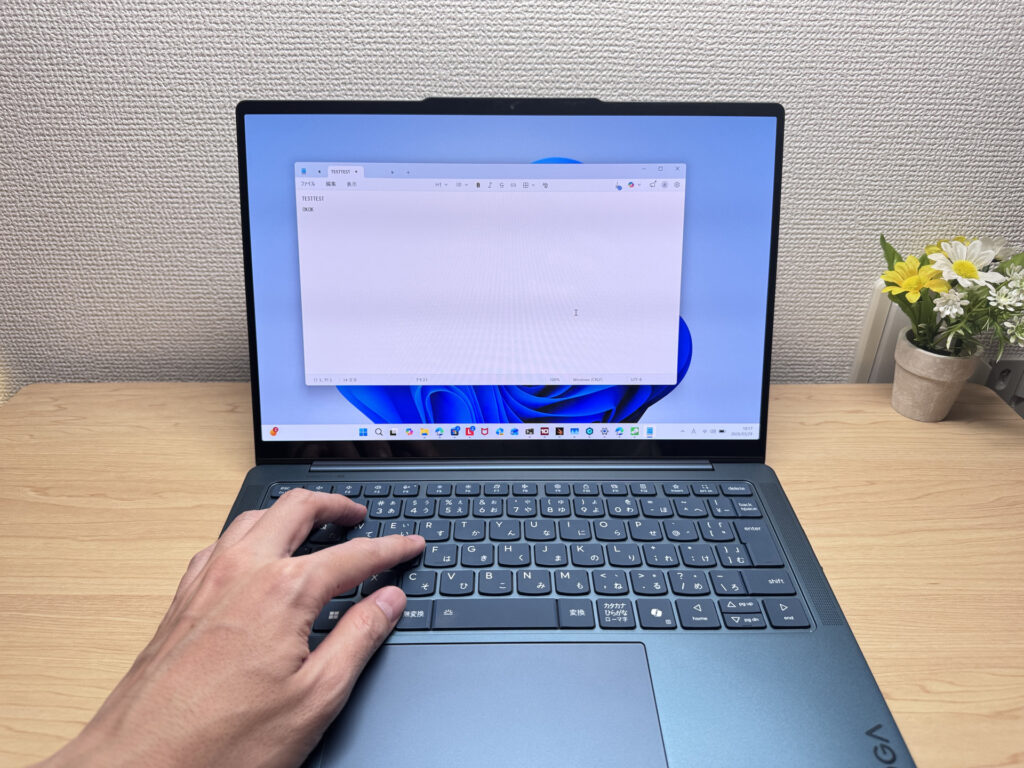 Comfortable key feel for extended typing
Backlight is included, with four levels: off, low, high, and auto. Useful for dimly lit cafés or late-night sessions. Nothing groundbreaking, but it's there and it works well.
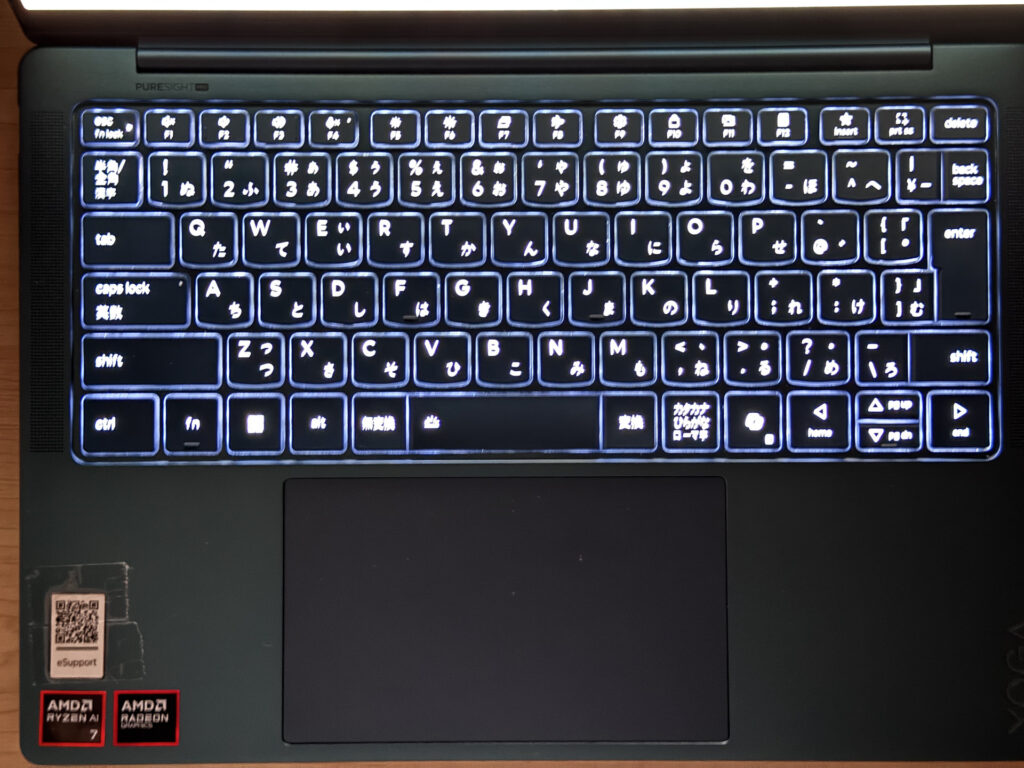 Four-stage keyboard backlight
Trackpad
The trackpad is large, smooth, and genuinely pleasant to use. The click sound is quiet and solid rather than rattly, which matters if you're in a library or a quiet office. Three-finger gestures for switching windows and navigating the browser work responsively — I rarely felt the need to reach for a mouse during normal use.
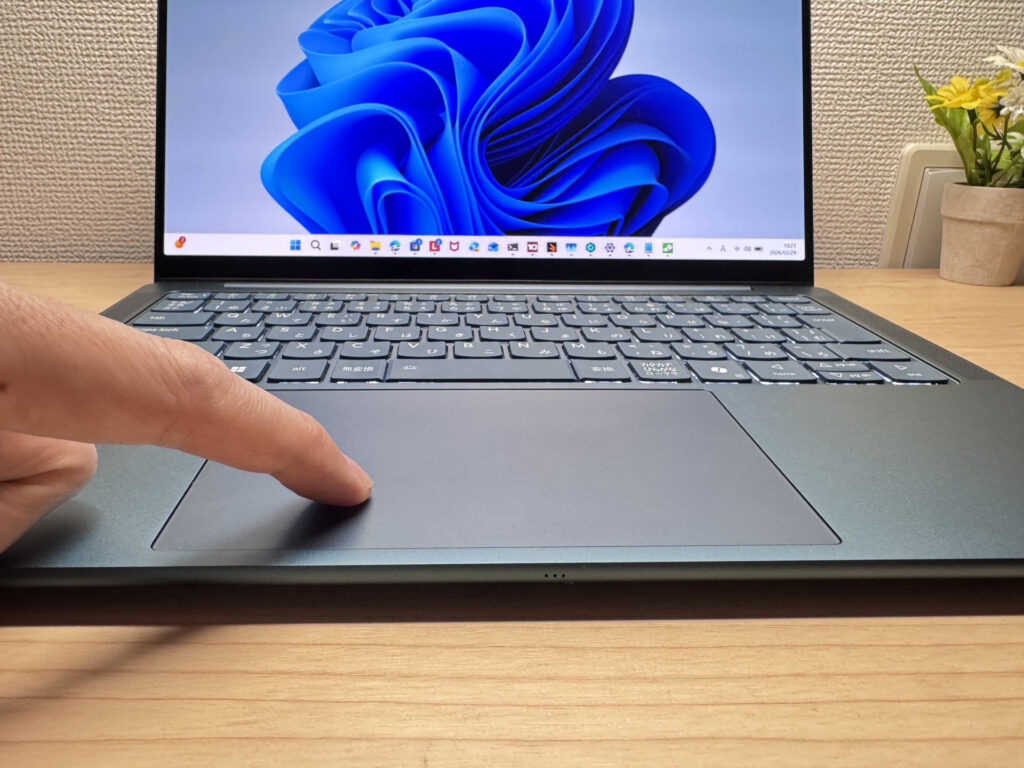 Large, smooth trackpad
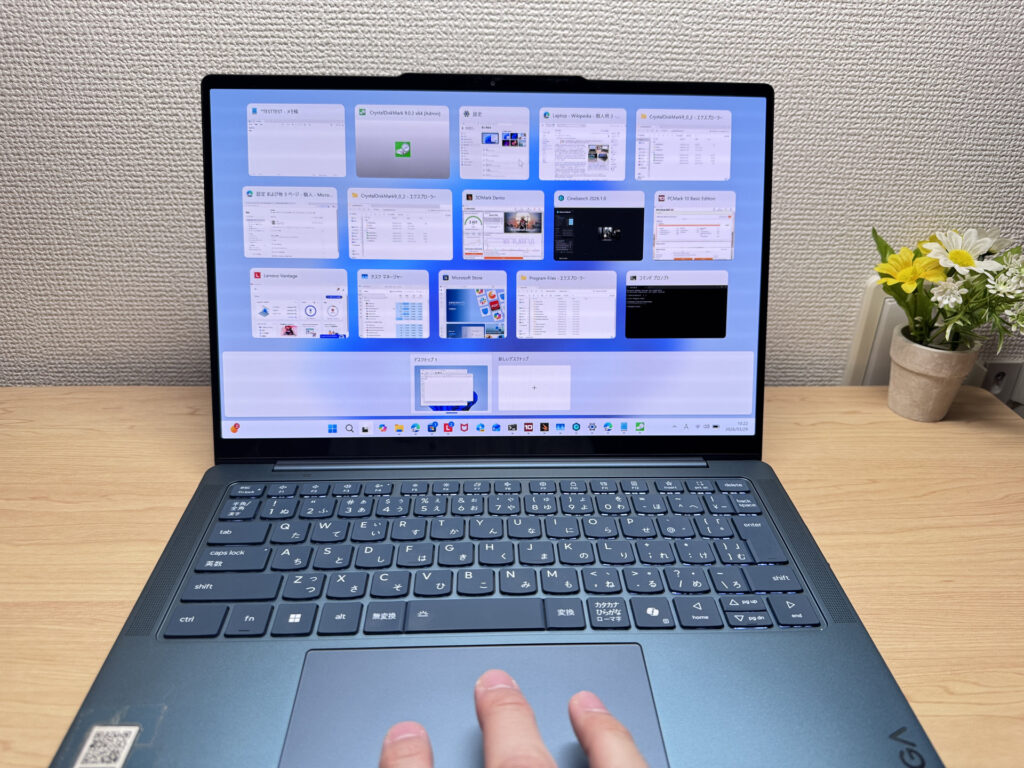 Three-finger gestures working accurately
Performance
PCMark 10 came in at 7,666, which is a solid result. Running multiple apps simultaneously, jumping between browser tabs, and knocking out light video edits all felt comfortable. This is a capable everyday machine.
| Total Score | Rating | What it feels like in real use |
|---|---|---|
| ~4,000 | Bare minimum | Web browsing and simple tasks work, but multitasking or many tabs feels sluggish. |
| 4,000–5,000 | Light use | Daily tasks are doable, but running multiple apps means waiting around. |
| 5,000–6,500 | Comfortable (mainstream) | Handles most work without stress — fine for office, school, video calls. |
| 6,500–8,000 | High performance This PC | Plenty of headroom. Light photo editing and programming feel snappy. |
| 8,000+ | Very high performance | Tackles video editing and heavy workloads. Long-lasting performance. |
*PCMark 10 reflects overall comfort. Actual feel depends on CPU, RAM, and SSD speed.
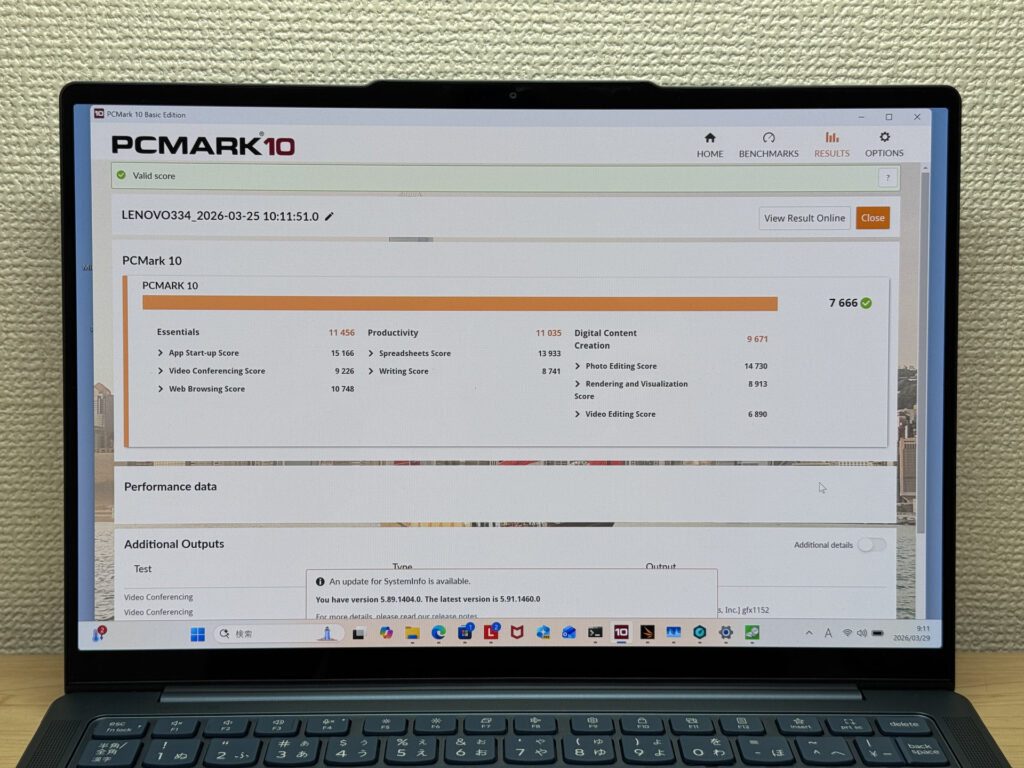 PCMark 10 score of 7,666
Cinebench 2026 multi-thread landed at 3,660 points — a strong CPU result that reflects well in real-world use. The AMD Ryzen AI 7 350 handles sustained workloads without obvious throttling.
| Score | Rating | What it feels like in real use |
|---|---|---|
| Up to 1,000 | Bare minimum | Light tasks work, but heavier processing or multitasking feels constrained. |
| 1,000–2,000 | Standard (power-efficient) | Handles daily tasks, but heavier loads create waiting. |
| 2,000–3,000 | Comfortable (mainstream) | Office, school, video calls all work comfortably. Plenty for most users. |
| 3,000–4,000 | High performance This PC | Comfortable for multitasking, light/medium editing, and dev work. |
| 4,000+ | Very high performance | Handles video editing and heavy workloads with room to spare. |
*Cinebench 2026 is the latest CPU multi-core benchmark. Scores trend lower than R23, so direct comparison isn't valid.
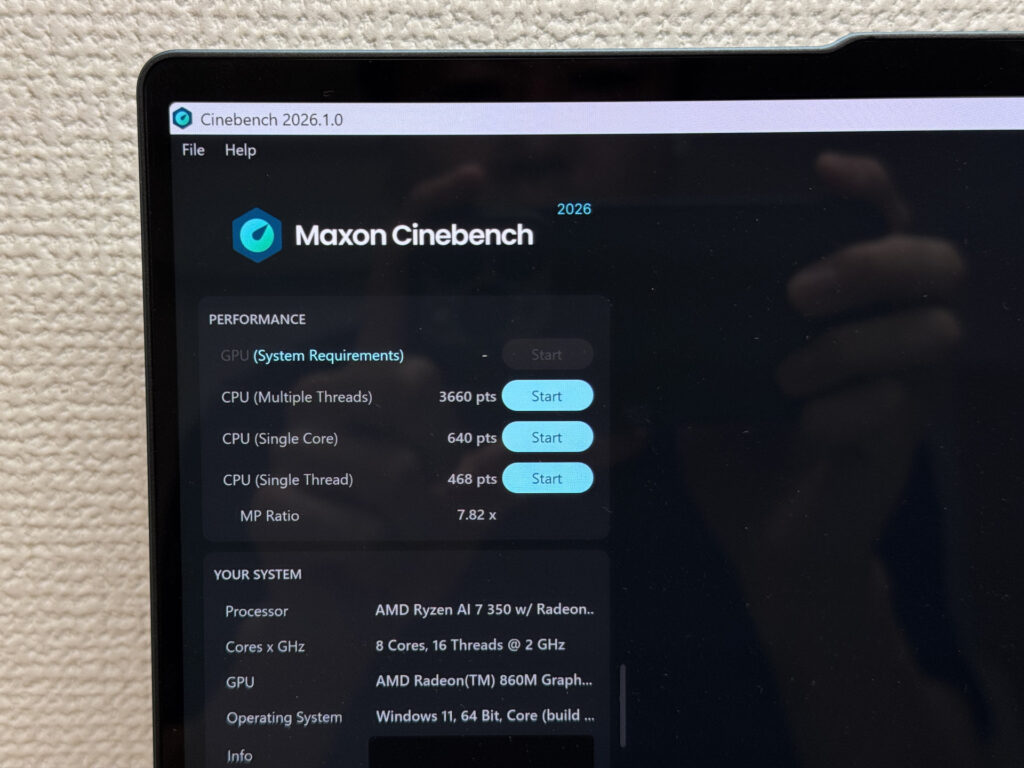 Cinebench 2026 multi-thread score of 3,660
3DMark Time Spy scored 2,431. That's enough to run lighter games at playable settings, though don't expect it to handle demanding titles. Think indie games and older titles rather than the latest AAA releases.
| Score | Rating | What it feels like in real use |
|---|---|---|
| Up to 1,500 | Bare minimum | 3D performance is limited. Modern games and heavy 3D aren't a good fit. |
| 1,500–3,000 | Light 3D This PC | Lighter games and low-load 3D tasks are workable. |
| 3,000–6,000 | Average | Light to medium games are playable depending on settings. |
| 6,000–10,000 | High performance | Most games run comfortably. Real GPU headroom available. |
| 10,000+ | Very high performance | Heavy games and high-quality settings are within reach. |
*3DMark Time Spy measures GPU 3D performance — a proxy for gaming comfort and 3D rendering.
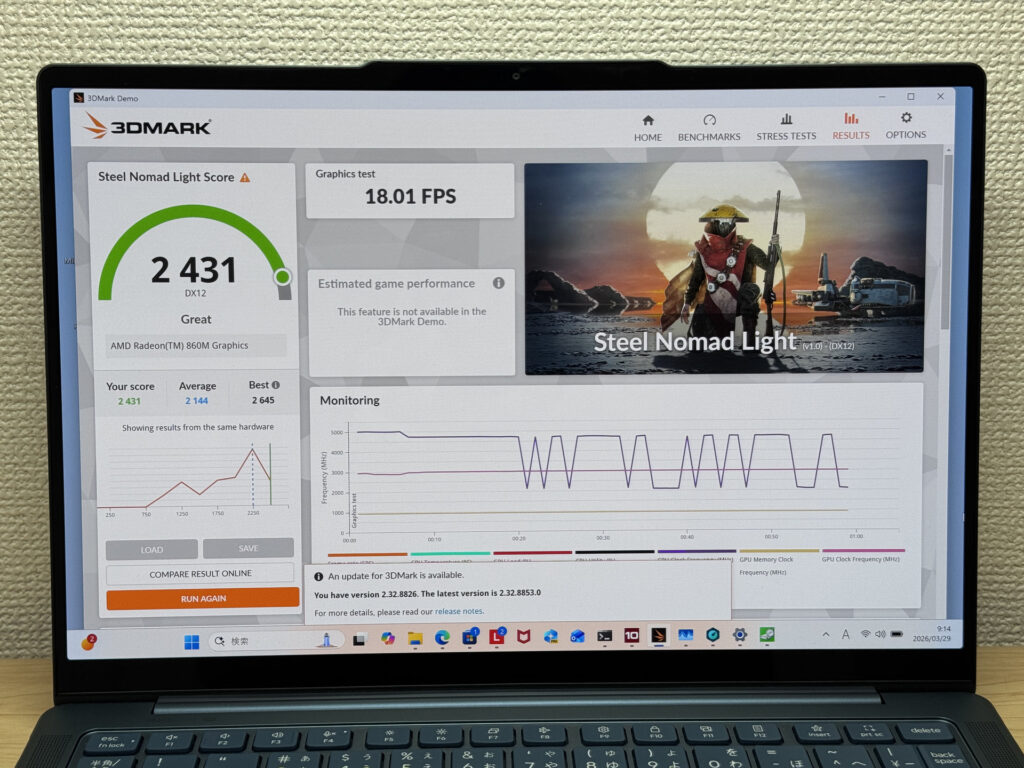 3DMark Time Spy score of 2,431
CrystalDiskMark sequential read hit 6,577 MB/s, which is rapid. Apps launch quickly, large files open without a wait, and the overall snappiness of the system owes a lot to this storage speed.
| Score | Rating | What it feels like in real use |
|---|---|---|
| Up to 600 MB/s | Bare minimum | Faster than HDD, but slow for modern SSDs. App launches feel slightly slow. |
| 600–1,500 MB/s | Average | Fine for daily use, though loading is noticeably slower than top-tier SSDs. |
| 1,500–3,500 MB/s | Comfortable (mainstream) | App launches and file loading feel smooth. No real complaints in daily use. |
| 3,500–5,500 MB/s | Fast | Loads large data and apps quickly. Definitely upper-tier SSD speed. |
| 5,500+ MB/s | Very fast This PC | High-end NVMe territory. Heavy data work without waiting. |
*CrystalDiskMark measures SSD speed. It mainly affects app launch and file loading speed, not overall PC performance.
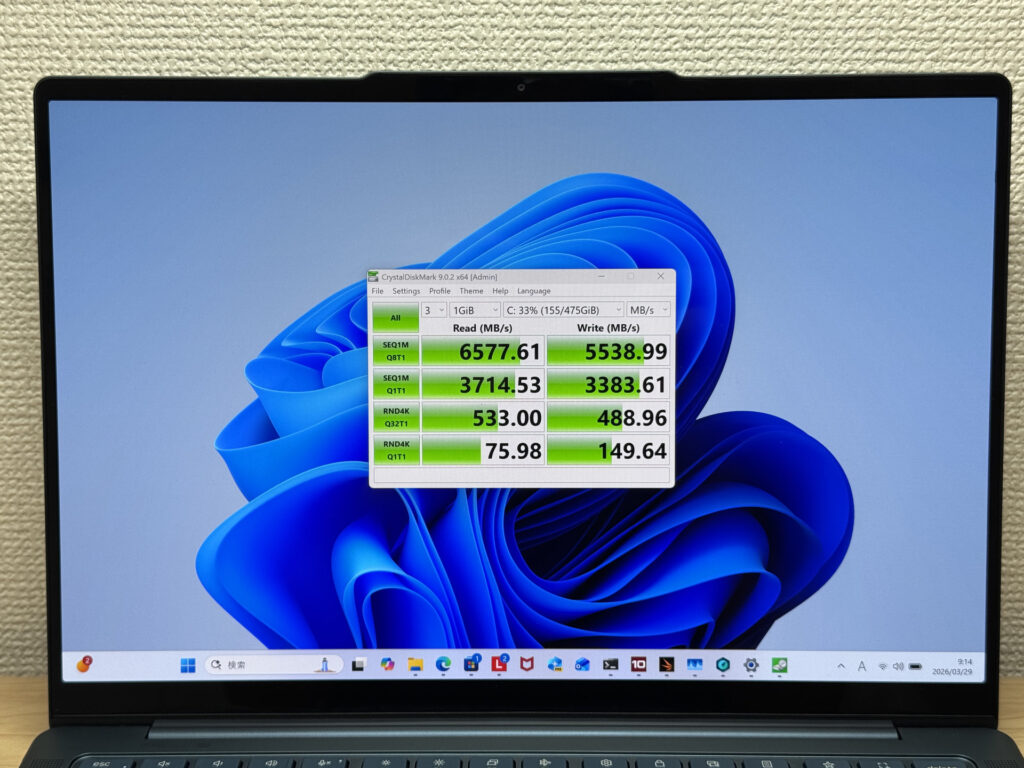 CrystalDiskMark sequential read of 6,577 MB/s
Battery Life
Battery rating: long
For a laptop this thin, a 70 Wh battery is a genuinely impressive spec. I'd say it's one of the most pleasant surprises of this whole machine. The OLED panel at 120 Hz does draw more power than a standard IPS screen, so if you're running the display at full brightness with a heavy workload, you'll notice the battery dropping faster. But for typical day-to-day use — documents, browser, video calls — you should be able to get through a full working day without hunting for a socket.
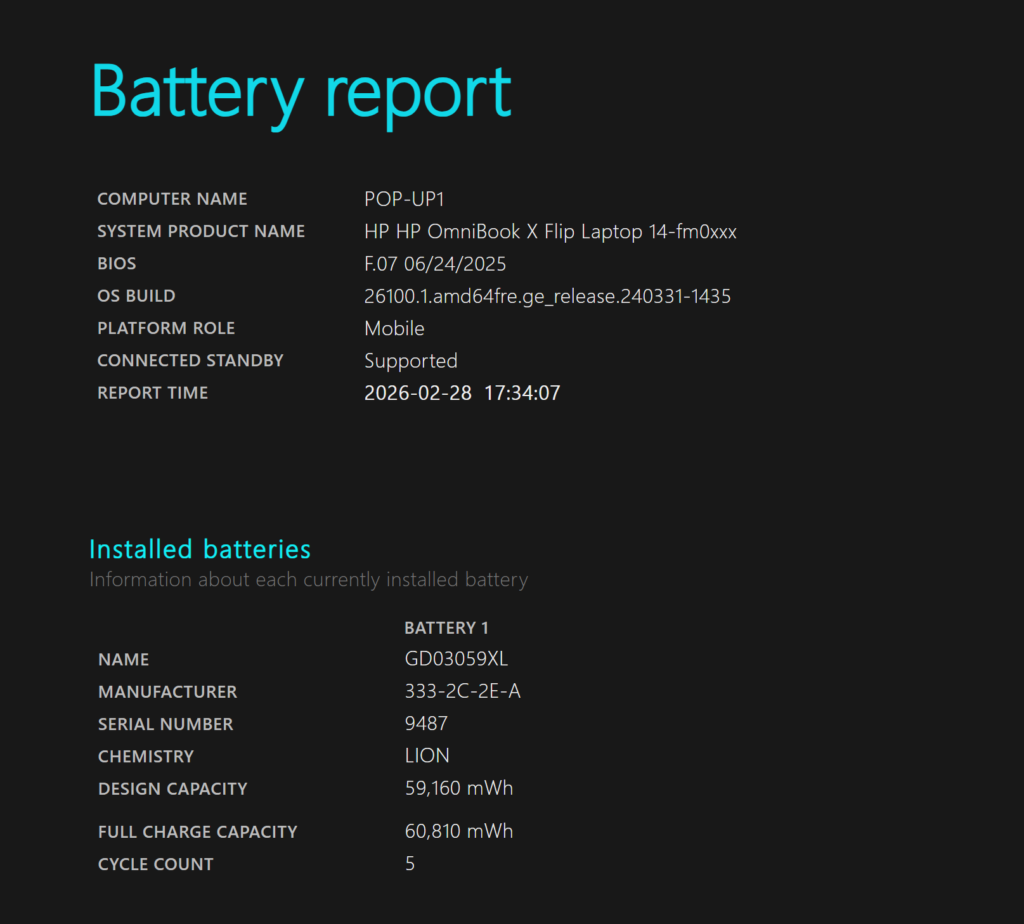 Battery capacity confirmed at 70 Wh
USB-C charging support means you can travel with a small third-party charger rather than the bundled brick, which keeps your bag noticeably lighter. Handy for a day out or a longer commute.
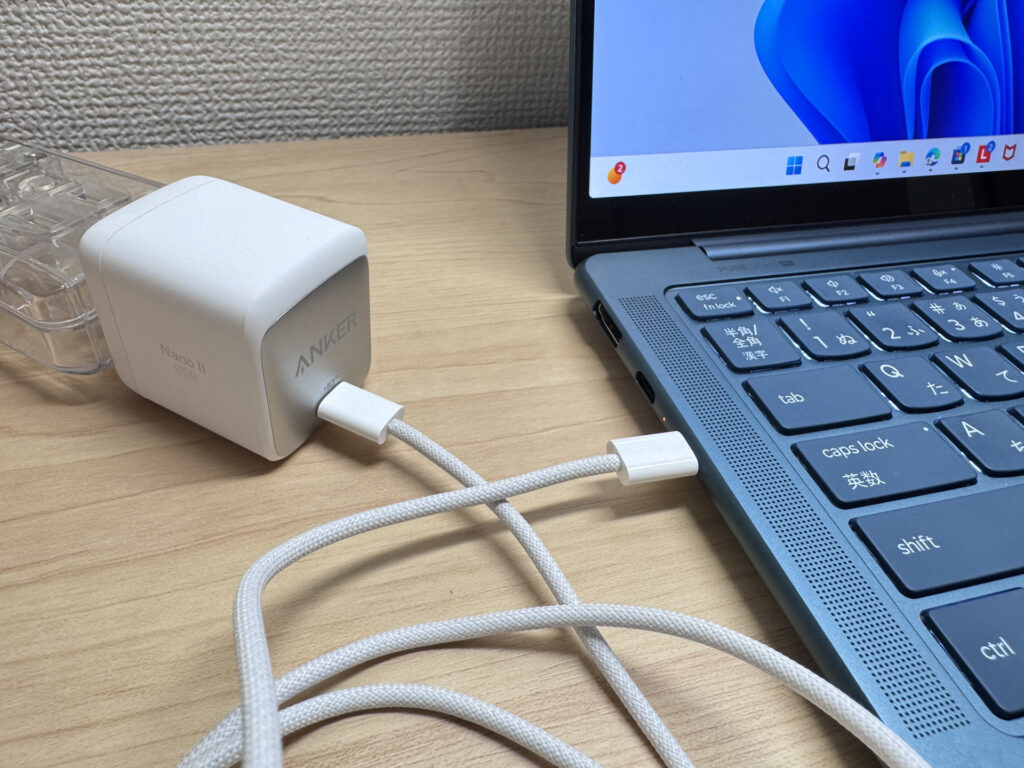 USB-C charging in use
Fan Noise and Thermals
At idle, fan noise measured below 30 dB — effectively silent. You can use this in a quiet library or open-plan office without any self-consciousness about fan noise.
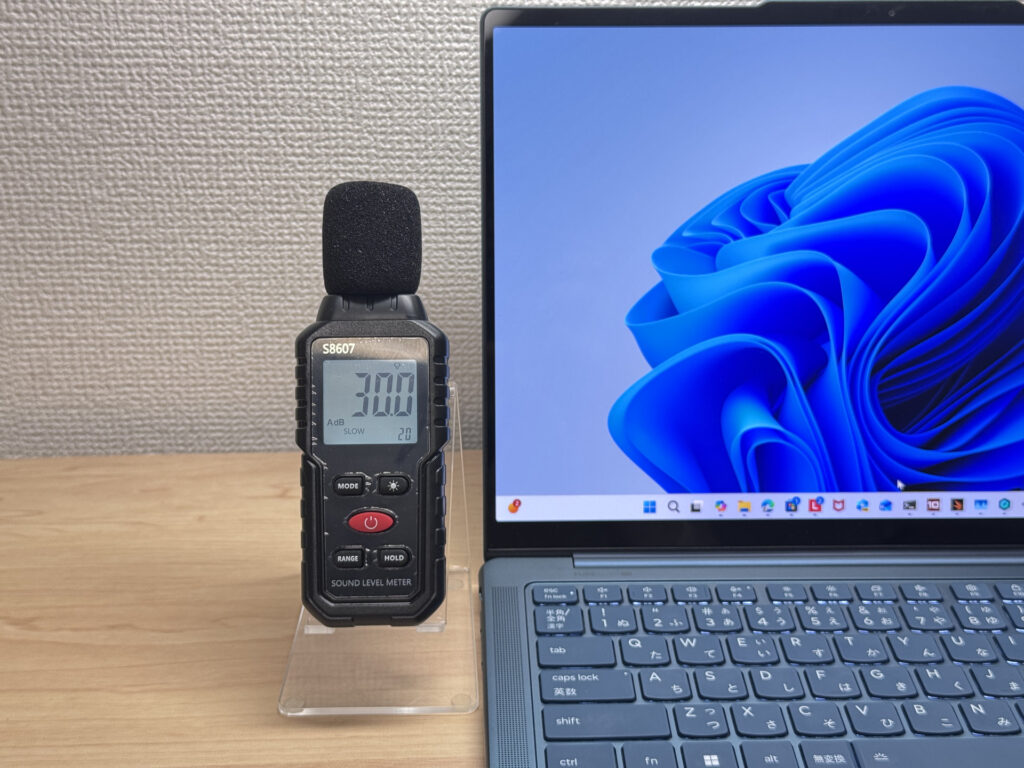 Near-silent fan noise at idle
Under sustained load, it climbed to 42 dB, which is audible. You'll definitely notice it in a quiet room. The flip side is that it's keeping the hardware properly cool, so performance stays consistent rather than throttling. Practical design choice, even if it's not whisper-quiet under pressure.
| Noise Level | Rating | Feel |
|---|---|---|
| Under 30 dB | Near-silent | Fan noise is barely perceptible — library-quiet and ideal for focused work. |
| 30–35 dB | Quiet | Faintly audible but non-distracting. Easy to work in a quiet room. |
| 35–40 dB | Noticeable | You can tell the fan is spinning, but it rarely interrupts work. |
| 40–45 dB | Somewhat loud Load | Can become distracting in quiet environments. Headphones start to help. |
| 45–50 dB | Loud | Noticeable stress over extended use. Cooling is clearly prioritized. |
| 50 dB+ | Very loud | Prominent fan noise under load — gaming/high-performance thermal design. |
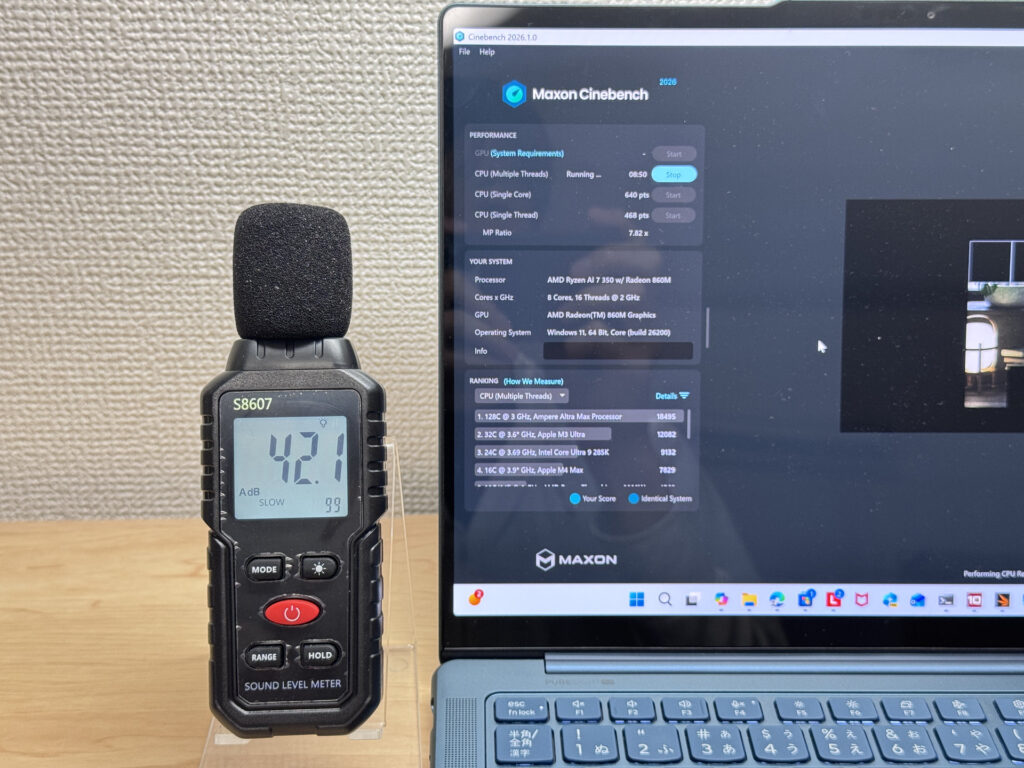 Fan noise measured at 42 dB under load
The exhaust vent sits at the rear of the chassis, so warm air vents away from your hands while you work. If you use a mouse on the right side, you won't feel a stream of warm air across your hand — a small but thoughtful detail.
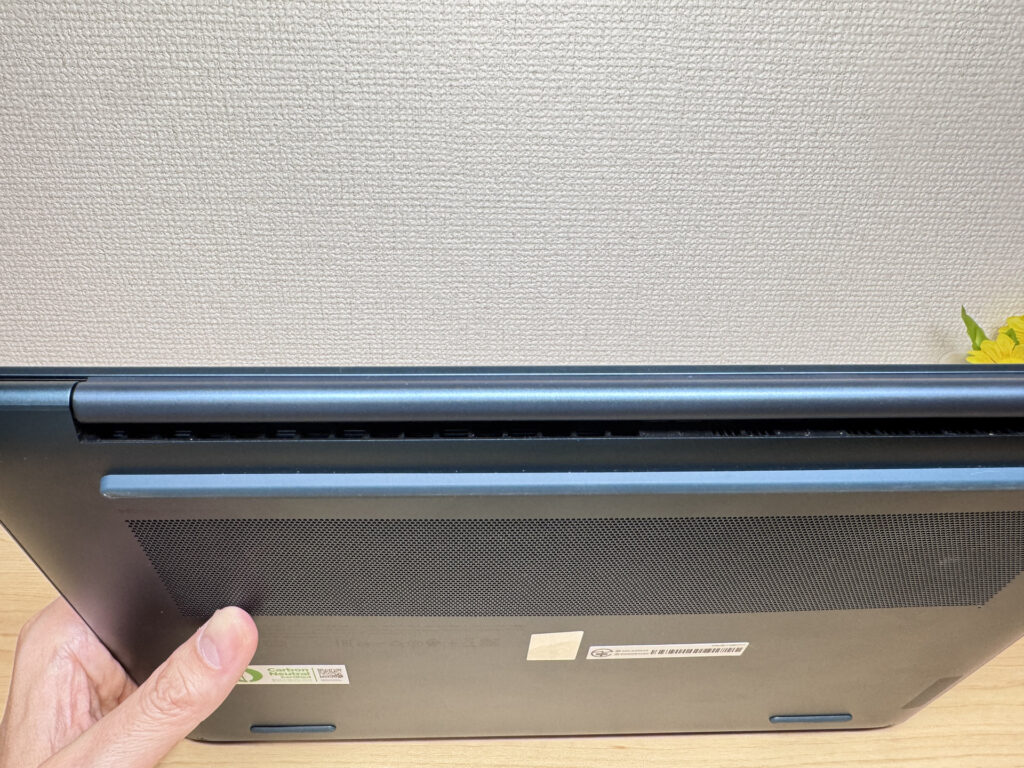 Rear exhaust vent placement
Ports and Connectivity
For a laptop this slim, the port selection is genuinely good: one HDMI, two USB-C (USB4), one USB-A, and a headphone jack. You can hook up an external display and a USB drive without needing a hub or an adapter, which for a thin-and-light is more than you might expect.
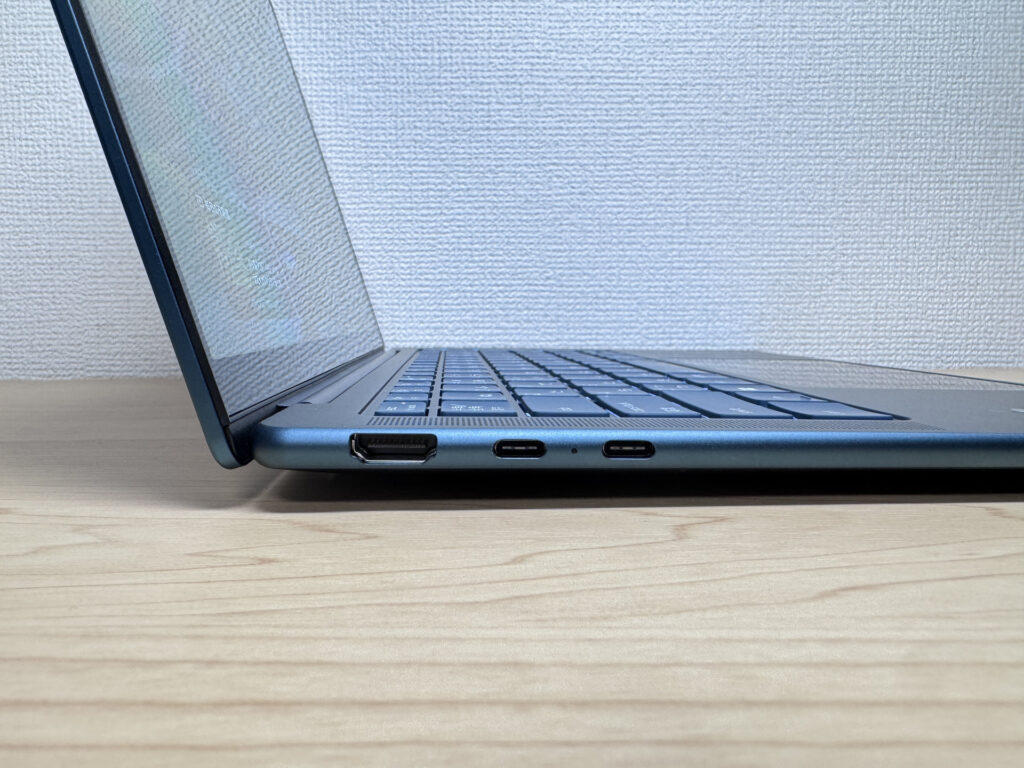 Left-side port layout
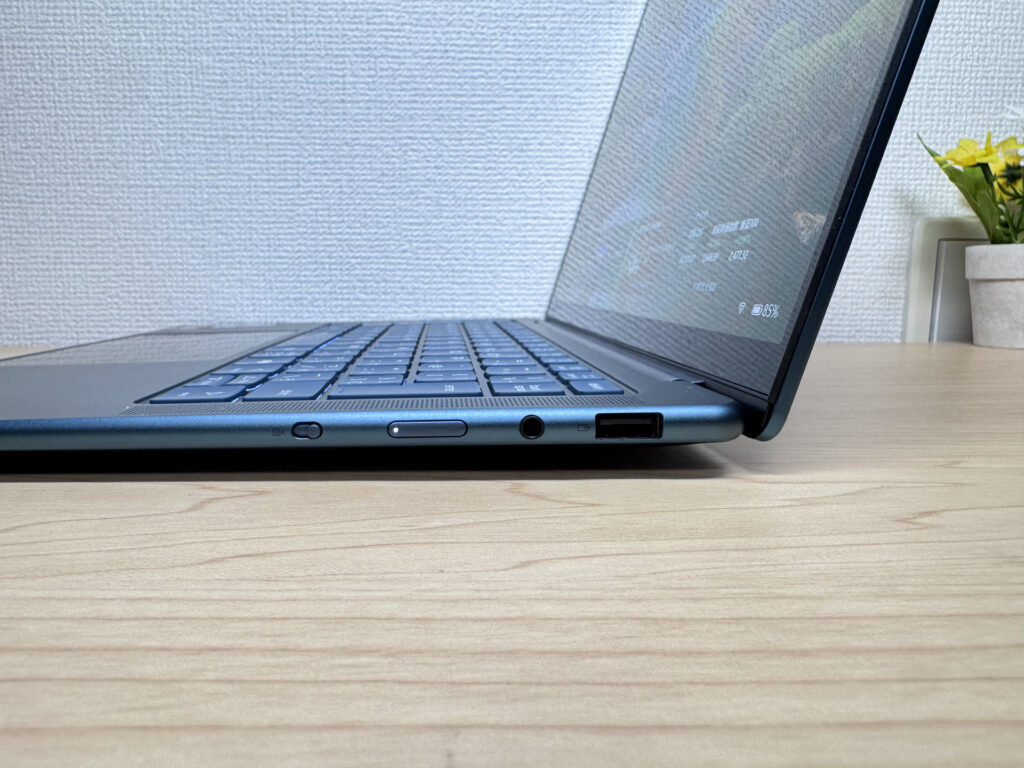 Right-side port layout
I tested HDMI output to a 4K monitor and it worked without any fuss. Equally, I tried driving two external 4K displays simultaneously via both USB-C ports and got a proper triple-display setup running. If you work from home and want a full desktop setup from a single laptop, this handles it well.
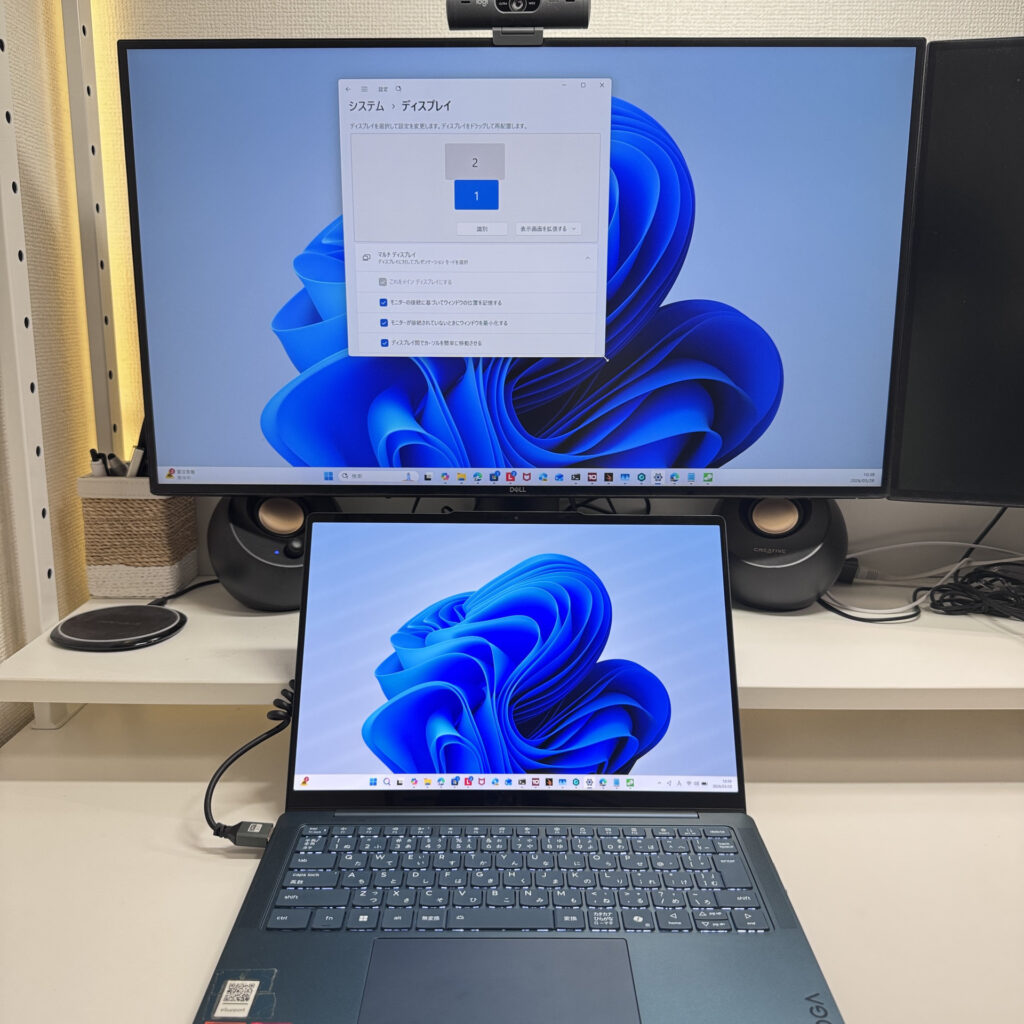 HDMI output to a 4K monitor
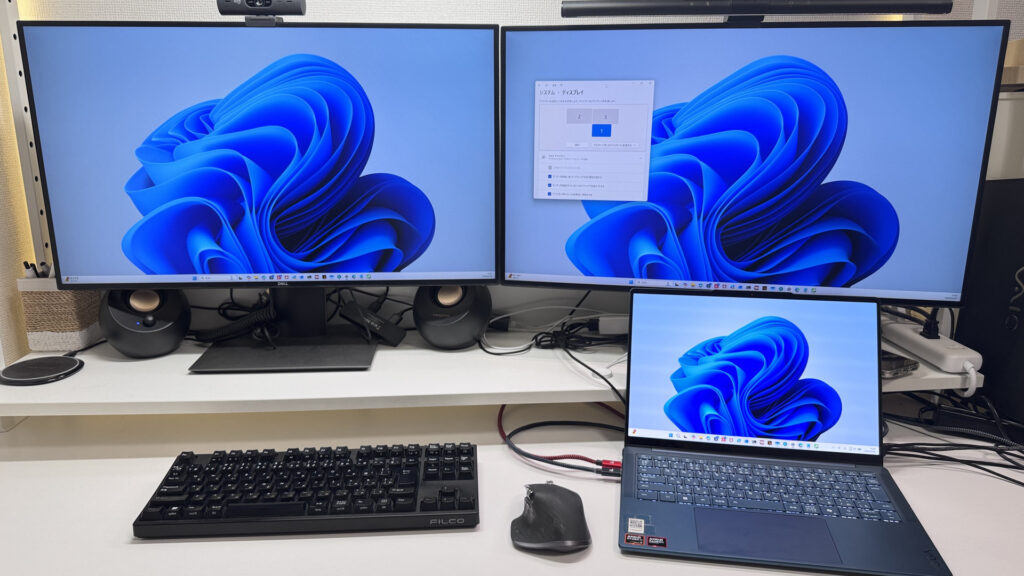 Triple display setup via USB-C
Webcam
The webcam produces a natural, well-balanced image — skin tones look accurate and it copes reasonably well with mixed lighting. Perfectly adequate for video calls and remote lectures.
 Webcam image quality — natural and clear
What I particularly liked is the physical privacy shutter on the right side of the chassis. A quick flick of the switch and the camera is physically blocked — no digging through software settings. It's the kind of feature that sounds minor but you'll use it without thinking once you're used to it.
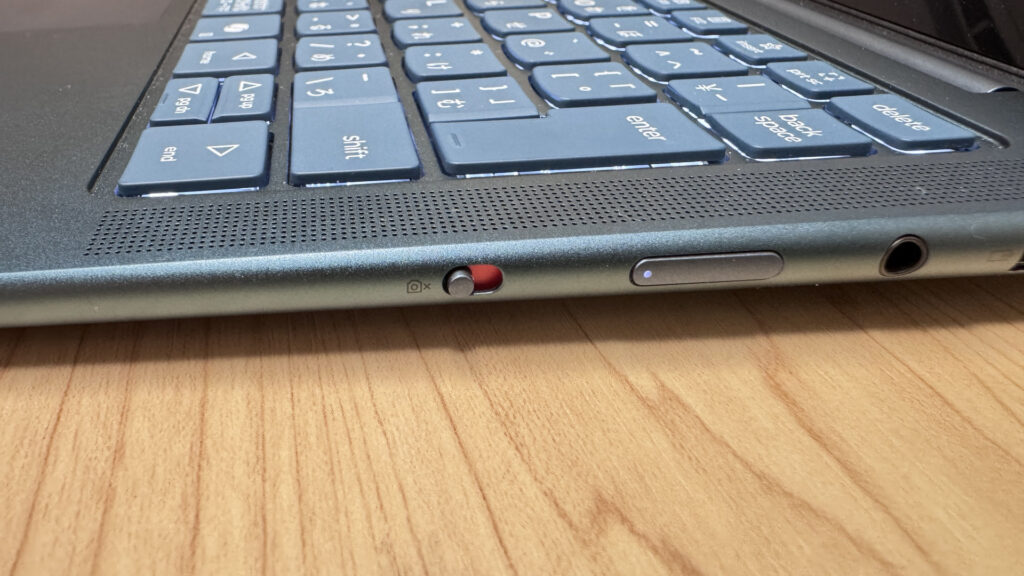 Physical privacy shutter on the side
Speakers
The speakers are better than you'd expect for a laptop in this class. There's actual bass presence rather than the thin, tinny sound you get from a lot of slim machines. Watching films on this feels like a proper experience rather than a compromise. Good news if you spend a lot of time on Netflix or YouTube.
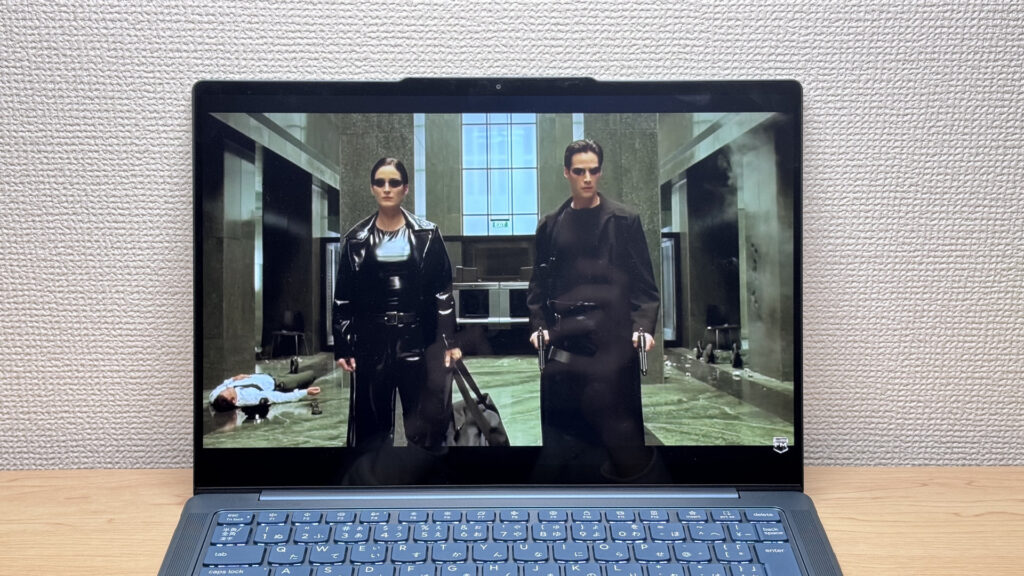 Speaker grille — solid audio output
Security
Face unlock via Windows Hello is fast and reliable. Open the lid, glance at the screen, and you're in — no PIN, no password. Once you've used it for a week, going back to typing a password feels oddly archaic. A nice touch for getting straight into work in the morning.
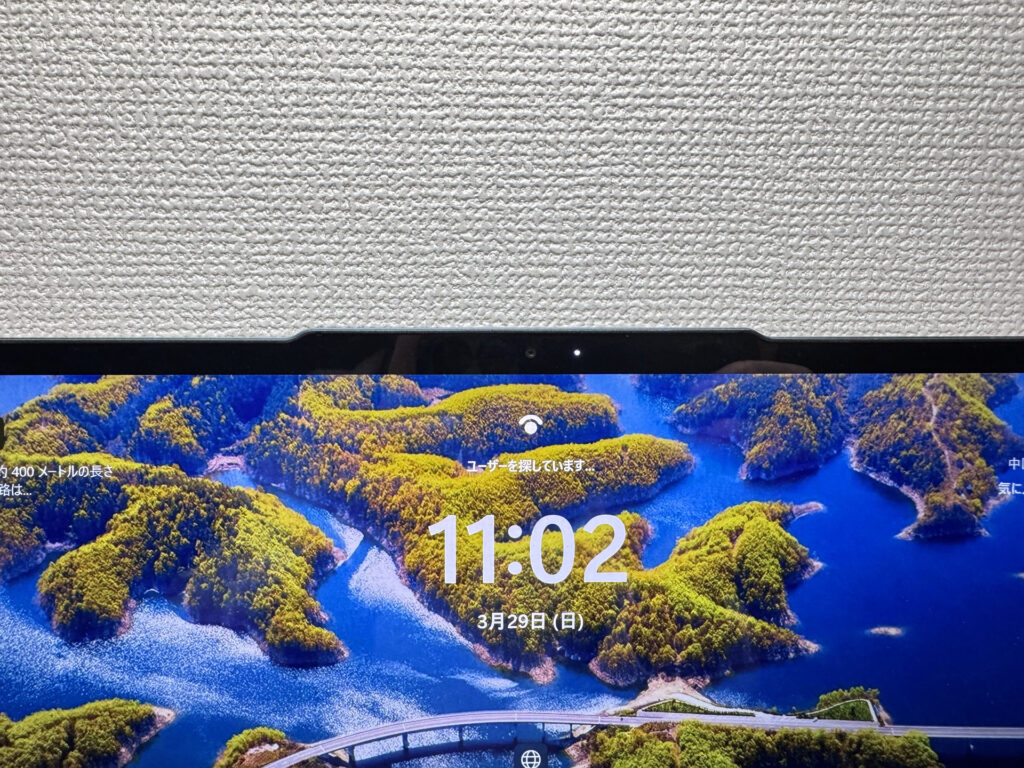 Face recognition login
Verdict
The Yoga Slim 7 Gen10 (14" AMD) packs a lot into a slim, light chassis: a genuinely beautiful OLED display, strong everyday performance, a 70 Wh battery, and a port selection that punches above its weight. At around 1.3 kg / 2.9 lbs, it's the kind of laptop you stop noticing in your bag, which is exactly the point. The glossy panel reflections are a real-world trade-off worth knowing about, and fan noise under load is noticeable — so it's not a flawless package. But for students and professionals who carry their laptop everywhere and want a great screen to work and watch on, it's a seriously strong option in the mid-range.
✅ Good fit if you…
- Carry your laptop every day
- Want an OLED screen for both work and streaming
- Need all-day battery without stressing about finding a socket
- Want to connect to a monitor or projector without a dongle
⚠️ Think twice if you…
- Need it for demanding games or serious video editing
- Work in a very quiet environment and often push the CPU hard
Slim, light, and OLED — the strongest mid-range pick if portability is your priority.
Where to Buy
* Prices may vary. Please check each store for the latest price and availability.
About the author