

I'm an engineering student and I need a laptop, but I've no idea what spec I actually need — I might end up using CAD software at some point. Do I really need a dedicated GPU? I'd rather not spend a fortune, but I don't want to get this wrong either. Someone please help me out 😂
Hello, Takumi here from ZippyLaptop.
Heading into an engineering degree, or already there, and stuck on which laptop to buy? Engineering conjures up images of heavy CAD work and simulations, so it's easy to find yourself thinking "surely I need something gaming-grade and expensive..." 😅
But rush into buying an unnecessarily high-spec machine and you can easily end up paying £500 or more extra for power you never really use. Go too cheap the other way, and you'll be sat there watching your simulation software freeze mid-analysis, which is its own kind of stressful. Getting this balance right is genuinely the hard part of choosing an engineering laptop.
So let's bring in some expert opinion 👍 I've reviewed well over 100 laptops at this point, and in this piece I'm narrowing down what actually matters for engineering students to three key points.
One thing before we start, though: your university or department often hands out a "recommended spec" (system requirements) list, so check that first if you have one. If you don't, or you're still not sure, the guidance in this article will keep you well within safe territory. Right, let's get into it!
Quick Answer
I'll get straight to the point.
For engineering students, a light laptop with at least 16GB RAM, a recent CPU and integrated graphics covers most needs!
Based on the conclusion above, here are the 3 laptops I'd recommend first.
If you're stuck deciding, picking from this shortlist will rarely lead you wrong.
The rest of the article breaks down the differences and how to choose.
Our TOP 3 Picks
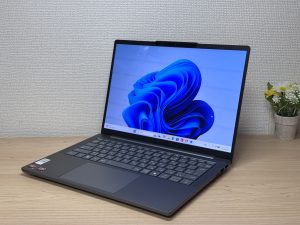
OLED brilliance at a fair price — handles work and media, wherever you are.
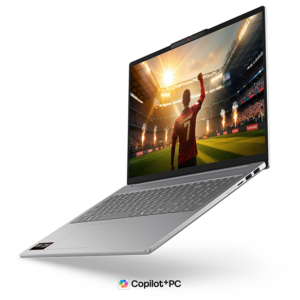
16-inch OLED at just 1.69kg — big screen, proper portability, built for engineering students
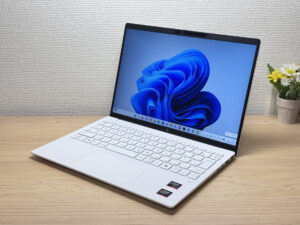
Under a kilo and ready for the daily commute — a well-rounded travel laptop
Buying Guide
Specs: 32GB of RAM is the heart of an engineering laptop — sort this before a dedicated GPU
Let's get straight to it: the single most important thing for an engineering laptop is RAM — 32GB if you can stretch to it. Sort this out before you spend a penny on a dedicated GPU. Here's a rough guide 👇
- CPU: latest-generation Intel Core 5 / AMD Ryzen 5 or above (no need to overthink this unless you're looking at an outdated or suspiciously cheap model)
- RAM: 16GB minimum, 32GB if possible (this is the one that matters most)
- Display: IPS or better — OLED is easier on the eyes if you're staring at it for hours
- Storage: 512GB or more (design files and simulation data are hefty, so 256GB will feel tight)
- GPU: integrated graphics (Intel Arc / AMD Radeon) is plenty for most people
The mistake I see a lot is assuming engineering automatically means you need a gaming-grade dedicated GPU, and ending up with a far pricier laptop than you needed 😂. But integrated graphics in 2026 are a different beast from a few years back — genuinely strong now. AutoCAD and Fusion 360 run just fine on integrated graphics, and course-level CAD work is well within its capabilities.
Of course, "engineering" covers a lot of ground. Someone doing heavy 3D CAD and simulation work in mechanical, aerospace or civil engineering has very different needs to someone in electrical, electronics, computer science or chemical engineering who's mostly running MATLAB and writing code. A dedicated GPU genuinely earns its keep only for a smaller group — those working with large 3D assemblies, proper rendering, or GPU-heavy simulation. If that's you, your budget will need to go up, and I'll be upfront about that.
So for most engineering students, putting your money into 16GB of RAM minimum (32GB ideally) before adding a few hundred pounds for a dedicated GPU will make a far more noticeable difference day to day.
 Even the GPU built into modern CPUs packs a decent punch these days
Usability: a light 14-inch is the default, but a sub-2kg 15-inch works too
If portability's a priority, a light 14-inch model is generally the way to go. Engineering students end up carrying their laptop between lecture theatres, home and the lab pretty much every day, so the more time it spends in your bag, the more weight matters 👍
That said, if you want more screen real estate to work with, a portable 15-inch is well worth considering too. Plenty of 15-inch models now come in under 2kg, so you can get a bigger screen without giving up on portability. A larger display doesn't necessarily mean a higher price either, so going bigger is a perfectly reasonable choice — as long as it's still light, mind.
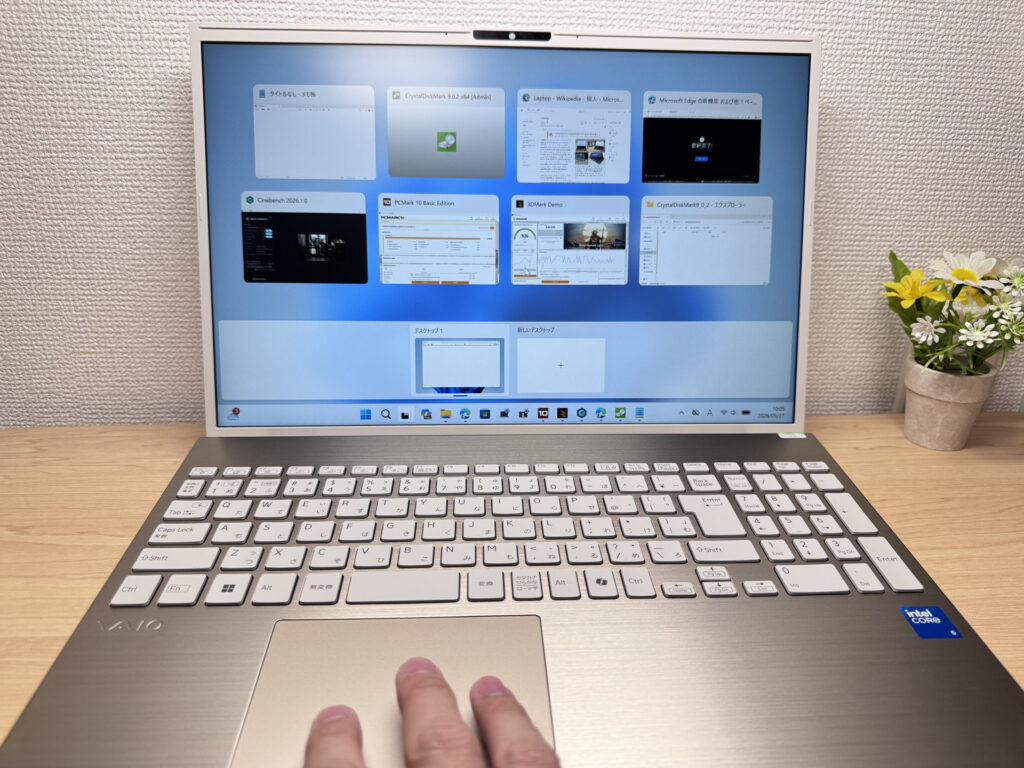 With a 15 to 16-inch screen, you can work comfortably on a bigger display even around campus
There's one thing to flag on the OS front: staple CAD packages like SolidWorks, Inventor and Revit are Windows-only and won't run on a Mac. Macs are stylish and tempting, I know, but if there's any chance you'll be doing serious CAD work in engineering, it's safer to steer clear.
So going for a light, portable Windows laptop solves both problems at once — the daily carrying burden, and the worry that your software won't run when you need it.
Price: it basically comes down to RAM — expect around £1,000 for 16GB
Price matters too, obviously, when you're a student. The rule of thumb here is "the price is basically set by the RAM". Go for a 16GB model and you're looking at roughly £1,000. Bump it up to 32GB and the price climbs accordingly.
A common mistake is over-speccing and blowing well past your budget. But going the other way and grabbing the cheapest 16GB base model just because it's cheap, only to watch it freeze during a simulation, is just as much of a waste. A bigger screen doesn't automatically mean a bigger price tag, so it makes more sense to set your budget around "how much RAM can I get" rather than "how big a screen can I get".
So use 16GB (around £1,000) as your baseline, and step up to 32GB if your budget allows — you won't go far wrong with that approach.
 Lenovo and HP tend to offer the best value for money — makes sense, given they're the world's number 1 and 2 laptop makers.
Our Picks
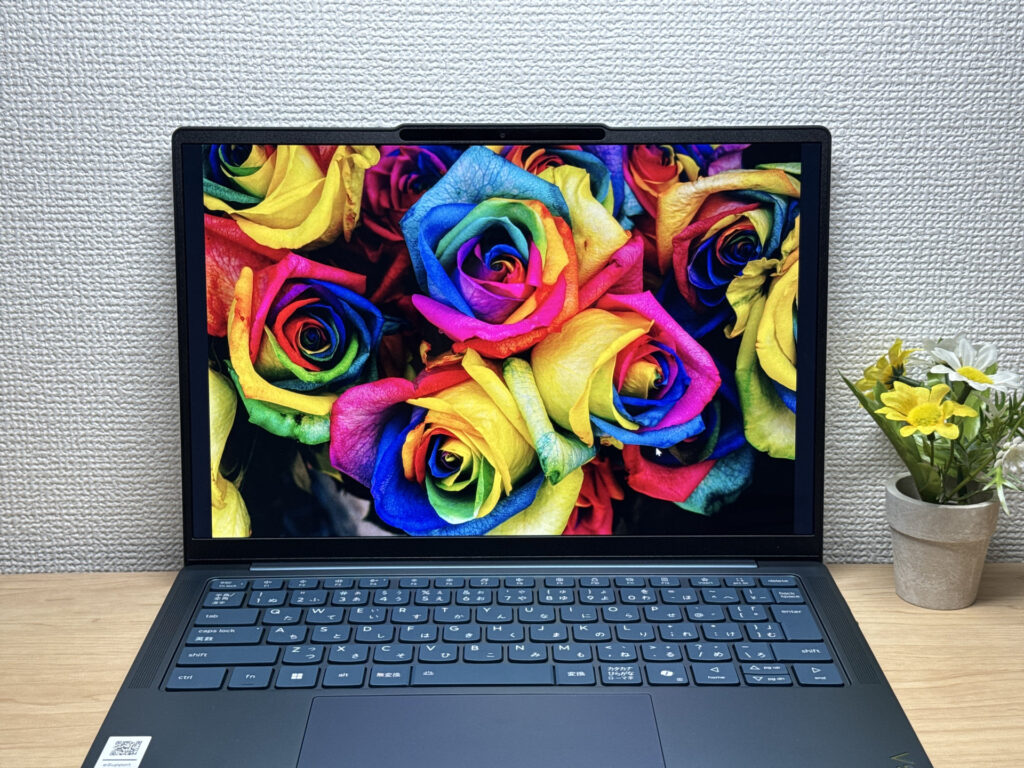
#1Lenovo IdeaPad Slim 5 Gen 10 (14-inch AMD)
- ·You carry your laptop to work or uni every day
- ·You want a great screen for films and streaming
- ·You need all-day battery life away from a power socket
- ·You need to connect up quickly in meetings or lectures
- ·Demanding gaming or heavy video editing is your primary use case
- ·You regularly do intensive tasks in quiet environments
Key Specs
- CPU
- AMD Ryzen AI 5
- Display
- 14.0-inch
- RAM
- 16GB
- Weight
- 1.39 kg (3.06 lbs)
- Storage
- 512GB SSD
- Battery
- ~19.8h
Why We Picked It
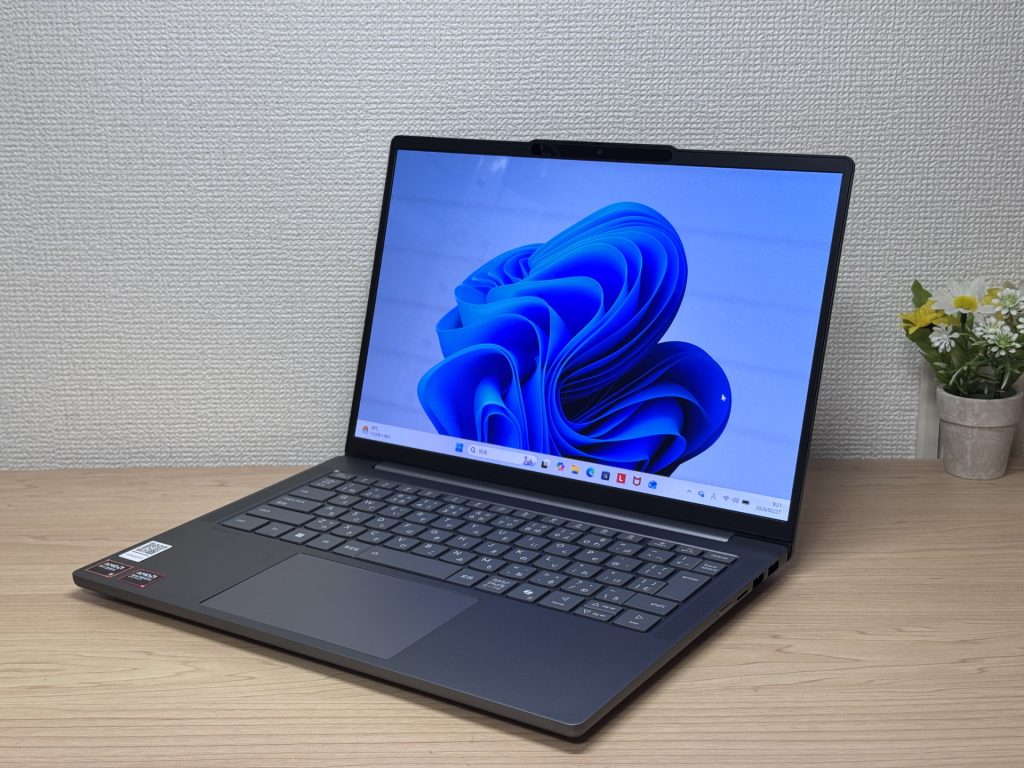
IdeaPad Slim 5 Gen 10 (14" AMD) is a 14-inch laptop that genuinely earns its value tag, largely down to that OLED display. At this price, the colour vibrancy and black depth are in a class of their own — great for streaming films or sorting through photos. A PCMark 10 score of 6,778, 16 GB of RAM, and a 60 Wh battery rated up to 19.8 hours round off a very compelling package.
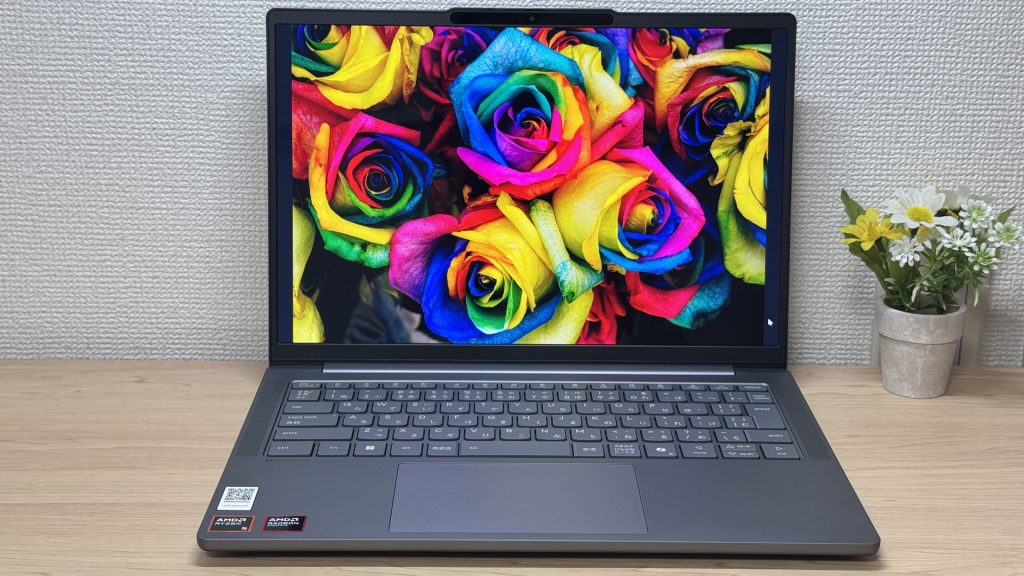 That OLED really is something.
The glossy panel does pick up reflections — fair trade-off for that display quality, honestly. Ports are plentiful enough that you won't need a USB-C hub, which is always appreciated. A solid all-rounder for everyday use and lighter creative work.
#2Lenovo IdeaPad Slim 5a Gen 11(16-inch AMD)
- ·You want to watch films or videos on a genuinely good-looking screen
- ·You're a business user who works in Excel or presentations and wants more room to work
- ·You want 16 inches but aren't prepared to give up portability
- ·You want to join video calls or log in with face recognition quickly
- ·Your main use case is serious PC gaming or heavy 3D video editing
- ·You're set on keeping weight under 1.5 kg for daily carry
Key Specs
- CPU
- AMD Ryzen AI 5 430
- Display
- 16.0-inch 1920x1200 IPS
- RAM
- 16GB
- Weight
- 1.69 kg (3.73 lbs)
- Storage
- 512GB SSD
- Battery
- ~16.3h
Why We Picked It
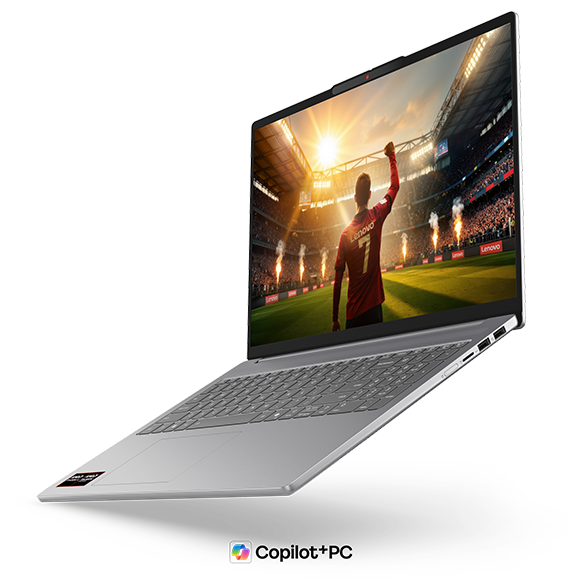
For engineering students carrying their laptop between lecture theatres, the lab and the library every day, the IdeaPad Slim 5a Gen 11 (16-inch AMD) is a genuinely greedy answer to the big-screen-vs-portable dilemma — 16 inches of working space packed into a body that weighs around 1.69kg.
The Ryzen AI 7 445 delivers a comfortable PassMark multi-thread score of 20,770, so multitasking — several MATLAB or coding windows open at once while you write up a report — feels effortless. The display is a 16-inch OLED panel (1920×1200, 16:10), and the deep blacks that come with OLED make close, detailed work on drawings and design data noticeably easier on the eyes, which is a nice touch you don't fully appreciate until you've had it. The tall 16:10 aspect ratio also means more visible rows in an Excel sheet or a code editor, so you're scrolling that bit less. Connectivity is solid too, with 2x USB-A, 2x USB-C and HDMI, so plugging into an external monitor in the lab is no bother.
 A big, easy-to-use 16-inch screen, and still only 1.69kg — brilliant combination
If I had to flag one downside, it's that the glossy screen can pick up reflections under fluorescent lighting, which might bother you in some rooms. Tilting the screen slightly or bumping up the brightness covers it in practice, though.
If you want to spread design data and code across a proper big screen but still need to realistically lug your laptop across campus every day, this is one you're unlikely to regret 😊
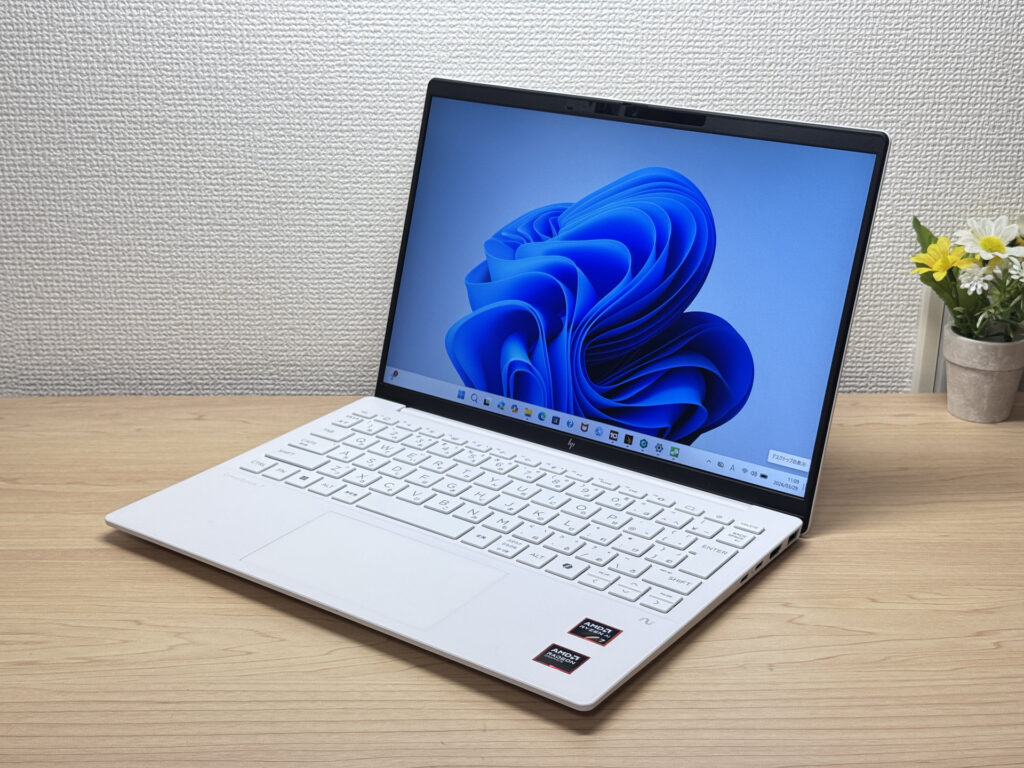
#3HP OmniBook 7 Aero 13-bg
- ·You carry your laptop everywhere and want something genuinely lightweight
- ·You want a solid machine for essays, browsing, and video calls
- ·You often work from cafés, lectures, or anywhere outside the office
- ·You need a machine for heavy gaming or video editing
- ·You're regularly away from a charger for long stretches
Key Specs
- CPU
- AMD Ryzen AI 7 350
- Display
- 13.3-inch 1920x1200 IPS
- RAM
- 16GB
- Weight
- 0.97 kg (2.14 lbs)
- Storage
- 1TB SSD
- Battery
- ~15.5h
Why We Picked It
The OmniBook 7 Aero 13-bg's standout feature is its weight: just 970g, genuinely light enough to carry around all day without really noticing it. The Ceramic White finish looks great — the kind of laptop you'd actually want to get out at a café or on campus. Powered by the AMD Ryzen AI 7 350, it scored 6946 on PCMark 10 — solid performance for a machine this light. The IPS display delivers good colour and handles everything from daily browsing to video calls without complaint.
The downsides are straightforward: the lid is plastic, so don't expect a premium feel. The charger weighs a chunky 323g — surprisingly heavy given how light the laptop is. Battery is 43 Wh, so you'll want a plug handy on longer days out. Still, if you want a good balance of portability, performance, and looks, this is a strong contender.
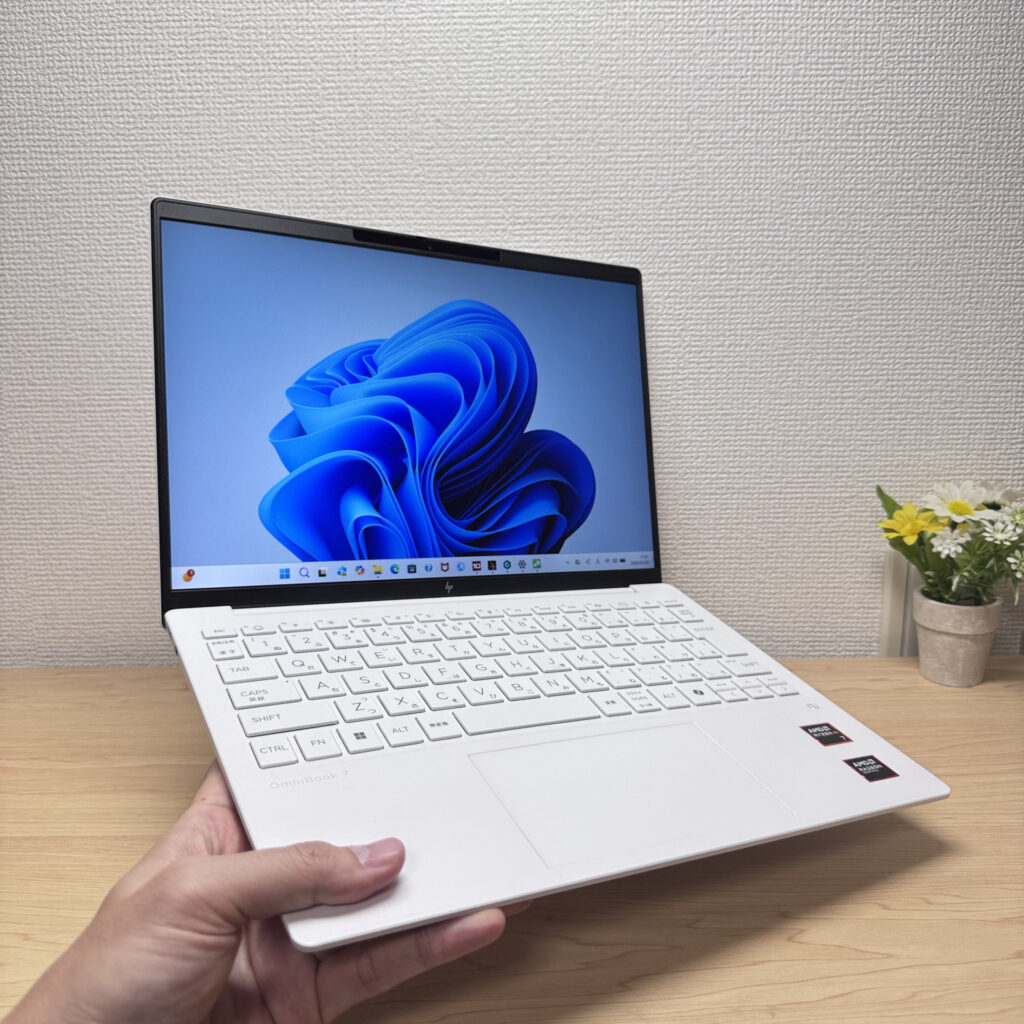 Light enough to carry in one hand with ease
More Recommended Models
If our TOP 3 didn't quite click, take a look here too. These are picked with the same criteria, so you won't go far wrong either.
A featherlight 1.16kg OLED machine, just right for engineering students on the daily campus commute
About 1.2 kg (2.6 lbs) and a 3K OLED — pricey, but you can see exactly where it went.

OLED brilliance and blistering-fast storage in a genuinely premium-feeling 2-in-1

Spec Comparison
Compare specs of all 6 recommended models at a glance.
Note: This table is ordered by our editors' picks for this use case, not by ZippyScore.
| Model | Image | Stores | Highlights | ZippyScore | CPU | RAM | Storage | Display | Battery | Weight | Full Review |
|---|---|---|---|---|---|---|---|---|---|---|---|
|
🥇 Best Overall
Lenovo
IdeaPad Slim 5 Gen 10 (14-inch AMD)
|
|
Amazon | OLED brilliance at a fair price — handles work and media, wherever you are. | Best 4.8/5 | AMD Ryzen AI 5 Passmark: 19,356 | 16GB | 512GB |
14.0"
|
~19.8h | 1.39 kg (3.06 lbs) | Full Review |
|
🥈 Best Balanced Pick
Lenovo
IdeaPad Slim 5a Gen 11(16-inch AMD)
|
|
Amazon | 16-inch OLED at just 1.69kg — big screen, proper portability, built for engineering students | 4.7/5 | AMD Ryzen AI 5 430 Passmark: 13,437 | 16GB | 512GB |
16.0"
1920x1200
IPS
|
~16.3h | 1.69 kg (3.73 lbs) | Full Review |
|
🥉 Best Value Pick
HP
OmniBook 7 Aero 13-bg
|
|
Amazon | Under a kilo and ready for the daily commute — a well-rounded travel laptop | 4.5/5 | Best AMD Ryzen AI 7 350 Passmark: 24,959 | 16GB | Best 1TB |
13.3"
1920x1200
IPS
|
~15.5h | Best 0.97 kg (2.14 lbs) | Full Review |
|
Lenovo
Yoga Slim 7a Gen 11 (14-inch AMD)
|
|
Amazon | A featherlight 1.16kg OLED machine, just right for engineering students on the daily campus commute | 4.6/5 | AMD Ryzen AI 5 430 Passmark: 13,437 | 16GB | 512GB |
14.0"
1920x1200
OLED
|
~19.0h | 1.14 kg (2.54 lbs) | Full Review |
|
ASUS
Zenbook S 14 (UX5406SA)
|
|
Amazon | About 1.2 kg (2.6 lbs) and a 3K OLED — pricey, but you can see exactly where it went. | 4.3/5 | Intel Core Ultra 7 256V Passmark: 19,556 | 16GB | Best 1TB |
Best 14.0"
2880x1800
OLED
|
~23.3h | 1.20 kg (2.65 lbs) | — |
|
HP
OmniBook X Flip 14-kb
|
|
Amazon | OLED brilliance and blistering-fast storage in a genuinely premium-feeling 2-in-1 | 4.2/5 | Intel Core Ultra 7 355 Passmark: 20,954 | 16GB | 1000GB |
14.0"
1920x1200
IPS
|
Best ~32.0h | 1.39 kg (3.06 lbs) | Full Review |
Frequently Asked Questions
Do I need a dedicated GPU for engineering?
Should I go for 16GB or 32GB of RAM?
Can I get away with a Mac?
How powerful does the CPU need to be?
How much should I budget for?
Summary
Here's a quick recap of the conclusion from this article:
These are the models that meet those criteria:
- #1 Lenovo IdeaPad Slim 5 Gen 10 (14-inch AMD)
- #2 Lenovo IdeaPad Slim 5a Gen 11(16-inch AMD)
- #3 HP OmniBook 7 Aero 13-bg
- #4 Lenovo Yoga Slim 7a Gen 11 (14-inch AMD)
- #5 ASUS Zenbook S 14 (UX5406SA)
- #6 HP OmniBook X Flip 14-kb
We hope you find the laptop that's right for you here.
Happy laptop hunting!
About the author
