ZippyScore
ZippyScore is a proprietary rating based on 6 criteria: performance, portability, display, battery, value, and connectivity.
See rating criteria
- Performance: CPU / GPU performance
- Portability: Screen size & weight
- Display: Panel type, aspect ratio & refresh rate
- Battery: Rated battery life
- Value: Specs-to-price balance
- Connectivity: Port types & count
Pros & Cons
Pros
- Weighs just 1.15 kg — light enough to carry every day without a second thought
- OLED display delivers rich, vivid colours — films and photos look genuinely impressive
- 16 GB of RAM handles multitasking smoothly without slowing down
- Keyboard feel is noticeably satisfying — comfortable for long typing sessions
- Face recognition via Windows Hello makes logging in instant
Cons
- USB-C only with no headphone jack — anyone with lots of peripherals will need a hub
- Not suited to demanding gaming or professional video editing work
Specs Summary
| OS | Windows 11 Home |
|---|---|
| CPU | AMD Ryzen AI 5 430 (PassMark: 13,437) AMD Ryzen AI 7 445 (PassMark: 20,770) |
| RAM | 16GB / 32GB |
| Storage | 512GB / 1TB |
| Display | 14" OLED (Glossy, Touchscreen, 60Hz) 1920x1200 (16:10) 14" OLED (Glossy, 120Hz) 2880x1800 (16:10) |
| Weight | 1.14 kg (2.54 lbs) |
| Ports | USB-C × 2 (40Gbps/PD/Video out), USB-C × 1 (10Gbps/PD/Video out) |
| GPU | AMD Radeon 840M (G3D Mark: 3,805) |
| Biometrics | Face Recognition |
| Battery | Up to 19 h (Capacity: 70 Wh) |
| Camera | 5.0 MP |
| Dimensions | Approx. 312.0 × 221.0 × 13.9 mm (W × D × H) |
| Wi-Fi | Wi-Fi 7 |
| Bluetooth | Bluetooth 5.4 |
| Color | Tidal Teal |
Configurations vary by retailer, region, and availability.
Hands-on Review
Here's the full hands-on review of the Yoga Slim 7 Gen 11 (14-inch AMD). The unit I tested had the following spec.
| Component | Test Unit Spec |
|---|---|
| CPU | AMD Ryzen AI 5 430 |
| Memory | 16GB |
| Storage | 512GB SSD |
| Display | 14-inch OLED (1920×1200, 60Hz) |
| Graphics | AMD Radeon 840M |
| Colour | Tidal Teal |
※ Specifications may vary by region and retailer.
Design
The Tidal Teal colourway has a cool, subtle blue-grey tone that looks sharp in person. Build quality is surprisingly solid — barely any plastic feel to it. There's a machined YOGA logo on the lower right of the palm rest that catches the light at certain angles; a nice, understated touch.
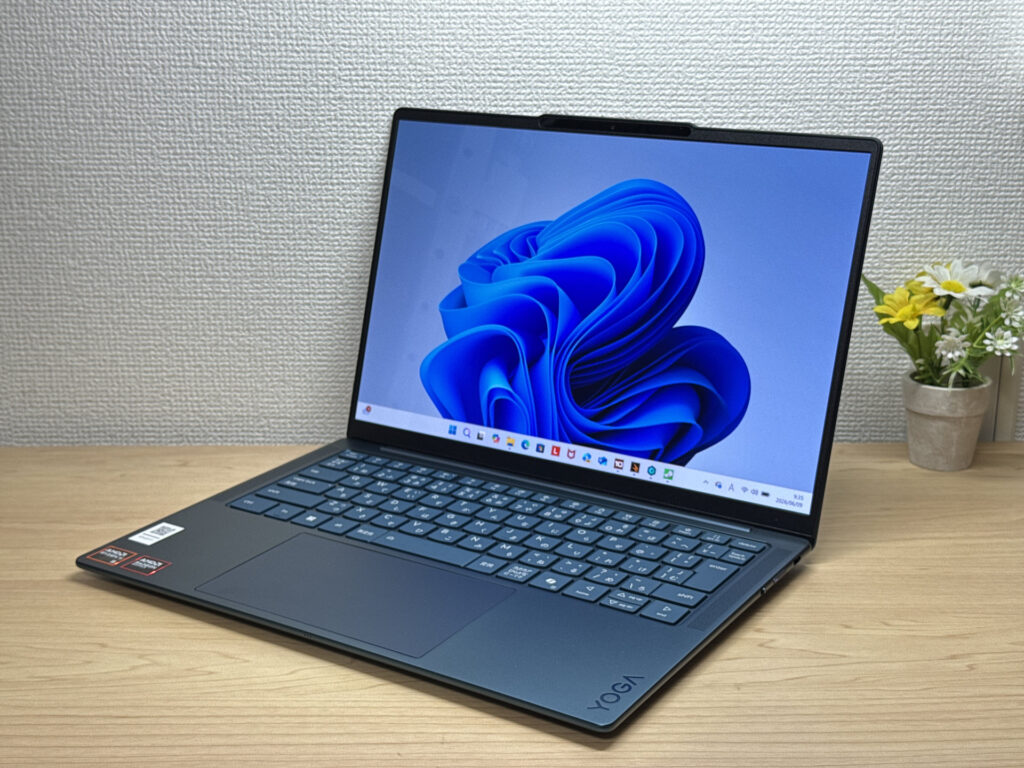 Front view: Tidal Teal finish with the machined YOGA logo
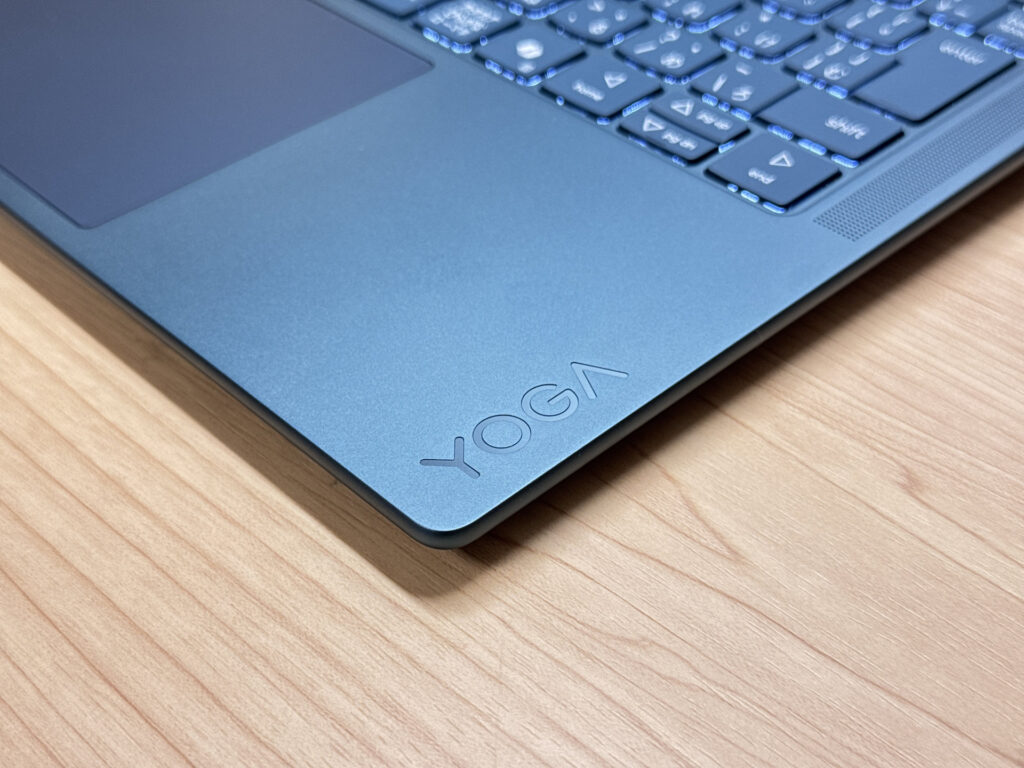 That machined YOGA logo!
The lid has an understated Lenovo logo — machined in, low-profile. No garish branding here, which I appreciate.
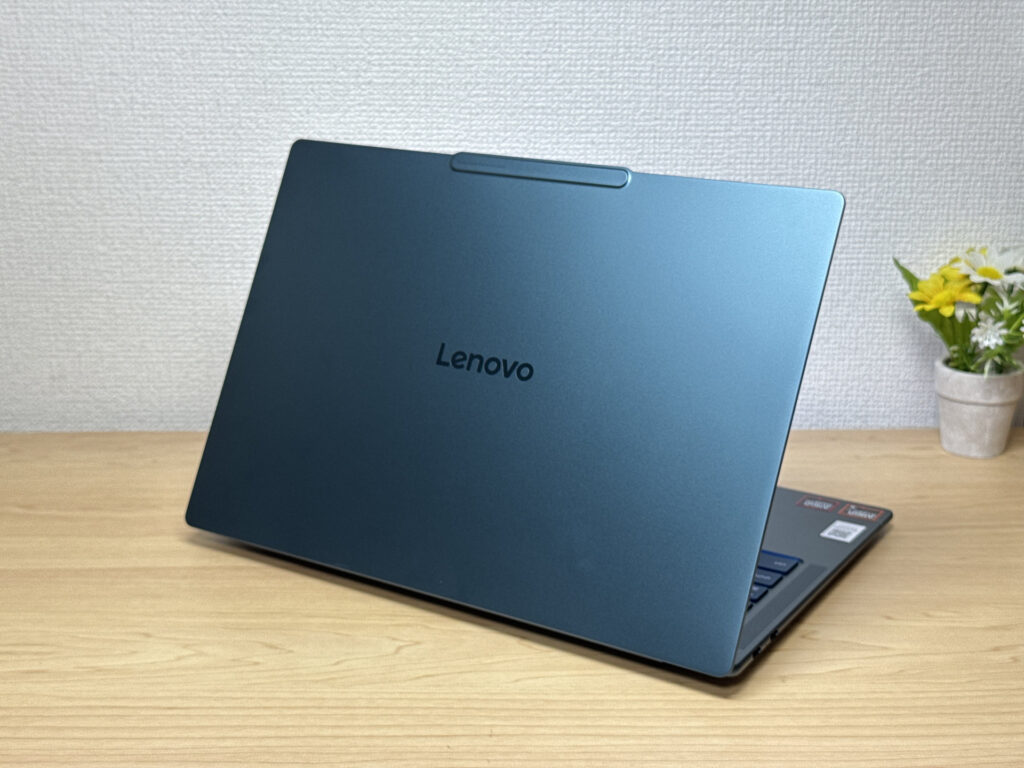 Minimal lid design — elegant rather than flashy.
At 13.9 mm, the Slim in the name is well earned — this thing is genuinely thin. It slides into a bag without any fuss.
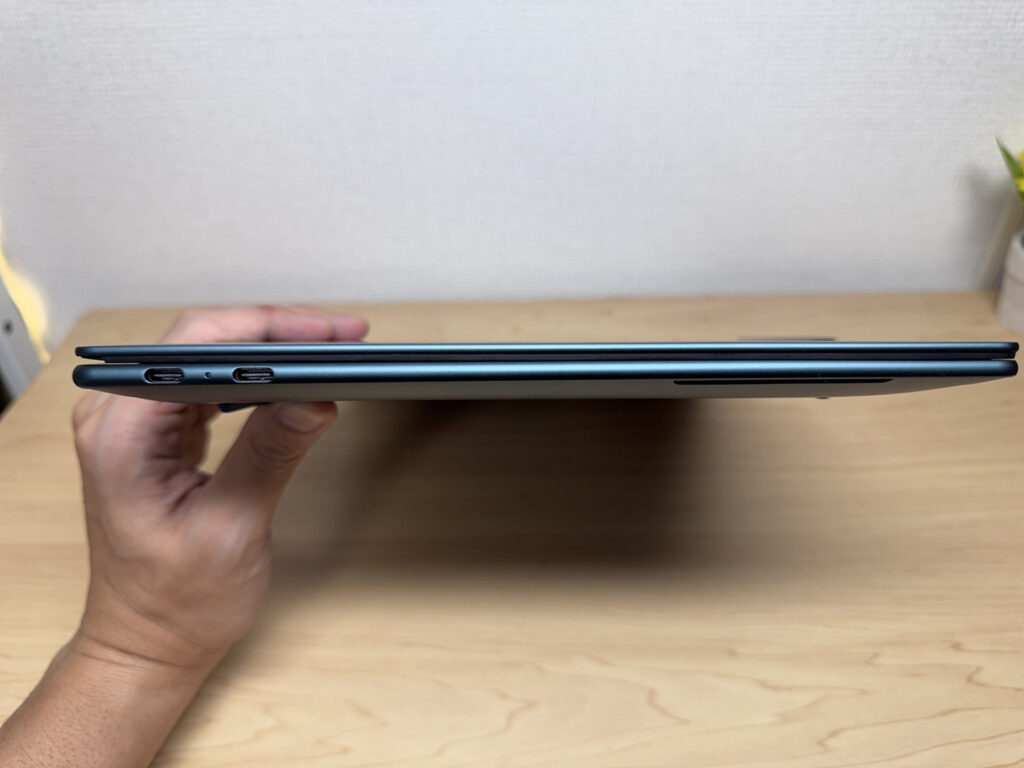 13.9 mm — properly slim.
The underside is clean with four discreet screw holes and rubber feet that grip without being excessive.
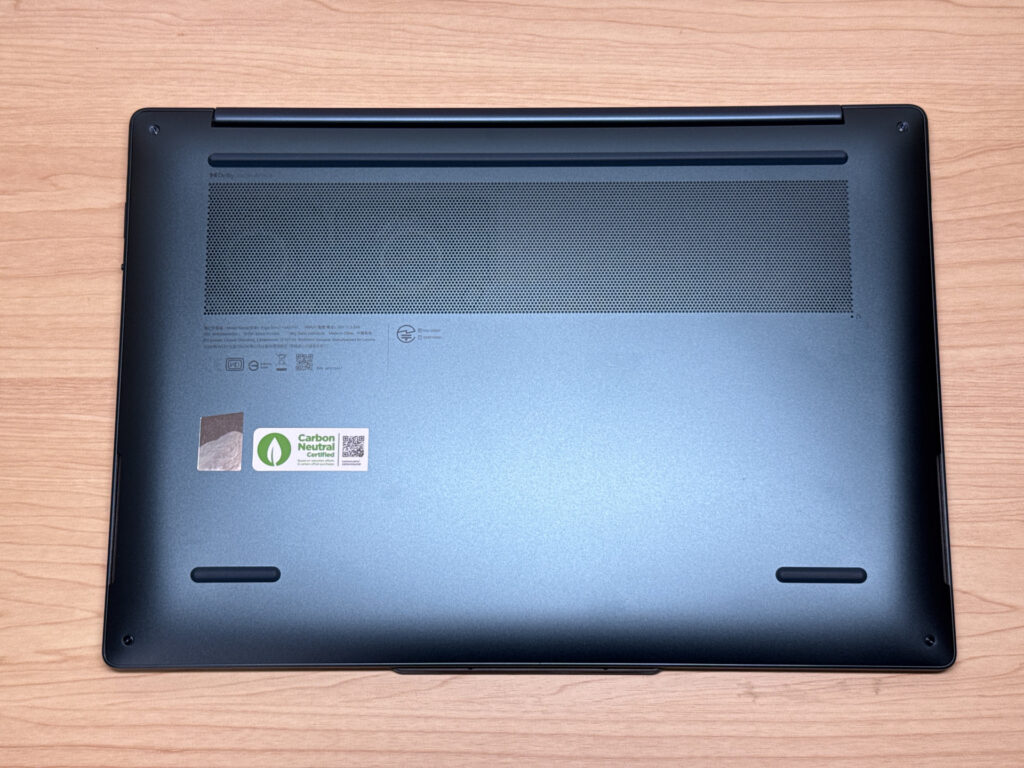 Clean underside — well put together.
The hinge surprised me — smooth enough to open one-handed, and the slight protrusion near the camera acts as a natural grip point. Genuinely well thought through.
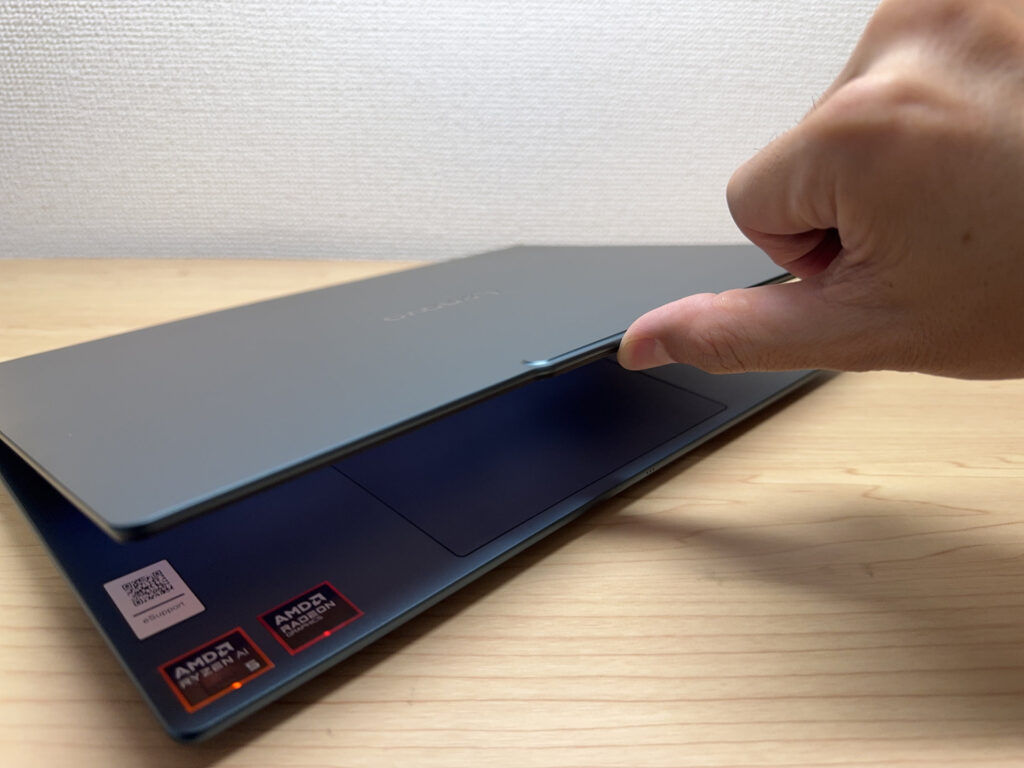 Opens one-handed without any drama.
Max opening angle is around 170 degrees, which is handy for turning the screen towards someone across a table.
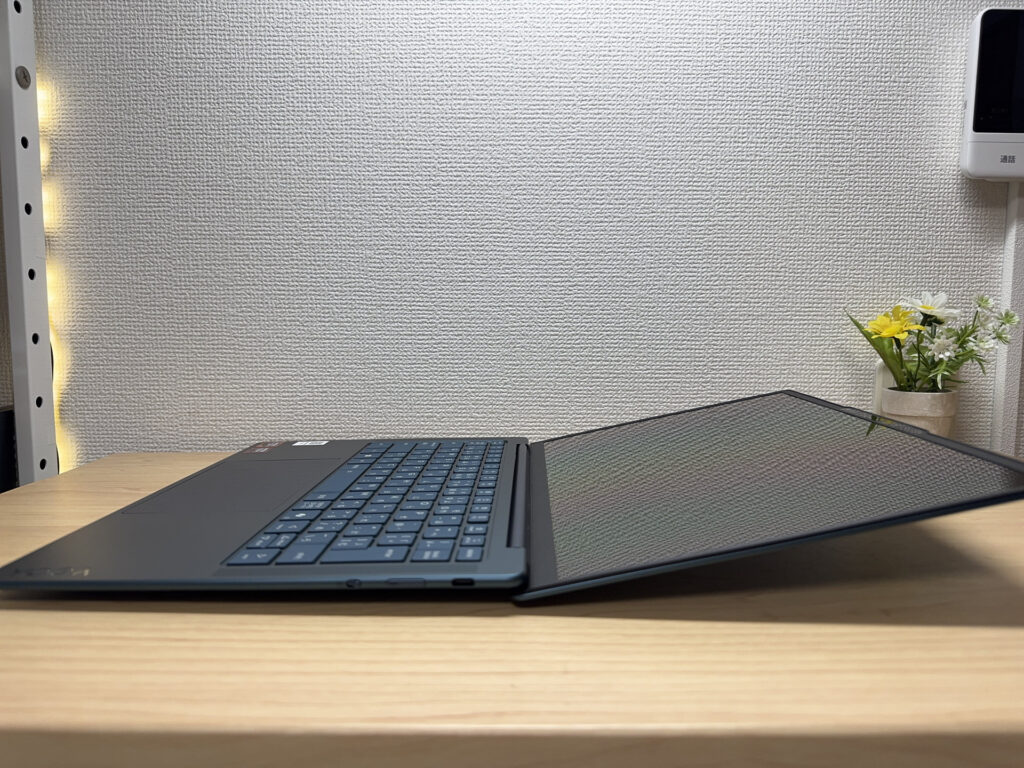 170-degree opening — useful for sharing your screen.
Portability
Measured weight is 1,162 g. For a 14-inch laptop, that's genuinely light — daily carry without a second thought.
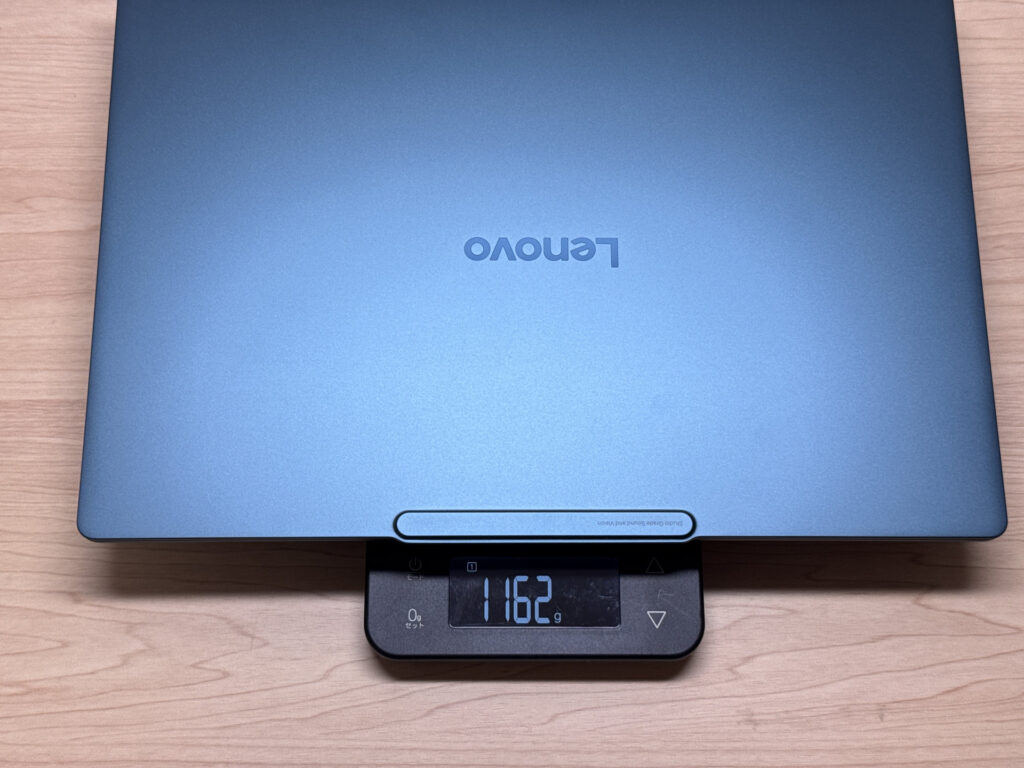 1,162 g on the scales.
The bundled charger is USB-C and weighs 170 g. 65W fast charging is a quiet but genuinely useful feature. 🔌
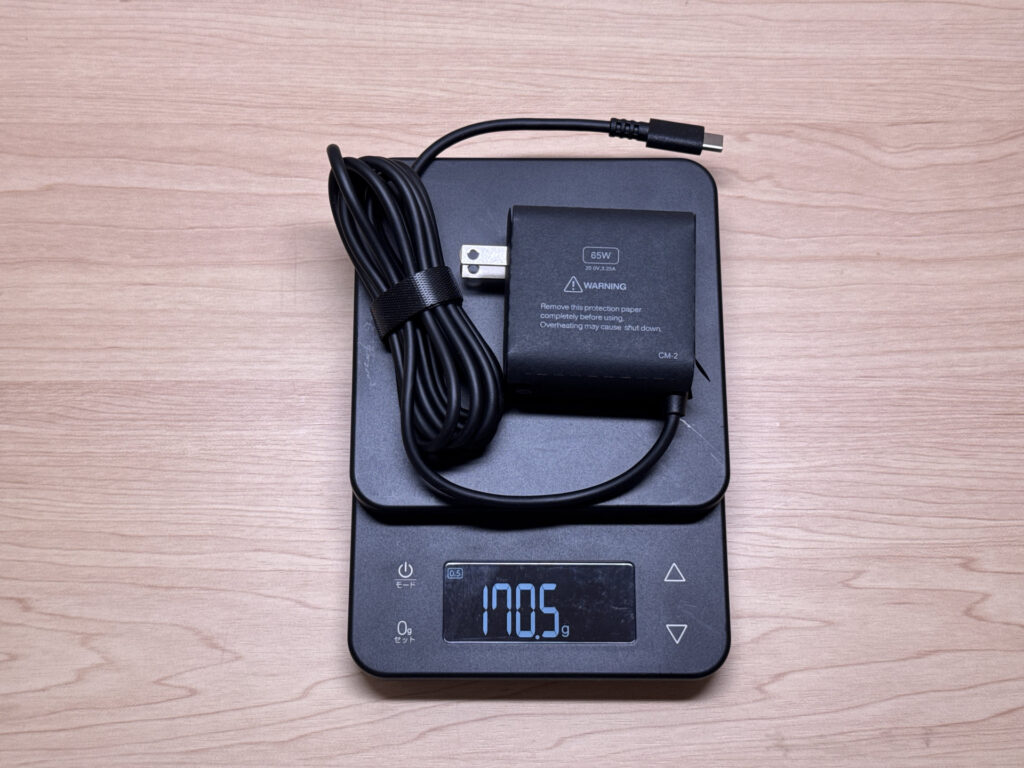 170 g charger — easy to slip into a bag.
Light and slim enough to carry one-handed — moving between rooms or desks feels completely effortless.
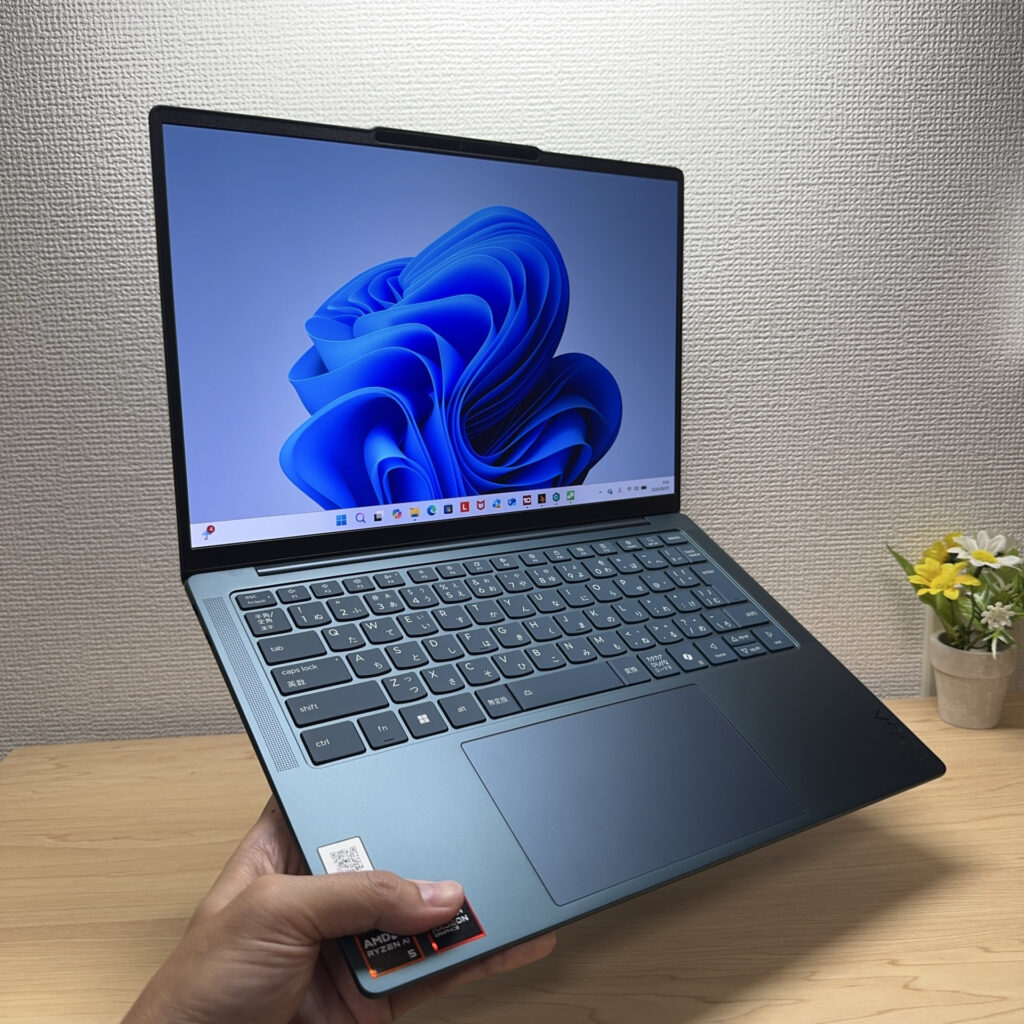 One-handed carry — no bother at all.
Display Quality
I went for the OLED model. The colours are vivid, and the black depth is in a completely different league to a standard IPS panel — you notice the difference immediately.
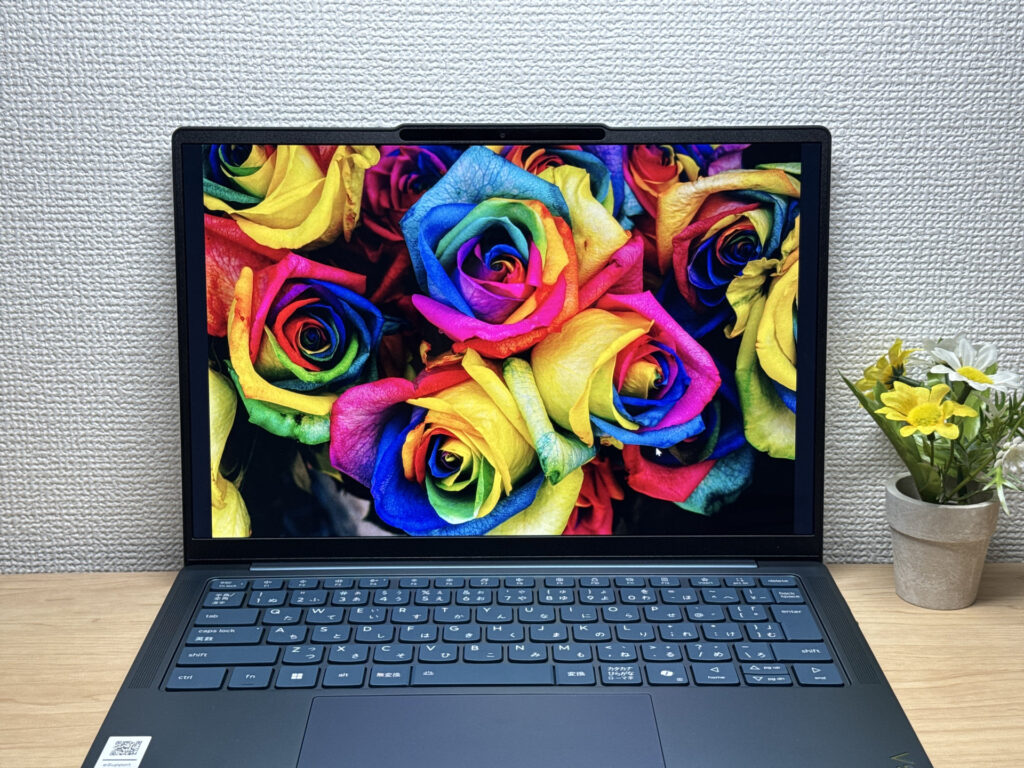 That OLED black depth. Held next to a real flower — honestly hard to tell the difference.
Wide viewing angles too — colours stay consistent even from the side, which makes a real difference during long sessions. ✌️
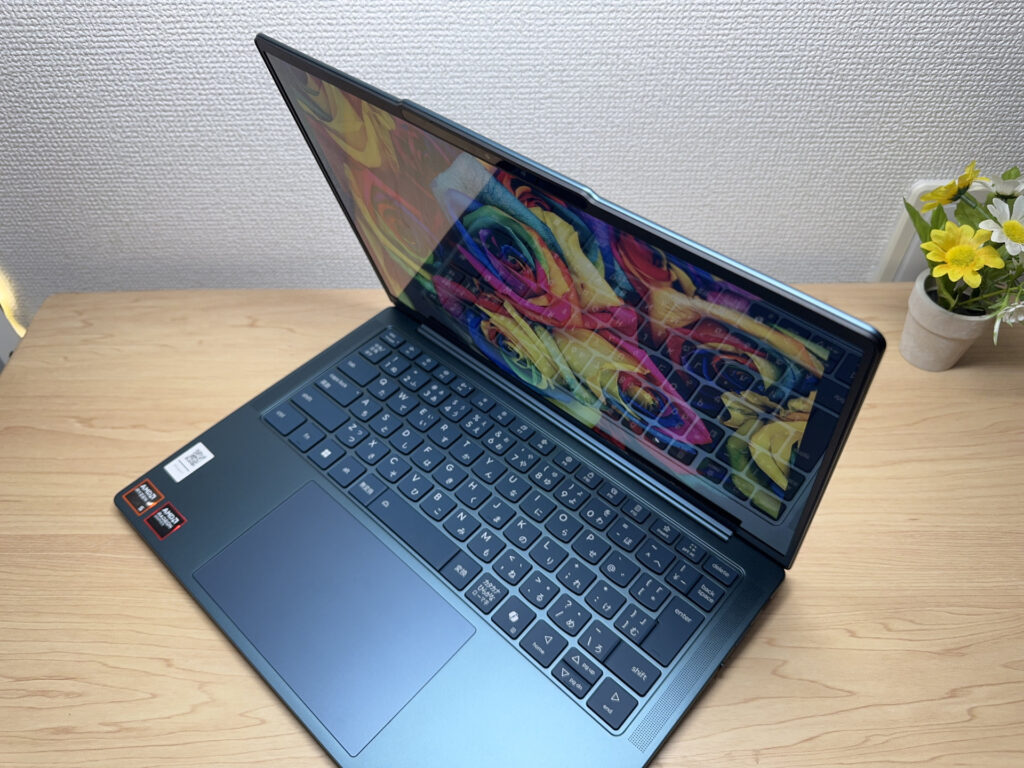 Stable colour from the side — no washing out.
The 16:10 aspect ratio gives you noticeably more vertical screen space than a 16:9 machine — less scrolling, more content visible at once.
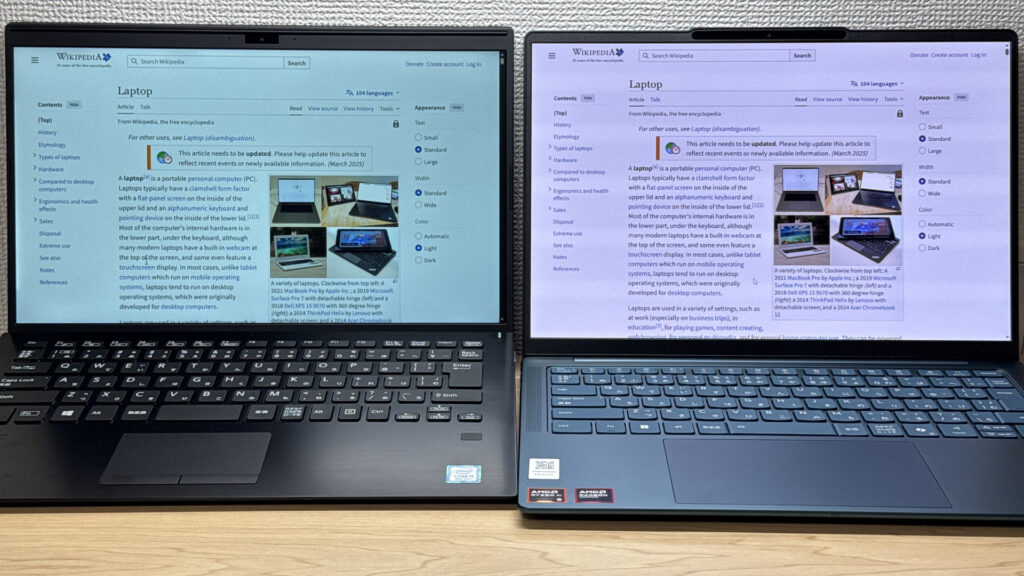 16:10 — noticeably more screen real estate than the usual 16:9.
One genuine downside: the reflections. The glossy panel picks up overhead lighting fairly noticeably, which can be distracting depending on your workspace. No anti-glare coating that I can detect — understandable for a mid-range machine, but worth knowing before you buy.
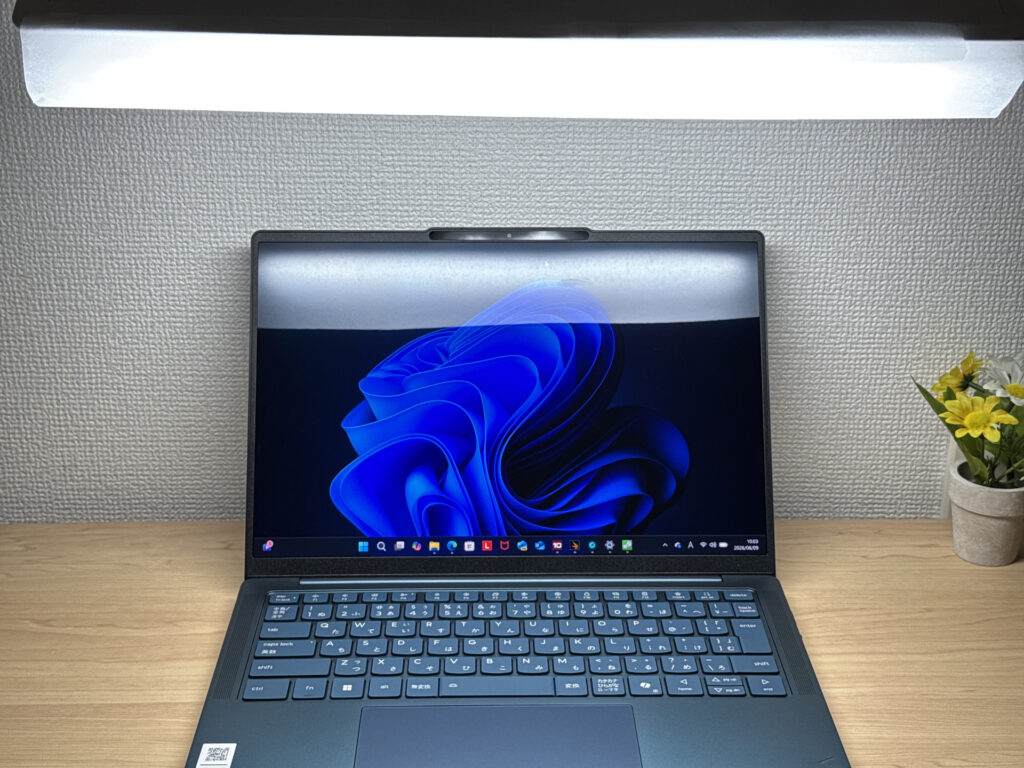 Glossy panel — reflections are noticeable in bright rooms.
Keyboard Feel
The layout is standard and comfortable for everyday use. (Note: the review unit uses a Japanese JIS layout; the UK version will differ.)
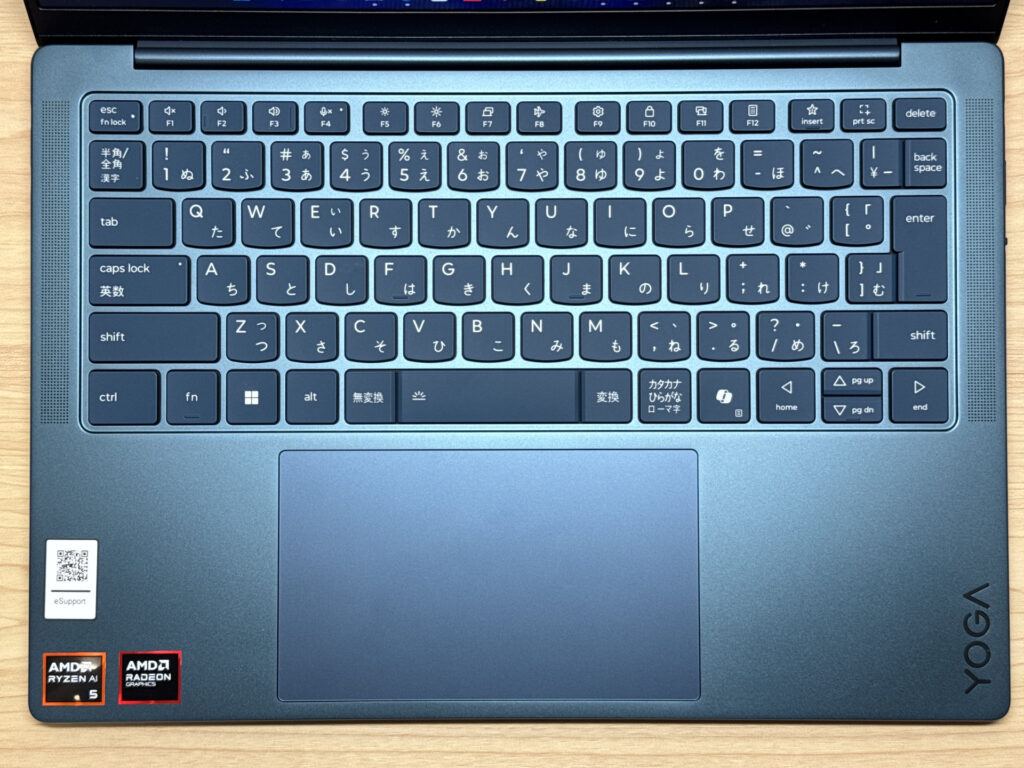 Standard layout — no awkward surprises.
Honestly, the typing feel caught me off guard in the best way. The keytops have a slightly soft, matte texture that's natural under the fingers, and the chassis is rigid enough that there's no flex during typing. For this class of laptop, the keyboard feel is comfortably above average.
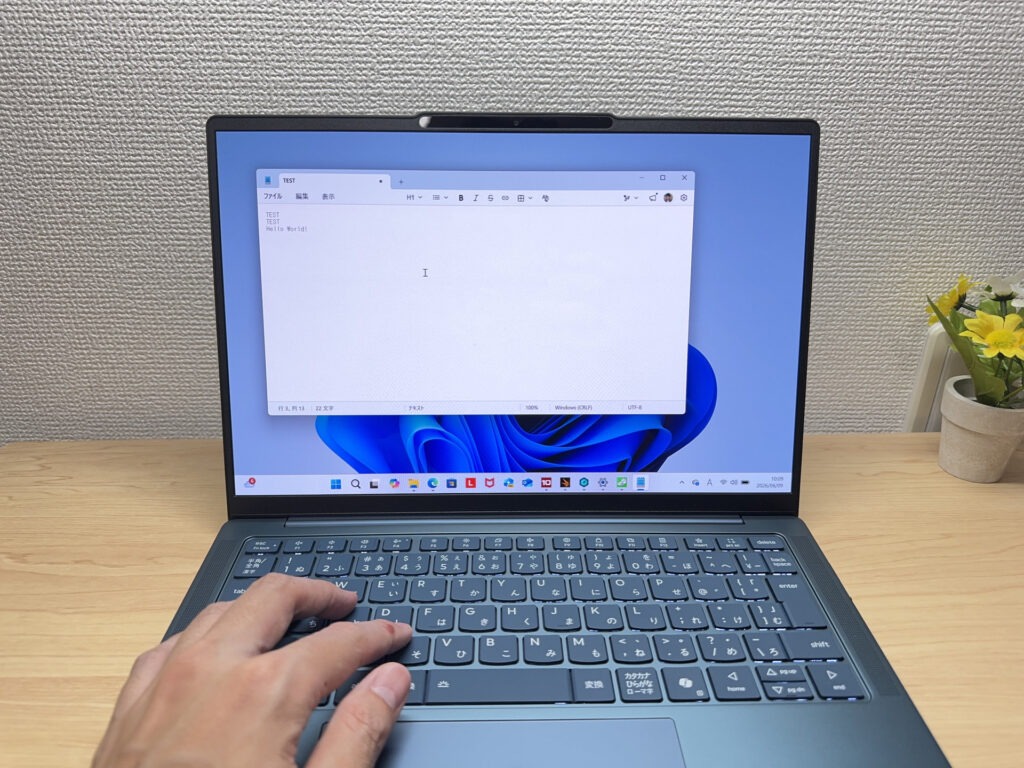 Soft, satisfying keytops — better than you'd expect.
Backlight is bright and even — typing in dim conditions is no problem at all.
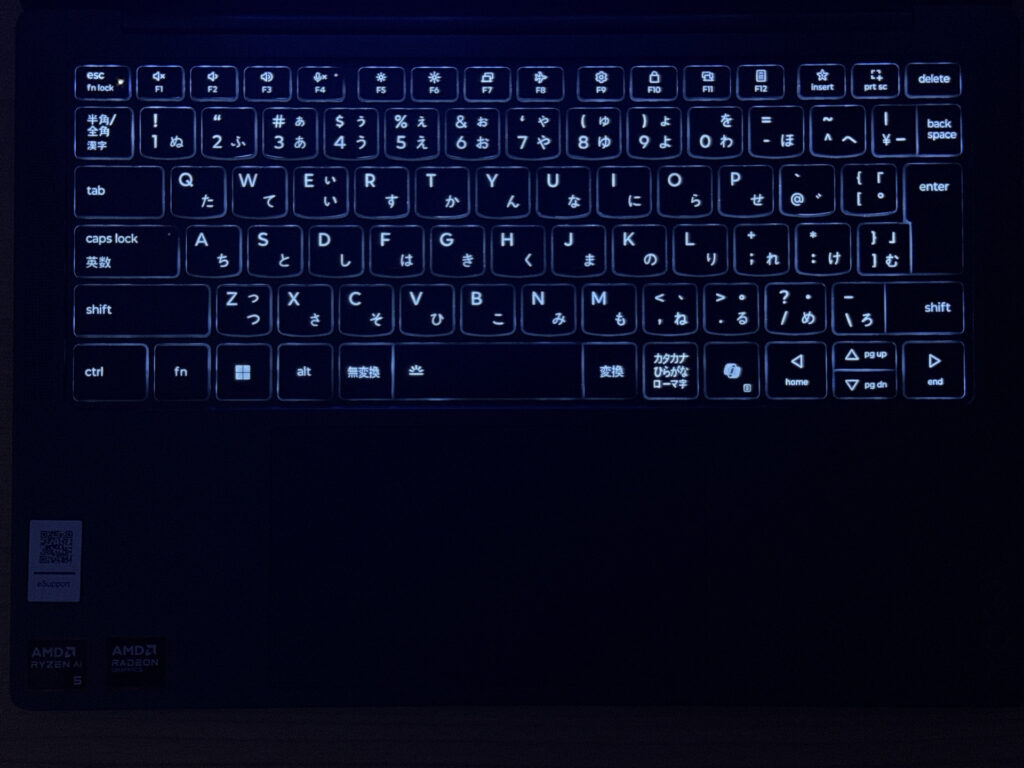 Solid backlight for late-night working.
Trackpad
Large glass trackpad — smooth, precise, and genuinely pleasant to use. Cursor control across the screen feels effortless.
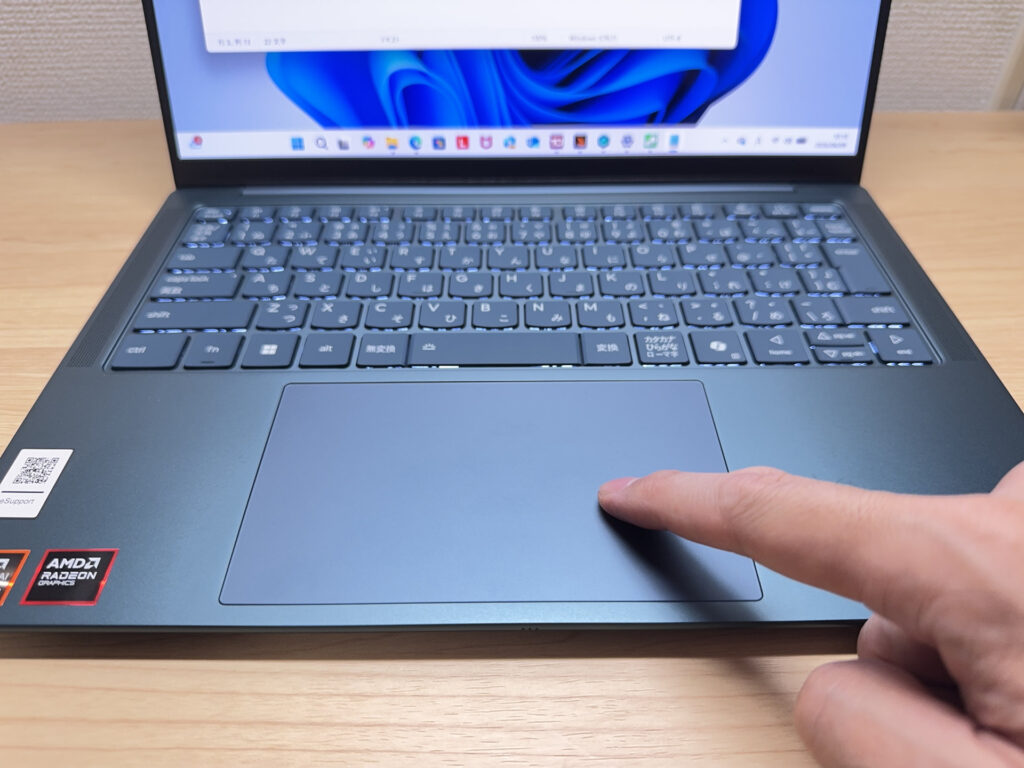 Takes up a good portion of the palm rest — and earns its space.
Multi-finger gesture support is solid. Windows overview and other gestures all work reliably. The larger surface is where it really shows.
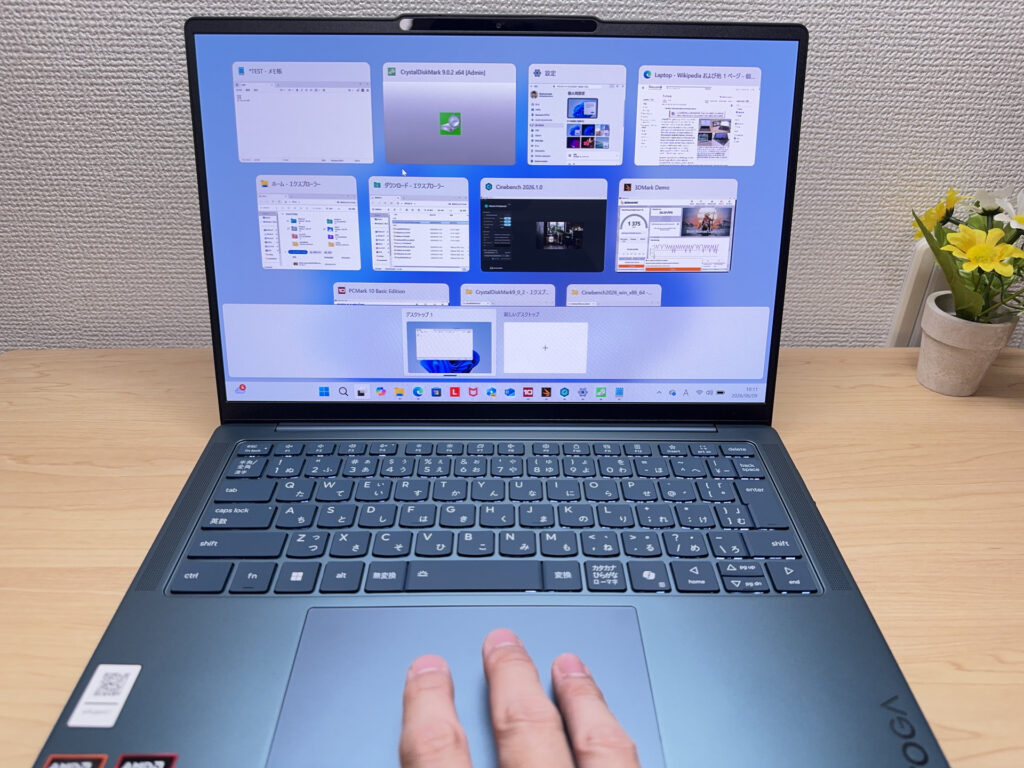 Gestures handled smoothly — no fuss.
Performance
CPU is AMD Ryzen AI 5 430. PCMark 10 score is 6,149 — more than capable for everyday tasks through to light video editing.
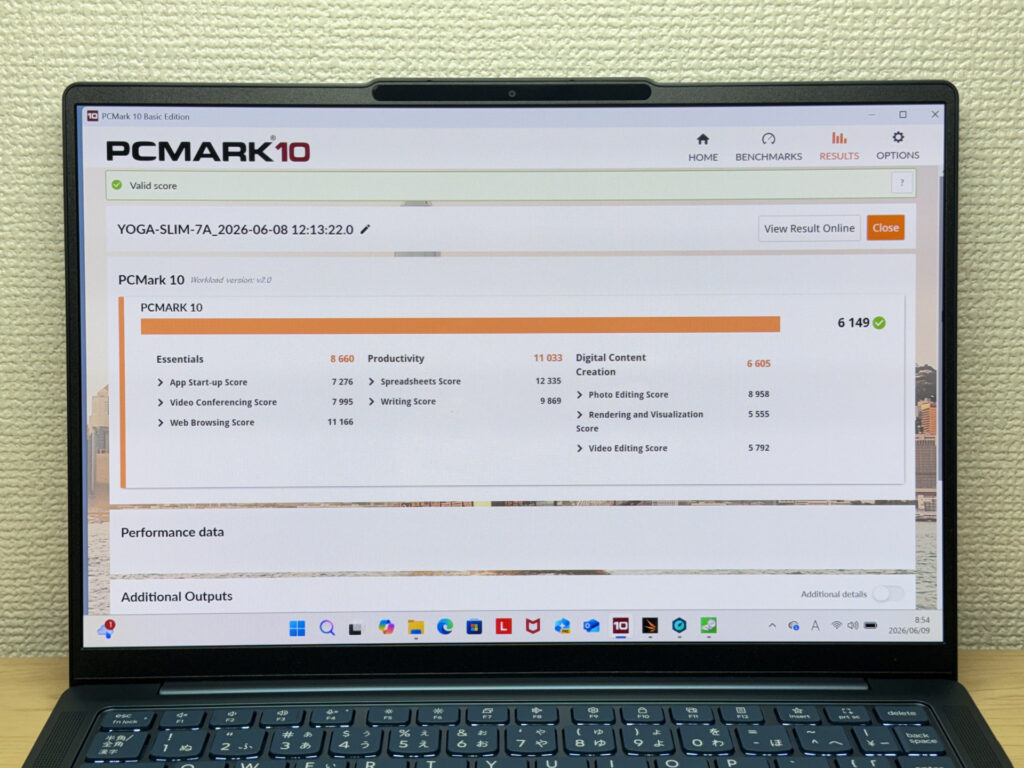 PCMark 10: 6,149.
| Total Score | Rating | What it feels like in real use |
|---|---|---|
| ~4,000 | Bare minimum | Web browsing and simple tasks work, but multitasking or many tabs feels sluggish. |
| 4,000–5,000 | Light use | Daily tasks are doable, but running multiple apps means waiting around. |
| 5,000–6,500 | Comfortable (mainstream) This PC | Handles most work without stress — fine for office, school, video calls. |
| 6,500–8,000 | High performance | Plenty of headroom. Light photo editing and programming feel snappy. |
| 8,000+ | Very high performance | Tackles video editing and heavy workloads. Long-lasting performance. |
*PCMark 10 reflects overall comfort. Actual feel depends on CPU, RAM, and SSD speed.
Cinebench 2026 multi-thread comes in at 1,699 — comfortably handles daily use and the occasional heavier workload without complaint.
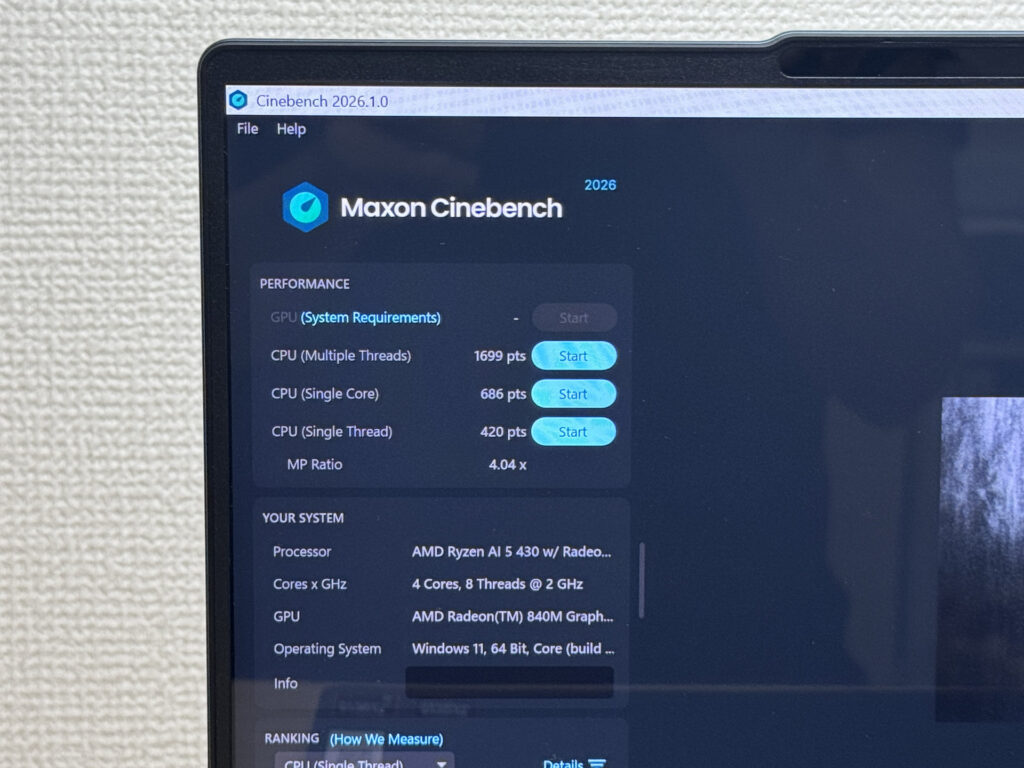 Cinebench 2026 multi-thread: 1,699.
GPU (3DMark Steel Nomad Lite) scored 1,375 — light gaming and video encoding are both within reach.
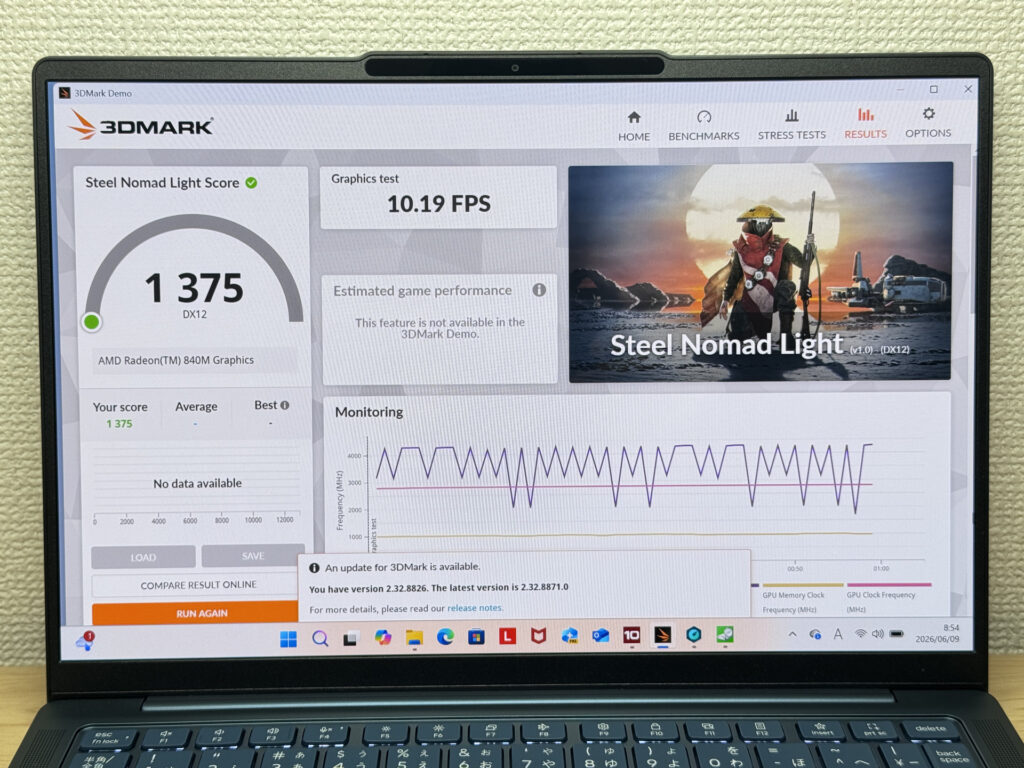 3DMark Steel Nomad Lite: 1,375.
| Score | Rating | What it feels like in real use |
|---|---|---|
| Up to 400 | Bare minimum | 3D performance is quite limited. Not really suited for gaming. |
| 400–900 | Light 3D | Lighter games and low-load 3D processing work. |
| 900–1,500 | Average (mainstream) This PC | Standard for integrated GPUs. Light to medium games playable with right settings. |
| 1,500–2,200 | High performance | Strong for an integrated GPU. Games and 3D work feel comfortable. |
| 2,200+ | Very high performance | Top-tier 3D performance for thin laptops. Real graphics headroom. |
*3DMark Steel Nomad Light targets thin laptops and integrated GPUs. Score range differs from Time Spy, so direct comparison isn't valid.
What really surprised me was the storage speed. Read at 6,665 MB/s and write at 5,242 MB/s — file operations are genuinely instant.
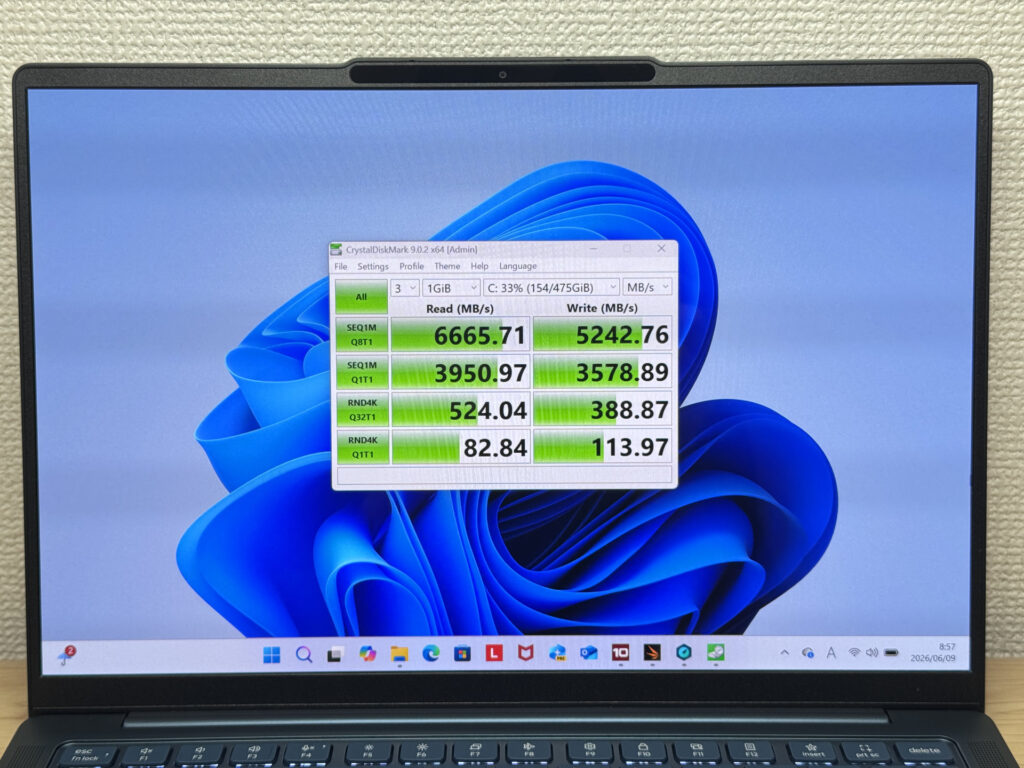 Read 6,665 MB/s / Write 5,242 MB/s — seriously fast.
| Score | Rating | What it feels like in real use |
|---|---|---|
| Up to 600 MB/s | Bare minimum | Faster than HDD, but slow for modern SSDs. App launches feel slightly slow. |
| 600–1,500 MB/s | Average | Fine for daily use, though loading is noticeably slower than top-tier SSDs. |
| 1,500–3,500 MB/s | Comfortable (mainstream) | App launches and file loading feel smooth. No real complaints in daily use. |
| 3,500–5,500 MB/s | Fast | Loads large data and apps quickly. Definitely upper-tier SSD speed. |
| 5,500+ MB/s | Very fast This PC | High-end NVMe territory. Heavy data work without waiting. |
*CrystalDiskMark measures SSD speed. It mainly affects app launch and file loading speed, not overall PC performance.
Battery Life
Battery rating: decent to good
Capacity is 70 Wh, which is impressively large for a laptop this slim. Getting through a full day without plugging in should be very achievable.
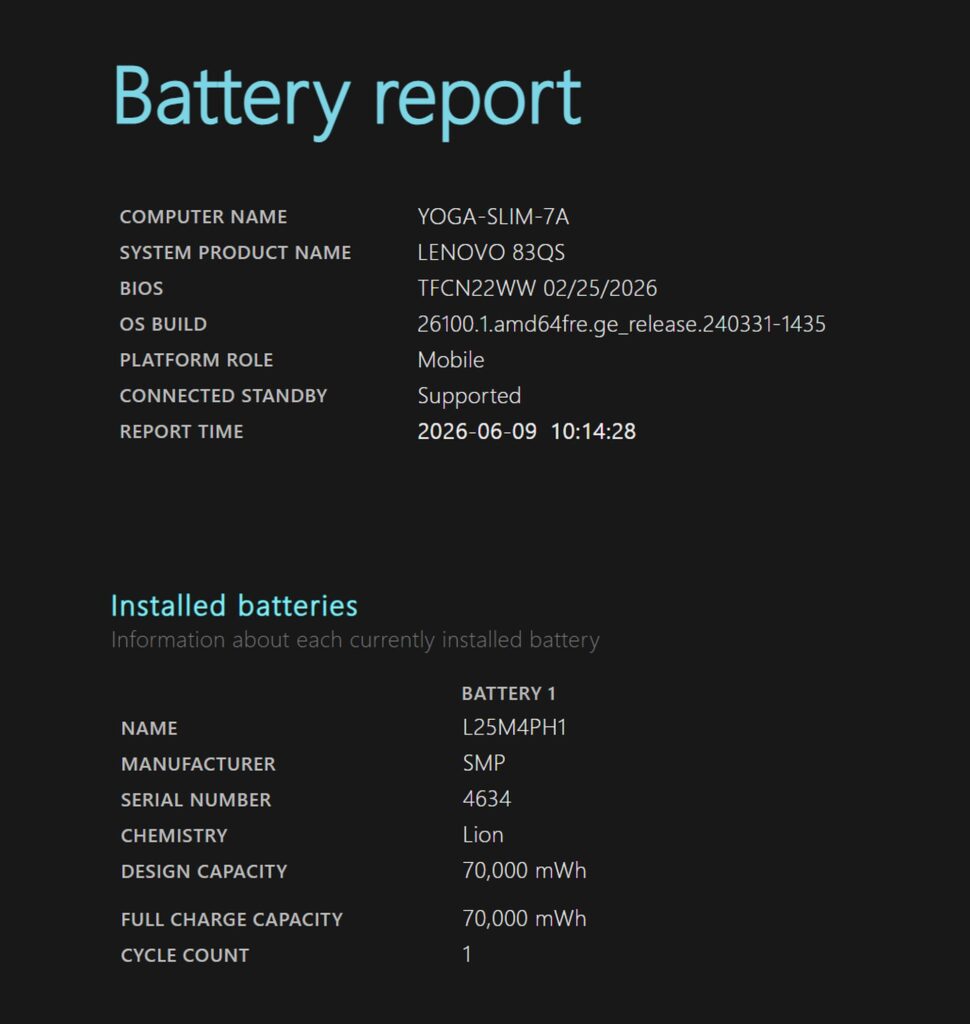 Battery report: 70 Wh confirmed.
USB-C charging means any decent compact charger will do the job — an Anker in the bag and you're sorted. 👌
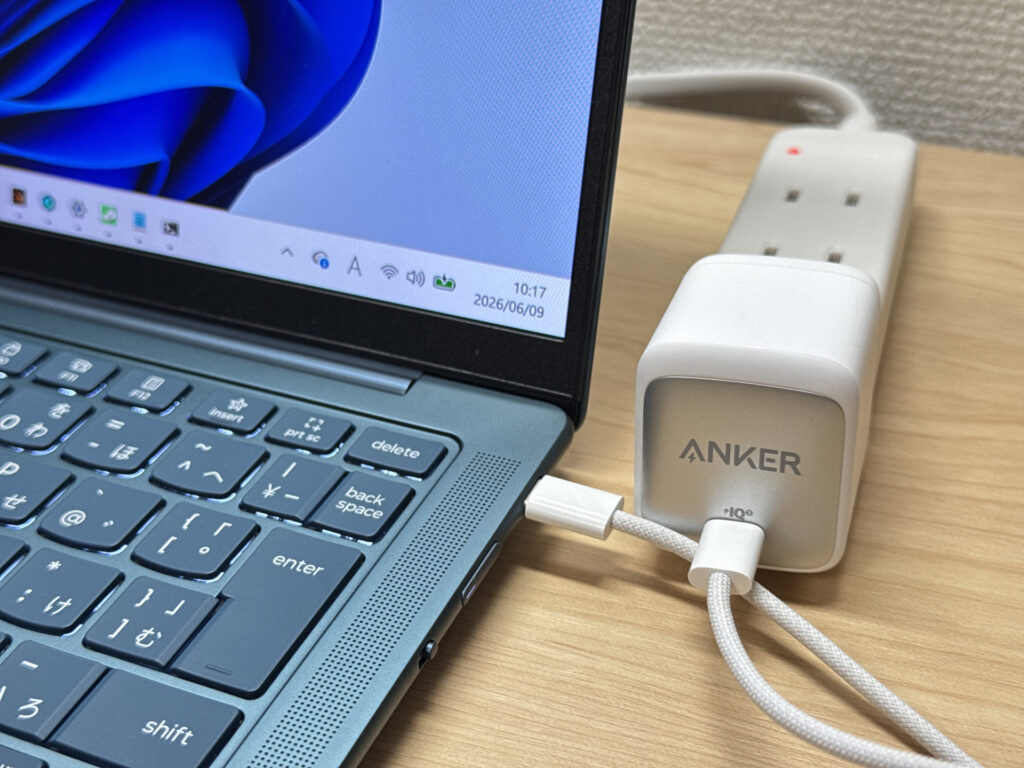 Third-party USB-C charger — works without issue.
Fan Noise & Heat
In everyday use and at idle, the fan is essentially silent. Perfectly café- and library-friendly.
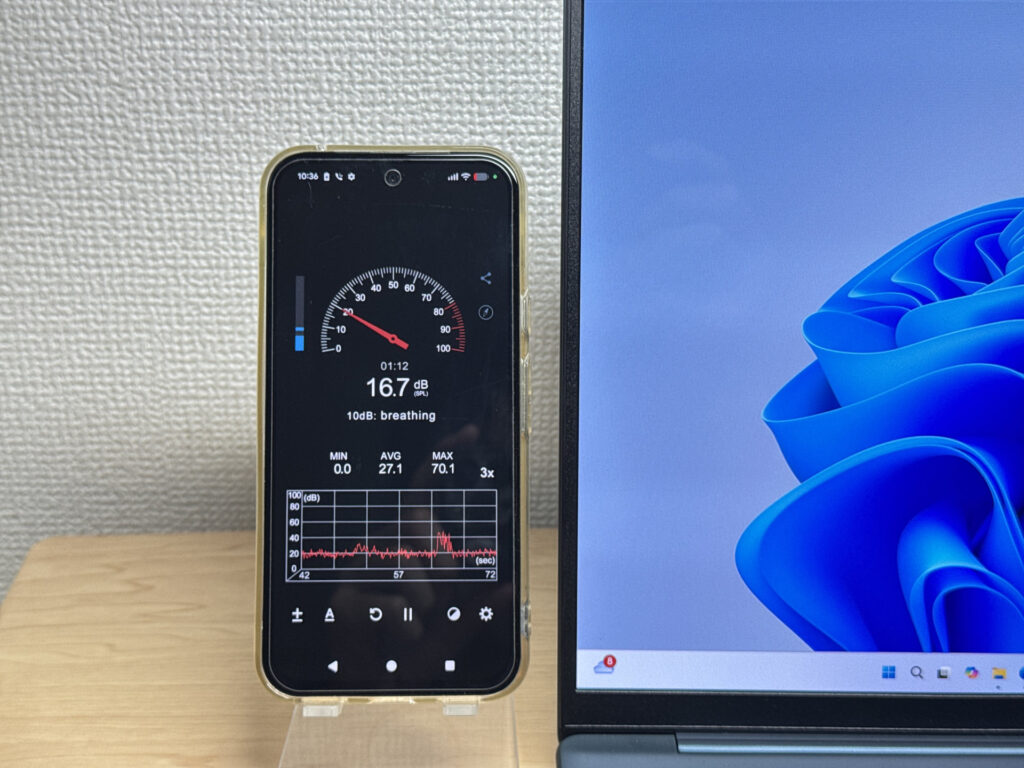 Near-silent at idle.
Under heavy load it ramps up to around 40 dB — a mid-pitched whine. Audible, but not the worst I've come across. The tone isn't particularly unpleasant either.
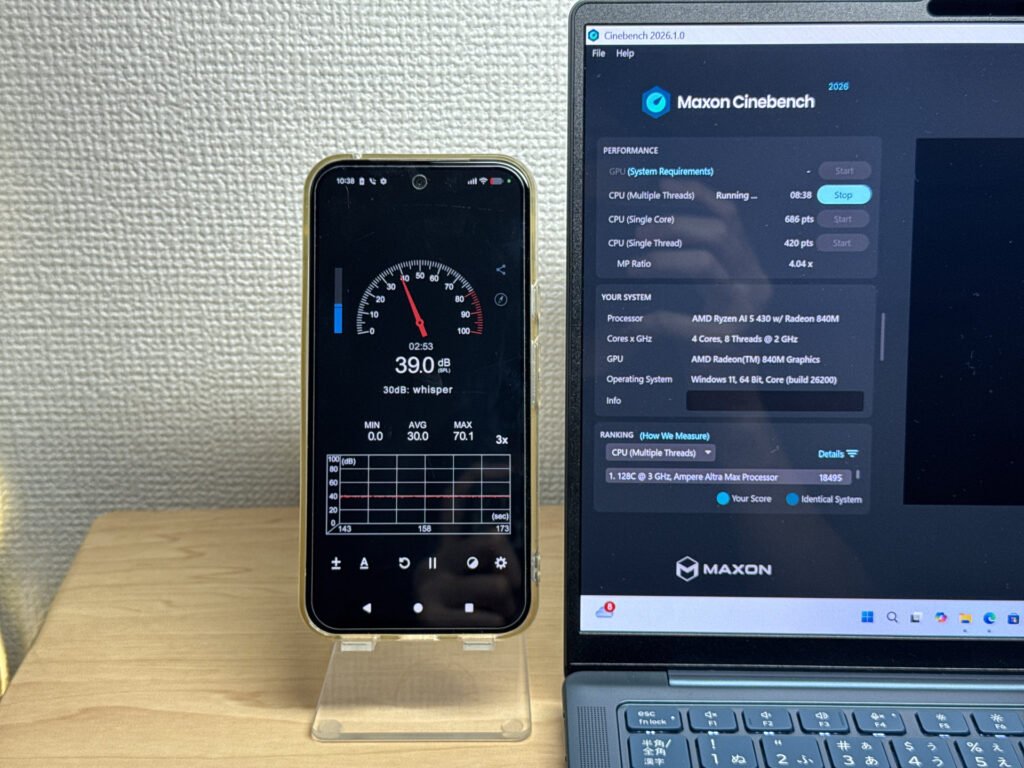 Around 40 dB under load.
| Noise Level | Rating | Feel |
|---|---|---|
| Under 30 dB | Near-silent Idle | Fan noise is barely perceptible — library-quiet and ideal for focused work. |
| 30–35 dB | Quiet | Faintly audible but non-distracting. Easy to work in a quiet room. |
| 35–40 dB | Noticeable | You can tell the fan is spinning, but it rarely interrupts work. |
| 40–45 dB | Somewhat loud Load | Can become distracting in quiet environments. Headphones start to help. |
| 45–50 dB | Loud | Noticeable stress over extended use. Cooling is clearly prioritized. |
| 50 dB+ | Very loud | Prominent fan noise under load — gaming/high-performance thermal design. |
Nice design detail: the exhaust vent is at the rear, so warm air doesn't blow towards your mouse hand. Small thing, but you notice it.
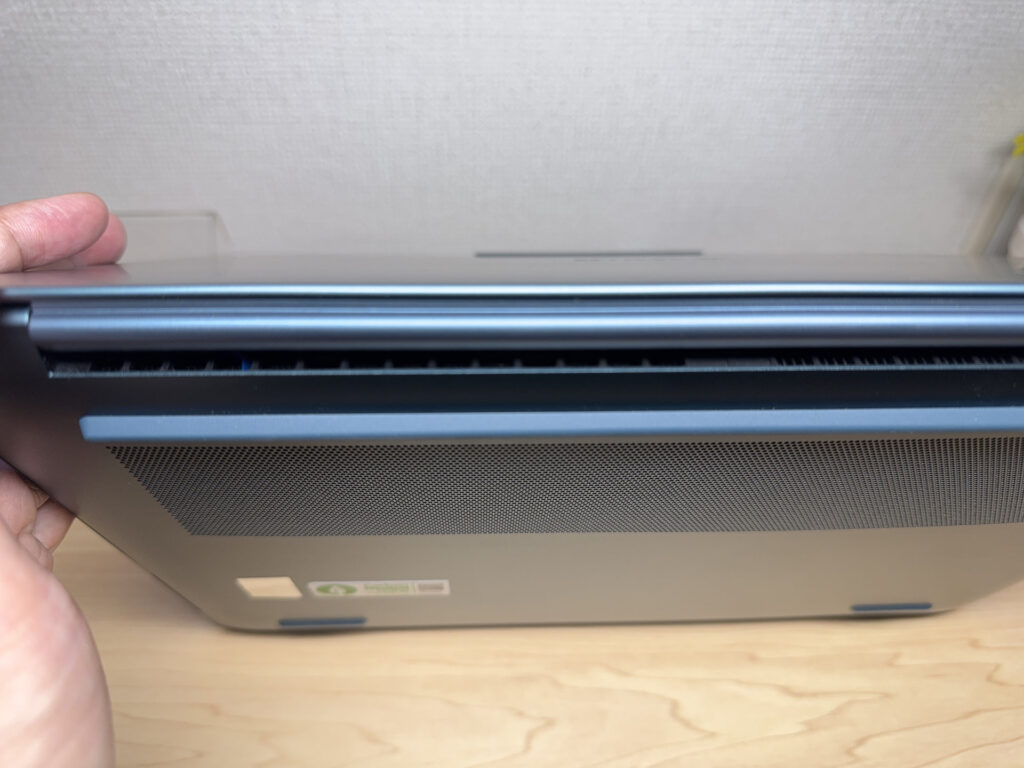 Rear exhaust — no hot air on the mouse hand.
Port Selection
There are three USB-C ports and nothing else — no headphone jack, no USB-A, no HDMI. Honestly, the missing headphone jack is the biggest frustration. If you use wired headphones or earbuds, a USB-C hub with a 3.5mm output is basically essential.
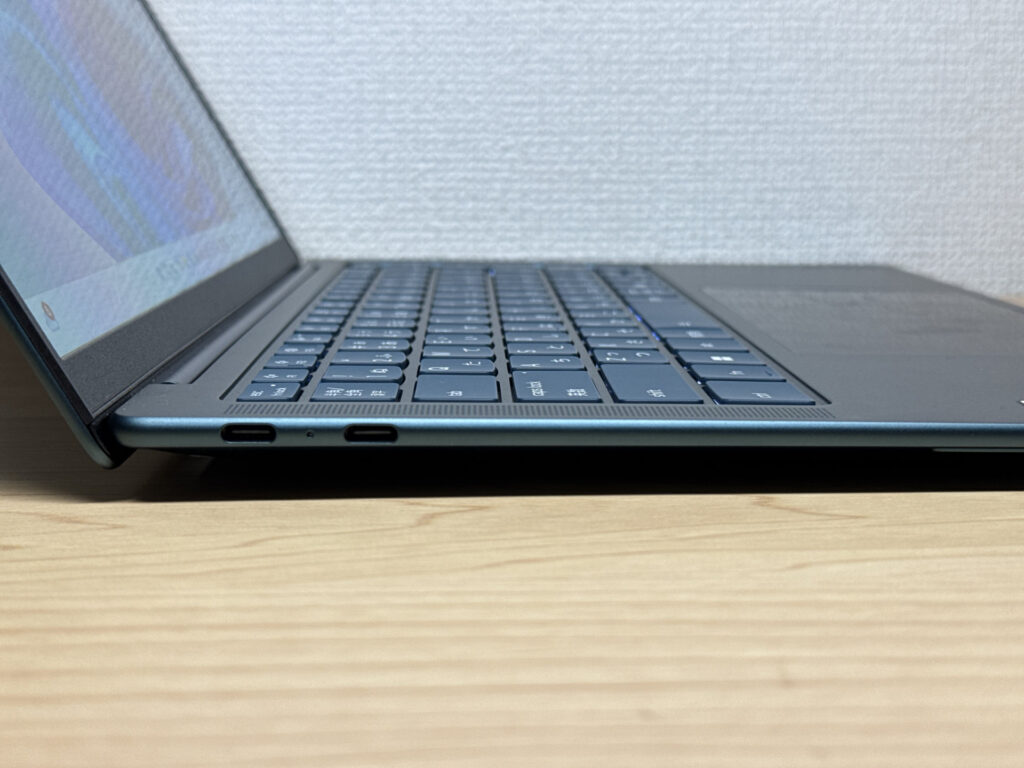 Left side: two USB4 ports.
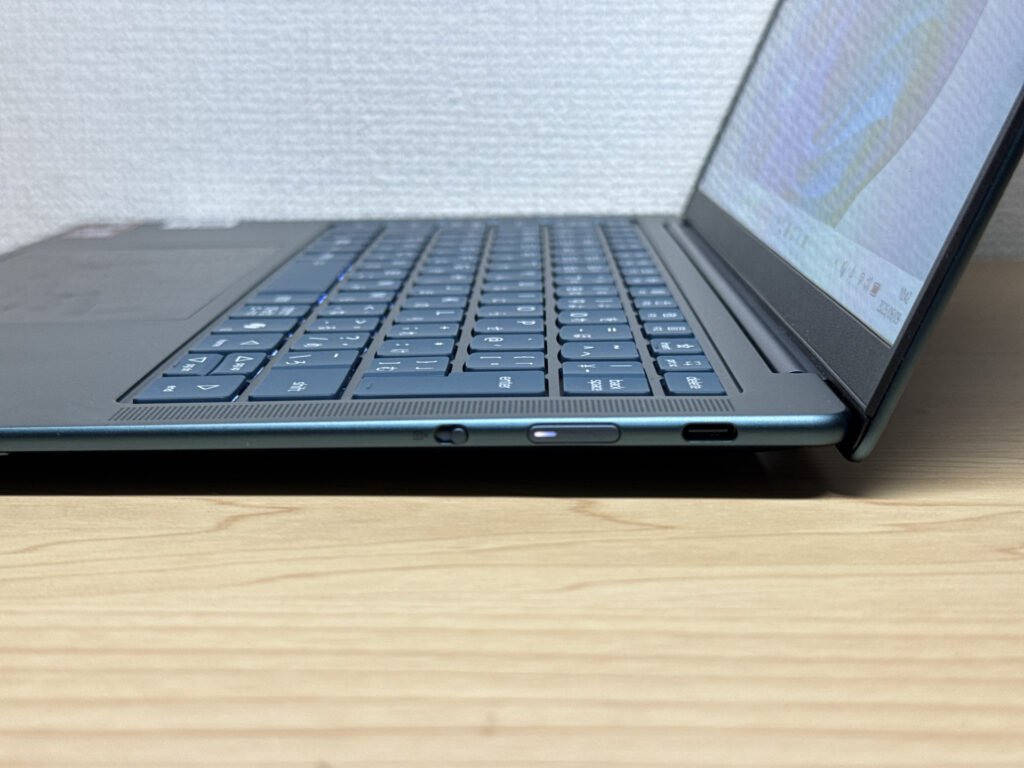 Right side: USB 3.2 Gen 2 (no video output from this one).
External monitor support works well, though. I tested it with a 27-inch 4K display — no issues. Just use the left-side ports for video output; the right one doesn't support it. 😉
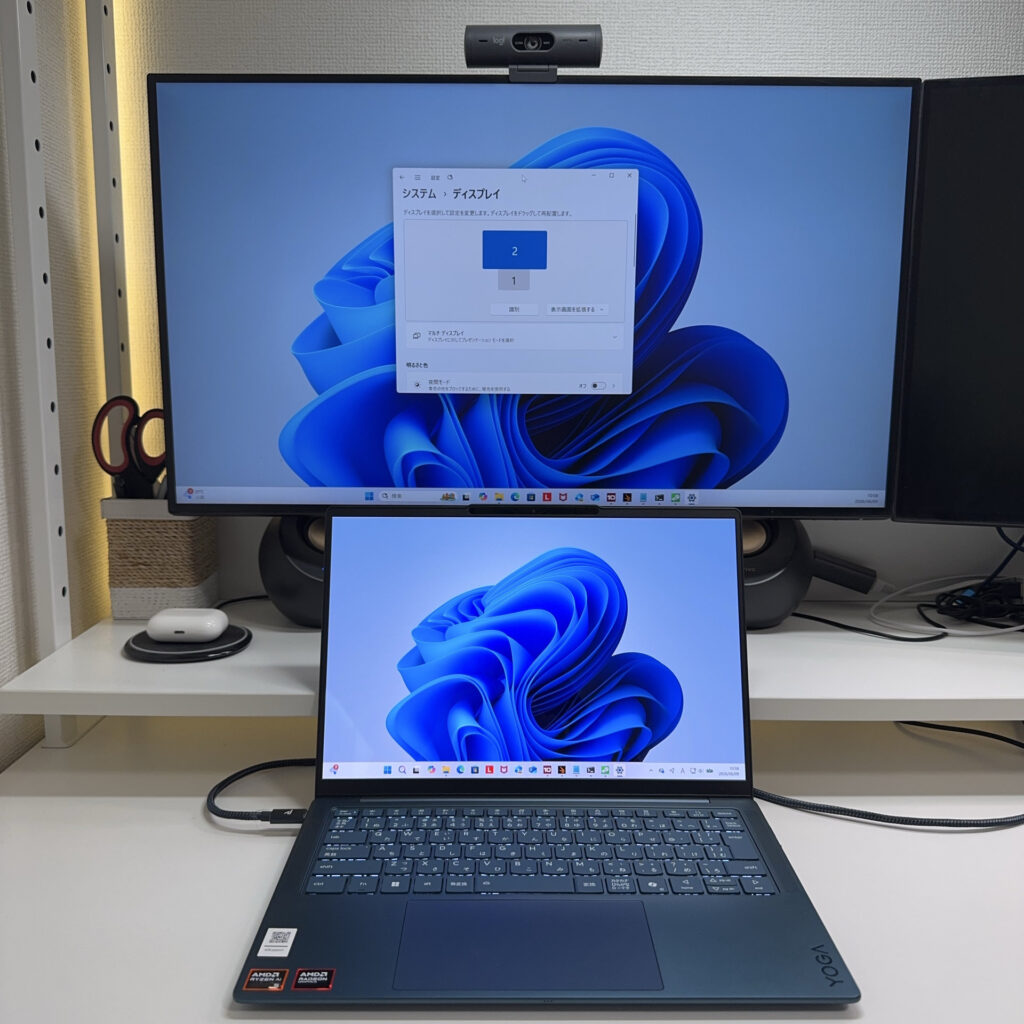 27-inch 4K monitor connected — no trouble at all.
You can also run a triple-display setup via the left USB-C ports. Pair with a Bluetooth keyboard and mouse and it works as a surprisingly capable desktop replacement.
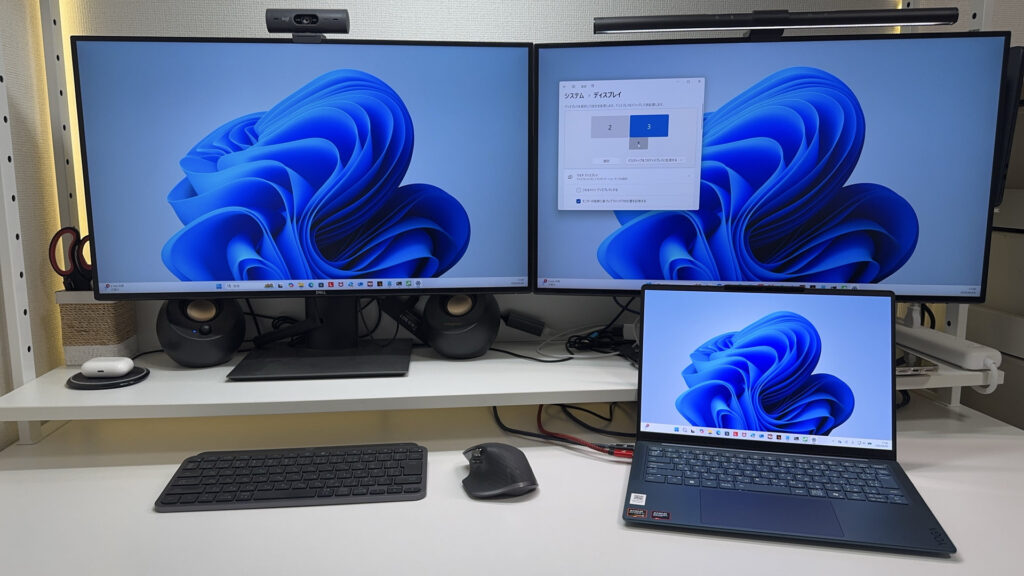 Triple display via USB-C — a legitimate desktop setup.
Webcam
The built-in 5 MP camera is bright and produces decent colour — more than usable for video calls.
 Webcam output — bright and well-balanced.
There's a physical privacy shutter — a switch on the right side physically blocks the lens. Simple, reliable, and reassuring for anyone conscious about that sort of thing.
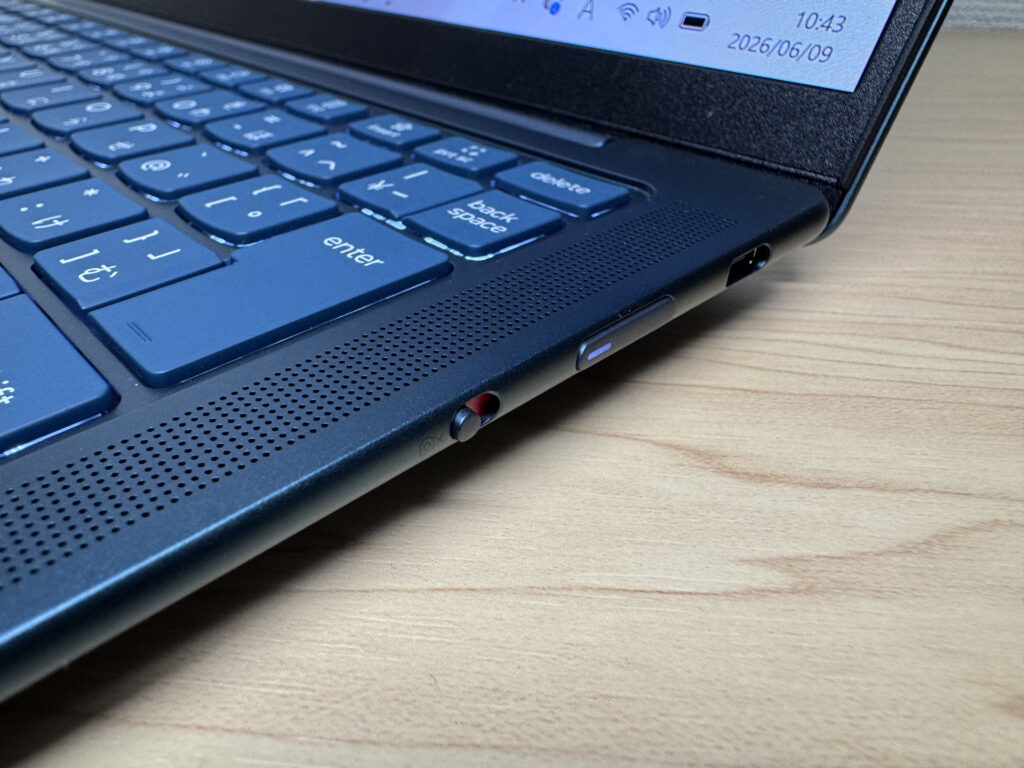 Physical shutter — blocks the lens properly, no software trust required.
Speaker Quality
Speakers are positioned on either side of the keyboard, facing forward — a sensible placement that directs sound towards you rather than downwards. I watched a film on Prime Video and I'd put the audio quality at around 8 out of 10. Decent bass, and more than enough for casual viewing or a video call.
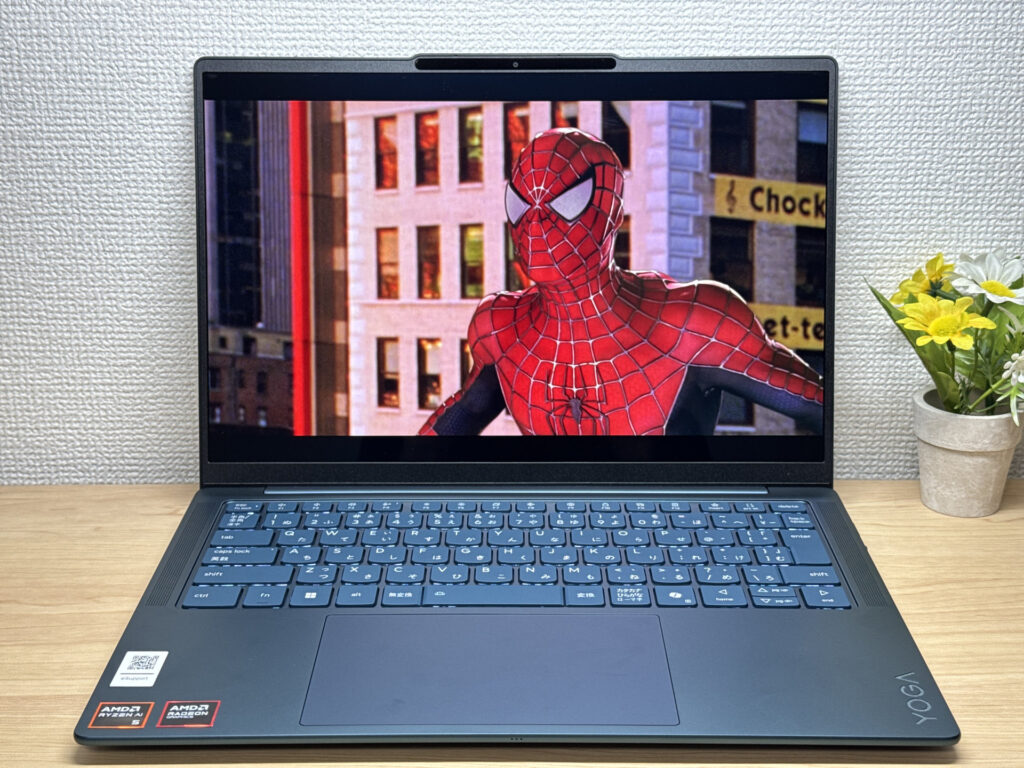 Good speaker placement — audio comes at you, not at the desk. Great for watching films. 🎶
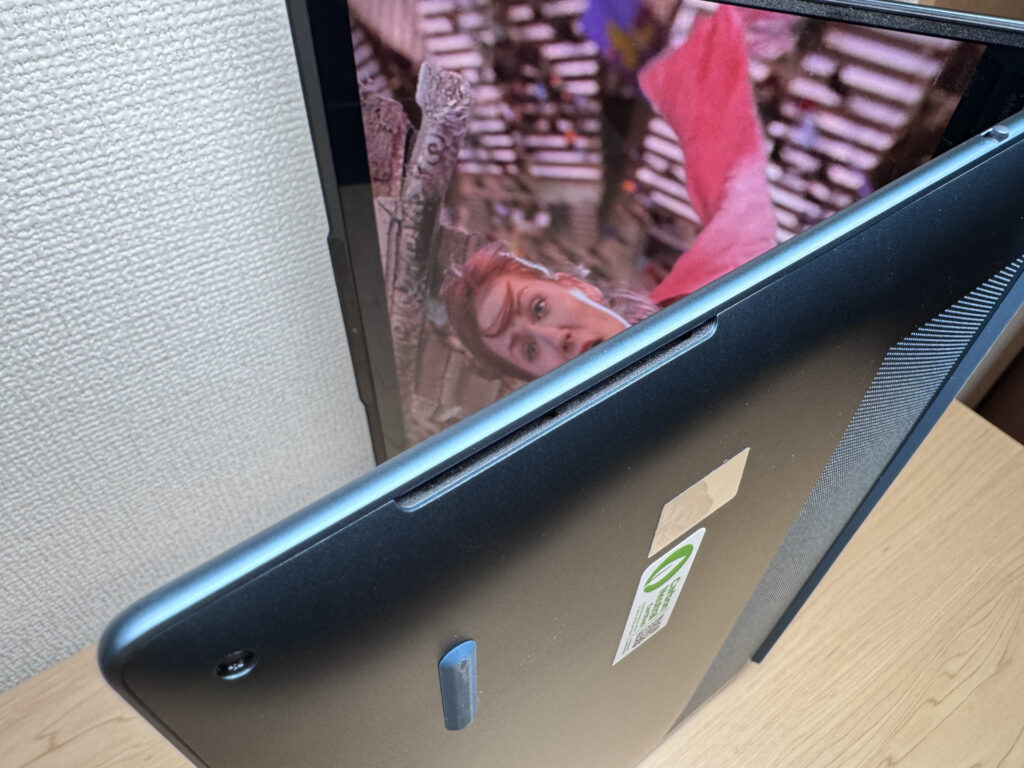 Solid placement for everyday audio use.
Security
Face recognition via Windows Hello works well — screen on, and you're logged in almost instantly. Given how many times a day you unlock your machine, that convenience genuinely adds up.
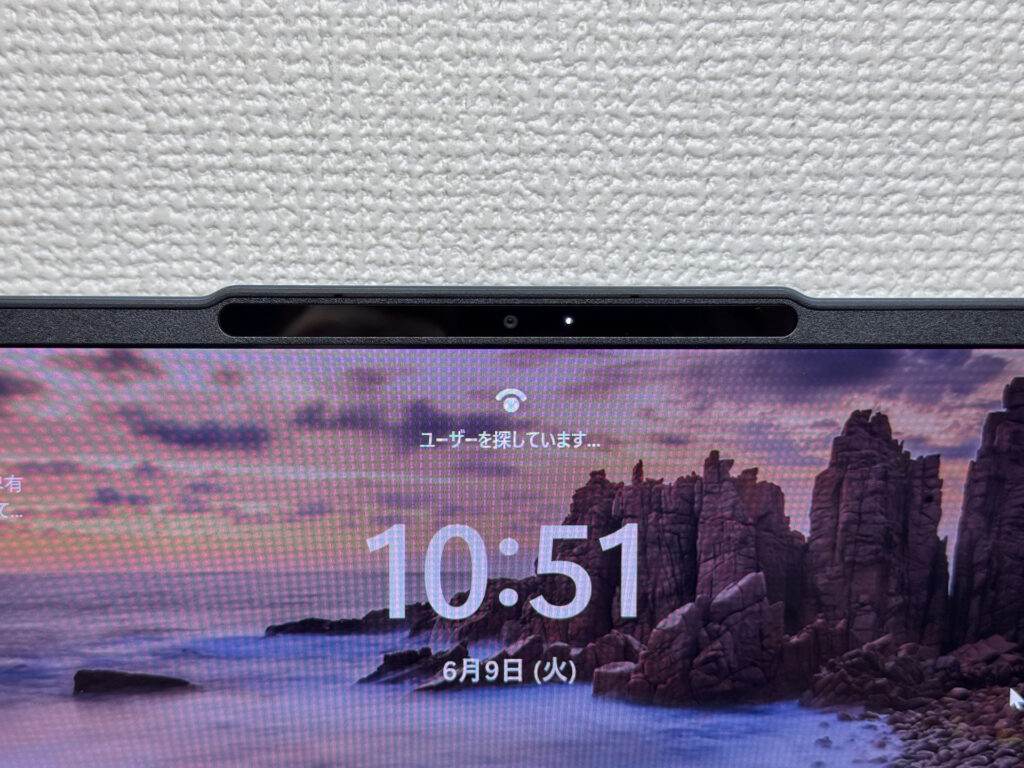 Face recognition — instant login every time.
Price & Value
Lenovo's Yoga line has always aimed for mid-range pricing with above-average quality, and this generation keeps that going. In a market where laptop prices keep creeping up, the spec you get at this price is genuinely difficult to beat.
Verdict
The Yoga Slim 7 Gen 11 (14-inch AMD) delivers on what it promises: slim, light, a genuinely beautiful OLED screen, and a keyboard that's better than you'd expect at this price. The USB-C-only setup with no headphone jack is a real limitation — but in the context of the overall value, it doesn't outweigh what you're getting. A solid pick for uni students, remote workers, or anyone who wants a dependable daily carry without breaking the bank. 🙆♂️
OLED, genuinely light, great keyboard feel — honest value for money.
Where to Buy
* Prices may vary. Please check each store for the latest price and availability.
Where this laptop ranks



About the author