ZippyScore
ZippyScore is a proprietary rating based on 6 criteria: performance, portability, display, battery, value, and connectivity.
See rating criteria
- Performance: CPU / GPU performance
- Portability: Screen size & weight
- Display: Panel type, aspect ratio & refresh rate
- Battery: Rated battery life
- Value: Specs-to-price balance
- Connectivity: Port types & count
Pros & Cons
Pros
- OLED display produces colours and deep blacks that are in a completely different league from IPS
- With 16 GB of RAM or more, switching between multiple applications stays smooth without slowdowns
- PassMark 20,770 CPU handles everyday tasks, multitasking, and light creative work without difficulty
- 60 Wh battery means you're not constantly searching for a socket when you're out
- HDMI, two USB-A, and two USB-C ports — most peripherals connect without needing an adaptor
Cons
- At around 1.69 kg, it may feel a touch heavy on days when you're carrying it all day
- No discrete GPU, so serious gaming or demanding 3D work is outside its scope
Specs Summary
| OS | Windows 11 Home |
|---|---|
| CPU | AMD Ryzen AI 5 430 (PassMark: 13,437) AMD Ryzen AI 7 450 (PassMark: 26,262) |
| RAM | 16GB / 32GB |
| Storage | 512GB / 1TB |
| Display | 16" IPS (Anti-glare, 60Hz) 1920x1200 (16:10) |
| Weight | 1.69 kg (3.73 lbs) |
| Ports | USB-C × 2 (10Gbps/PD/Video out), USB-A × 1 (5Gbps), USB-A × 1 (5Gbps), HDMI × 1, microSD × 1, Headphone jack × 1 |
| GPU | AMD Radeon 840M (G3D Mark: 3,805) |
| Biometrics | Face Recognition |
| Battery | Up to 16.3 h (Capacity: 60 Wh) |
| Dimensions | Approx. 356.5 × 250.6 × 16.9 mm (W × D × H) |
| Wi-Fi | Wi-Fi 6 |
| Bluetooth | Bluetooth 5.4 |
| Color | Luna Grey |
Configurations vary by retailer, region, and availability.
Feature Review
Design
The colour is Luna Grey — a shade Lenovo returns to regularly, and with good reason. It looks composed in a café, credible in a meeting room, and generally doesn't draw the wrong kind of attention. The matte finish feels premium and, perhaps more importantly, it shrugs off fingerprints rather well — a small mercy on something you handle constantly. Lid and base share the same finish, lending a consistency that was already a strength of the older IdeaPad Slim 5 Gen 10. There's none of the plasticky cheapness you sometimes find at this price point; it's a tidy, understated piece of kit.
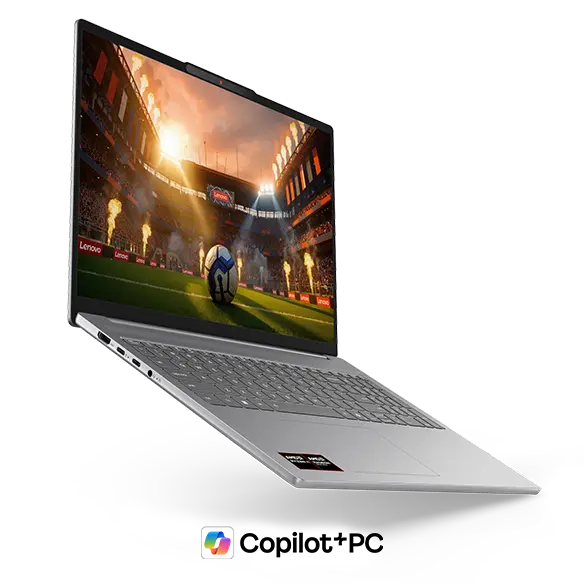 The front panel showcasing Luna Grey's quietly sophisticated presence
 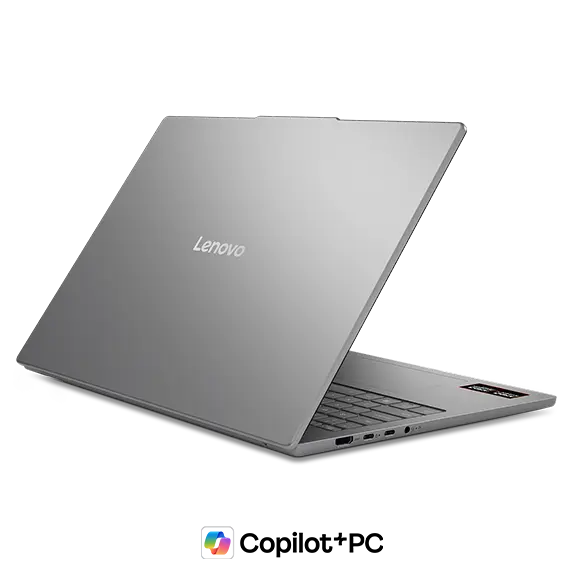 Base panel matching the lid — matte finish keeps fingerprints to a minimum
 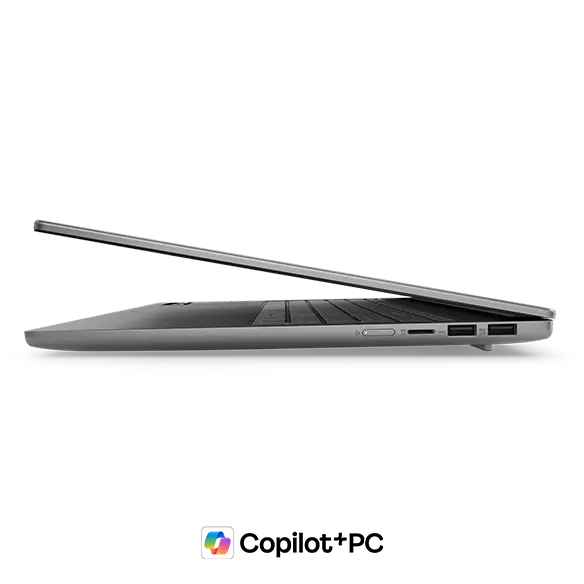 A slim 16.9 mm profile that you genuinely wouldn't expect from a 16-inch machine
Portability
The body tips the scales at roughly 1.69 kg. "1.69 kg for a 16-inch laptop" is doing some serious lifting as a specification — a few years ago, 16-inch machines routinely approached 2 kg, so this feels like a quiet revolution. It's light enough that slipping it into a rucksack every morning for a commute or a day at uni is a genuine option, making it a persuasive answer for anyone who wants a large screen without being anchored to a desk. That said, 1.69 kg is still perceptibly heavier than a lightweight 1.3 kg ultrabook, so if absolute lightness is the priority, it may still feel like a bit much. Weighed against the workspace a 16-inch display provides, though, most people will find it a fair compromise. The 356.5 × 250.6 × 16.9 mm profile is slim enough to slide into most bags without complaint.
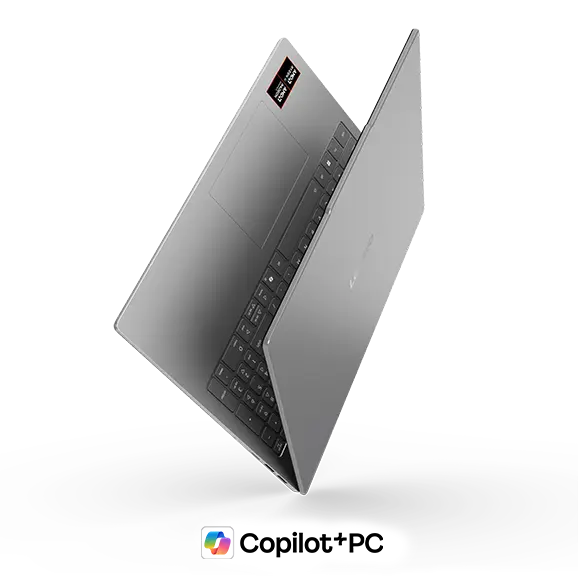 The lightweight 16-inch body — manageable one-handed, just about
Display Quality
This is the centrepiece of the whole machine, and rightly so. A 16-inch OLED panel at 1920×1200 with a 16:10 aspect ratio is a combination you seldom encounter at this price. OLED blacks aren't merely dark — they're genuinely absent, and if you've been living with an IPS panel, the difference is something of a revelation. Colours in photos and video are dramatically richer, and 100% DCI-P3 coverage means solid colour accuracy for photo editing and other creative work. The 16:10 ratio gives a touch more vertical space — fewer scrolls in a browser, more visible rows in Excel or Word. At 16 inches, snapping two windows side by side is perfectly comfortable, which makes multitasking considerably more pleasant.
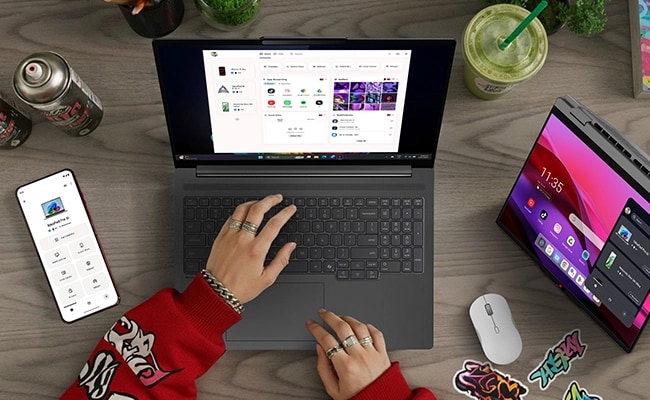 Rich colours and true blacks — the kind of rendering only OLED can produce
Keyboard Feel
Two things stand out on the keyboard layout. First, there's a dedicated number pad. If your work involves a lot of numerical input — spreadsheets, accounting software, data entry — the presence of a numpad is more significant than it sounds. It takes real stress out of entering figures and pays off day after day if numbers are a routine part of your workflow.
Second, and easily overlooked: trackpad placement. 16-inch laptops fitted with numpads frequently push the trackpad off-centre, which becomes irritating surprisingly quickly. Here it sits directly beneath the home row, keeping the relationship between keyboard and trackpad natural. Typing posture stays comfortable even through longer sessions. Backlit keys cover low-light use without fuss.
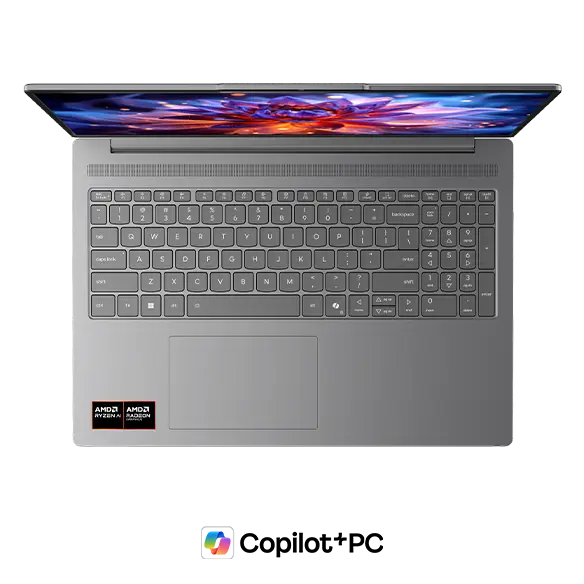 Numpad included, trackpad positioned right where it ought to be
Performance
The processor is an AMD Ryzen AI 7 445, with a PassMark multi-thread score of 20,770 — a genuinely strong result. For rough context: clearing 15,000 puts you in solid territory for multitasking and creative work; closing in on 25,000 is high-performance territory. This chip sits comfortably between those markers, which means running browser tabs, Office apps, and video playback simultaneously won't trouble it in the slightest — there's little in everyday use that will cause it to stall.
| Score | Rating | What it feels like in real use |
|---|---|---|
| Up to 5,500 | Tight on headroom | Hiccups during multitasking; comfort takes a hit. Daily use feels constrained. |
| 5,500–8,000 | Daily use | Web, Office, remote work — handles them without issue. |
| 8,000–12,500 | Comfortable (standard) | Daily PC tasks with real headroom. Light video editing and casual games work. |
| 12,500–20,000 | High performance (mainstream) | Multitasking feels good. Heavier work and 3D games are workable. |
| 20,000–40,000 | Very high performance This PC | Comfortable even for demanding work and gaming. |
| 40,000+ | Exceptional | Plenty of headroom for creative work and heavy loads. Long-lasting performance. |
*PassMark CPU Mark measures multi-threaded CPU performance. Some variance is normal between runs even with the same CPU.
RAM is 16 GB DDR5-5600MT/s (customisable to 32 GB), so keeping multiple applications open at once is straightforward. Graphics are handled by the integrated AMD Radeon 840M. No discrete GPU means demanding 3D gaming is off the table, but casual gaming and video export sit well within its capabilities.
 Ryzen AI 7 445 inside, posting a PassMark score of 20,770
Battery Life
Battery rating: Above average
The 60 Wh battery holds up reasonably well, particularly given it's powering a 16-inch OLED panel (which draws rather more than a conventional LCD). Lenovo quotes up to around 16.3 hours of light use, though that's a best-case reference figure — real-world endurance varies considerably depending on brightness and workload.
For typical everyday tasks — browsing, document work, streaming — getting through half a day to a full day away from a socket is a fair expectation. Heavy workloads or sustained maximum brightness will eat through the charge faster. USB-C charging is supported, so a compact USB-C charger in your bag covers longer days out without adding much weight.
Port Selection
The port layout is notably well thought out. You get two USB-C ports (up to 10 Gbps, both supporting PD charging and video output), two USB-A ports (one with Always On charging that functions even when the laptop is off), HDMI, a microSD card reader, and a 3.5 mm audio jack. You can connect an external monitor, USB devices, and wired headphones without a single adaptor, which is a genuine quality-of-life advantage if you use a fair amount of peripherals. Wi-Fi 6 and Bluetooth 5.4 keep the wireless side current.
Webcam
The 1080p FHD webcam produces a clear, crisp image for video calls — colleagues will actually be able to see you properly. A physical privacy shutter is also included, which is handy for a quick block mid-call without having to navigate through software settings.
Security
Windows Hello face recognition means you simply open the lid, glance at the screen, and you're logged in. No password typing, no fumbling — it shaves a step off every single morning start-up, which is more satisfying than it sounds. The 1080p FHD IR camera should maintain reliable recognition even in lower light.
Price
The value on offer here is genuinely impressive. Factor in 16-inch OLED, a PassMark 20,770-class CPU, 16 GB DDR5 memory, and Wi-Fi 6, and this machine represents excellent value for its class. OLED at this price range remains unusual, so if display quality is near the top of your list, it's a well-priced option. If longevity matters, the option to upgrade RAM to 32 GB is worth a look.
Overall
The IdeaPad Slim 5a Gen 11(16-inch AMD) is built for the person who'd rather not choose between a proper large display and a laptop they can actually carry. The greedy brief — big screen, real portability — is met rather well here. Stunning 16-inch OLED, capable Ryzen AI 7 445 performance, a 1.69 kg body that fits in a bag, and a solid port line-up — at this price, the overall package has a pleasing "is that all it costs?" quality.
I'd particularly recommend it for business users who spend their days in Excel and PowerPoint, anyone who wants to watch films and edit photos on a genuinely great display, and people who need a large-screen setup that travels. If keeping weight below 1.5 kg is non-negotiable, or if serious PC gaming and heavy 3D rendering are your primary uses, you'd be better served elsewhere. For large-screen mobile computing, though, this one earns a firm place on the shortlist.
Where to Buy
* Prices may vary. Please check each store for the latest price and availability.
Where this laptop ranks



About the author