
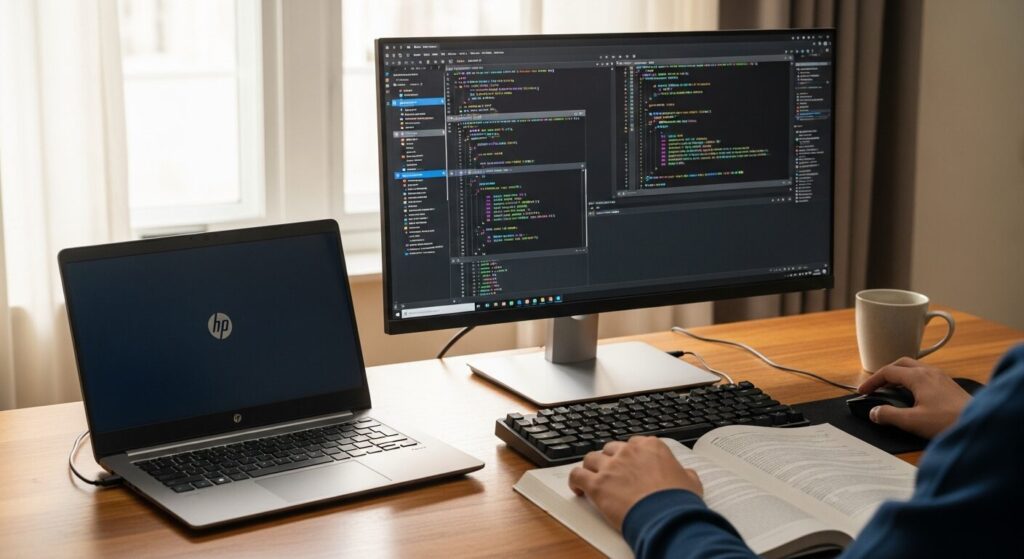
I'm starting programming at uni but I've got no idea which laptop to get. Apparently you need to run AI stuff and Docker virtual environments too, and I can't work out what spec actually covers that. I don't want to end up regretting a cheap, sluggish laptop, but as a student I can't stretch to something crazy expensive either... someone just tell me the right answer already 😂
Hello, I'm Takumi from ZippyLaptop.
Choosing a laptop for uni programming is trickier than it sounds 🤔 These days coding often means running AI agents, spinning up local LLMs, or firing up Docker containers — it's a lot more demanding on your machine than you'd expect.
So if you go too cheap and end up with something underpowered, everything grinds along slowly, you can't get anything done, and you regret it. It's a classic mistake with programming laptops. You've got the motivation to learn — it'd be a shame if your laptop was the thing holding you back.
Which is why it's worth listening to someone who does this for a living 👍 In this article, I've been coding for over 20 years and used Windows, Mac and Linux professionally as a working engineer, and I'll walk through the three things that actually matter when a uni student picks a programming laptop — spec, usability and price — then recommend laptops you won't regret. By the end, you'll know how to pick the one machine that'll see you through all four years.
Quick Answer
I'll get straight to the point.
For a uni programming laptop, just remember: 16GB RAM minimum (32GB if you can stretch), 14-inch, under 1.4kg — job done!
Based on the conclusion above, here are the 3 laptops I'd recommend first.
If you're stuck deciding, picking from this shortlist will rarely lead you wrong.
The rest of the article breaks down the differences and how to choose.
Our TOP 3 Picks
OLED brilliance at a fair price — handles work and media, wherever you are.
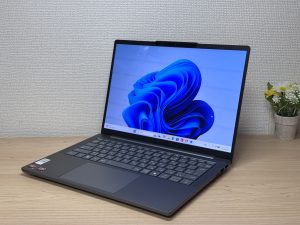
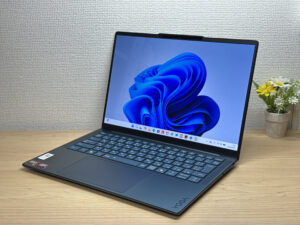
Thin, light, and a gorgeous OLED screen — the ideal laptop for uni programming
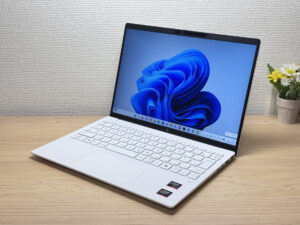
Under a kilo and ready for the daily commute — a well-rounded travel laptop
Buying Guide
Spec: 16GB RAM is non-negotiable, 32GB if your budget stretches
The single most important thing for a uni programming laptop is memory, hands down. 16GB is the minimum you need — and if your budget allows, 32GB will run noticeably smoother. That said, 32GB tends to push the price up, so as a student, having a solid 16GB is more than enough to get by. Here's roughly what to look for 👇
- CPU: any recent-generation chip is fine (M4 or later if you're going Mac)
- RAM: 16GB minimum (32GB if budget allows)
- Display: IPS or better, OLED if you can stretch to it
One thing you absolutely must not do is go for a laptop with 8GB of RAM. I doubt anyone shopping specifically for a programming laptop would pick one, but seriously, avoid it. 8GB just isn't enough these days.
The reason memory matters so much is that modern programming workflows — AI agents, Docker containers and the like — eat through RAM. Honestly, any recent laptop's CPU is decent enough that it's rarely the bottleneck. What matters more is having enough memory that running several windows and agents at once doesn't grind to a halt. If you're running local LLMs hard or spinning up loads of containers, 32GB earns its keep, but the priority order is simple: lock in 16GB first, treat 32GB as a bonus if you can afford it.
One more thing — if you're looking at a MacBook Air, there's also a 24GB option. Sitting between 16GB and 32GB, 24GB is a smart middle ground if you want some breathing room without overspending. Get a solid 16GB and you'll be able to run AI tools and Docker just fine right through to graduation 😉.
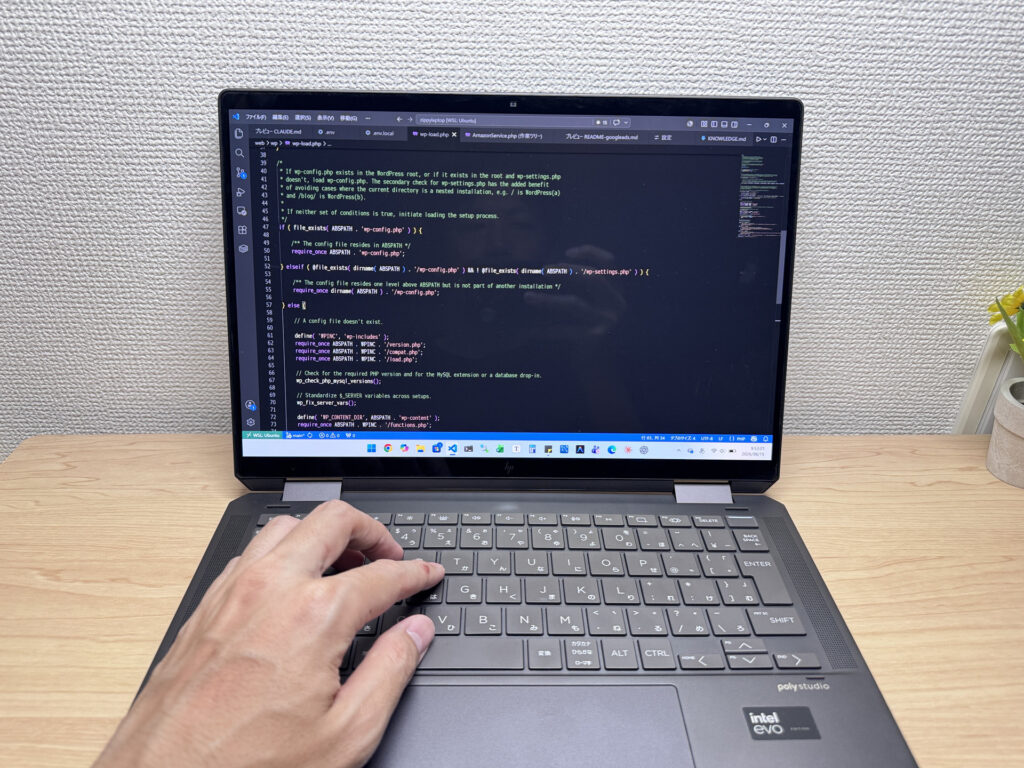 Modern programming leans heavily on AI agents and Docker environments, so prioritise memory!
Usability: pair a 14-inch laptop with an external monitor for a "portable desktop"
For usability, my recommendation is a 13–14 inch laptop that's as light as possible, ideally under 1.4kg. Students carry their laptops everywhere — to lectures, back home, out to a café to work. That's exactly why a 14-inch model you can carry without thinking about it saves you a lot of regret.
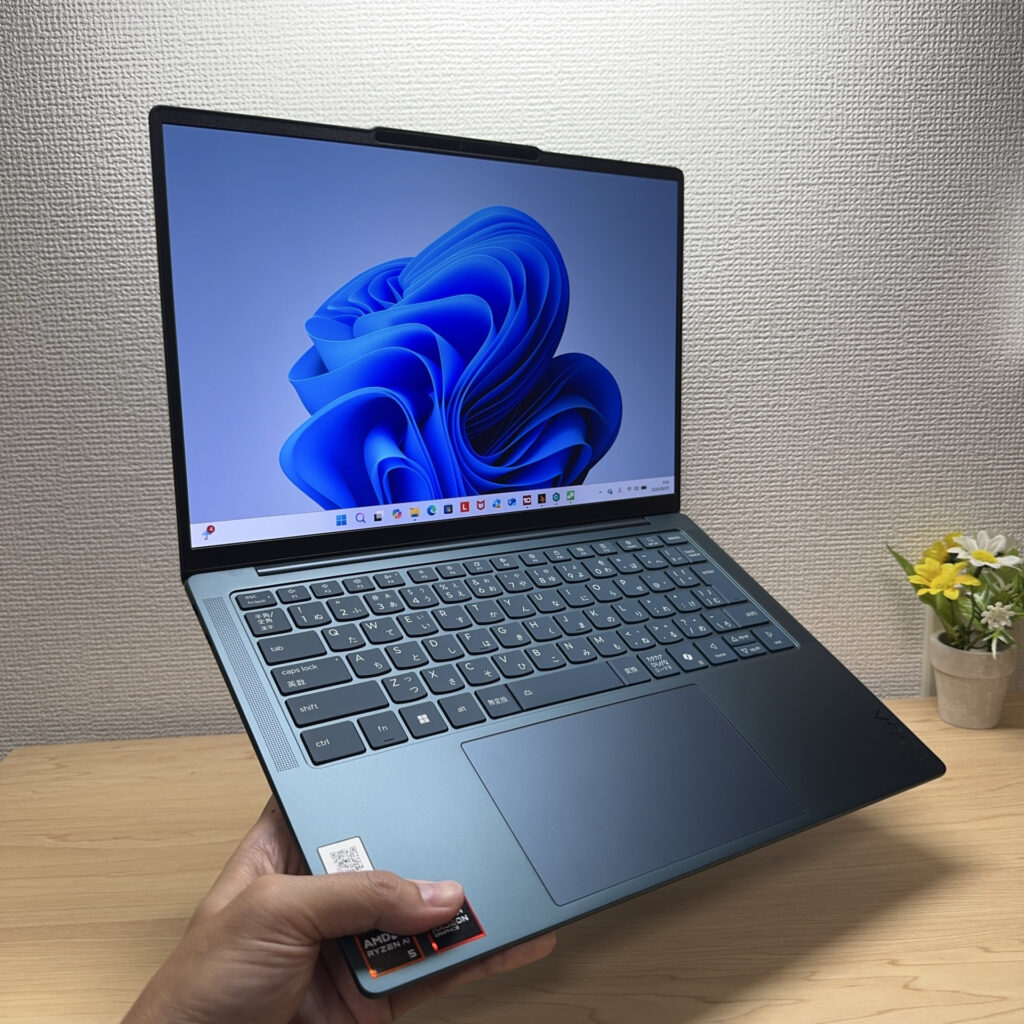 A 14-inch screen is a decent size, and being able to just grab it and go is brilliant.
Sure, there are light 15–16 inch laptops out there too, but if you're stuffing it in your bag every single day, a 14-inch is the right call. A 15-inch-plus laptop can work, but only if it's genuinely lightweight — the classic caveat 😄.
Here's the key point though: plugging into an external monitor at home and turning your laptop into a proper desktop setup massively boosts your productivity. A laptop screen is always going to be small, but external monitors are cheap, and adding a Bluetooth keyboard and mouse makes things even more comfortable. With an external monitor you can see several windows at once, and that alone makes a huge difference to how efficiently you work. These small time-savers add up and genuinely make you a better programmer.
For what it's worth, my own setup is a laptop plus two 27-inch external monitors for a triple-display arrangement. It's the best programming setup I've landed on, and those two 27-inch screens genuinely change how you work 😉. Light enough to take out, spacious enough at home — that combination is unbeatable for a student's programming setup.
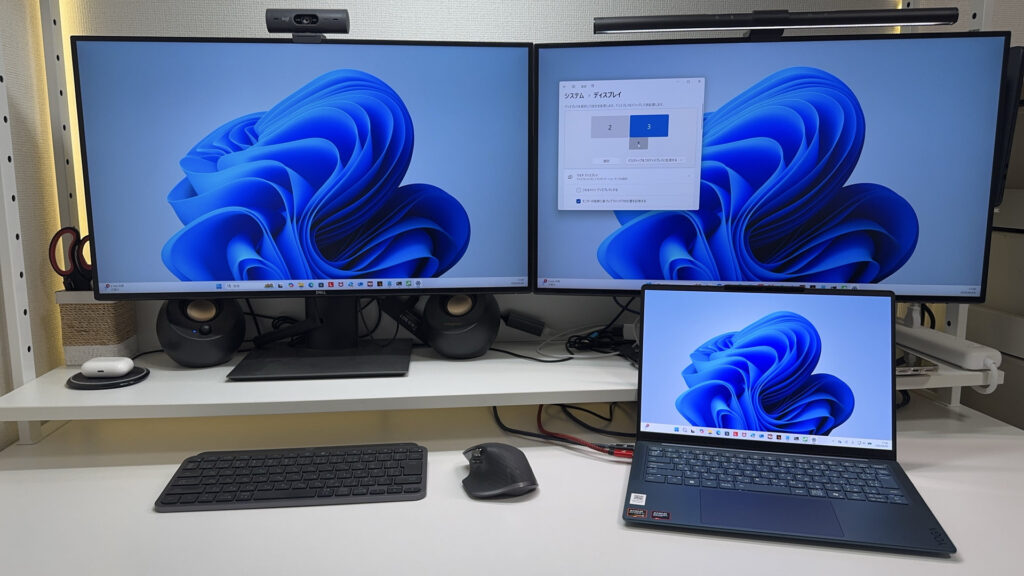 This might be overkill for a student, but once you get used to this kind of comfort, there's no going back 😇
Price: this is your working tool, so don't skimp
Finally, price. To cut straight to it: this isn't the place to cut corners. If you're a uni student planning to go deep into programming or IT, your laptop is your working partner — the equivalent of a carpenter's plane, a genuine tool of the trade.
Unlike arts and humanities degrees, if Computer Science is at the core of what you're studying, it's well worth investing in your main tool. That said, you're a student, so there's no need to stretch for something absurdly high-end. Balance is what matters.
What I'd aim for is a portable laptop around £1,000 with 16GB of RAM (32GB if your budget allows). That's my top recommendation. Buying cheap and replacing it two years later ends up costing more than getting something decent from the start. A laptop you've properly invested in will support your learning for all four years.
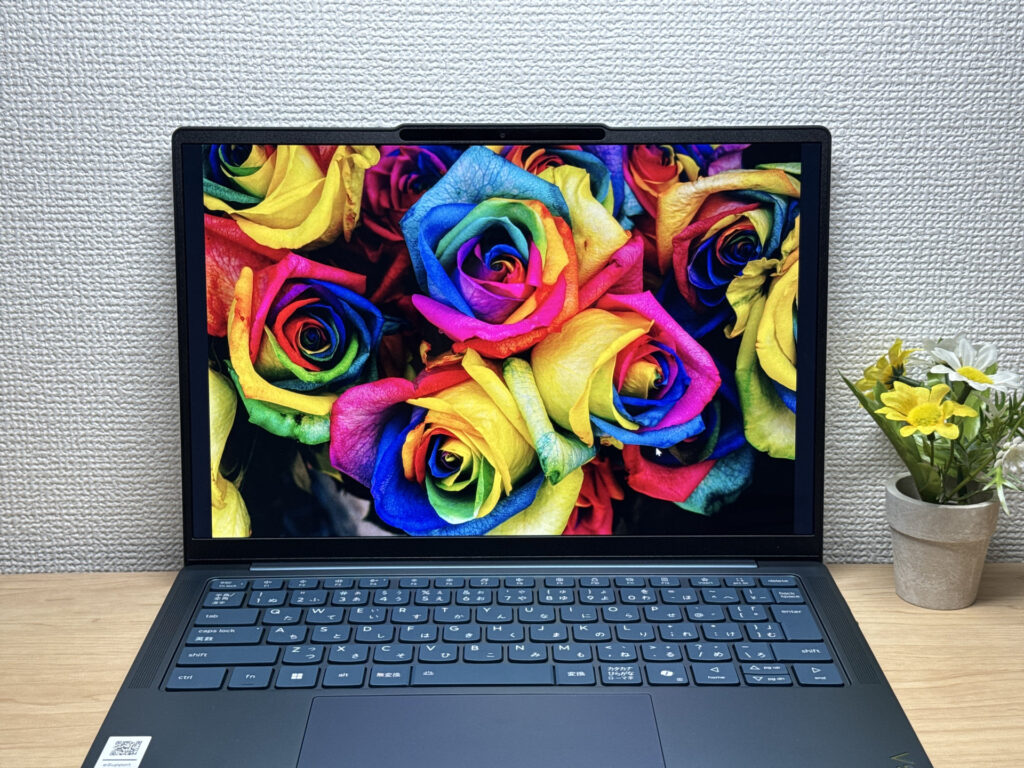 Personally, I think the display matters too — you'll be staring at it for hours on end. 👌
Our Picks
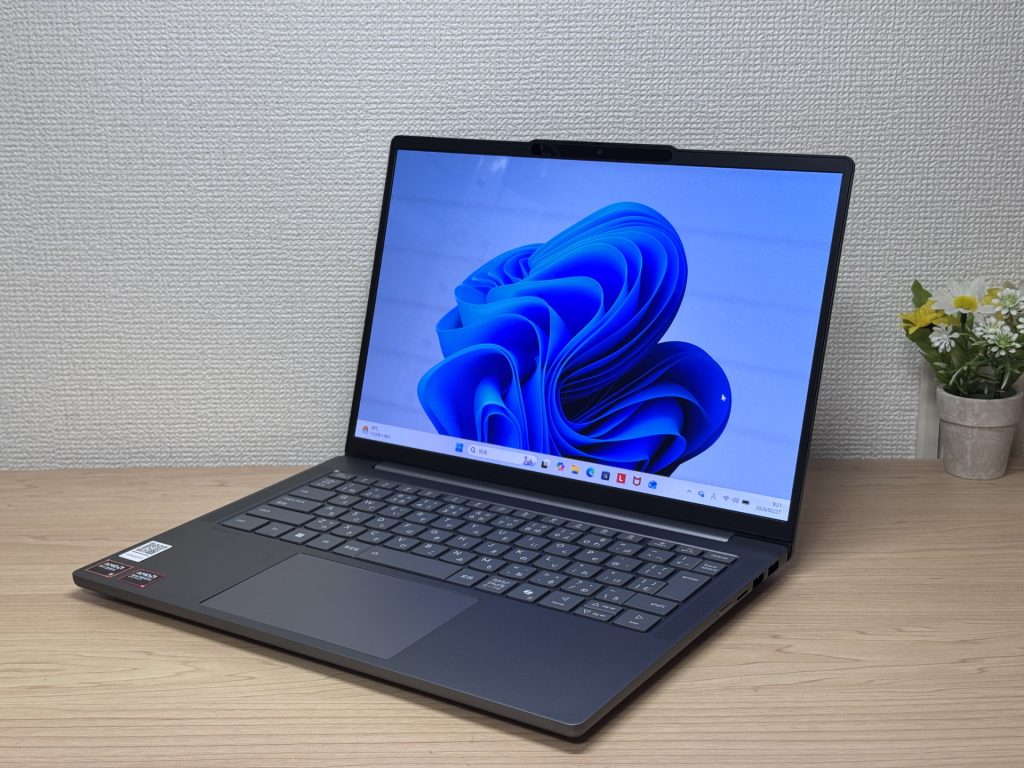
#1Lenovo IdeaPad Slim 5 Gen 10 (14-inch AMD)
- ·You carry your laptop to work or uni every day
- ·You want a great screen for films and streaming
- ·You need all-day battery life away from a power socket
- ·You need to connect up quickly in meetings or lectures
- ·Demanding gaming or heavy video editing is your primary use case
- ·You regularly do intensive tasks in quiet environments
Key Specs
- CPU
- AMD Ryzen AI 5
- Display
- 14.0-inch
- RAM
- 16GB
- Weight
- 1.39 kg (3.06 lbs)
- Storage
- 512GB SSD
- Battery
- ~19.8h
Why We Picked It
IdeaPad Slim 5 Gen 10 (14" AMD) is a 14-inch laptop that genuinely earns its value tag, largely down to that OLED display. At this price, the colour vibrancy and black depth are in a class of their own — great for streaming films or sorting through photos. A PCMark 10 score of 6,778, 16 GB of RAM, and a 60 Wh battery rated up to 19.8 hours round off a very compelling package.
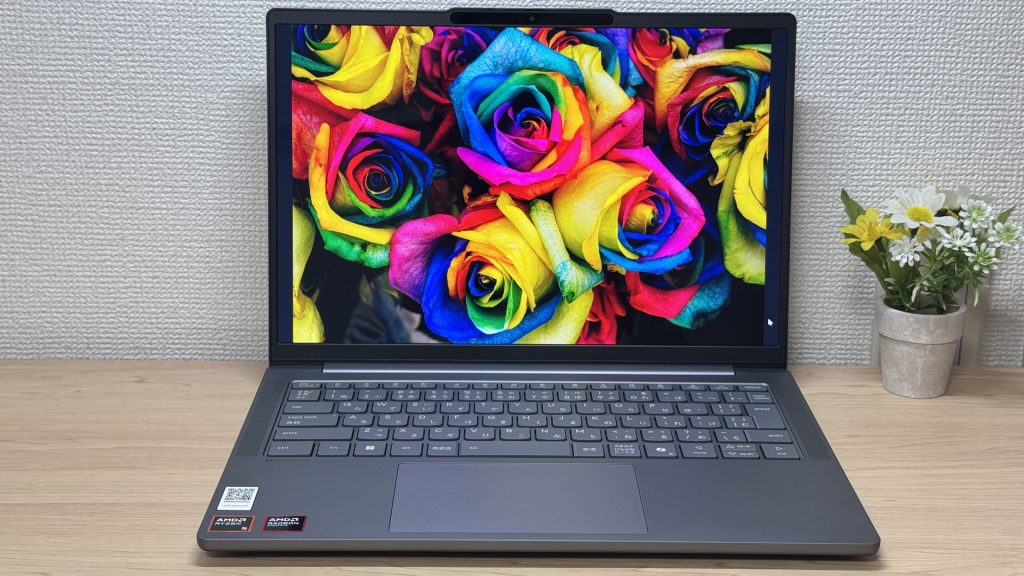 That OLED really is something.
The glossy panel does pick up reflections — fair trade-off for that display quality, honestly. Ports are plentiful enough that you won't need a USB-C hub, which is always appreciated. A solid all-rounder for everyday use and lighter creative work.
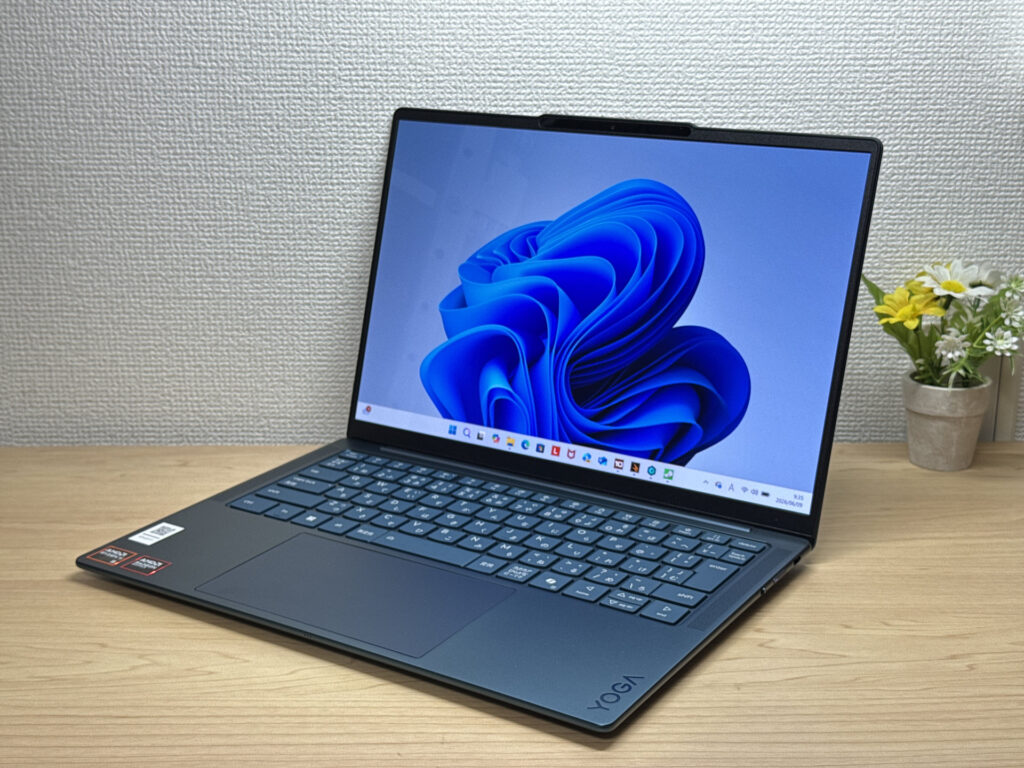
#2Lenovo Yoga Slim 7a Gen 11 (14-inch AMD)
- ·You carry your laptop every day and want something genuinely light
- ·You want a sharp, vivid display for streaming films and shows
- ·You need a reliable daily machine for work, uni, and general productivity
- ·You want an OLED laptop that's slim, light, and won't break the bank
- ·Your main use is demanding gaming or heavy video editing work
- ·You rely on USB-A, HDMI, or have lots of peripherals to connect directly
Key Specs
- CPU
- AMD Ryzen AI 5 430
- Display
- 14.0-inch 1920x1200 OLED touch
- RAM
- 16GB
- Weight
- 1.14 kg (2.54 lbs)
- Storage
- 512GB SSD
- Battery
- ~19.0h
Why We Picked It
Lenovo Yoga Slim 7 Gen 11 is, in my view, the best laptop out there for a uni student's programming needs. Even within the Yoga Slim range, this model is remarkably light at around 1.15 kg — and if you're carrying a laptop to campus every day, weight is everything 👍
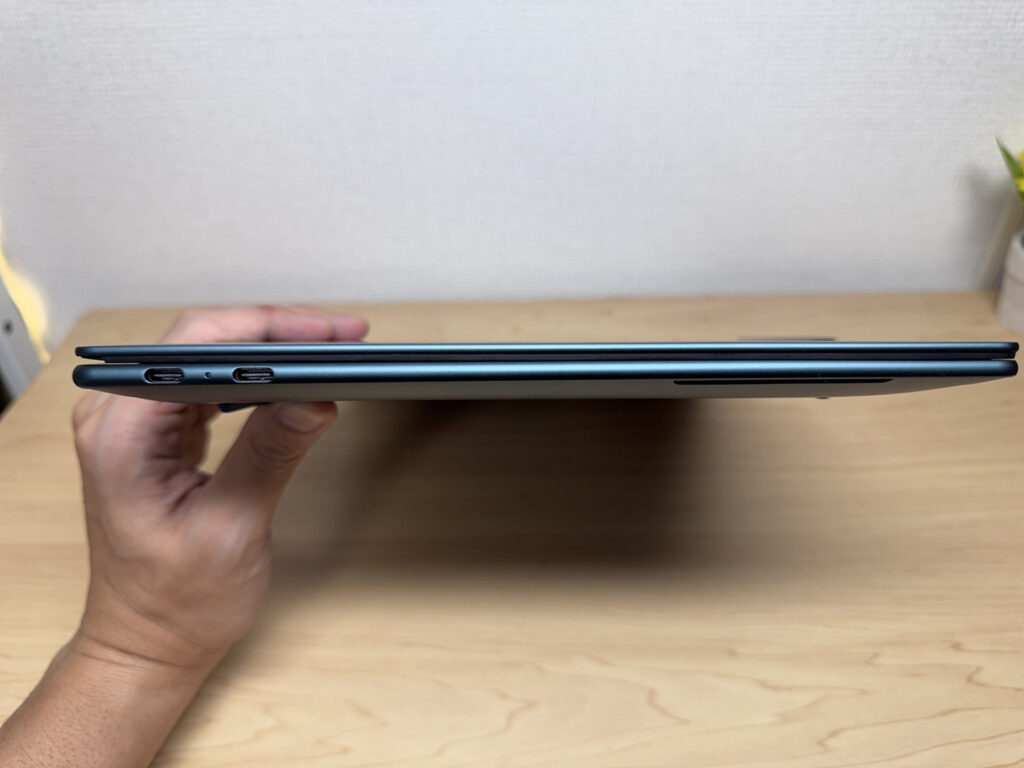 True to the Yoga Slim name, it's thin and easy to carry around!
Another big point is the OLED display. Most laptops in this range still use IPS panels, so having an OLED — a genuine step up — means source code and AI terminal windows stay crisp and easy to read, and your eyes hold up better through long coding sessions. It also feels well-built, has more than enough spec for programming, and gets solid battery life, all at a reasonable price. Given how much value you're getting, this is currently my top pick for a uni programming laptop 😊
A gorgeous screen genuinely makes coding more enjoyable, and it's easier on the eyes too.
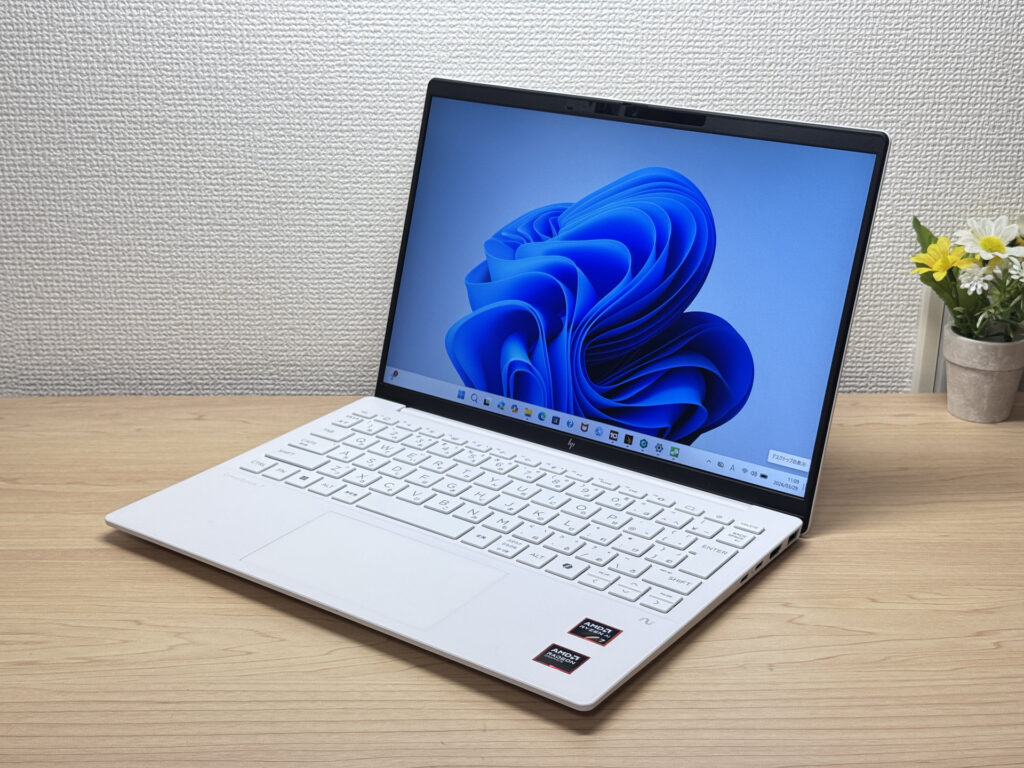
#3HP OmniBook 7 Aero 13-bg
- ·You carry your laptop everywhere and want something genuinely lightweight
- ·You want a solid machine for essays, browsing, and video calls
- ·You often work from cafés, lectures, or anywhere outside the office
- ·You need a machine for heavy gaming or video editing
- ·You're regularly away from a charger for long stretches
Key Specs
- CPU
- AMD Ryzen AI 7 350
- Display
- 13.3-inch 1920x1200 IPS
- RAM
- 16GB
- Weight
- 0.97 kg (2.14 lbs)
- Storage
- 1TB SSD
- Battery
- ~15.5h
Why We Picked It
The OmniBook 7 Aero 13-bg's standout feature is its weight: just 970g, genuinely light enough to carry around all day without really noticing it. The Ceramic White finish looks great — the kind of laptop you'd actually want to get out at a café or on campus. Powered by the AMD Ryzen AI 7 350, it scored 6946 on PCMark 10 — solid performance for a machine this light. The IPS display delivers good colour and handles everything from daily browsing to video calls without complaint.
The downsides are straightforward: the lid is plastic, so don't expect a premium feel. The charger weighs a chunky 323g — surprisingly heavy given how light the laptop is. Battery is 43 Wh, so you'll want a plug handy on longer days out. Still, if you want a good balance of portability, performance, and looks, this is a strong contender.
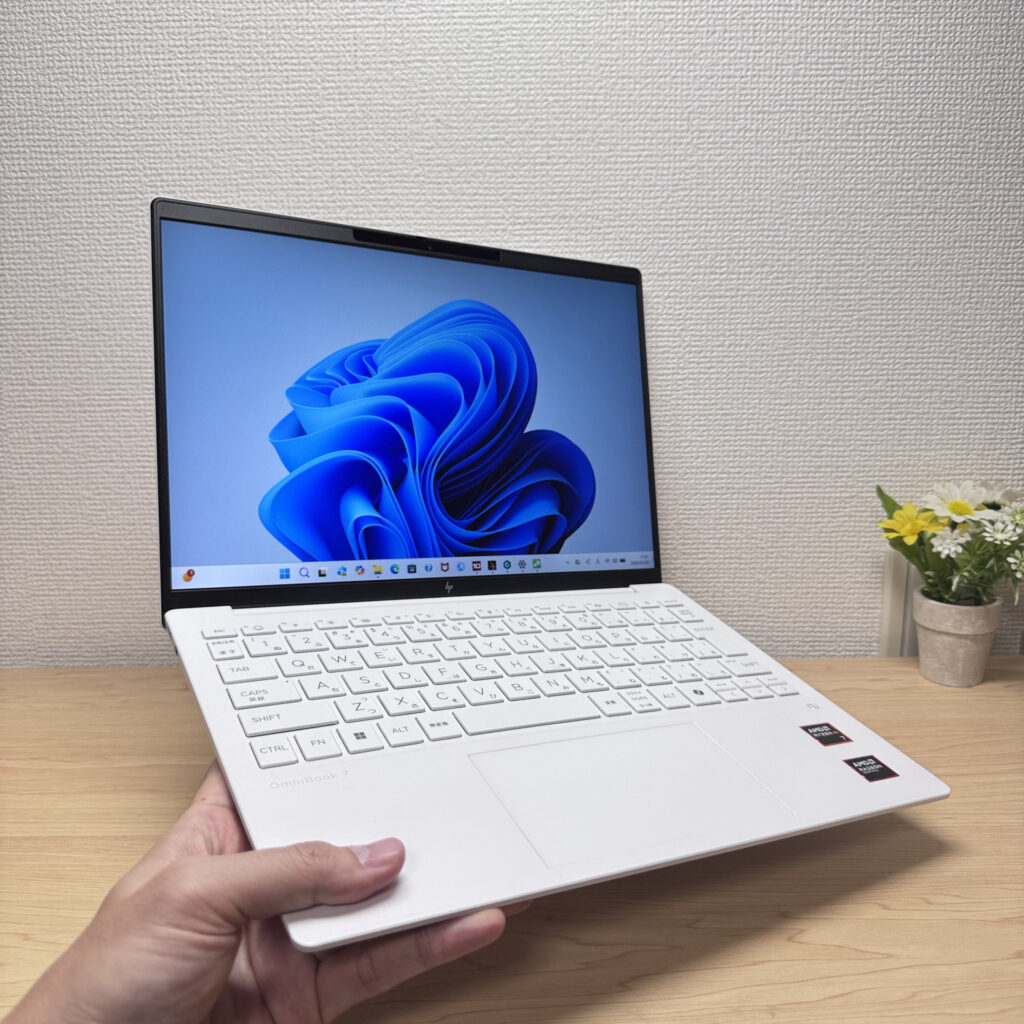 Light enough to carry in one hand with ease
More Recommended Models
If our TOP 3 didn't quite click, take a look here too. These are picked with the same criteria, so you won't go far wrong either.
Cracking OLED in a featherlight 964g (2.1 lbs) body — hard to fault.
About 1.2 kg (2.6 lbs) and a 3K OLED — pricey, but you can see exactly where it went.

OLED brilliance and blistering-fast storage in a genuinely premium-feeling 2-in-1

Spec Comparison
Compare specs of all 6 recommended models at a glance.
Note: This table is ordered by our editors' picks for this use case, not by ZippyScore.
| Model | Image | Stores | Highlights | ZippyScore | CPU | RAM | Storage | Display | Battery | Weight | Full Review |
|---|---|---|---|---|---|---|---|---|---|---|---|
|
🥇 Best Overall
Lenovo
IdeaPad Slim 5 Gen 10 (14-inch AMD)
|
|
Amazon | OLED brilliance at a fair price — handles work and media, wherever you are. | Best 4.8/5 | AMD Ryzen AI 5 Passmark: 19,356 | 16GB | 512GB |
14.0"
|
~19.8h | 1.39 kg (3.06 lbs) | Full Review |
|
🥈 Best Balanced Pick
Lenovo
Yoga Slim 7a Gen 11 (14-inch AMD)
|
|
Amazon | Thin, light, and a gorgeous OLED screen — the ideal laptop for uni programming | 4.6/5 | AMD Ryzen AI 5 430 Passmark: 13,437 | 16GB | 512GB |
14.0"
1920x1200
OLED
|
~19.0h | 1.14 kg (2.54 lbs) | Full Review |
|
🥉 Best Value Pick
HP
OmniBook 7 Aero 13-bg
|
|
Amazon | Under a kilo and ready for the daily commute — a well-rounded travel laptop | 4.5/5 | Best AMD Ryzen AI 7 350 Passmark: 24,959 | 16GB | Best 1TB |
13.3"
1920x1200
IPS
|
~15.5h | Best 0.97 kg (2.14 lbs) | Full Review |
|
Lenovo
Yoga Slim 7i Ultra Gen 11 Aura Edition
|
|
Amazon | Cracking OLED in a featherlight 964g (2.1 lbs) body — hard to fault. | 4.6/5 | Intel Core Ultra 5 325 Passmark: 21,039 | Best 32GB | Best 1TB |
Best 14.0"
2880x1800
OLED
|
~22.8h | 0.97 kg (2.15 lbs) | Full Review |
|
ASUS
Zenbook S 14 (UX5406SA)
|
|
Amazon | About 1.2 kg (2.6 lbs) and a 3K OLED — pricey, but you can see exactly where it went. | 4.3/5 | Intel Core Ultra 7 256V Passmark: 19,556 | 16GB | Best 1TB |
Best 14.0"
2880x1800
OLED
|
~23.3h | 1.20 kg (2.65 lbs) | — |
|
HP
OmniBook X Flip 14-kb
|
|
Amazon | OLED brilliance and blistering-fast storage in a genuinely premium-feeling 2-in-1 | 4.2/5 | Intel Core Ultra 7 355 Passmark: 20,954 | 16GB | 1000GB |
14.0"
1920x1200
IPS
|
Best ~32.0h | 1.39 kg (3.06 lbs) | Full Review |
Frequently Asked Questions
Is 16GB or 32GB of RAM better?
How powerful does the CPU need to be?
Is Mac or Windows better for programming?
Can I do AI-assisted programming on these?
Any tips for making working from home more comfortable?
Summary
Here's a quick recap of the conclusion from this article:
These are the models that meet those criteria:
- #1 Lenovo IdeaPad Slim 5 Gen 10 (14-inch AMD)
- #2 Lenovo Yoga Slim 7a Gen 11 (14-inch AMD)
- #3 HP OmniBook 7 Aero 13-bg
- #4 Lenovo Yoga Slim 7i Ultra Gen 11 Aura Edition
- #5 ASUS Zenbook S 14 (UX5406SA)
- #6 HP OmniBook X Flip 14-kb
We hope you find the laptop that's right for you here.
Happy laptop hunting!
About the author
