ZippyScore
ZippyScore is a proprietary rating based on 6 criteria: performance, portability, display, battery, value, and connectivity.
See rating criteria
- Performance: CPU / GPU performance
- Portability: Screen size & weight
- Display: Panel type, aspect ratio & refresh rate
- Battery: Rated battery life
- Value: Specs-to-price balance
- Connectivity: Port types & count
Pros & Cons
Pros
- Machined aluminium Aura Edition finish feels a cut above
- Paper-like writing feel makes pen input a joy
- 3x Thunderbolt 4 plus HDMI and USB-A, so no dongles needed
- 10MP webcam makes you look sharp on video calls
- About 1.3 kg for a 2-in-1, easy to carry round the office
Cons
- Screen auto-rotate didn't work → no issue if you mostly use it in landscape
- 60Hz refresh rate → not noticeable for office work or pen use
- Pretty pricey → the included pen and generous feature set help justify it
Specs Summary
| OS | Windows 11 Home |
|---|---|
| CPU | Intel Core Ultra 5 325 (PassMark: 21,039) Intel Core Ultra 7 355 (PassMark: 20,954) |
| RAM | 32GB |
| Storage | 1TB |
| Display | 14" IPS (Anti-glare, Touchscreen, 60Hz) 1920x1200 (16:10) |
| Weight | 1.14 kg (2.54 lbs) |
| Ports | Headphone jack × 1, HDMI × 1, USB-A × 1 (5Gbps), USB-C × 3 (Thunderbolt 4/40Gbps/PD/Video out) |
| GPU | Intel Graphics (G3D Mark: 3,183) |
| Biometrics | Fingerprint, Face Recognition |
| Battery | Up to 19.1 h (Capacity: 58 Wh) |
| Camera | 10.0 MP |
| Dimensions | Approx. 313.5 × 219.25 × 16.4 mm (W × D × H) |
| Wi-Fi | Wi-Fi 7 |
| Bluetooth | Bluetooth 6.0 |
Configurations vary by retailer, region, and availability.
Hands-on Review
Let's get into the hands-on review of the ThinkPad X1 2-in-1 Gen 11 Aura Edition. Here's the configuration I tested:
| Spec | Review unit |
|---|---|
| CPU | Intel Core Ultra 5 325 |
| Memory | 32GB |
| Storage | 512GB SSD |
| Display | 14" IPS (1920x1200, 60Hz) |
| Graphics | Intel Graphics |
*Configurations may vary depending on when and where you buy.
Design
First up, design. The unit I borrowed came in Thunder Grey, a calm, understated grey. True to the Aura Edition name, it feels luxurious the second you open it. The details are carefully finished, and it has that top-of-the-X1-lineup feel all over ✨
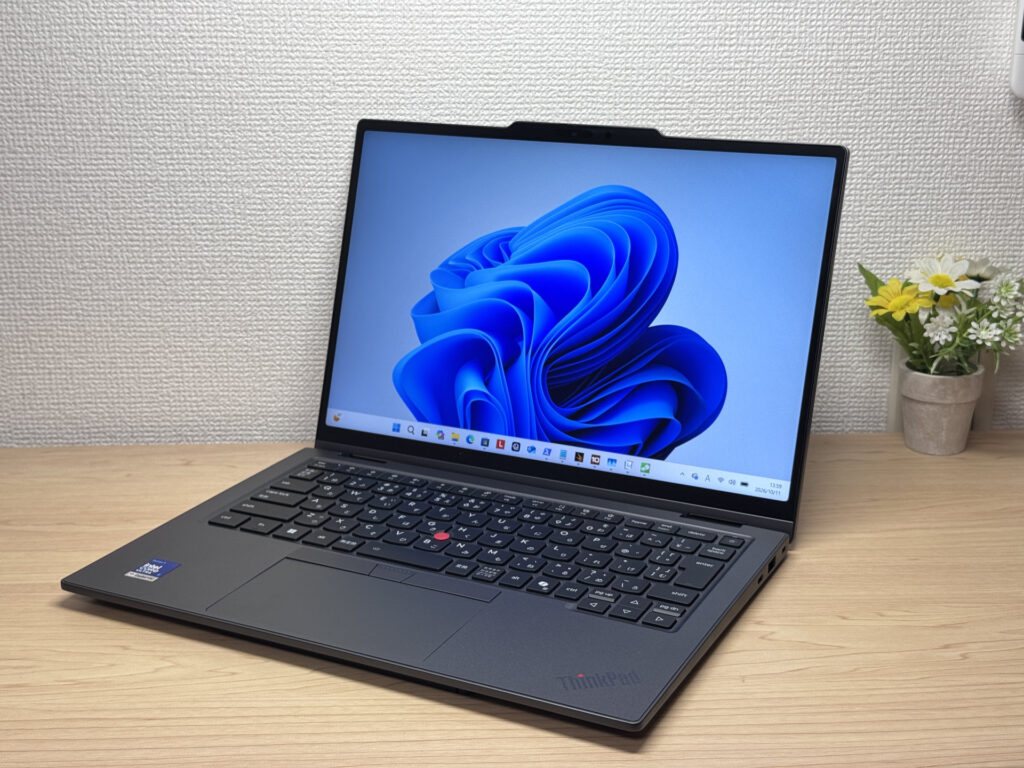 Understated Thunder Grey. It feels high-end the moment you open it!
The ThinkPad logo sits subtly on the palm rest. The finish doesn't show fingerprints easily, so you can handle it all day without it looking grubby, which is a small but very welcome touch.
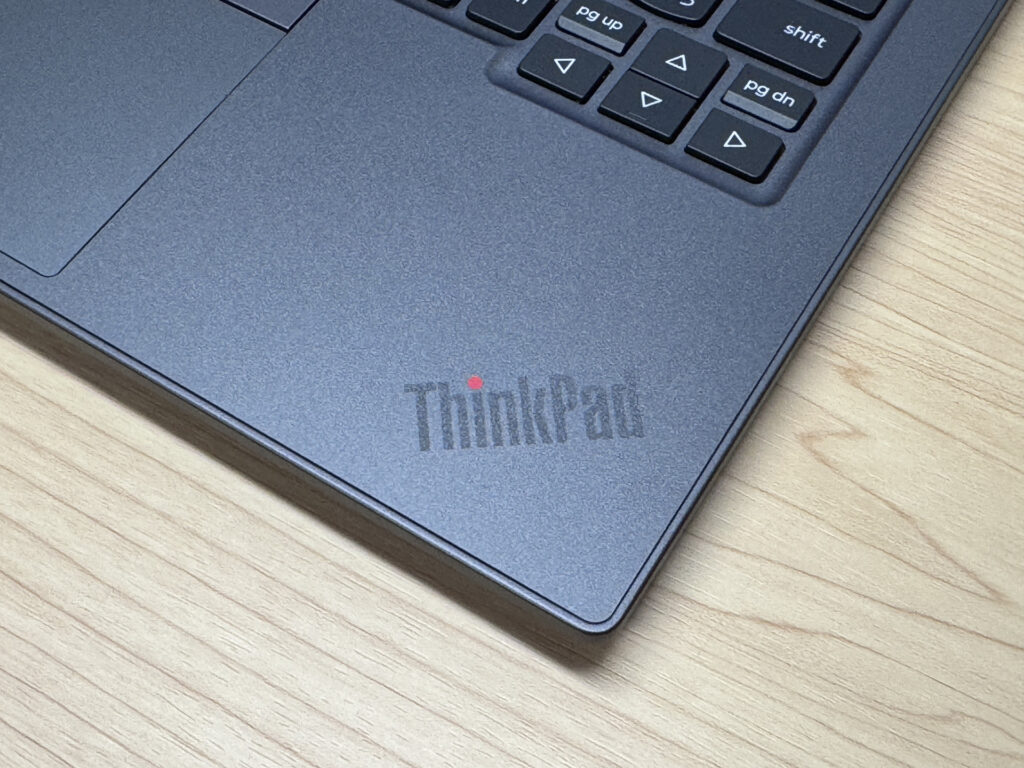 The ThinkPad logo on the palm rest looks sharp, and fingerprints barely show
The camera bar is made of machined aluminium, and the way that edge catches the light is just cool. It also carries a "2-in-1" mark, a nice detail unique to this model.
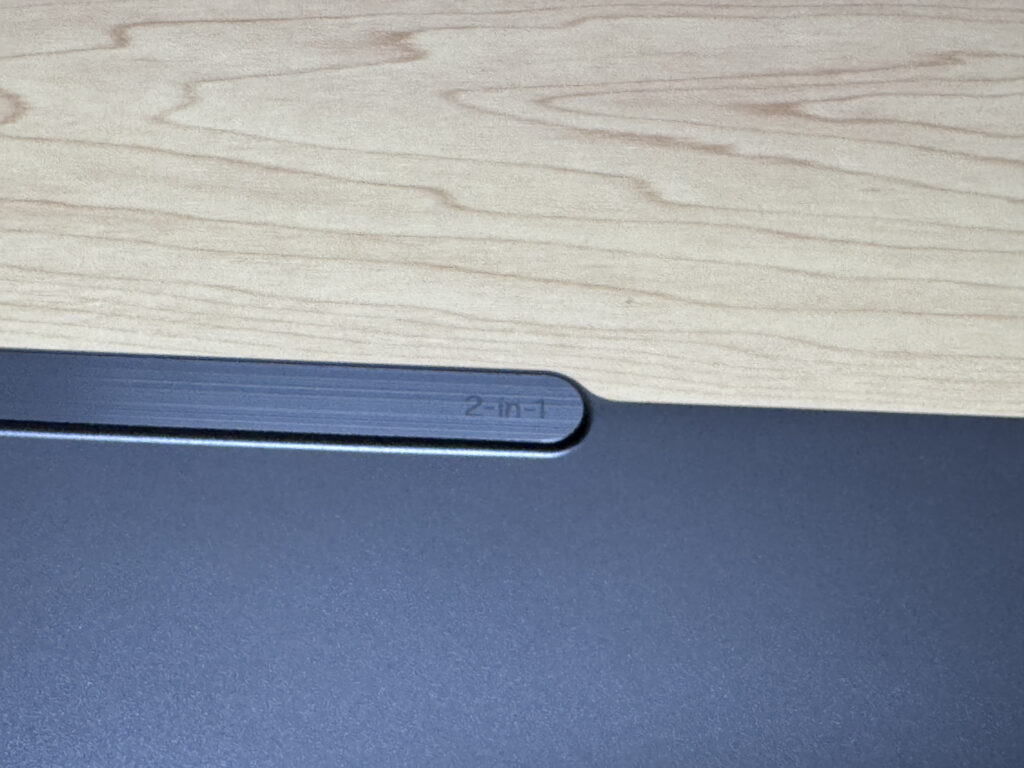 That machined aluminium edge really catches the light!
There's a Lenovo logo in the corner of the lid too. Overall, it's a chassis that manages to be lightweight without giving up any of that upscale feel.
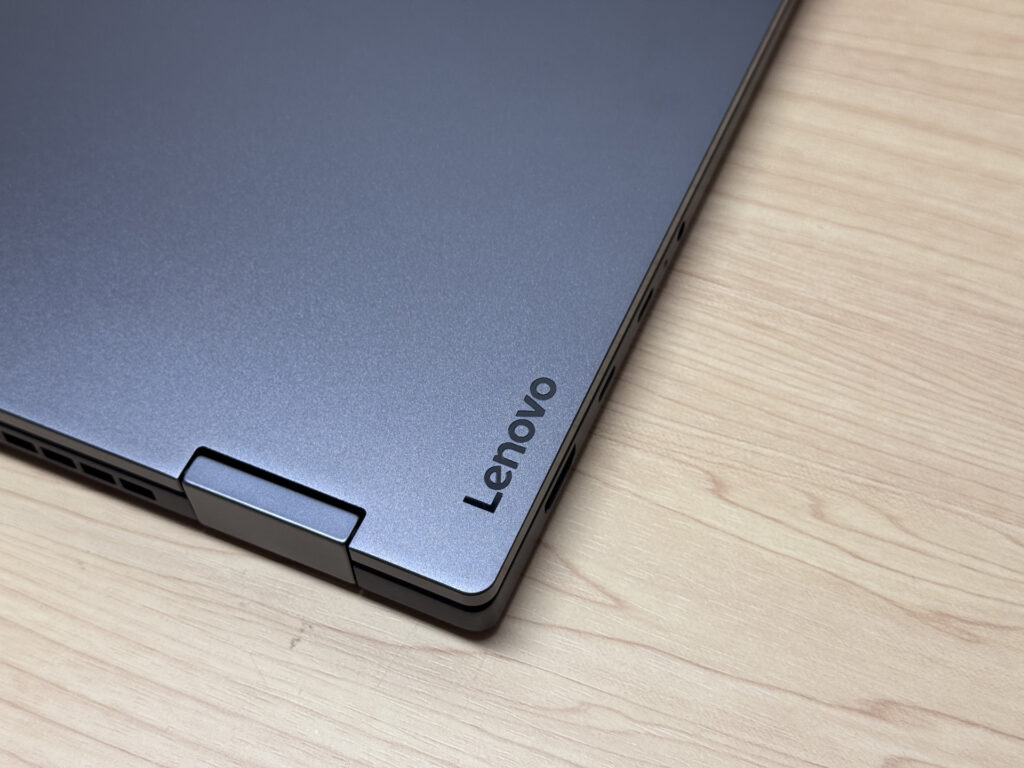 The Lenovo logo adds a quiet accent
Now the lid. It has the ThinkPad X1 logo, and when you power it on, the dot over the "i" in ThinkPad lights up, which never stops being cool. As you'd expect from the top of the X1 range, it oozes quality.
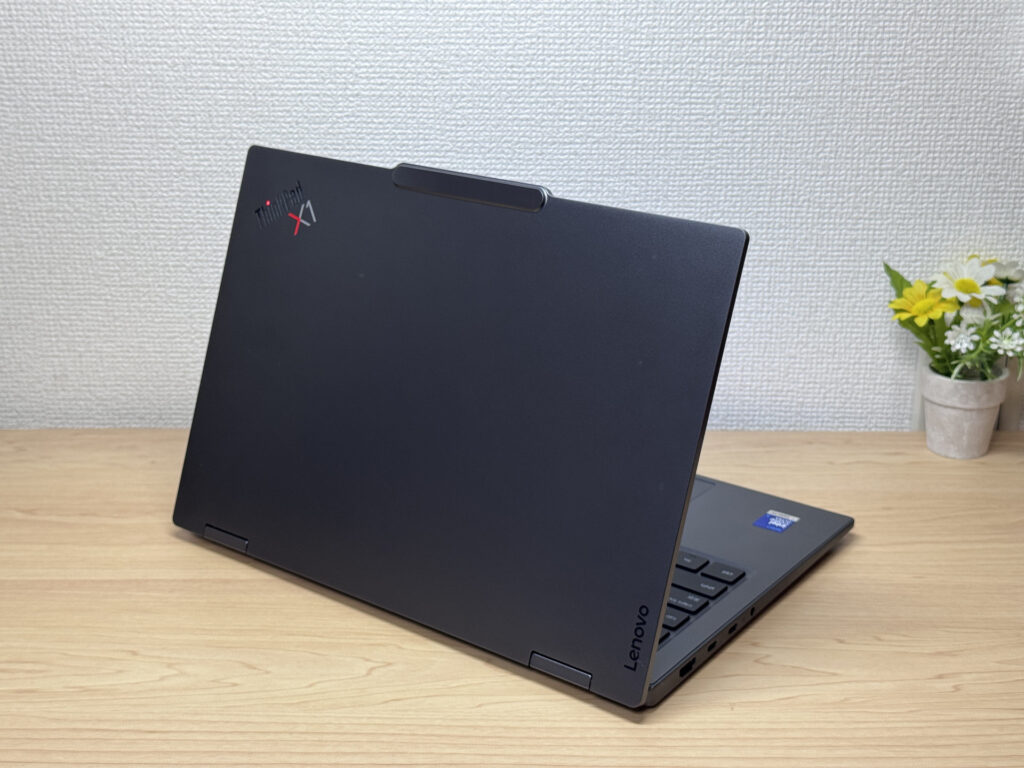 The lid looks just as upscale
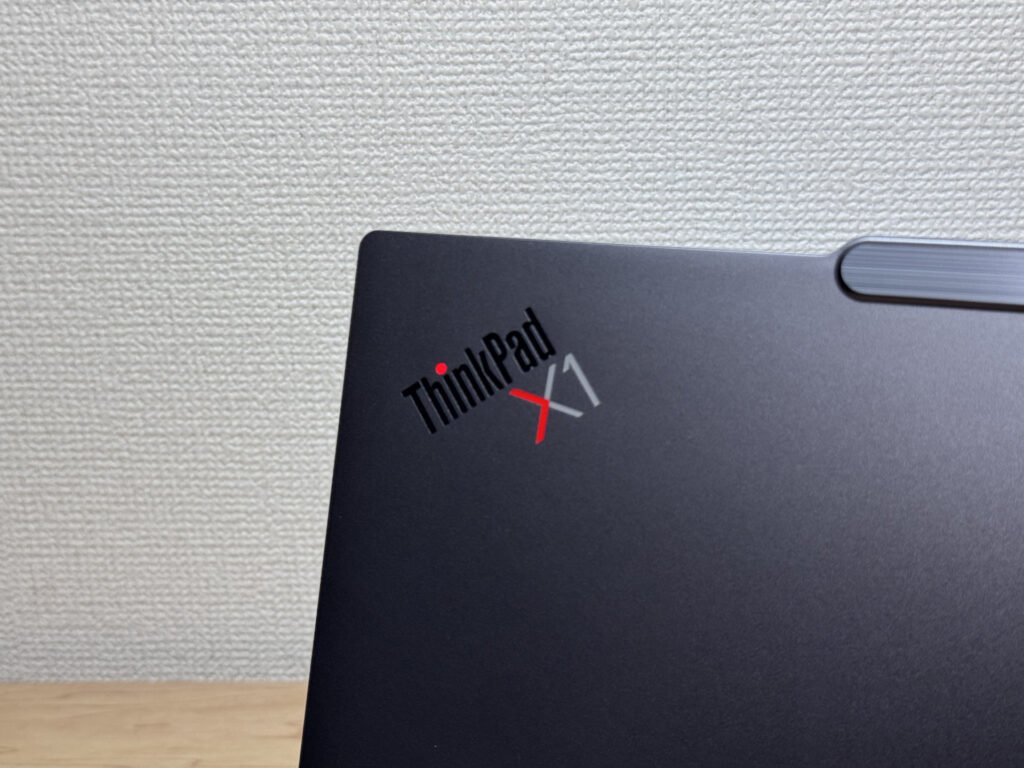 The ThinkPad X1 logo with its glowing red dot. Real pride-of-ownership stuff!
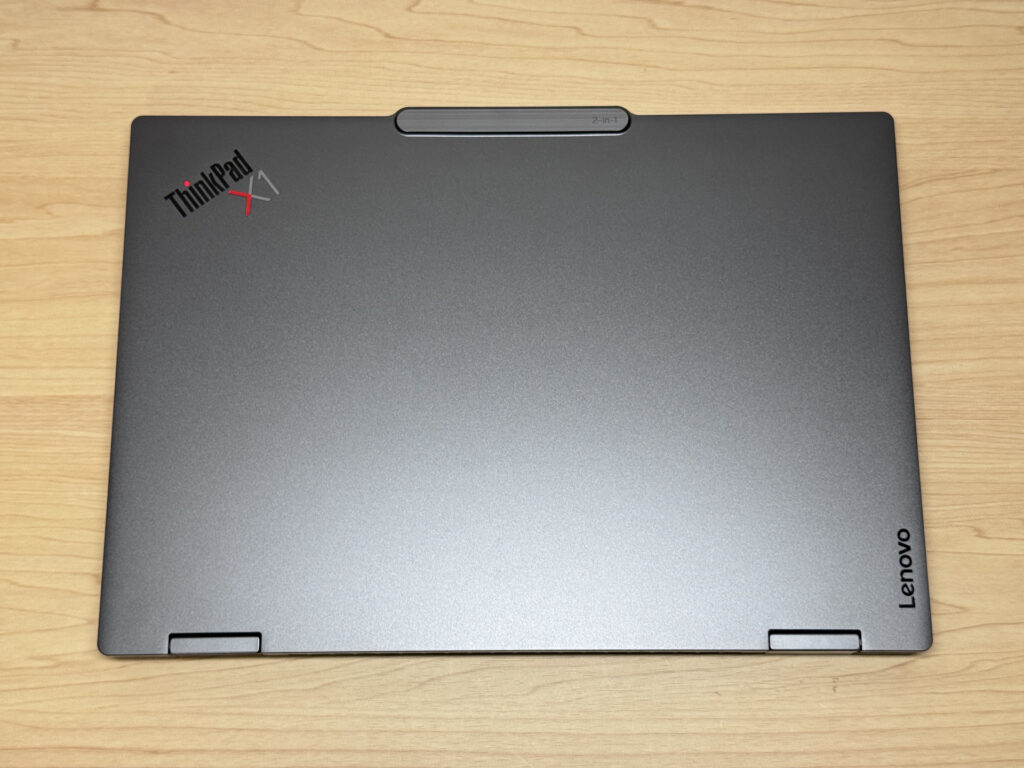 Even closed, the quality comes through
It's 16.4 mm thick. Not ultra-thin, but a little slimmer than your average mainstream laptop. Since the body is so light, it feels sleek in the hand. And the part I really want you to look at is this machined aluminium trim. The way that line catches the light is just plain cool.
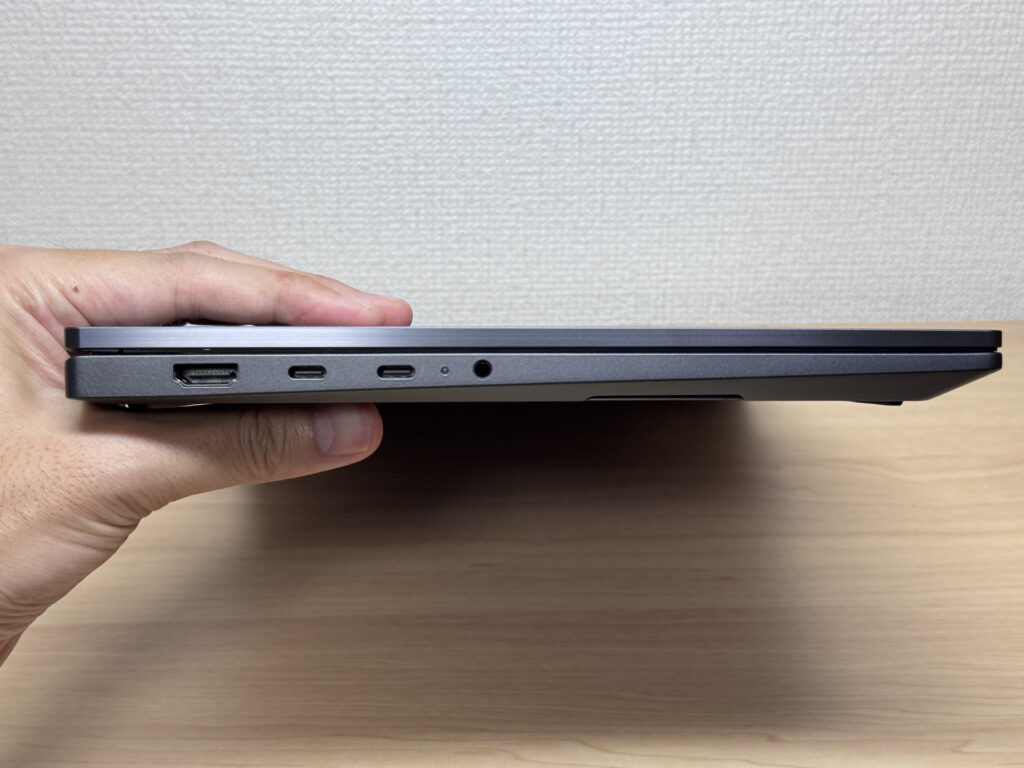 16.4 mm. It feels even sleeker than the number suggests
On the bottom you'll find two intake vents, and the airflow design looks pretty efficient. The rubber feet are solid and keep it planted on the desk. There's also a magnetic spot on the underside for the included Lenovo Slim Pen 2, and it holds on so firmly that it takes a bit of effort to pull off. Toss it in your bag and you're very unlikely to lose the pen 👍
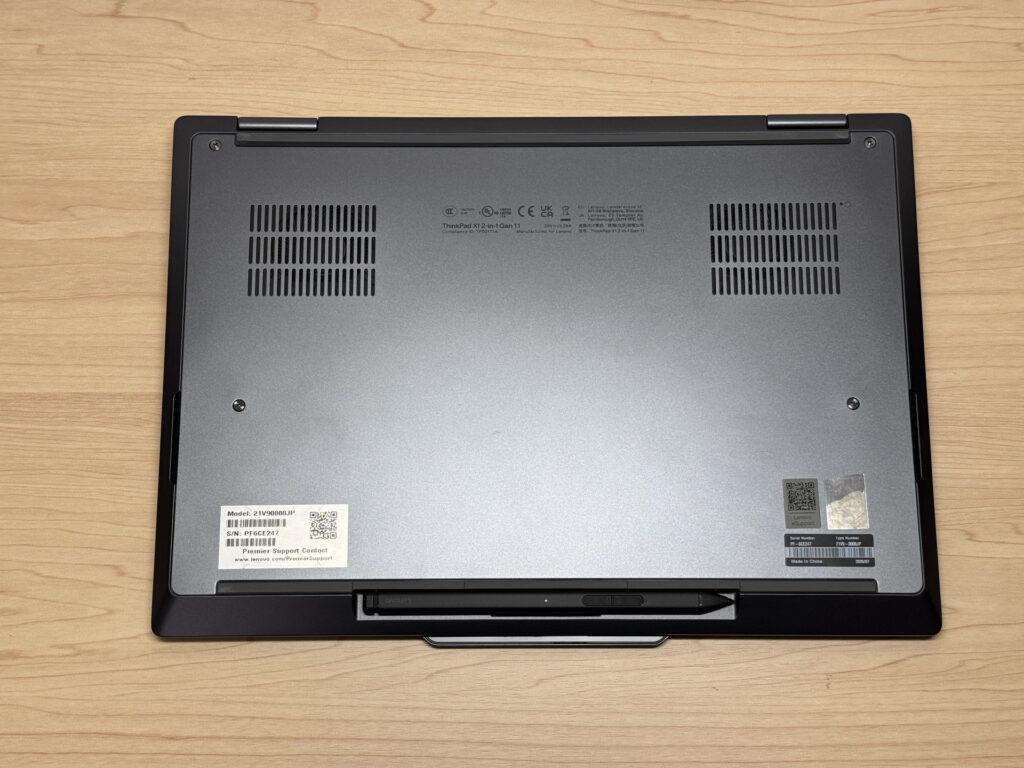 Two intake vents, and the pen snaps right onto the bottom
The lid is easy to open with one hand, and the base barely lifts off the desk when you do. The camera bump gives your finger something to catch, so it's really easy to open.
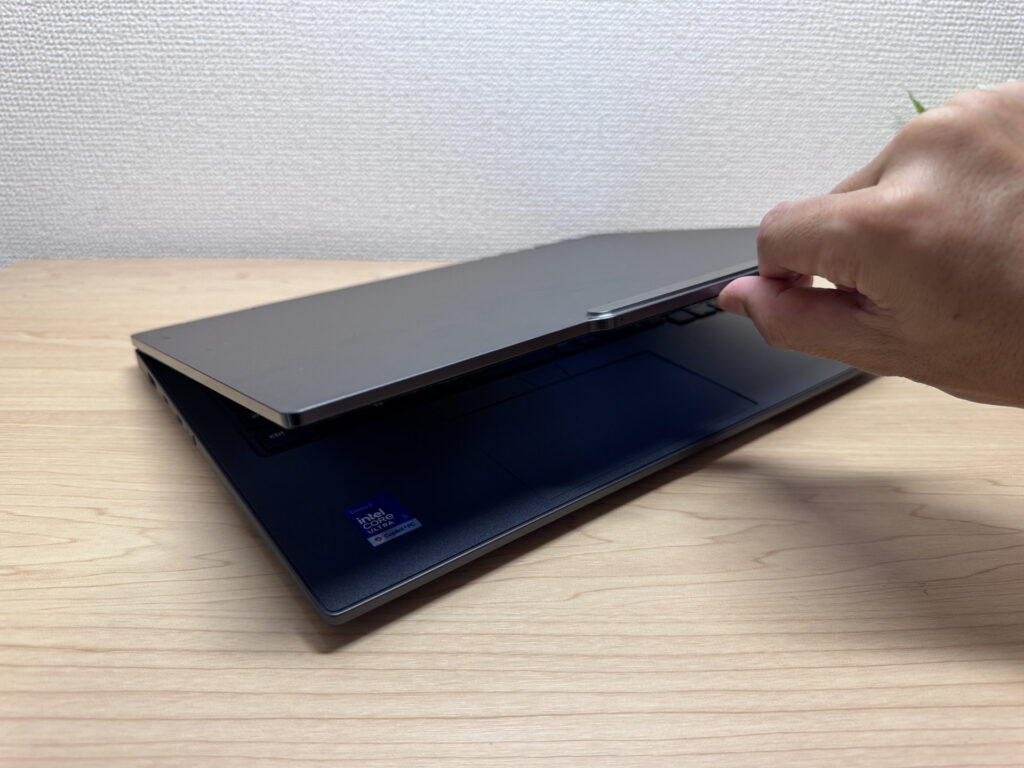 Your finger catches on the camera bump, so it opens smoothly with one hand!
Being a 2-in-1, it of course folds all the way back to 180 degrees, so you can quickly show your screen to someone sitting across from you.
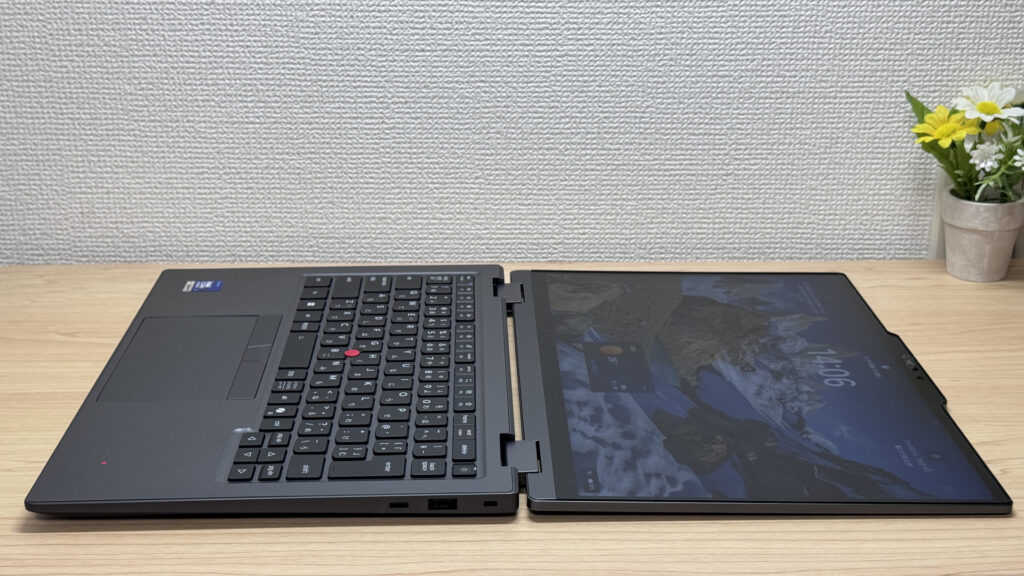 It lies flat at 180 degrees, so sharing your screen across the table is easy
2-in-1 Usability
Next up is the star of the show: the 2-in-1 experience. Flip the screen around and you've got a tablet. That said, other brands' 2-in-1s I've tried automatically switch to portrait when you hold them vertically, but for some reason the screen on this one wouldn't rotate. I couldn't find a rotation lock setting in Windows either, so I wasn't able to test it as a portrait tablet this time.
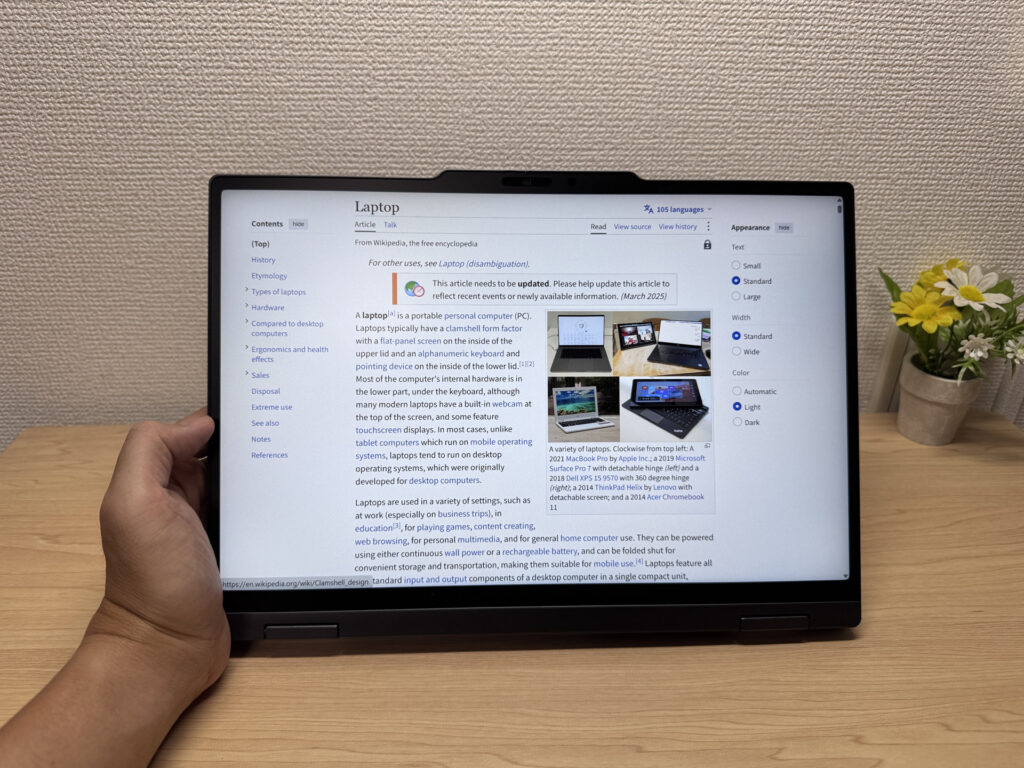 Flip it around and it turns into a tablet
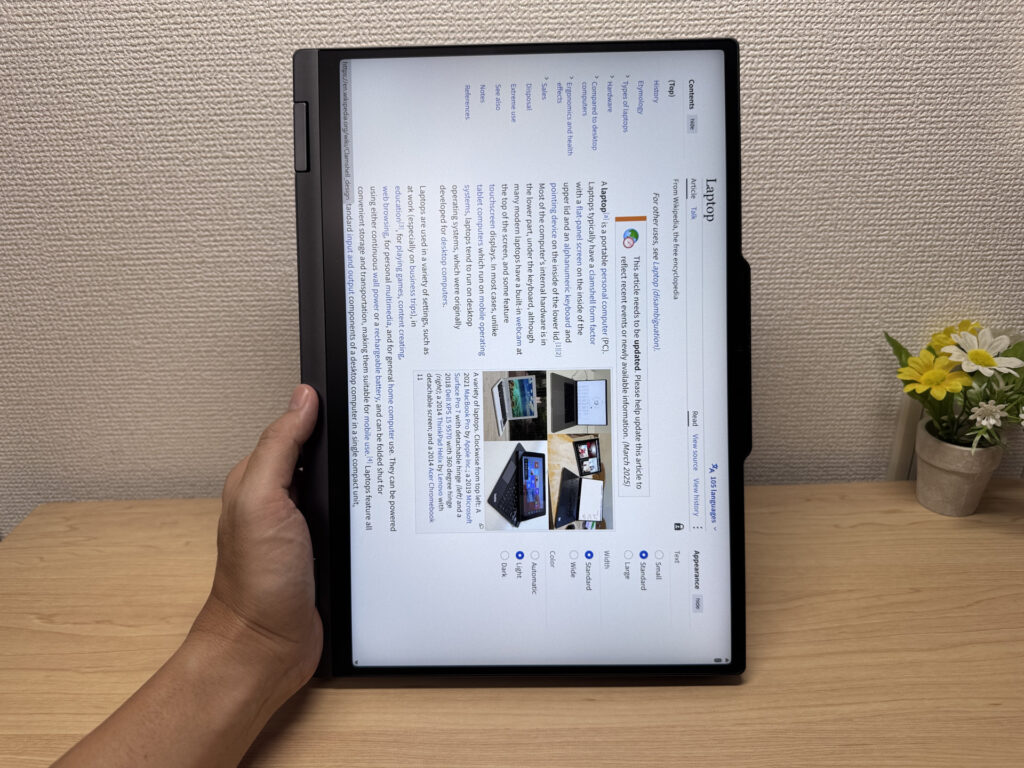 Held vertically, the screen just wouldn't rotate… so close!
What genuinely impressed me, though, was pen input. I tried the included Lenovo Slim Pen 2 in the Microsoft Journal app, and it was fantastic. My unit had a matte IPS panel, and it honestly feels like writing on paper. When I drew on Lenovo's IdeaPad 5 2-in-1 a while back, the pen slid all over that glossy screen, so this is a huge difference ✍️
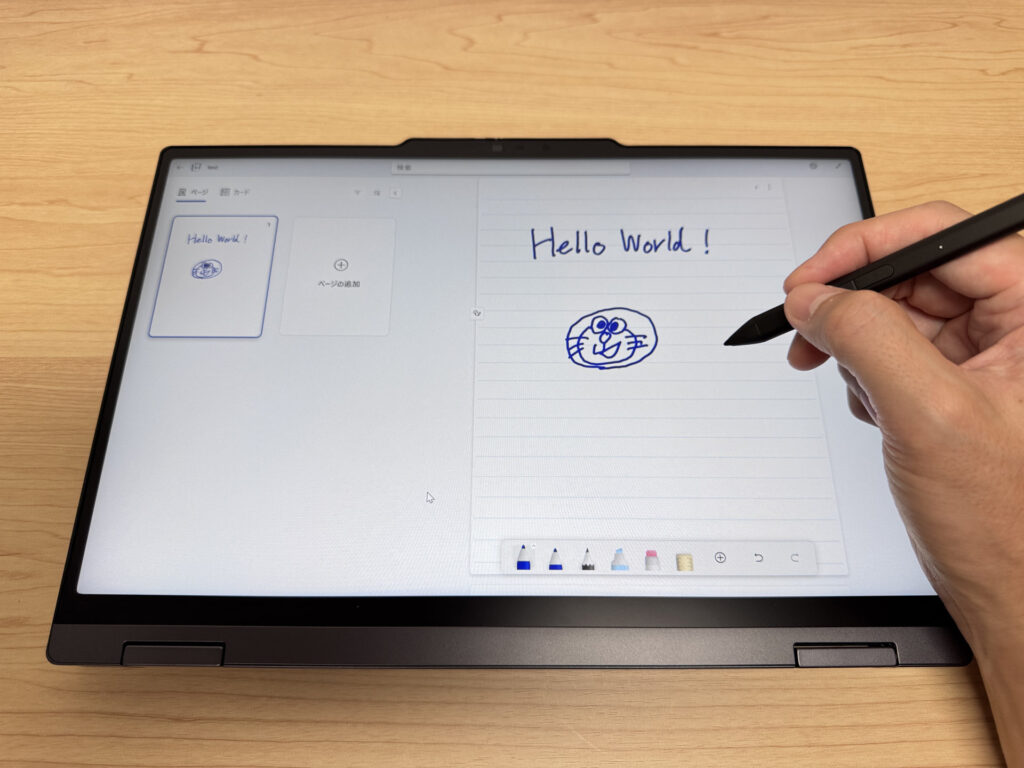 It feels like writing on paper! Seriously satisfying
On top of that, the Slim Pen 2 doesn't just stick magnetically to the bottom of the laptop, it charges there too. You almost never have to worry about a dead pen, and you can grab it and start writing whenever inspiration strikes.
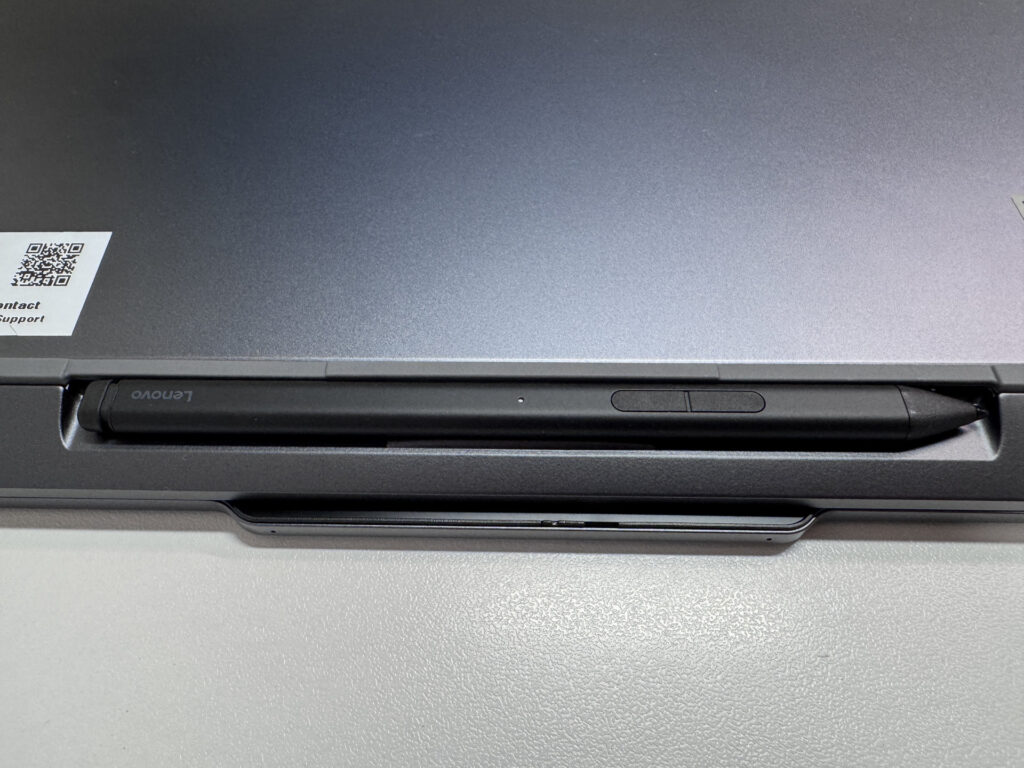 It docks and charges on the bottom. No more losing the pen!
Beyond the pen, I also recommend display mode. Fold the keyboard back and bring just the screen forward, pair it with a light keyboard and mouse (something like Logitech's), and you've got a mini desktop setup you can take anywhere. It's great for things like coding, too.
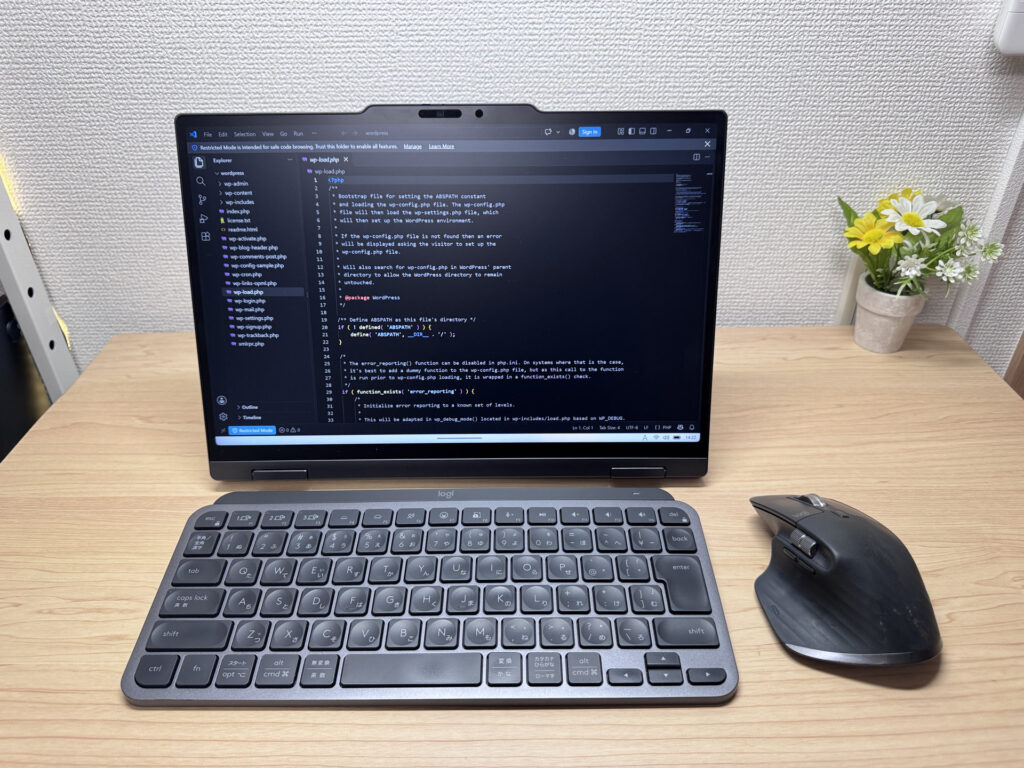 Add a keyboard and mouse and it becomes a mini desktop 😉
Tent mode is supported as well. But just like with screen rotation, the automatic orientation switching didn't really work, so for now you can't get the most out of tent mode, which is a shame.
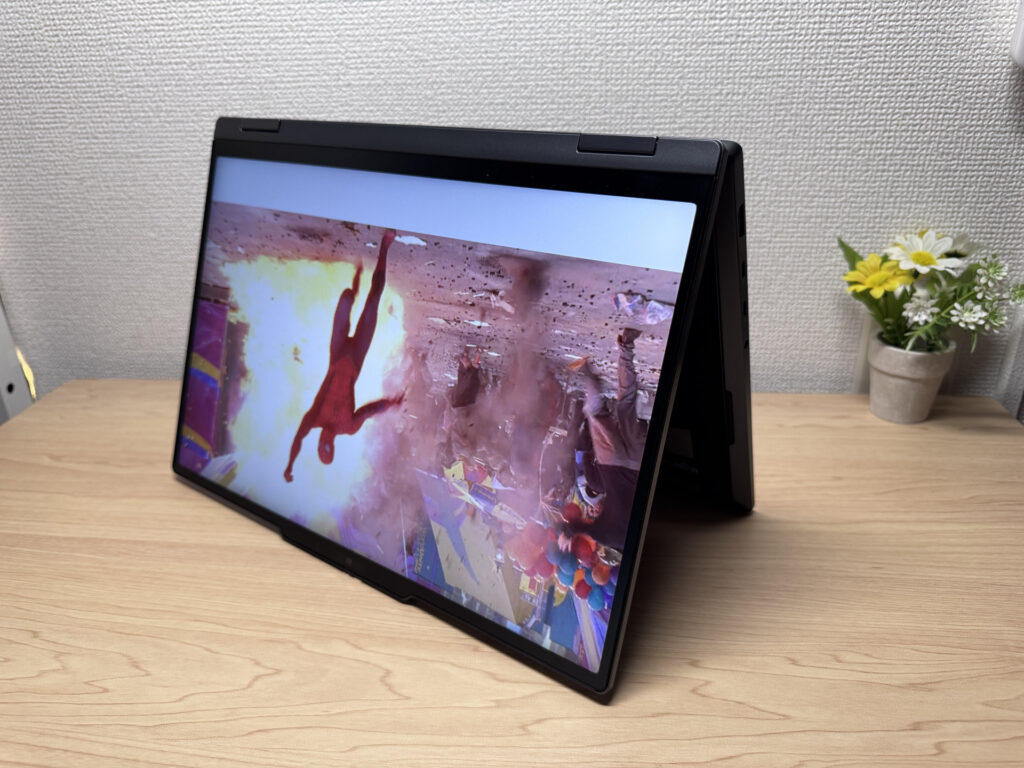 Watching videos in tent mode. Here's hoping auto-orientation gets fixed!
Portability
Now for portability. Lenovo lists it starting at 1.15 kg / 2.5 lbs, but the unit I borrowed weighed 1,299 g on my scale with the Slim Pen 2 removed, so about 1.3 kg. I'd guess the weight varies with the configuration you buy.
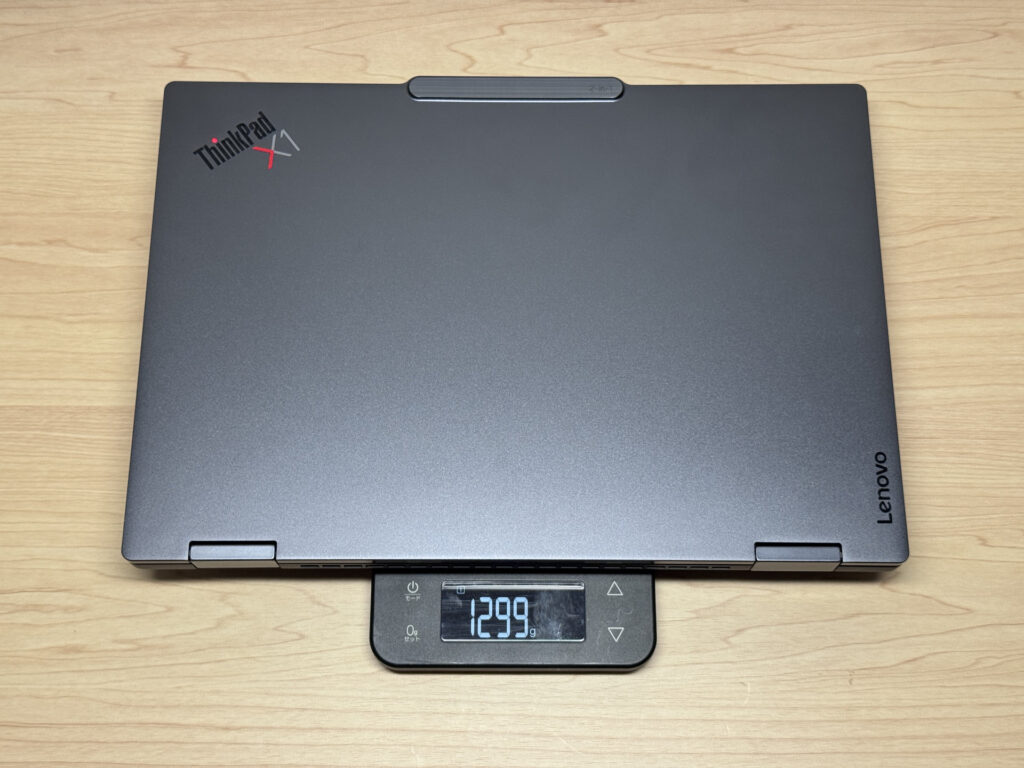 1,299 g measured. A bit heavier than the spec sheet says
The Slim Pen 2, by the way, came in at just 10.5 g. Very light.
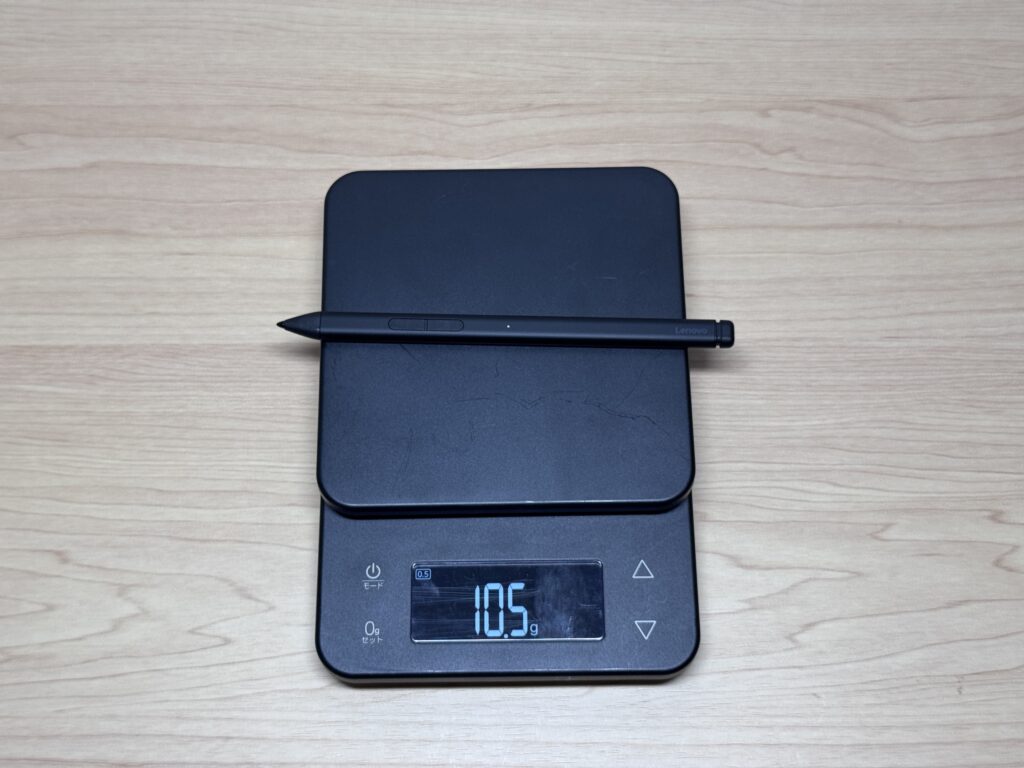 The pen is only 10.5 g. So light you'll forget you have it!
The stock charger weighed 242.5 g. Not especially heavy, not especially light, somewhere in the middle.
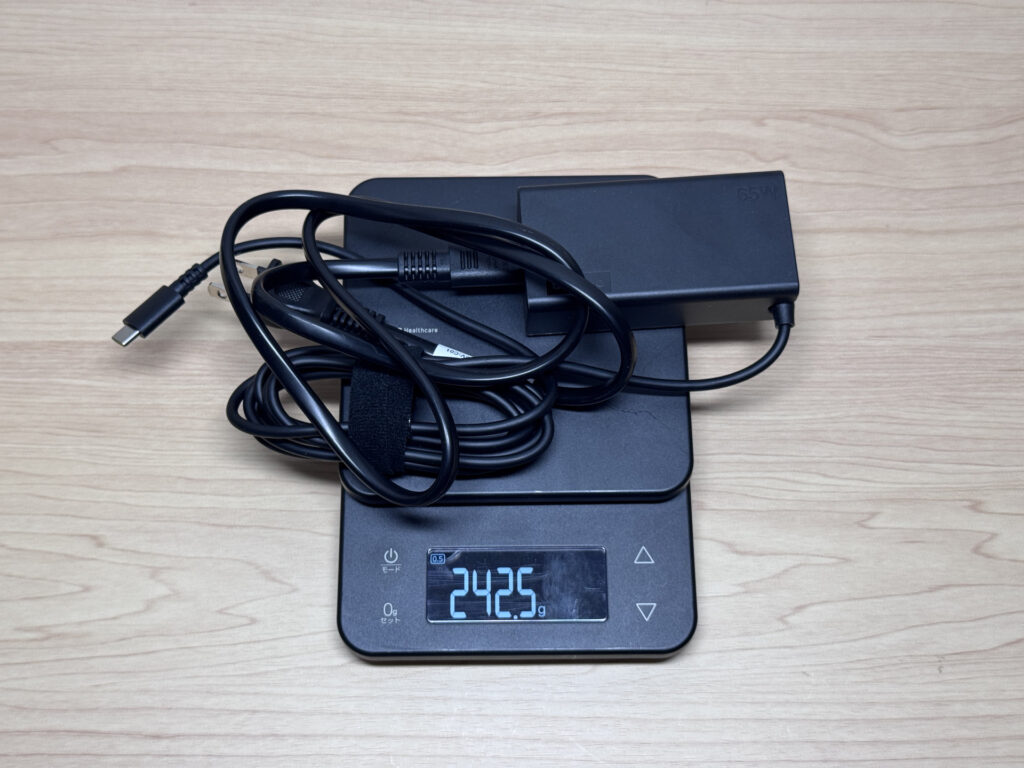 The stock charger is 242.5 g. Pretty average
Picking it up with one hand, it feels much lighter than 1.3 kg. There's barely any sense of heft, so when you're walking to your next meeting at the office or moving to another spot at home, this lightness is exactly what you want 💪
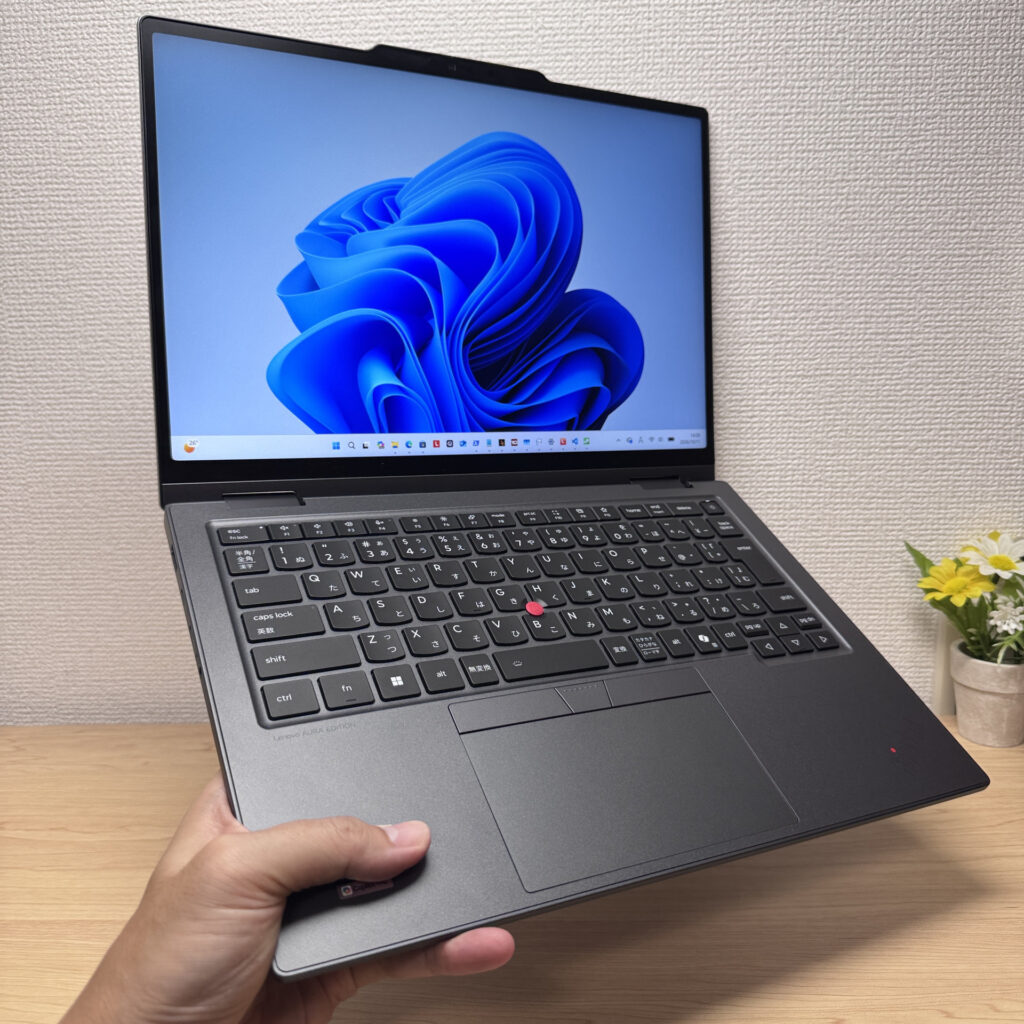 Light even in one hand! Moving around the office gets easier
Display Quality
On to the display. This configuration has an IPS panel rather than OLED, but the colours are really good and it looks gorgeous. Details are crisp, and photos come through looking vivid and fresh 🌈
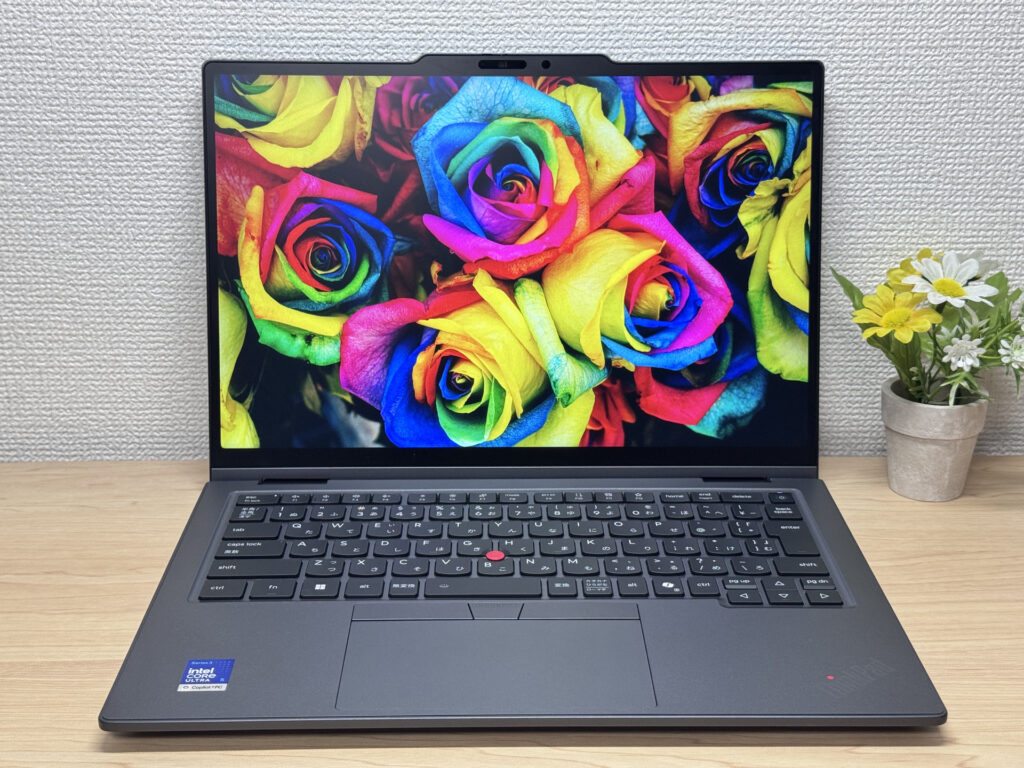 Colours this good on IPS! I was genuinely surprised
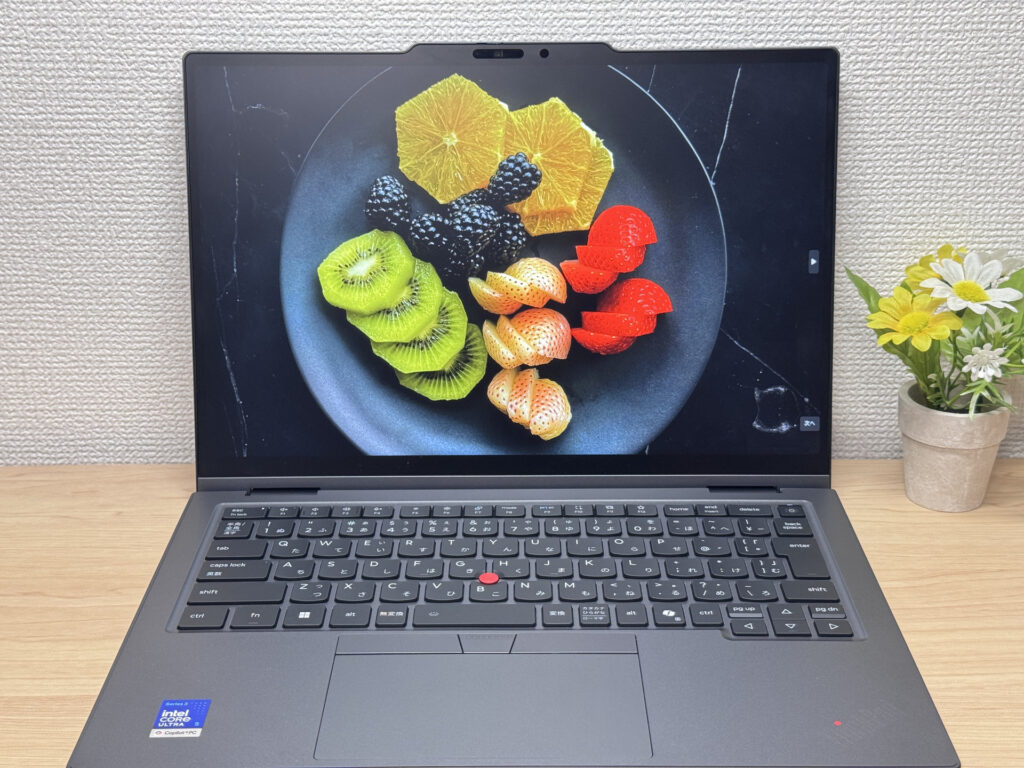 You can practically taste how fresh that fruit looks
Being IPS, the viewing angles are wide too, and colours don't wash out when you change the angle. Handy when you're walking someone through something on your screen.
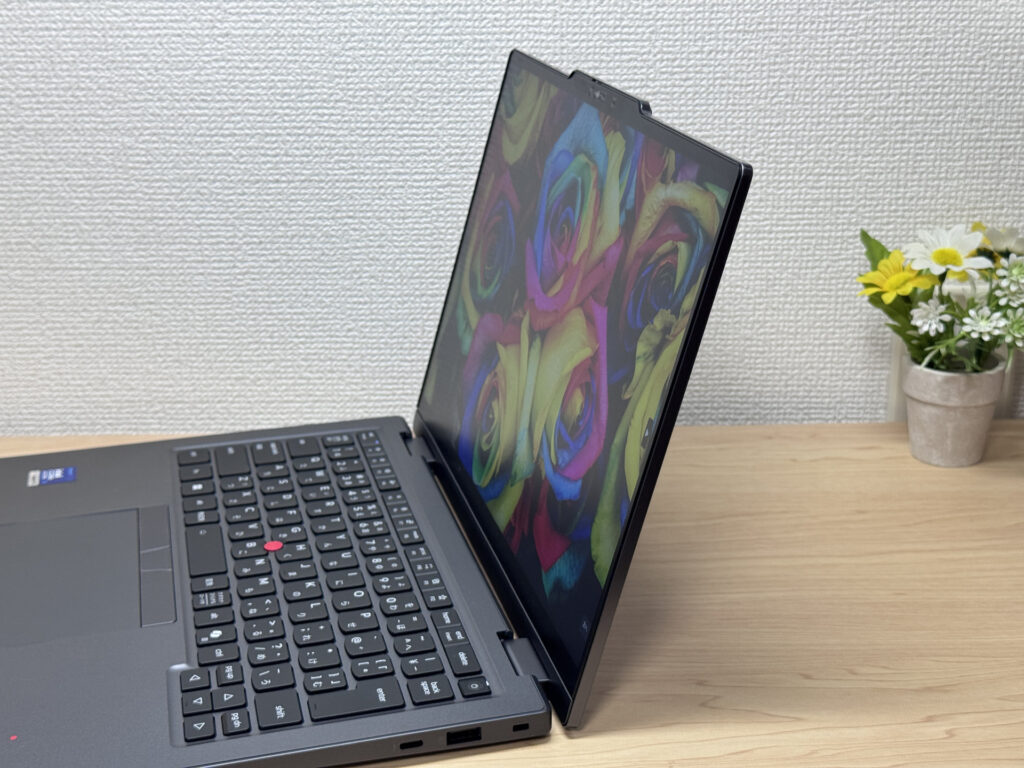 Colours hold up even at an angle, which is easier on the eyes
It's a touchscreen too, so you can tap around with your finger just like on a phone. The X1 is a high-end machine rather than a beginner laptop, but even experienced users sometimes just want to reach out and tap, so it's handy to have.
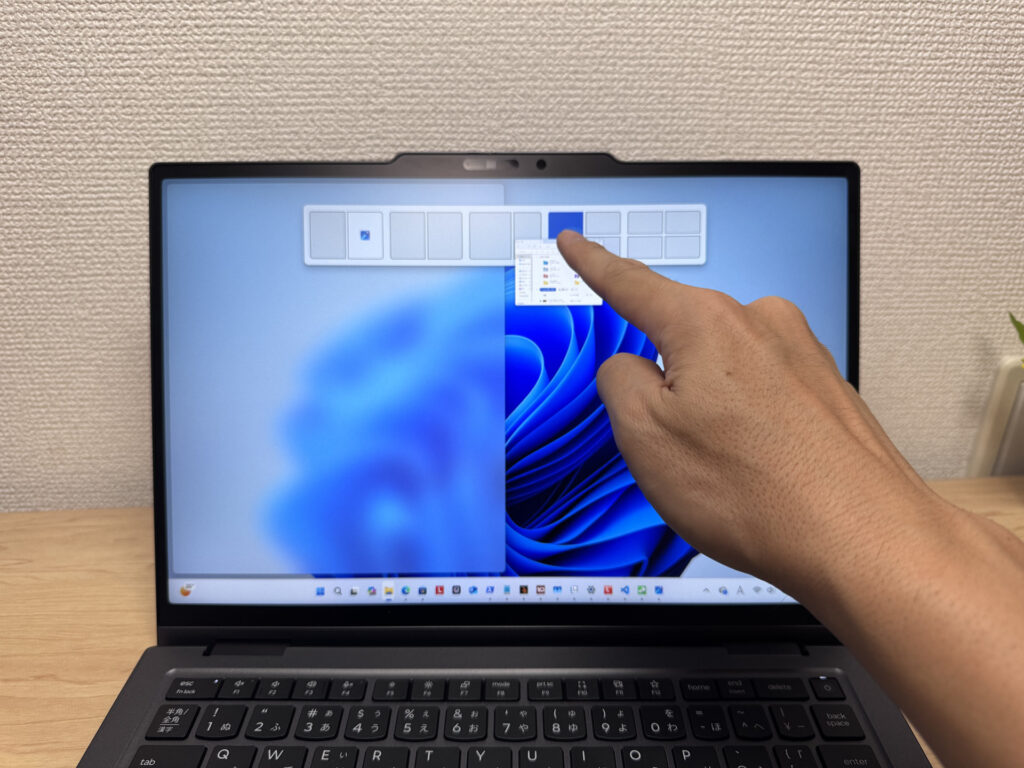 Tapping like on a phone is quietly convenient
The aspect ratio is 16:10. Put it next to a 16:9 laptop and the difference in visible area is obvious. You see more of the same page at once, so you scroll less, which makes a real difference in day-to-day use.
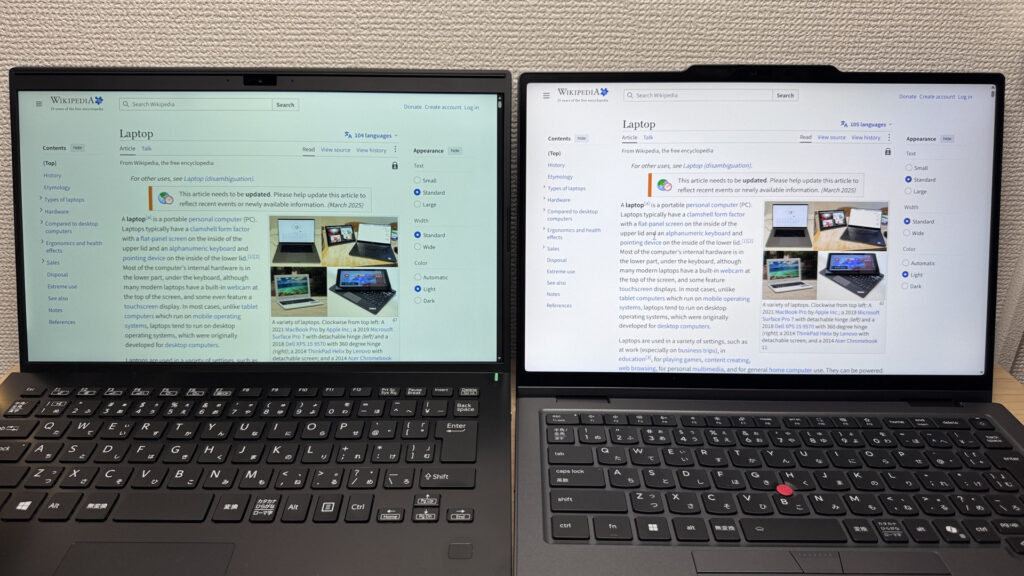 16:9 on the left, this one on the right. Look how much more fits vertically!
Now reflections. It's a matte panel with an anti-reflective treatment, so overhead fluorescent lights get diffused into a soft blur that's barely noticeable. That's the kind of thing you expect from a pricey X1.
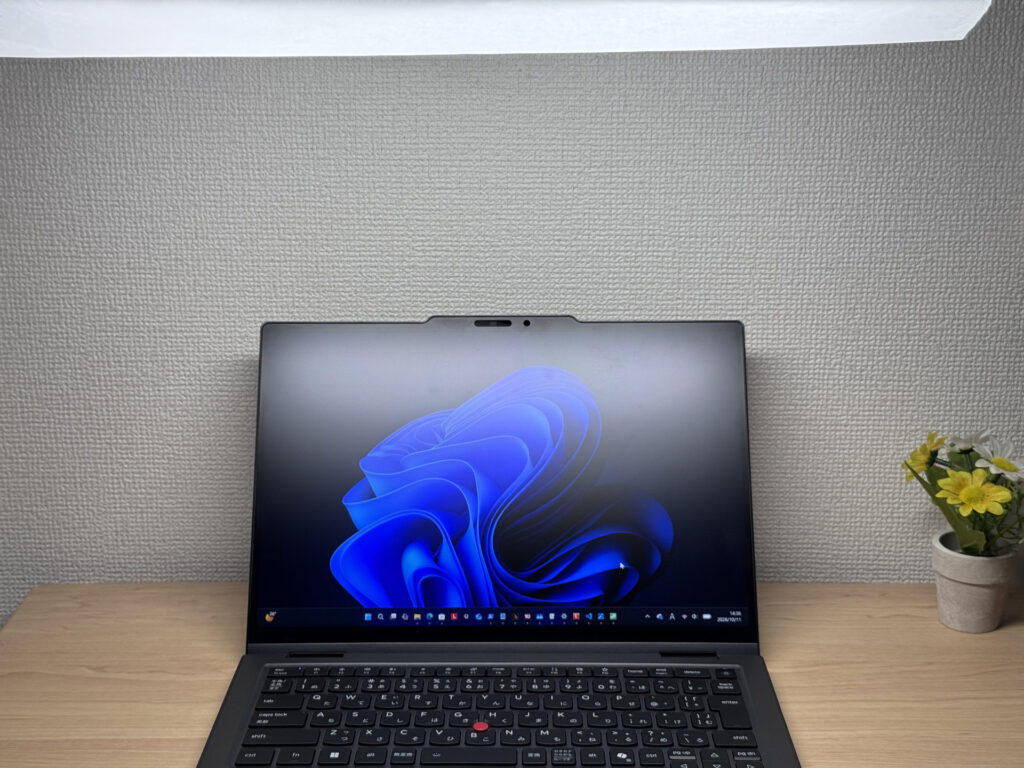 Reflections from overhead lights are well controlled, so it's easy to see!
One personal letdown, though: the refresh rate is 60Hz. At this price, I really wish it had 120Hz.
Keyboard
Next, the keyboard. My unit has the Japanese layout, and instead of the tightly packed keys you often see on Lenovo's entry-level models, it uses separated, island-style keys, as befits a high-end machine. The layout is clean and tidy, with thoughtful touches like PageUp/PageDown sitting right above the arrow keys.
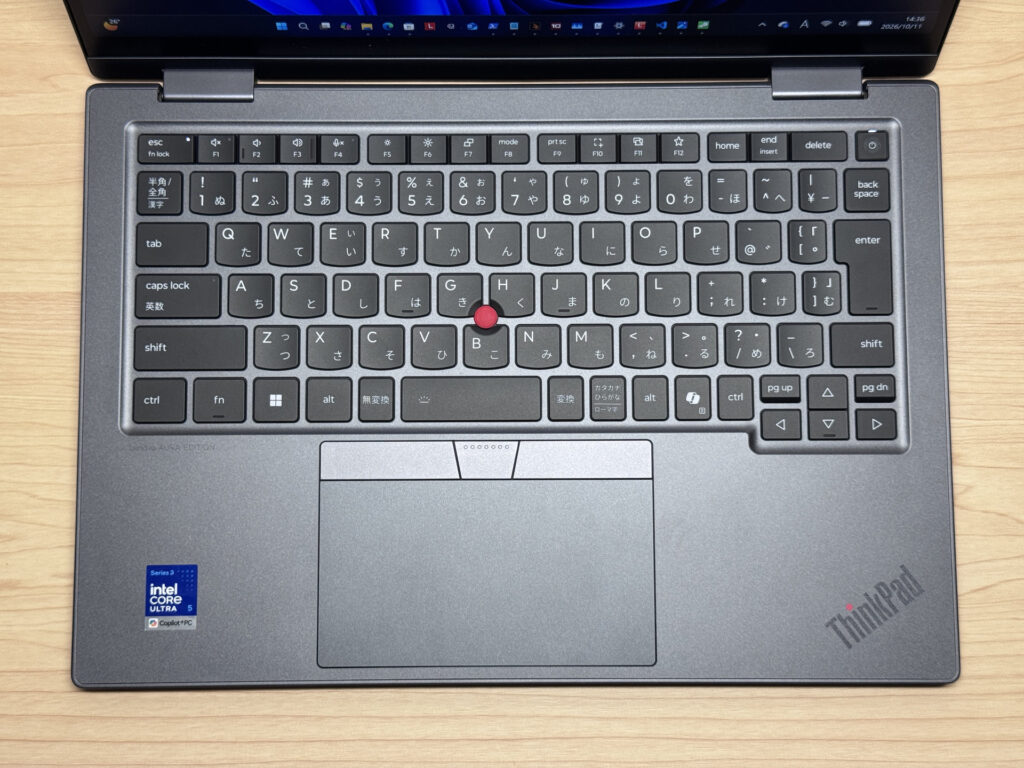 A clean layout with no weird quirks. Really easy to type on!
And of course, it's not a ThinkPad without the red TrackPoint. It's famous for being the kind of thing people say you can't go back from once you're used to it, and for fans it's a must-have.
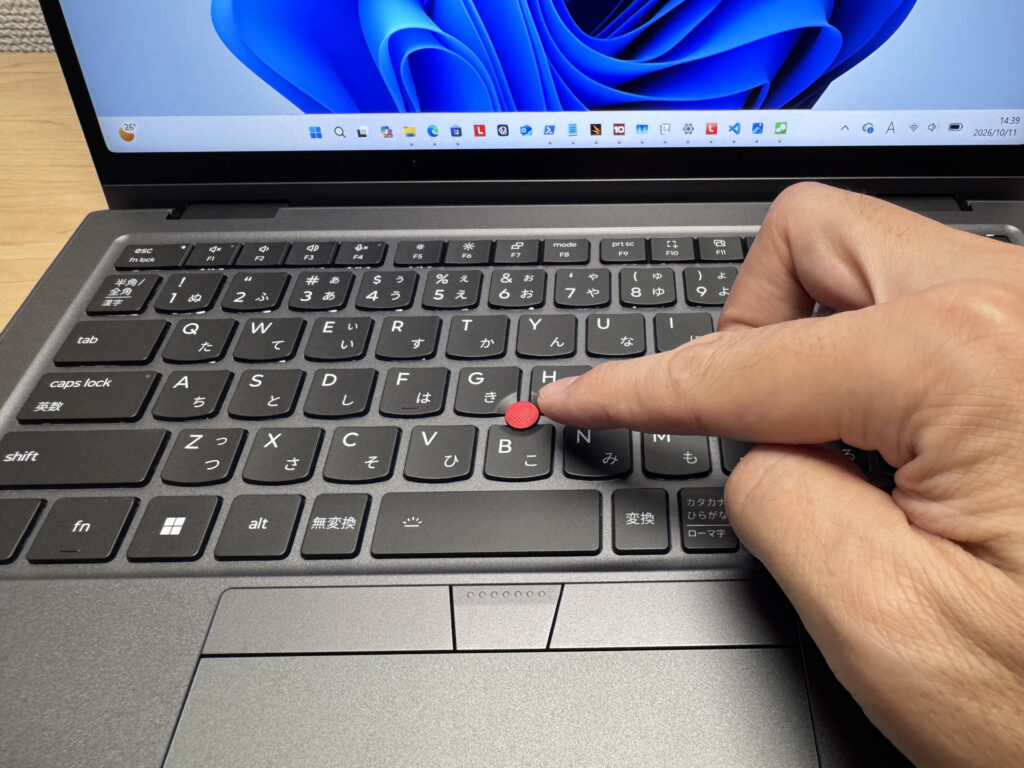 The iconic red TrackPoint. Once you get used to it, there's no going back
The typing feel is stable and solid, like you'd want from a high-end machine, and the keycaps have a soft, smooth touch. It's a keyboard you can type on comfortably for hours. The palm rest stays dry and smooth, and thanks to solid cooling the chassis doesn't get hot, so long typing sessions stayed comfortable. With the TrackPoint and a big touchpad, it's also easy to work in tight spots like a train seat or a café table ⌨️
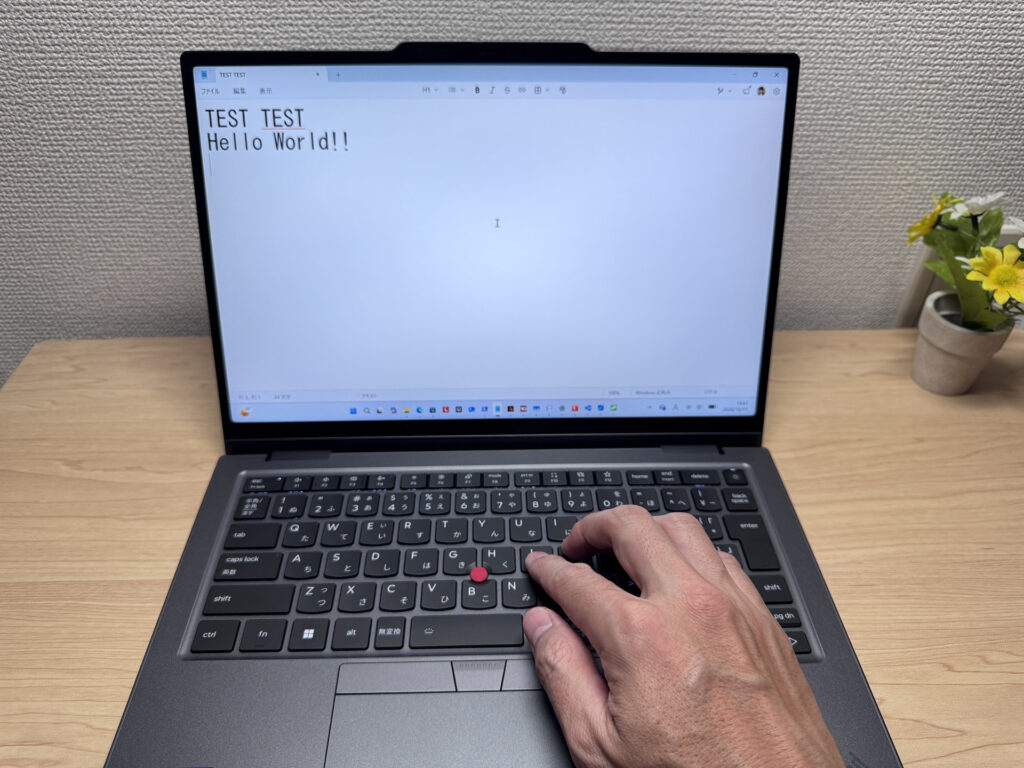 The smooth keycaps make you want to keep typing forever
There's a backlight too, and it gets quite bright. Even in a dimmed meeting room, you can clearly see the keys under your fingers.
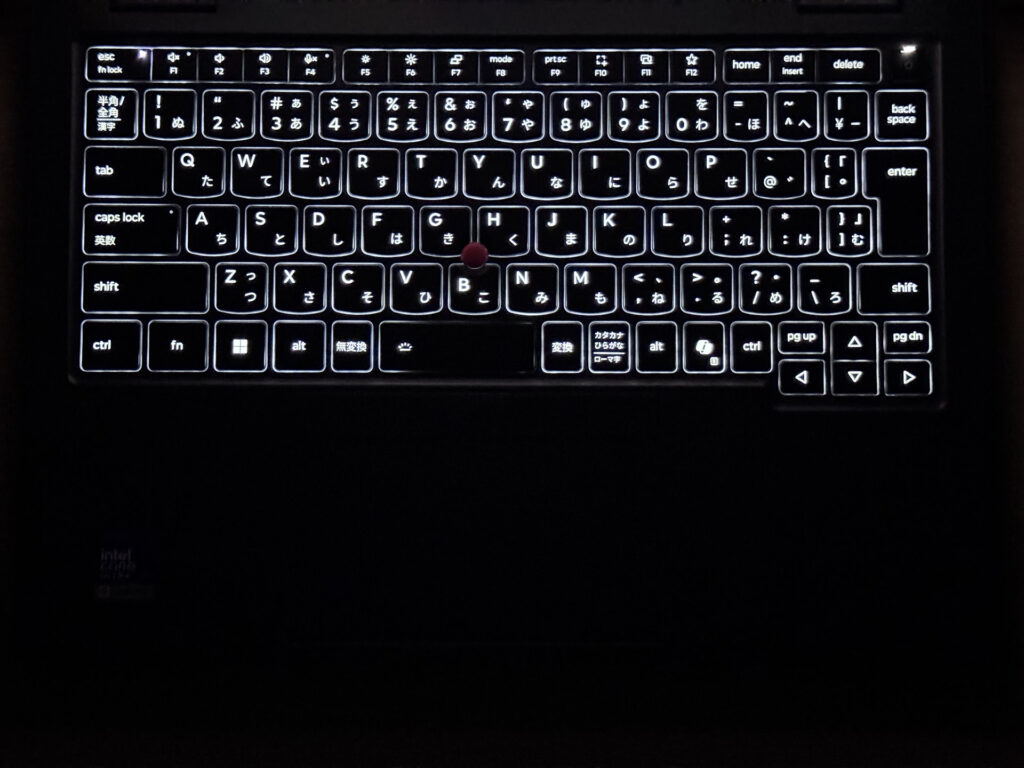 A bright backlight. Perfect even in the dark!
Quick heads-up: these photos are the Japan-market unit, so the keyboard shown is the Japanese layout. UK models ship with the standard UK (ISO) layout.
Touchpad
Let's look at the touchpad. It's pretty large relative to the keyboard, so it's not just the TrackPoint that's nice to use here.
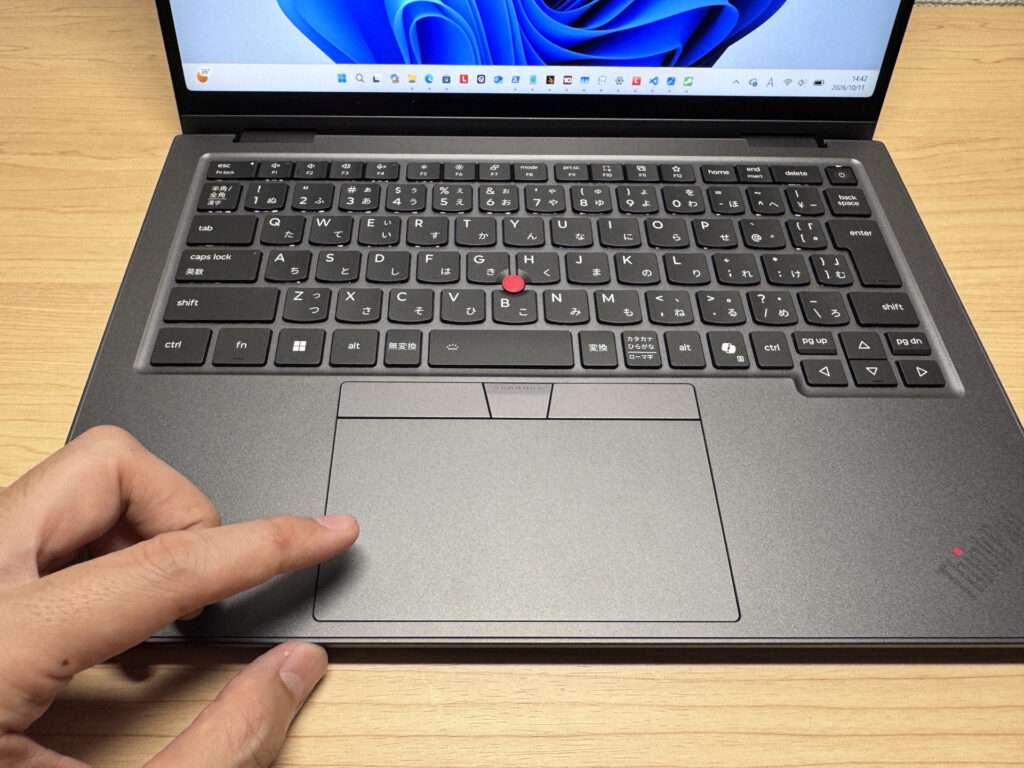 A large touchpad that makes navigation smooth
Windows gestures are pretty good these days too, and things like swiping with three fingers to see all your open apps worked smoothly 👌
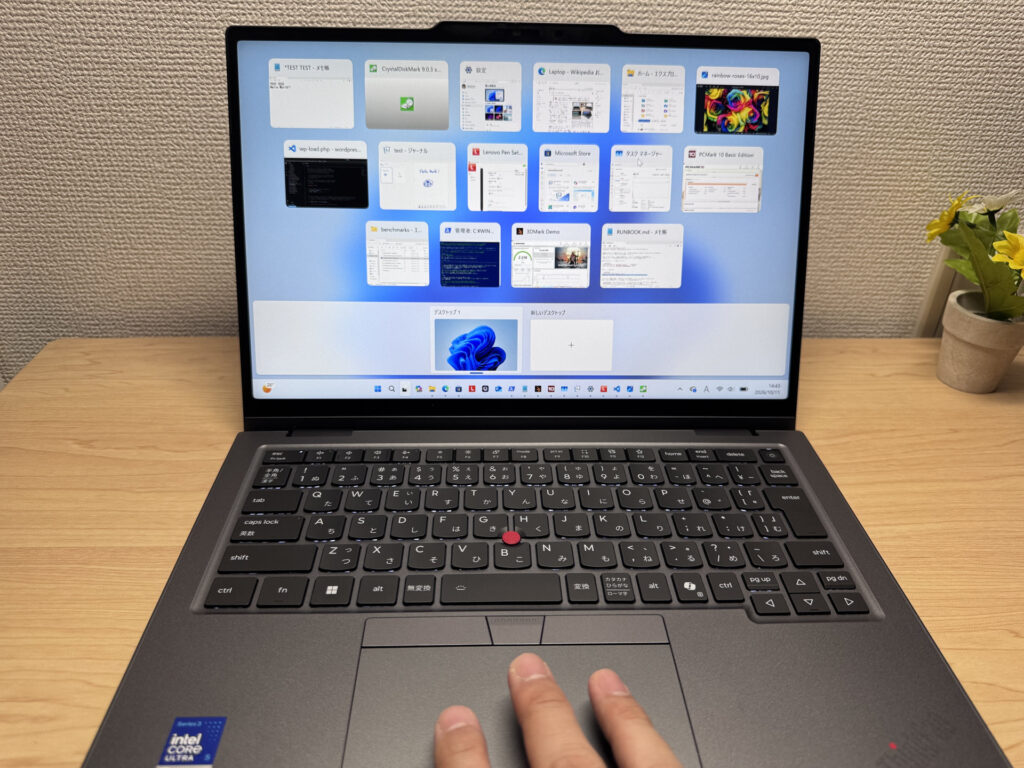 Three fingers and all your apps pop right up
Performance
Let's check out CPU performance and more. This configuration has the Intel Core Ultra 5 325 and scored 7251 in PCMark 10. That's a pretty high score, and it handles everyday office work and Office apps with ease. It can manage light video editing too.
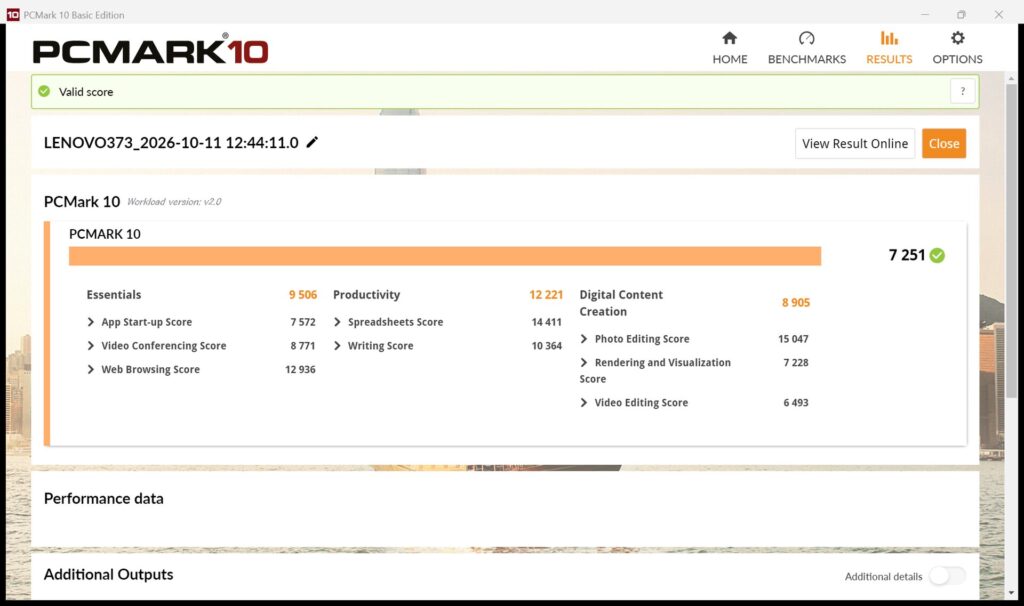 7251 in PCMark 10. More than enough for office work!
| Total Score | Rating | What it feels like in real use |
|---|---|---|
| ~4,000 | Bare minimum | Web browsing and simple tasks work, but multitasking or many tabs feels sluggish. |
| 4,000–5,000 | Light use | Daily tasks are doable, but running multiple apps means waiting around. |
| 5,000–6,500 | Comfortable (mainstream) | Handles most work without stress — fine for office, school, video calls. |
| 6,500–8,000 | High performance This PC | Plenty of headroom. Light photo editing and programming feel snappy. |
| 8,000+ | Very high performance | Tackles video editing and heavy workloads. Long-lasting performance. |
*PCMark 10 reflects overall comfort. Actual feel depends on CPU, RAM, and SSD speed.
The GPU score is the real standout. It's integrated graphics only, yet it scored 2218 in 3DMark Steel Nomad Light, which is pretty high for an iGPU. It can handle light games easily and even some moderately demanding ones, and it helps with things like video encoding too. Overall, it feels snappy 🚀
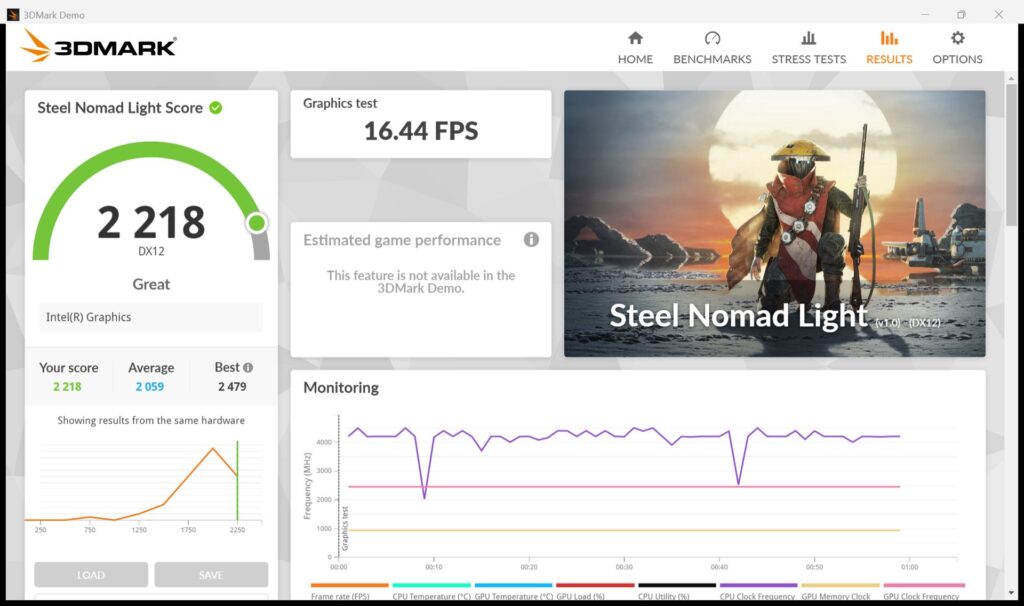 2218 on integrated graphics is seriously respectable!
| Score | Rating | What it feels like in real use |
|---|---|---|
| Up to 400 | Bare minimum | 3D performance is quite limited. Not really suited for gaming. |
| 400–900 | Light 3D | Lighter games and low-load 3D processing work. |
| 900–1,500 | Average (mainstream) | Standard for integrated GPUs. Light to medium games playable with right settings. |
| 1,500–2,200 | High performance | Strong for an integrated GPU. Games and 3D work feel comfortable. |
| 2,200+ | Very high performance This PC | Top-tier 3D performance for thin laptops. Real graphics headroom. |
*3DMark Steel Nomad Light targets thin laptops and integrated GPUs. Score range differs from Time Spy, so direct comparison isn't valid.
The disappointment was storage speed. CrystalDiskMark showed 3262 MB/s read and 4441 MB/s write. It might just be my particular unit. A lot of recent laptops hit around 5000–6000 MB/s, and the IdeaPad 5 I tested recently did too, so these numbers feel a bit underwhelming. That said, you'll almost never feel the difference between 3000 and 6000 MB/s in real use, so it's not a practical problem. It's really only something benchmark chasers might notice.
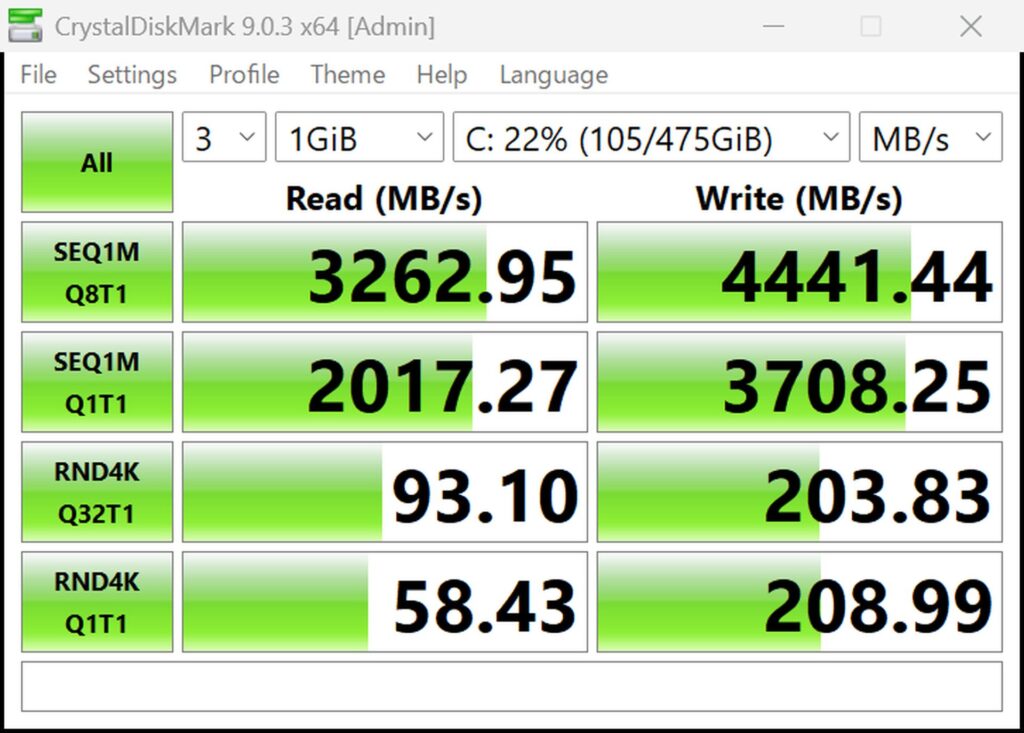 3262 MB/s read. A little underwhelming for a recent model
| Score | Rating | What it feels like in real use |
|---|---|---|
| Up to 600 MB/s | Bare minimum | Faster than HDD, but slow for modern SSDs. App launches feel slightly slow. |
| 600–1,500 MB/s | Average | Fine for daily use, though loading is noticeably slower than top-tier SSDs. |
| 1,500–3,500 MB/s | Comfortable (mainstream) This PC | App launches and file loading feel smooth. No real complaints in daily use. |
| 3,500–5,500 MB/s | Fast | Loads large data and apps quickly. Definitely upper-tier SSD speed. |
| 5,500+ MB/s | Very fast | High-end NVMe territory. Heavy data work without waiting. |
*CrystalDiskMark measures SSD speed. It mainly affects app launch and file loading speed, not overall PC performance.
Battery Life
Next, battery.
Battery rating: Long-lasting
The battery is a fairly standard 58Wh, and Lenovo claims up to 19.1 hours. With an IPS panel at 60Hz and not many power-hungry parts, you'll often get through a full day of normal use without the charger. Since this model is all about being lightweight, I guess they couldn't fit a 70Wh-class battery. Still, some Lenovo Yoga Slim models have 70Wh, so honestly, at this price I'd have liked a bit more.
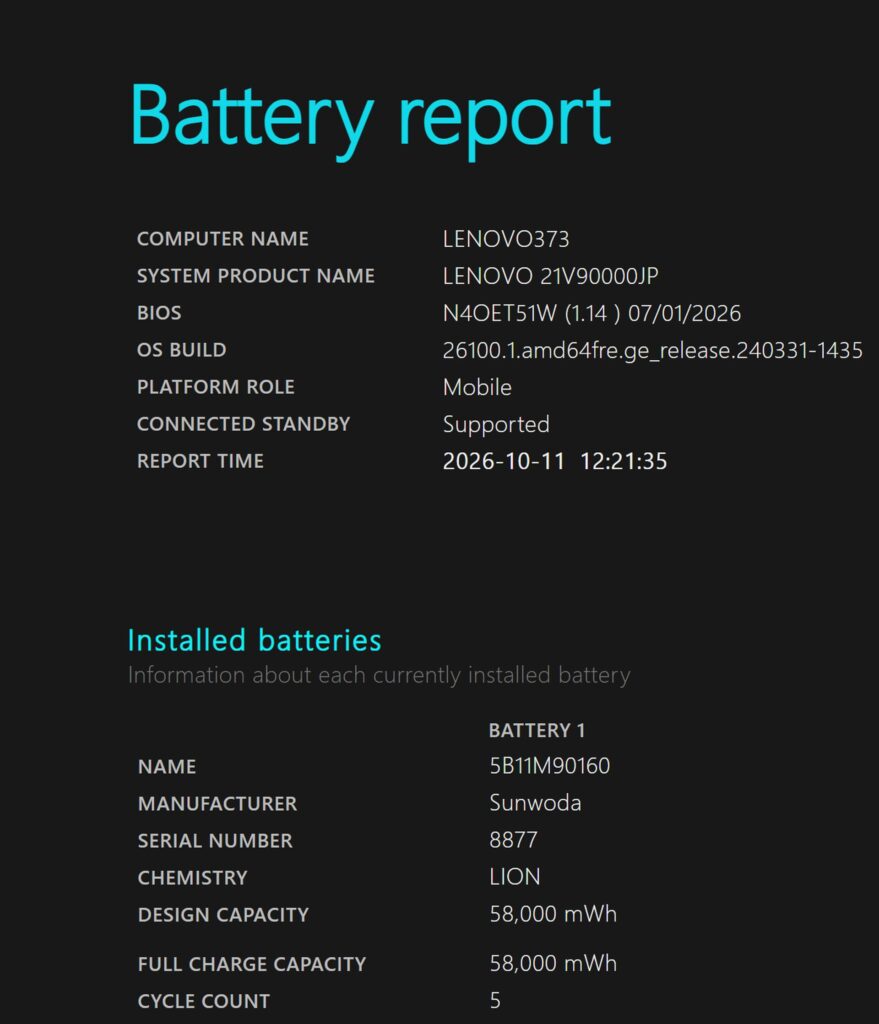 Checking the battery health
It charges over USB-C. The stock charger is portable enough, but a compact USB-C charger from someone like Anker will make your bag a lot lighter. I use one like that myself, so if you care about weight, I'd recommend it 🔌
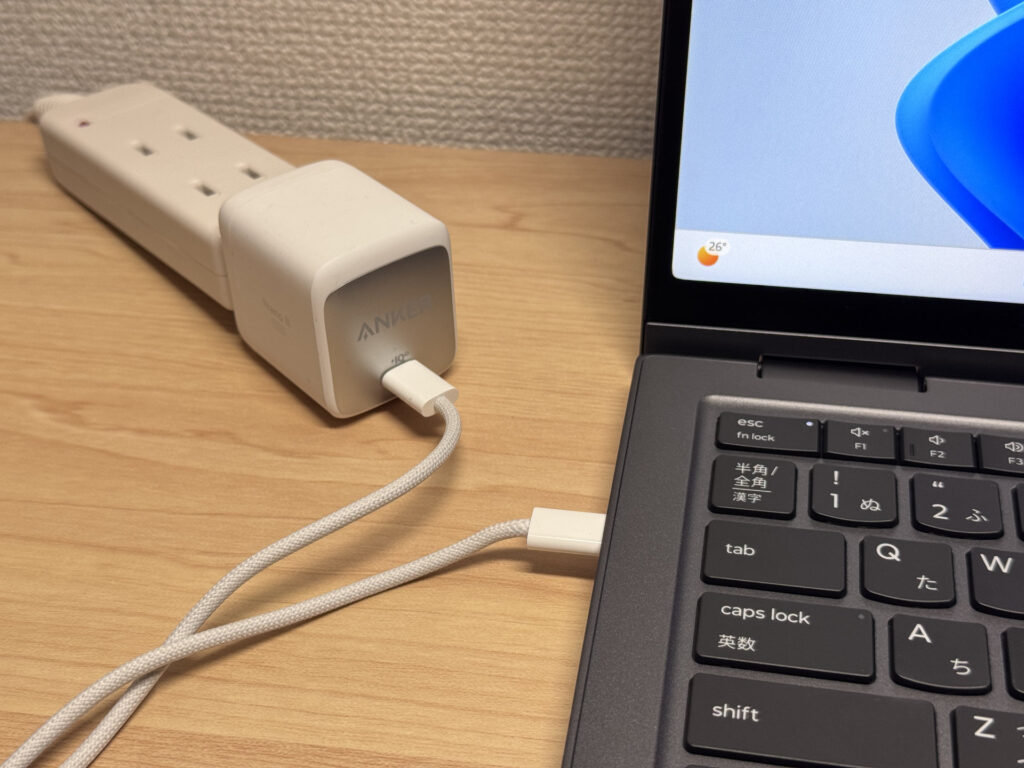 A compact USB-C charger works fine. Your bag gets way lighter!
Fan Noise and Heat
Let's check fan noise and heat. At idle it measured 14.9 dB, basically silent. As you'd expect from a high-end machine, fan noise is pretty much a non-issue in everyday use.
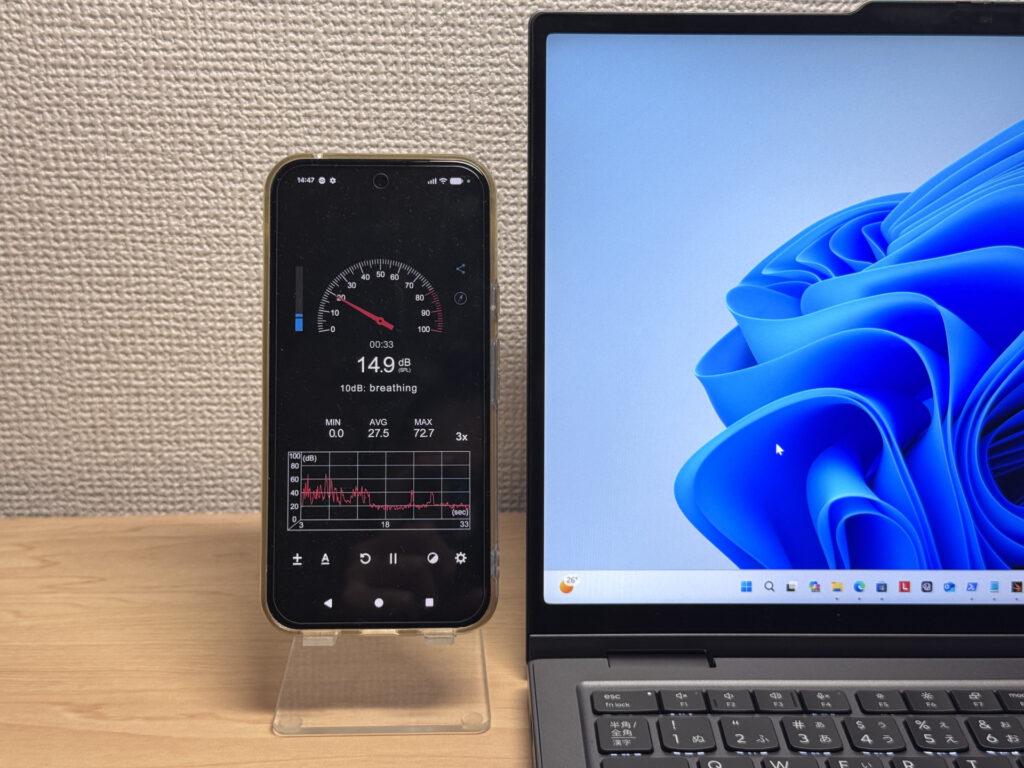 14.9 dB at idle. Practically silent 🤫
At 100% CPU load it hit 37.3 dB. Not silent, but it never turns into a high-pitched whine, so even under load the fan noise doesn't really get annoying.
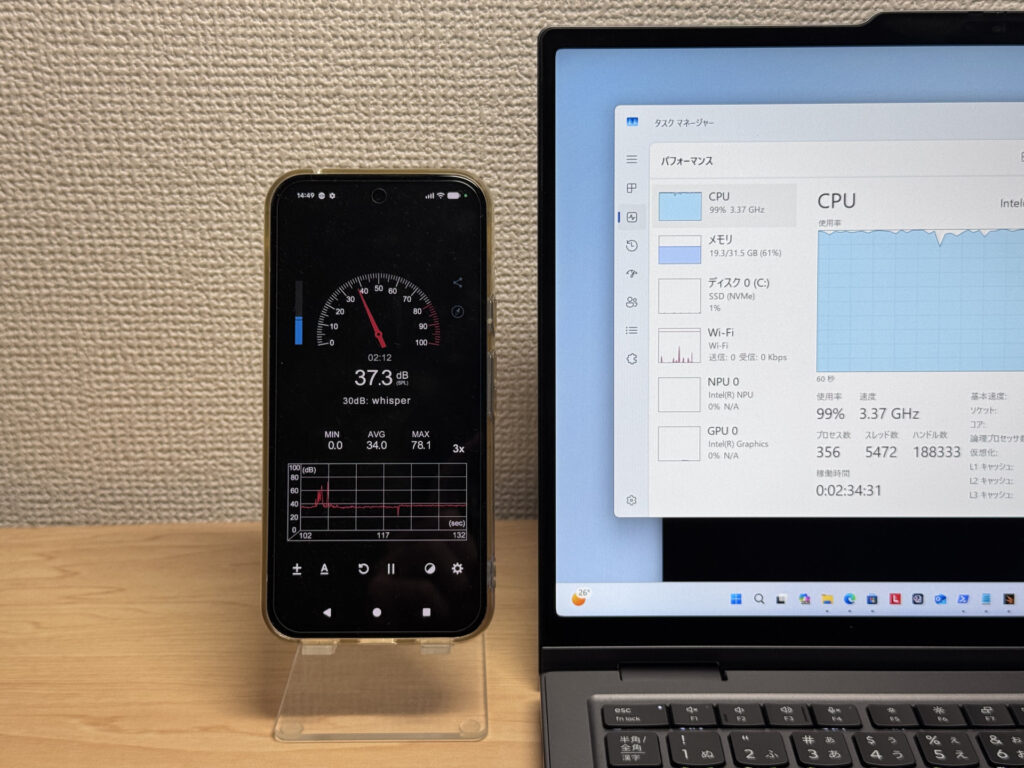 37.3 dB under heavy load. Nice that it never gets grating!
| Noise Level | Rating | Feel |
|---|---|---|
| Under 30 dB | Near-silent Idle | Fan noise is barely perceptible — library-quiet and ideal for focused work. |
| 30–35 dB | Quiet | Faintly audible but non-distracting. Easy to work in a quiet room. |
| 35–40 dB | Noticeable Load | You can tell the fan is spinning, but it rarely interrupts work. |
| 40–45 dB | Somewhat loud | Can become distracting in quiet environments. Headphones start to help. |
| 45–50 dB | Loud | Noticeable stress over extended use. Cooling is clearly prioritized. |
| 50 dB+ | Very loud | Prominent fan noise under load — gaming/high-performance thermal design. |
The exhaust vents are on the back. All the hot air goes out the rear, so you don't get that annoying warm-hand feeling when you're using a mouse.
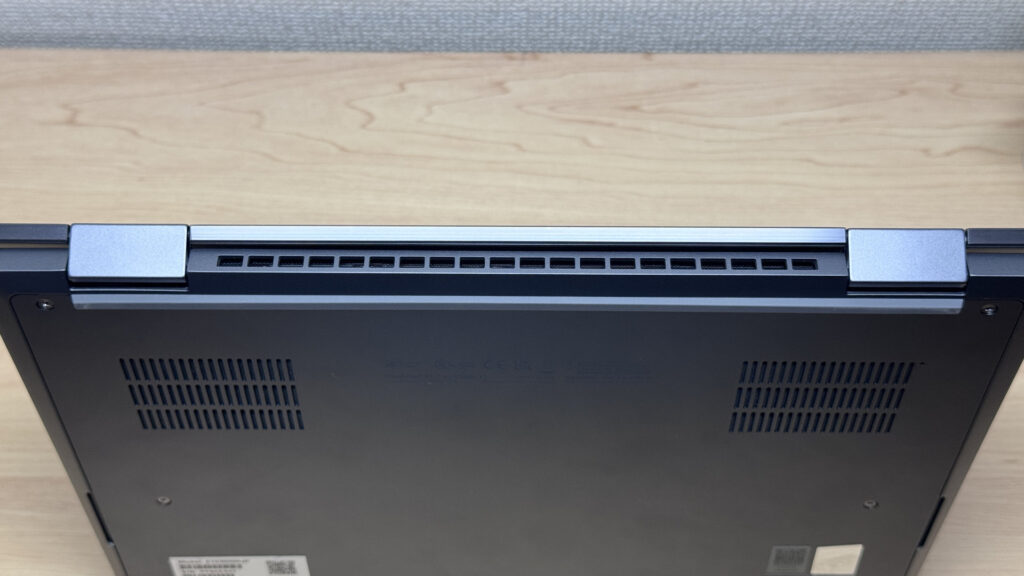 Exhaust goes out the back. Not getting warm hands is a quiet win
Ports and Expandability
Let's look at the ports. On the left: HDMI, two USB-C ports with Thunderbolt 4, and a headphone jack. On the right: a Kensington lock slot, USB-A, and another Thunderbolt USB-C port. It even has a Kensington lock for theft prevention, which makes it about as complete as a business machine gets. Plenty of thin laptops go USB-C only, so getting a no-dongle port selection on a light, slim laptop is a big win 💪
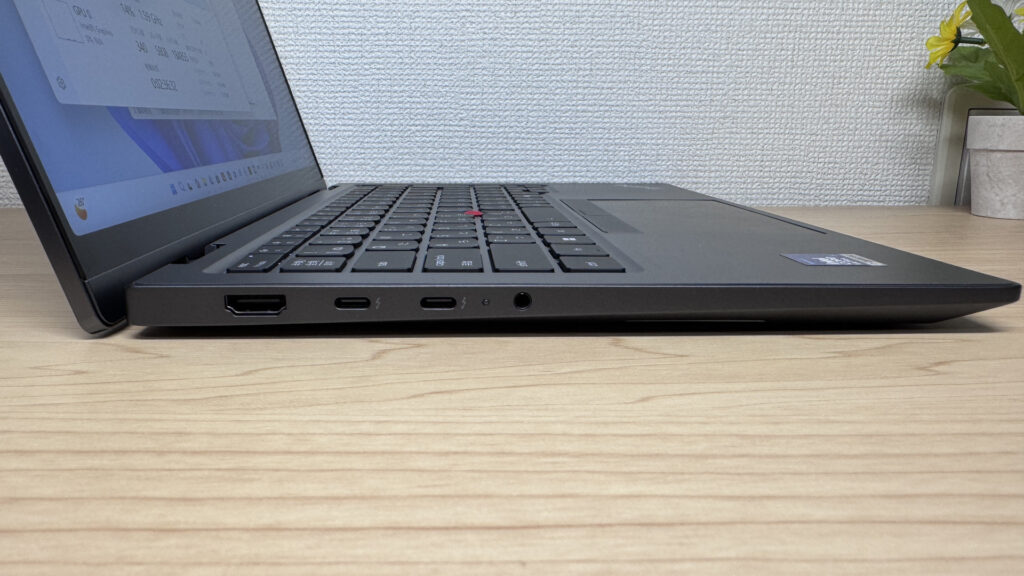 Left side: HDMI, 2x Thunderbolt 4 and a headphone jack
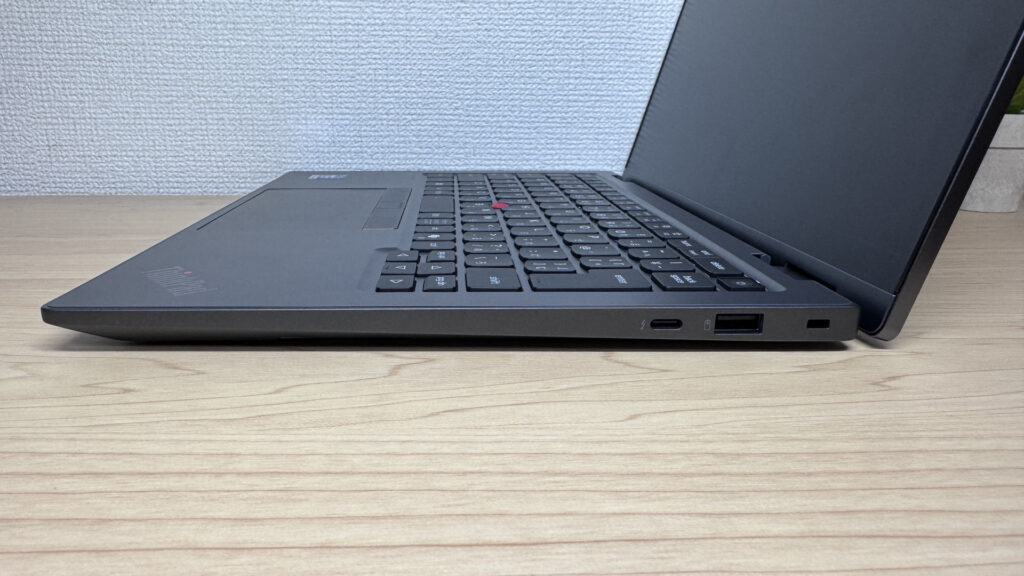 USB-A and a Kensington lock on the right. Nothing missing for a business laptop!
4K output over HDMI worked without a hitch.
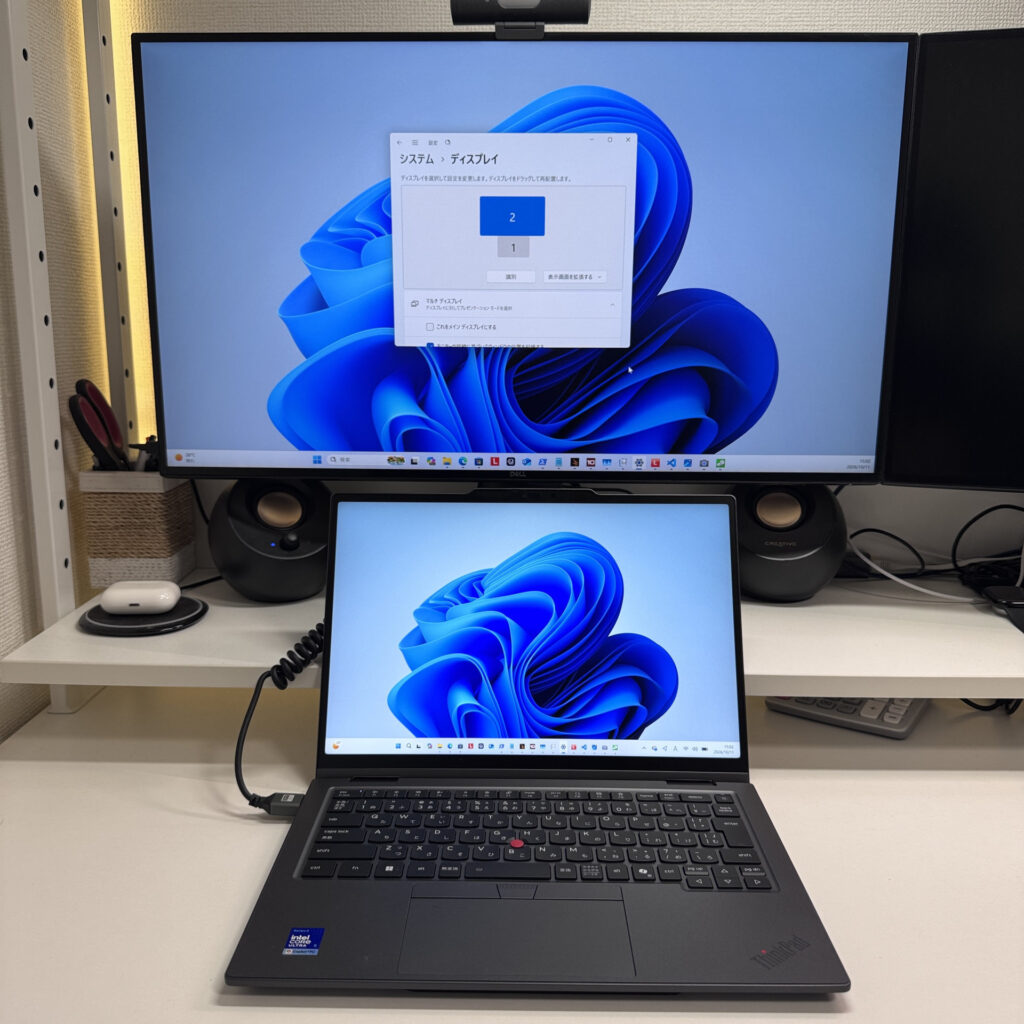 It outputs straight to a 4K monitor over HDMI
I also combined USB-C (Thunderbolt) and HDMI to try a four-display setup, and that worked perfectly too. Pair the laptop plus three external screens with a Bluetooth keyboard and mouse, and you've got a seriously powerful desktop setup. It makes a massive difference to how much you get done, so if you buy this laptop, definitely give it a try.
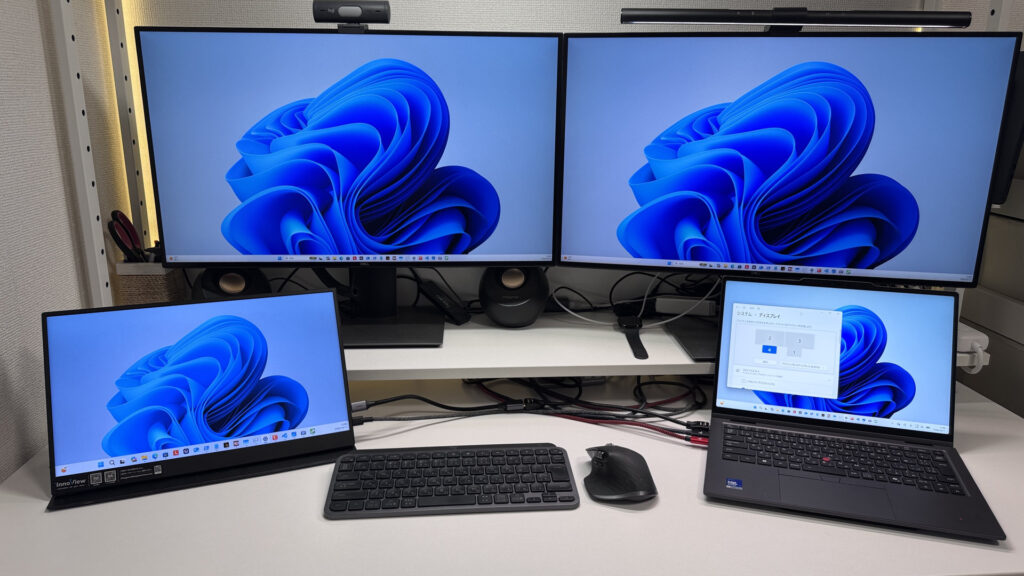 Four screens from one laptop! A huge productivity boost 😉
Webcam
Next, the built-in camera. The resolution surprised me: a full 10MP. That's unusually high for an ultraportable, and the sensor is bright too, so your face comes through crisp and clear on video calls.
 Here's what the 10MP camera looks like. You'll look great on video calls!
It also has a privacy shutter, so you can physically cover the camera in a second. It's a small thing, but a really welcome standard feature 👍
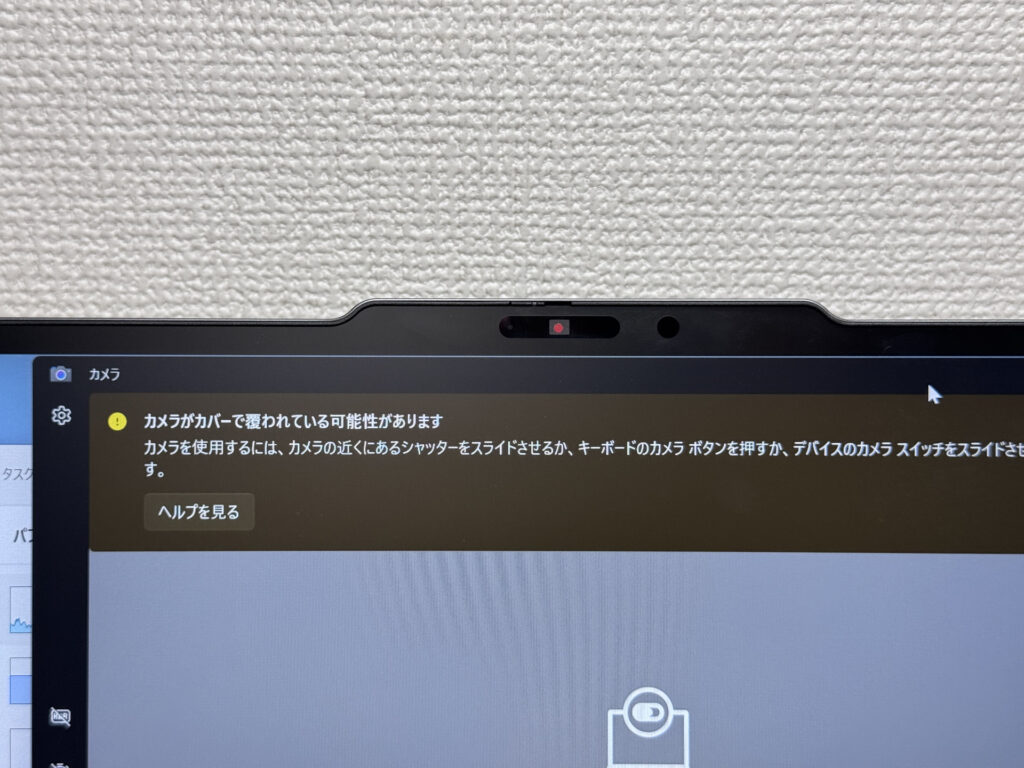 Being able to slide the shutter closed is reassuring
Speakers
Let's check the speakers. I watched a film on Amazon Prime Video, and even at high volume there was no distortion, just clean sound. The bass comes through clearly too. I'd honestly give it a 9 out of 10 🎶
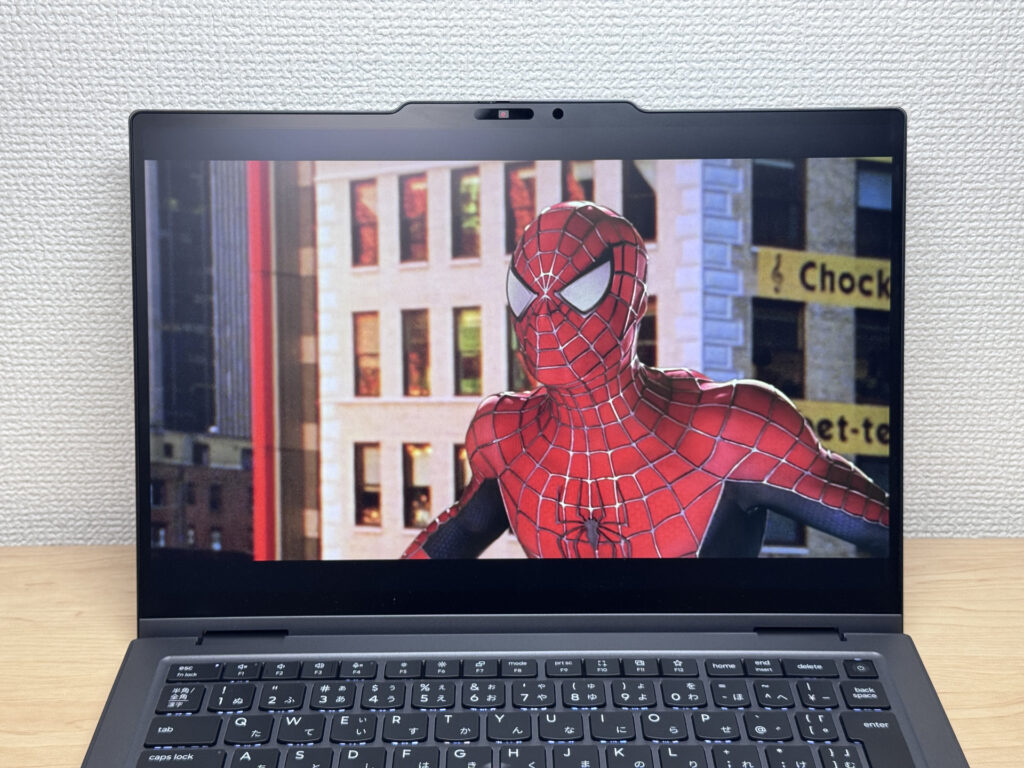 Films sound punchy, with real bass!
The speakers sit on the left and right sides of the chassis, and the sound spreads out nicely from there.
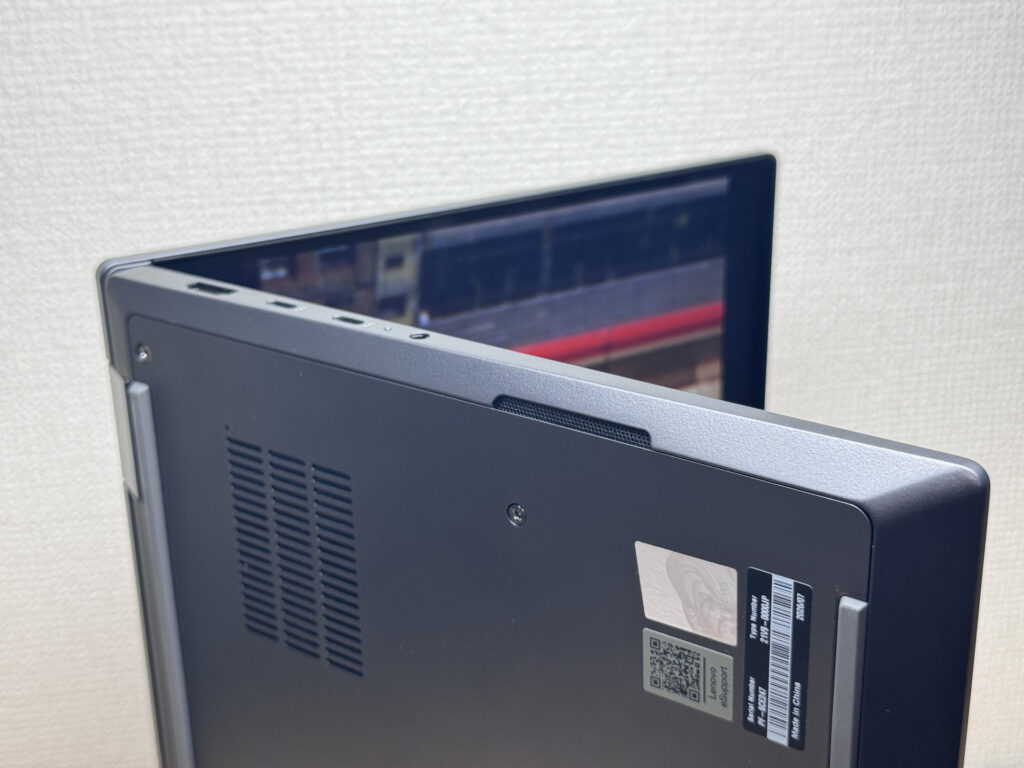 Sound spreads out nicely from the left and right speakers
Security Features
Now for security. It supports face recognition and unlocks ridiculously fast, the moment you open the lid.
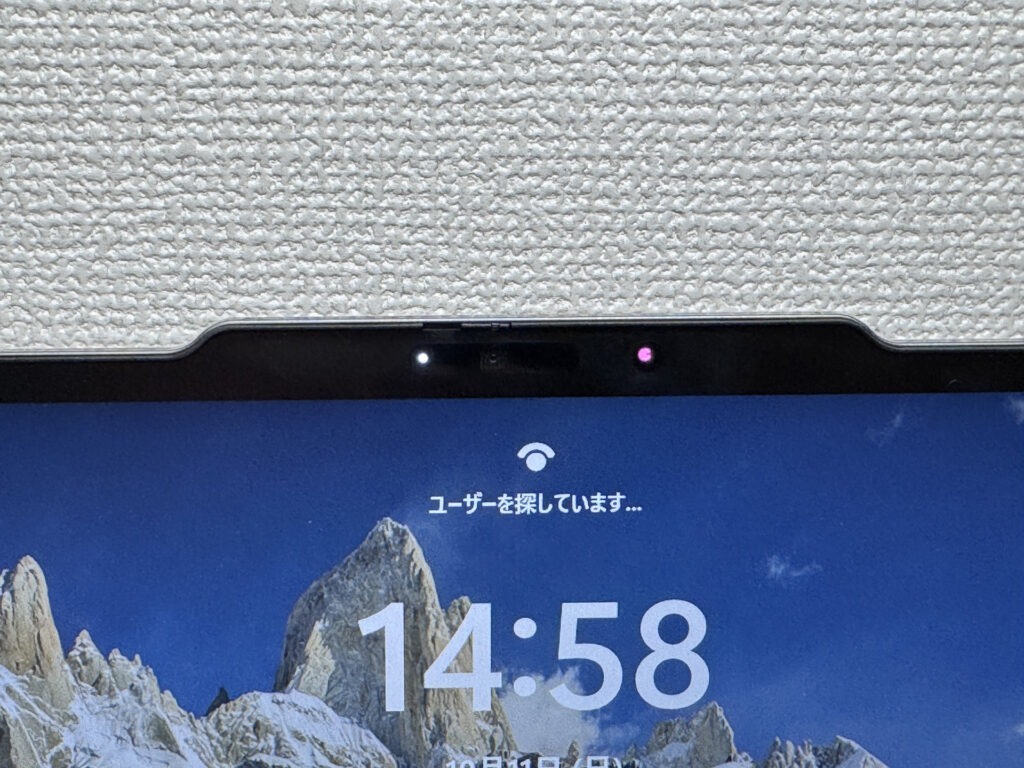 Face unlock the instant you open it. Logging in is lightning fast
There's also a fingerprint reader built into the power button. When face recognition won't cooperate, say when you're wearing a mask, you can still log in with a quick touch 🔐
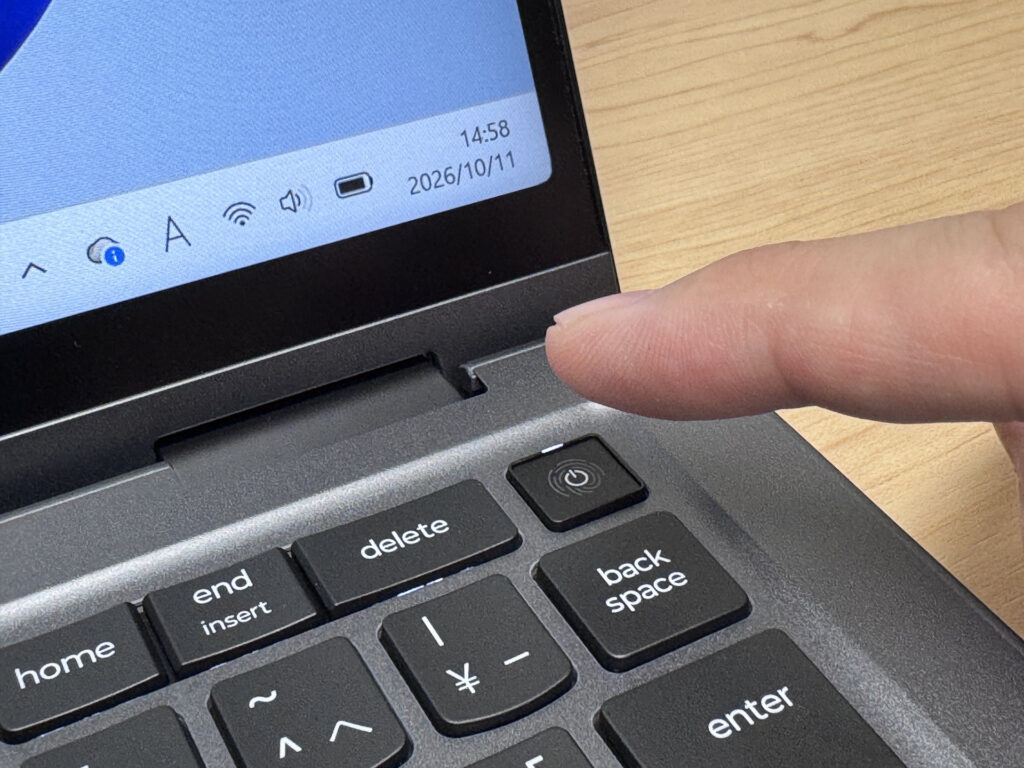 Fingerprint for when face unlock won't work. Having both is great!
Price
Finally, price. The X1 series sits at the pricey end to begin with, so starting at £2,601.00, it's honestly expensive. It's not exactly a bargain, but the Lenovo Slim Pen 2 comes included, and you're getting quality hardware like the colour-rich, anti-reflective display, so the price is somewhat understandable.
Final Verdict
The ThinkPad X1 2-in-1 Gen 11 Aura Edition is a 2-in-1 that's still light, and it combines the upscale feel of its gleaming machined aluminium accents with a writing experience that feels like pen on paper. Plenty of 2-in-1s land in the 1.5 kg class, so this lightness is rare, and you could easily skip the iPad and take notes directly on this one machine. Auto-rotate not working and the high price are drawbacks, but with 32GB of RAM behind it, I'd say it's a perfect fit for creatively minded professionals who want to handle handwritten notes, documents and even illustrations on a single device.
Writes like paper. The one machine that makes an iPad optional! ✍️
Where to Buy
* Prices may vary. Please check each store for the latest price and availability.
About the author