
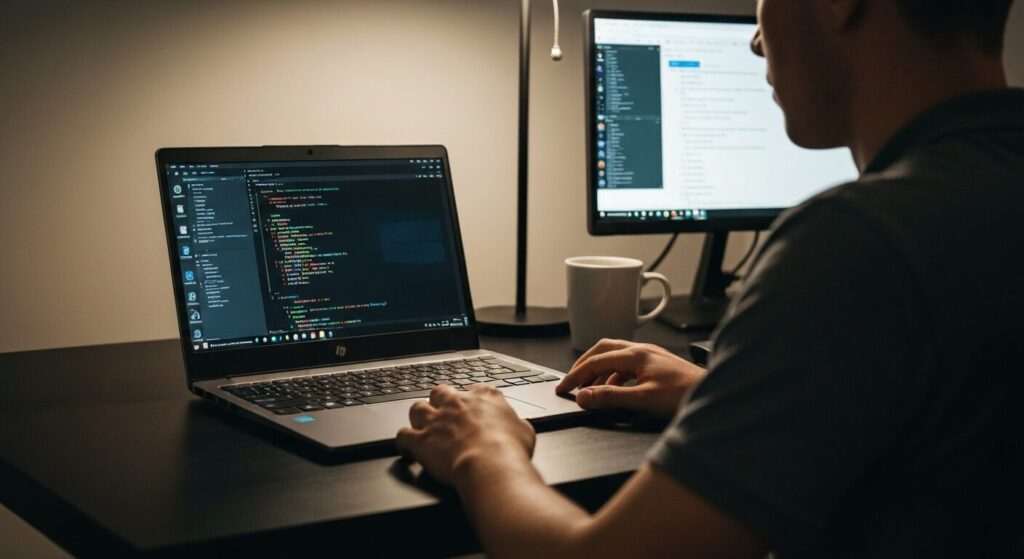
Which laptop is actually good for learning to code?
I want something that handles programming without costing a fortune.
All these specs — I haven't a clue where to start.
Hey there, Takumi from ZippyLaptop here.
If you've just started hunting for a laptop to learn programming on and already feel completely overwhelmed — swamped by questions like "how much RAM do I need?" or "which CPU is fast enough?" — that's completely understandable. When you're new to coding, odds are you're also fairly new to buying laptops for it, and working out which one to get is genuinely tricky 😂.
In this article, I'll walk you through 3 key things to look for in a beginner programming laptop, drawing on 20+ years of coding and hands-on reviews of over 100 machines. From there, I'll share my top picks.
Beyond specs and price, I'll also cover the things beginners often miss — the kind of tips that'll help you avoid regrets later on.
Right then, let's get into it!
Quick Answer
I'll get straight to the point.
For beginner programmers: aim for 16GB RAM, a 14-inch screen, and a budget of £1,000 or under — that's the sweet spot.
Based on the conclusion above, here are the 3 laptops I'd recommend first.
If you're stuck deciding, picking from this shortlist will rarely lead you wrong.
The rest of the article breaks down the differences and how to choose.
Our TOP 3 Picks
OLED brilliance at a fair price — handles work and media, wherever you are.
Under a kilo and ready for the daily commute — a well-rounded travel laptop
Buying Guide
1. Specs: 16GB RAM + IPS/OLED Display for Comfortable Coding
When you're shopping for a laptop to learn programming on, here's a sensible starting point:
- RAM: 16GB or more
- Display: IPS panel at minimum, OLED if the budget allows
- Keyboard: something that won't leave your fingers aching after a long session
RAM is the one to get right. Programming tends to chew through memory quickly — you'll have your code editor open, a browser with a stack of tabs, a terminal, your development environment, and these days probably an AI assistant like Copilot or Claude Code thrown in as well. So it's worth avoiding 8GB models if you can.
Eight gigabytes used to be manageable, but if you're starting out now, 16GB should be your baseline, full stop. 32GB is ideal, but 16GB is perfectly comfortable for beginner-to-intermediate work 👌.
The display matters more than people often realise. When you're looking at code for hours on end, screen quality has a direct impact on eye strain and concentration 👀. A cheap TN panel will tire your eyes out faster than you'd expect, so IPS is the minimum worth going for. And if the budget stretches to it, an OLED display makes text noticeably sharper — great for reading code.
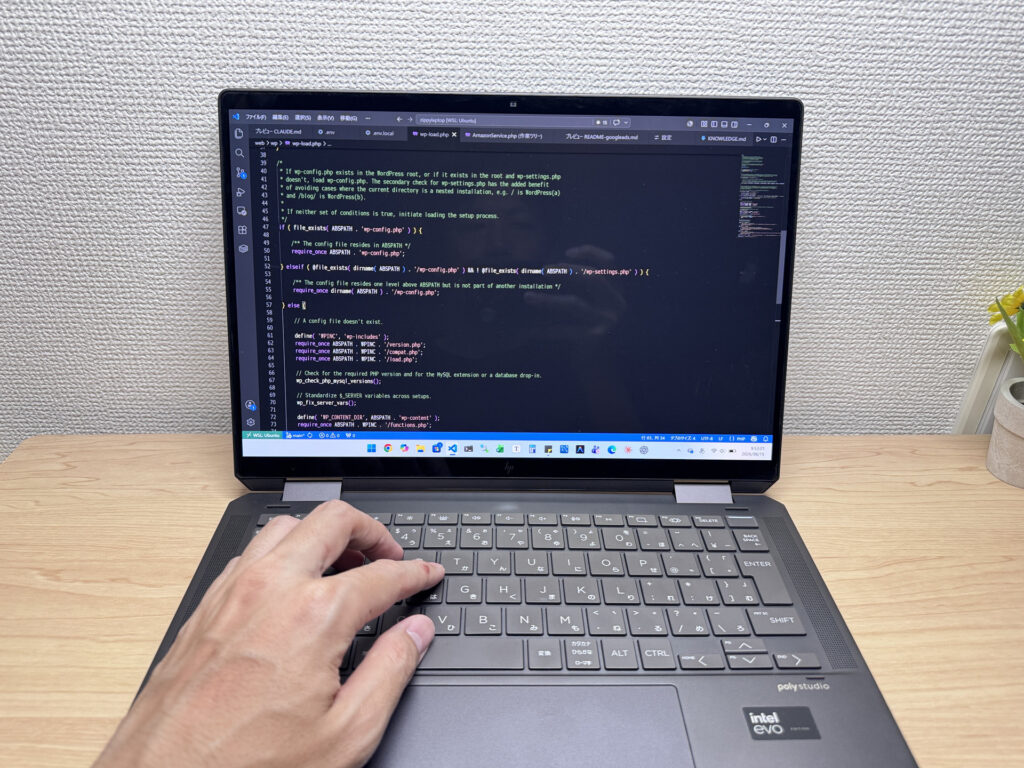 Personally, OLED makes source code a lot easier on the eyes — the contrast really shows.
The keyboard is worth thinking about too. Programming is largely typing, so an awkward layout will slow you down. A standard key layout is all you need — just don't get caught out by the odd non-standard board.
Bottom line: for a beginner programming laptop, focus on 16GB+ RAM, an IPS or OLED display, and a comfortable keyboard.
2. Practicality: 14-inch + External Monitor Is a Cracking Combination
For a programming laptop, 13–14 inches is the size to go for.
Smaller than that and things get cramped quickly — trying to run an editor and a browser side-by-side on a 12-inch screen is a bit of a pain. Go larger (15 inches or above) and you gain workspace, but the laptop gets heavier and harder to carry around — which matters when you want to work at a café, a library, or a study session. Once you get into coding, you'll find yourself wanting to work away from your desk more than you'd expect 😁.
A 14-inch strikes a good balance — easy enough to carry in a rucksack, but big enough to get work done. My recommended setup: use the laptop on its own when you're out and about, then connect to an external monitor at home for a much more comfortable experience. Programming means juggling a lot of windows at once — editor, browser, terminal, reference docs, ChatGPT — and more screen space means you get more done. I use a 27-inch 4K external monitor myself, and the difference it makes for reading code is considerable.
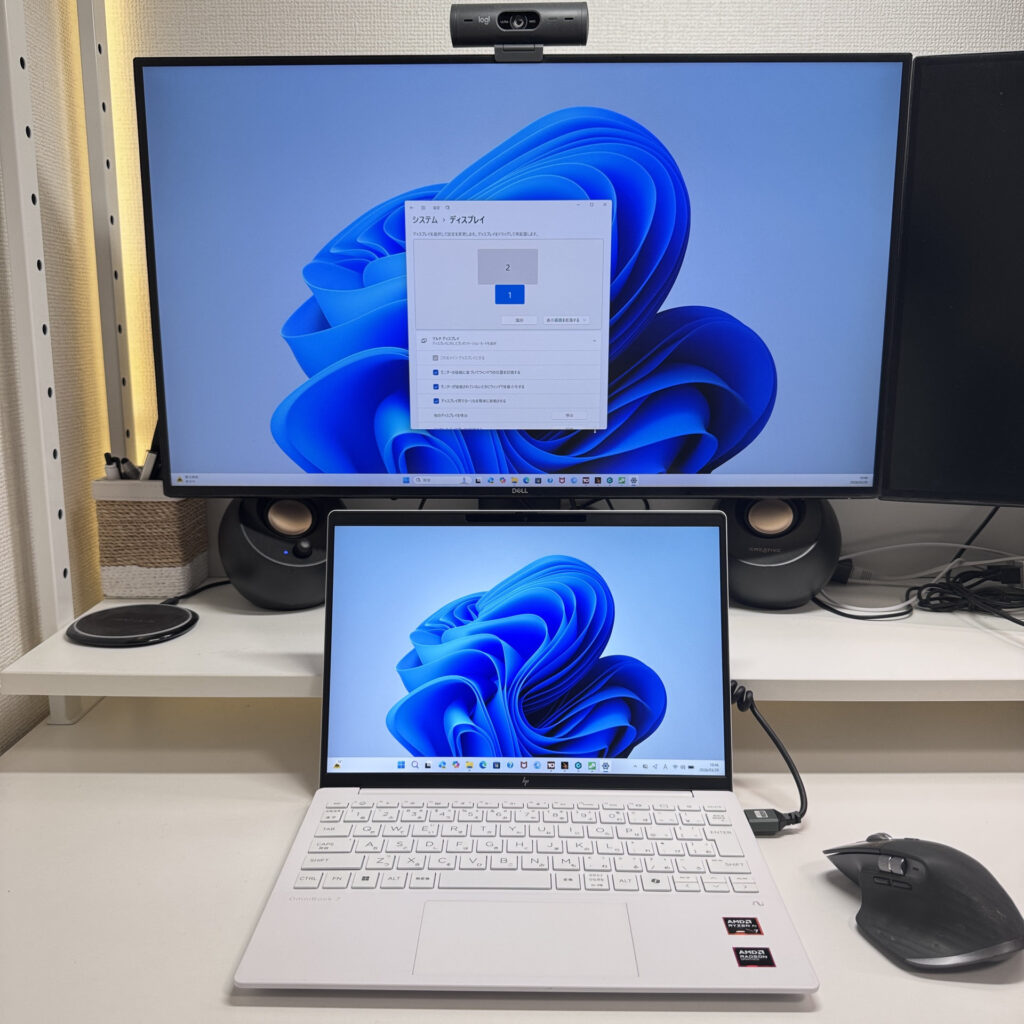 Even a 14-inch laptop turns into a proper workstation once you add an external display.
Pair it with a Bluetooth keyboard and mouse and your laptop becomes a desktop replacement at home. 14-inch when you're out, full desktop setup when you're back — it's a genuinely flexible way to work.
As for 2-in-1 convertibles — they're handy for reading code in tablet mode, but I'd hold off on that for now. A standard clamshell is all you need when you're getting started.
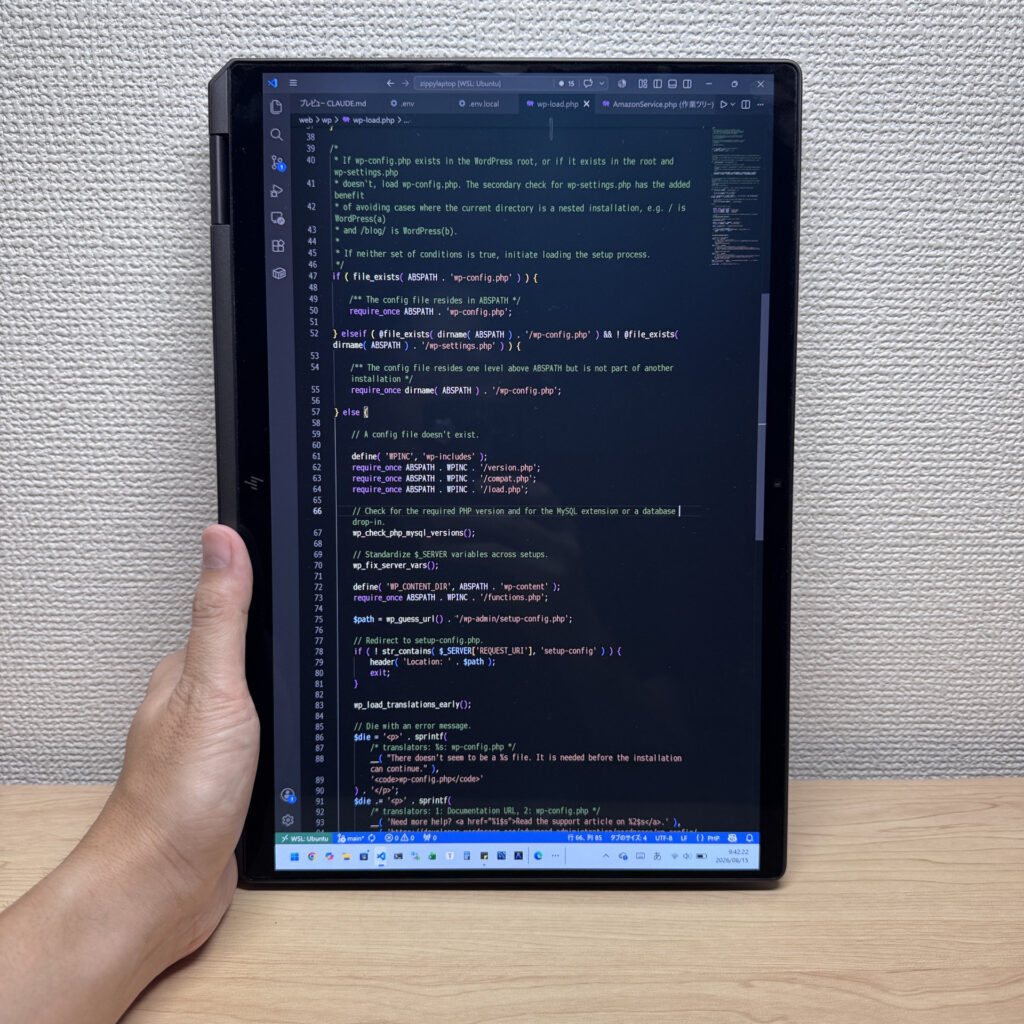 A 2-in-1 can come in handy for reading through code at your own pace 😉
3. Budget: £1,000 Is a Sensible Target
Programming laptops can sound pricey, but honestly £1,000 or under is a perfectly reasonable budget.
There are plenty of laptops in this range now with 16GB RAM, IPS or OLED displays, and a 14-ish-inch form factor. For web development, Python, JavaScript, PHP, Java, or basic app projects, you won't hit any real bottlenecks within that budget.
That said, don't just chase the lowest price. A machine with 8GB RAM, 256GB storage, a dim screen, and a stiff keyboard might look tempting on paper, but the frustration tends to creep in sooner than you'd think. A low-to-mid-range spec machine will serve you well — a decent option in this range should last five years or more.
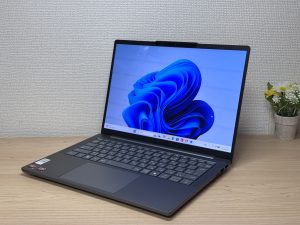
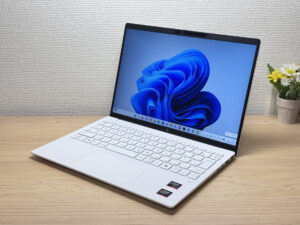
Here's a practical comparison: the laptop on the left is a cheap second-hand model — the screen is a touch dim, fonts don't render as sharply, and the trackpad is on the small side. The one on the right is properly specced and sits in a reasonable price bracket — noticeably better display, and a much larger, more comfortable trackpad.
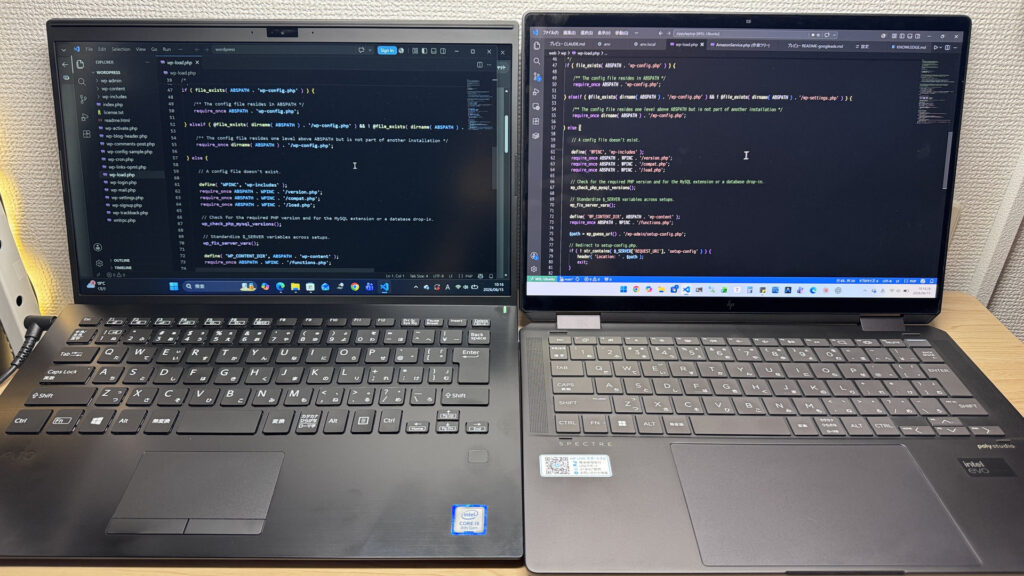 You do get what you pay for. The better-specced machine makes a real difference day-to-day.
So even if you're keeping costs down, I'd treat £700 as your floor. And if you can stretch a bit, £1,000 or under is the sweet spot — solid performance, a decent screen, and a comfortable typing experience all come together there.
You don't need to go flagship. But don't cut corners so hard that your setup holds you back. Get something with 16GB+ RAM, a good display, and a solid keyboard and you'll be set up to code happily for years to come.
To summarise: for a beginner programming laptop, keep 16GB+ RAM, IPS or OLED display, 14-inch form factor, external monitor compatibility, and a budget of £1,000 or under in mind ⭕️.
Starting with a machine that has a bit of headroom makes a real difference — your learning experience will be smoother, and you'll actually enjoy using something that doesn't frustrate you 😉.
Next up, I'll be sharing my actual top picks that tick all these boxes — well worth a look 👍.
Our Picks
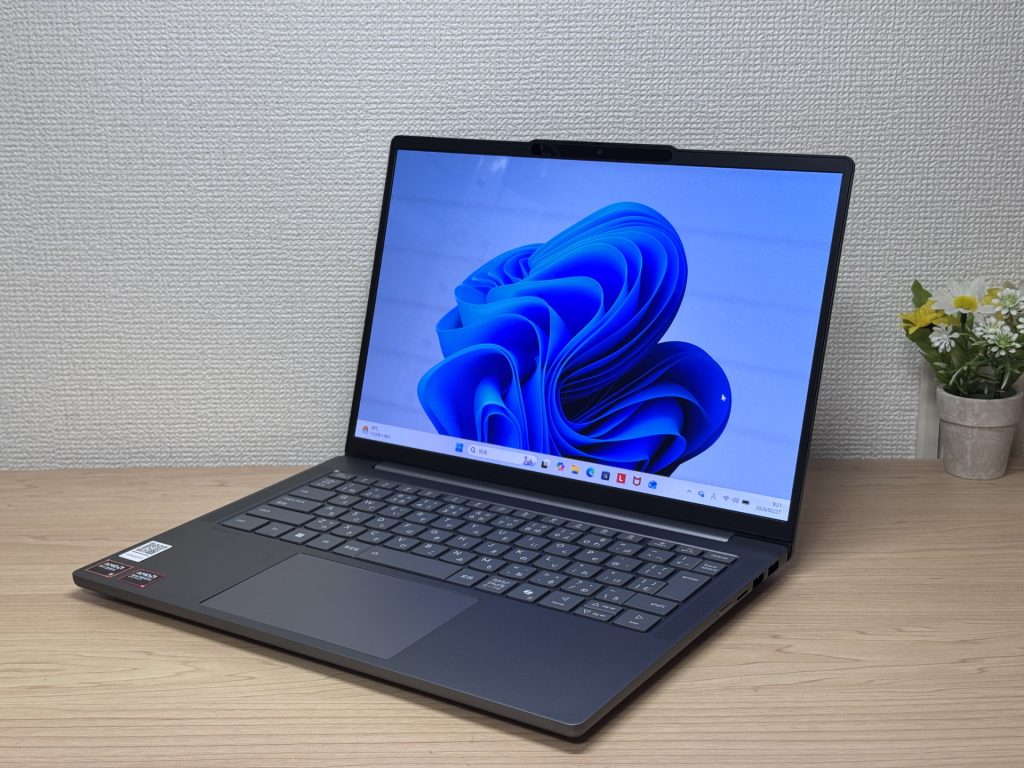
#1Lenovo IdeaPad Slim 5 Gen 10 (14-inch AMD)
- ·You carry your laptop to work or uni every day
- ·You want a great screen for films and streaming
- ·You need all-day battery life away from a power socket
- ·You need to connect up quickly in meetings or lectures
- ·Demanding gaming or heavy video editing is your primary use case
- ·You regularly do intensive tasks in quiet environments
Key Specs
- CPU
- AMD Ryzen AI 5
- Display
- 14.0-inch
- RAM
- 16GB
- Weight
- 1.39 kg (3.06 lbs)
- Storage
- 512GB SSD
- Battery
- ~19.8h
Why We Picked It
IdeaPad Slim 5 Gen 10 (14" AMD) is a 14-inch laptop that genuinely earns its value tag, largely down to that OLED display. At this price, the colour vibrancy and black depth are in a class of their own — great for streaming films or sorting through photos. A PCMark 10 score of 6,778, 16 GB of RAM, and a 60 Wh battery rated up to 19.8 hours round off a very compelling package.
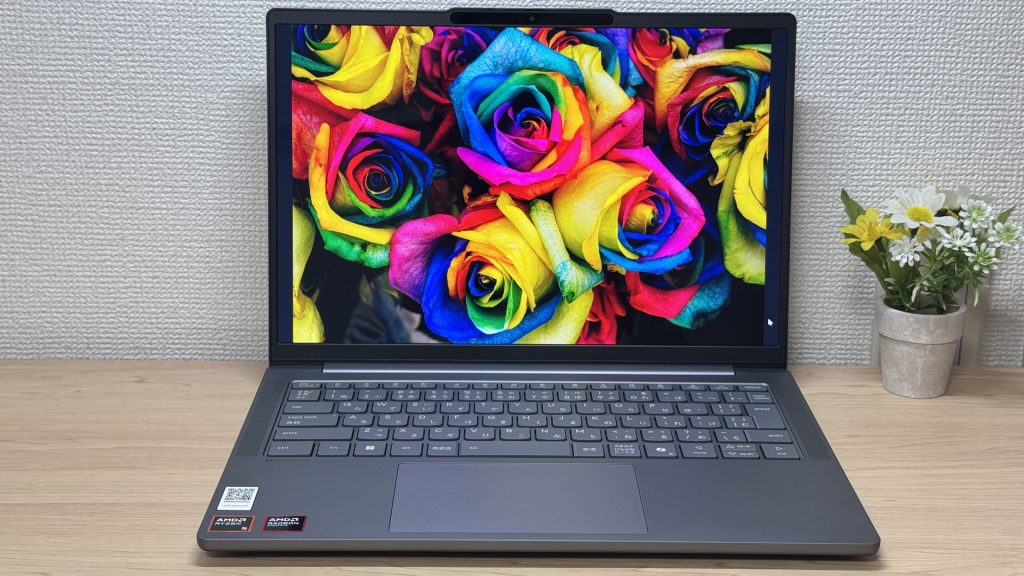 That OLED really is something.
The glossy panel does pick up reflections — fair trade-off for that display quality, honestly. Ports are plentiful enough that you won't need a USB-C hub, which is always appreciated. A solid all-rounder for everyday use and lighter creative work.
#2HP OmniBook 7 Aero 13-bg
- ·You carry your laptop everywhere and want something genuinely lightweight
- ·You want a solid machine for essays, browsing, and video calls
- ·You often work from cafés, lectures, or anywhere outside the office
- ·You need a machine for heavy gaming or video editing
- ·You're regularly away from a charger for long stretches
Key Specs
- CPU
- AMD Ryzen AI 7 350
- Display
- 13.3-inch 1920x1200 IPS
- RAM
- 16GB
- Weight
- 0.97 kg (2.14 lbs)
- Storage
- 1TB SSD
- Battery
- ~15.5h
Why We Picked It
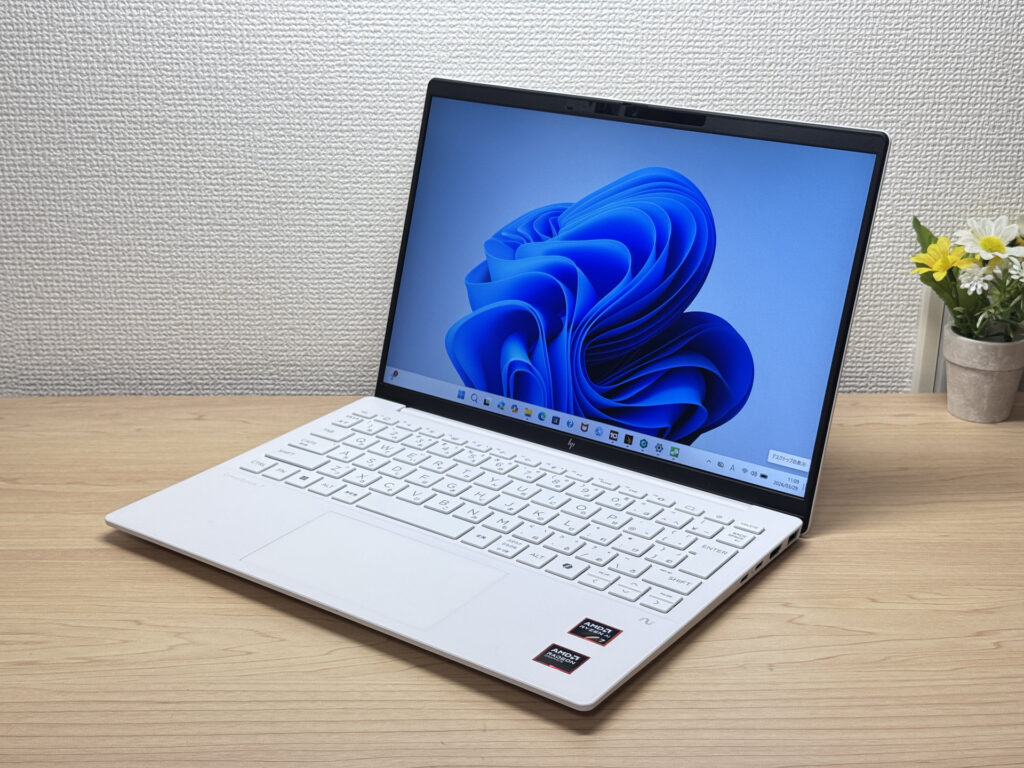
The OmniBook 7 Aero 13-bg's standout feature is its weight: just 970g, genuinely light enough to carry around all day without really noticing it. The Ceramic White finish looks great — the kind of laptop you'd actually want to get out at a café or on campus. Powered by the AMD Ryzen AI 7 350, it scored 6946 on PCMark 10 — solid performance for a machine this light. The IPS display delivers good colour and handles everything from daily browsing to video calls without complaint.
The downsides are straightforward: the lid is plastic, so don't expect a premium feel. The charger weighs a chunky 323g — surprisingly heavy given how light the laptop is. Battery is 43 Wh, so you'll want a plug handy on longer days out. Still, if you want a good balance of portability, performance, and looks, this is a strong contender.
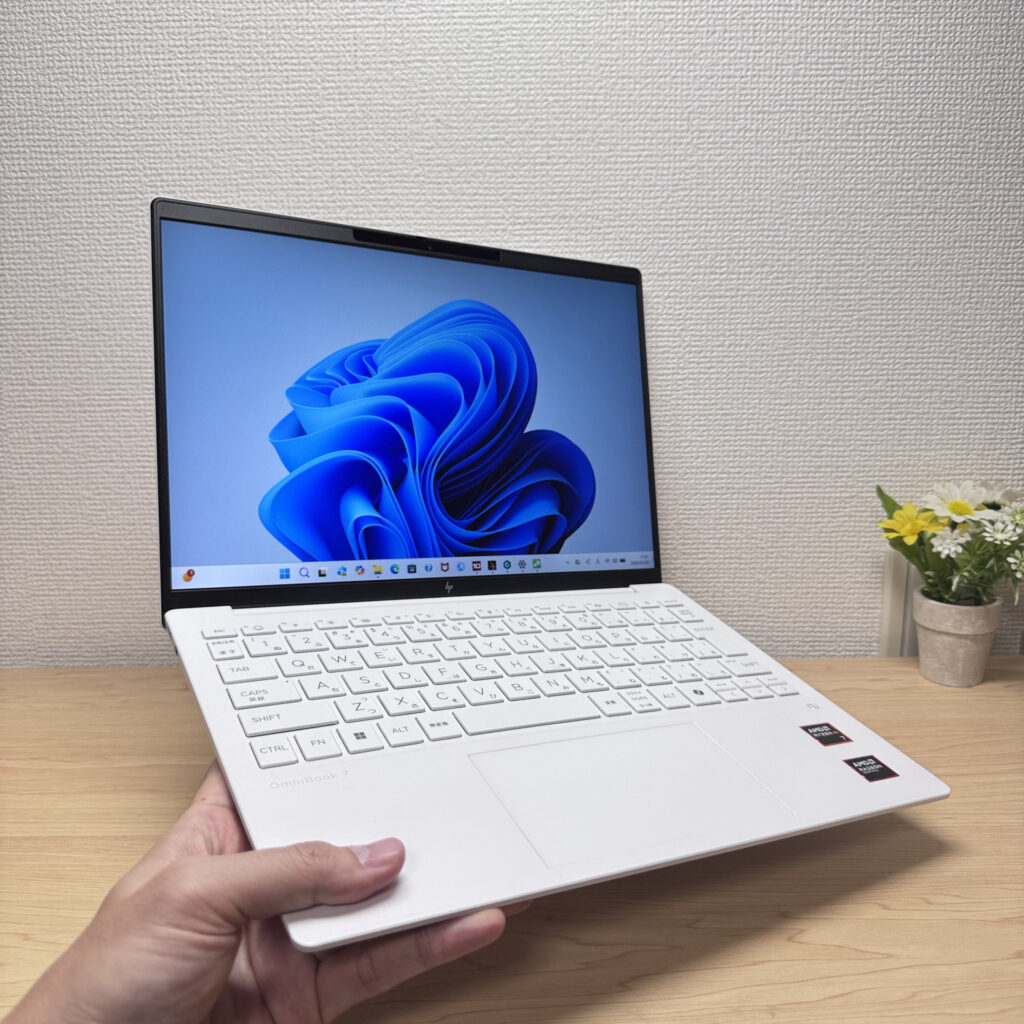 Light enough to carry in one hand with ease
#3Lenovo IdeaPad 5i 2-in-1 Gen 11 (14-inch Intel)
- ·You want a laptop that handles reports and web browsing without breaking a sweat
- ·You don't want to worry about finding a socket while you're out
- ·You're a student who wants to take handwritten notes in tablet mode with the stylus
- ·You want to pair it with an external monitor and keyboard for a mini desktop setup
- ·You're carrying it around every single day
- ·You're after serious gaming or video editing
- ·You want a machine built primarily for illustration or handwriting
Key Specs
- CPU
- Core Ultra 5 322
- Display
- 14.0-inch 1920x1200 IPS touch
- RAM
- 16GB
- Weight
- 1.54 kg (3.40 lbs)
- Storage
- 512GB SSD
- Battery
- ~20.0h
Why We Picked It
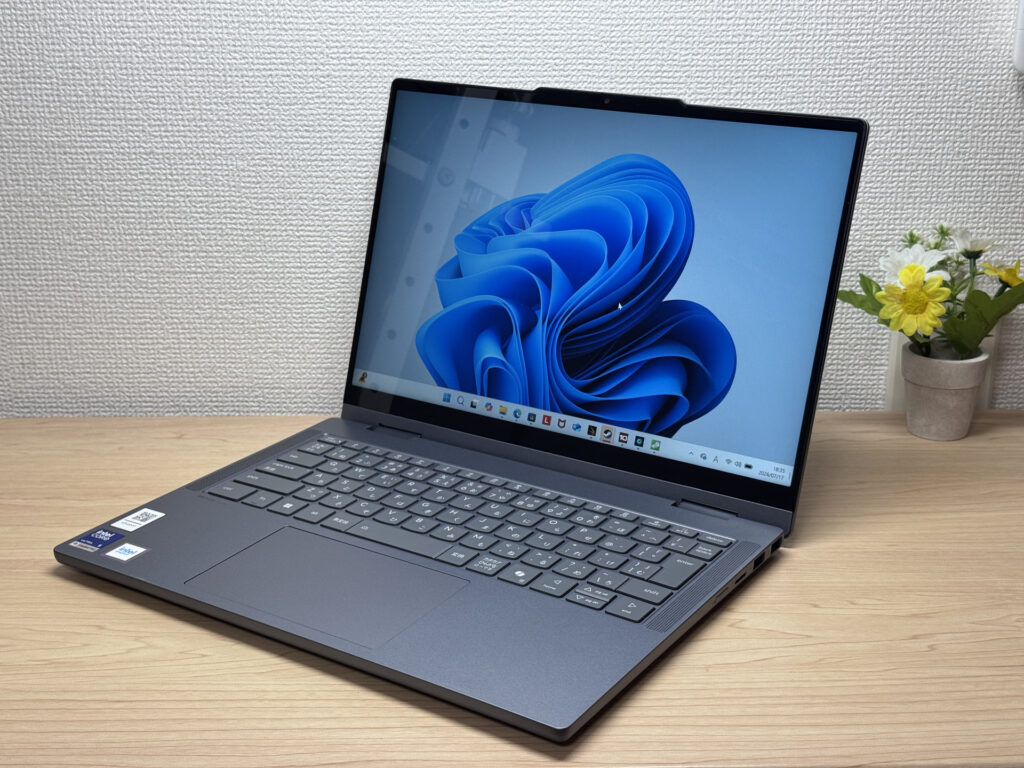
The IdeaPad 5i 2-in-1 Gen 11 (14-inch Intel) is a 14-inch 2-in-1 laptop with a 360° hinge and a bundled Lenovo Yoga Pen, giving you tablet and stylus input on top of regular laptop use. With an Intel Core Ultra 5 and 16GB of RAM, everyday tasks feel snappy, and a well-rounded port selection — two USB-A, HDMI, and two USB-C — makes hooking up peripherals easy. At 1.54kg (~3.4lbs) it runs a bit heavy, but it's hard to find a 2-in-1 this feature-packed at the price — the value here is hard to argue with.
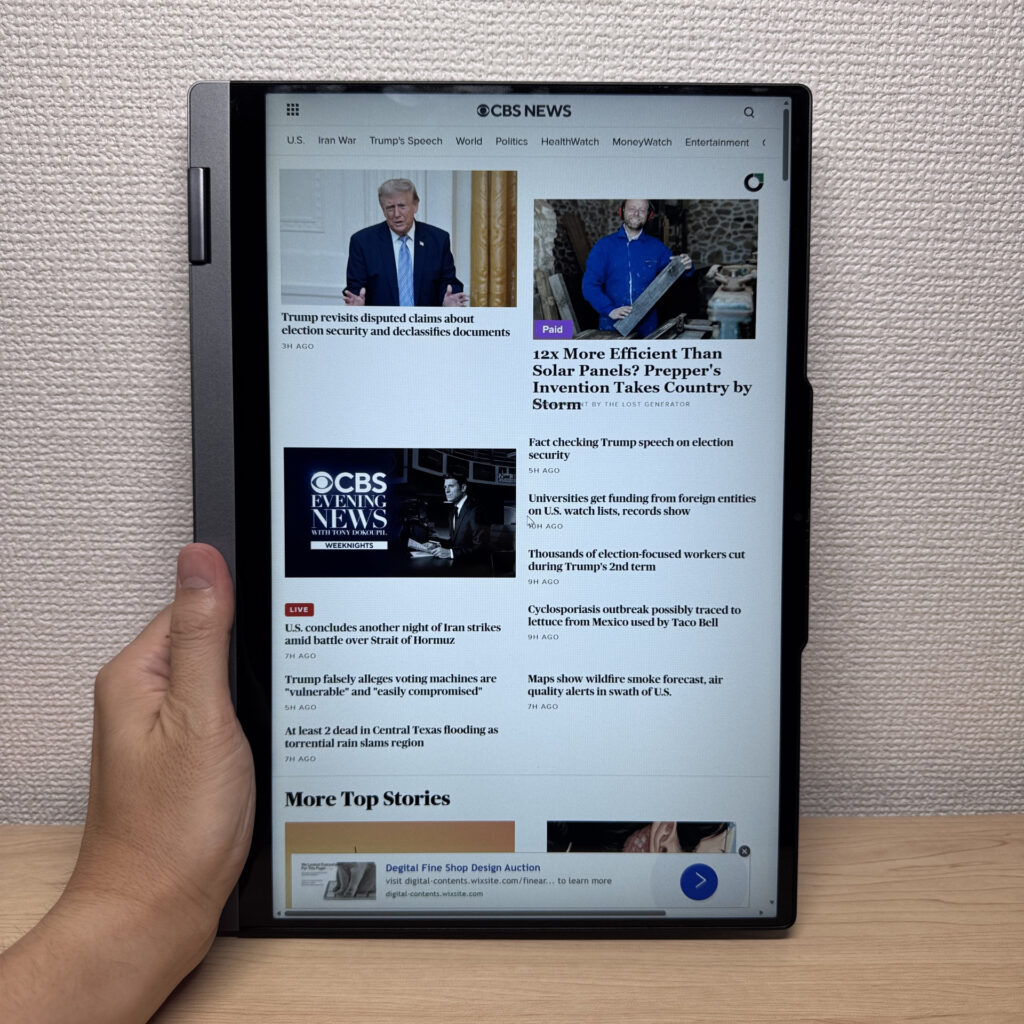 A 2-in-1 that flips into 4 modes, with solid build quality too
More Recommended Models
If our TOP 3 didn't quite click, take a look here too. These are picked with the same criteria, so you won't go far wrong either.
A 14-inch 2-in-1 with a bundled pen — work, study, and sketching all in one.
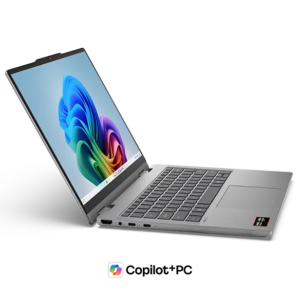
Under a kilo at 0.98 kg (2.2 lbs) and a claimed 32 hours — a 14-inch built around portability.

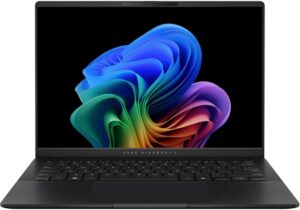
A 14-inch at roughly 1.3 kg (2.9 lbs) — current-gen power that's genuinely easy to carry.
Spec Comparison
Compare specs of all 6 recommended models at a glance.
Note: This table is ordered by our editors' picks for this use case, not by ZippyScore.
| Model | Image | Stores | Highlights | ZippyScore | CPU | RAM | Storage | Display | Battery | Weight | Full Review |
|---|---|---|---|---|---|---|---|---|---|---|---|
|
🥇 Best Overall
Lenovo
IdeaPad Slim 5 Gen 10 (14-inch AMD)
|
|
Amazon | OLED brilliance at a fair price — handles work and media, wherever you are. | Best 4.8/5 | AMD Ryzen AI 5 Passmark: 19,356 | 16GB | 512GB |
14.0"
|
~19.8h | 1.39 kg (3.06 lbs) | Full Review |
|
🥈 Best Balanced Pick
HP
OmniBook 7 Aero 13-bg
|
|
Amazon | Under a kilo and ready for the daily commute — a well-rounded travel laptop | 4.5/5 | Best AMD Ryzen AI 7 350 Passmark: 24,959 | 16GB | Best 1TB |
13.3"
1920x1200
IPS
|
~15.5h | Best 0.97 kg (2.14 lbs) | Full Review |
|
🥉 Best Value Pick
Lenovo
IdeaPad 5i 2-in-1 Gen 11 (14-inch Intel)
|
|
Amazon | A 2-in-1 that flips into tablet mode, stylus included | 4.5/5 | Core Ultra 5 322 Passmark: 15,438 | 16GB | 512GB |
14.0"
1920x1200
IPS
|
~20.0h | 1.54 kg (3.40 lbs) | Full Review |
|
Lenovo
IdeaPad 5a 2-in-1 Gen 11 (14" AMD)
|
|
Amazon | A 14-inch 2-in-1 with a bundled pen — work, study, and sketching all in one. | 4.4/5 | AMD Ryzen AI 5 430 Passmark: 13,437 | 16GB | 512GB |
14.0"
1920x1200
IPS
|
- | 1.54 kg (3.40 lbs) | Full Review |
|
ASUS
Zenbook A14 (UX3407QA)
|
|
Amazon | Under a kilo at 0.98 kg (2.2 lbs) and a claimed 32 hours — a 14-inch built around portability. | 4.1/5 | Snapdragon X X1-26-100 | 16GB | Best 1TB |
14.0"
1920x1200
OLED
|
Best ~32.0h | 0.98 kg (2.16 lbs) | — |
|
ASUS
Vivobook S 14 (S5406SA)
|
|
Amazon | A 14-inch at roughly 1.3 kg (2.9 lbs) — current-gen power that's genuinely easy to carry. | 4.1/5 | Intel Core Ultra 5 226V Passmark: 18,095 | 16GB | 512GB |
14.0"
1920x1200
OLED
|
~21.5h | 1.30 kg (2.87 lbs) | — |
Frequently Asked Questions
Is 8GB RAM really not enough?
Mac or Windows — which should I go with?
What screen size is best for programming?
How much should I budget?
Do I need Microsoft Office for programming?
Summary
Here's a quick recap of the conclusion from this article:
These are the models that meet those criteria:
- #1 Lenovo IdeaPad Slim 5 Gen 10 (14-inch AMD)
- #2 HP OmniBook 7 Aero 13-bg
- #3 Lenovo IdeaPad 5i 2-in-1 Gen 11 (14-inch Intel)
- #4 Lenovo IdeaPad 5a 2-in-1 Gen 11 (14" AMD)
- #5 ASUS Zenbook A14 (UX3407QA)
- #6 ASUS Vivobook S 14 (S5406SA)
We hope you find the laptop that's right for you here.
Happy laptop hunting!
About the author
