ZippyScore
ZippyScore is a proprietary rating based on 6 criteria: performance, portability, display, battery, value, and connectivity.
See rating criteria
- Performance: CPU / GPU performance
- Portability: Screen size & weight
- Display: Panel type, aspect ratio & refresh rate
- Battery: Rated battery life
- Value: Specs-to-price balance
- Connectivity: Port types & count
Pros & Cons
Pros
- A big 16:10 screen delivering both silky-smooth 240Hz and plenty of working space
- Full number pad makes entering figures a breeze
- Facial recognition gets you logged in almost instantly
- Generous ports, including Thunderbolt 4 over USB-C
- Practically silent at idle
Cons
- A hefty 1.93 kg (~4.3 lbs) → fine if you're happy treating it as a desk-bound machine
- The bundled charger is a chunky 429g → swap in a compact 100W charger to lighten your bag
- No SD card slot → photo editors will need an external reader
Specs Summary
| OS | Windows 11 Home |
|---|---|
| CPU | Intel Core Ultra 5 225H (PassMark: 28,599) |
| RAM | 16GB |
| Storage | 1TB |
| Display | 16" IPS 1920x1200 (16:10) |
| Weight | 1.91 kg (4.21 lbs) |
| Ports | USB-A × 1 (10Gbps), USB-A × 1 (5Gbps), USB-C × 1 (Thunderbolt 4/40Gbps/PD/Video out), USB-C × 1 (10Gbps/PD/Video out), HDMI × 1 (ver.2.1), Headphone jack × 1 |
| GPU | Intel Arc 130T (G3D Mark: 6,156) |
| Battery | Up to 16 h (Capacity: 70 Wh) |
| Camera | 5.0 MP |
| Dimensions | Approx. 357.9 × 254.8 × 15.0 mm (W × D × H) |
| Wi-Fi | Wi-Fi 7 |
| Bluetooth | Bluetooth 5.4 |
| Color | Silver |
Configurations vary by retailer, region, and availability.
Hands-on Review
Right, here's a look at the OmniBook 7 (16-ay) in the flesh. Here's how the review unit was configured:
| Spec | Review unit configuration |
|---|---|
| CPU | Intel Core Ultra 7 255H |
| RAM | 32GB |
| Storage | 1024GB SSD |
| Display | 16-inch IPS (2560 x 1600, 240Hz) |
| Graphics | Intel Arc 140T |
| Colour | Glacier Silver |
Note: configurations may vary depending on when and where you buy.
Design
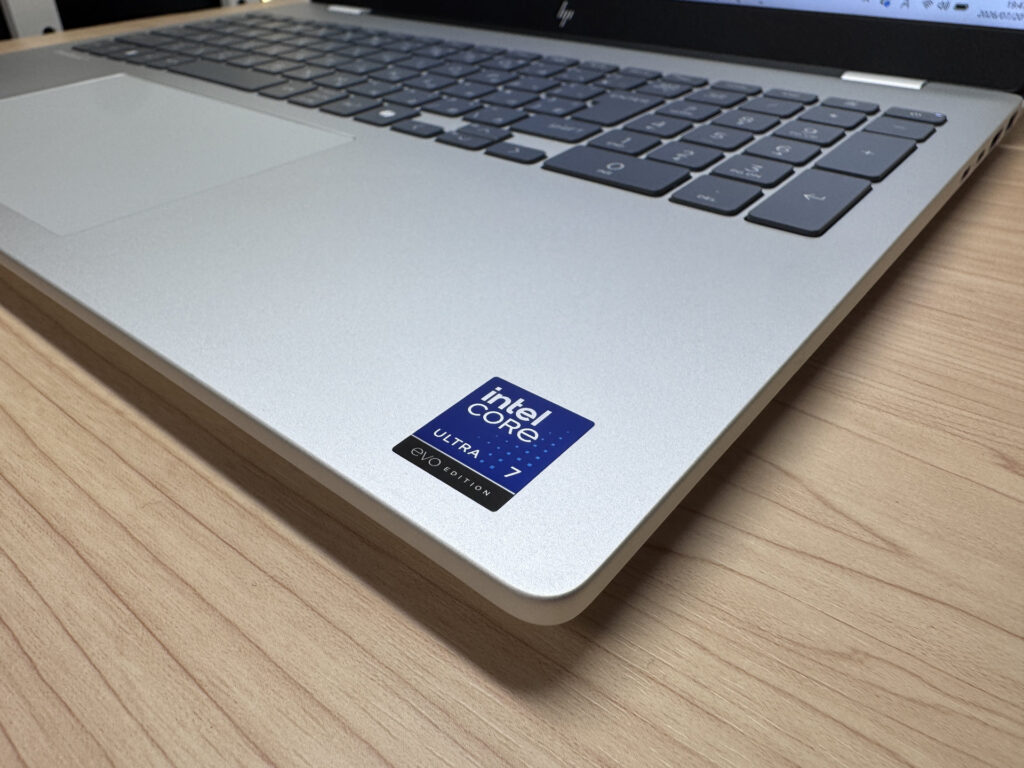
First up, design. The OmniBook 7 (16-ay) has a properly sturdy build, exactly what you'd expect from HP's mid-range line-up. You can feel the quality the moment you pick it up — honestly, better than I expected. Our review unit came in Glacier Silver, which looks classy rather than cheap. The finish has a slightly matte, smooth texture too, so fingerprints aren't much of an issue.
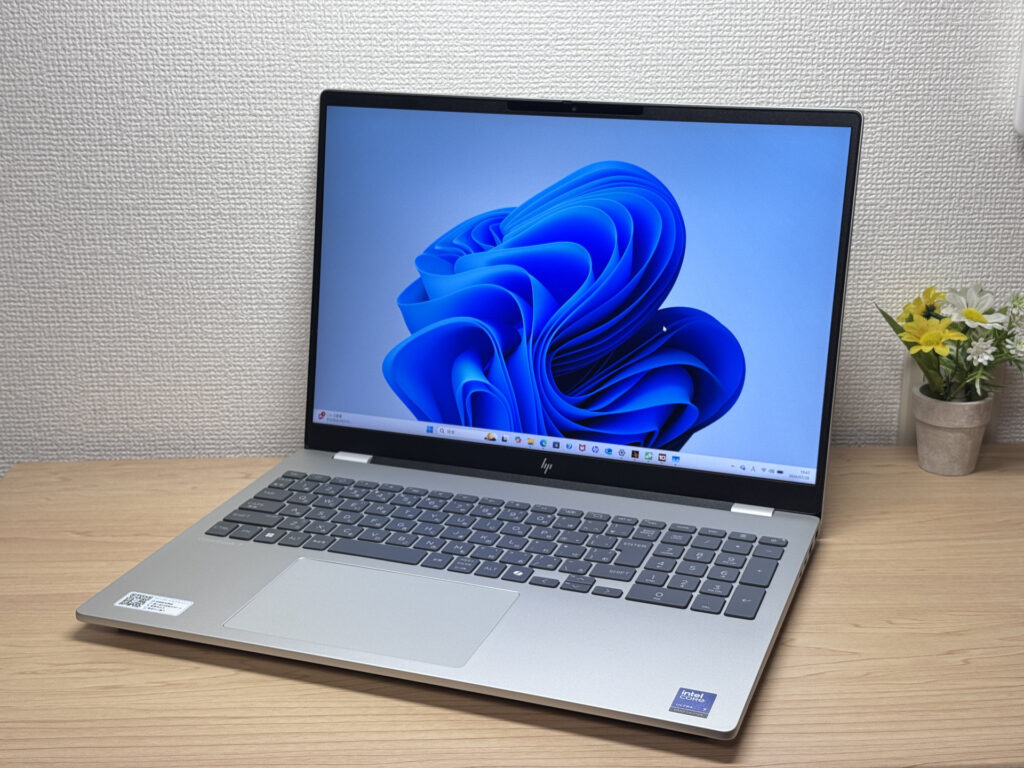 That Glacier Silver finish looks properly classy from the front!
 That 16-inch widescreen really does make a statement
Looking at the lid, there's a simple HP logo — I've been a fan since they switched to this more modern-looking badge. Flip it over and there's a decent-sized intake vent too, so the cooling setup feels like it's been properly thought through.
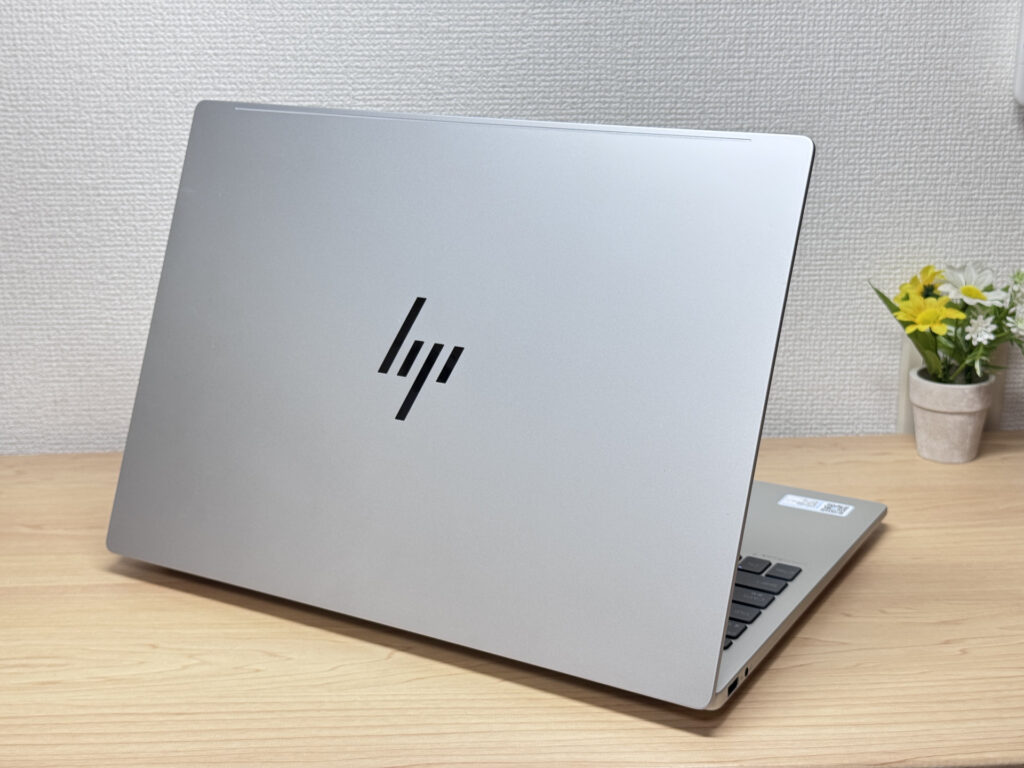 A clean, simple HP logo on the lid looks sharp
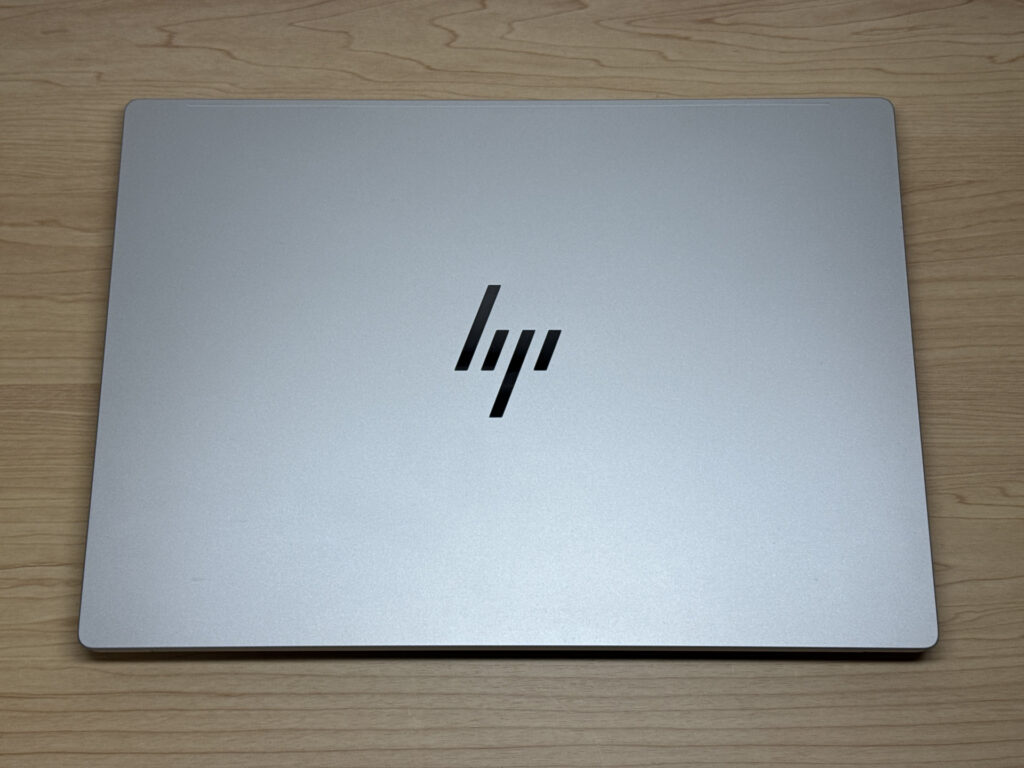 A matte silver lid that resists fingerprints nicely
I measured the thickness at 15.0mm, which is genuinely slim for a 16-inch laptop — impressive stuff. Despite tipping the scales at around 1.9 kg, that 15mm profile means it still slips into a bag reasonably easily.
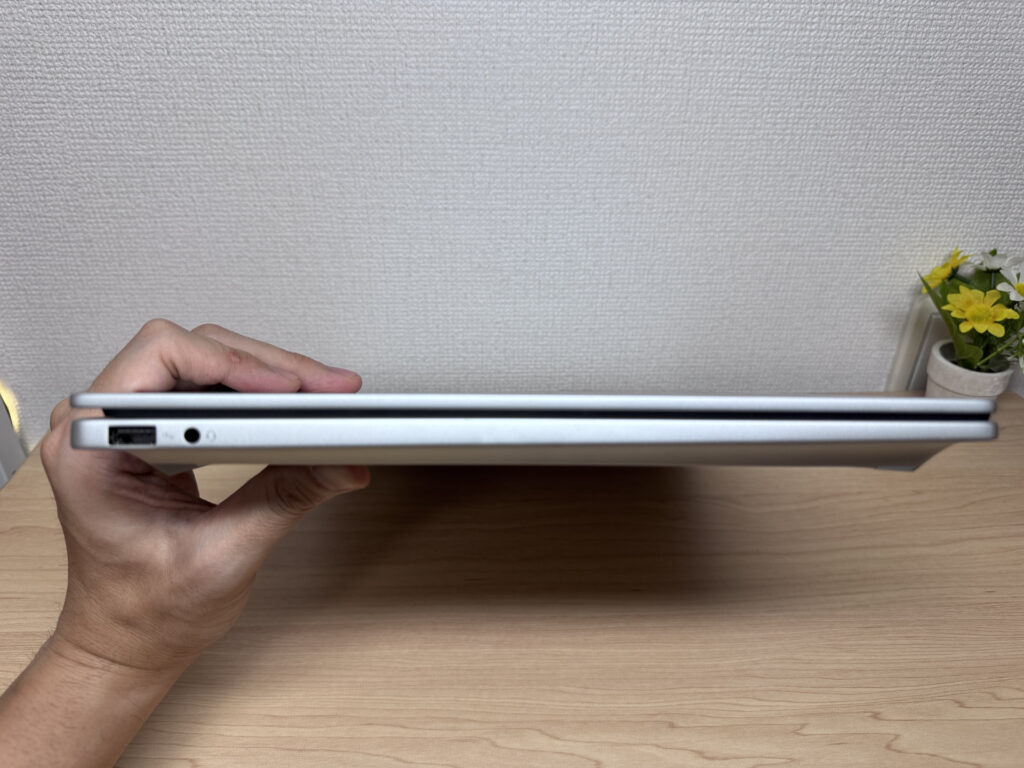 15mm thin is genuinely impressive for a 16-inch machine
The underside has rubber feet and generous intake and exhaust vents, so it's clear a fair amount of thought has gone into cooling. I'd trust this to keep its cool even under sustained load at a desk.
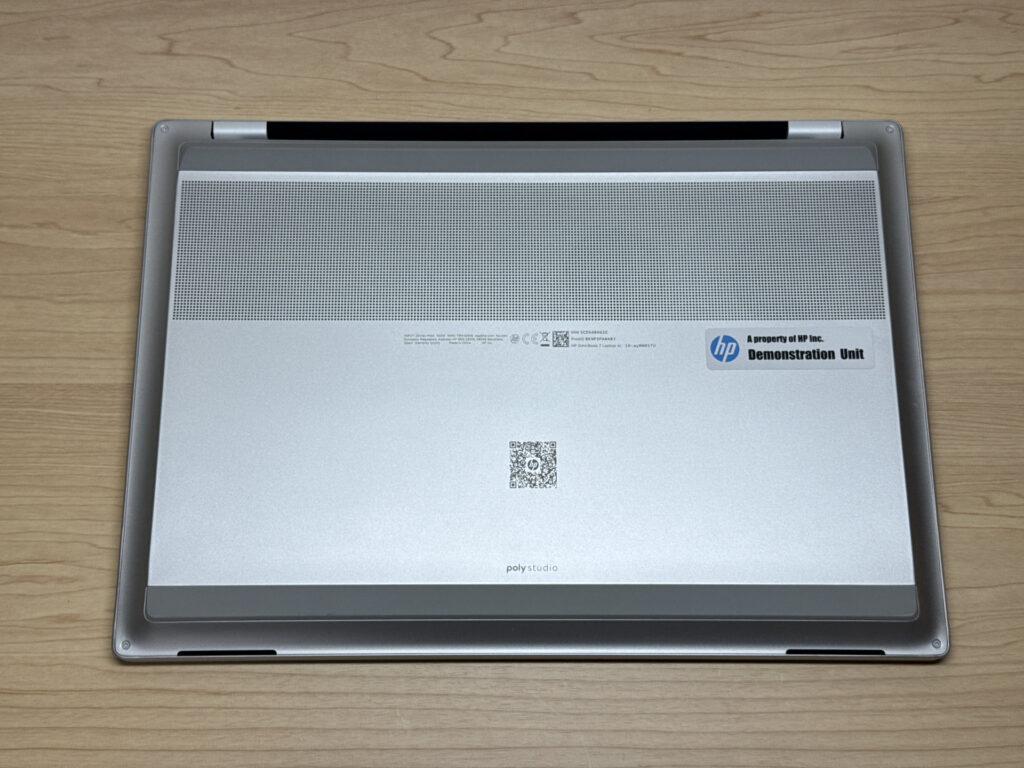 A generous intake vent shows this base was designed with airflow in mind
I also tried opening the lid one-handed, and the hinge makes it easy — there's a finger notch, so there's zero faff involved. It won't fold flat to 180 degrees, but for a machine that's mostly going to live on a desk, the hinge range is plenty.
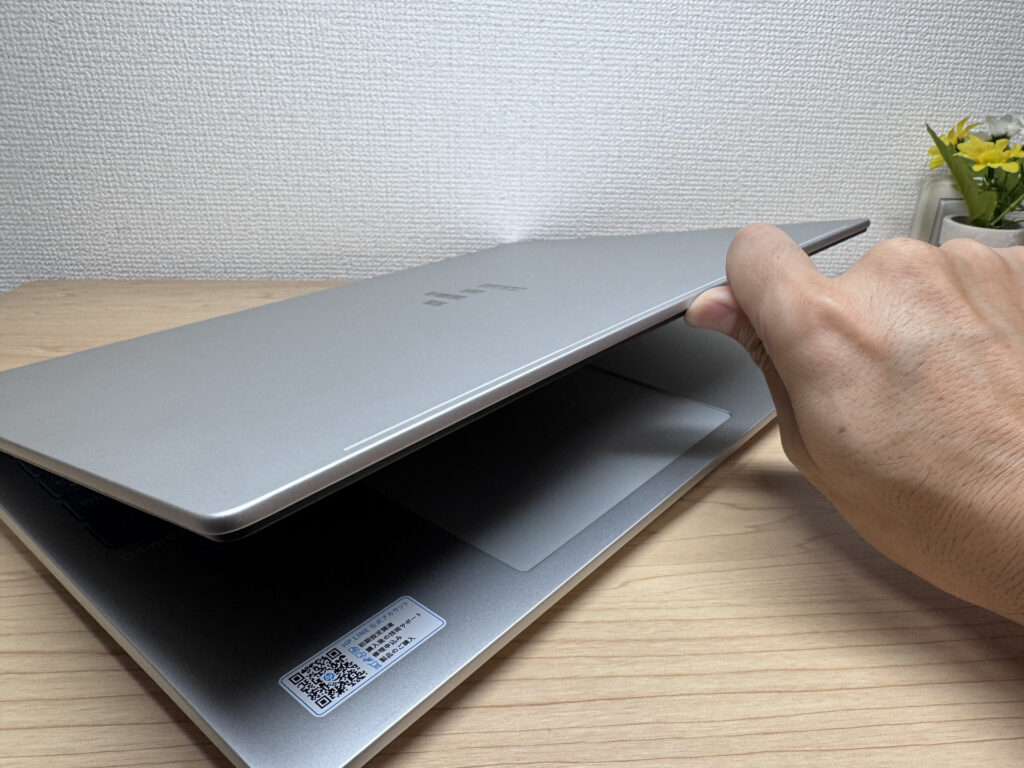 A quality hinge that opens smoothly with just one hand
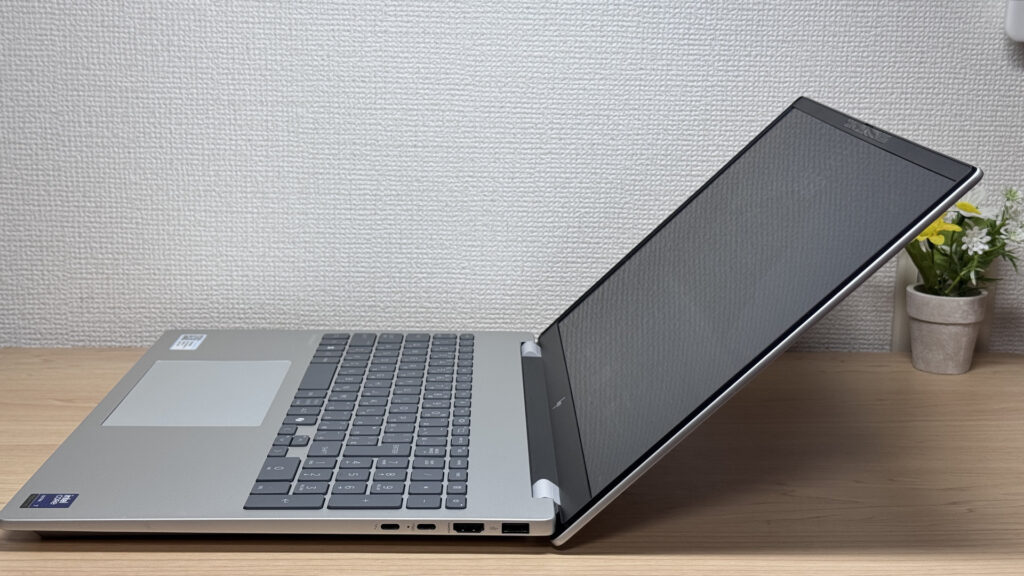 It won't lie flat at 180 degrees, but the range is fine for desk use
Portability
Next up, portability — and honestly, this is where the OmniBook 7 (16-ay) shows its weak spot. I measured the weight at 1.93 kg (~4.3 lbs), close to HP's official figure, and it's a proper heft to carry. Then again, it is a 16-inch machine, so it's not doing too badly considering.
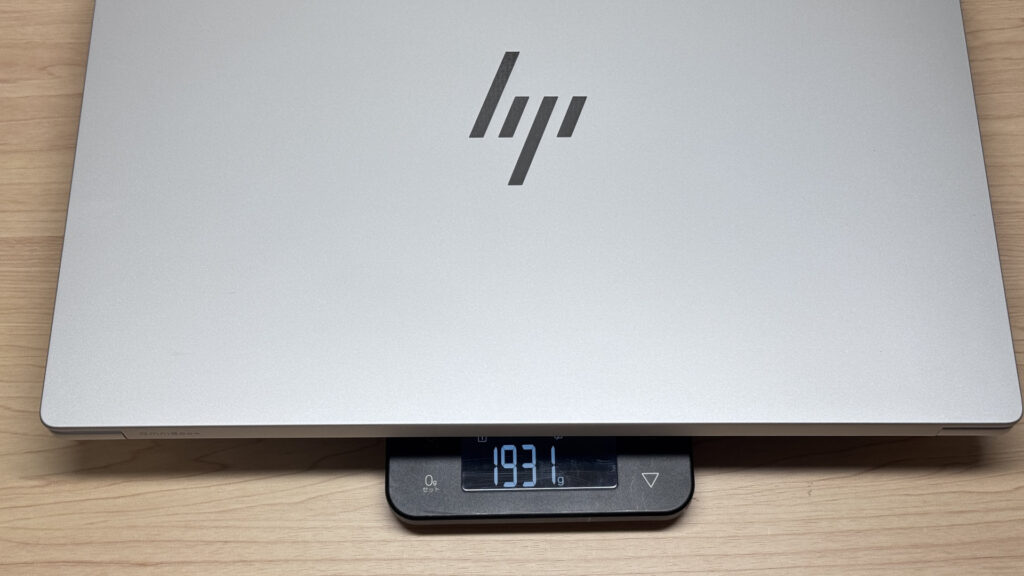 1.93 kg on the scales — about as heavy as it looks
I also weighed the bundled charger — 429g, another hefty item. Given this is a desk-first 16-inch machine, HP's gone with a beefy 100W charger. I'll cover how to shave some weight off this for days out later on.
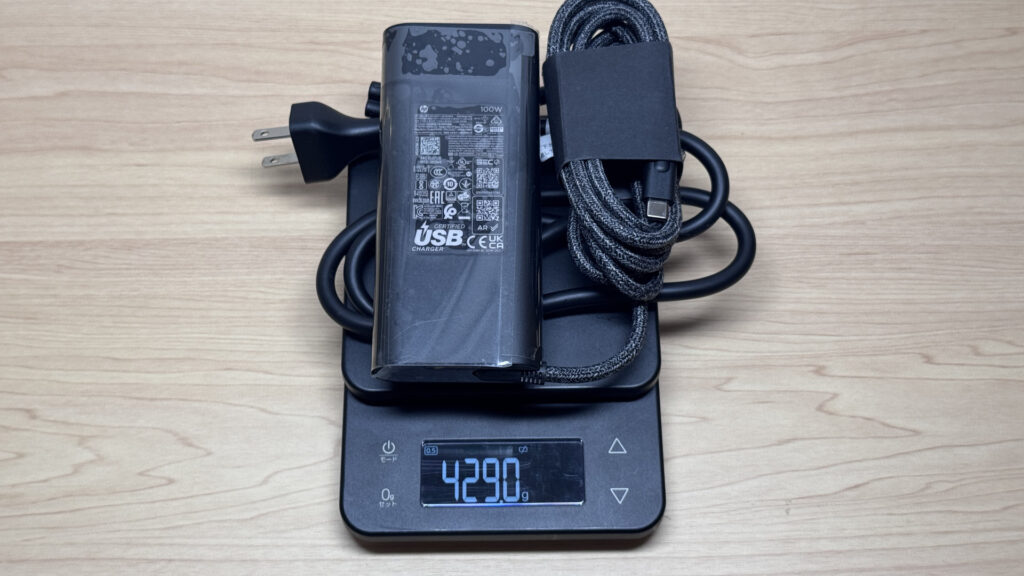 The bundled charger weighs 429g — a 100W unit, so it's on the heavier side
I tried carrying it one-handed too, and honestly, my arm was shaking within a minute — no chance of holding onto that for long. It's really a two-handed job when you're moving it about. Safe to say this isn't built with mobility in mind.
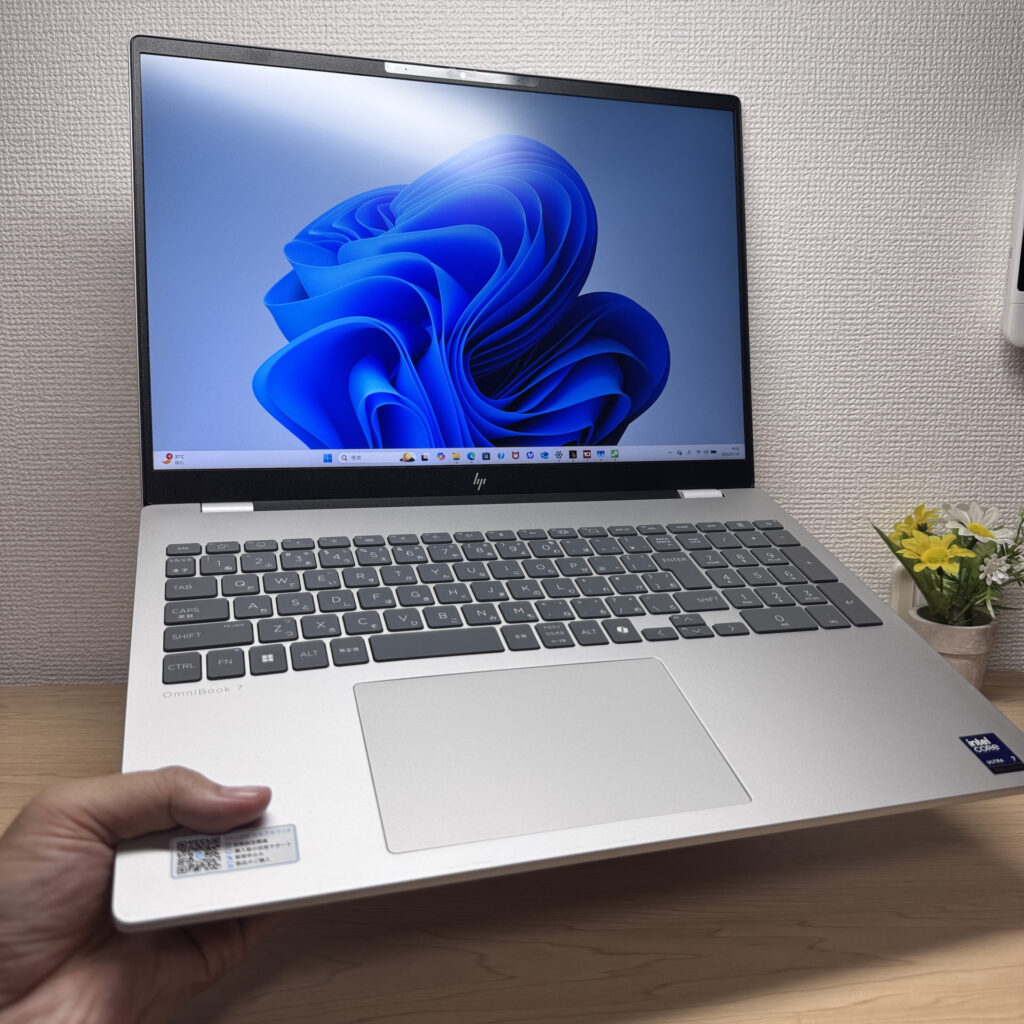 One-handed carrying is a struggle — this one's a two-hander
Display quality
Now, the display — and this is where the OmniBook 7 (16-ay) really earns its keep. On top of the sheer size, the colours are excellent, with all the vibrancy you'd expect from a good IPS panel. A big screen with accurate colours is properly great news if you're into photo editing 👌.
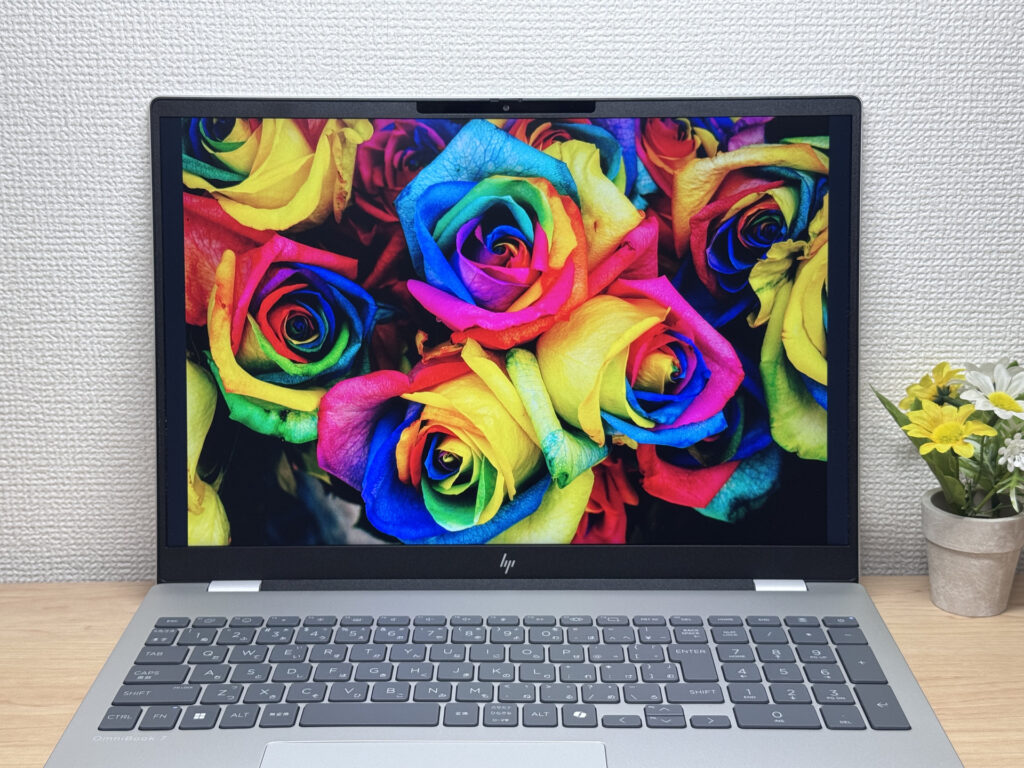 The colour reproduction is obvious at a glance
The resolution is 2560 x 1600, and remarkably, the refresh rate goes all the way up to 240Hz. Most laptops top out at 60Hz, so this stands out — scrolling through web pages or documents is unbelievably smooth. Seeing it in person is genuinely impressive. If you spend long stretches reading documents, or you're the research type, this pairs really well with that, and your eyes will thank you too.
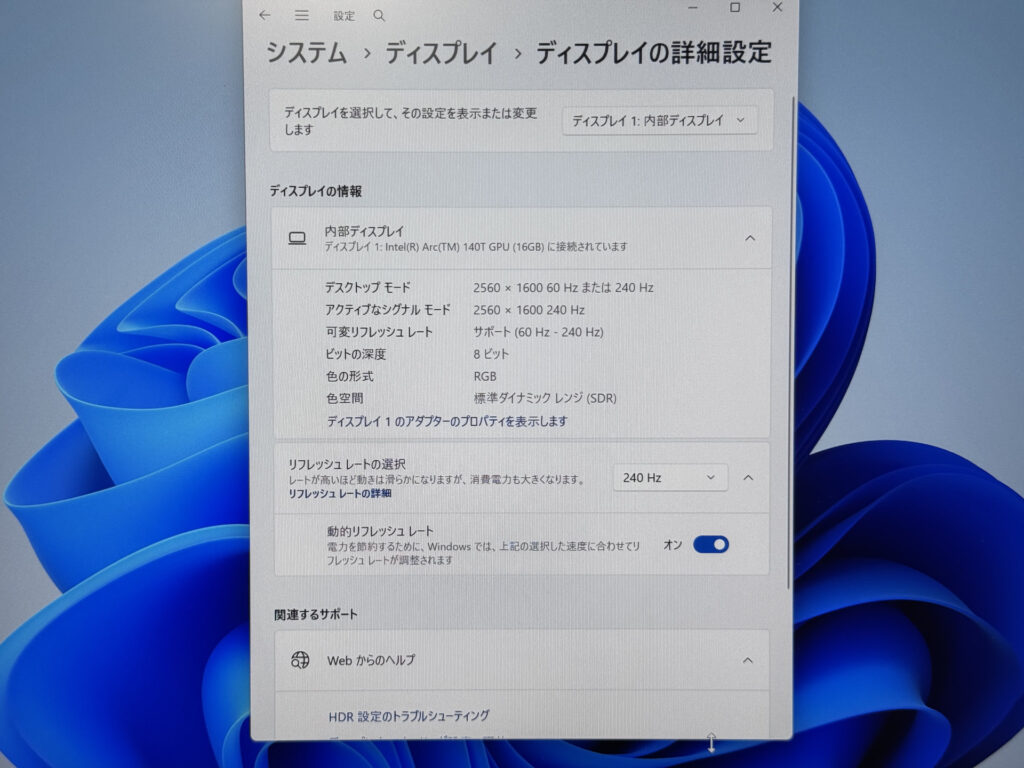 Confirmed in Settings too — 2560 x 1600 at 240Hz
True to IPS form, the colours barely shift even at an angle. Colour stays consistent even when the screen's tilted, so it's easy to view from several angles if a few people are crowding round it.
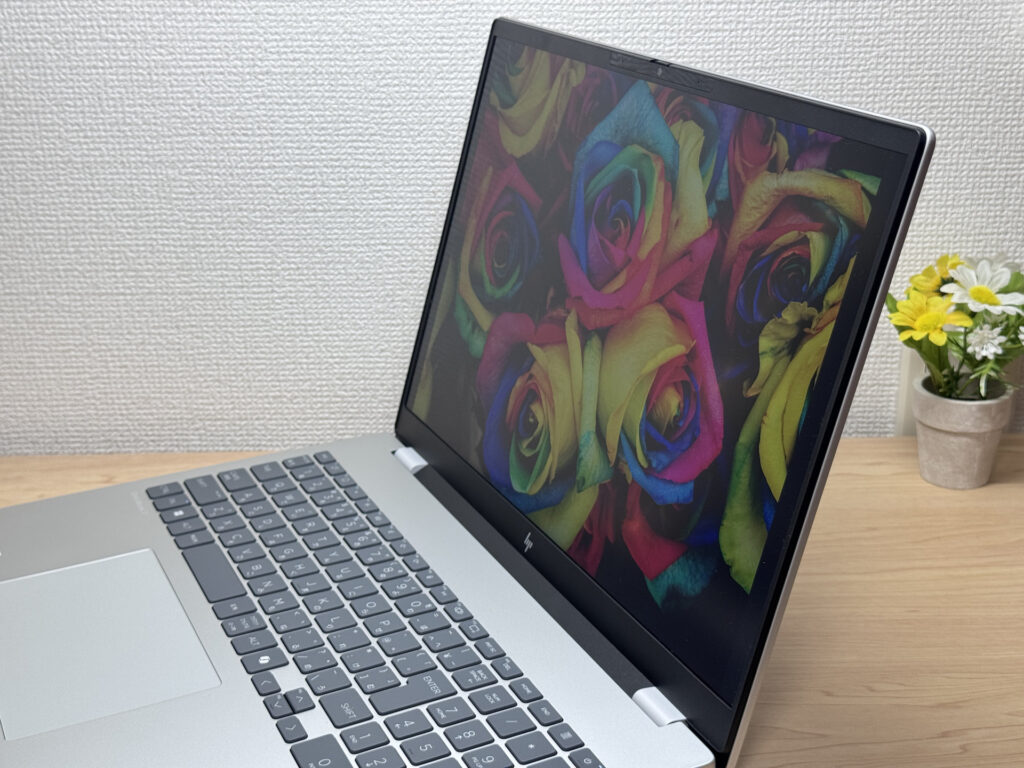 Colours holding up at an angle — that's IPS for you
The 16:10 aspect ratio gives you a lot more usable screen real estate. On something like a Wikipedia page, you get noticeably more vertical space to read, so you can see far more content at once. It's a great match if you want plenty of code visible while programming, too.
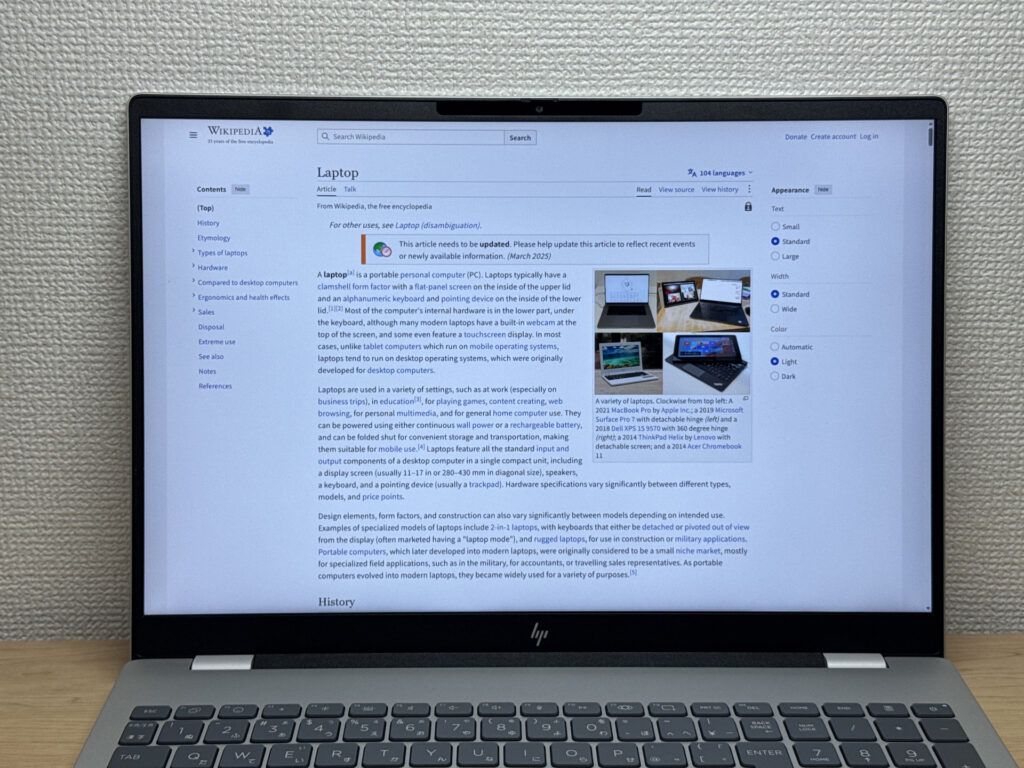 That taller 16:10 screen means fewer scrolls
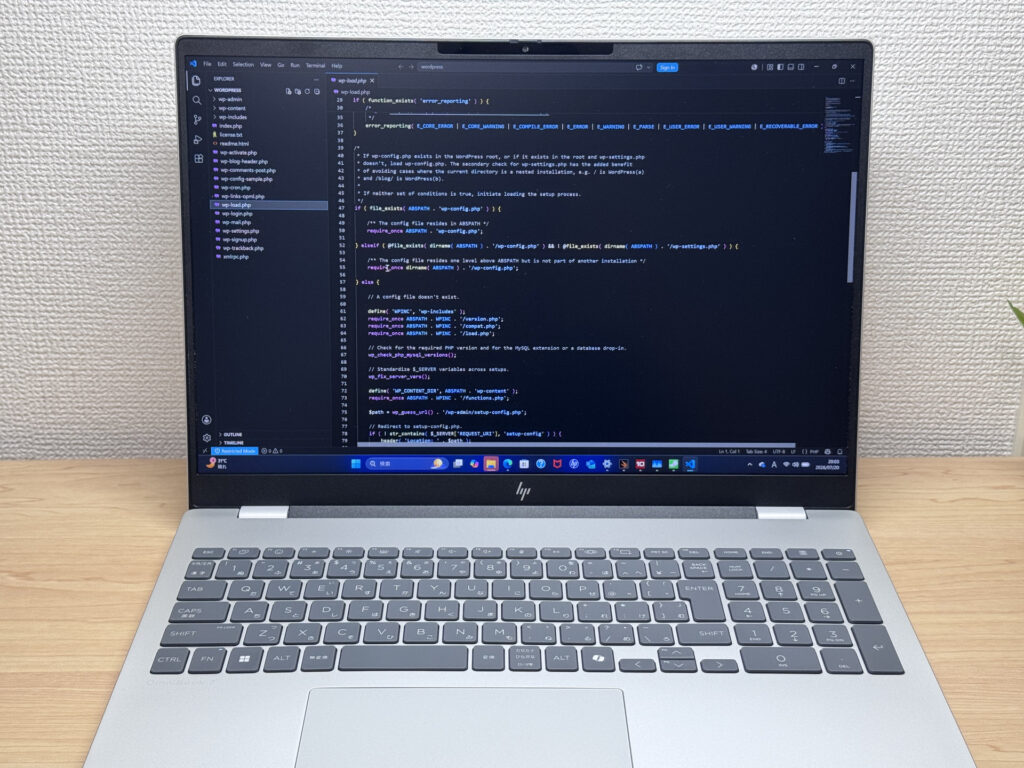 Source code is nice and readable on that big screen too
I also checked for glare — the panel has a matte, non-reflective finish, so reflections from overhead lighting get diffused and aren't much of a bother. Glossy screens tend to be distracting in that regard, but this one handles it well. One thing to flag: there's no touchscreen support.
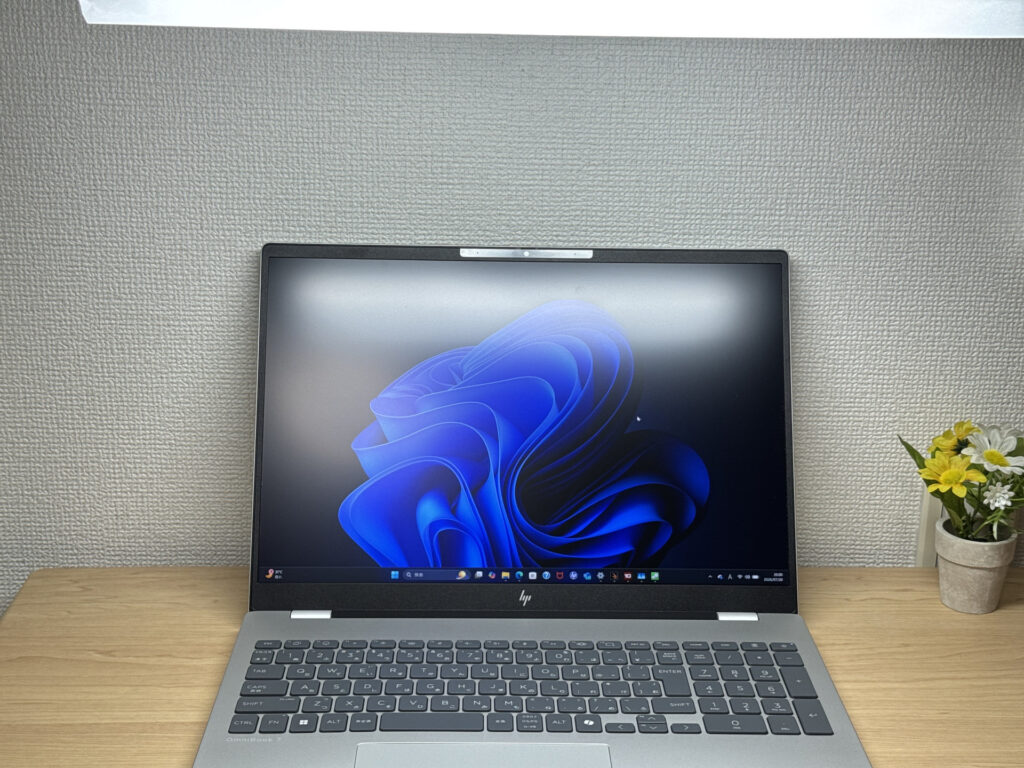 A matte panel diffuses reflections nicely — easy on the eyes
Keyboard comfort
Next, the keyboard. Making the most of that 16-inch chassis, HP's fitted a proper full number pad, and that's a real win. You can breeze through number entry without needing a separate external numpad. Anyone regularly bashing out figures in Excel or accounting software will appreciate that.
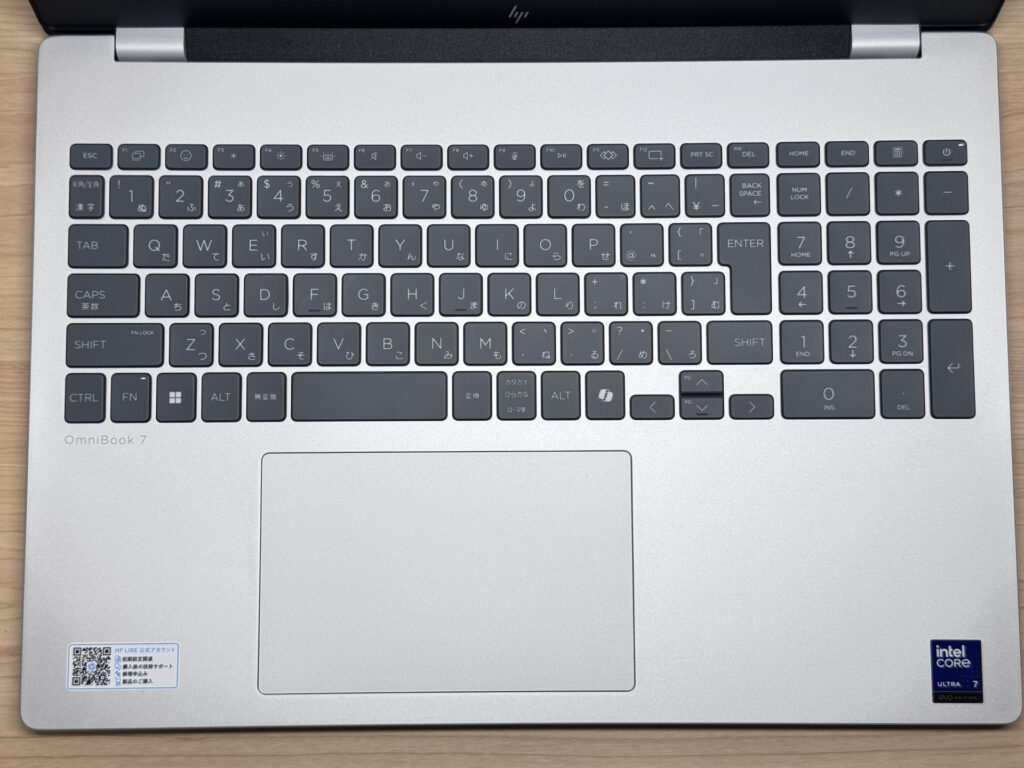 A proper number pad makes entering figures so much easier
I put the typing feel to the test too — the keys have a soft, slightly cushioned touch, and I found them really comfortable for coding away in VSCode. Even after long typing sessions, it didn't feel like a strain. Having the touchpad sit right below the home row is a nice, understated touch too.
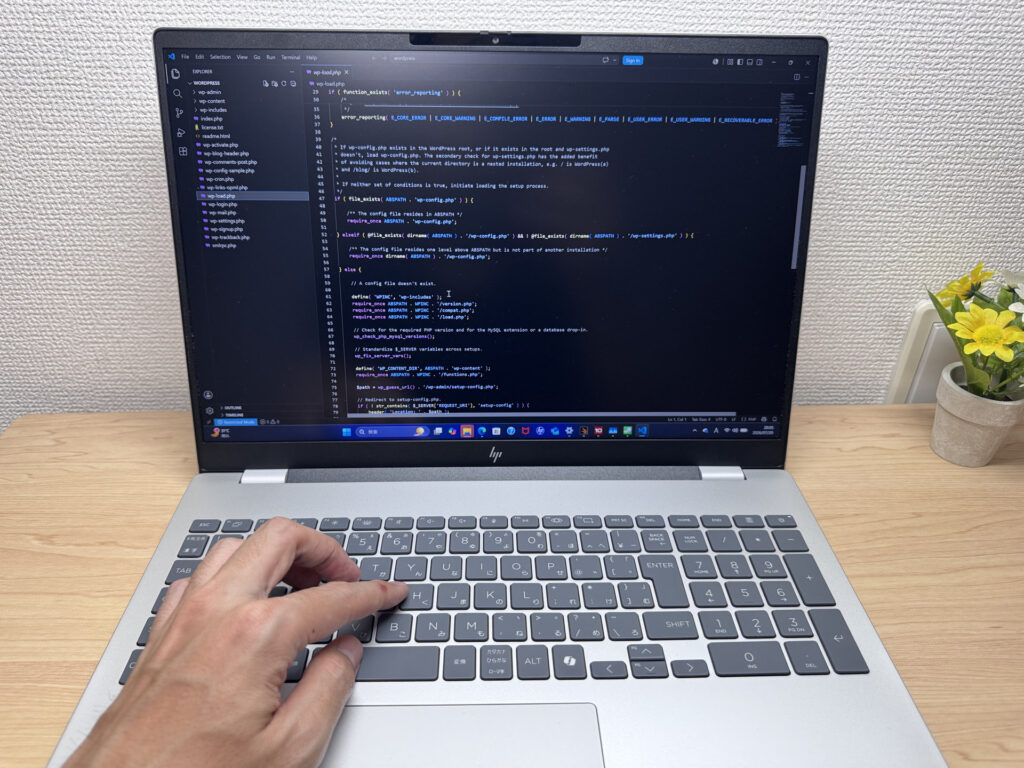 A soft, cushioned typing feel that stays comfortable over long sessions
Backlighting is included too, and it's proper bright. Working in dim conditions isn't a problem here.
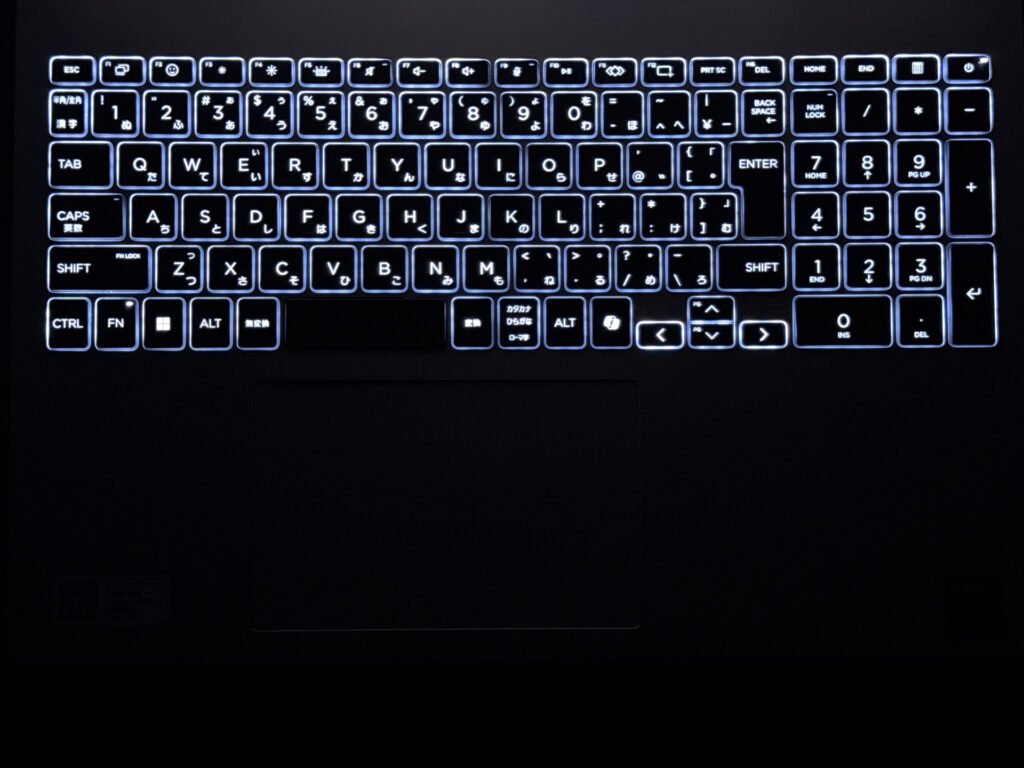 The keyboard backlight is clearly visible even in the dark
Quick heads-up: these photos are the Japan-market unit, so the keyboard shown is the Japanese layout. UK models ship with the standard UK (ISO) layout.
Touchpad usability
On to the touchpad. It's a decent size relative to the keyboard, and it feels great to use. It follows the current trend for larger pads, so usability is a definite step up.
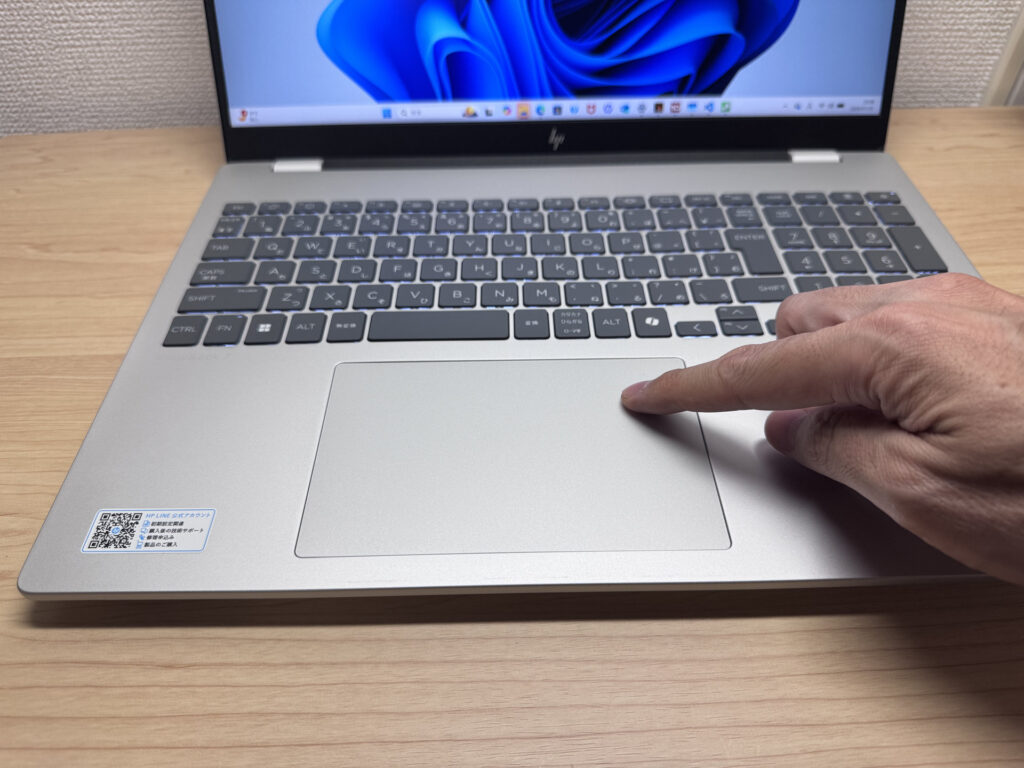 A generously sized touchpad that feels great to use
Three-finger gestures are supported too, giving you a bit of that larger MacBook-style experience. That said, as this is a mid-range machine, it's a physical click pad rather than a force-sensing one. The lower half clicks easily, but the top edge is a bit stiffer to press — worth being upfront about. Still, it glides well and the click feels good, so overall build quality is solid.
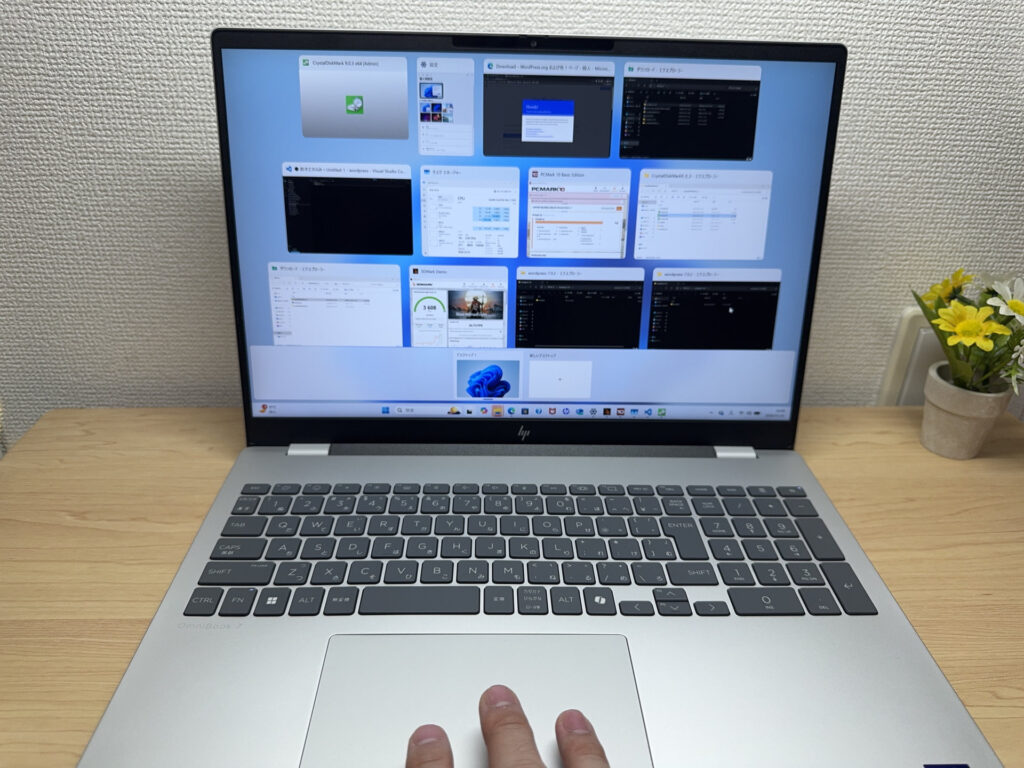 Three-finger gestures register smoothly
Performance
Time to talk performance. Our review unit came with an Intel Core Ultra 7 255H, and it's a strong chip — the Passmark score came in at a healthy 48,931. Even the Core Ultra 5 225H configuration should score plenty high enough for everyday browsing and office work, and it'll happily handle basic video editing too. One caveat: PCMark 10 refused to run properly on our unit, so I wasn't able to get a benchmark from it.
| Score | Rating | What it feels like in real use |
|---|---|---|
| Up to 5,500 | Tight on headroom | Hiccups during multitasking; comfort takes a hit. Daily use feels constrained. |
| 5,500–8,000 | Daily use | Web, Office, remote work — handles them without issue. |
| 8,000–12,500 | Comfortable (standard) | Daily PC tasks with real headroom. Light video editing and casual games work. |
| 12,500–20,000 | High performance (mainstream) | Multitasking feels good. Heavier work and 3D games are workable. |
| 20,000–40,000 | Very high performance | Comfortable even for demanding work and gaming. |
| 40,000+ | Exceptional This PC | Plenty of headroom for creative work and heavy loads. Long-lasting performance. |
*PassMark CPU Mark measures multi-threaded CPU performance. Some variance is normal between runs even with the same CPU.
For graphics, I ran 3DMark Steel Nomad Light and got a score of 3608. That's enough headroom to run lighter, less demanding PC games.
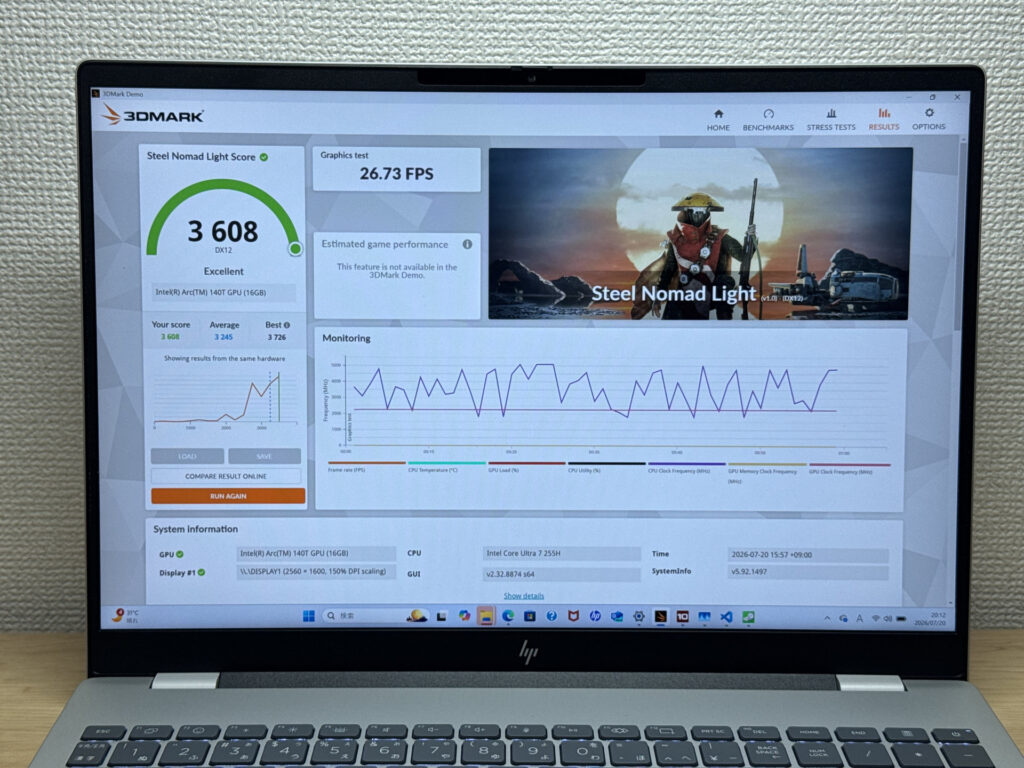 A 3DMark score of 3608 — enough for lighter games
| Score | Rating | What it feels like in real use |
|---|---|---|
| Up to 400 | Bare minimum | 3D performance is quite limited. Not really suited for gaming. |
| 400–900 | Light 3D | Lighter games and low-load 3D processing work. |
| 900–1,500 | Average (mainstream) | Standard for integrated GPUs. Light to medium games playable with right settings. |
| 1,500–2,200 | High performance | Strong for an integrated GPU. Games and 3D work feel comfortable. |
| 2,200+ | Very high performance This PC | Top-tier 3D performance for thin laptops. Real graphics headroom. |
*3DMark Steel Nomad Light targets thin laptops and integrated GPUs. Score range differs from Time Spy, so direct comparison isn't valid.
I also measured storage speed. CrystalDiskMark showed 6383MB/s read and 5537MB/s write, both properly fast — shifting large files around shouldn't be a bother.
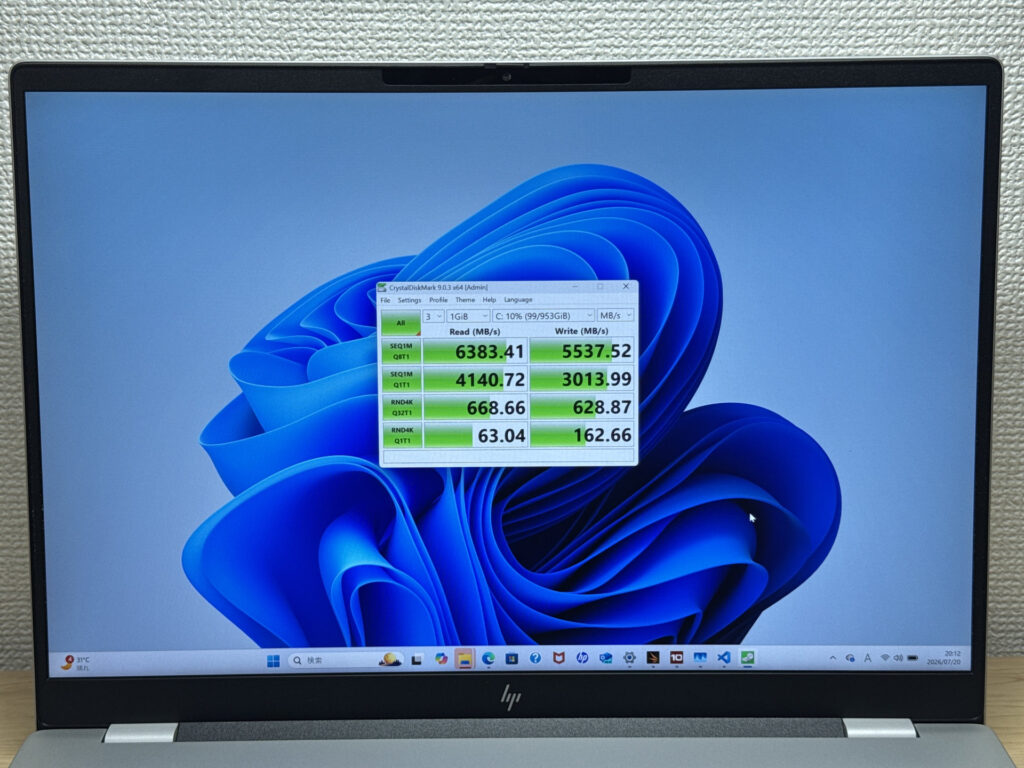 A blazing-fast 6383MB/s read speed — smooth as you like
| Score | Rating | What it feels like in real use |
|---|---|---|
| Up to 600 MB/s | Bare minimum | Faster than HDD, but slow for modern SSDs. App launches feel slightly slow. |
| 600–1,500 MB/s | Average | Fine for daily use, though loading is noticeably slower than top-tier SSDs. |
| 1,500–3,500 MB/s | Comfortable (mainstream) | App launches and file loading feel smooth. No real complaints in daily use. |
| 3,500–5,500 MB/s | Fast | Loads large data and apps quickly. Definitely upper-tier SSD speed. |
| 5,500+ MB/s | Very fast This PC | High-end NVMe territory. Heavy data work without waiting. |
*CrystalDiskMark measures SSD speed. It mainly affects app launch and file loading speed, not overall PC performance.
Battery life
Battery rating: Average
On to battery life. Checking the Windows battery report, there's a decently large 70Wh cell in here. HP quotes around 19 hours, but crank up screen brightness on that big panel, or lean on the 240Hz refresh rate, and it'll drain faster — getting through a full day without a charger nearby might be a stretch.
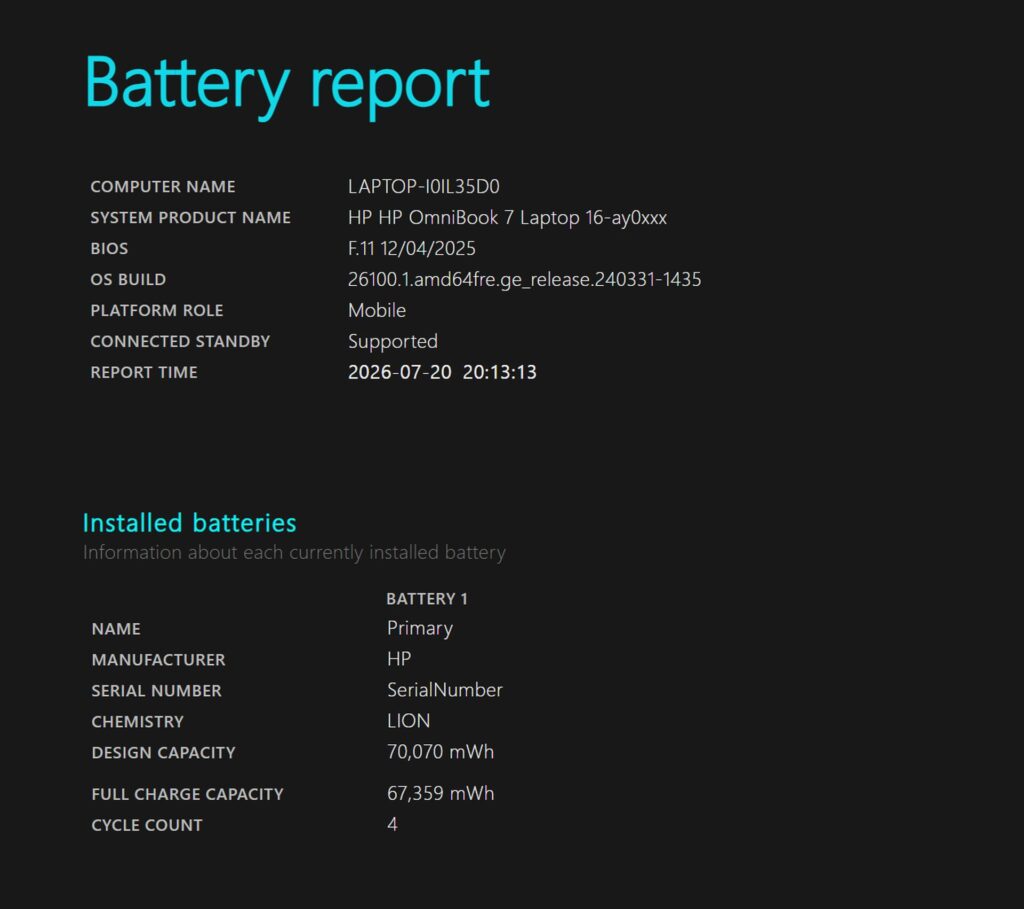 A 70Wh design capacity, with barely any degradation so far
The bundled charger is 100W and weighs roughly 430g, which is a bit much to lug around, but there's a fix: swap it for a compact 100W-class USB-C charger from a brand like Anker (193g on my scales) and you'll cut that weight by more than half. A handy trick if you're taking it out and about. Just make sure you don't pick up a standard 65W-class one by mistake — it won't be enough.
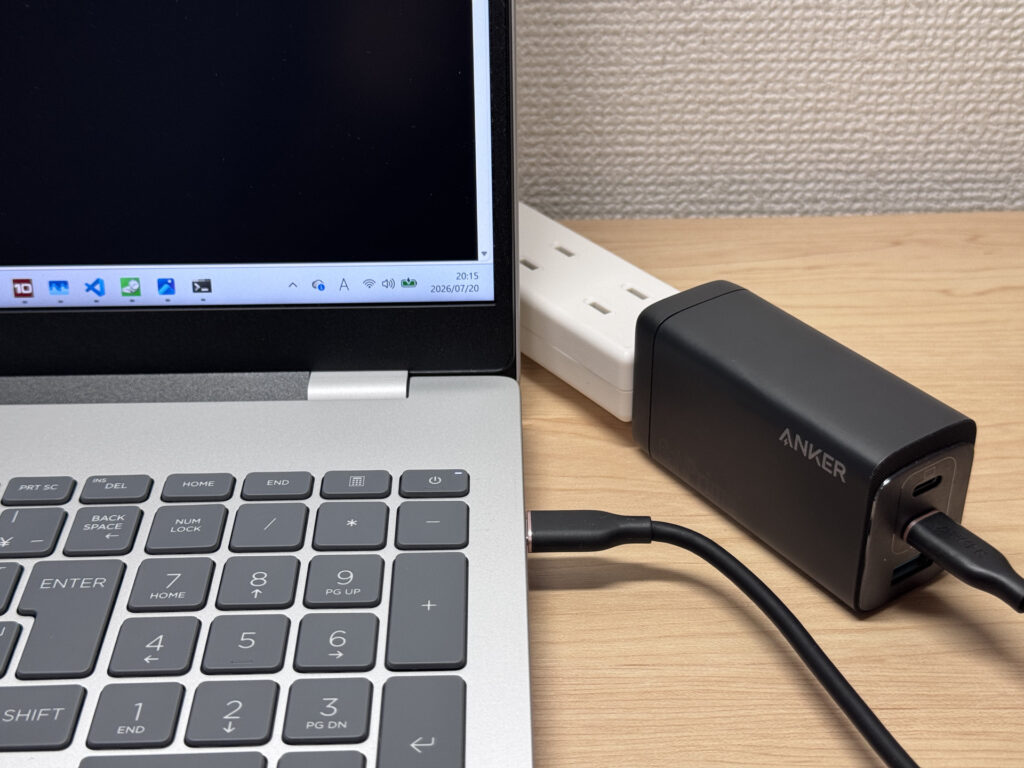 A compact 100W charger makes it much easier to carry
Fan noise and heat
Fan noise and heat are worth checking too. At idle, it's virtually silent, which makes for stress-free use.
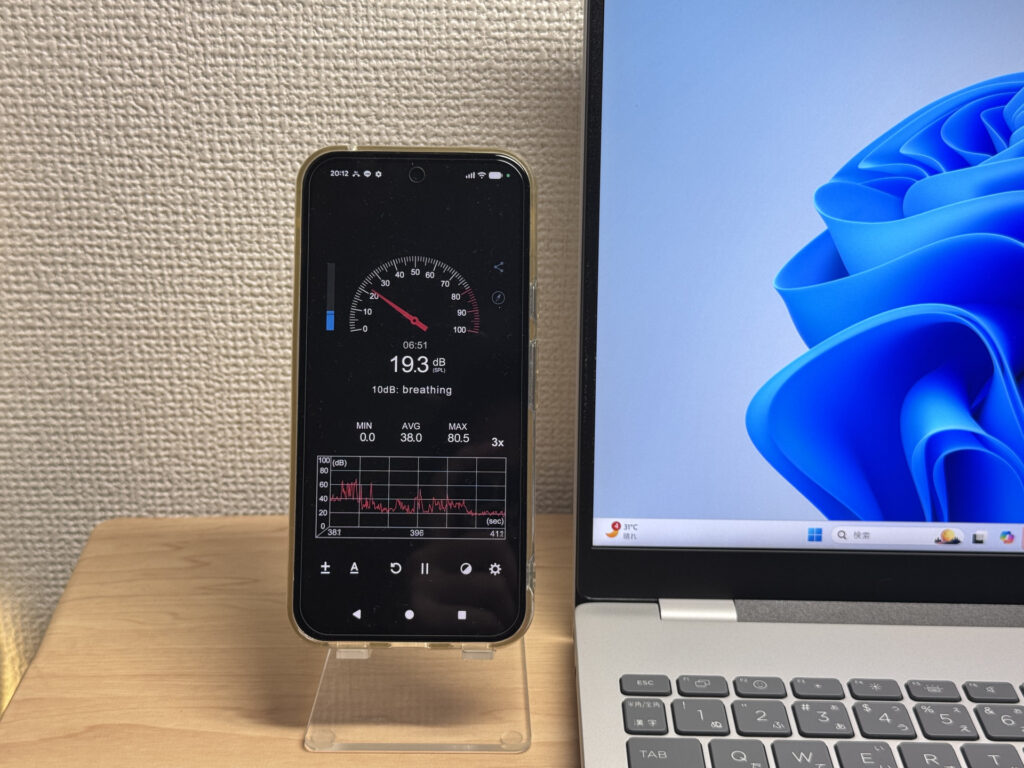 About 19.3dB at idle — practically silent
Even under load, it stayed around 42.9dB, which never felt like an unpleasant racket. Thanks to the larger chassis and solid airflow, it doesn't get excessively loud even under heavy load.
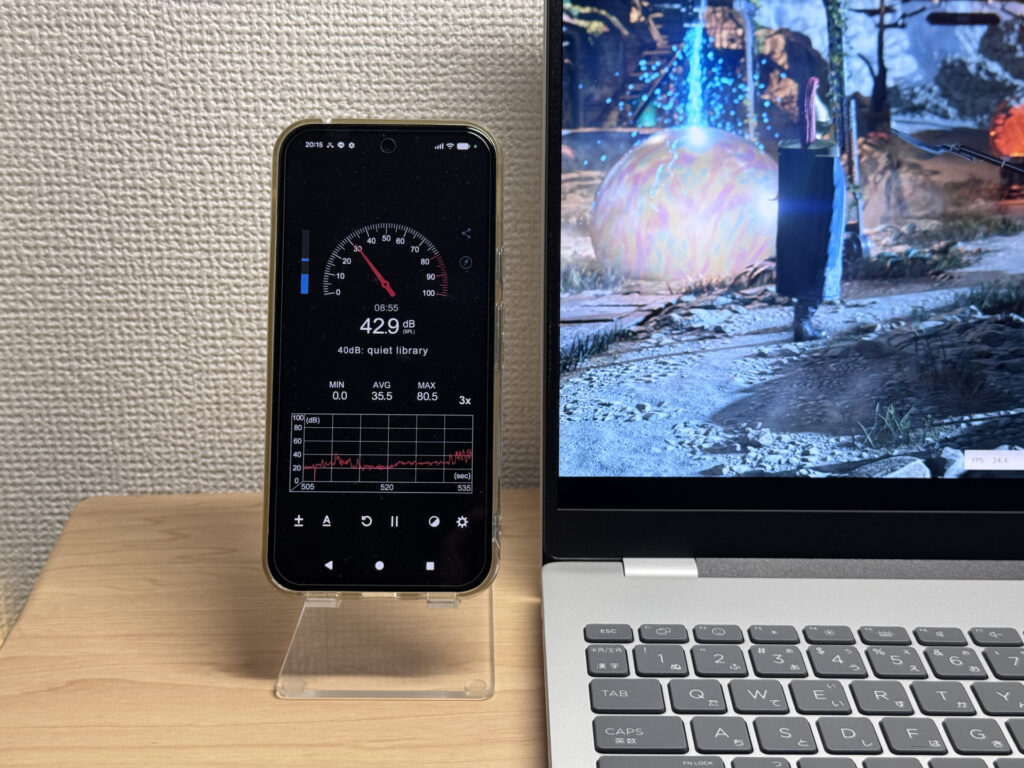 Around 42.9dB under load — quieter than I expected
| Noise Level | Rating | Feel |
|---|---|---|
| Under 30 dB | Near-silent Idle | Fan noise is barely perceptible — library-quiet and ideal for focused work. |
| 30–35 dB | Quiet | Faintly audible but non-distracting. Easy to work in a quiet room. |
| 35–40 dB | Noticeable | You can tell the fan is spinning, but it rarely interrupts work. |
| 40–45 dB | Somewhat loud Load | Can become distracting in quiet environments. Headphones start to help. |
| 45–50 dB | Loud | Noticeable stress over extended use. Cooling is clearly prioritized. |
| 50 dB+ | Very loud | Prominent fan noise under load — gaming/high-performance thermal design. |
The exhaust vents sit entirely at the back, so your mouse hand never gets uncomfortably warm. That's something I always notice on laptops with side-mounted vents, and HP's clearly thought about it here.
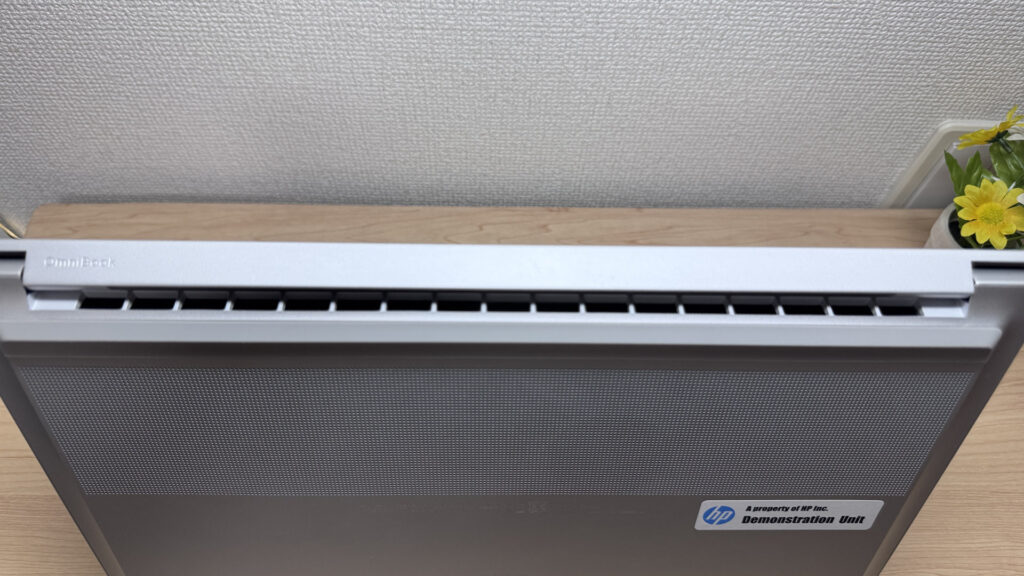 Rear-mounted exhaust keeps your hands cool
Ports and expandability
Moving on to ports and expandability. On the left, there's a USB-A port and a headphone jack; on the right, two USB-C ports (one Thunderbolt 4 with PD and DP Alt Mode at 40Gbps, the other PD and DP Alt Mode at 10Gbps), plus HDMI 2.1 and another USB-A.
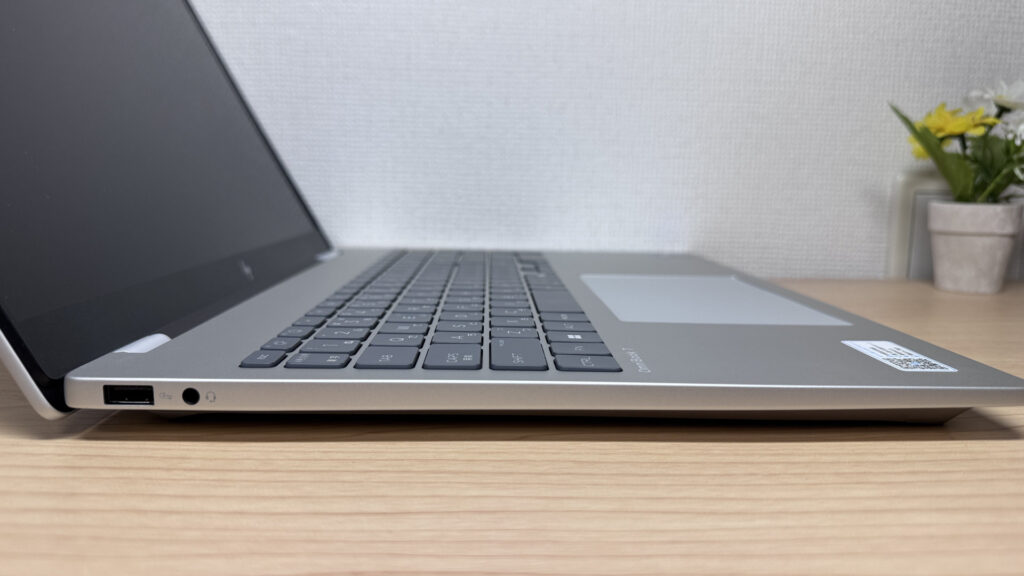 USB-A and a headphone jack on the left
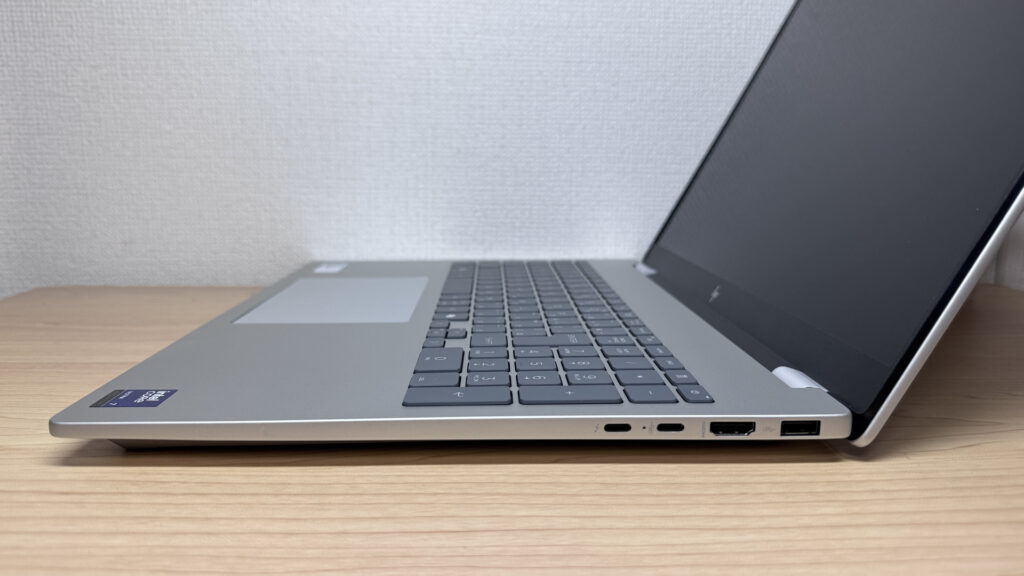 Two USB-C ports, HDMI and USB-A on the right — a generous selection
With HDMI and video-out capable USB-C on board, this laptop is genuinely strong for external displays. I tested it via HDMI and it drove a 27-inch 4K monitor without a hitch.
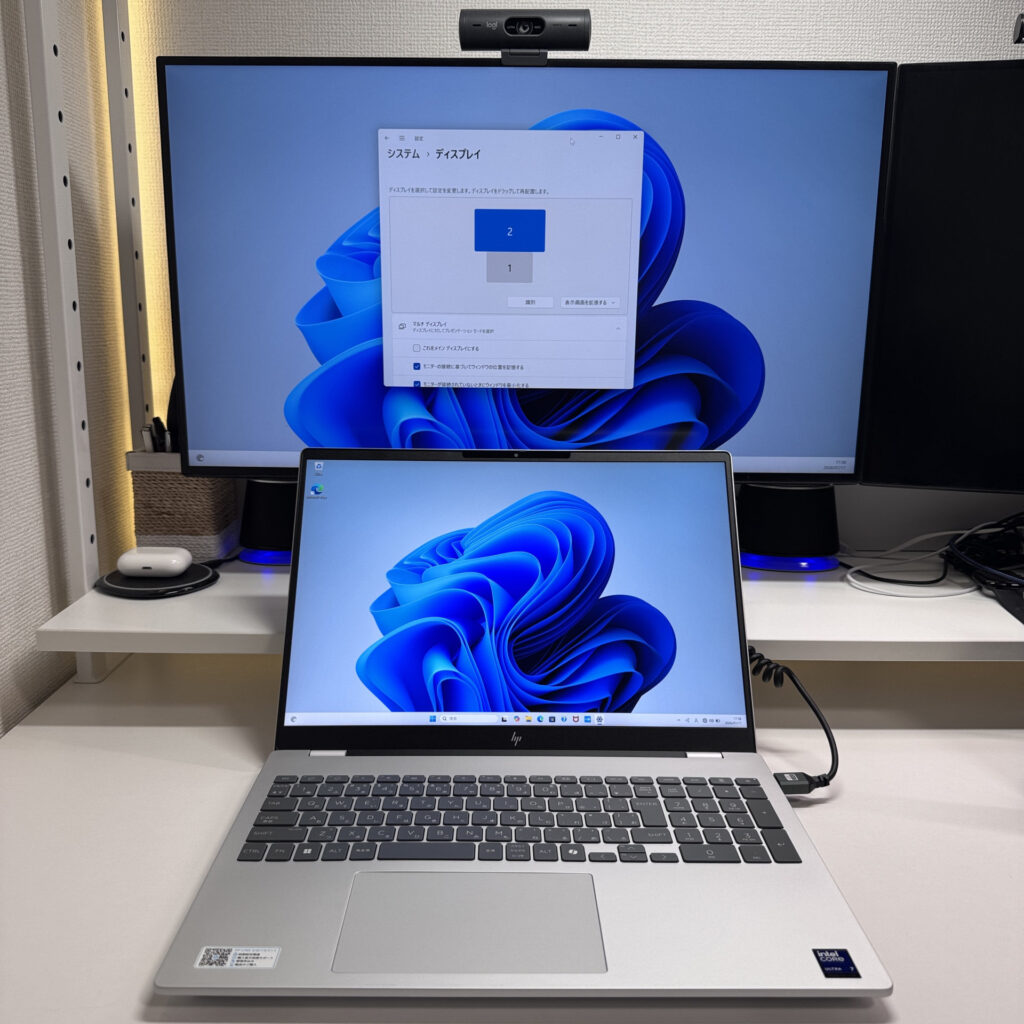 HDMI drove a 4K monitor perfectly
I also tried outputting to two 4K monitors and a portable display via USB-C simultaneously, and — including the laptop's own screen — it handled up to four displays at once. Set it up like a desktop rig and your productivity gets a real boost.
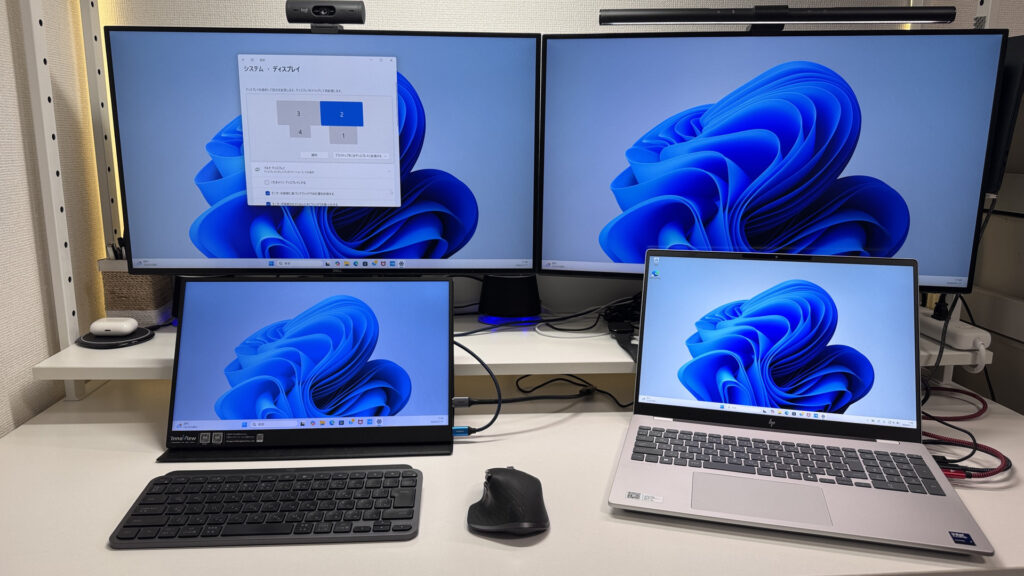 Driving two screens from USB-C — great for getting work done at a desk
One gripe: given how large the chassis is, I'd have liked to see an SD card slot too. It would have been handy for anyone editing photos straight off a card. That said, the rest of the port selection is properly generous.
Webcam
Onto the webcam next. The built-in camera is 5-megapixel, which is on the higher side. Testing it with the Camera app, the image came out bright, with fairly standard sensor performance overall — but for video calls, it looks properly sharp.
 5MP, and more than sharp enough for video calls
There's also a physical privacy shutter, so you can quickly cover the lens during a video call with total peace of mind.
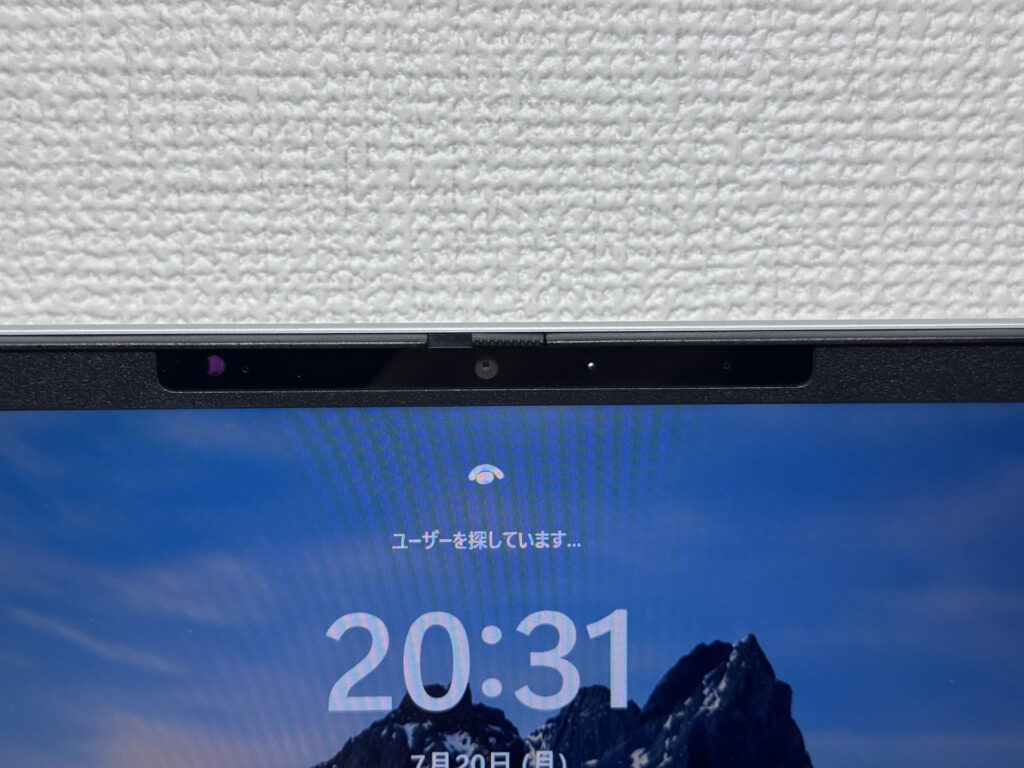 That physical shutter gives peace of mind when you don't want to be seen
Speaker quality
I gave the speakers a listen too. They're built around a Poly Studio sound system, and voices came through clearly on video calls. I also tried watching a film, and paired with that big, vibrant display, it's a genuinely good option for watching video.
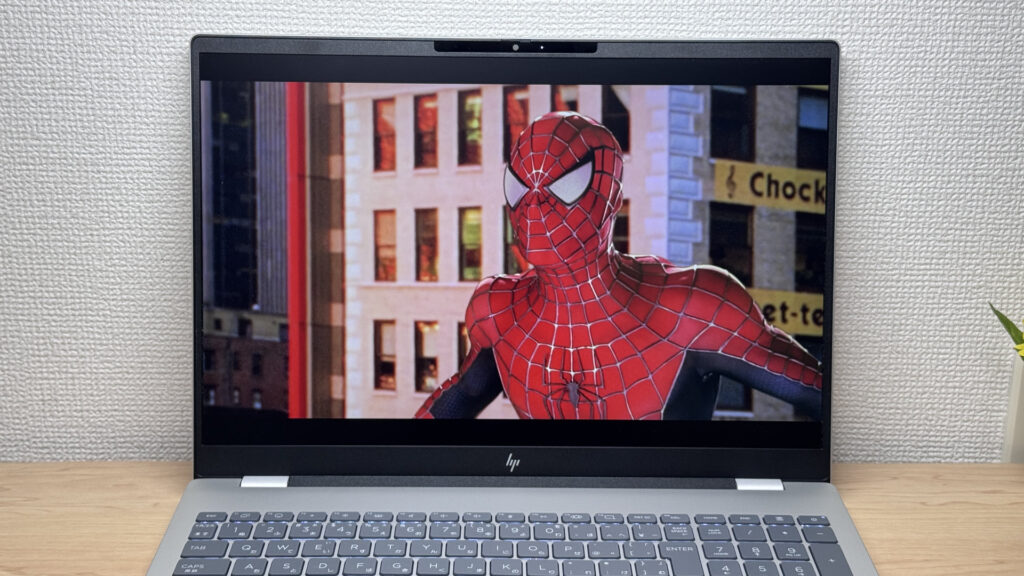 That big screen and decent sound combo makes for great film nights
Security
On the security side, it supports facial recognition. With Windows Hello, opening the lid and just glancing at the screen unlocks it instantly — a genuinely handy feature.
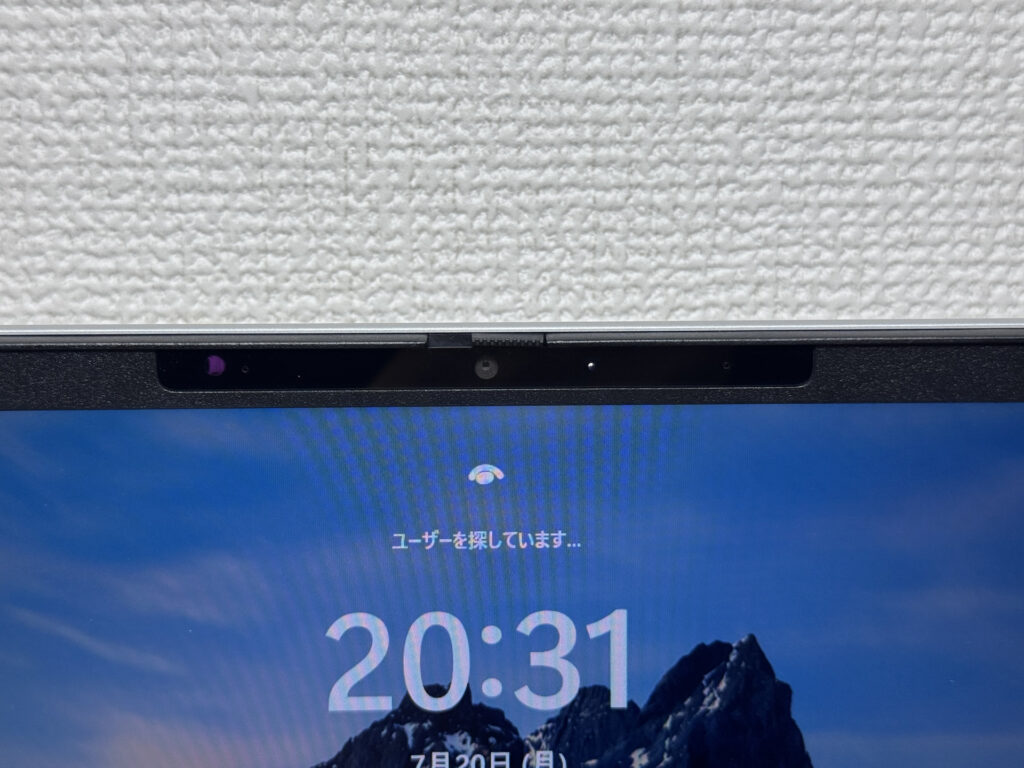 Just look at it and it unlocks instantly
Price
A word on price. Given the specs on offer here, it's available from £929.00, and with the right promotion, you might grab it for even less. Considering you're getting a big 16-inch, 240Hz screen with a full number pad, that's honestly good value.
Final verdict
Above all, the HP OmniBook 7 (16-ay) is defined by its big 16-inch screen, that high 240Hz refresh rate, and a keyboard with a proper number pad. At 1.93 kg it's honestly not built for carrying around, but that trade-off buys you desktop-grade comforts — solid airflow, cooling and expandability. I'd say this is a great fit if you want to settle in at a desk for serious photo editing or coding, or if you're doing office work with a lot of number entry.
240Hz plus a big screen — that colour reproduction really is its biggest weapon
Where to Buy
* Prices may vary. Please check each store for the latest price and availability.
About the author