ZippyScore
ZippyScore is a proprietary rating based on 6 criteria: performance, portability, display, battery, value, and connectivity.
See rating criteria
- Performance: CPU / GPU performance
- Portability: Screen size & weight
- Display: Panel type, aspect ratio & refresh rate
- Battery: Rated battery life
- Value: Specs-to-price balance
- Connectivity: Port types & count
Pros & Cons
Pros
- Weighs 1.39 kg (~3.1 lbs) — portable enough for everyday carry without feeling like a burden
- 16GB of RAM keeps multitasking smooth, even with a pile of tabs and Office apps open at once
- HDMI and USB-A built in — plug in a projector or USB drive without hunting for an adapter
- Wi-Fi 6E support for fast, stable connections during video calls and remote work
- Fingerprint reader for quick, passwordless login
Cons
- The 41Wh battery is on the smaller side — plan for a charger if you're out for a full day
- No dedicated GPU, so skip it if gaming or serious video editing is on your list
Specs Summary
| OS | Windows 11 Home |
|---|---|
| CPU | AMD Athlon Silver 7120U (PassMark: 3,020) AMD Ryzen 5 7530U (PassMark: 15,116) |
| RAM | 4GB / 8GB |
| Storage | 256GB |
| Display | 14" IPS (Anti-glare) 1920x1080 (16:9) |
| Weight | 1.39 kg (3.06 lbs) |
| Ports | USB-A × 2 (5Gbps), USB-C × 1 (5Gbps), HDMI × 1, Headphone jack × 1 |
| GPU | AMD Radeon Graphics (G3D Mark: 2,357) |
| Biometrics | Fingerprint |
| Battery | Up to 11 h (Capacity: 41 Wh) |
| Dimensions | Approx. 323 × 215 × 17.9 mm (W × D × H) |
| Wi-Fi | Wi-Fi 6E |
| Bluetooth | Bluetooth 5.3 |
| Color | Jet black |
Configurations vary by retailer, region, and availability.
Feature Review
Design
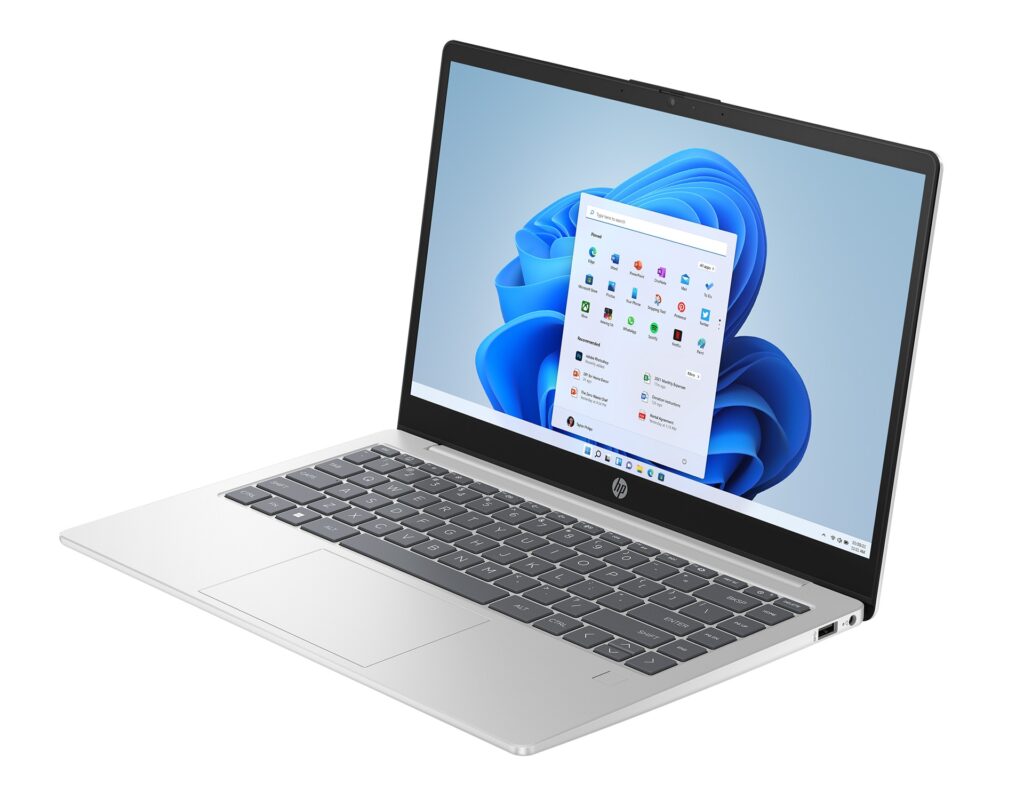
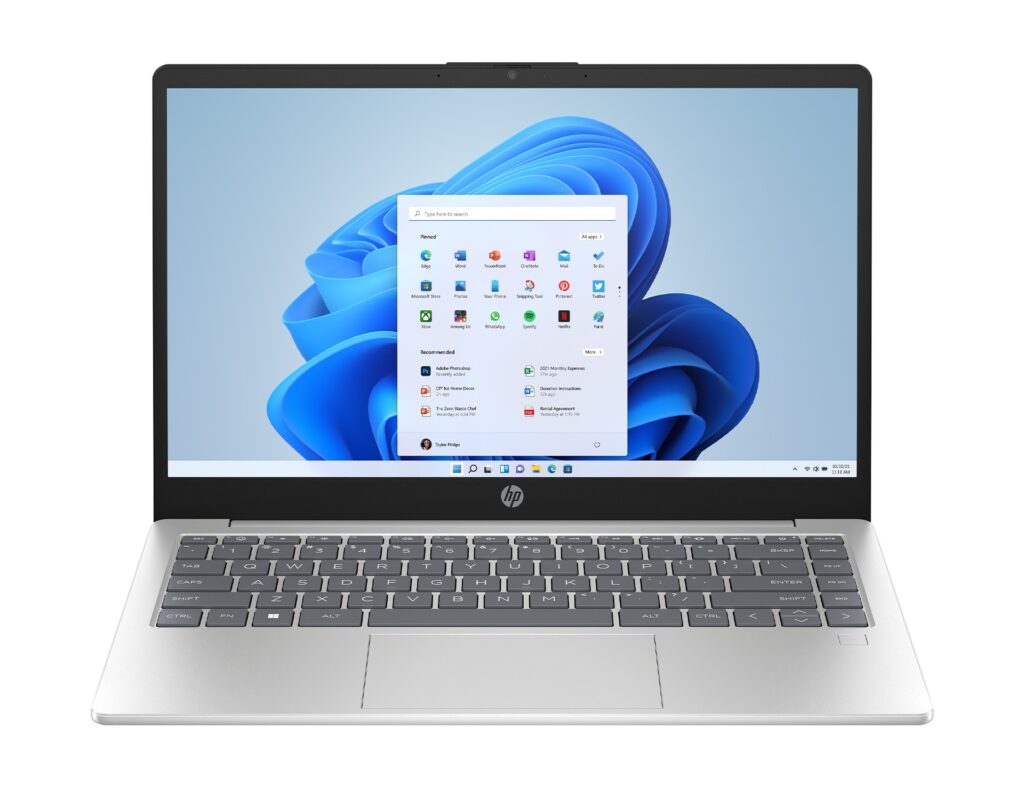
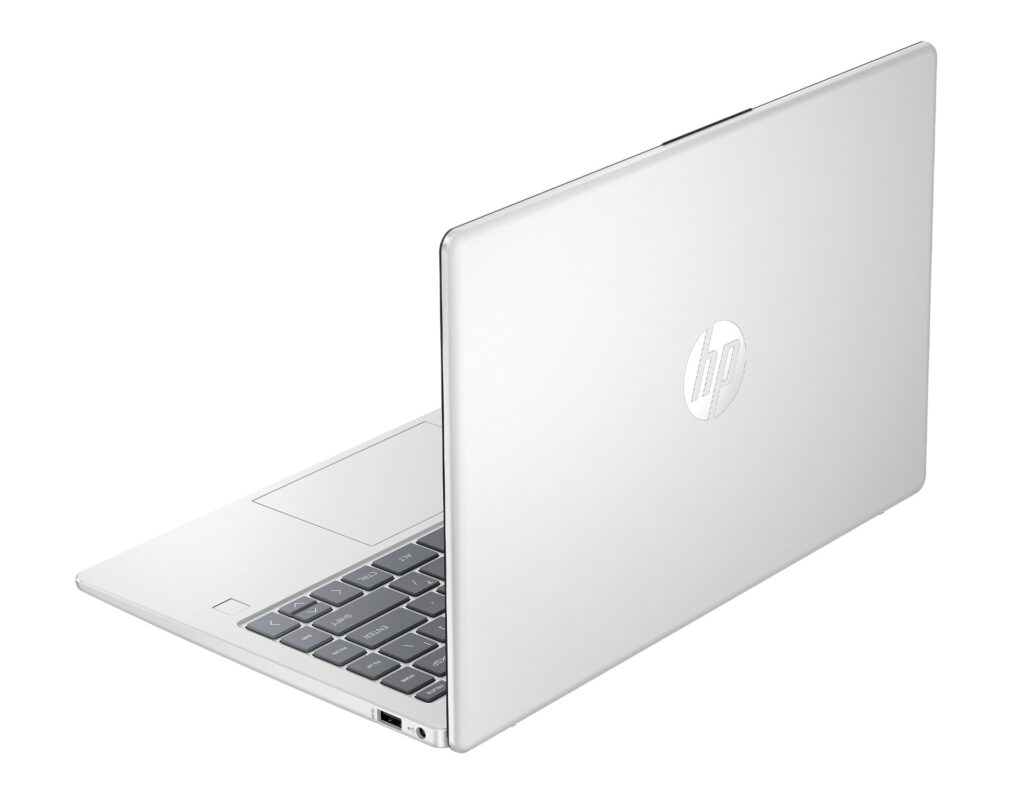
The 14-em comes in Natural Silver — a calm, understated colorway that works at a coffee shop or a conference room without looking out of place. The body measures 323×215×17.9mm, which is standard 14-inch territory. It's not razor-thin, but it slides into a bag without any drama. The design hits that everyday sweet spot — not trying to look premium, not cheap either.
 Clean natural silver design — easy to grab and go
  Clean, minimal back panel
Portability
The 14-em weighs 1.39 kg (~3.1 lbs). Not the lightest 14-inch you'll find, but solidly on the portable side of the spectrum. Staying under 1.4 kg is one of those things you quietly appreciate after a week of hauling it around — your shoulder notices. USB-C charging is also supported, so one compact charger in your bag covers everything.
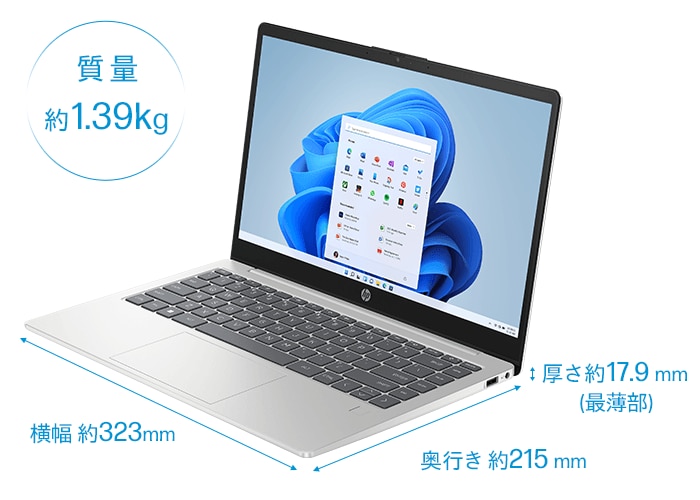 1.39 kg (~3.1 lbs) — light enough for everyday carry
Display Quality
14.0-inch FHD (1920×1080) IPS matte display. IPS means good viewing angles — tilt it or shift your posture and the colors hold up. The matte finish keeps glare down under office lighting or near windows, so long sessions don't end with you squinting at reflections. Honestly, it's easy on the eyes. The aspect ratio is 16:9 rather than the now-common 16:10, so you get a bit less vertical screen real estate compared to newer ultrabooks — not a dealbreaker for everyday tasks, just worth knowing going in.
Keyboard
The keyboard includes a Copilot key, and the 14-inch form factor gives the keys reasonable spacing. Typing through long reports or emails feels comfortable — no cramped, awkward layout fighting against you.
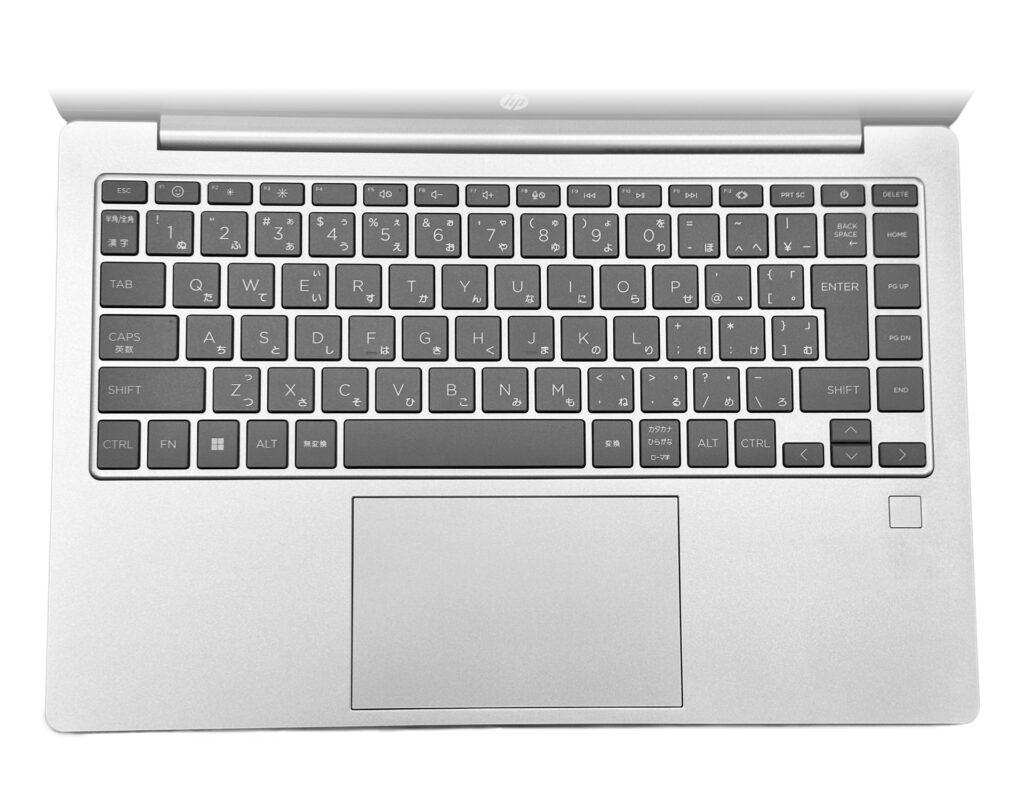 Full-size keyboard that handles everyday typing without complaints
Performance
CPU is an AMD Ryzen 5 7520U (4-core / 8-thread). PassMark multi-thread score comes in around 8,989.
| Score | Rating | What it feels like in real use |
|---|---|---|
| Up to 5,500 | Tight on headroom | Hiccups during multitasking; comfort takes a hit. Daily use feels constrained. |
| 5,500–8,000 | Daily use | Web, Office, remote work — handles them without issue. |
| 8,000–12,500 | Comfortable (standard) This PC | Daily PC tasks with real headroom. Light video editing and casual games work. |
| 12,500–20,000 | High performance (mainstream) | Multitasking feels good. Heavier work and 3D games are workable. |
| 20,000–40,000 | Very high performance | Comfortable even for demanding work and gaming. |
| 40,000+ | Exceptional | Plenty of headroom for creative work and heavy loads. Long-lasting performance. |
*PassMark CPU Mark measures multi-threaded CPU performance. Some variance is normal between runs even with the same CPU.
That score puts it squarely in "handles everything you throw at it daily" territory. Browsing, Word, Excel, PowerPoint, video streaming, Zoom — all run comfortably. The 16GB of RAM is what makes multitasking feel genuinely smooth: even with a pile of browser tabs open alongside an Office doc, it doesn't start dragging. On the GPU side, it runs AMD Radeon integrated graphics with a PassMark G3D Mark score around 2,357.
| Score | Rating | What it feels like in real use |
|---|---|---|
| Up to 1,500 | Bare minimum | Limited 3D performance. Not suited for gaming or heavy 3D work. |
| 1,500–3,500 | Light 3D This PC | Lighter games and low-load tasks work with conservative settings. |
| 3,500–5,500 | Average | Light to medium games and GPU-light work are fine. Solid integrated GPU for daily use. |
| 5,500–7,500 | High performance | Strong for an integrated GPU. Lighter games and image work feel comfortable. |
| 7,500+ | Very high performance | Upper-tier integrated GPU. Real graphics headroom even in thin laptops. |
*PassMark G3D Mark measures 3D rendering. This guide is for integrated GPUs — discrete GPU models are not directly comparable.
Serious 3D gaming, RAW photo editing, 4K video rendering — that's not what this chip is built for. Go in knowing this is a dedicated everyday machine, not a powerhouse.
Battery Life
Battery rating: Average
The 14-em has a 41Wh battery, with HP rating it up to 11 hours of use. Real-world results depend on screen brightness and workload — you'll often land shorter than that. The Ryzen 5 7520U is power-efficient, but 41Wh is on the smaller side for a modern laptop. Light browsing and Office work? You can probably get through most of the day away from an outlet. Crank the brightness or stream video for hours and you'll drain it faster. If you're planning a full day out without charger access, it's worth scoping out outlets or throwing a battery pack in your bag.
Ports
You get USB-A (5Gbps) ×2, USB-C (5Gbps) ×1, HDMI ×1, and a 3.5mm audio jack. Having HDMI and USB-A on board means projectors, monitors, and USB drives plug right in without any adapter — a genuinely useful feature in a world full of dongle-only laptops. The single USB-C port means you might want a hub if you need multiple Type-C devices at once, but the HDMI and USB-A cover most situations. USB-C charging support keeps your bag light.
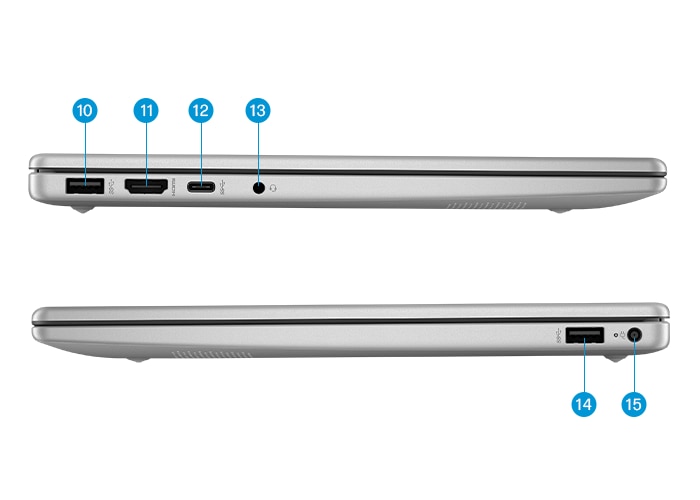 Practical port selection — HDMI and USB-A included
Webcam
There's a webcam with a physical privacy shutter. When you're not on a call, the shutter mechanically covers the lens — no tape, no stickers needed. It's one of those features you don't think about much until you have it, and then it feels obvious that every laptop should have it.
Security
Fingerprint reader is on board. Fast and reliable, and once you're used to logging in with a touch instead of typing a password, going back feels genuinely tedious. It's woven into the login flow naturally — just touch and you're in.
Price
Ryzen 5, 16GB RAM, 512GB SSD — for this combination, the 14-em is one of the better value options in its class. You're not getting a premium display or elite performance, but you're getting everything you need for everyday use at a price that's hard to argue with. A solid pick for a first laptop or a no-fuss secondary machine.
Verdict
The 14-em isn't trying to be the flashiest option on the shelf. It's the "get things done without overspending" laptop — and it genuinely delivers on that. Browsing, Office work, video calls, and everyday multitasking are all comfortable here. At 1.39 kg (~3.1 lbs), it's easy to carry to class or the office every day. Honestly, the display won't wow you and the battery is just okay. But if your priority is solid everyday performance at a fair price, this one covers the bases. Just don't come expecting to run games or edit 4K footage.
Where to Buy
* Prices may vary. Please check each store for the latest price and availability.
About the author