ZippyScore
ZippyScore is a proprietary rating based on 6 criteria: performance, portability, display, battery, value, and connectivity.
See rating criteria
- Performance: CPU / GPU performance
- Portability: Screen size & weight
- Display: Panel type, aspect ratio & refresh rate
- Battery: Rated battery life
- Value: Specs-to-price balance
- Connectivity: Port types & count
Pros & Cons
Pros
- A measured 69Wh battery means you can go long stretches without hunting for an outlet.
- A 16GB of memory keeps things running smoothly even with a bunch of apps open at once.
- HDMI, USB-A, and two USB-C ports mean you probably won't need a dongle.
- The OLED display makes colors genuinely pop.
- The keyboard feels great, even during marathon typing sessions.
Cons
- At a measured 1,485g (about 3.3 lbs), it's a bit much for daily carry — fine if you only need to move it occasionally.
- The built-in webcam runs a bit dark, so if video calls are a big part of your day, an external camera is a safer bet.
- The included charger measured 326g (about 0.7 lbs), on the heavier side — swap in a compact USB-C charger to lighten your bag.
Specs Summary
| OS | Windows 11 Home |
|---|---|
| CPU | Intel Core Ultra 5 322 (PassMark: 15,438) Intel Core Ultra 7 355 (PassMark: 20,954) Intel Core Ultra X7 358H (PassMark: 33,547) Intel Core Ultra 9 386H (PassMark: 35,246) |
| RAM | 16GB / 32GB |
| Storage | 512GB / 1TB |
| Display | 14" 1920x1200 (16:10) |
| Weight | 1.47 kg (3.24 lbs) |
| Ports | USB-C × 2 (Thunderbolt 4/40Gbps/PD/Video out), USB-A × 2 (5Gbps), HDMI × 1 (ver.2.1), Headphone jack × 1 |
| GPU | Intel Iris Graphics Intel Graphics (G3D Mark: 3,183) Intel Arc Graphics (G3D Mark: 5,486) |
| Biometrics | Face Recognition |
| Battery | Up to 18 h (Capacity: 70 Wh) |
| Camera | 2.0 MP |
| Dimensions | Approx. 313.70 × 224.00 × 15.30 mm (W × D × H) |
| Wi-Fi | Wi-Fi 7 |
| Color | Frost Blue / Celestial Blue |
Configurations vary by retailer, region, and availability.
Hands-on Review
Let's check out the Dell 14S (DS14260, 2026) hands-on review. Here's the configuration we tested.
| Item | Review Unit Configuration |
|---|---|
| CPU | Intel Core Ultra 5 322 |
| Memory | 16GB |
| Storage | 512GB SSD |
| Display | 14-inch OLED (1920x1200) |
| Graphics | Intel Graphics |
| Color | Frost Blue |
Note: Specs may vary depending on when and where you buy it.
Design
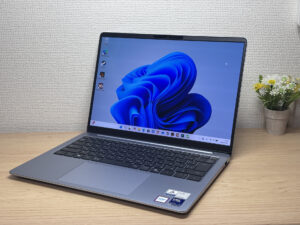
Let's start with design. The moment I opened up the Dell 14S (DS14260, 2026) and picked it up, what caught me off guard was the mirror-finished edges around the chassis. They catch the light and honestly look really sharp. The same mirror finish shows up around the ports too, which gives it a personality I haven't really seen on other laptops.
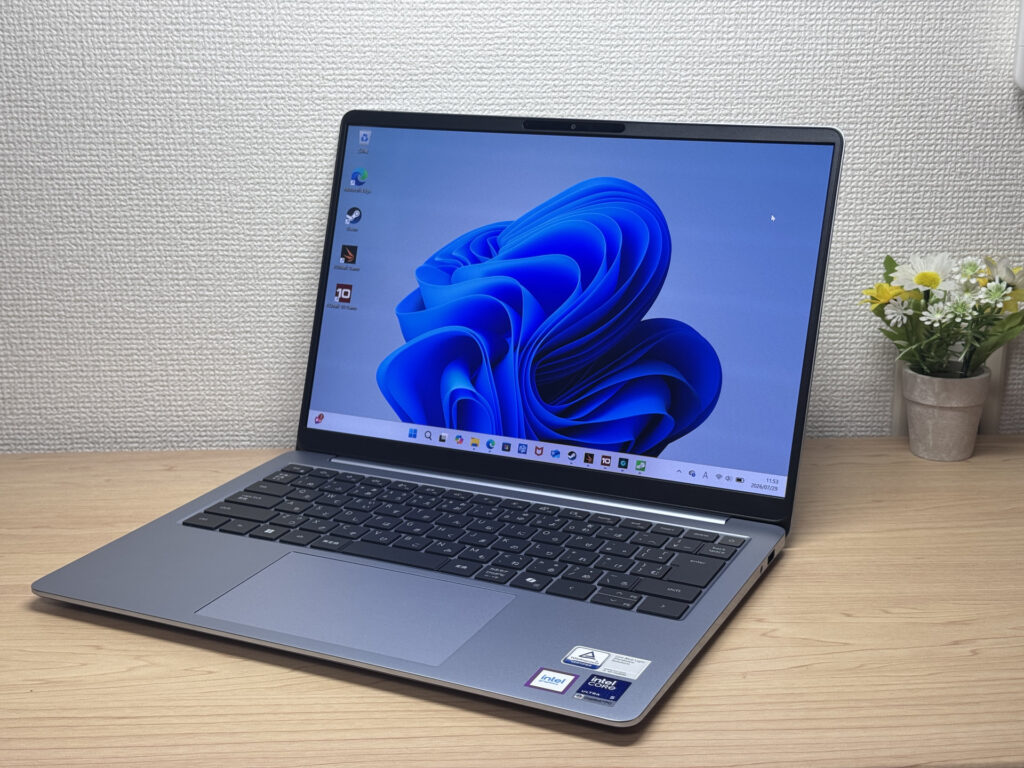 The overall build quality feels premium.
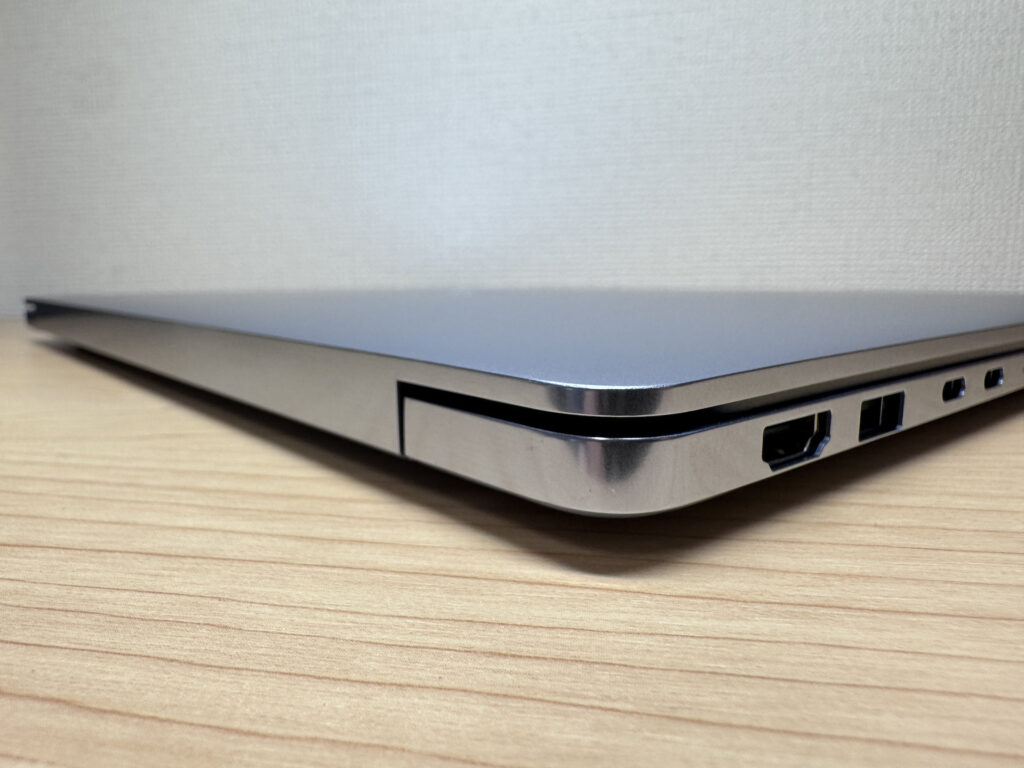 Even the port area gets the mirror treatment — they clearly sweated the details.
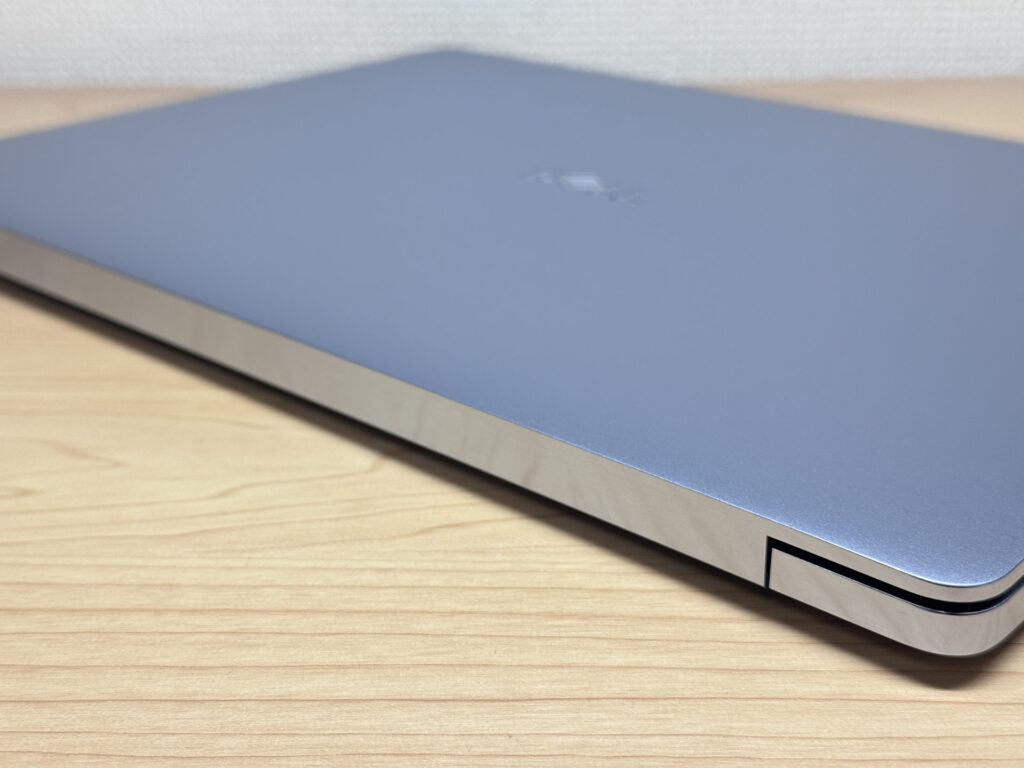 The finish quality doesn't feel like a mid-range machine at all.
The Dell logo on the lid is understated, which I appreciate — it's not shouting for attention. It's a design that fits in easily whether you're at the office, a co-working space, or a coffee shop.
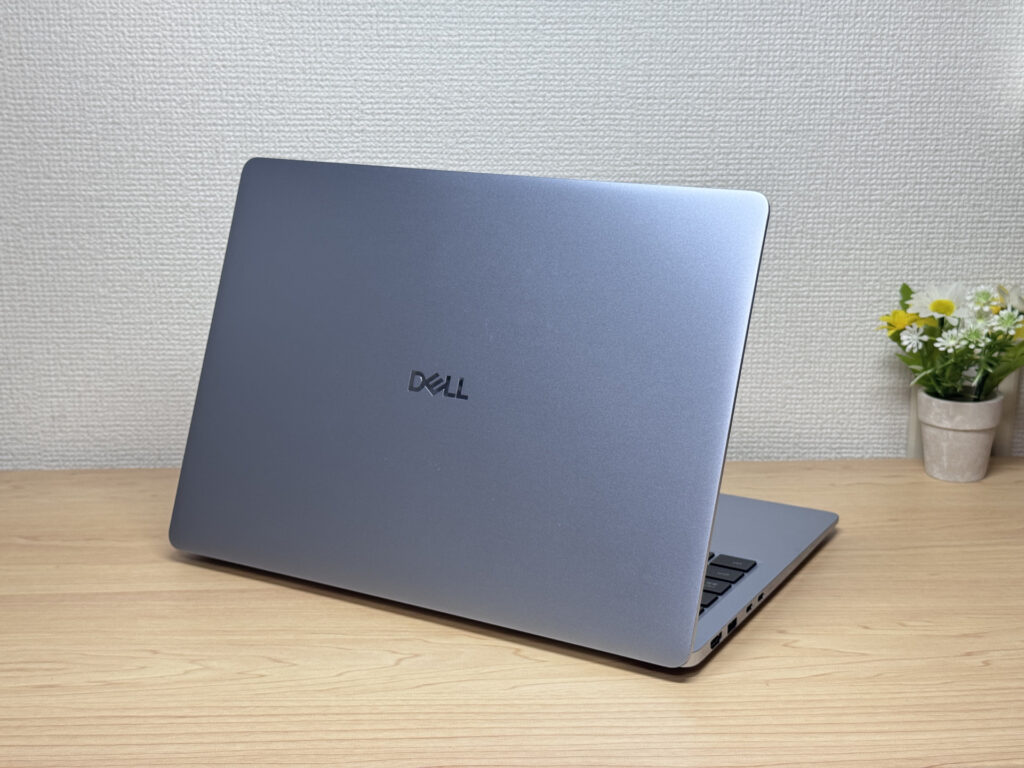 The understated logo means this lid blends in anywhere.
At 15.3mm thick, it's neither chunky nor razor-thin — a pretty standard profile. And yep, the mirror finish shows up here too, so even the side profile looks good.
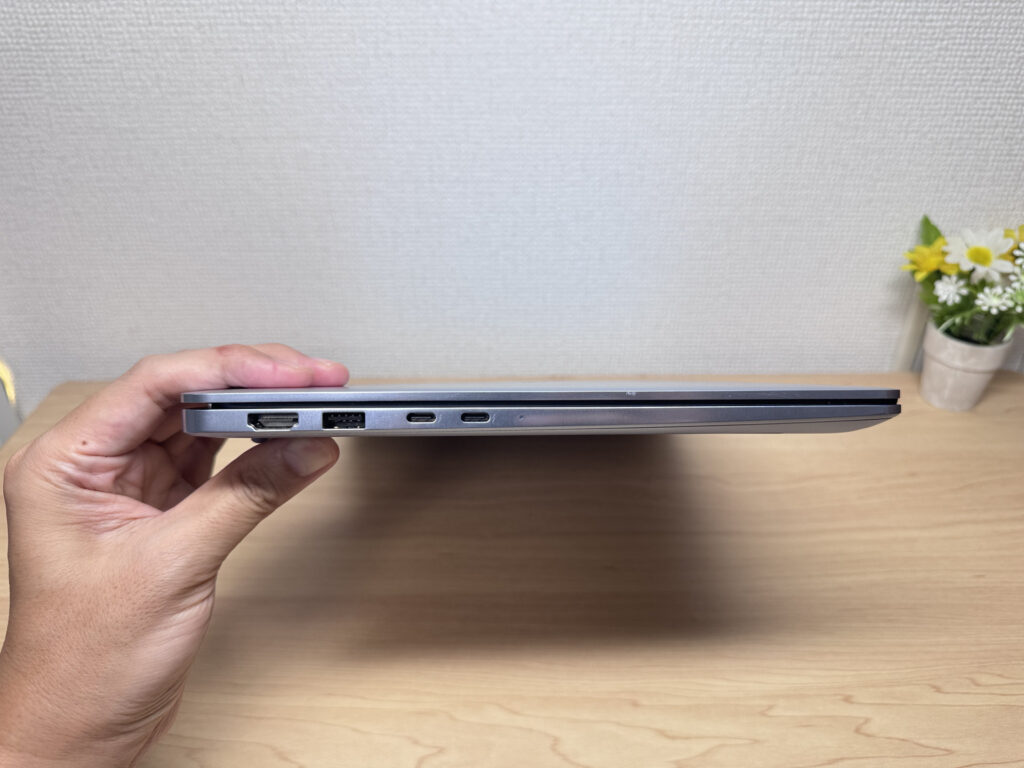 A standard 15.3mm thickness, dressed up nicely by that mirror accent.
The bottom panel has intake vents, and while it looks like there's just a single fan, the large mesh area does a solid job pulling in air for cooling. The rubber feet are grippy too — the laptop never shifted around while I was typing.
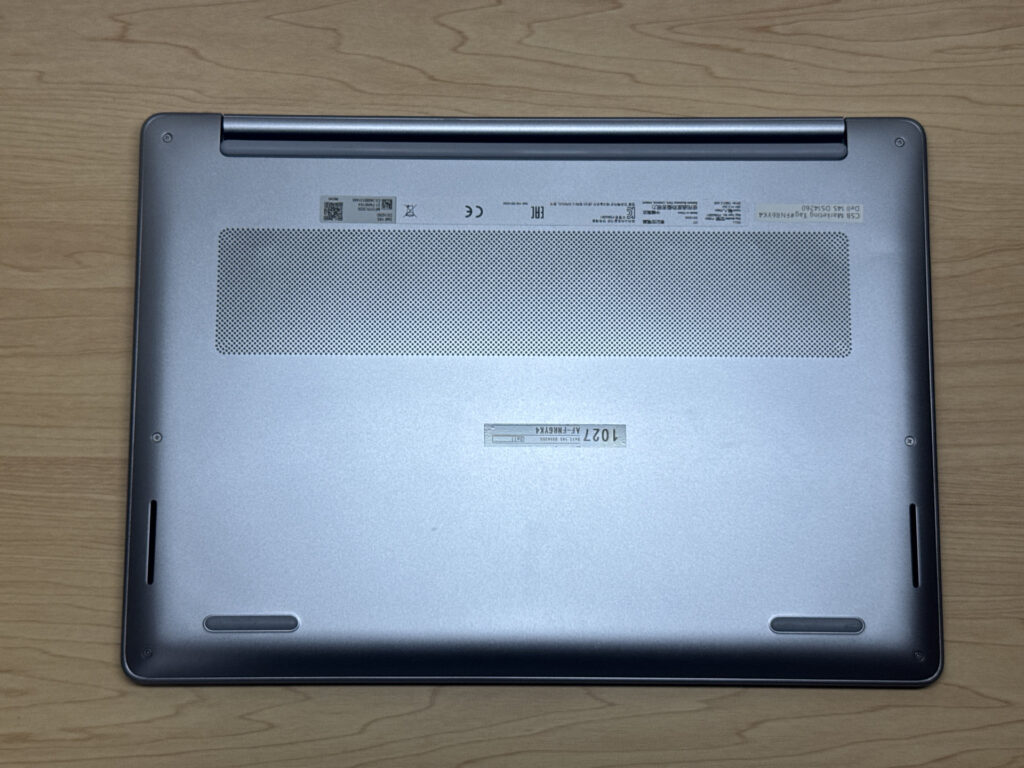 The rubber feet grip well, so it doesn't slide around while you type 👍
You can open the lid with one hand, but the base is light enough that it sometimes lifts off the desk along with it — honestly, this part could use a little more polish.
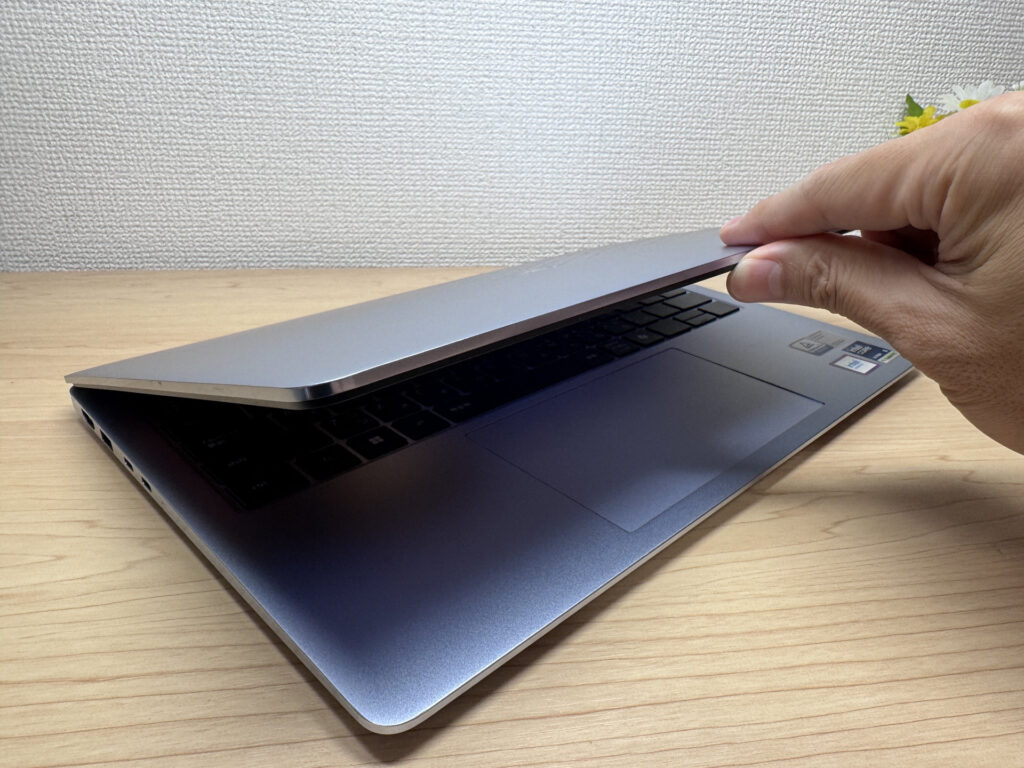 You can open it one-handed, but the base can lift up with it sometimes.
That said, it's pretty rare to see a non-2-in-1 laptop that opens a full 180 degrees. That's handy when you want to show someone the screen face-to-face, or when a group of people needs to huddle around and look down at it.
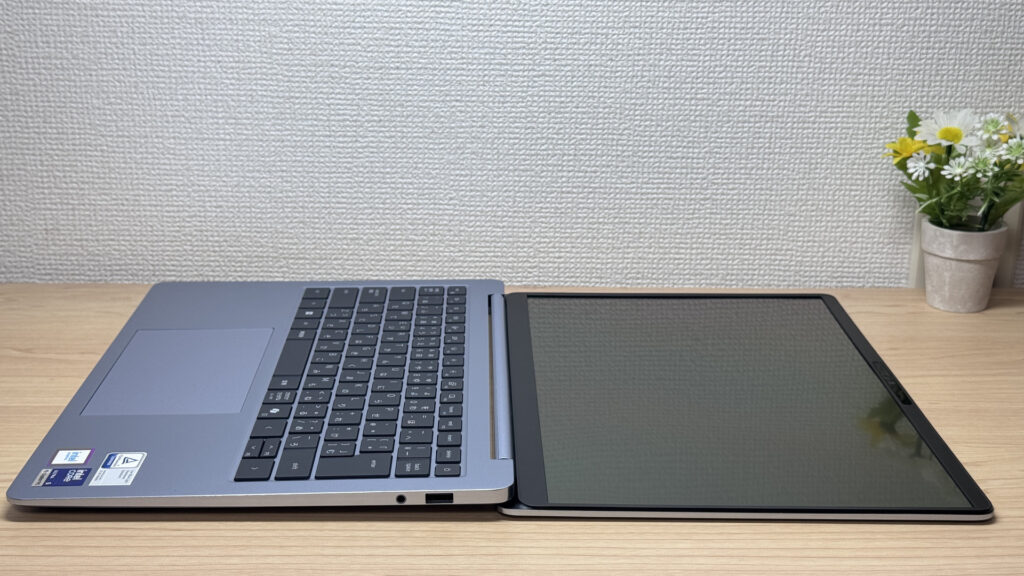 Not a 2-in-1, but it still opens a full 180 degrees — that's rare!
Portability
Next up, portability. On my scale, it came in at 1,485g (about 3.3 lbs), a touch above the listed spec of 1.47 kg — margin-of-error stuff, but either way, it's a bit much for a daily carry. Dell has the lighter XPS line for people who want something svelte, and this mid-range standard model just doesn't get the same weight-savings treatment. I'd like to see them push harder here.
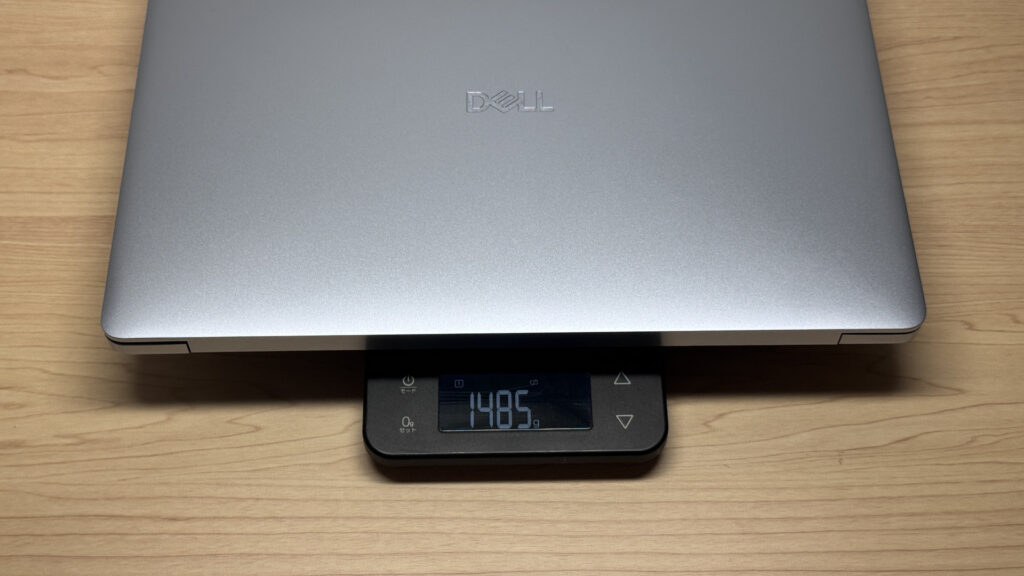 1,485g (about 3.3 lbs) on the scale — a bit much for daily carry.
The included charger is a 65W USB-C brick that weighed in at 326g (about 0.7 lbs) on my scale — also on the heavier side for a stock charger. It's a non-issue if it's just going to live at your desk at home or the office, but it adds up if you're tossing it in your bag.
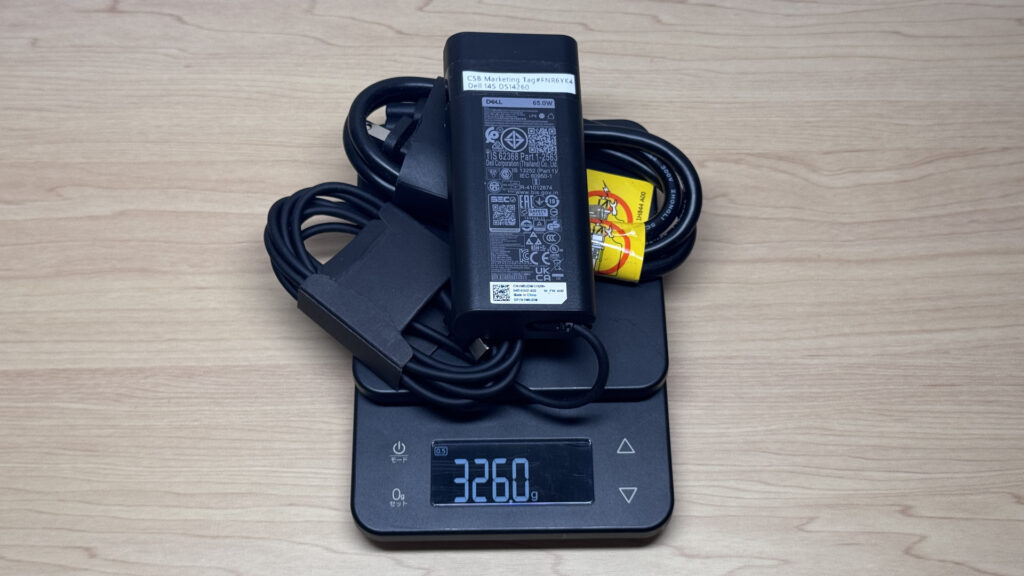 The stock charger measured 326g (about 0.7 lbs) — a bit heavy to lug around.
This is where grabbing a small third-party USB-C charger — Anker and similar brands make good ones — pays off. You can find 65W chargers this compact these days, and swapping in one really lightens your bag.
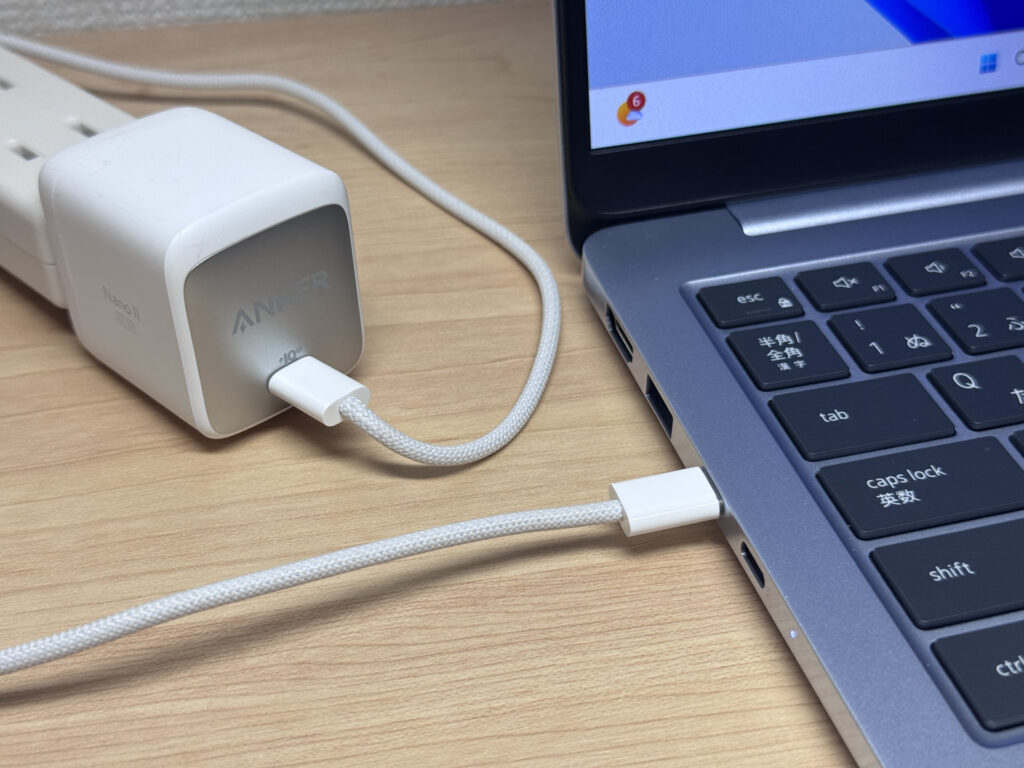 Swap in a compact USB-C charger and your bag gets noticeably lighter.
Picking it up one-handed, at just under 1.5 kg it's not something you casually swing up — you feel the heft.
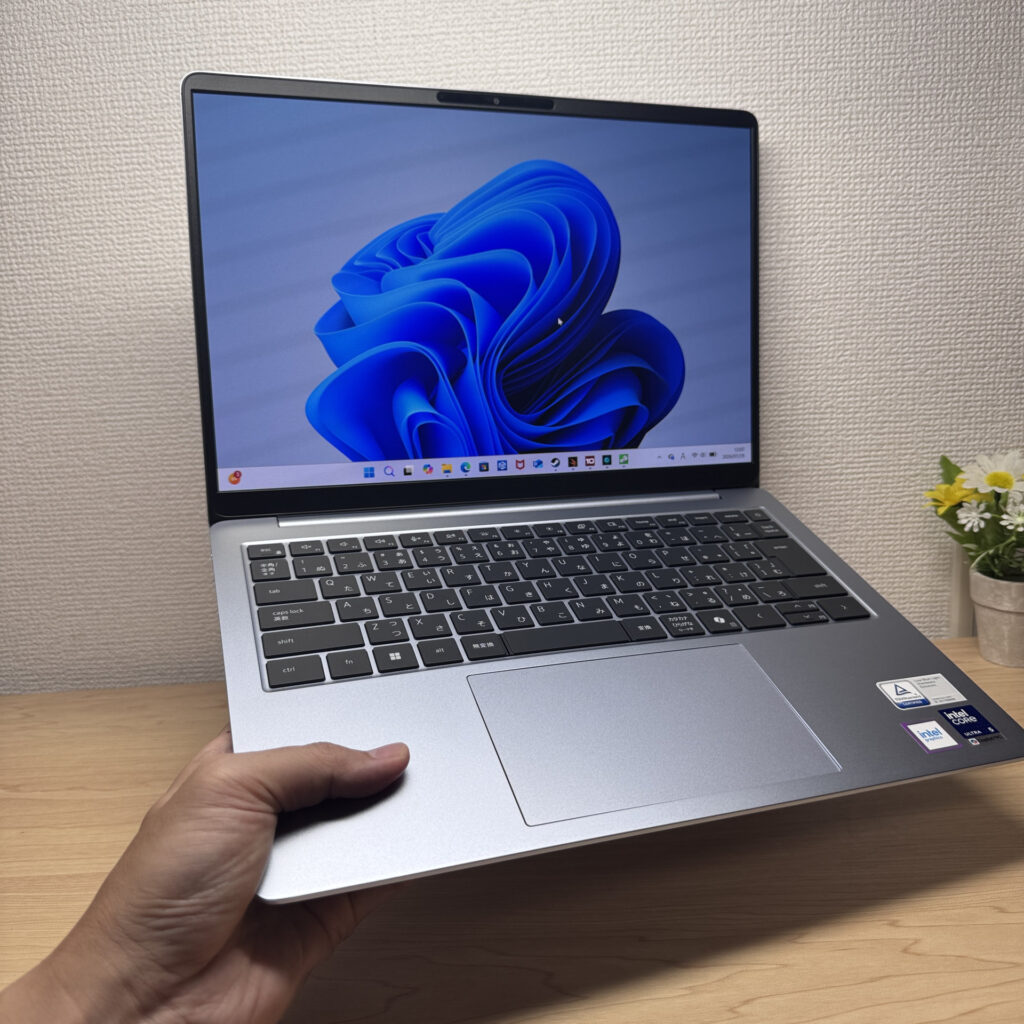 One-handed, you definitely feel the weight.
Display Quality
Now let's talk display. The headline feature here is the OLED panel — blacks go properly deep, and colors pop with nice contrast. It's rated at 100% DCI-P3 on paper, but in day-to-day use it feels more like a solidly middle-of-the-pack OLED rather than a showstopper.
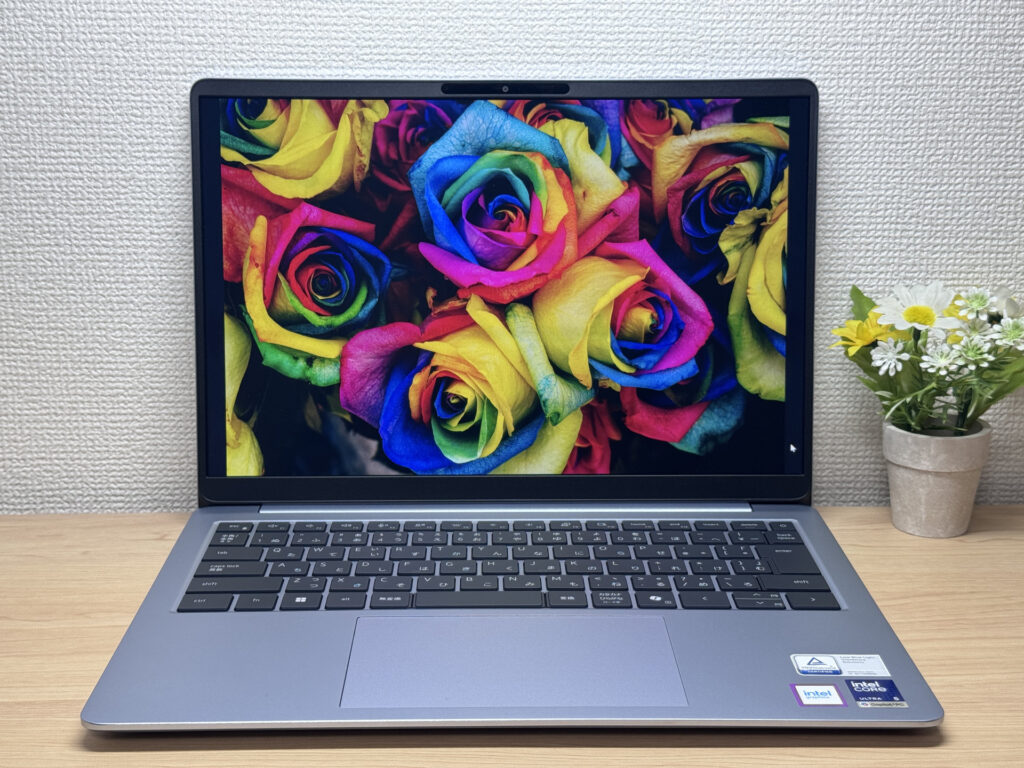 That punchy OLED contrast — it looks great ✨
Brightness tops out at 300 nits, so it's not going to blind you, but being OLED, the viewing angles are wide — it still looks great from off-center angles.
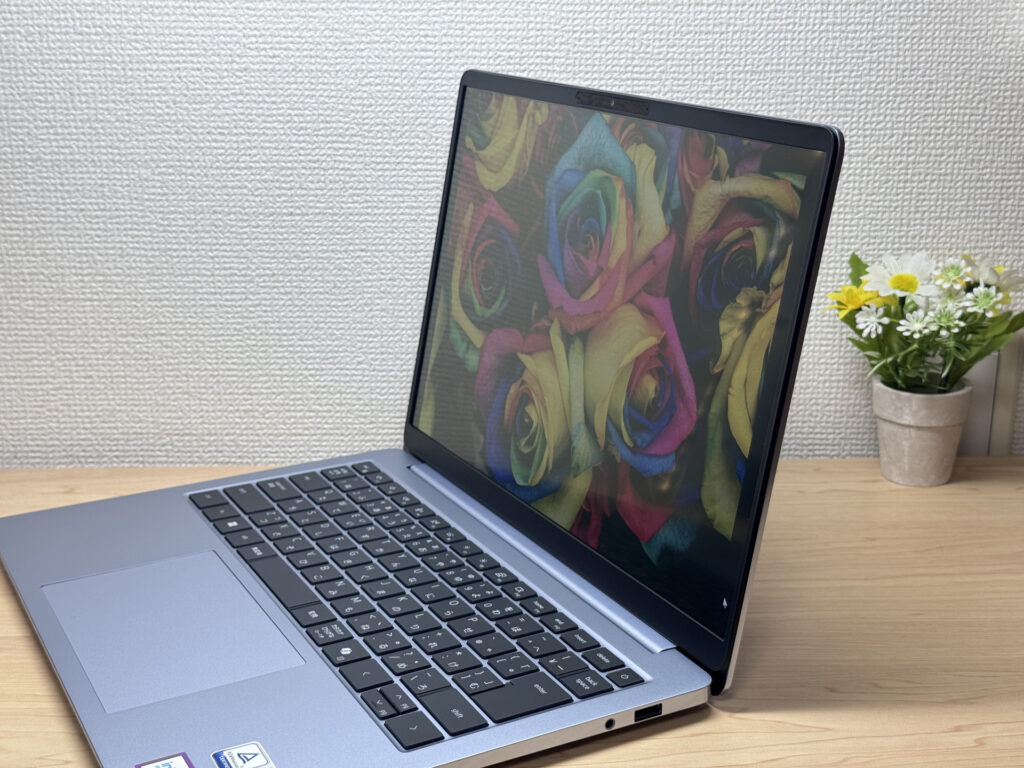 Barely any shift from an angle — that's OLED for you.
The 16:10 aspect ratio gives you more vertical real estate than a typical 16:9 laptop screen, so you're scrolling less — makes everyday use a bit easier.
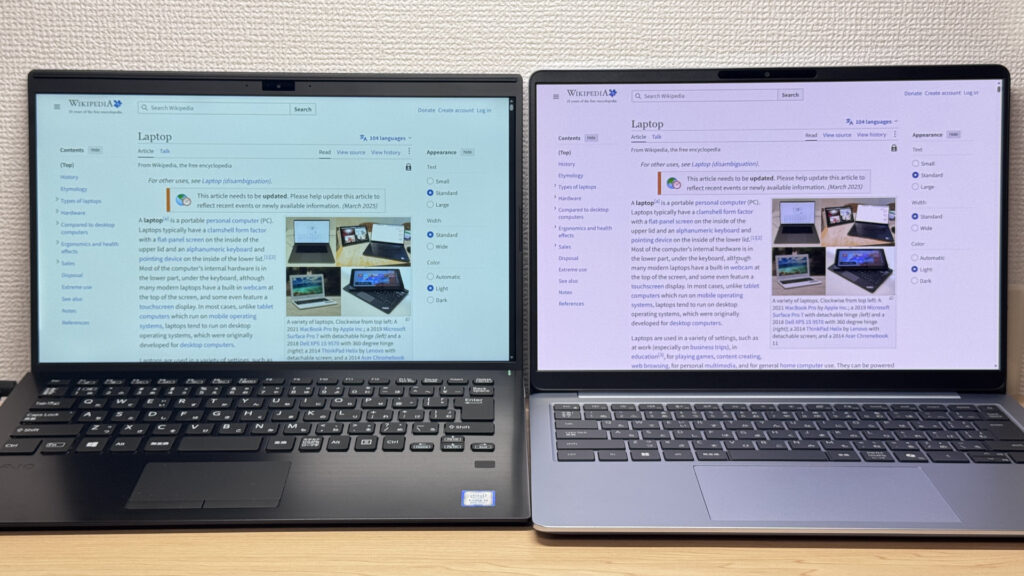 16:10 means more vertical space and less scrolling.
It's also a matte, anti-glare panel, so reflections aren't much of an issue. Even under fluorescent office lighting, it doesn't throw back much glare or flicker in your eyes.
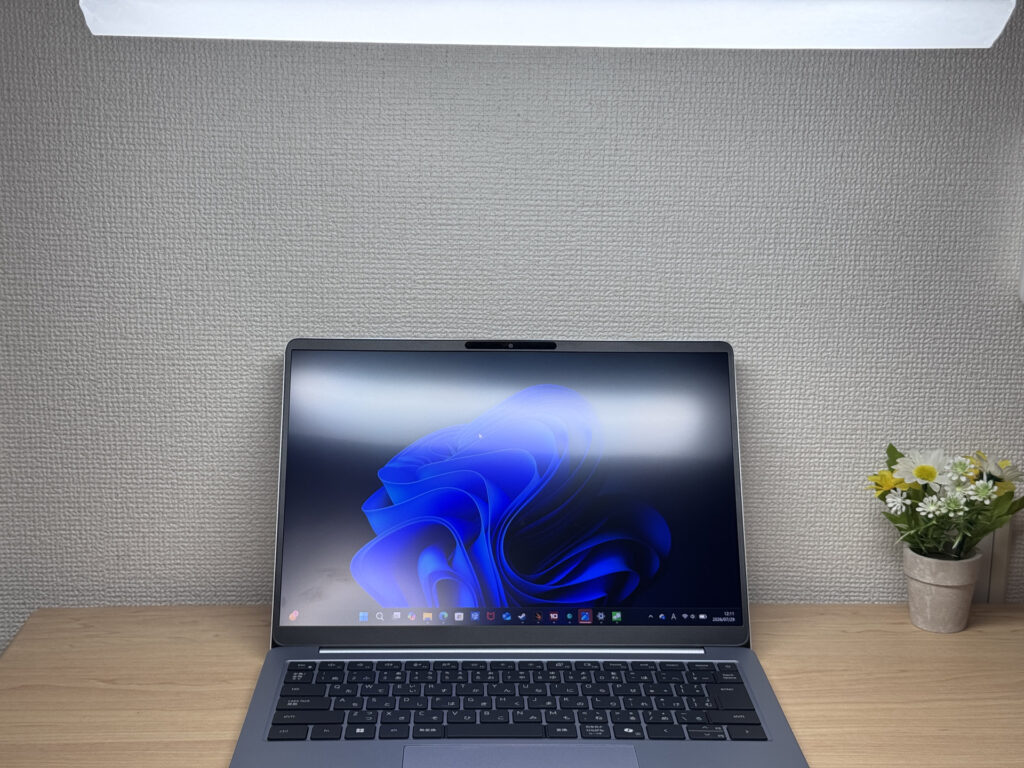 Matte finish means it holds up well under fluorescent lighting.
Keyboard Feel
On to the keyboard. Being a global manufacturer, Dell's layouts sometimes carry over quirks like the Enter key sitting right next to bracket keys, or a backspace placement that feels more "international standard" than tailored. That said, on this Japan-market model the layout is clean and simple to use day to day.
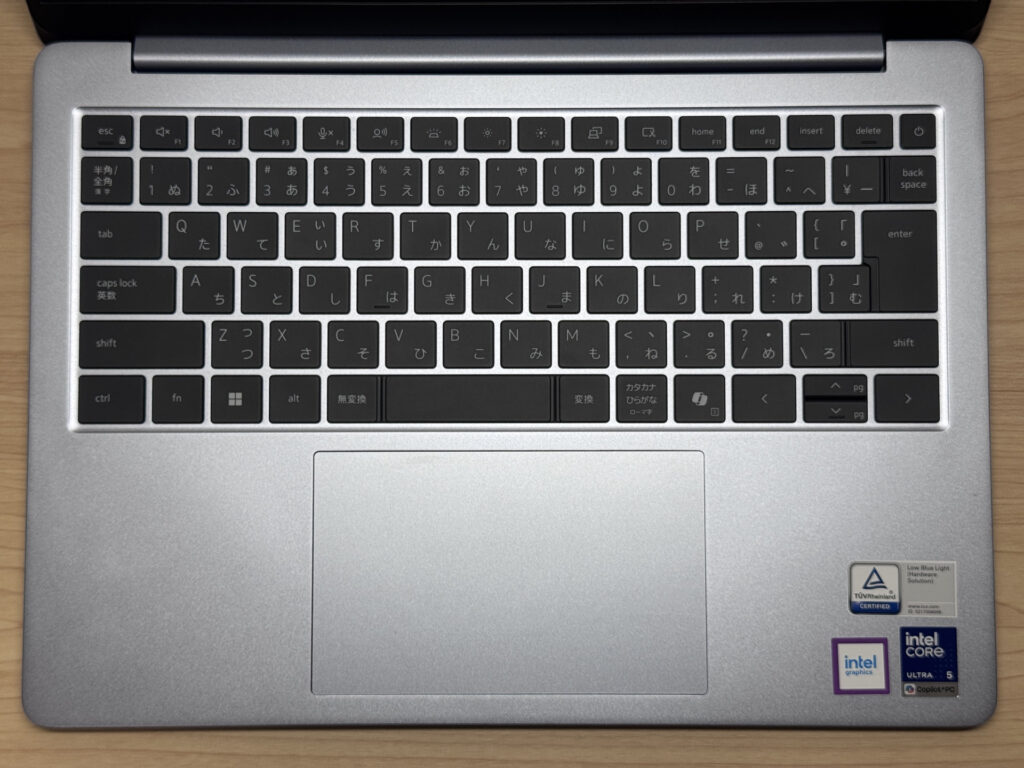 The layout here is clean and comfortable to use.
Actually typing on it, the feel is really good — I'd give it a 4.5 out of 5, easy. It's light and snappy under your fingers. The secret is a rock-solid base underneath the keys: even when you're hammering away, there's zero flex, and you get that crisp, satisfying key feel. This is a keyboard that'll serve programmers and report-writers well.
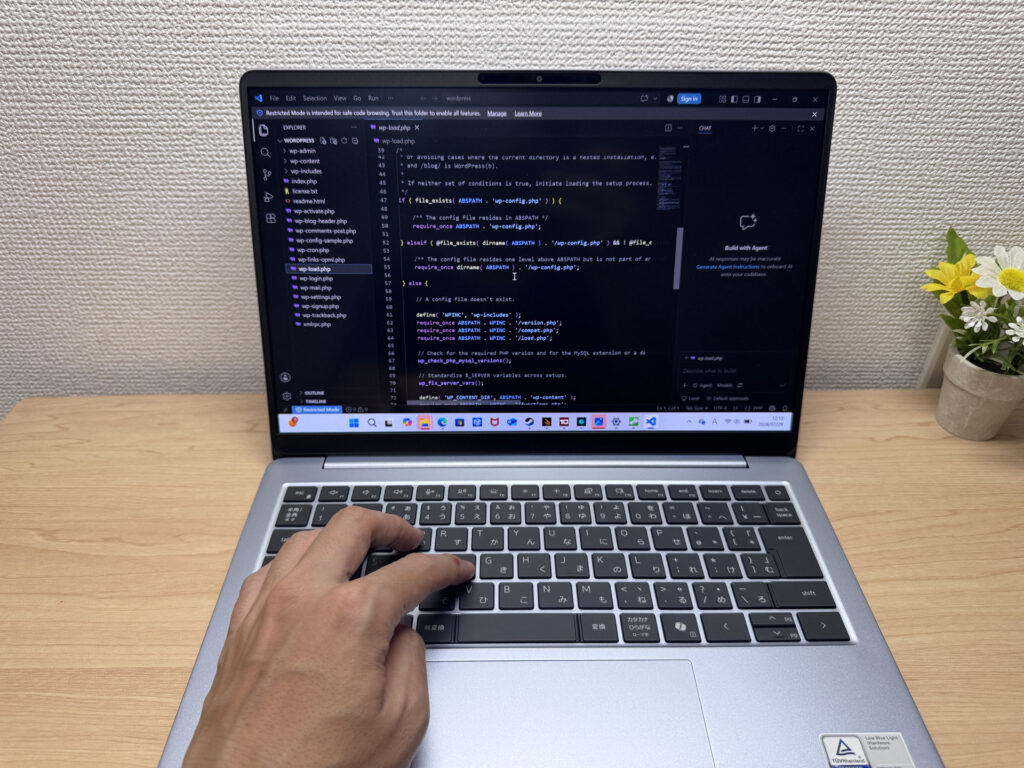 That rigid base is what makes typing feel so good!
It also has a backlit keyboard with plenty of brightness, so you're covered for working in dim rooms.
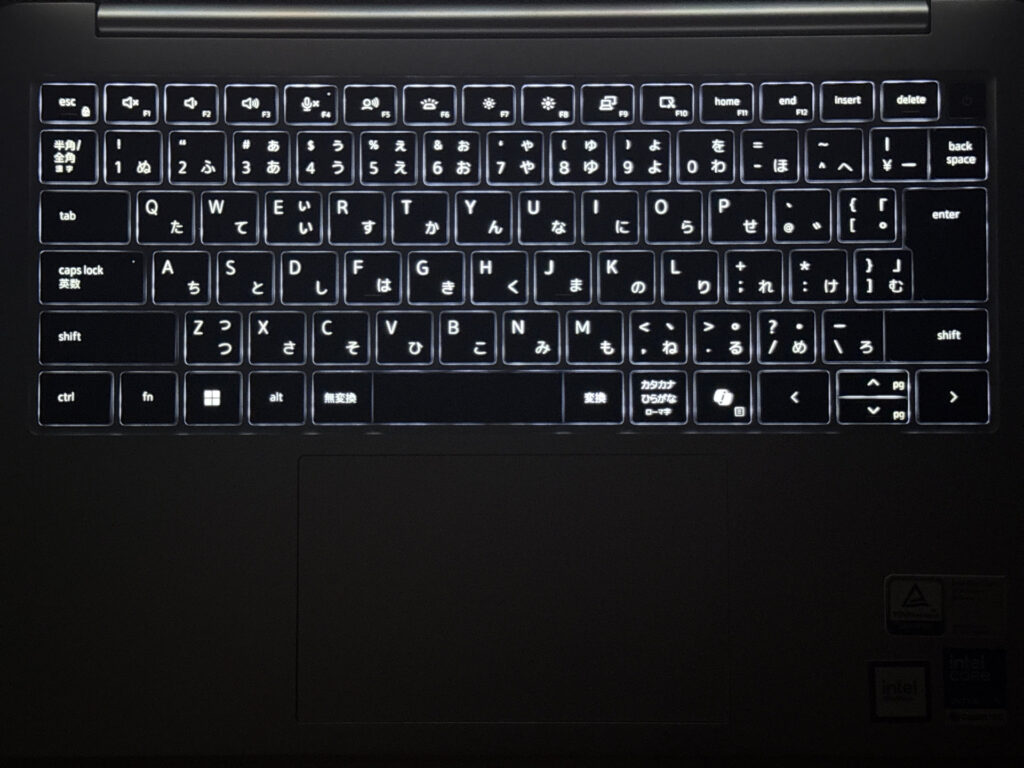 The backlight is bright enough to see clearly even in the dark.
Heads-up: these photos are the Japan-market unit, so the keyboard shown is the Japanese layout. US models ship with the standard US (ANSI) layout.
Trackpad
Next, the trackpad. It's glass, and Dell's official page touts a "glass-smooth glide" — and honestly, that's not marketing fluff. It's genuinely slick, smooth as can be, and a pleasure to use. Your finger could practically ice-skate across it ⛸️.
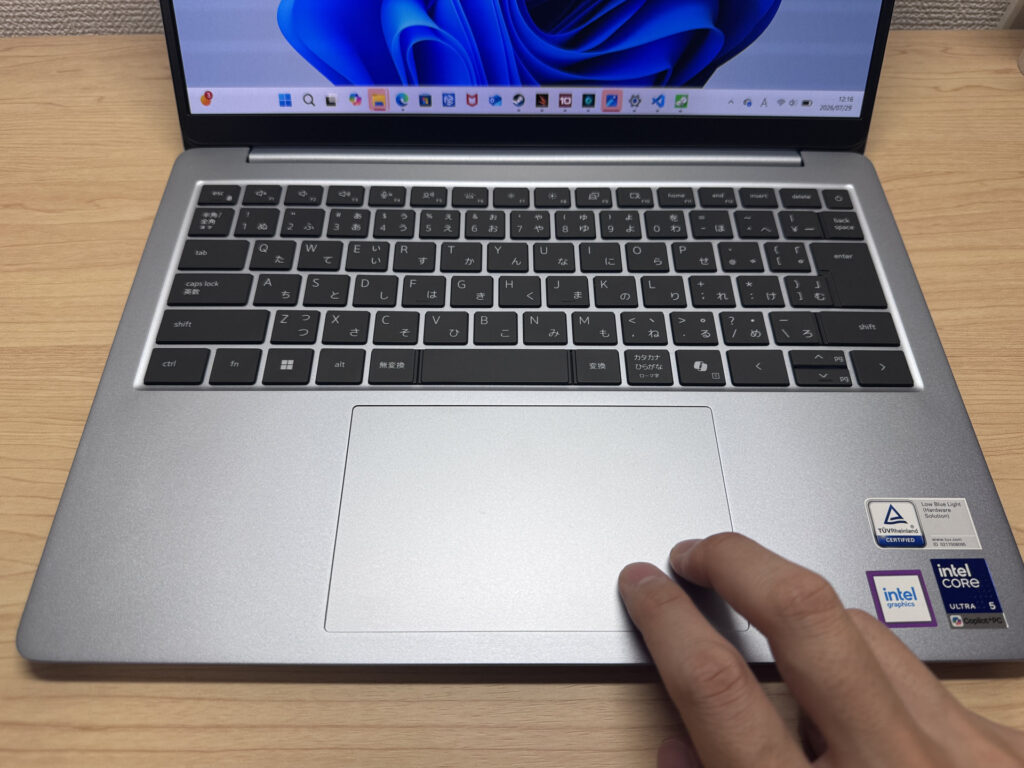 Glass-smooth for real — the marketing claim checks out.
It's smooth enough that you can get by just fine without a mouse. Three-finger gestures for window switching felt really responsive too.
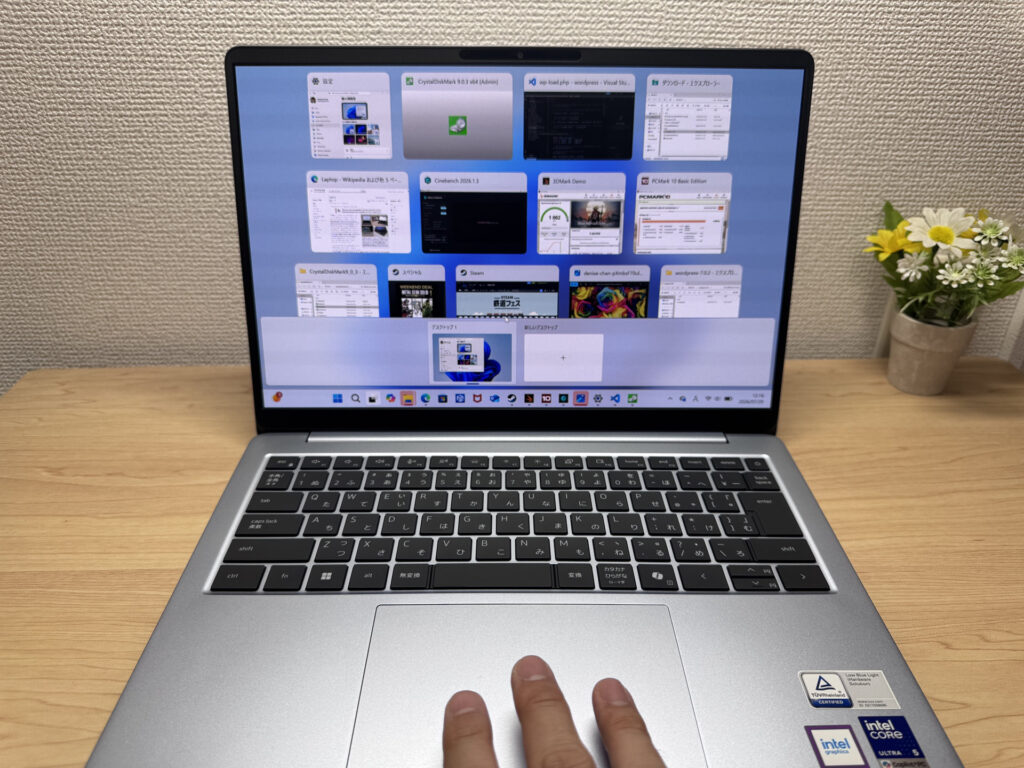 Three-finger gestures glide smoothly and feel great.
Performance
Let's look at CPU performance. PCMark 10 came back with a score of 6350 — a decent, respectable number. It'll handle everyday tasks and even some moderately demanding work without breaking a sweat.
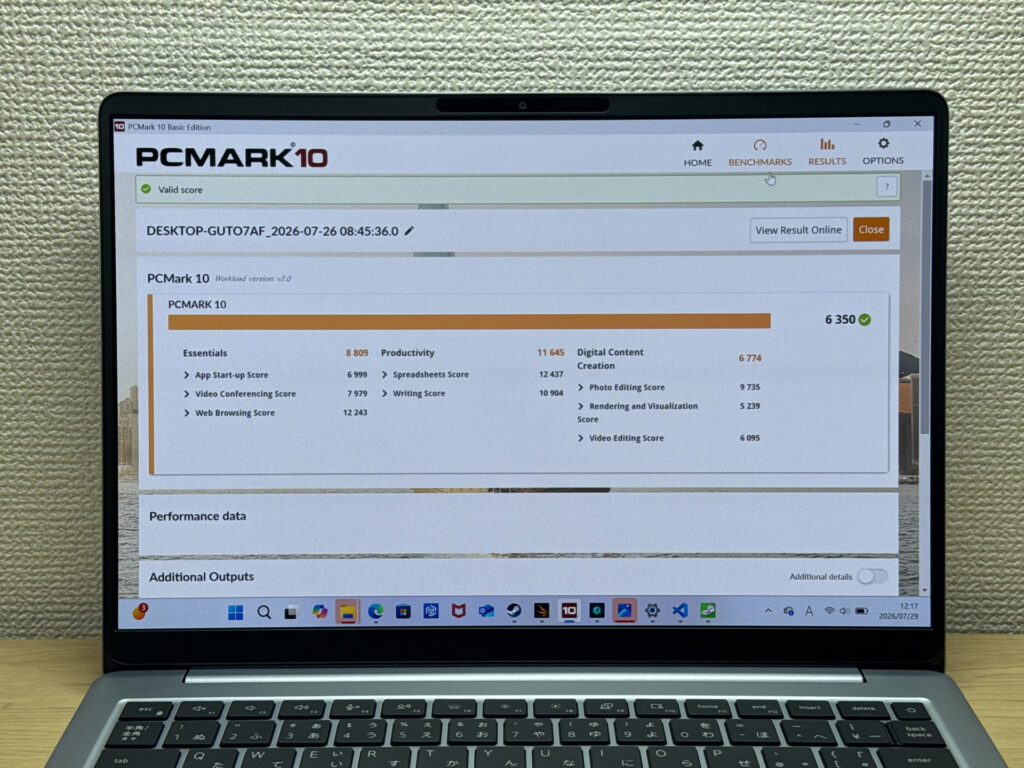 PCMark 10 scored 6350 — plenty for everyday use.
| Total Score | Rating | What it feels like in real use |
|---|---|---|
| ~4,000 | Bare minimum | Web browsing and simple tasks work, but multitasking or many tabs feels sluggish. |
| 4,000–5,000 | Light use | Daily tasks are doable, but running multiple apps means waiting around. |
| 5,000–6,500 | Comfortable (mainstream) This PC | Handles most work without stress — fine for office, school, video calls. |
| 6,500–8,000 | High performance | Plenty of headroom. Light photo editing and programming feel snappy. |
| 8,000+ | Very high performance | Tackles video editing and heavy workloads. Long-lasting performance. |
*PCMark 10 reflects overall comfort. Actual feel depends on CPU, RAM, and SSD speed.
On the GPU side, 3DMark Steel Nomad Light scored 1002, which, honestly, isn't great. You can run lighter PC games, but I wouldn't set your expectations too high here.
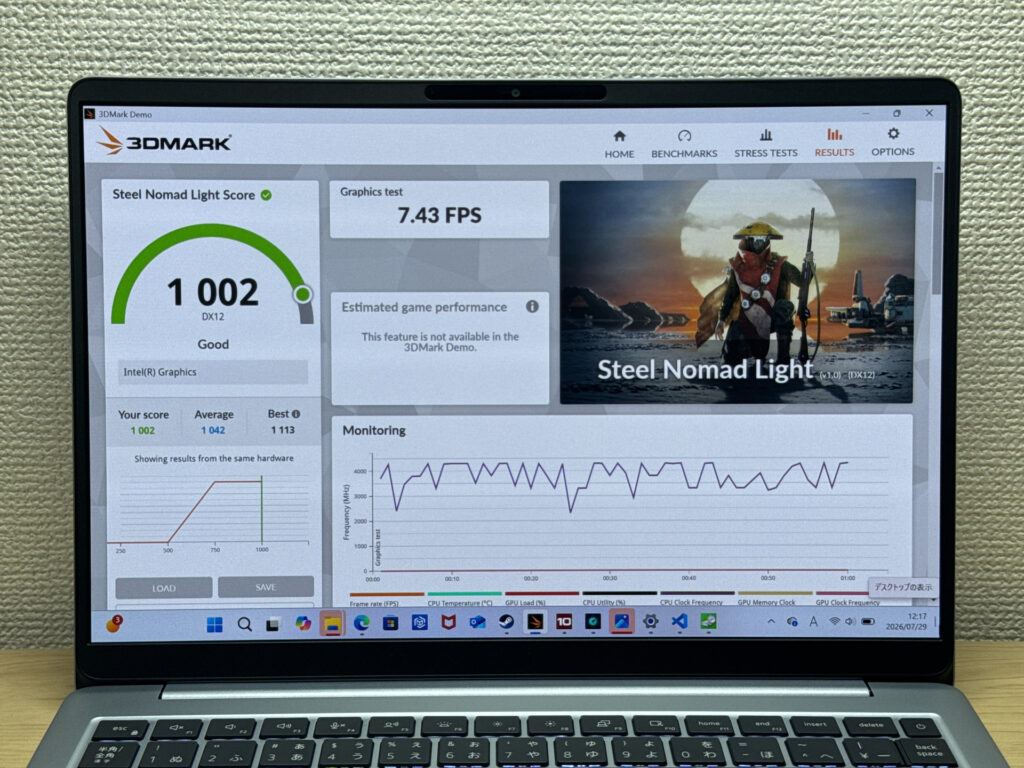 3DMark Steel Nomad Light landed at 1002 — stick to lighter games.
| Score | Rating | What it feels like in real use |
|---|---|---|
| Up to 400 | Bare minimum | 3D performance is quite limited. Not really suited for gaming. |
| 400–900 | Light 3D | Lighter games and low-load 3D processing work. |
| 900–1,500 | Average (mainstream) This PC | Standard for integrated GPUs. Light to medium games playable with right settings. |
| 1,500–2,200 | High performance | Strong for an integrated GPU. Games and 3D work feel comfortable. |
| 2,200+ | Very high performance | Top-tier 3D performance for thin laptops. Real graphics headroom. |
*3DMark Steel Nomad Light targets thin laptops and integrated GPUs. Score range differs from Time Spy, so direct comparison isn't valid.
Storage speeds came in at 6,670 MB/s read and 5,291 MB/s write — seriously fast. With 16GB of memory as the starting configuration, it's got plenty of headroom for light YouTube video editing, and it moves even big files around without any stutter.
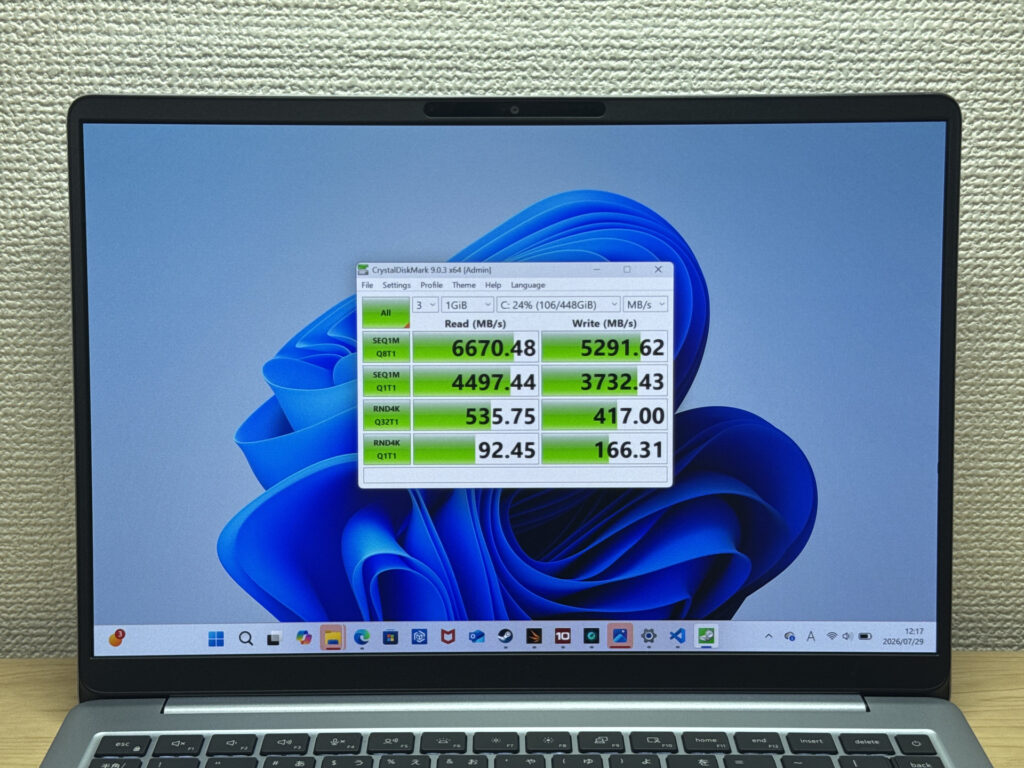 A 6,670 MB/s read speed is absurdly fast!
| Score | Rating | What it feels like in real use |
|---|---|---|
| Up to 600 MB/s | Bare minimum | Faster than HDD, but slow for modern SSDs. App launches feel slightly slow. |
| 600–1,500 MB/s | Average | Fine for daily use, though loading is noticeably slower than top-tier SSDs. |
| 1,500–3,500 MB/s | Comfortable (mainstream) | App launches and file loading feel smooth. No real complaints in daily use. |
| 3,500–5,500 MB/s | Fast | Loads large data and apps quickly. Definitely upper-tier SSD speed. |
| 5,500+ MB/s | Very fast This PC | High-end NVMe territory. Heavy data work without waiting. |
*CrystalDiskMark measures SSD speed. It mainly affects app launch and file loading speed, not overall PC performance.
Battery Life
Let's check out battery life.
Battery rating: Long-lasting
The measured capacity came in at 69Wh — basically knocking on 70Wh's door, which honestly surprised me. It's rare to see a 14-inch laptop packing this much battery. Dell's official rating puts it at 18 hours, so you should be able to go a long stretch away from an outlet. That said, OLED panels are power-hungry, so if you're running the brightness up for extended periods, it'll drain faster — getting through a full day untethered might be a stretch in some situations.
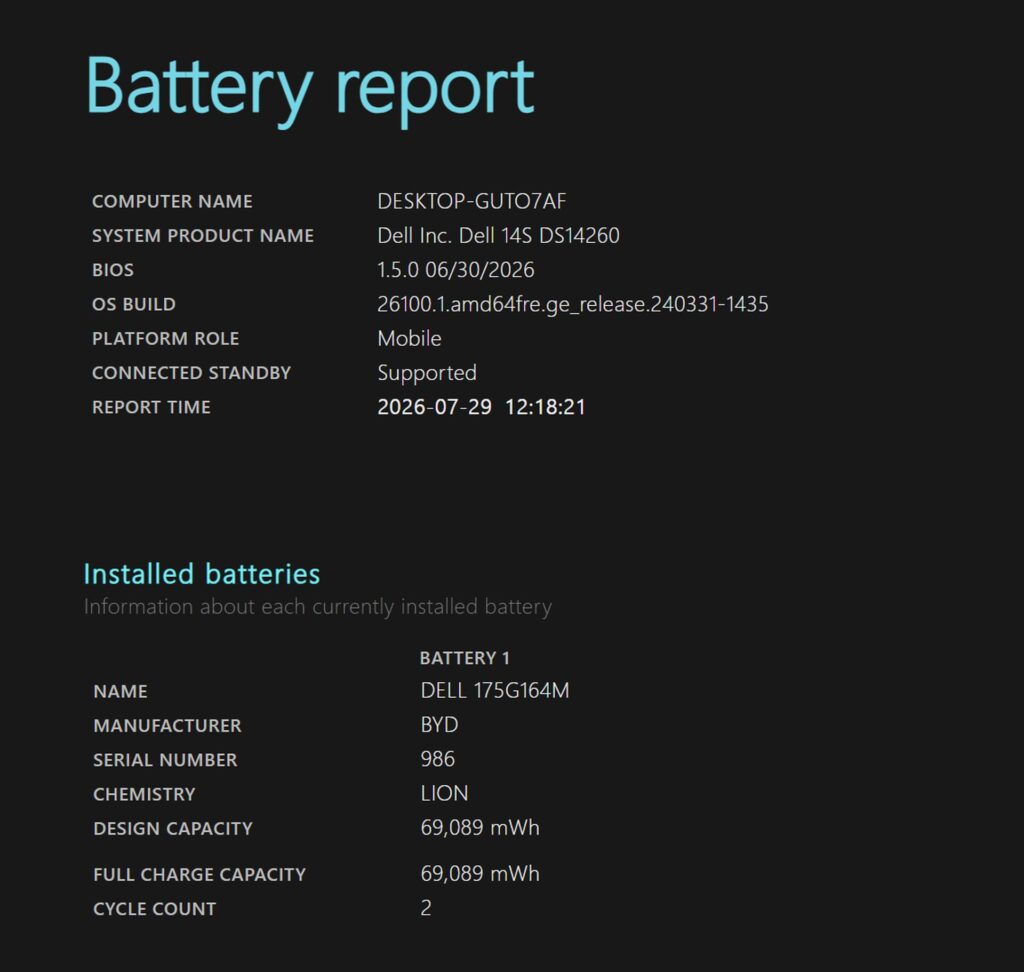 Battery check: measured at 69Wh.
Fan Noise & Heat
Let's talk fan noise and heat, since that always matters. At idle, it measured 21dB — basically silent. Zero stress using it day to day.
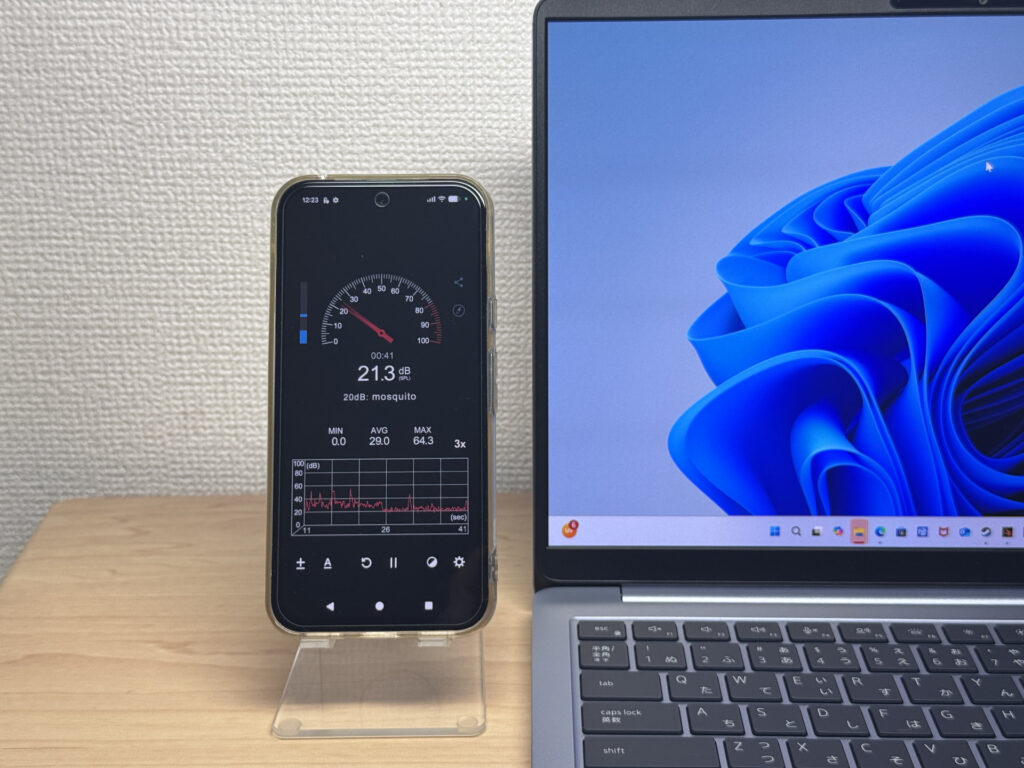 21dB at idle — practically silent.
Under load, it climbs to close to 40dB. It's a calm, low-pitched hum rather than a whine, more like a small desk fan than anything shrill.
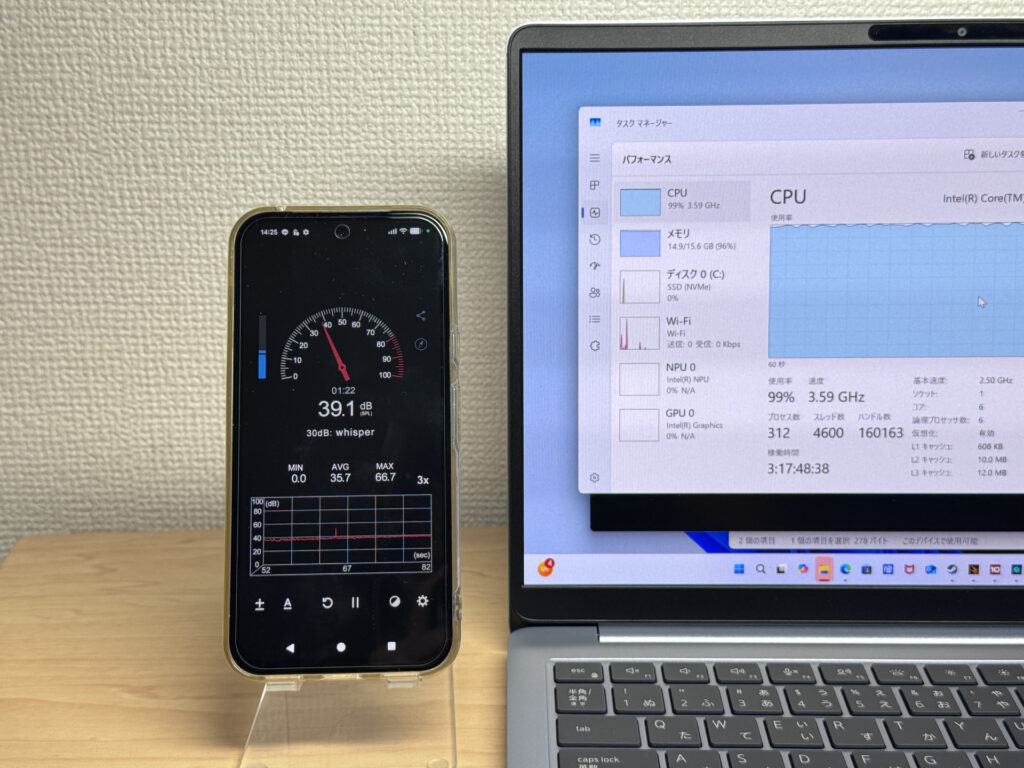 Close to 40dB under load — noticeable, but not obnoxious.
| Noise Level | Rating | Feel |
|---|---|---|
| Under 30 dB | Near-silent Idle | Fan noise is barely perceptible — library-quiet and ideal for focused work. |
| 30–35 dB | Quiet | Faintly audible but non-distracting. Easy to work in a quiet room. |
| 35–40 dB | Noticeable | You can tell the fan is spinning, but it rarely interrupts work. |
| 40–45 dB | Somewhat loud Load | Can become distracting in quiet environments. Headphones start to help. |
| 45–50 dB | Loud | Noticeable stress over extended use. Cooling is clearly prioritized. |
| 50 dB+ | Very loud | Prominent fan noise under load — gaming/high-performance thermal design. |
The exhaust vents the warm air out the back, so even under heavy load you won't feel hot air blowing toward you or your sides. That's a nice touch that keeps things comfortable 👍.
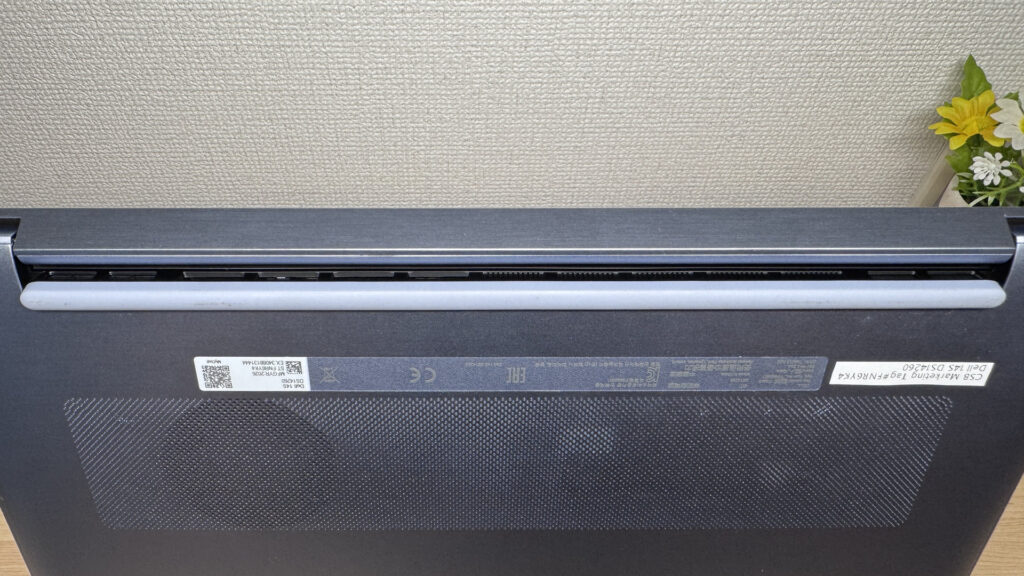 Venting out the back keeps things comfortable at your desk.
Ports & Expandability
Let's go over the ports. On the left you've got HDMI, USB-A, and two USB-C ports; on the right, another USB-A and a headphone jack. That's plenty for a 14-inch machine. With this lineup, you can hook up most peripherals without needing a USB-C hub at all.
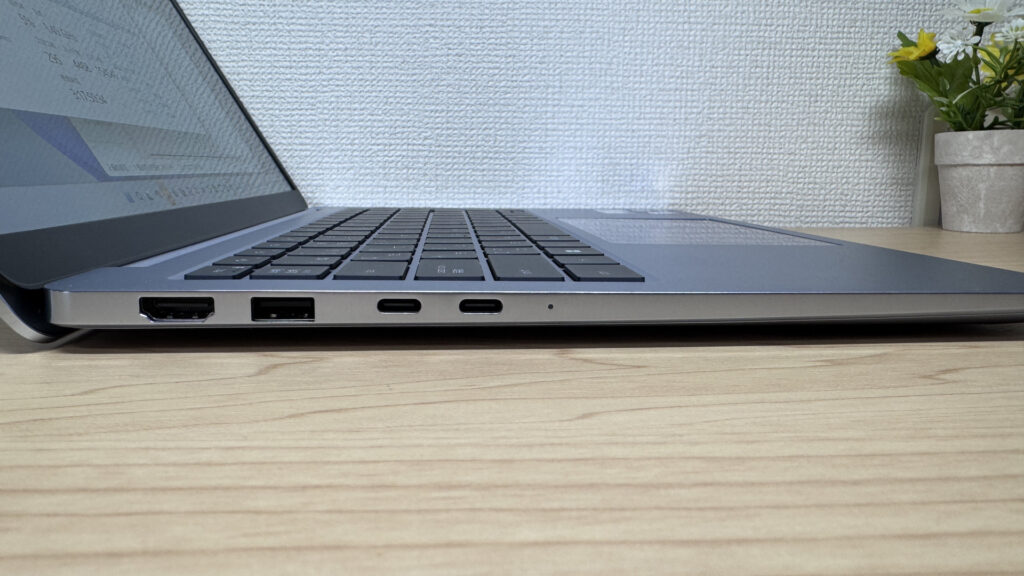 The left side is stacked — HDMI, USB-A, and two USB-C ports.
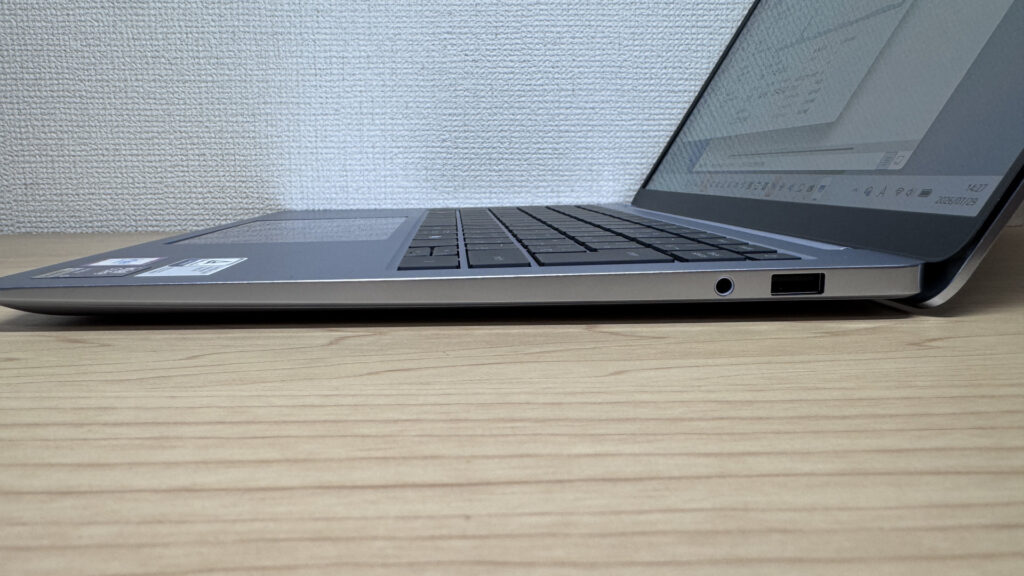 The right side keeps it simple — USB-A and a headphone jack.
I hooked it up to my own 27-inch 4K monitor via HDMI, and it displayed everything perfectly — no surprises there.
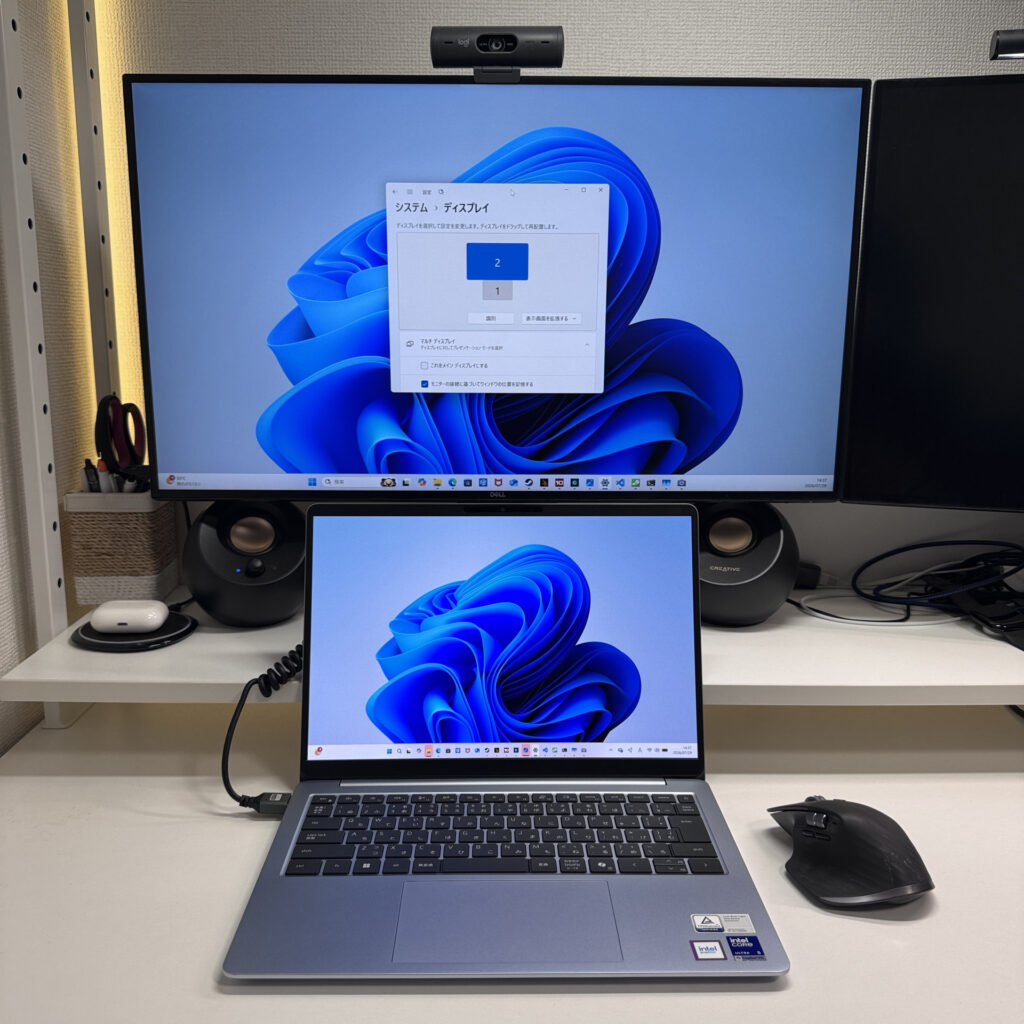 HDMI drove my 27-inch 4K monitor without a hitch.
I went further and connected a 27-inch monitor over USB-C plus a portable display over HDMI, and between those and the laptop's own screen, I had four displays running at once. Pair that with a Bluetooth keyboard and mouse, and you've basically turned this one laptop into a full desktop setup across four screens. I really think this machine shines as a stay-at-home desktop replacement — set it up this way and your workflow gets a serious boost.
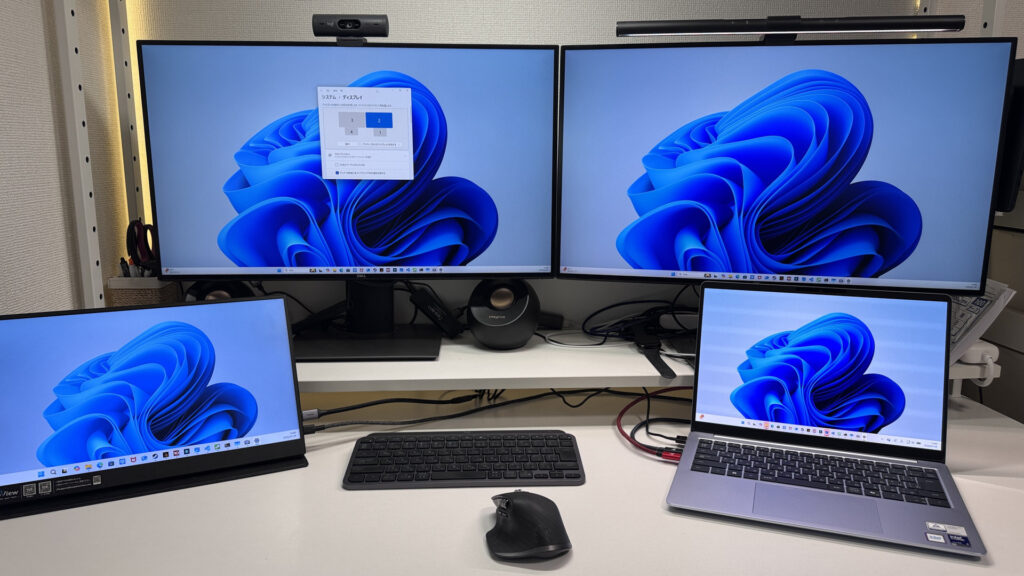 Set it up like this and your productivity goes through the roof 😉
I also tried a USB-C hub, and it worked without any issues. If you want even more expandability, grabbing a compact USB-C hub means you can add as many ports as you need.
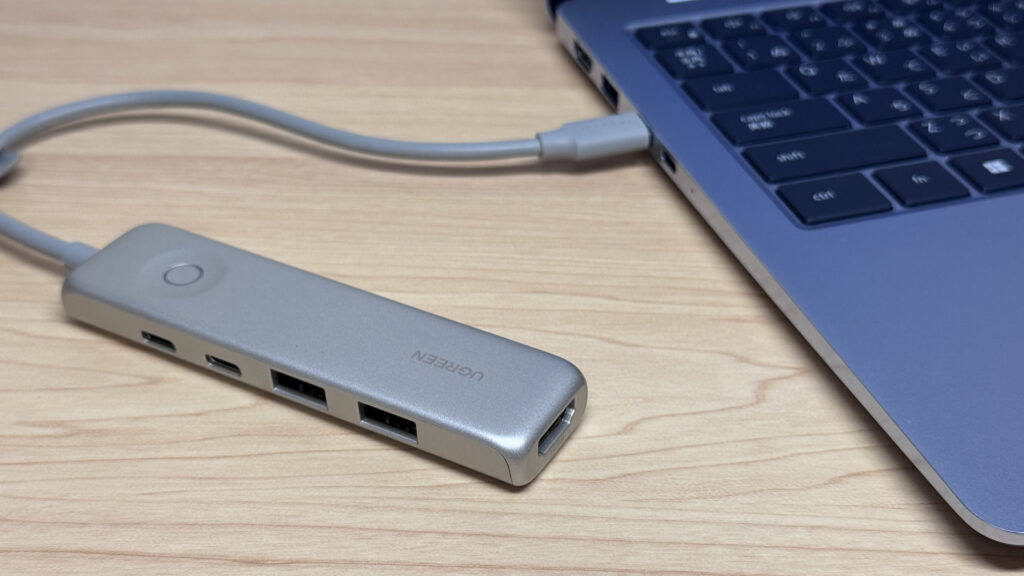 The USB-C hub worked just fine, no worries there.
Webcam
Let's check out the webcam. It's a 2-megapixel camera, and testing it out in the camera app, the image came across a bit dark. Whether it's the sensor quality or something else, the color reproduction isn't quite there.
 The image runs a bit dark — the sensor could use some work.
Speaker Quality
I checked out the speakers too, playing a movie to test them, and they packed a decent punch. It's not the type that slams you with heavy bass — more like a well-rounded sound with a bit of low-end added in. I'd rate the sound quality around 4 out of 5.
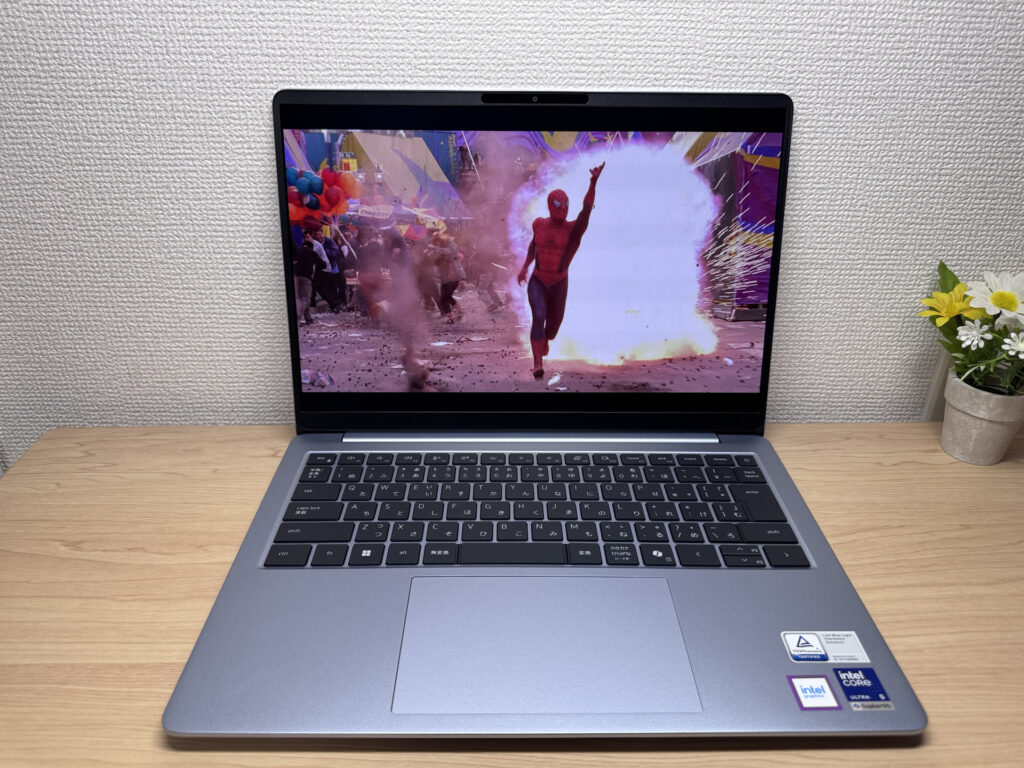 Solid, punchy sound — about a 4 out of 5.
The speakers sit on the bottom left and right of the chassis, which actually makes them easy to hear clearly. During video calls, the other person's voice comes through nice and clear from down there.
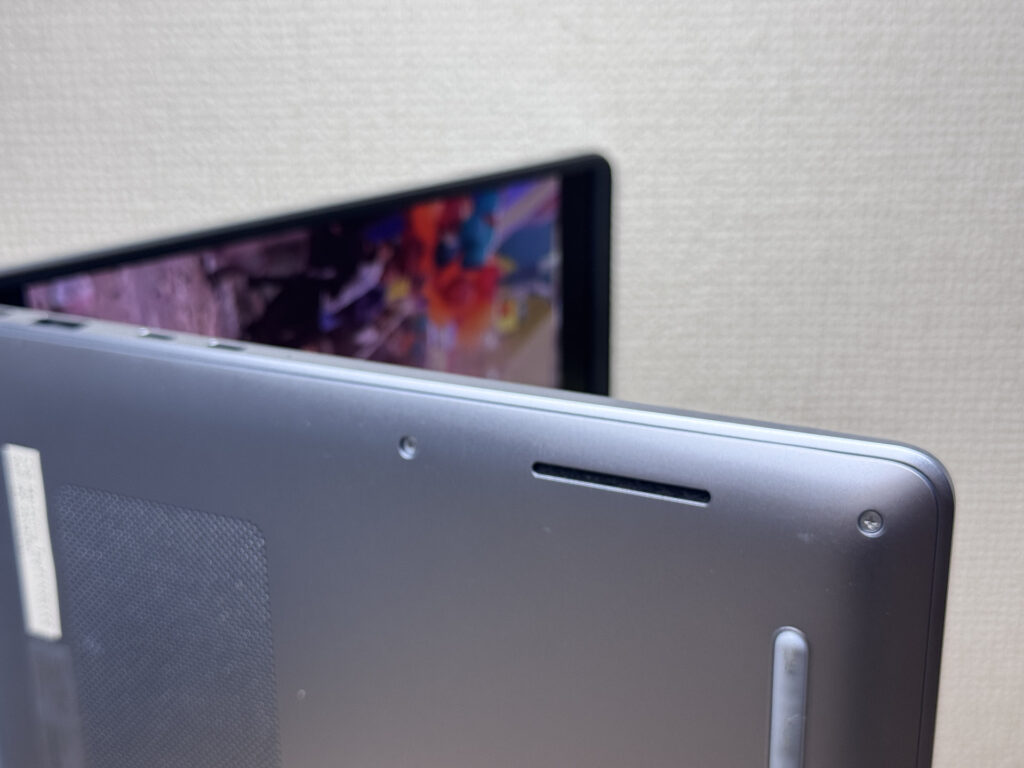 Bottom-mounted speakers on both sides make call audio easy to hear.
Security Features
Let's check security features. It's got facial recognition — just open the lid, look at the camera, and Windows Hello unlocks it almost instantly. That convenience is a real plus.
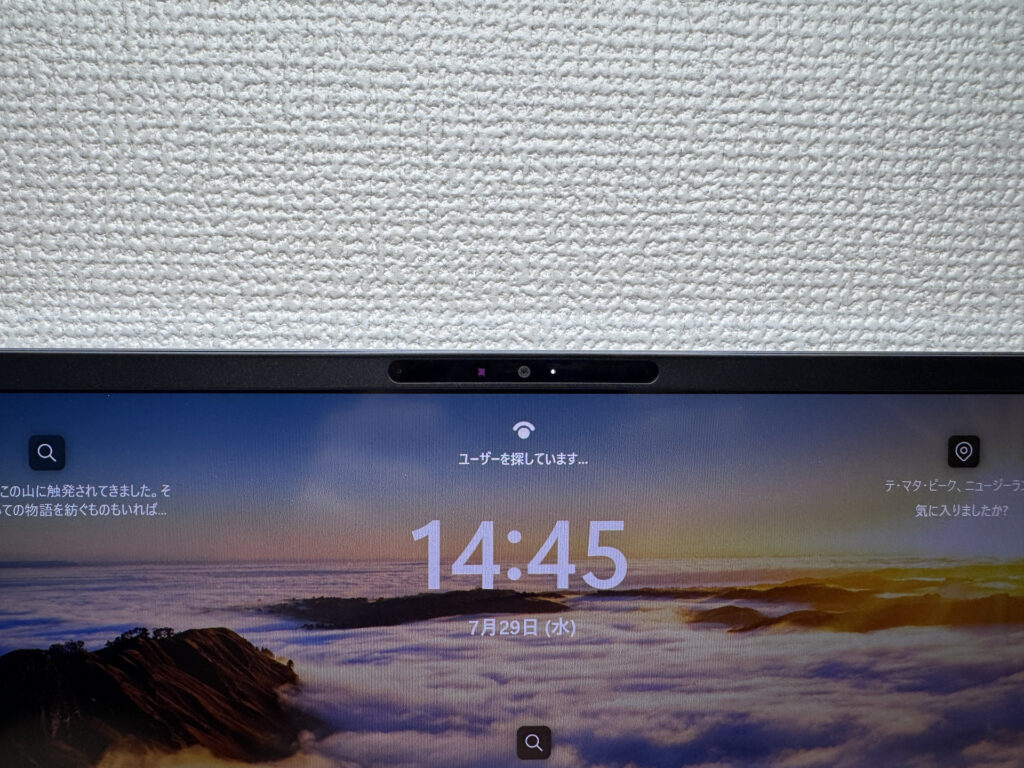 Just open the lid and it unlocks instantly — so convenient!
Price
Let's talk price. Given everything you get here, this lands right around what I'd call standard pricing. It's not cheap, given the solid build quality, but it's not outrageous either. If you're after a solid, easy-to-live-with laptop, the price hits a reasonable sweet spot. Personally, I think it's a fair deal.
Final Verdict
The Dell 14S (DS14260, 2026) is a machine that really shines thanks to its premium mirror finish, vibrant OLED display, and a hefty measured 69Wh battery. At 1,485g (about 3.3 lbs), it's not the best fit for lugging around daily, but it's a great match for setting up at home or the office with an external monitor and using it like a desktop. I'd say this one's perfect for remote workers who want to plant themselves at a home or office desk and get down to business.
That mirror finish on the sides is the standout feature here!
Where to Buy
* Prices may vary. Please check each store for the latest price and availability.
About the author