ZippyScore
ZippyScore is a proprietary rating based on 6 criteria: performance, portability, display, battery, value, and connectivity.
See rating criteria
- Performance: CPU / GPU performance
- Portability: Screen size & weight
- Display: Panel type, aspect ratio & refresh rate
- Battery: Rated battery life
- Value: Specs-to-price balance
- Connectivity: Port types & count
Pros & Cons
Pros
- Build quality that genuinely satisfies — every surface and detail feels properly considered
- Haptic trackpad rivals MacBook's — comfortable to use all day without reaching for a mouse
- Core Ultra X7 358H and 32GB RAM get through video editing and demanding workloads without complaint
- 68Wh battery means you're not hunting for a socket every few hours
- The speakers can carry a whole film on their own — no external audio needed
Cons
- The 336g stock charger is heavy — combined with the laptop, you're carrying over 1.7 kg in total
- A 65W USB-C charger may trigger a slow-charging warning (though it will still charge)
- USB-C and headphone jack only — a hub is essentially mandatory if you use multiple peripherals
Specs Summary
| OS | Windows 11 Home |
|---|---|
| CPU | Intel Core Ultra 5 325 (PassMark: 21,039) Intel Core Ultra X7 358H (PassMark: 33,707) Intel Core Ultra X9 388H (PassMark: 36,216) |
| RAM | 16GB / 32GB |
| Storage | 512GB / 1TB |
| Display | 14" IPS (Anti-glare, 120Hz) 1920x1200 (16:10) 14" OLED (Glossy, Touchscreen, 120Hz) 2880x1800 (16:10) |
| Weight | 1.38 kg (3.04 lbs) |
| Ports | USB-C × 3 (Thunderbolt 4/40Gbps/PD/Video out), Headphone jack × 1 |
| GPU | Intel Graphics (G3D Mark: 3,183) Intel Arc Graphics (G3D Mark: 5,486) |
| Biometrics | Face Recognition |
| Battery | Up to 31 h (Capacity: 70 Wh) |
| Camera | 8.0 MP |
| Dimensions | Approx. 309.52 × 209.71 × 15.20 mm (W × D × H) |
| Wi-Fi | Wi-Fi 7 |
| Bluetooth | Bluetooth 6.0 |
| Color | Graphite |
Configurations vary by retailer, region, and availability.
Hands-on Review
Right, let's get into the full review of the XPS 14 (2026). Here's what I tested:
| Spec | Configuration |
|---|---|
| CPU | Intel Core Ultra X7 358H |
| RAM | 32GB |
| Storage | 512GB SSD |
| Display | 14" IPS (1920×1200, 120Hz) |
| Graphics | Intel Arc Graphics |
| Colour | Graphite |
※ Specs may vary depending on region and retailer.
Design
Being Dell's flagship, the XPS 14 (2026) announces itself straight away. The palm rest is matte with a near-velvety texture — the finish on every surface you actually contact is just really good. Every little detail is considered, and you feel it. The kind of build quality that genuinely satisfies that ownership itch.
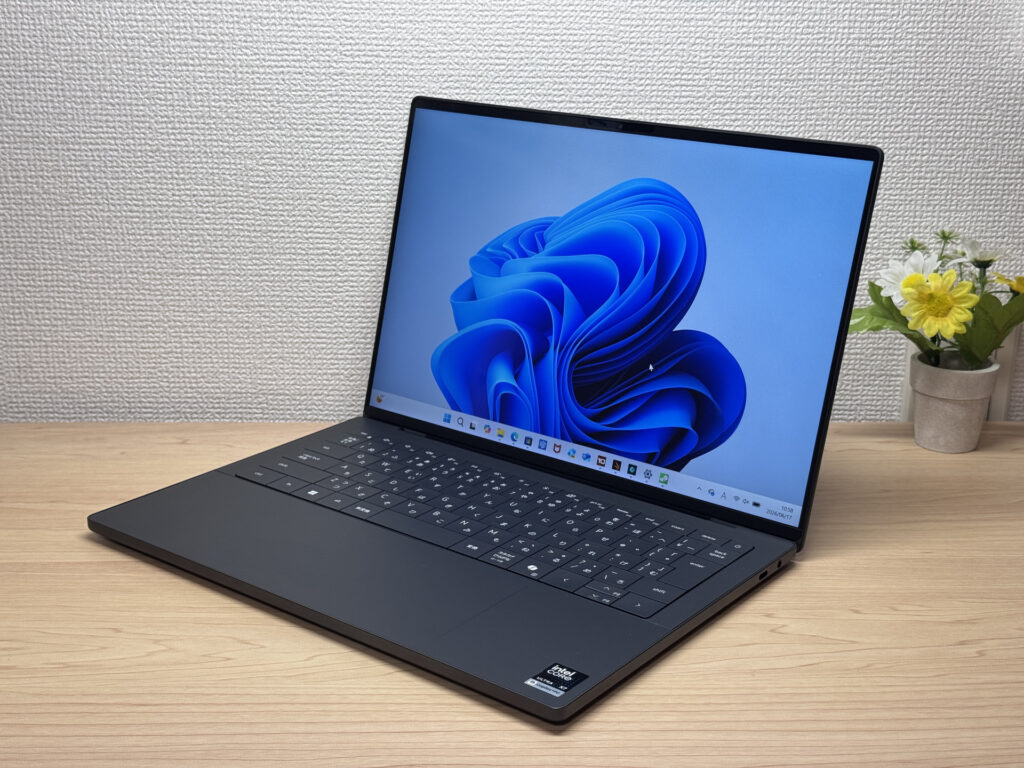 Flagship-quality materials — you can feel the difference.
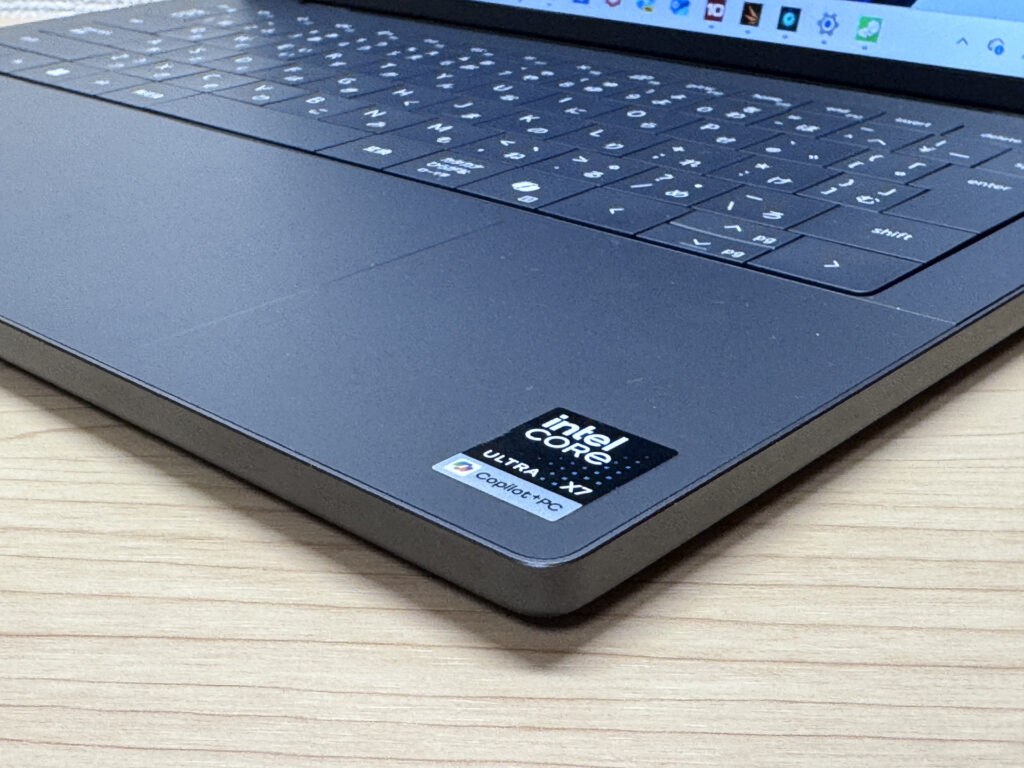 The palm rest texture is genuinely exceptional.
The XPS logo on the lid is understated — not shouty, but still looks smart. The bottom panel hides almost all its screws, which tells you Dell sweated the details even where you'll never look.
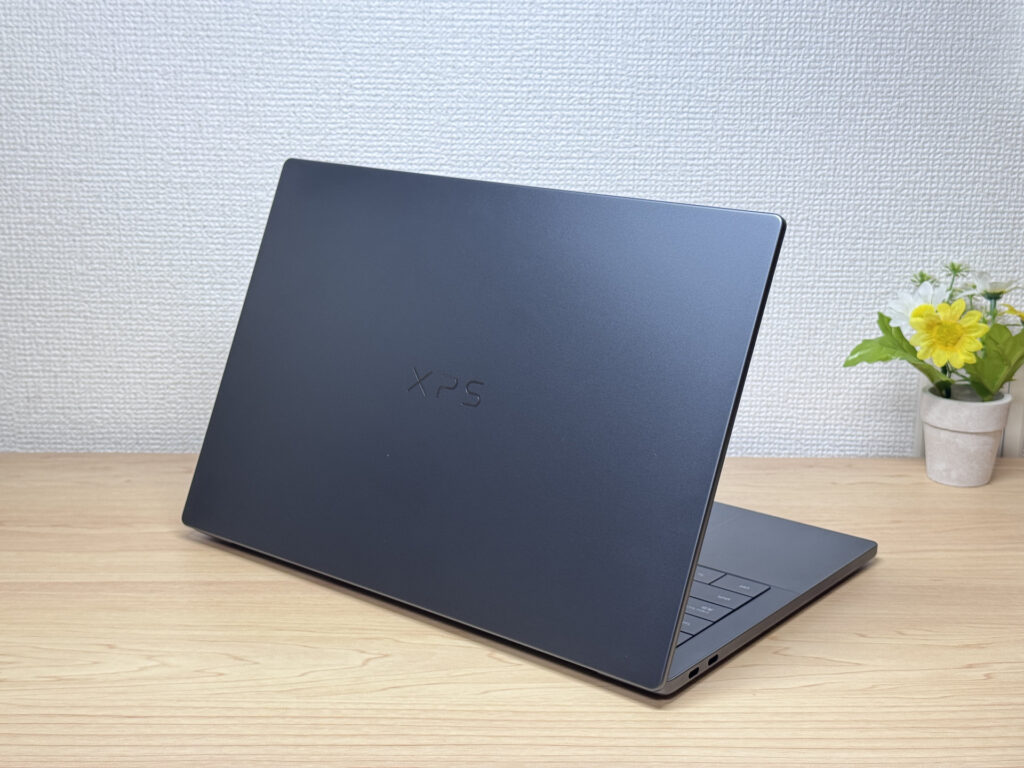 Refined lid that doesn't demand attention.
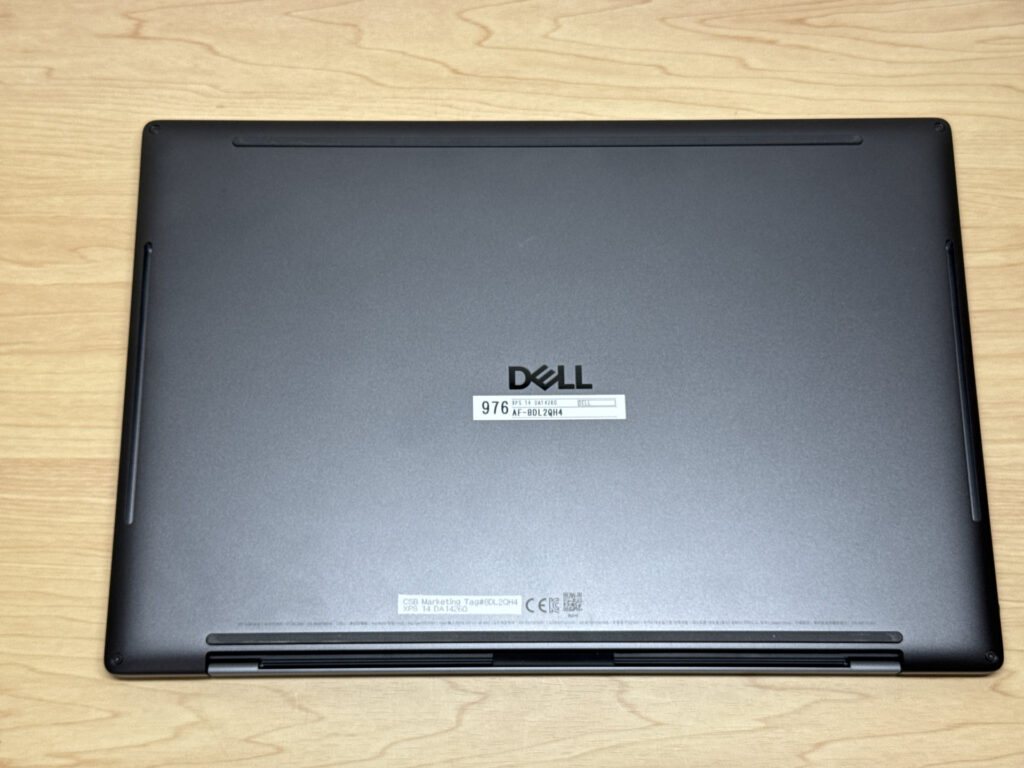 Clean underside — barely a screw in sight.
At 15.2mm thick, it's not in ultralight territory, but the slim profile helps it feel nimble in hand. There's an OLED variant that gets down to 14.6mm if that matters to you.
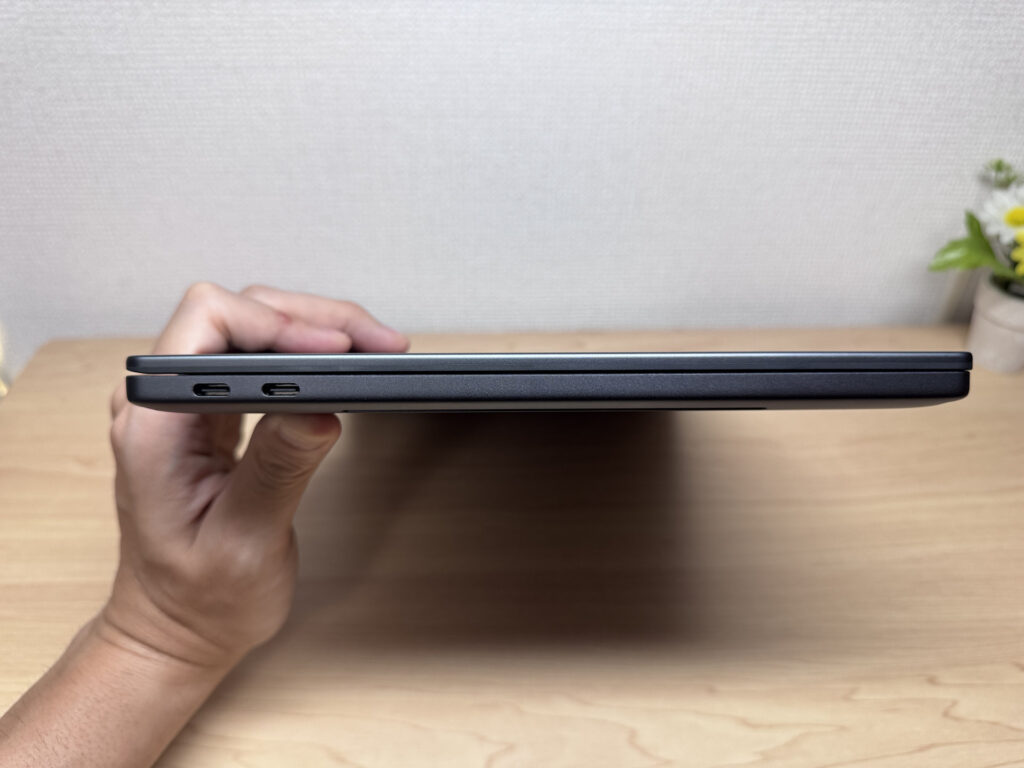 Slim 15.2mm chassis.
The lid opens one-handed — as you'd expect at this price — without the keyboard deck lifting off the desk.
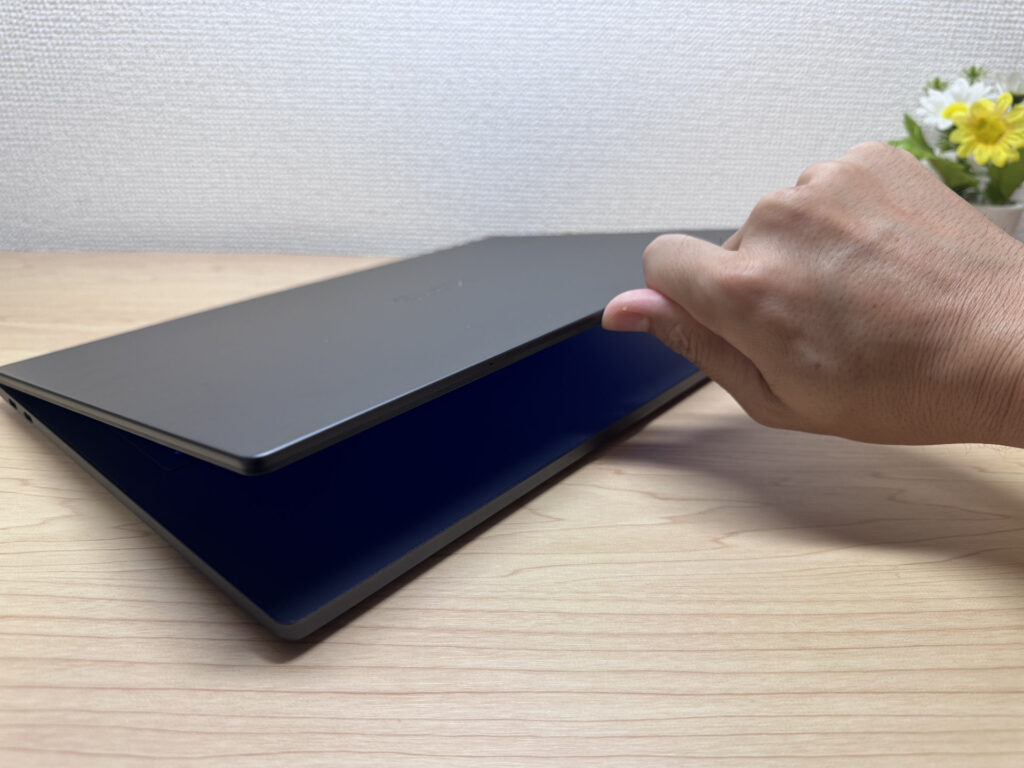 One-finger open — quality hinge.
The maximum opening angle feels MacBook-like. It won't lay flat, but that's not something most people need day-to-day.
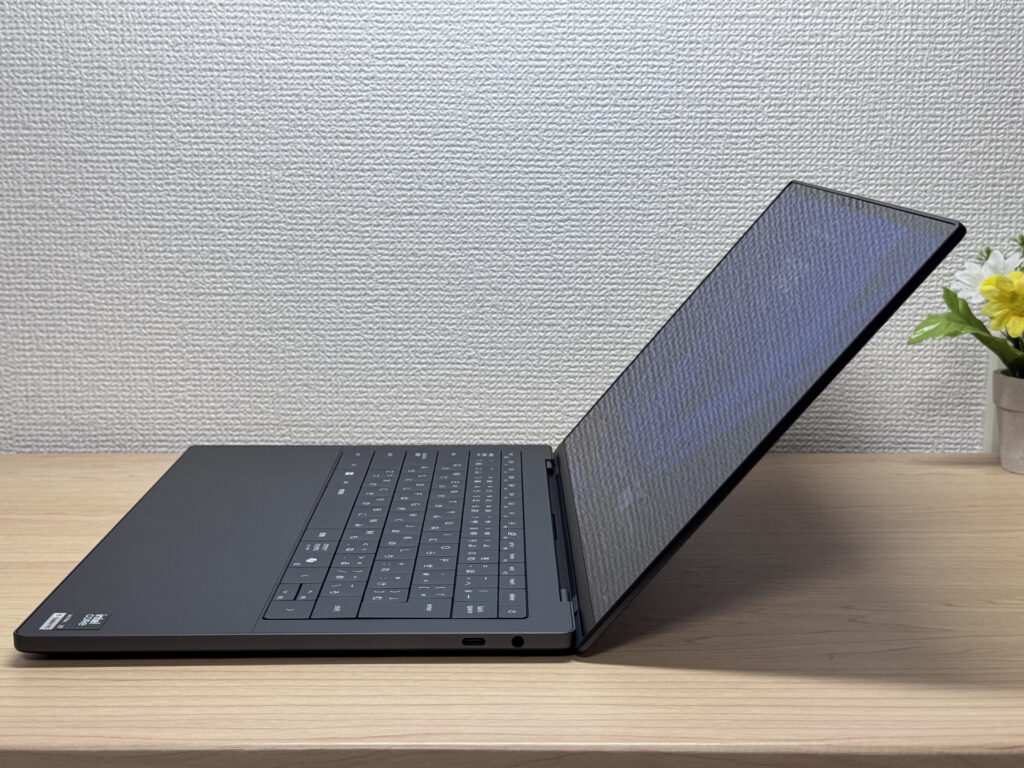 MacBook-style maximum opening angle.
Portability
Actual measured weight: 1,408g (about 3.1 lbs). For a 14-inch laptop, that's fairly average — but at this price point, I'd honestly have hoped for something closer to 1.2–1.3 kg. Held in one hand it does feel heavier than expected. In a rucksack, though, it's perfectly manageable.
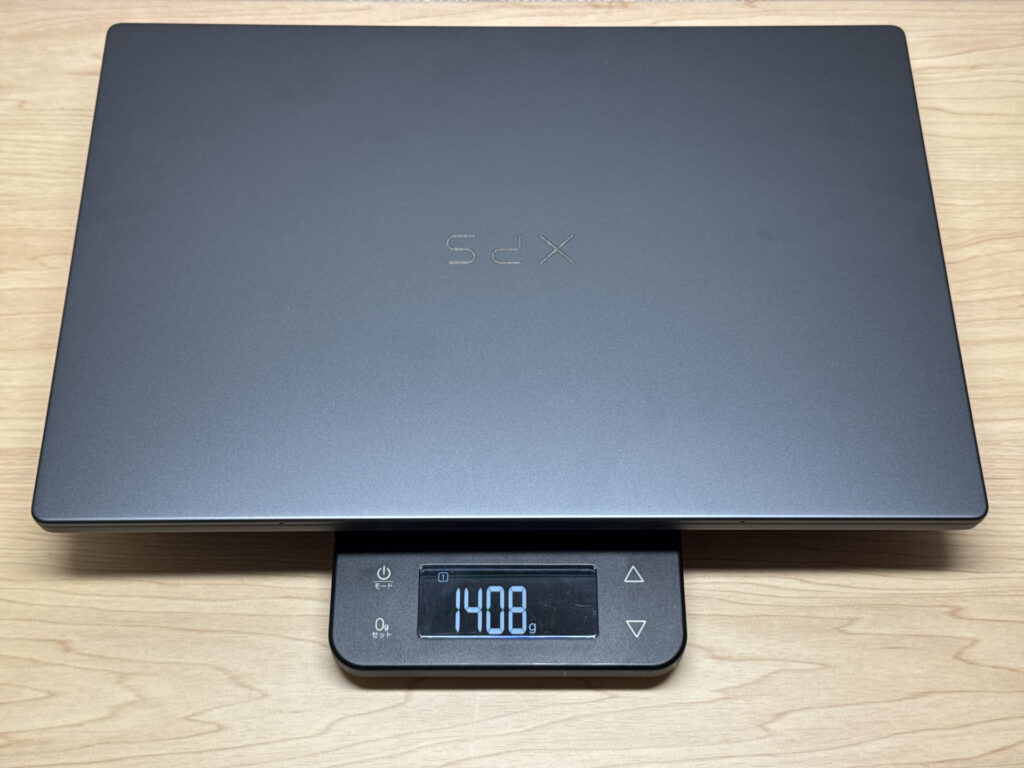 Measured at 1,408g.
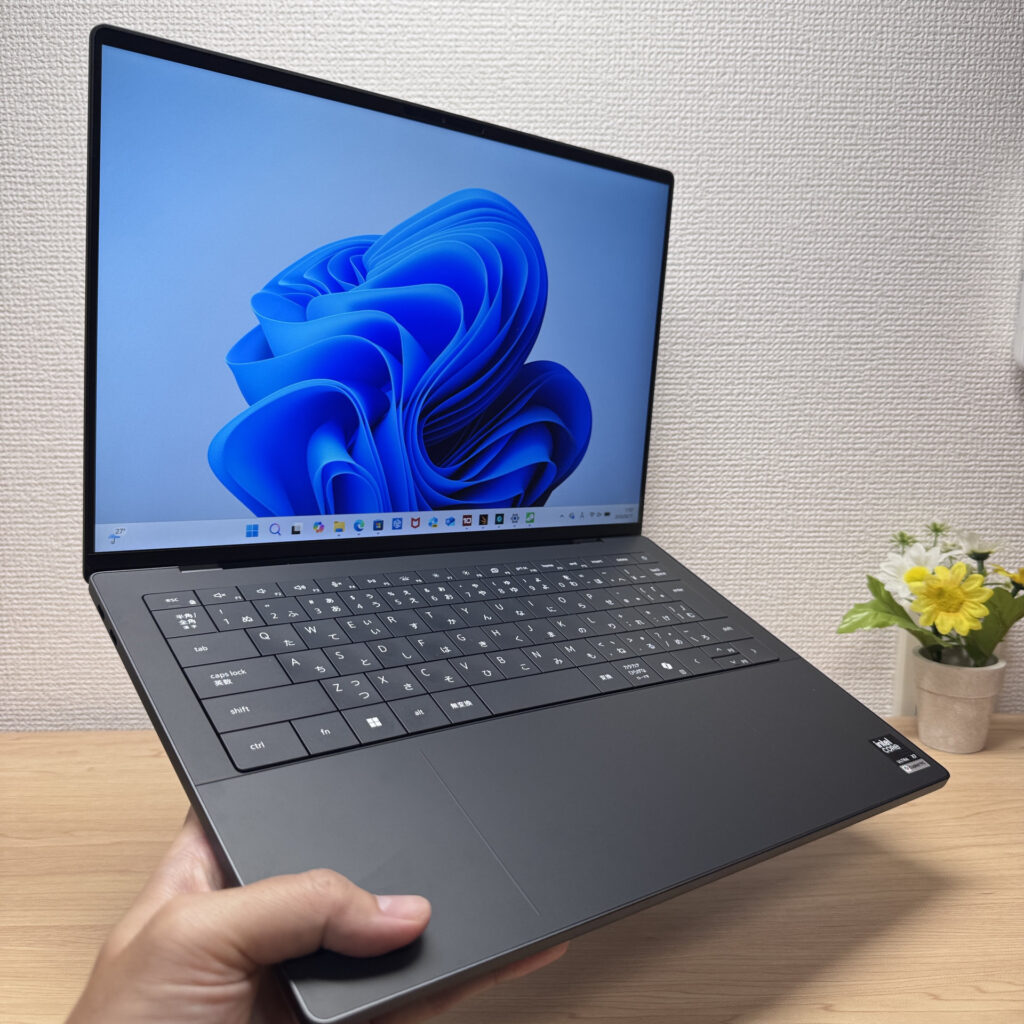 One-handed, the weight is noticeable.
The bigger issue is the charger. Cable included, it weighs 336g — that's a lot for a laptop brick. Combined with the machine itself, you're carrying around 1,744g total. My advice: leave the stock charger at home and pick up a compact USB-C GaN charger for days out.
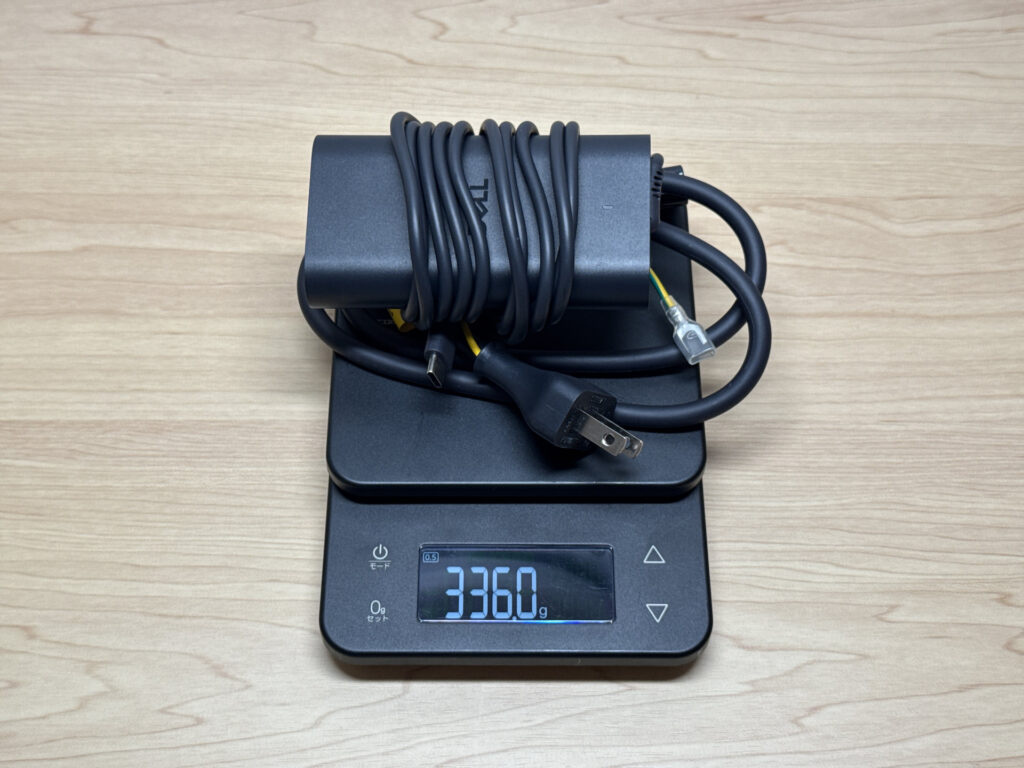 The 336g stock charger is not travel-friendly.
One thing worth noting: my Anker 65W USB-C charger triggered a "slow charging cable" warning. It still charged, but for full-performance use you'll want a 100W charger.
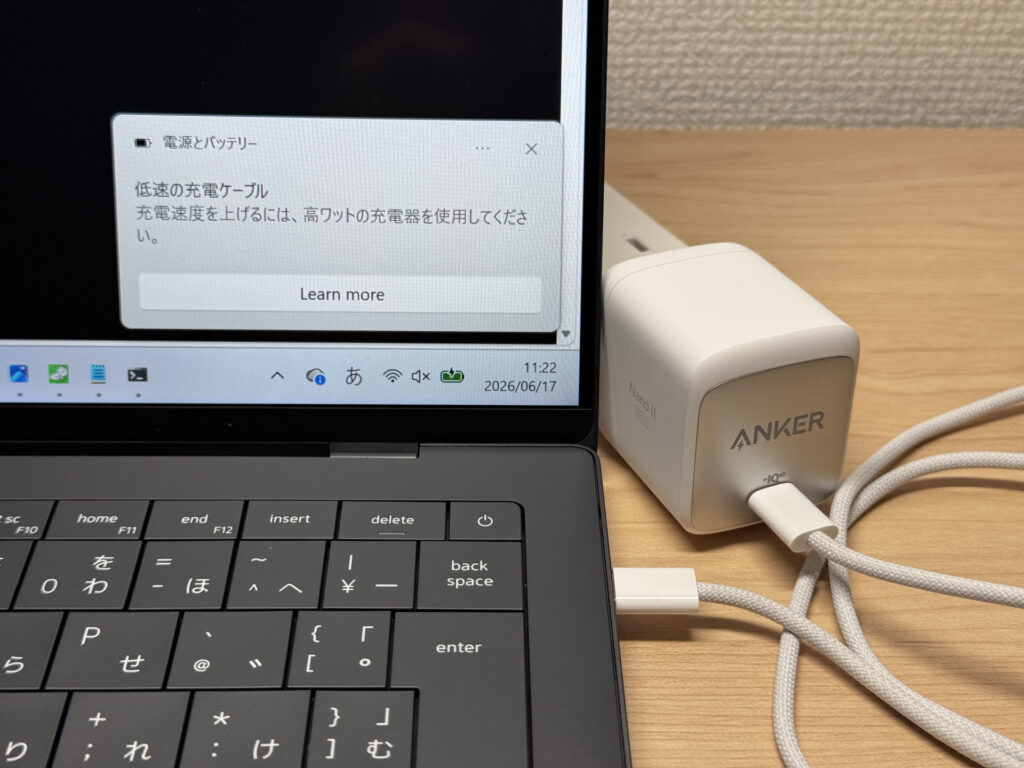 USB-C charging works — though 65W feels a bit marginal.
Display Quality
The display is genuinely impressive. Dell's InfinityEdge bezels keep things very tight, delivering 14-inch screen real estate in a chassis that feels closer in size to a 13-inch machine. My review unit had a 2K non-touch IPS at 120Hz — scrolling is smooth as you like, and it's hard to go back once you've had high refresh rate.
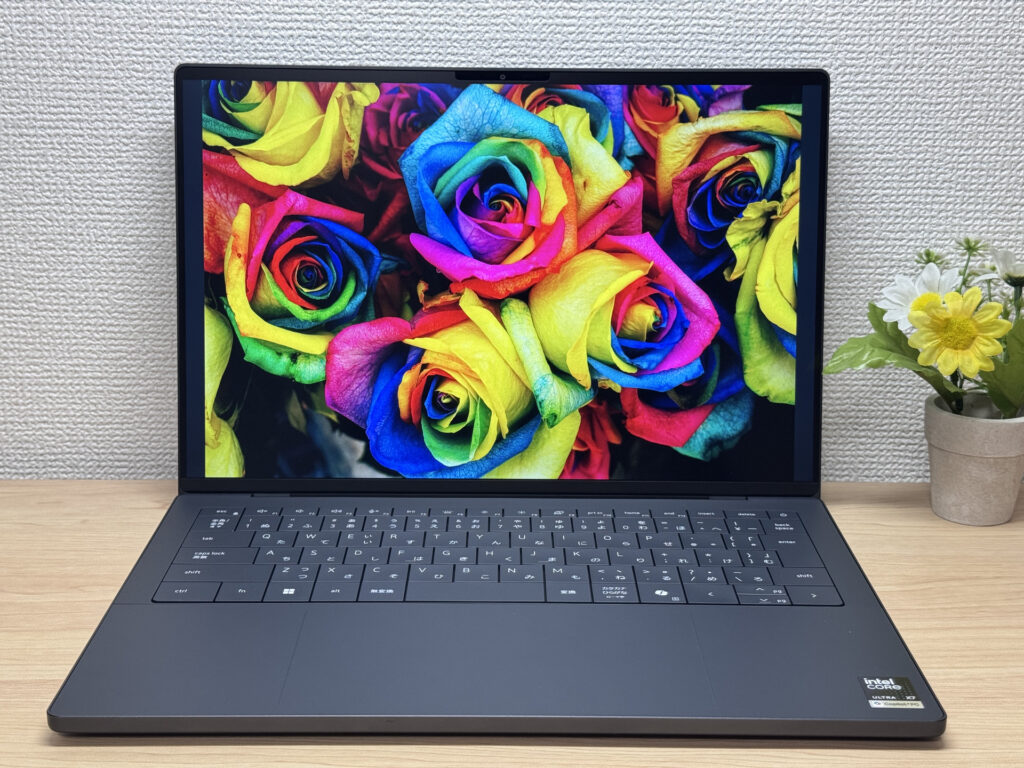 Near-bezel-free display with strong colour reproduction.
The IPS quality here is high-end — wide viewing angles, minimal colour shift from off-axis.
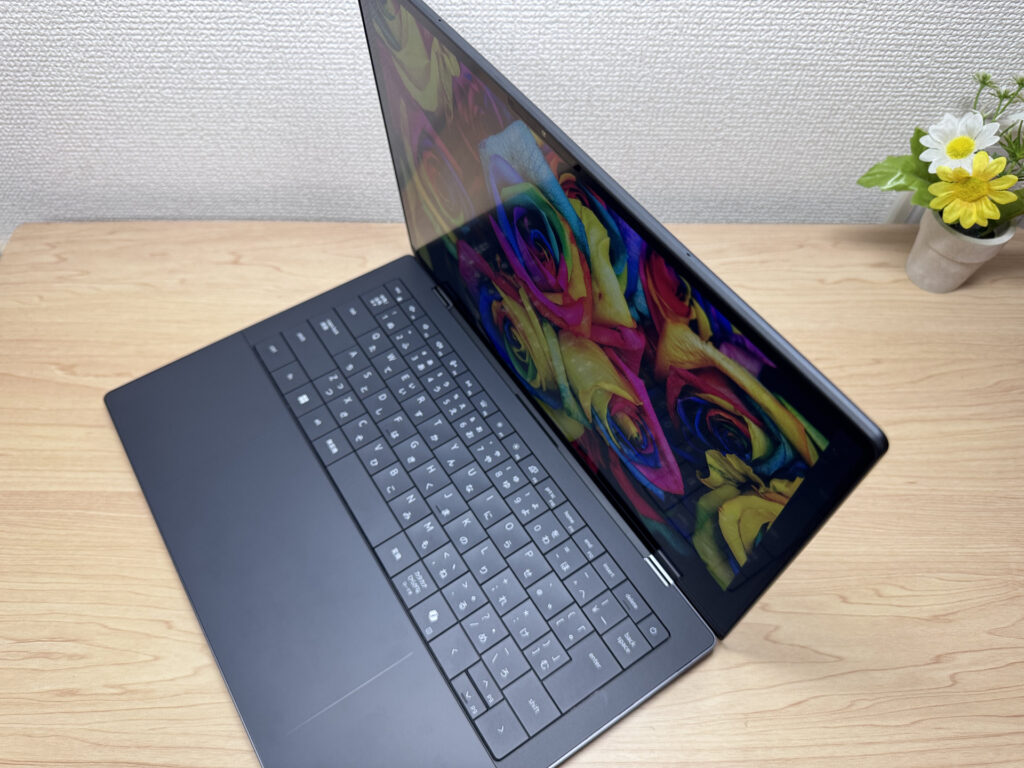 Wide viewing angles — barely any colour shift.
16:10 aspect ratio gives you more vertical space than the now-dated 16:9. Great for working on documents or split-screening.
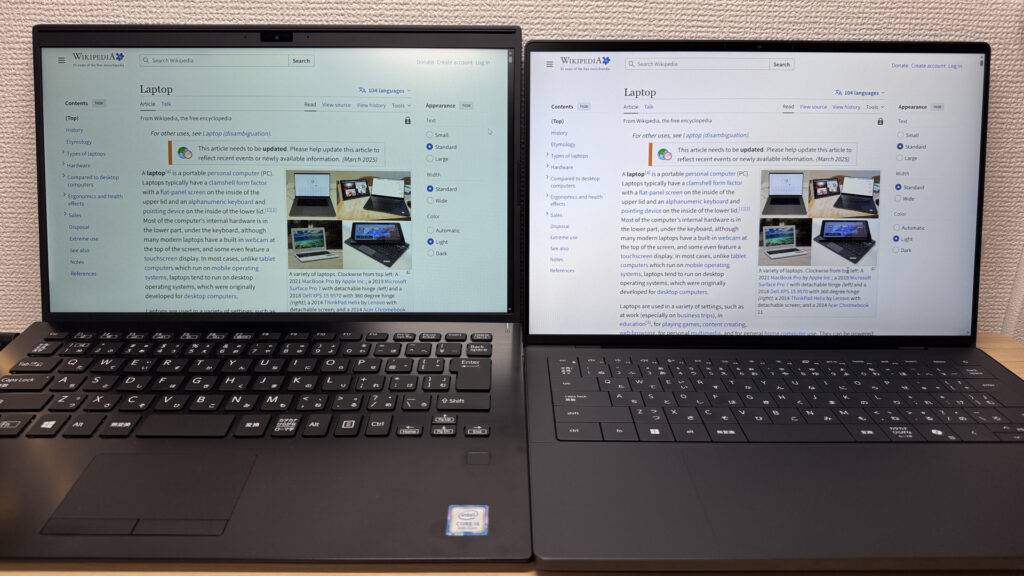 16:10 ratio — noticeably more usable vertical space.
Matte panel, so reflections are well managed. The OLED option is tempting on paper, but after genuinely spending time on this IPS, I didn't feel I was missing out. Matte is also kinder on the eyes over longer sessions.
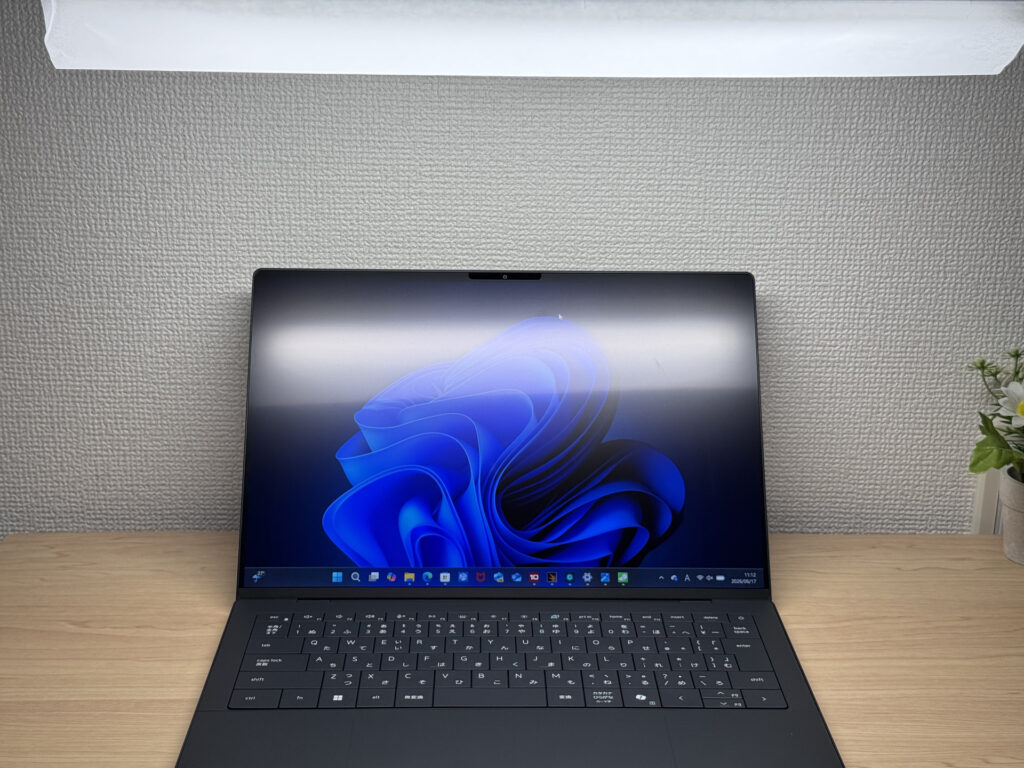 Matte panel — reflections well under control.
Keyboard Feel
The keyboard is a real highlight for me. The keycaps have a soft-touch coating that feels just right. Dell builds each keyboard layout per region — so there's no odd key squishing or awkward remapping. The result is a clean, properly proportioned layout without the compromises you often see from global brands.
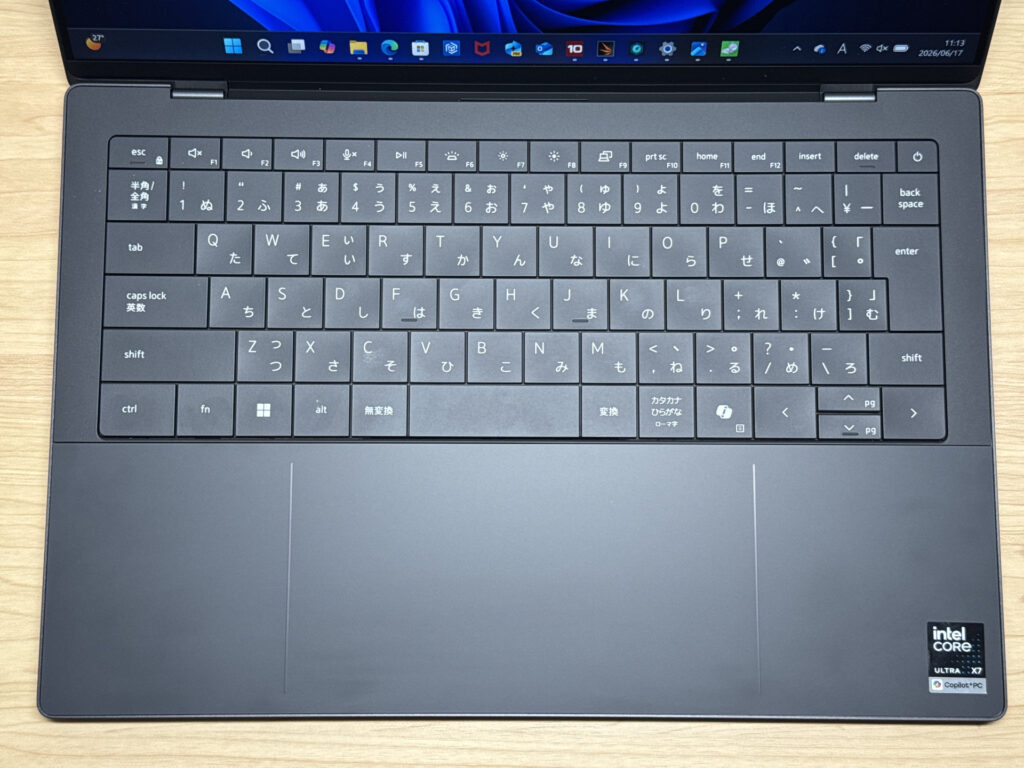 Clean, well-proportioned layout.
Typing feel is very good — the chassis rigidity keeps things solid and confident. Long sessions are comfortable.
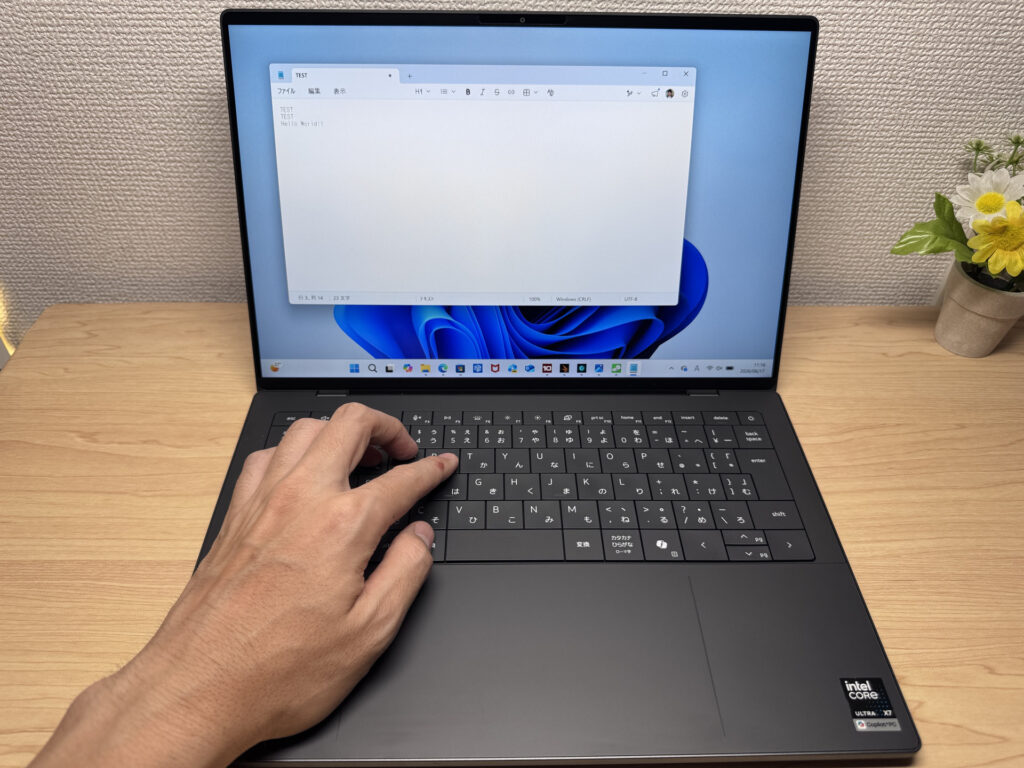 Satisfying key feel, even during extended sessions.
Backlit too, so dim environments are covered.
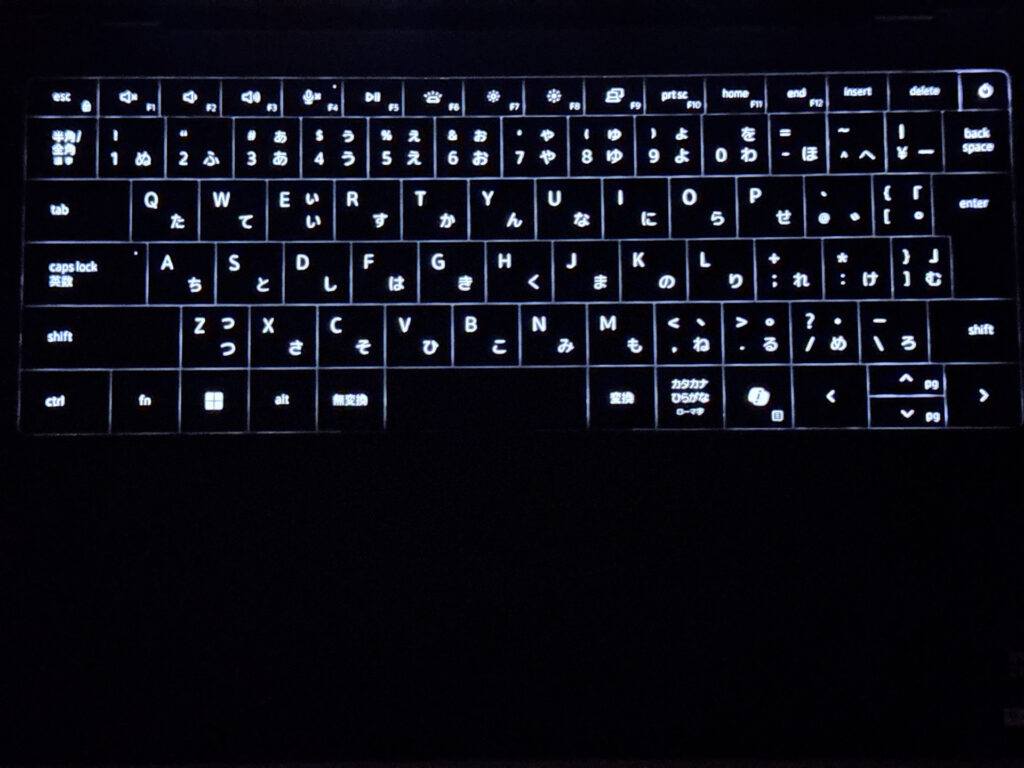 Backlit keyboard — dark environments are no bother.
Trackpad
This is where the XPS 14 (2026) really stands out. The haptic trackpad doesn't physically click down — it registers wherever you press, so you're not fighting the top edge like you would on a traditional pad.
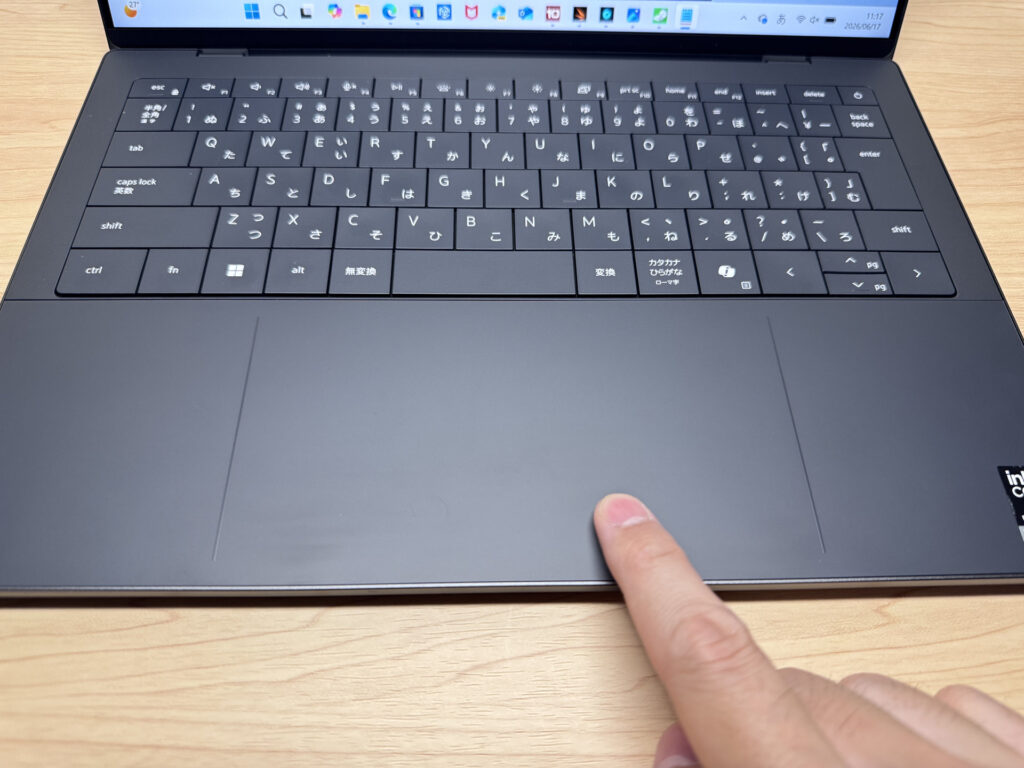 Glass haptic trackpad — impressively smooth.
It's glass, it's large, and it glides. You can comfortably skip the mouse entirely — this is genuinely MacBook-level trackpad quality. Gesture support is excellent. I was genuinely impressed.
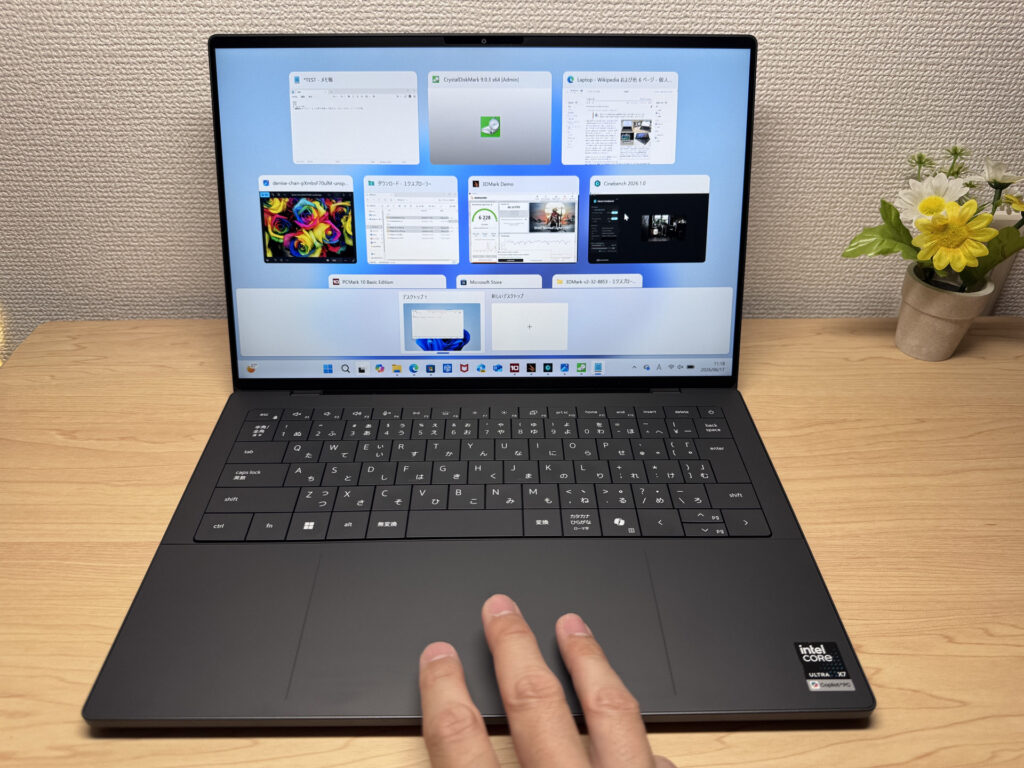 Large surface — gesture support is excellent.
You can see in this photo how hard I'm pressing — the pad doesn't move, but the click registers perfectly. That's haptic feedback doing its job.
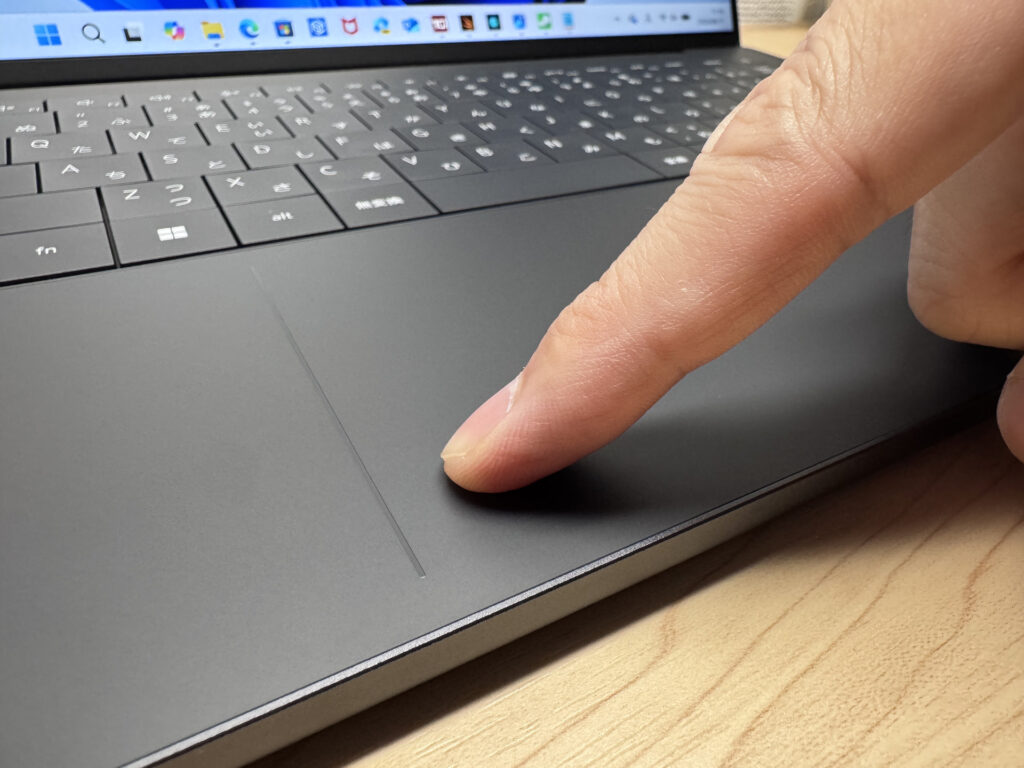 Press hard and it doesn't sink — haptic doing its thing.
Performance
Performance is properly serious. The Intel Core Ultra X7 358H is a powerhouse — PCMark 10 returned 10,329, which is elite-level for everyday productivity. Video editing is comfortably within reach.
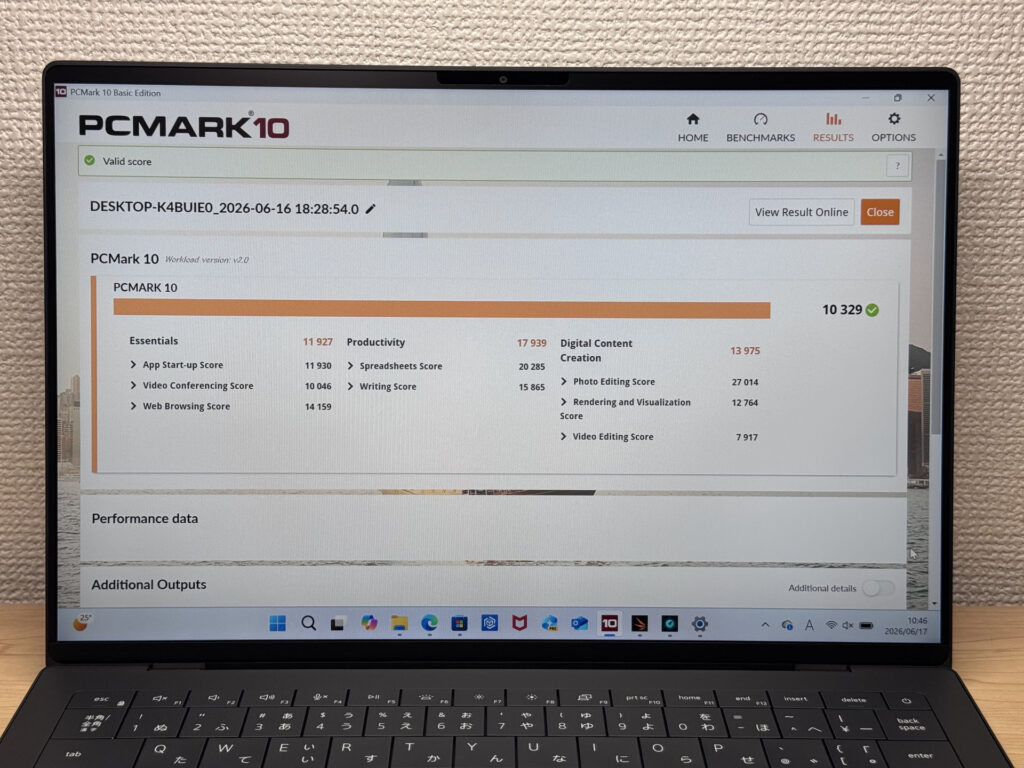 PCMark 10: 10,329 — firmly at the top end.
| Total Score | Rating | What it feels like in real use |
|---|---|---|
| ~4,000 | Bare minimum | Web browsing and simple tasks work, but multitasking or many tabs feels sluggish. |
| 4,000–5,000 | Light use | Daily tasks are doable, but running multiple apps means waiting around. |
| 5,000–6,500 | Comfortable (mainstream) | Handles most work without stress — fine for office, school, video calls. |
| 6,500–8,000 | High performance | Plenty of headroom. Light photo editing and programming feel snappy. |
| 8,000+ | Very high performance This PC | Tackles video editing and heavy workloads. Long-lasting performance. |
*PCMark 10 reflects overall comfort. Actual feel depends on CPU, RAM, and SSD speed.
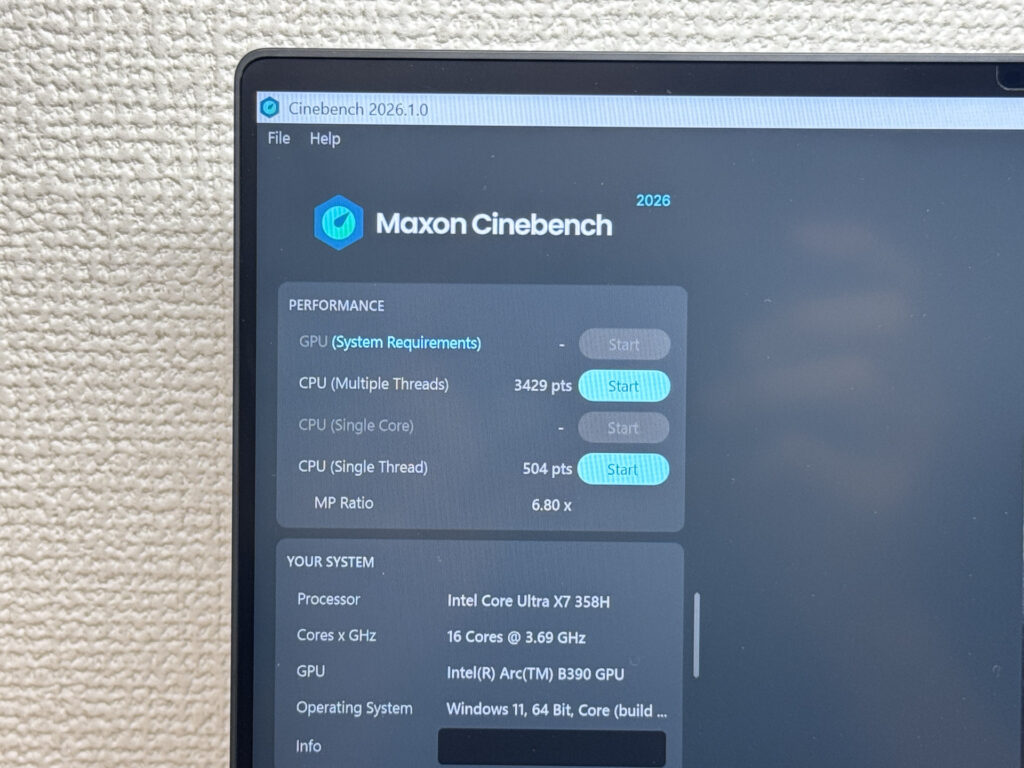 Cinebench 2026 multicore is remarkable.
Cinebench 2026 multicore hit 3,429 — that's a genuinely exceptional number. Dell has clearly prioritised CPU performance on this flagship.
| Score | Rating | What it feels like in real use |
|---|---|---|
| Up to 1,000 | Bare minimum | Light tasks work, but heavier processing or multitasking feels constrained. |
| 1,000–2,000 | Standard (power-efficient) | Handles daily tasks, but heavier loads create waiting. |
| 2,000–3,000 | Comfortable (mainstream) | Office, school, video calls all work comfortably. Plenty for most users. |
| 3,000–4,000 | High performance This PC | Comfortable for multitasking, light/medium editing, and dev work. |
| 4,000+ | Very high performance | Handles video editing and heavy workloads with room to spare. |
*Cinebench 2026 is the latest CPU multi-core benchmark. Scores trend lower than R23, so direct comparison isn't valid.
3DMark Steel Nomad Lite came in at 6,228. That score from integrated graphics is genuinely impressive — heavier games and 4K video editing are within its reach. With 32GB of RAM alongside, this is a capable all-in-one machine.
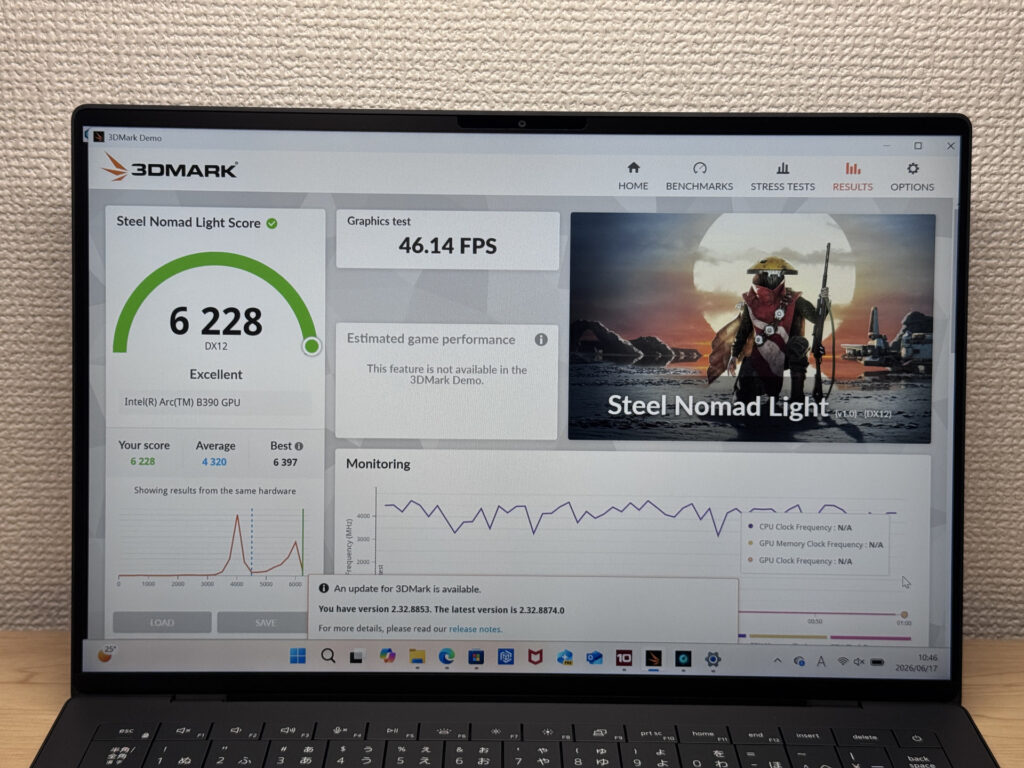 Integrated GPU: 6,228 on Steel Nomad Lite — genuinely surprising.
| Score | Rating | What it feels like in real use |
|---|---|---|
| Up to 400 | Bare minimum | 3D performance is quite limited. Not really suited for gaming. |
| 400–900 | Light 3D | Lighter games and low-load 3D processing work. |
| 900–1,500 | Average (mainstream) | Standard for integrated GPUs. Light to medium games playable with right settings. |
| 1,500–2,200 | High performance | Strong for an integrated GPU. Games and 3D work feel comfortable. |
| 2,200+ | Very high performance This PC | Top-tier 3D performance for thin laptops. Real graphics headroom. |
*3DMark Steel Nomad Light targets thin laptops and integrated GPUs. Score range differs from Time Spy, so direct comparison isn't valid.
SSD read speed: 6,844 MB/s. Shifting large files is a non-issue.
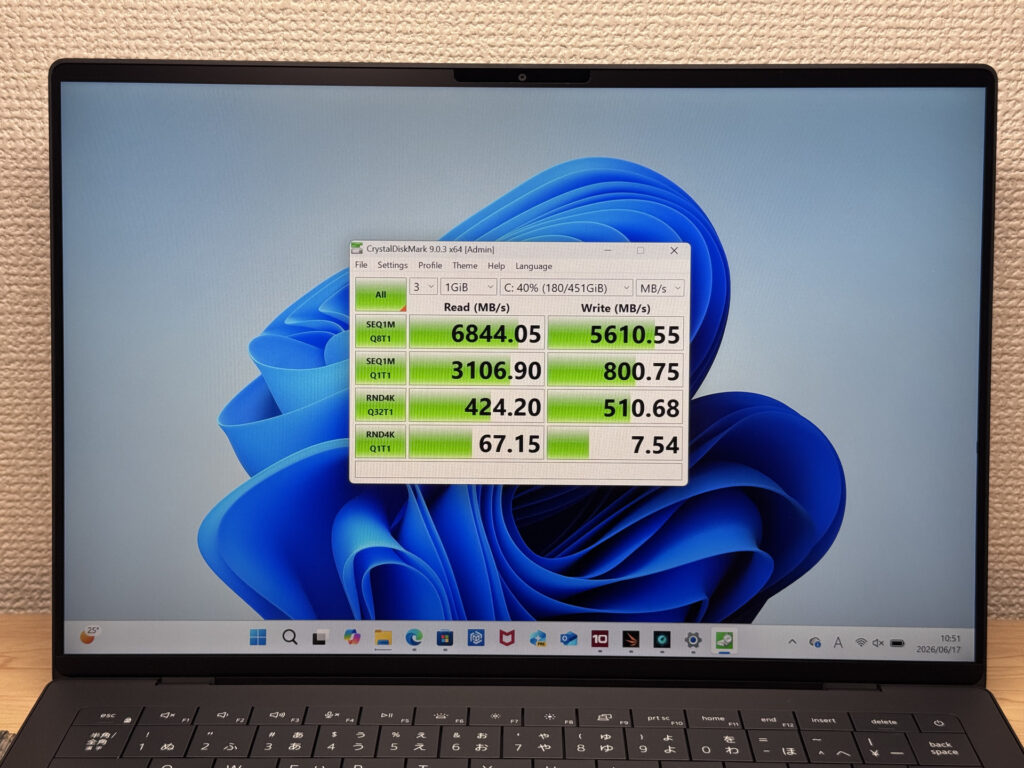 SSD read: 6,844 MB/s — fast by any measure.
| Score | Rating | What it feels like in real use |
|---|---|---|
| Up to 600 MB/s | Bare minimum | Faster than HDD, but slow for modern SSDs. App launches feel slightly slow. |
| 600–1,500 MB/s | Average | Fine for daily use, though loading is noticeably slower than top-tier SSDs. |
| 1,500–3,500 MB/s | Comfortable (mainstream) | App launches and file loading feel smooth. No real complaints in daily use. |
| 3,500–5,500 MB/s | Fast | Loads large data and apps quickly. Definitely upper-tier SSD speed. |
| 5,500+ MB/s | Very fast This PC | High-end NVMe territory. Heavy data work without waiting. |
*CrystalDiskMark measures SSD speed. It mainly affects app launch and file loading speed, not overall PC performance.
Battery Life
Battery verdict: well above average.
The 68Wh battery backs Dell's claimed 31-hour runtime. Real-world use will land somewhere south of that, but the headroom is genuine — you're not going to be stuck looking for a socket every few hours. The flip side is that the large battery is part of why the machine weighs what it does. Trade-offs, as ever.
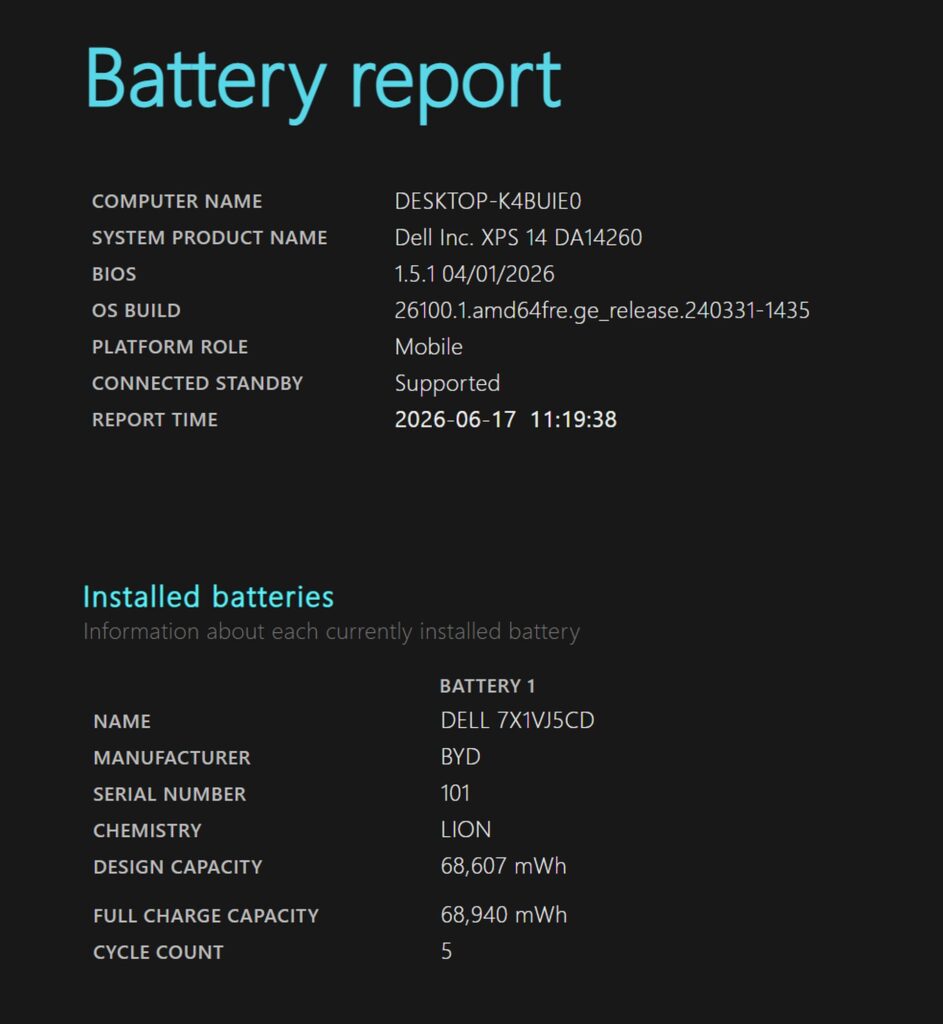 68Wh — a generously sized cell.
Fan Noise & Thermals
At idle: completely silent. Light workloads, too — it's practically fanless. No distracting noise whatsoever.
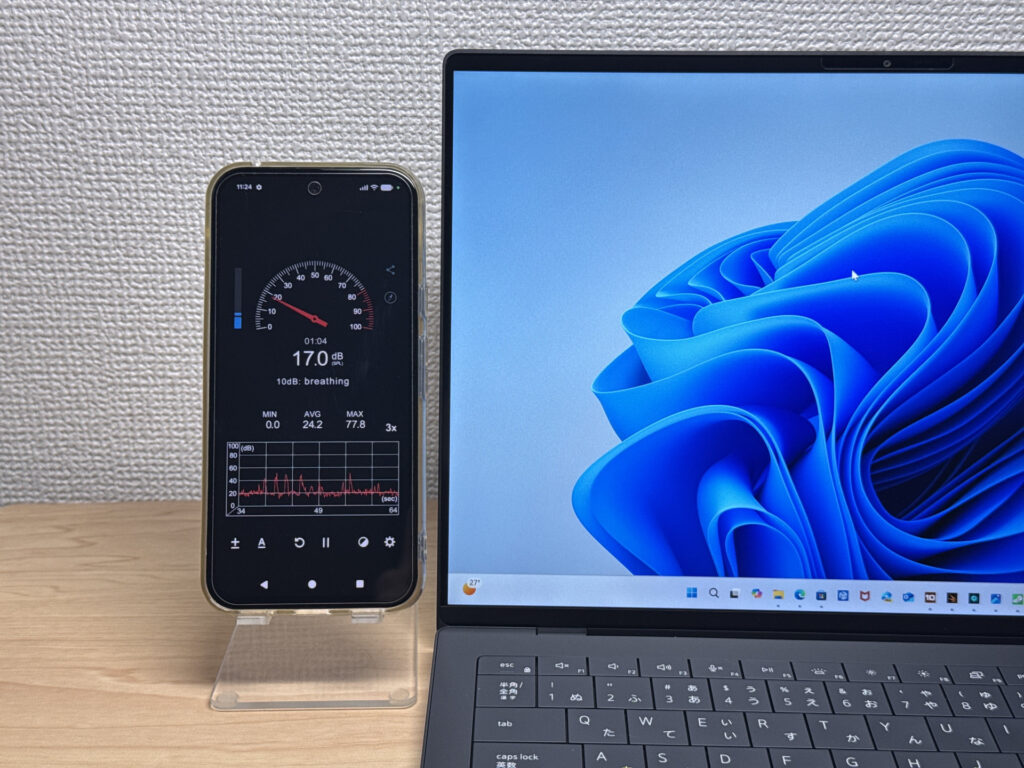 Near-silent during light use.
Under heavy load it reaches 43.6 dB. That number's moderate, but the fan tone under load has a quality that's more noticeable than the raw figure suggests — not aggressive, but present.
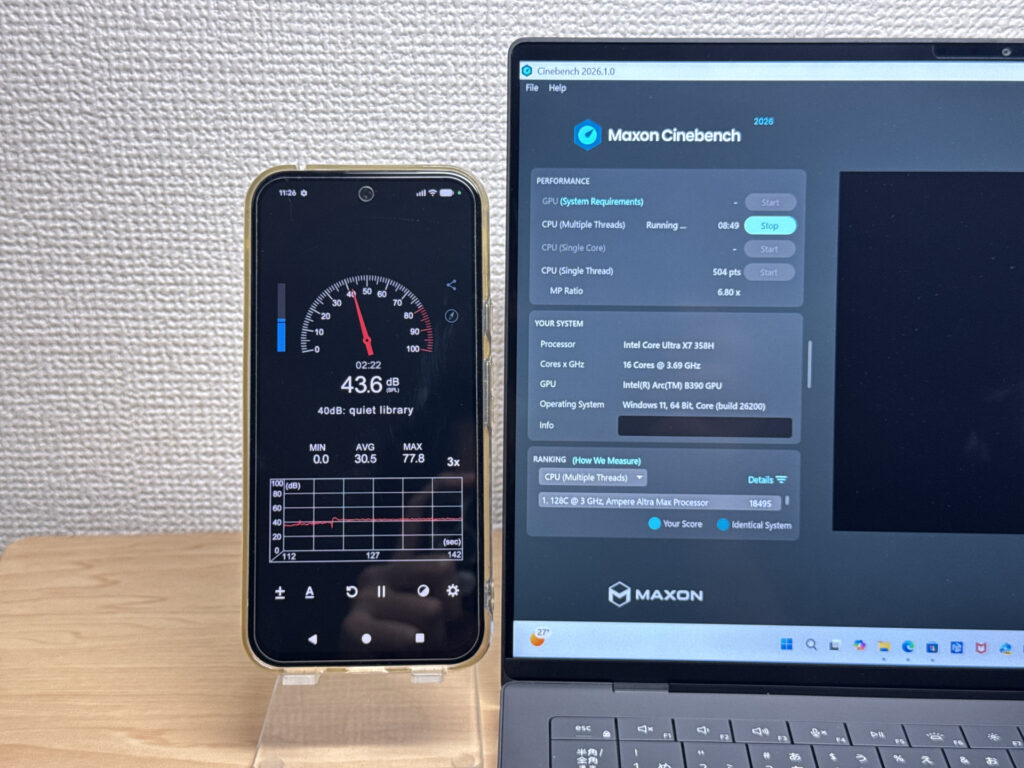 Under load, the fan tone stands out a bit.
| Noise Level | Rating | Feel |
|---|---|---|
| Under 30 dB | Near-silent Idle | Fan noise is barely perceptible — library-quiet and ideal for focused work. |
| 30–35 dB | Quiet | Faintly audible but non-distracting. Easy to work in a quiet room. |
| 35–40 dB | Noticeable | You can tell the fan is spinning, but it rarely interrupts work. |
| 40–45 dB | Somewhat loud Load | Can become distracting in quiet environments. Headphones start to help. |
| 45–50 dB | Loud | Noticeable stress over extended use. Cooling is clearly prioritized. |
| 50 dB+ | Very loud | Prominent fan noise under load — gaming/high-performance thermal design. |
The exhaust vents are on the rear, so hot air doesn't blow over your hands. Good placement.
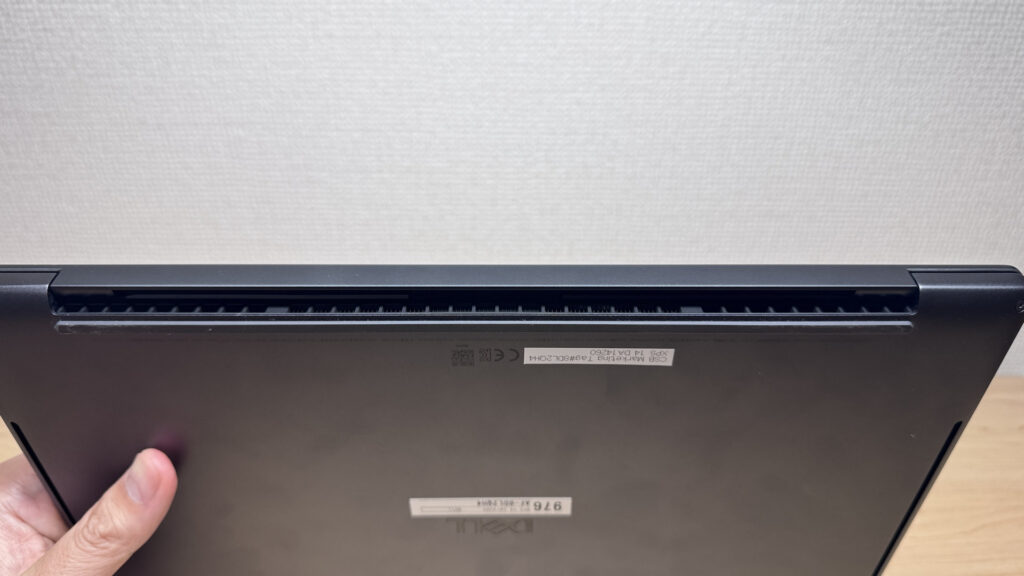 Rear exhaust — hot air goes away from you, not at you.
Ports
USB-C only, plus a headphone jack. That's your lot. USB-C and a headphone jack is everything you get — a hub becomes essentially mandatory with any peripherals. Honestly, when MacBook Pro has brought back HDMI, it'd be nice to see at least one on a flagship Windows laptop at this price.
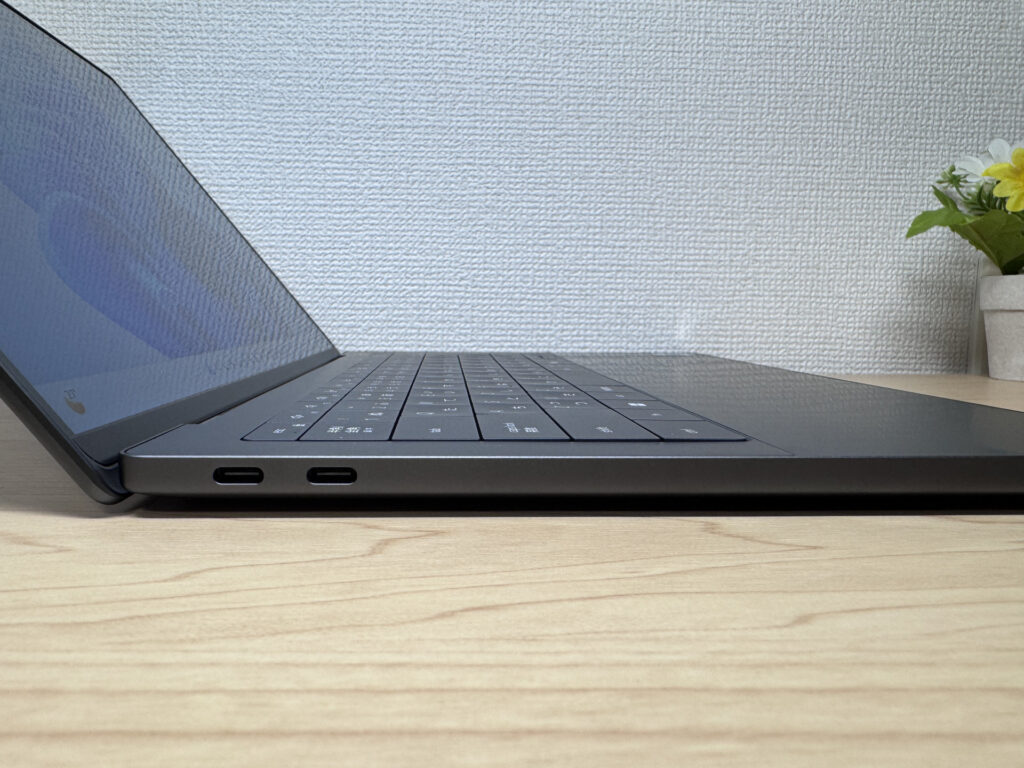 Both sides: USB-C only.
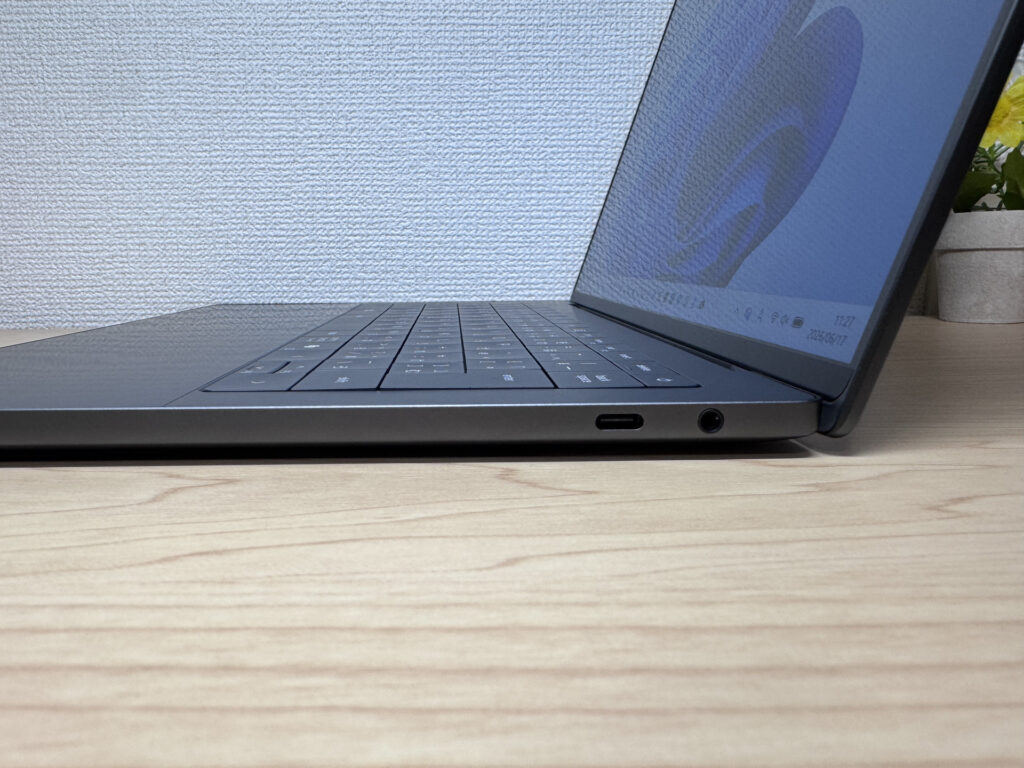 An HDMI would have been welcome.
That said, all USB-C ports are Thunderbolt 4, so any of them can charge or output video. I ran one external monitor from the right-hand port:
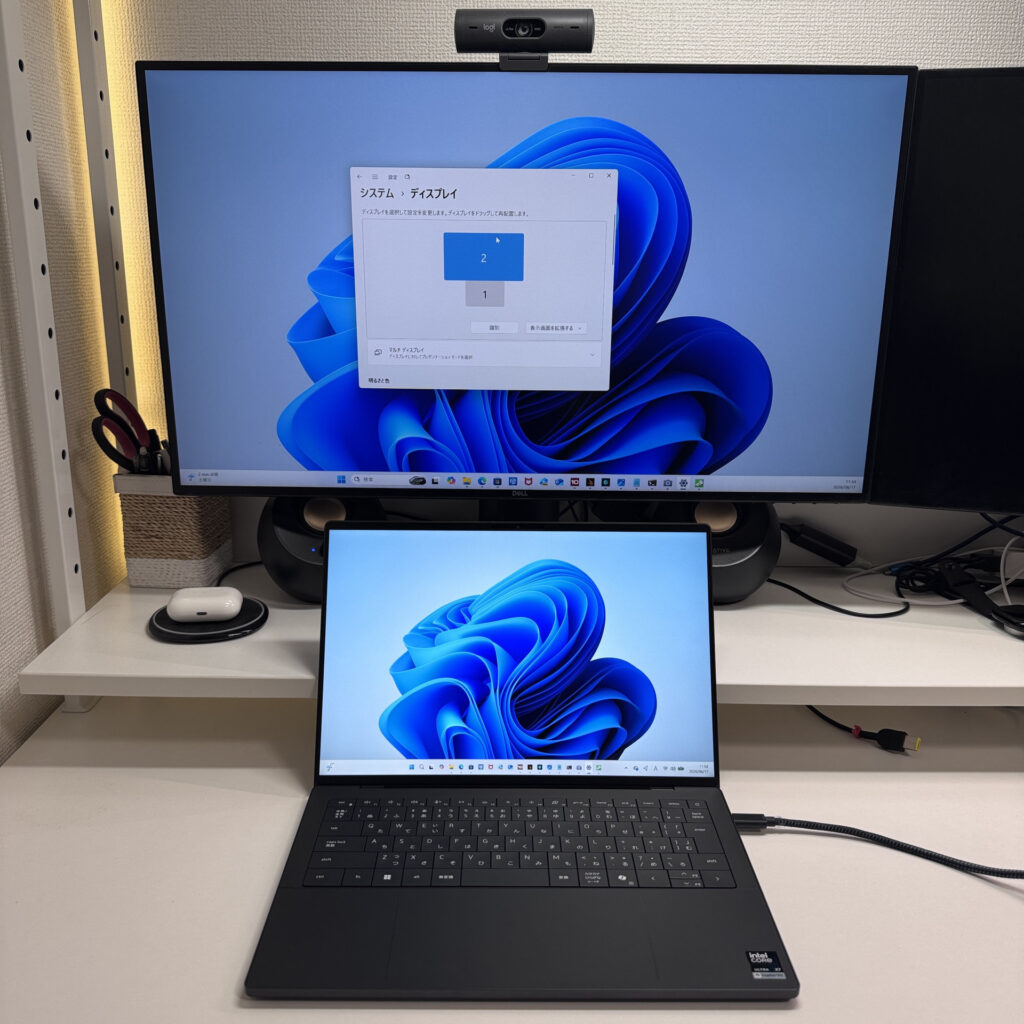 Single external monitor via adapter — no issues.
And using the two left-hand ports, I drove two 27-inch 4K monitors at once. Fewer ports, but each one is Thunderbolt 4 — they pull well above their weight on video output. Port count is low, but port quality compensates.
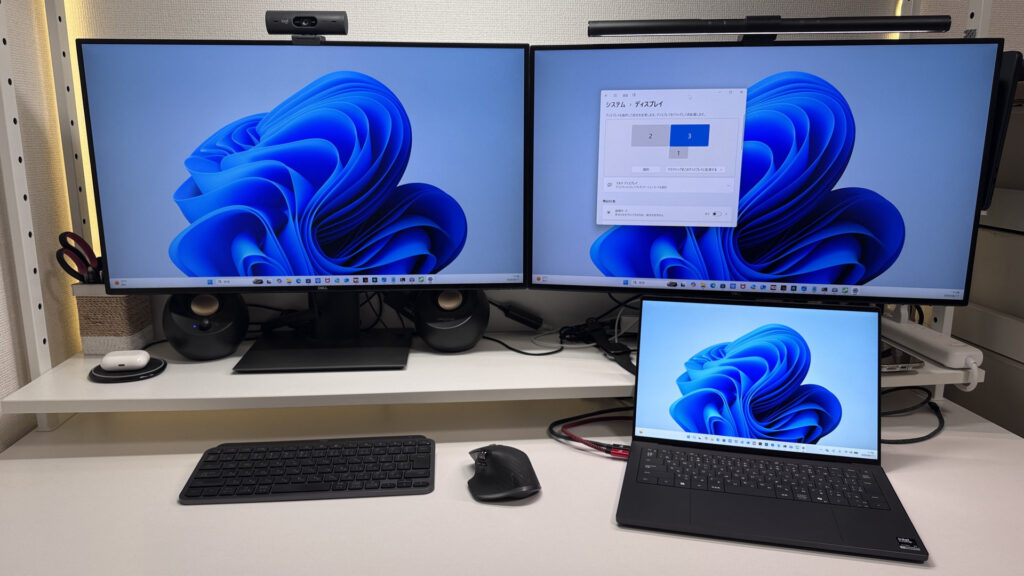 Dual 4K output from two USB-C ports — works a treat.
Speakers
The speakers genuinely surprised me. Watching a film on Amazon Prime Video, the bass response was real and volume got properly loud. You don't need external speakers — this laptop handles a film night on its own. I'd give it a 9/10 for a built-in laptop speaker system, no exaggeration.
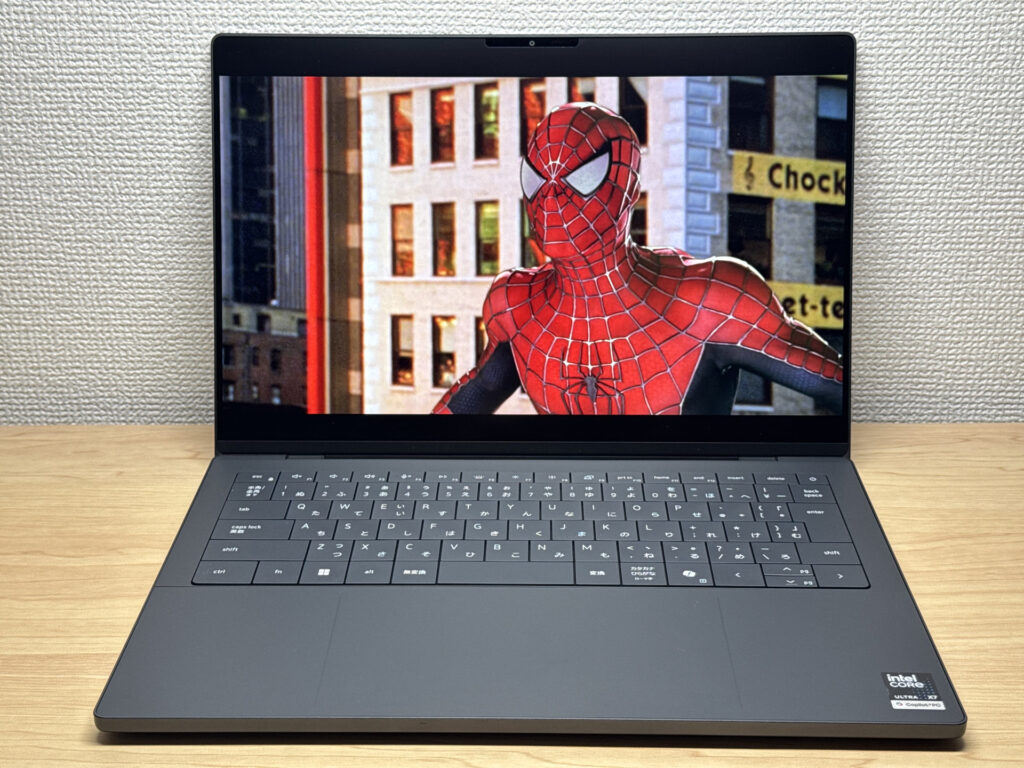 Speakers capable of a proper film night — no external audio needed.
Large speaker grilles on the bottom left and right are doing the heavy lifting.
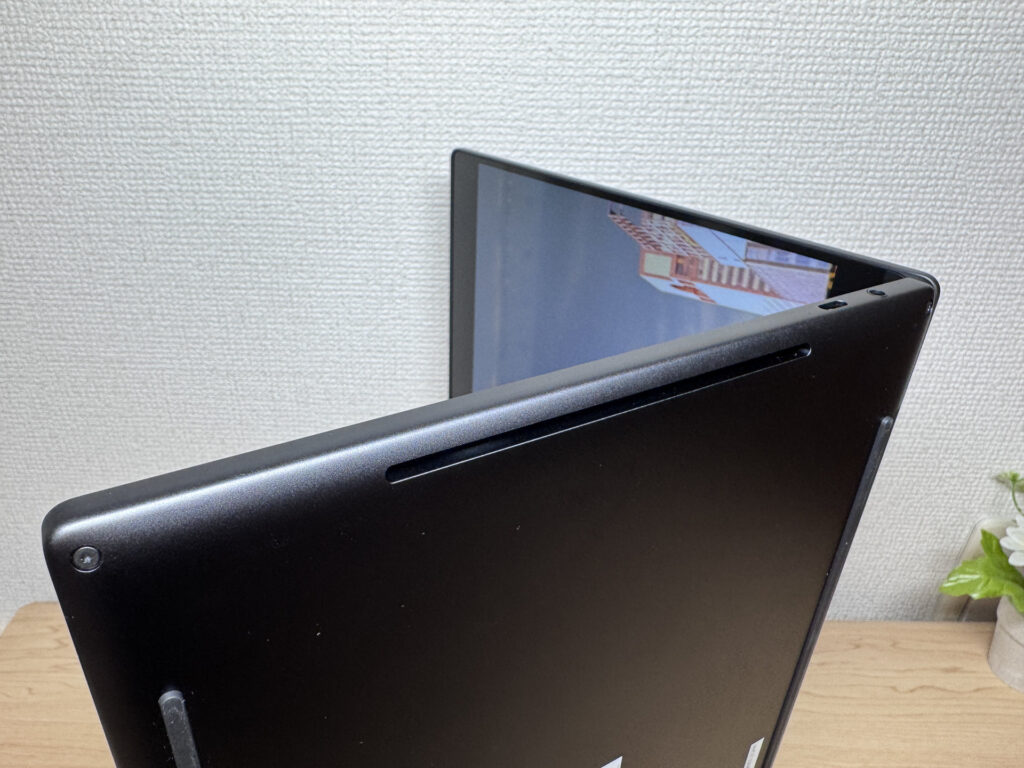 Large bottom grilles — this is where the good sound comes from.
Webcam
The built-in webcam is 8MP with HDR — and it shows. Shot through the Camera app, the image is bright, clear, and would look great on a video call. The sensor quality is noticeably above average.
 8MP HDR webcam — bright and clear.
One miss for a laptop at this price: no physical privacy shutter. It's a small thing, but increasingly expected at the premium end.
Security
Face unlock is on board. Glance at the screen and you're in — no password faff. There appear to be two IR emitters, which likely accounts for the speed and accuracy. It's quick.
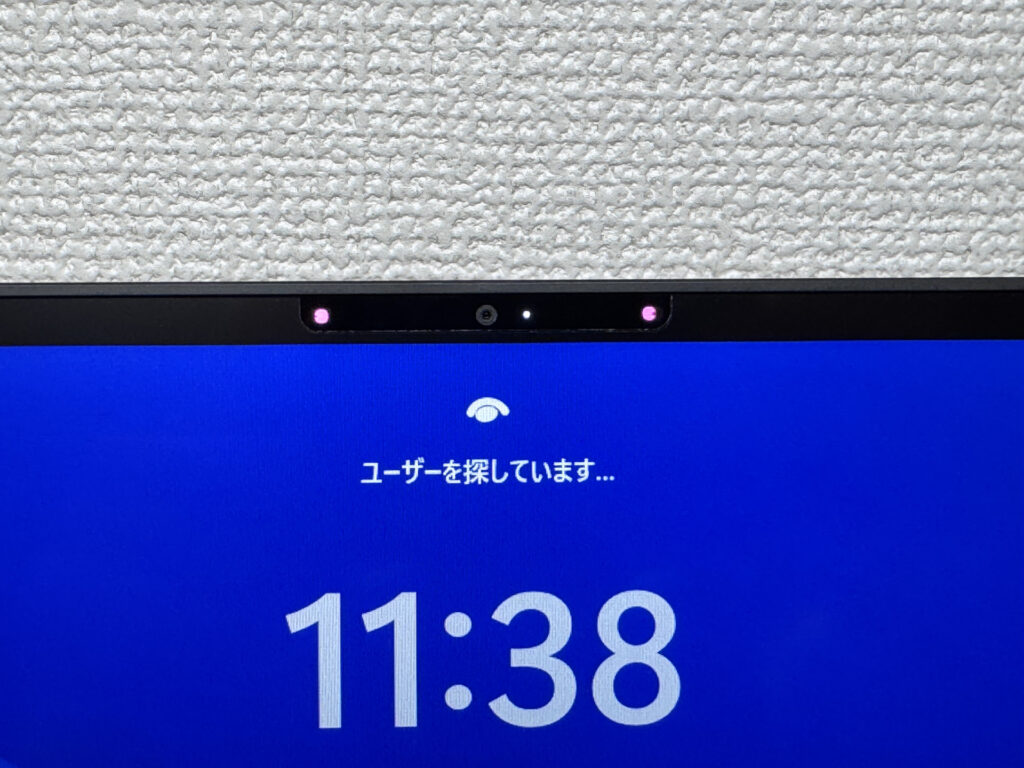 Glance and you're in — face unlock is instant.
Verdict
The XPS 14 (2026) is Dell's flagship with nothing held back on build or performance. The chassis finish, the keyboard, the MacBook-rivalling trackpad, the surprisingly capable speakers — the more time you spend with it, the more it earns its keep. That said, at 1.4 kg it's heavier than I'd like at this price, the 336g charger is a nuisance, and USB-C only is limiting. Still — if you want to invest in something properly made, or you're a creator who needs genuine performance, this is a strong choice.
Where to Buy
* Prices may vary. Please check each store for the latest price and availability.
About the author