ZippyScore
ZippyScore is a proprietary rating based on 6 criteria: performance, portability, display, battery, value, and connectivity.
See rating criteria
- Performance: CPU / GPU performance
- Portability: Screen size & weight
- Display: Panel type, aspect ratio & refresh rate
- Battery: Rated battery life
- Value: Specs-to-price balance
- Connectivity: Port types & count
Pros & Cons
Pros
- 16GB of RAM keeps multitasking smooth — tons of browser tabs plus a spreadsheet, no problem
- Port selection covers everything without needing a hub or adapters
- 16:10 display gives you more vertical space, which actually matters for productivity
- For a desk-based setup, 60Wh battery is plenty to stay unplugged for a few hours
- Face recognition login via Windows Hello is fast and genuinely convenient
Cons
- At 3.9 lbs (1.77 kg), daily carry in a backpack gets old quickly
- No dedicated GPU — heavy gaming or serious video editing isn't really in its wheelhouse
Specs Summary
| OS | Windows 11 Home |
|---|---|
| CPU | AMD Ryzen AI 5 430 (PassMark: 13,437) AMD Ryzen AI 7 445 (PassMark: 20,770) |
| RAM | 16GB |
| Storage | 512GB / 1TB |
| Display | 15.3" IPS (Glossy, Touchscreen, 60Hz) 1920x1200 (16:10) |
| Weight | 1.77 kg (3.90 lbs) |
| Ports | USB-C × 2 (10Gbps/PD/Video out), USB-A × 1 (5Gbps), USB-A × 1 (5Gbps), HDMI × 1, microSD × 1, Headphone jack × 1 |
| GPU | AMD Radeon 840M (G3D Mark: 3,805) |
| Biometrics | Face Recognition |
| Battery | (Capacity: 60 Wh) |
| Dimensions | Approx. 340.2 × 242.0 × 17.6 mm (W × D × H) |
| Wi-Fi | Wi-Fi 6 |
| Bluetooth | Bluetooth 5.4 |
| Color | Cosmic Blue / Luna Grey |
Configurations vary by retailer, region, and availability.
Feature Review
Design
The colorway here is Luna Gray — understated, matte, the kind of thing that looks at home on a desk at a coffee shop or in a meeting room without screaming for attention. For the price, the build quality holds up well; it doesn't feel like a budget machine when you actually pick it up. The lid has a smooth matte finish that does a solid job of shrugging off fingerprints, which is a small thing but one you'll appreciate after the first day. At 17.6mm thick, it's on the slimmer side for a 2-in-1 this size. Rubber feet on the bottom keep it planted while you're typing — no annoying sliding around on the desk.
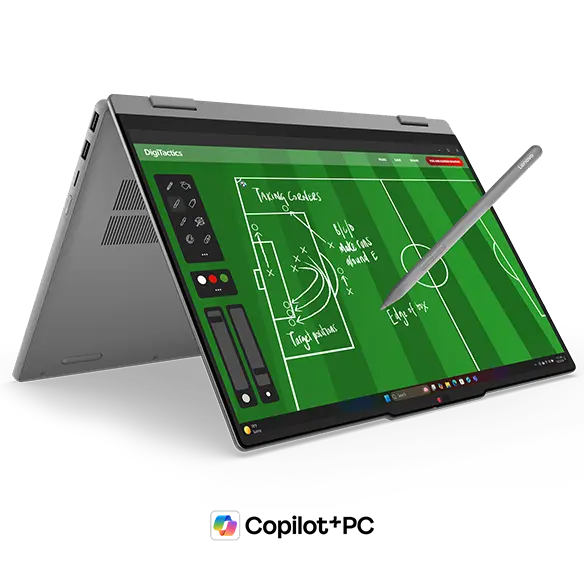 Slim profile for a 15-inch 2-in-1
 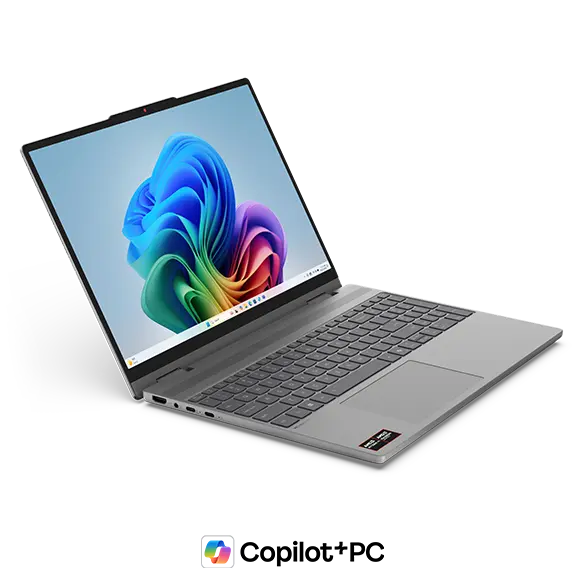 Luna Gray finish up close
 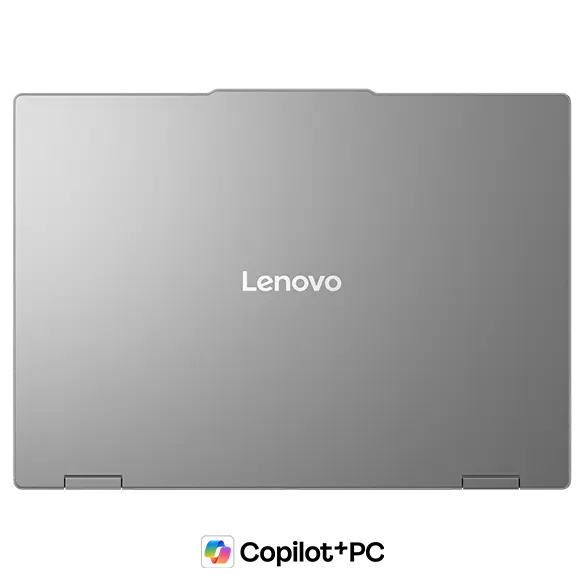 Matte lid resists fingerprints well
 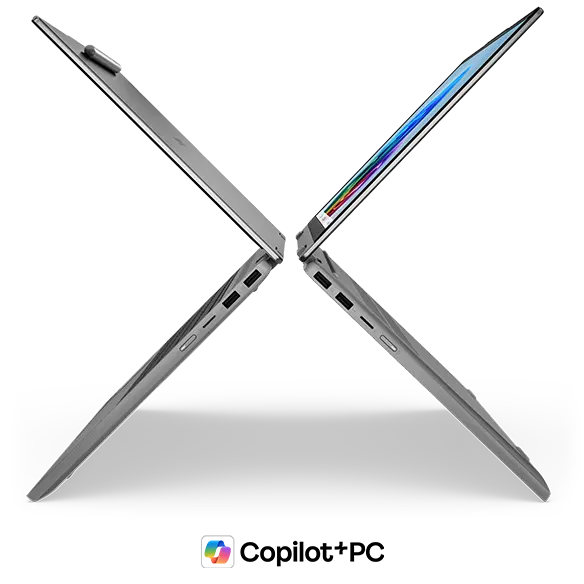 17.6mm thin despite the 2-in-1 hinge
 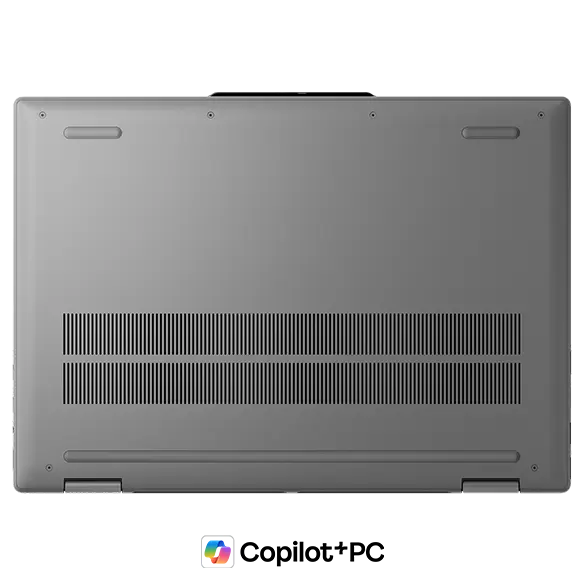 Rubber feet keep it stable while typing
 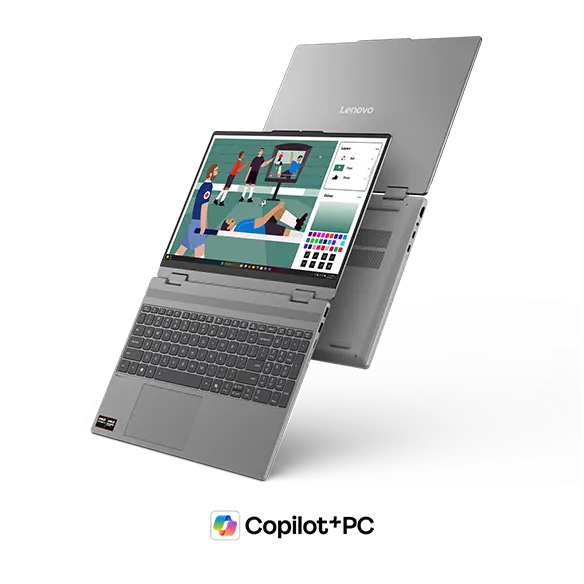 Lid opens smoothly
2-in-1 Versatility
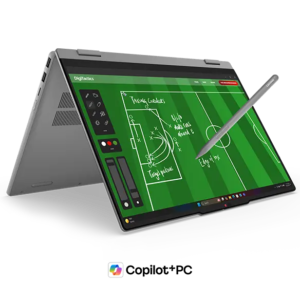
This is where IdeaPad 5a 2-in-1 Gen 11 (15" AMD) makes its case. A 360-degree hinge on a 15.3-inch display means you're essentially getting a giant tablet when you flip it around — great for handwriting notes or sketching, especially with the included Lenovo Yoga Pen. Annotating PDFs, jotting down ideas, or drawing diagrams all feel more natural than hunting for a stylus app on a standard laptop. One honest caveat: at 3.9 lbs (1.77 kg), holding it one-handed like an iPad for an extended session isn't really in the cards 😅.
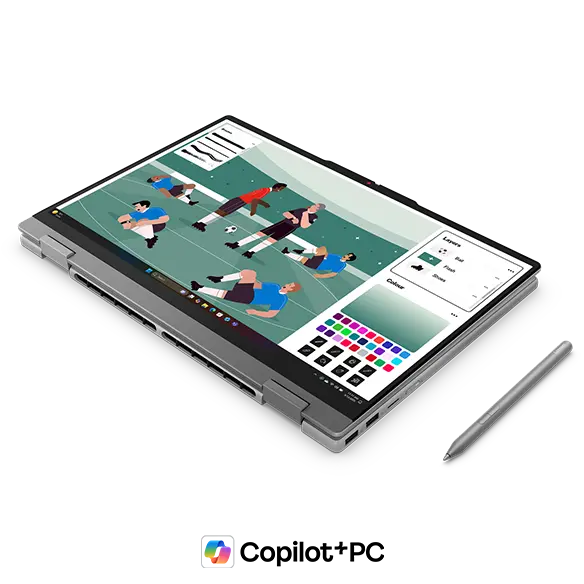 360-degree hinge in tablet mode
Display mode — where you fold the keyboard underneath and connect an external keyboard and mouse — is actually a neat trick for turning this into a compact desktop-style setup. Tent mode works fine for presentations or binge-watching, though I'd say it's more of a "nice to have" than something you'll use constantly.
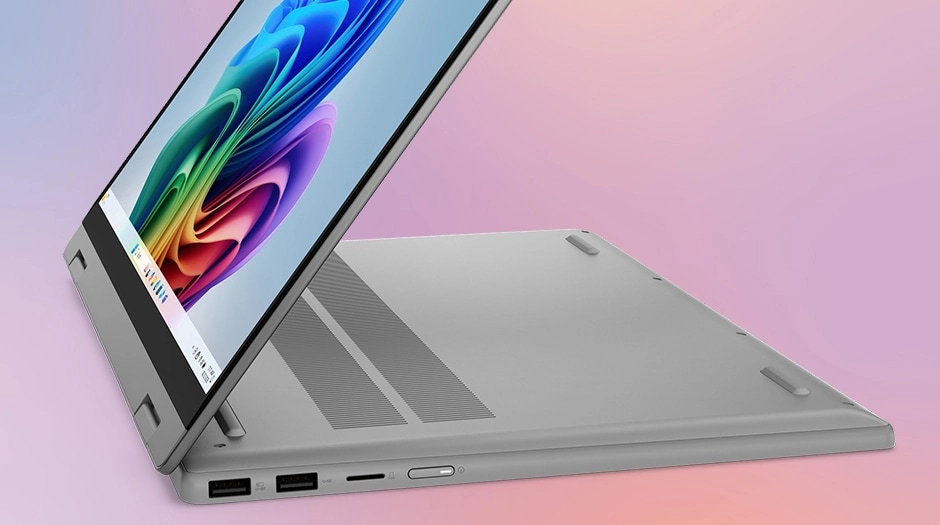 Display mode with external keyboard and mouse
 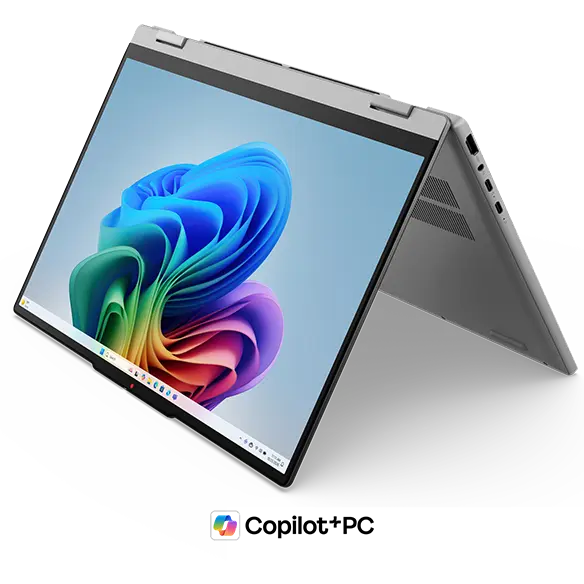 Tent mode for presentations and video
Portability
Straight talk: 3.9 lbs (1.77 kg) is on the heavier side if you're planning to throw this in a backpack every day 😅. This is a big-screen 2-in-1, and it carries like one. That said, it's not a machine that's trying to be ultraportable — it's built for desk use at home or in the office, and in that role the size makes total sense. If you do need to take it somewhere, USB-C charging means you can grab a compact charger and skip the bulky power brick.
Display Quality
The 15.3-inch IPS panel runs at 1920×1200, and the 16:10 aspect ratio is genuinely useful — you get a bit more vertical real estate, so webpages need less scrolling and spreadsheets show more rows at once. Viewing angles are wide, as you'd expect from IPS — colors stay consistent even when someone's leaning over to look at your screen, which matters in group settings. Color shifts from the side are pretty minimal. Touch support works well and feels responsive. One thing to watch: this is a glossy panel, so reflections from overhead lighting or windows can be noticeable depending on your environment. Worth keeping in mind if your workspace is bright.
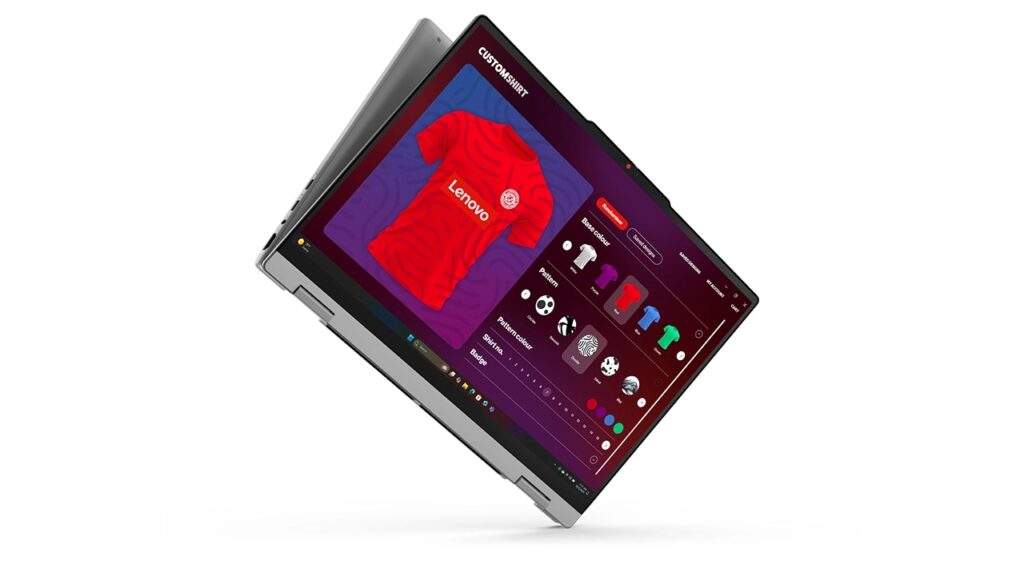 IPS display with vibrant color
Keyboard
The larger chassis gives Lenovo room for a full numpad, and if you're doing a lot of number entry — spreadsheets, accounting software, data tables — having those dedicated keys makes a real difference in how fast you can work. Backlit keys mean low-light typing is no problem. Solid keyboard overall for a machine at this price point.
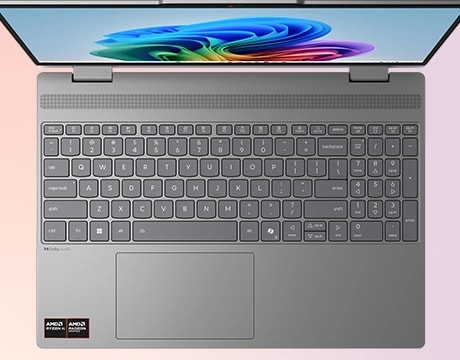 Full keyboard with numpad for number-heavy work
Trackpad
On 15-inch laptops with a numpad, the trackpad often ends up off-center, which gets annoying fast. Lenovo's layout here is reportedly designed with that in mind, and the trackpad positioning should generally feel natural rather than awkward. Good call on their part.
Performance
In configurations with the Ryzen AI 7 445, the CPU Passmark score comes in around 20,770 — that's solidly in "handles photo editing and video exports without breaking a sweat" territory. 16GB of RAM means you can keep a pile of browser tabs open alongside a spreadsheet without things getting sluggish.
| Score | Rating | What it feels like in real use |
|---|---|---|
| Up to 5,500 | Tight on headroom | Hiccups during multitasking; comfort takes a hit. Daily use feels constrained. |
| 5,500–8,000 | Daily use | Web, Office, remote work — handles them without issue. |
| 8,000–12,500 | Comfortable (standard) | Daily PC tasks with real headroom. Light video editing and casual games work. |
| 12,500–20,000 | High performance (mainstream) | Multitasking feels good. Heavier work and 3D games are workable. |
| 20,000–40,000 | Very high performance This PC | Comfortable even for demanding work and gaming. |
| 40,000+ | Exceptional | Plenty of headroom for creative work and heavy loads. Long-lasting performance. |
*PassMark CPU Mark measures multi-threaded CPU performance. Some variance is normal between runs even with the same CPU.
The integrated Radeon 880M GPU scores around 7,686 on the 3D benchmark — pretty impressive for integrated graphics. Light gaming and casual video work are realistic options here. Full 3D gaming or heavy video editing will still want a dedicated GPU, though.
| Score | Rating | What it feels like in real use |
|---|---|---|
| Up to 1,500 | Bare minimum | Limited 3D performance. Not suited for gaming or heavy 3D work. |
| 1,500–3,500 | Light 3D | Lighter games and low-load tasks work with conservative settings. |
| 3,500–5,500 | Average | Light to medium games and GPU-light work are fine. Solid integrated GPU for daily use. |
| 5,500–7,500 | High performance | Strong for an integrated GPU. Lighter games and image work feel comfortable. |
| 7,500+ | Very high performance This PC | Upper-tier integrated GPU. Real graphics headroom even in thin laptops. |
*PassMark G3D Mark measures 3D rendering. This guide is for integrated GPUs — discrete GPU models are not directly comparable.
Battery Life
Battery verdict: decent to good
The 60Wh battery combined with an IPS panel, 60Hz refresh, and an efficient CPU puts battery life in a reasonable range — not class-leading, but solid for most desk-adjacent use. The 15.3-inch display does draw more power than a smaller screen, so running on battery all day without a charger nearby might be pushing it. For typical use at a desk or in a meeting, it holds up fine. Since this machine is mostly built for stationary use anyway, "good enough to unplug for a few hours" is honestly all most people will need here.
Ports
The port selection is genuinely one of this laptop's better selling points. Two USB-C ports (both support charging and video output), two USB-A ports, full-size HDMI, a MicroSD card slot, and a 3.5mm audio jack — all the bases covered without needing a hub. Connect a monitor over HDMI directly, plug in a mouse and a flash drive on the USB-A side, charge from either USB-C port. One of the USB-A ports also supports Always On charging, so you can top up your phone even when the laptop's asleep.
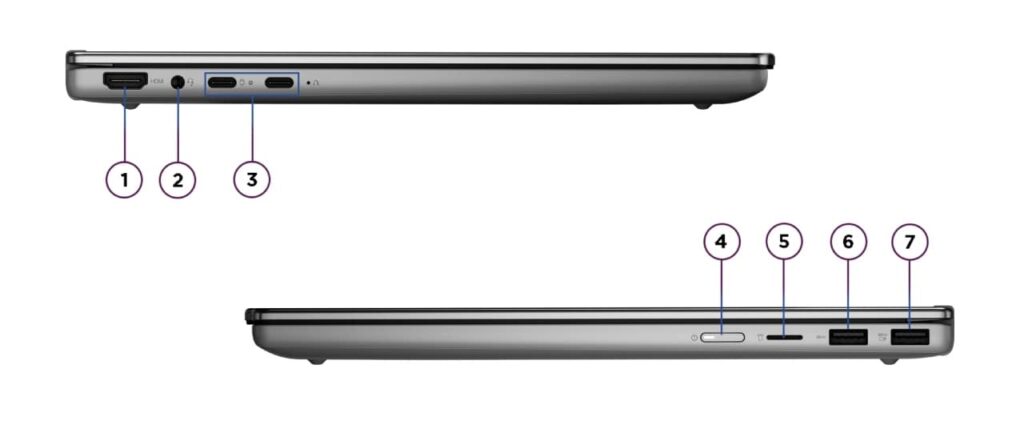 Full port lineup: 2x USB-C, 2x USB-A, HDMI, MicroSD
Webcam
The 1080p FHD webcam with IR support means you'll show up clearly on video calls, and Windows Hello face recognition makes login almost instant — open the lid, it sees your face, you're in. There's also a physical privacy shutter, so you can block the camera hardware when you don't want it active. Simple, but it's a feature worth having.
Security
Windows Hello face recognition handles biometric login here. Lid open, face recognized, desktop ready — no typing a password every time. It's one of those small quality-of-life things that you stop noticing until you use a laptop without it ✅.
Value
For a 15.3-inch 2-in-1 with 16GB of RAM and a port selection this complete, the pricing lands in a pretty accessible range. Compared to other 2-in-1s in this class, IdeaPad 5a 2-in-1 Gen 11 (15" AMD) doesn't ask you to pay a significant premium for the form factor. If the feature set matches what you're looking for, it's a hard one to argue against.
Bottom Line
IdeaPad 5a 2-in-1 Gen 11 (15" AMD) is a bit of a niche pick, but a good one for the right person. Big screen, 2-in-1 flexibility, pen support, and enough ports to skip the dongle bag — it's a genuinely versatile machine when it lives on a desk. The Ryzen AI 7 445 handles everyday workloads without issue, and 16GB of RAM keeps multitasking comfortable. If your workflow is mostly stationary and you want something that can flip into tablet mode for note-taking or sketching, this makes a lot of sense. Just don't expect to lug it around campus every day, and keep realistic expectations for serious gaming or heavy video production.
Where to Buy
* Prices may vary. Please check each store for the latest price and availability.
About the author