ZippyScore
ZippyScore is a proprietary rating based on 6 criteria: performance, portability, display, battery, value, and connectivity.
See rating criteria
- Performance: CPU / GPU performance
- Portability: Screen size & weight
- Display: Panel type, aspect ratio & refresh rate
- Battery: Rated battery life
- Value: Specs-to-price balance
- Connectivity: Port types & count
Pros & Cons
Pros
- 16 GB of RAM keeps multitasking smooth — no sluggishness with multiple apps and browser tabs open
- Excellent port selection means you can skip the USB hub entirely
- 16:10 display gives extra vertical space — noticeably better for documents and spreadsheets
- Generously sized battery suits desk-based use well — the mains lead can often stay put
- Face recognition login via Windows Hello — fast and genuinely convenient
Cons
- At 1.77 kg (3.9 lbs), it's on the heavy side for carrying around daily
- No discrete GPU — not suited to demanding games or intensive video editing
Specs Summary
| OS | Windows 11 Home |
|---|---|
| CPU | AMD Ryzen AI 5 430 (PassMark: 13,437) AMD Ryzen AI 7 445 (PassMark: 20,770) |
| RAM | 16GB / 32GB |
| Storage | 512GB / 1TB |
| Display | 15.3" IPS (Glossy, Touchscreen, 60Hz) 1920x1200 (16:10) 15.3" OLED (Glossy, Touchscreen, 165Hz) 2560x1600 (16:10) |
| Weight | 1.77 kg (3.90 lbs) |
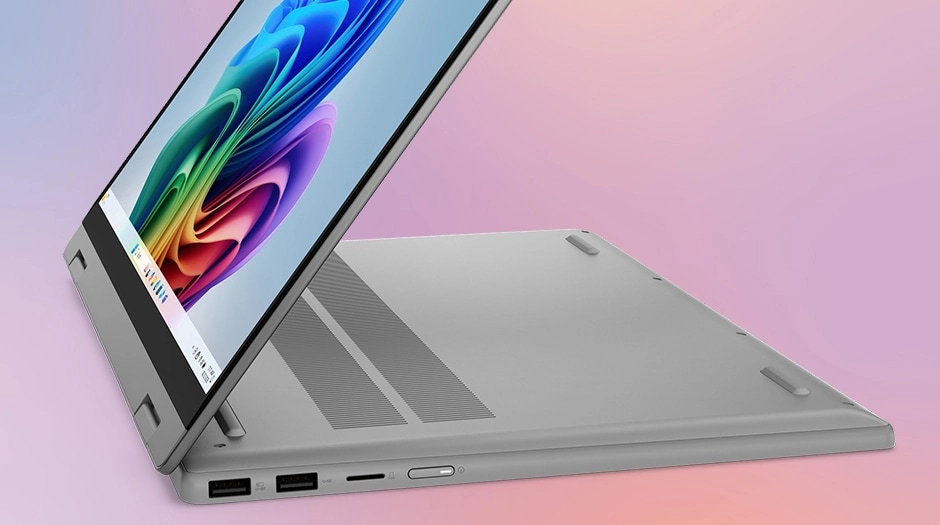
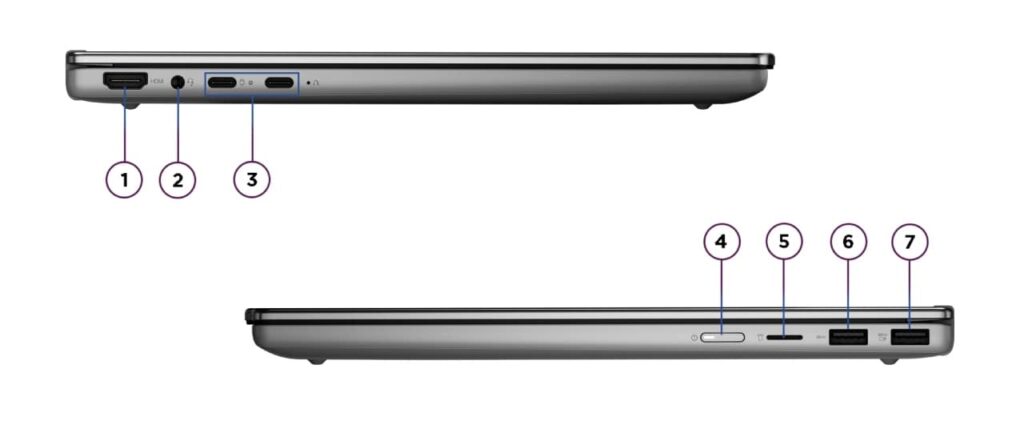
| Ports | USB-C × 2 (10Gbps/PD/Video out), USB-A × 1 (5Gbps), USB-A × 1 (5Gbps), HDMI × 1, microSD × 1, Headphone jack × 1 |
| GPU | AMD Radeon 840M (G3D Mark: 3,805) |
| Biometrics | Face Recognition |
| Battery | (Capacity: 60 Wh) |
| Dimensions | Approx. 340.2 × 242.0 × 17.6 mm (W × D × H) |
| Wi-Fi | Wi-Fi 6 |
| Bluetooth | Bluetooth 5.4 |
| Color | Luna Grey |
Configurations vary by retailer, region, and availability.
Feature Review
Design
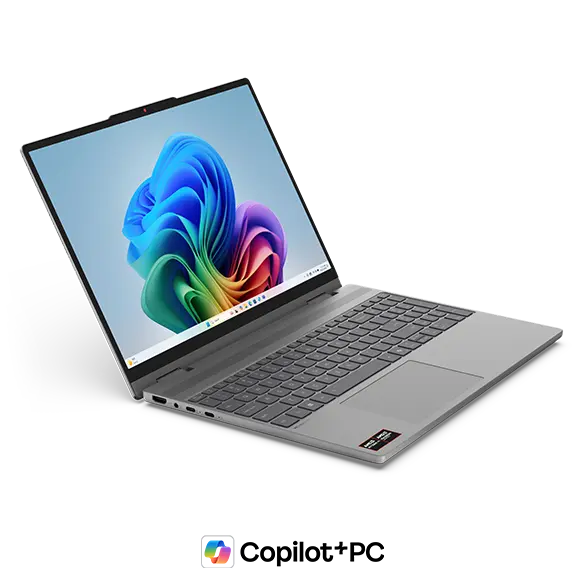
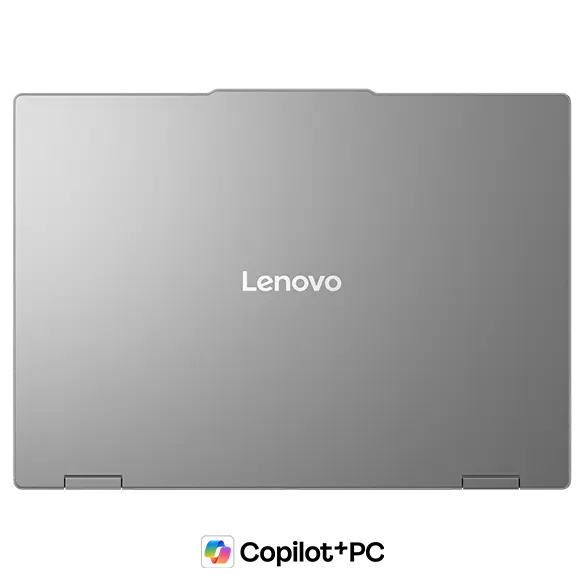
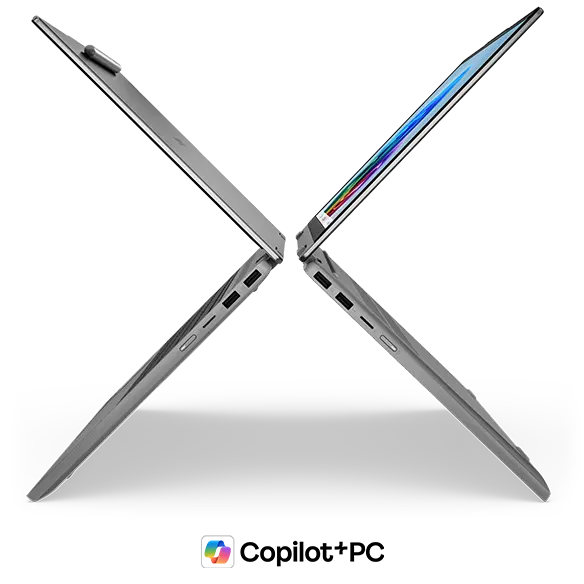
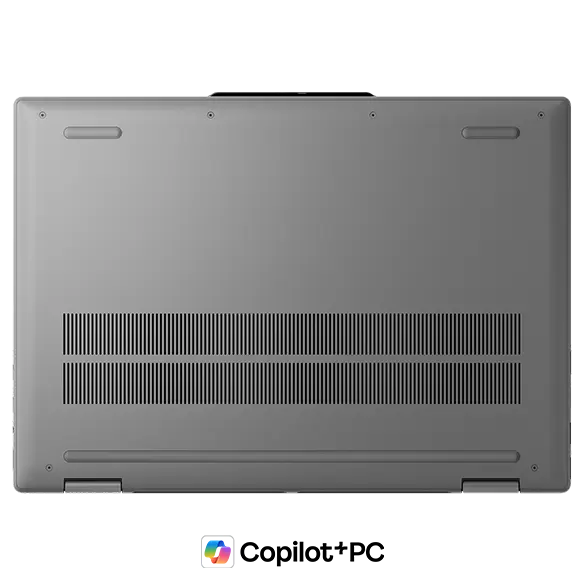
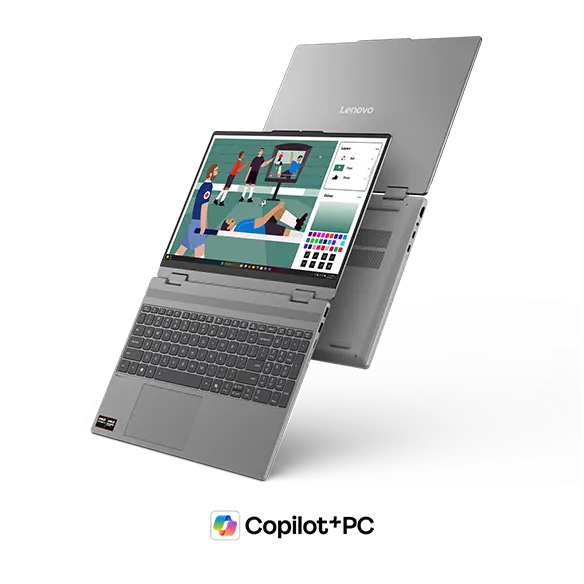
The colour here is Luna Grey — understated, matte, and honestly quite smart-looking. It doesn't scream "budget laptop" despite sitting at a reasonable price point, which is more than you can say for a lot of machines in this bracket. The lid has a smooth matte finish that does a decent job of hiding fingerprints, which I always appreciate on a machine you're touching constantly. At 17.6 mm thick, it's surprisingly slim for a 2-in-1 of this size — slides into a rucksack without too much fuss. The rubber feet on the base keep things solid while you're typing, which is a small detail that makes a real difference day-to-day.
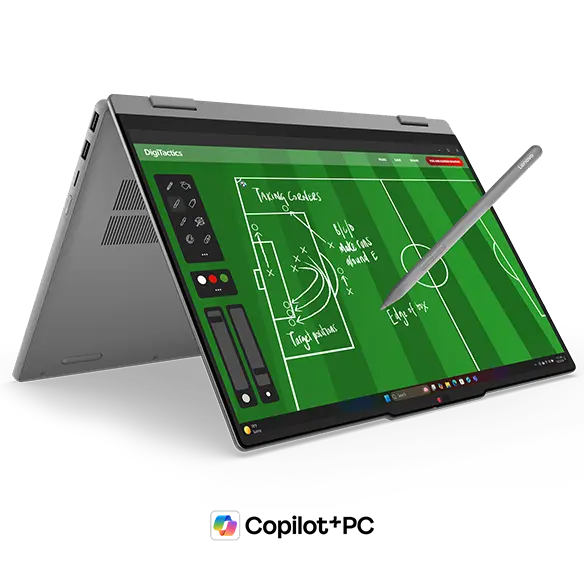
2-in-1 versatility
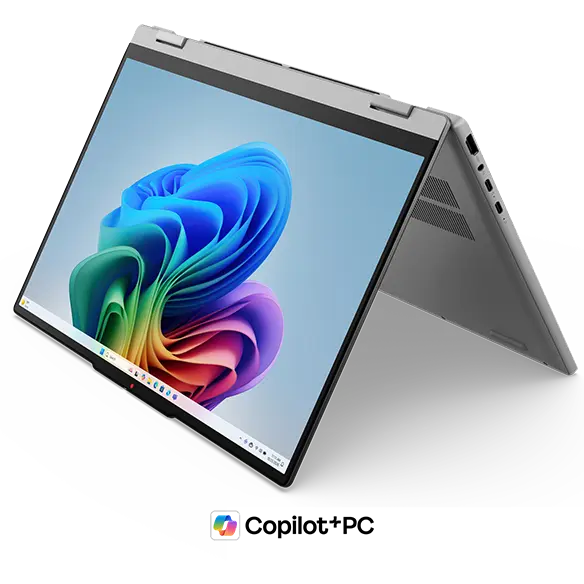
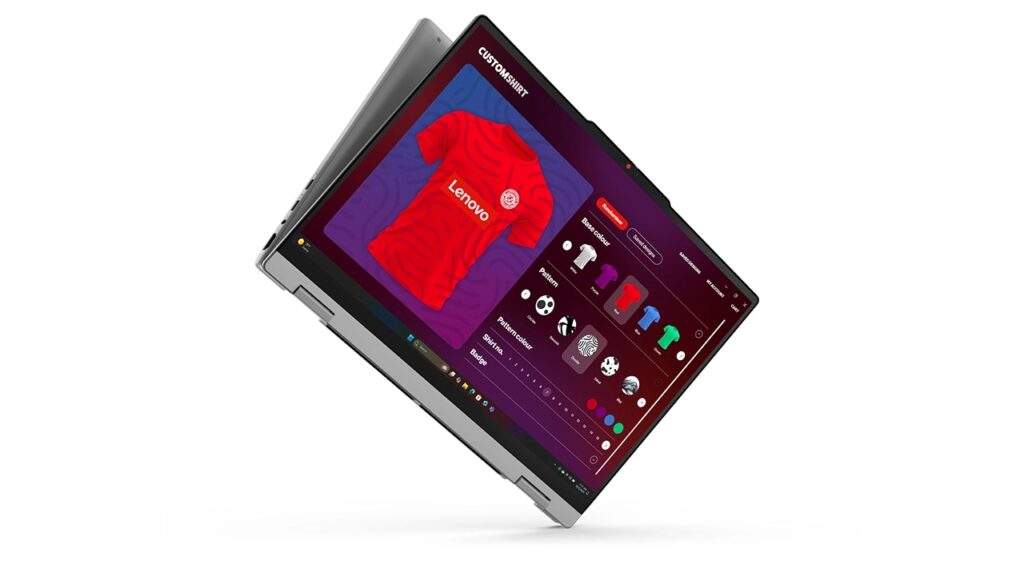
The headline feature is that full 360-degree hinge on a 15.3-inch screen — which is genuinely a bit unusual. Fold it into tablet mode and you've got a massive canvas for handwritten notes, PDF mark-up, or illustration work. The included Lenovo Yoga Pen adds to this nicely, making it feel far more like a proper creative tool than a gimmick. Fair to say, though — at 1.77 kg, you're not going to be holding this one-handed for long stretches the way you would an iPad.
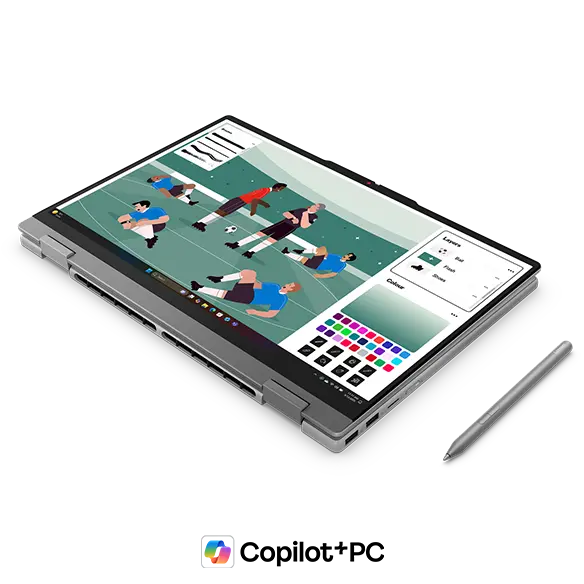
Display mode — where you fold the keyboard away and connect your own peripherals — is the one I find most interesting. Pair it with a wireless keyboard and mouse and it becomes a surprisingly usable little desktop setup. Tent mode is there for presentations and video calls, though honestly it's the mode I'd reach for least.
Portability
Honest answer: at 1.77 kg (3.9 lbs), this isn't the machine you want to carry to lectures every day. It's the kind of weight that starts to make itself known by the end of a long day out. That said, it's clearly designed to live mostly on a desk — at home or in the office — with the occasional trip rather than a daily commute. On the plus side, USB-C charging means you can use a compact charger when you do take it out, which keeps the bag a bit lighter.
Display quality
The 15.3-inch IPS panel runs at 1920×1200, and that 16:10 aspect ratio gives you a bit of extra vertical space — fewer scrolls through long documents, more rows visible in a spreadsheet. IPS means wide viewing angles, so if you're showing something to a colleague sitting to the side, colours don't shift unpleasantly. Touch input works as you'd expect — pinch to zoom, swipe to scroll, all feels natural. One caveat: it's a glossy panel, so reflections from overhead lighting or windows can be distracting. Something to keep in mind depending on where you work.
Keyboard
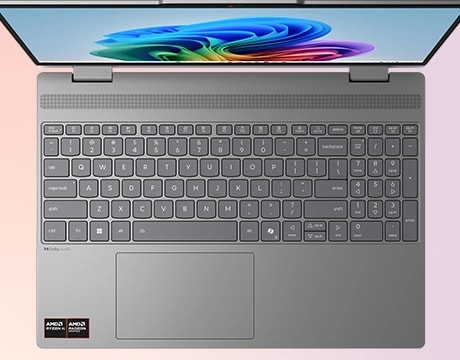
The larger chassis earns its keep here: there's a full numpad, which is genuinely useful if you spend time in spreadsheets or any kind of number-heavy work. Having dedicated number keys makes data entry noticeably quicker — it's one of those things you don't realise you've missed until you have it again. Backlit keys are included, so working in a dim room isn't a problem.
Trackpad
Larger 15-inch laptops with numpads can push the trackpad off-centre in a way that gets annoying quickly. Lenovo has accounted for this in the layout here, and the trackpad positioning is generally comfortable to use without any awkward hand angles.
Performance
In configurations with the Ryzen AI 7 445, the CPU benchmark score reaches around 20,770 — that's well into the territory where photo editing, video conversion, and multitasking feel genuinely smooth rather than just passable. Pair that with 16 GB of RAM and you can have a pile of browser tabs open alongside a spreadsheet without things grinding to a halt.
| Score | Rating | What it feels like in real use |
|---|---|---|
| Up to 5,500 | Tight on headroom | Hiccups during multitasking; comfort takes a hit. Daily use feels constrained. |
| 5,500–8,000 | Daily use | Web, Office, remote work — handles them without issue. |
| 8,000–12,500 | Comfortable (standard) | Daily PC tasks with real headroom. Light video editing and casual games work. |
| 12,500–20,000 | High performance (mainstream) | Multitasking feels good. Heavier work and 3D games are workable. |
| 20,000–40,000 | Very high performance This PC | Comfortable even for demanding work and gaming. |
| 40,000+ | Exceptional | Plenty of headroom for creative work and heavy loads. Long-lasting performance. |
*PassMark CPU Mark measures multi-threaded CPU performance. Some variance is normal between runs even with the same CPU.
The integrated Radeon 880M GPU scores around 7,686, which is high for integrated graphics. Casual gaming and video export are realistic use cases — just don't expect it to handle demanding 3D titles. For that, you'd need a dedicated GPU.
| Score | Rating | What it feels like in real use |
|---|---|---|
| Up to 1,500 | Bare minimum | Limited 3D performance. Not suited for gaming or heavy 3D work. |
| 1,500–3,500 | Light 3D | Lighter games and low-load tasks work with conservative settings. |
| 3,500–5,500 | Average | Light to medium games and GPU-light work are fine. Solid integrated GPU for daily use. |
| 5,500–7,500 | High performance | Strong for an integrated GPU. Lighter games and image work feel comfortable. |
| 7,500+ | Very high performance This PC | Upper-tier integrated GPU. Real graphics headroom even in thin laptops. |
*PassMark G3D Mark measures 3D rendering. This guide is for integrated GPUs — discrete GPU models are not directly comparable.
Battery life
Battery verdict: decent — about what you'd expect
The 60 Wh battery, combined with an IPS panel and efficient AMD CPU, puts this in a reasonable-but-not-exceptional category for battery life. The 15.3-inch screen does draw more power than a smaller display, so expecting a full day away from the mains might be optimistic. For typical desk use it's perfectly fine, but if you're out for several hours without access to a socket, it's worth being conscious of that. Honestly, given this is a desk-first machine, most users won't find it an issue.
Ports
This is one of the stronger selling points. Two USB-C ports (both supporting charging and video output), two USB-A, HDMI, MicroSD, and a 3.5 mm audio jack — you can connect most peripherals without reaching for a hub. Plug straight into a monitor or projector via HDMI, connect a mouse and USB drive without any adapters, and one of the USB-A ports supports Always On charging so your phone keeps topping up even when the laptop's asleep.
Webcam
The 1080p FHD webcam with IR support means you'll look clear on video calls, and Windows Hello face recognition is on board — so you can log in the moment you open the lid without typing a password. There's a physical privacy shutter too, which is a small but reassuring feature for anyone who spends a lot of time on online calls.
Security
Face recognition via Windows Hello is the main biometric here. It's quick, it works reliably, and not having to type a password every single time you wake the machine is one of those quality-of-life improvements that sounds minor but genuinely adds up over the course of a day.
Value
For a 15.3-inch 2-in-1 with 16 GB of RAM and a well-stocked port selection, the price is fair. Comparable 2-in-1s in this screen size tend to cost more, and the trade-offs here are reasonable ones — no discrete GPU, not the lightest machine around. If this form factor is what you're after, it sits at a sensible price point.
Overall
IdeaPad 5a 2-in-1 Gen 11 (15" AMD) carves out a fairly specific niche — and if you're in that niche, it delivers well. A big, comfortable screen with full 2-in-1 flexibility, solid everyday performance, and enough ports to keep your desk tidy. It's best suited to someone who works mostly at a desk, wants the option to flip into tablet mode for pen input or a different setup, and doesn't want to pay over the odds for it. If you need something lightweight for carrying around every day, or you're after serious gaming or video editing horsepower, you'd be better served elsewhere — but for a versatile home or office machine, this is a solid pick.
Where to Buy
* Prices may vary. Please check each store for the latest price and availability.
About the author