ZippyScore
ZippyScore is a proprietary rating based on 6 criteria: performance, portability, display, battery, value, and connectivity.
See rating criteria
- Performance: CPU / GPU performance
- Portability: Screen size & weight
- Display: Panel type, aspect ratio & refresh rate
- Battery: Rated battery life
- Value: Specs-to-price balance
- Connectivity: Port types & count
Pros & Cons
Pros
- Around 1.4 kg (~3 lbs) — light enough for daily carry without thinking about it
- OLED display with vivid, punchy colours that make video content genuinely pop
- 32GB RAM keeps multitasking smooth, even with a packed browser and multiple apps open
- Solid port selection — no USB-C hub needed
- Large battery that gets you through a full day without hunting for an outlet
Cons
- Glossy display picks up noticeable glare in bright environments
- Fan noise gets loud under sustained heavy load
Specs Summary
| OS | Windows 11 Home |
|---|---|
| CPU | Intel Core Ultra 5 226V (PassMark: 18,095) Intel Core Ultra 7 256V (PassMark: 19,556) |
| RAM | 16GB |
| Storage | 512GB |
| Display | 14" IPS (Touchscreen) 1920x1200 (16:10) |
| Weight | 1.39 kg (3.06 lbs) |
| Ports | USB-C × 1 (Thunderbolt 4/40Gbps/PD/Video out), USB-C × 1 (10Gbps/PD/Video out), USB-A × 2 (10Gbps), HDMI × 1 (ver.2.1), Headphone jack × 1 |
| GPU | Intel Arc 130V Intel Arc 140V (G3D Mark: 5,133) |
| Biometrics | Face Recognition |
| Battery | Up to 17.5 h |
| Dimensions | Approx. 313 × 218 × 16.9 mm (W × D × H) |
| Wi-Fi | Wi-Fi 7 |
| Bluetooth | Bluetooth 5.4 |
| Color | Atmospheric Blue / Glacier Silver |
Configurations vary by retailer, region, and availability.
Hands-on Review
Here's my hands-on look at the OmniBook X Flip 14-fm. The review unit I tested was configured as follows:
| Item | Review Unit Specs |
|---|---|
| CPU | Intel Core Ultra 7 258V |
| RAM | 32GB |
| Storage | 1024GB SSD |
| Display | 14.0-inch OLED (2880×1800, 120Hz, touchscreen) |
| Graphics | Intel Arc 140V |
| Color | Midnight Blue |
* Specs may vary by region and retailer.
Design
The review unit came in Midnight Blue — and honestly, I wasn't expecting to like it as much as I did. It's a shade you don't see on every laptop, and I may have said out loud "okay, this looks really good" when I unboxed it 😍. For a mid-range machine, the build is solid — no plasticky cheapness, just a sturdy chassis that holds its own in any setting. Cafés, meeting rooms, it fits in everywhere.
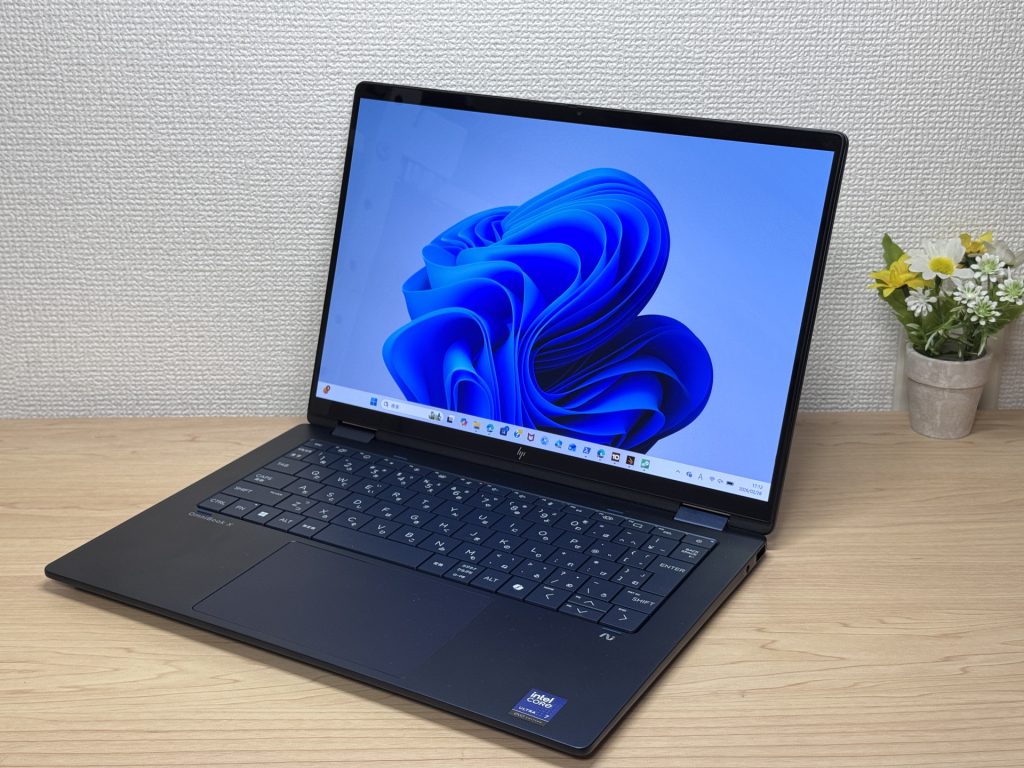 Front view in Midnight Blue
The lid has a matte finish that doesn't collect fingerprints ⭕. If you're constantly picking up your laptop throughout the day, you'll appreciate this more than you'd expect. The blue tones have a calm, understated quality, and at certain angles it picks up a subtle premium feel.
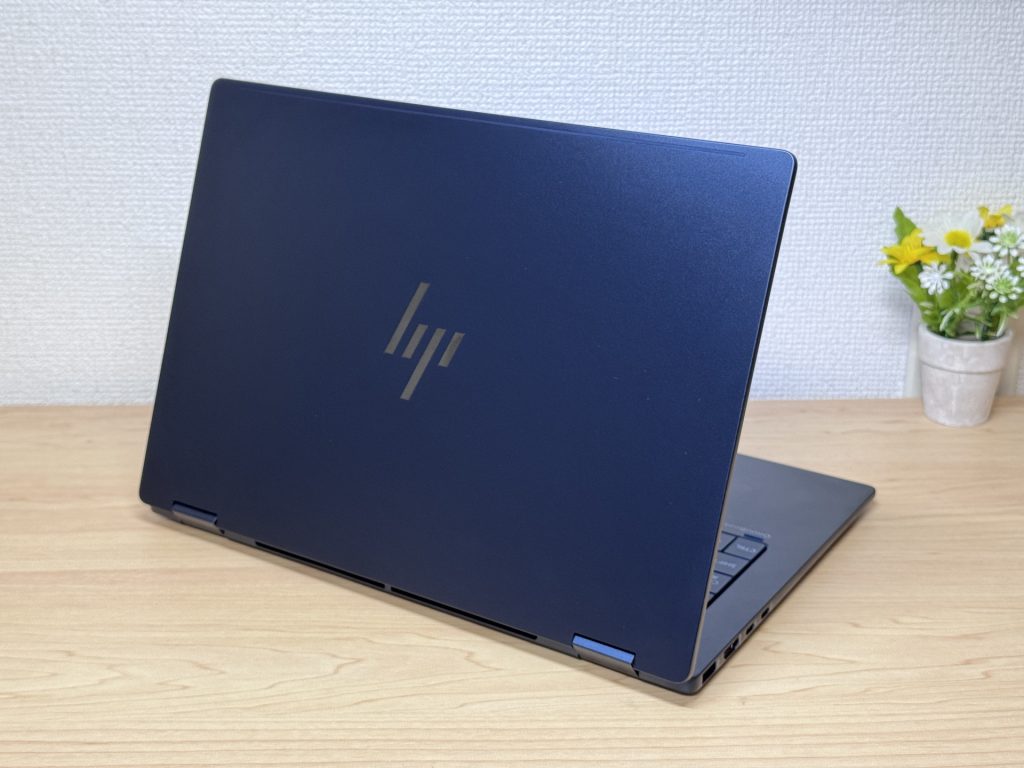 Matte finish keeps fingerprints away
Thickness is normal — not trying to win any thinness award — but given that this is a 360° convertible, staying this slim is genuinely impressive. Slides in and out of a bag without any drama 💼.
 Slim for a 360° convertible
The rubber feet grip the desk well. It sounds minor, but a lot of lightweight laptops slide around during typing, and that's genuinely annoying. No issues here 😄.
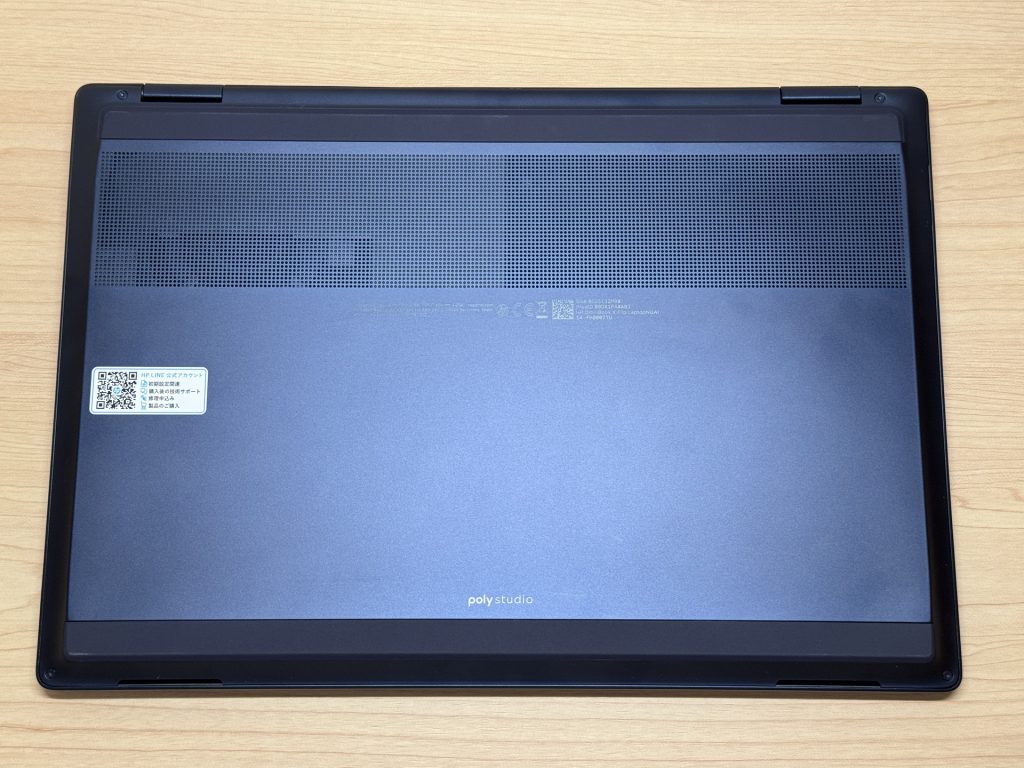 Rubber feet that actually grip
2-in-1 Versatility
As a 2-in-1, the OmniBook X Flip 14-fm folds into tablet mode for browsing and reading. Honest take: it's a bit heavy for one-handed use, so resting it on your lap beats holding it in the air 🤔. Couch use in lap mode is the sweet spot.
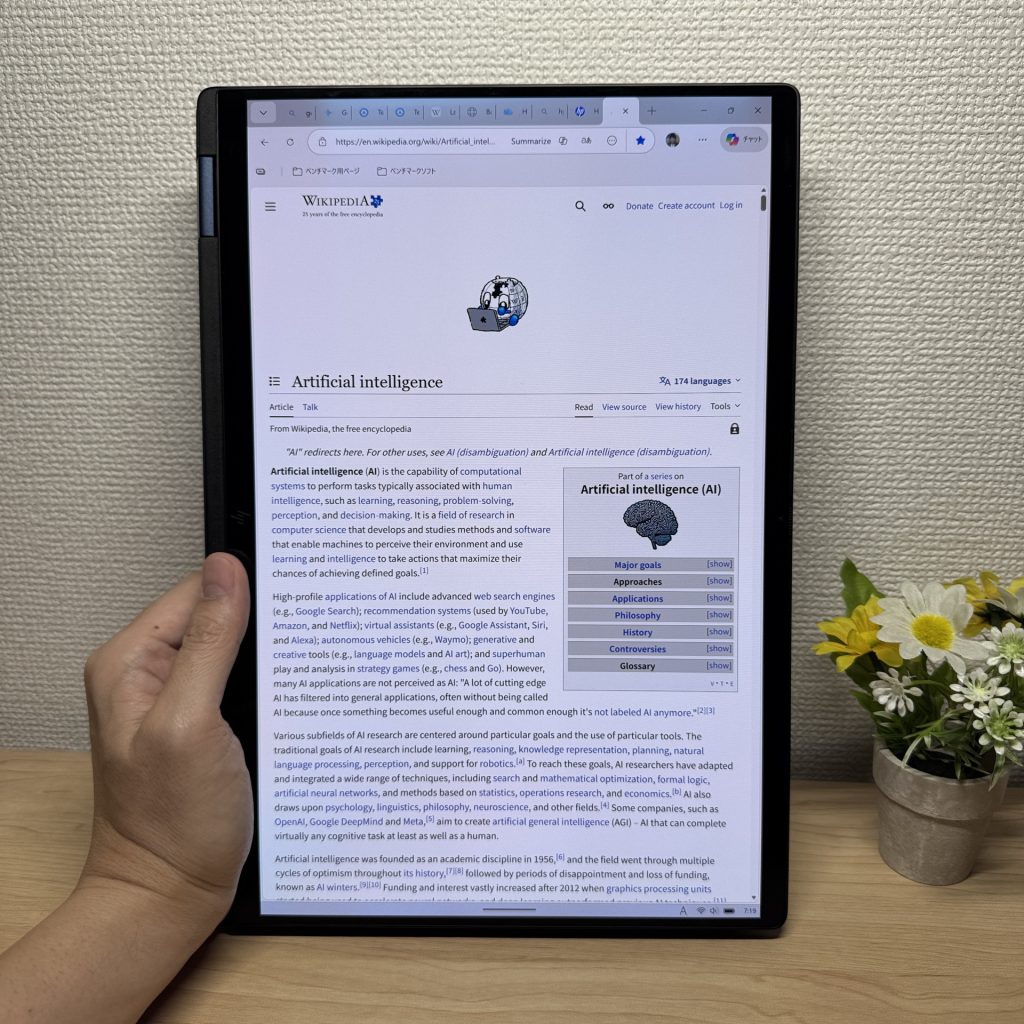 Tablet mode for reading and browsing
The pen is included in the box — a solid bonus ✨. Writing directly on the screen is genuinely useful for note-takers, and it works like a drawing tablet for anyone who sketches. No need to buy a stylus separately.
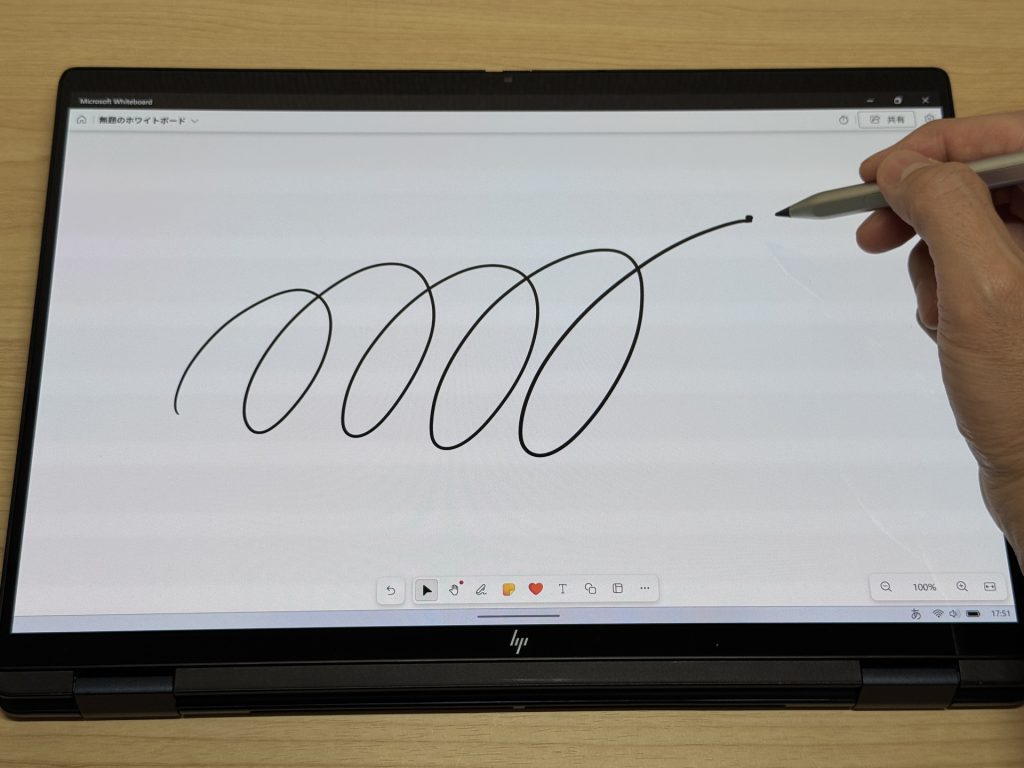 Stylus included — no extra purchase
Flip the screen 360° and hook up an external keyboard and mouse, and you've got a compact desktop setup 👍. If you split time between home and office, this kind of flexibility is actually useful.
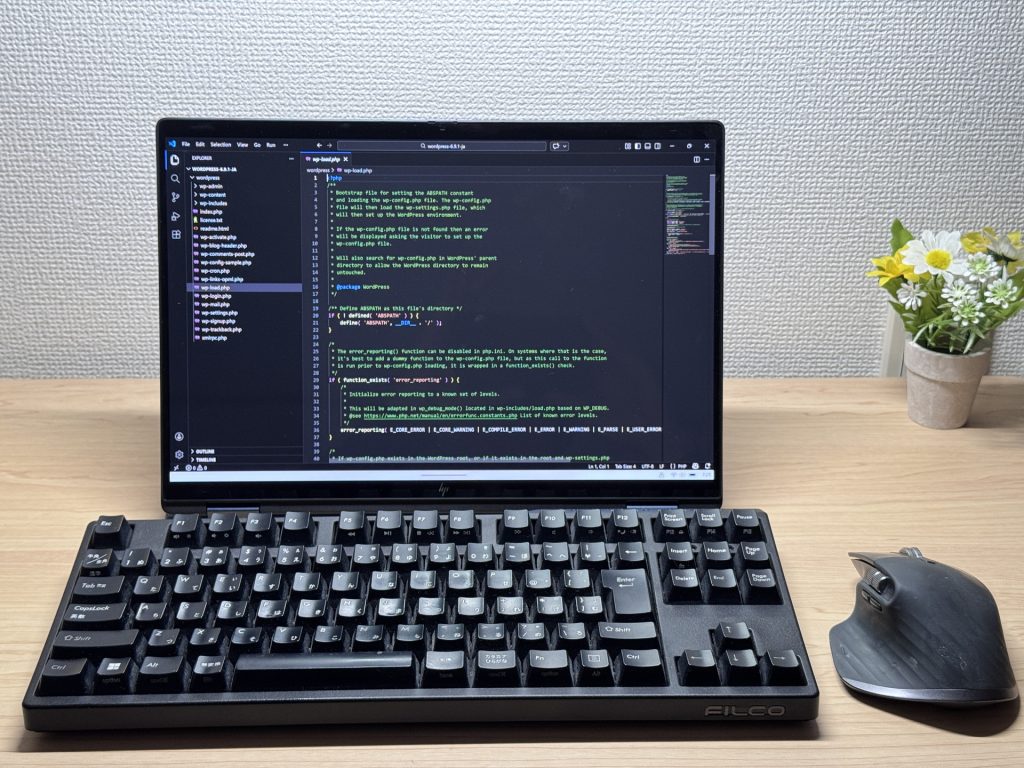 Mini desktop mode with an external keyboard
Tent mode works too — great when you just need the display up on a shallow surface, like a café counter or narrow desk.
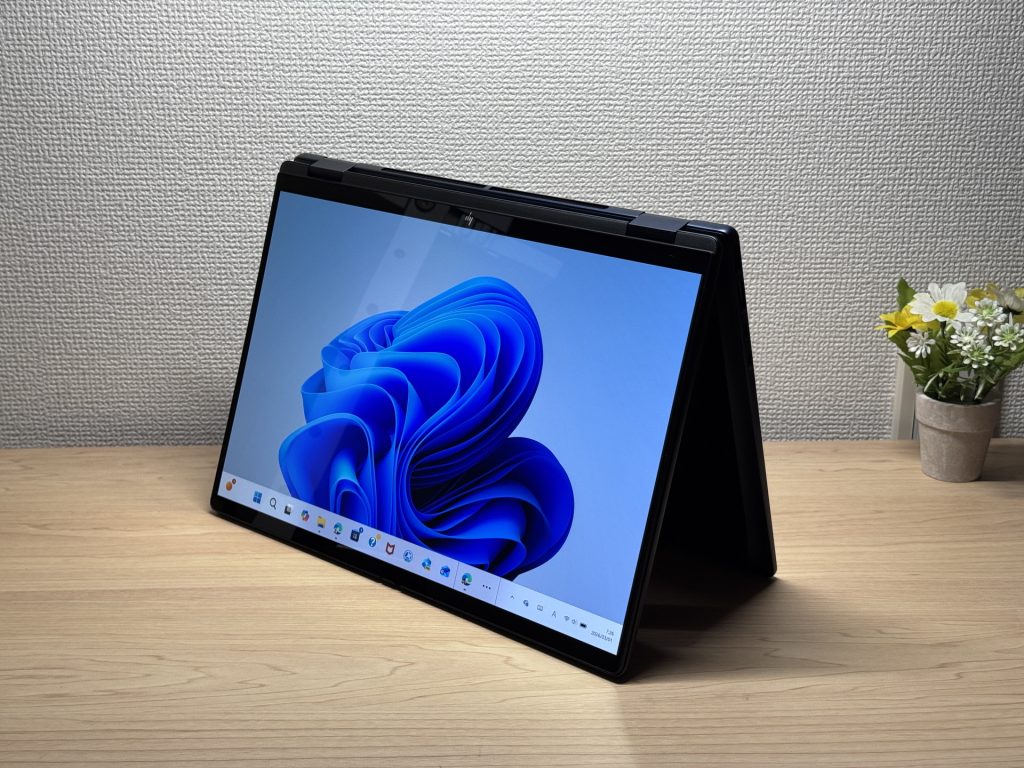 Tent mode for tight spaces
Portability
Actual weight: 1,358 g (~3 lbs). For a 2-in-1, that's legitimately good. Most convertibles hit 1.5 kg or more without trying, so this one earns real credit here. Toss it in your backpack and you'll barely notice it 🚶♂️.
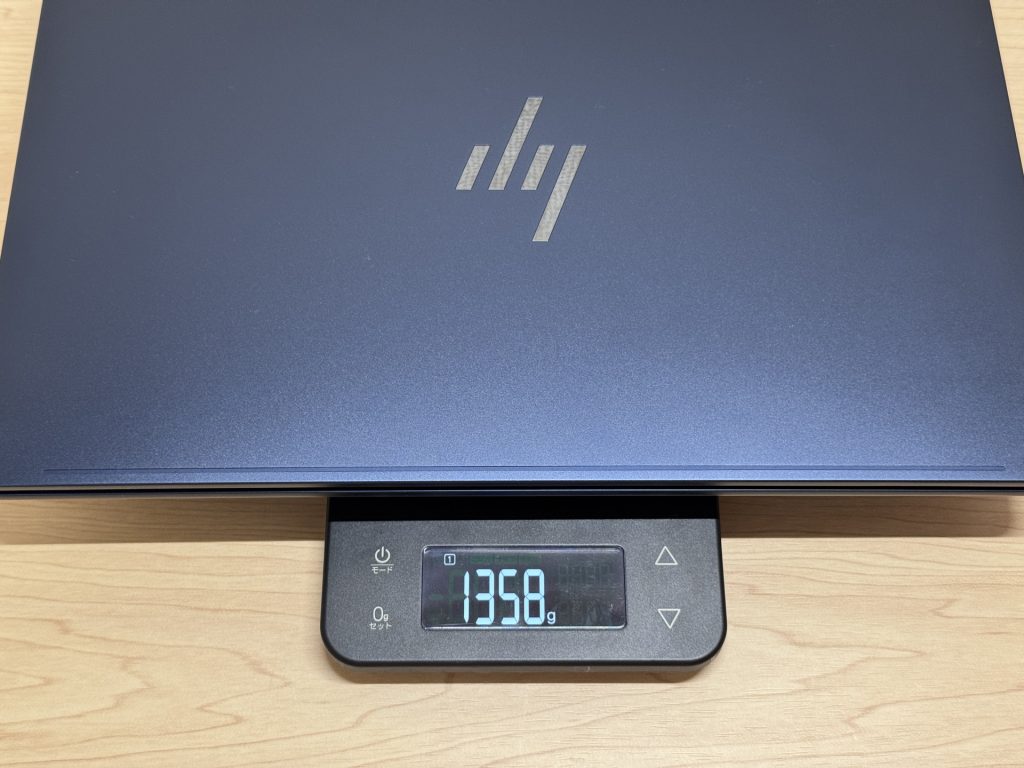 1,358 g (~3 lbs) — solid for a 2-in-1
The charger, though, weighs 311 g — heavier than ideal. The laptop being light and the charger being bulky creates a mismatch. If you want to travel light, grabbing a compact USB-C charger like Anker's will trim your total carry significantly 🙆♂️.
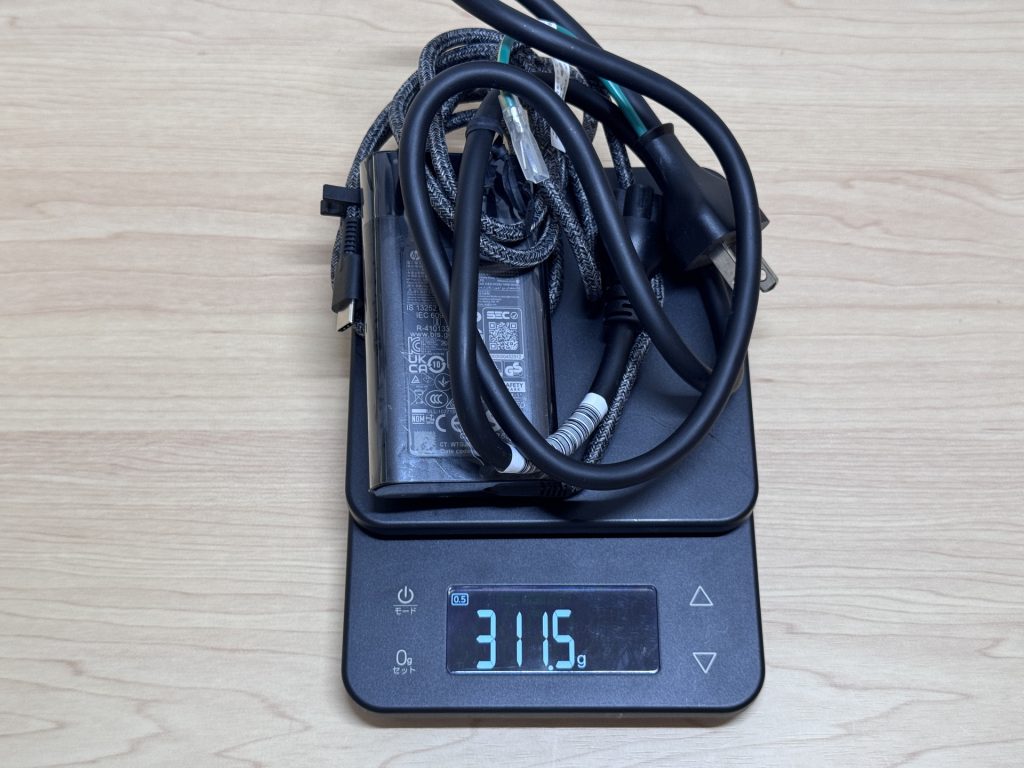 Stock charger at 311 g — consider a lighter alternative
One-handed carry feels a touch heavy, but in a bag it's no issue at all. Not the kind of heavy that makes you resent packing it.
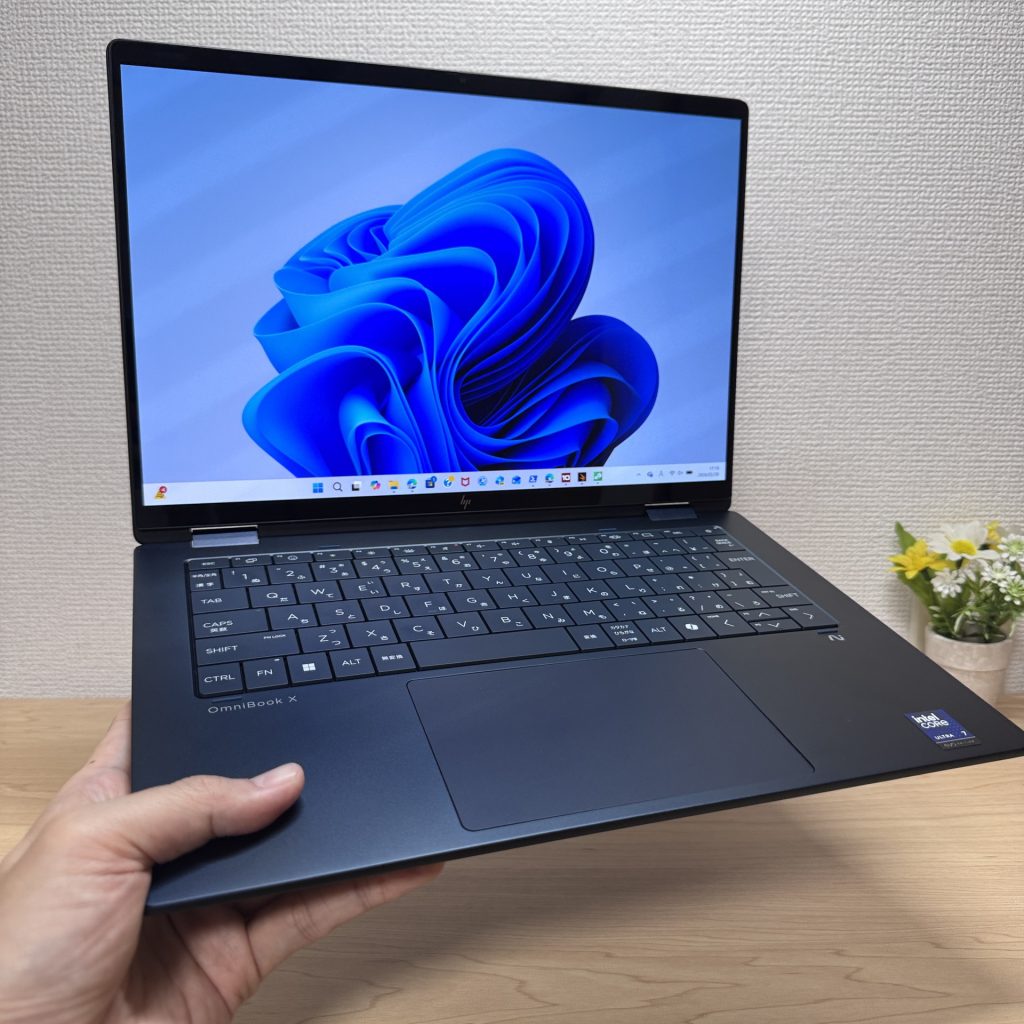 One-handed carry is doable, not ideal
Display Quality
This is where the OmniBook X Flip 14-fm earns its keep. OLED panels just hit differently — the black levels, the color pop, the contrast. Coming from an IPS screen, your first reaction might be "wait, how did I put up with that?" 😍. Photos and video look genuinely great, not just "decent for a laptop."
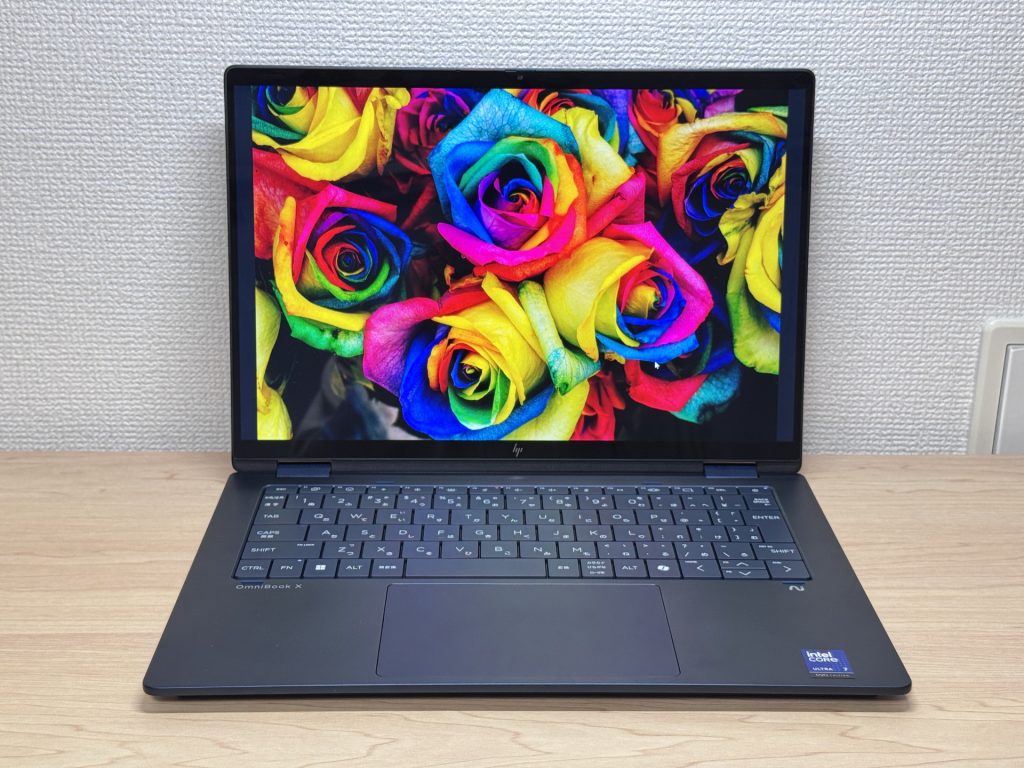 OLED colors that make IPS look flat
Viewing angles are wide — colors stay accurate when someone's looking over your shoulder. Useful for collaborative work or just showing someone a photo.
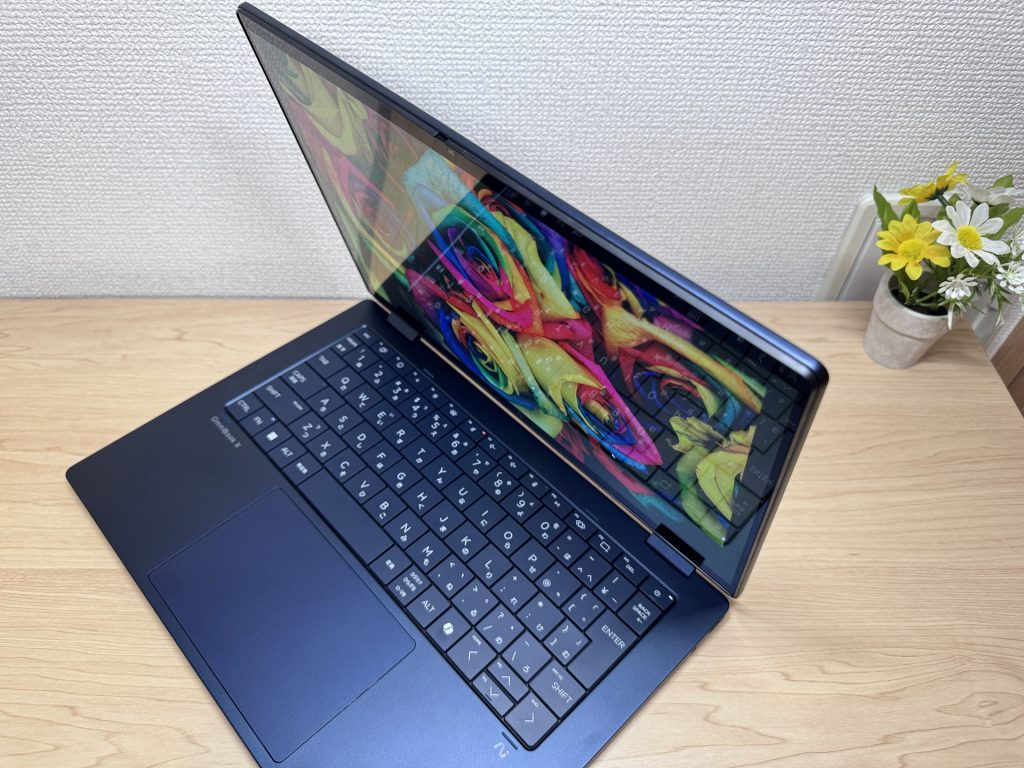 Colors hold up at wide angles
The touchscreen works exactly like a phone — swipe, tap, pinch. Intuitive from the start, especially useful in tablet mode.
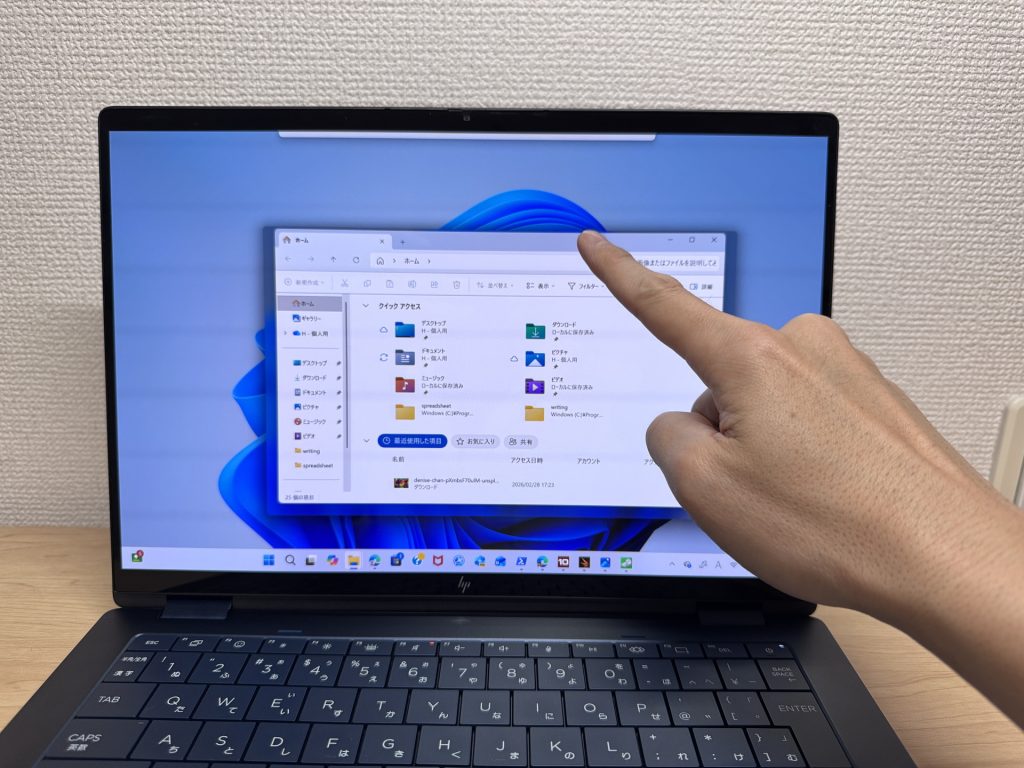 Touch input feels natural
Thin bezels and a 16:10 aspect ratio give you noticeably more vertical space than a standard 16:9 display ⭕. Less scrolling, more content in view — you notice it most on long documents and websites.
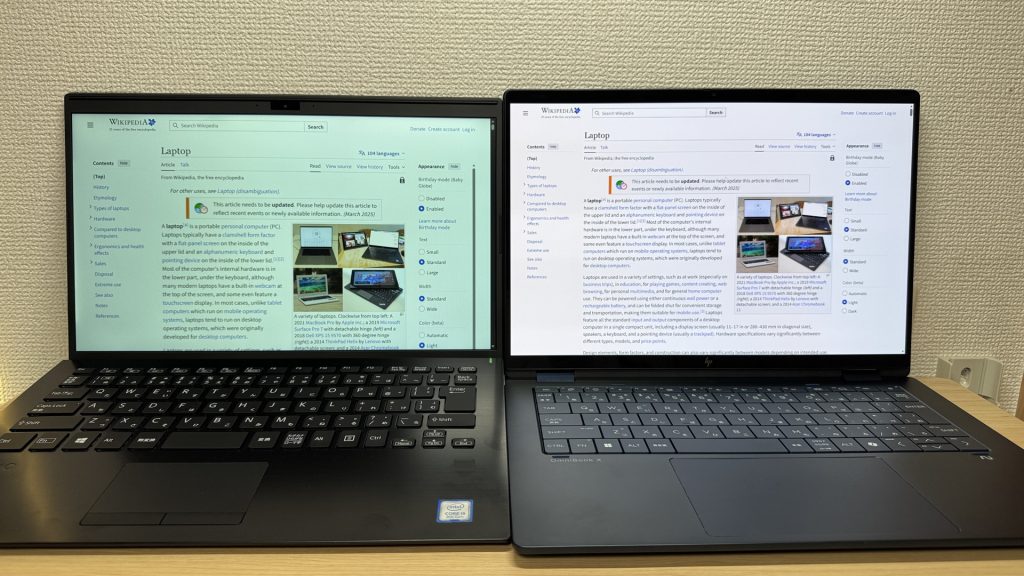 16:10 means more room for content
One catch: the glossy panel. Reflections are real in bright environments. Most people are used to it from their phones, but working near a sunny window will test your patience.
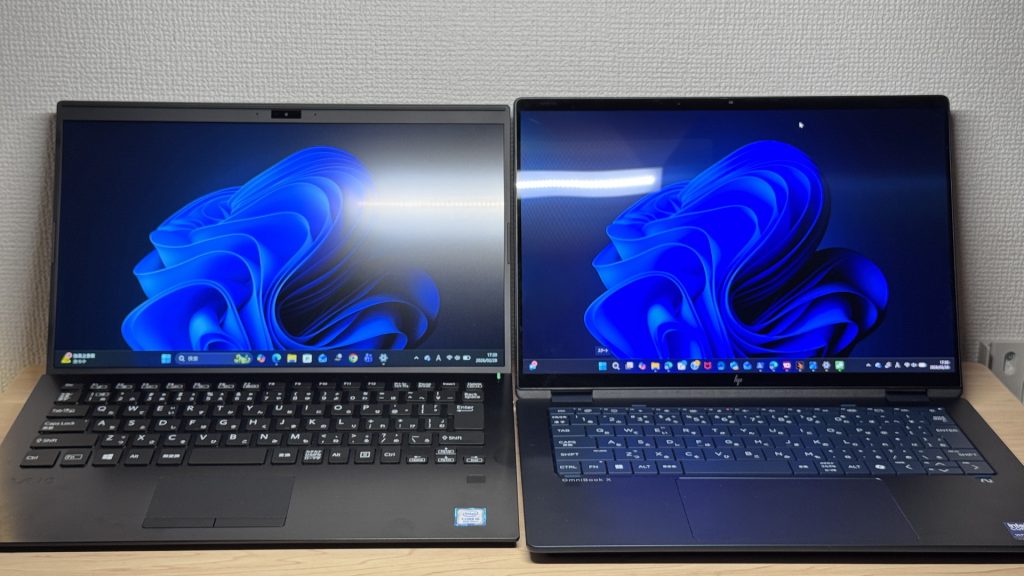 Glare is a real trade-off
Keyboard Feel
HP put real thought into the keyboard layout. Rather than a standard isolated-key layout with uniform gaps, they adjust key sizes to fit each region's keyboard conventions. It's a level of localization effort you don't always see at this price point.
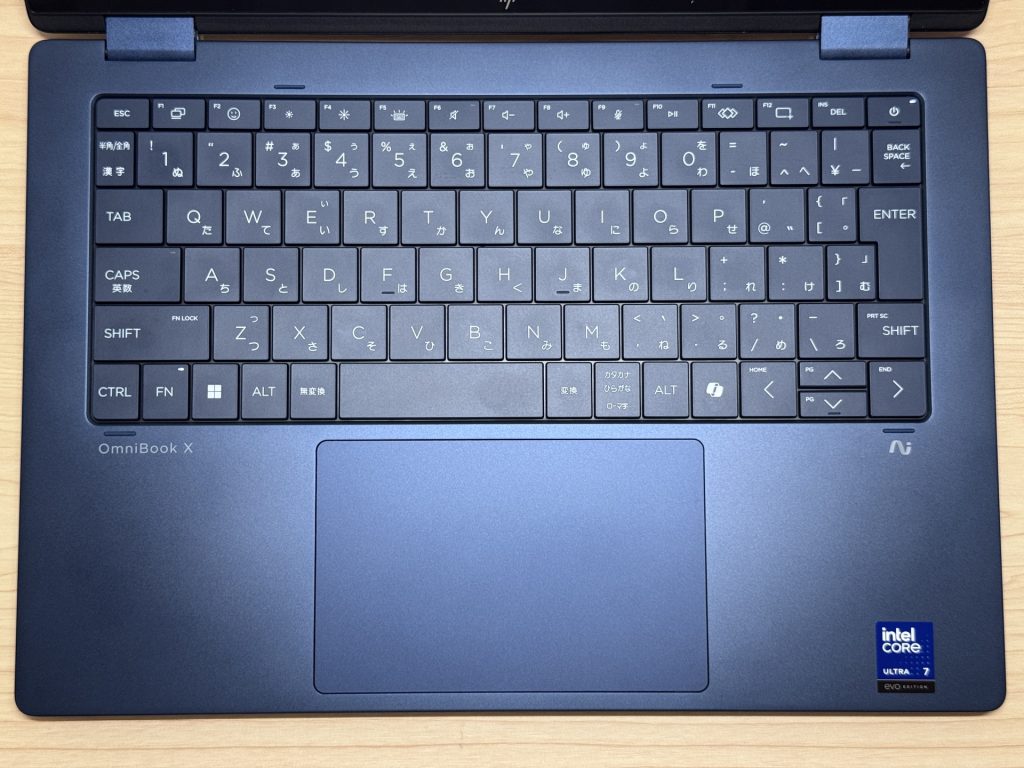 Region-localized key layout
The typing feel is solid. Keys are tactile without being clicky, and the keycaps have a slightly soft texture that feels good for extended sessions. Comfortable for long writing stints or spreadsheet work.
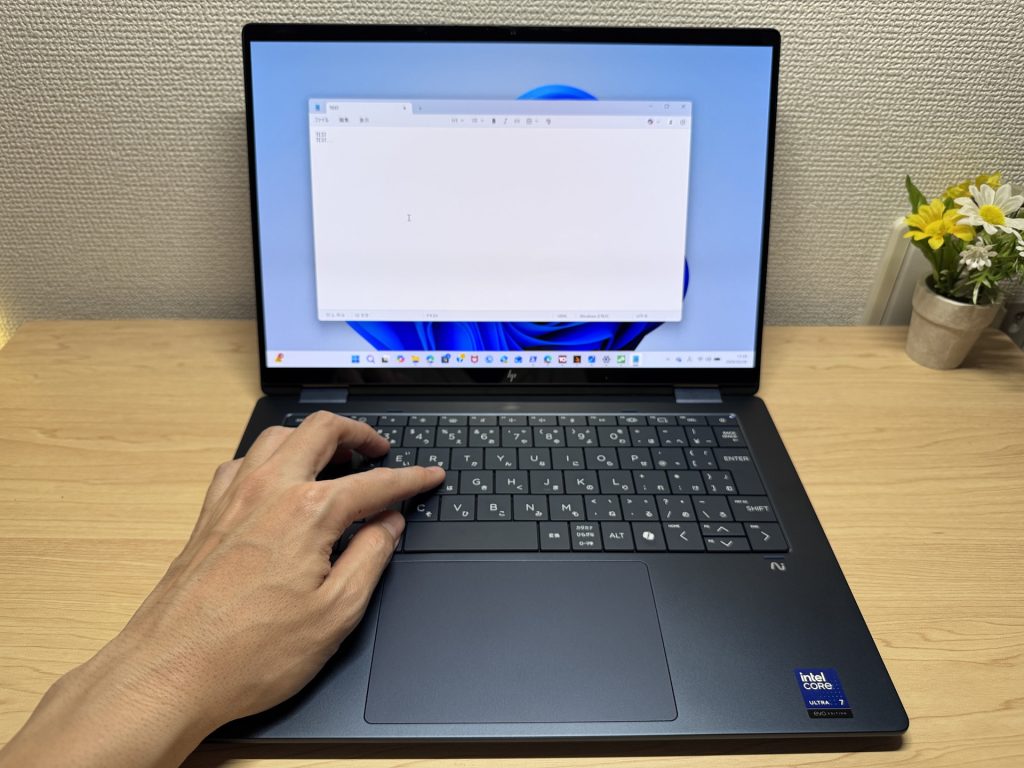 Typing feel is satisfying
The backlight offers off, low, and high settings with adjustable timeout (30 seconds or 3 minutes), plus an always-on mode. If you like your keyboard permanently lit, this has you covered ✨.
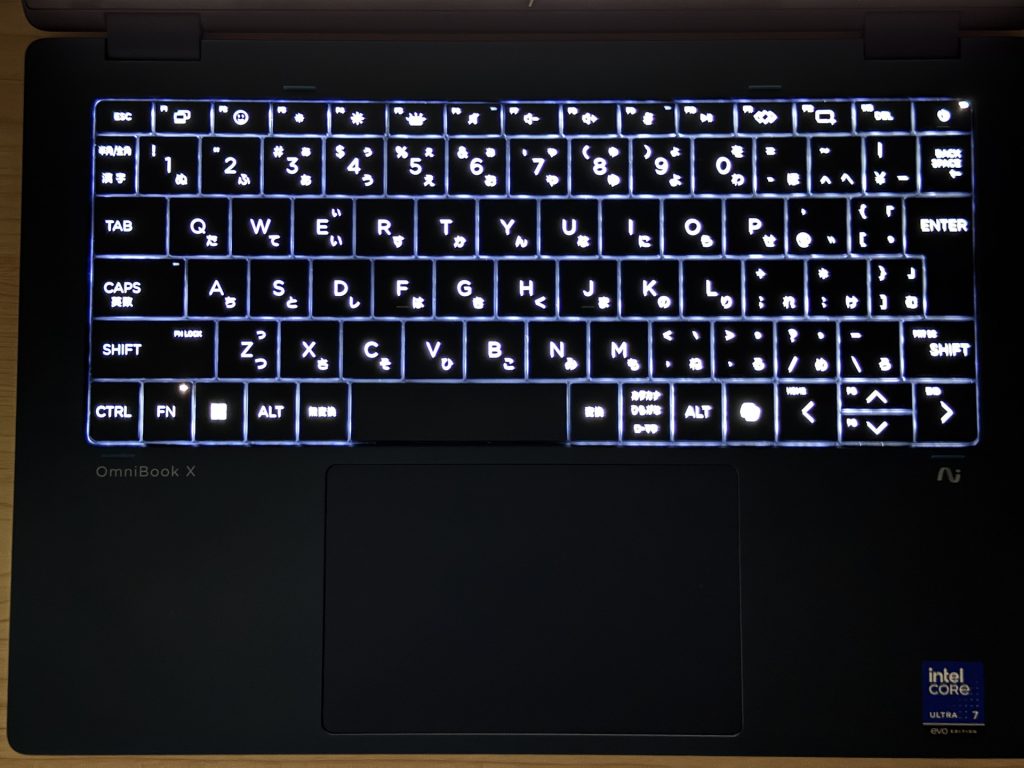 Backlight with an always-on option
Trackpad
Glide is smooth, the surface is generous, and the click feel is satisfying in the lower half. The top is stiffer — which is normal for this type of trackpad — but the lower portion has a clean, confident response. Quiet enough for coffee shops and libraries.
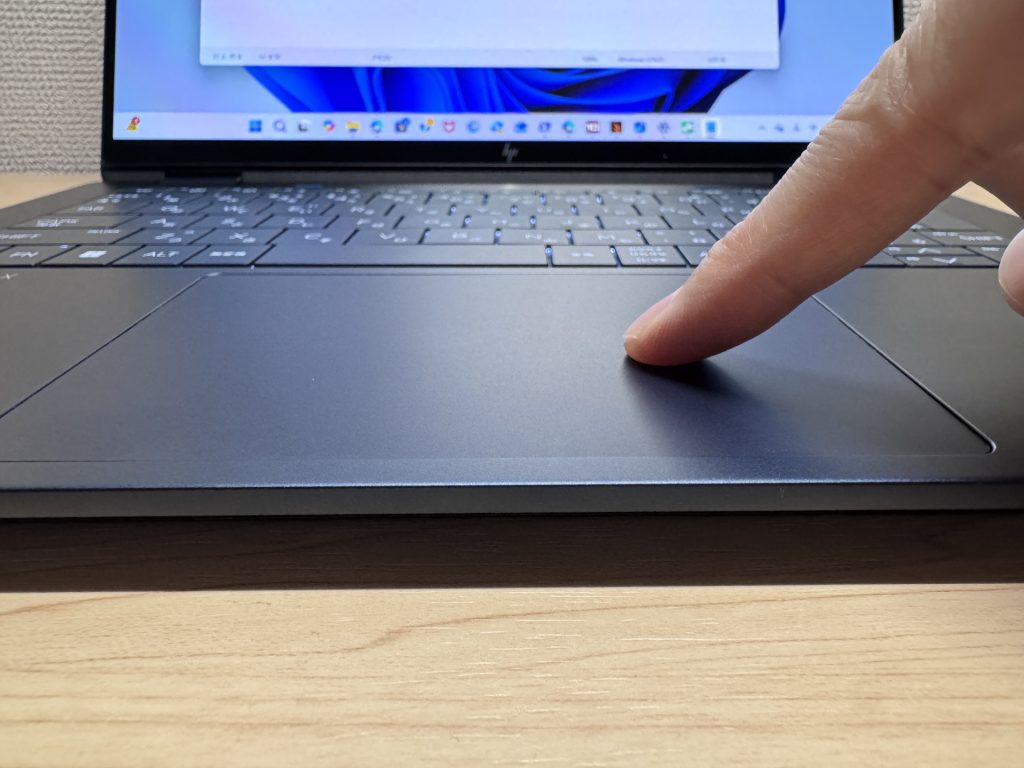 Spacious, smooth trackpad
Three-finger gestures for app switching work well — you get a MacBook-style workflow for window management without lifting your hands.
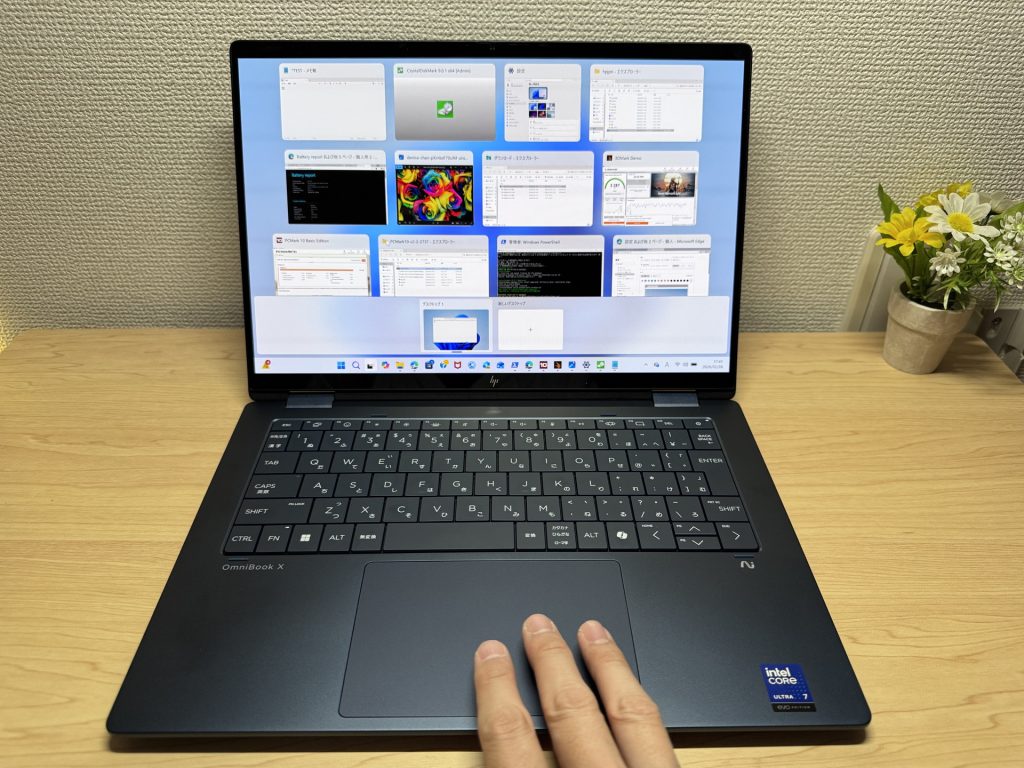 Gesture support that actually works
Performance
PCMark 10 total: 7,017. Solid productivity territory — multitasking, light photo editing, and everyday dev work are all handled without complaint.
| Total Score | Rating | What it feels like in real use |
|---|---|---|
| ~4,000 | Bare minimum | Web browsing and simple tasks work, but multitasking or many tabs feels sluggish. |
| 4,000–5,000 | Light use | Daily tasks are doable, but running multiple apps means waiting around. |
| 5,000–6,500 | Comfortable (mainstream) | Handles most work without stress — fine for office, school, video calls. |
| 6,500–8,000 | High performance This PC | Plenty of headroom. Light photo editing and programming feel snappy. |
| 8,000+ | Very high performance | Tackles video editing and heavy workloads. Long-lasting performance. |
*PCMark 10 reflects overall comfort. Actual feel depends on CPU, RAM, and SSD speed.
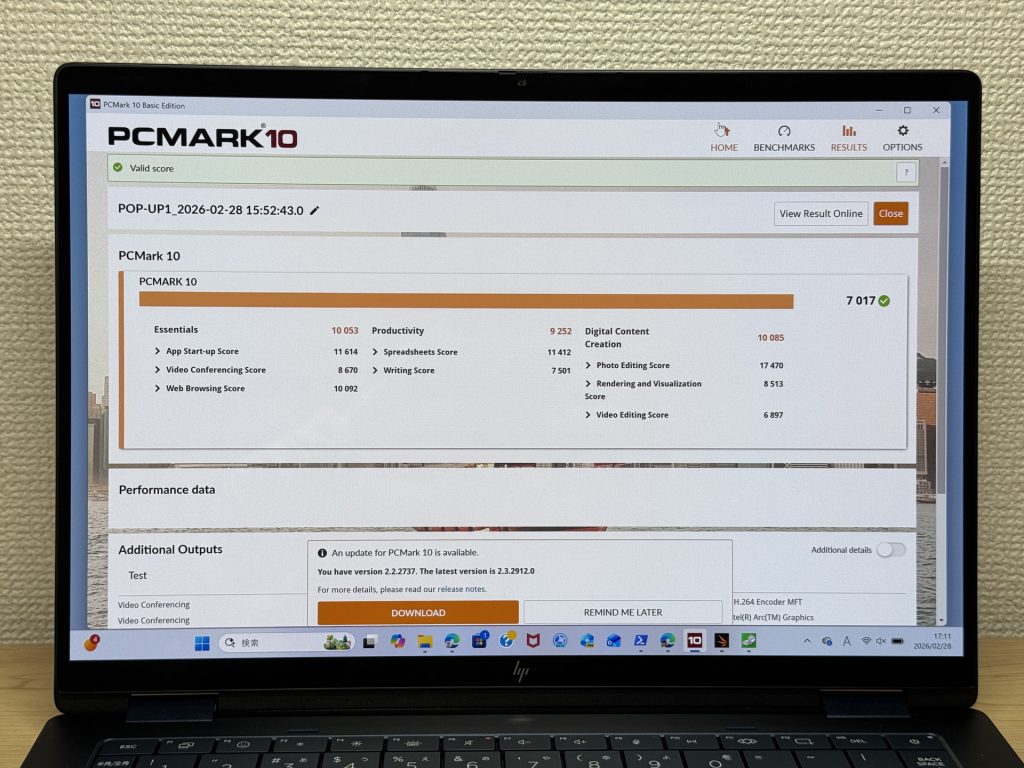 PCMark 10 score: 7,017
Cinebench R23 multi-core: 9,280 — solid output from the Core Ultra 7 258V.
| Score | Rating | What it feels like in real use |
|---|---|---|
| Up to 4,000 | Bare minimum | Web browsing and Office work, but heavier or parallel tasks feel underpowered. |
| 4,000–7,000 | Light use | Daily use is fine, but photo editing and heavier work mean waiting. |
| 7,000–10,000 | Comfortable (mainstream) This PC | Office, school, video calls, light image editing — handles it all comfortably. |
| 10,000–15,000 | High performance | Multiple apps, programming, moderate editing all feel responsive. |
| 15,000+ | Very high performance | Plenty of headroom for video editing and heavy multitasking. CPU rarely a bottleneck. |
*Cinebench R23 measures CPU multi-core performance — a useful proxy for heavy work like gaming and video editing.
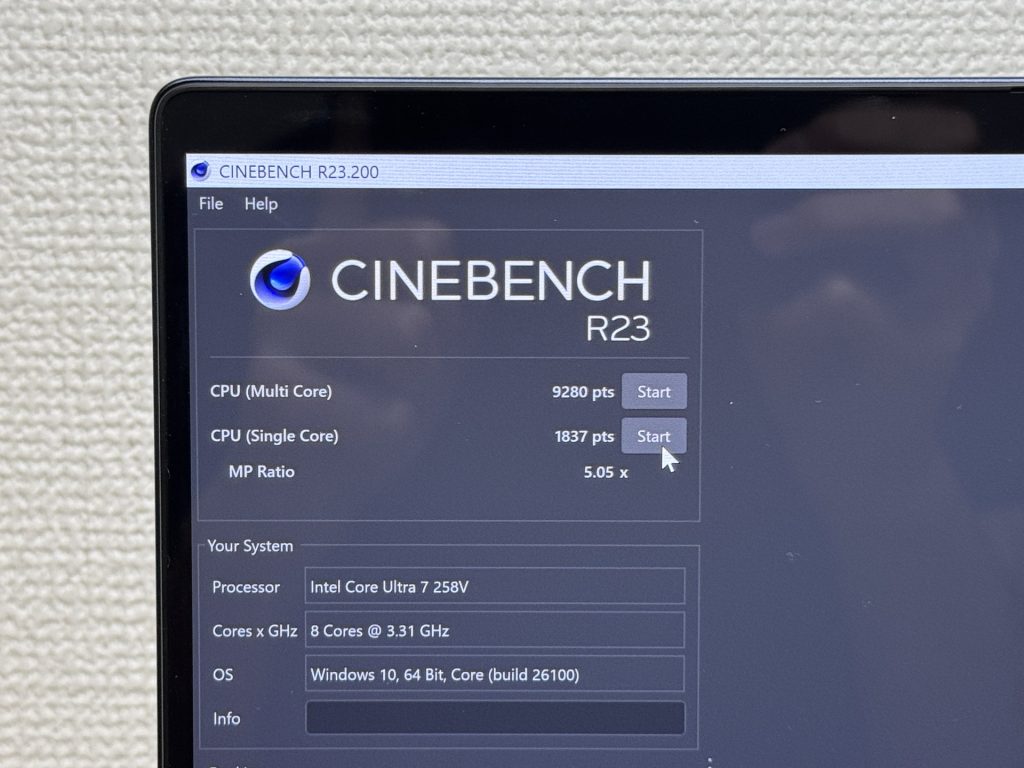 Cinebench R23 score: 9,280
3DMark Steel Nomad Light: 3,287. For an integrated GPU, that's a respectable number — light gaming and video editing assistance are both within reach.
| Score | Rating | What it feels like in real use |
|---|---|---|
| Up to 400 | Bare minimum | 3D performance is quite limited. Not really suited for gaming. |
| 400–900 | Light 3D | Lighter games and low-load 3D processing work. |
| 900–1,500 | Average (mainstream) | Standard for integrated GPUs. Light to medium games playable with right settings. |
| 1,500–2,200 | High performance | Strong for an integrated GPU. Games and 3D work feel comfortable. |
| 2,200+ | Very high performance This PC | Top-tier 3D performance for thin laptops. Real graphics headroom. |
*3DMark Steel Nomad Light targets thin laptops and integrated GPUs. Score range differs from Time Spy, so direct comparison isn't valid.
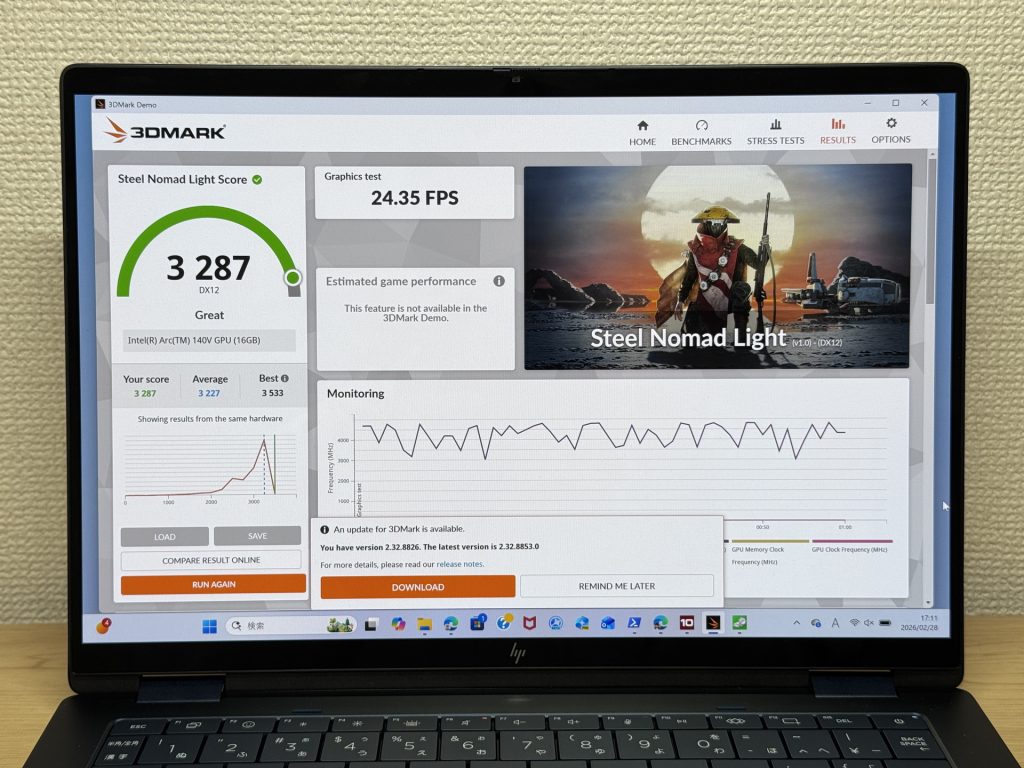 3DMark score: 3,287
SSD speeds: Read 6,078 MB/s / Write 5,329 MB/s — blazing fast 😲. App launches feel instant, large file transfers fly through, and you'll feel the difference coming from a slower drive.
| Score | Rating | What it feels like in real use |
|---|---|---|
| Up to 600 MB/s | Bare minimum | Faster than HDD, but slow for modern SSDs. App launches feel slightly slow. |
| 600–1,500 MB/s | Average | Fine for daily use, though loading is noticeably slower than top-tier SSDs. |
| 1,500–3,500 MB/s | Comfortable (mainstream) | App launches and file loading feel smooth. No real complaints in daily use. |
| 3,500–5,500 MB/s | Fast | Loads large data and apps quickly. Definitely upper-tier SSD speed. |
| 5,500+ MB/s | Very fast This PC | High-end NVMe territory. Heavy data work without waiting. |
*CrystalDiskMark measures SSD speed. It mainly affects app launch and file loading speed, not overall PC performance.
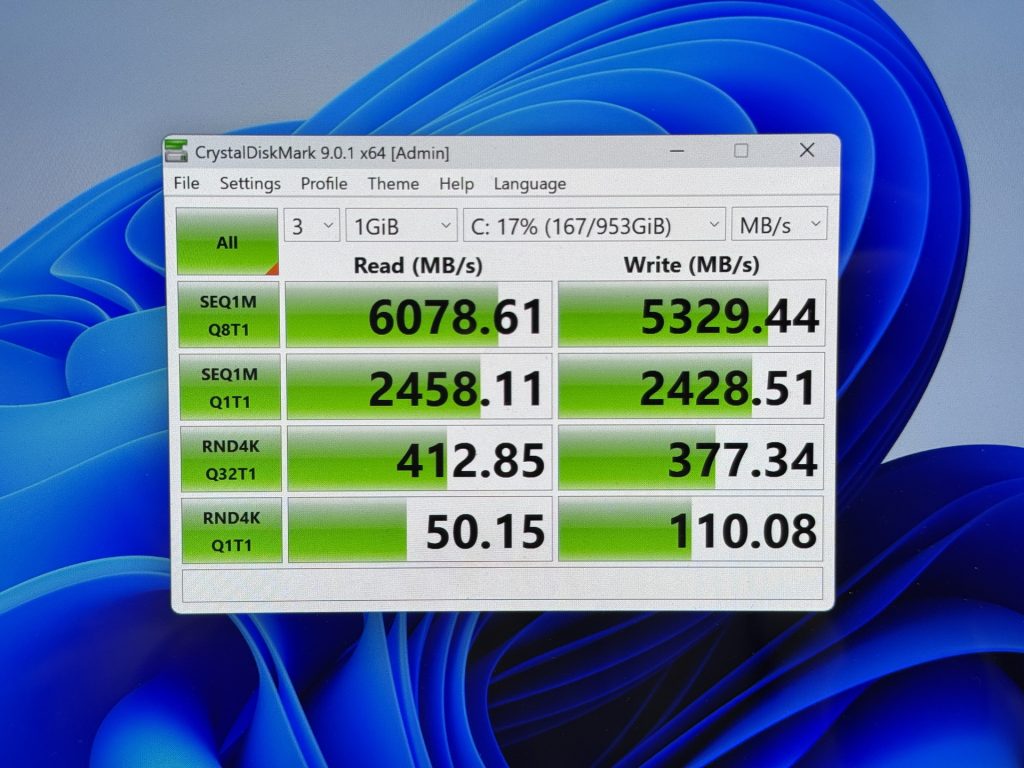 SSD speeds are seriously quick
Battery Life
Battery rating: Long
Battery capacity is around 60Wh, with HP claiming 17.5 hours. Given the OLED panel and 120Hz refresh rate — both power-hungry specs — I went in skeptical. In practice, a full workday is doable without a mid-day charge. Push it with max brightness and heavy tasks and you'll drain faster, but for typical use you're covered from morning to evening.
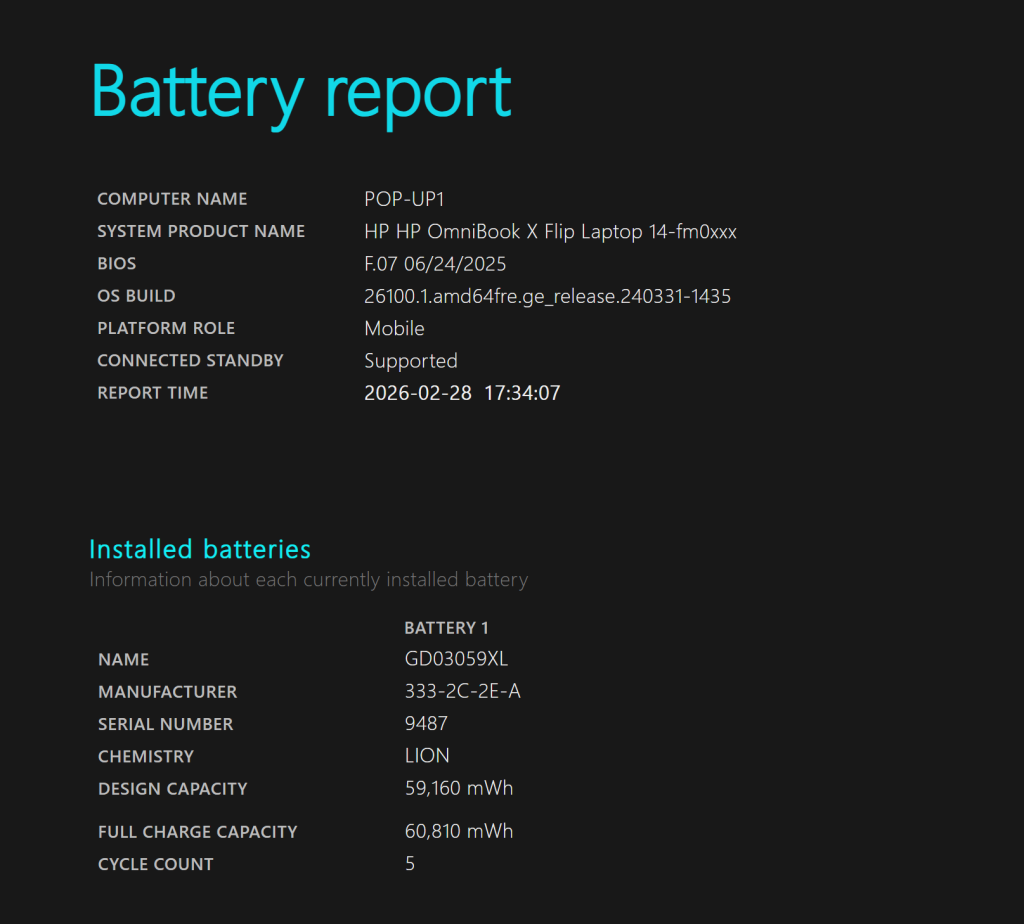 ~60Wh battery
USB-C charging support means you can run it off a compact Anker-style charger instead of the included brick — much better for travel 🙆♂️.
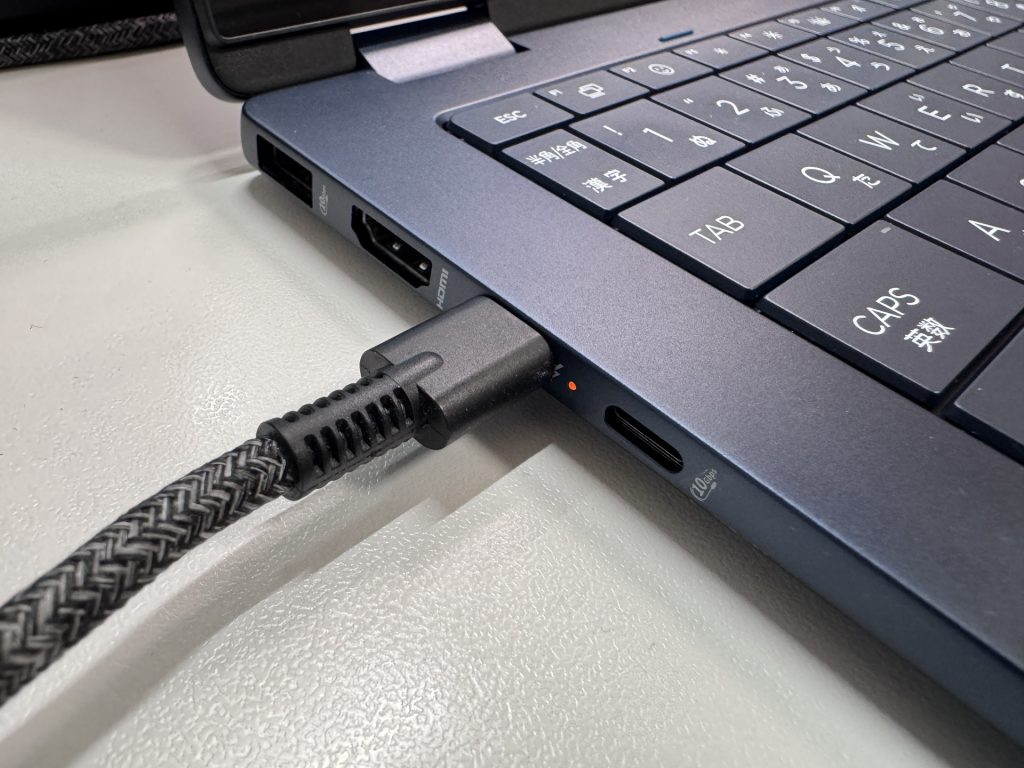 USB-C charging keeps the bag lighter
Fan Noise & Heat
Idle: 17.3 dB — essentially silent. You won't hear it in a normally quiet room, which is exactly what you want for library or focus work.
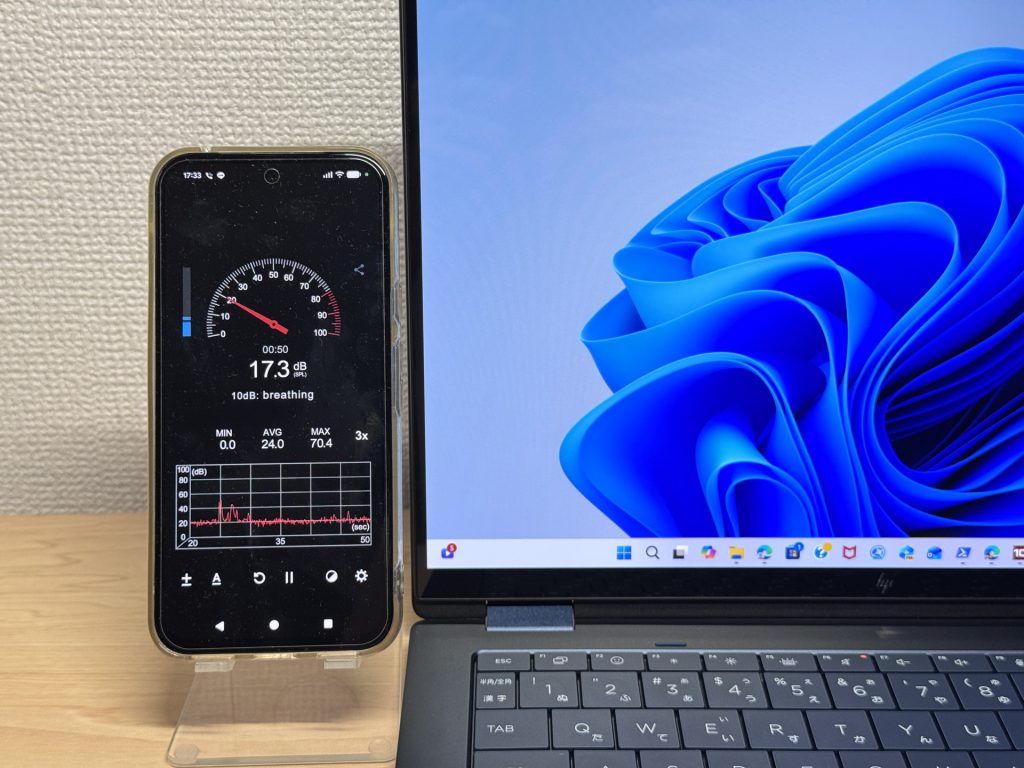 Basically silent at idle
Under load: 40.2 dB — clearly audible. Extended heavy tasks will make themselves known through the fans. The flip side is that the cooling system is actually doing its job and keeping performance up.
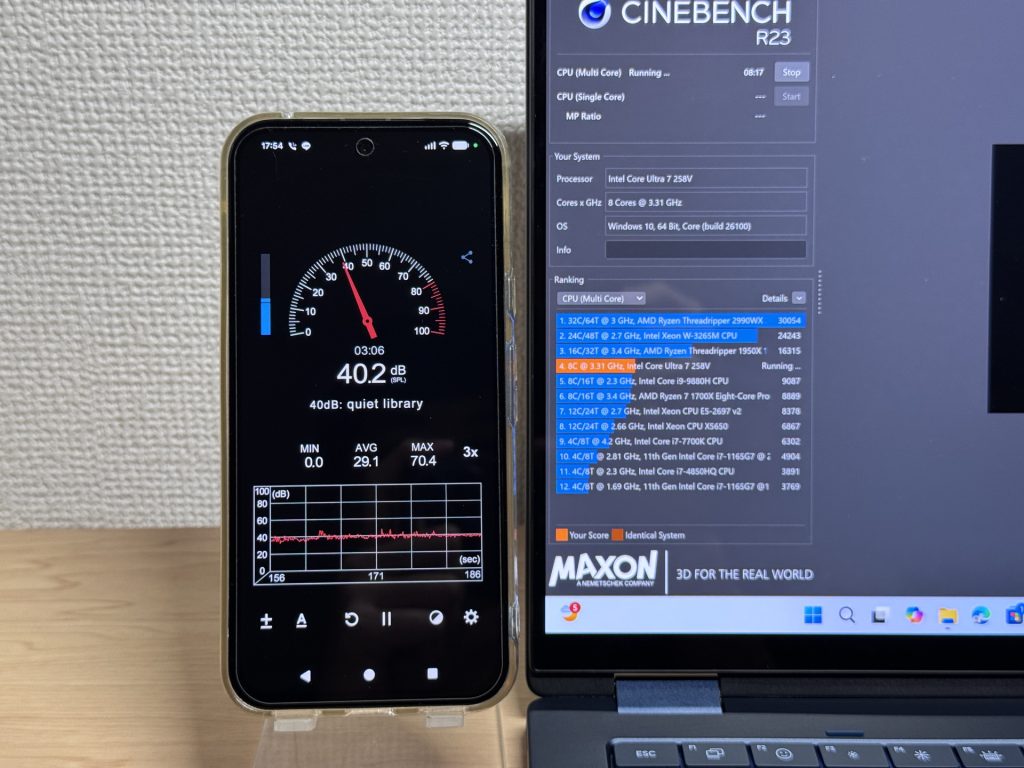 Noticeable fan noise under load
Exhaust vents are positioned at the rear, so there's no hot air blowing across your mouse hand. Small design call, real difference in comfort ✅.
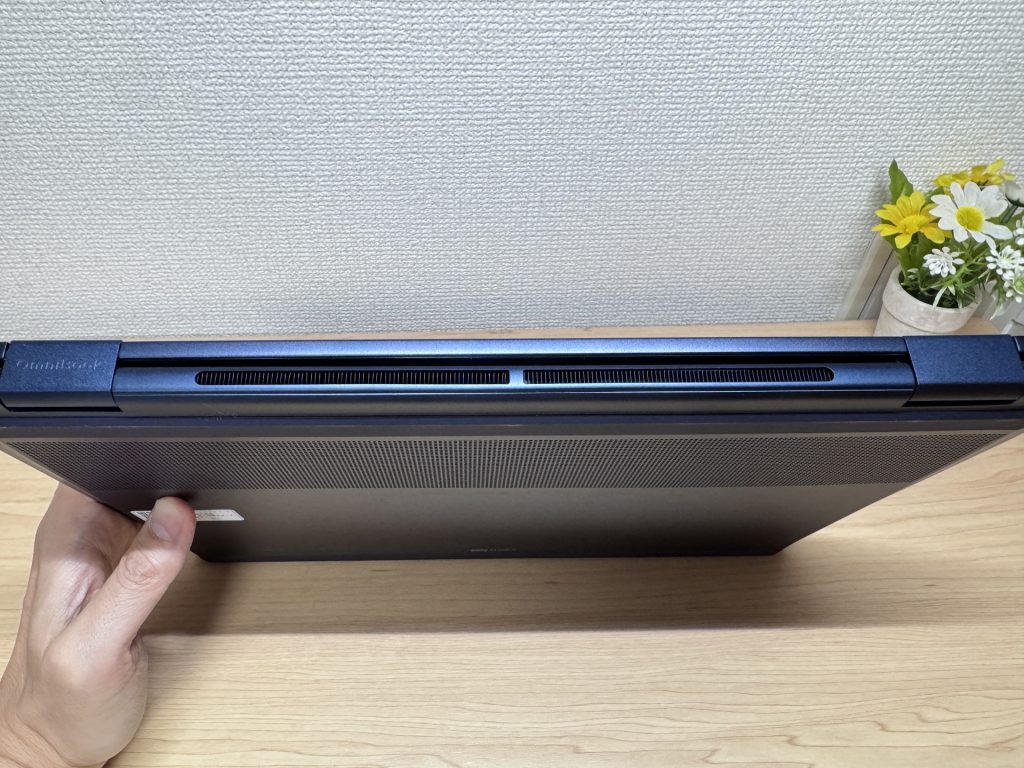 Rear exhaust keeps hands out of the hot zone
Ports
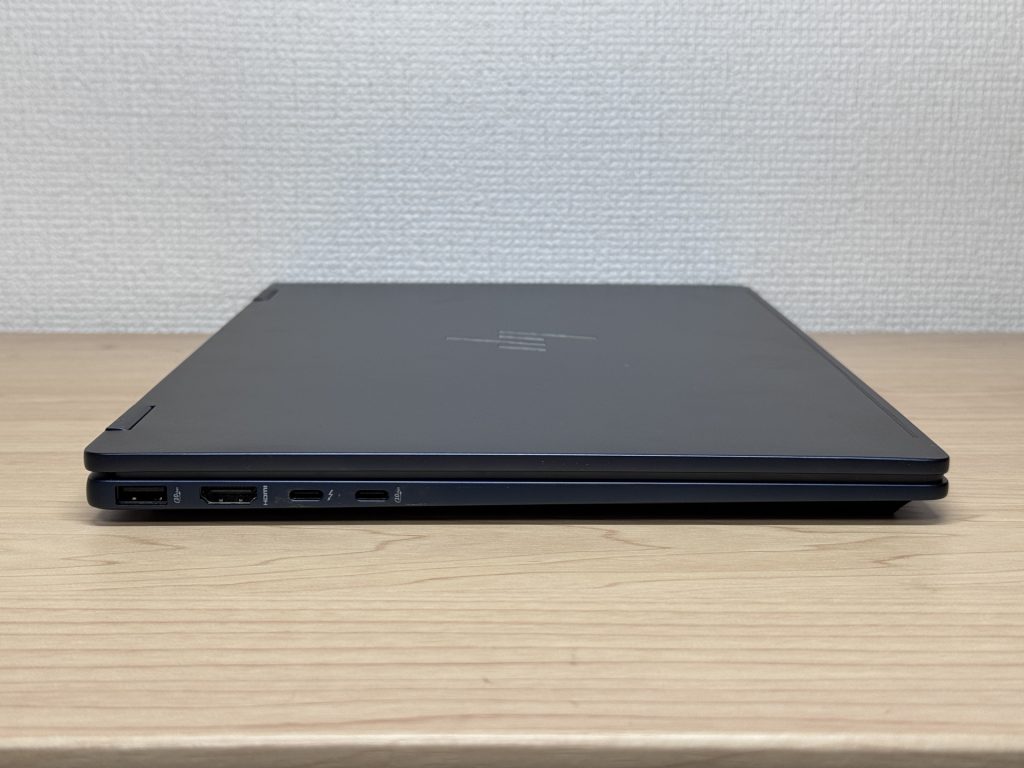
The port selection is genuinely strong 💼: Thunderbolt 4 (USB-C, 40Gbps) × 1, USB-C 10Gbps × 1, USB-A 10Gbps × 2, HDMI 2.1 × 1, headphone/mic combo × 1. That covers most setups without a hub.
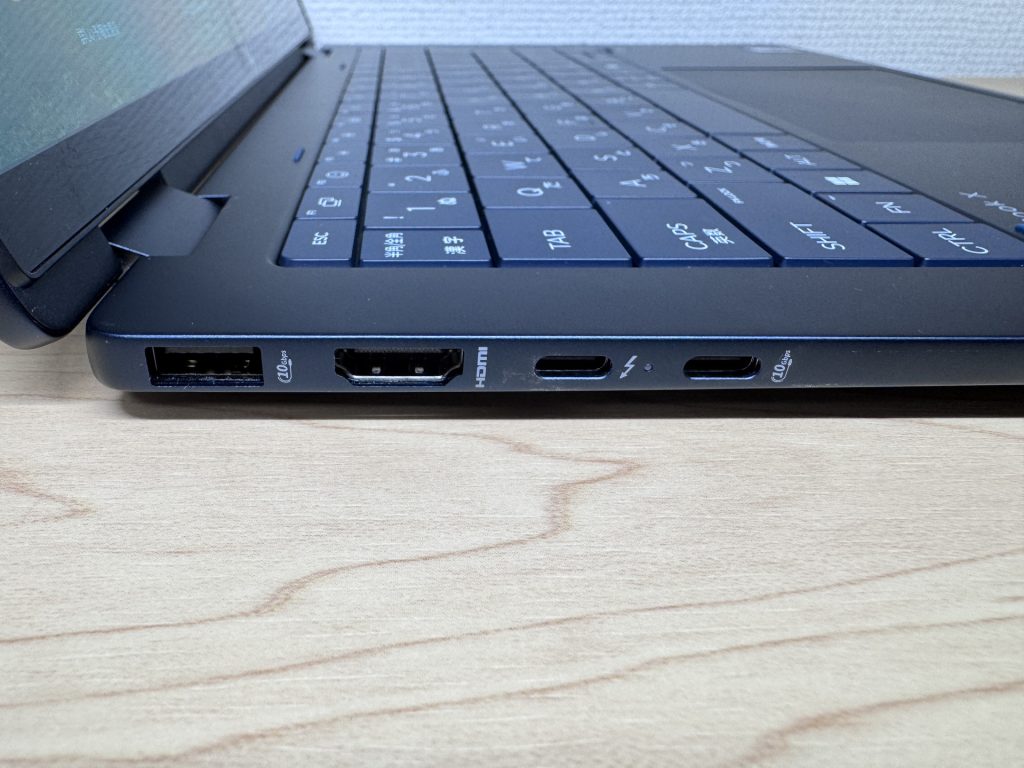 Left side ports
 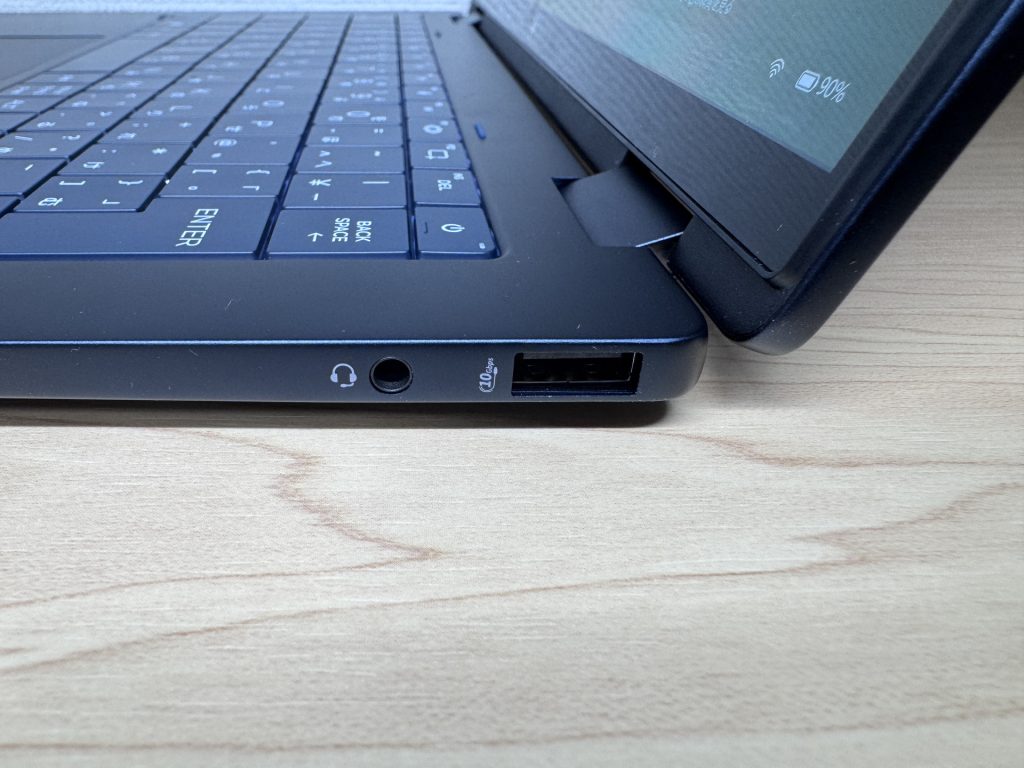 Right side ports
HDMI 2.1 handles 4K output cleanly. Plug in a large monitor at home and it makes a capable desktop replacement.
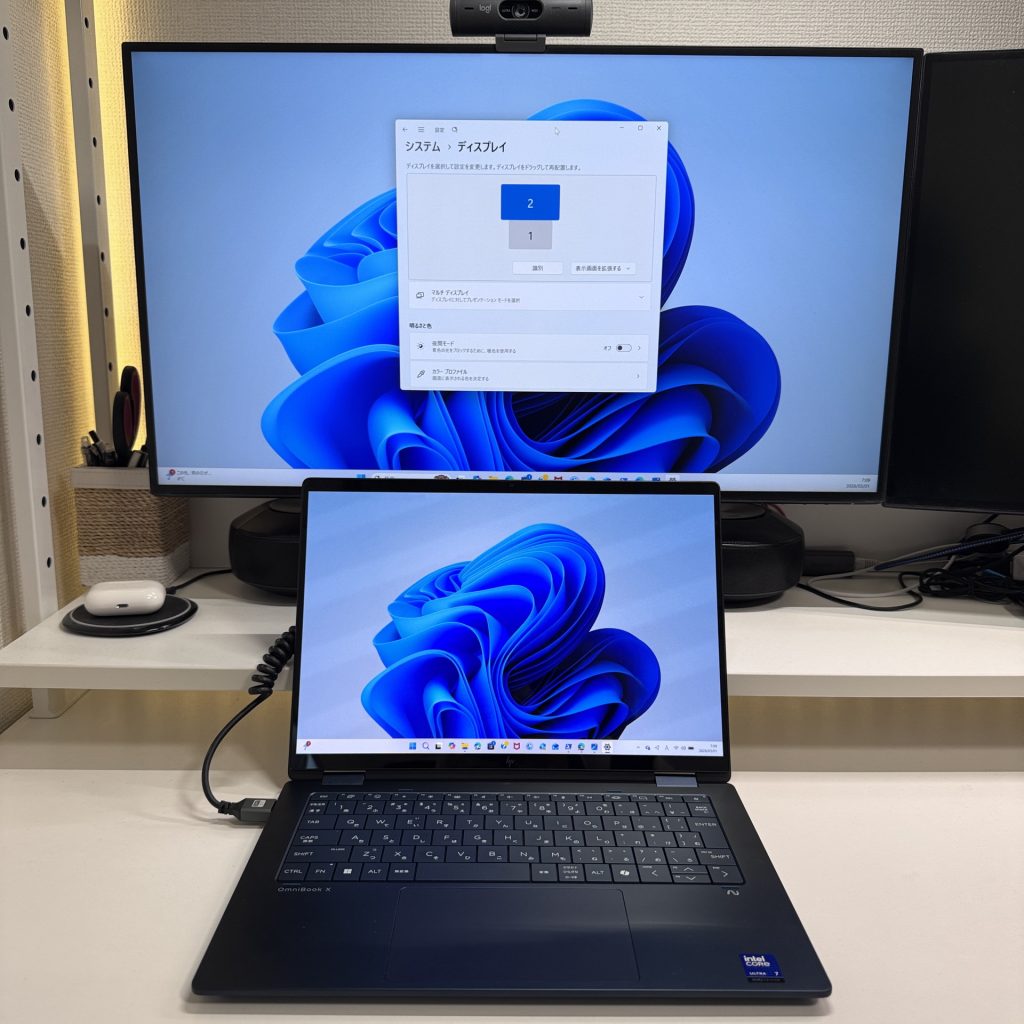 HDMI 2.1 outputs 4K without a hitch
I confirmed dual 4K output over USB-C simultaneously — it works 🖥️🖥️🖥️. Triple monitor setup is on the table, and once you've tried it, going back feels rough.
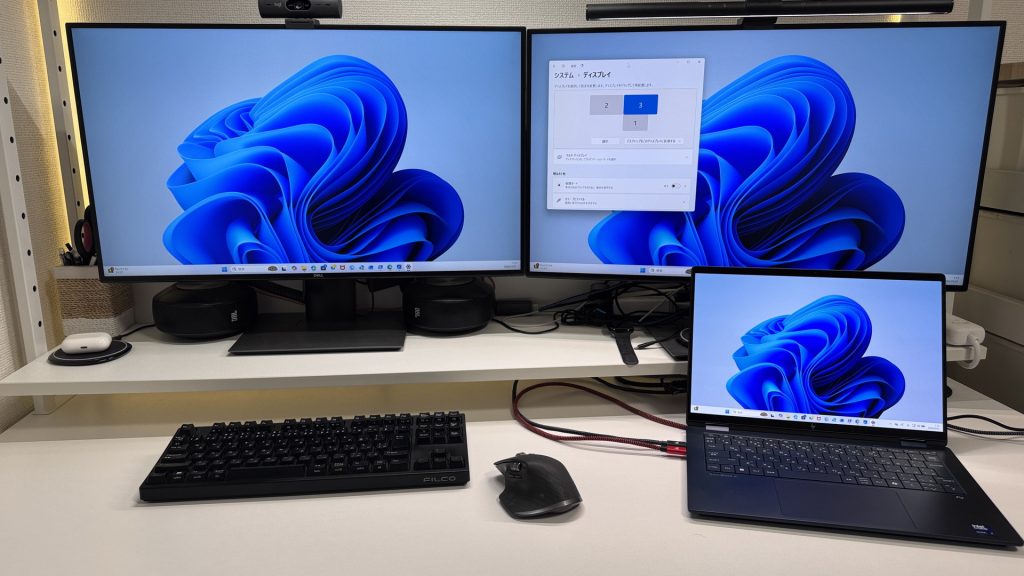 Dual 4K via USB-C confirmed
Webcam
Image quality is solid for video calls — colors look natural and it holds up fine in normal lighting. It runs a bit dark in low light, but pointing a desk lamp at your face fixes it instantly. No complaints for remote meetings.
 Webcam quality is good for calls
The physical privacy shutter is a thoughtful touch 🔒. Unlike software-only disabling, a physical shutter gives you clear visual confirmation the lens is covered — peace of mind when you need it.
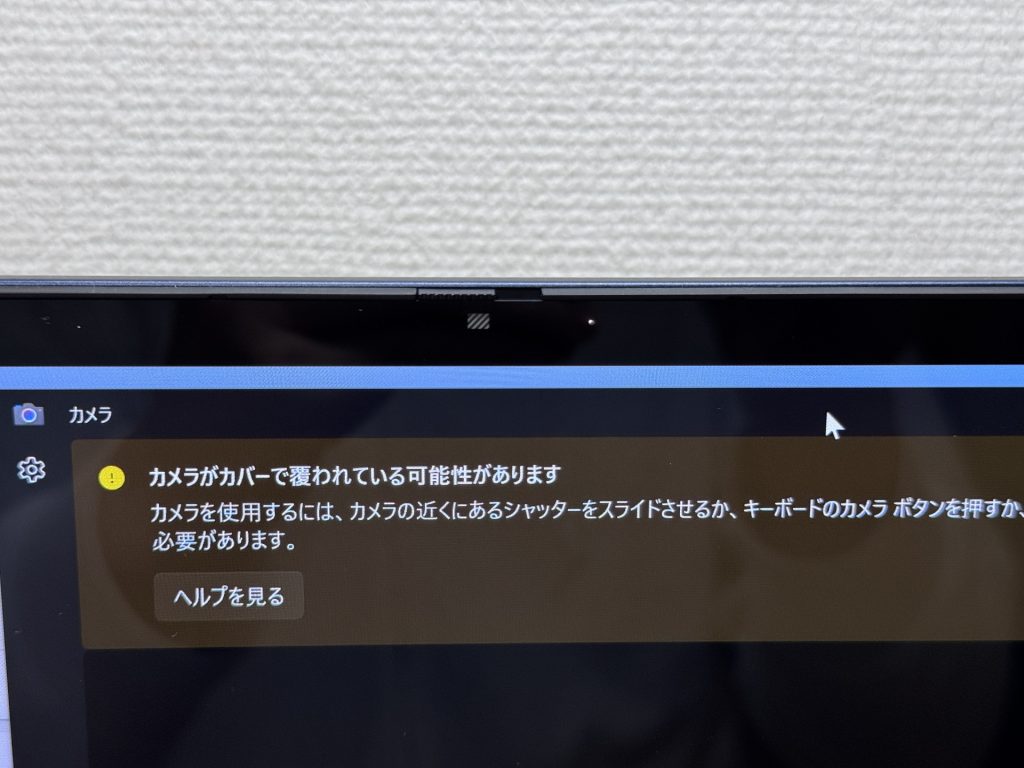 Physical privacy shutter — clearly off when closed
Speaker Quality
Better than expected for a mid-range machine 🎶. There's actual bass — not the thin, tinny sound cheaper laptops put out. Movies and music are enjoyable without reaching for headphones. Most people won't need external speakers for everyday use.
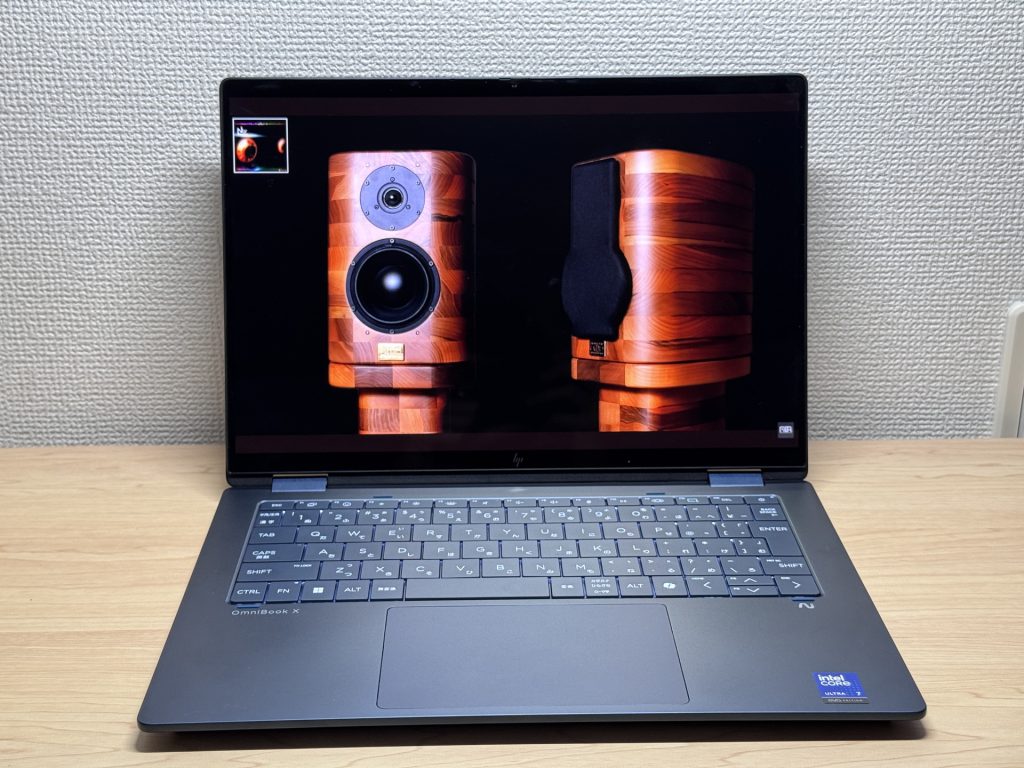 Speakers that exceed expectations
Security
Facial recognition is fast — open the lid and you're logged in almost instantly. That responsiveness adds up over dozens of unlocks a day.
No fingerprint reader, but with face unlock this snappy, it's hard to feel like something's missing 😊.
Overall Verdict
The OmniBook X Flip 14-fm is a mid-ranger that goes for it all — 2-in-1, OLED, complete port lineup — and mostly pulls it off. The combination of a sub-1.4 kg body with an OLED panel is rare at this price point, and it makes a genuine case for people who want portability and screen quality without having to pick one. Glare from the glossy display and fan noise under load are the main drawbacks, but for everyday use neither should be a dealbreaker.
✅ Recommended if you...
- Carry your laptop every day
- Want a great screen for video and content
- Need all-day battery without stress
- Want to connect to monitors without a bag of dongles
⚠️ Skip it if you...
- Need it mainly for demanding games or heavy video editing
- Work in quiet spaces — the fans get loud under load
2-in-1 + OLED + every port you'll need — a mid-ranger that delivers without cutting corners.
Where to Buy
* Prices may vary. Please check each store for the latest price and availability.
Where this laptop ranks

About the author