ZippyScore
ZippyScore is a proprietary rating based on 6 criteria: performance, portability, display, battery, value, and connectivity.
See rating criteria
- Performance: CPU / GPU performance
- Portability: Screen size & weight
- Display: Panel type, aspect ratio & refresh rate
- Battery: Rated battery life
- Value: Specs-to-price balance
- Connectivity: Port types & count
Pros & Cons
Pros
- At 1.15 kg (~2.5 lbs), it's light enough to carry to class or work every day without thinking about it
- The OLED display makes photos, video, and even everyday browsing look genuinely great
- 16 GB of RAM keeps multitasking smooth — lots of tabs and apps open at once, no slowdowns
- Face recognition (Windows Hello with IR camera) means you're logged in before you even set the laptop down
- Wi-Fi 6E support keeps your connection fast and stable for video calls and online work
Cons
- USB-C only — no USB-A or HDMI, so a hub is basically a requirement if you use any peripherals
- Not suited for demanding games or heavy video editing
Specs Summary
| Weight | 1.14 kg (2.54 lbs) |
|---|---|
| Ports | USB-C × 2 (40Gbps/PD/Video out), USB-C × 1 (10Gbps/PD/Video out) |
| Biometrics | Face Recognition |
| Battery | Up to 19 h (Capacity: 70 Wh) |
| Camera | 5.0 MP |
| Dimensions | Approx. 312.0 × 221.0 × 13.9 mm (W × D × H) |
| Wi-Fi | Wi-Fi 7 |
| Bluetooth | Bluetooth 5.4 |
Configurations vary by retailer, region, and availability.
Hands-on Review
Design
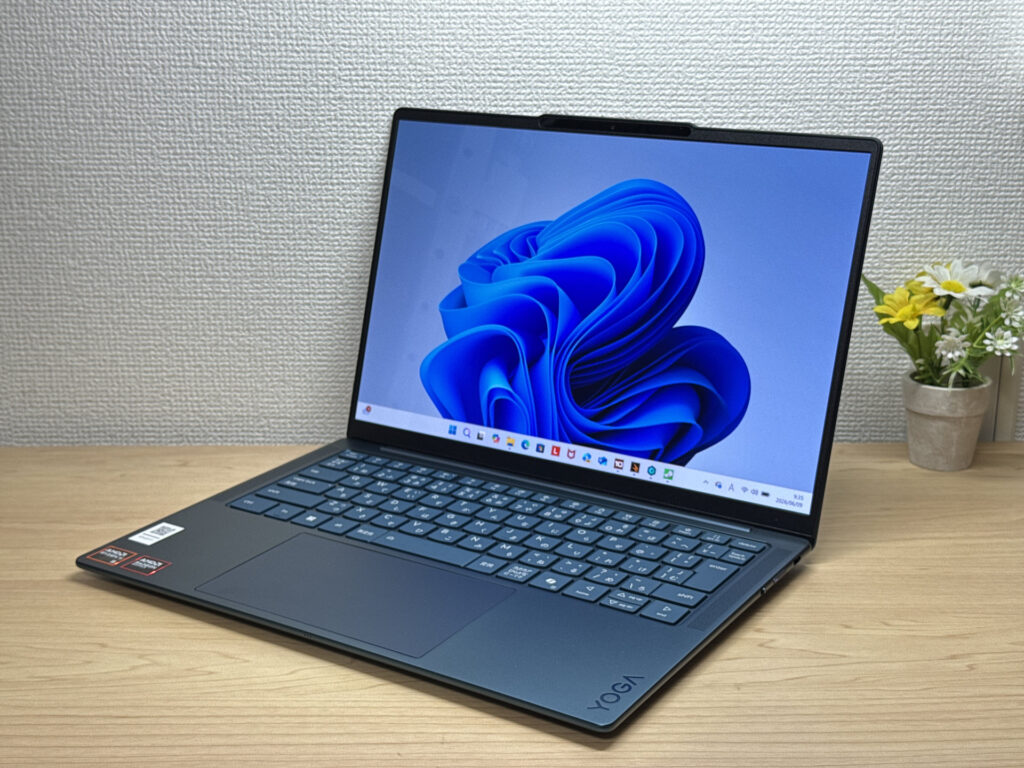
The colorway here is Tidal Teal — subtle enough to be professional, but just distinctive enough that it doesn't disappear in a sea of silver laptops at the coffee shop. Lenovo's Slim lineup generally has solid build quality, and Yoga Slim 7 Gen 11 (14" AMD) looks to continue that trend. At 13.9mm, it's genuinely slim for a 14-inch machine — it just slides into a backpack without that "ugh, it's sticking out" moment. One small but smart design touch: the webcam module protrudes slightly, which means you can pop the lid open without hunting for the edge with your fingernail. Tiny thing, but you'll appreciate it every single day.
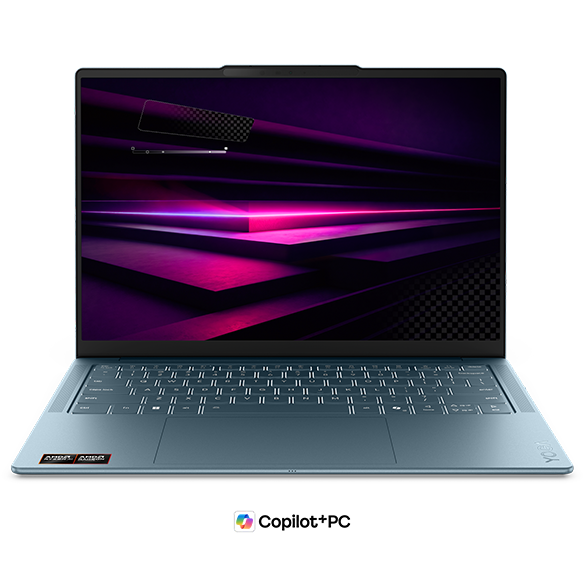 Slim and lightweight front profile
 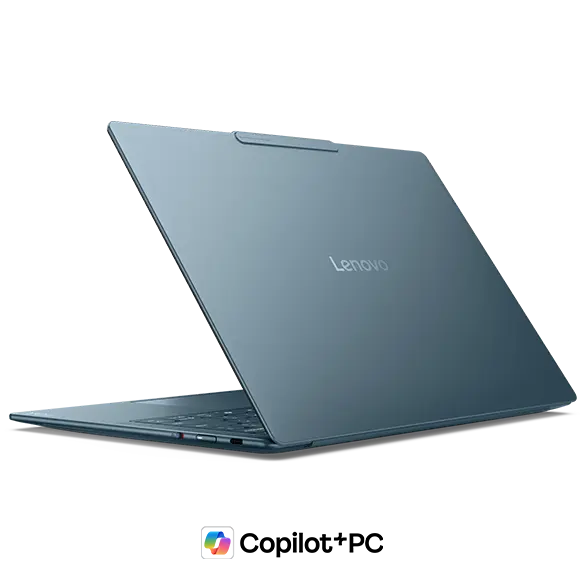 Clean, minimalist back panel
 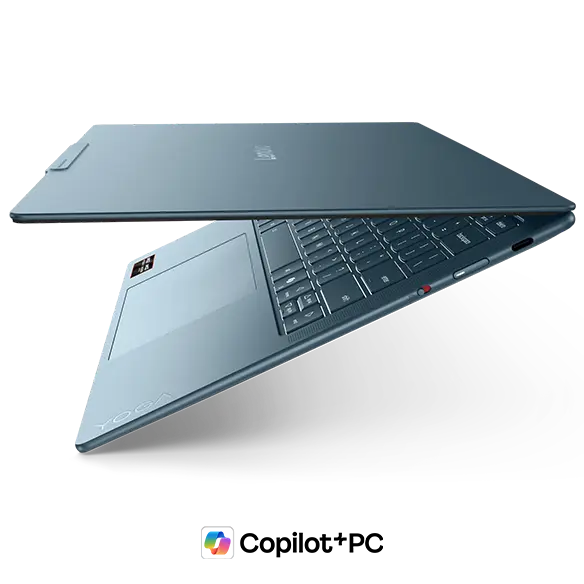 13.9mm — genuinely thin for a 14-inch
 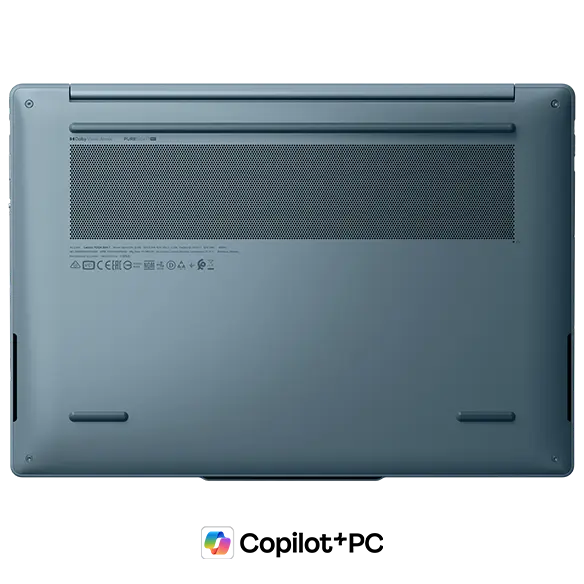 Stable base with thoughtful thermal layout
 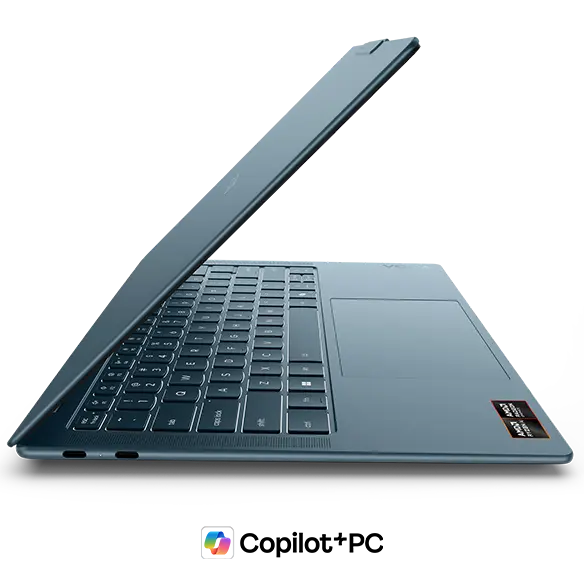 The webcam bump actually makes opening it way easier
Portability
Yoga Slim 7 Gen 11 (14" AMD) weighs in at 1.15 kg (~2.5 lbs). That's light enough that tossing it in your backpack every morning doesn't feel like a commitment — and getting a 14-inch OLED at that weight is genuinely rare. You can pick it up one-handed without thinking about it, which sounds minor until you're moving between desks or rooms all day. It charges over USB-C, too, so a compact travel charger or even a decent power bank keeps you going — no need to haul a big brick around.
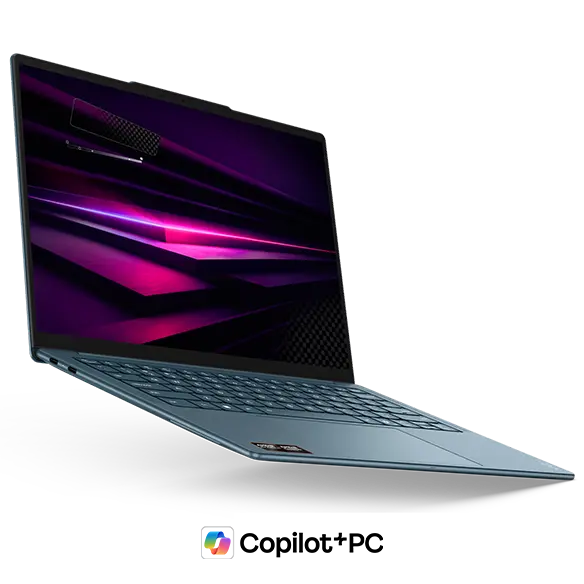 1.15 kg (~2.5 lbs) — easy to carry all day
Display Quality
This is honestly where Yoga Slim 7 Gen 11 (14" AMD) earns its keep. The OLED panel is the headliner, and rightfully so. You can get it in 1920×1200 on the base config, or step up to 2880×1800 (2.8K) on the higher-end model. Both run a 16:10 aspect ratio, which means a bit more vertical real estate — web pages require fewer scrolls, and documents show more content at once. The blacks are genuinely black and the colors pop in a way IPS panels just can't match — photos and video look noticeably better. I'd also say OLED tends to be easier on the eyes during long reading sessions, though your mileage may vary. The one tradeoff: it's a glossy panel, so reflections in bright rooms or outdoors can be a nuisance. Still worth it, in my opinion.
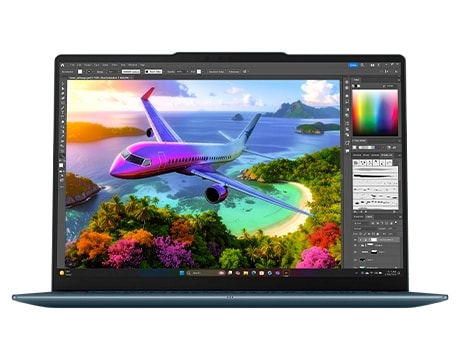 OLED colors and blacks that IPS just can't touch
Keyboard
The keyboard is backlit, which is a must-have if you work in dim environments — no squinting at keycaps in a dark dorm room or dimly lit office. The full 14-inch chassis gives the layout room to breathe, and it looks well-suited for long writing sessions and everyday work. One thing to keep in mind for US buyers: the photos show a US-layout keyboard, but regional keyboard layouts may vary depending on configuration.
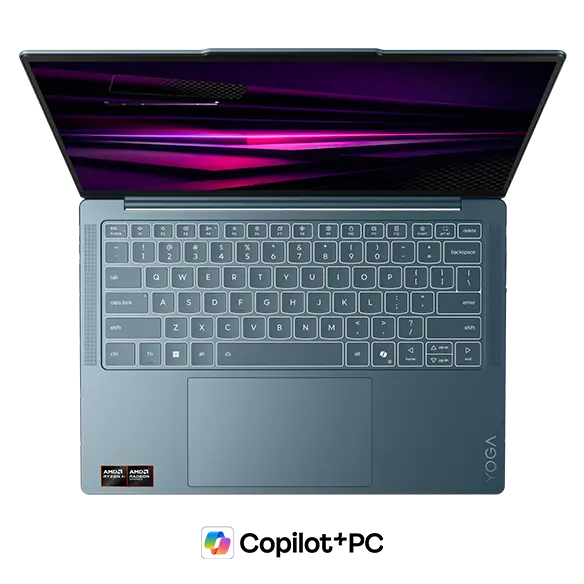 Backlit and comfortable even in the dark
  Typing feel looks solid, consistent with previous gen
Performance
The base config runs an AMD Ryzen AI 5 430 (PassMark: ~13,437), with an upgrade path to the AMD Ryzen AI 7 445 (PassMark: ~20,770) on higher-end models. Even the entry chip handles the everyday stuff — browser tabs, spreadsheets, email, light photo editing — without breaking a sweat.
| Score | Rating | What it feels like in real use |
|---|---|---|
| Up to 5,500 | Tight on headroom | Hiccups during multitasking; comfort takes a hit. Daily use feels constrained. |
| 5,500–8,000 | Daily use | Web, Office, remote work — handles them without issue. |
| 8,000–12,500 | Comfortable (standard) | Daily PC tasks with real headroom. Light video editing and casual games work. |
| 12,500–20,000 | High performance (mainstream) This PC | Multitasking feels good. Heavier work and 3D games are workable. |
| 20,000–40,000 | Very high performance | Comfortable even for demanding work and gaming. |
| 40,000+ | Exceptional | Plenty of headroom for creative work and heavy loads. Long-lasting performance. |
*PassMark CPU Mark measures multi-threaded CPU performance. Some variance is normal between runs even with the same CPU.
Step up to the Ryzen AI 7 445 and you get noticeably more headroom for heavier multitasking or light creative work. The integrated AMD Radeon 840M GPU (PassMark: ~3,805) is fine for everyday use, but don't expect it to run demanding 3D games or heavy video exports — that's not what this machine is built for.
| Score | Rating | What it feels like in real use |
|---|---|---|
| Up to 1,500 | Bare minimum | Limited 3D performance. Not suited for gaming or heavy 3D work. |
| 1,500–3,500 | Light 3D | Lighter games and low-load tasks work with conservative settings. |
| 3,500–5,500 | Average This PC | Light to medium games and GPU-light work are fine. Solid integrated GPU for daily use. |
| 5,500–7,500 | High performance | Strong for an integrated GPU. Lighter games and image work feel comfortable. |
| 7,500+ | Very high performance | Upper-tier integrated GPU. Real graphics headroom even in thin laptops. |
*PassMark G3D Mark measures 3D rendering. This guide is for integrated GPUs — discrete GPU models are not directly comparable.
RAM starts at 16 GB LPDDR5x, which is plenty for keeping a lot of apps open at once. Dozens of browser tabs open alongside a document? No problem. There's also a 32 GB option if you're regularly working with larger datasets or just want that extra breathing room.
 More than enough muscle for day-to-day tasks
Battery Life
Battery verdict: good to solid
The 70 Wh battery is on the larger side for a machine this thin — honestly, fitting 70 Wh in a 13.9mm chassis deserves a nod. That said, OLED panels do draw more power than IPS, so real-world battery life will fall short of what the spec sheet implies. For lighter workloads — web browsing, writing, video calls — you should be in good shape for a full work or school day. Crank the brightness and throw some heavy tasks at it, and you'll want to be near an outlet. If you're out all day, a small USB-C power bank is a smart addition to the bag.
Ports
The port situation is all USB-C: three ports total, with two USB4 (up to 40 Gbps) and one USB 3.2 Gen 2. All three support Power Delivery charging and DisplayPort Alt Mode. The USB4 ports are great for external docks and fast external storage — plenty of bandwidth to work with. The catch: there's no USB-A and no HDMI. The previous generation had both, so dropping them stings a little. That said, this is the tradeoff for keeping the chassis this thin, and a single USB-C hub covers most use cases without much hassle.
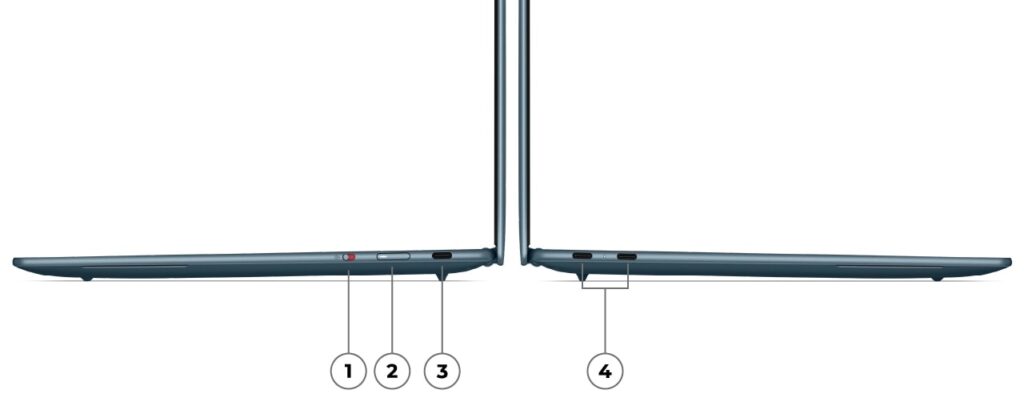 Three USB-C ports — snag a hub and you're covered
Speakers
Speakers sit on either side of the keyboard, giving you proper left-right separation. The previous Slim 7a got solid marks for audio clarity, and Yoga Slim 7 Gen 11 (14" AMD) looks to be in the same ballpark. Paired with the OLED display, this is a legitimately enjoyable machine for streaming and movies — all from one slim package.
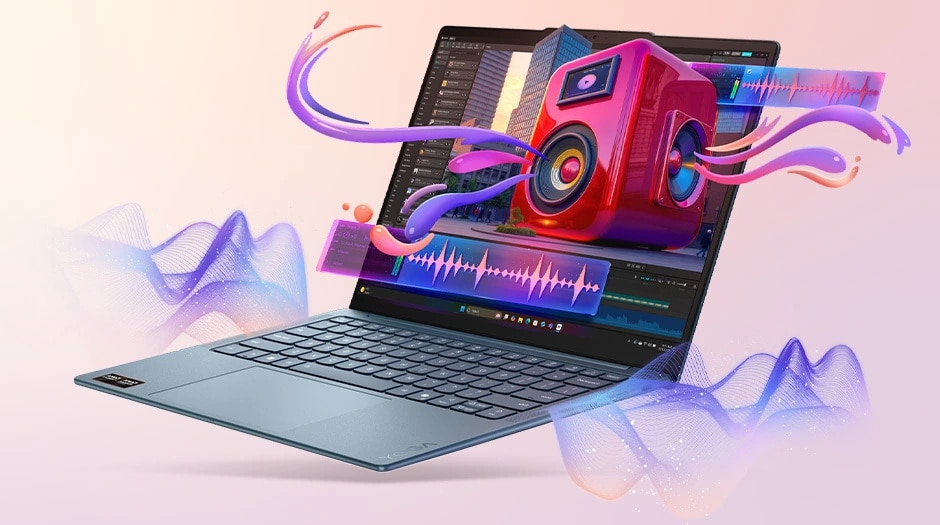 Left-right speaker placement gives a decent soundstage
Webcam
The 5MP webcam is a step up from the 1080p cameras still lurking in a lot of laptops at this price range — video calls and remote classes should look noticeably cleaner. There's also a physical privacy shutter built in, so when you're not on a call, you can block the lens entirely. If you've ever been mildly paranoid about the camera light lying to you, this takes care of that.
Security
Login is handled via face recognition (Windows Hello) using an IR camera, which means it works reliably even in low light. You open the lid and you're in — no password typing, no fingerprint fumbling. It sounds like a small thing until you've used it every day and then go back to a laptop without it. Genuinely one of those quality-of-life features that's hard to give up.
Value
Stack up what you're getting — OLED display, 1.15 kg body, 16 GB RAM, 2-in-1 flexibility — and the price feels like a genuinely good deal. Laptops with OLED and this kind of portability usually cost more. The previous Slim 7a had a reputation for punching above its price, and this generation looks to carry that on. In a market where prices keep creeping up, that's worth something.
Bottom Line
Yoga Slim 7 Gen 11 (14" AMD) nails the trifecta that matters most for a daily carry laptop: light body, great display, and a price that doesn't feel like a rip-off. It's one of the better-value 14-inch OLED ultraportables out there for college students, professionals, and anyone who wants a capable machine they'll actually enjoy carrying around. The USB-C-only port setup means a hub is effectively required if you use peripherals — and this isn't the machine for gaming or serious video work. But if those aren't dealbreakers for you, this one's hard to argue with.
Where to Buy
* Prices may vary. Please check each store for the latest price and availability.
About the author