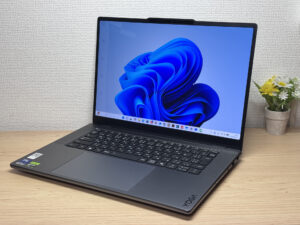
ZippyScore
ZippyScore is a proprietary rating based on 6 criteria: performance, portability, display, battery, value, and connectivity.
See rating criteria
- Performance: CPU / GPU performance
- Portability: Screen size & weight
- Display: Panel type, aspect ratio & refresh rate
- Battery: Rated battery life
- Value: Specs-to-price balance
- Connectivity: Port types & count
Pros & Cons
Pros
- Weighs just 1,604 g (~3.5 lbs) — shockingly light for a 15.3-inch laptop
- A touchpad that turns into a graphics tablet — not something you see every day
- 32GB of memory keeps multitasking from bogging things down
- The OLED display makes everything look vivid and rich
- The 5MP webcam keeps your face sharp and clear on video calls
Cons
- The stock charger weighs 435 g (~0.96 lbs) → swap in a 100W+ charger and you're lighter on the go
- If you're not used to graphics-tablet input, the touchpad's pen mode takes some getting used to
Specs Summary
| OS | Windows 11 Home |
|---|---|
| CPU | Intel Core Ultra 9 386H (PassMark: 35,246) Intel Core Ultra 7 356H (PassMark: 33,574) |
| RAM | 32GB |
| Storage | 1TB |
| Display | 15.3" OLED (Glossy, Touchscreen, 165Hz) 2560x1600 (16:10) |
| Weight | 1.65 kg (3.64 lbs) |
| Ports | USB-A × 2 (10Gbps), USB-C × 2 (Thunderbolt 4/40Gbps/PD/Video out), HDMI × 1 (ver.2.1), SD card × 1, Headphone jack × 1 |
| GPU | NVIDIA GeForce RTX 5060 Laptop GPU (G3D Mark: 16,757) NVIDIA GeForce RTX 5050 Laptop GPU (G3D Mark: 14,121) |
| Biometrics | Face Recognition |
| Battery | Up to 19.5 h (Capacity: 84 Wh) |
| Camera | 5.0 MP |
| Dimensions | Approx. 347 × 242 × 16.7 mm (W × D × H) |
| Wi-Fi | Wi-Fi 7 |
| Bluetooth | Bluetooth 5.4 |
| Color | Grey / Luna Grey |
Configurations vary by retailer, region, and availability.
Hands-on Review
Alright, let's get into the hands-on for the Lenovo Yoga Pro 7i Gen 11 Aura Edition. Here's the configuration I tested:
| Spec | Review Unit Configuration |
|---|---|
| CPU | Intel Core Ultra 9 386H |
| Memory | 32GB |
| Storage | 1024GB SSD |
| Display | 15.3-inch OLED (2560x1600, 165Hz) |
| Graphics | NVIDIA GeForce RTX 5060 Laptop GPU |
| Color | Luna Gray |
Note: configuration may vary depending on when and where you buy it.
Design
This is classic Lenovo Yoga territory, and being an Aura Edition, the build quality is on a different level. You can tell from the first touch this isn't some budget laptop. The logo on the lid catches the light nicely too — looks sharp. ✨
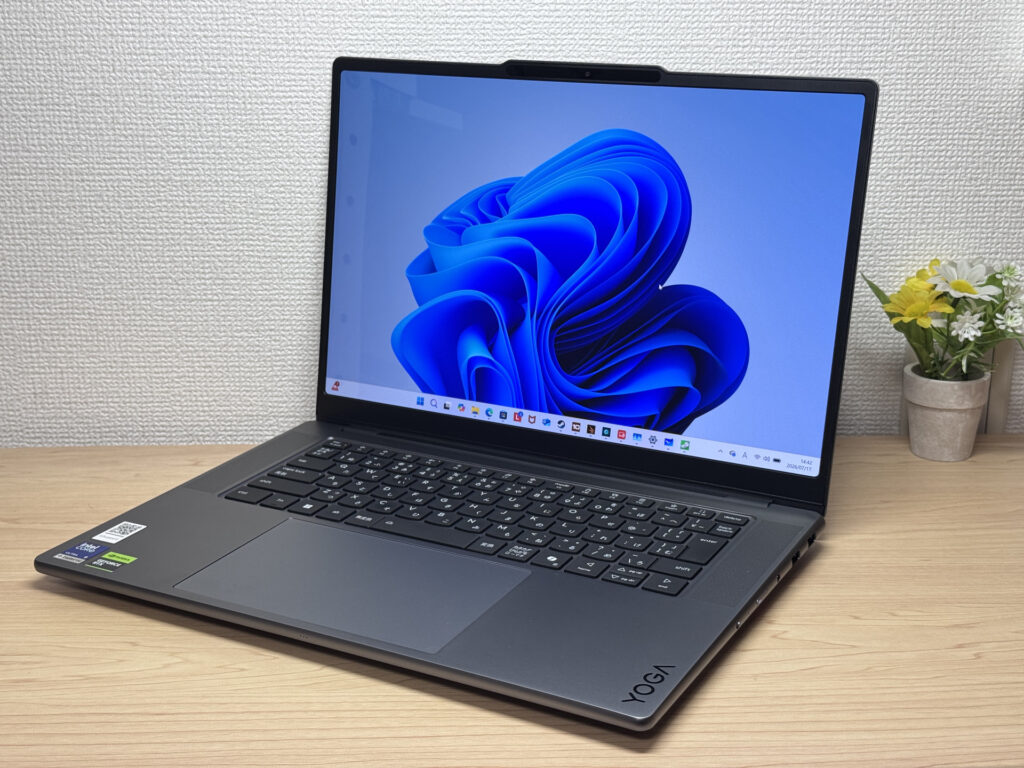 This texture and finish — only an Aura Edition pulls this off!
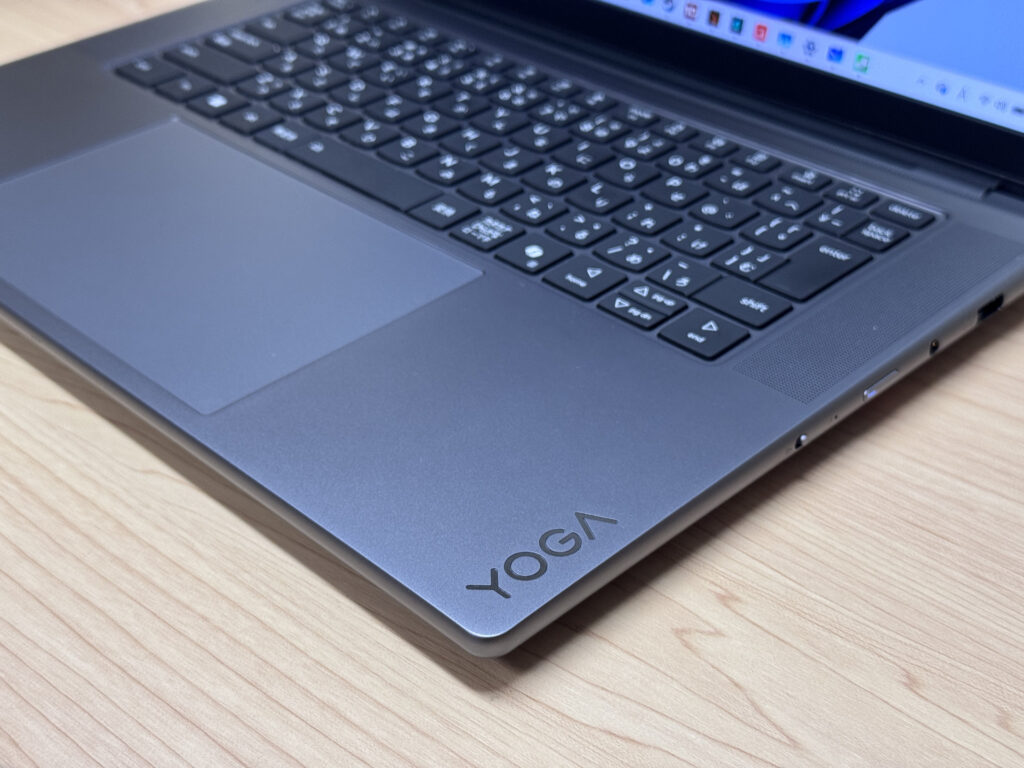 The embossed YOGA logo is a nice subtle touch
The lid comes in Luna Gray too, giving it a classy look. It's got a high-end look without being flashy about it — just the right balance.
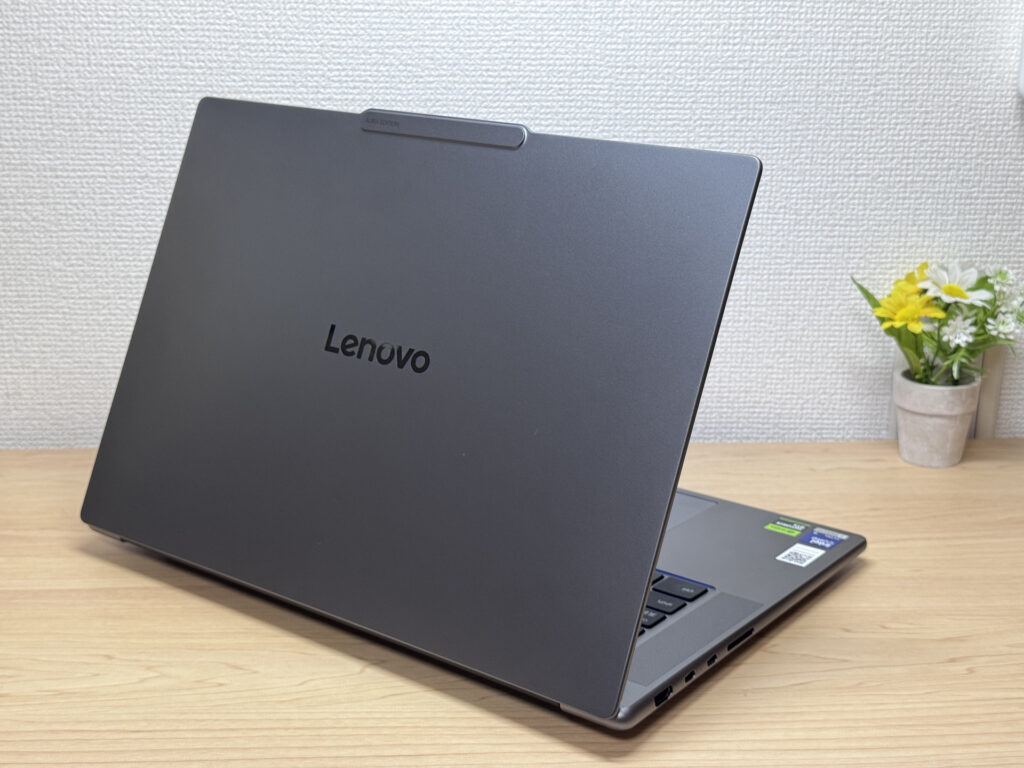 The Luna Gray lid looks great even from an angle
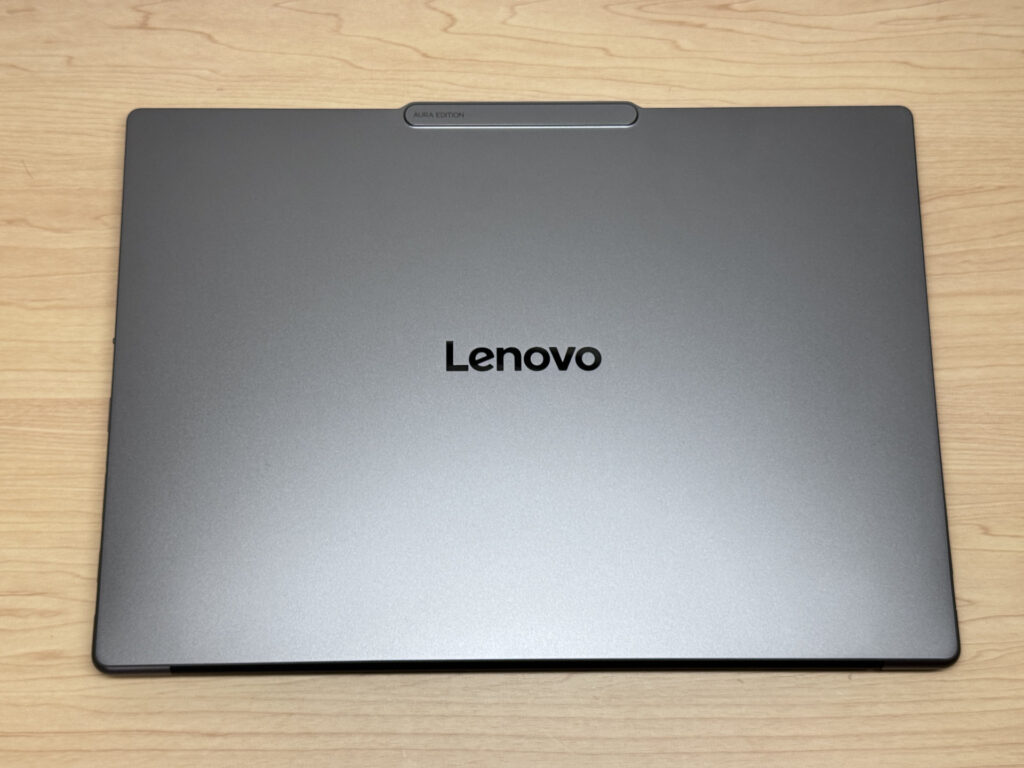 The Lenovo logo keeps a low profile — I actually prefer that
It's 16.7mm thick. For a 15.3-inch laptop, that's impressively thin — very much in keeping with the Yoga line. It should slide into a bag without any hassle.
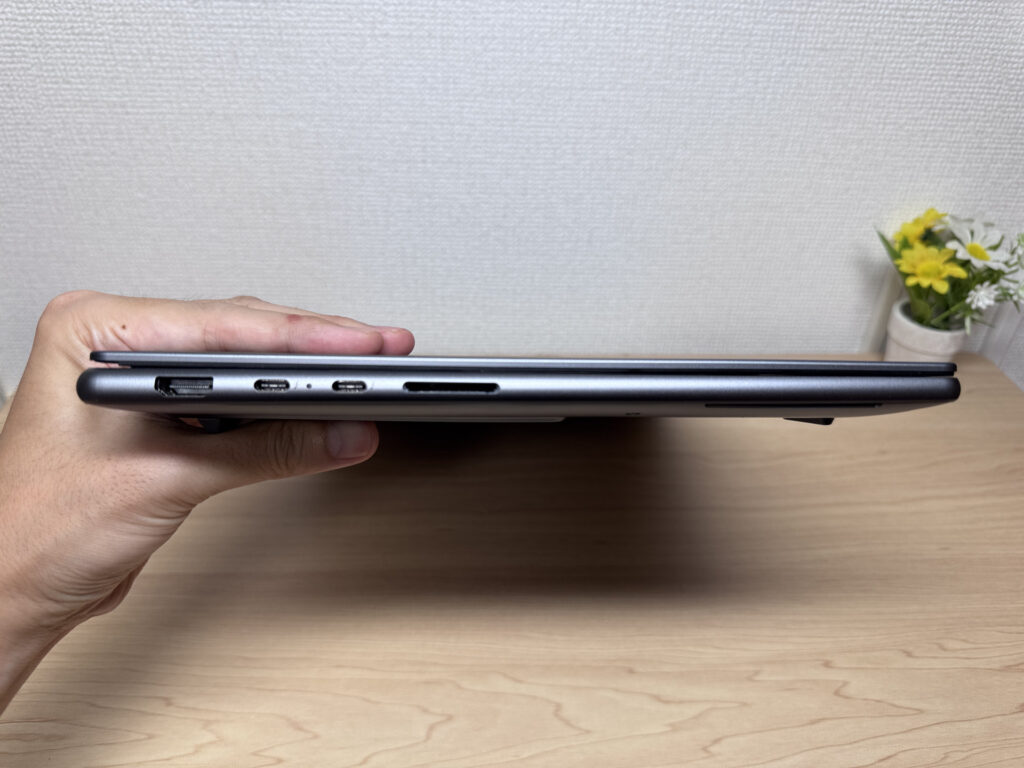 16.7mm thin — doesn't feel like a 15-inch laptop at all!
Flip it over and you'll see generous airflow vents, a sign of the large dual-fan setup inside. Lenovo's X-Power cooling system is doing work here to keep things from overheating — a proper high-spec setup.
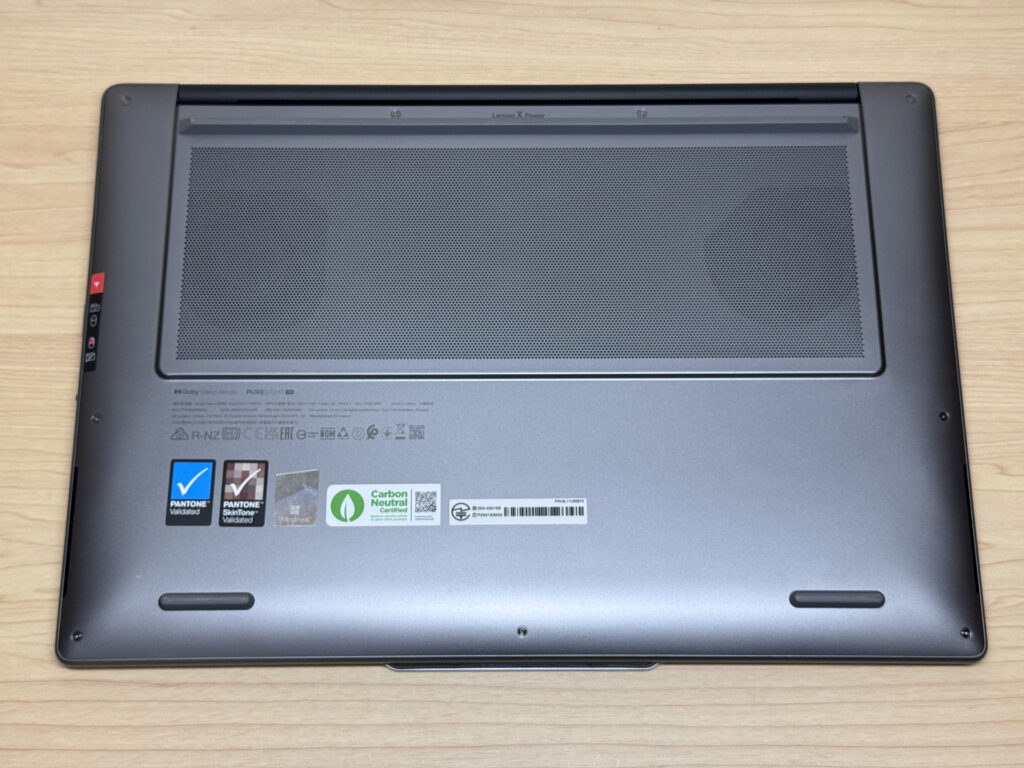 Big airflow vents mean heat dissipation isn't an afterthought
The hinge is built well enough that you can pop it open with one hand. The camera bump on the lid actually works in your favor here — it gives your finger something to catch. It opens up to about 170 degrees at max.
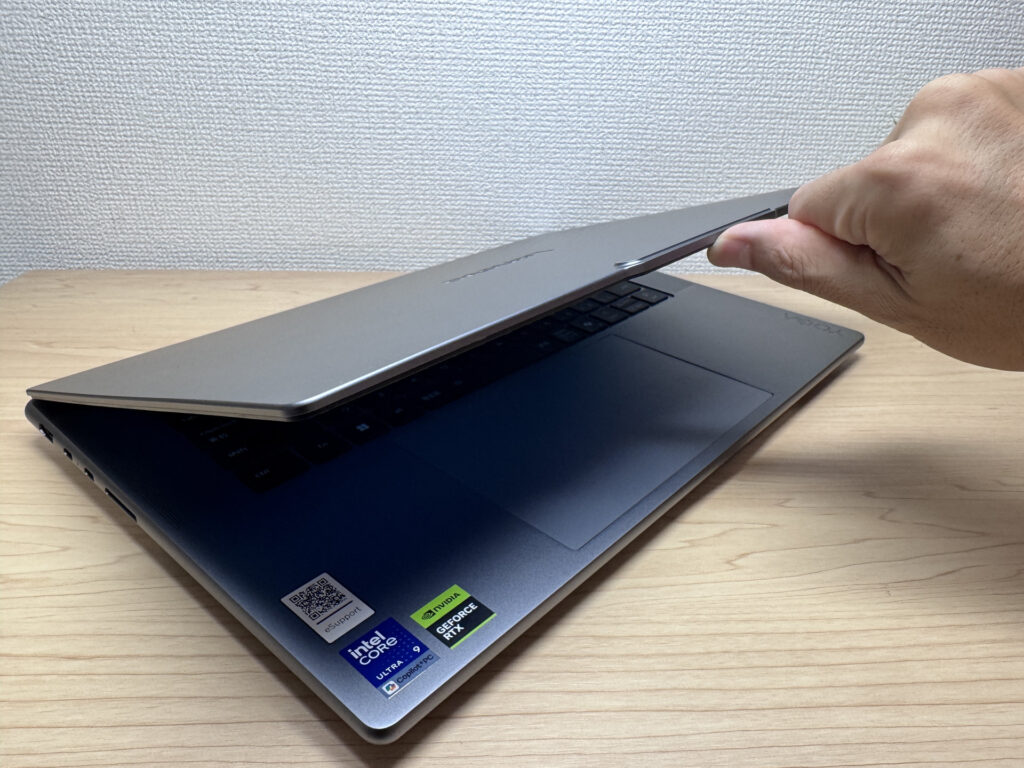 One finger is all it takes to pop the hinge open
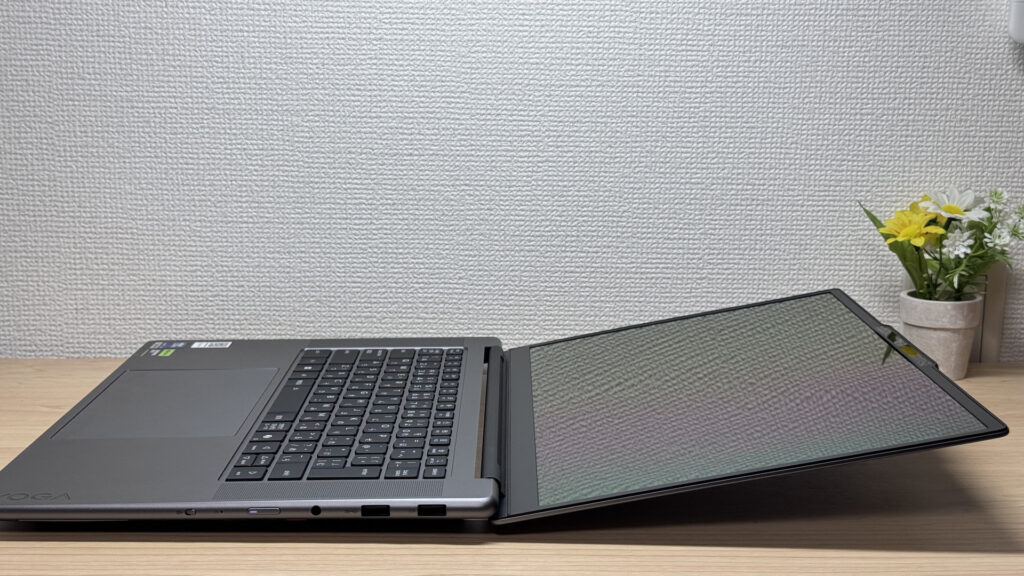 Confirmed it opens to roughly 170 degrees at max!
Portability
I weighed it myself and got 1,604 g (~3.5 lbs). That's light for a 15.3-inch display. I've reviewed 14-inch laptops that come in around 1.55 kg, so hitting this weight at 15 inches is honestly a huge selling point.
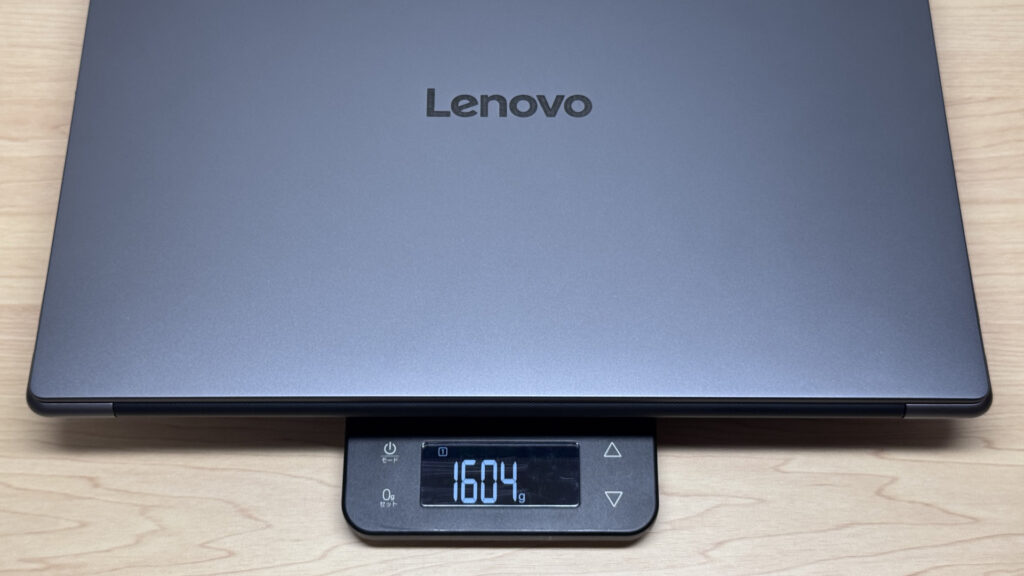 1,604 g measured! Doesn't feel like a 15-inch laptop at all
One catch, though: the stock charger. I weighed that too, and it came in at 435 g (~0.96 lbs) — a real heavyweight. Makes sense, since it needs to push enough power for the discrete GPU.
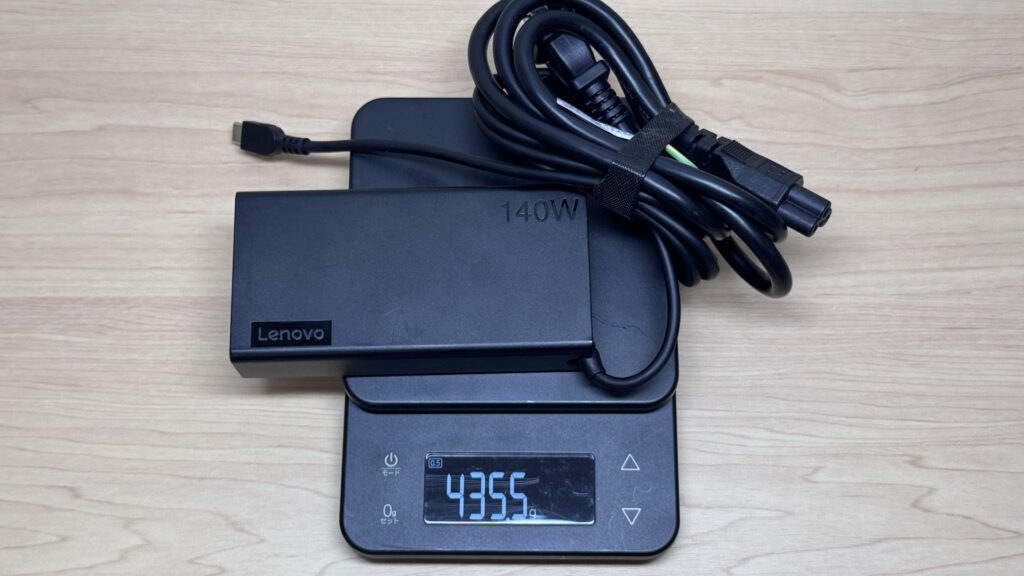 The stock charger weighed in at 435 g — this part has some heft
I tried plugging in an Anker 65W USB-C charger just to test it, and the charging icon never even showed up. The stock unit is 140W, so it clearly needs that much juice.
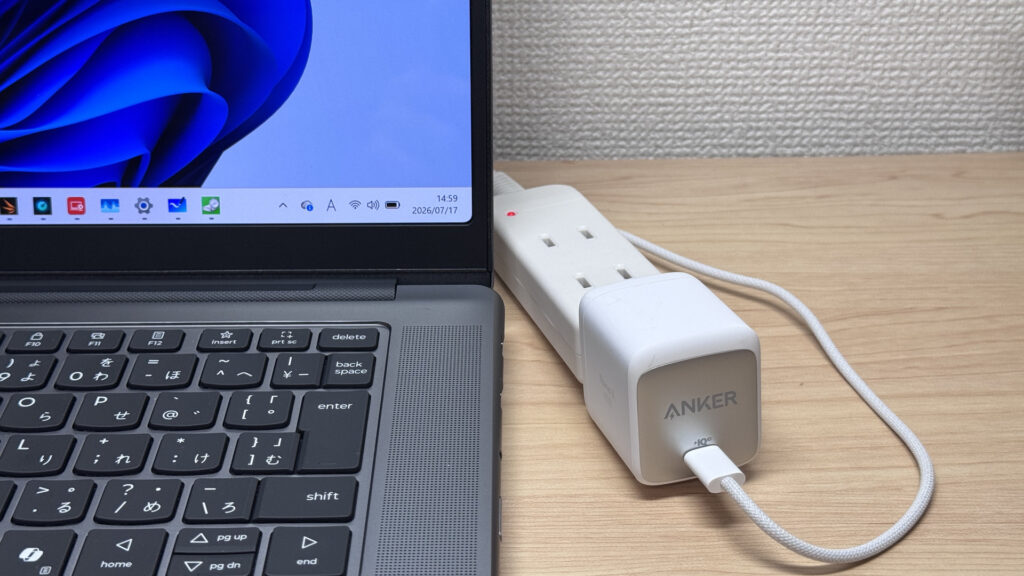 No dice charging with a compact 65W charger…
On the flip side, a 100W+ USB-C charger charged it just fine. For trips out, grabbing one of those instead of the stock brick is the lighter way to go.
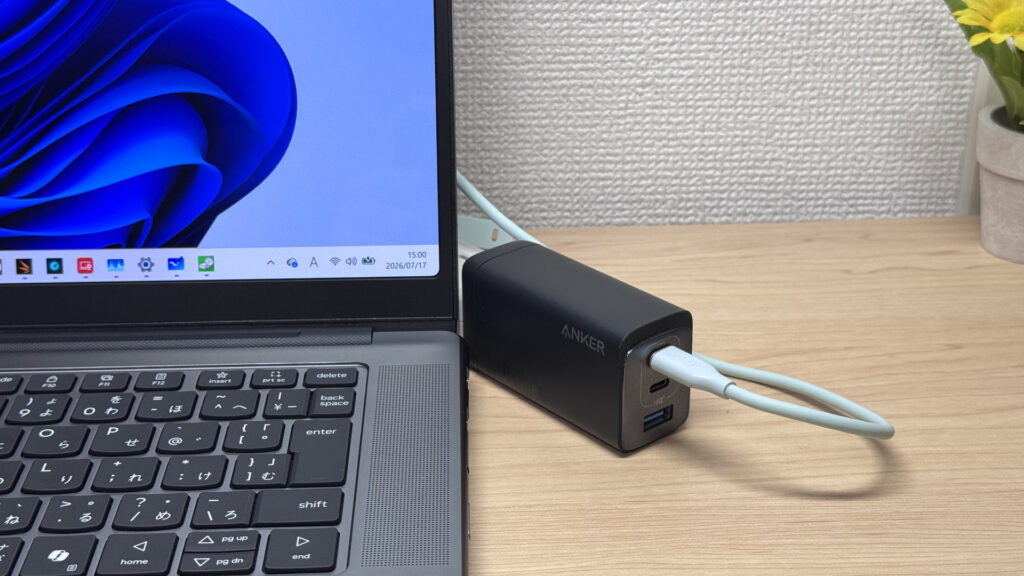 A 100W+ charger gets the job done!
Holding it in one hand, I wouldn't want to carry it like that for long, but for a 15-incher, it's handling its size class pretty well.
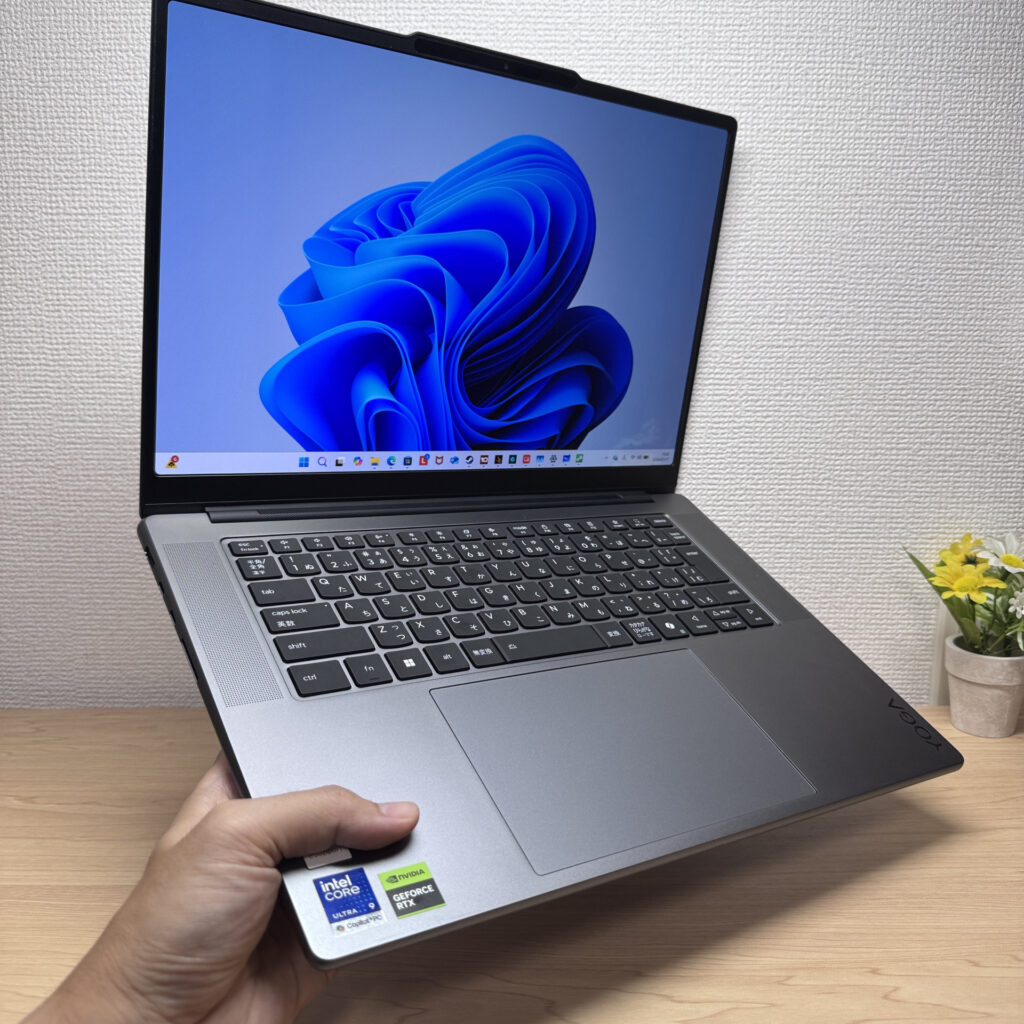 It's a size you can still manage one-handed, at least briefly
Display Quality
The screen is stunning — honestly the biggest surprise of this whole review. It's a Dolby Vision-certified PureSight Pro Display, and the OLED color reproduction had me impressed the entire time.
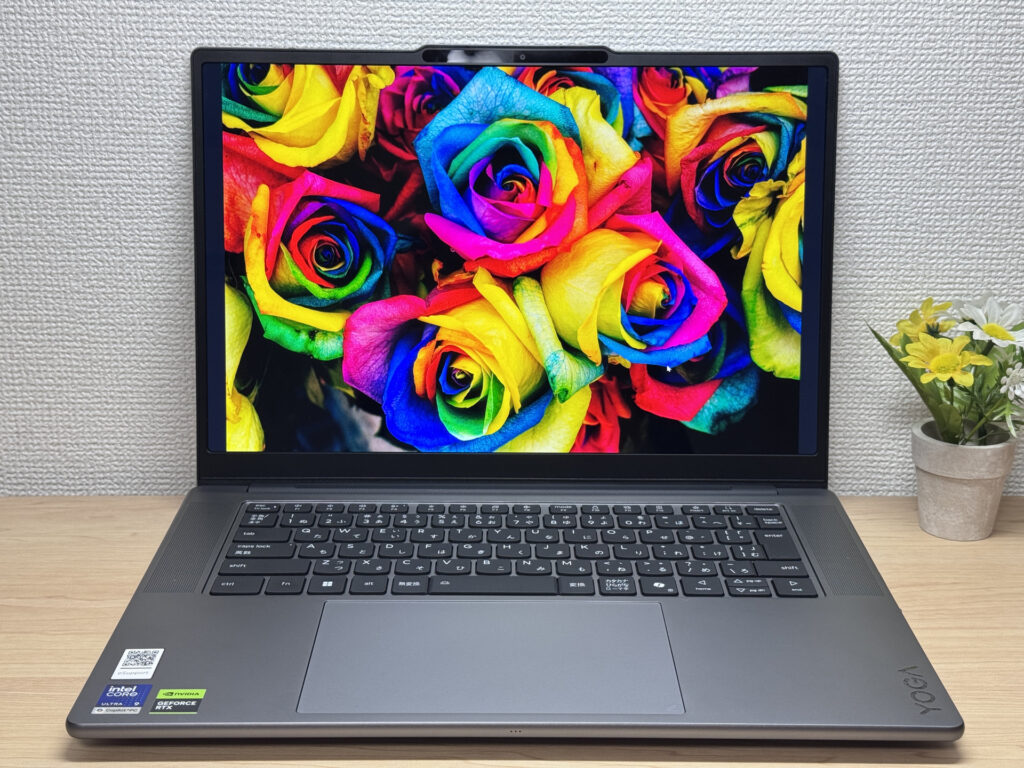 The OLED color output is shockingly vivid!
Checking the details in the settings menu: 2560x1600 resolution, 165Hz refresh rate, VESA DisplayHDR True Black, and Dolby Vision support — the spec sheet alone tells you this is a high-end panel. With a refresh rate that high, scrolling and everyday motion feel really smooth.
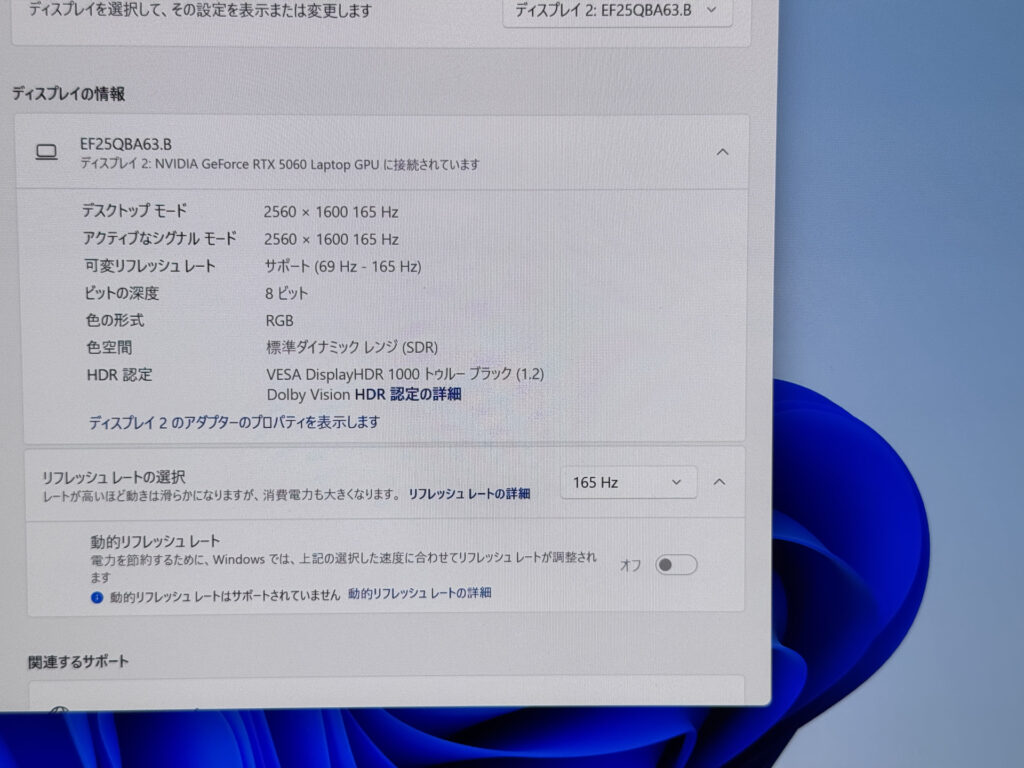 Checking the spec sheet, yeah, this is a high-end panel
Viewing angles are wide too — even from a sharp angle, the colors barely shift. It's a genuinely gorgeous display.
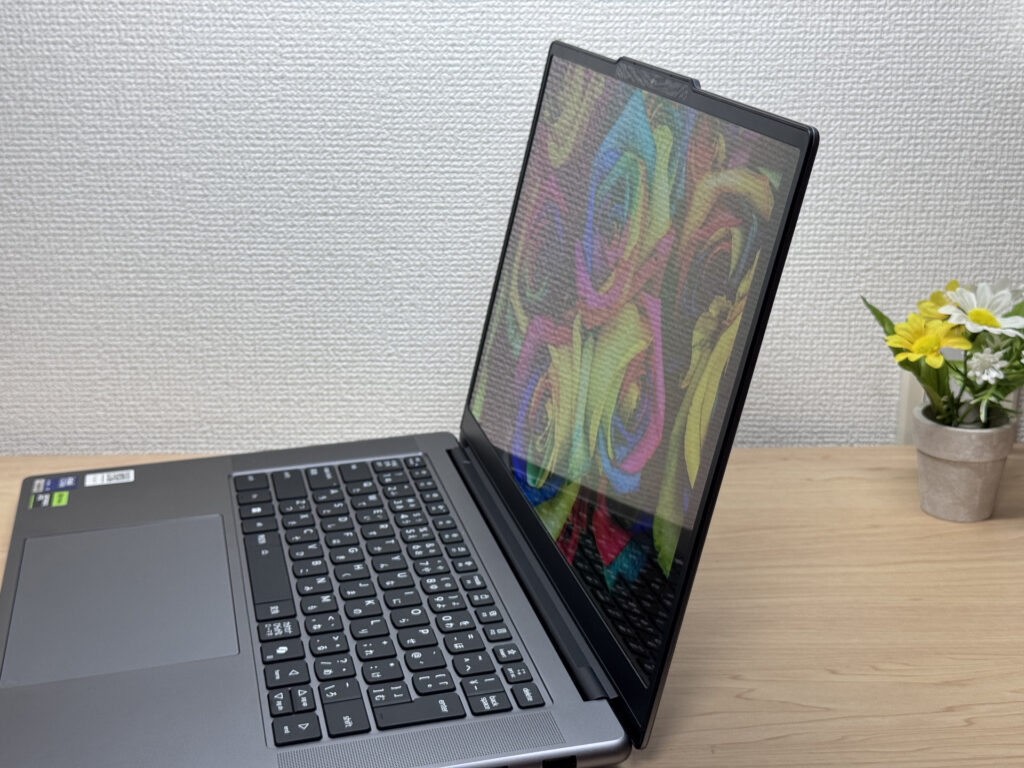 Still gorgeous even off-angle, no color shift
The aspect ratio is 16:10. Setting it next to a 13-inch 16:9 laptop I had on hand, the difference in how much fits on screen is huge. You'll be scrolling a lot less.
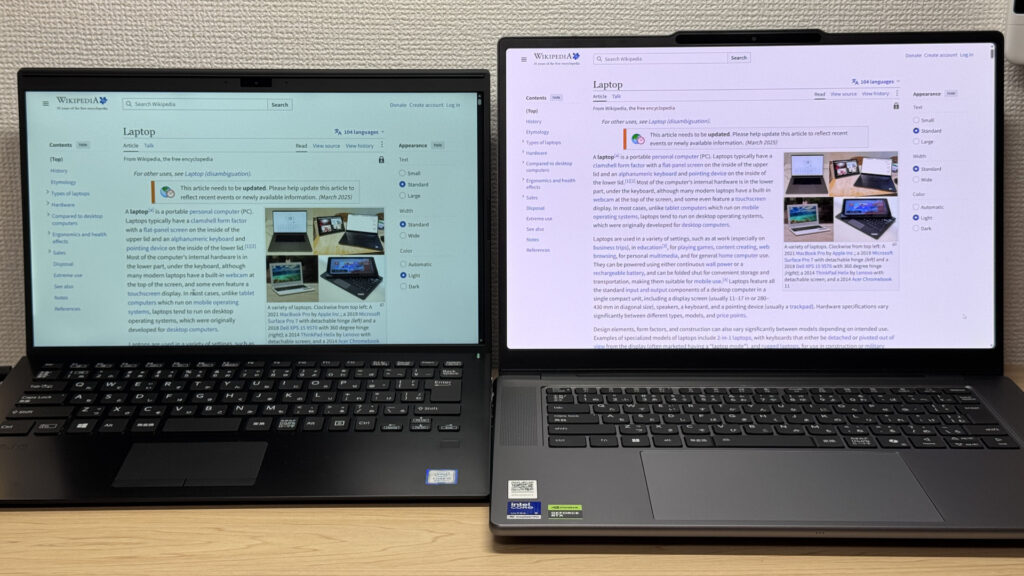 That 16:10 ratio makes a massive difference in usable screen space!
The one thing that bugged me was glare on the glossy panel. That's kind of the nature of glossy screens, so it's not entirely fair to hold it against the laptop, but for a high-end machine, I'd have liked a bit more anti-glare treatment. And no touchscreen support, either.
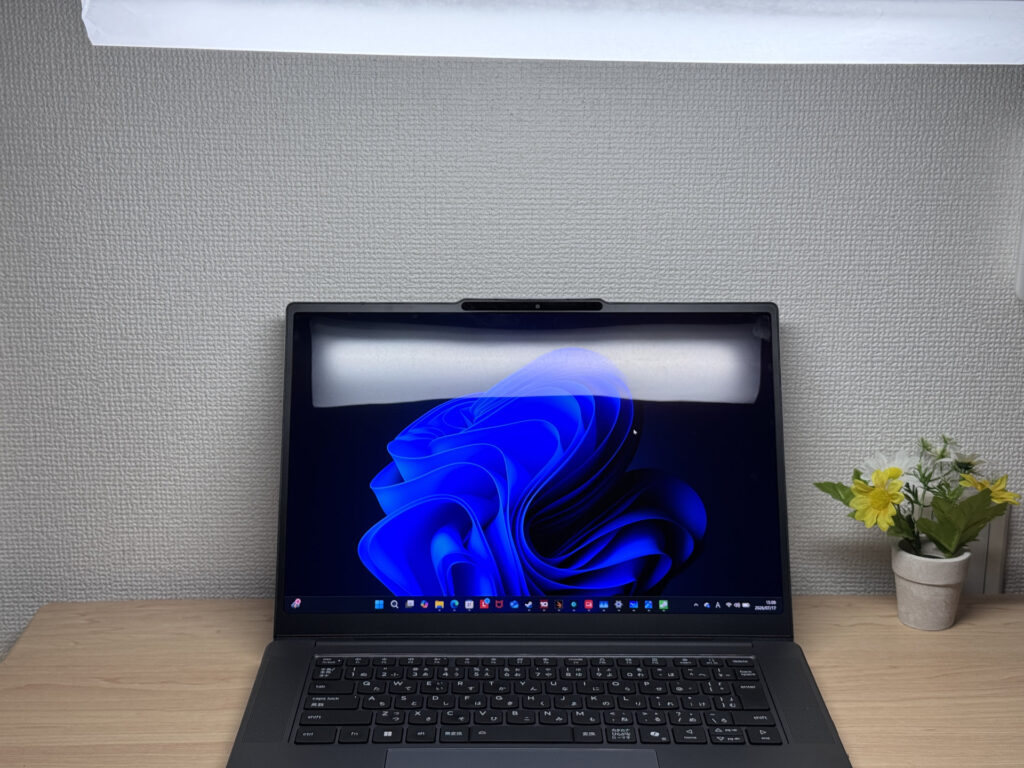 Being a glossy panel, glare is a bit of a nagging issue
Keyboard Feel
The key layout on this Japanese keyboard is clean and well laid out, and typing on it feels great.
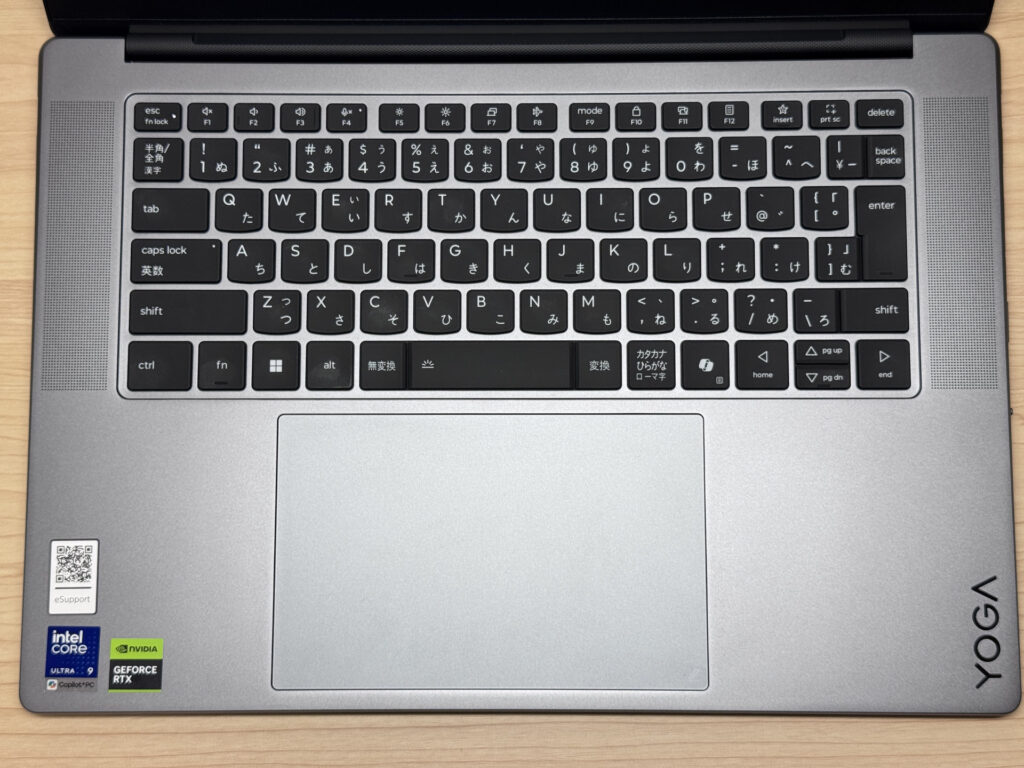 A tidy, well-organized key layout that's easy to type on
The key feel is fantastic. Being a 15-inch chassis, there's no cramped feeling, and the keycaps have a pleasant texture — maybe that Yoga coating is doing something here. With 1.5mm of travel and a chassis that doesn't flex, typing feels rock solid.
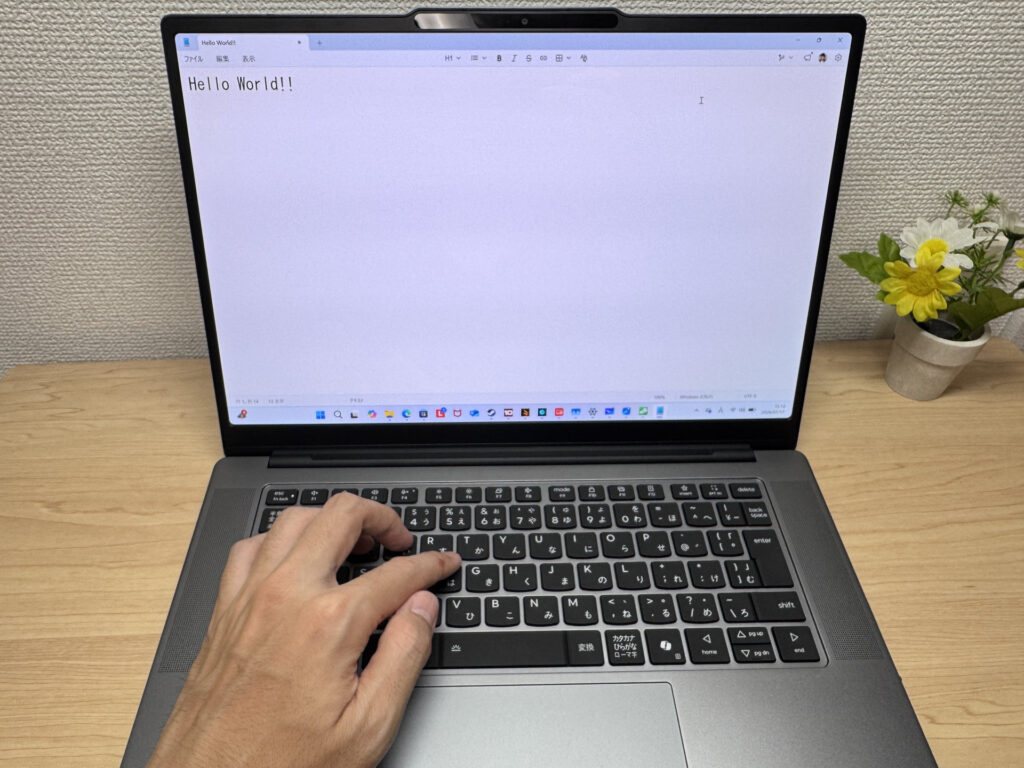 Nothing to complain about here — even long writing sessions feel comfortable!
The backlight is nice and bright too, so working in a dim room shouldn't be a problem.
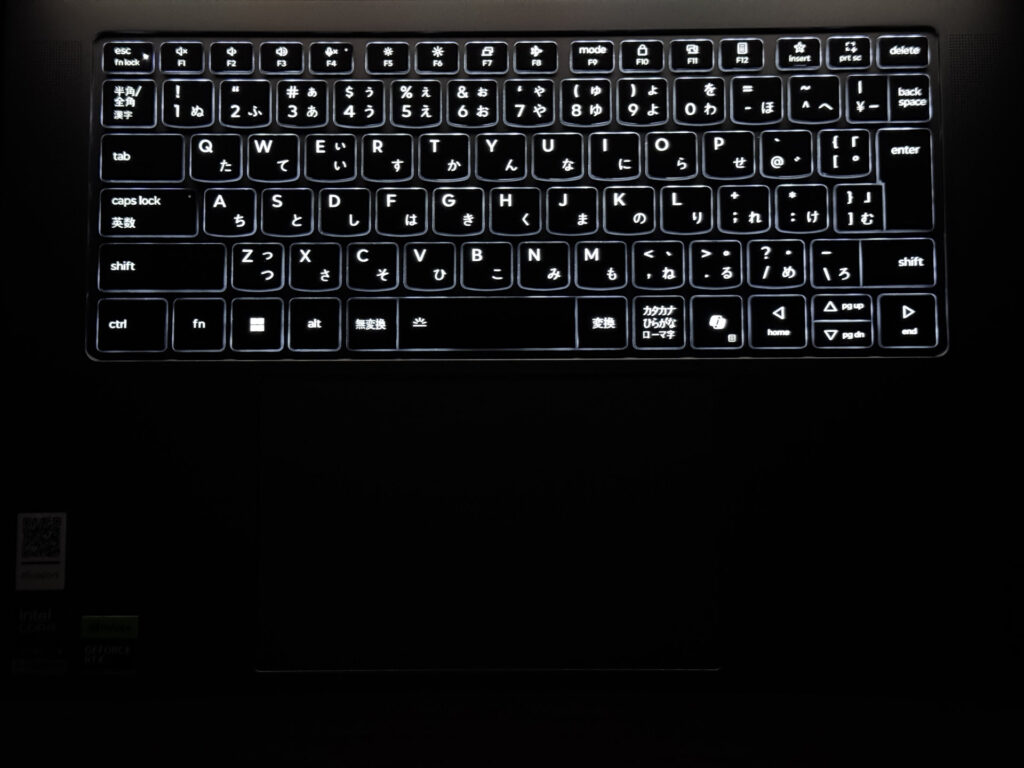 The backlight keeps things visible even in low light
Heads-up: these photos are the Japan-market unit, so the keyboard shown is the Japanese layout. US models ship with the standard US (ANSI) layout.
Touchpad Usability
The touchpad on this machine is huge compared to the keyboard, and it makes navigating around genuinely great. I'll get into the secret behind that size in a bit.
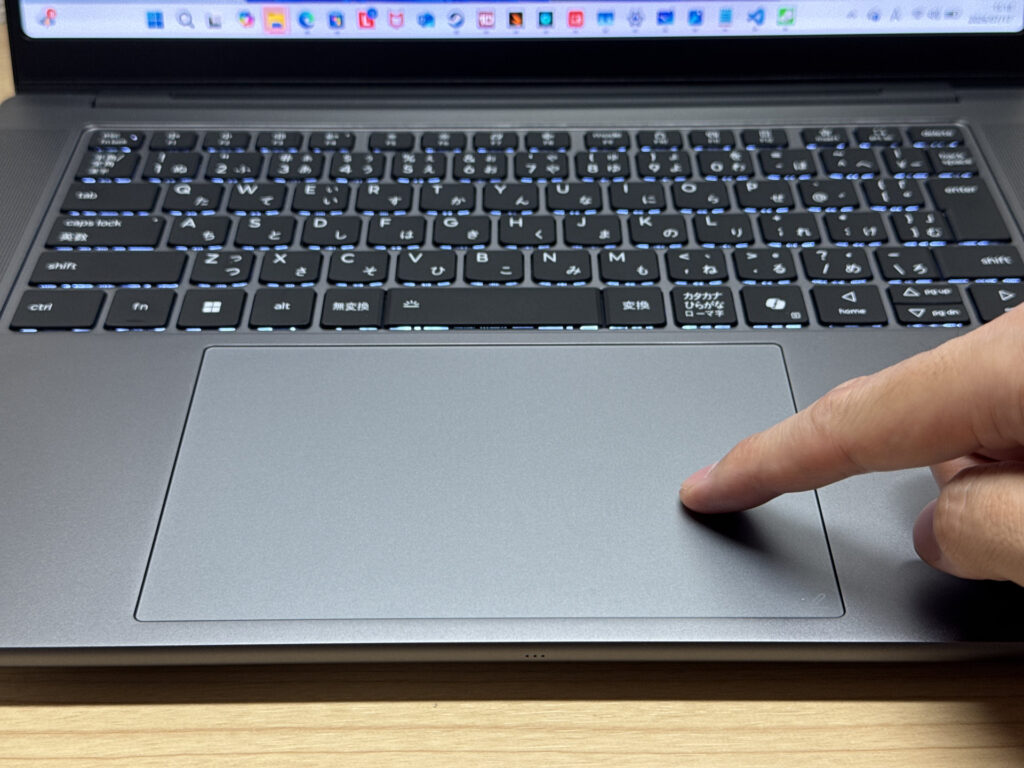 Even the top edge of the pad registers clicks properly!
Turns out this touchpad supports something called ForcePad, and it uses Wacom tech to work like a graphics tablet. Look closely at the corner of the pad and there's a little tablet-style icon printed there — I'm guessing that's the tell that pen input works on this surface.
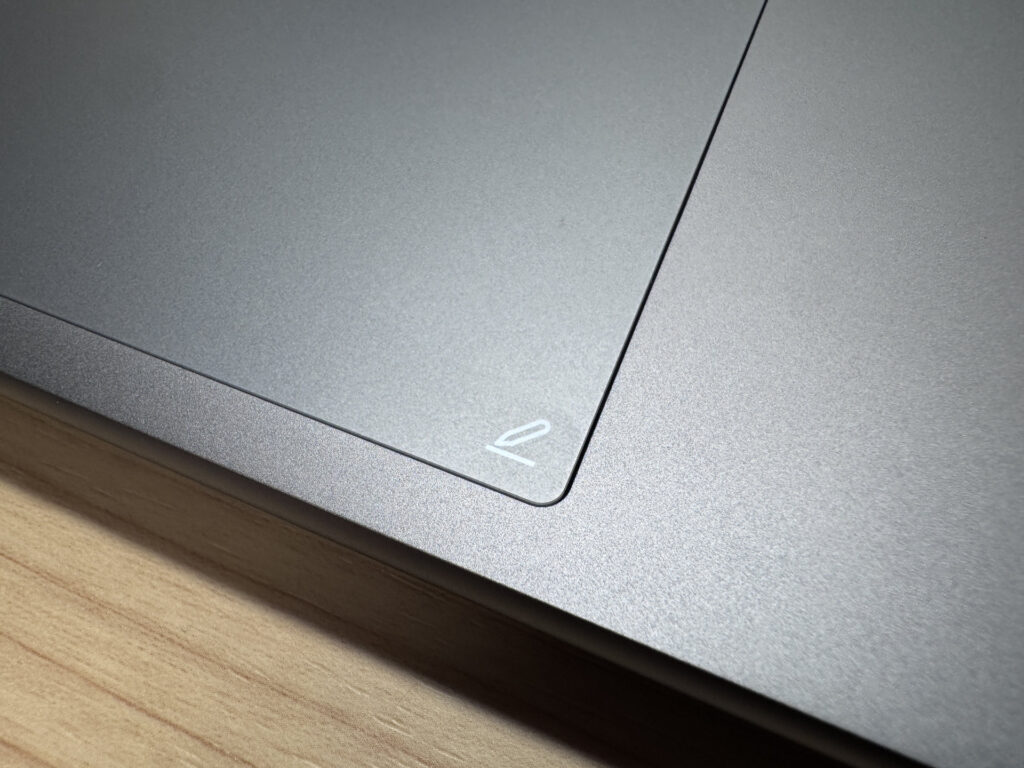 That corner logo is the giveaway that pen input works here!
So I grabbed my Lenovo Yoga Pen and held it near the pad, and sure enough, the cursor moved just like on a real graphics tablet — touch it down and you can start drawing right there. That's wild. I gave it a shot and tried drawing Crayon Shin-chan. I'm more of a programmer than an artist, so the result is rough, ha, but pressure sensitivity was working properly — press hard and you get a thick line, press light and it's thin. Personally I'd rather draw straight on the screen like a display tablet or an iPad, but if you're already used to a graphics tablet, this could genuinely work for creative tasks. ✨
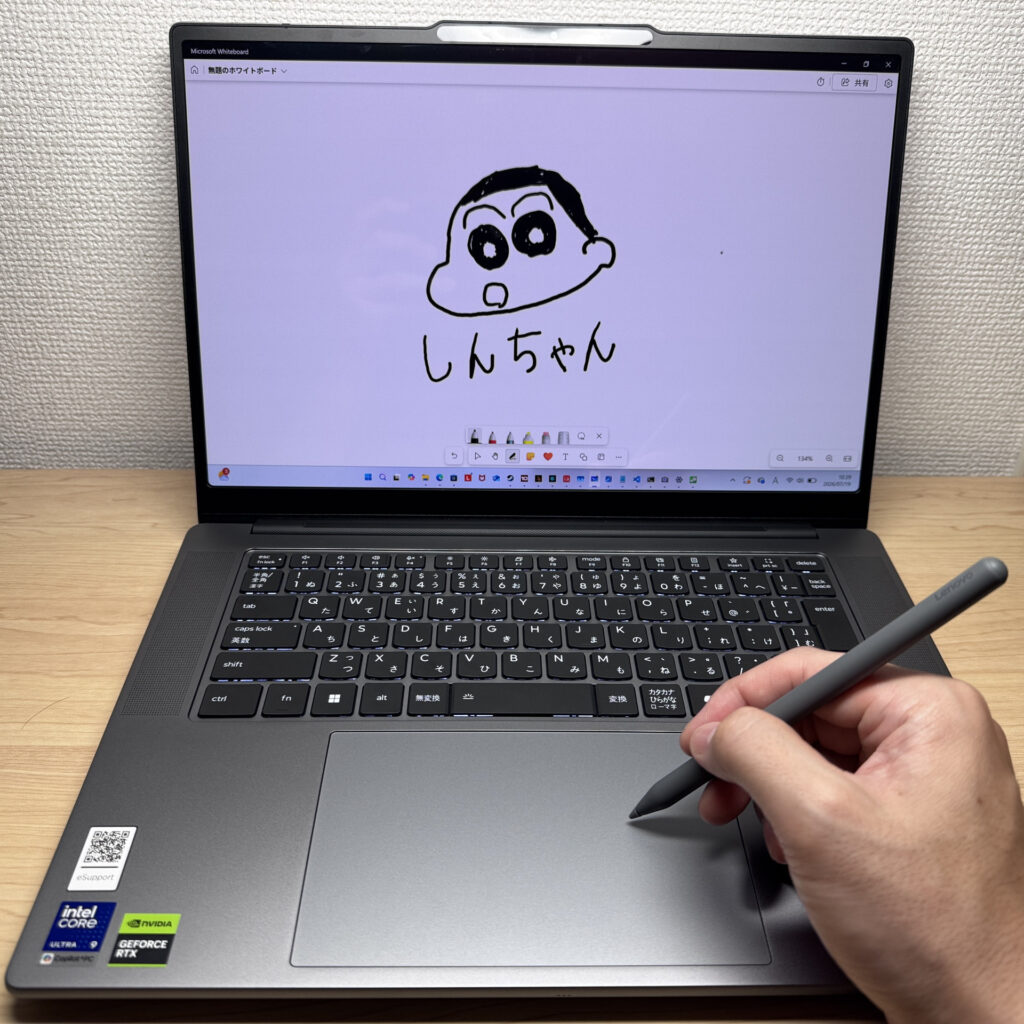 Didn't expect this touchpad to turn into a graphics tablet — tried drawing Shin-chan, ha
Gesture controls felt smooth too, close to what you'd get on a 15-inch MacBook Pro.
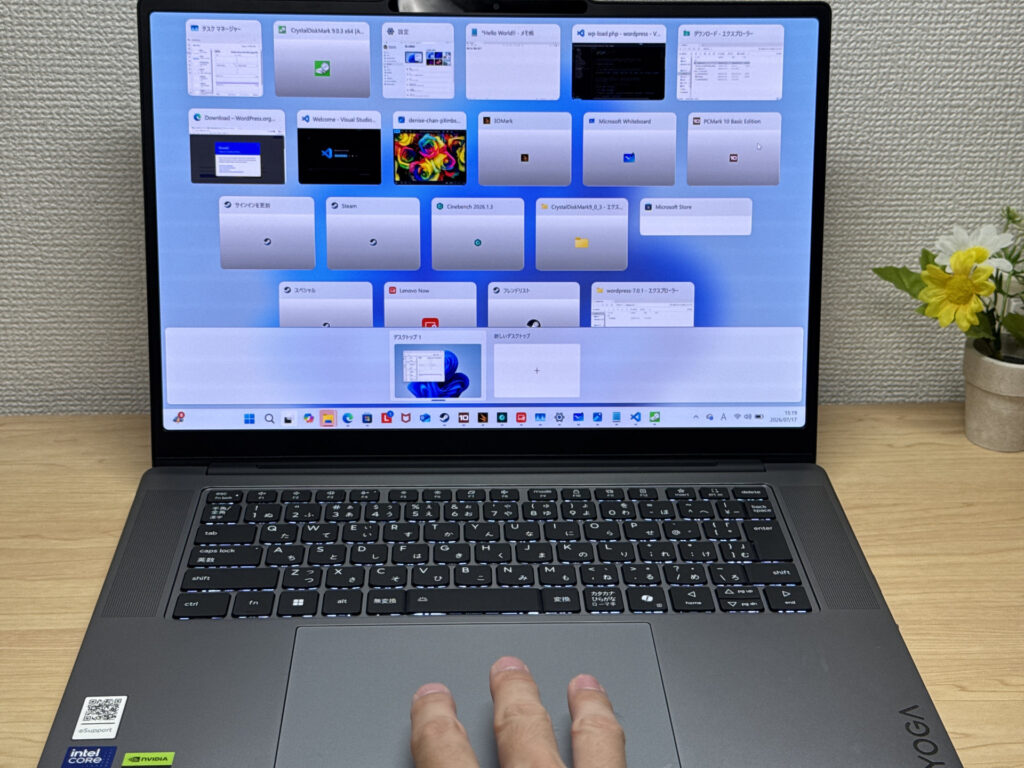 Multi-finger gestures feel smooth as well
The pad itself is large, and the glide is excellent. You can really feel the difference next to a physical-click touchpad.
 Even top-edge clicks register properly, thanks to the haptic design!
Performance
Let's look at CPU performance. PCMark 10 came in at 8738. That's the kind of number that covers everything from everyday team collaboration work to more demanding creator tasks.
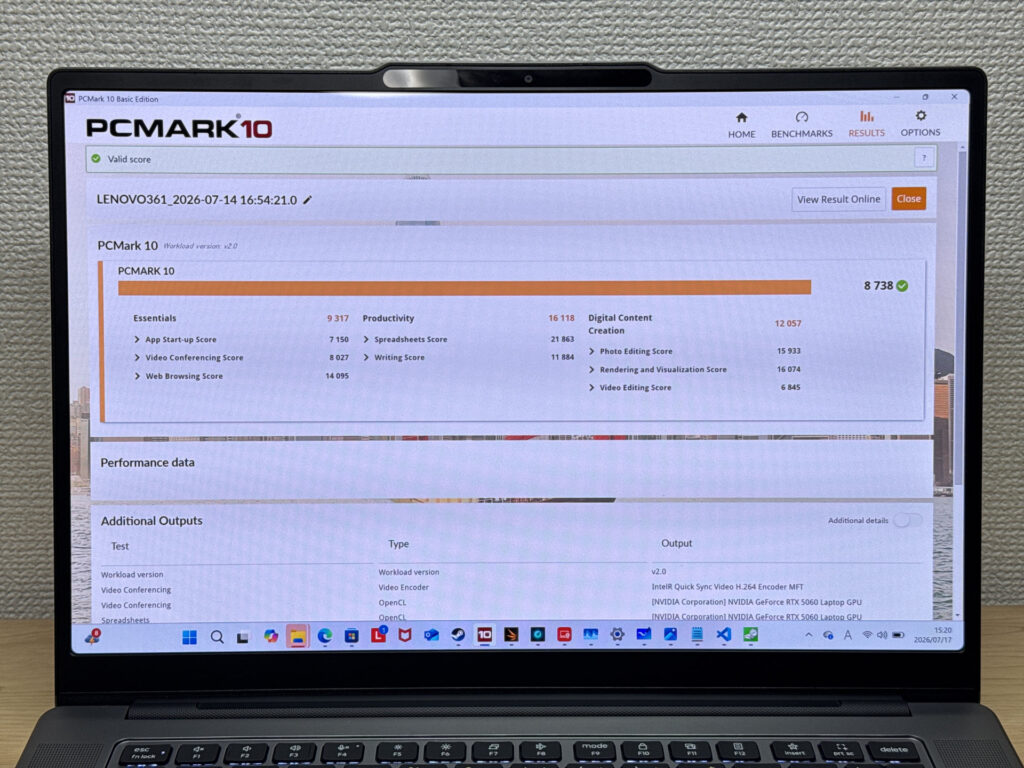 PCMark 10 scored 8738 — a pretty strong number!
| Total Score | Rating | What it feels like in real use |
|---|---|---|
| ~4,000 | Bare minimum | Web browsing and simple tasks work, but multitasking or many tabs feels sluggish. |
| 4,000–5,000 | Light use | Daily tasks are doable, but running multiple apps means waiting around. |
| 5,000–6,500 | Comfortable (mainstream) | Handles most work without stress — fine for office, school, video calls. |
| 6,500–8,000 | High performance | Plenty of headroom. Light photo editing and programming feel snappy. |
| 8,000+ | Very high performance This PC | Tackles video editing and heavy workloads. Long-lasting performance. |
*PCMark 10 reflects overall comfort. Actual feel depends on CPU, RAM, and SSD speed.
I also ran Cinebench 2026 and got 4733 on multi-thread and 566 on single-thread for the CPU. Those are seriously strong numbers.
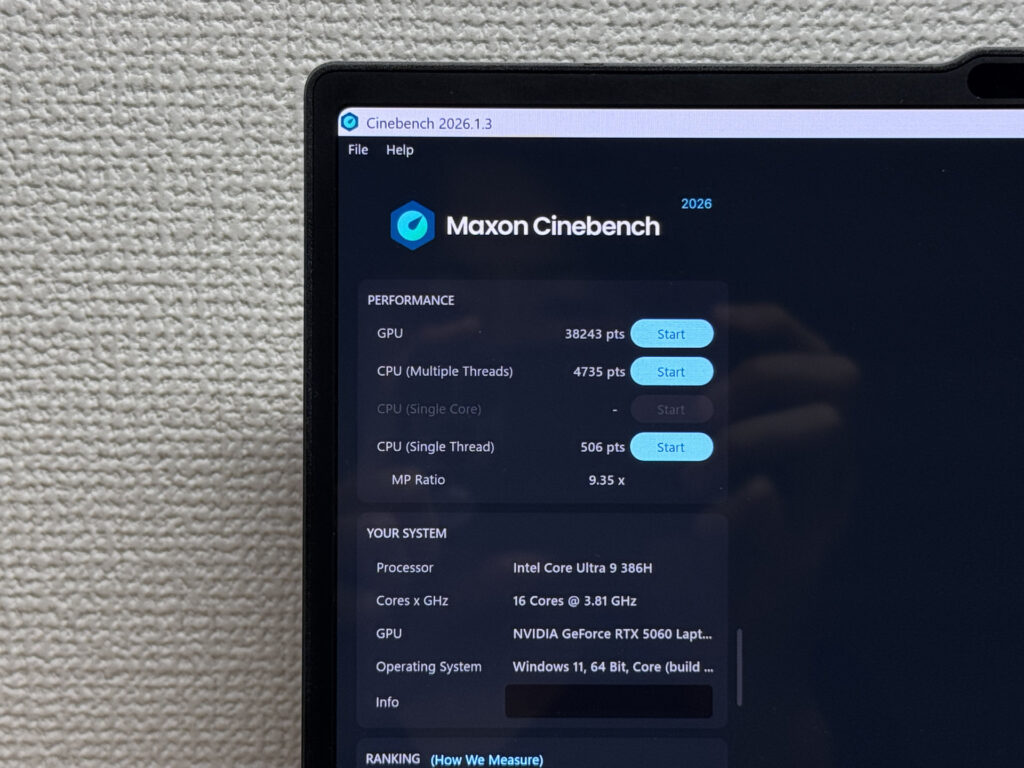 Cinebench 2026 logged 4733 on multi-thread
| Score | Rating | What it feels like in real use |
|---|---|---|
| Up to 1,000 | Bare minimum | Light tasks work, but heavier processing or multitasking feels constrained. |
| 1,000–2,000 | Standard (power-efficient) | Handles daily tasks, but heavier loads create waiting. |
| 2,000–3,000 | Comfortable (mainstream) | Office, school, video calls all work comfortably. Plenty for most users. |
| 3,000–4,000 | High performance | Comfortable for multitasking, light/medium editing, and dev work. |
| 4,000+ | Very high performance This PC | Handles video editing and heavy workloads with room to spare. |
*Cinebench 2026 is the latest CPU multi-core benchmark. Scores trend lower than R23, so direct comparison isn't valid.
3DMark Steel Nomad Light landed at 9219. For a thin-and-light laptop, that benchmark usually tops out around 2000-3000, so 9219 is honestly ridiculous. You can expect a lot from the GPU here.
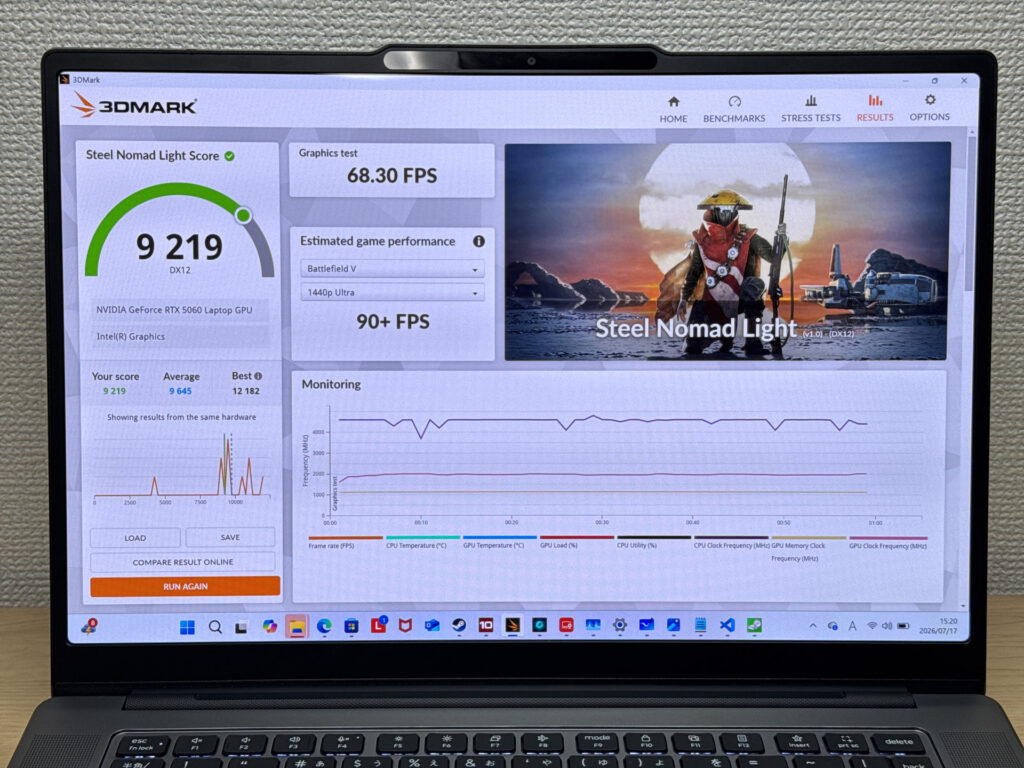 3DMark scored 9219 — way beyond what you'd expect from a thin-and-light
| Score | Rating | What it feels like in real use |
|---|---|---|
| Up to 400 | Bare minimum | 3D performance is quite limited. Not really suited for gaming. |
| 400–900 | Light 3D | Lighter games and low-load 3D processing work. |
| 900–1,500 | Average (mainstream) | Standard for integrated GPUs. Light to medium games playable with right settings. |
| 1,500–2,200 | High performance | Strong for an integrated GPU. Games and 3D work feel comfortable. |
| 2,200+ | Very high performance This PC | Top-tier 3D performance for thin laptops. Real graphics headroom. |
*3DMark Steel Nomad Light targets thin laptops and integrated GPUs. Score range differs from Time Spy, so direct comparison isn't valid.
I also ran CrystalDiskMark to check storage speed: 6599 MB/s read, 5842 MB/s write. That's blazing-fast storage too.
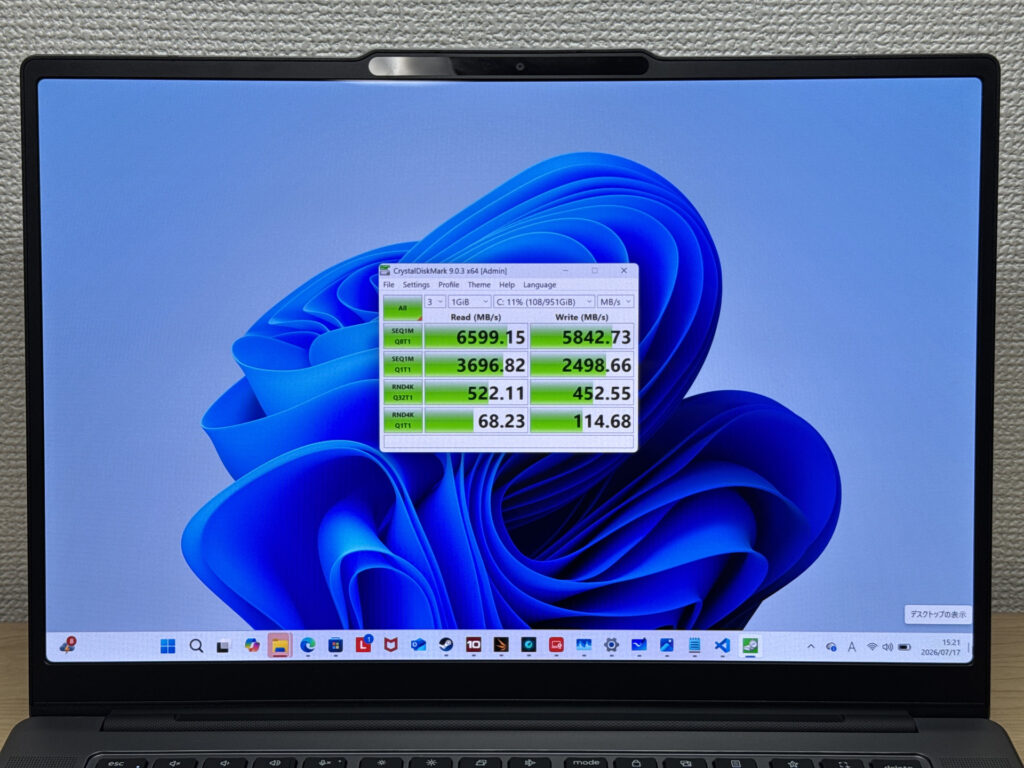 6599 MB/s read — blazing-fast storage!
| Score | Rating | What it feels like in real use |
|---|---|---|
| Up to 600 MB/s | Bare minimum | Faster than HDD, but slow for modern SSDs. App launches feel slightly slow. |
| 600–1,500 MB/s | Average | Fine for daily use, though loading is noticeably slower than top-tier SSDs. |
| 1,500–3,500 MB/s | Comfortable (mainstream) | App launches and file loading feel smooth. No real complaints in daily use. |
| 3,500–5,500 MB/s | Fast | Loads large data and apps quickly. Definitely upper-tier SSD speed. |
| 5,500+ MB/s | Very fast This PC | High-end NVMe territory. Heavy data work without waiting. |
*CrystalDiskMark measures SSD speed. It mainly affects app launch and file loading speed, not overall PC performance.
Battery Life
Battery verdict: short
Checking the battery report, the design capacity is 84Wh. Packing an 84Wh battery into a 15.3-inch laptop that still weighs in the 1.6 kg range is a combination I honestly haven't seen much before. That said, this machine also has a discrete GPU, so I can't say battery life is a strength. Depending on how you use it, you might burn through it in as little as 3-4 hours on a good day. If you're taking it out, I'd bring along one of those 100W+ USB-C chargers I mentioned earlier, just to be safe.
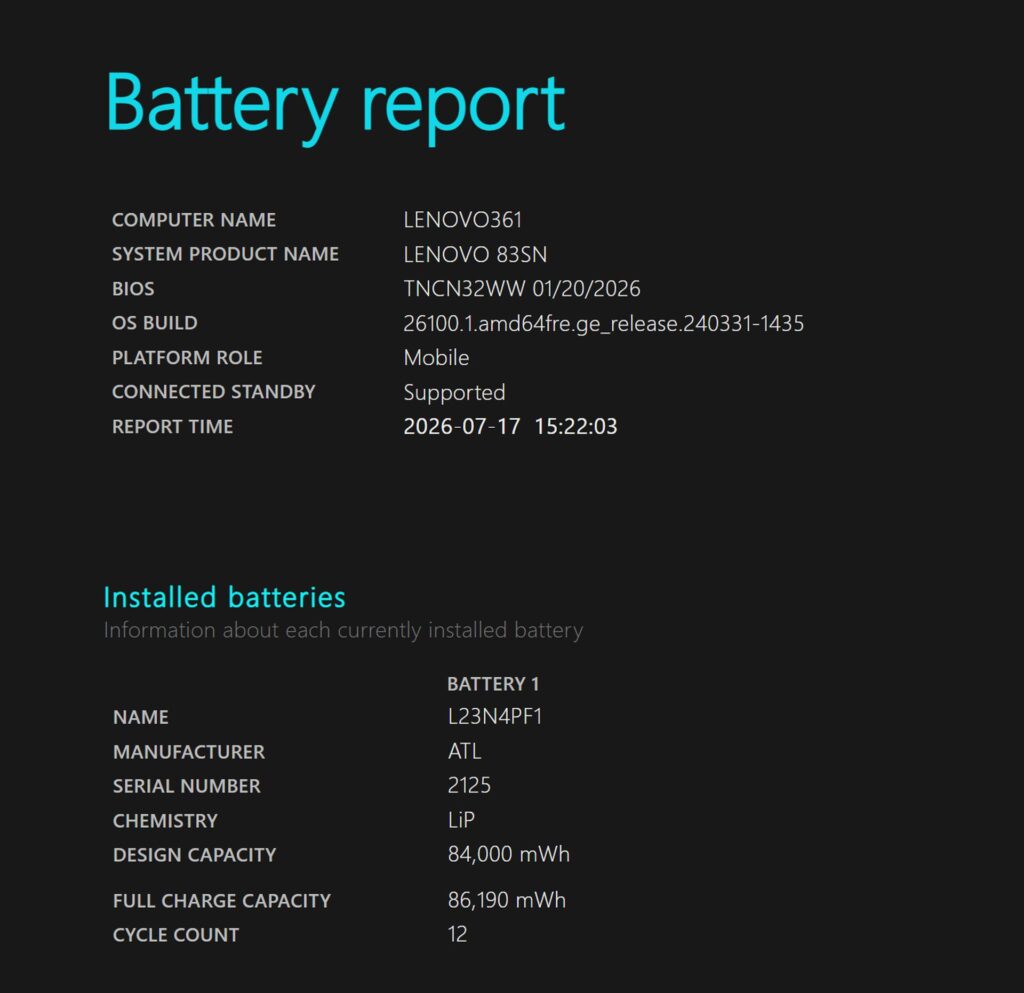 84Wh, and barely any degradation — battery health looks good
Fan Noise & Heat
At idle, it's pretty quiet — not something you'd notice much.
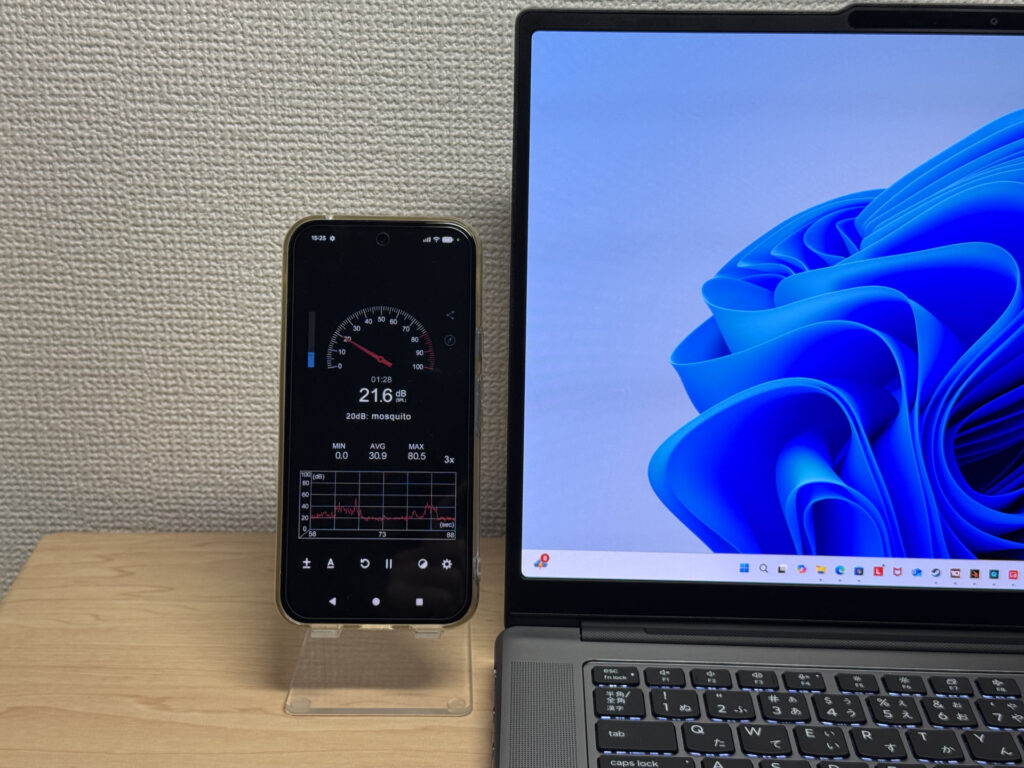 Barely noticeable at idle
Under load, it climbed to 45dB, which is a fairly high number on paper. But maybe thanks to the Lenovo X-Power cooling doing its job, it wasn't that shrill, irritating high-pitched whine. It's loud, sure, but personally I'd call it tolerable.
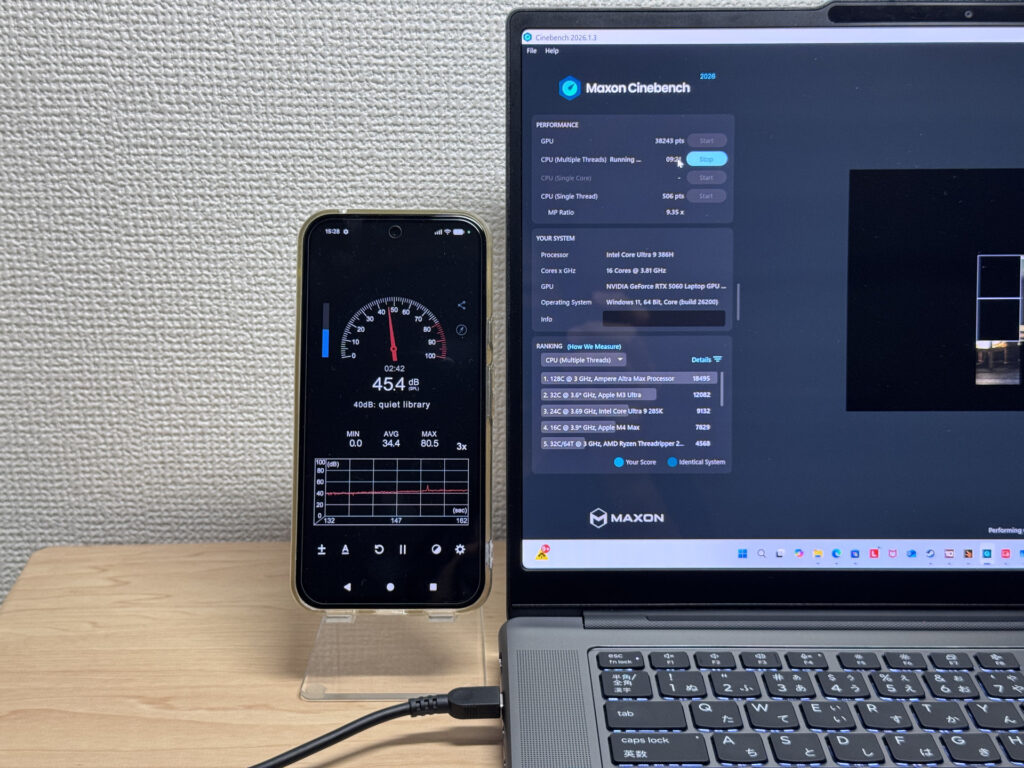 Fan noise climbs to 45dB under heavy load, but the tone isn't harsh
The exhaust vents sit at the back of the chassis, so even with my right hand on a mouse, I never felt warm air blowing on me. That's a well-thought-out placement.
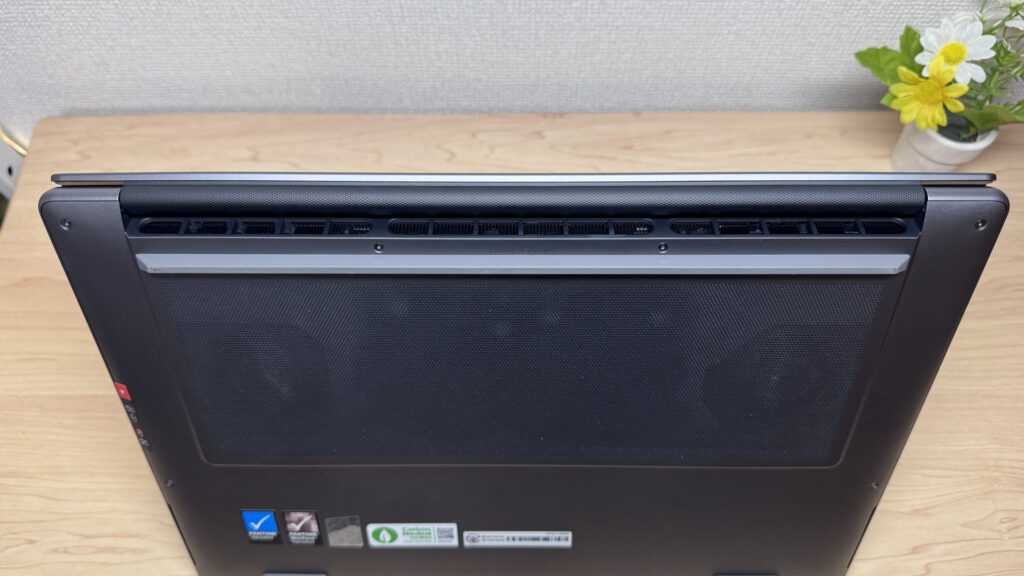 Rear-facing exhaust means no warm air hitting your hands
There's a Lenovo X Power stamp on the underside too. With dual fans and four heat pipes, cooling performance looks like it's genuinely well engineered.
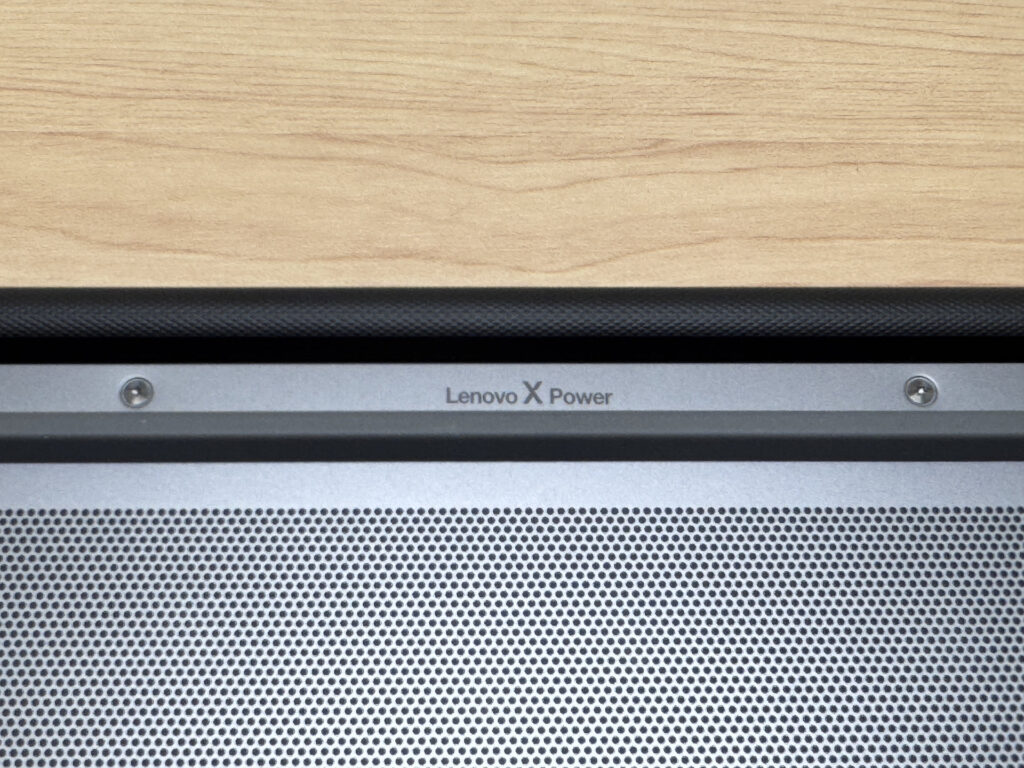 That Lenovo X Power stamp says a lot about how seriously they took cooling
Ports & Expansion
Thanks to the roomier 15-inch chassis, port selection is solid. On the left side you get a USB port, HDMI, two Thunderbolt 4-capable USB-C ports, and an SD card slot.
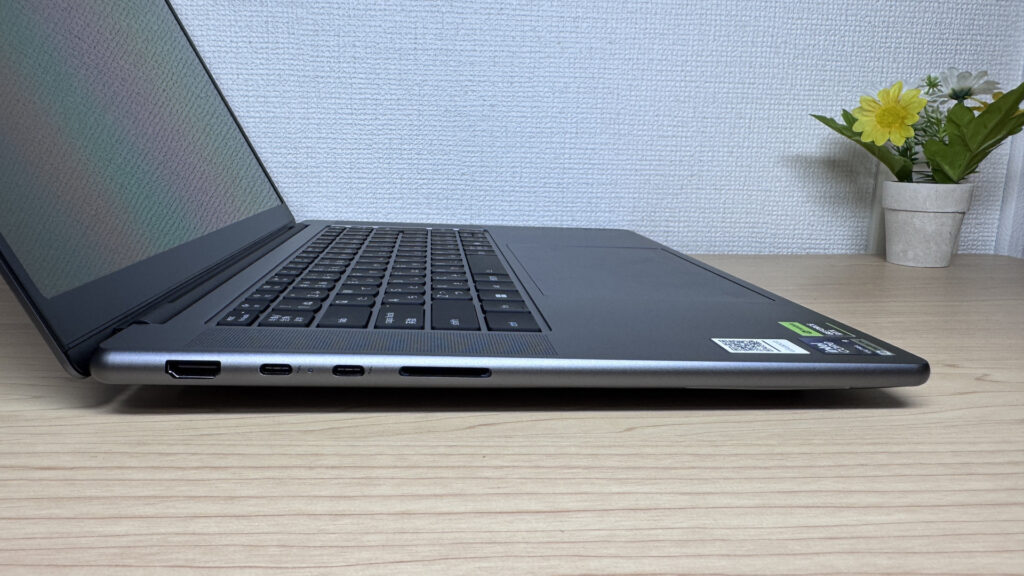 Two Thunderbolt 4-capable USB-C ports on the left side!
The right side has two 10Gbps USB-A ports plus a headphone jack. Having the power button on the right side turned out to be a quietly helpful detail if you run it in clamshell mode.
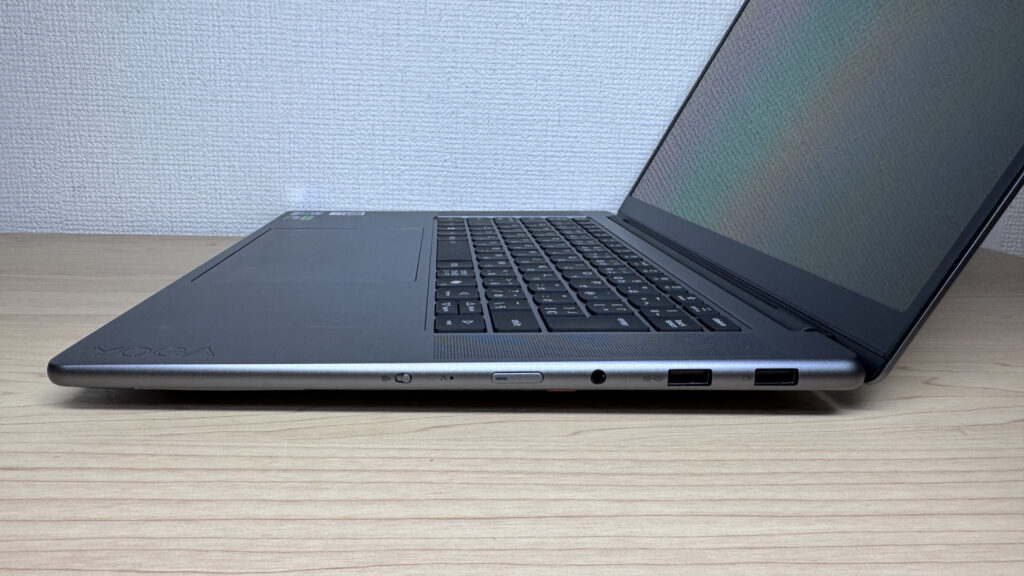 Two USB-A ports and a headphone jack round out the right side
I hooked it up to an external display over HDMI, and single-screen output worked without any issue.
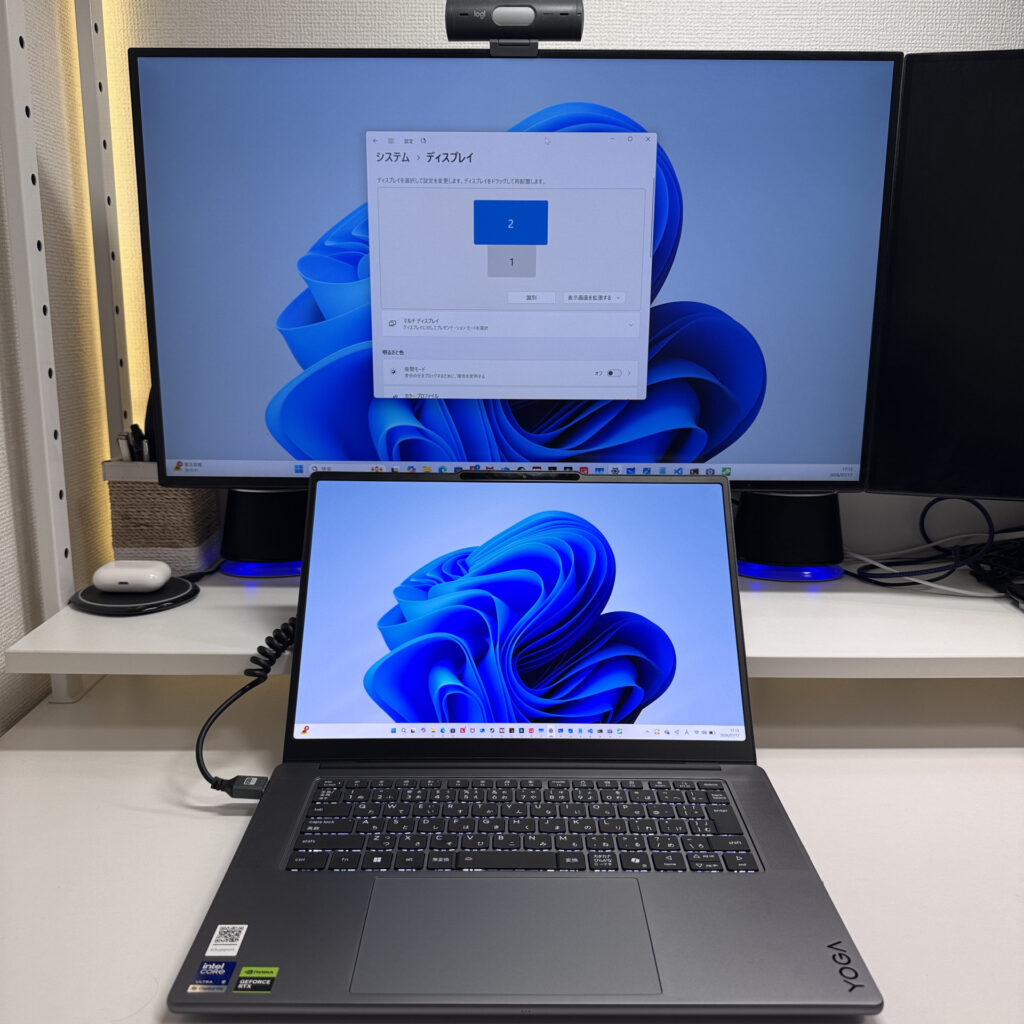 Connected to an external monitor over HDMI without a hitch
Both USB-C ports support DisplayPort Alt Mode, and combined with the HDMI port, I tried driving four monitors at once — that worked fine too. If you're setting this up as a desktop-style workstation, it's a comfortable setup.
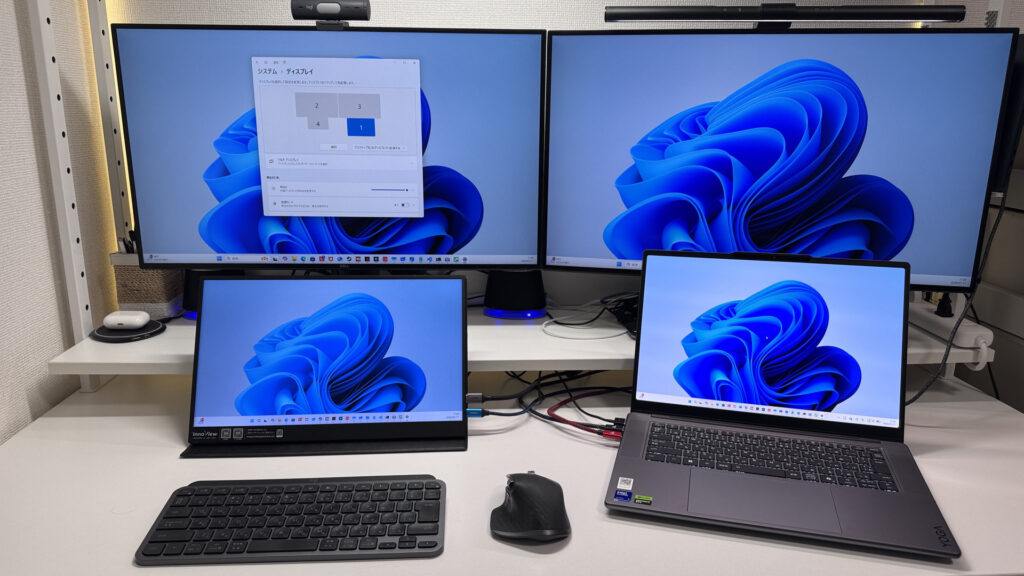 Driving two displays off USB-C alone was no problem
The SD card slot is a nice bonus if you're a photo editor. It does stick out a bit once a card's inserted, though, so leaving one in permanently might not be ideal.
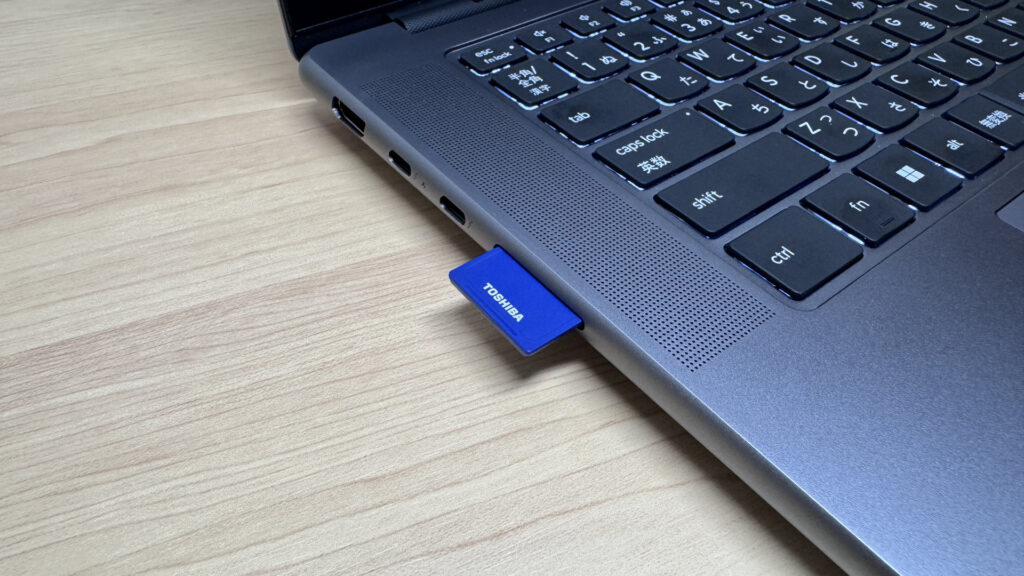 The SD card sticking out slightly is a minor quirk, nothing more
Webcam
I checked out the built-in webcam too. At 5 megapixels, the footage looks pretty sharp in practice. I did a test shot of a stuffed animal I had lying around, and even the texture of the fabric came through clearly.
 5MP is enough to pick up even the texture on a stuffed animal
There's a physical privacy shutter too, which comes in handy if you want to go dark during a video call.
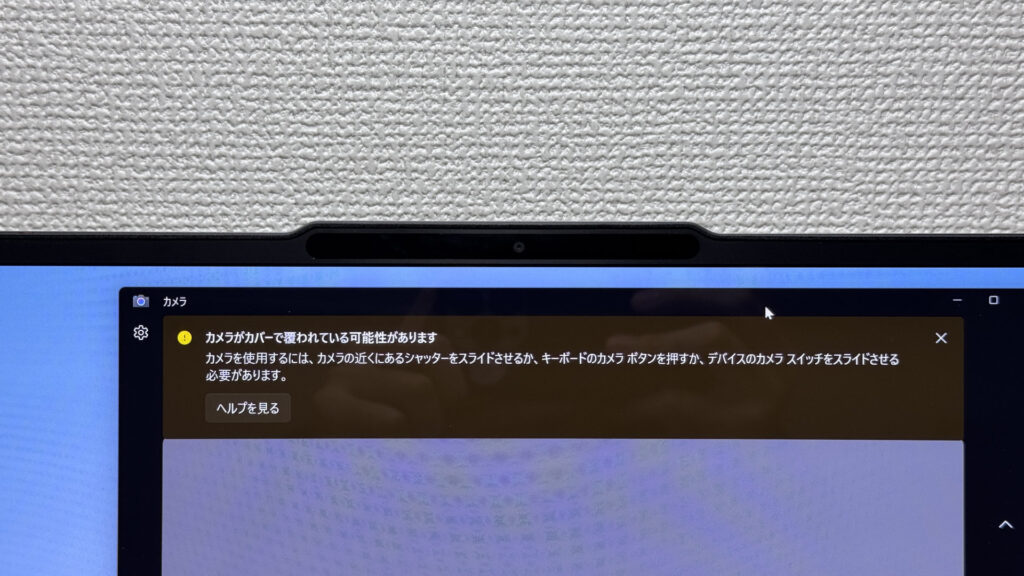 The privacy shutter lets you switch off with confidence
Speaker Sound
I gave the speakers a listen too, and the 4-speaker setup clearly got some real attention. Bass has punch, and the surround spread is solid. Personally, I'd give it a 5 out of 5.
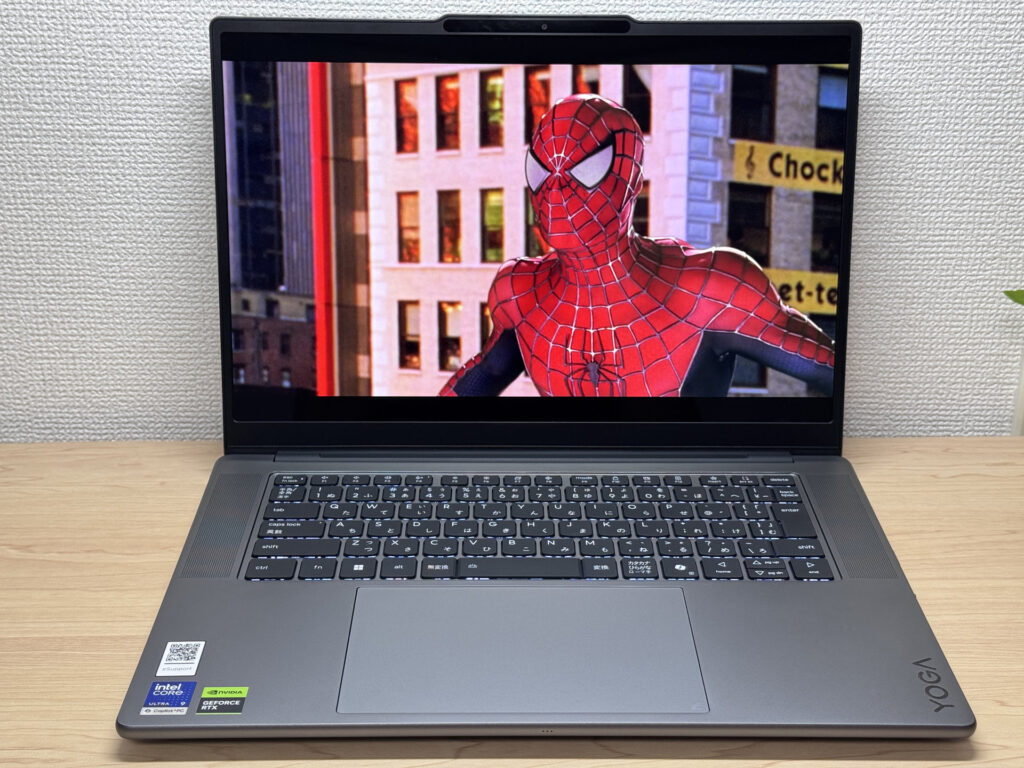 Solid bass and a nice surround feel from the 4-speaker setup
Security
Facial recognition is on board, so you can unlock Windows with just your face. Jumping straight into work without fumbling for a password is a quietly nice touch. Fingerprint recognition isn't supported, though.
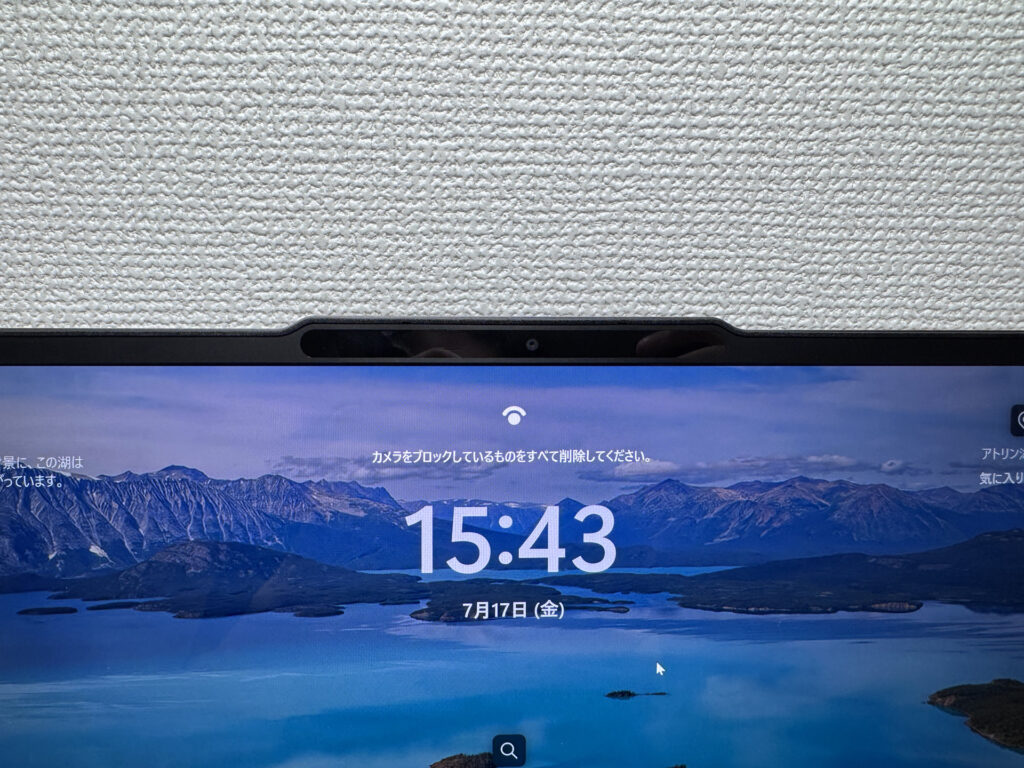 Unlocking with just your face is a small but nice convenience!
Price
Given the discrete GPU, 32GB of memory, 1TB of storage, and this level of performance, it lands in a fairly high-end price bracket, honestly. That said, this configuration doesn't creep up into MacBook Pro territory pricewise, so getting all this for what it costs is impressive in its own right. Even at $2,599.00, I think it's a laptop worth the money.
Final Verdict
The Lenovo Yoga Pro 7i Gen 11 Aura Edition packs a 1,604 g (~3.5 lbs) weight, a gorgeous OLED display, and strong performance into a 15.3-inch body. There are a few nitpicks — screen glare, a heavy stock charger, battery life that runs short — but even accounting for those, I'd recommend this to anyone doing photo editing, video editing, or programming. For anyone who wants to do creative work on a big screen, this one's a great fit.
Seriously, go pick this one up and feel the build quality and weight for yourself!
Where to Buy
* Prices may vary. Please check each store for the latest price and availability.
About the author