ZippyScore
ZippyScore is a proprietary rating based on 6 criteria: performance, portability, display, battery, value, and connectivity.
See rating criteria
- Performance: CPU / GPU performance
- Portability: Screen size & weight
- Display: Panel type, aspect ratio & refresh rate
- Battery: Rated battery life
- Value: Specs-to-price balance
- Connectivity: Port types & count
Pros & Cons
Pros
- 16GB of RAM keeps multitasking smooth — browser tabs, docs, and Office open at once without slowing down
- Built-in USB-A, HDMI, and SD card slot means no hub needed for most setups
- Matte IPS panel with 16:10 aspect ratio is easy on the eyes and great for productivity
- Fingerprint reader makes unlocking Windows quick and painless
- Aluminum build feels more premium than the price suggests
Cons
- 3.4 lbs (1.54 kg) is heavier than most 14-inch competitors — adds up fast for daily commuters
- No keyboard backlight makes typing in low light genuinely annoying
- Webcam at 0.9MP is below average — won't impress on video calls
Specs Summary
| OS | Windows 11 Home |
|---|---|
| CPU | Intel Core 7 150U (PassMark: 14,835) Intel Core 5-120U Intel Core 5 120U (PassMark: 15,544) |
| RAM | 8GB / 16GB / 32GB |
| Storage | 512GB / 1TB |
| Display | 14" IPS (Anti-glare, 60Hz) 1920x1200 (16:10) |
| Weight | 1.54 kg (3.40 lbs) |
| Ports | USB-A × 2 (5Gbps), USB-C × 1 (10Gbps/PD/Video out), HDMI × 1 (ver.1.4), SD card × 1, Headphone jack × 1 |
| GPU | Intel Graphics (G3D Mark: 3,183) |
| Biometrics | Fingerprint |
| Battery | (Capacity: 54 Wh) |
| Camera | 0.9 MP |
| Dimensions | Approx. 314.0 × 226.15 × 19.9 mm (W × D × H) |
| Wi-Fi | Wi-Fi 6 |
| Bluetooth | Bluetooth 5.0 |
| Color | Silver / Carbon Black / Platinum Silver |
Configurations vary by retailer, region, and availability.
Feature Review
Design
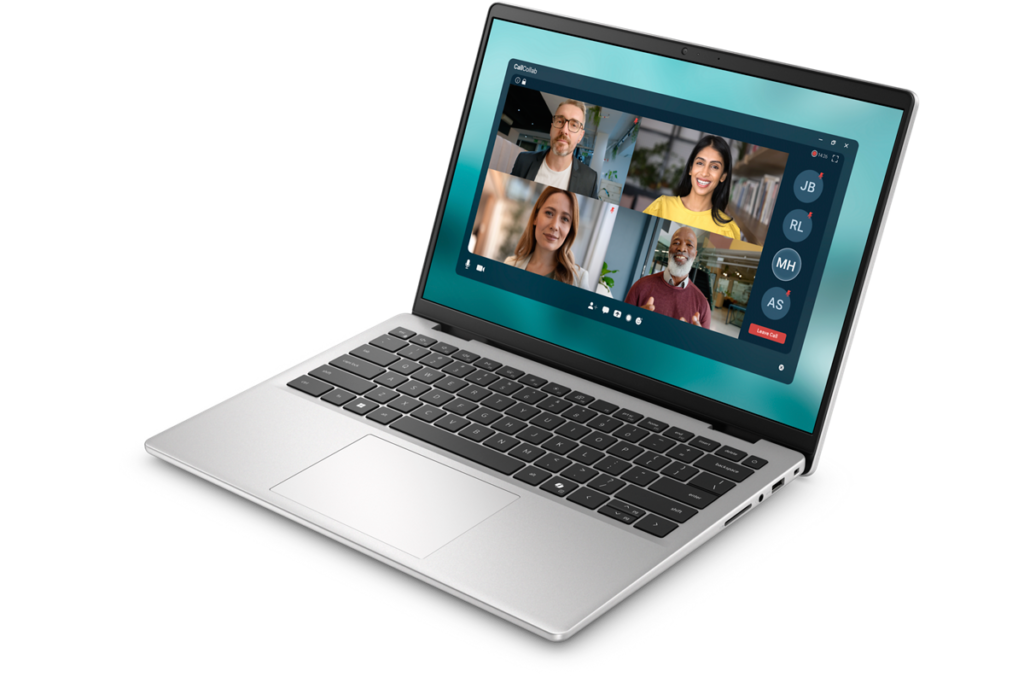
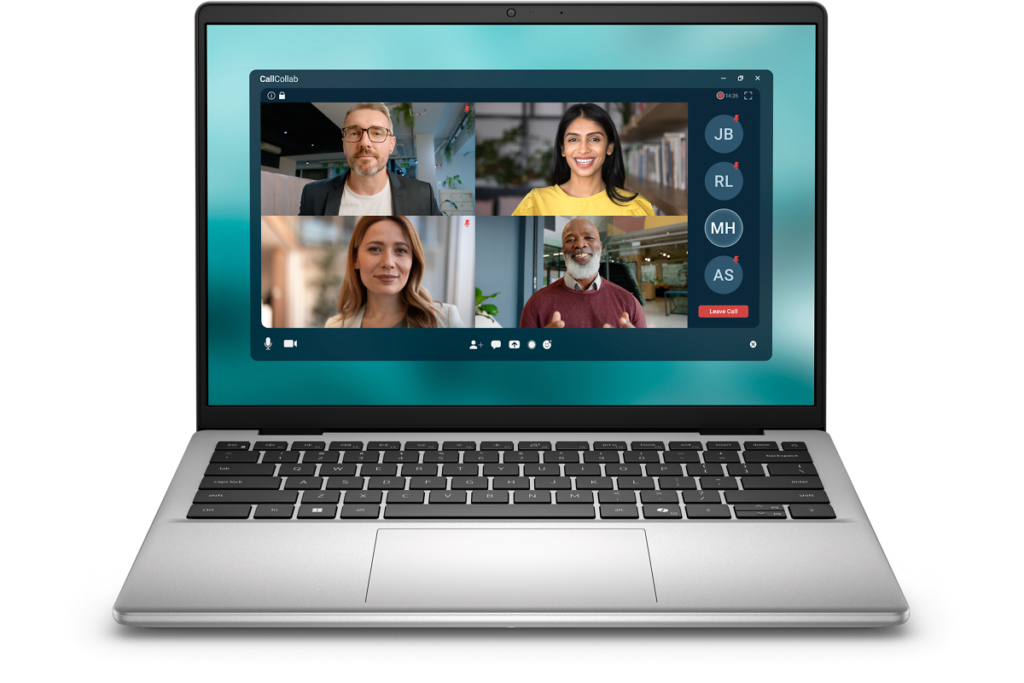
The Dell 14 (DC14250, 2025) comes in Carbon Black — clean, no-frills, and honestly kind of refreshing in a sea of gimmicky designs. The aluminum chassis gives it a rigidity you wouldn't expect at this price point. It doesn't feel cheap, and that matters if you're planning to use this thing for a few years.
 No-nonsense design that holds up
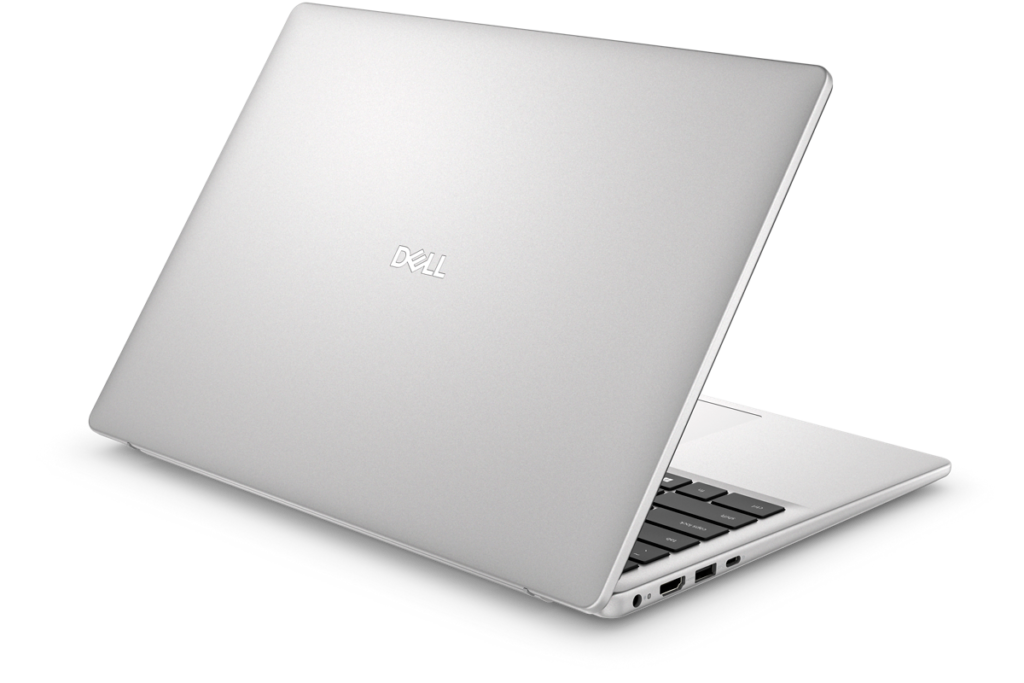
The back panel is equally understated — logo's there, but it's not shouting at you, which I appreciate.
 Understated Carbon Black rear
At 19.9mm thick, it's not slim by modern standards, but it'll fit in a backpack just fine.
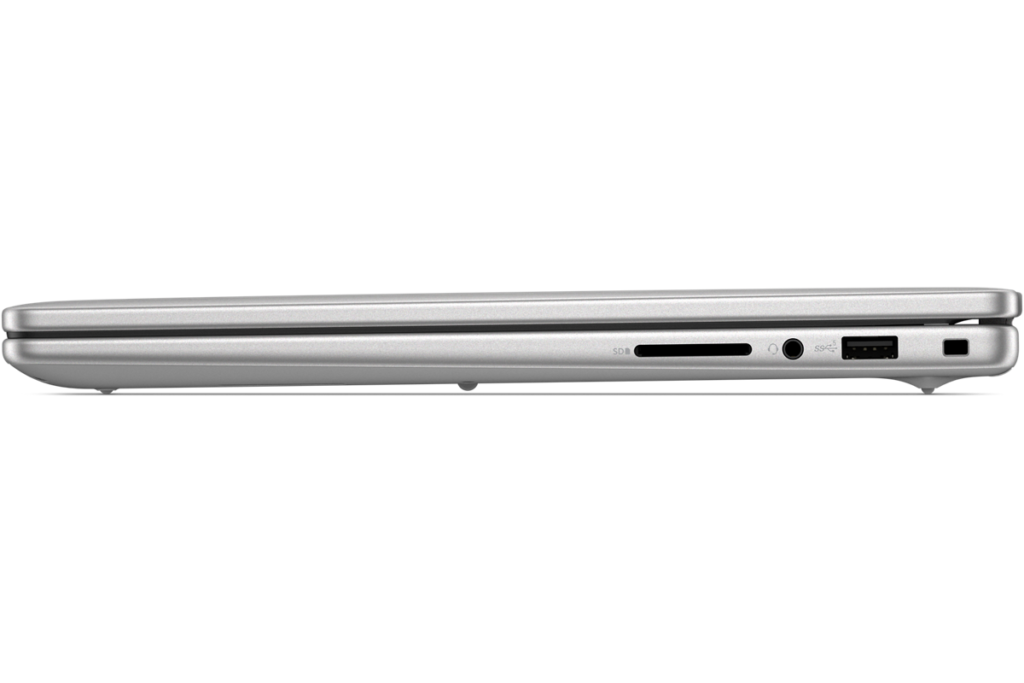 19.9mm — nothing fancy, but nothing to complain about
Portability
Here's the thing: 3.4 lbs (1.54 kg) is on the heavier side for a 14-inch laptop in 2025. If you're hauling this to campus every day, it'll add up. That weight is partly the tradeoff for keeping the price down — aluminum costs more to engineer to be thin. If this is mostly a desk laptop with occasional trips in a bag, you'll be fine.
Display Quality
You get a 14-inch IPS panel at 1920×1200 — 16:10 aspect ratio, which means more vertical real estate for web browsing and documents. The matte (non-glare) coating is a win for using it near windows or under fluorescent lights. Colors are honest rather than vivid, but for everyday use that's totally fine 👀.
 Wide viewing angles, honest color reproduction
Keyboard
The layout is solid for a global manufacturer — key spacing is a little tight in spots, but nothing that'll trip you up after an afternoon of use. Fingerprint reader and Copilot key are on board. The thing I'd flag: no keyboard backlight, so typing in a dark room is going to be rough. Cost-cutting decision, clearly, but still annoying.
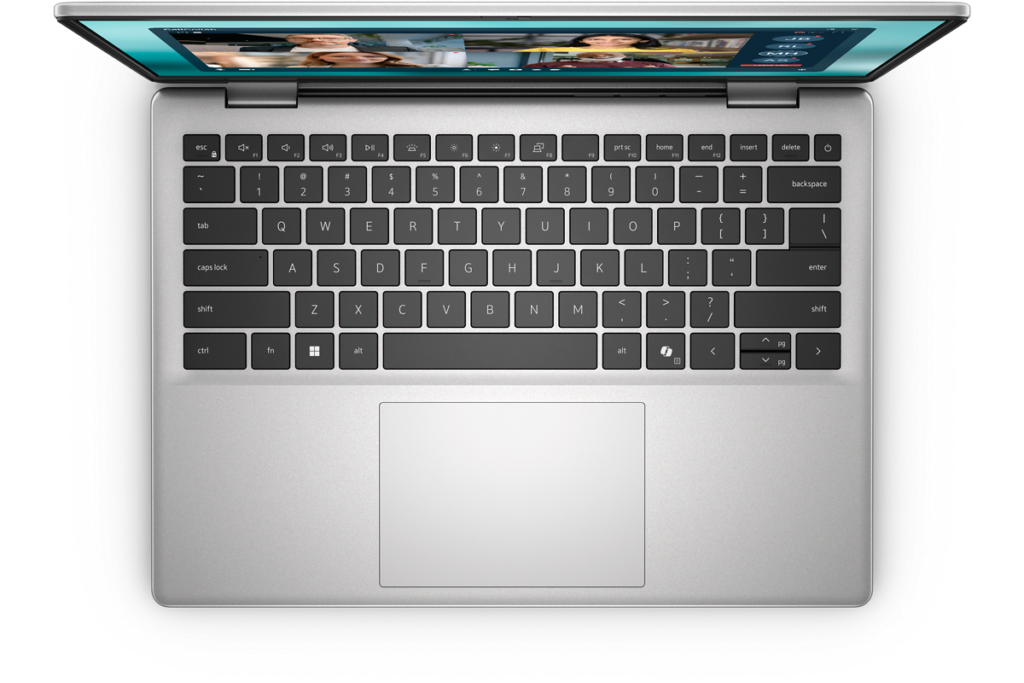 Functional keyboard — just don't expect to type in the dark
Performance
Intel Core 7 150U, 16GB DDR5, 512GB SSD. The U-series chip is efficiency-focused, so heavy video editing or gaming isn't what this is built for. But with 16GB of RAM, you can have a bunch of browser tabs open, work in Google Docs, and run Office without things grinding to a halt. For everyday tasks, it's snappy enough.
Battery Life
Battery verdict: average
The 54Wh battery is par for the course. Given the weight, you'd hope for a bigger cell, but it's not there. This isn't your all-day-away-from-an-outlet machine — you'll want to be near a charger for long stints. The good news: it supports USB-C PD charging, so a small USB-C charger is all you need on the go 🔌.
Ports
This is where the Dell 14 (DC14250, 2025) actually shines. Two USB-A ports, a video-out USB-C, full-size HDMI, and an SD card slot — all built in. At this price, that's genuinely rare. No hub needed to connect a monitor, plug in a USB drive, and read an SD card simultaneously. The USB-C also handles PD charging and DisplayPort output 👍.
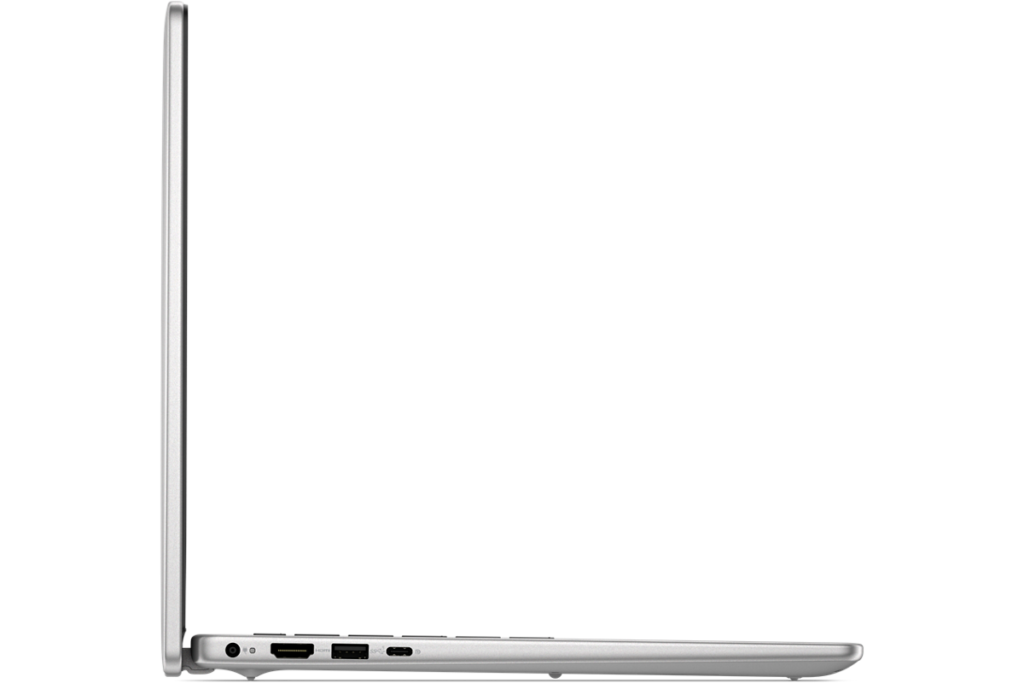 Left side: plenty of ports for the price
 Right side: HDMI and SD card included
Webcam
The webcam is 0.9MP — low by today's standards. If you care about looking sharp on Zoom calls or video lectures, you might be disappointed. If you'd rather not look too polished on camera (we've all been there 😄), hey, works out fine. Your mileage may vary.
Security
On most configs, you get fingerprint authentication for Windows Hello. One-touch unlock is one of those small conveniences that's easy to take for granted until you don't have it. Solid to see it included at this price.
Price
This laptop starts at , which is the whole point. Entry-level, sure — but it doesn't feel like a throwaway machine. The basics are covered, and it's built to last.
Bottom Line
The Dell 14 (DC14250, 2025) is for the person who wants a capable, reliable laptop without spending a lot — and plans to keep it for a while. The weight and missing backlight are real drawbacks, but IPS display, fingerprint reader, and a stacked port selection make for a solid package at the price. College students and anyone doing mostly writing and web browsing will find plenty to like here 😊.
Hub-free connectivity is the killer feature here
Where to Buy
* Prices may vary. Please check each store for the latest price and availability.
About the author