ZippyScore
ZippyScore is a proprietary rating based on 6 criteria: performance, portability, display, battery, value, and connectivity.
See rating criteria
- Performance: CPU / GPU performance
- Portability: Screen size & weight
- Display: Panel type, aspect ratio & refresh rate
- Battery: Rated battery life
- Value: Specs-to-price balance
- Connectivity: Port types & count
Pros & Cons
Pros
- The build quality is genuinely satisfying — every surface and detail feels considered
- Haptic trackpad rivals MacBook's — comfortable to use all day without a mouse
- Core Ultra X7 358H and 32GB RAM handle video editing and heavy workloads without breaking a sweat
- 68Wh battery means you're not hunting for outlets throughout the day
- The speakers can carry a whole movie — no external audio needed
Cons
- The 336g stock charger is heavy — combined with the laptop, you're hauling around 3.8 lbs total
- A 65W USB-C charger may trigger a slow-charging warning (though it still charges)
- USB-C and headphone jack only — a hub becomes mandatory if you have multiple peripherals
Specs Summary
| OS | Windows 11 Home |
|---|---|
| CPU | Intel Core Ultra 5 325 (PassMark: 21,039) Intel Core Ultra 7 355 (PassMark: 20,954) Intel Core Ultra X7 358H (PassMark: 33,707) Intel Core Ultra X9 388H (PassMark: 36,216) |
| RAM | 16GB / 32GB / 64GB |
| Storage | 512GB / 1TB / 2TB |
| Display | 14" IPS (Anti-glare, 120Hz) 1920x1200 (16:10) 14" OLED (Touchscreen) 2880x1800 (16:10) |
| Weight | 1.38 kg (3.04 lbs) |
| Ports | USB-C × 3 (Thunderbolt 4/40Gbps/PD/Video out), Headphone jack × 1 |
| GPU | Intel Graphics (G3D Mark: 3,183) Intel Arc Graphics (G3D Mark: 5,486) |
| Biometrics | Face Recognition |
| Battery | Up to 31 h (Capacity: 70 Wh) |
| Camera | 8.0 MP |
| Dimensions | Approx. 309.52 × 209.71 × 15.20 mm (W × D × H) |
| Wi-Fi | Wi-Fi 7 |
| Bluetooth | Bluetooth 6.0 |
| Color | Graphite |
Configurations vary by retailer, region, and availability.
Hands-on Review
Alright, let's get into the full review of the XPS 14 (2026). Here's the exact unit I tested:
| Spec | Configuration |
|---|---|
| CPU | Intel Core Ultra X7 358H |
| RAM | 32GB |
| Storage | 512GB SSD |
| Display | 14" IPS (1920×1200, 120Hz) |
| Graphics | Intel Arc Graphics |
| Color | Graphite |
※ Specs may vary depending on region and retailer.
Design
Being Dell's flagship, the XPS 14 (2026) announces itself the moment you touch it. The palm rest is matte and genuinely pleasant to rest your hands on — the finish on every surface you actually contact is just really good. Every little detail is considered, and you feel it. This is the kind of build quality that actually satisfies that ownership itch.
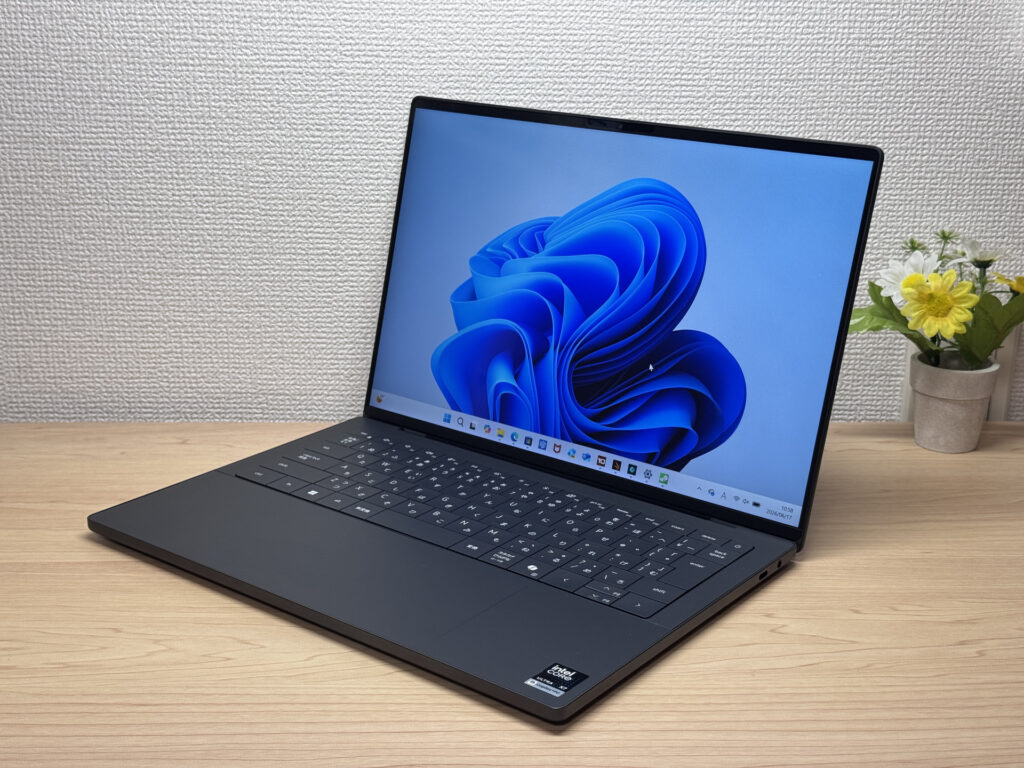 Flagship-level materials — you can feel the quality.
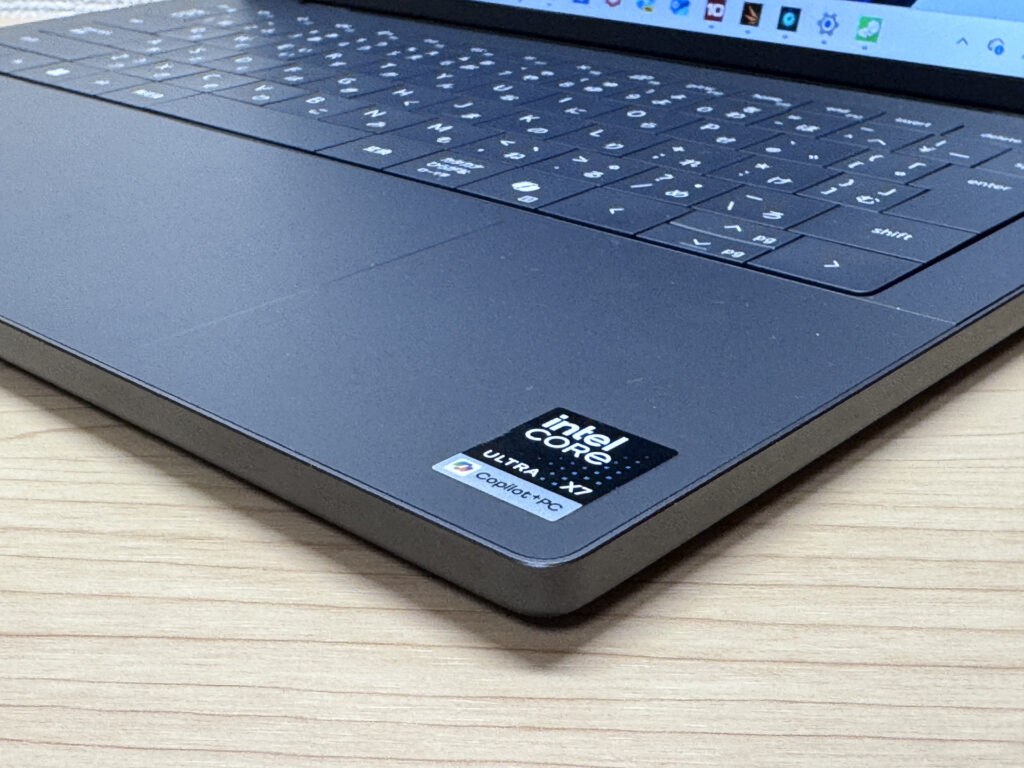 The palm rest feel is genuinely exceptional.
The XPS logo on the lid is subtle — not trying too hard, but still looks great. The bottom panel barely shows any screws, which tells you Dell sweated the details even where nobody's looking.
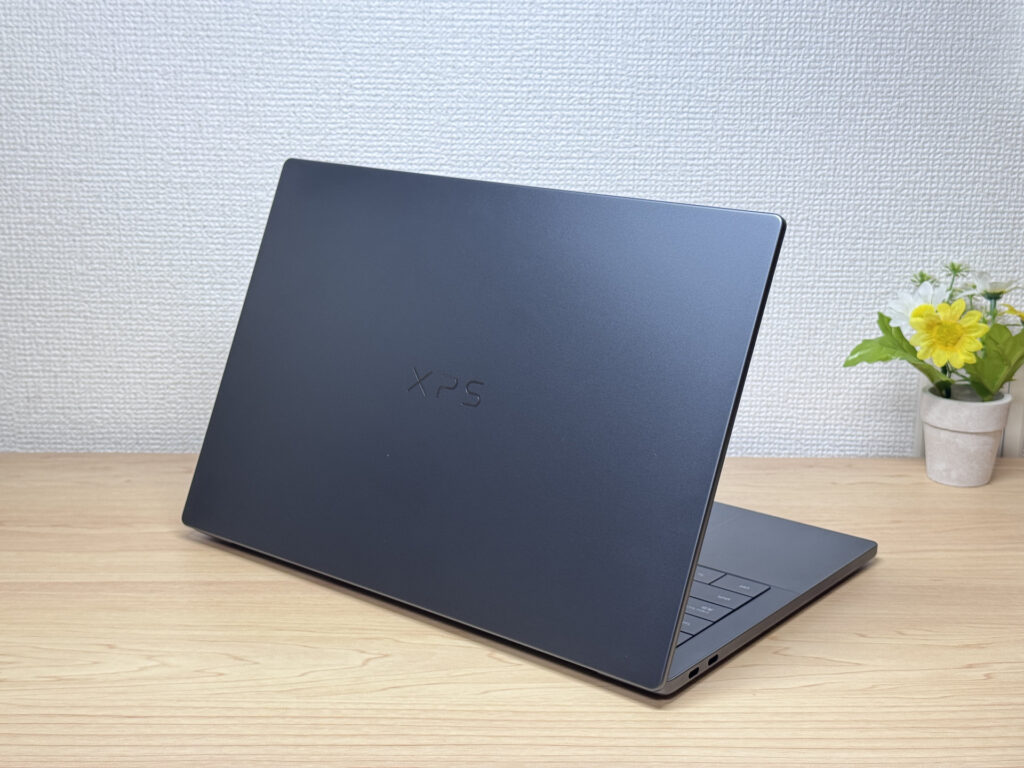 Refined lid that doesn't scream for attention.
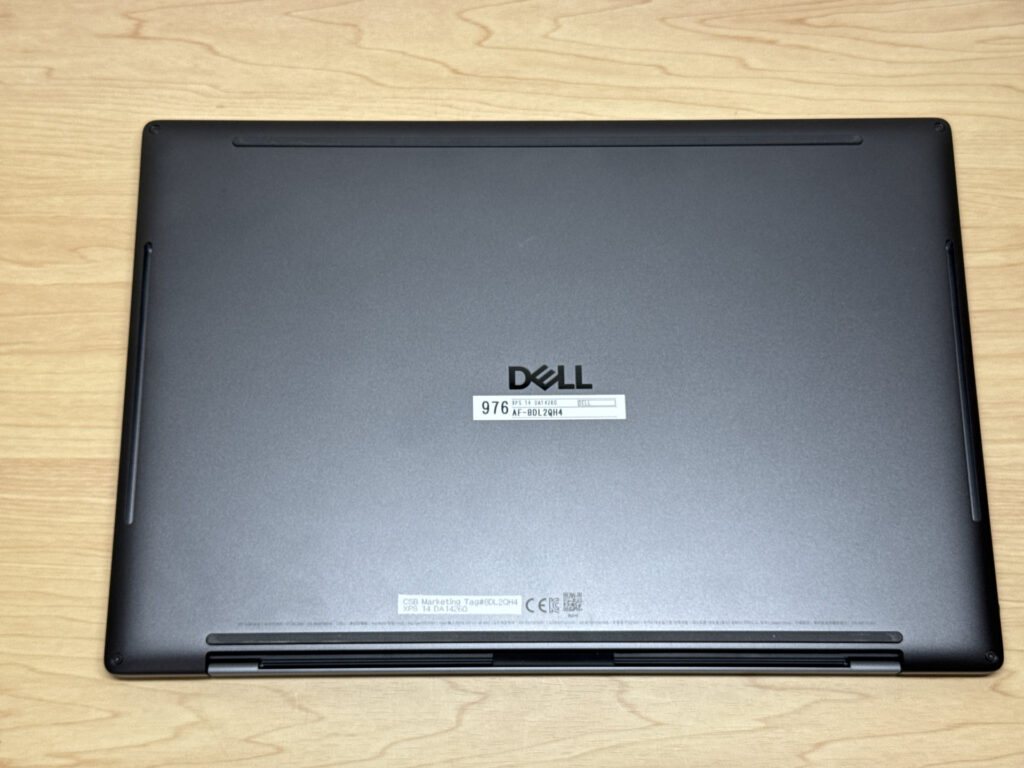 Clean bottom panel — barely any visible screws.
At 15.2mm thick, this isn't an ultralight machine, but the thinness really helps with the overall feel in hand. The OLED variant actually gets down to 14.6mm if that matters to you.
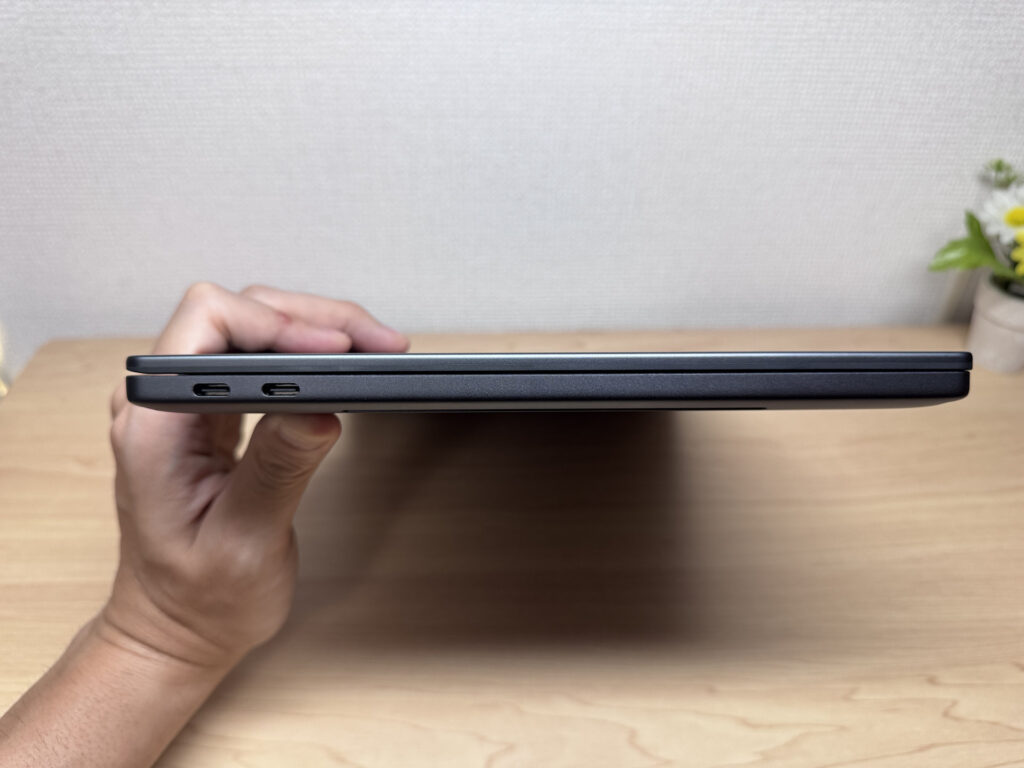 Slim 15.2mm profile.
The lid opens one-handed, as you'd expect at this price. And when you open it, the keyboard deck doesn't lift off the desk — that's how it should be.
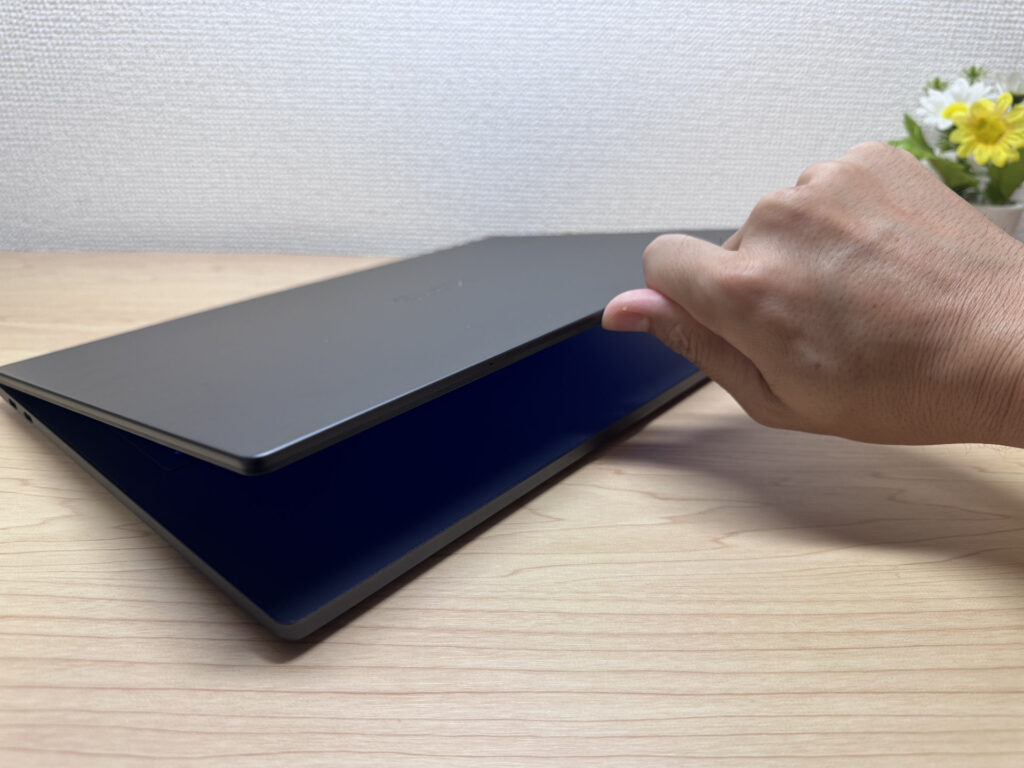 One-finger open, quality hinge.
The max opening angle feels MacBook-like. I don't need it to go flat, and honestly neither do most people — this works fine.
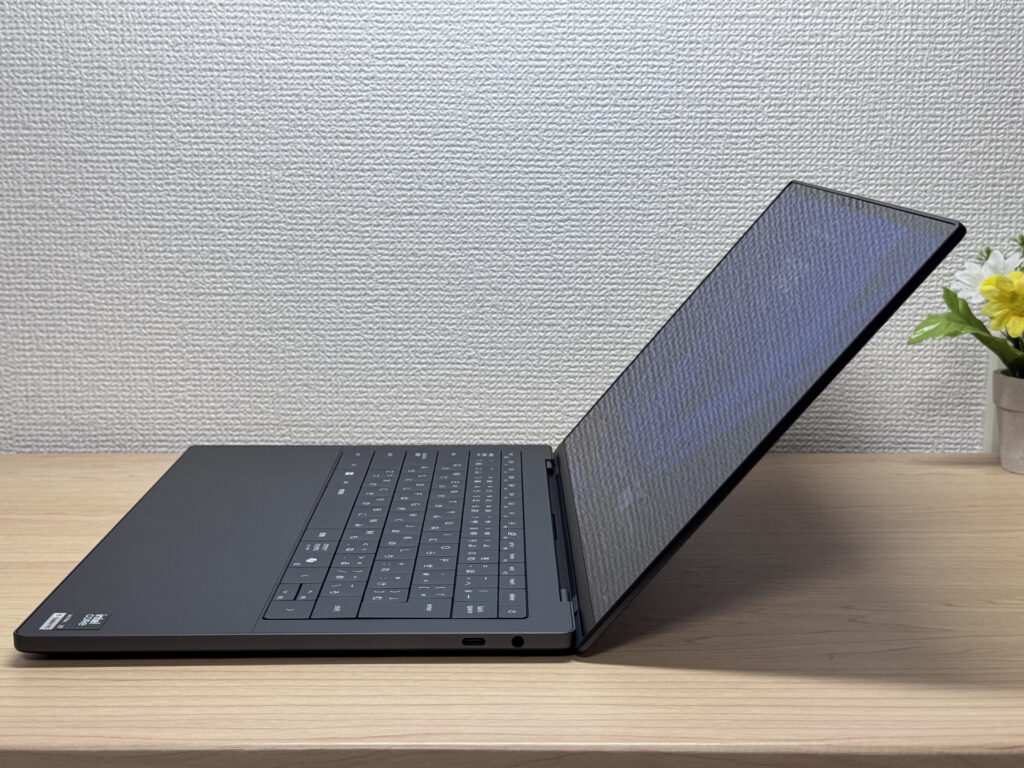 MacBook-style maximum opening angle.
Portability
Actual weight came in at 1,408g (~3.1 lbs). For a 14-inch laptop, that's pretty typical — but honestly, at this price point, I was expecting something closer to 2.6–2.9 lbs. It feels heavier than the sticker suggests when you're holding it one-handed. Still totally fine in a backpack, though.
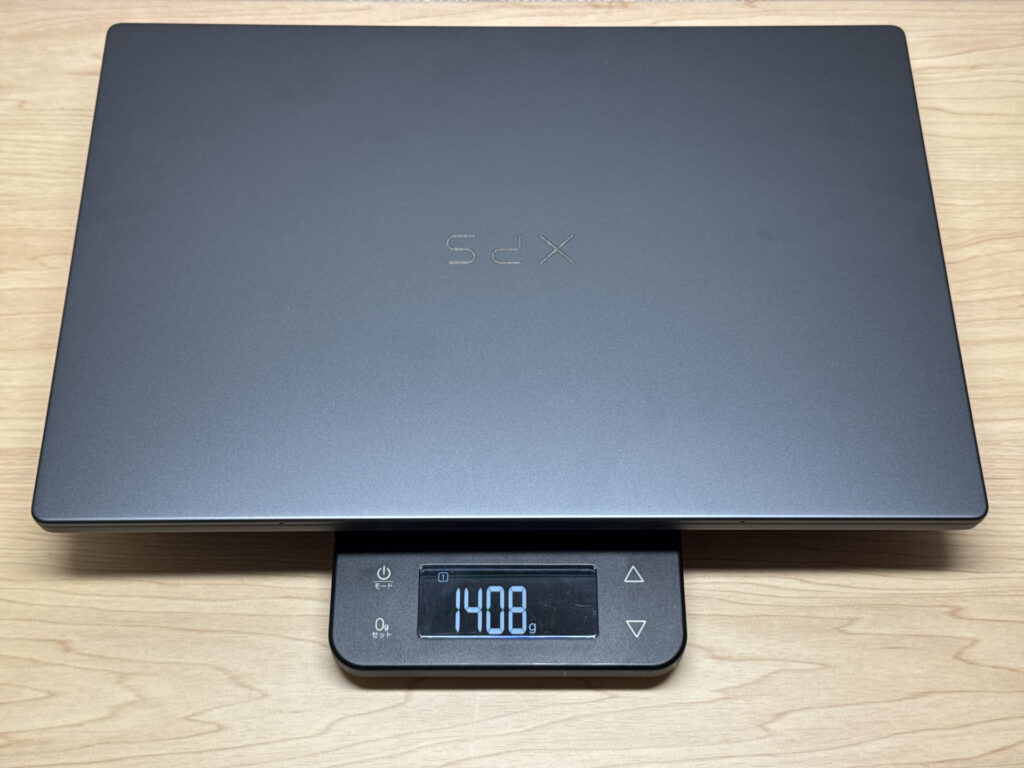 Measured at 1,408g — about 3.1 lbs.
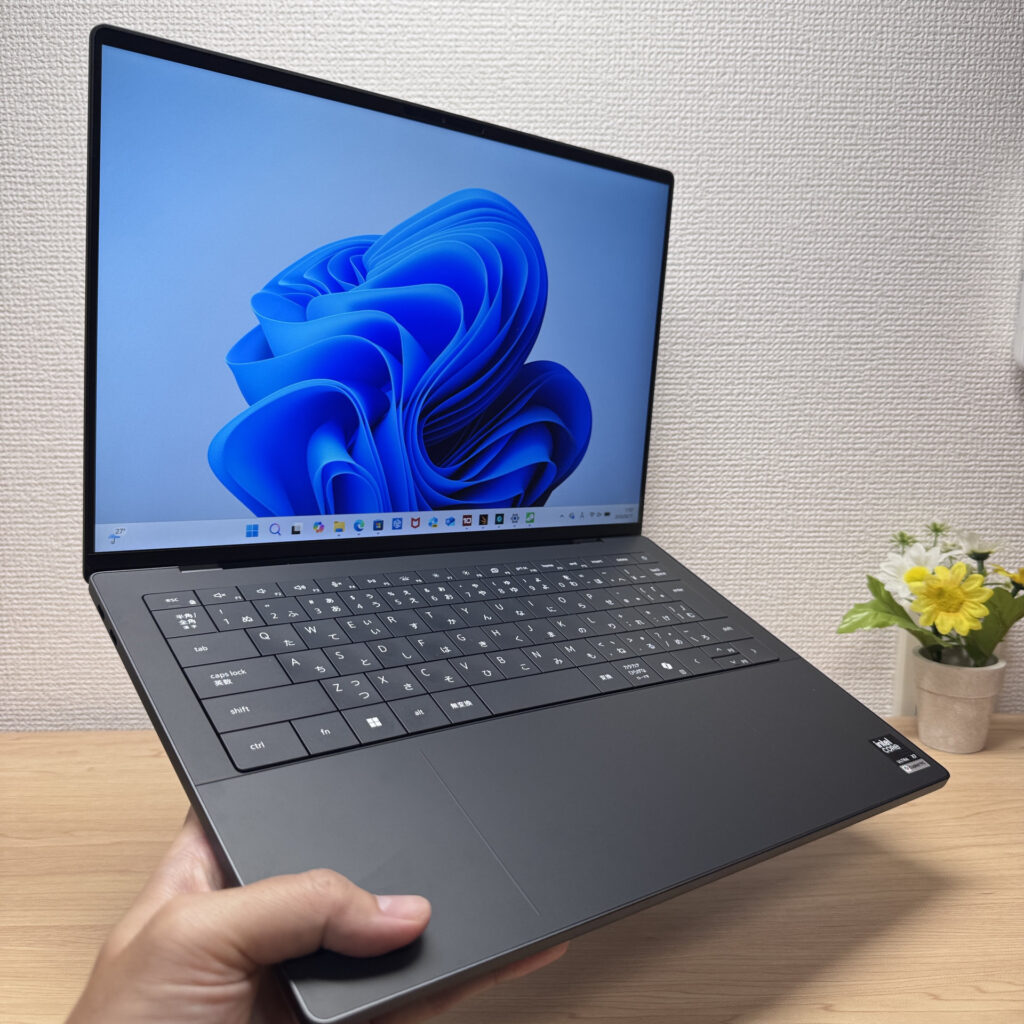 One-handed, the weight is noticeable.
The real problem is the charger. Cable included, it weighs 336g (~0.7 lbs) — that's heavy for a laptop brick. Combined with the laptop itself, you're lugging about 3.8 lbs total. My honest advice: leave the stock charger at home and pick up a compact USB-C GaN charger for the road.
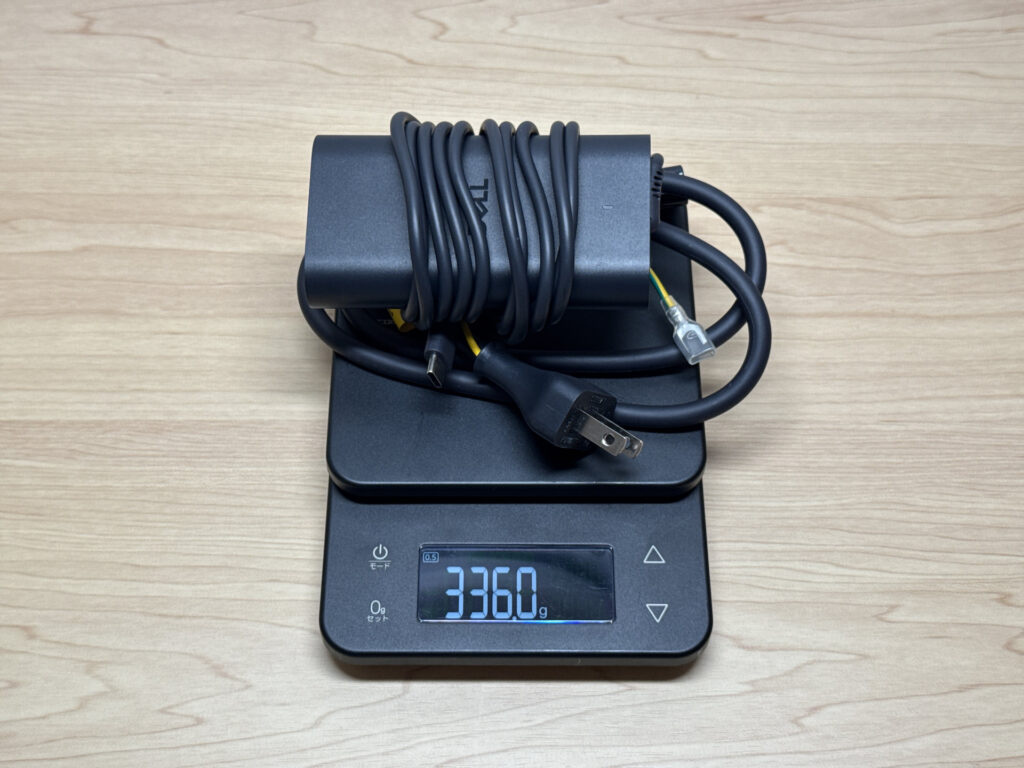 The 336g stock charger is not travel-friendly.
One thing to watch: my Anker 65W USB-C charger triggered a "slow charging cable" warning. It still charged, but for full-performance use, you'll want a 100W charger.
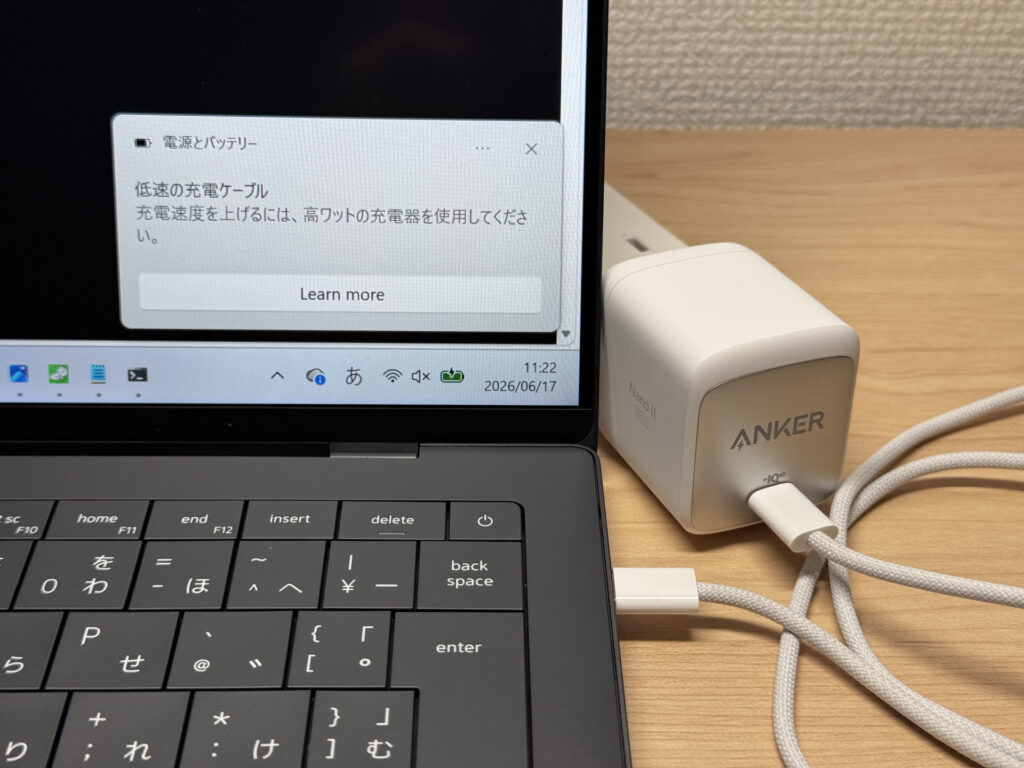 USB-C charging works — but 65W feels a bit short of optimal.
Display Quality
The display is really well done. Dell's InfinityEdge bezels keep things tight, giving you 14-inch screen real estate in a body that feels closer to a 13-inch machine. The unit I tested had a 2K non-touch IPS at 120Hz — scrolling is buttery smooth on the web, and it's hard to go back once you've had high refresh.
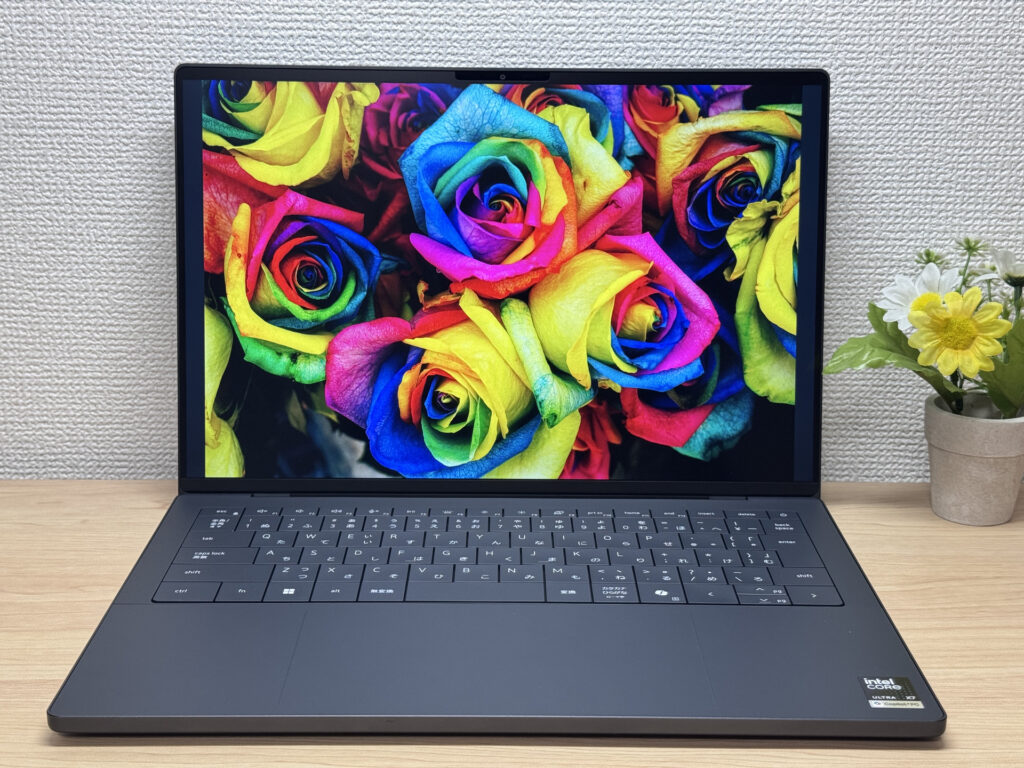 Near-bezel-free display with great color reproduction.
The IPS quality here is high-end — wide viewing angles, minimal color shift when you look from above or the side.
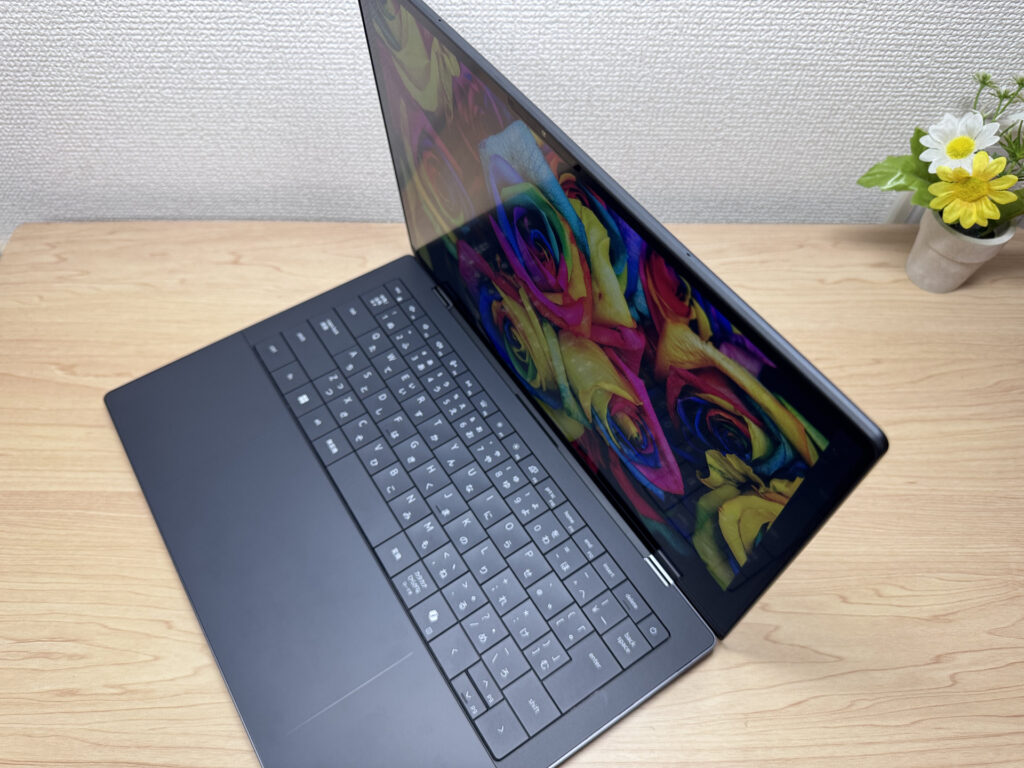 Wide viewing angles — barely any shift.
16:10 aspect ratio means more vertical real estate versus a 16:9 panel. Great for productivity, and it's basically the standard now.
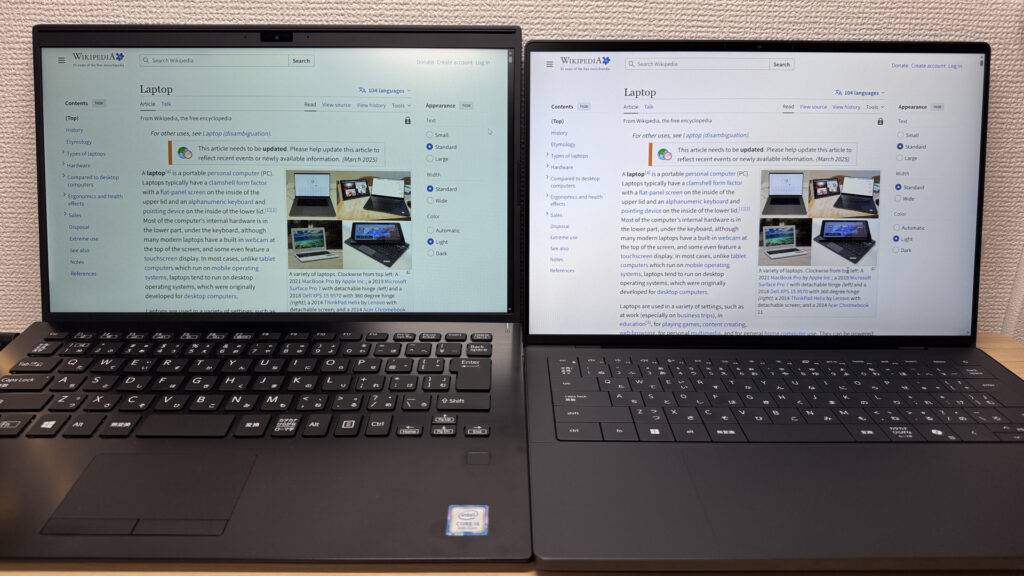 16:10 ratio — more usable vertical space.
Matte panel, so reflections aren't a major issue. I'll be honest — the OLED option sounds tempting, but after spending real time on this IPS, I didn't miss it. Matte is also easier on the eyes for long sessions.
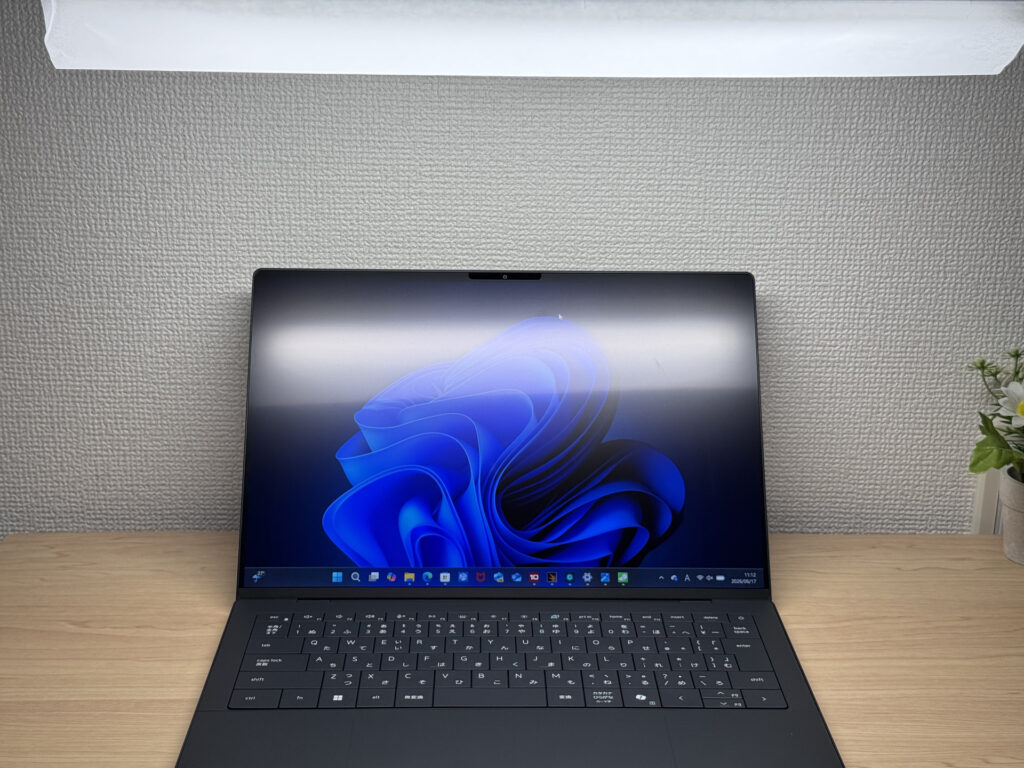 Matte panel keeps glare in check.
Keyboard Feel
The keyboard is a highlight for me. The keycaps have this subtle soft-touch coating that just feels right. Dell builds each keyboard layout per region — no weird key squishing or remapping to fit a global template. The result is a clean, properly proportioned layout without the awkward compromises you often see from global brands.
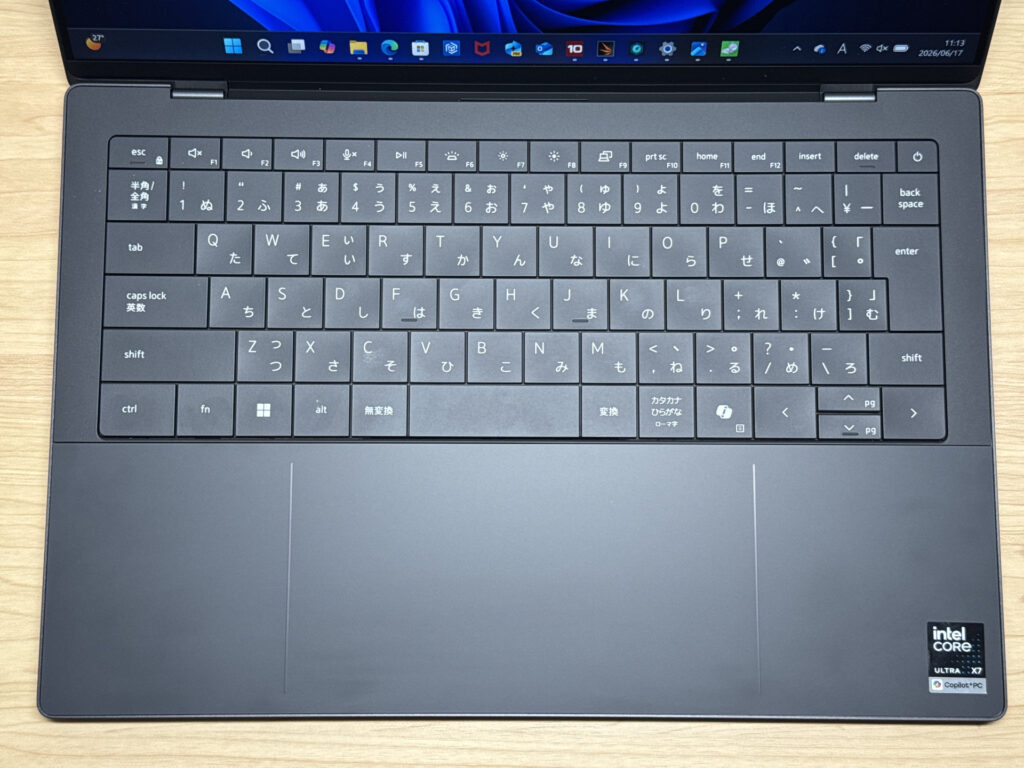 Clean, well-proportioned layout.
Typing feel is excellent — the chassis rigidity gives it a solid, confident stroke. Long sessions feel comfortable.
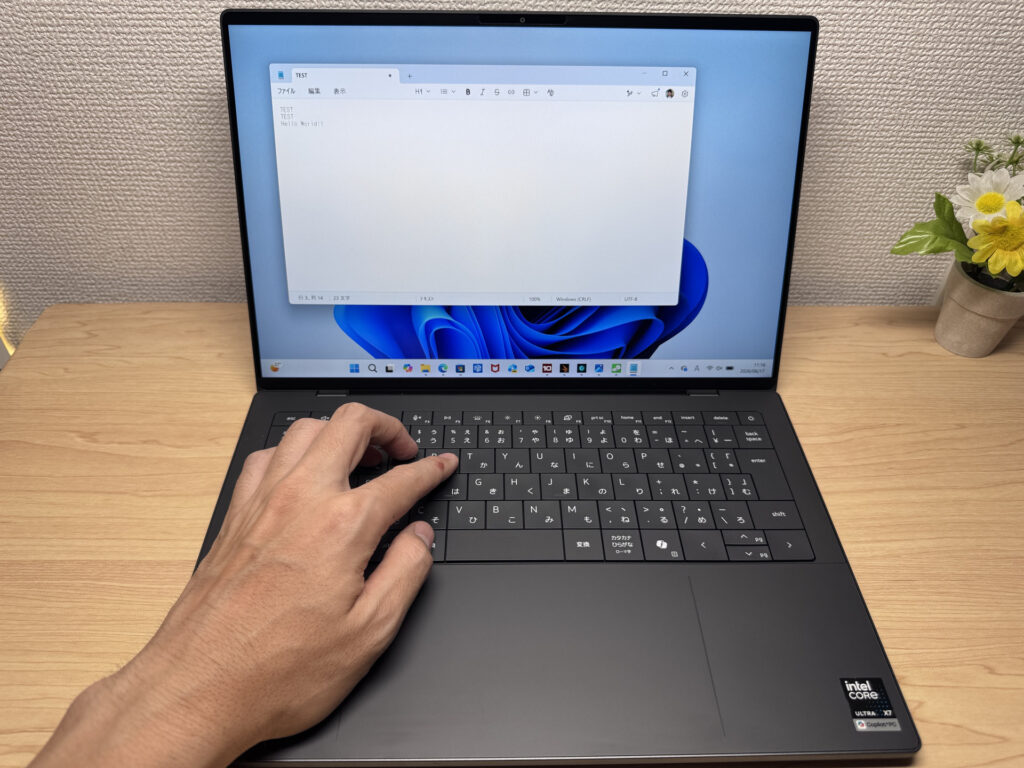 Satisfying key feel, even during long typing sessions.
Backlit too, so low-light use is covered.
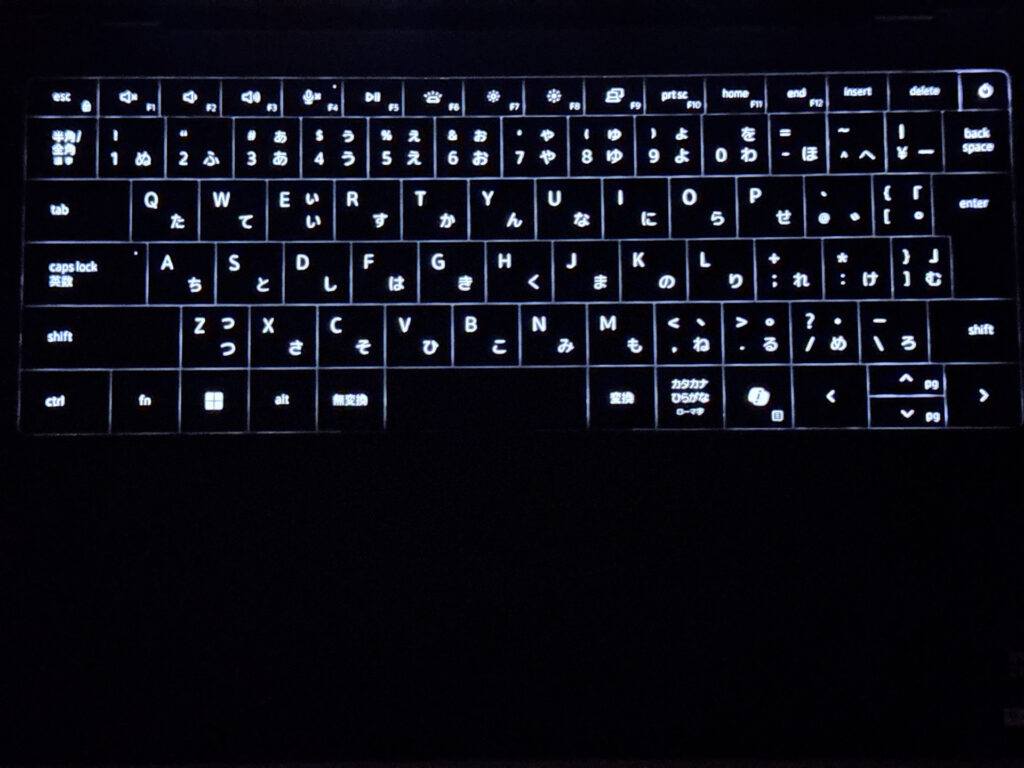 Backlit keyboard — dim environments are no problem.
Trackpad
This is where the XPS 14 (2026) really impresses. The haptic trackpad doesn't physically depress — it registers a click wherever you press, which means no more struggling to click near the top of the pad.
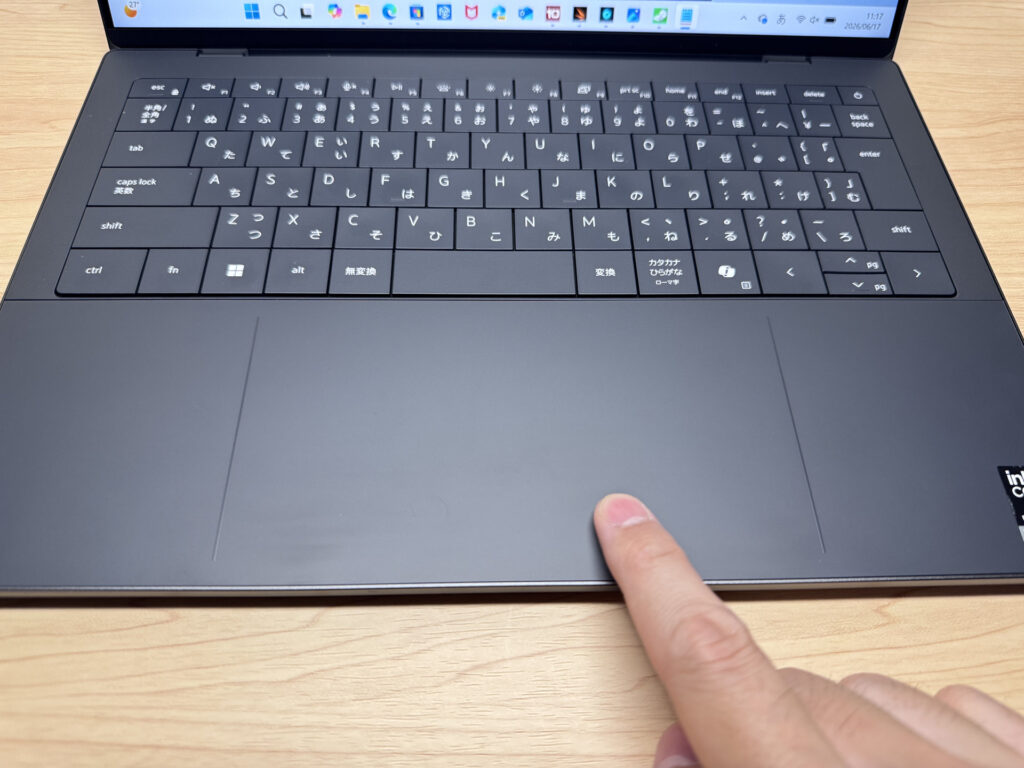 Glass haptic trackpad — ridiculously smooth.
It's glass, it's large, and it's fast. Mouse-free operation is totally comfortable — this is genuinely MacBook-level trackpad quality. Gestures work great too. I was impressed.
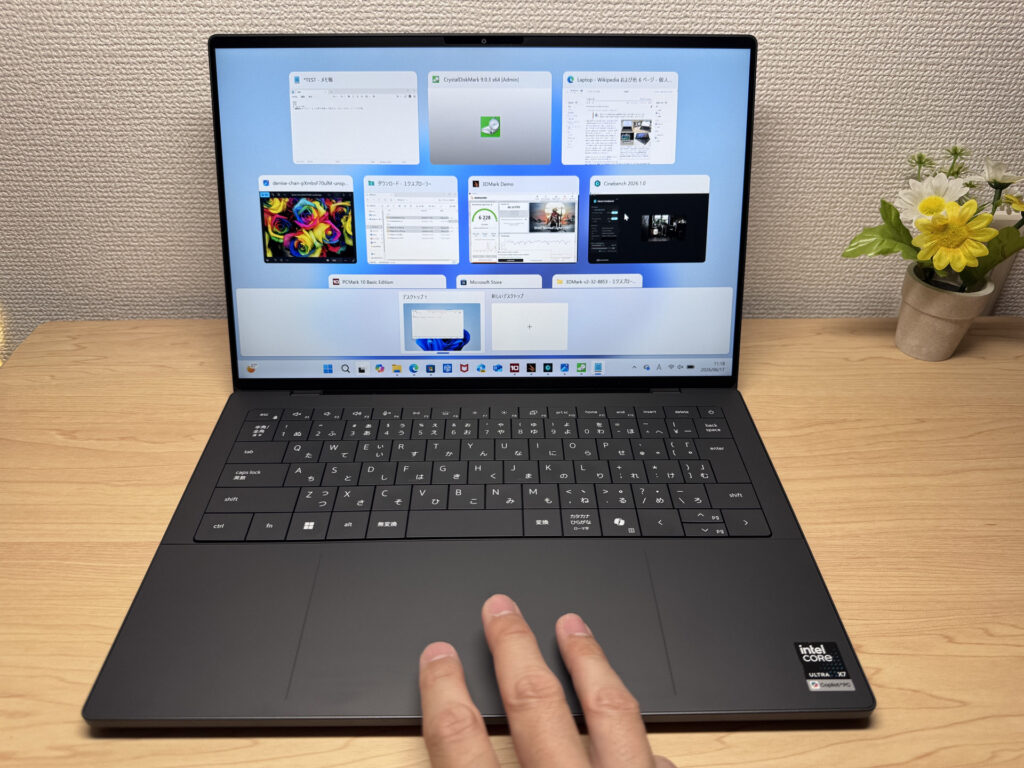 Large surface, fluid gesture support.
You can see how hard I'm pressing in this photo — the pad doesn't budge, but the click registers perfectly. That's haptic feedback doing its thing.
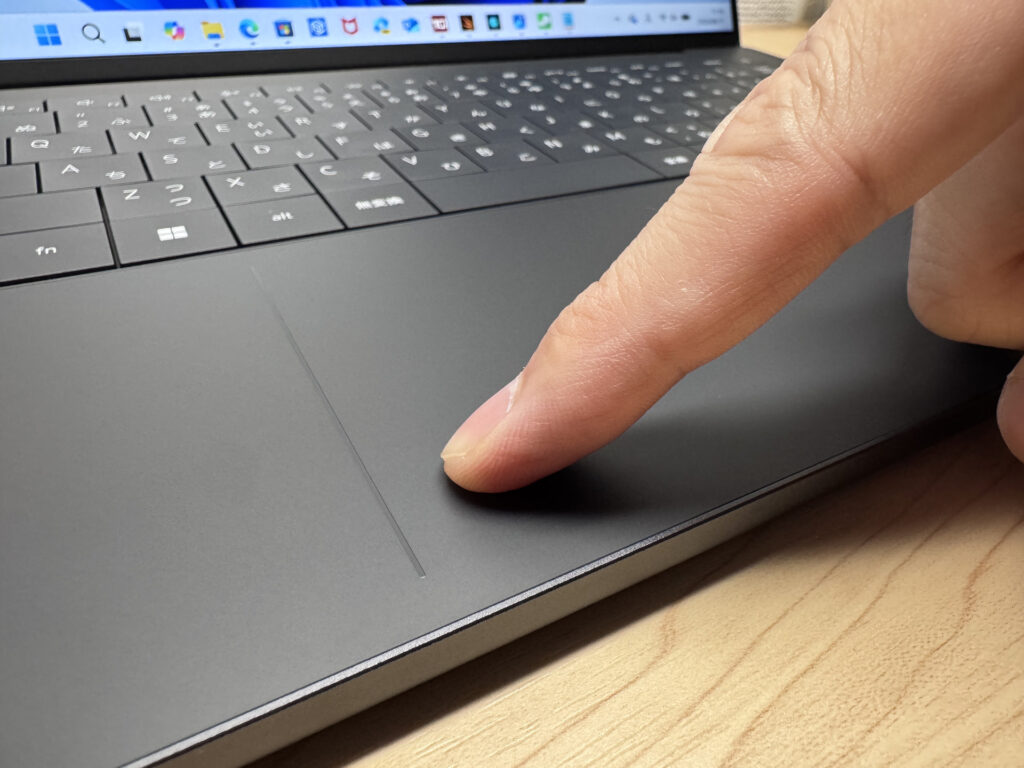 Haptic — press hard and it doesn't sink.
Performance
Performance is serious. The Intel Core Ultra X7 358H is a powerhouse — PCMark 10 came back at 10,329, which is an elite score for productivity workloads. Video editing is absolutely on the table.
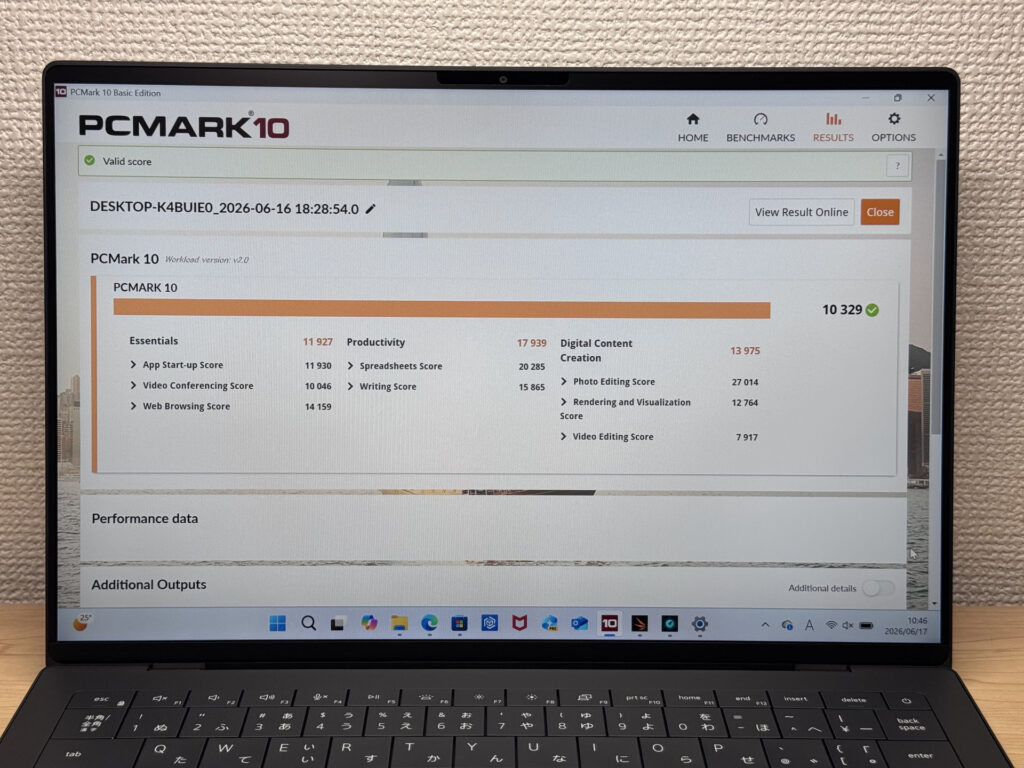 PCMark 10: 10,329 — solidly in the top tier.
| Total Score | Rating | What it feels like in real use |
|---|---|---|
| ~4,000 | Bare minimum | Web browsing and simple tasks work, but multitasking or many tabs feels sluggish. |
| 4,000–5,000 | Light use | Daily tasks are doable, but running multiple apps means waiting around. |
| 5,000–6,500 | Comfortable (mainstream) | Handles most work without stress — fine for office, school, video calls. |
| 6,500–8,000 | High performance | Plenty of headroom. Light photo editing and programming feel snappy. |
| 8,000+ | Very high performance This PC | Tackles video editing and heavy workloads. Long-lasting performance. |
*PCMark 10 reflects overall comfort. Actual feel depends on CPU, RAM, and SSD speed.
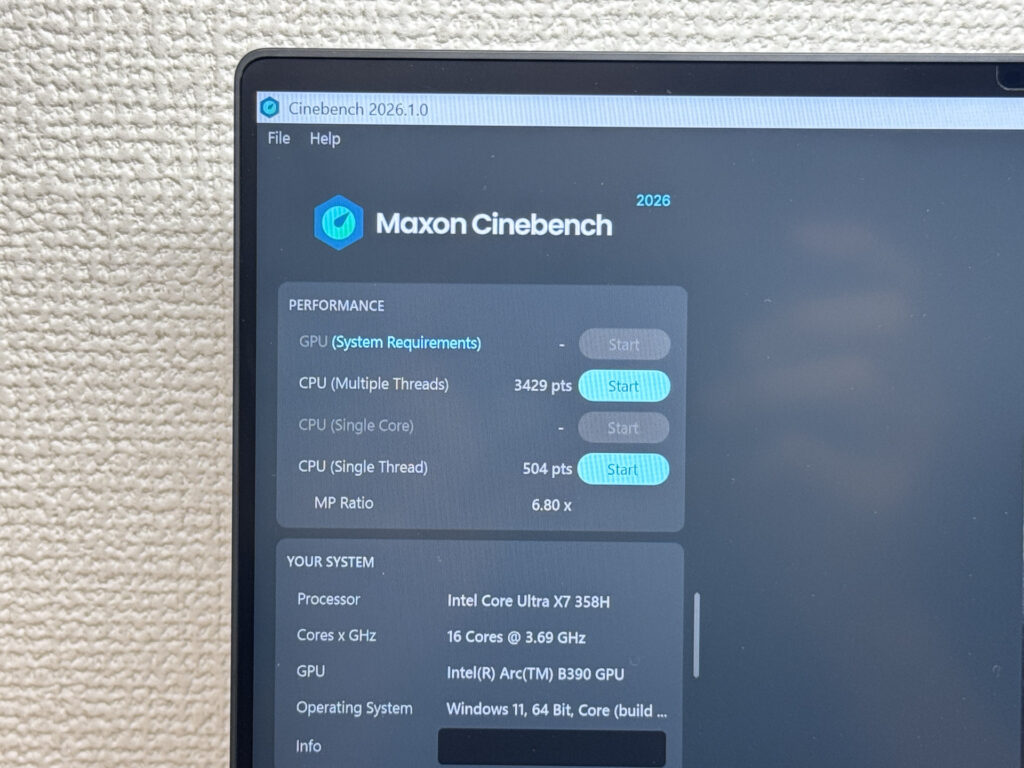 Cinebench 2026 multicore is off the charts.
Cinebench 2026 multicore hit 3,429 — that's not normal. Dell clearly went all in on CPU performance for this flagship.
| Score | Rating | What it feels like in real use |
|---|---|---|
| Up to 1,000 | Bare minimum | Light tasks work, but heavier processing or multitasking feels constrained. |
| 1,000–2,000 | Standard (power-efficient) | Handles daily tasks, but heavier loads create waiting. |
| 2,000–3,000 | Comfortable (mainstream) | Office, school, video calls all work comfortably. Plenty for most users. |
| 3,000–4,000 | High performance This PC | Comfortable for multitasking, light/medium editing, and dev work. |
| 4,000+ | Very high performance | Handles video editing and heavy workloads with room to spare. |
*Cinebench 2026 is the latest CPU multi-core benchmark. Scores trend lower than R23, so direct comparison isn't valid.
3DMark Steel Nomad Lite landed at 6,228. That's a score most people wouldn't expect from integrated graphics — you can push heavier PC games and 4K video editing with this chip. With 32GB of RAM to back it up, this is a capable all-in-one machine.
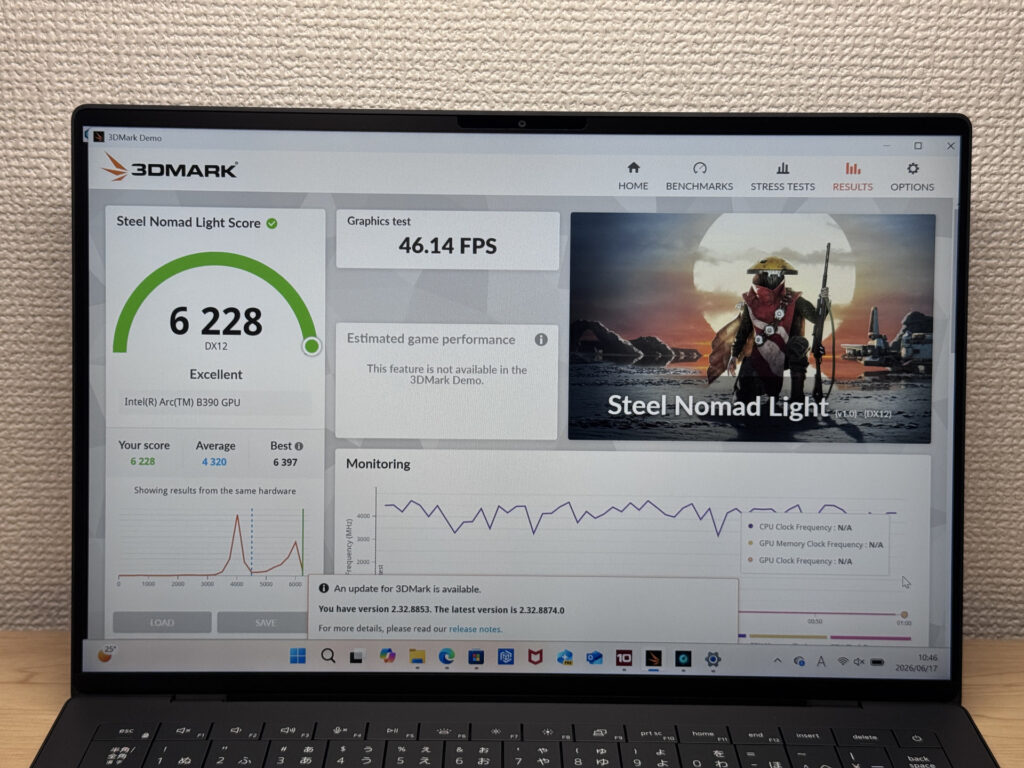 Integrated GPU: 6,228 on Steel Nomad Lite — genuinely surprising.
| Score | Rating | What it feels like in real use |
|---|---|---|
| Up to 400 | Bare minimum | 3D performance is quite limited. Not really suited for gaming. |
| 400–900 | Light 3D | Lighter games and low-load 3D processing work. |
| 900–1,500 | Average (mainstream) | Standard for integrated GPUs. Light to medium games playable with right settings. |
| 1,500–2,200 | High performance | Strong for an integrated GPU. Games and 3D work feel comfortable. |
| 2,200+ | Very high performance This PC | Top-tier 3D performance for thin laptops. Real graphics headroom. |
*3DMark Steel Nomad Light targets thin laptops and integrated GPUs. Score range differs from Time Spy, so direct comparison isn't valid.
SSD read speed: 6,844 MB/s. Heavy files are a non-issue.
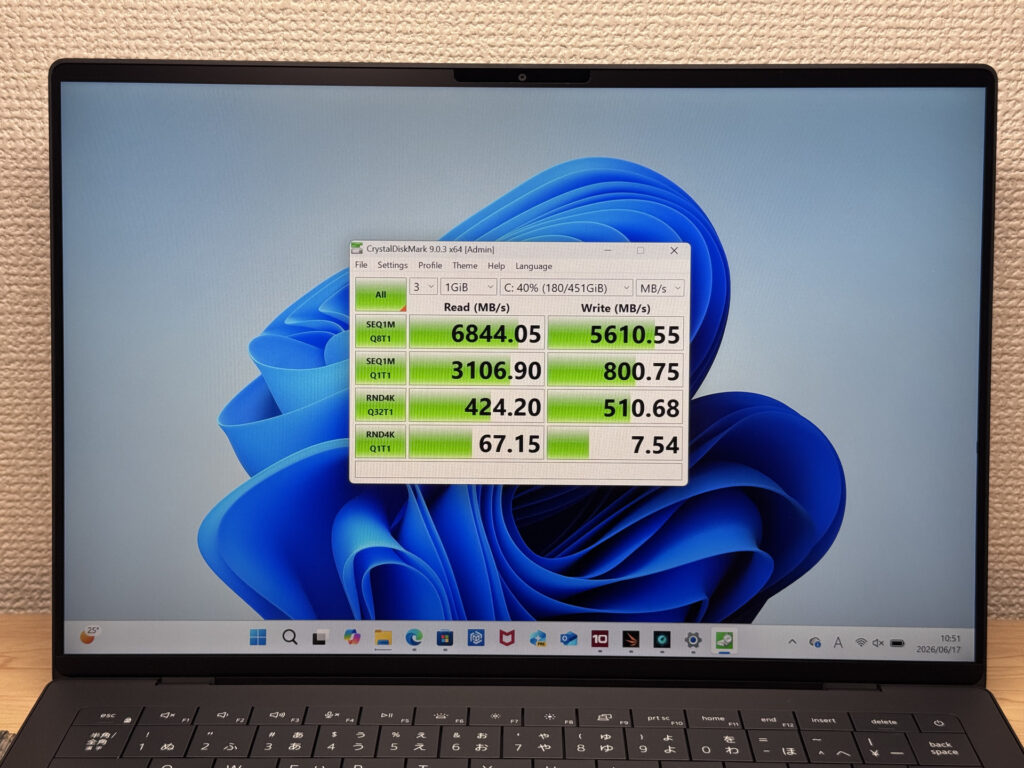 SSD read: 6,844 MB/s — fast by any measure.
| Score | Rating | What it feels like in real use |
|---|---|---|
| Up to 600 MB/s | Bare minimum | Faster than HDD, but slow for modern SSDs. App launches feel slightly slow. |
| 600–1,500 MB/s | Average | Fine for daily use, though loading is noticeably slower than top-tier SSDs. |
| 1,500–3,500 MB/s | Comfortable (mainstream) | App launches and file loading feel smooth. No real complaints in daily use. |
| 3,500–5,500 MB/s | Fast | Loads large data and apps quickly. Definitely upper-tier SSD speed. |
| 5,500+ MB/s | Very fast This PC | High-end NVMe territory. Heavy data work without waiting. |
*CrystalDiskMark measures SSD speed. It mainly affects app launch and file loading speed, not overall PC performance.
Battery Life
Battery verdict: well above average.
The 68Wh battery backs Dell's claimed 31-hour runtime. Whether or not you hit that number in real use, the headroom is there — you won't be hunting for an outlet constantly. The flip side is that the large battery is a contributing factor to the 3.1 lb weight. Pick your trade-off.
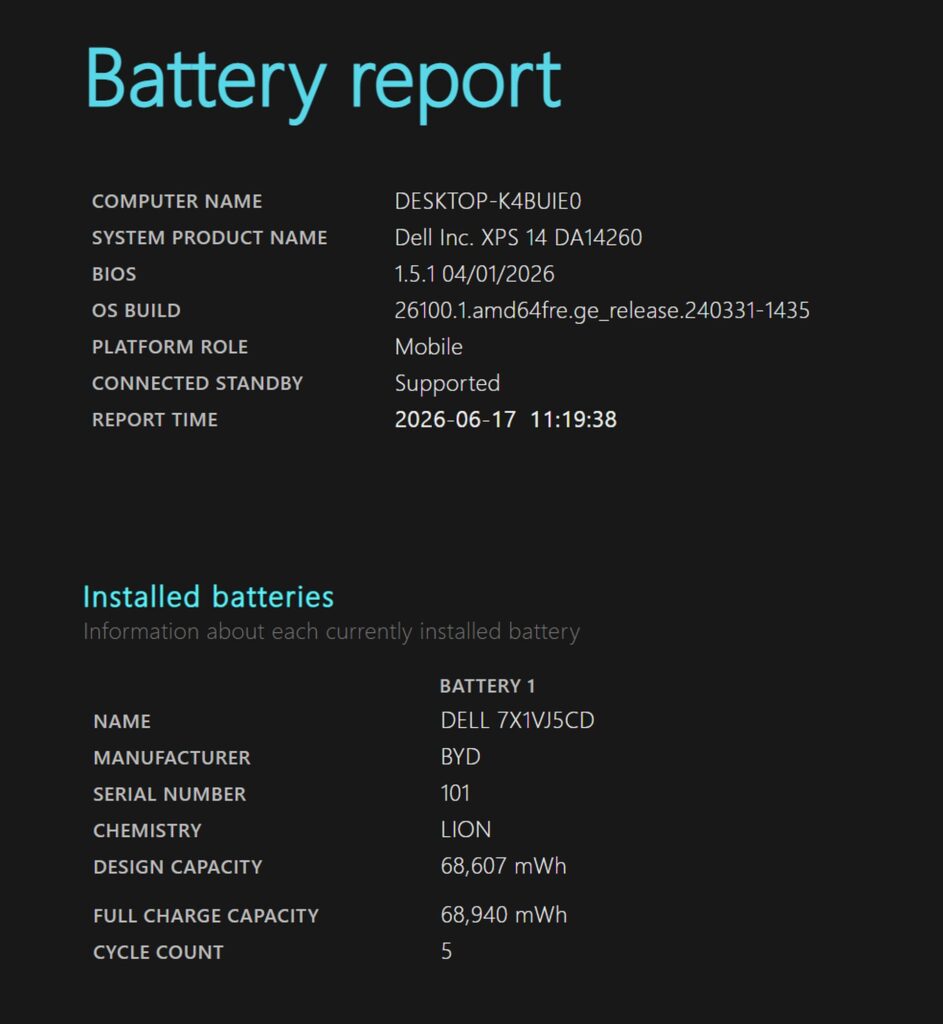 68Wh — that's a generously sized cell.
Fan Noise & Thermals
At idle: completely silent. Light workloads too — it practically runs fanless. No distracting noise whatsoever.
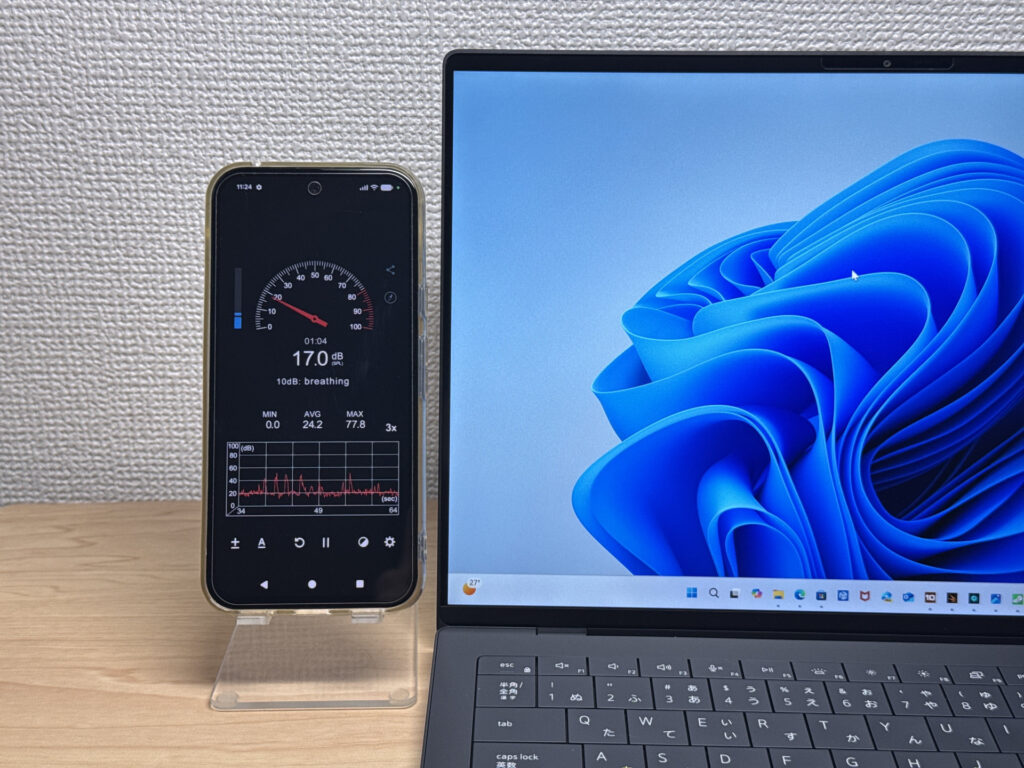 Near-silent during light use.
Under heavy load it hits 43.6 dB. The number is moderate, but the fan tone under load has a character that's more noticeable than the raw number suggests — it's not aggressive, but it's there.
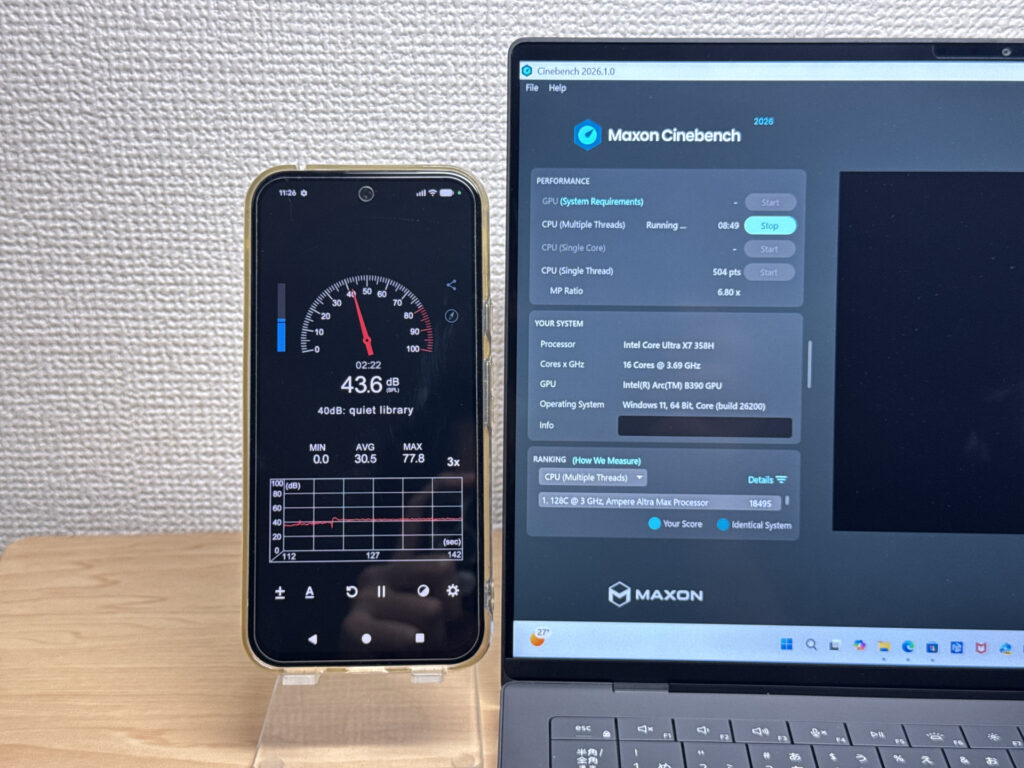 Under load, the fan tone stands out more than the dB number would suggest.
| Noise Level | Rating | Feel |
|---|---|---|
| Under 30 dB | Near-silent Idle | Fan noise is barely perceptible — library-quiet and ideal for focused work. |
| 30–35 dB | Quiet | Faintly audible but non-distracting. Easy to work in a quiet room. |
| 35–40 dB | Noticeable | You can tell the fan is spinning, but it rarely interrupts work. |
| 40–45 dB | Somewhat loud Load | Can become distracting in quiet environments. Headphones start to help. |
| 45–50 dB | Loud | Noticeable stress over extended use. Cooling is clearly prioritized. |
| 50 dB+ | Very loud | Prominent fan noise under load — gaming/high-performance thermal design. |
The exhaust vents are on the rear, so hot air doesn't blow over your hands. Smart placement.
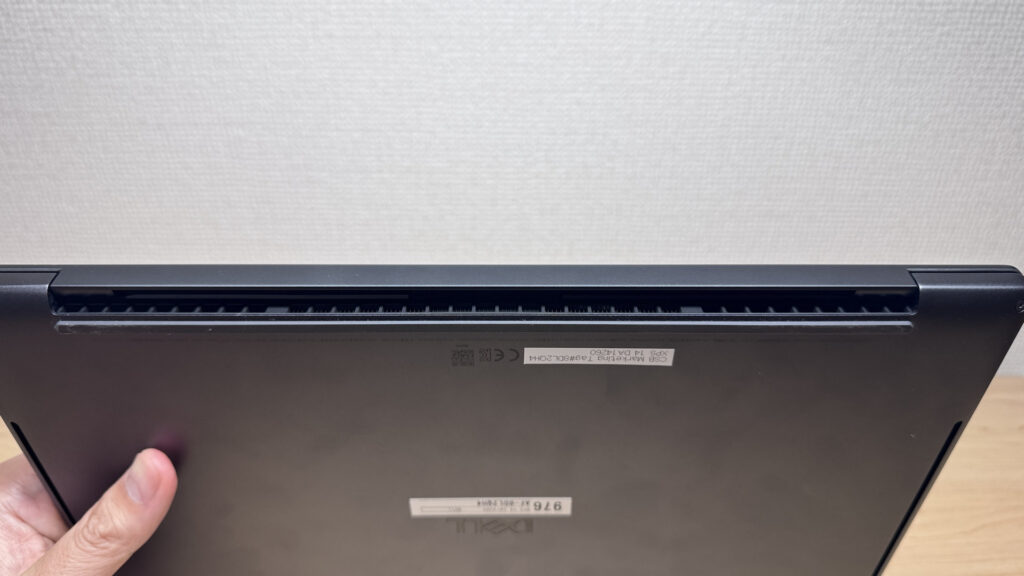 Rear exhaust — hot air goes away from your hands, not at them.
Ports
USB-C only, plus a headphone jack — that's it. USB-C and a headphone jack is all you get, so a hub is basically mandatory if you have any peripherals. Honestly, when even MacBook Pro has brought back HDMI, I'd love to see at least one on a flagship-priced Windows laptop.
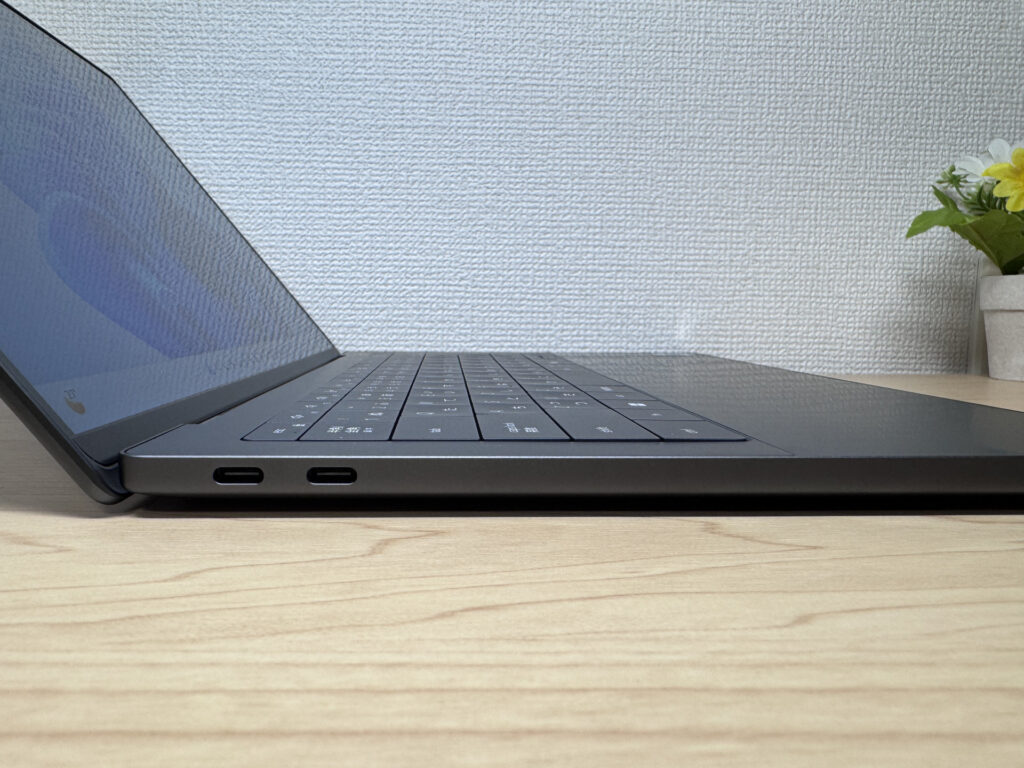 Both sides: USB-C only.
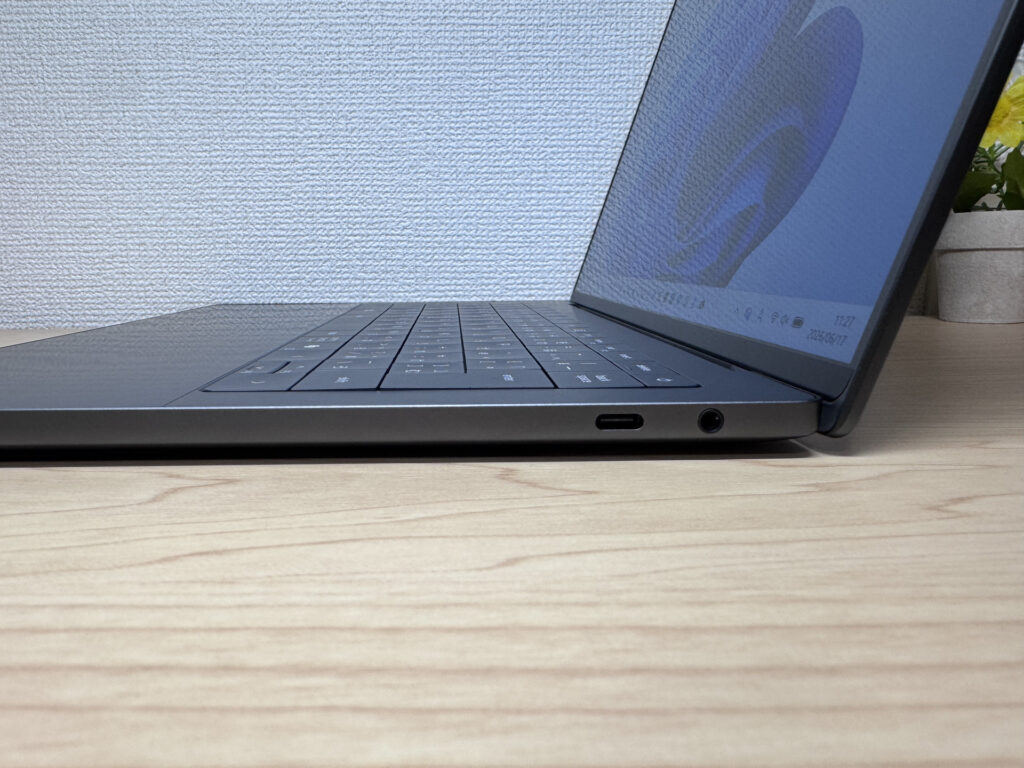 HDMI would be a welcome addition.
That said, all USB-C ports are Thunderbolt 4, so any of them can charge or output video. I ran one external monitor from the right port:
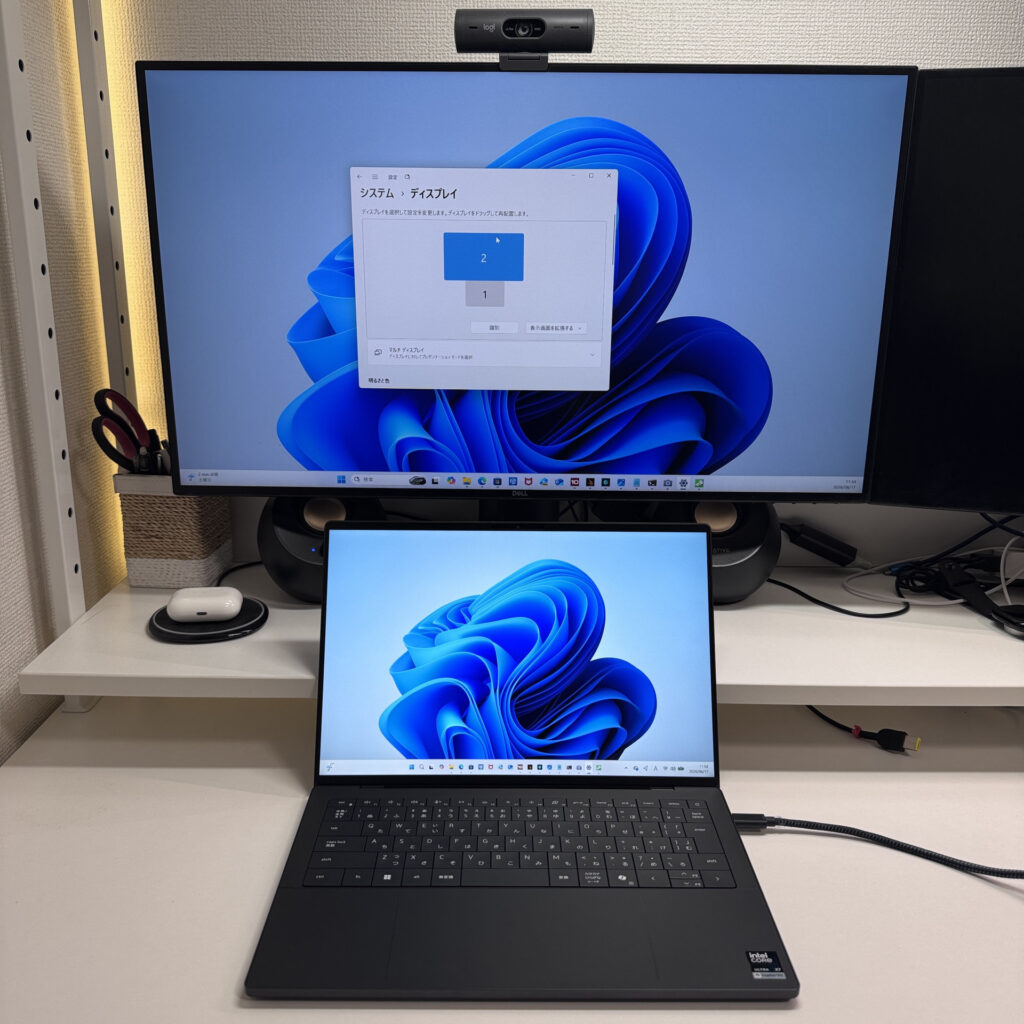 Single external monitor via adapter — no issues.
And with the two left ports, I drove two 27-inch 4K monitors simultaneously. Fewer ports, but each one is Thunderbolt 4 — they pull more than their weight on video output. Port count is low, but port quality compensates.
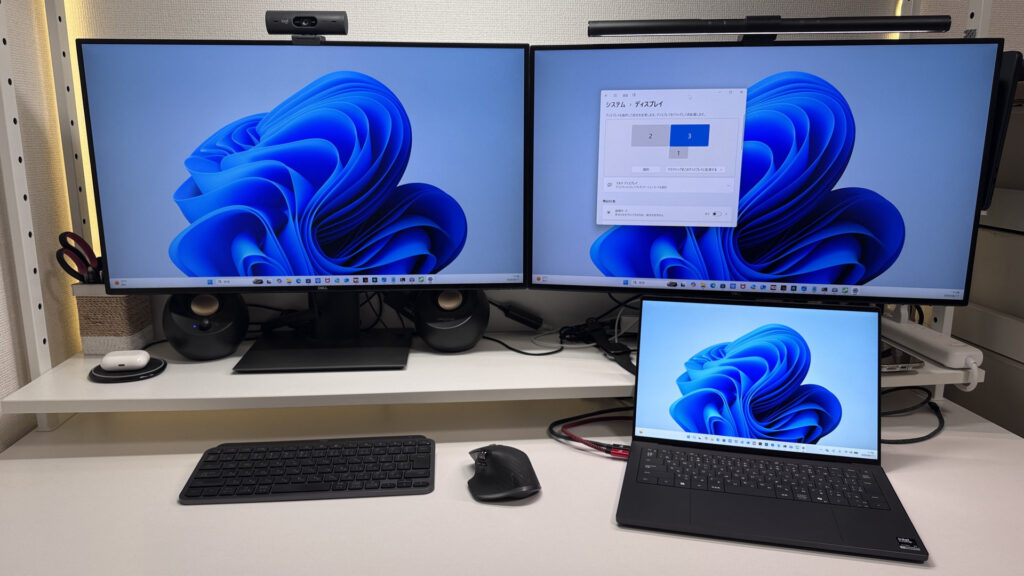 Dual 4K output from two USB-C ports — it works great.
Speakers
I was genuinely surprised by the speakers. Watching a movie on Amazon Prime Video, the bass response was real and volume got loud. You don't need external speakers — this laptop handles movie night on its own. I'd give it a 9/10 for a laptop speaker system, no exaggeration.
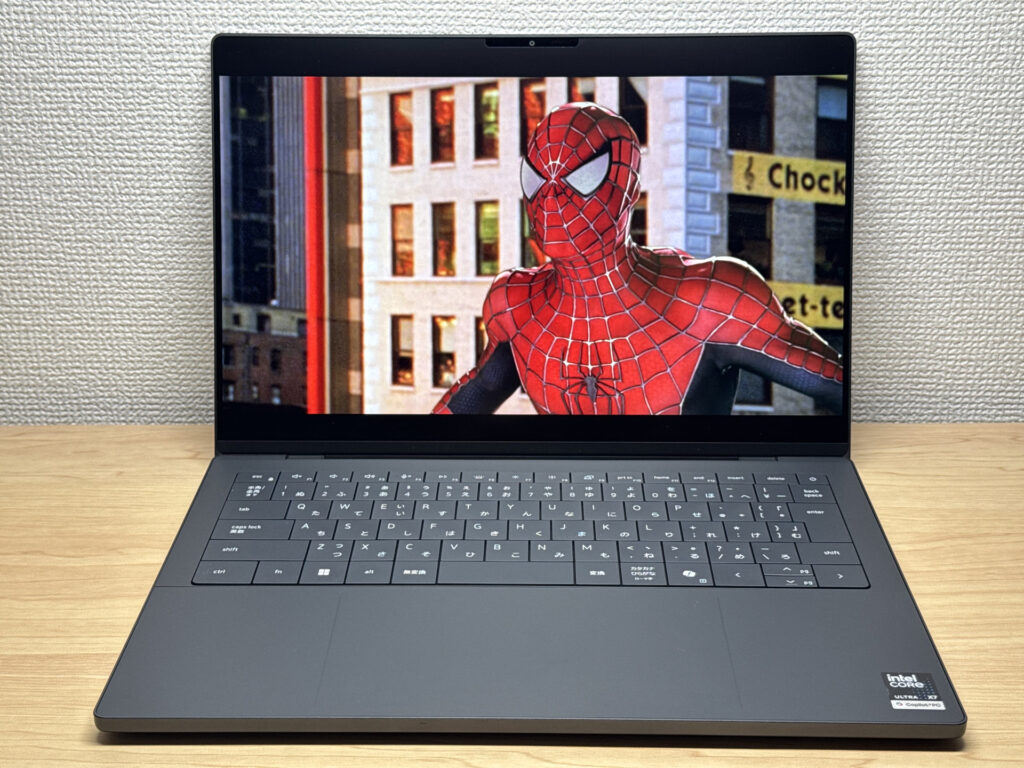 Speakers good enough for movies — no external audio needed.
The large speaker grilles on the bottom left and right are doing real work here.
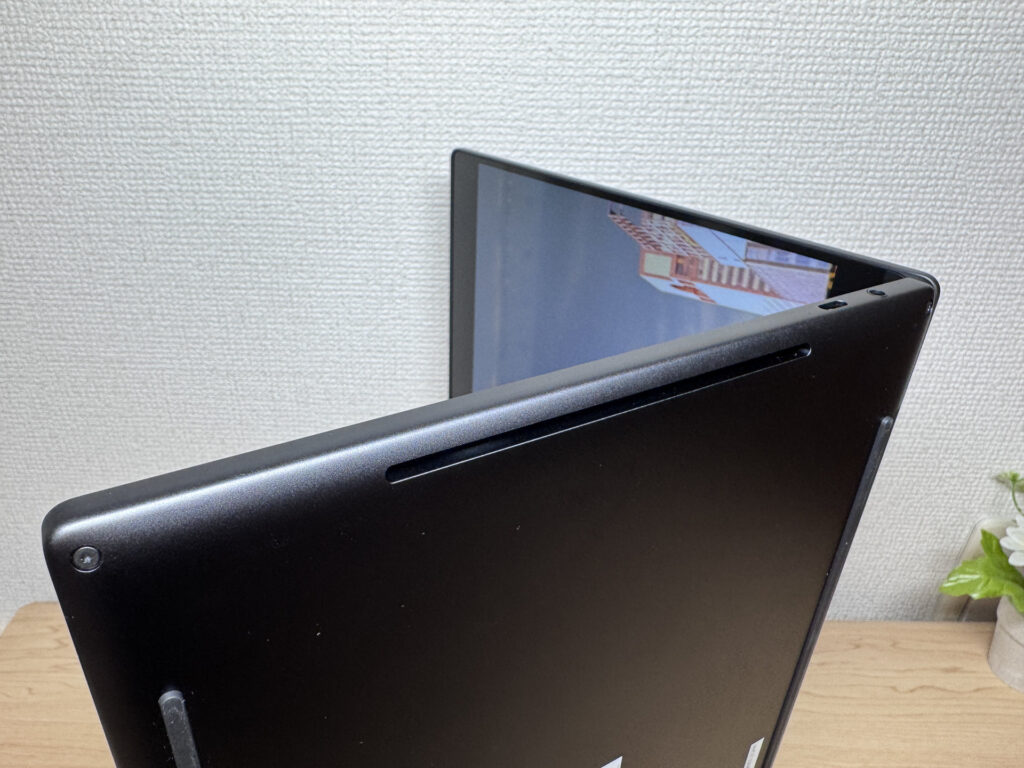 Large bottom grilles — this is where the good sound comes from.
Webcam
Built-in webcam is 8MP with HDR — and it shows. Shot through the Camera app, the image is bright, clear, and would look great on a video call. The sensor quality is noticeably above average.
 8MP HDR webcam — bright and clear.
One miss for a laptop at this price: no physical privacy shutter. It's a small thing, but it's become table stakes on premium hardware.
Security
Face unlock is on board. Look at the screen and you're in — instant, no password typing. There seem to be two IR emitters up top, which probably helps the recognition speed and accuracy. It snaps open quickly.
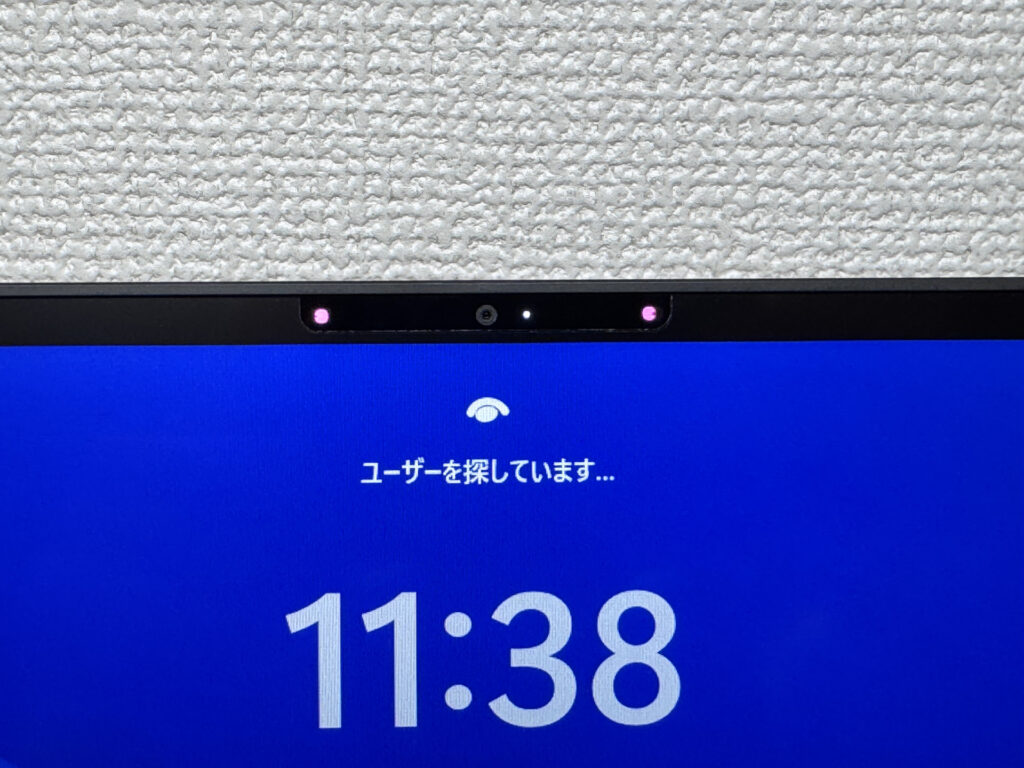 Glance and you're in — face unlock is instant.
Verdict
The XPS 14 (2026) is Dell's flagship with nothing held back on build or performance. The chassis finish, the keyboard, the MacBook-rivaling trackpad, the surprisingly good speakers — spend time with it and the ownership satisfaction just builds. That said, the 3.1 lbs is heavier than I'd like at this price, the 336g charger is a nuisance, and USB-C only is limiting. Still — for anyone who wants to invest in a genuinely premium machine, or a content creator who needs real performance, this is the one.
Where to Buy
* Prices may vary. Please check each store for the latest price and availability.
About the author