ZippyScore
ZippyScore is a proprietary rating based on 6 criteria: performance, portability, display, battery, value, and connectivity.
See rating criteria
- Performance: CPU / GPU performance
- Portability: Screen size & weight
- Display: Panel type, aspect ratio & refresh rate
- Battery: Rated battery life
- Value: Specs-to-price balance
- Connectivity: Port types & count
Pros & Cons
Pros
- At 1.38 kg, it's genuinely light for a 2-in-1 — easy to carry to lectures or the office every day
- 32GB of RAM as standard keeps multitasking smooth even with a lot on the go
- OLED display makes photos and video look vivid in a way standard IPS panels simply don't
- 70 Wh battery gives you a solid amount of range for a full day away from a socket
- HDMI, USB-A and USB-C all on board — adapters largely optional
Cons
- Not really suited to demanding games or heavy video editing without a discrete GPU
- The two USB-C ports being split one per side makes cable management at a desk a bit awkward
Specs Summary
| OS | Windows 11 Home |
|---|---|
| CPU | AMD Ryzen AI 7 (PassMark: 24,959) AMD Ryzen AI 7 445 (PassMark: 20,770) |
| RAM | 16GB / 32GB |
| Storage | 512GB / 1TB |
| Display | 14" OLED (Glossy, Touchscreen, 60Hz) 1920x1200 (16:10) 14" OLED (Glossy, Touchscreen, 120Hz) 2880x1800 (16:10) |
| Weight | 1.38 kg (3.04 lbs) |
| Ports | USB-A × 1 (5Gbps), USB-C × 2 (10Gbps/PD/Video out), HDMI × 1, microSD × 1, Headphone jack × 1 |
| GPU | AMD Radeon 840M (G3D Mark: 3,805) |
| Biometrics | Face Recognition |
| Battery | Up to 26 h (Capacity: 70 Wh) |
| Dimensions | Approx. 316 × 228 × 15.4 mm (W × D × H) |
| Wi-Fi | Wi-Fi 6E |
| Bluetooth | Bluetooth 5.3 |
| Color | Seashell / Tidal Teal |
Configurations vary by retailer, region, and availability.
Feature Review
Design
True to the Yoga lineage, the build quality here feels solid and genuinely premium without veering into flashy territory. The dimensions come in at 316 × 228 × 15.4 mm — slim for a 14-inch machine, and it slips into a bag without any awkward shuffling. The Seashell colourway is understated but smart; the sort of thing that looks equally at home in a café or a meeting room. Yoga laptops have had a good reputation for build quality across generations, and from what's on offer here, that tradition looks set to continue.
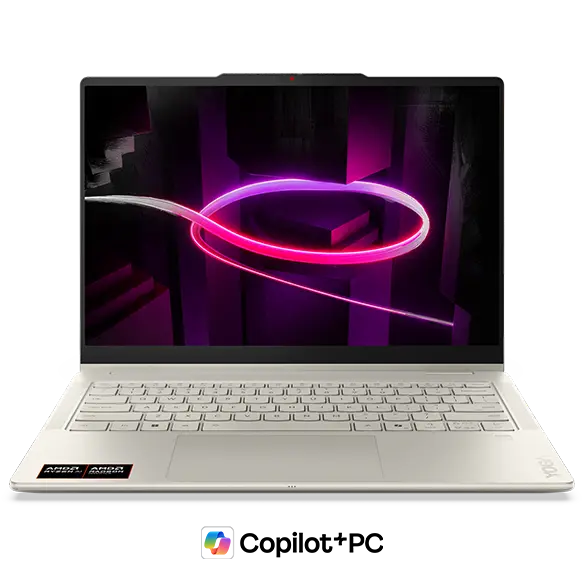 Stylish OLED 2-in-1 chassis typical of the Yoga series
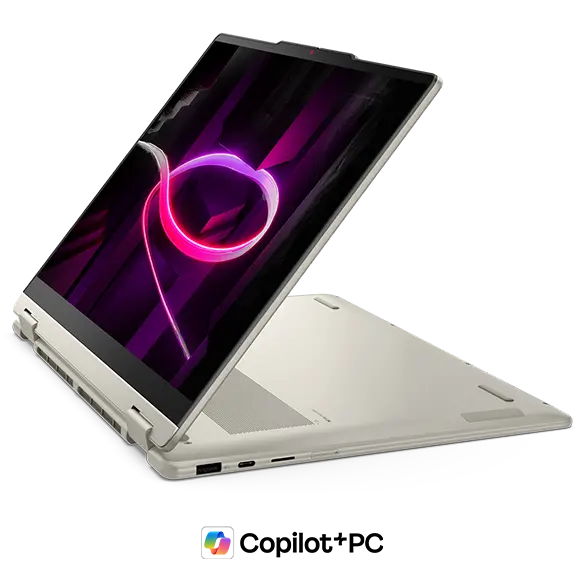
2-in-1 Versatility
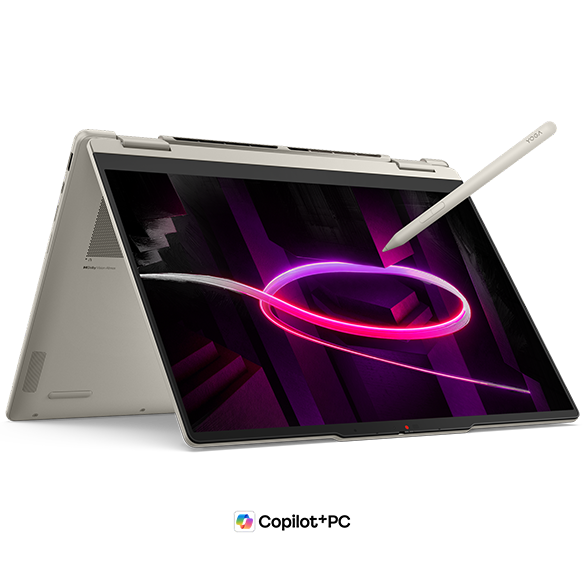
The headline feature is the 360-degree hinge, which lets you flip between four modes — laptop, tablet, tent, and display. The touchscreen works well for intuitive scrolling and gestures, and with stylus support you can do handwritten notes or rough sketches directly on screen. Tent mode is a nice touch for presentations or propping it up to watch something without squinting at a phone.
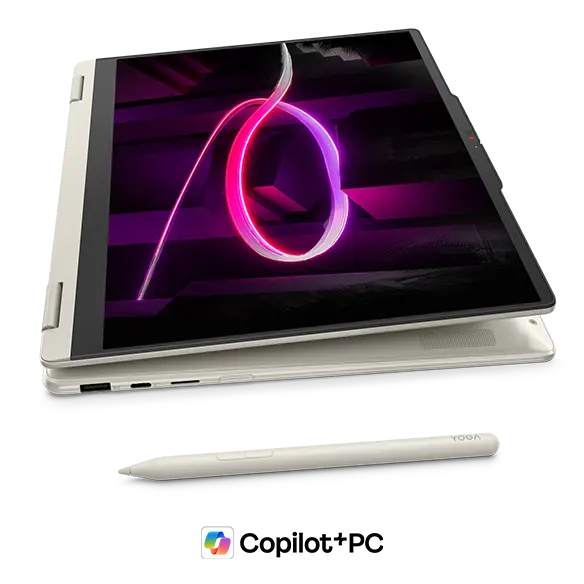 360-degree hinge supports four usage modes
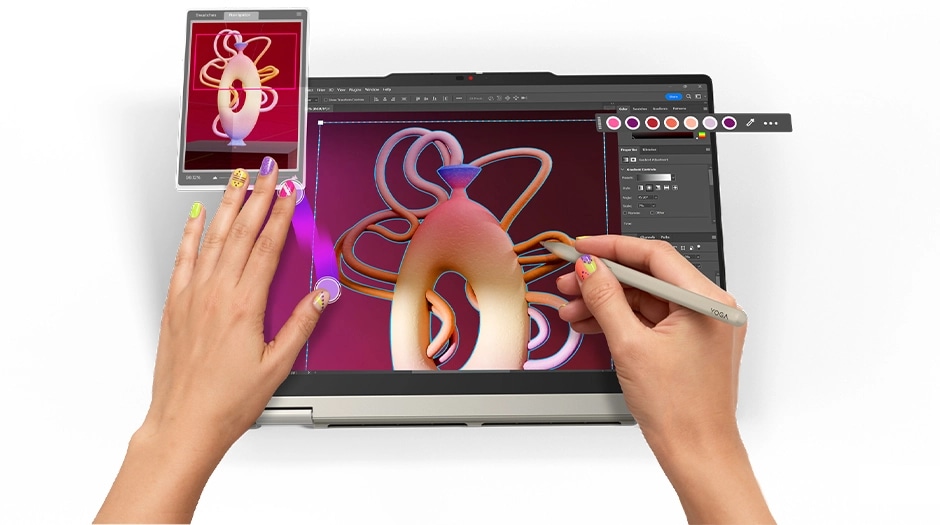 Stylus input works well for sketching and handwritten notes
What I find genuinely clever is the display mode — flip the screen round, hide the keyboard, hook up a Bluetooth keyboard and mouse, and you've essentially got a compact desktop setup. It sounds gimmicky until you actually need it. Annotating PDFs or jotting notes during a lecture in stylus mode also opens up a more tactile, analogue way of working that you simply don't get with a standard clamshell.
 Display mode lets you use it like a compact desktop
Portability
At 1.38 kg, this sits towards the lighter end for a 2-in-1 — well within the range where you stop noticing it in your bag. That said, if you're hoping to hold it one-handed in tablet mode for any length of time, 1.38 kg does start to make itself known. Think more "prop it on a desk and touch the screen" than "hold it like an iPad". USB-C charging is a welcome inclusion — a compact USB-C charger in your bag and you're sorted without any extra bulk.
Display Quality
Depending on configuration, you can get either WUXGA (1920 × 1200) or WQXGA (2880 × 1800) OLED. The contrast and colour richness of OLED is in a different league from a standard IPS panel — photos and video look genuinely vivid rather than just adequate. Personally, I find OLED easier on the eyes than I expected. The 16:10 aspect ratio adds a bit of extra vertical space, which is handy for scrolling through long pages or getting more of a document on screen at once.
Touch input means you can scroll and pinch-to-zoom just like on a phone, which feels natural once you're used to it. One thing to be aware of: it's a glossy panel with no mention of anti-glare coating, so reflections can be a nuisance near windows or under bright overhead lighting. Worth bearing in mind depending on where you tend to work.
Keyboard
The layout is sensible and unfussy — no odd key placements to trip you up. Yoga keyboards have generally had a good reputation for feel, and this one looks set to carry that on. Backlit keys are included, so typing in dim conditions isn't a problem. One note: the photos here show a US layout keyboard, but configurations for other regions will ship with the appropriate local layout.
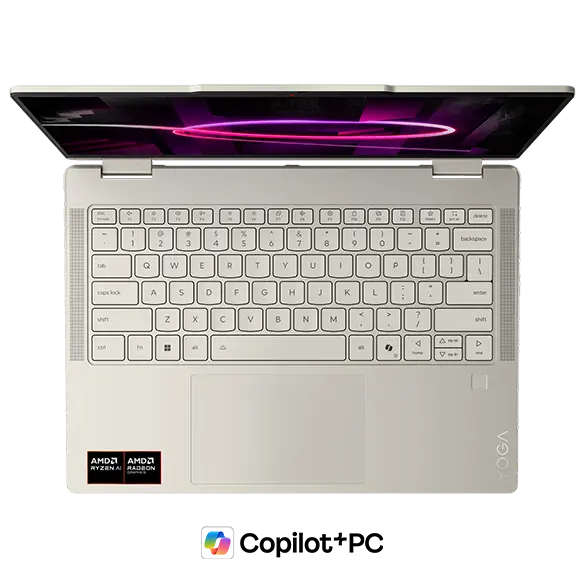 Straightforward layout with no nasty surprises
 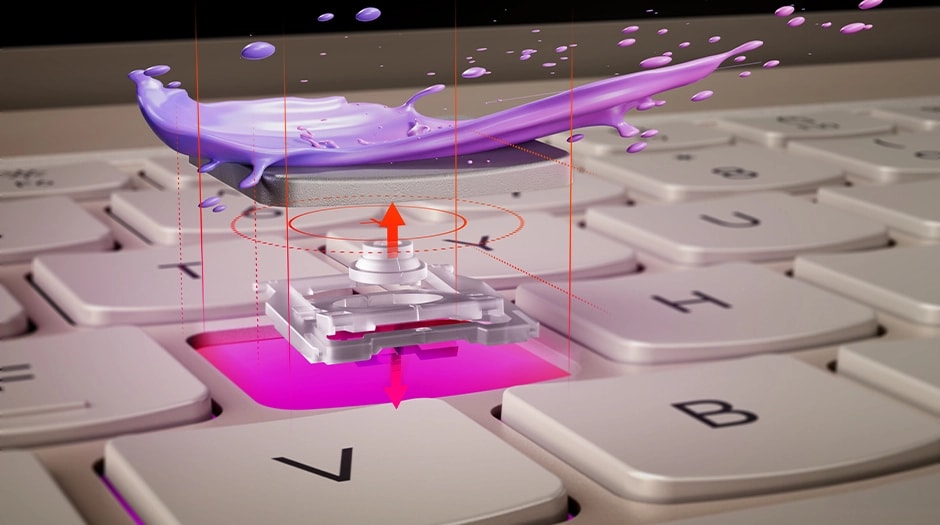 Yoga keyboards have a solid reputation for typing feel
Trackpad
The trackpad is generously sized, which gives your fingers room to breathe during longer sessions. A larger surface makes precise movements easier, and from what's on offer here, day-to-day navigation should feel comfortable rather than cramped.
 Large trackpad with plenty of room for comfortable gestures
Performance
The AMD Ryzen AI 7 445 posts a PassMark multi-core score of around 20,770 — comfortably enough for multitasking, everyday productivity, and lighter creative work. Browser tabs, Office, video calls, and the occasional photo or video edit should all sit well within its capabilities.
| Score | Rating | What it feels like in real use |
|---|---|---|
| Up to 5,500 | Tight on headroom | Hiccups during multitasking; comfort takes a hit. Daily use feels constrained. |
| 5,500–8,000 | Daily use | Web, Office, remote work — handles them without issue. |
| 8,000–12,500 | Comfortable (standard) | Daily PC tasks with real headroom. Light video editing and casual games work. |
| 12,500–20,000 | High performance (mainstream) | Multitasking feels good. Heavier work and 3D games are workable. |
| 20,000–40,000 | Very high performance This PC | Comfortable even for demanding work and gaming. |
| 40,000+ | Exceptional | Plenty of headroom for creative work and heavy loads. Long-lasting performance. |
*PassMark CPU Mark measures multi-threaded CPU performance. Some variance is normal between runs even with the same CPU.
Starting at 32GB of RAM is a genuine differentiator at this price. With 32GB on board, juggling multiple apps or keeping dozens of browser tabs open rarely causes things to slow down — it's the kind of headroom that makes day-to-day use feel unhurried. Honestly, 32GB is where I'd want to start these days anyway.
Battery Life
Battery rating: above average
The 70 Wh battery is a solid capacity for a 2-in-1. OLED panels do draw slightly more power than equivalent IPS displays, so real-world life will vary depending on how you use it — lighter tasks and moderate brightness should get you through a full working day without too much anxiety. No official runtime figures have been published, but 70 Wh generally means you're not constantly hunting for a socket. Crank the brightness up or stream video for hours and you'll burn through it faster, so if you're planning a long day out, a USB-C charger in the bag is always a sensible precaution.
Ports
The port selection covers USB-C × 2 (both supporting video output and charging), USB-A × 1, HDMI × 1, a MicroSD card slot, and a 3.5 mm headphone jack. Having HDMI and USB-A alongside the USB-C ports means you can connect most peripherals without reaching for an adapter, which is more practical than it sounds day-to-day. The MicroSD slot is a quiet bonus if you regularly transfer files from a camera.
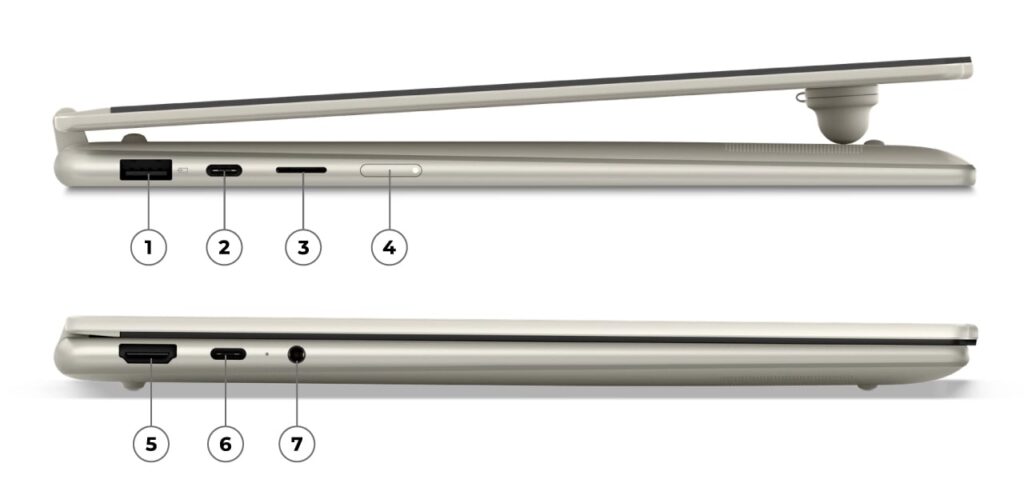 A well-rounded port selection with HDMI, USB-A and USB-C
Here's the thing though — the two USB-C ports being split one per side is a bit of a shame. If you want to connect an external display via USB-C while charging from the other side, you end up with cables pulling in opposite directions. It's not a dealbreaker, but port placement matters more than people give it credit for, and this could have been handled better.
Webcam
The webcam clocks in at 5 MP, which is a step up from the 2 MP units you'll find on a lot of laptops. You can expect noticeably sharper video on calls — handy if you spend a lot of time in online meetings or remote lectures. More megapixels isn't everything, but the difference is real enough to notice.
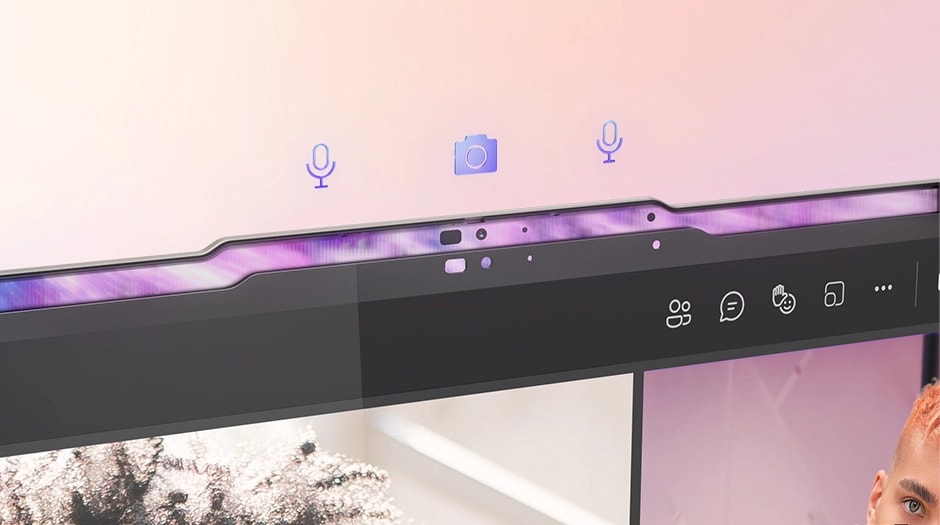 5 MP webcam for noticeably clearer video calls
There's also a physical privacy shutter over the lens, which lets you block the camera entirely when it's not in use. A small thing, but it removes any nagging doubt about whether the camera is active when it shouldn't be.
Security
Windows Hello facial recognition is supported. Open the lid and it unlocks — no password needed, which is genuinely convenient in practice, especially when you're switching between modes regularly. If you find yourself flipping into tablet mode often, not having to type a PIN every time is more of a quality-of-life upgrade than it might seem.
Value
Given the OLED display, 32GB of RAM, and AMD Ryzen AI 7 445, this sits towards the strong end of the value spectrum for its class. Factor in the 2-in-1 functionality on top of that, and the price feels fair — genuinely so, rather than just marketing copy. If you want a capable, flexible daily machine without paying flagship prices, the numbers here add up.
Verdict
The Yoga 7a 2-in-1 Gen 11 (14" AMD) pulls off something reasonably difficult: a beautiful OLED screen, proper 2-in-1 flexibility, and enough performance headroom for real-world work, all in a 1.38 kg chassis. The Ryzen AI 7 445 and 32GB of RAM mean it doesn't feel underpowered, and it's versatile enough to serve as a daily driver for uni students, remote workers, or anyone who wants one machine that handles most things well. If you're after a well-rounded machine that doesn't make you choose between portability and capability, this is worth a serious look. The one caveat: if gaming or intensive 3D work is the priority, the lack of a discrete GPU will eventually show its limits.
Where to Buy
* Prices may vary. Please check each store for the latest price and availability.
About the author