ZippyScore
ZippyScore is a proprietary rating based on 6 criteria: performance, portability, display, battery, value, and connectivity.
See rating criteria
- Performance: CPU / GPU performance
- Portability: Screen size & weight
- Display: Panel type, aspect ratio & refresh rate
- Battery: Rated battery life
- Value: Specs-to-price balance
- Connectivity: Port types & count
Pros & Cons
Pros
- 16GB of RAM keeps multitasking smooth even with plenty of apps open
- A high-performance processor handles everyday tasks with plenty of headroom
- A large battery means you can work away from a socket for a good stretch
- A full set of ports means you rarely need a separate adaptor
- The 16:10 screen ratio gives you more vertical space for getting things done
Cons
- At roughly 1.58 kg, it's not ideal for carrying around every single day
Specs Summary
| OS | Windows 11 Home |
|---|---|
| CPU | AMD Ryzen AI 7 445 (PassMark: 20,770) |
| RAM | 16GB |
| Storage | 1TB |
| Display | 14" IPS (Anti-glare, 60Hz) 1920x1200 (16:10) |
| Weight | 1.58 kg (3.48 lbs) |
| Ports | USB-A × 2 (5Gbps), USB-A × 1 (0.48Gbps), USB-C × 1 (5Gbps/PD), HDMI × 1, Headphone jack × 1 |
| Biometrics | Face Recognition |
| Battery | (Capacity: 70 Wh) |
| Dimensions | Approx. 315 × 223 × 20.0 mm (W × D × H) |
| Wi-Fi | Wi-Fi 6 |
| Bluetooth | Bluetooth 5.3 |
| Color | Quiet Blue |
Configurations vary by retailer, region, and availability.
Feature Review
Design
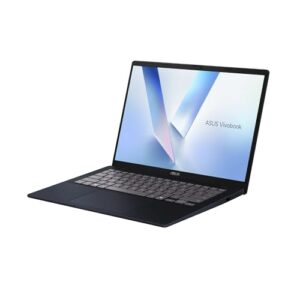
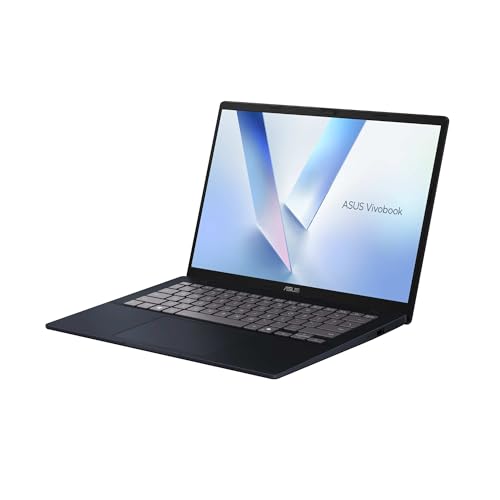
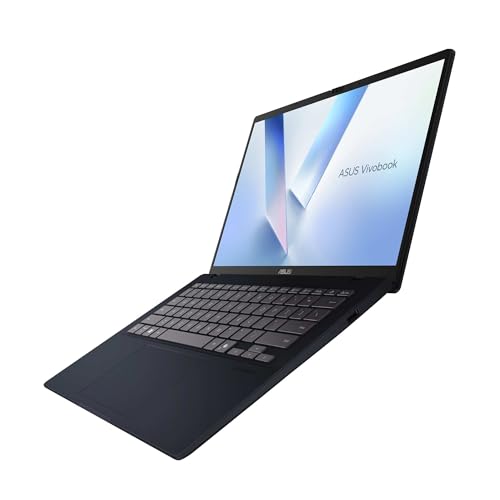
The colour is "Quiet Blue" — a muted, understated tone that fits right in at the office or in a lecture hall. At just 17.9mm at its thinnest, it's impressively slim for a 14-inch laptop. The bezels are noticeably thin too, giving it a high screen-to-body ratio and a clean, modern look. True to the "Quiet" name, this is a design for people who prefer substance over flash — and honestly, it pulls that off well.
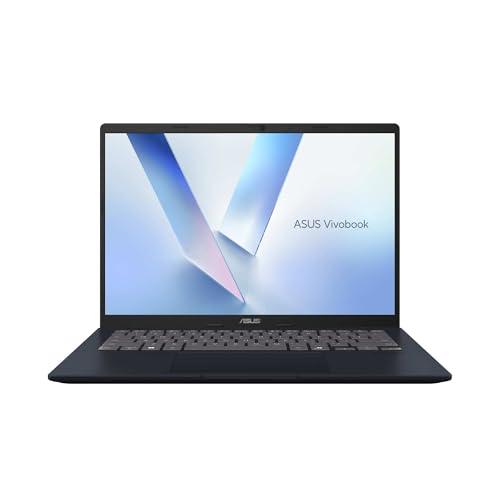 Slim bezels give it a clean, modern look
 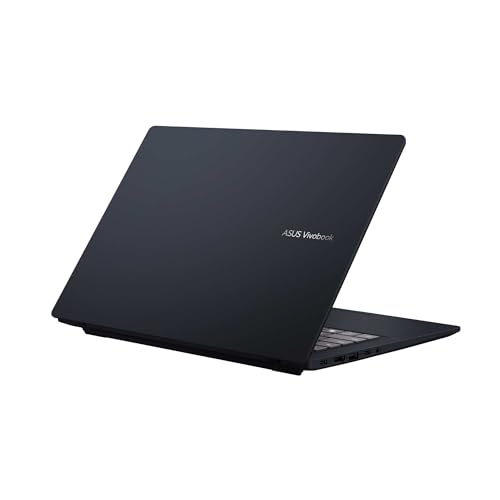 Clean, minimal rear panel design
Portability
At roughly 1.58 kg, this isn't what you'd call lightweight. It's fairly standard for a 14-inch laptop, but you'll feel it if you're carrying it to and from uni or commuting with it every day. The saving grace is USB-C charging — swap the original AC adaptor for a compact USB-C charger and you'll cut the total carry weight considerably. If the laptop mainly lives on your desk at home or in the office and you only take it out occasionally, the weight is perfectly manageable.
 Worth bearing in mind if you need to carry it daily
Display quality
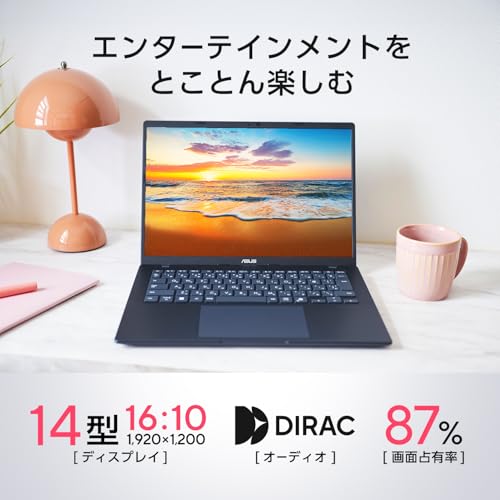
The 14-inch panel runs at 1920×1200 with a 16:10 aspect ratio — a bit taller than the standard 16:9. That extra vertical space adds up: fewer scrolls through spreadsheets and web pages, more content on screen at once. The 14-inch 16:10 combination hits a sweet spot between compact footprint and usable working space — it's one of those things you don't realise you want until you have it.
The one slight concern is the "TFT colour LCD" spec description, which is notably vague. Most laptops at this price have moved to IPS by now, so viewing angles and colour accuracy are uncertain here. On the plus side, the anti-glare coating does a solid job of keeping reflections at bay, making it comfortable for long stints under office lighting.
 Anti-glare panel for comfortable use under bright indoor lighting
Keyboard
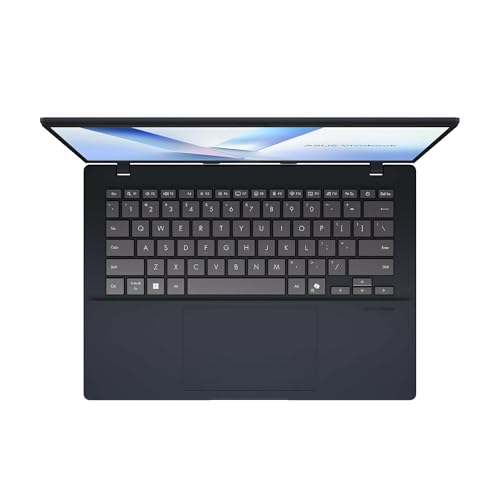
The UK variant will typically ship with a standard QWERTY layout, comfortable and intuitive for everyday typing. The photos shown here are from the Japanese market model, so the actual keyboard configuration in your region may look slightly different.
 Standard keyboard layout — comfortable for everyday use
Touchpad
The large touchpad ticks all the boxes you'd expect from a modern laptop. What I genuinely like is the gesture system: slide along the left edge to control volume, and the right edge to adjust screen brightness — no need to reach for the mouse. It's a subtle but surprisingly handy quirk that you'll quickly get used to and wonder how you managed without. Smart gesture support shows this is a laptop designed with real day-to-day usage in mind.
 Volume and brightness controls built into the touchpad edges
Performance
The CPU is an AMD Ryzen AI 7 445, scoring 20,770 on PassMark's multi-threaded benchmark — genuinely impressive for this price range.
| Score | Rating | What it feels like in real use |
|---|---|---|
| Up to 5,500 | Tight on headroom | Hiccups during multitasking; comfort takes a hit. Daily use feels constrained. |
| 5,500–8,000 | Daily use | Web, Office, remote work — handles them without issue. |
| 8,000–12,500 | Comfortable (standard) | Daily PC tasks with real headroom. Light video editing and casual games work. |
| 12,500–20,000 | High performance (mainstream) | Multitasking feels good. Heavier work and 3D games are workable. |
| 20,000–40,000 | Very high performance This PC | Comfortable even for demanding work and gaming. |
| 40,000+ | Exceptional | Plenty of headroom for creative work and heavy loads. Long-lasting performance. |
*PassMark CPU Mark measures multi-threaded CPU performance. Some variance is normal between runs even with the same CPU.
Office work, heavy browser multitasking, light video editing, and casual gaming are all well within its comfort zone. Paired with 16GB of DDR5 RAM, running multiple apps simultaneously stays smooth.
The GPU is the AMD Radeon 840M (integrated), with a PassMark G3D score of 3,805. For integrated graphics, that's fairly capable — light gaming is genuinely on the table here. That said, serious 3D gaming or demanding video editing is out of scope without a discrete GPU.
| Score | Rating | What it feels like in real use |
|---|---|---|
| Up to 1,500 | Bare minimum | Limited 3D performance. Not suited for gaming or heavy 3D work. |
| 1,500–3,500 | Light 3D | Lighter games and low-load tasks work with conservative settings. |
| 3,500–5,500 | Average This PC | Light to medium games and GPU-light work are fine. Solid integrated GPU for daily use. |
| 5,500–7,500 | High performance | Strong for an integrated GPU. Lighter games and image work feel comfortable. |
| 7,500+ | Very high performance | Upper-tier integrated GPU. Real graphics headroom even in thin laptops. |
*PassMark G3D Mark measures 3D rendering. This guide is for integrated GPUs — discrete GPU models are not directly comparable.
Battery life
Battery rating: above average
At 70Wh, this is a solid battery for a 14-inch laptop. The Ryzen AI 7 series is reasonably efficient, and with no discrete GPU consuming power, it should see you through a decent working day away from a socket. Prolonged high-brightness video or sustained heavy loads will eat through it faster, so keeping a charger handy on longer days is still sensible.
Ports
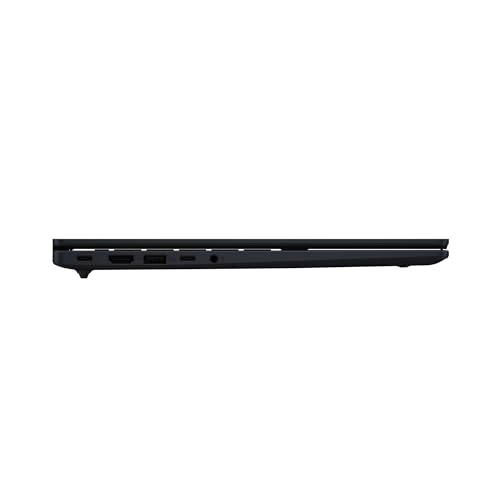
USB 3.2 Gen 1 Type-A ×2 (one of which is USB 2.0), USB 3.2 Gen 1 Type-C ×1 (Power Delivery), HDMI ×1, and a 3.5mm audio jack. With USB-C, HDMI, and USB-A all accounted for, you can handle most situations without needing a separate hub or adaptor — projectors, external peripherals, the lot. USB-C Power Delivery also means compact third-party chargers and USB power banks work fine, handy if you'd rather leave the original AC adaptor at home.
 USB-A, HDMI, and USB-C on the left side
 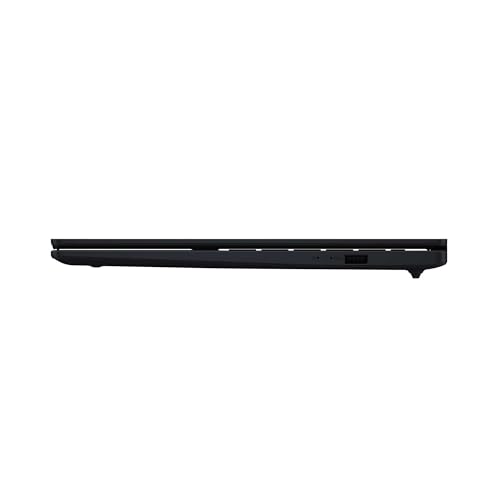 Another USB-A port on the right for added convenience
Webcam
There's a 2MP infrared (IR) webcam on board, and the product listing notes a physical privacy shutter — meaning you can physically cover the lens when it's not in use. A genuinely welcome touch for remote working or online lectures, where there's always that moment you'd rather not be on camera.
Security
Windows Hello face recognition is supported, letting you unlock the laptop just by looking at it — no password needed. The face unlock experience is genuinely quick and smooth, and because it uses the IR camera, it works reliably even in dim lighting. If typing passwords feels like a chore, you'll appreciate this.
Price
For a laptop with AMD Ryzen AI 7 445, 16GB of RAM, a 512GB SSD, and a 14-inch 16:10 display, the value for money here is genuinely strong. It stacks up well against comparable mid-range rivals, and for anyone prioritising solid performance at an accessible price, it's hard to argue with. Minor caveats aside — the vague display spec and the weight — as an everyday machine the performance-to-price ratio is impressive.
Verdict
The ASUS Vivobook 14 is a sensible, well-rounded choice for anyone after solid performance without a premium price tag. The Ryzen AI 7 445's PassMark score of 20,770 puts it a cut above the competition at this price point, and it handles everyday tasks, web browsing, and light creative work without complaint. Thoughtful extras like the edge-gesture touchpad, face recognition, and a well-rounded port selection all point to a machine designed with genuine day-to-day usability in mind. The main trade-off is the 1.58 kg weight — this isn't a laptop built for daily commuting. If it mostly lives on a desk at home or in the office, and you want a cost-effective 14-inch with real performance behind it, the Vivobook 14 is well worth your attention.
Where to Buy
* Prices may vary. Please check each store for the latest price and availability.
About the author