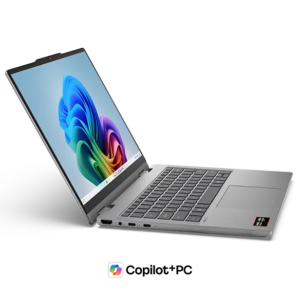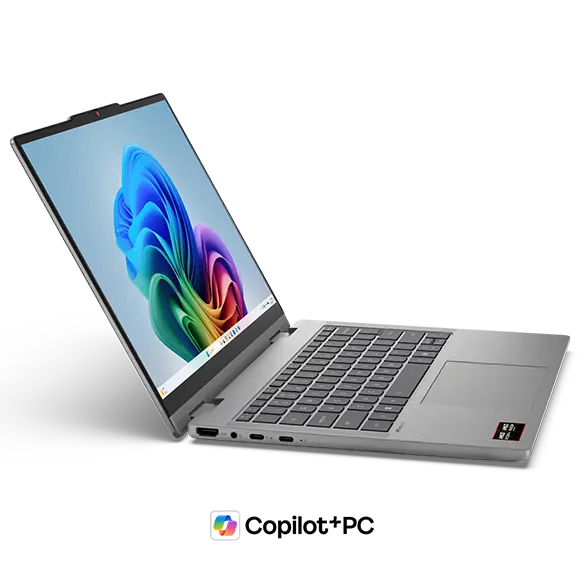
ZippyScore
ZippyScore is a proprietary rating based on 6 criteria: performance, portability, display, battery, value, and connectivity.
See rating criteria
- Performance: CPU / GPU performance
- Portability: Screen size & weight
- Display: Panel type, aspect ratio & refresh rate
- Battery: Rated battery life
- Value: Specs-to-price balance
- Connectivity: Port types & count
Pros & Cons
Pros
- 16GB DDR5 RAM keeps multitasking smooth, even with plenty of apps open at once
- 360-degree hinge and bundled pen mean you can switch to tablet mode and write directly on screen
- USB-C, USB-A, and HDMI all present — no dongles required for most setups
- 16:10 display gives useful extra vertical space for documents and browsing
- Face recognition login makes unlocking the machine genuinely instant
Cons
- At 1.54 kg, it's noticeable if you're carrying it to lectures or commuting every day
Specs Summary
| OS | Windows 11 Home |
|---|---|
| CPU | AMD Ryzen AI 5 430 (PassMark: 13,437) AMD Ryzen AI 7 445 (PassMark: 20,770) |
| RAM | 16GB / 32GB |
| Storage | 512GB / 1TB |
| Display | 14" IPS (Glossy, Touchscreen, 60Hz) 1920x1200 (16:10) |
| Weight | 1.54 kg (3.40 lbs) |
| Ports | USB-C × 1 (10Gbps/PD/Video out), USB-C × 1 (10Gbps), USB-A × 1 (5Gbps), USB-A × 1 (5Gbps), HDMI × 1, microSD × 1, Headphone jack × 1 |
| GPU | AMD Radeon 840M (G3D Mark: 3,805) Radeon 840M (G3D Mark: 3,805) |
| Biometrics | Face Recognition |
| Battery | (Capacity: 60 Wh) |
| Dimensions | Approx. 311.6 × 224.9 × 17.4 mm (W × D × H) |
| Wi-Fi | Wi-Fi 6 |
| Bluetooth | Bluetooth 5.4 |
| Color | Luna Grey |
Configurations vary by retailer, region, and availability.
Feature Review
Design
The finish is Luna Grey — understated, matte, and the kind of colour that doesn't look out of place in a café or a meeting room. For the price bracket, the build quality feels a step above what you'd expect; it doesn't feel flimsy or plasticky in the hand. The matte lid does a solid job of hiding fingerprints, which sounds minor but you'll appreciate it after a week of daily use. At 17.4mm thick, it's on the slimmer side for a 2-in-1, and it slips into a rucksack without any awkward bulk.
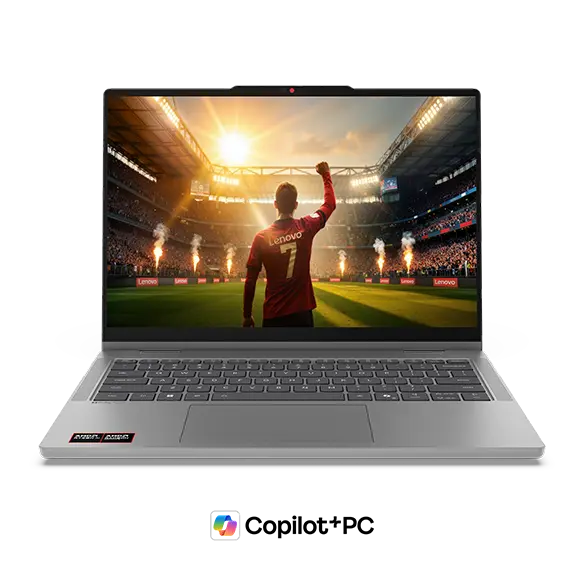 Front view in Luna Grey
 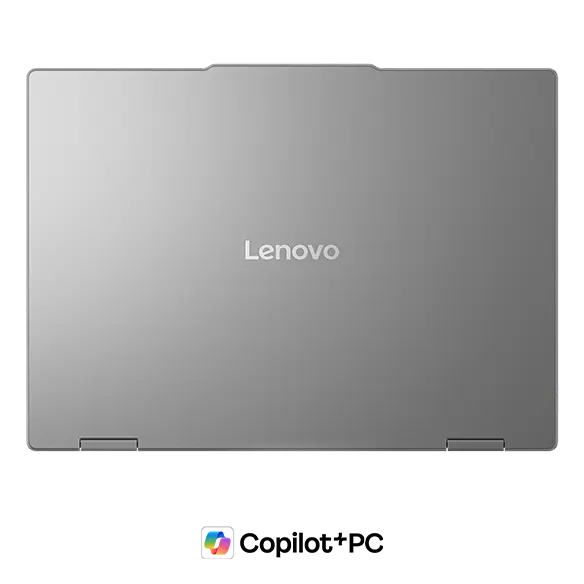 Matte lid that resists fingerprints well
 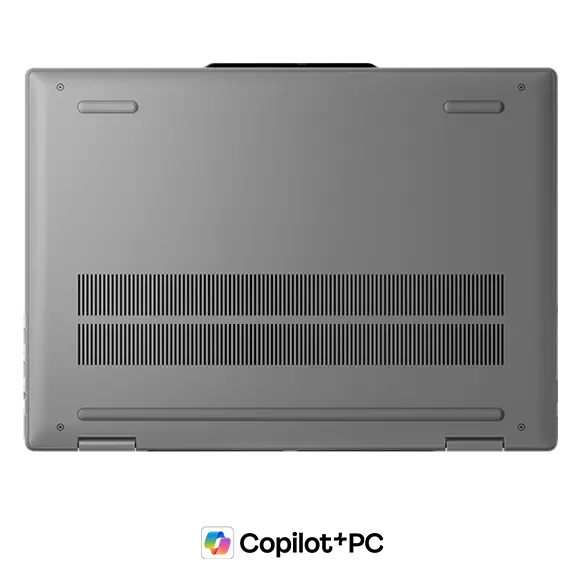 Rubber feet keep it stable while typing
2-in-1 Versatility
The headline feature here is the 360-degree hinge, which opens up a surprising number of use cases. Flip it into tablet mode and it becomes a decent-sized writing surface — pair it with the bundled Lenovo Yoga Pen and you can annotate PDFs, take handwritten notes in lectures, or do light sketching directly on screen. Honestly, that pen-and-tablet combo is the main reason to pick this over a standard clamshell. There's also a display mode where you fold the keyboard away and hook up an external keyboard and mouse — I use 2-in-1s that way myself, essentially as a compact desktop setup. Tent mode works for presentations or propping up a film, though I'll be honest, it's not something most people use day-to-day. Still, having the flexibility when you need it is genuinely useful.
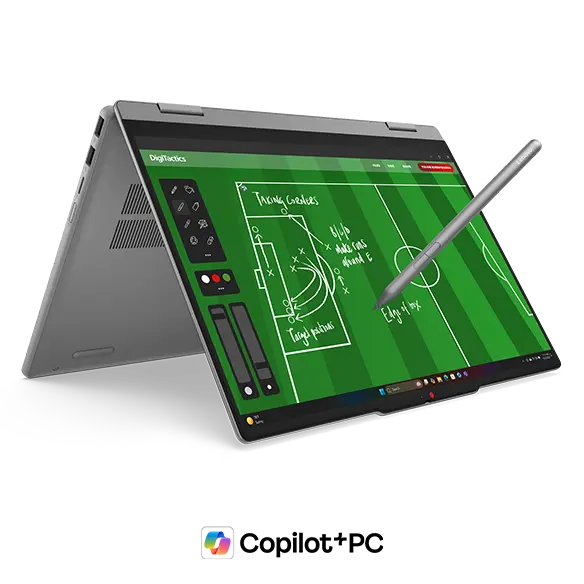 Digital pen for annotating PDFs and handwritten notes
 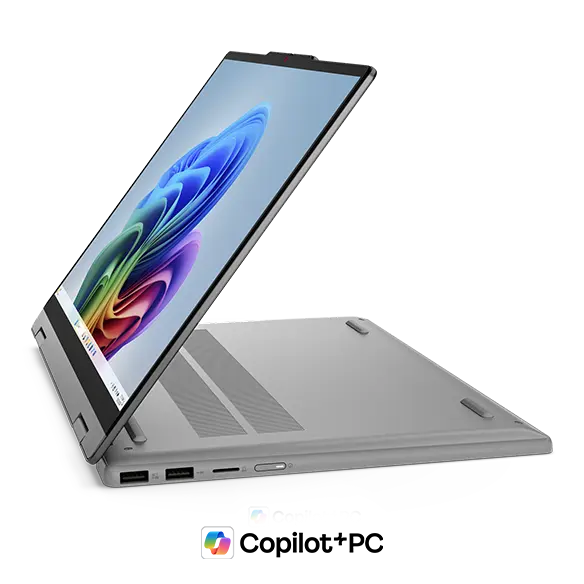 Keyboard folded away for a compact desktop setup
 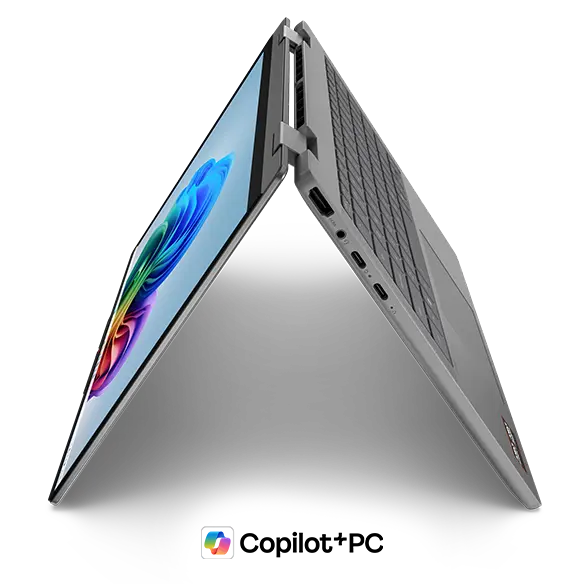 Tent mode — handy occasionally, if rarely
Portability
The machine weighs 1.54 kg. Honestly, it's not one of those ultrabooks you forget you're carrying — but it's far from heavy either. If you're commuting or heading to lectures daily, you'll notice it's there, but it won't wear you down. For a 14-inch 2-in-1, this is pretty standard territory. One practical plus: it supports USB-C charging, so you can ditch the bulky proprietary adapter and travel with a compact USB-C charger instead — that helps keep the total carry weight down.
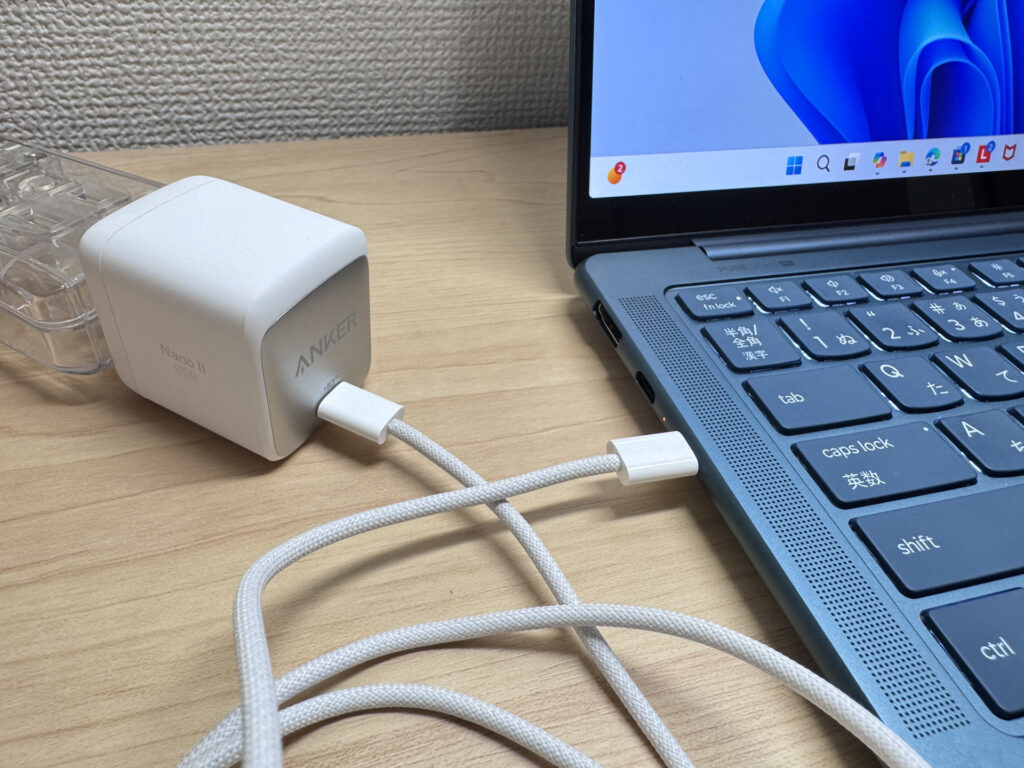 A small USB-C charger is all you need on the go
Display
The 14-inch IPS panel runs at 1920×1200, and that 16:10 aspect ratio gives you a bit of extra vertical space — genuinely useful for reading long documents, scrolling through web pages, or keeping a spreadsheet open without constant scrolling. The wide viewing angles mean colours hold up well when someone else is looking over your shoulder, which is handy in shared workspaces. Touch support works as you'd expect — swipe, pinch, zoom, all the usual — and pairs naturally with the pen. The one thing to flag: it's a glossy panel, so reflections can be an issue near bright windows or overhead lighting. Something to bear in mind if you work somewhere with lots of natural light.
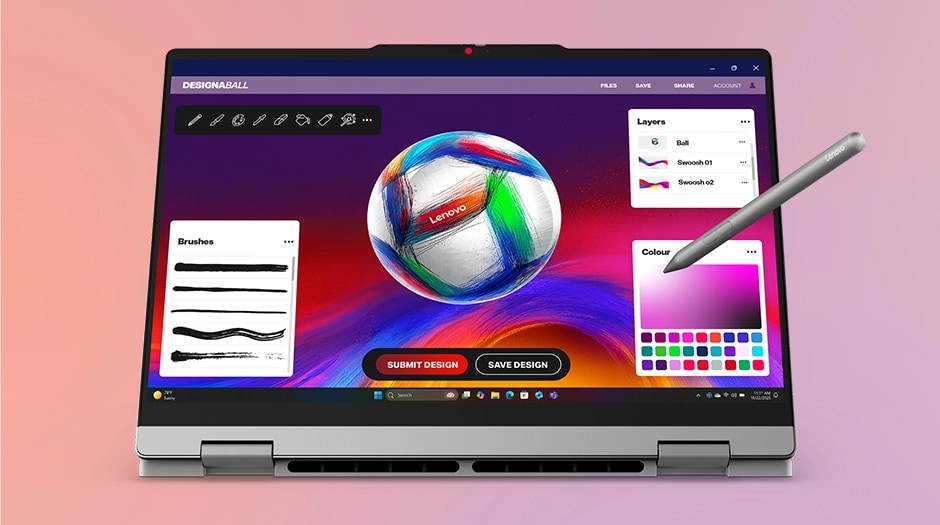 IPS panel — solid colours and wide viewing angles
Keyboard
There's a backlit keyboard here, which makes a difference in dimly lit rooms or late-night working sessions. The layout is standard for a 14-inch machine — no numpad, which is expected given the hinge mechanism takes up some chassis space. Generally speaking, you'd expect a comfortable enough typing experience for long writing sessions, in line with what the IdeaPad 5 series typically delivers.
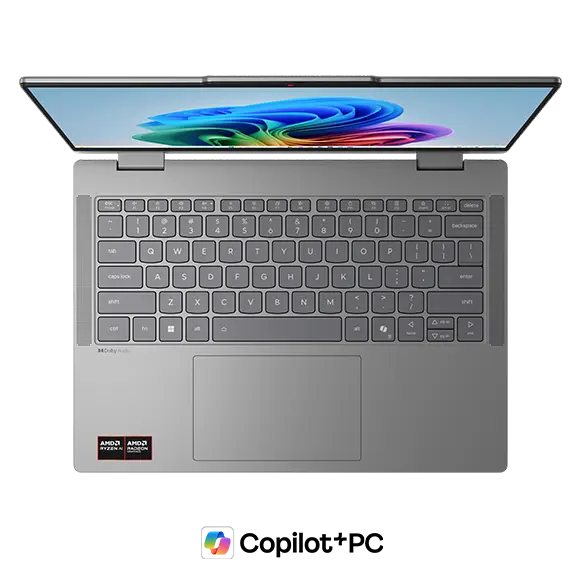 Backlit keyboard — useful in low-light conditions
Performance
There are two CPU options: AMD Ryzen AI 5 430 and Ryzen AI 7 445. The upper-spec Ryzen AI 7 445 hits a PassMark score of around 20,770, which means it can handle light photo editing, video trimming, and similarly demanding tasks without too much complaint.
| Score | Rating | What it feels like in real use |
|---|---|---|
| Up to 5,500 | Tight on headroom | Hiccups during multitasking; comfort takes a hit. Daily use feels constrained. |
| 5,500–8,000 | Daily use | Web, Office, remote work — handles them without issue. |
| 8,000–12,500 | Comfortable (standard) | Daily PC tasks with real headroom. Light video editing and casual games work. |
| 12,500–20,000 | High performance (mainstream) | Multitasking feels good. Heavier work and 3D games are workable. |
| 20,000–40,000 | Very high performance This PC | Comfortable even for demanding work and gaming. |
| 40,000+ | Exceptional | Plenty of headroom for creative work and heavy loads. Long-lasting performance. |
*PassMark CPU Mark measures multi-threaded CPU performance. Some variance is normal between runs even with the same CPU.
On the graphics side, the AMD Radeon 840M scores around 3,805 in GPU benchmarks — enough for light gaming or casual video editing.
| Score | Rating | What it feels like in real use |
|---|---|---|
| Up to 1,500 | Bare minimum | Limited 3D performance. Not suited for gaming or heavy 3D work. |
| 1,500–3,500 | Light 3D | Lighter games and low-load tasks work with conservative settings. |
| 3,500–5,500 | Average This PC | Light to medium games and GPU-light work are fine. Solid integrated GPU for daily use. |
| 5,500–7,500 | High performance | Strong for an integrated GPU. Lighter games and image work feel comfortable. |
| 7,500+ | Very high performance | Upper-tier integrated GPU. Real graphics headroom even in thin laptops. |
*PassMark G3D Mark measures 3D rendering. This guide is for integrated GPUs — discrete GPU models are not directly comparable.
For serious 3D gaming or professional-grade video production, it'll struggle. But for day-to-day work, studying, and general use, there's genuinely more than enough headroom here. With 16GB of RAM on board, keeping a dozen browser tabs open alongside a couple of apps running in the background isn't going to cause any slowdown.
Battery Life
Battery verdict: decent
The 60Wh battery is a reasonable size for a machine running a power-efficient AMD chip and a 60Hz IPS display. For lighter workloads — writing, browsing, video calls — you should comfortably get through a half-day out without needing to reach for a charger. Push it harder with sustained video playback or heavier tasks, and it'll drain faster; same goes if you crank the screen brightness. For a full day out, bringing the charger along is the sensible call.
Ports
The port selection is genuinely strong for a 14-inch laptop: two USB-C, two USB-A, HDMI, a microSD card reader, and a 3.5mm audio jack. One of the USB-C ports supports Power Delivery charging and DisplayPort Alt Mode, so you can power it with a standard USB-C charger. With HDMI and USB-A both present, you can connect a projector, external hard drive, or USB mouse without needing any dongles — that's not something you can take for granted at this price. One of the USB-A ports is Always On, meaning it'll keep charging your phone even when the laptop is switched off, which is a small but welcome touch.
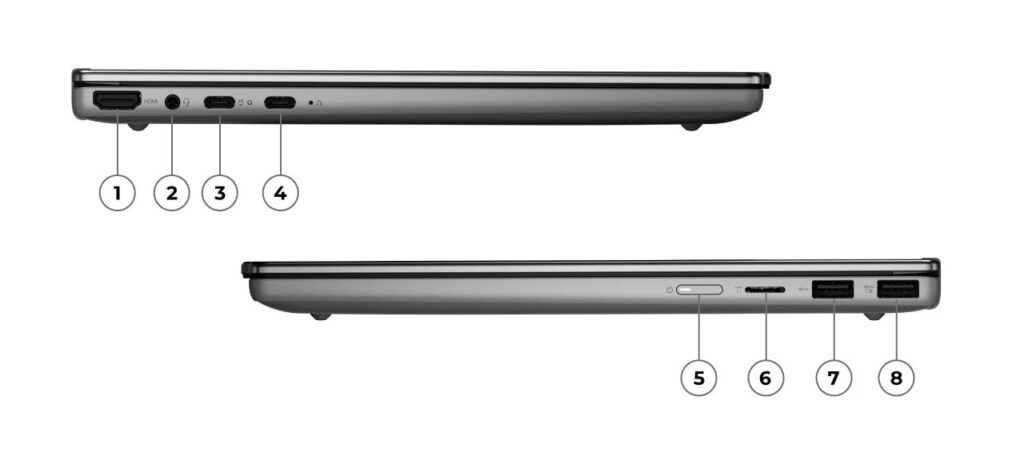 Full port selection — USB-C, USB-A, HDMI, and SD card reader
Webcam
The 1080p FHD webcam is sharp enough for video calls and online meetings without needing to apologise for the quality. More usefully, it has a physical privacy shutter — slide it across and the lens is mechanically blocked. If you'd rather not rely on software to keep the camera off, this is a reassuring feature to have.
Security
Windows Hello face recognition is on board, so logging in is near-instant the moment you open the lid. No fumbling for a password mid-meeting — the camera reads your face and you're in. If you open your laptop multiple times a day (and let's face it, who doesn't), it's one of those small things that makes the whole experience feel noticeably smoother.
Value
When you look at what's included — Ryzen AI-series CPU, 16GB DDR5, 360-degree hinge, bundled pen, privacy shutter, and a full port spread — the pricing feels fair for the category. Compared to similar 2-in-1s at this level, it sits in a reasonable spot, and it's an accessible entry point if you're buying your first convertible laptop.
Verdict
IdeaPad 5a 2-in-1 Gen 11 (14" AMD) is a strong option for anyone who wants handwriting, tablet use, and a proper laptop all in one machine. The bundled pen, 360-degree hinge, 16GB RAM, and solid port selection cover pretty much everything you'd need for work or study. At 1.54 kg it's not the lightest thing going, but in a rucksack it's barely noticeable — in a handbag it's a bit more of a commitment.
If you want to handle documents, lectures, remote working, and the odd creative task without carrying multiple devices, this is worth a serious look.
Where to Buy
* Prices may vary. Please check each store for the latest price and availability.
About the author