ZippyScore
ZippyScore is a proprietary rating based on 6 criteria: performance, portability, display, battery, value, and connectivity.
See rating criteria
- Performance: CPU / GPU performance
- Portability: Screen size & weight
- Display: Panel type, aspect ratio & refresh rate
- Battery: Rated battery life
- Value: Specs-to-price balance
- Connectivity: Port types & count
Pros & Cons
Pros
- At around 1.3 kg (2.85 lbs), it's light enough to carry every day without thinking twice
- With 32GB of RAM in most configurations, performance headroom is genuinely impressive
- The OLED display makes everything from documents to video look superb
- Battery life is strong enough to get through a full day on a single charge
- Face unlock and fingerprint login make getting started quick and effortless
Cons
- USB-C only means a hub is essentially required if you use more than a couple of peripherals
- Fan noise is noticeable under sustained load — not loud, but present
Specs Summary
| OS | Windows 11 Home |
|---|---|
| CPU | Intel Core Ultra 5 226V (PassMark: 18,095) Intel Core Ultra 5 228V (PassMark: 17,475) Intel Core Ultra 7 268V (PassMark: 19,421) Intel Core Ultra 7 258V (PassMark: 18,961) |
| RAM | 16GB / 32GB |
| Storage | 256GB / 512GB / 1TB |
| Display | 14" OLED (Anti-glare) 1920x1200 (16:10) 14" OLED (Anti-glare, Touchscreen, 120Hz) 2880x1800 (16:10) |
| Weight | 1.27 kg (2.80 lbs) |
| Ports | USB-C × 2 (Thunderbolt 4/40Gbps/PD/Video out), HDMI × 1, Headphone jack × 1 |
| GPU | Intel Arc Graphics (G3D Mark: 5,486) Intel Arc 130V Intel Arc 140V (G3D Mark: 5,133) |
| Biometrics | Fingerprint, Face Recognition |
| Battery | Up to 20.5 h (Capacity: 55 Wh) |
| Dimensions | Approx. 311.8 × 212.3 × 17.2 mm (W × D × H) |
| Wi-Fi | Wi-Fi 7 |
| Bluetooth | Bluetooth 5.4 |
| Color | Thunder Grey |
Configurations vary by retailer, region, and availability.
Hands-on Review
Here's my full hands-on with ThinkPad X9 14 Gen 1 Aura Edition(14" Intel). The unit I tested was specced out as follows:
| Component | Review unit spec |
|---|---|
| CPU | Intel Core Ultra 7 258V |
| Memory | 32GB |
| Storage | 1024GB SSD |
| Display | 14.0" OLED (2880×1800, 120Hz, touchscreen) |
| Graphics | Intel Arc Graphics |
| Colour | Thunder Grey |
※ Specs may vary depending on region and retailer.
Design
My review unit came in Thunder Grey, and the moment you pick it up, there's a sense of quality that's hard to ignore. This is the Aura Edition, and it genuinely feels like it. I'd say it's among the best-built ThinkPads I've handled — which is saying something.
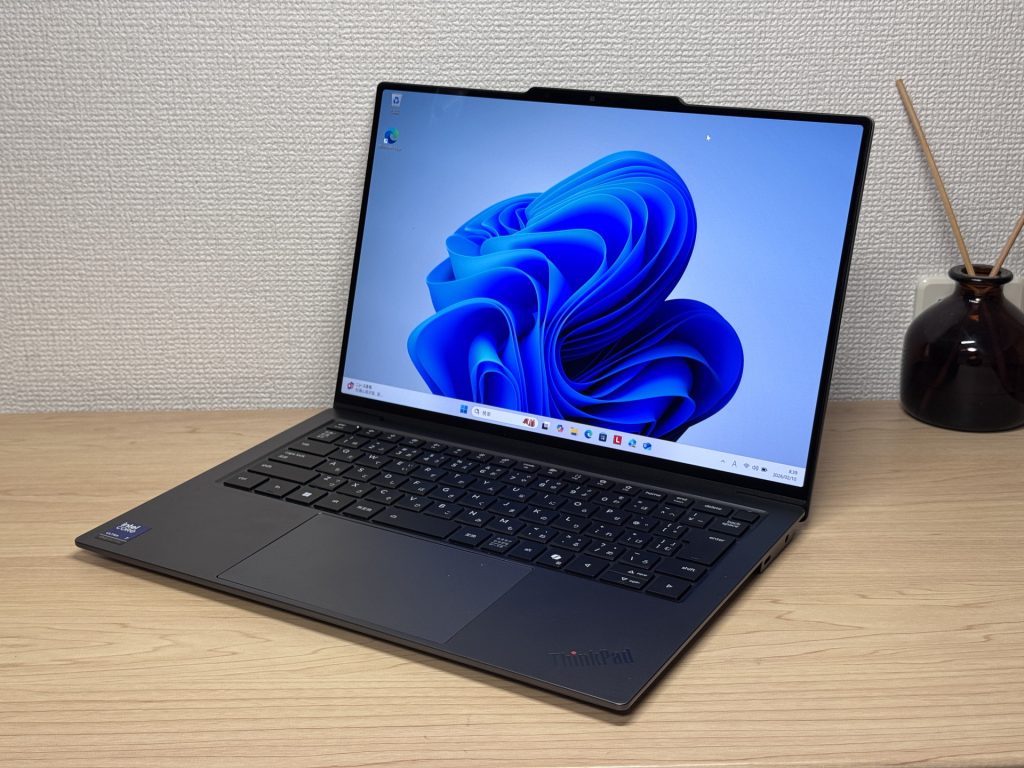 The Aura Edition front — premium feel right from the off
Both the lid and base have a lovely matte finish that resists fingerprints surprisingly well. Given you're touching this thing all day, that matters more than people give it credit for. The ThinkPad dot on the lid lights up too — it's subtle rather than garish, which is exactly the right call.
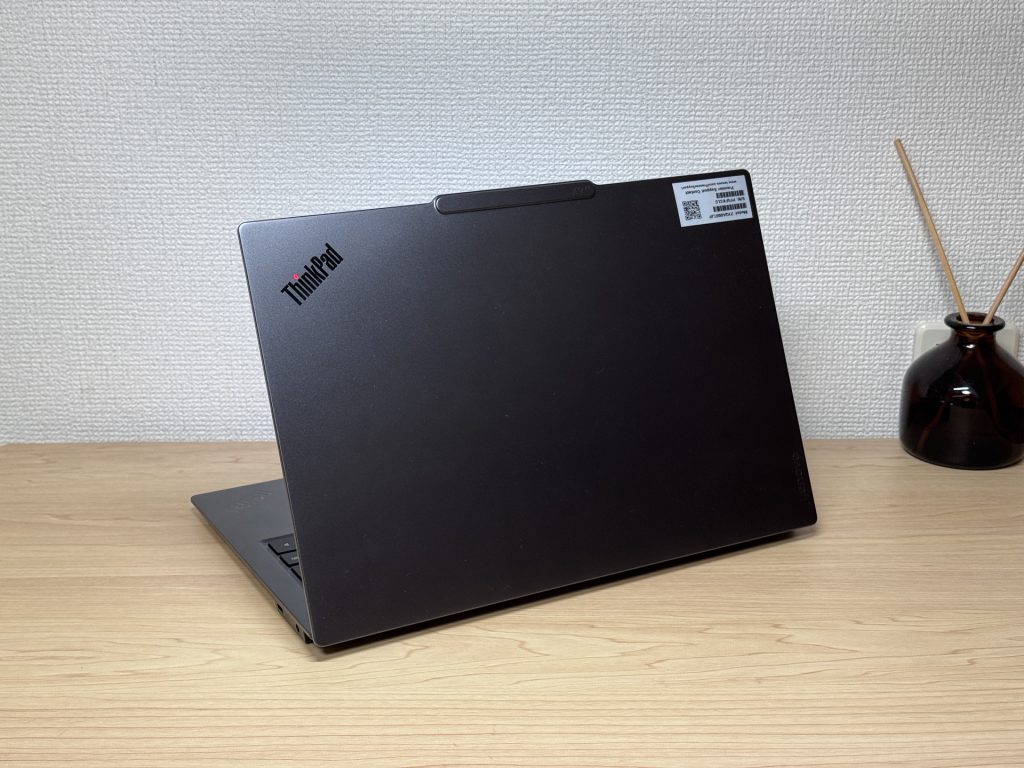 Matte finish — fingerprints don't stand a chance
The slim profile means it slides into a bag without any faff. No wedging, no rearranging — it just goes in.
 Slim enough to slip into any bag without a second thought
The rubber feet on the base are solid and grippy — no shuffling around when you're typing at a desk, which is one of those small things you don't notice until it's missing.
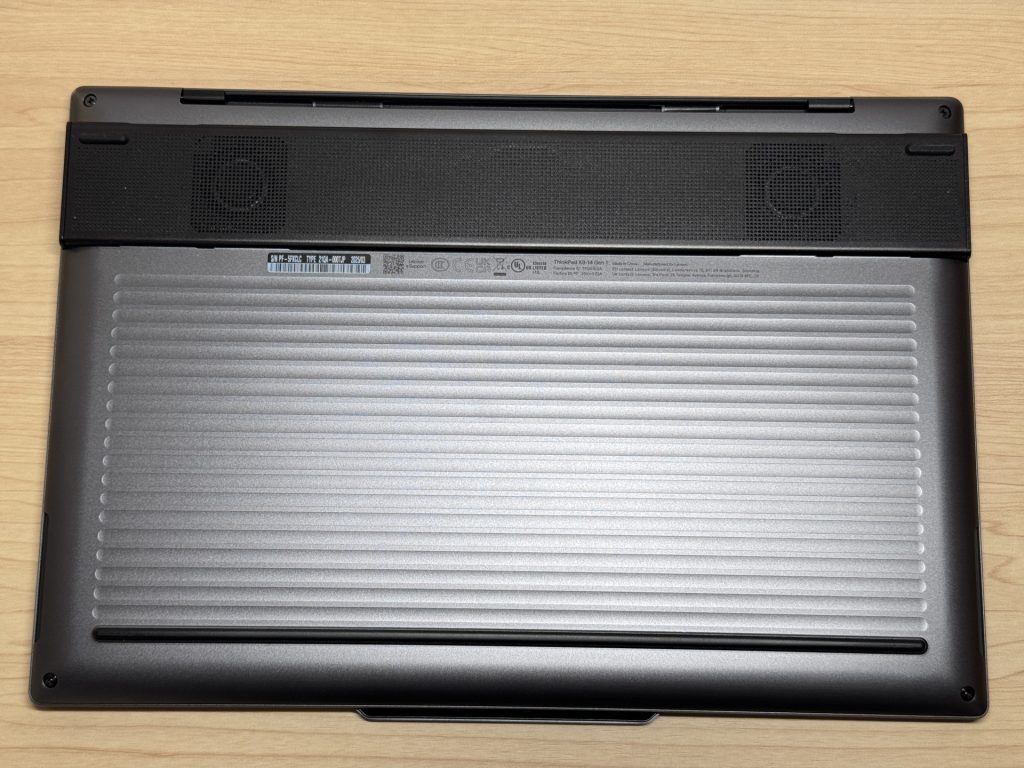 Solid rubber feet keep it firmly planted
The lid is easy to open one-handed, too — the webcam module protrudes slightly, giving you something to hook a finger under. No nail-scratching required.
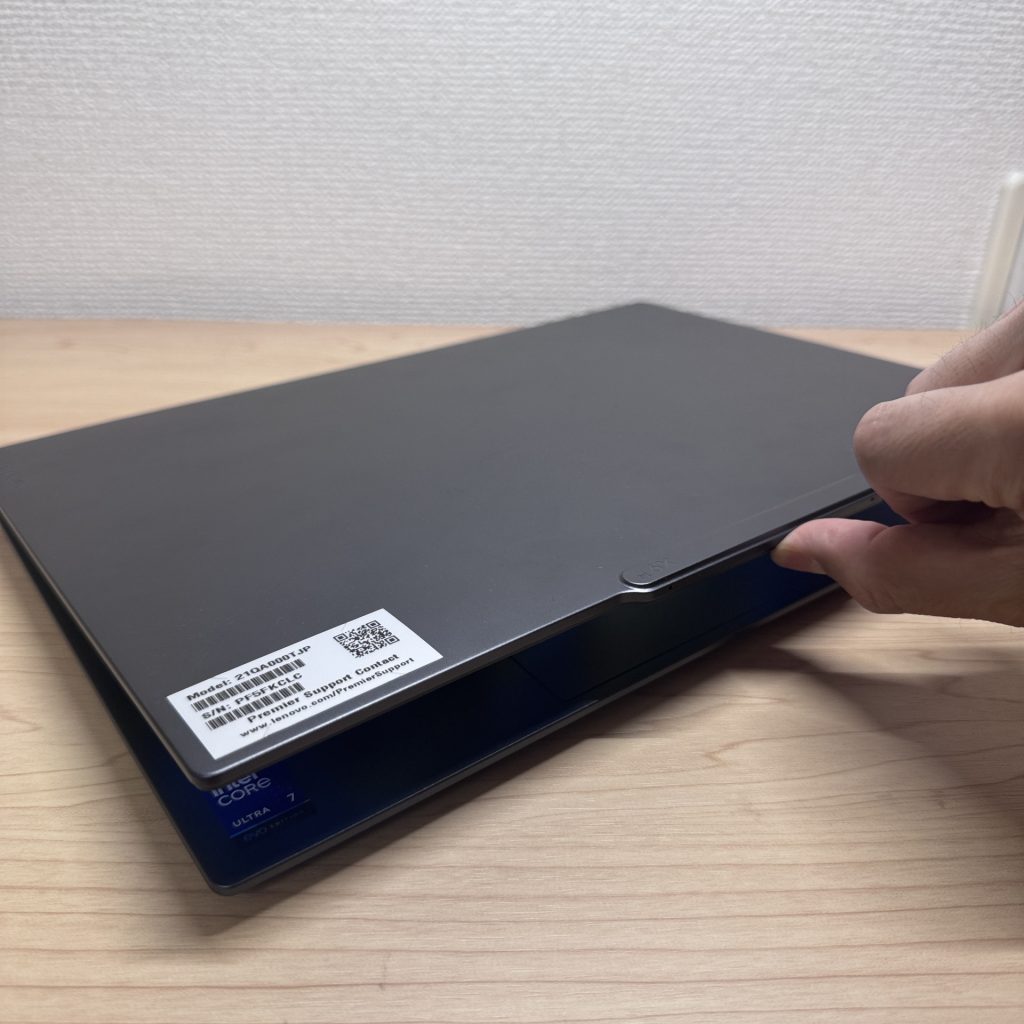 That small camera bump makes one-handed opening genuinely easy
Portability
Actual measured weight: 1,293g (about 2.85 lbs). For a machine with this spec and this level of build quality, that's genuinely impressive. The price isn't quite so light, but the laptop itself? You'll forget it's in your bag. Whether you're commuting, heading to lectures, or hopping between meetings, it never feels like a burden.
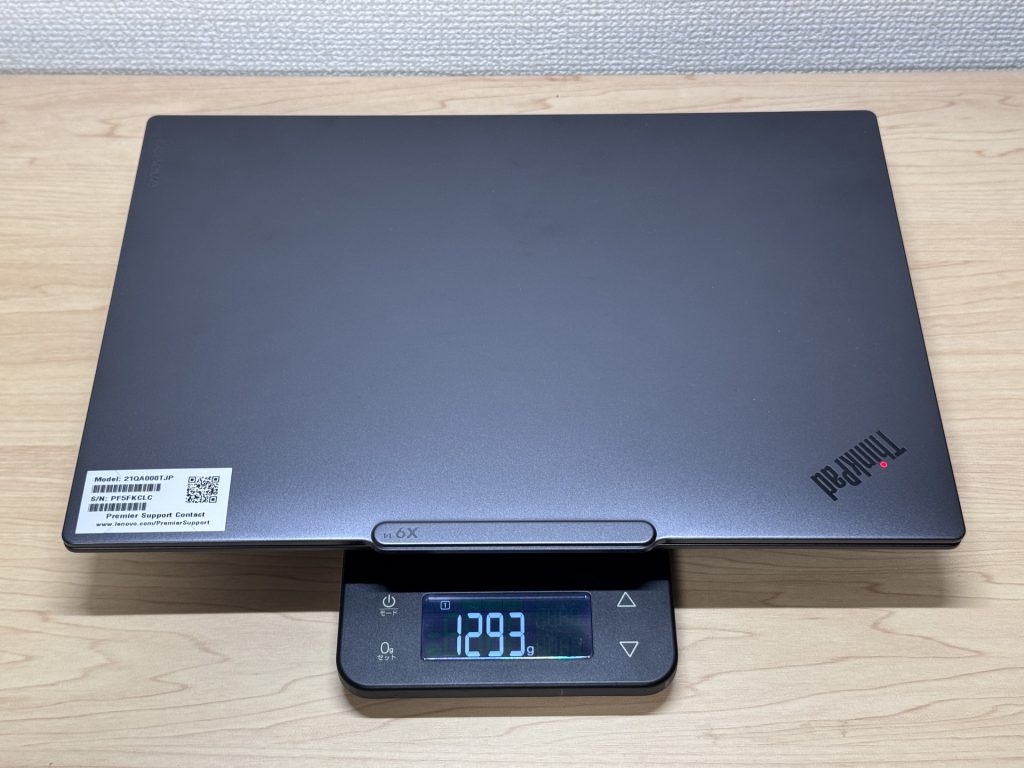 1,293g on the nose — proper lightweight
The bundled charger weighs 212g, which does add up a bit. Given how light the laptop is, swapping it out for a compact USB-C charger from Anker or similar is well worth it — this machine charges over USB-C, so any decent GaN charger will do the job and shave some weight off your bag.
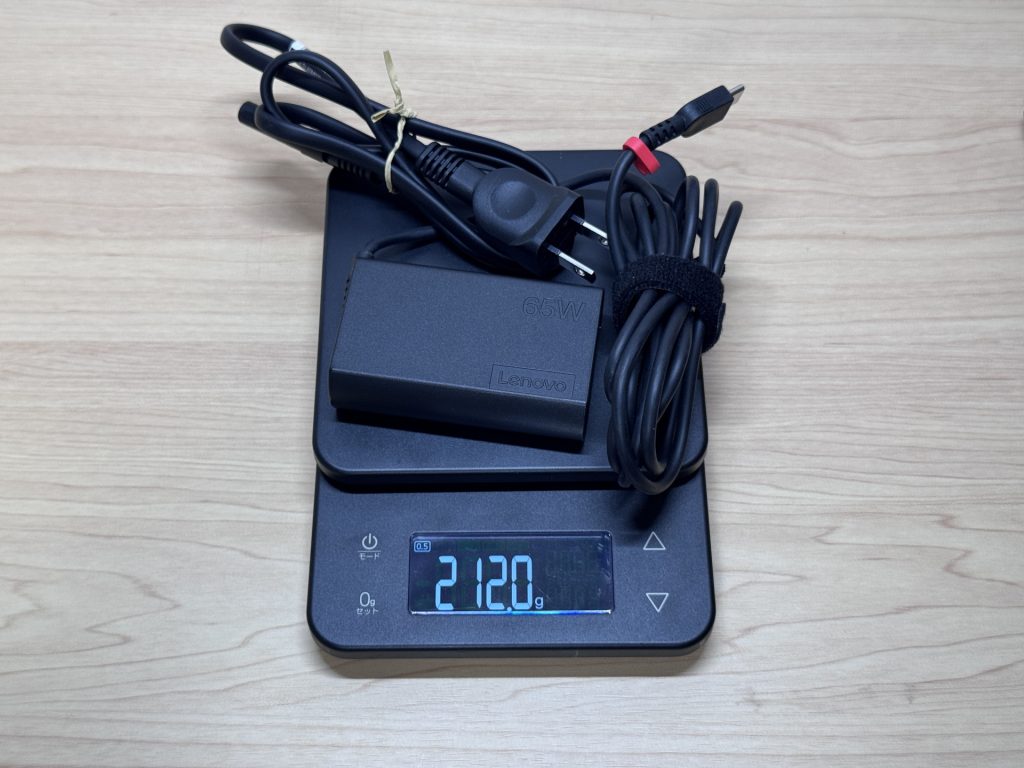 The included charger is 212g — worth upgrading to a compact GaN alternative
One-handed carry is effortless. Switching it between hands mid-commute? No issue whatsoever.
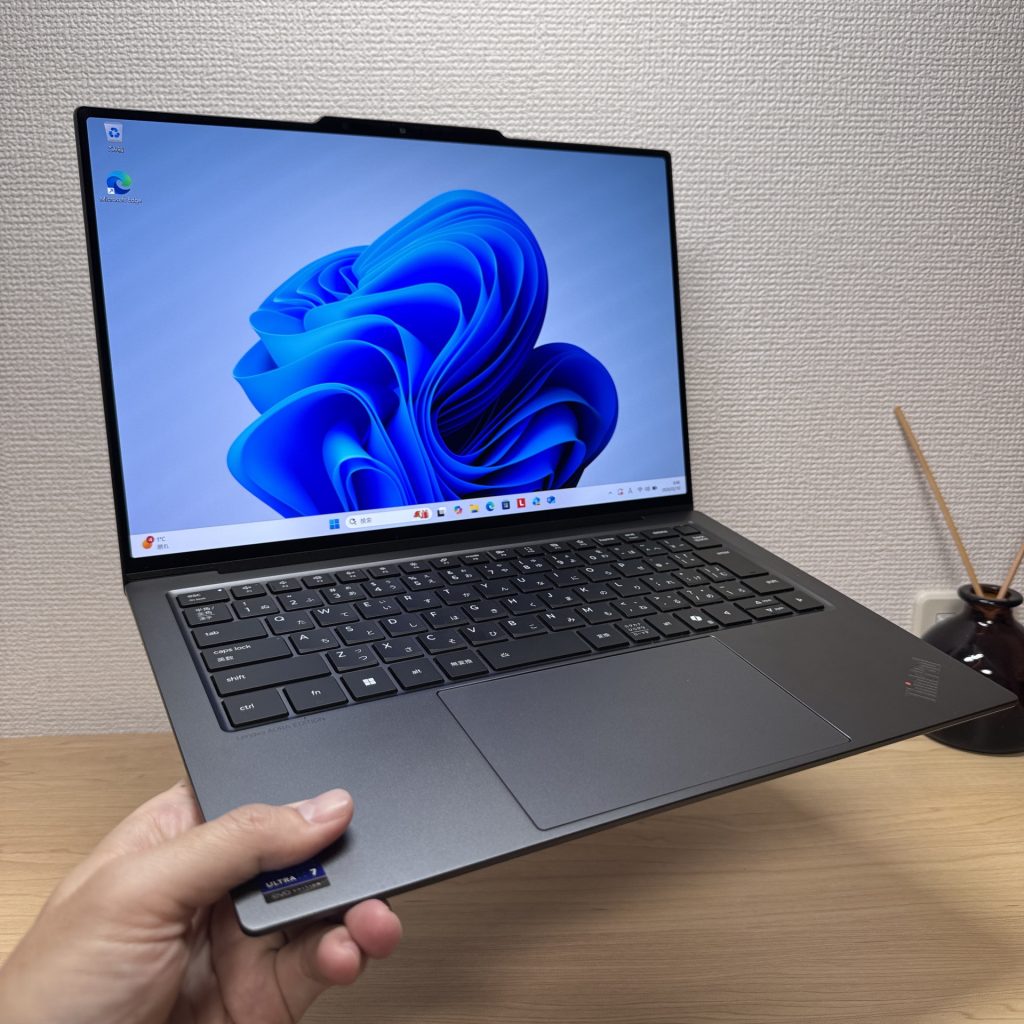 One-handed carry — genuinely comfortable
Display quality
The OLED panel is, frankly, brilliant. The blacks are proper blacks — not "dark grey" like you get on most IPS screens — and the colours pop in a way that makes you question why you'd ever go back. The thin bezels help too, giving the whole thing a clean, modern look that makes watching video or editing photos a genuine pleasure.
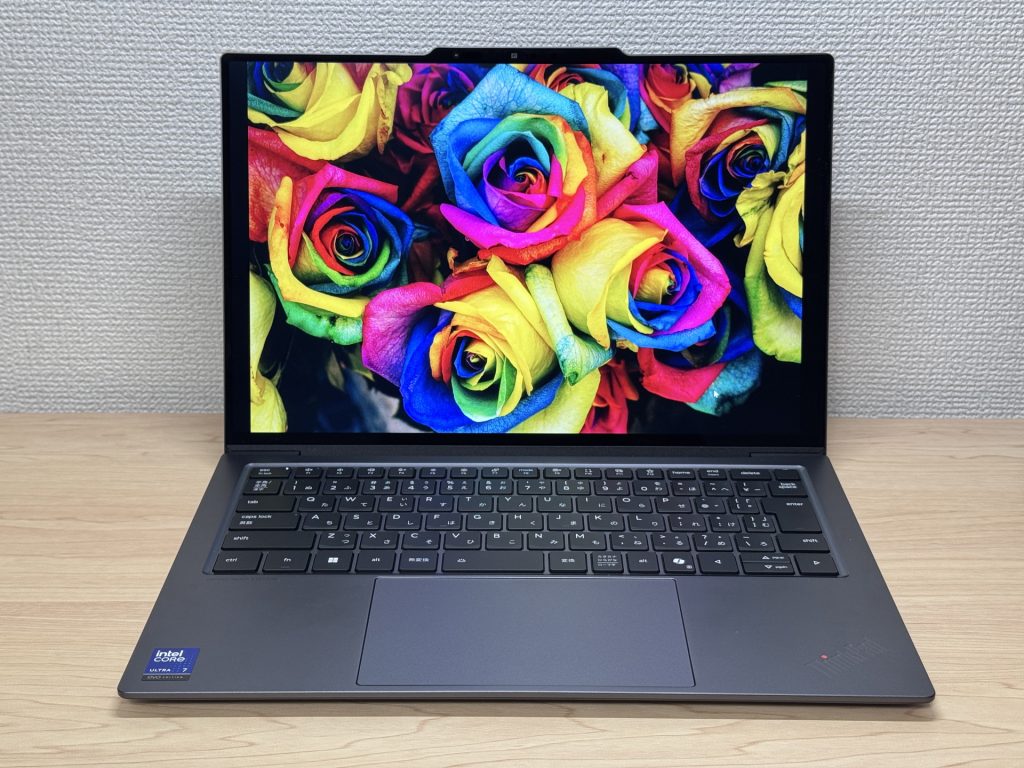 OLED colours that make IPS feel a bit flat by comparison
Viewing angles are wide and consistent — colours don't shift when you tilt the screen or have someone looking over your shoulder, which is handy if you're working with others.
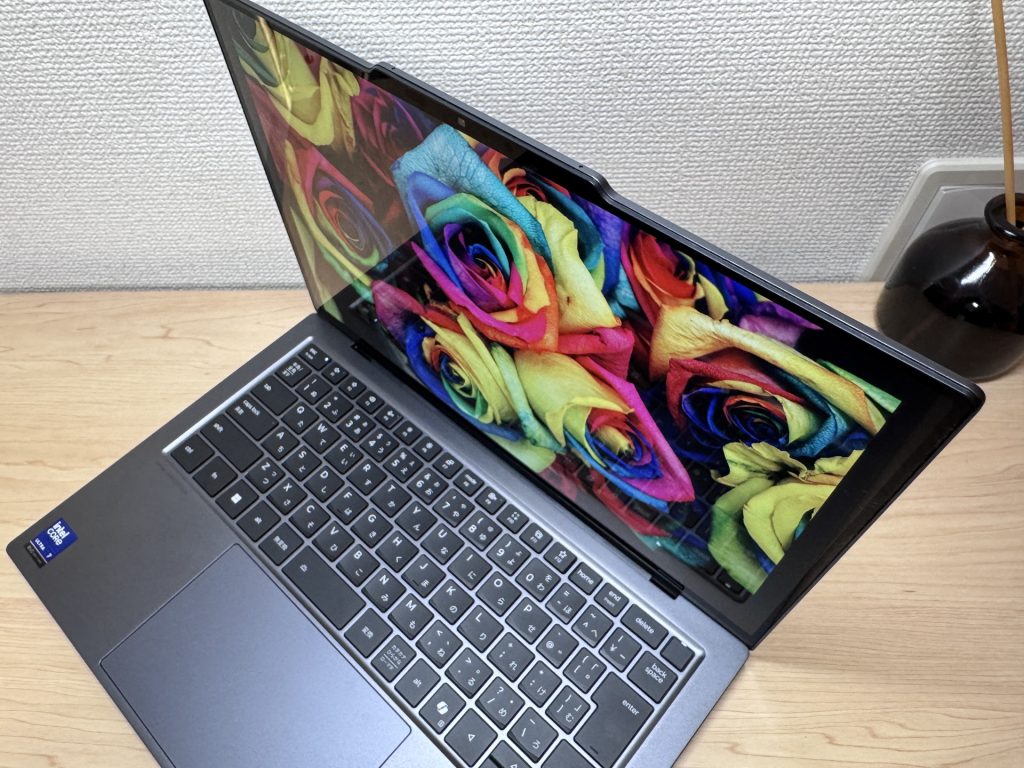 Wide viewing angles — no colour shift even from the side
Touchscreen support is there if you want it. It's not the primary way most people will interact with the machine, but it's smooth and responsive, and occasionally being able to tap or scroll directly on the screen is a nice option to have.
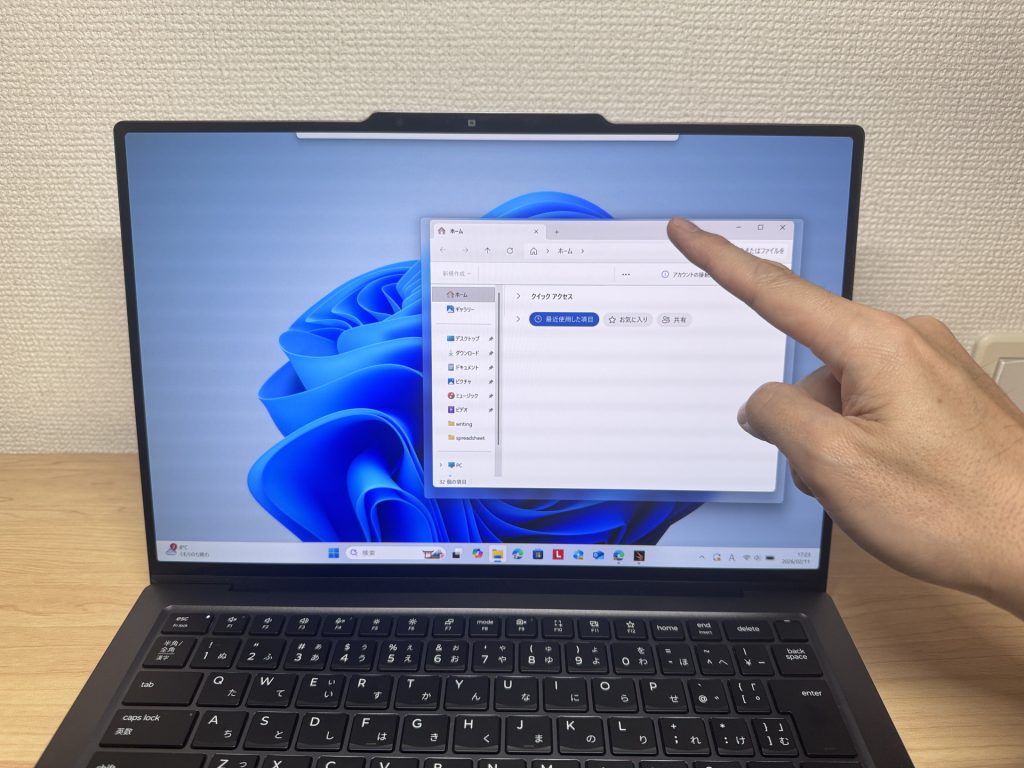 Touch support works well — smooth and responsive
The 16:10 aspect ratio gives you noticeably more vertical screen space than a standard 16:9 machine. More of a webpage visible, less scrolling through documents — it sounds minor, but once you're used to it, going back to 16:9 feels a bit cramped, honestly.
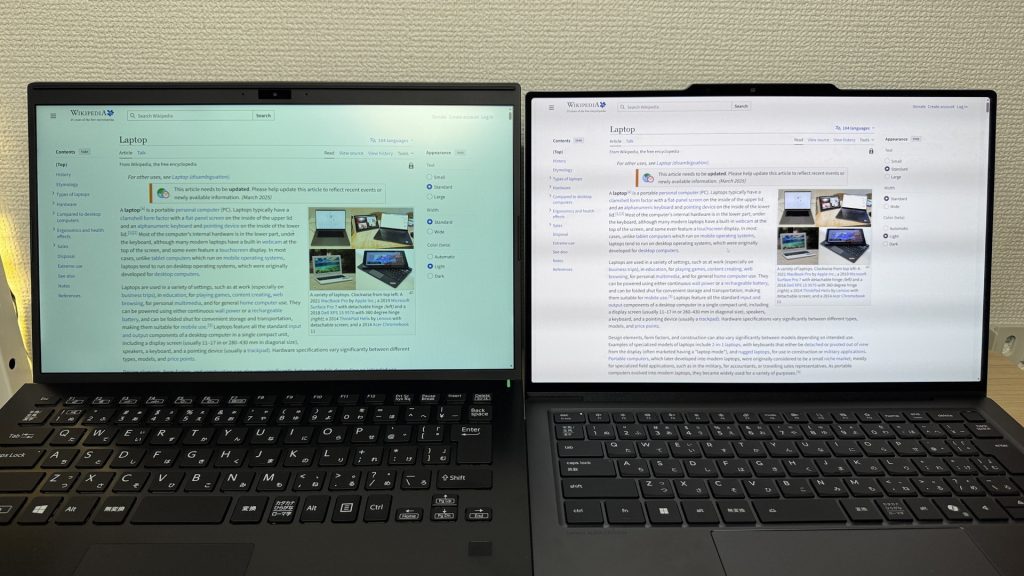 16:10 ratio — more room for documents and web browsing
It's a glossy panel, so reflections could be a concern, but Lenovo has applied an anti-reflective, anti-smudge coating that genuinely keeps things manageable. Real-world glare is much less of an issue than you might expect.
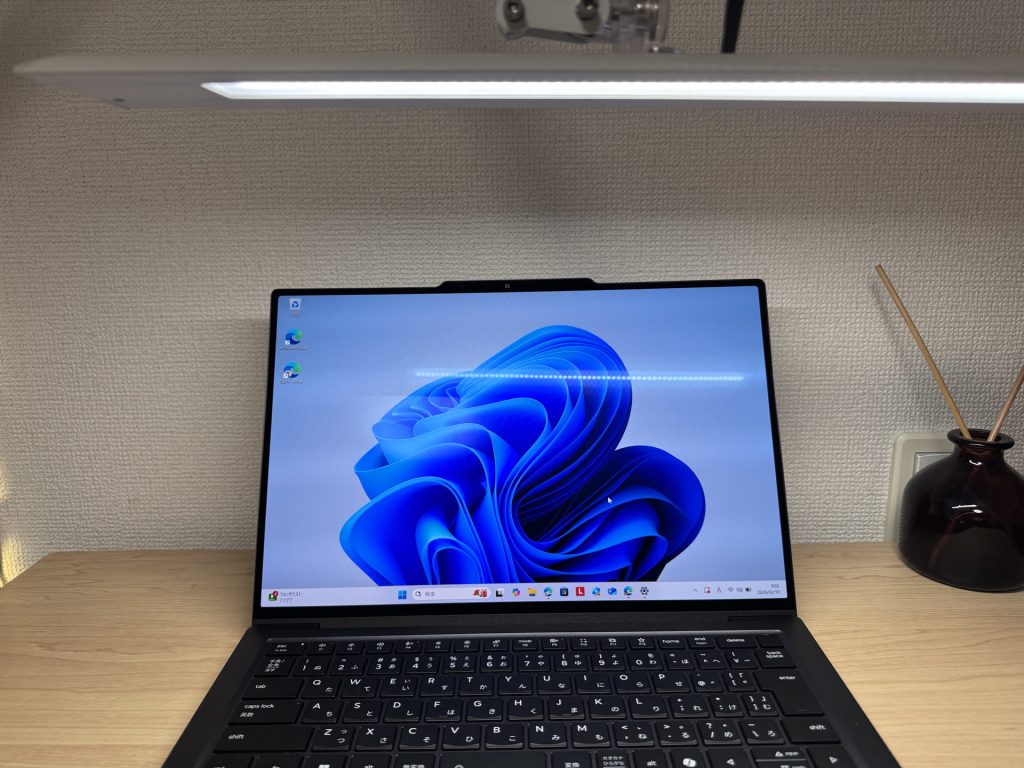 The anti-reflective coating does a surprisingly effective job
Keyboard
The keyboard layout is clean and sensible — no odd key placement, no cramped shortcuts shoved into strange corners. It's the kind of layout you can sit down at and just get on with it, which I always appreciate.
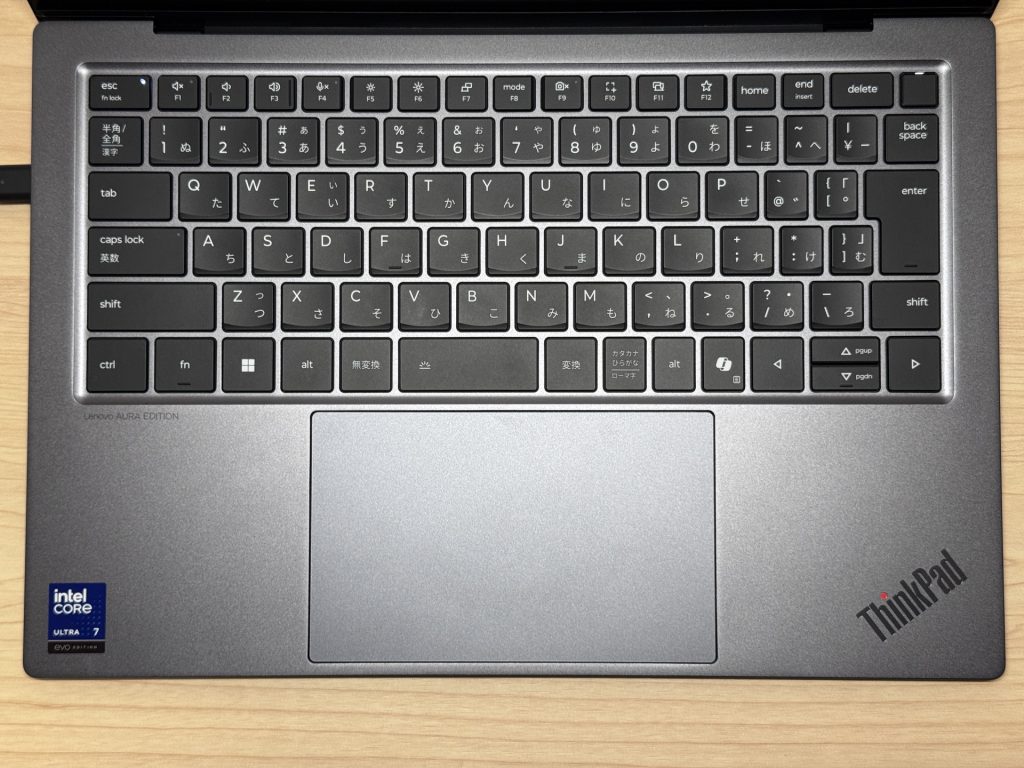 Sensible layout — no relearning required
Typing feel is genuinely good. There's a satisfying click to each key — if you've used a MacBook Pro keyboard, it's a similar vibe, maybe slightly better. Long writing sessions, reports, lots of email — none of it feels tiring. Backlighting is included, so low-light working is covered too.
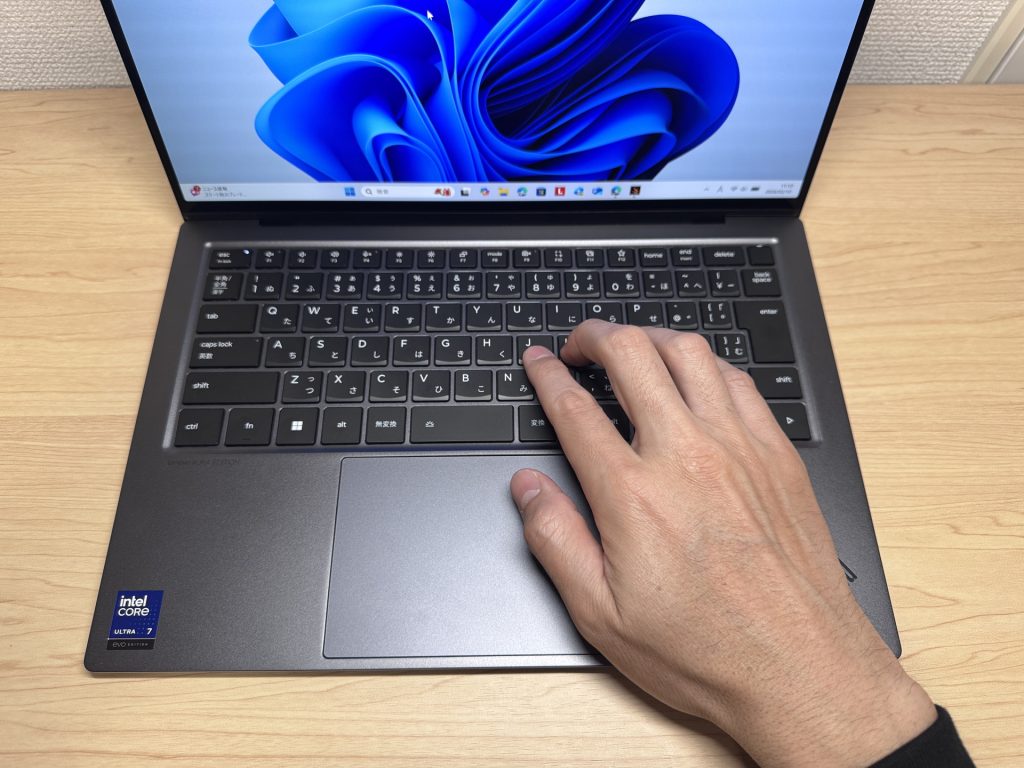 Typing feel is up there with the best — MacBook Pro territory
Trackpad
The trackpad is large, smooth, and tracks well. Multitouch gestures — switching between windows, three-finger swipes — all feel natural. If you're the sort who leaves the mouse at home to keep the bag light, you won't feel like you're missing out.
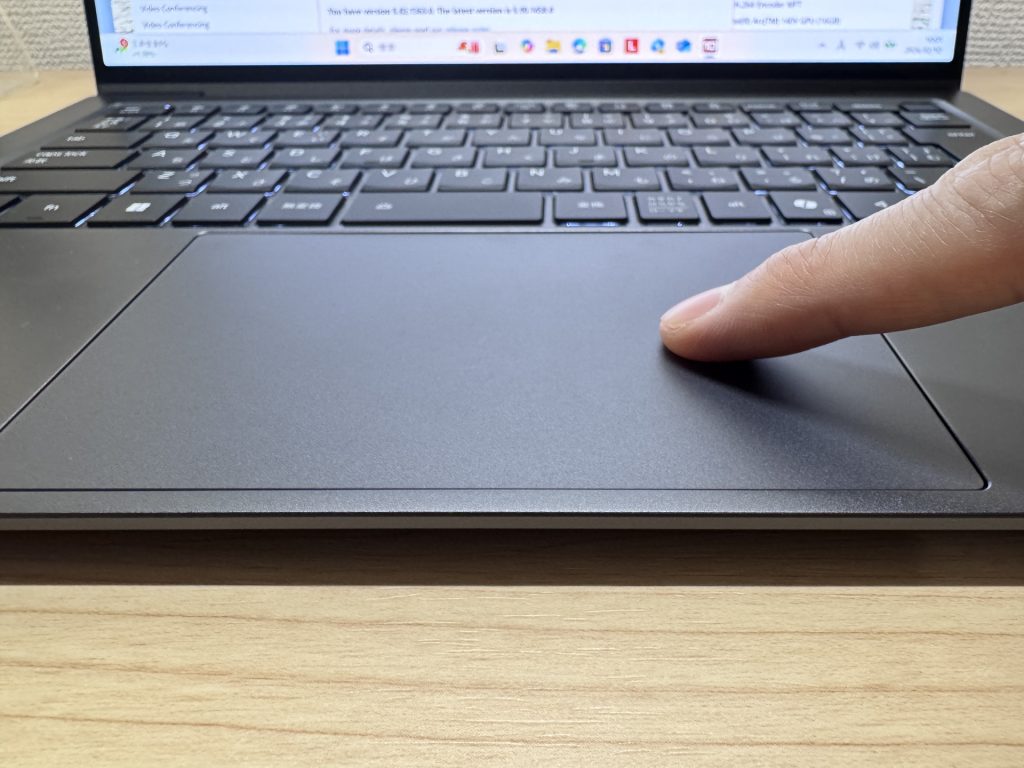 Spacious and smooth — one of the better trackpads around
What's particularly good here is the haptic trackpad. Unlike a traditional trackpad that only clicks properly near the bottom, this one gives you consistent tactile feedback wherever you press it. It's also noticeably quieter — so clicking away in a library or quiet café isn't going to earn you any dirty looks.
Performance
PCMark 10 overall score: 7,318. That's well into "handles everything you throw at it" territory — multitasking, light photo editing, development work, heavy browser usage. Day-to-day, there's no friction at all.
| Total Score | Rating | What it feels like in real use |
|---|---|---|
| ~4,000 | Bare minimum | Web browsing and simple tasks work, but multitasking or many tabs feels sluggish. |
| 4,000–5,000 | Light use | Daily tasks are doable, but running multiple apps means waiting around. |
| 5,000–6,500 | Comfortable (mainstream) | Handles most work without stress — fine for office, school, video calls. |
| 6,500–8,000 | High performance This PC | Plenty of headroom. Light photo editing and programming feel snappy. |
| 8,000+ | Very high performance | Tackles video editing and heavy workloads. Long-lasting performance. |
*PCMark 10 reflects overall comfort. Actual feel depends on CPU, RAM, and SSD speed.
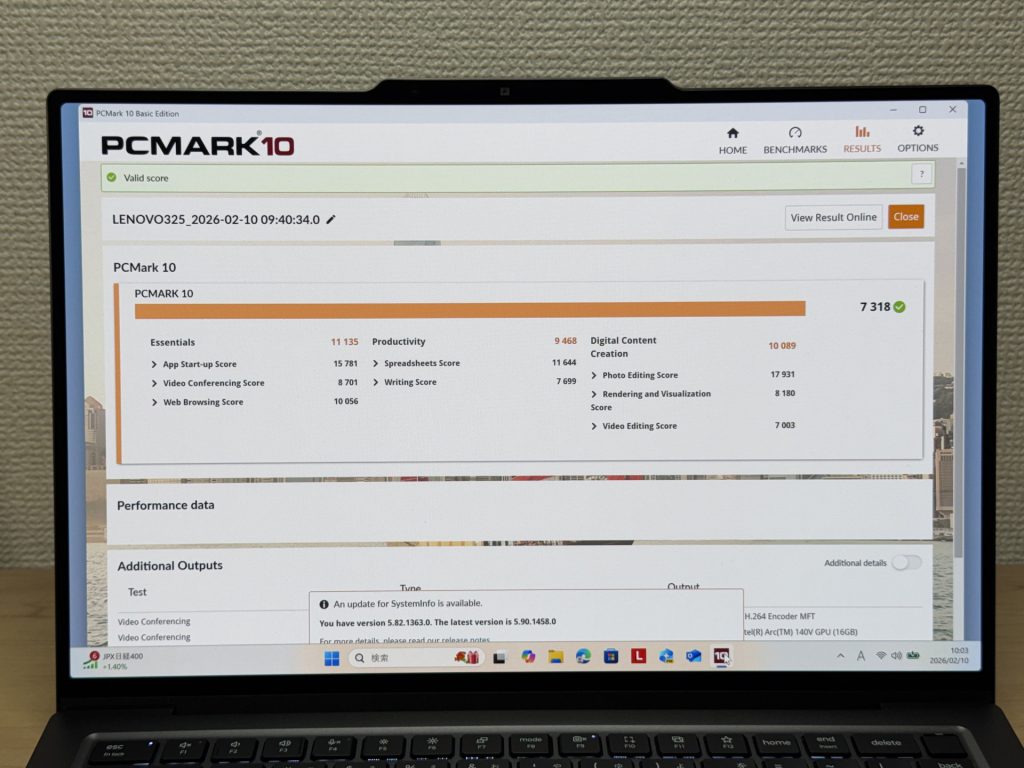 PCMark 10: 7,318 — properly quick
GPU-wise, the 3DMark Steel Nomad Light score is 2,657. For integrated graphics, that's a decent result — lighter games are playable, though if serious gaming is your thing, you'll want a dedicated GPU elsewhere.
| Score | Rating | What it feels like in real use |
|---|---|---|
| Up to 400 | Bare minimum | 3D performance is quite limited. Not really suited for gaming. |
| 400–900 | Light 3D | Lighter games and low-load 3D processing work. |
| 900–1,500 | Average (mainstream) | Standard for integrated GPUs. Light to medium games playable with right settings. |
| 1,500–2,200 | High performance | Strong for an integrated GPU. Games and 3D work feel comfortable. |
| 2,200+ | Very high performance This PC | Top-tier 3D performance for thin laptops. Real graphics headroom. |
*3DMark Steel Nomad Light targets thin laptops and integrated GPUs. Score range differs from Time Spy, so direct comparison isn't valid.
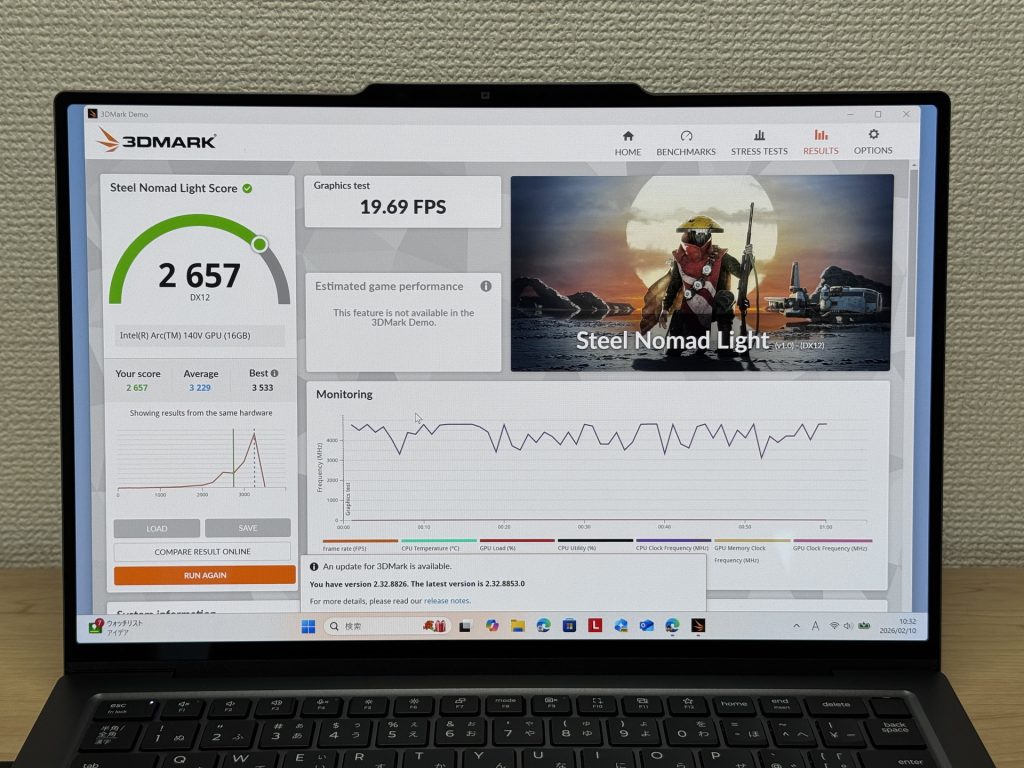 3DMark Steel Nomad Light: 2,657
Storage speeds are seriously fast: Read 6,553 MB/s, Write 5,665 MB/s. Large file transfers, booting up, launching apps — it's all snappy. The kind of quick where you stop noticing it because nothing ever makes you wait.
| Score | Rating | What it feels like in real use |
|---|---|---|
| Up to 600 MB/s | Bare minimum | Faster than HDD, but slow for modern SSDs. App launches feel slightly slow. |
| 600–1,500 MB/s | Average | Fine for daily use, though loading is noticeably slower than top-tier SSDs. |
| 1,500–3,500 MB/s | Comfortable (mainstream) | App launches and file loading feel smooth. No real complaints in daily use. |
| 3,500–5,500 MB/s | Fast | Loads large data and apps quickly. Definitely upper-tier SSD speed. |
| 5,500+ MB/s | Very fast This PC | High-end NVMe territory. Heavy data work without waiting. |
*CrystalDiskMark measures SSD speed. It mainly affects app launch and file loading speed, not overall PC performance.
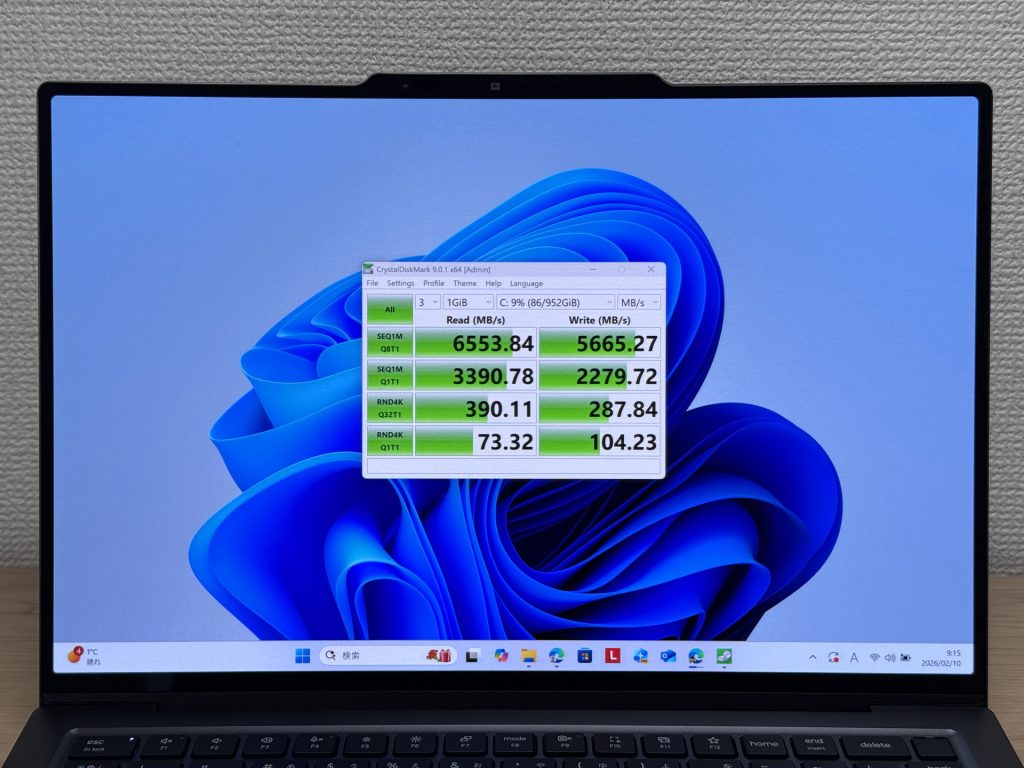 Read speeds of 6,553 MB/s — proper rapid storage
Battery life
Battery rating: above average
Lenovo quotes 19.7 hours, which is on the generous end for a thin-and-light with an OLED 120Hz panel. The Core Ultra V-series silicon is genuinely efficient, and in practice, light-to-moderate use — documents, web, video calls — should see you through a full working day without sweating it. USB-C charging means you can pair it with a compact GaN charger and keep the overall carry weight down.
That said, OLED at 120Hz is inherently power-hungry, and cranking the brightness or streaming video for hours will eat into that figure noticeably. On heavier days, keeping a charger handy is sensible. But for typical office or uni use, the battery holds up well enough that it genuinely stops being something you think about.
Fan noise and thermals
At idle, fan noise measures 21.4dB — effectively silent. You can use this in a quiet room or a library without any distraction.
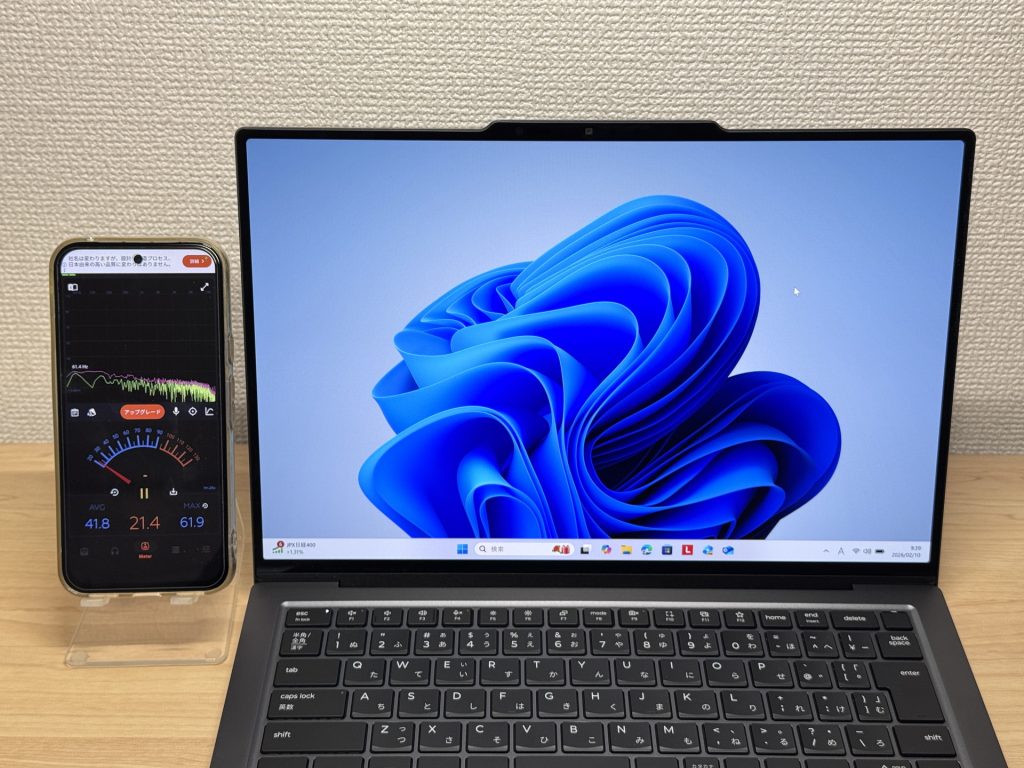 21.4dB at idle — essentially inaudible
Under load, it rises to 37.4dB. You'll hear the fans spin up, but that's the thermal system doing its job properly — keeping the CPU from throttling when you need it most.
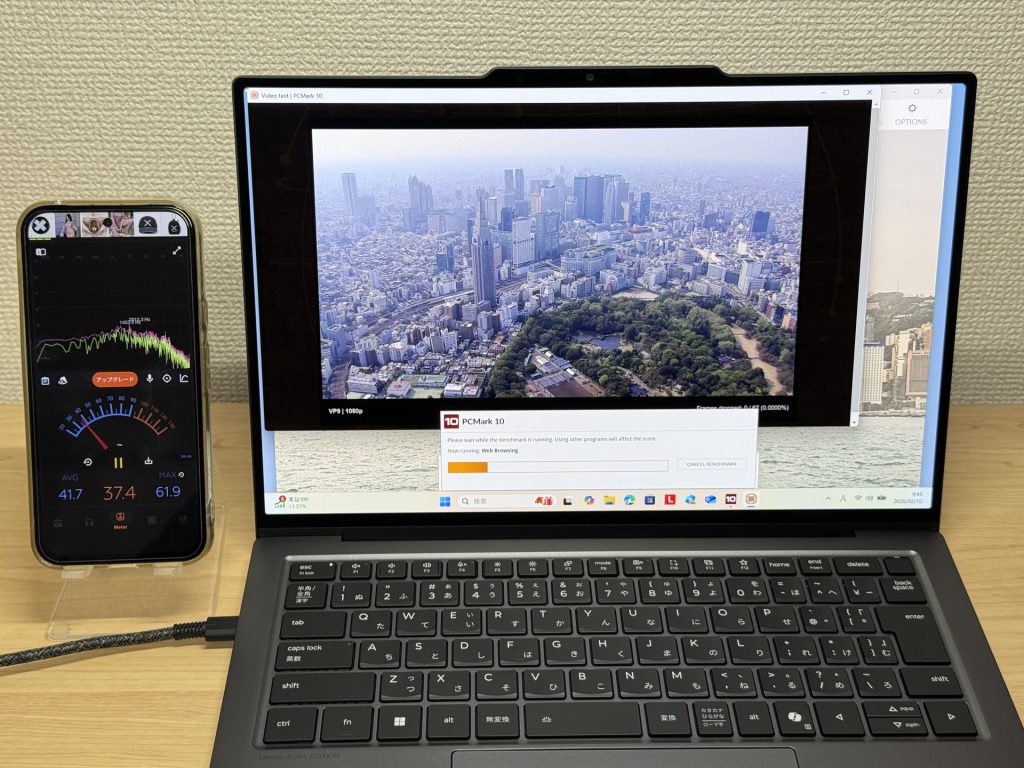 37.4dB under load — audible, but not obnoxious
The exhaust vents are at the rear, which means warm air doesn't blow across your hands when you're using a mouse. A small detail, but a thoughtful one for long work-from-home sessions.
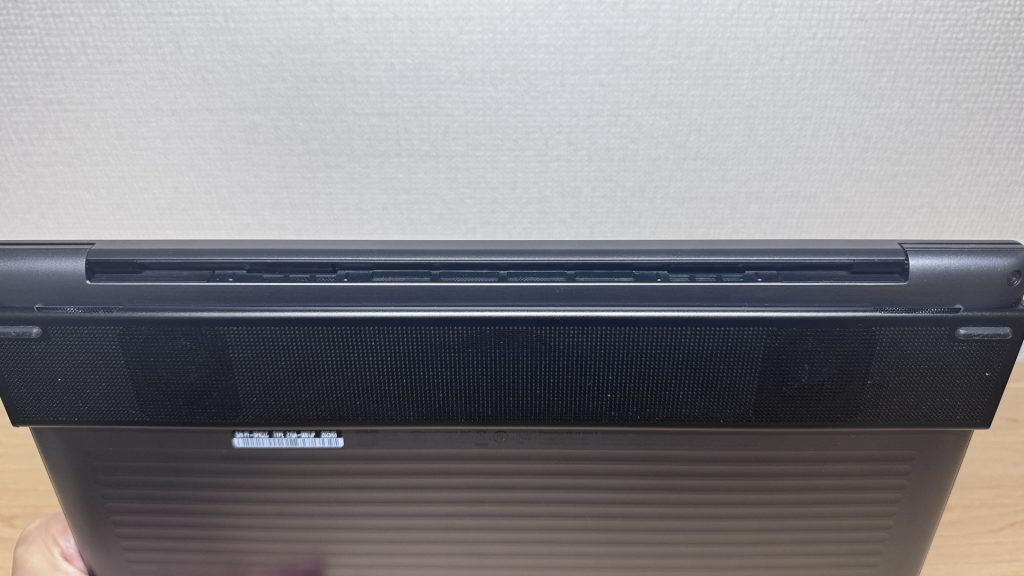 Rear-facing exhaust — warm air goes away from your hands
Ports
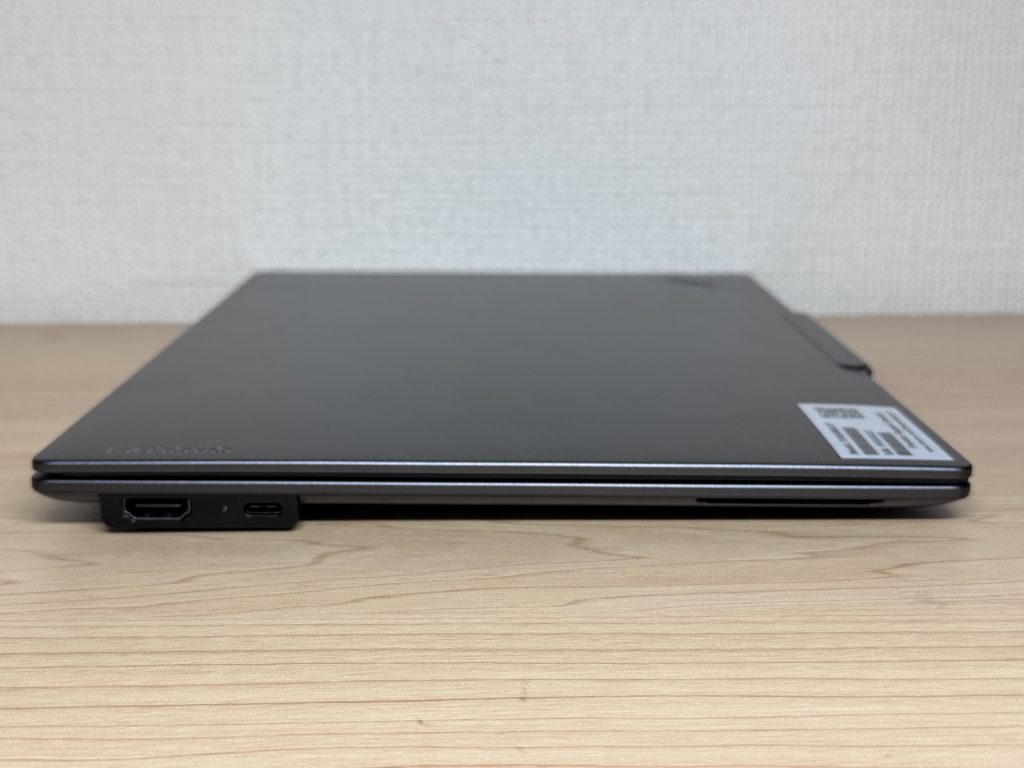
This is the one area where ThinkPad X9 14 Gen 1 Aura Edition(14" Intel) feels a bit lean. You get two USB-C ports and one HDMI — that's it. No USB-A, no SD card slot. If you regularly plug in a mouse, USB drive, or anything that isn't USB-C, a hub is essentially non-negotiable. The direct HDMI is at least a practical addition, but power users with a lot of peripherals will find it limiting.
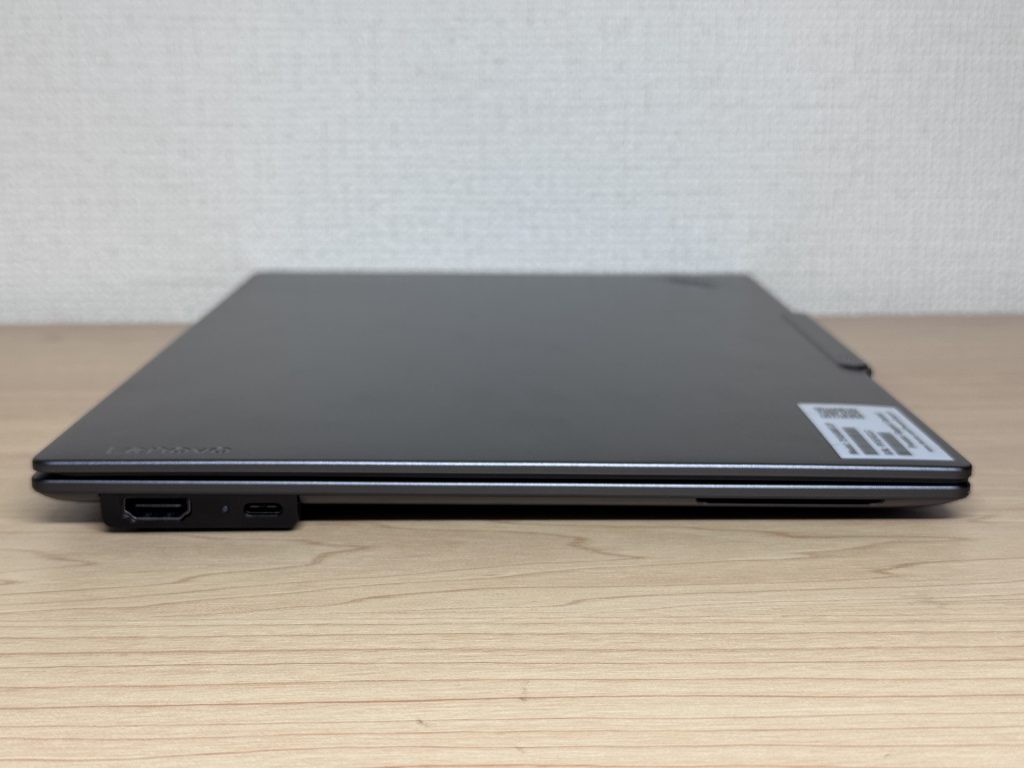 Two USB-C and one HDMI — you'll likely need a hub
 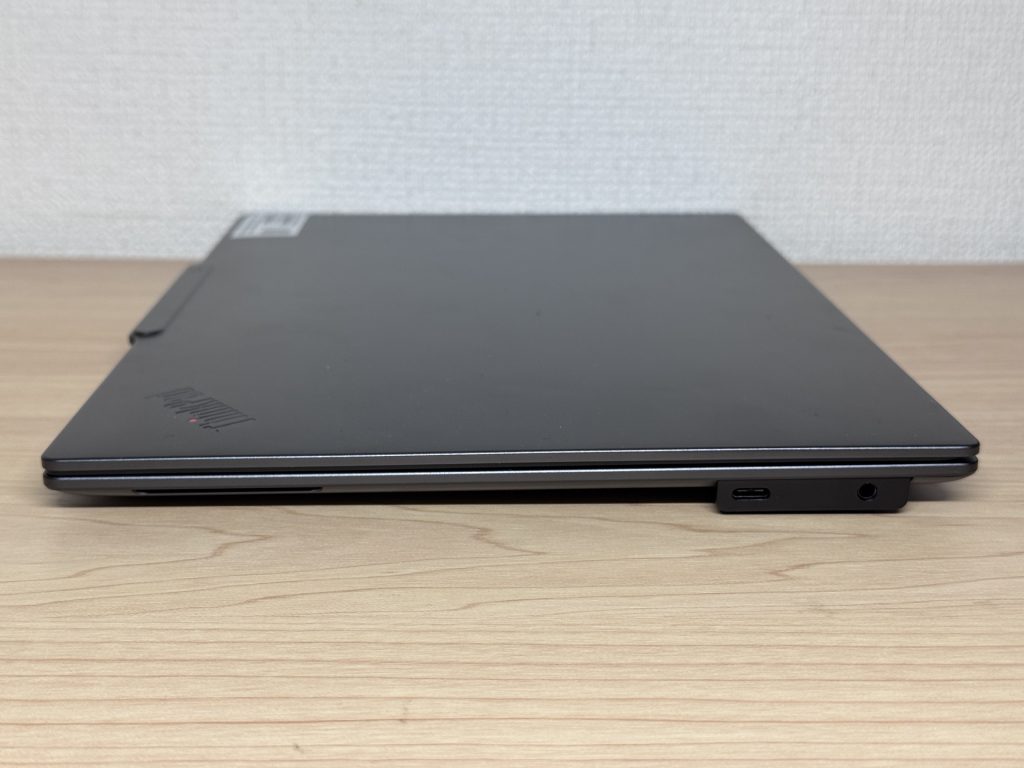 Minimal ports on both sides combined
On the plus side, 4K output via HDMI worked without any fuss — no adaptors needed, just plug in and go.
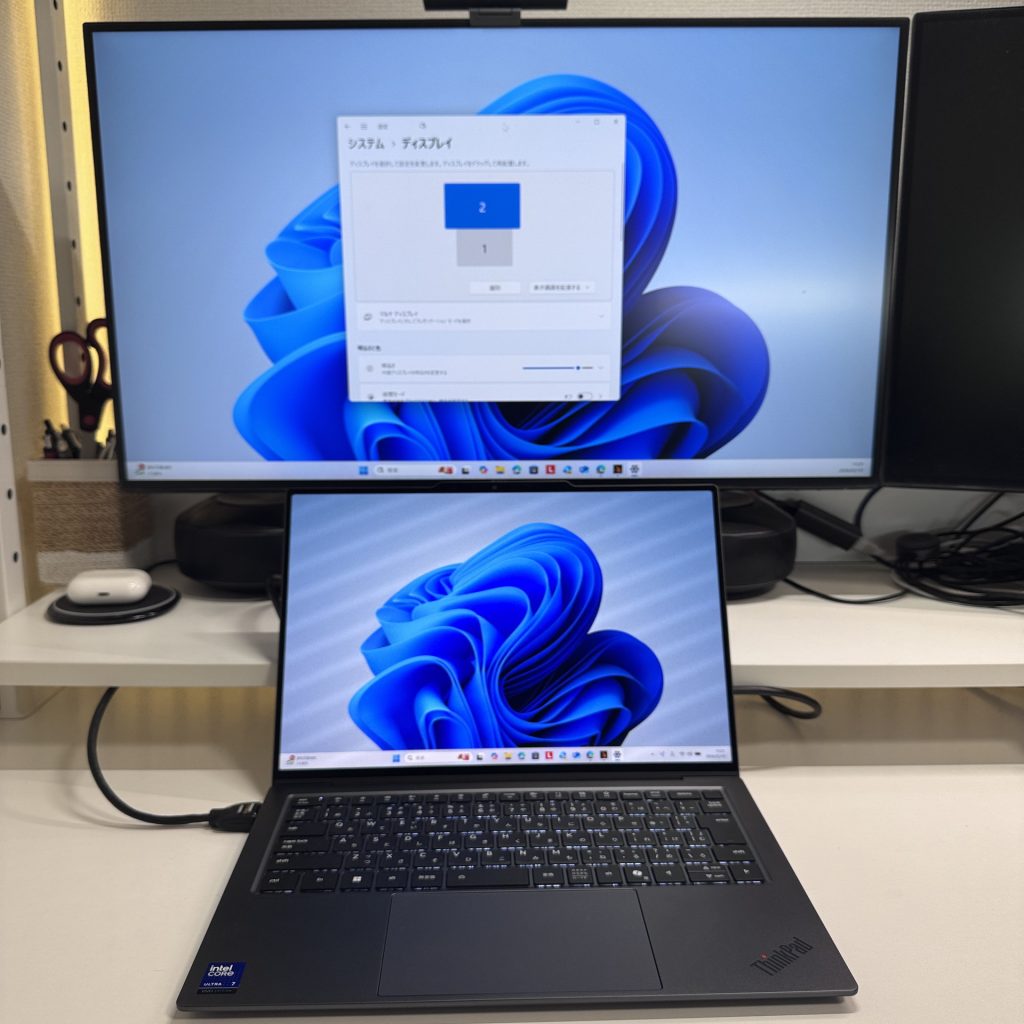 HDMI to 4K monitor — works straight out of the box
I also confirmed dual 4K monitor output over USB-C simultaneously, which is useful. One thing to flag though: I noticed what sounded like coil whine in that configuration. If dual-monitor setups are part of your regular workflow, it's worth being aware of.
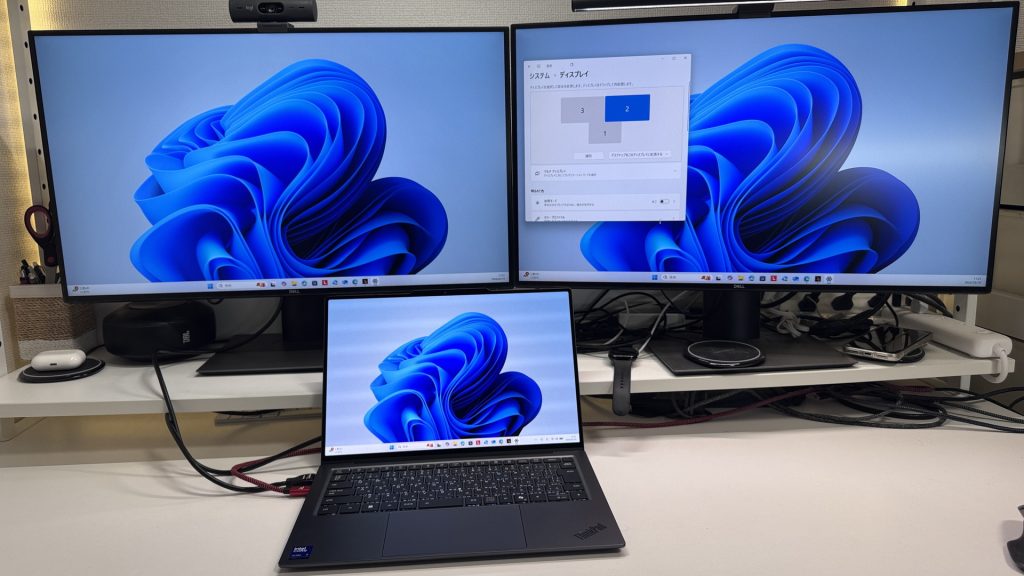 Dual 4K over USB-C works — but coil whine was present
There's no SD card slot, so photographers who want to pull images directly from a camera will need a USB-C card reader.
Webcam
For a built-in camera, it's genuinely decent. Colour is accurate and the image is sharp enough that you won't be embarrassed on a video call — which, honestly, isn't something you can say about every laptop at any price point.
 Better webcam quality than most built-in cameras
There's a privacy shutter too. Software-controlled rather than a physical slide, so if you're the type who forgets where settings live, it might take a moment to find the first time — but it's good to have.
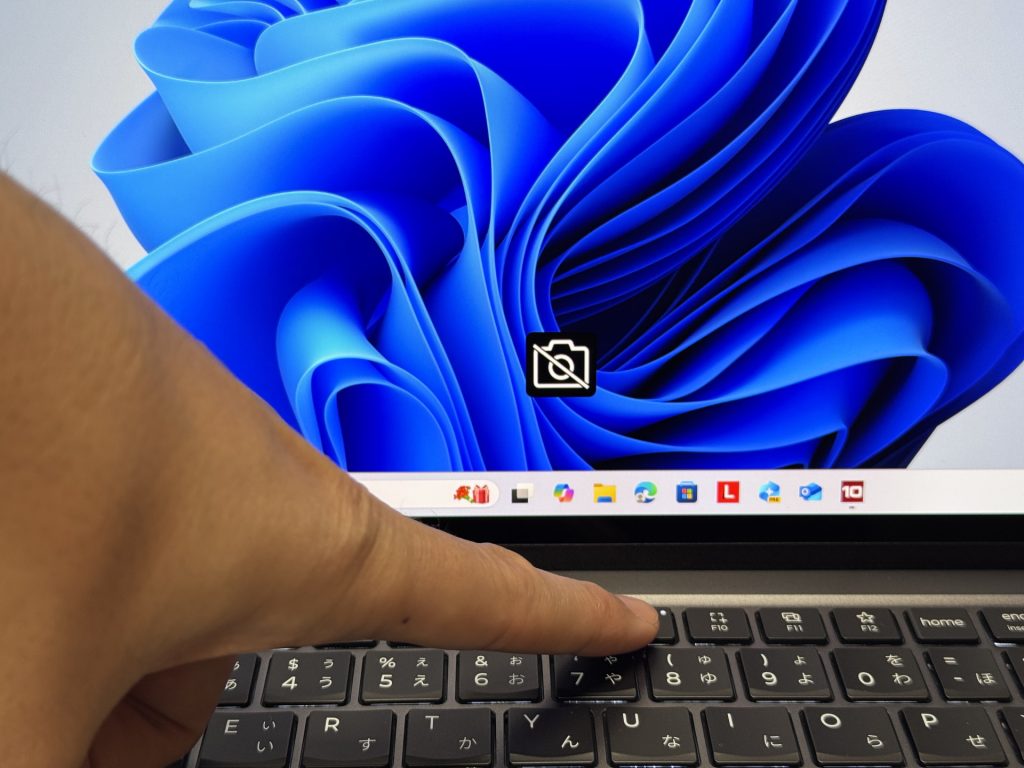 Software privacy shutter keeps the camera covered when not in use
Speakers
Audio quality is a genuine highlight here. There's real bass to it — not the tinny rattle you get from most ultrabooks — and it holds up well for both video and background music while you work. I wasn't expecting much, so this was a pleasant surprise.
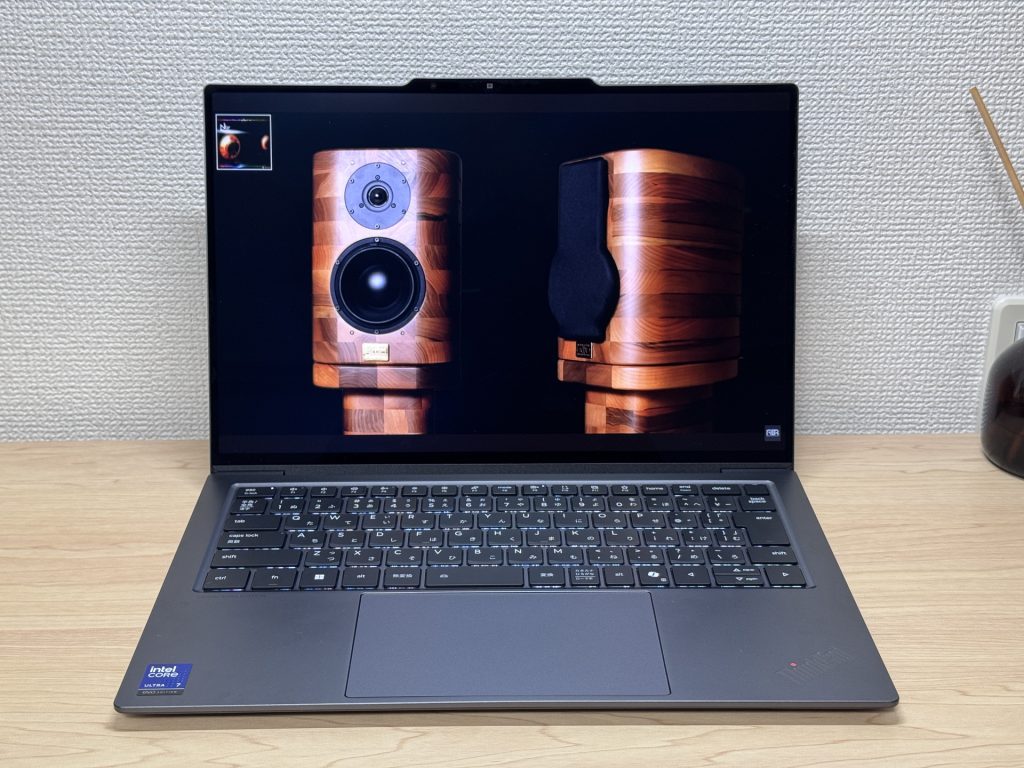 Better low-end than you'd expect from a slim laptop
Security
Face unlock works well — open the lid and it logs you in before you've even settled into your chair. Very handy in the morning when you just want to get on with things.
The power button doubles as a fingerprint reader, so you can boot and authenticate in one motion. Sleep-to-wake is fast and smooth too — there's no awkward pause waiting for the sensor to catch up.
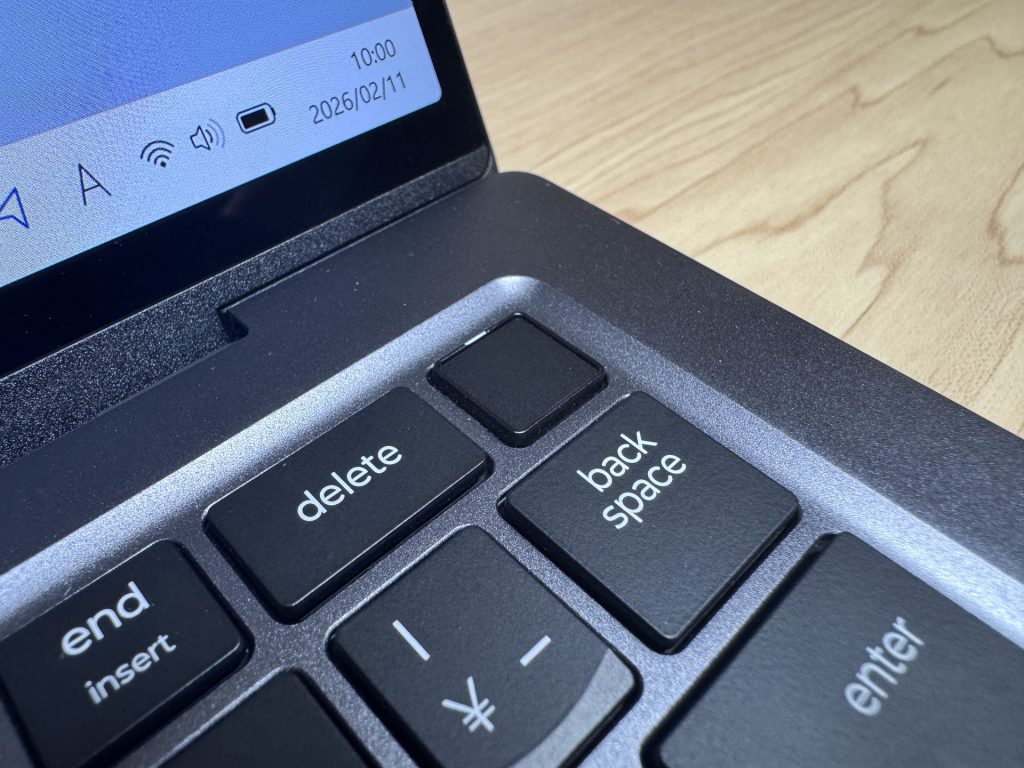 Power button fingerprint reader — boot and log in in one go
Verdict
ThinkPad X9 14 Gen 1 Aura Edition(14" Intel) is about as complete a mobile laptop as you'll find right now. It's light, the OLED display is genuinely lovely, the keyboard is a pleasure to type on, and the battery holds up through a full day without drama. Honestly, the limited port selection and the potential coil whine under dual-monitor use are real drawbacks — if you rely on lots of peripherals, a hub becomes a permanent fixture. And the price puts it firmly in the "considered purchase" bracket.
But if what you want is a daily driver that excels at being carried around, used all day, and looked at for hours — this one's hard to argue with.
✅ Worth a look if you…
- Carry your laptop with you every day
- Want to get through the day without hunting for a socket
- Watch a lot of video or work with images
- Write a lot — reports, essays, long-form work
⚠️ Worth thinking twice if you…
- Use lots of peripherals — a USB-C hub will be essential
- Need serious GPU power for gaming or video editing — the integrated graphics won't cut it
Build quality, performance, and battery life — the full package in a remarkably light machine.
Where to Buy
* Prices may vary. Please check each store for the latest price and availability.
About the author