ZippyScore
ZippyScore is a proprietary rating based on 6 criteria: performance, portability, display, battery, value, and connectivity.
See rating criteria
- Performance: CPU / GPU performance
- Portability: Screen size & weight
- Display: Panel type, aspect ratio & refresh rate
- Battery: Rated battery life
- Value: Specs-to-price balance
- Connectivity: Port types & count
Pros & Cons
Pros
- Under 1.4 kg makes it comfortable to carry to work or uni every day
- 16 GB+ of RAM keeps multitasking smooth
- Plentiful ports mean no USB-C hub needed
- 16:10 display gives more vertical workspace — noticeably less scrolling
- Face recognition makes logging in nearly instant
Cons
- Shallower key travel makes prolonged typing sessions less comfortable
- Fan noise becomes noticeable under sustained heavy workloads
Specs Summary
| OS | Windows 11 Home |
|---|---|
| CPU | AMD Ryzen 5 8640HS (PassMark: 19,902) AMD Ryzen 7 8840HS (PassMark: 24,834) |
| RAM | 8GB / 16GB |
| Storage | 512GB |
| Display | 14" IPS (Anti-glare, 60Hz) 1920x1200 (16:10) |
| Weight | 1.39 kg (3.06 lbs) |
| Ports | USB-A × 2 (5Gbps), USB-C × 1 (5Gbps/PD/Video out), HDMI × 1, Headphone jack × 1, SD card × 1 |
| GPU | AMD Radeon 740M (G3D Mark: 2,974) AMD Radeon 780M (G3D Mark: 6,850) |
| Biometrics | Face Recognition |
| Battery | Up to 17 h (Capacity: 50 Wh) |
| Dimensions | Approx. 314.4 × 222.1 × 16.9 mm (W × D × H) |
| Wi-Fi | Wi-Fi 6 |
| Bluetooth | Bluetooth 5.3 |
| Color | Grey |
Configurations vary by retailer, region, and availability.
Hands-on Review
Here’s a closer look at the IdeaPad Slim 3 Gen 10 (14-inch AMD). This is the configuration I tested:
| Spec | Review unit |
|---|---|
| CPU | AMD Ryzen 5 7535HS |
| Memory | 16 GB |
| Storage | 512 GB SSD |
| Display | 14.0-inch IPS (1920×1200, 60 Hz) |
| Graphics | AMD Radeon 660M |
| Colour | Luna Grey |
※ Specs may vary depending on region and retailer.
Design
The review unit came in Luna Grey — understated and professional-looking. Whether you’re in a café or sitting in lectures, it fits right in. Honestly, I went in expecting budget-tier cheap and was pleasantly proved wrong. The lid texture is surprisingly decent — not far behind what you’d find on a mid-range laptop.
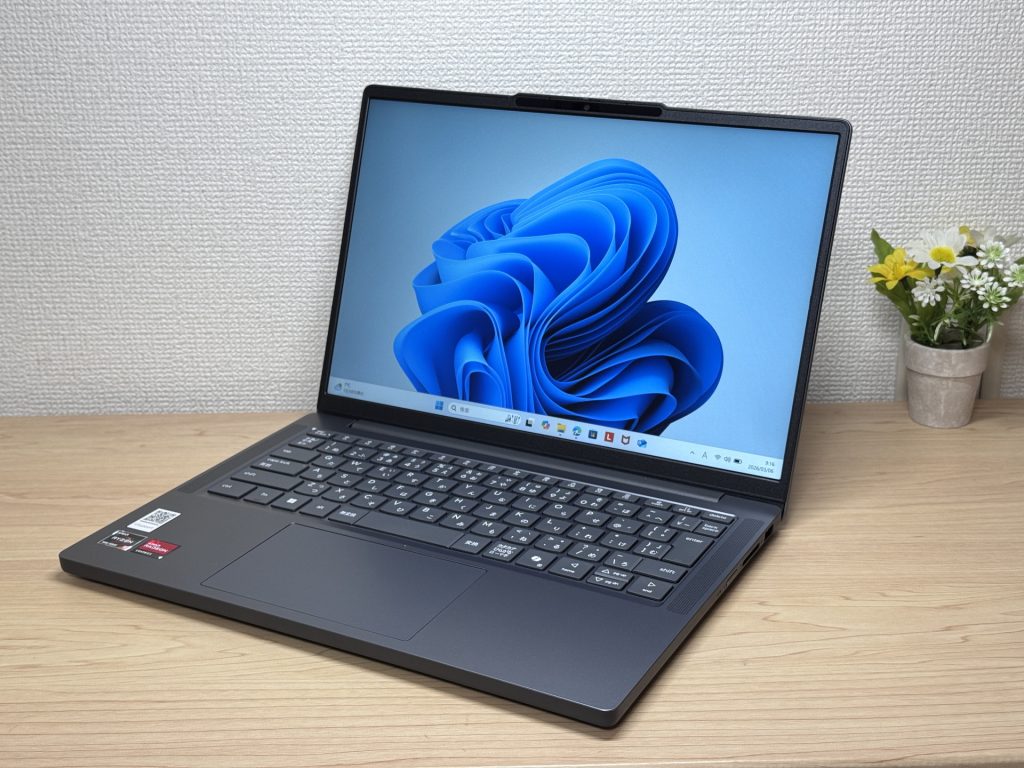 Luna Grey — tidy, professional look
That said, you can tell where the cost was trimmed. There’s a fair amount of plastic involved, and it’s not exactly hidden. Whether that bothers you depends entirely on how much you care — most people won’t give it a second thought.
The matte lid finish keeps fingerprints under control — same polished result you’d get on pricier options.
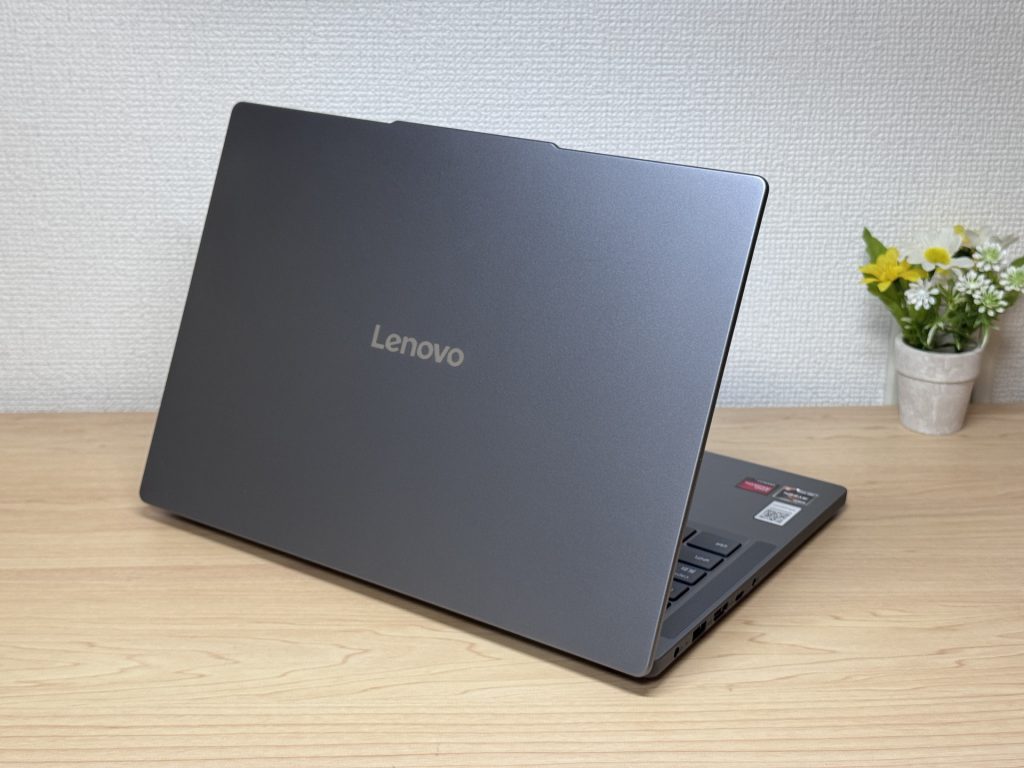 Matte lid keeps fingerprints at bay
The thickness is standard — not ultra-thin, but it slips into a rucksack without any bother.
 Standard thickness, packs away neatly
The underside is noticeably plastic — that’s where the budget shows most clearly. Interestingly though, the rubber feet are solid and grippy. Unlike a lot of lighter laptops where the machine slides around during typing, this one stays put. Small thing, genuinely useful.
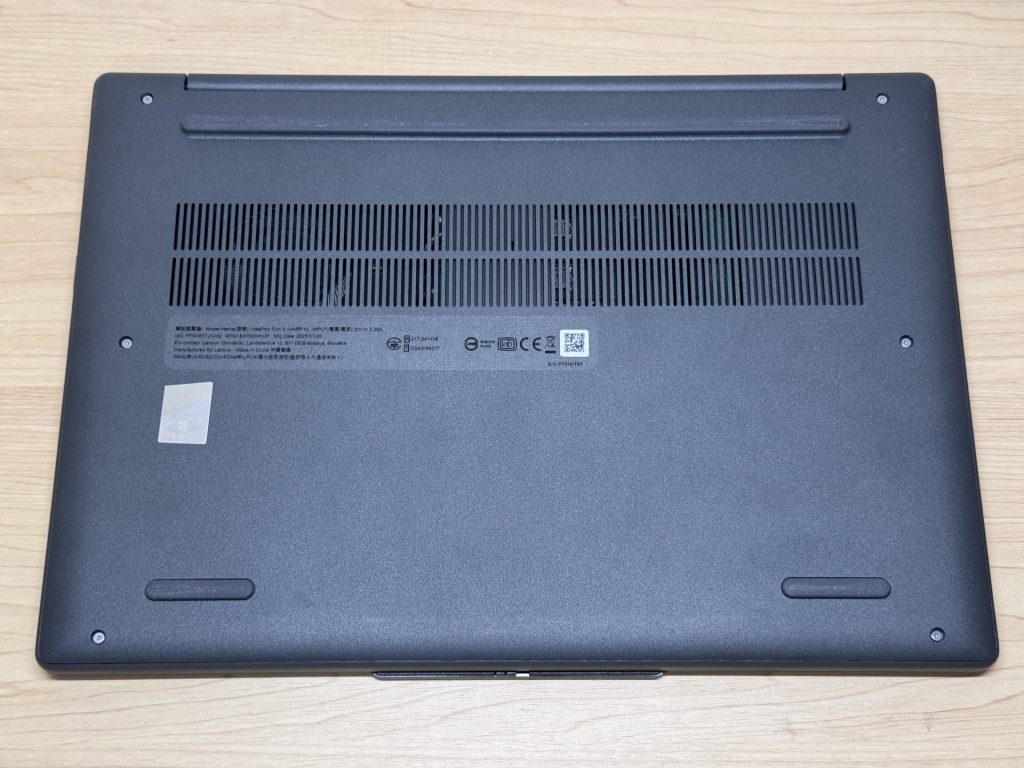 Rubber feet grip surprisingly well
The slight bump around the webcam hinge means you can flip the lid open one-handed — no nail-biting required.
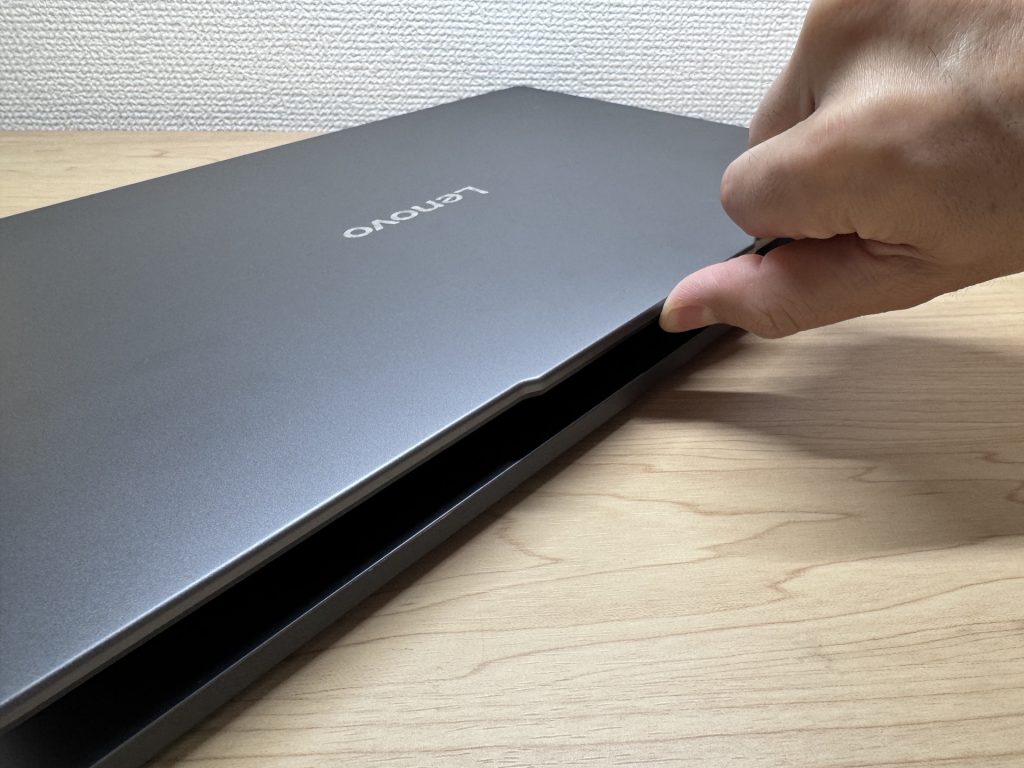 Easy one-finger lid opening
Portability
Measured weight: 1,397 g — just under 1.4 kg. Given all that plastic, you might expect it to be lighter, but it’s comfortably within the range you’d carry to work or uni every day without complaint.
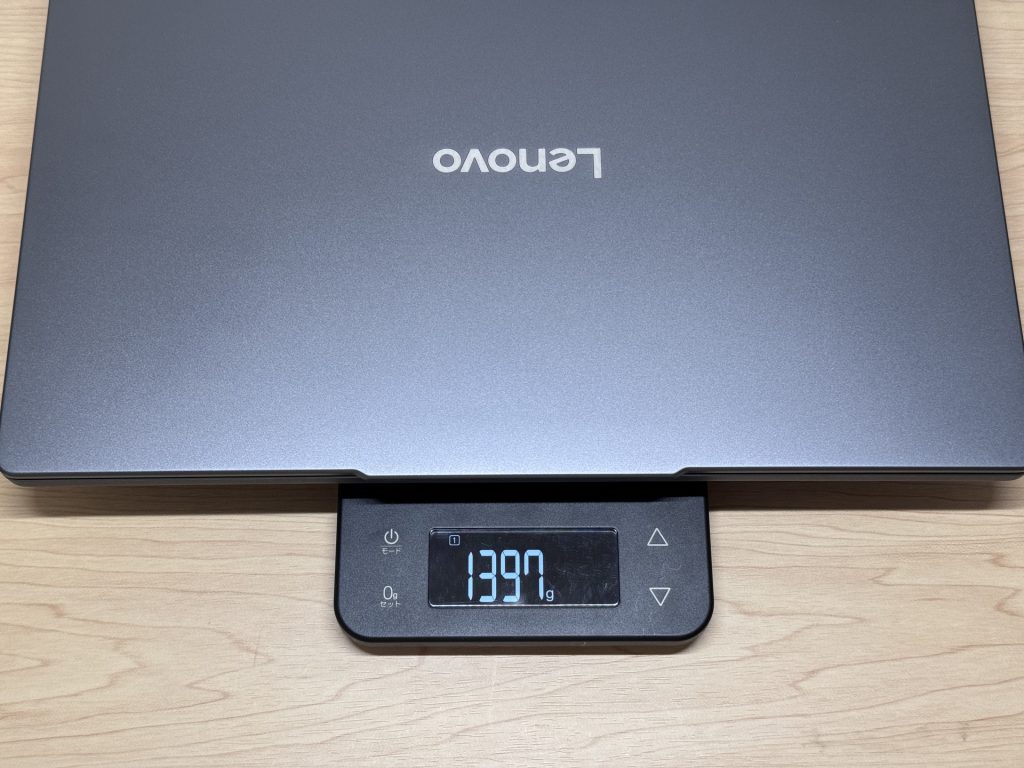 Measured at 1,397 g
The bundled charger, however, clocks in at 310 g — heavier than average. Since this laptop supports USB-C charging, swapping in a compact lightweight USB-C charger makes a real difference to what you’re lugging around.
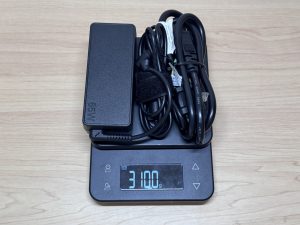 Bundled charger weighs 310 g
One-handed carry does feel a bit weighty — but bagged and on your shoulder, it’s absolutely fine.
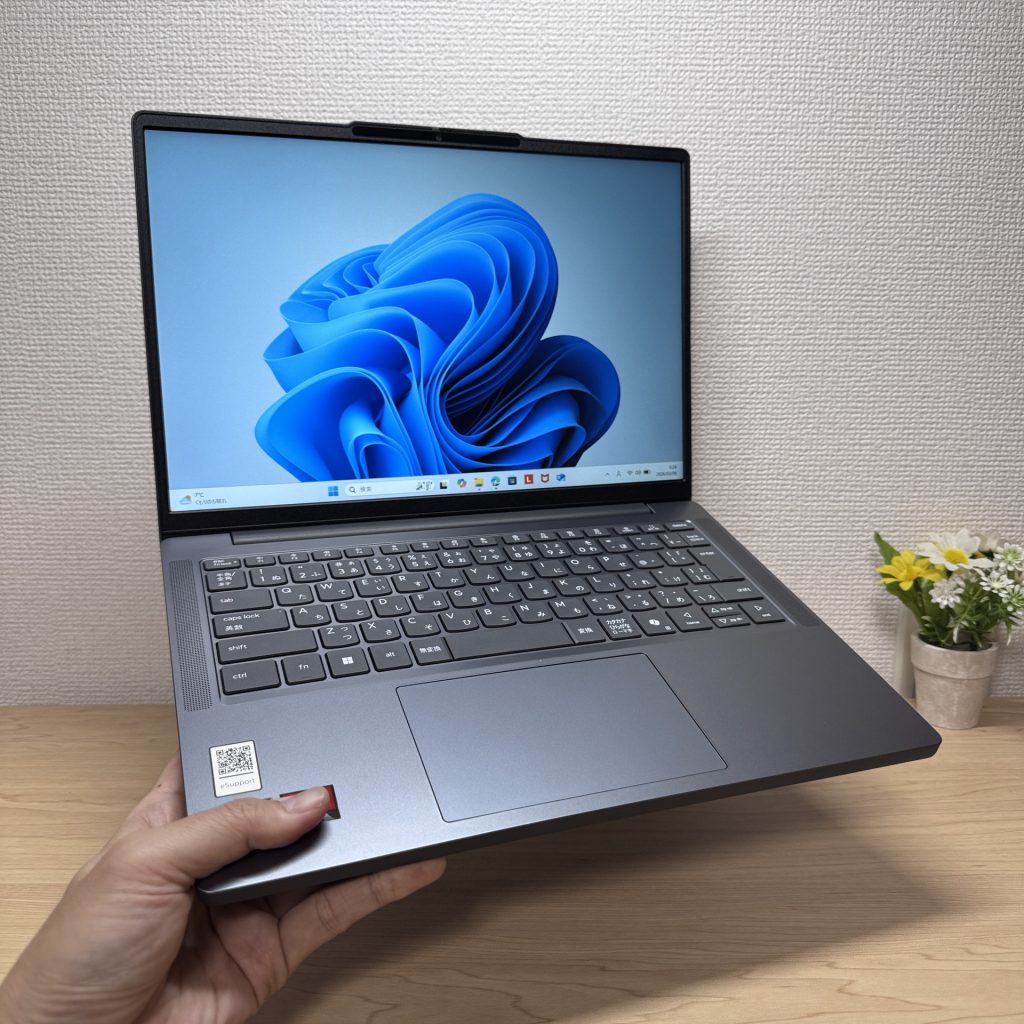 Slightly heavy in one hand
Display Quality
It’s an IPS panel, so viewing angles are reasonable — but honestly, this feels like a budget IPS. There are levels to IPS quality, and this is towards the lower end. It can seem a touch dim, and readability outdoors or near a bright window needs a bit of attention.
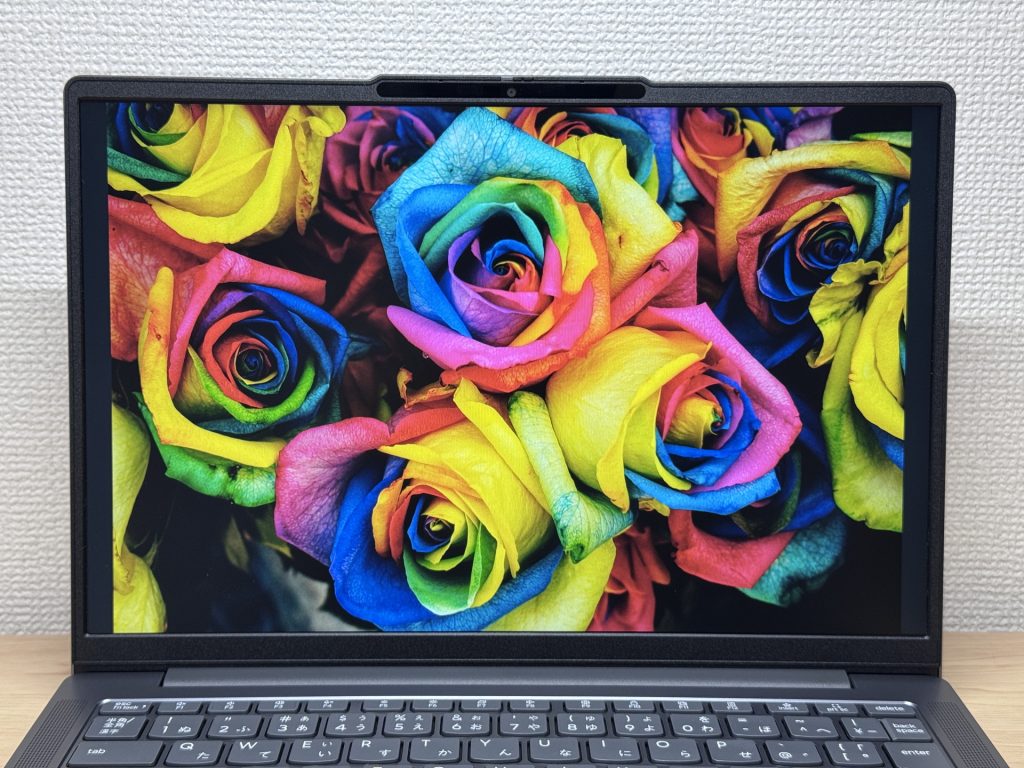 IPS display — a touch dim for the price
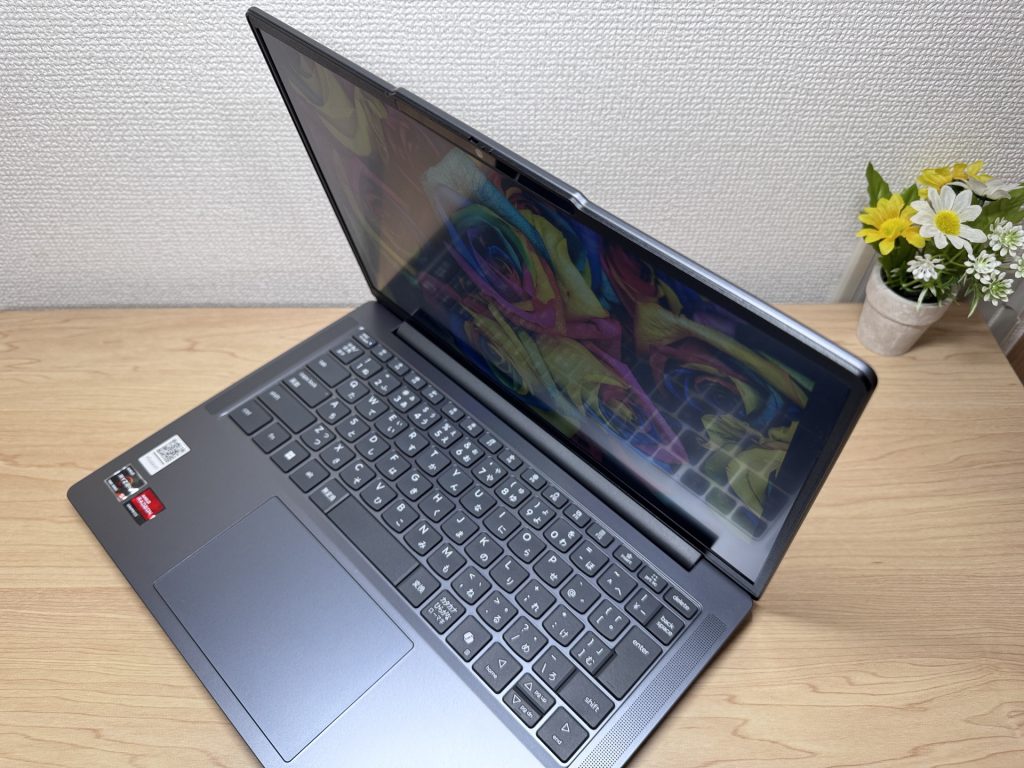 Viewing angles are acceptable
No touchscreen — typical at this price point.
The slim bezels look good, and the 16:10 aspect ratio is a practical improvement over 16:9. That extra vertical screen space cuts down on scrolling through documents and web pages in a way you don’t fully appreciate until you go back to 16:9.
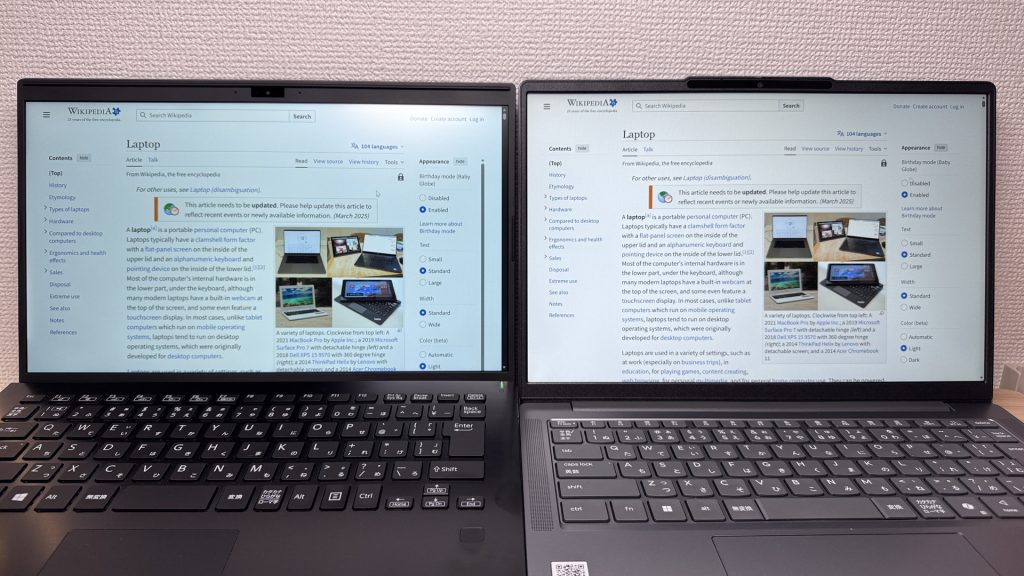 16:10 ratio gives extra vertical workspace
The matte (non-glare) panel surface is a genuine win — reflections are minimised, so the screen stays readable near windows or in bright rooms.
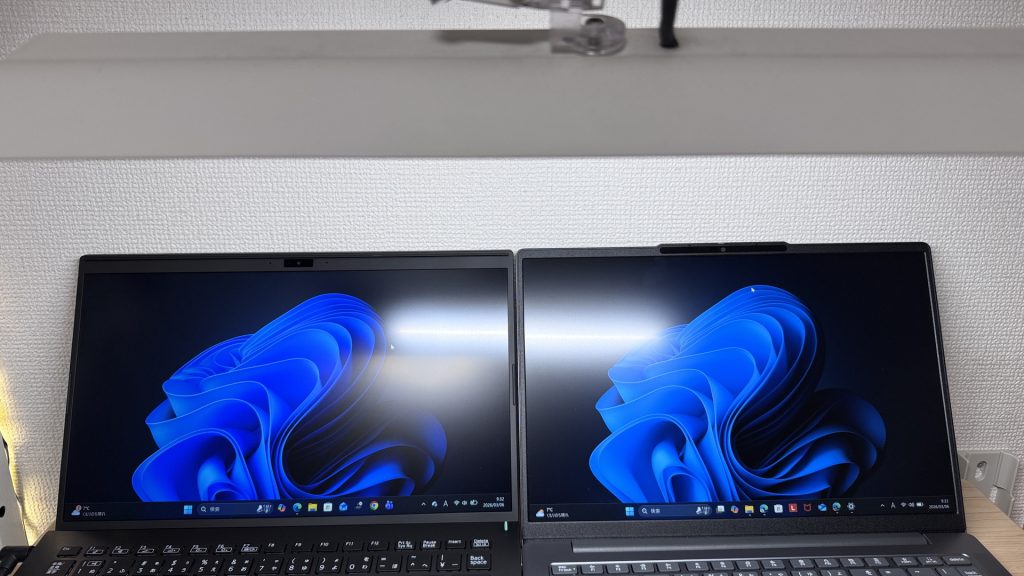 Matte panel keeps reflections to a minimum
Keyboard Feel
The layout is broadly standard — a few slight quirks from the international keyboard design, but nothing that will slow you down coming from any other laptop.
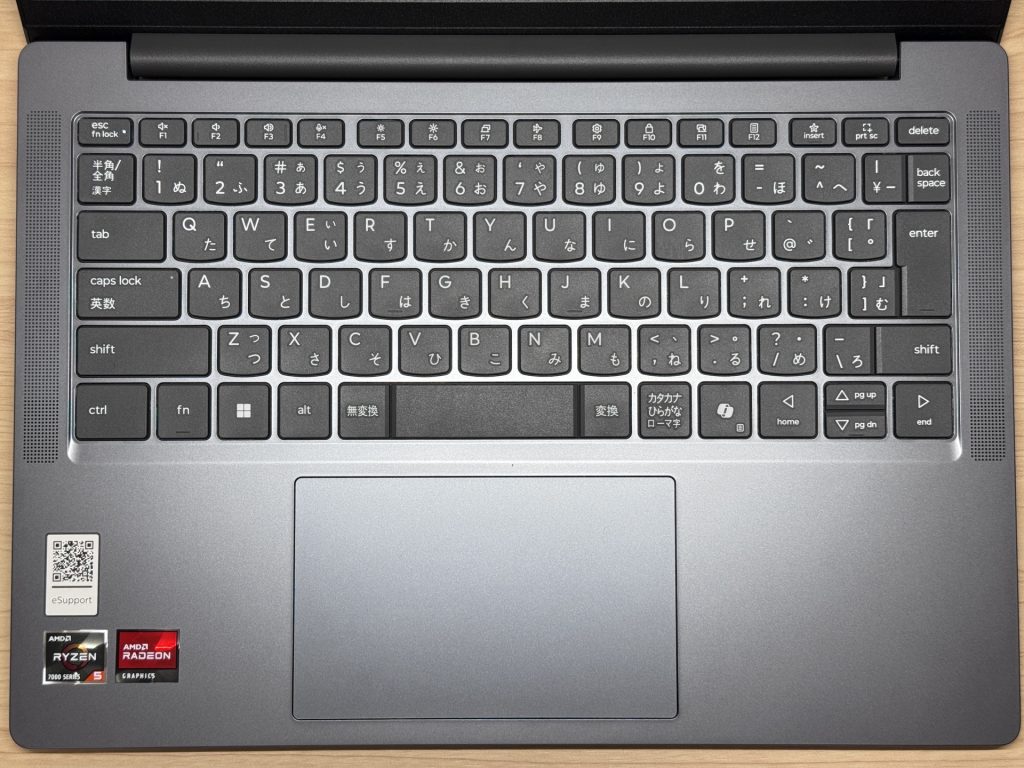 Standard layout, fine for everyday use
Typing feel is honestly lower-mid at best. There’s a plasticky quality to the keys you notice compared to, say, the IdeaPad 5 series — no soft texture, more hollow feel. It’s not unpleasant, just not premium. For normal everyday use it’s absolutely fine; I’d only call it out because I compare keyboards for a living.
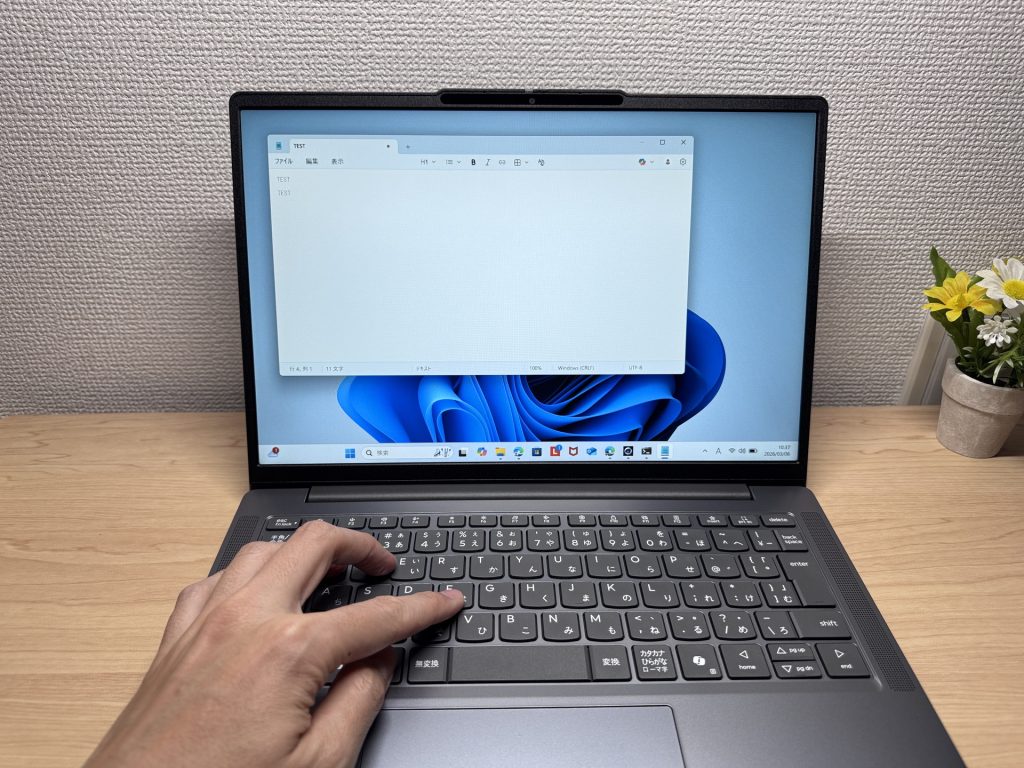 Keyboard feel is functional but not exceptional
No keyboard backlight. If you regularly work in dim conditions — evening sessions, hotel rooms, dim cafés — this is worth bearing in mind. Clear cost trade-off.
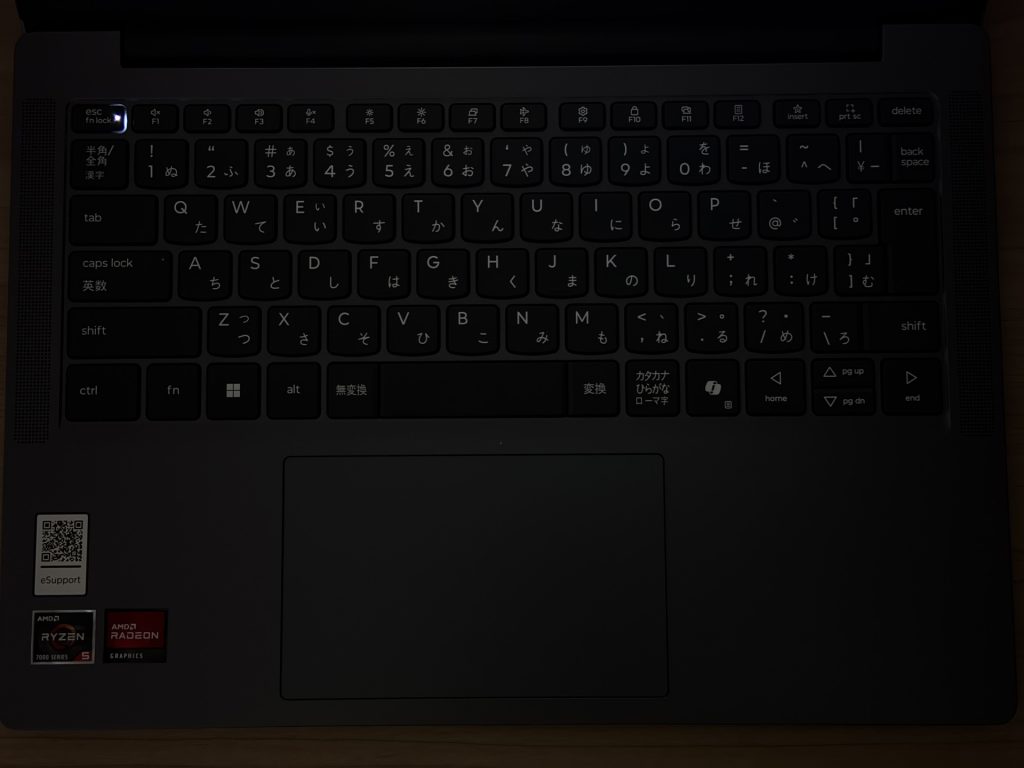 No backlight — worth noting
Trackpad
The trackpad glides nicely and has a generous surface area. Going mouse-free is comfortable — you’d manage fine even if you forgot to pack one. The upper area is stiffer to click (standard for this type), while the lower section has a satisfying click — though it’s on the louder side. In a quiet library or meeting room you’d notice it. Not a dealbreaker unless you’re constantly clicking.
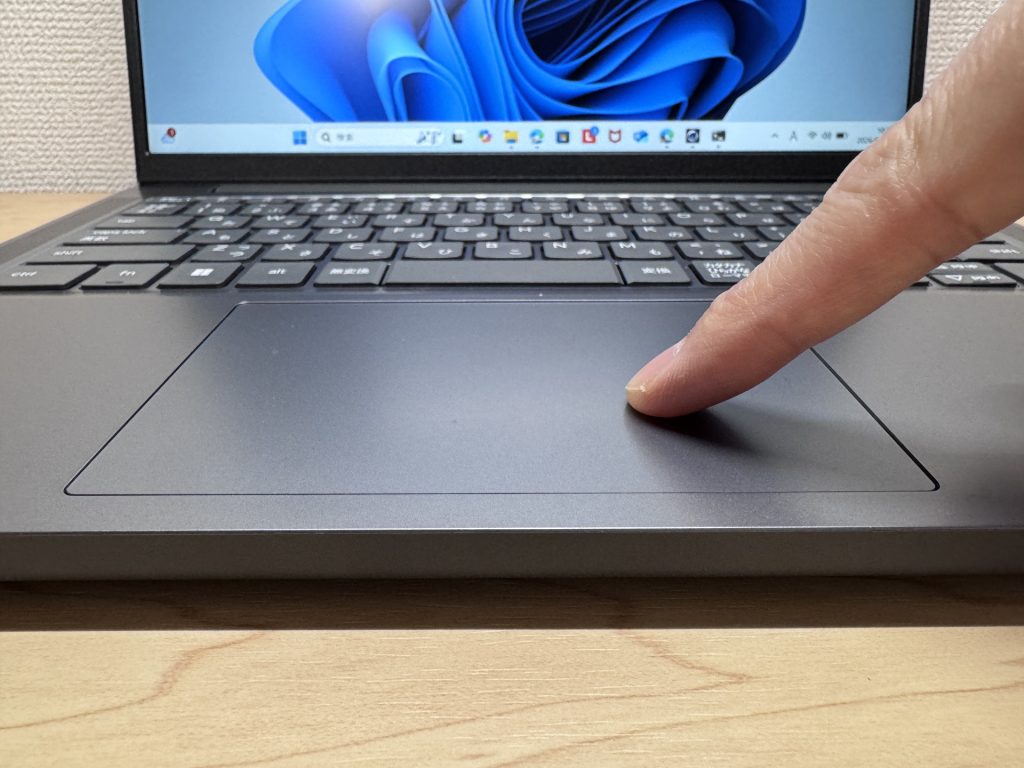 Large, smooth trackpad
Three-finger gestures for app switching work well — MacBook-esque workflow once you’ve settled in. Window management flows smoothly.
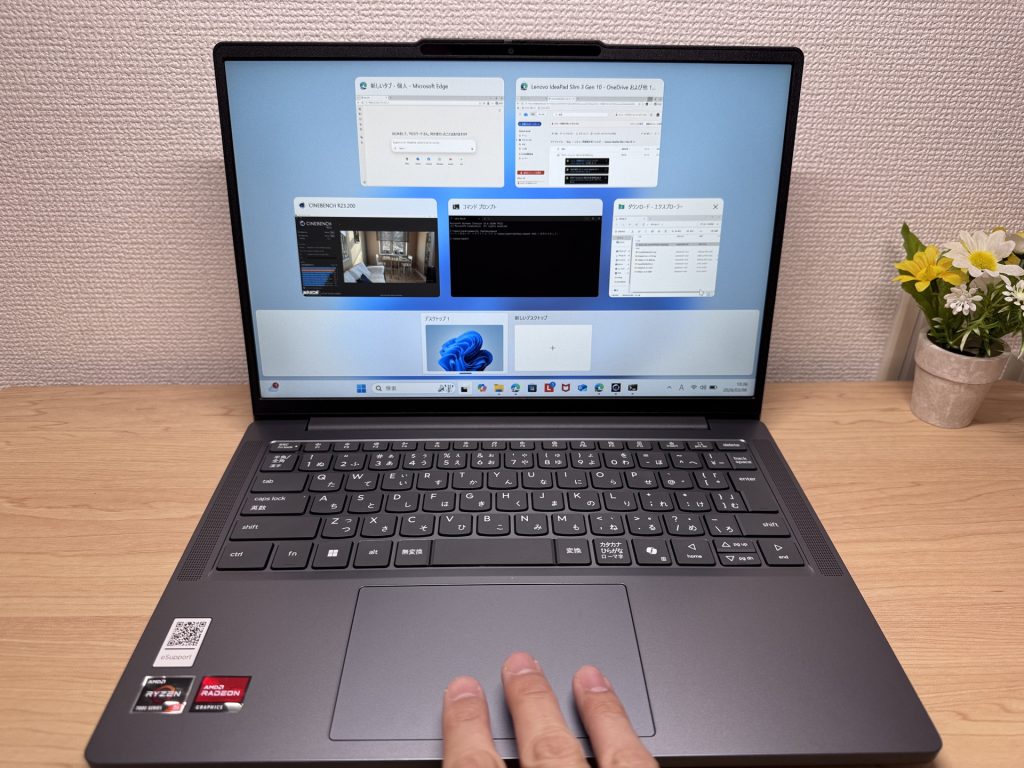 Gesture controls are comfortable
Performance
PCMark 10 overall score: 5,682.
Day-to-day use is smooth — work, study, online meetings all handled without issue. Multiple tabs open, documents side by side — no noticeable lag.
| Total Score | Rating | What it feels like in real use |
|---|---|---|
| ~4,000 | Bare minimum | Web browsing and simple tasks work, but multitasking or many tabs feels sluggish. |
| 4,000–5,000 | Light use | Daily tasks are doable, but running multiple apps means waiting around. |
| 5,000–6,500 | Comfortable (mainstream) This PC | Handles most work without stress — fine for office, school, video calls. |
| 6,500–8,000 | High performance | Plenty of headroom. Light photo editing and programming feel snappy. |
| 8,000+ | Very high performance | Tackles video editing and heavy workloads. Long-lasting performance. |
*PCMark 10 reflects overall comfort. Actual feel depends on CPU, RAM, and SSD speed.
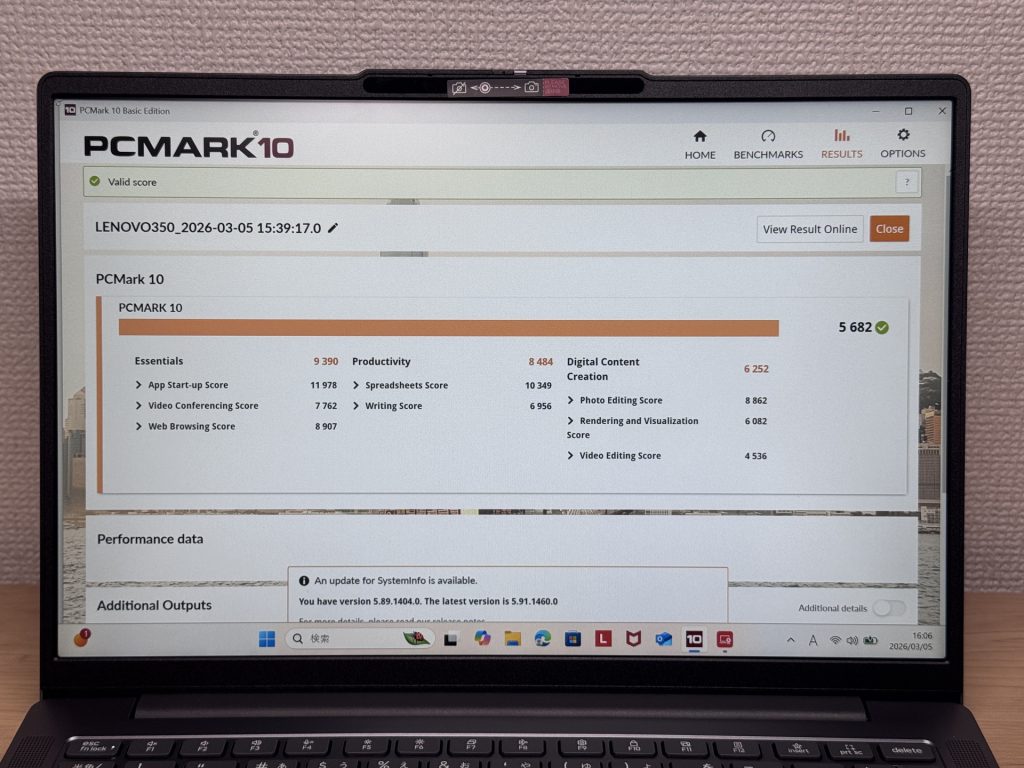 PCMark 10 results
Cinebench Multi-Core: 7,300 — respectable for the class, though a step behind the IdeaPad 5 series.
| Score | Rating | What it feels like in real use |
|---|---|---|
| Up to 4,000 | Bare minimum | Web browsing and Office work, but heavier or parallel tasks feel underpowered. |
| 4,000–7,000 | Light use | Daily use is fine, but photo editing and heavier work mean waiting. |
| 7,000–10,000 | Comfortable (mainstream) This PC | Office, school, video calls, light image editing — handles it all comfortably. |
| 10,000–15,000 | High performance | Multiple apps, programming, moderate editing all feel responsive. |
| 15,000+ | Very high performance | Plenty of headroom for video editing and heavy multitasking. CPU rarely a bottleneck. |
*Cinebench R23 measures CPU multi-core performance — a useful proxy for heavy work like gaming and video editing.
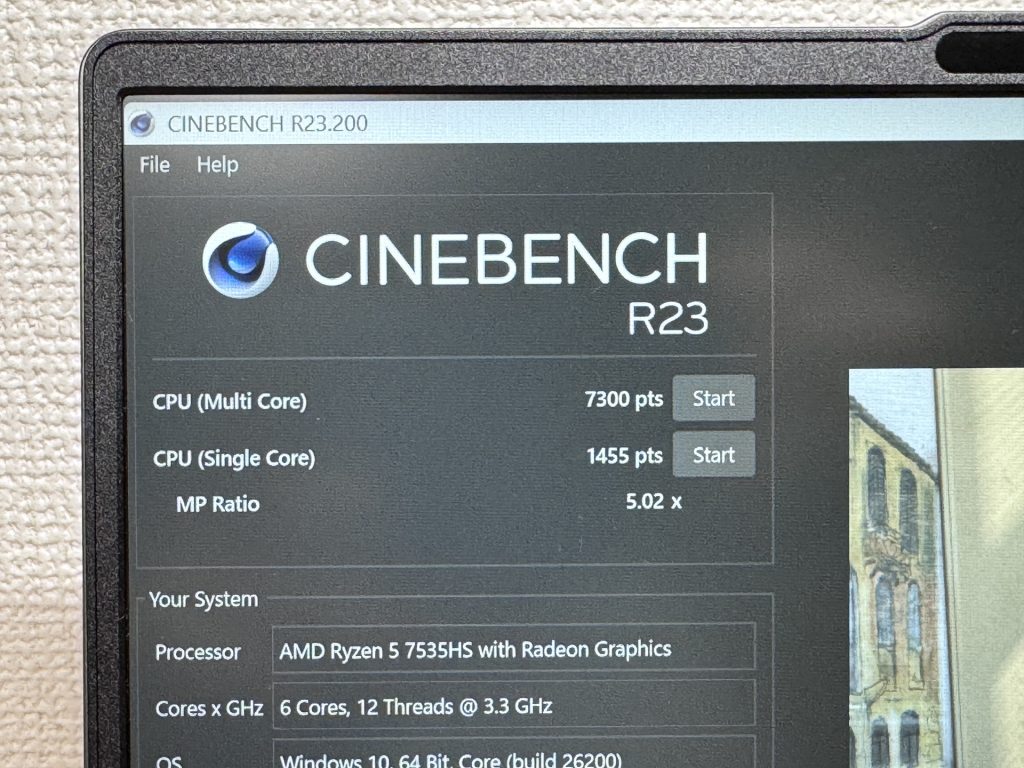 Benchmark test in progress
3DMark Steel Nomad Light: 1,393. The integrated GPU (Radeon 660M) won’t handle demanding games or serious video editing, but everyday tasks and lighter creative work are handled without issue.
| Score | Rating | What it feels like in real use |
|---|---|---|
| Up to 400 | Bare minimum | 3D performance is quite limited. Not really suited for gaming. |
| 400–900 | Light 3D | Lighter games and low-load 3D processing work. |
| 900–1,500 | Average (mainstream) This PC | Standard for integrated GPUs. Light to medium games playable with right settings. |
| 1,500–2,200 | High performance | Strong for an integrated GPU. Games and 3D work feel comfortable. |
| 2,200+ | Very high performance | Top-tier 3D performance for thin laptops. Real graphics headroom. |
*3DMark Steel Nomad Light targets thin laptops and integrated GPUs. Score range differs from Time Spy, so direct comparison isn't valid.
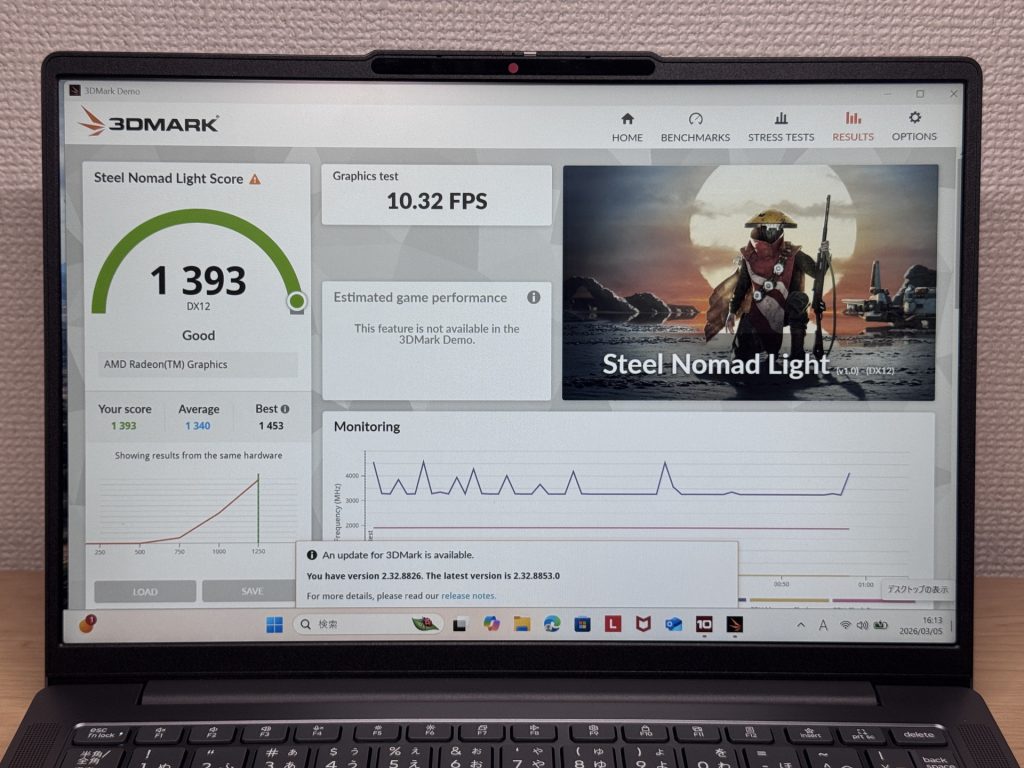 3DMark Steel Nomad Light results
SSD speeds: Read 6,317 MB/s, Write 4,242 MB/s — fast. App launches and file saves are snappy.
| Score | Rating | What it feels like in real use |
|---|---|---|
| Up to 600 MB/s | Bare minimum | Faster than HDD, but slow for modern SSDs. App launches feel slightly slow. |
| 600–1,500 MB/s | Average | Fine for daily use, though loading is noticeably slower than top-tier SSDs. |
| 1,500–3,500 MB/s | Comfortable (mainstream) | App launches and file loading feel smooth. No real complaints in daily use. |
| 3,500–5,500 MB/s | Fast | Loads large data and apps quickly. Definitely upper-tier SSD speed. |
| 5,500+ MB/s | Very fast This PC | High-end NVMe territory. Heavy data work without waiting. |
*CrystalDiskMark measures SSD speed. It mainly affects app launch and file loading speed, not overall PC performance.
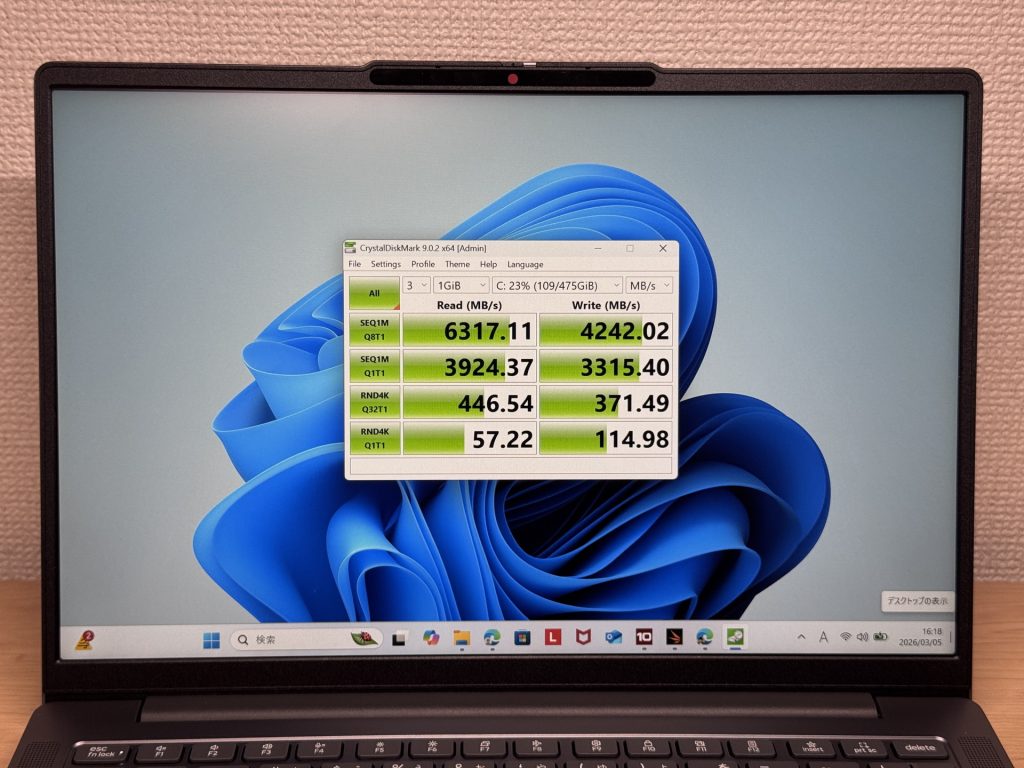 Storage speeds are fast
Battery Life
Battery rating: Long
Around 50 Wh capacity. The Ryzen H-series chip draws a little more power, but the IPS 60 Hz display helps offset that. The rated 17-hour figure is encouraging — in real everyday use, getting through a full working day away from a socket is very much achievable. Brightness and workload both affect real-world figures, so keep that in mind.
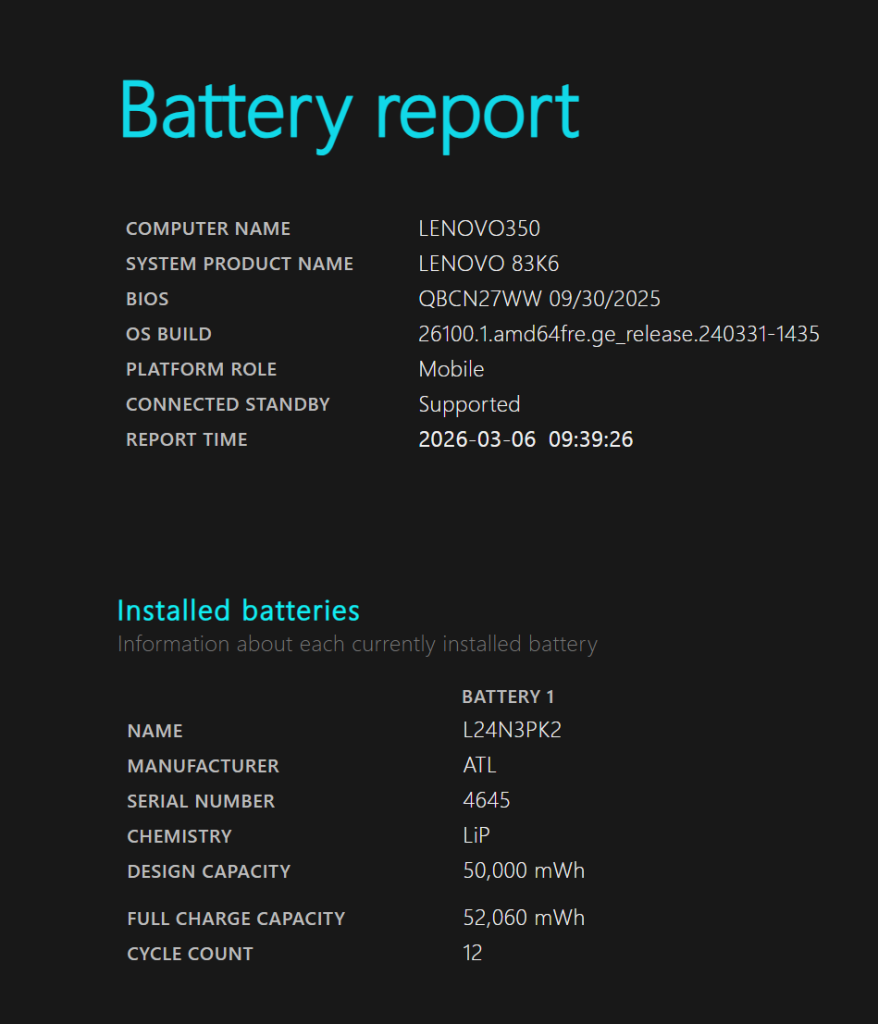 Battery report
USB-C charging is supported, so you don’t need to carry the 310 g bundled charger. A compact USB-C option is all you need and makes a real difference to bag weight.
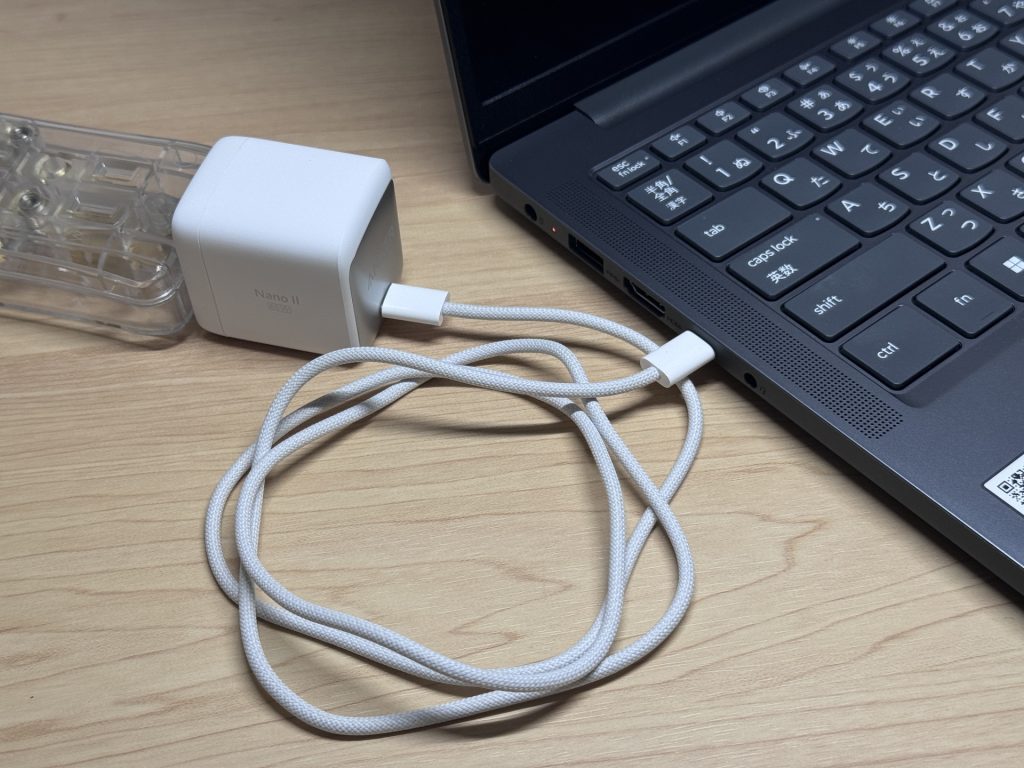 USB-C charging supported — a compact charger is all you need
Fan Noise & Heat
At idle: 21.8 dB — near-silent. You won’t hear it in a quiet room.
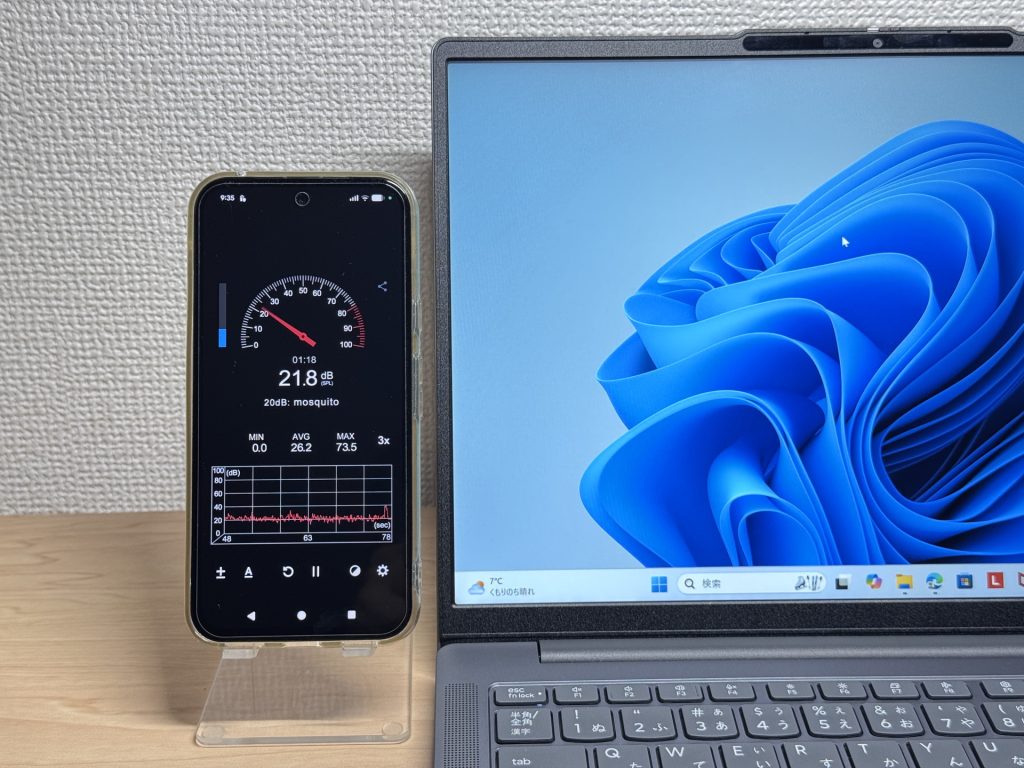 Near-silent at idle
Under load: 32.3 dB. You’ll hear it — but it’s not aggressive. It’s the cooling doing its job. Sustained heavy workloads are where it becomes more noticeable.
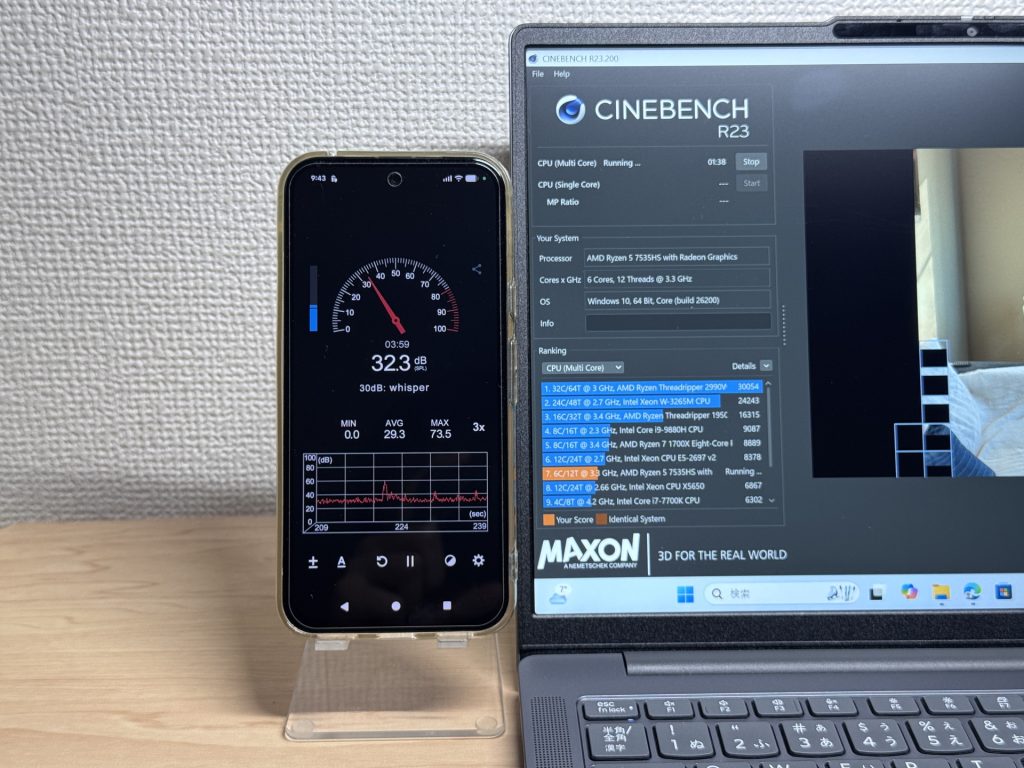 32.3 dB under load
The exhaust vent is at the rear, so warm air doesn’t blow over your hands during long sessions. Sensible design.
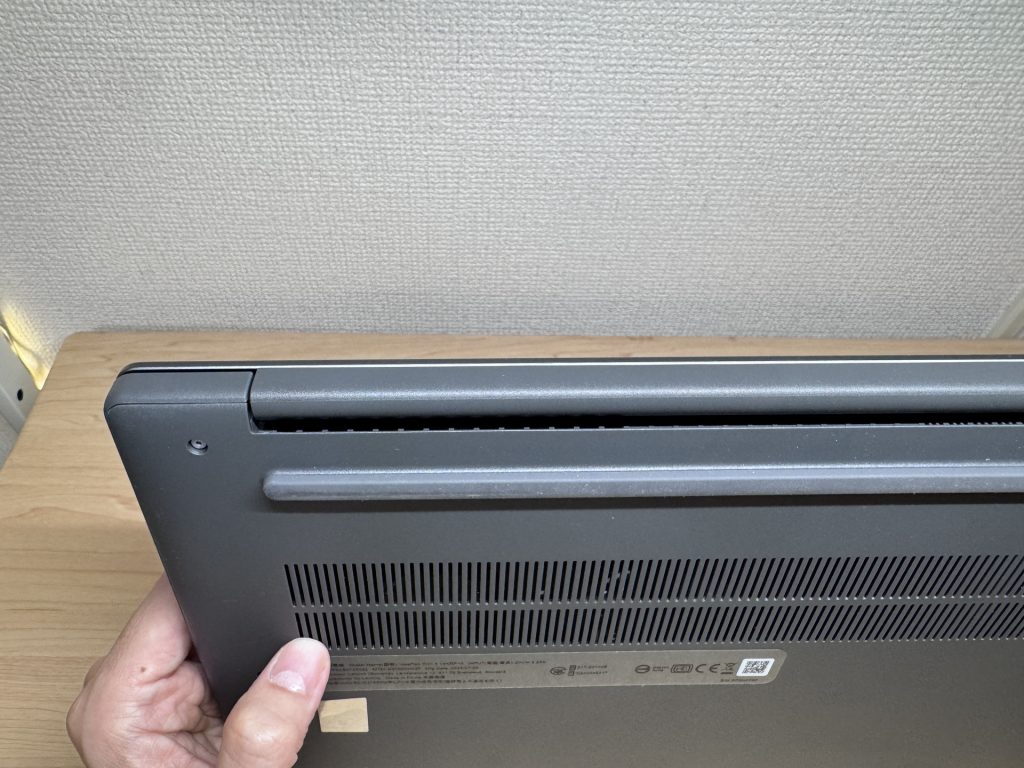 Rear exhaust keeps your hands comfortable
Ports
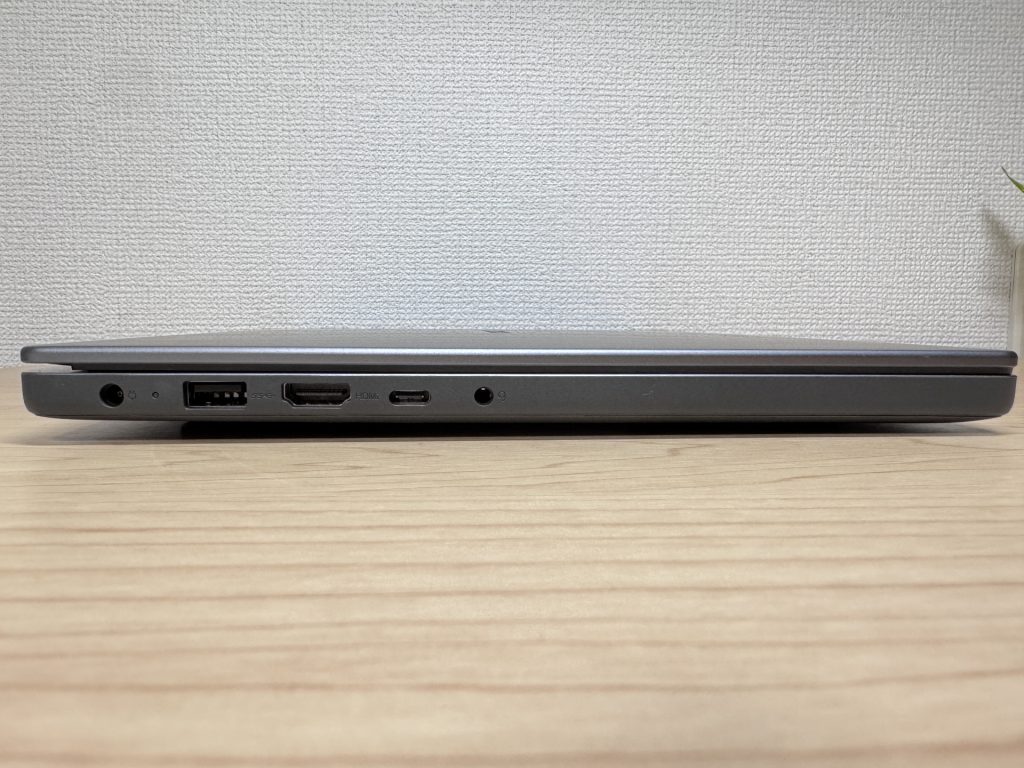
Port selection is excellent: HDMI × 1, USB 3.2 Gen 1 Type-A × 2, Type-C × 1, and a 4-in-1 SD card slot. For most people, a USB-C hub is completely unnecessary — a genuine daily convenience.
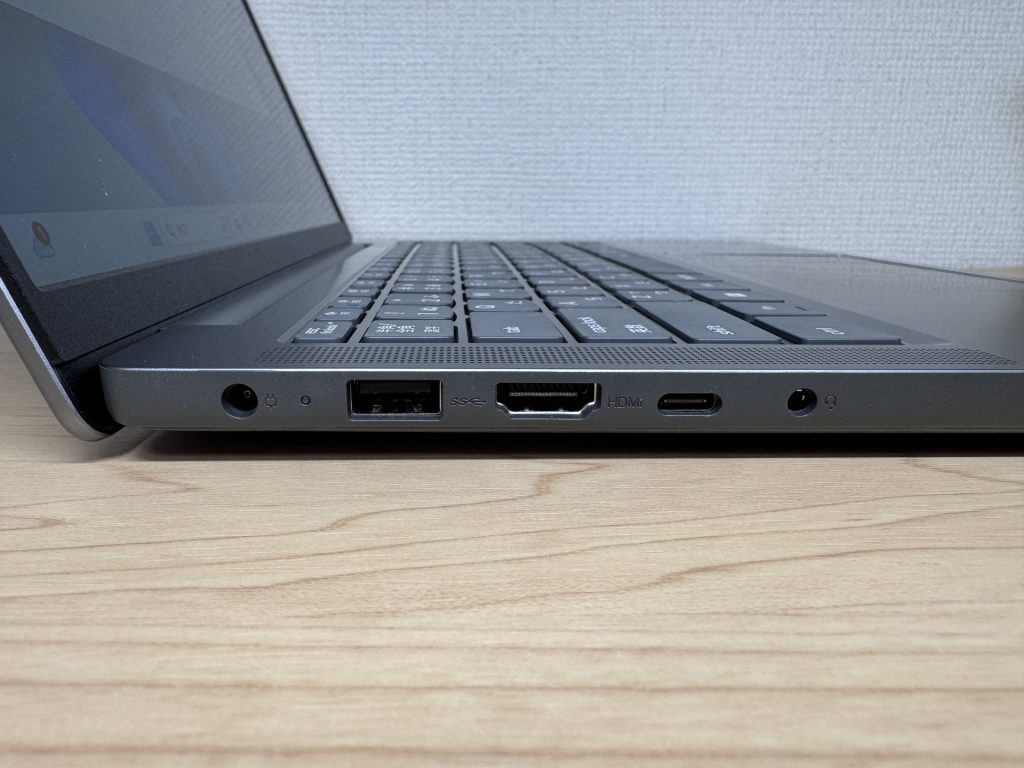 Left-side ports
 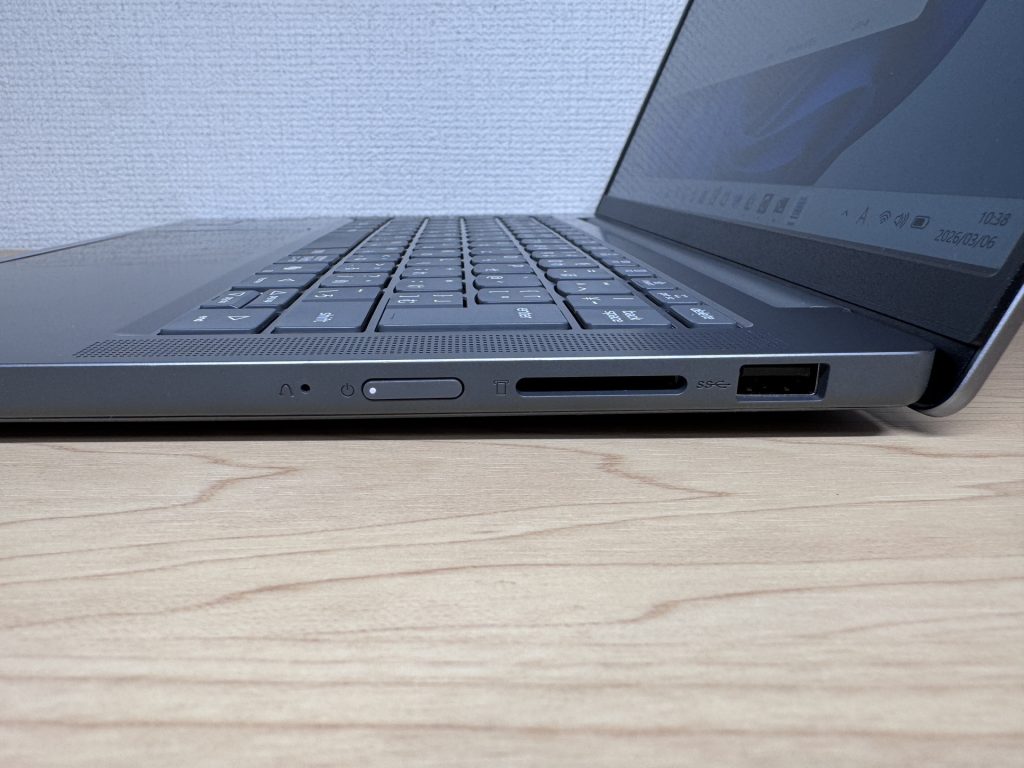 Right-side ports
4K output via HDMI works without a hitch. Use it standalone on the go, then dock it to a large screen at home or in the office.
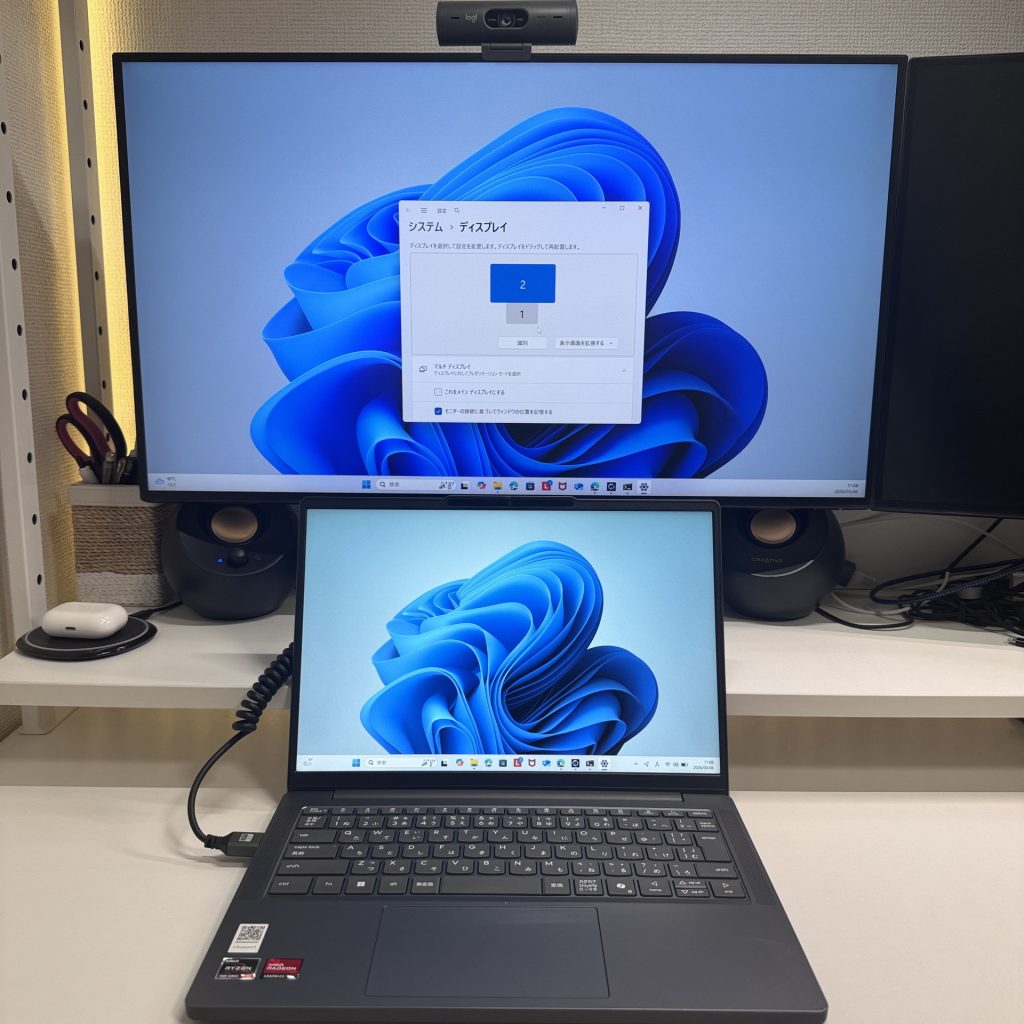 4K output via HDMI works well
You can combine HDMI and USB-C for a triple-monitor setup with two 4K displays. Excellent for productivity.
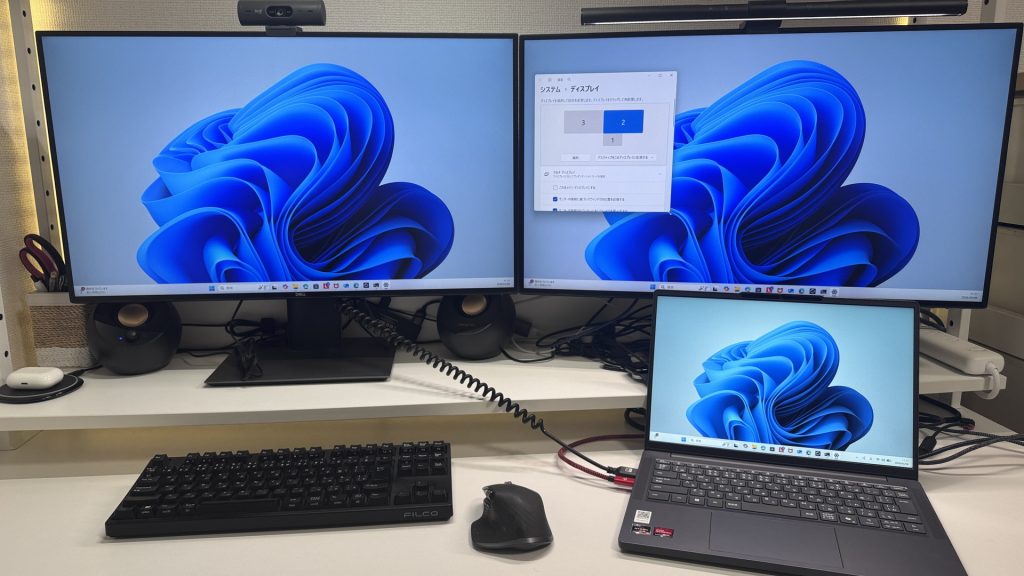 Triple monitor setup is possible
The SD card does protrude a fair bit when inserted — not ideal if you leave it in while carrying the laptop. Handy for photo imports from a camera, though.
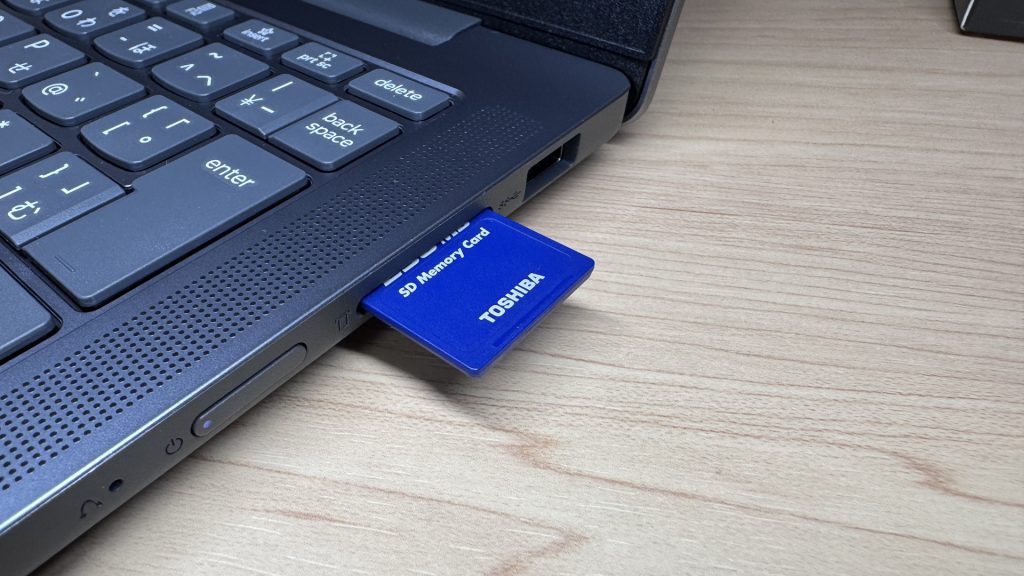 SD card protrudes a bit when inserted
Webcam
The built-in camera is solid for video calls — natural colour, clear enough picture. Zoom meetings and online lectures are handled without issue.
 Webcam image quality
There’s a physical privacy shutter — properly physical, not a keyboard shortcut. Reliable and reassuring. No second-guessing whether the camera is actually off.
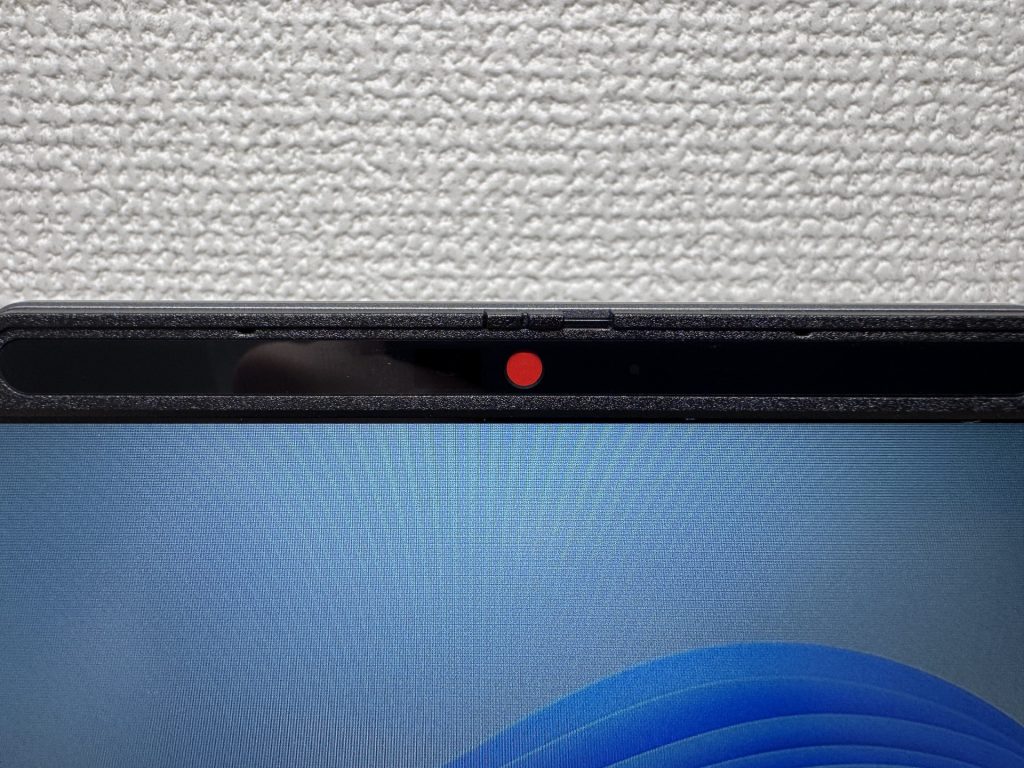 Physical privacy shutter
Speaker Quality
Surprisingly good for a budget laptop. There’s genuine bass — films, videos, and casual gaming all sound noticeably better than you’d expect. It was a genuine ‘wait, really?’ moment.
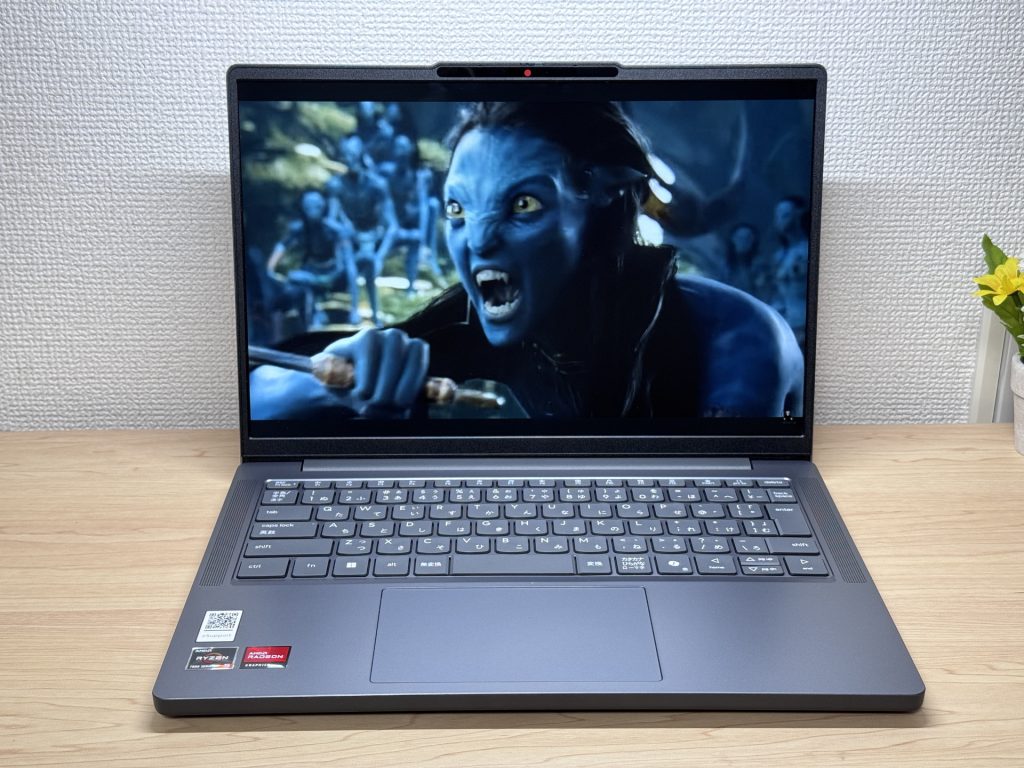 Speaker quality is a pleasant surprise
Security
Face recognition is fast. Really fast — almost before the lid is fully open, you’re in. The kind of smooth login experience that makes starting your day feel just a bit easier.
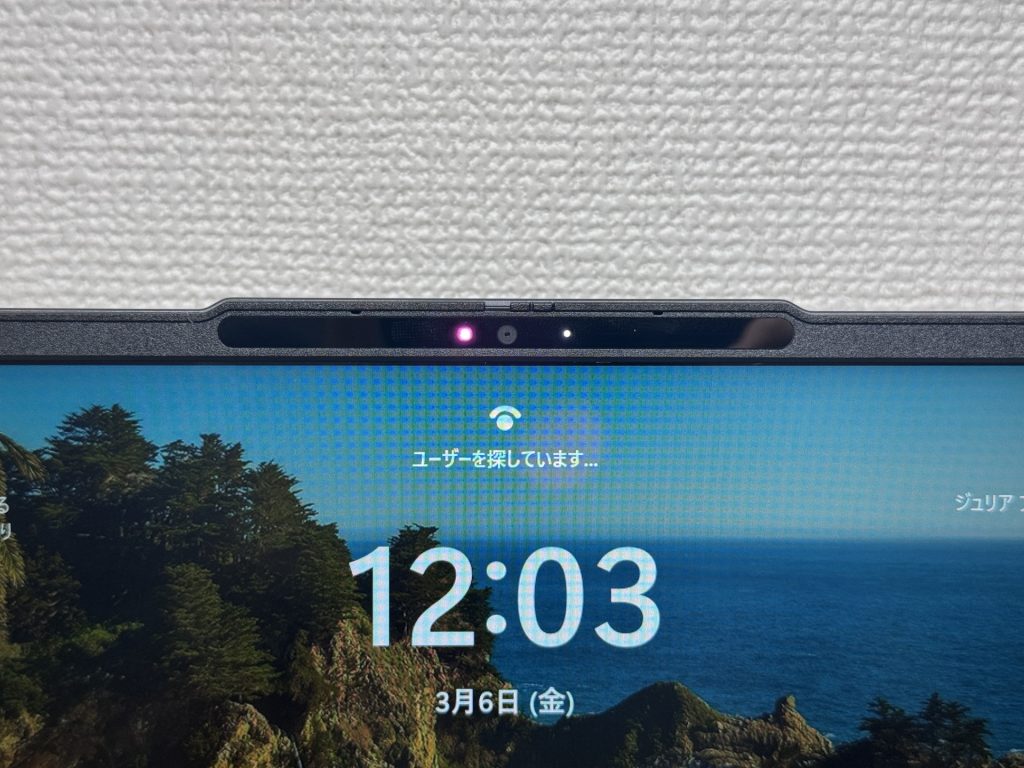 Face recognition — almost instant unlock
Verdict
The IdeaPad Slim 3 Gen 10 is clear about its priorities. The lid quality, port selection, battery life, and face recognition are genuinely good. The keyboard feel, plastic base, and missing backlight are where the budget shows. For everyday work or uni as a daily carry, though, the value is hard to argue with.
✅ Great for
- People who carry their laptop every day
- Anyone who wants smooth browsing and document work
- Those who need to connect to an external monitor quickly in meetings or lectures
- Anyone who wants to log in and get working without faffing about
⚠️ Worth noting
- Not ideal for demanding gaming or heavy video editing
- Heavy typists who care about keyboard quality may find it lacking
The budget 14-inch that holds its own every single day.
Where to Buy
* Prices may vary. Please check each store for the latest price and availability.
Where this laptop ranks



About the author