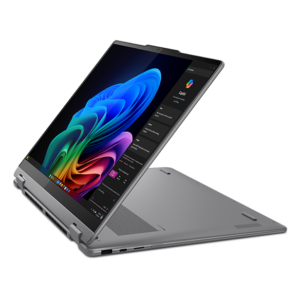
ZippyScore
ZippyScore is a proprietary rating based on 6 criteria: performance, portability, display, battery, value, and connectivity.
See rating criteria
- Performance: CPU / GPU performance
- Portability: Screen size & weight
- Display: Panel type, aspect ratio & refresh rate
- Battery: Rated battery life
- Value: Specs-to-price balance
- Connectivity: Port types & count
Pros & Cons
Pros
- A 16-inch 2-in-1 that stays around 1.77 kg — easy enough to take with you for a big-screen machine
- Core Ultra 5 226V performance handles multitasking without breaking a sweat
- Converts between laptop, tablet and tent modes, plus a bundled pen for extra flexibility
- A 16:10 display gives you plenty of room for documents and web browsing (OLED option available)
- A well-rounded port lineup with dual Thunderbolt 4, HDMI and USB-A
Cons
- It's a Windows machine, so don't expect iPad-level ease in tablet mode
- Memory is soldered (LPDDR5x) and can't be upgraded later, so choose your configuration carefully at purchase
Specs Summary
| OS | Windows 11 Home |
|---|---|
| CPU | Intel Core Ultra 7 258V (PassMark: 18,961) Intel Core Ultra 5 226V (PassMark: 18,095) Intel Core Ultra 7 256V (PassMark: 19,556) |
| RAM | 16GB / 32GB |
| Storage | 512GB / 1TB |
| Display | 16" IPS (Glossy, Touchscreen, 60Hz) 1920x1200 (16:10) 16" OLED (120Hz) 2880x1800 (16:10) |
| Weight | 1.77 kg (3.90 lbs) |
| Ports | USB-C × 2 (Thunderbolt 4/40Gbps/PD/Video out), USB-A × 1 (5Gbps), HDMI × 1, Headphone jack × 1, microSD × 1 |
| GPU | Intel Arc 140V (G3D Mark: 5,133) Intel Arc 130V |
| Biometrics | Face Recognition |
| Battery | Up to 12.9 h (Capacity: 70 Wh) |
| Camera | 5.0 MP |
| Dimensions | Approx. 361 × 257 × 15.85 mm (W × D × H) |
| Wi-Fi | Wi-Fi 7 |
| Bluetooth | Bluetooth 5.4 |
| Color | Grey / Luna Grey |
Configurations vary by retailer, region, and availability.
Feature Review
Design
The Lenovo Yoga 7i 2-in-1 Gen 10 (16 inch, Intel) comes in a muted "lunar grey" that looks right at home whether you're in a café or the office✨. True to the Yoga lineup, it has a build quality that feels a notch above its price point. At 15.85mm thick, it's also impressively slim for a 16-inch 2-in-1.
Open it up and you get a clean, minimal-bezel look that doesn't feel bulky despite the big screen.
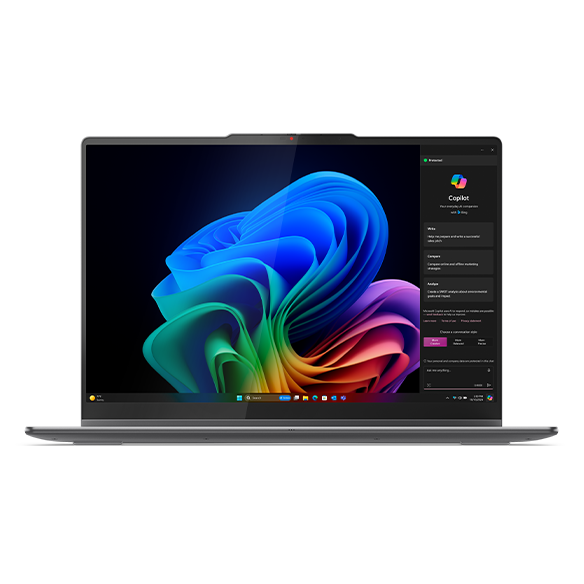 A 16-inch screen that's genuinely good for productivity
The 360-degree hinge shows real attention to detail for a 2-in-1.
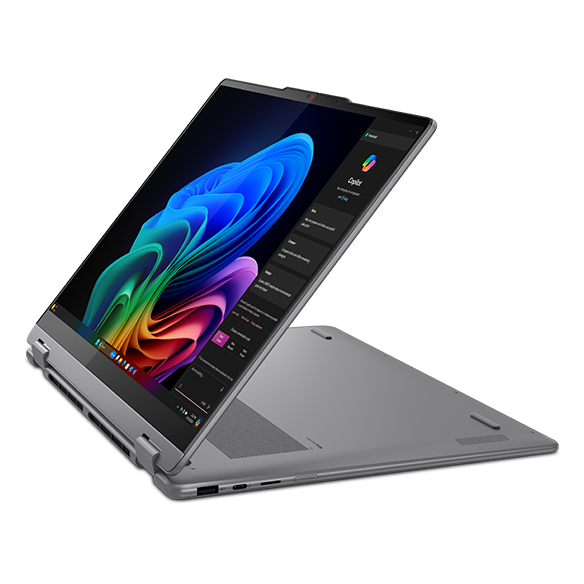 The 360-degree hinge on the back
2-in-1 Versatility
Next up is the biggest selling point of this machine — how well the 2-in-1 form factor actually works. With a full 360-degree hinge, it's a normal laptop when you need it to be, but you can also fold it flat and use that 16-inch screen like a tablet for browsing or reading ebooks.
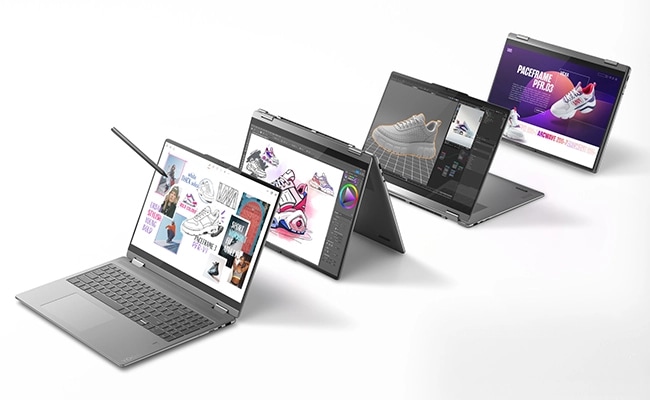 That 16-inch display works brilliantly as a standalone tablet
One mode I personally find handy is display mode — flip the keyboard face down and hide it, then hook up your own external keyboard and mouse, and it turns into a mini desktop setup. Being able to build a desk-like workspace even when you're out and about is a nice touch.
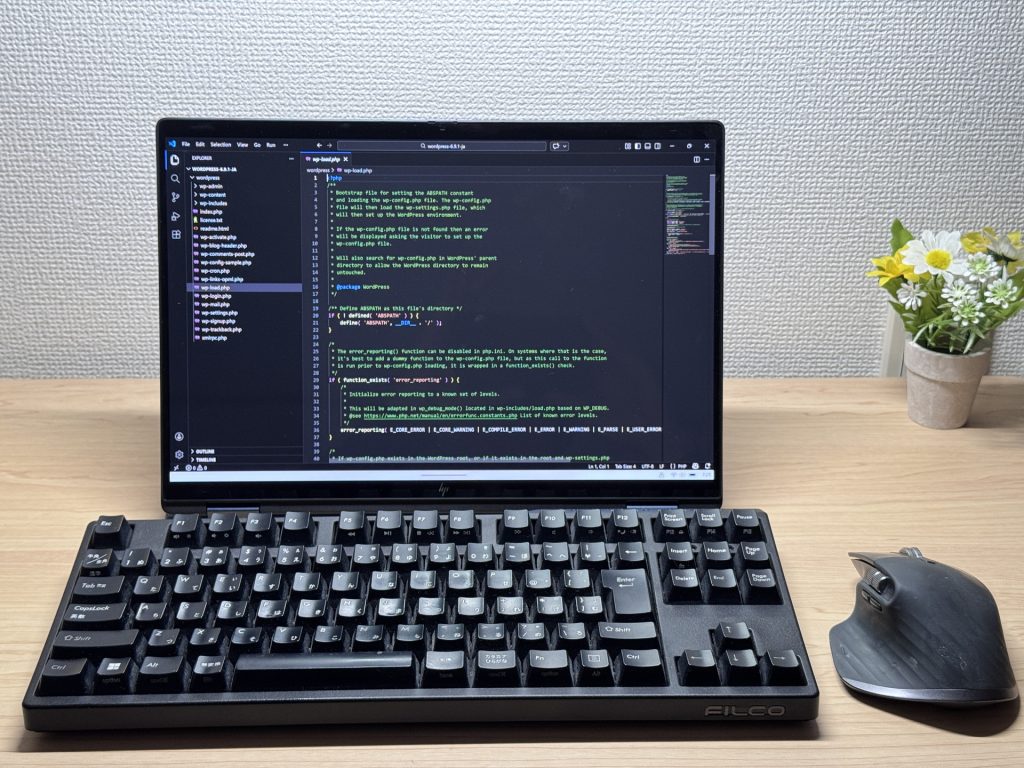 Not this exact model, but display mode is my personal favourite
There's a pen included too, so you can jot down handwritten notes or sketch on that big 16-inch canvas. If you're into digital art, that's a nice bonus.
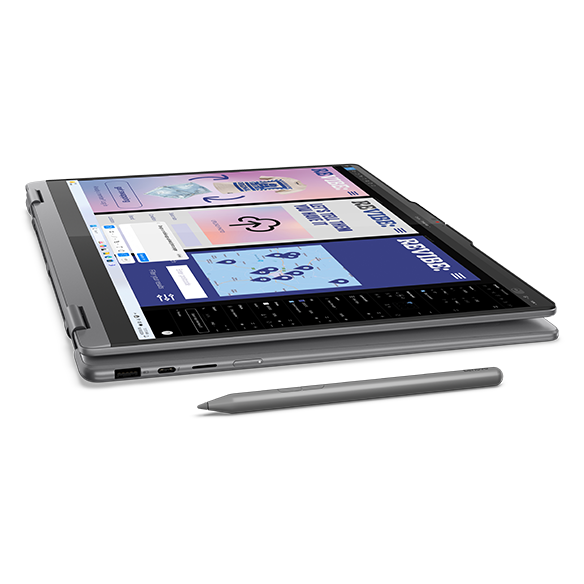 Pen included, so handwriting and sketching are both on the table
That said, this is still a Windows tablet, so don't expect it to feel as effortless as an iPad in tablet mode. Worth bearing in mind before you buy.
Portability
Portability is a bit of a hidden strength here. At around 1.77 kg, it's not exactly featherweight on paper — but 16-inch 2-in-1s with a 360-degree hinge tend to run heavy by nature, and keeping a 16-inch 2-in-1 down to about 1.77 kg is genuinely well done. If you want a big screen but don't want to be stuck at a desk, there's scope to take this one with you. USB-C charging is supported too, so popping a compact USB-C charger from Anker or similar into your bag keeps your load light🔌.
Display Quality
On to the display. The 16-inch panel has a 16:10 aspect ratio, giving you more vertical room to see webpages and documents without as much scrolling. Depending on configuration, you can also get an OLED panel — and if you go that route, the deep blacks and vivid colours make it a genuinely good pick for films and photos too😍. Touch support is included as well, so scrolling and pinch-zooming feel just like using a phone.
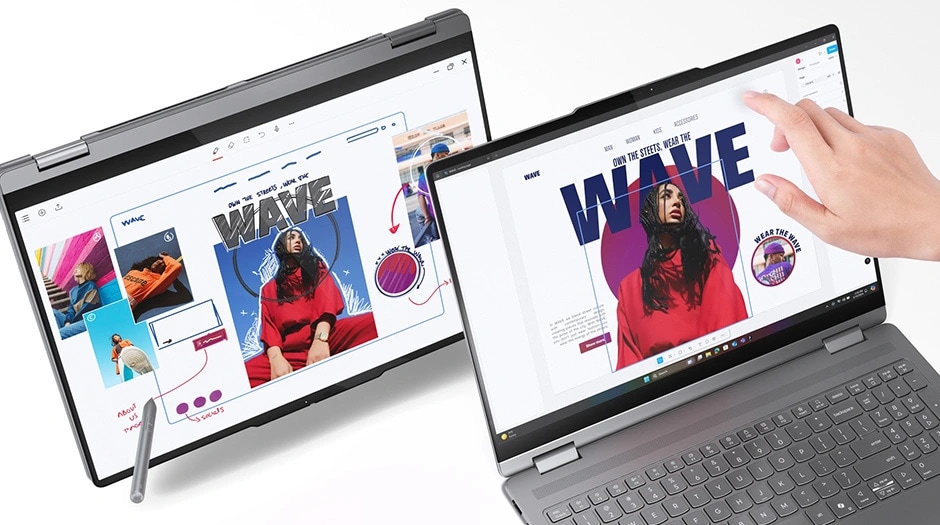 A 16-inch touchscreen that supports touch input
Keyboard
The keyboard takes advantage of the larger 16-inch chassis with a full number pad. If you're constantly punching numbers into Excel or accounting software, having a number pad speeds things up considerably. The Yoga line has a solid reputation for typing feel, so you can expect a satisfying keyboard here too.
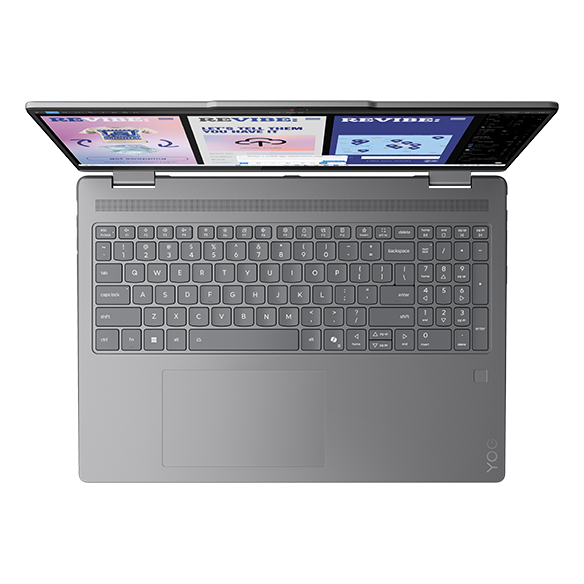 A roomy keyboard layout that still fits a number pad
*Photos may show a US keyboard layout, but Japan-market units ship with a Japanese layout.
Trackpad
There's a subtle, thoughtful touch with the trackpad too. Laptops with a number pad often end up with an off-centre trackpad, which can mean your palm brushes it while typing and sends the cursor jumping about. This one places the trackpad right under your home position instead, so accidental input is much less of an issue. And since the chassis is bigger overall, the trackpad itself is nice and roomy too.
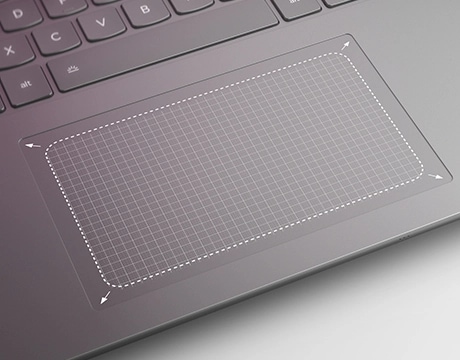 A wide trackpad positioned right under your home position
Performance
Let's talk CPU performance. It's running an Intel Core Ultra 5 226V, and its PassMark multi-thread score of around 18,095 is genuinely solid. At that level, you're not just covering web browsing and Office — you can expect it to handle running several apps at once without breaking a sweat. If you want more headroom, higher configs with the Core Ultra 7 258V (~18,961) or Core Ultra 7 256V (~19,556) are also available.
 The Core Ultra 5 226V backs up its numbers in benchmarks
| Score | Rating | What it feels like in real use |
|---|---|---|
| Up to 5,500 | Tight on headroom | Hiccups during multitasking; comfort takes a hit. Daily use feels constrained. |
| 5,500–8,000 | Daily use | Web, Office, remote work — handles them without issue. |
| 8,000–12,500 | Comfortable (standard) | Daily PC tasks with real headroom. Light video editing and casual games work. |
| 12,500–20,000 | High performance (mainstream) This PC | Multitasking feels good. Heavier work and 3D games are workable. |
| 20,000–40,000 | Very high performance | Comfortable even for demanding work and gaming. |
| 40,000+ | Exceptional | Plenty of headroom for creative work and heavy loads. Long-lasting performance. |
*PassMark CPU Mark measures multi-threaded CPU performance. Some variance is normal between runs even with the same CPU.
The integrated GPU is Intel Arc 140V (PassMark G3D score of 5133), which is a solid showing for current-gen integrated graphics. It should be more than enough for light gaming or basic photo and video editing.
| Score | Rating | What it feels like in real use |
|---|---|---|
| Up to 1,500 | Bare minimum | Limited 3D performance. Not suited for gaming or heavy 3D work. |
| 1,500–3,500 | Light 3D | Lighter games and low-load tasks work with conservative settings. |
| 3,500–5,500 | Average This PC | Light to medium games and GPU-light work are fine. Solid integrated GPU for daily use. |
| 5,500–7,500 | High performance | Strong for an integrated GPU. Lighter games and image work feel comfortable. |
| 7,500+ | Very high performance | Upper-tier integrated GPU. Real graphics headroom even in thin laptops. |
*PassMark G3D Mark measures 3D rendering. This guide is for integrated GPUs — discrete GPU models are not directly comparable.
Battery Life
Battery life is worth checking too.
Battery rating: excellent
With a sizable 70Wh battery and the power-efficient Core Ultra V-series chip driving it, you can expect genuinely strong battery life. That kind of headroom on a 16-inch machine is reassuring. USB-C charging support also makes it easy to top up with a power bank or a compact charger while you're out and about.
Ports & Expandability
Port selection is well rounded here too. You get two Thunderbolt 4-enabled USB-C ports, which cover fast transfers to external storage as well as video output and charging over a single USB-C cable. Add in HDMI, one USB-A port, and a microSD card reader, and you've got a port lineup solid enough that you won't need a dongle for most peripherals — a nice change from how many laptops go all-in on USB-C only these days. Handy for those moments when you suddenly need a USB-A port.
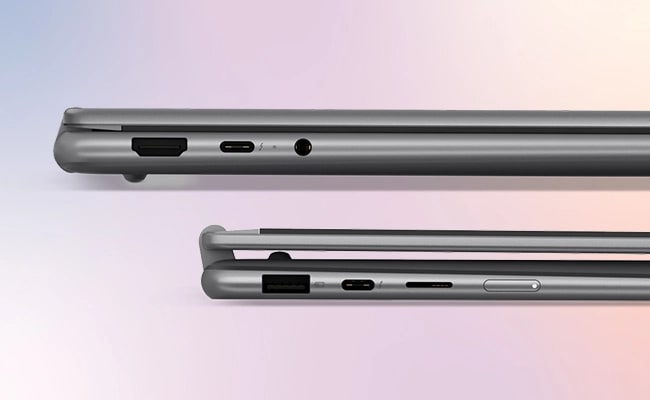 A well-rounded port selection with Thunderbolt 4 and HDMI
Webcam
The built-in webcam is 5 megapixels, so your face comes through clearly on video calls. It also has a physical privacy shutter, which is a small but genuinely useful touch when you're not using it.
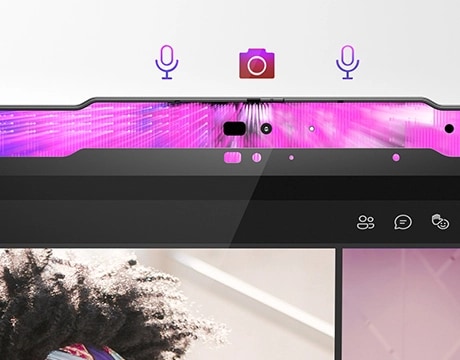 5 megapixels is enough to get a genuinely clean picture
Security
On the security side, it supports facial recognition. Just look at the camera and you're logged in — no more faffing about with passwords every time you sit down.
Speakers
The speakers deserve a mention too. Dolby Atmos support means films and music come through with real presence🎶. And since it's a 2-in-1, you can flip it into display mode and get a solid film night setup out of a single machine.
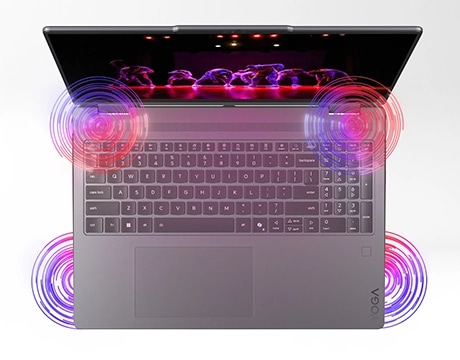 Dolby Atmos speakers that make film night worthwhile
Price
And here's the real kicker: price. You're getting all of this — a big-screen 2-in-1, Core Ultra 5 performance, a well-rounded port selection, and even a bundled pen — for £1,020.00. Big-screen 2-in-1s tend to run expensive given how much engineering goes into the hinge and chassis, so this combination of specs and price is genuinely worth paying attention to.
Final Verdict
The Lenovo Yoga 7i 2-in-1 Gen 10 (16 inch, Intel) packs a 16-inch 2-in-1 into about 1.77 kg, backs it up with Core Ultra 5 performance, a solid port lineup, and a bundled pen — it's a genuinely well-rounded machine that covers a lot of ground. It's a Windows device, so it won't quite match an iPad's tablet fluency, but even with that caveat, the versatility of a machine that swings between laptop and tablet with a big screen is appealing. If you want to spread out with videos and documents on a big screen, or you fancy the flexibility between laptop and tablet use, I'd say this one's worth a serious look.
A 16-inch screen that goes from laptop to tablet — the real draw here
Where to Buy
* Prices may vary. Please check each store for the latest price and availability.
About the author