ZippyScore
ZippyScore is a proprietary rating based on 6 criteria: performance, portability, display, battery, value, and connectivity.
See rating criteria
- Performance: CPU / GPU performance
- Portability: Screen size & weight
- Display: Panel type, aspect ratio & refresh rate
- Battery: Rated battery life
- Value: Specs-to-price balance
- Connectivity: Port types & count
Pros & Cons
Pros
- Chassis feels solid for the price, with no cheapness — reassuring to use long-term
- 14in IPS + 16:10 display lets you take in web pages and documents at a glance
- Backlit keyboard despite being an entry-level machine, so working in the dark is no bother
- SD, two USB-A, HDMI and USB-C all included, so no need to buy a USB hub
- Storage is fast at 5152 MB/s read, making boot-up and file handling snappy
Cons
- At a measured 1566 g it's heavy for a 14in, so a daily carry takes its toll
- Under load the fan whines at a high-pitched 45.9 dB, which stands out in a quiet room
- The bundled charger is a hefty, measured 323 g proprietary unit, and the trackpad click can feel a bit double
Specs Summary
| OS | Windows 11 Home |
|---|---|
| CPU | AMD Ryzen 5 220 (PassMark: 18,586) AMD Ryzen 7 250 (PassMark: 26,355) |
| RAM | 8GB / 16GB |
| Storage | 512GB |
| Display | 14" IPS 1920x1200 (16:10) |
| Weight | 1.56 kg (3.44 lbs) |
| Ports | USB-A × 2 (5Gbps), USB-C × 1 (10Gbps/PD/Video out), HDMI × 1 (ver.1.4), SD card × 1, Headphone jack × 1 |
| GPU | AMD Radeon Graphics (G3D Mark: 2,357) |
| Biometrics | Fingerprint |
| Battery | (Capacity: 54 Wh) |
| Camera | 0.9 MP |
| Dimensions | Approx. 314.0 × 226.15 × 18.9 mm (W × D × H) |
| Wi-Fi | Wi-Fi 6 |
| Bluetooth | Bluetooth 5.3 |
| Color | Carbon Black |
Configurations vary by retailer, region, and availability.
Hands-on Review
Right, let's get into the hands-on of the Dell 14 (DC14255, 2026). Here's the configuration I tested:
| Spec | Review unit configuration |
|---|---|
| CPU | AMD Ryzen 5 220 |
| Memory | 16GB |
| Storage | 512GB SSD |
| Display | 14in IPS (1920x1200, 60Hz) |
| Graphics | AMD Radeon Graphics |
| Colour | Platinum Silver |
*Configurations may vary depending on the retailer and when you buy.
Design
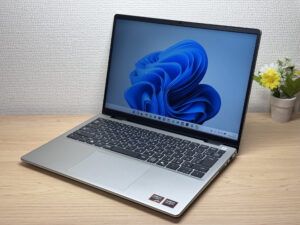
The colour is Platinum Silver. Honestly, being an entry-level machine, I expected it to be just OK — but this pleasantly surprised me. It feels solid for the price, with none of that plasticky cheapness. Budget laptops tend to give themselves away with cheap-feeling bits somewhere, but the Dell 14 (DC14255, 2026) is properly built, and that genuinely surprised me 😮
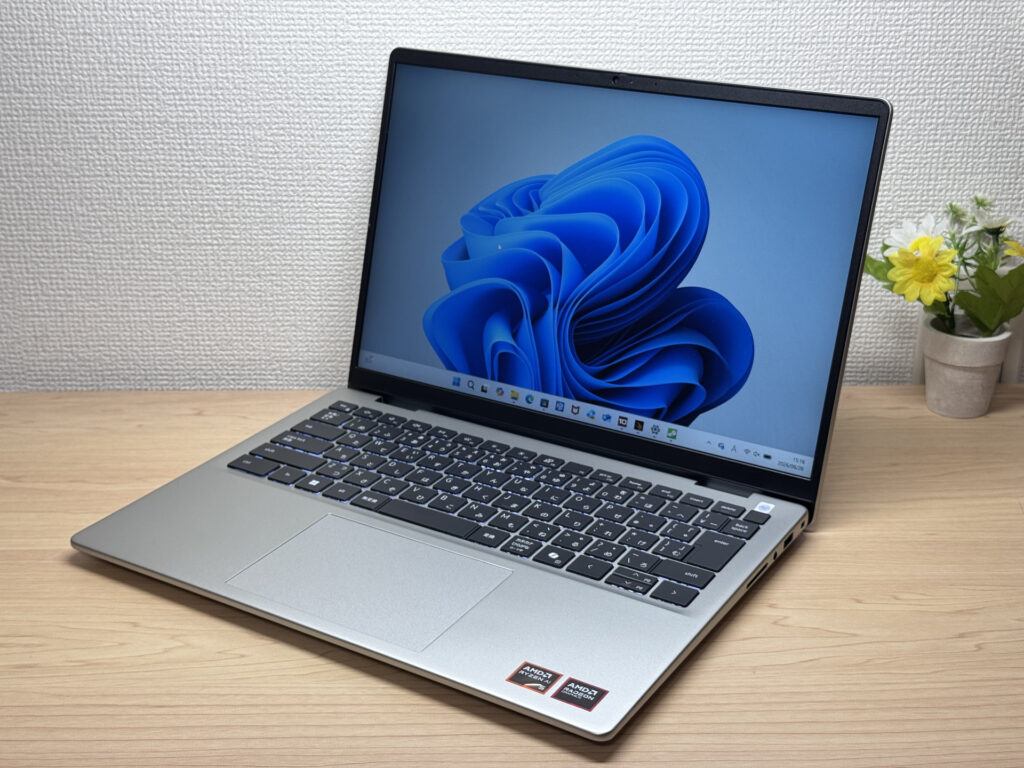 Solid-feeling Platinum Silver, front view
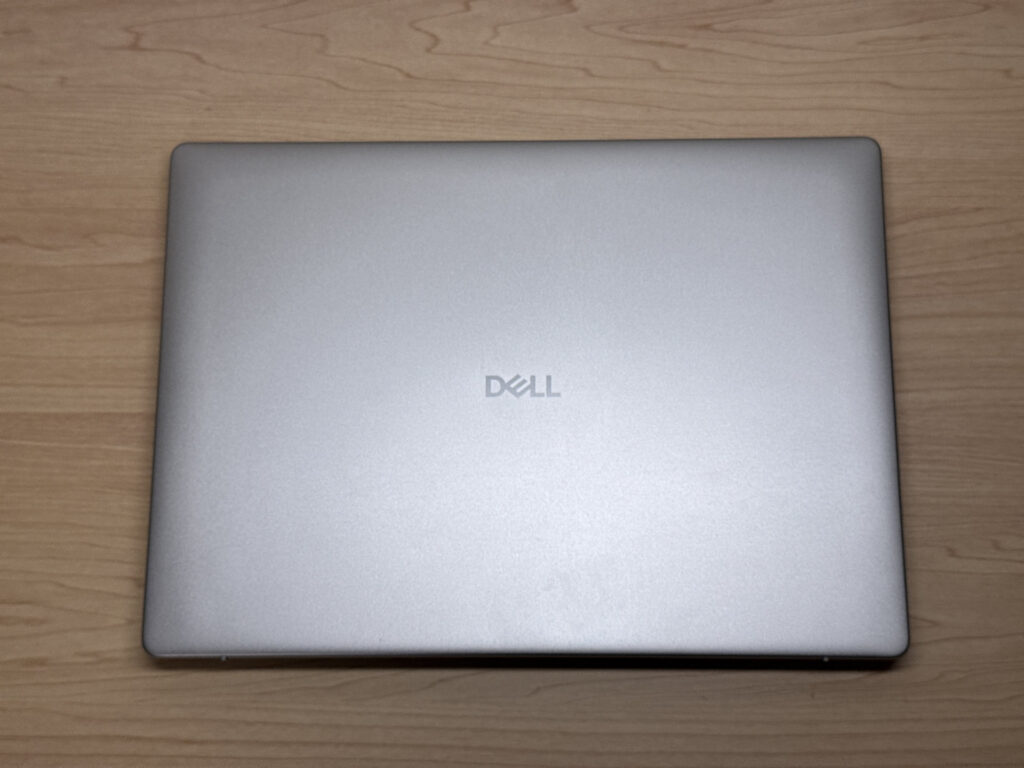 Simple, understated lid
The lid keeps things clean with just a Dell logo — quietly smart.
 Clean lid with nothing but the logo
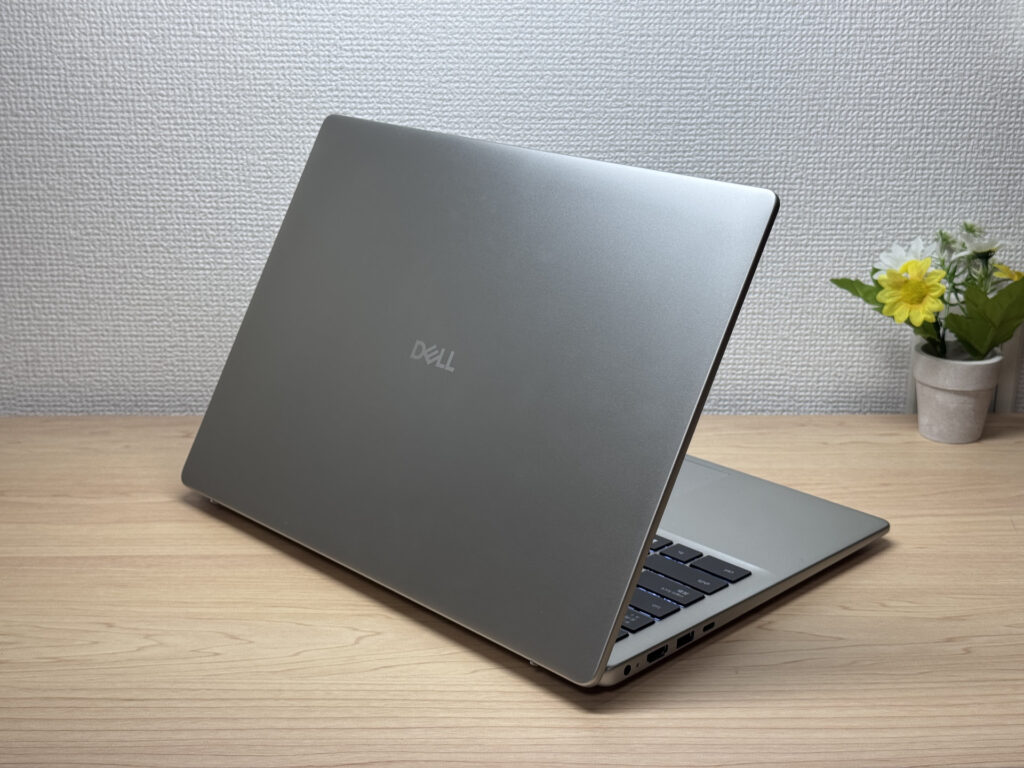
The thickness is about standard — not especially chunky, not ultra-slim, just right. It slips into a bag perfectly fine.
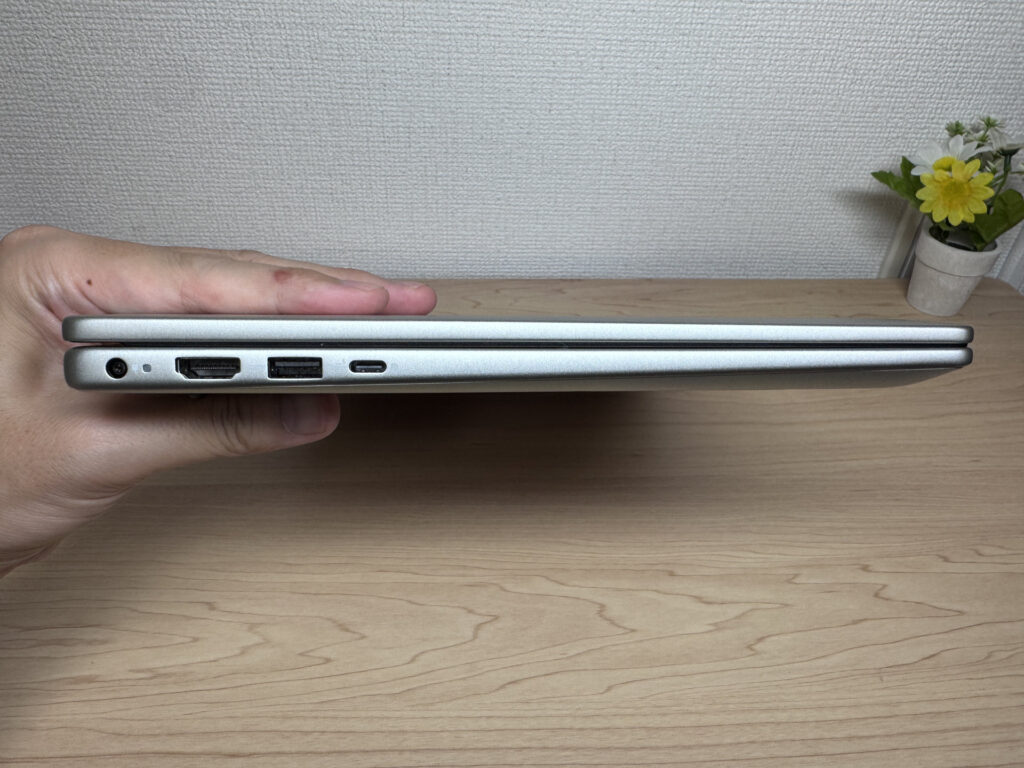 Standard thickness, not too chunky.
The underside is what you'd expect from an entry-level machine, but there's a large vent that keeps the airflow efficient.
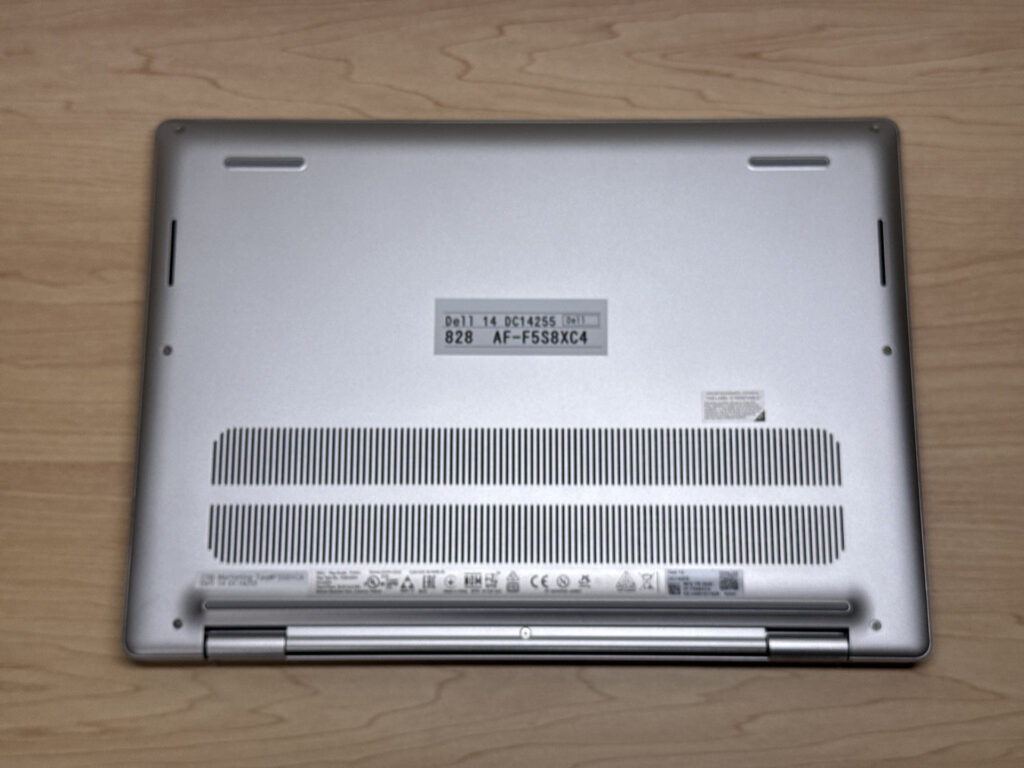 Underside with a large vent for cooling
One honest gripe: when you open the lid, the whole laptop lifts up a bit, so you need to hold it down with your left hand. That's the entry-level hinge feel for you — can't be helped.
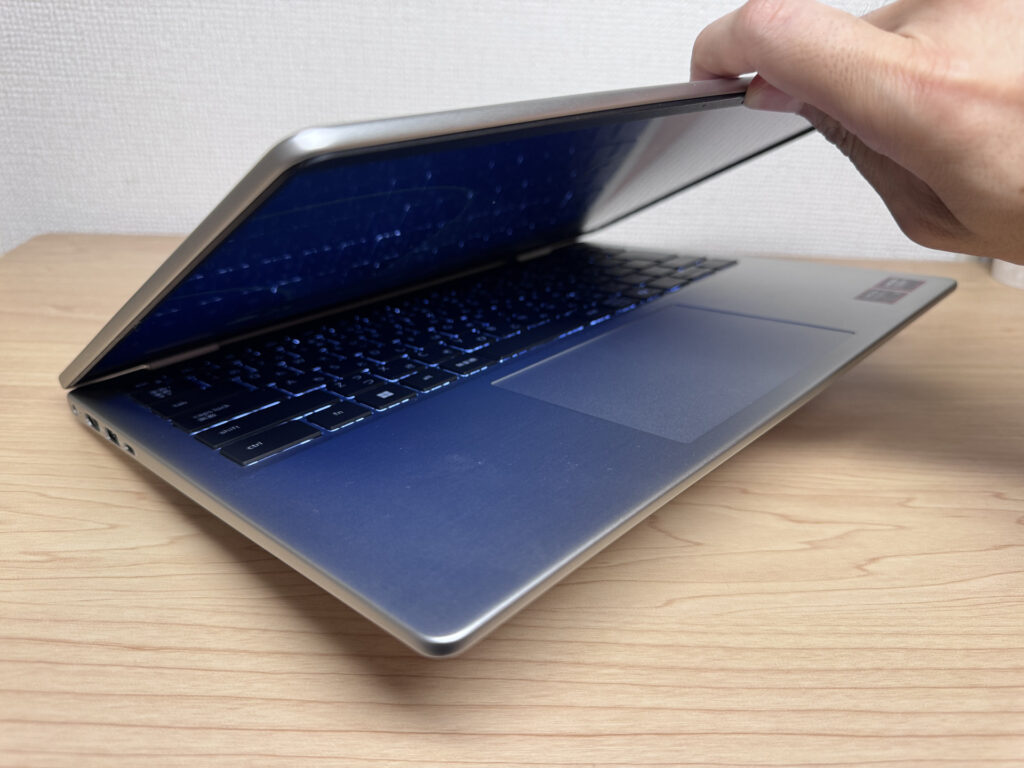 It won't quite flip open one-handed
Now that we've looked it over, let's see how it feels to actually carry.
Portability
It weighs a measured 1566 g (around 3.5 lbs). Honestly, that's a bit on the heavy side. Plenty of recent 14in models come in under 1.4 kg, so at a measured 1566 g it's heavy for a 14in, and you'll feel it on a daily carry. For the odd trip out it's no bother at all, but as an everyday companion that's always with you, it's a touch heavy.
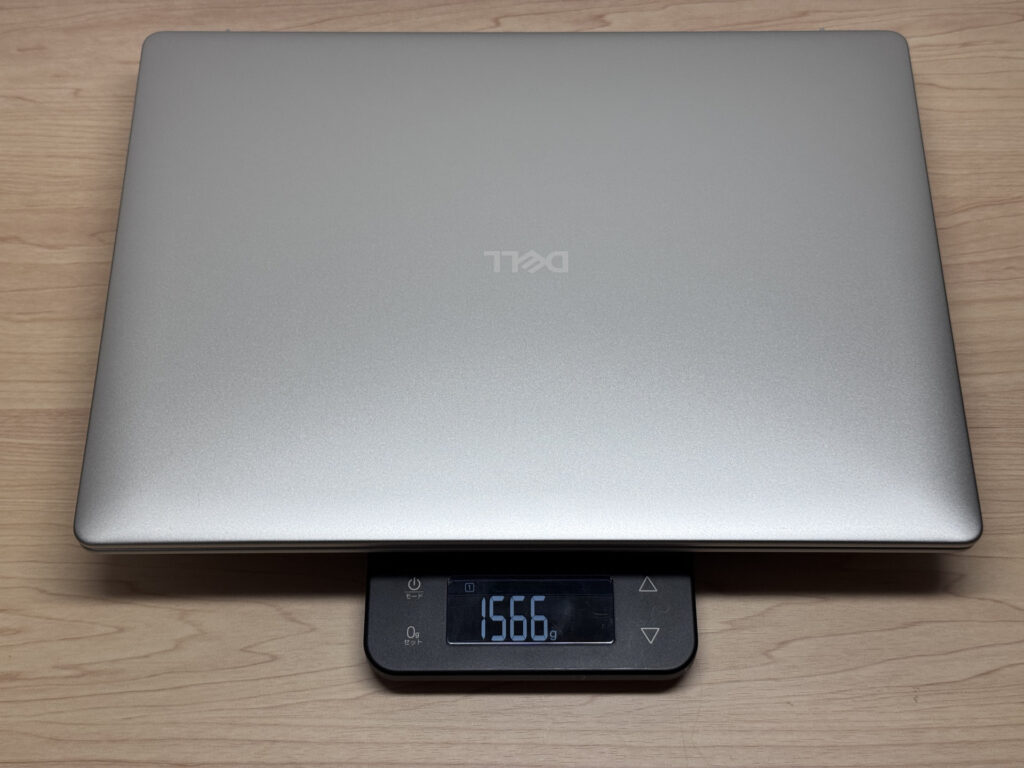 A measured 1566 g, on the heavy side
On top of that, the bundled charger weighs a measured 323 g, which is heavy too. The good news is you can charge it with a third-party USB-C charger (a small Anker-type one, say), so if you're heading out you can pack a lighter charger and cut down the weight you're lugging about 🙆♂️
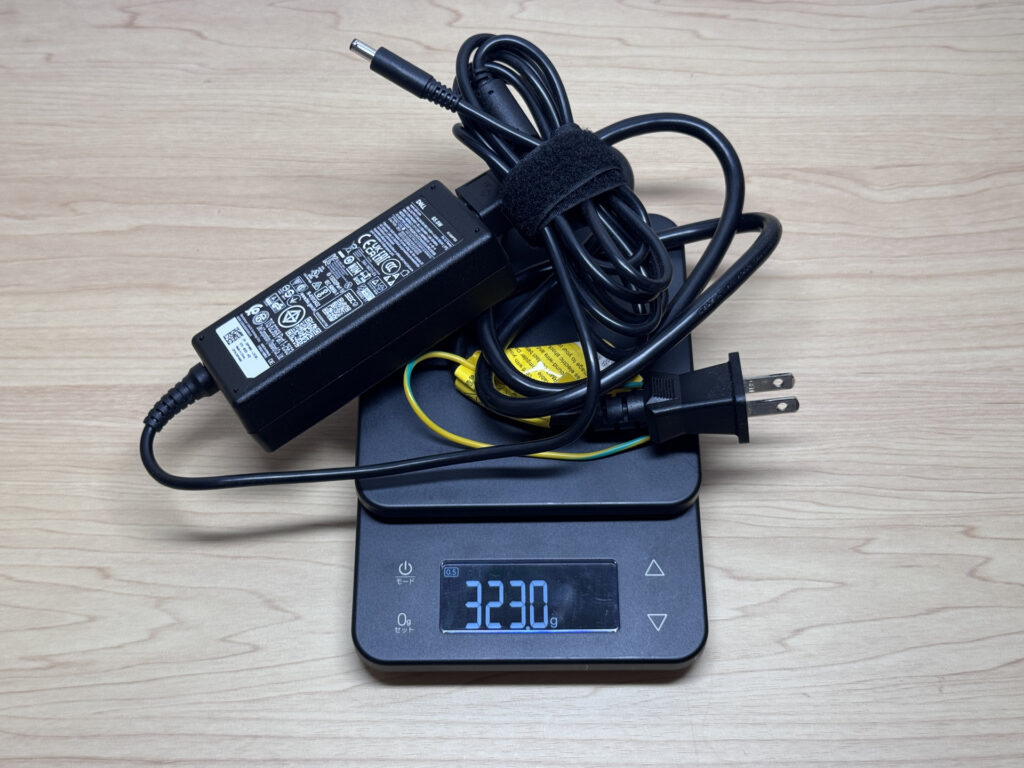 The bundled charger at a measured 323 g
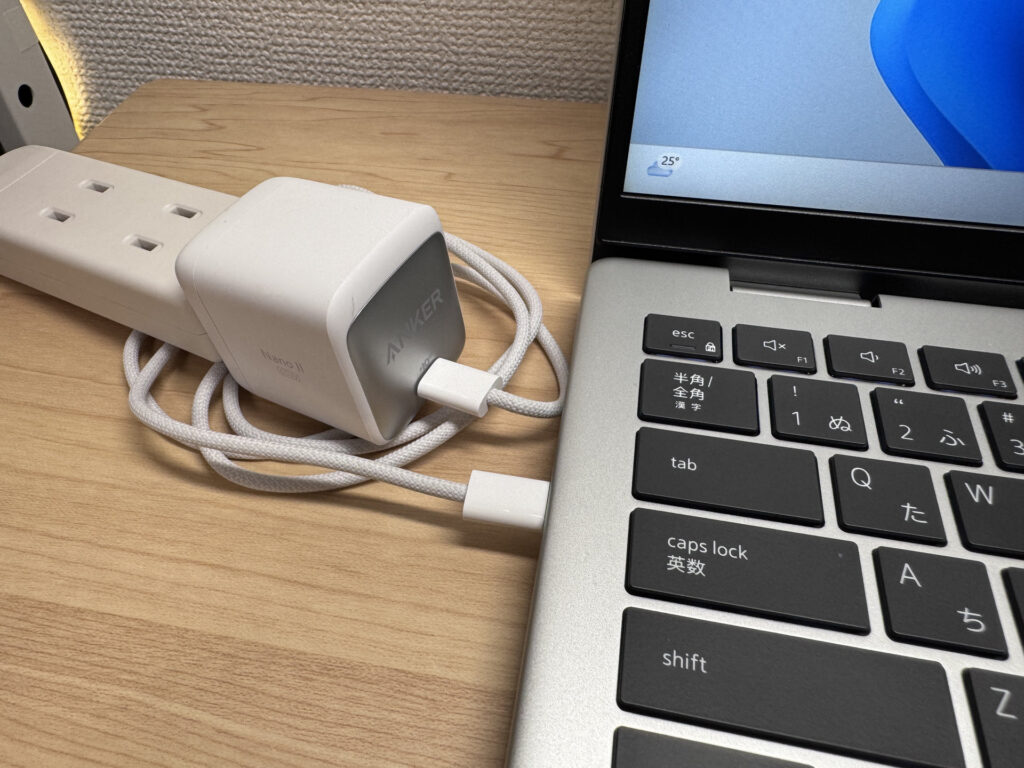 It supports USB-C charging, so a lighter charger is the safe bet for travel
Held in one hand, it does feel hefty. The flip side is that the chassis rigidity that comes with it pays off in how nice it is to type on.
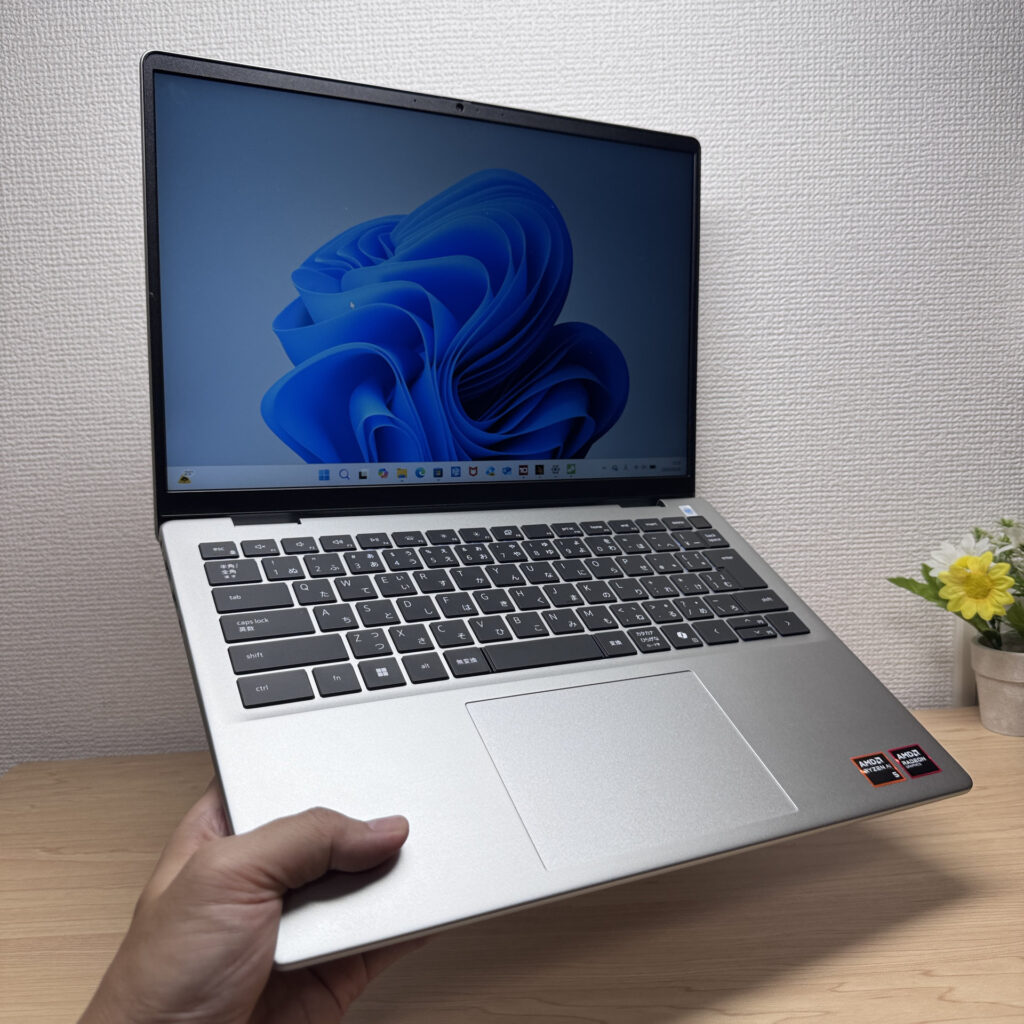 Feels hefty one-handed
Display quality
On to the display. For an entry-level machine it uses an IPS panel, and the colours are decent. There's a range within IPS panels, so I wouldn't go as far as "really good" — that verdict comes from reviewing loads of laptops and knowing better IPS panels exist. For everyday use it's absolutely fine.
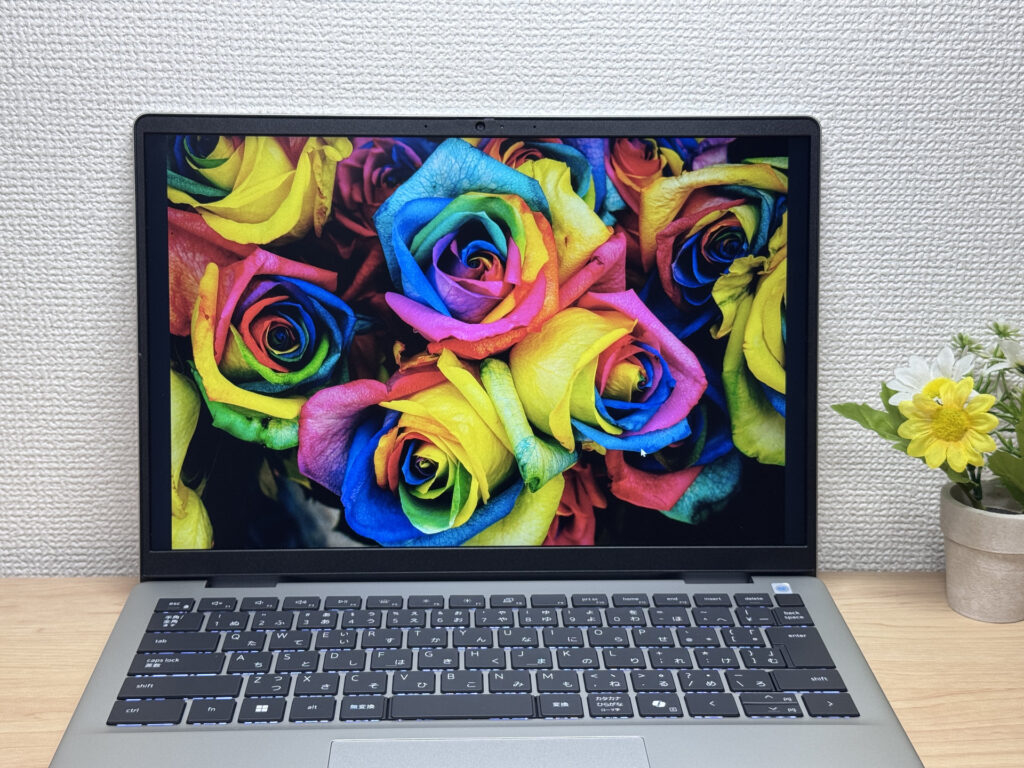 Decent IPS colour
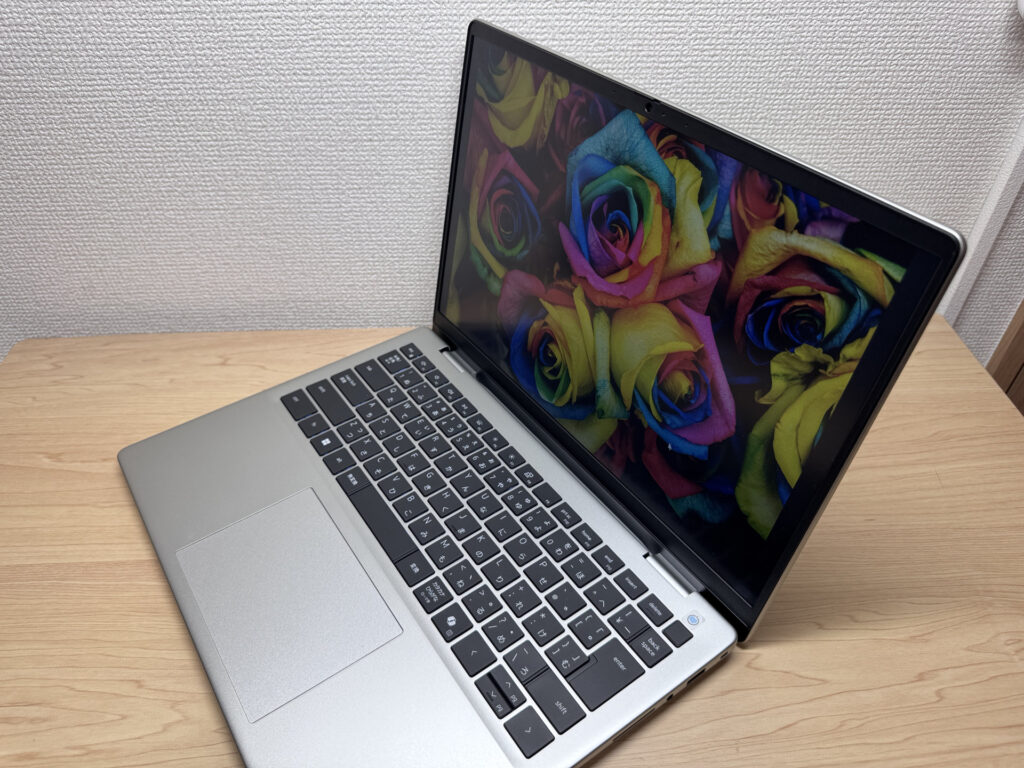
Brightness is a little on the weak side, but being IPS, the viewing angles are wide and the colours don't shift when you look from an angle.
 Wide viewing angles with no colour shift
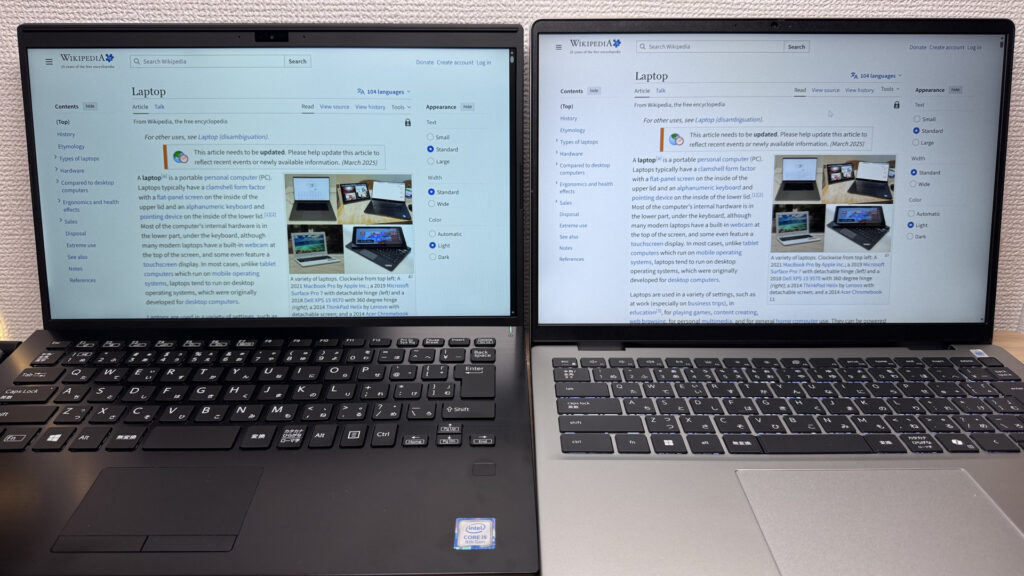
And it's the now-popular 16:10 aspect ratio, so web pages show more vertically and you scroll less, which quietly makes a difference. Put it next to a 16:9 laptop and the difference in screen real estate is obvious at a glance.
 16:10 screen with more vertical space
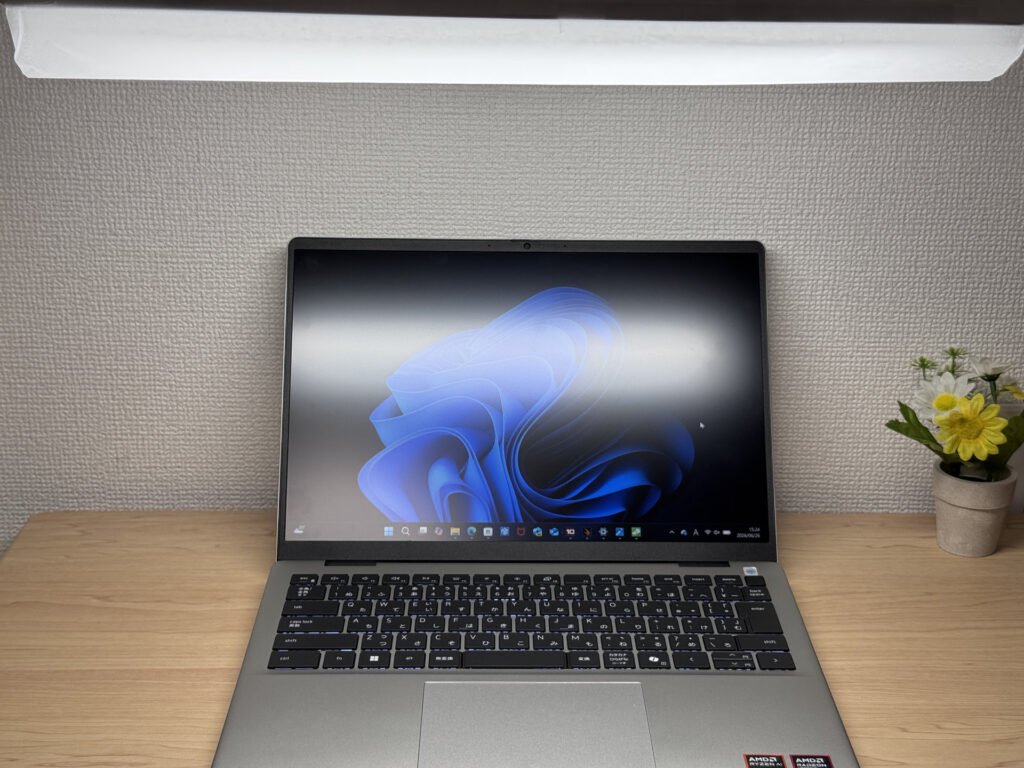
The panel is matte (non-glossy), so reflections from ceiling lights and the like barely register. A nice touch if you can't stand glossy, reflective screens ✌️
 Matte panel with minimal reflections
Keyboard
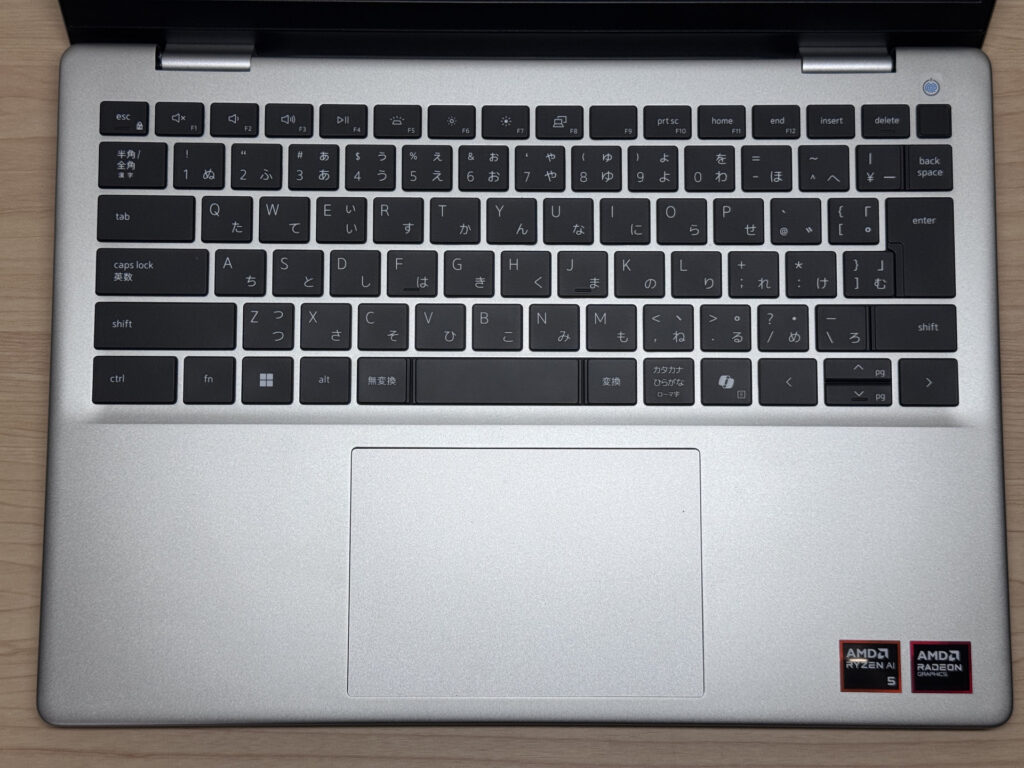
Next, the keyboard. Being a global brand, Dell lays out its keys in a universal, sensible way. The Enter key and the brackets sit a little close together, but you'll basically never struggle with typing. None of the odd layouts you sometimes get on budget machines, so no worries there.
 Sensible, easy-to-use key layout
The typing feel is good too, and that comes back to the chassis rigidity I mentioned. A stable base makes for a nice typing feel 👌 The weight was a downside, but here it turns into a plus.
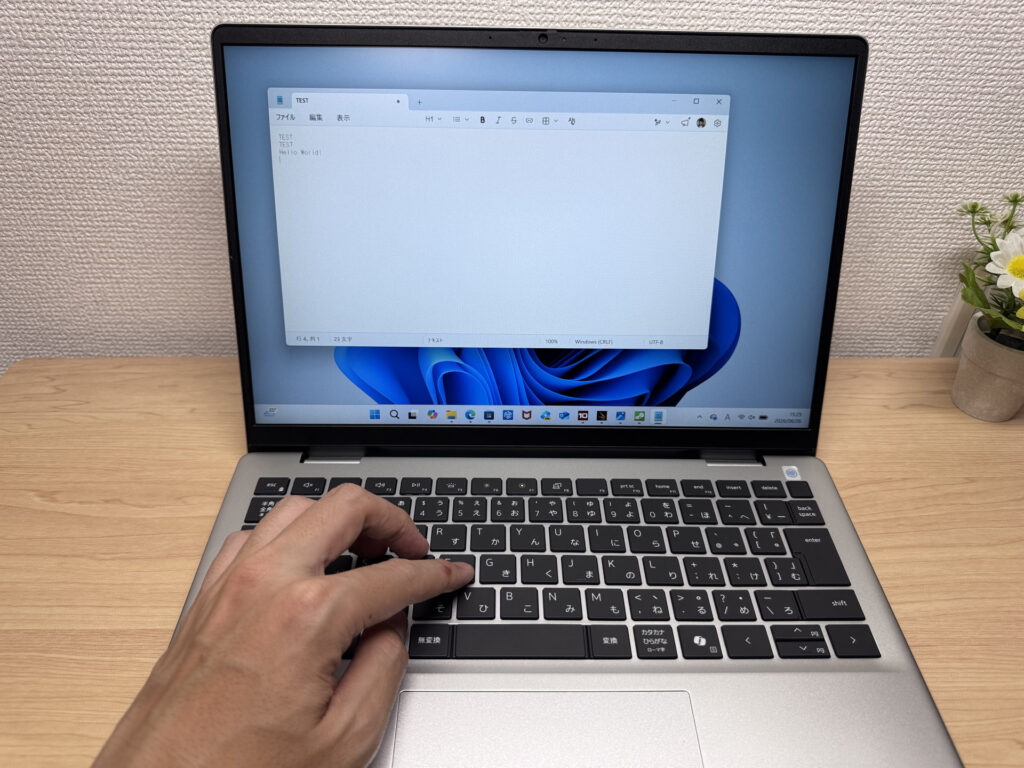 Pleasant typing feel on a stable base
What surprised me is that it has a backlit keyboard at this price. That tends to get cut on entry-level machines, so you're sorted for working in the dark.
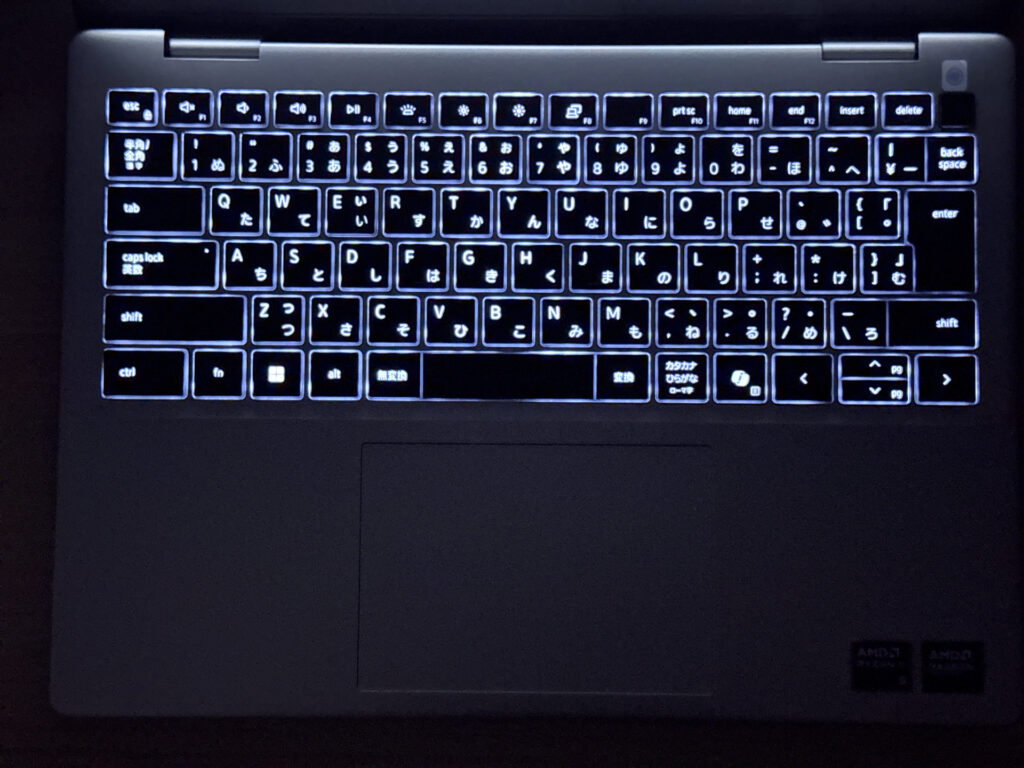 Backlit keyboard, handy in the dark
Trackpad
The trackpad, I'll be honest, felt a bit awkward to use. The size has been bumped up, which is good, but I didn't love the click feel, and the click is on the loud side. A shame, that.
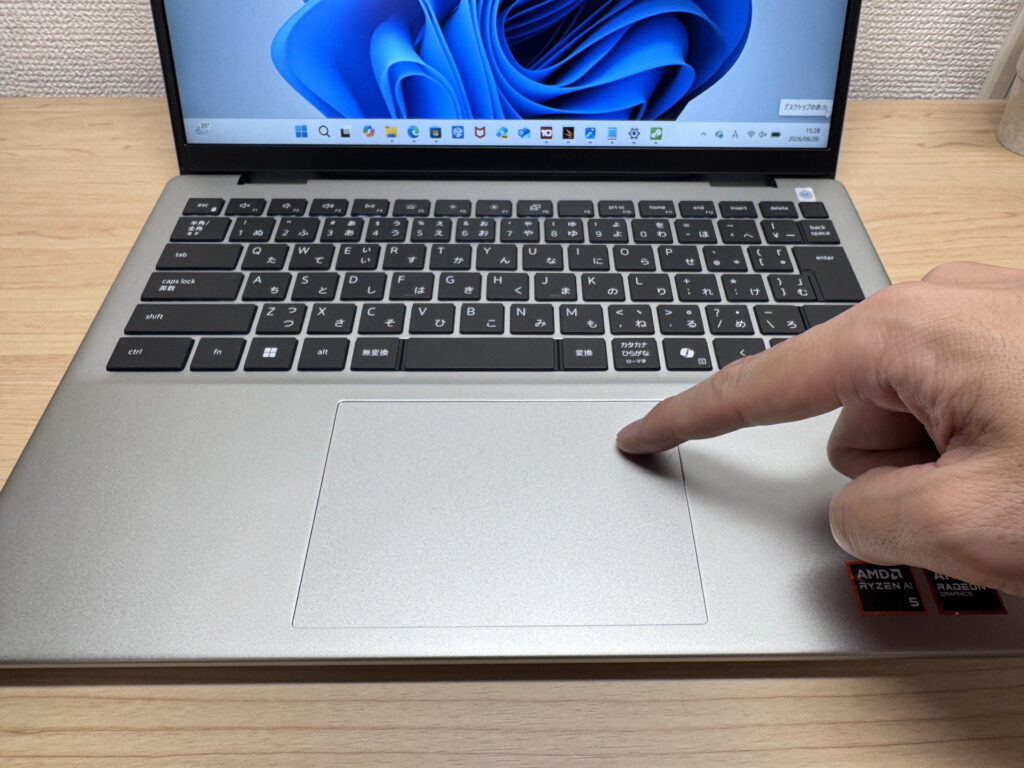 Large pad, but the click is a letdown
That said, gestures were no problem — switching between multiple windows and so on worked smoothly.
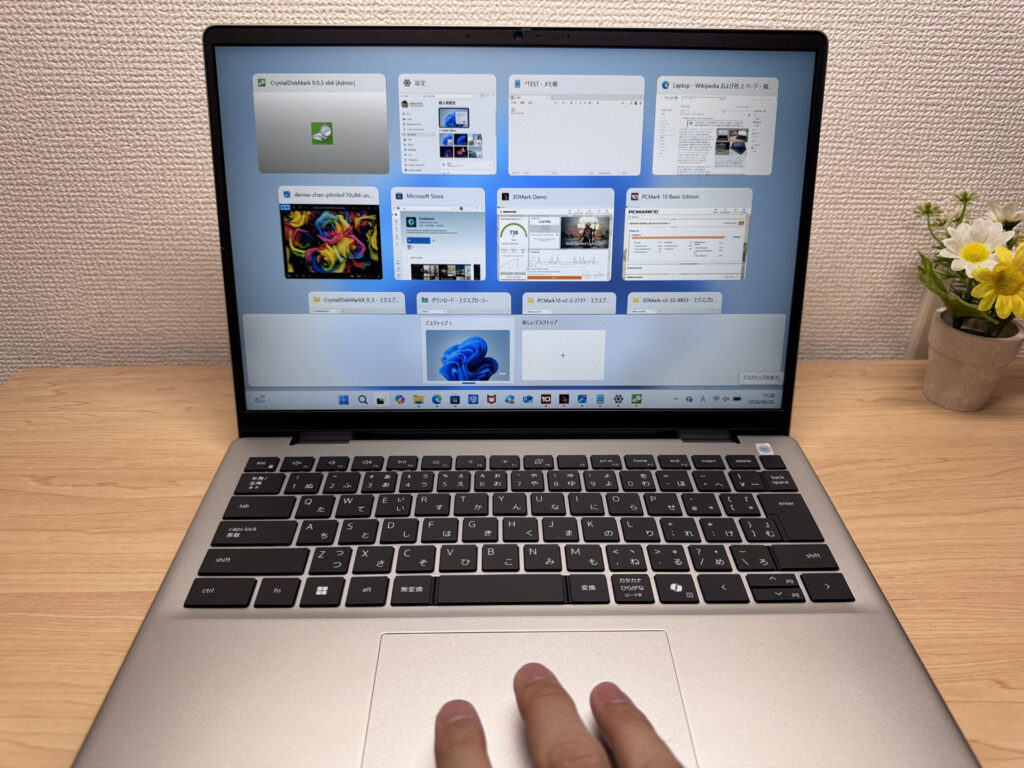 Gestures work smoothly
Performance
Let's look at CPU performance and the like. Honestly, don't expect too much. These are light-work specs, not built for heavy lifting. PCMark 10 came in at 5614 — which is to say, no problem at all for everyday tasks like web browsing and Office. Plenty for daily use.
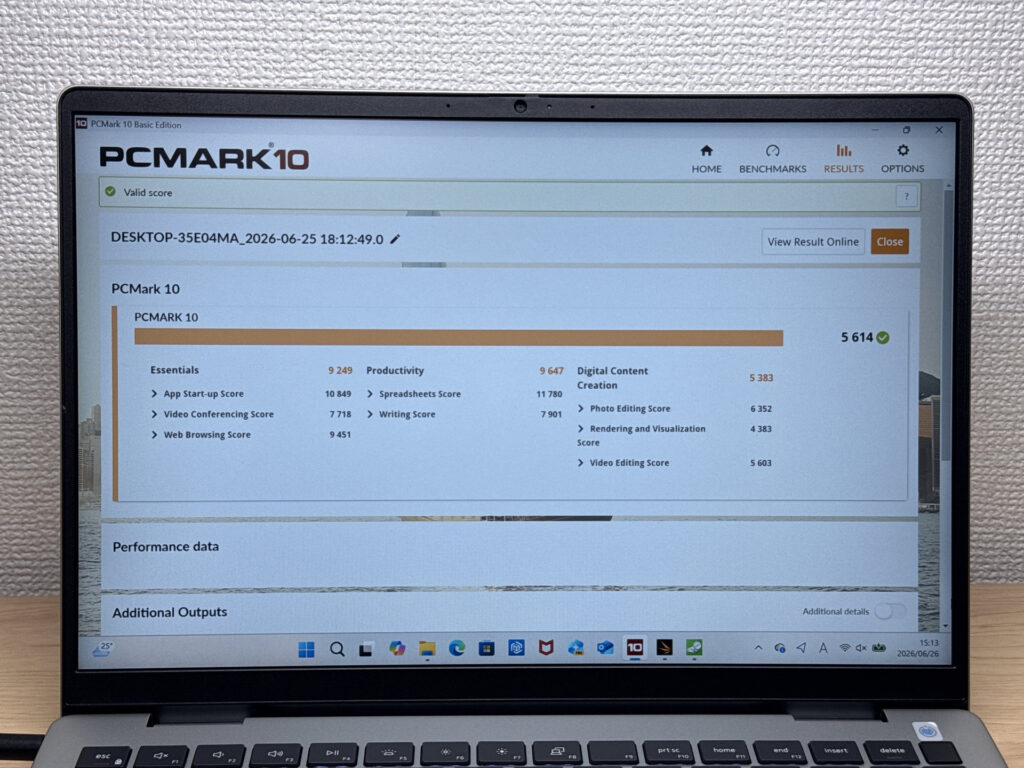 PCMark 10 score of 5614
| Total Score | Rating | What it feels like in real use |
|---|---|---|
| ~4,000 | Bare minimum | Web browsing and simple tasks work, but multitasking or many tabs feels sluggish. |
| 4,000–5,000 | Light use | Daily tasks are doable, but running multiple apps means waiting around. |
| 5,000–6,500 | Comfortable (mainstream) This PC | Handles most work without stress — fine for office, school, video calls. |
| 6,500–8,000 | High performance | Plenty of headroom. Light photo editing and programming feel snappy. |
| 8,000+ | Very high performance | Tackles video editing and heavy workloads. Long-lasting performance. |
*PCMark 10 reflects overall comfort. Actual feel depends on CPU, RAM, and SSD speed.
The GPU scored 738 in 3DMark Steel Nomad Light, so graphics performance isn't all that strong. I doubt many people are buying this for PC gaming, so it's not an issue, but don't expect to run serious games.
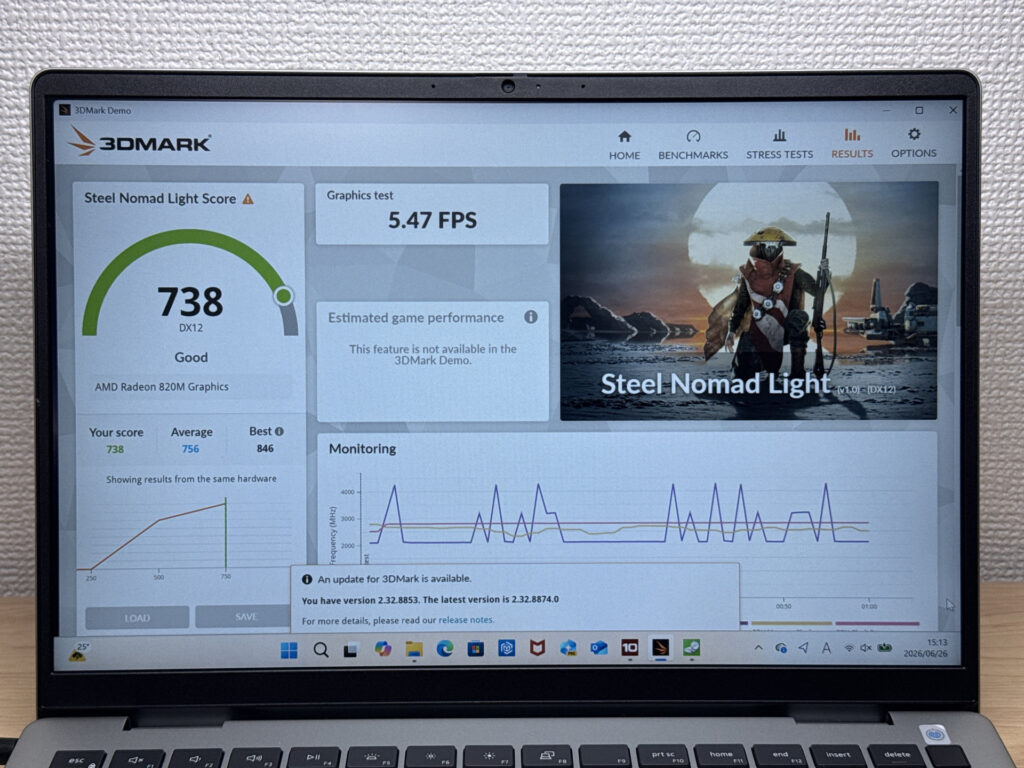 3DMark Steel Nomad Light score of 738
| Score | Rating | What it feels like in real use |
|---|---|---|
| Up to 400 | Bare minimum | 3D performance is quite limited. Not really suited for gaming. |
| 400–900 | Light 3D This PC | Lighter games and low-load 3D processing work. |
| 900–1,500 | Average (mainstream) | Standard for integrated GPUs. Light to medium games playable with right settings. |
| 1,500–2,200 | High performance | Strong for an integrated GPU. Games and 3D work feel comfortable. |
| 2,200+ | Very high performance | Top-tier 3D performance for thin laptops. Real graphics headroom. |
*3DMark Steel Nomad Light targets thin laptops and integrated GPUs. Score range differs from Time Spy, so direct comparison isn't valid.
What put in a surprisingly good shift was the storage: 5152 MB/s read and 4054 MB/s write put it among the faster SSDs around right now. That's part of why everyday tasks feel snappy.
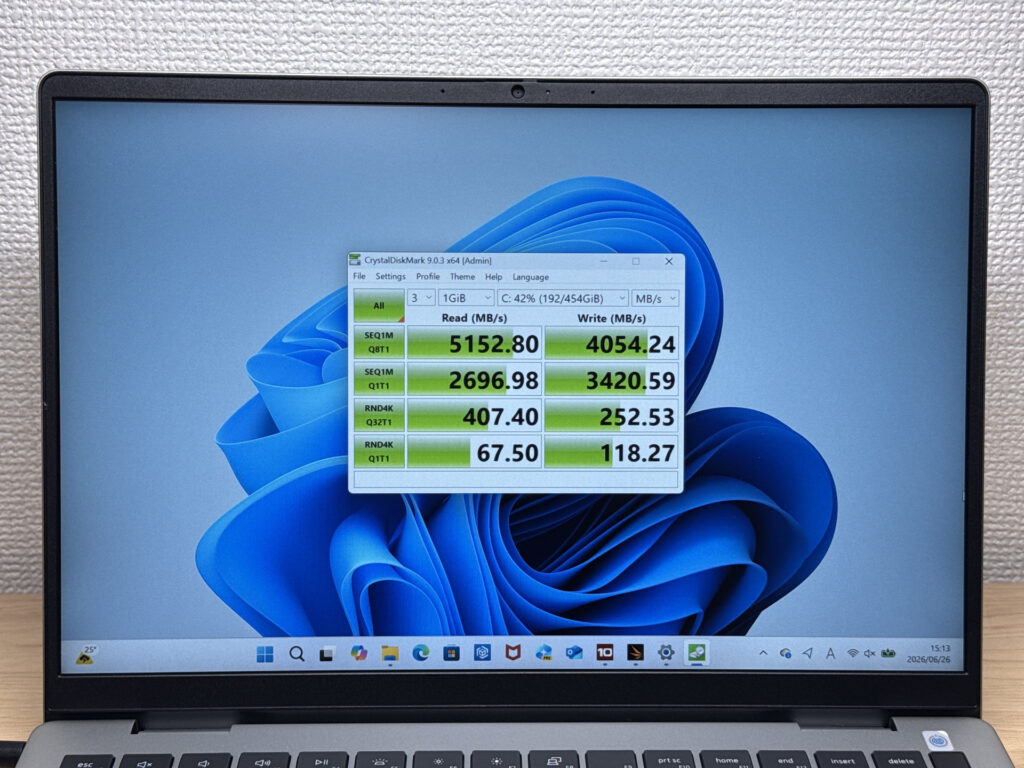 Fast SSD at 5152 MB/s read
| Score | Rating | What it feels like in real use |
|---|---|---|
| Up to 600 MB/s | Bare minimum | Faster than HDD, but slow for modern SSDs. App launches feel slightly slow. |
| 600–1,500 MB/s | Average | Fine for daily use, though loading is noticeably slower than top-tier SSDs. |
| 1,500–3,500 MB/s | Comfortable (mainstream) | App launches and file loading feel smooth. No real complaints in daily use. |
| 3,500–5,500 MB/s | Fast This PC | Loads large data and apps quickly. Definitely upper-tier SSD speed. |
| 5,500+ MB/s | Very fast | High-end NVMe territory. Heavy data work without waiting. |
*CrystalDiskMark measures SSD speed. It mainly affects app launch and file loading speed, not overall PC performance.
Battery life
Battery rating: average
The battery is around 54Wh — a standard size. For a normal day of everyday use it'll last fine. When you're heading out, though, it's worth bringing along that small USB-C charger I mentioned. It supports USB-C charging, so that's your friend when you want to travel light 🔌
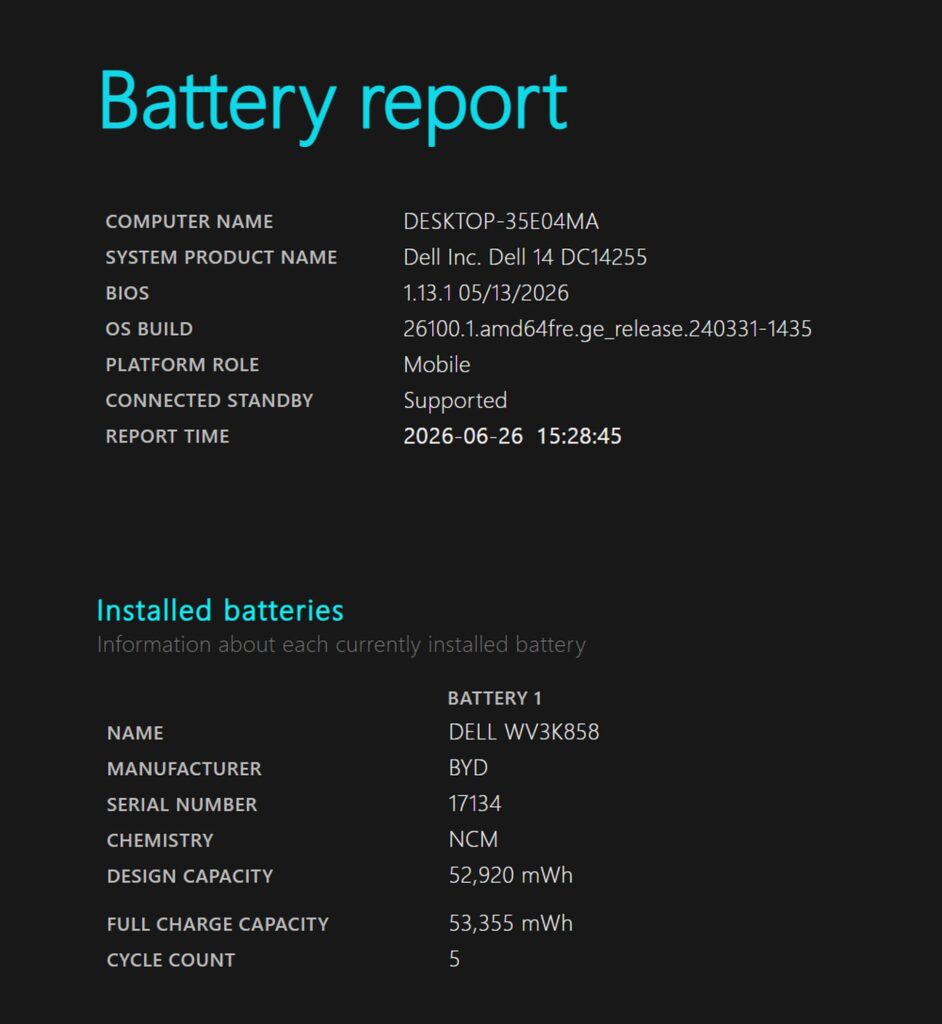 Standard battery of around 54Wh
Fan noise and heat
Let's check the fan noise and heat, which always matter. At idle, when you're not doing anything, it's near silent.
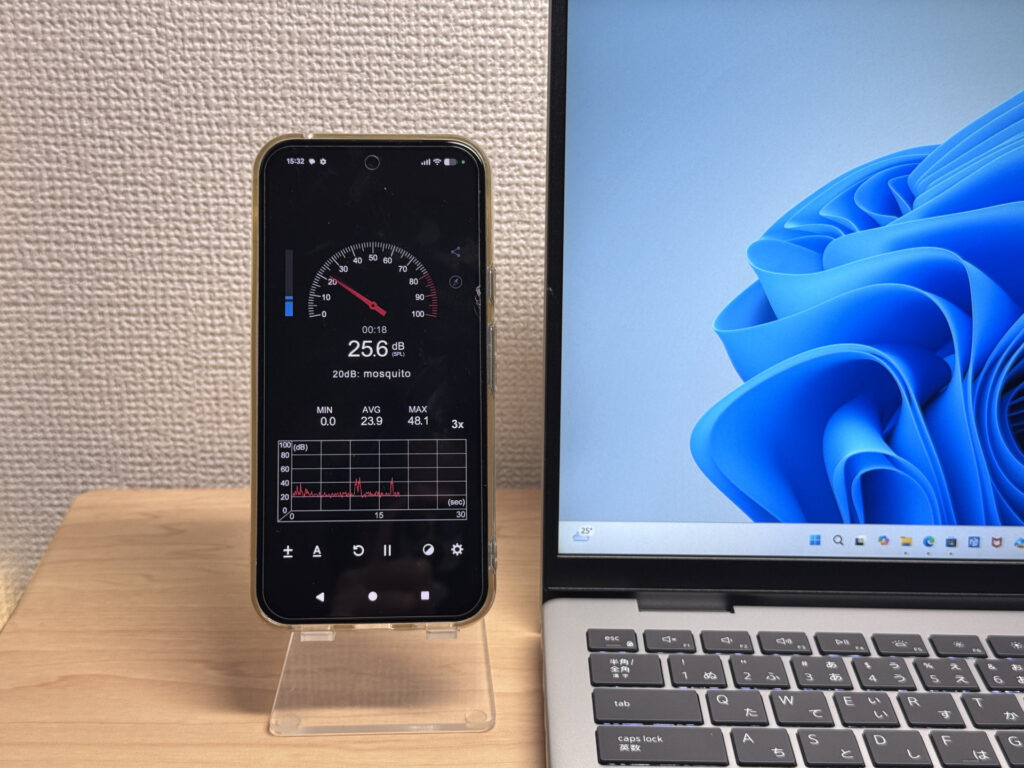 Near silent at idle
Push it, though, and it gets fairly loud: under load the fan hits 45.9 dB with a high-pitched whine that stands out in a quiet room. It's a keening sort of sound, so some people may find it more bothersome than the number suggests.
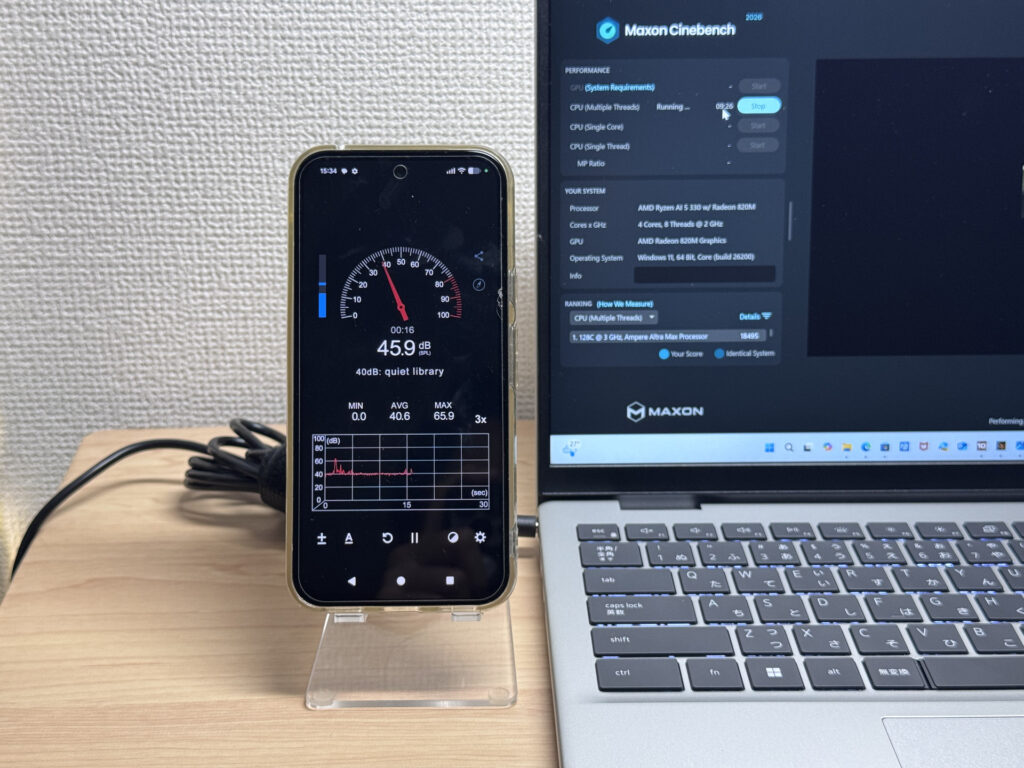 High-pitched 45.9 dB under load
| Noise Level | Rating | Feel |
|---|---|---|
| Under 30 dB | Near-silent Idle | Fan noise is barely perceptible — library-quiet and ideal for focused work. |
| 30–35 dB | Quiet | Faintly audible but non-distracting. Easy to work in a quiet room. |
| 35–40 dB | Noticeable | You can tell the fan is spinning, but it rarely interrupts work. |
| 40–45 dB | Somewhat loud | Can become distracting in quiet environments. Headphones start to help. |
| 45–50 dB | Loud Load | Noticeable stress over extended use. Cooling is clearly prioritized. |
| 50 dB+ | Very loud | Prominent fan noise under load — gaming/high-performance thermal design. |
One good point: the vent sits at the back of the machine. So you don't get warm air hitting your right hand while using a mouse — your hands stay comfortable.
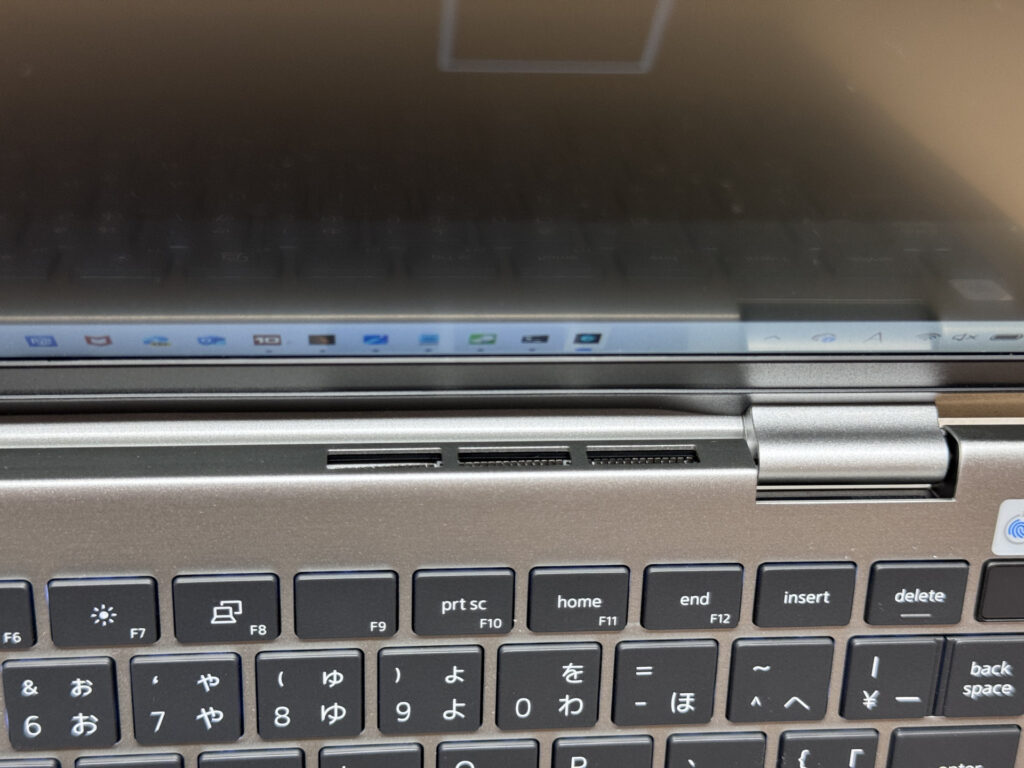 Rear vent that keeps warm air off your hands
Connectivity
This is well sorted for an entry-level machine, and it's a favourite point of mine. You get an SD card slot, two USB-A, HDMI and USB-C, so there's no need to go buying a USB hub — lovely.
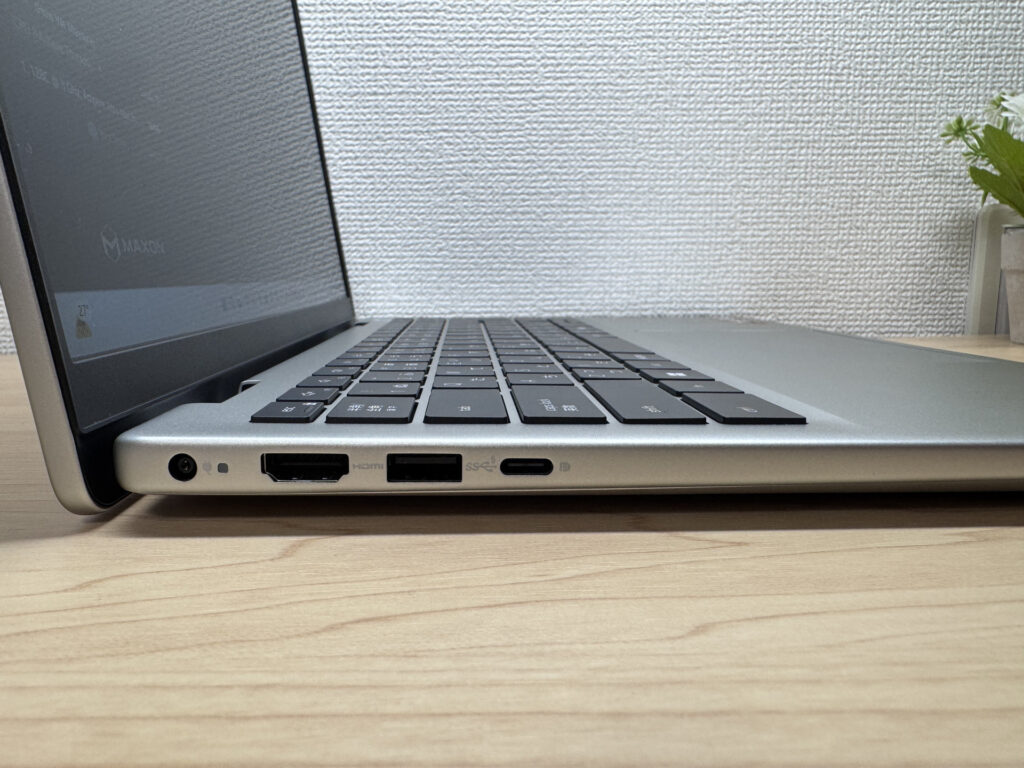 Generous ports on the left side
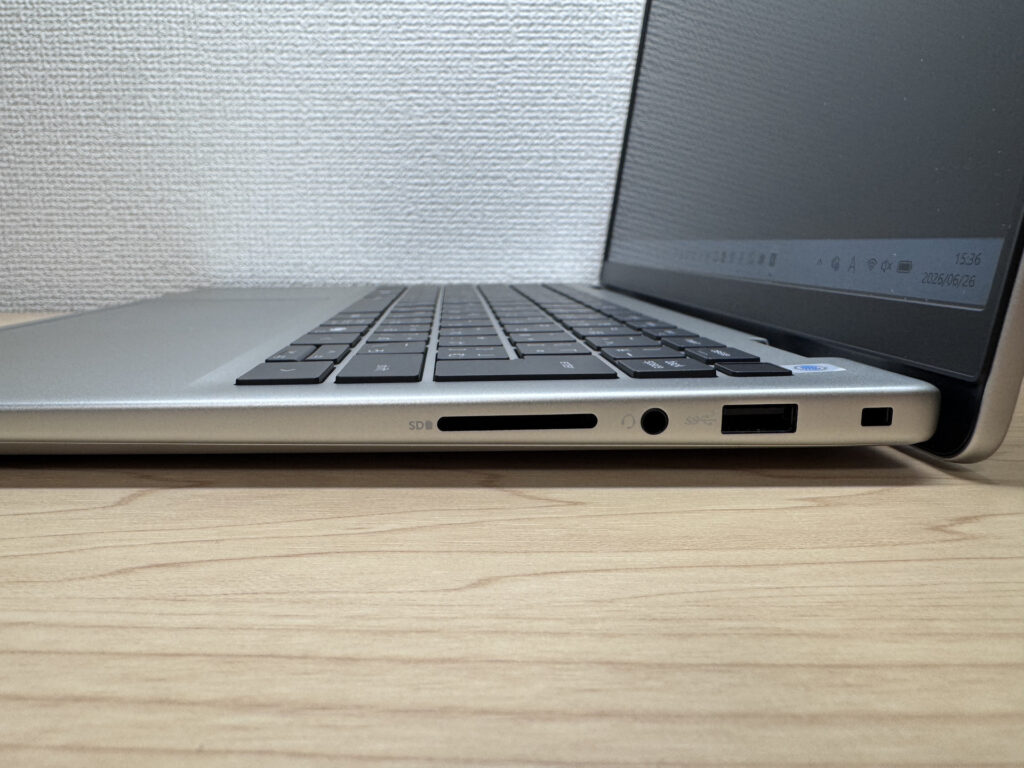 Plenty of connectors on the right too
I hooked it up to a 27in 4K monitor over HDMI and it displayed without a hitch.
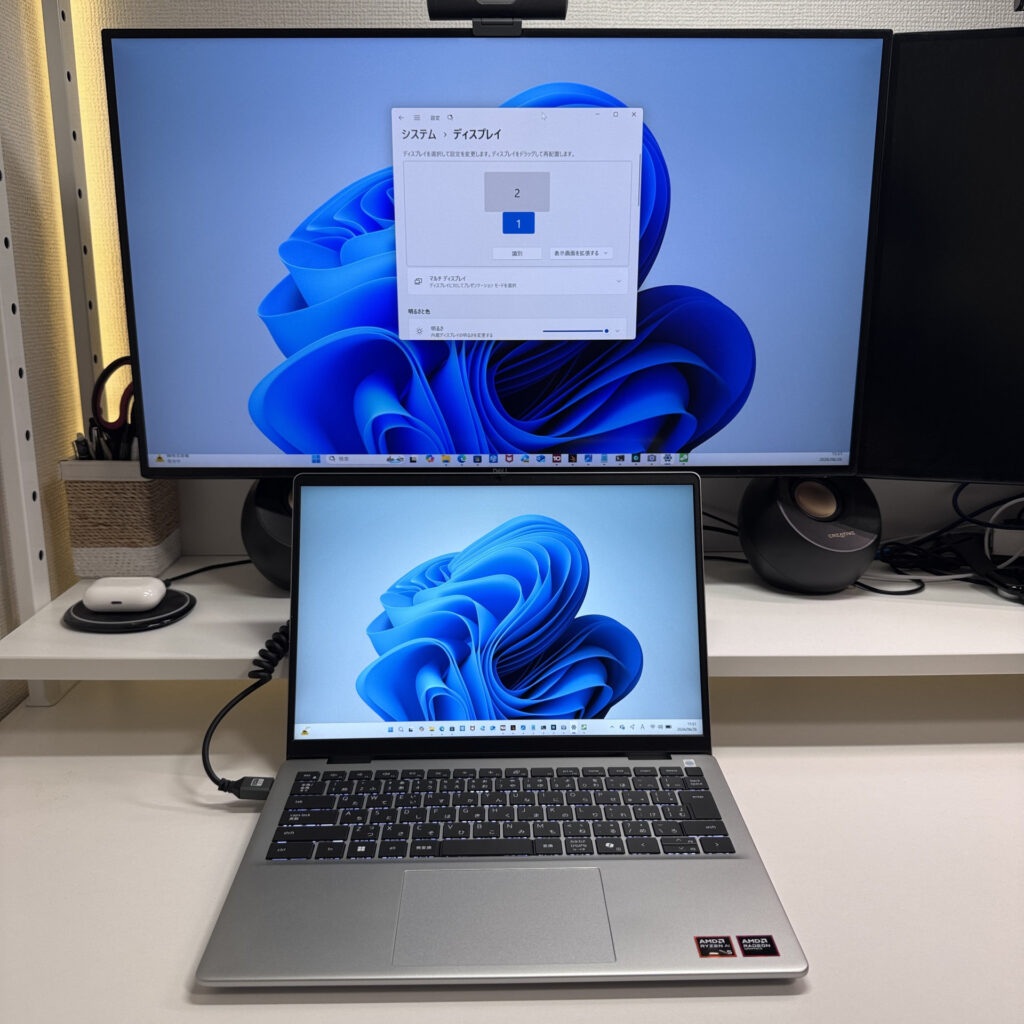 External monitor output over HDMI
Go further with HDMI plus USB-C and you can drive two external displays, making a triple-monitor setup with the laptop's own screen. Nice if you want more screens for working from home 👍
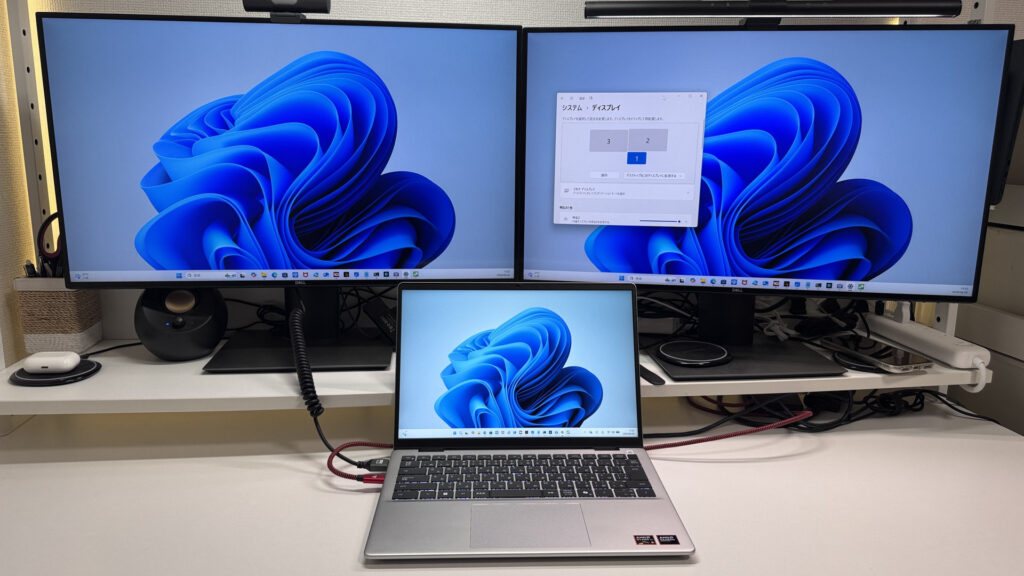 Add two more screens via USB-C
Webcam
The built-in webcam is 720p, so it's not high-res, but when I actually shot with it, it came out better than I expected. For video calls it's absolutely fine.
 Camera quality that's fine for video calls
Speakers
I watched a film on it, and subjectively I'd give it about 7 out of 10. It's not especially clear or punchy, but for office work or video calls the sound is absolutely fine.
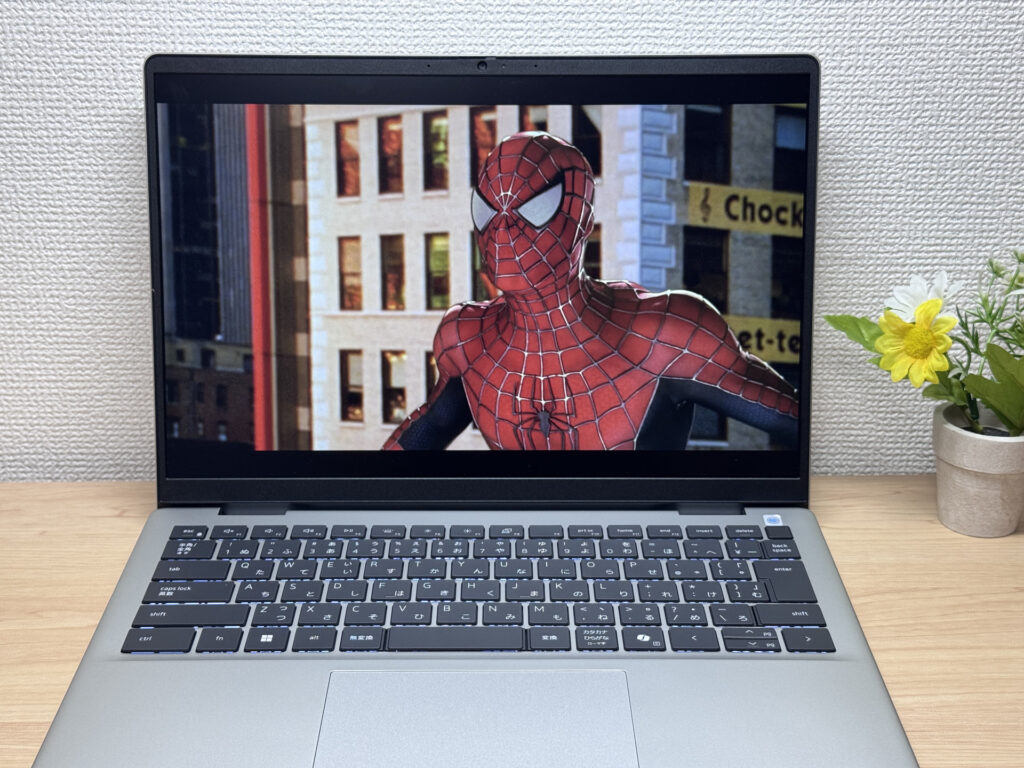 Sound that's fine for video and calls. Watching videos is reasonably enjoyable too.
Security
For security it has a fingerprint reader. Handy, since it unlocks Windows in an instant. And the built-in webcam even has a physical privacy shutter, so you can physically cover the lens when you're not using it — reassuring 😉
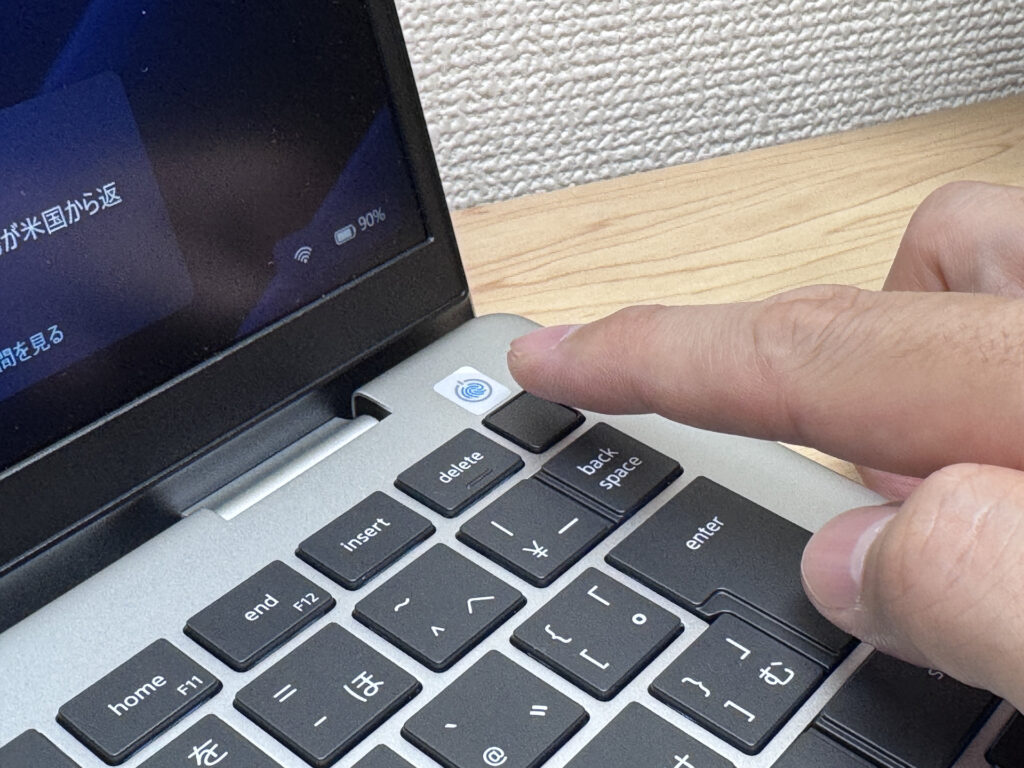 Fast-unlocking fingerprint reader
Verdict
The Dell 14 (DC14255, 2026) is available from a really low price point and yet comes well stocked with solid fundamentals. There are things to watch — the measured 1566 g weight and the fan noise under load — but with its solid chassis, easy-to-read screen and generous ports, it nails what you want from a first machine. For me, it's a perfect fit for newcomers who want to keep costs down without ending up with something cheap and nasty.
A laptop with reassurance beyond its price
Where to Buy
* Prices may vary. Please check each store for the latest price and availability.
About the author