ZippyScore
ZippyScore is a proprietary rating based on 6 criteria: performance, portability, display, battery, value, and connectivity.
See rating criteria
- Performance: CPU / GPU performance
- Portability: Screen size & weight
- Display: Panel type, aspect ratio & refresh rate
- Battery: Rated battery life
- Value: Specs-to-price balance
- Connectivity: Port types & count
Pros & Cons
Pros
- 16GB of RAM keeps multitasking comfortable — browser tabs, docs, and Office running together without slowdown
- Built-in USB-A, HDMI, and SD card slot means no hub needed for most setups
- Matte IPS panel with 16:10 aspect ratio is easy on the eyes and useful for productivity
- Fingerprint reader makes unlocking Windows quick and effortless
- Aluminium build feels more robust than the price implies
Cons
- 1.54 kg is heavier than most 14-inch rivals — noticeable if you carry it to lectures every day
- No keyboard backlight makes typing in low light genuinely frustrating
- Webcam at 0.9MP is below par — won’t do you any favours on video calls
Specs Summary
| OS | Windows 11 Home |
|---|---|
| CPU | Intel Core 5 120U (PassMark: 15,544) Intel Core 3 100U (PassMark: 12,636) Intel Core 7 150U (PassMark: 14,835) |
| RAM | 8GB / 16GB |
| Storage | 512GB |
| Display | 14" IPS (Anti-glare, 60Hz) 1920x1200 (16:10) |
| Weight | 1.54 kg (3.40 lbs) |
| Ports | USB-A × 2 (5Gbps), USB-C × 1 (10Gbps/PD/Video out), HDMI × 1 (ver.1.4), SD card × 1, Headphone jack × 1 |
| GPU | Intel Graphics (G3D Mark: 3,183) |
| Biometrics | Fingerprint |
| Battery | (Capacity: 54 Wh) |
| Camera | 0.9 MP |
| Dimensions | Approx. 314.0 × 226.15 × 19.9 mm (W × D × H) |
| Wi-Fi | Wi-Fi 6 |
| Bluetooth | Bluetooth 5.0 |
| Color | Silver / Platinum Silver |
Configurations vary by retailer, region, and availability.
Feature Review
Design
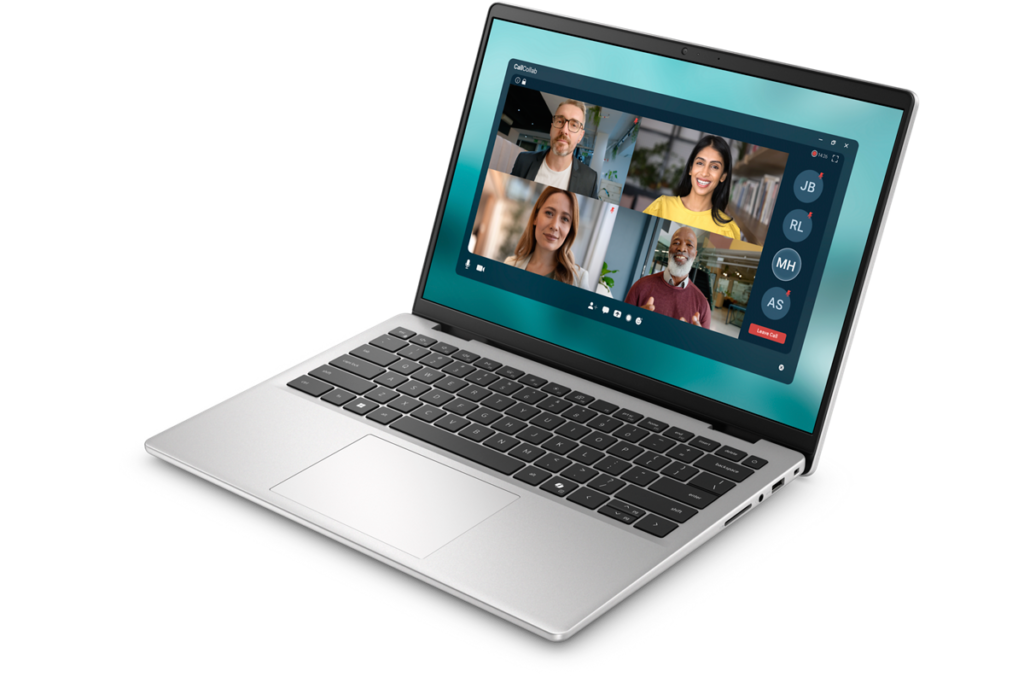
The Dell 14 (DC14250, 2025) comes in Carbon Black — understated, practical, no unnecessary flair. The aluminium chassis gives it a solidity you wouldn’t normally expect at this price. It doesn’t feel like it’ll fall apart after a year of use, which is genuinely reassuring if you’re buying this as a long-term machine.
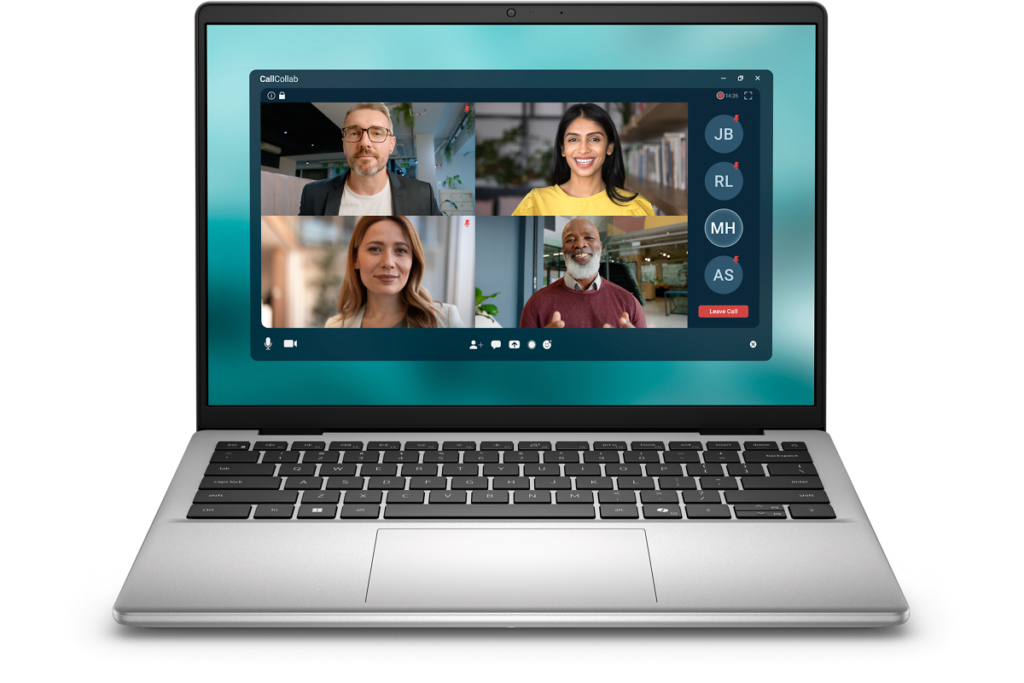 Clean lines, no gimmicks — a proper laptop look
The rear panel is equally low-key. The logo’s there, but it’s not trying too hard.
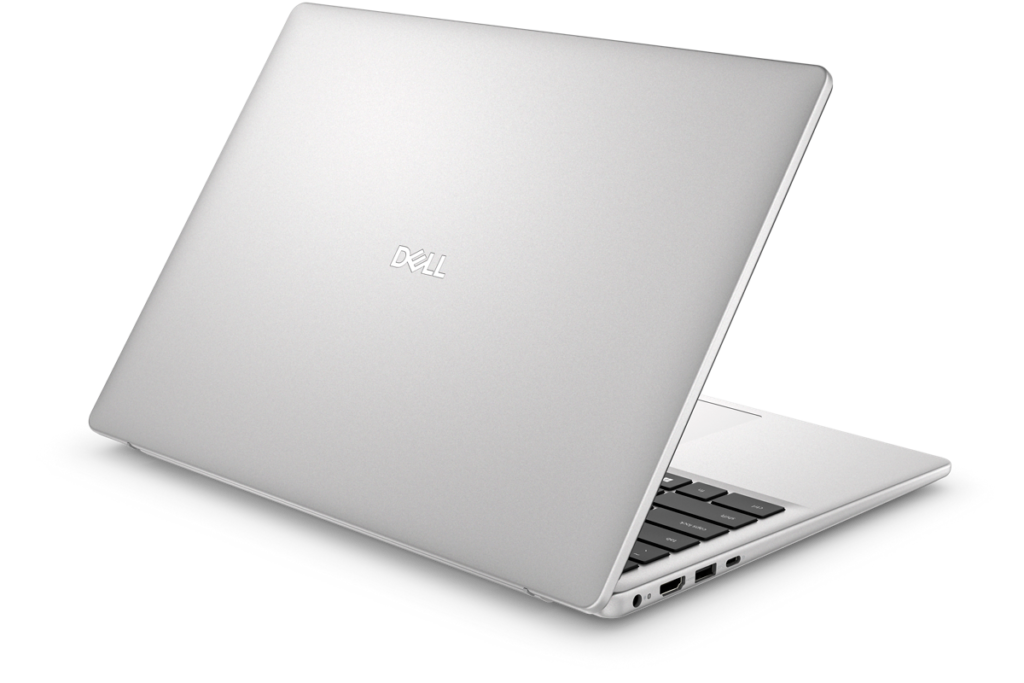 Quiet, unfussy Carbon Black rear panel
At 19.9mm thick, it’s not particularly slim, though it’ll slip into a rucksack without much fuss.
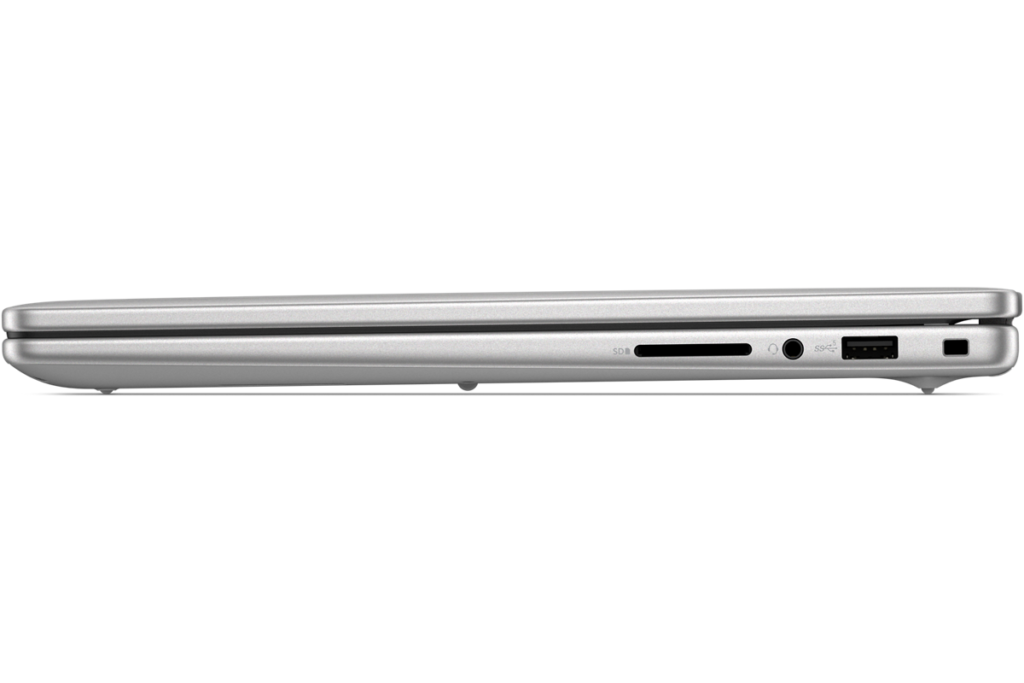 19.9mm — not slim, but nothing to fret about
Portability
1.54 kg is on the heavier side for a 14-inch laptop in 2025, fair to say. If you’re carrying this to lectures or commuting on the Tube every day, you’ll notice it. Part of the price for keeping costs down, really — there’s only so much you can shave off the weight without spending more on materials. If this lives mostly on a desk with the occasional trip out, it’s fine.
Display Quality
A 14-inch IPS panel at 1920×1200, with a 16:10 aspect ratio that gives you a bit more vertical space for web pages and documents. The matte coating is a proper win — no reflections from windows or overhead lighting to deal with. Colour accuracy is sensible rather than spectacular, but for everyday use that’s plenty 👀.
 Wide viewing angles and honest colour reproduction
Keyboard
The keyboard layout is well sorted — a few keys are a touch cramped in places, but nothing that’ll slow you down after a bit of acclimatisation. Fingerprint reader and Copilot key are included. The drawback worth flagging: there’s no keyboard backlight, so typing in a dark room becomes a bit of a guessing game. A cost-cutting decision, clearly.
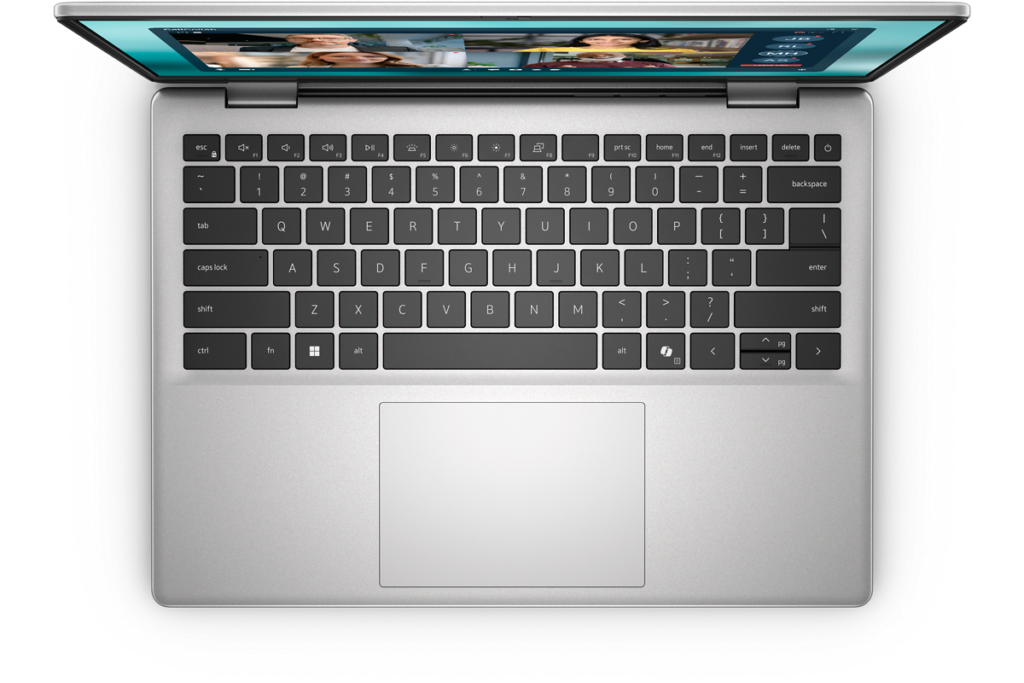 Perfectly functional keyboard — just not in the dark
Performance
Intel Core 7 150U, 16GB DDR5, 512GB SSD. The U-series chip prioritises efficiency over raw power, so heavy video editing or gaming is a bit beyond its brief. But 16GB of RAM means you can have a dozen tabs open, work in a spreadsheet, and run Teams without it grinding to a halt. For day-to-day tasks, it’s genuinely responsive.
Battery Life
Battery verdict: decent but not exceptional
The 54Wh battery is fairly standard. Given the weight, you might hope for something a bit more substantial, but it’s not quite there. I’d call this a laptop that appreciates being near a charger rather than one you’d confidently take out for a full day untethered. The upside: USB-C PD charging is supported, so a compact USB-C charger lightens the load a bit 🔌.
Ports
This is where the Dell 14 (DC14250, 2025) genuinely earns its keep. Two USB-A ports, a video-output USB-C, full-size HDMI, and an SD card slot — all built in. At this price point, that’s not to be taken for granted. Monitor, USB drive, SD card — all connected without reaching for a hub. USB-C handles PD charging and DisplayPort output too 👍.
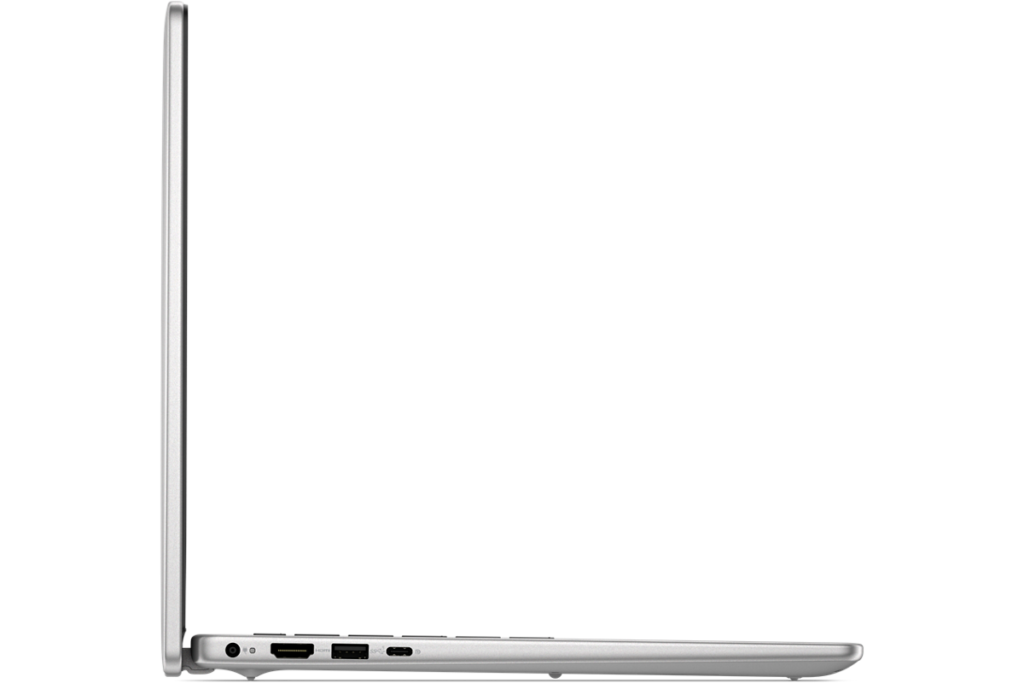 Left side: a proper port array
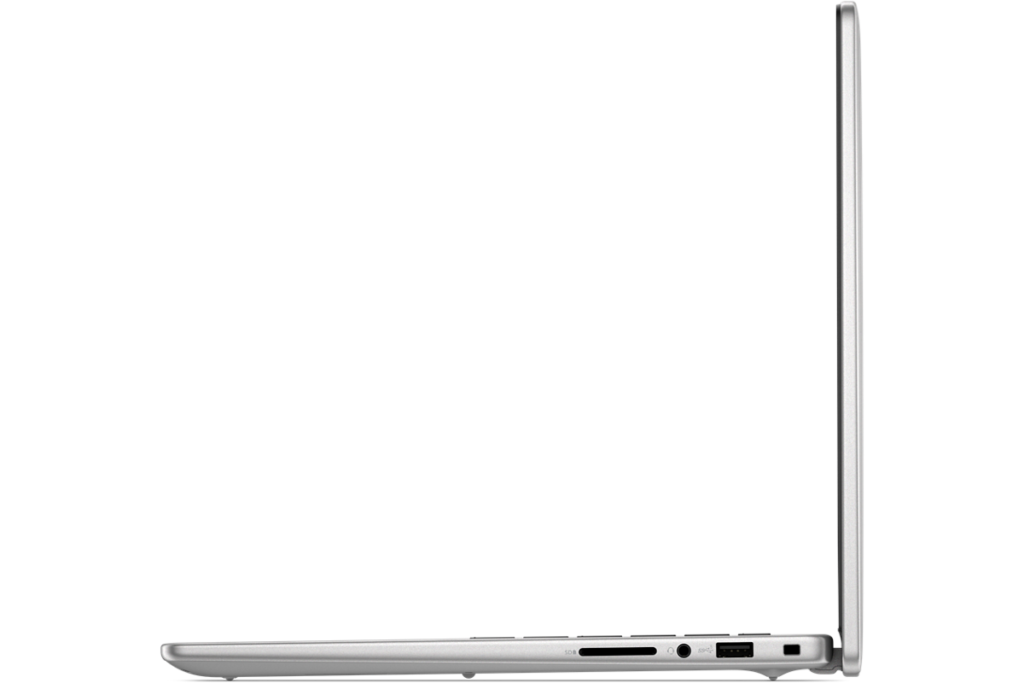 Right side: HDMI and SD card, no adapters needed
Webcam
At 0.9MP, the webcam is well below what you’d hope for in 2025. If looking sharp on video calls matters to you, this will be a disappointment. If you’d rather not be too visible on remote lectures, you might actually see it as a feature. Each to their own.
Security
Fingerprint authentication is on board on most configurations, so unlocking Windows Hello is a one-touch affair. A small thing, but the kind of convenience you’d miss once you’re used to it. Good to see it included at this price.
Price
Starting from , the price is the headline act here. Entry-level, yes — but it doesn’t feel throwaway. The fundamentals are covered and the build feels like it’ll last.
Overall
The Dell 14 (DC14250, 2025) is a sensible choice for anyone who wants a reliable, no-frills laptop at a low price and intends to use it for the long haul. The weight and missing backlight are proper downsides, but the IPS display, fingerprint reader, and comprehensive port selection make for a well-rounded package given what you’re paying. Uni students and anyone doing mostly writing and browsing will find it more than adequate 😊.
No hub needed — that’s the quiet star of the show
Where to Buy
* Prices may vary. Please check each store for the latest price and availability.
About the author