ZippyScore
ZippyScore is a proprietary rating based on 6 criteria: performance, portability, display, battery, value, and connectivity.
See rating criteria
- Performance: CPU / GPU performance
- Portability: Screen size & weight
- Display: Panel type, aspect ratio & refresh rate
- Battery: Rated battery life
- Value: Specs-to-price balance
- Connectivity: Port types & count
Pros & Cons
Pros
- Premium aluminium unibody build quality that feels well above this price point
- Weighs just 1.23 kg — light enough to carry everywhere without a second thought
- Up to 16 hours of battery life, so you can get through a full day without hunting for a socket
- Completely silent fanless design — no noise, no distractions, anywhere
- 1080p FaceTime HD webcam that looks bright and clear — well above average for video calls
Cons
- Can slow down with 4K video editing or heavy multitasking
- USB-C only with no USB-A, so if you have a lot of peripherals you'll need a hub
Specs Summary
| OS | macOS |
|---|---|
| CPU | Apple A18 Pro (PassMark: 12,849) |
| RAM | 8GB |
| Storage | 256GB / 512GB |
| Display | 13" IPS (Glossy, 60Hz) 2408x1506 (16:10) |
| Weight | 1.23 kg (2.71 lbs) |
| Ports | USB-C × 1 (10Gbps/PD/Video out), USB-C × 1 (PD), Headphone jack × 1 |
| GPU | Apple A18 Pro 5-core GPU |
| Biometrics | Fingerprint |
| Battery | Up to 16 h (Capacity: 37 Wh) |
| Camera | 2.1 MP |
| Dimensions | Approx. 297.5 × 206.4 × 12.7 mm (W × D × H) |
| Wi-Fi | Wi-Fi 6E |
| Bluetooth | Bluetooth 6.0 |
| Color | Silver / Indigo |
Configurations vary by retailer, region, and availability.
Hands-on Review
Here's my full rundown on the MacBook Neo. The unit I reviewed had the following specs:
| Spec | Review Unit |
|---|---|
| CPU | Apple A18 Pro |
| RAM | 8GB |
| Storage | 512GB SSD |
| Display | 13-inch IPS (2408×1506, 60Hz) |
| Graphics | Apple A18 Pro 5-core GPU |
| Colour | Indigo |
※ Specs may vary depending on the configuration and region.
Design
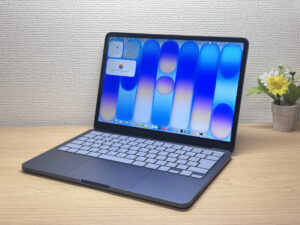
MacBook Neo gives off “wait, this actually feels expensive?” vibes the moment you pick it up 🤔. The all-aluminium unibody from lid to base is solid with zero flex — rather impressive for this price. Windows laptops at similar prices almost always cut corners with plastic somewhere, and it shows. I honestly can't think of many laptops at this price that feel this well-built.
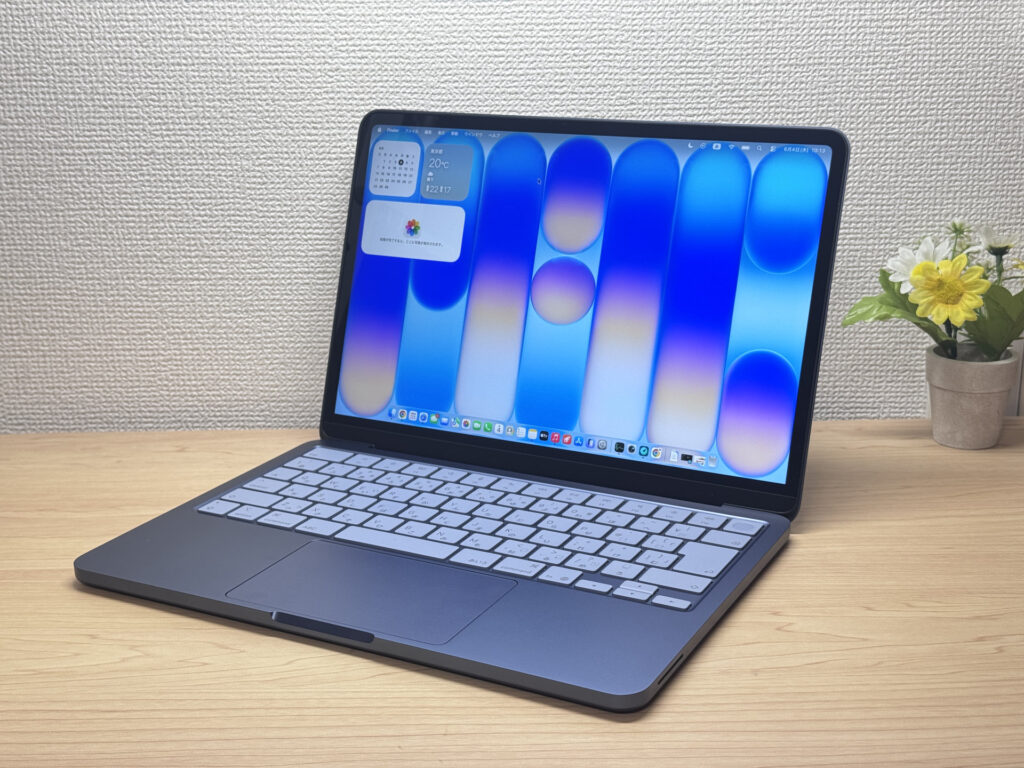 Premium unibody build quality you don't expect at this price
Flip it over and the back is just as clean — Apple's logo tastefully placed, no cheap plastic in sight. That Jobs-era philosophy of “make it beautiful even where no one looks” has clearly trickled all the way down to the entry-level lineup.
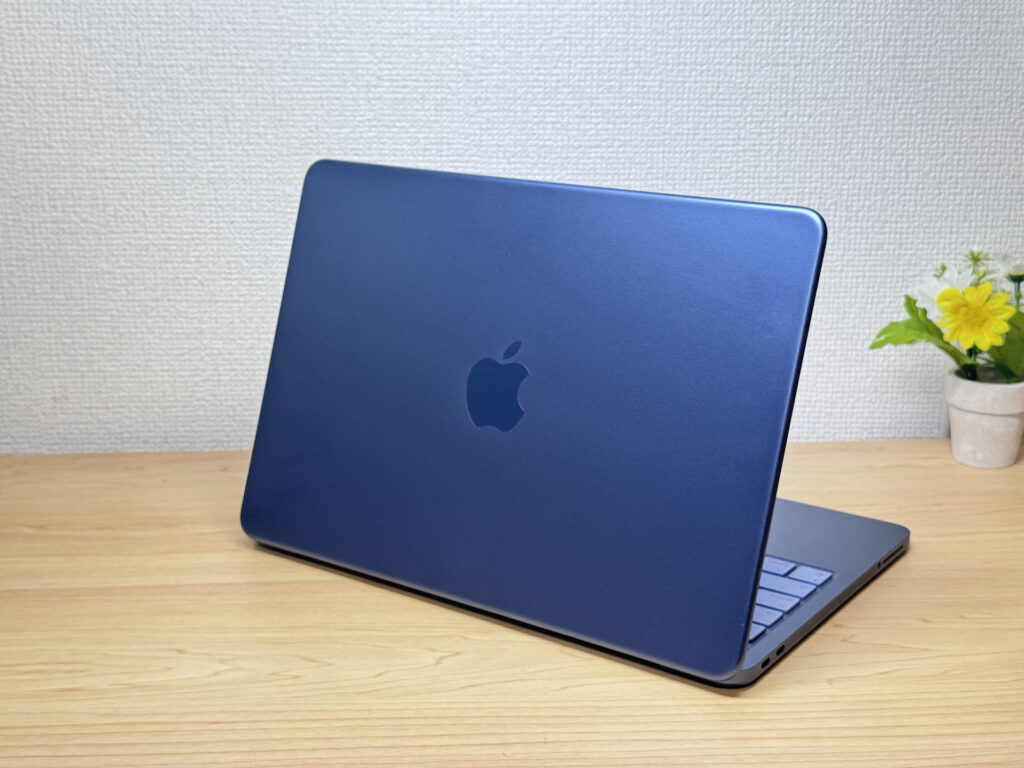 Apple's attention to detail extends all the way to the bottom panel
It's also slim and slides into a bag without a second thought. I'm rather fond of the uniform thickness — feels more intentional than a tapered wedge shape.
 Slim, uniform profile that slips easily into any bag
The aluminium unibody keeps the premium feel consistent all the way around. No plastic anywhere, even on the bottom.
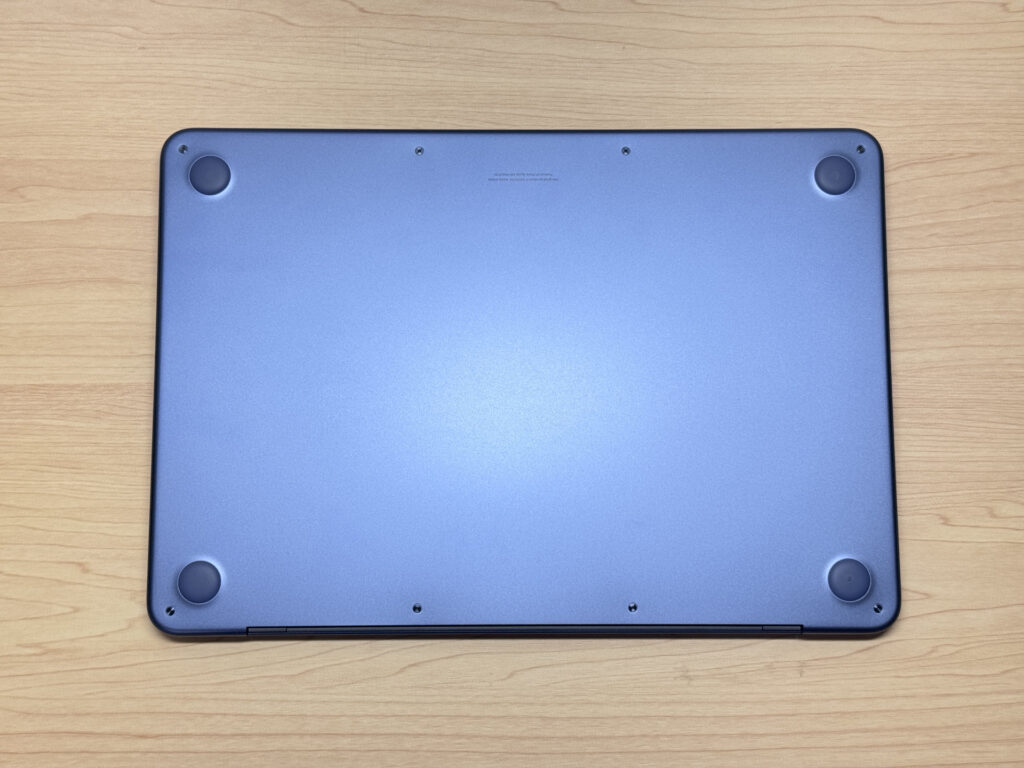 No-compromise unibody construction all the way to the bottom
Lid opening is another detail done right. One finger is all it takes to open the lid — budget laptops often require two hands, so it's a nice touch that Apple didn't skip here.
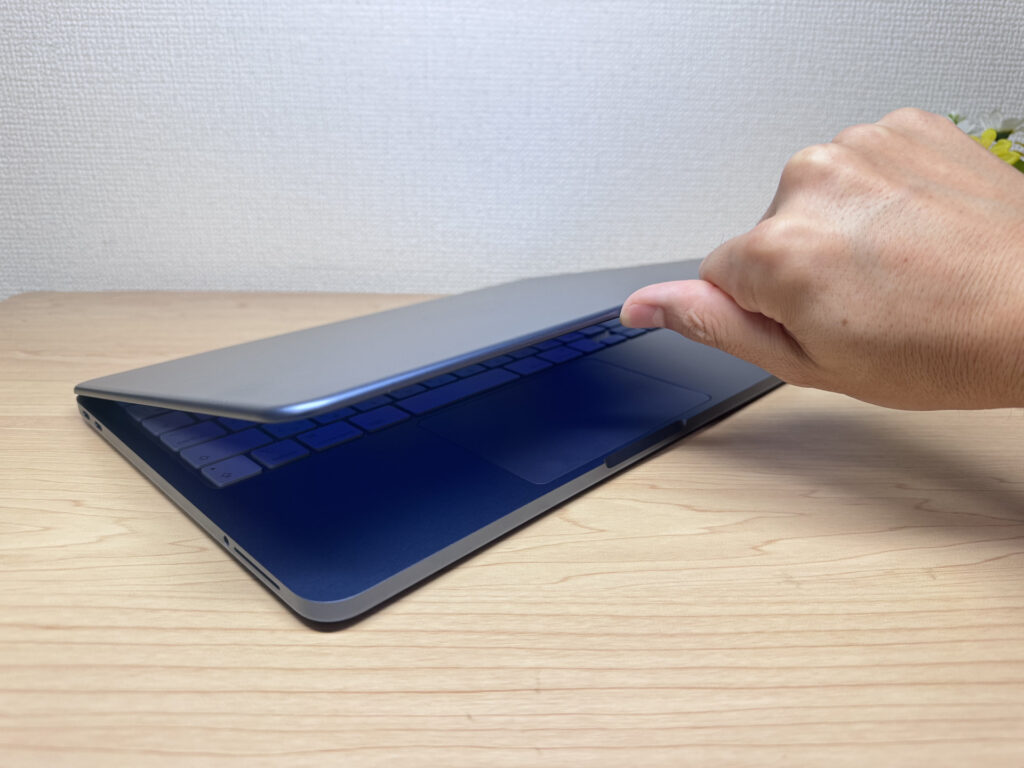 One-finger lid opening — a detail often skipped on budget laptops
The hinge only opens to a certain angle — Apple's usual “you don't need more range than this” approach. Fair enough, really.
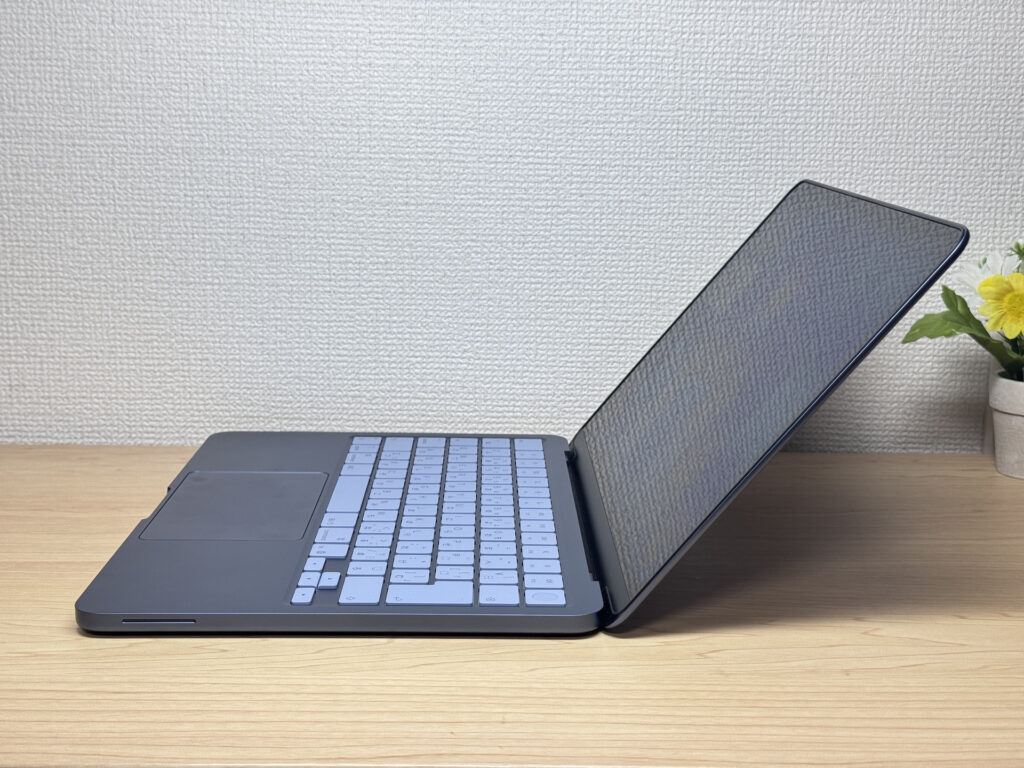 Hinge stays stable and firm even at full opening angle
Portability
At 1.23 kg (about 2.7 lbs), it's not the lightest laptop around, but it's well within the range where you stop noticing the weight. Chucking it in your rucksack for a daily commute or carrying it to lectures every day is no bother at all — the kind of laptop that won't leave you with a sore shoulder at the end of term.
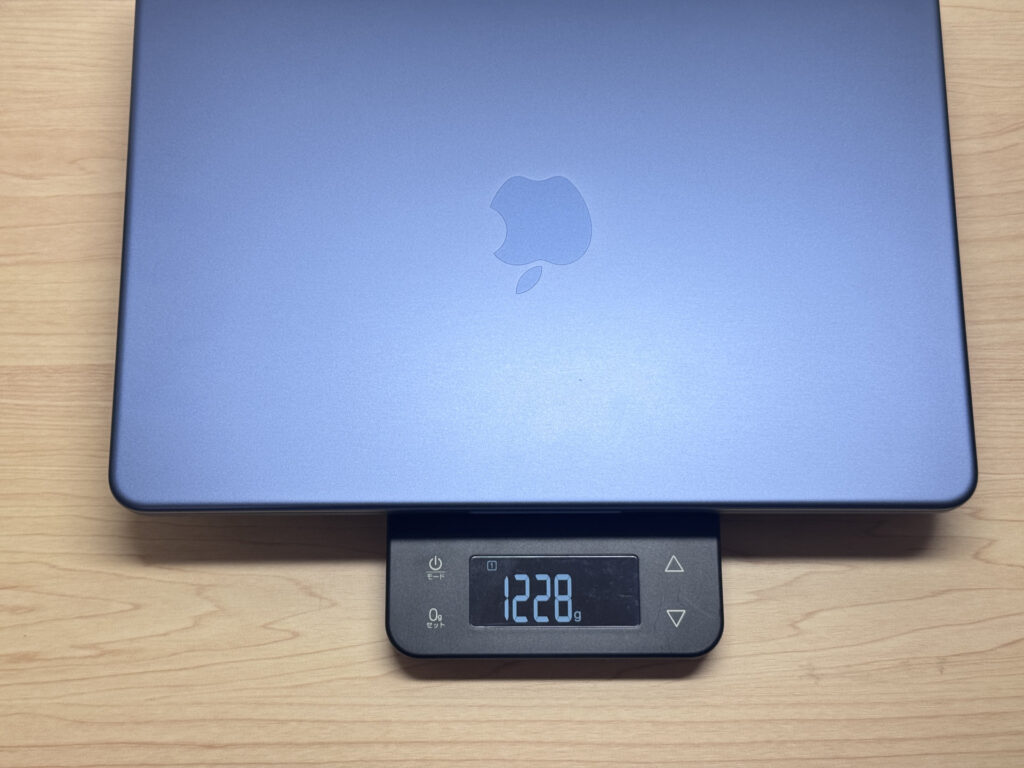 1.23 kg — light enough for comfortable everyday carry
But what really got me was the charger. Cable included, it weighs just 84g — the lightest stock charger I've seen across all the laptops I've reviewed, by some margin. Makes sense: the A18 Pro only needs 20W (essentially a phone charger), so Apple made the brick tiny. The plug doesn't fold in, which is a minor shame, but easy to forgive at this price.
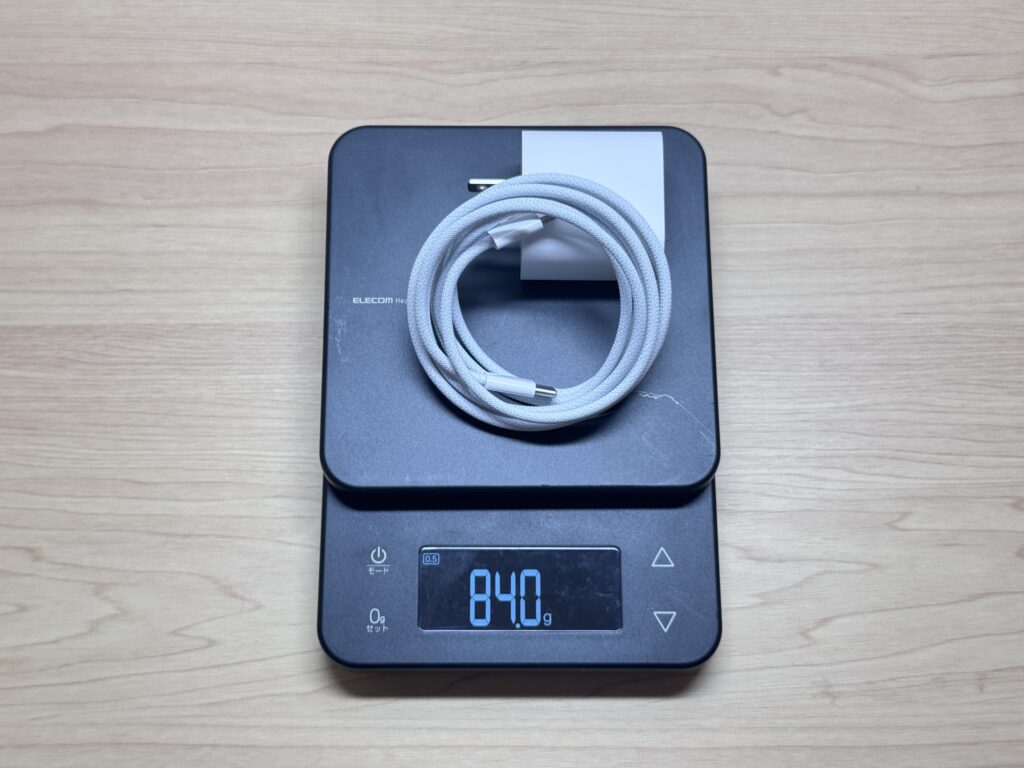 84g with cable — the lightest stock laptop charger I've seen
One-handing it around the house or office is no effort at all.
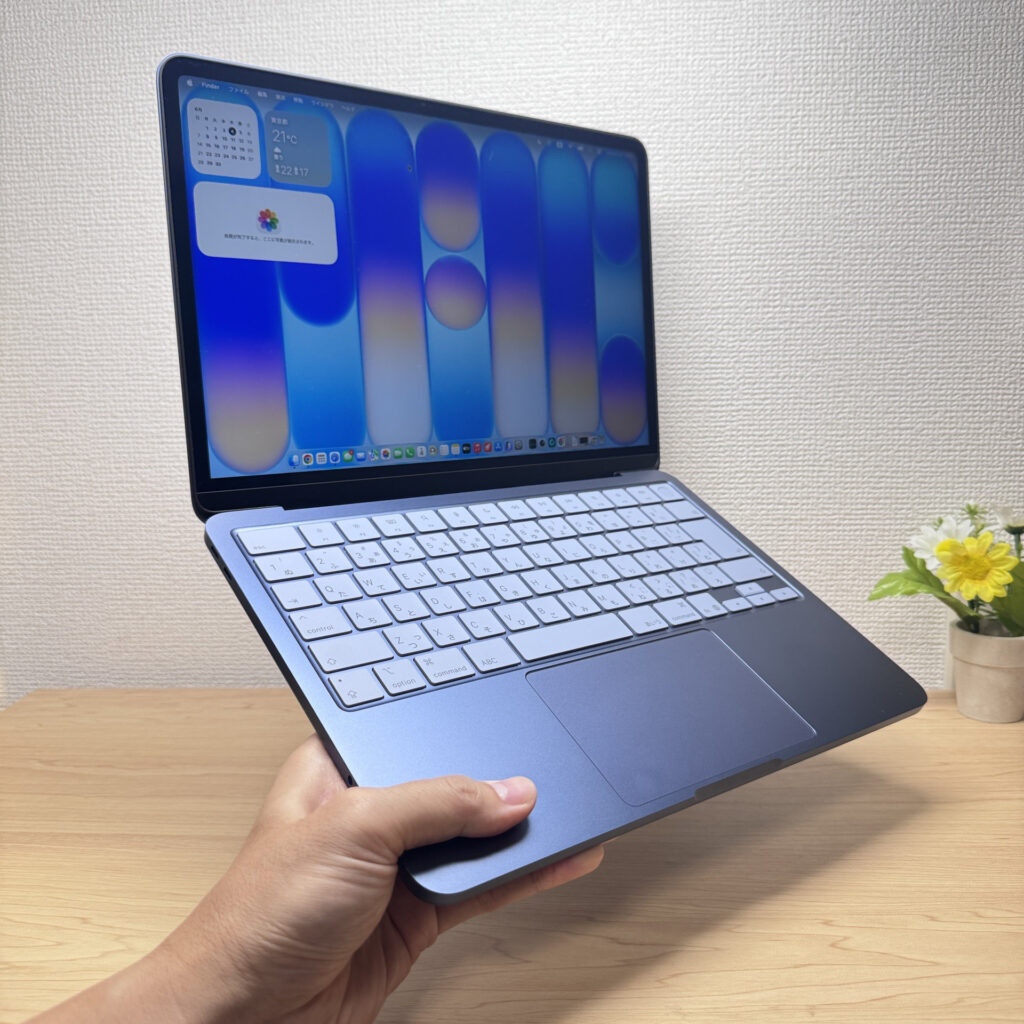 Light enough to carry effortlessly with one hand
Display Quality
The display was a genuine surprise. The Liquid Retina (IPS) panel has really solid colour accuracy — I wasn't expecting much, but it delivers. Photos and video look vibrant and punchy, and 500 nits of brightness means it holds up well even in bright rooms.
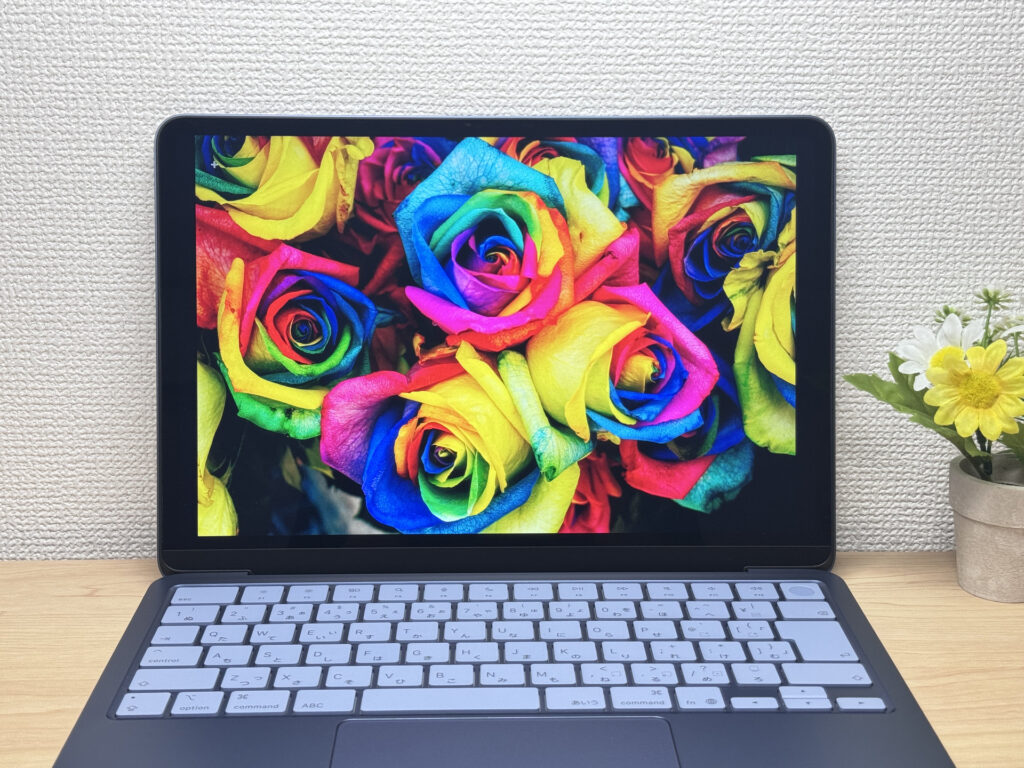 Liquid Retina display with vibrant colours and 500 nits brightness ✨
IPS means wide viewing angles too — colours stay consistent whether you're looking straight on or from the side. Easier on the eyes during long sessions.
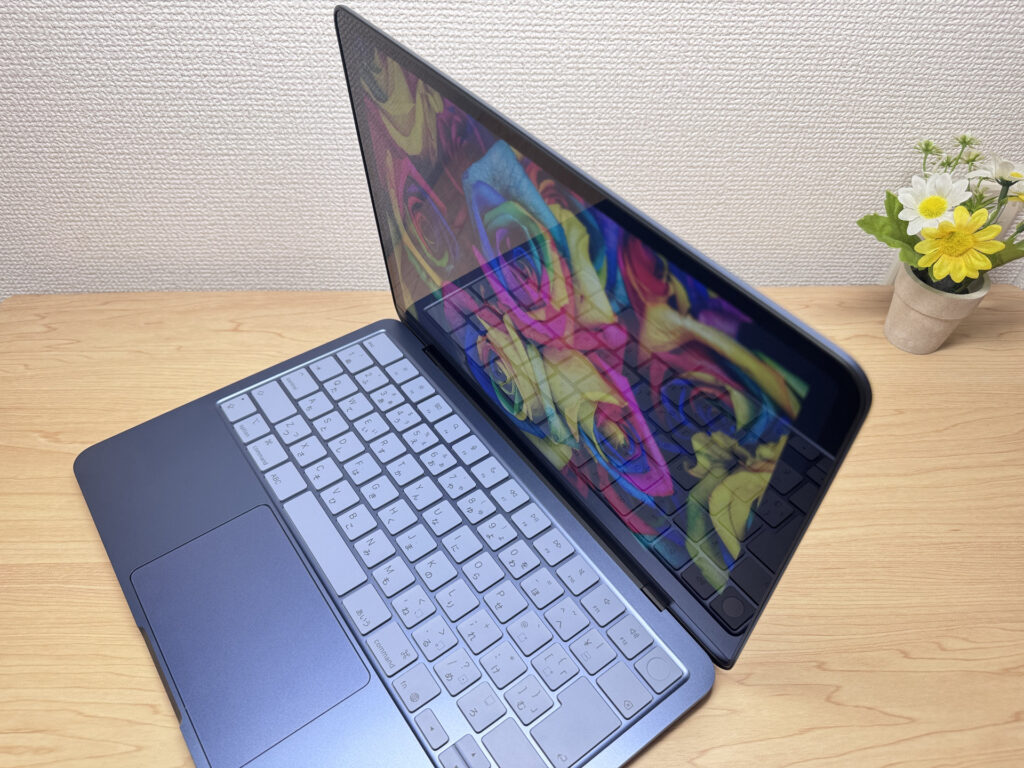 Wide IPS viewing angles — colour stays consistent from any direction
No touchscreen, but that's true across all MacBook models — not specific to the MacBook Neo.
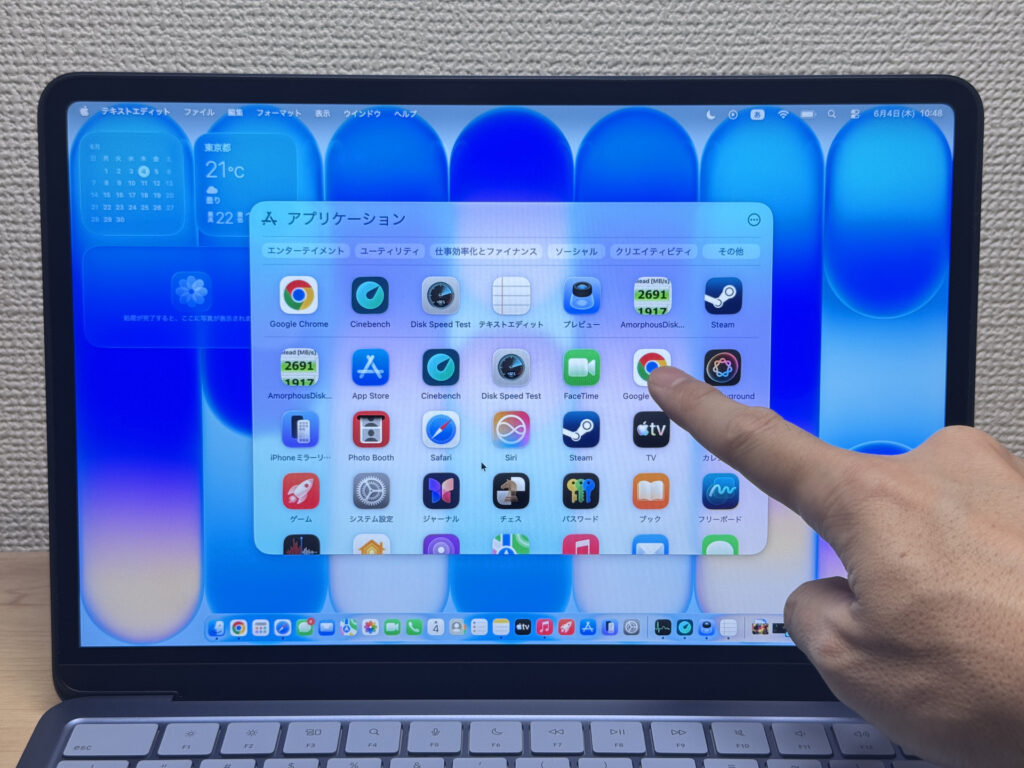 No touchscreen — a MacBook-wide thing, not just this model.
The 16:10 aspect ratio adds useful vertical space for browsing and document work. Set it next to an M4 MacBook Air and the difference in screen size is barely noticeable — less than an inch, comparable screen real estate. That said, the Air's display does look very slightly better for whites 😅 — you do notice it in a direct side-by-side.
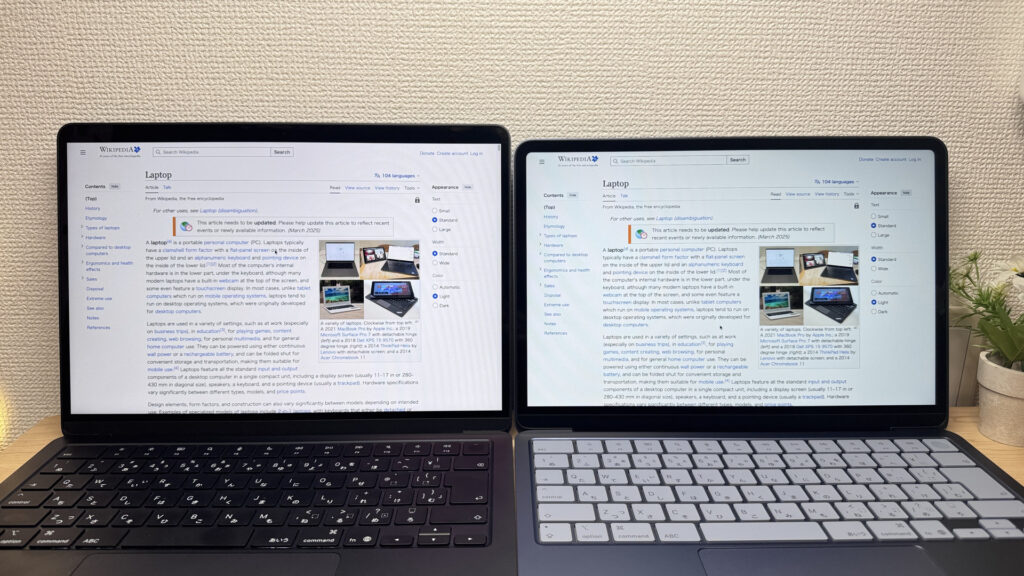 MacBook Air (left) vs MacBook Neo — screen real estate is nearly identical
One gripe: there's barely any anti-glare coating, so bright overhead lighting and windows will reflect noticeably. Standard for this price range, but worth bearing in mind if you work near windows or under bright lighting.
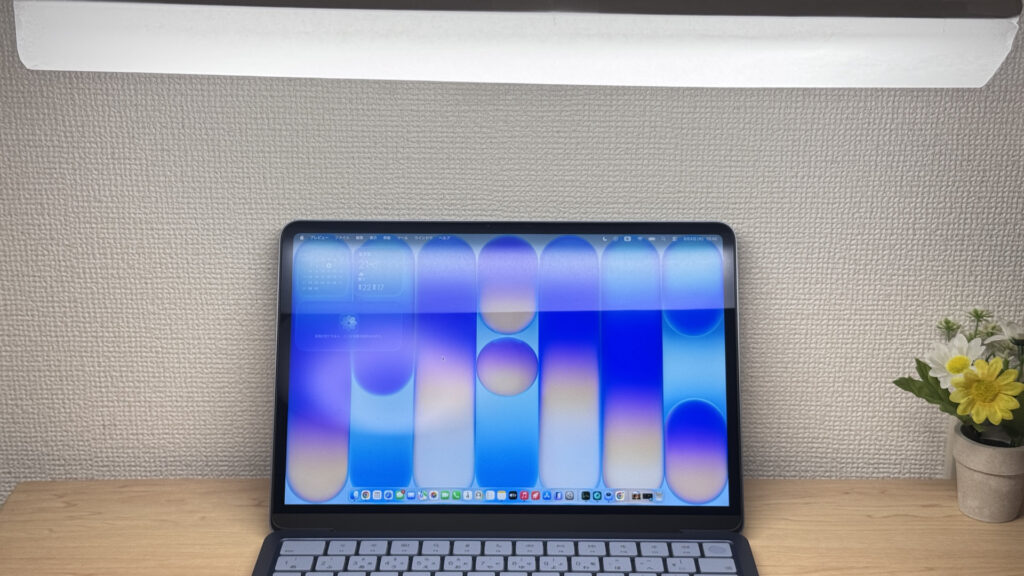 Noticeable reflections — something to watch out for in bright environments
Keyboard Feel
The keyboard layout is clean and standard — no compressed or oddly-positioned keys. Everything is where you'd expect it.
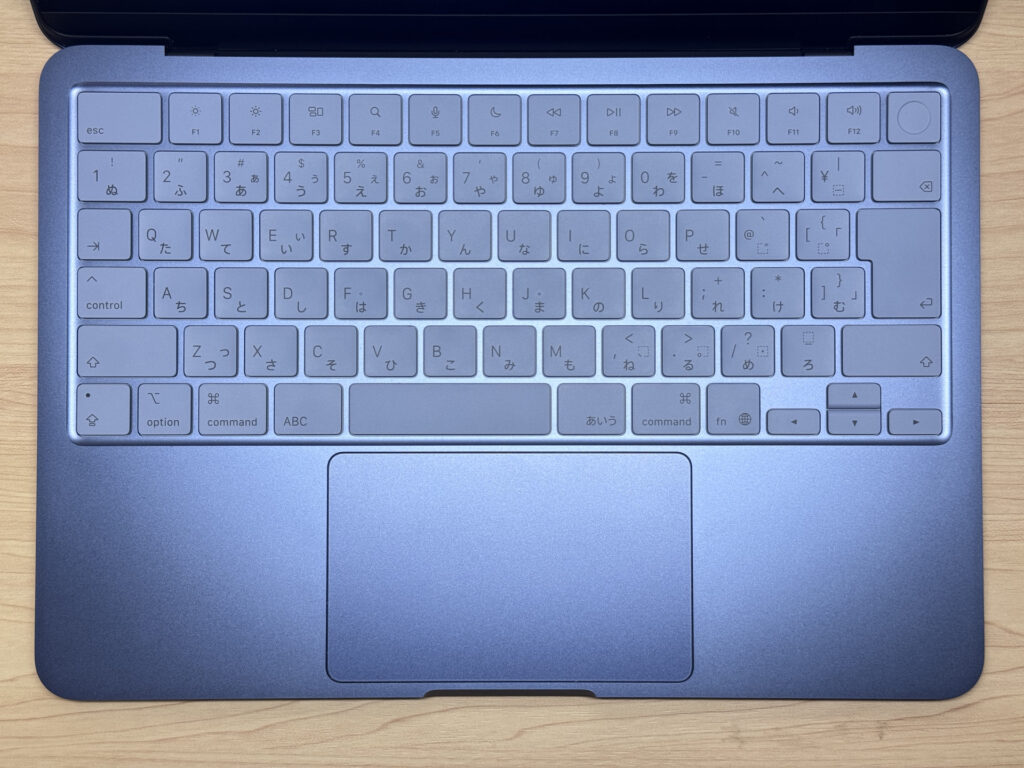 Clean, standard keyboard layout — nothing unusual
Typing feel genuinely caught me off guard — I think I might actually prefer it to the MacBook Air's keyboard. The Air feels almost too smooth, borderline slippery, while the MacBook Neo keys have this slightly grippy, tactile quality that makes every keystroke feel effortless and satisfying. The solid chassis means zero keyboard flex, which helps. Finding a keyboard this good at this price is rare.
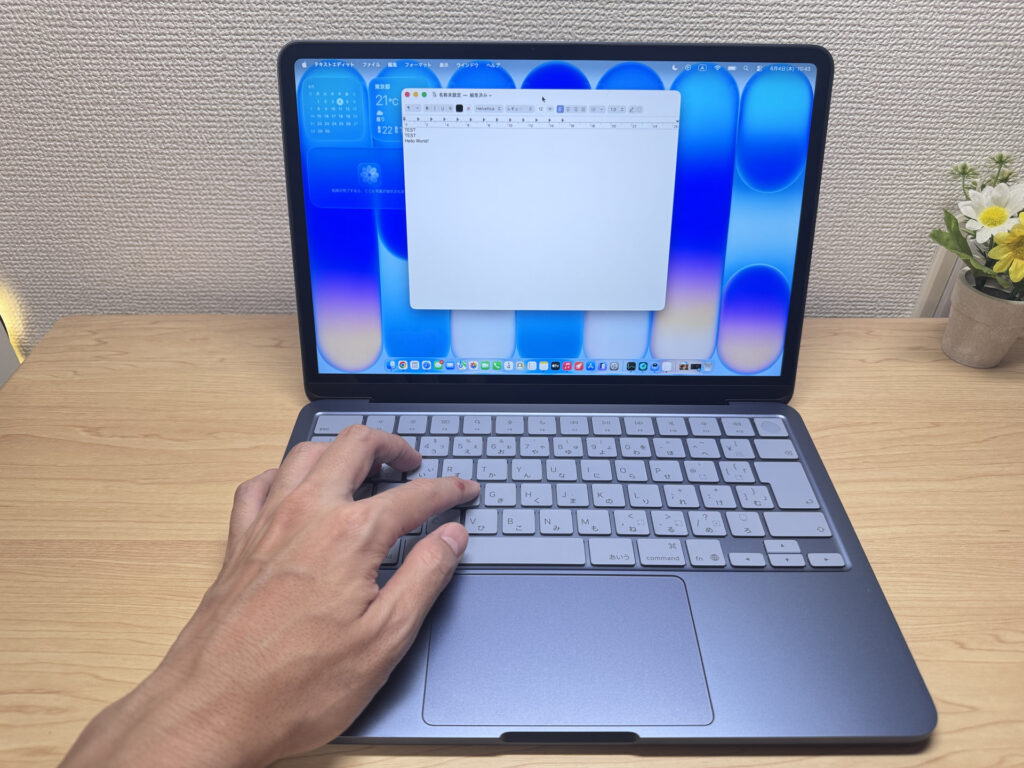 Grippy, satisfying key feel that holds up through long typing sessions
The real trade-off: no backlit keyboard. The MacBook Air has one; this one doesn't — a cost-cutting decision. If you type in low light — late nights, dim rooms — you'll feel this absence.
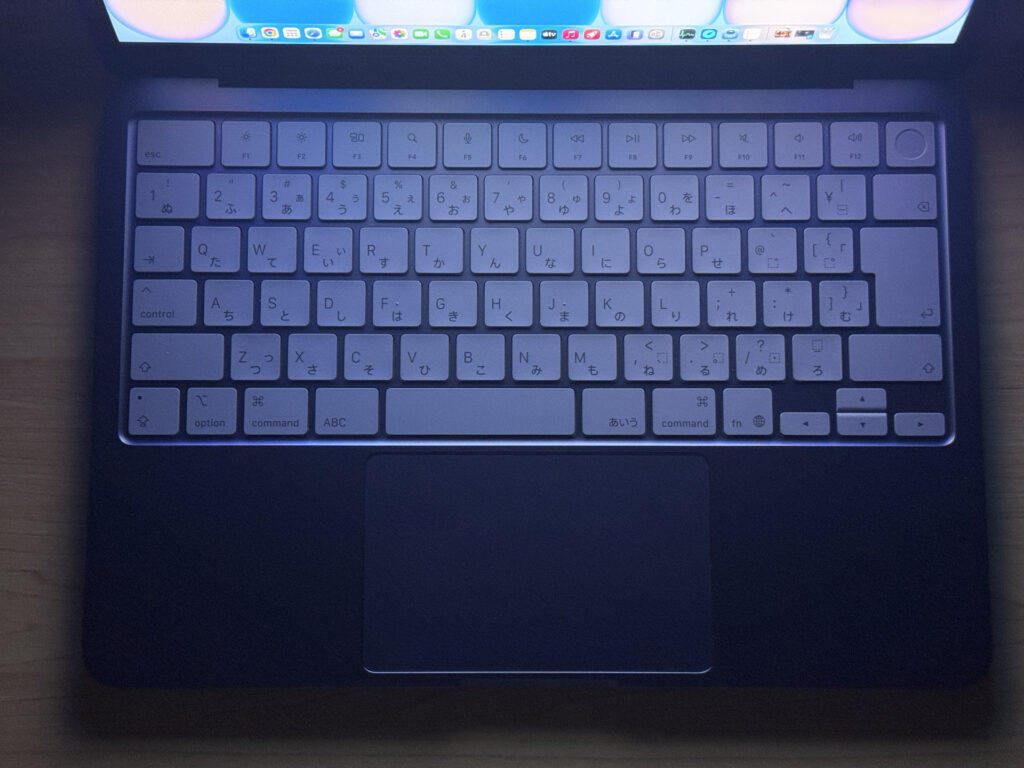 No keyboard backlight — a real trade-off at this price
Trackpad
The trackpad is on the larger side for a 13-inch, and the surface is smooth and responsive — genuinely a pleasure to use.
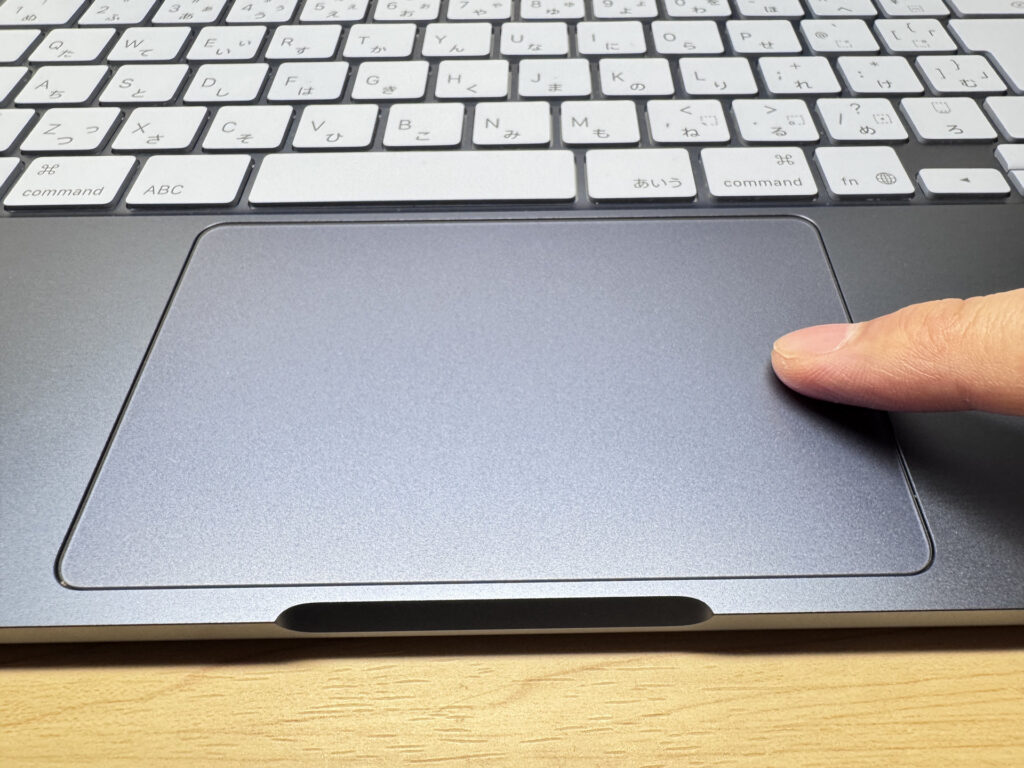 Large, smooth trackpad — comfortable for all-day use
macOS gestures all work well — Mission Control, app switching, multi-finger swipes, all of it.
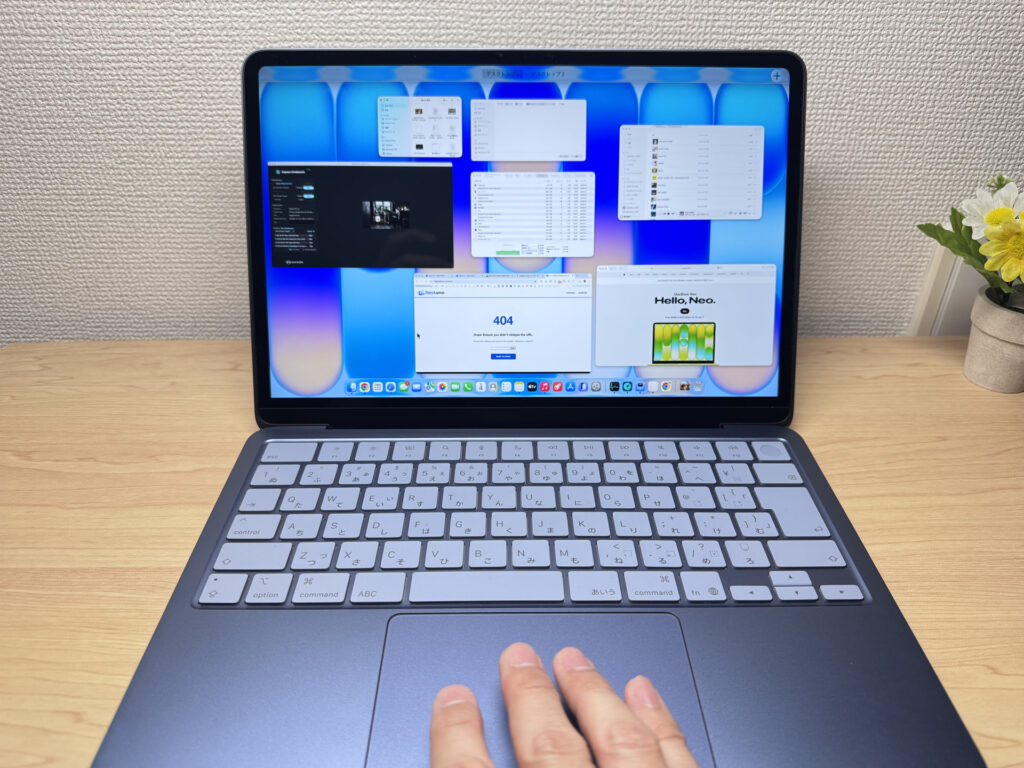 macOS gestures all work smoothly, as expected
Here's something I haven't seen covered elsewhere: unlike the MacBook Air and Pro, this trackpad is mechanical, not force touch. Mechanical trackpads usually have a dead zone near the top where clicking becomes unreliable. But the MacBook Neo clicks cleanly all the way to the top edge — I've never seen a mechanical trackpad do this. It's a genuine first for me across years of laptop reviews. Apple deserves far more credit for this.
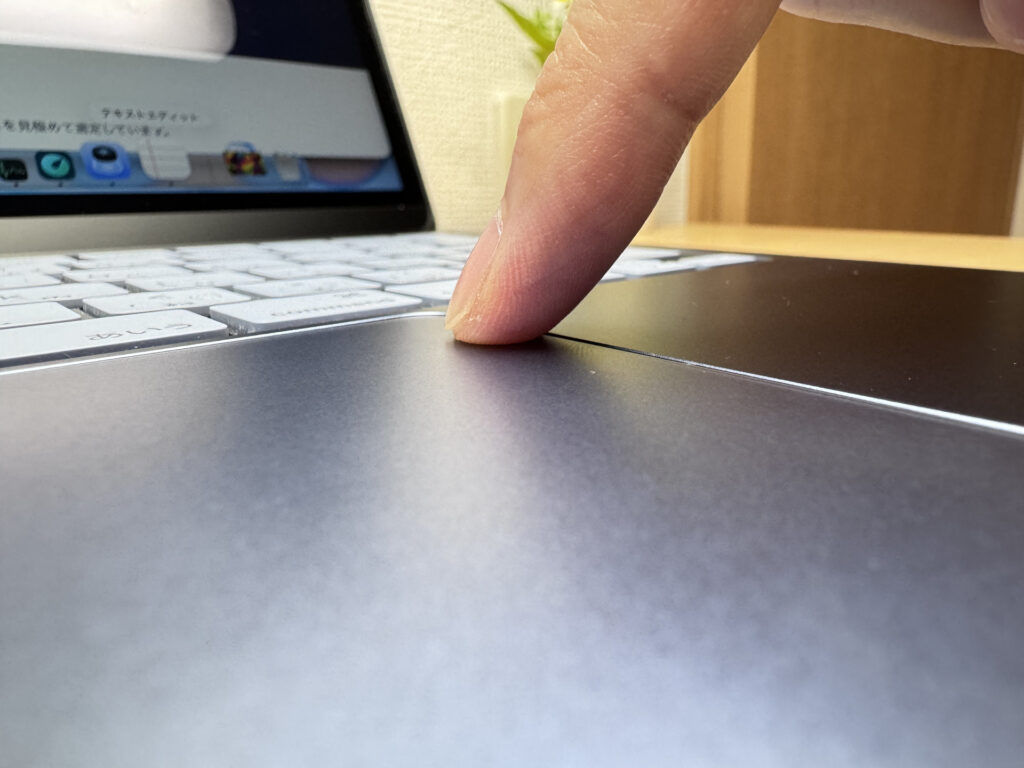 Most mechanical trackpads won't click near the top — try yours and see.
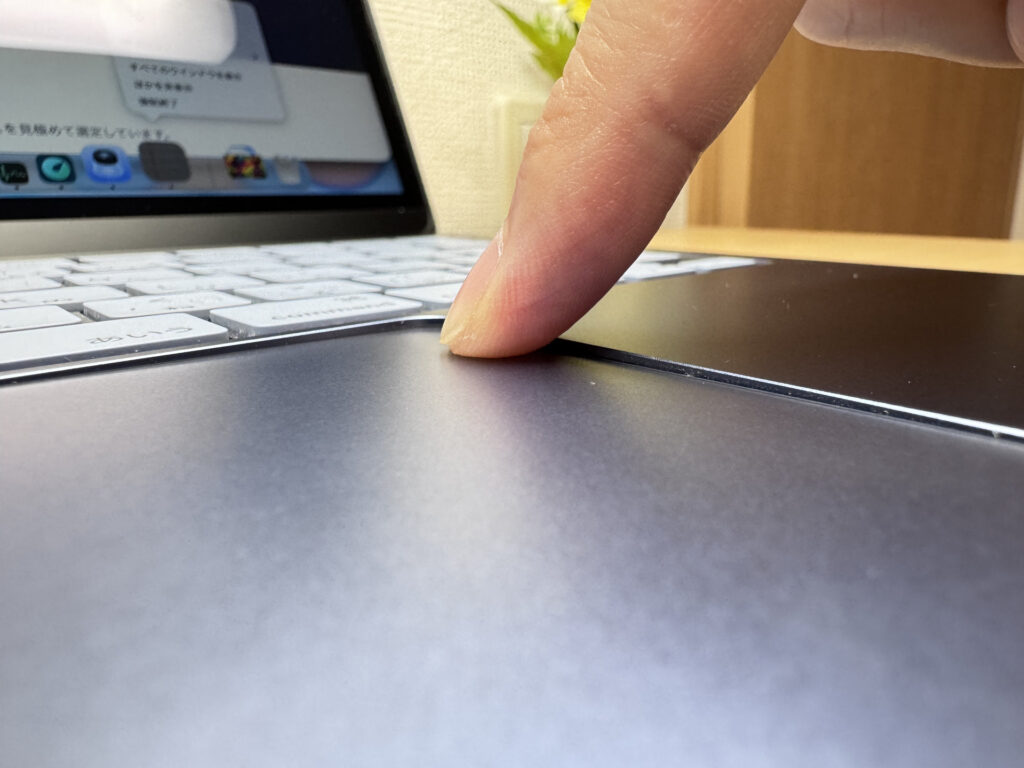 MacBook Neo clicks cleanly even at the very top — genuinely impressive engineering.
Performance
Geekbench scores: 3,181 single-core, 7,902 multi-core. Classic A18 Pro behaviour — strong single-core means fast app launches and snappy browsing, while heavier multi-threaded work like video exports takes a bit longer. For everyday use though, it's more than capable.
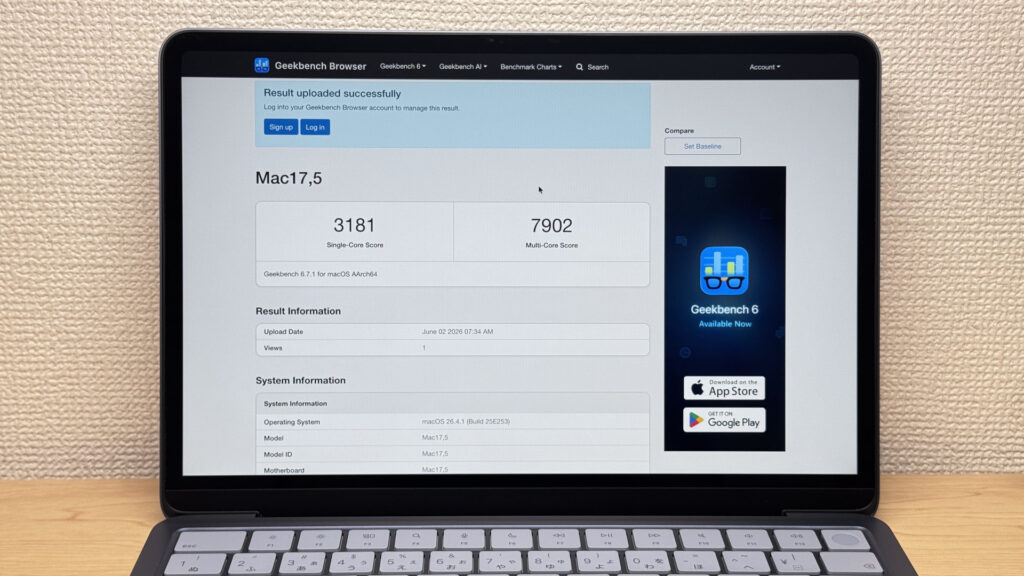 Geekbench scores — solid for everyday use
| Score | Rating | What it feels like in real use |
|---|---|---|
| Up to 1,500 | Bare minimum | Light tasks work, but heavy processing or multitasking feels underpowered. |
| 1,500–2,300 | Light work | Day-to-day use is OK, but heavier tasks introduce noticeable wait times. |
| 2,300–3,000 | Comfortable | Office work, study, and video calls are smooth. Plenty for most people. |
| 3,000–3,500 | High performance This PC | Apps launch quickly and the system feels responsive. Multitasking is smooth. |
| 3,500–4,000 | Very high performance | Daily use feels effortless, with headroom for light editing and development. |
| 4,000+ | Top tier | Excellent responsiveness — single-core performance rarely becomes a bottleneck. |
*Geekbench 6 single-core score measures per-core CPU performance. It reflects everyday "snappiness" — how quickly apps launch and respond.
| Score | Rating | What it feels like in real use |
|---|---|---|
| Up to 4,000 | Bare minimum | Light tasks are fine, but heavy parallel work or video editing feels underpowered. |
| 4,000–8,000 | Light work This PC | Day-to-day use is OK, but heavier processing introduces wait times. |
| 8,000–12,000 | Comfortable | Office work, study, video calls, and light photo editing are all comfortable. |
| 12,000–17,000 | High performance | Multitasking, light-to-medium editing, and somewhat heavier processing are all manageable. |
| 17,000–22,000 | Very high performance | Video editing and heavy workloads are smooth, with headroom under load. |
| 22,000+ | Top tier | Even very heavy or creative workloads rarely feel constrained. |
*Geekbench 6 multi-core score measures parallel CPU performance. It reflects comfort with heavier workloads like video editing and running many apps at once.
GPU scored 1,481 on 3DMark Steel Nomad Light — measured through Rosetta emulation, which puts it at a slight disadvantage, but still a decent result.
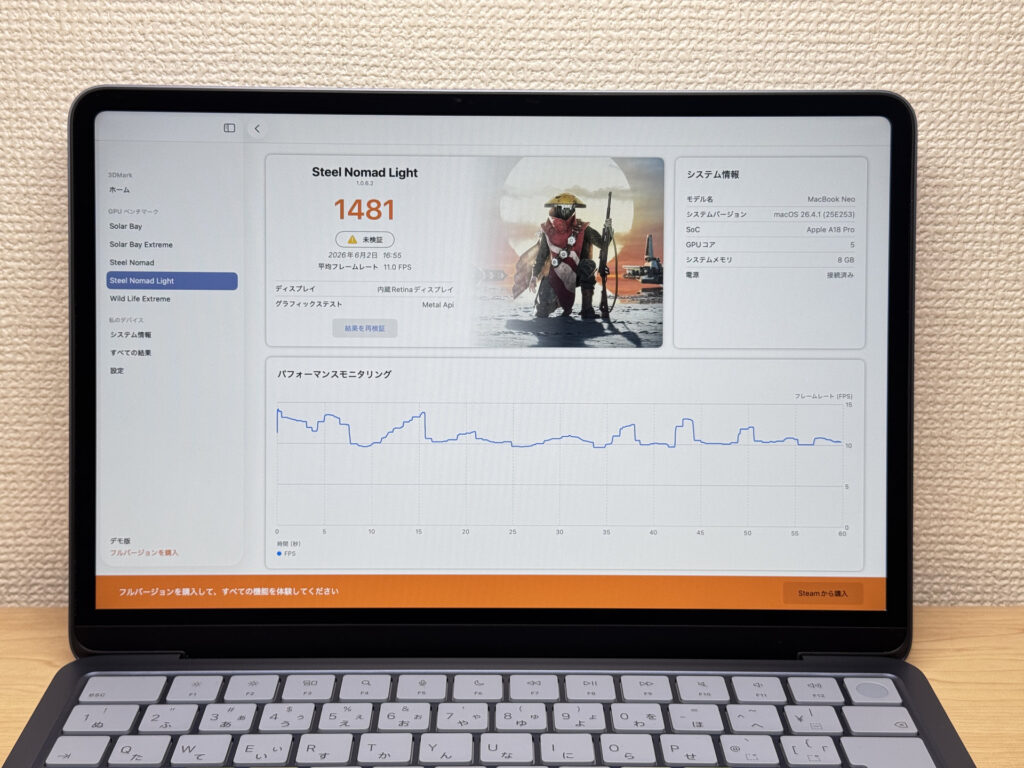 3DMark Steel Nomad Light benchmark result
| Score | Rating | What it feels like in real use |
|---|---|---|
| Up to 400 | Bare minimum | 3D performance is quite limited. Not really suited for gaming. |
| 400–900 | Light 3D | Lighter games and low-load 3D processing work. |
| 900–1,500 | Average (mainstream) This PC | Standard for integrated GPUs. Light to medium games playable with right settings. |
| 1,500–2,200 | High performance | Strong for an integrated GPU. Games and 3D work feel comfortable. |
| 2,200+ | Very high performance | Top-tier 3D performance for thin laptops. Real graphics headroom. |
*3DMark Steel Nomad Light targets thin laptops and integrated GPUs. Score range differs from Time Spy, so direct comparison isn't valid.
Storage speeds: 1,745 MB/s read, 1,734 MB/s write. Newer machines regularly hit 5,000+ MB/s these days, so the modest numbers were a bit of a surprise 🤔 — but for everyday file work, you won't notice.
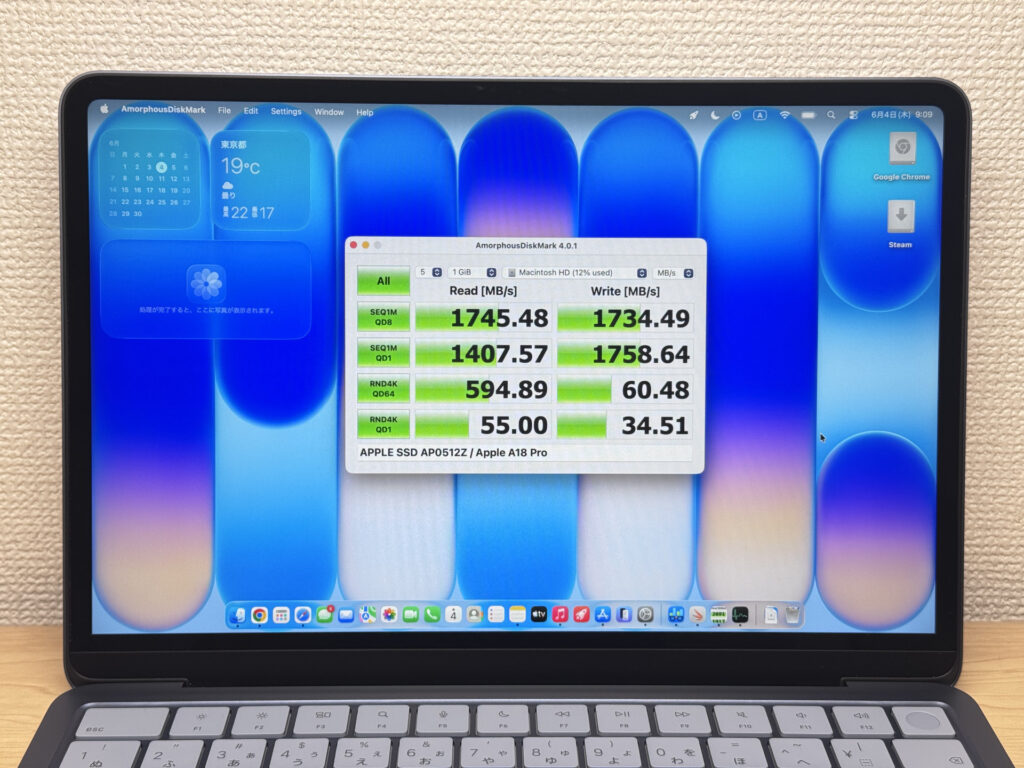 SSD read/write speeds — adequate for everyday use
| Score | Rating | What it feels like in real use |
|---|---|---|
| Up to 600 MB/s | Bare minimum | Faster than HDD, but slow for modern SSDs. App launches feel slightly slow. |
| 600–1,500 MB/s | Average | Fine for daily use, though loading is noticeably slower than top-tier SSDs. |
| 1,500–3,500 MB/s | Comfortable (mainstream) This PC | App launches and file loading feel smooth. No real complaints in daily use. |
| 3,500–5,500 MB/s | Fast | Loads large data and apps quickly. Definitely upper-tier SSD speed. |
| 5,500+ MB/s | Very fast | High-end NVMe territory. Heavy data work without waiting. |
*CrystalDiskMark measures SSD speed. It mainly affects app launch and file loading speed, not overall PC performance.
Battery Life
Battery Rating: Long
37Wh isn't a massive battery by laptop standards, but the A18 Pro sips power like a phone chip — because it essentially is one. Apple claims 16 hours, and that tracks with real-world use. You can realistically get through a full day without hunting for a socket. 👍
Fan Noise & Heat
No fan means no fan noise. I measured under 20 dB at both idle and load — that's just ambient room noise. Using it in a café or library without making a single sound is genuinely refreshing. If laptop fan noise has always quietly irritated you, this machine solves that entirely.
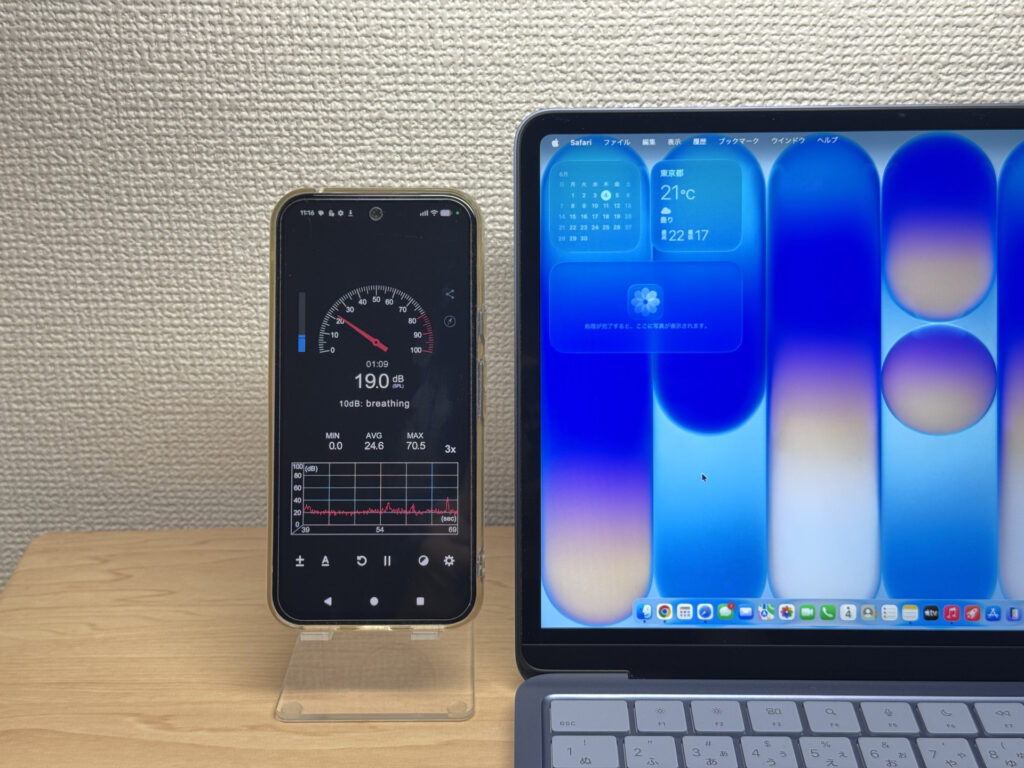 Fanless design — completely silent, no matter where you are
| Noise Level | Rating | Feel |
|---|---|---|
| Under 30 dB | Near-silent Idle Load | Fan noise is barely perceptible — library-quiet and ideal for focused work. |
| 30–35 dB | Quiet | Faintly audible but non-distracting. Easy to work in a quiet room. |
| 35–40 dB | Noticeable | You can tell the fan is spinning, but it rarely interrupts work. |
| 40–45 dB | Somewhat loud | Can become distracting in quiet environments. Headphones start to help. |
| 45–50 dB | Loud | Noticeable stress over extended use. Cooling is clearly prioritized. |
| 50 dB+ | Very loud | Prominent fan noise under load — gaming/high-performance thermal design. |
Ports
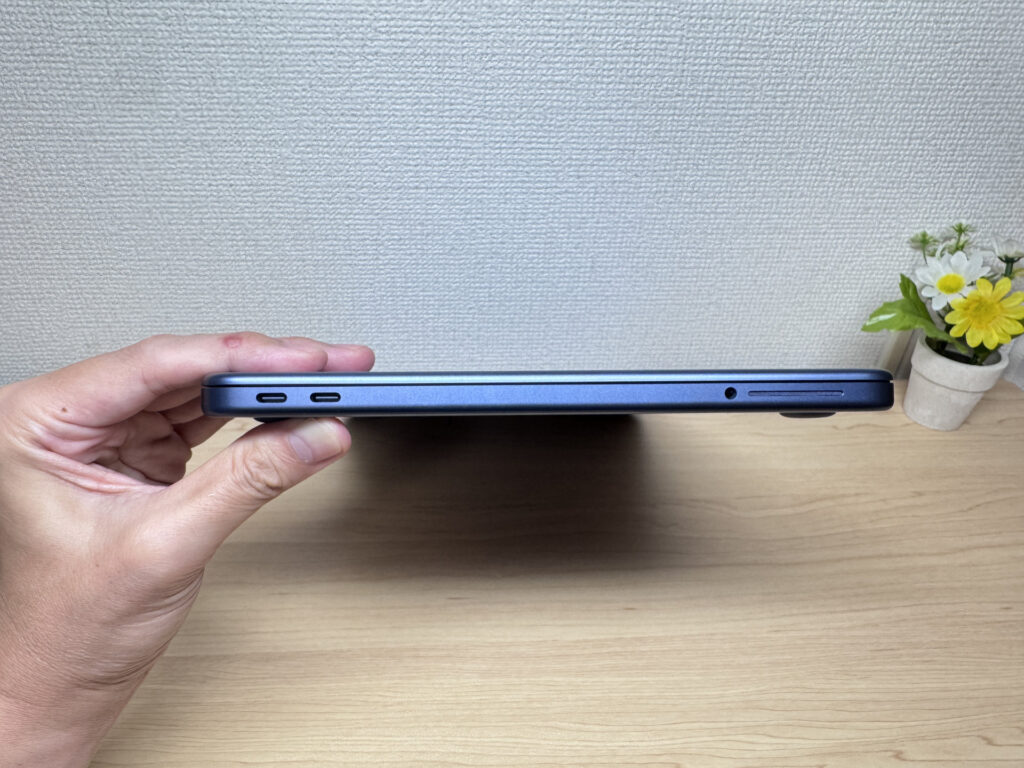
Port selection is minimal: two USB-C and a headphone jack on the left side, nothing on the right. The rear USB-C handles external display output; the front one doesn't.
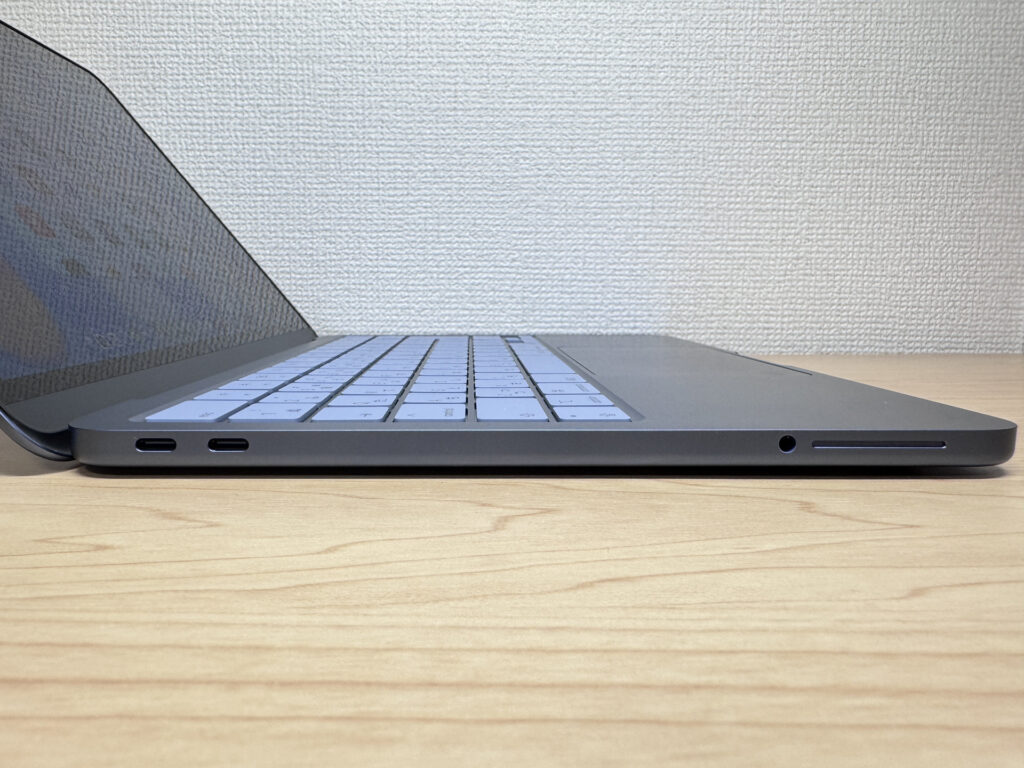 Two USB-C ports and a headphone jack — that's your full port selection
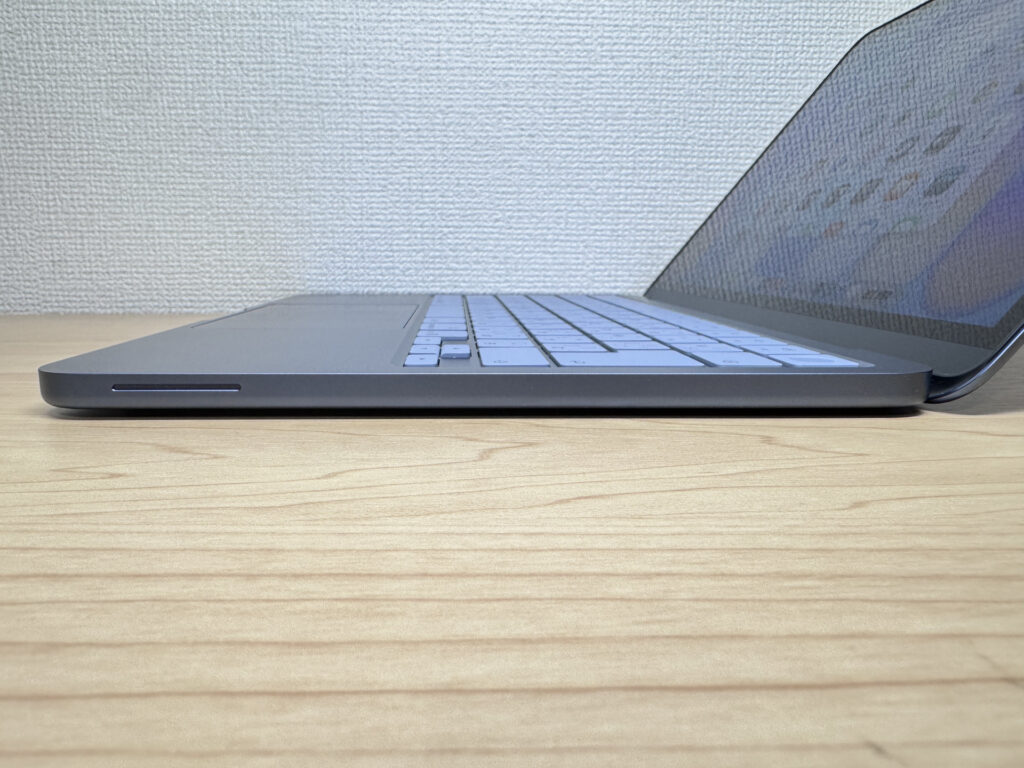 Nothing on the right side. The bump near the trackpad is the speaker.
I tested it with a 27-inch 4K monitor over a single USB-C cable — worked straight away. Maxes out at one external screen though.
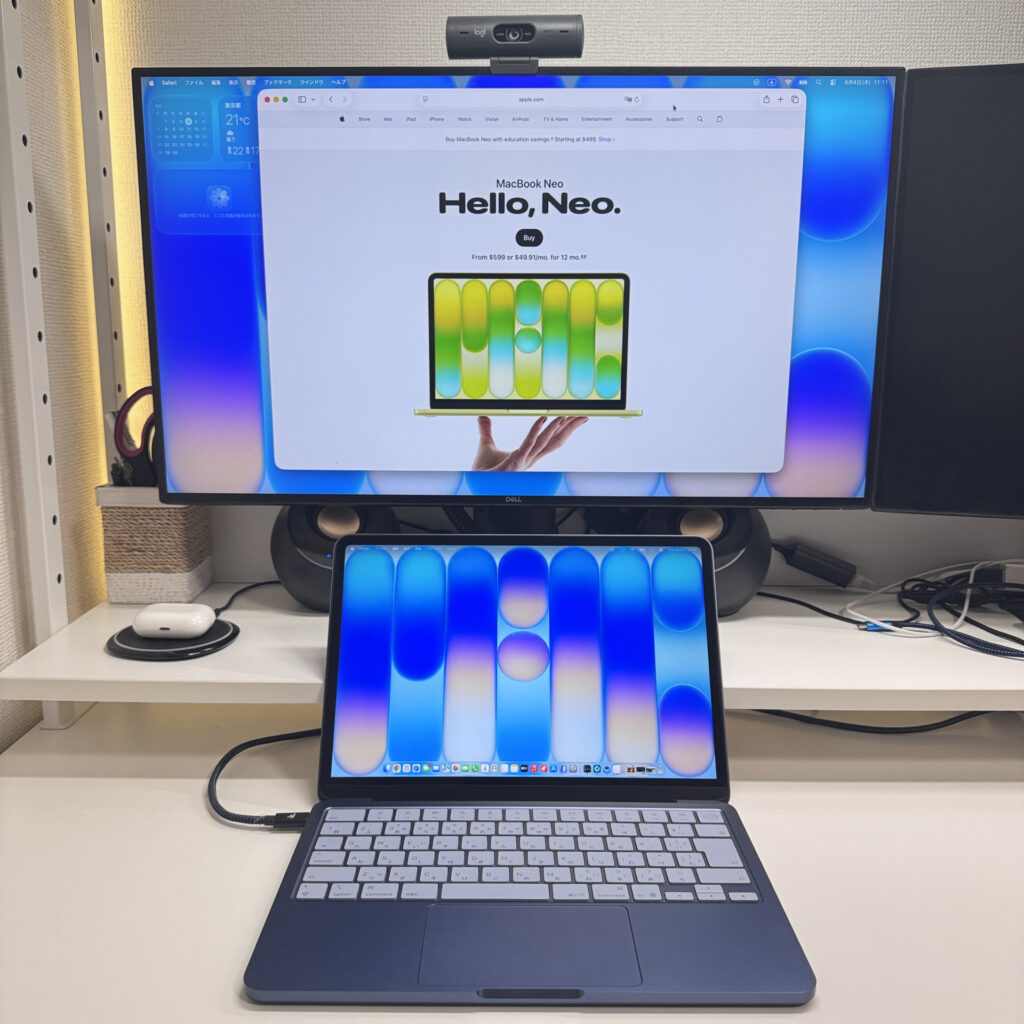 Direct USB-C output to a 27-inch 4K monitor — works a treat
My preferred setup: pair it with an external monitor, an Apple Magic Keyboard, and a mouse. Transforms this 13-inch into a proper desktop replacement. Highly recommended. ☺️
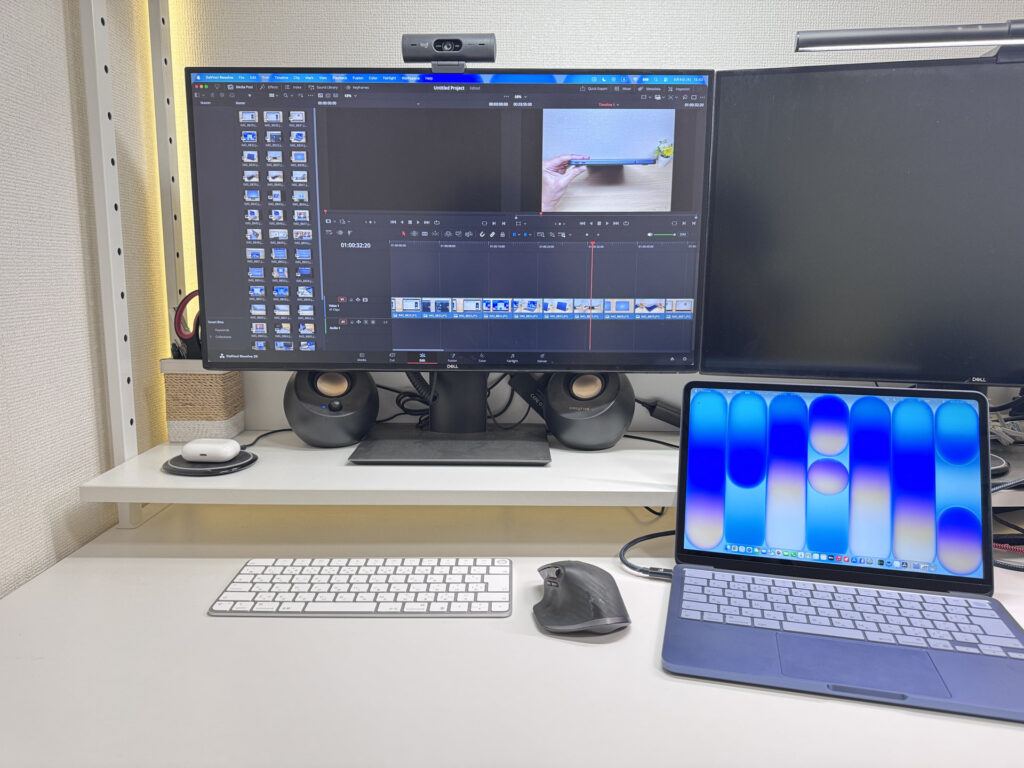 Pair it with an external monitor and you've got a solid desktop setup
For the record: I tried the front USB-C port for display output. Nothing. Only the rear port works for monitors — confirmed.
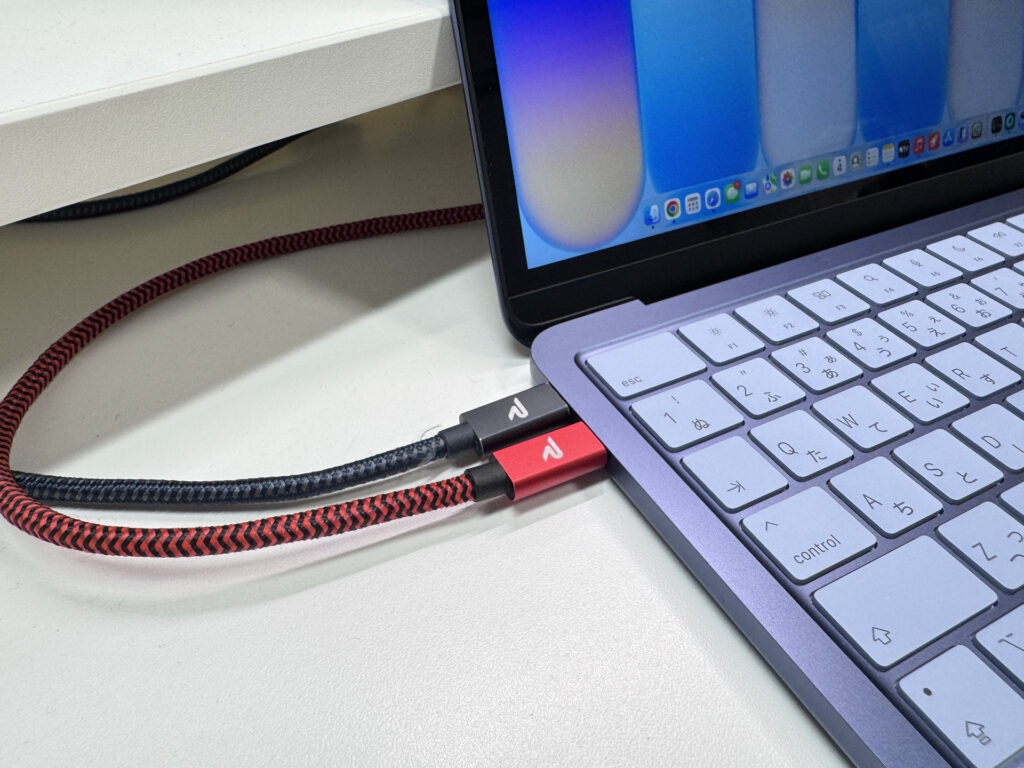 Front USB-C does not support display output
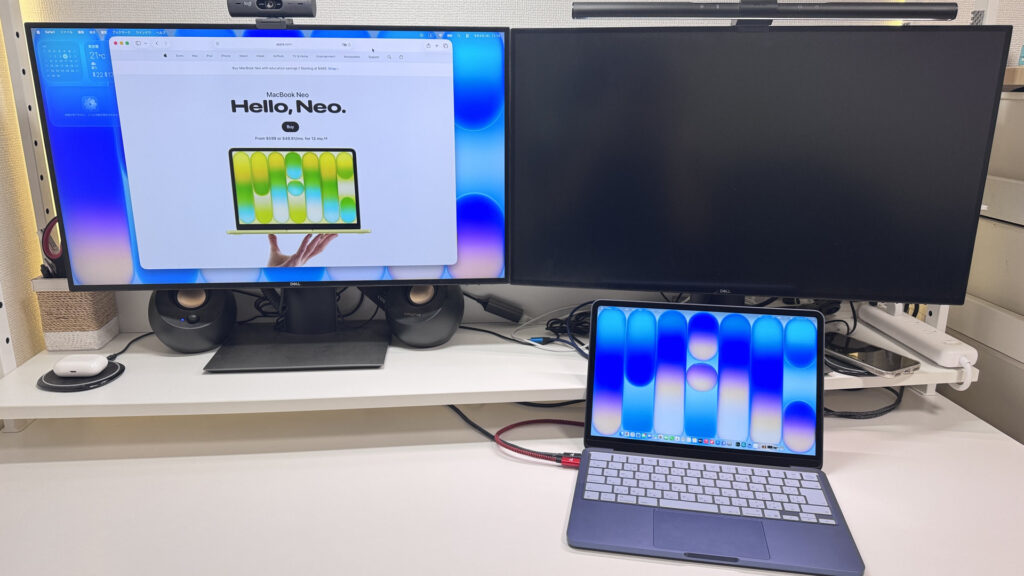 Confirmed: dual external monitors are not supported
Webcam
The built-in 1080p FaceTime HD camera is noticeably brighter than what you typically get at this price. Apple's image processing does a lot of the work here. For video calls, it's more than adequate — bright, clear, and well above what budget laptops usually offer.
 For a built-in budget webcam, this image quality is genuinely impressive
No privacy shutter, but a stick-on cover from Amazon sorts that if you're fussed about it.
Speaker Quality
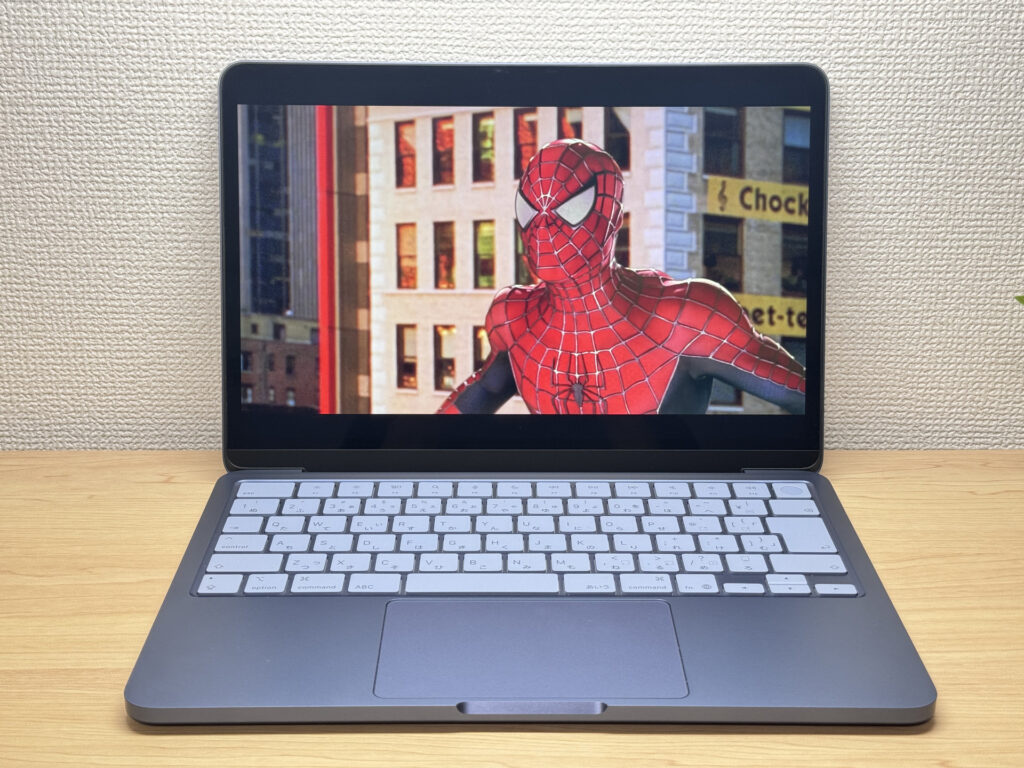
Honestly, this was the biggest surprise of the whole review. I put on a film and the bass actually came through — proper bass. You can genuinely enjoy a film from just these speakers. Part of it is the placement: they're front-facing, near your wrists, so closer to your ears than most. Either way, you won't need external speakers for casual watching. Subjectively, I'd give them 10/10 — and I mean that.
 Surprisingly punchy speakers with actual bass
Security
The model I tested includes Touch ID — tap the power button and you're unlocked instantly. There are two versions of the MacBook Neo: the base 256GB without Touch ID, and the step-up 512GB with it. The price gap is small enough that the Touch ID + 512GB model is the obvious choice. Honestly — if you're planning to use this for the next 5 or 6 years, just get the 512GB Touch ID version. It's really not a difficult decision.
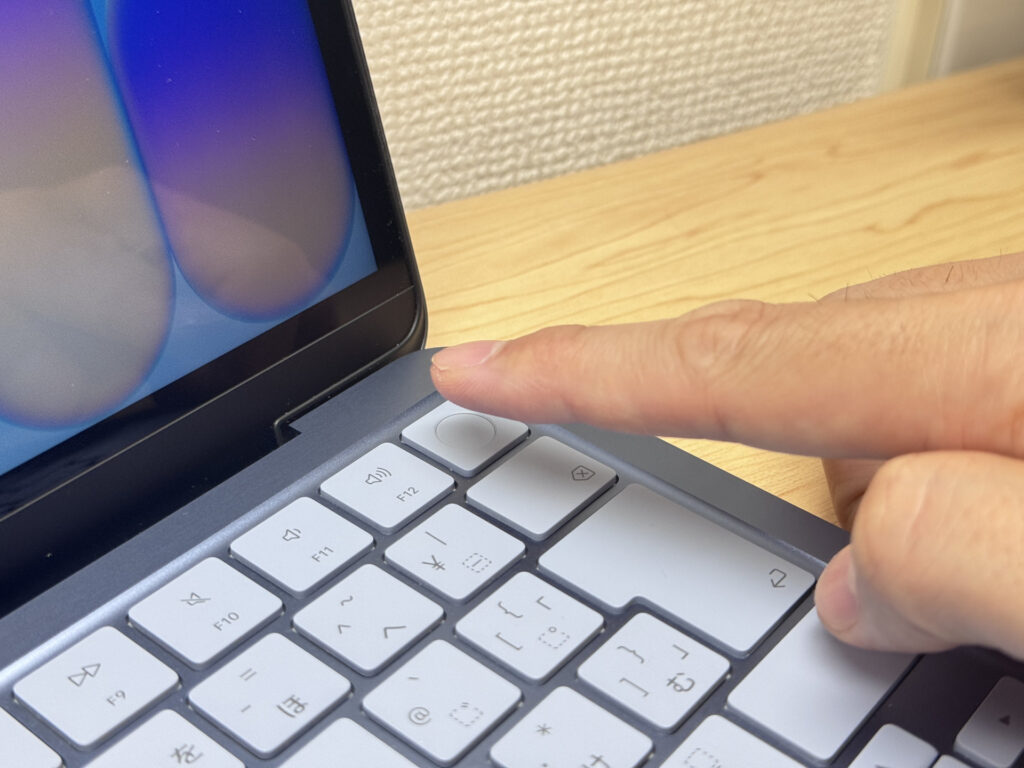 Touch ID in the power button — instant, effortless unlock
Price
Starting from £599.00, the value here is frankly quite absurd. Factor in the build quality, battery life, display, and those speakers, and you start to feel a bit guilty paying so little. Good value for money doesn't even begin to cover it.
Verdict
The MacBook Neo delivers full Apple quality at a price that honestly shouldn't be this low. Fanless, portable, great display, speakers that punch well above their price. No backlit keyboard and USB-C only are real trade-offs, but the value more than makes up for them. If you're new to Macs or just need a solid everyday laptop, this is a fairly easy call. And when you do buy one — go with the Touch ID + 512GB model. Not negotiable.
Where to Buy
* Prices may vary. Please check each store for the latest price and availability.
Where this laptop ranks

About the author