ZippyScore
ZippyScore is a proprietary rating based on 6 criteria: performance, portability, display, battery, value, and connectivity.
See rating criteria
- Performance: CPU / GPU performance
- Portability: Screen size & weight
- Display: Panel type, aspect ratio & refresh rate
- Battery: Rated battery life
- Value: Specs-to-price balance
- Connectivity: Port types & count
Pros & Cons
Pros
- At 1.3 kg (~2.9 lbs), it's light enough to carry everywhere without thinking twice
- The OLED display makes everything — videos, photos, even text — look genuinely great
- 32GB of RAM keeps multitasking smooth even with a lot going on
- 70Wh battery gives you real all-day range without stressing about outlets
- Solid port selection means fewer dongles and adapters to deal with
Cons
- Glossy panel reflects overhead lighting — can be distracting depending on your environment
- Fan noise under heavy load is noticeable in quiet rooms
Specs Summary
| Weight | 1.28 kg (2.82 lbs) |
|---|---|
| Ports | USB-C × 2 (40Gbps/PD/Video out), USB-A × 1 (5Gbps), HDMI × 1, Headphone jack × 1 |
| Biometrics | Face Recognition |
| Battery | Up to 18.4 h (Capacity: 70 Wh) |
| Dimensions | Approx. 312.0 × 219.3 × 13.9 mm (W × D × H) |
| Wi-Fi | Wi-Fi 7 |
| Bluetooth | Bluetooth 5.4 |
Configurations vary by retailer, region, and availability.
Hands-on Review
Here's a look at the unit I reviewed:
| Component | Spec |
|---|---|
| CPU | AMD Ryzen AI 7 350 |
| RAM | 32GB |
| Storage | 512GB SSD |
| Display | 14.0" OLED (2880×1800, 120Hz, touch) |
| Graphics | AMD Radeon 860M |
| Color | Tidal Teal |
Note: specs may vary depending on region and configuration.
Design
My review unit came in Tidal Teal, and honestly? It's a proper statement color — a rich, deep blue-green that you don't see on most laptops. It's got that understated cool factor: nothing flashy, just quietly good-looking. Pull it out at a coffee shop or on campus and people will notice without it being obnoxious about it.
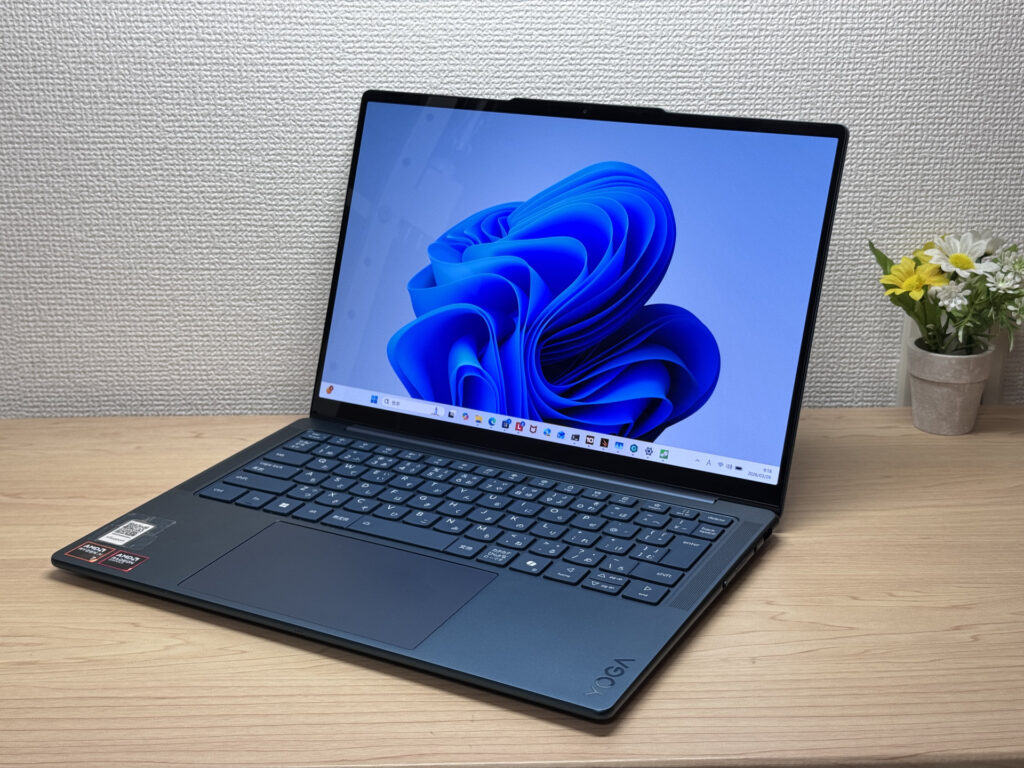 Yoga Slim 7 Gen 10 in Tidal Teal — front view
The lid has a matte finish that doesn't attract fingerprints — which sounds like a small thing until you've owned a glossy-lidded laptop that looked disgusting after a week. The Lenovo logo is tastefully small too, which I appreciate. No one wants a giant brand badge screaming from across the room.
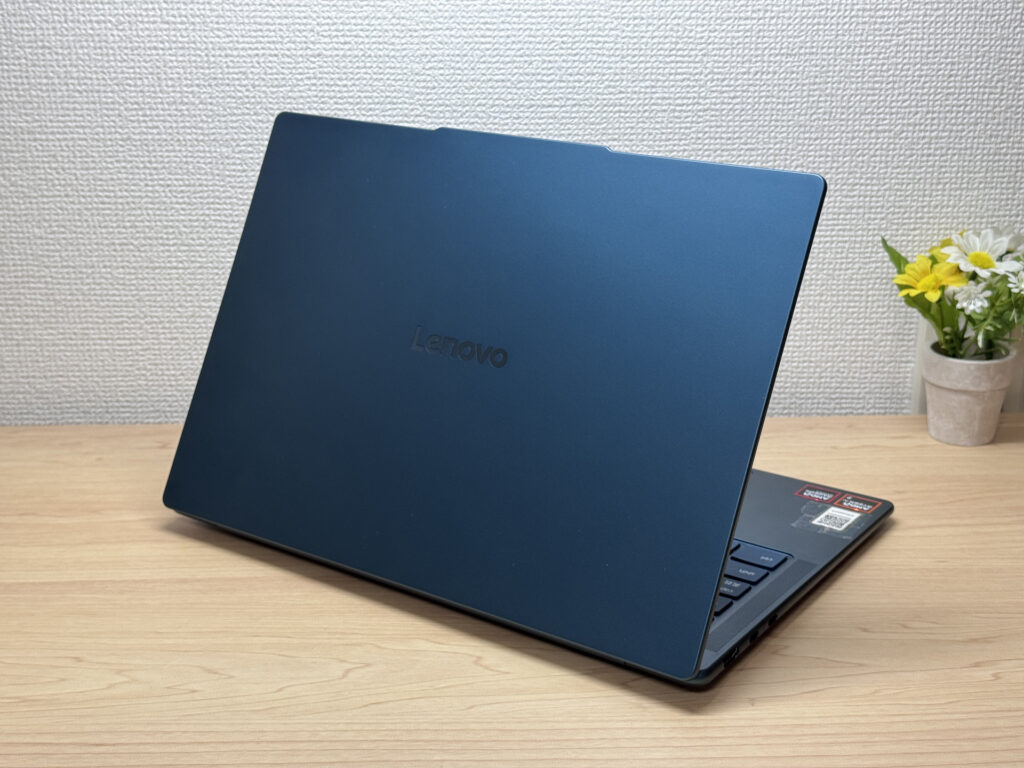 Matte lid resists fingerprints
At 13.9mm thin, this thing slides in and out of a backpack effortlessly. No strategic packing required, no worrying about whether it'll fit in the sleeve. That kind of portability — separate from weight — makes a real difference in daily use.
 Slim profile makes it easy to pack
The rubber feet on the bottom are chunky and grippy. I typed on this thing for a while and it didn't budge once — the feet are clearly doing real work there.
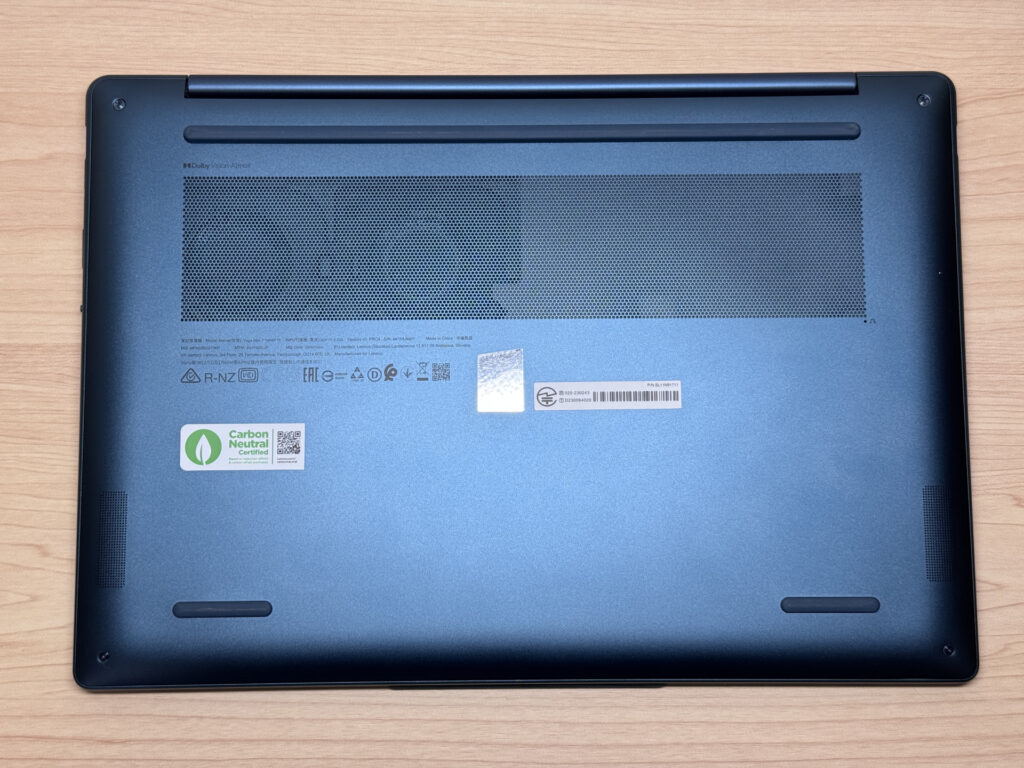 Large rubber feet keep the laptop stable while typing
One small thing I loved: the hinge balance is dialed in perfectly. Because of the webcam bump at the top of the lid, you can open it one-handed — and the base doesn't lift off the desk. Sounds trivial, but when you're setting up quickly, it's one less thing to think about.
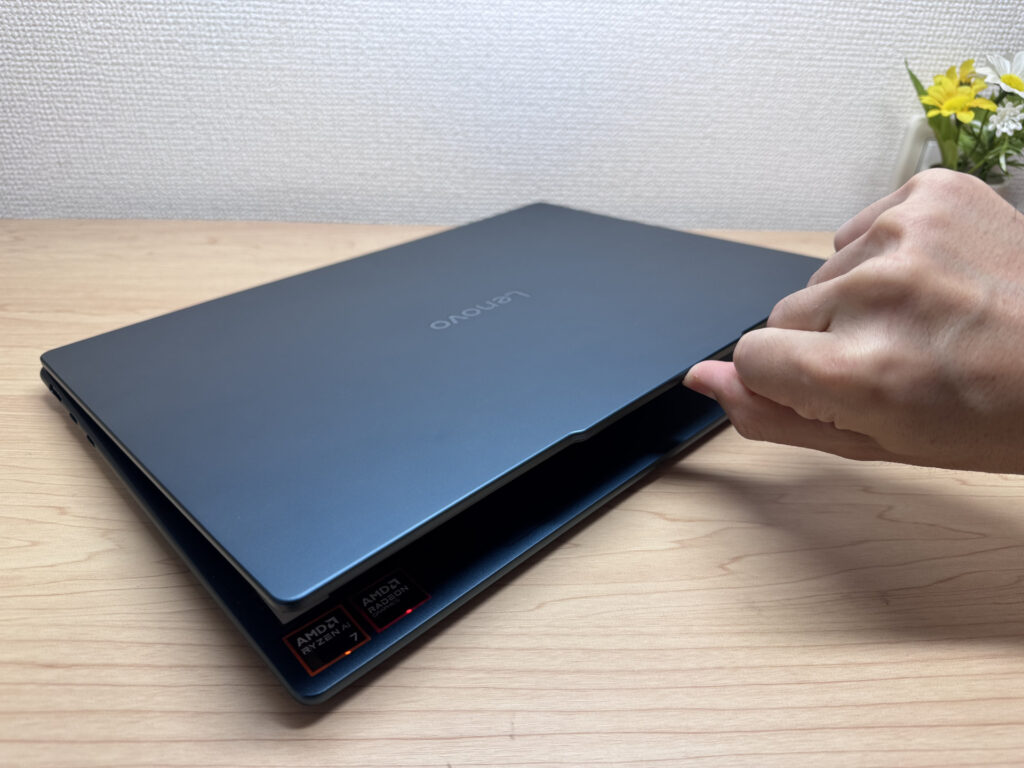 Lid opens easily with one hand
Portability
On my scale, this came in at 1,299g — that's about 2.9 lbs. For a 14-inch laptop, that's genuinely light. One-handed carry is no problem, and it's the kind of weight where you stop asking yourself "do I really need to bring my laptop today?" — you just throw it in your bag without thinking.
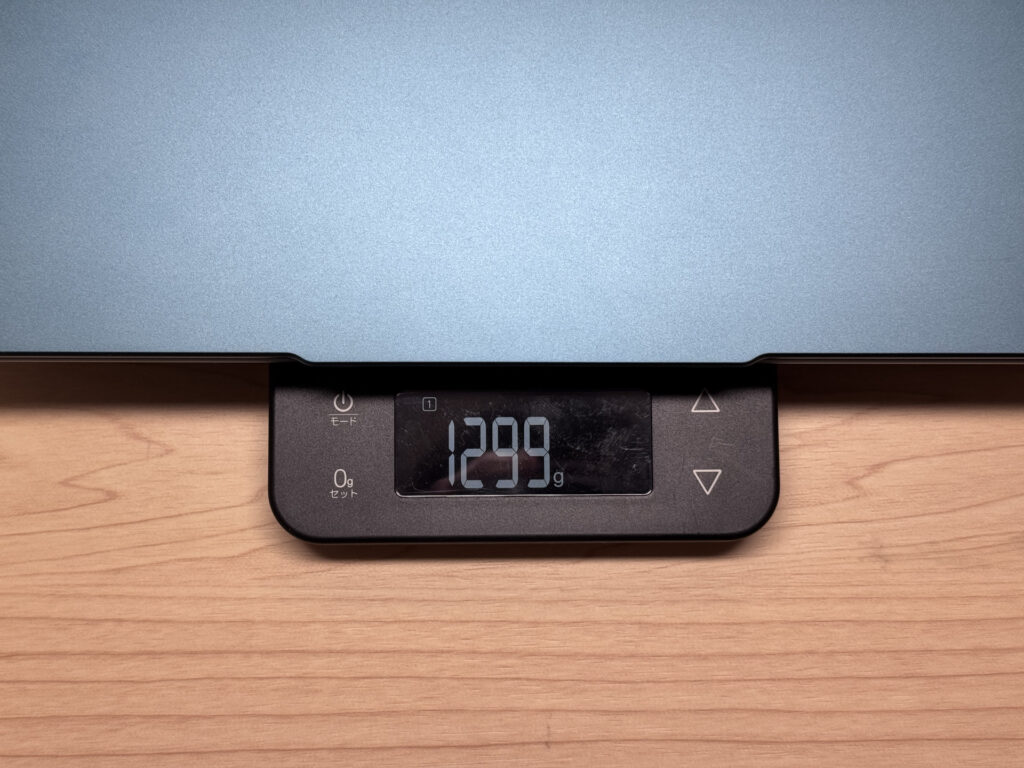 Measured weight: 1,299g (approx. 2.9 lbs)
The included charger weighed in at 171g, which is pretty light for a laptop brick. My one complaint: the AC prongs don't fold. Kind of a bummer. That said, Yoga Slim 7 Gen10 (14" AMD) supports USB-C charging, so you can swap in a compact third-party charger and save yourself the hassle entirely. Throw an Anker GaN in your bag and you're set.
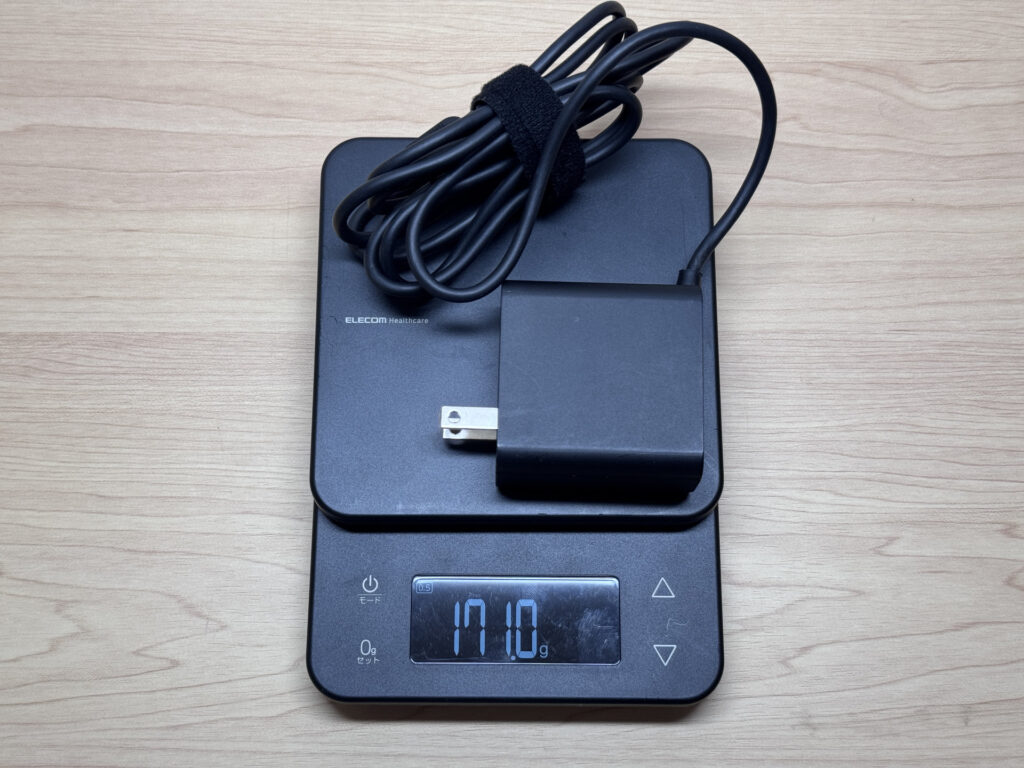 Included charger weighs just 171g
Carrying it one-handed around the house or between rooms feels natural. No strain, no awkward grip adjustments.
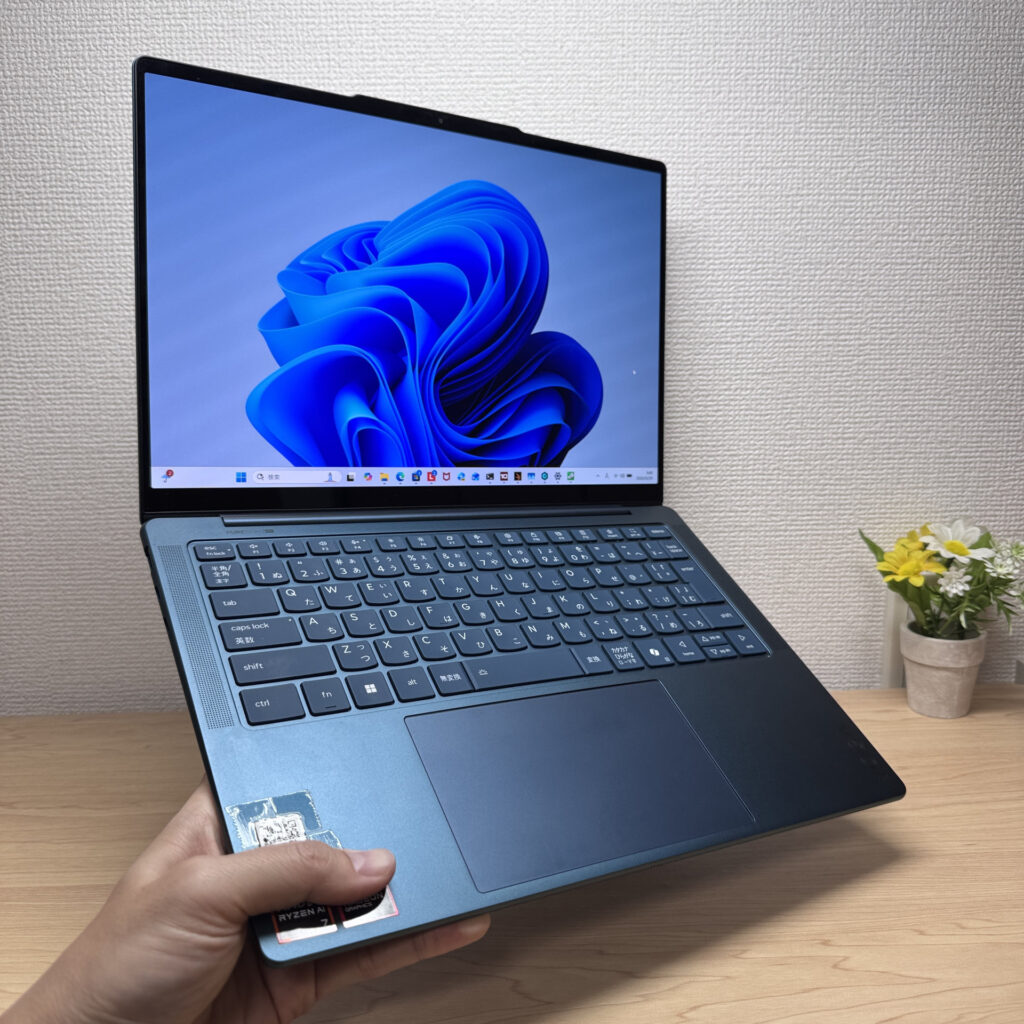 Comfortable to carry with one hand
Display Quality
This is where things get good. The OLED panel delivers the kind of deep blacks and vivid colors that make you genuinely excited to open your laptop. Everything — whether it's a photo, a video, or just a webpage — looks better on this screen than it would on a typical IPS panel. Text at 2880×1800 is crisp enough that I caught myself noticing how sharp individual letters looked. That's not something that happens often.
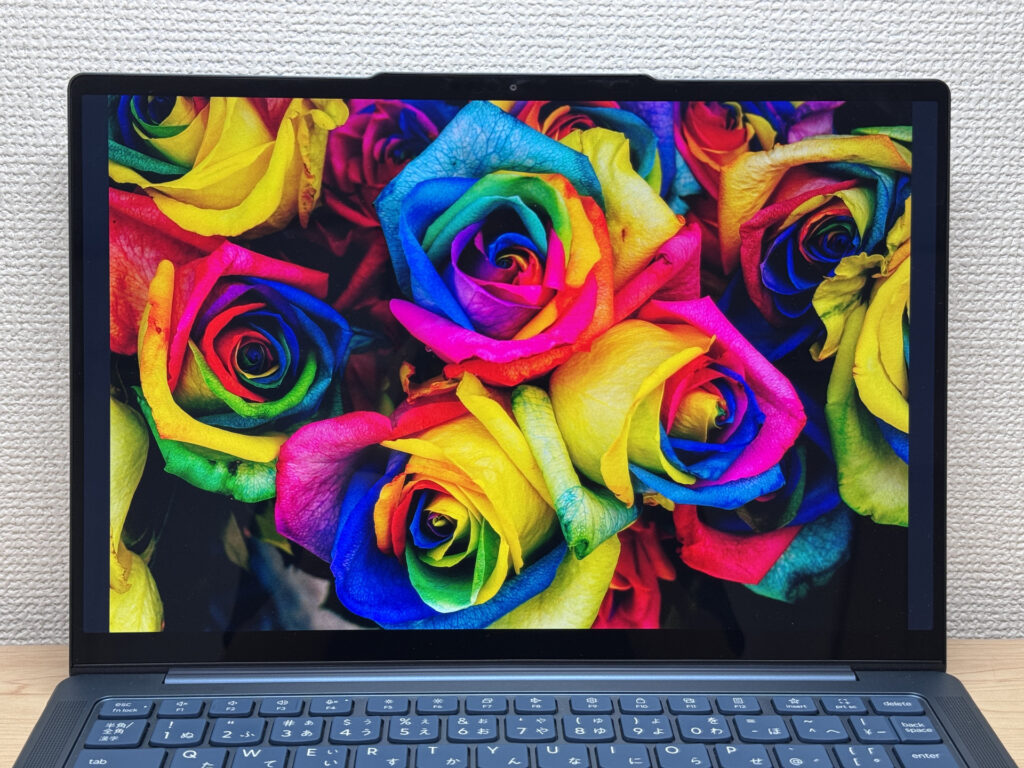 Vivid OLED colors
Viewing angles are wide — no color shift when you look from the side. Useful if you're showing something to someone sitting next to you.
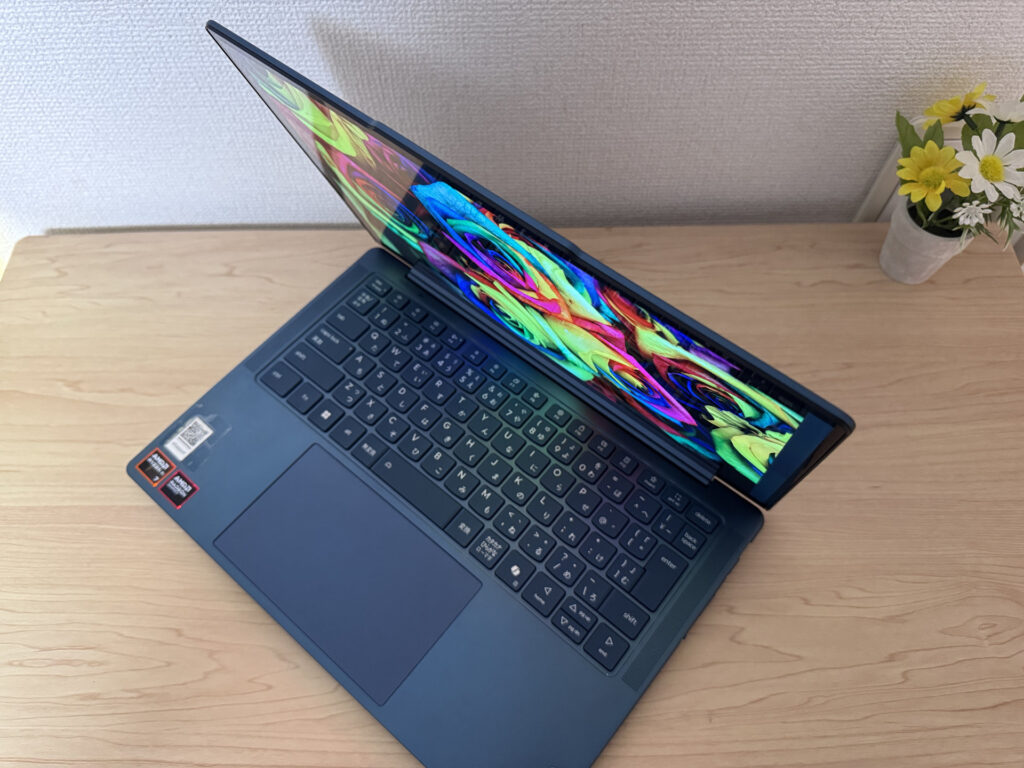 Wide viewing angles — color stays consistent from the side
Touch support works well and feels natural if you're used to swiping on your phone. It lowers the barrier for people who are still getting comfortable with Windows.
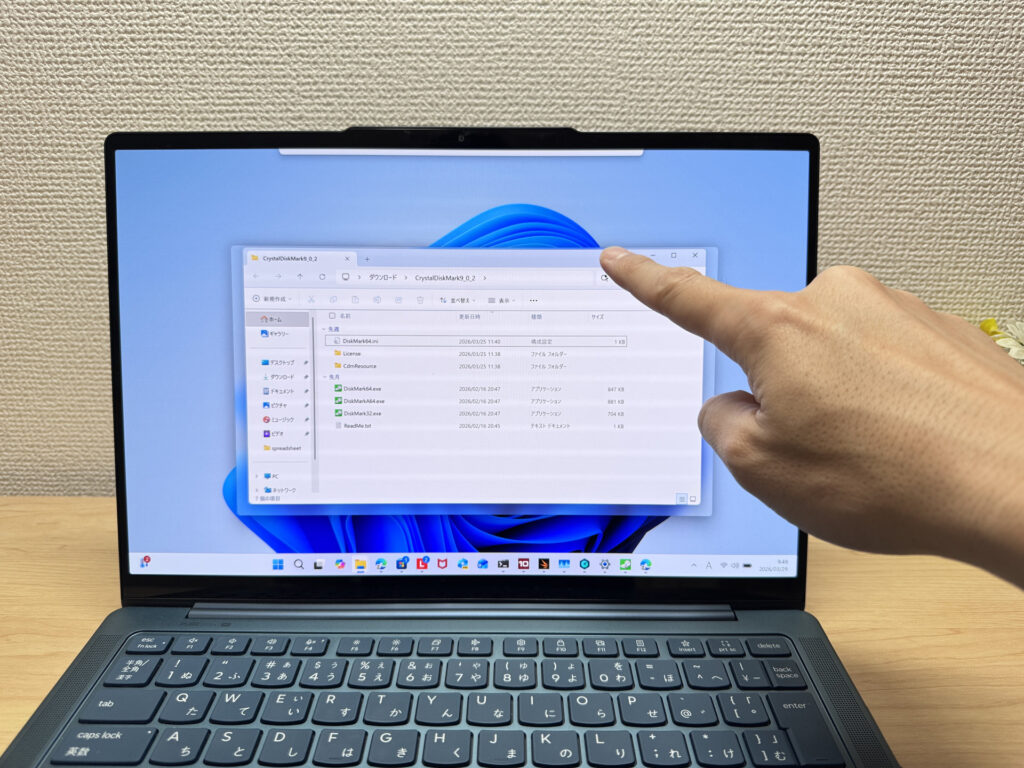 Touch display works naturally
The 16:10 aspect ratio means more vertical screen real estate — you see more of a webpage or document without scrolling as much. It's one of those things you don't notice until you go back to a 16:9 screen and feel cramped.
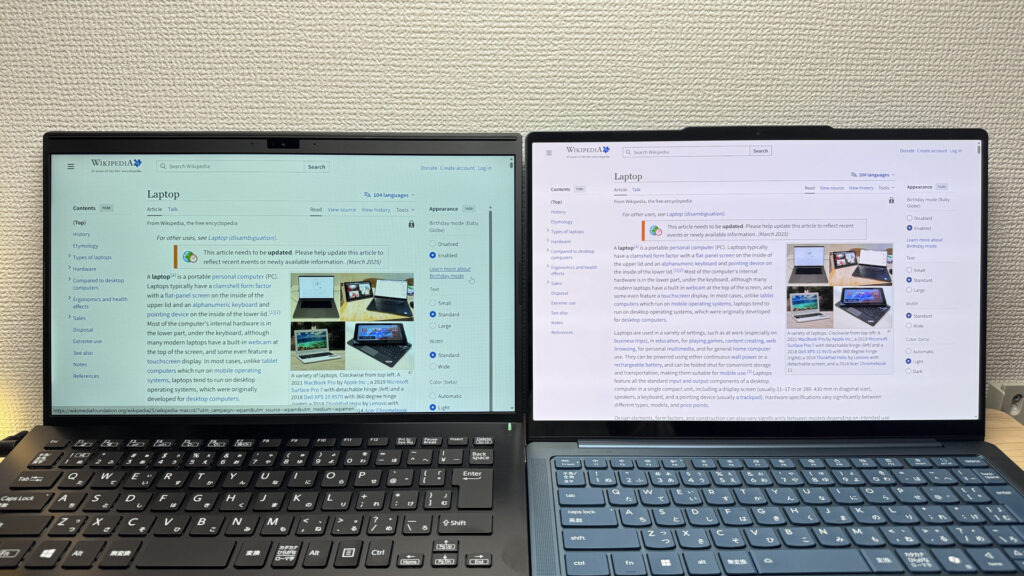 16:10 ratio gives more vertical space for docs and browsing
Here's the honest part though: it's a glossy panel, and it reflects. Under overhead fluorescent lighting — like in a bright office or classroom — you'll see yourself staring back. There's minimal anti-glare treatment. That's the trade-off for the OLED's stunning picture quality, and it's worth knowing going in.
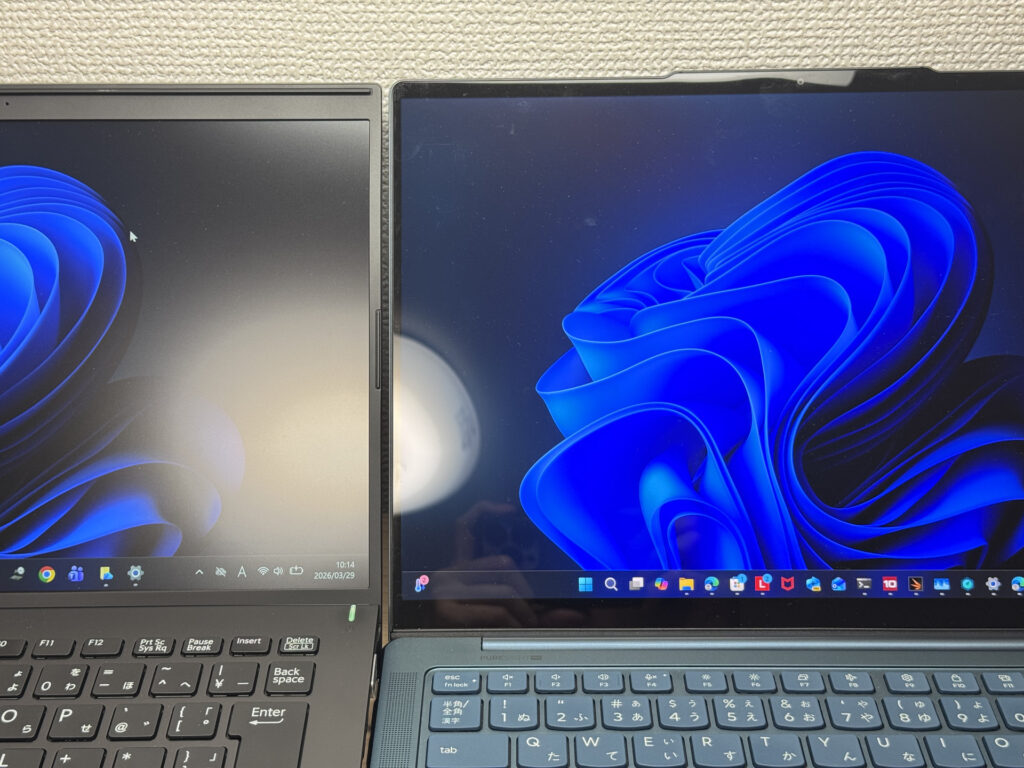 Glossy panel shows reflections under bright lighting
Keyboard Feel
The key feel is better than I expected. The chassis is solid enough that there's no flex when you're typing hard, and the keycaps have a slightly textured, soft-touch finish — not that cheap slick plastic feel you get on budget laptops. Typing long documents or emails doesn't get fatiguing. I'd call it a comfortable, confidence-inspiring keyboard.
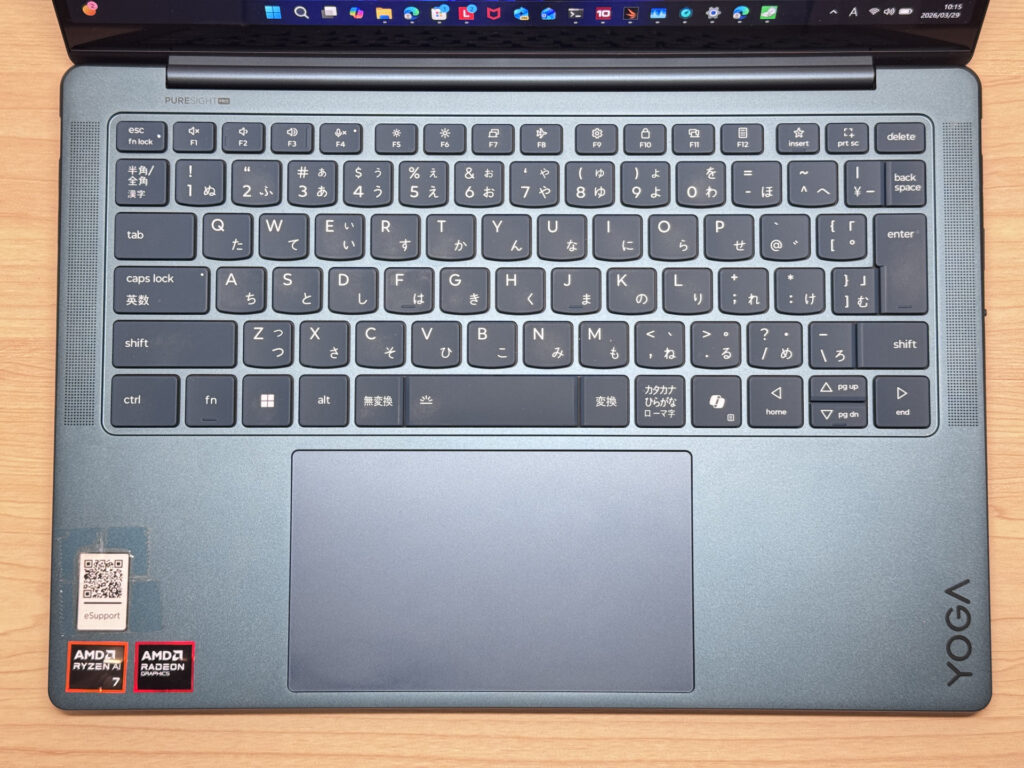 Keyboard layout
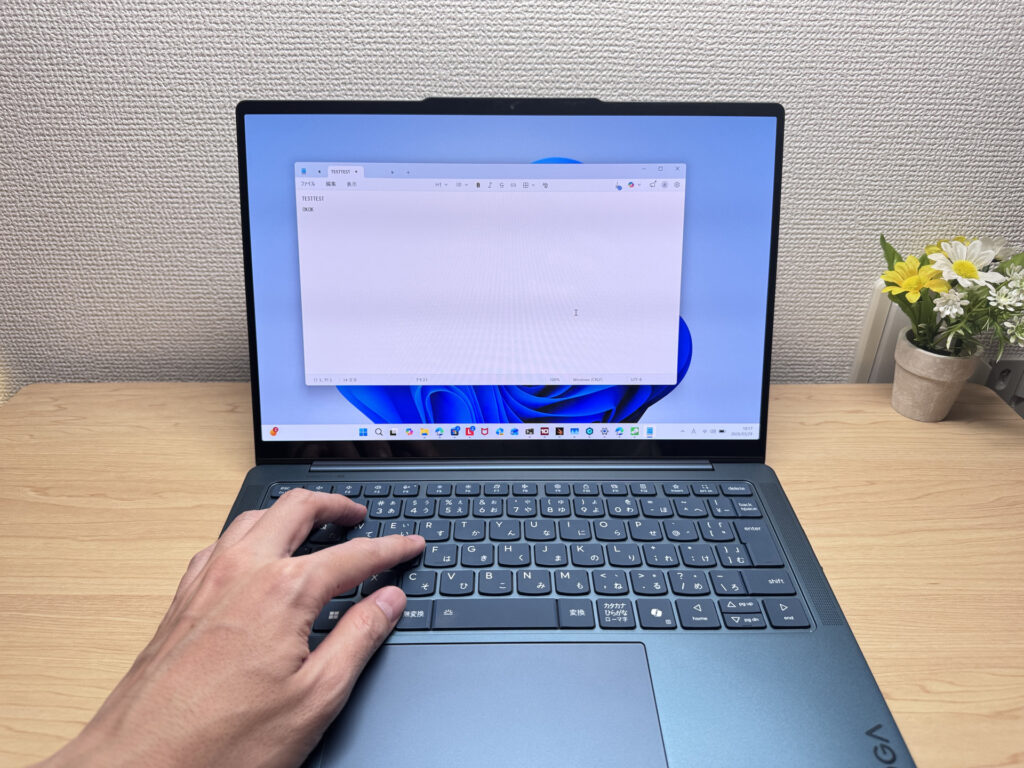 Soft-touch keycaps with good tactile feel
Keyboard backlight is included, with four levels: off, low, high, and auto. Useful for dimly lit coffee shops or late-night sessions.
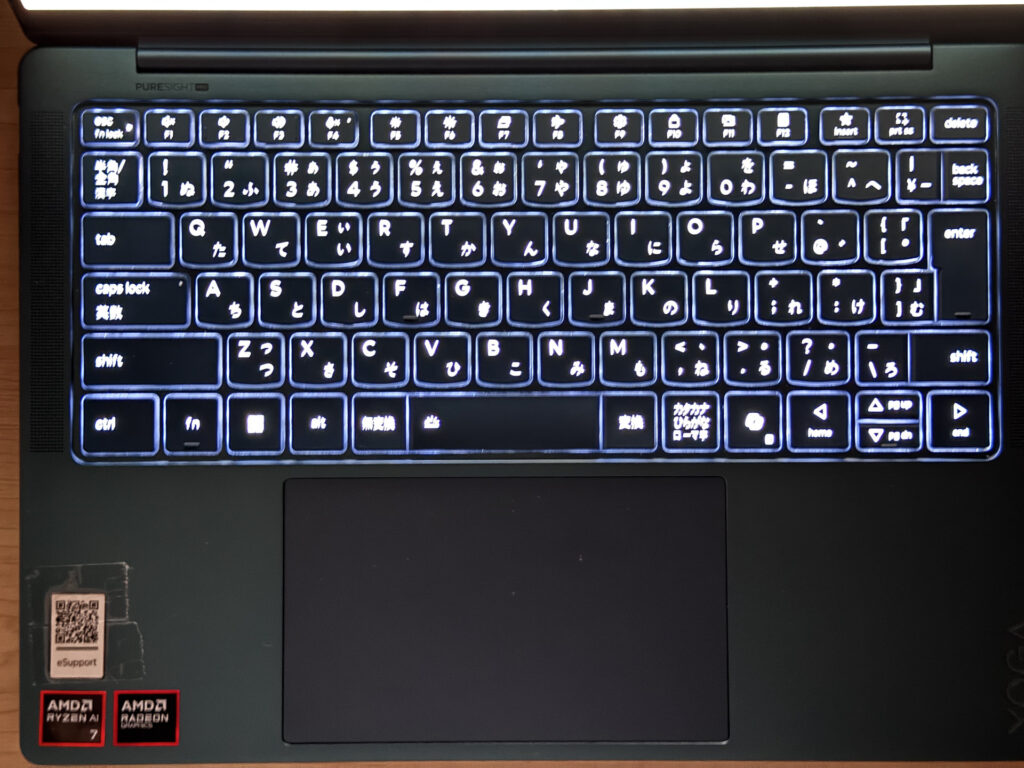 Four-level keyboard backlight
Trackpad
The trackpad is large, smooth, and precise. Gliding across it feels effortless, and I never ran out of room mid-gesture. Click sound is quiet and has a premium feel to it — none of that hollow plastic clatter. Three-finger gestures for switching windows or navigating the browser work reliably. Honestly, you could daily drive this without a mouse and be perfectly fine.
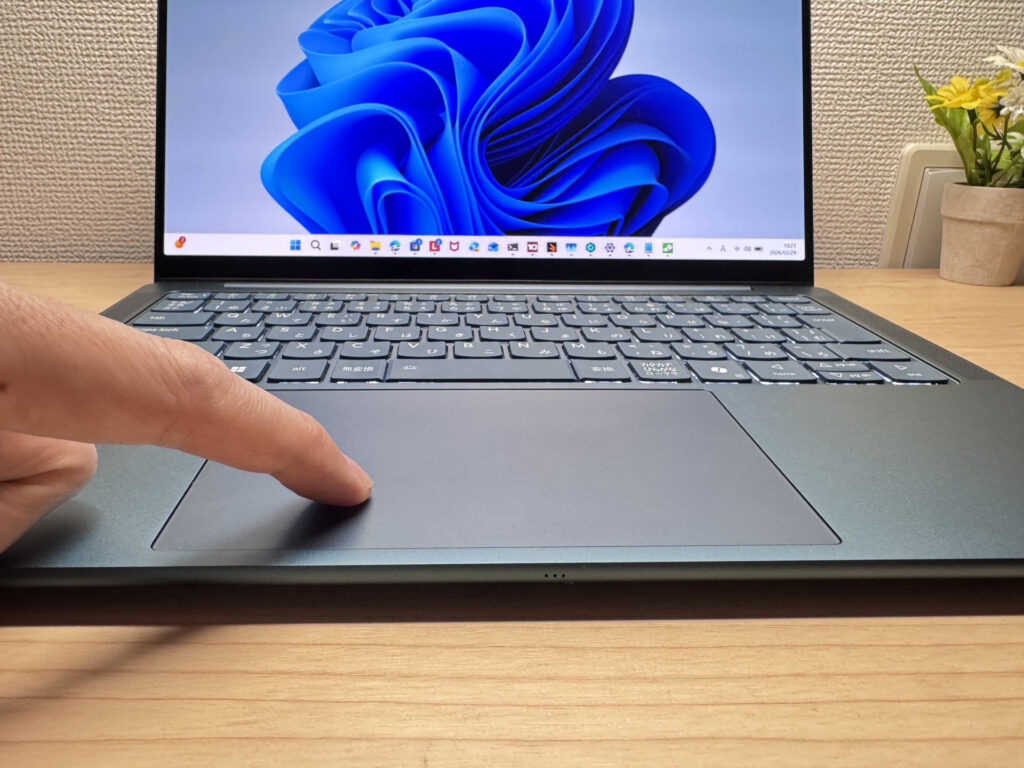 Large, smooth trackpad
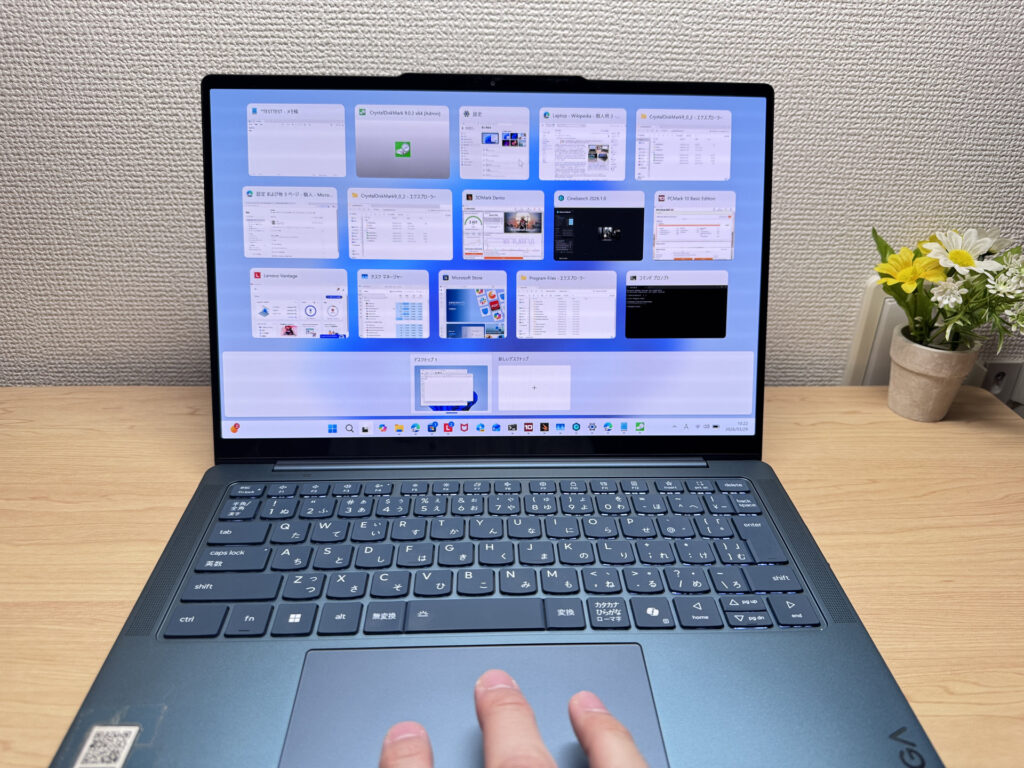 Three-finger gestures work accurately
Performance
PCMark 10 came in at 7,666 — that's solidly in the high-performance range. Running a bunch of apps simultaneously, light video editing, spreadsheets, browser tabs — all handled without complaint.
| Total Score | Rating | What it feels like in real use |
|---|---|---|
| ~4,000 | Bare minimum | Web browsing and simple tasks work, but multitasking or many tabs feels sluggish. |
| 4,000–5,000 | Light use | Daily tasks are doable, but running multiple apps means waiting around. |
| 5,000–6,500 | Comfortable (mainstream) | Handles most work without stress — fine for office, school, video calls. |
| 6,500–8,000 | High performance This PC | Plenty of headroom. Light photo editing and programming feel snappy. |
| 8,000+ | Very high performance | Tackles video editing and heavy workloads. Long-lasting performance. |
*PCMark 10 reflects overall comfort. Actual feel depends on CPU, RAM, and SSD speed.
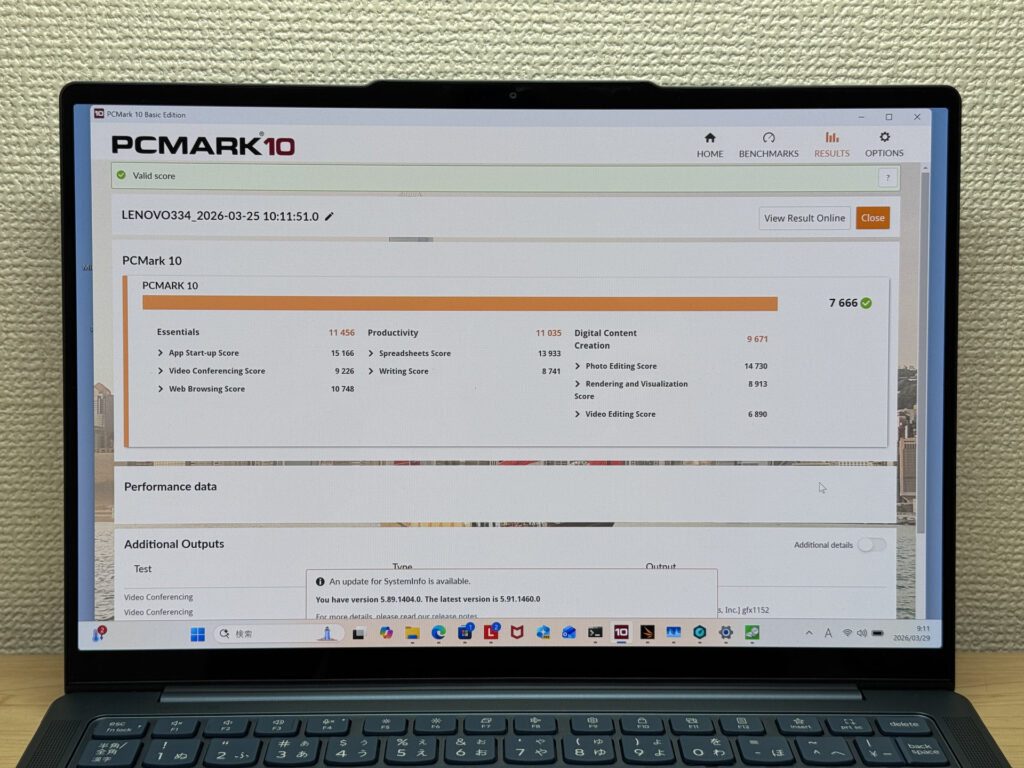 PCMark 10 score: 7,666
Cinebench 2026 Multi-Thread hit 3,660 points — a strong result that reflects the AMD Ryzen AI 7 350's CPU muscle.
| Score | Rating | What it feels like in real use |
|---|---|---|
| Up to 1,000 | Bare minimum | Light tasks work, but heavier processing or multitasking feels constrained. |
| 1,000–2,000 | Standard (power-efficient) | Handles daily tasks, but heavier loads create waiting. |
| 2,000–3,000 | Comfortable (mainstream) | Office, school, video calls all work comfortably. Plenty for most users. |
| 3,000–4,000 | High performance This PC | Comfortable for multitasking, light/medium editing, and dev work. |
| 4,000+ | Very high performance | Handles video editing and heavy workloads with room to spare. |
*Cinebench 2026 is the latest CPU multi-core benchmark. Scores trend lower than R23, so direct comparison isn't valid.
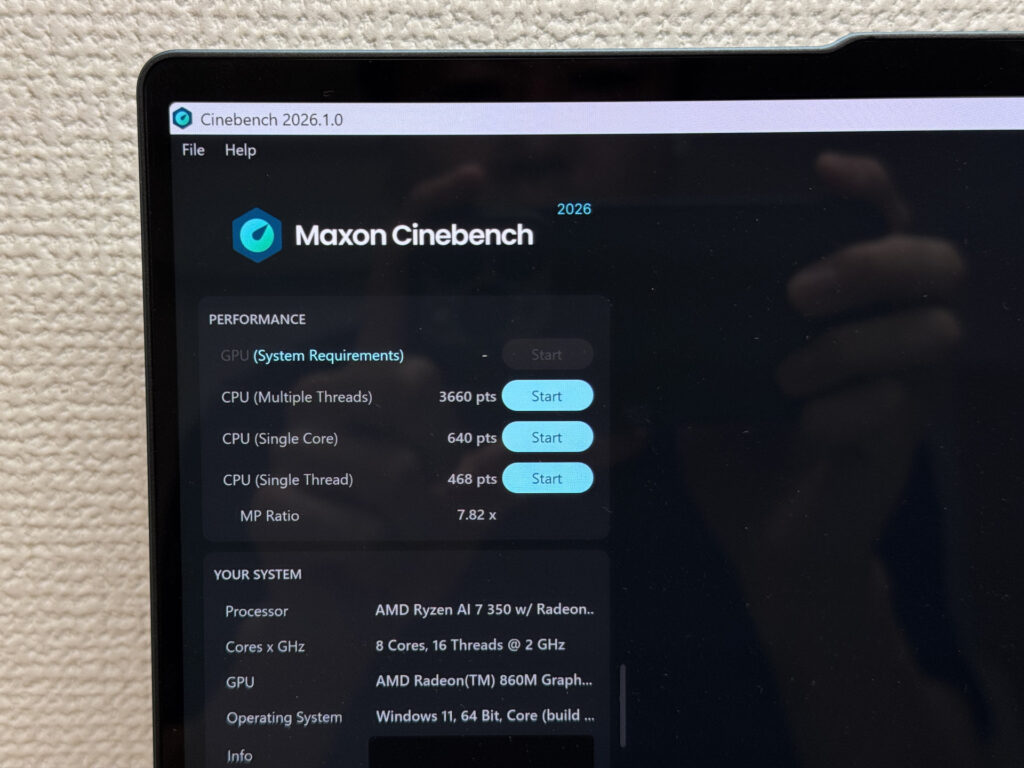 Cinebench 2026 score: 3,660
3DMark Time Spy scored 2,431. Not a gaming rig by any measure, but lighter titles are definitely on the table.
| Score | Rating | What it feels like in real use |
|---|---|---|
| Up to 1,500 | Bare minimum | 3D performance is limited. Modern games and heavy 3D aren't a good fit. |
| 1,500–3,000 | Light 3D This PC | Lighter games and low-load 3D tasks are workable. |
| 3,000–6,000 | Average | Light to medium games are playable depending on settings. |
| 6,000–10,000 | High performance | Most games run comfortably. Real GPU headroom available. |
| 10,000+ | Very high performance | Heavy games and high-quality settings are within reach. |
*3DMark Time Spy measures GPU 3D performance — a proxy for gaming comfort and 3D rendering.
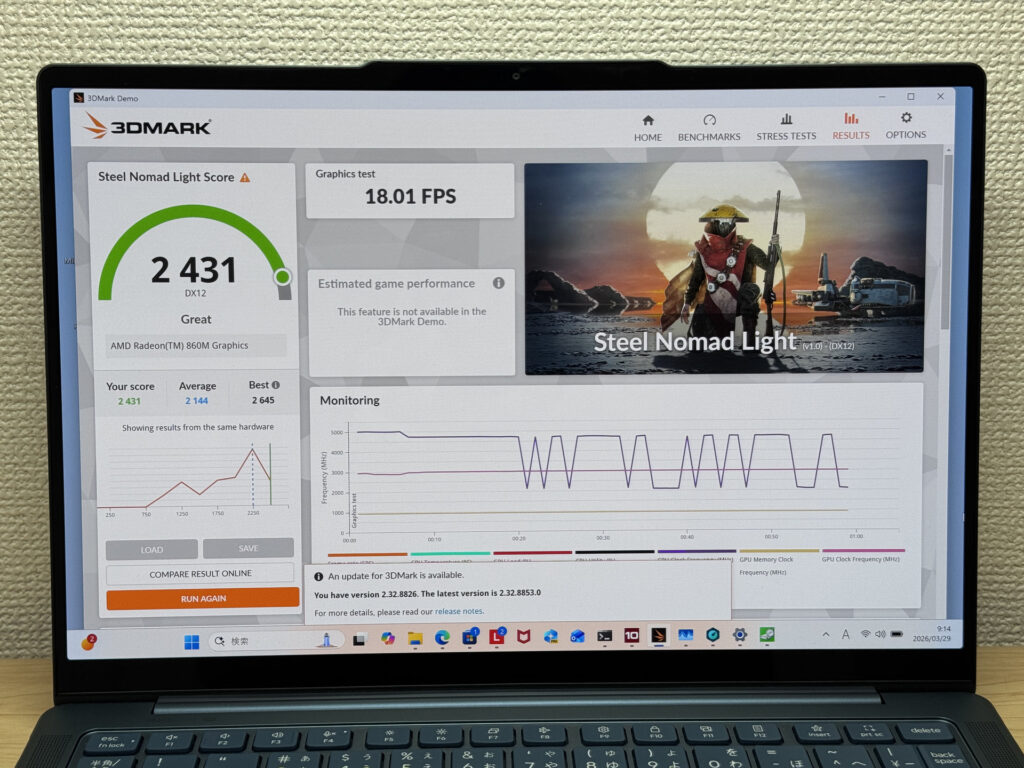 3DMark Time Spy score: 2,431
CrystalDiskMark sequential read came out at 6,577 MB/s. That's fast. App launches feel snappy, files open instantly — this is the kind of SSD speed that makes a day-to-day difference.
| Score | Rating | What it feels like in real use |
|---|---|---|
| Up to 600 MB/s | Bare minimum | Faster than HDD, but slow for modern SSDs. App launches feel slightly slow. |
| 600–1,500 MB/s | Average | Fine for daily use, though loading is noticeably slower than top-tier SSDs. |
| 1,500–3,500 MB/s | Comfortable (mainstream) | App launches and file loading feel smooth. No real complaints in daily use. |
| 3,500–5,500 MB/s | Fast | Loads large data and apps quickly. Definitely upper-tier SSD speed. |
| 5,500+ MB/s | Very fast This PC | High-end NVMe territory. Heavy data work without waiting. |
*CrystalDiskMark measures SSD speed. It mainly affects app launch and file loading speed, not overall PC performance.
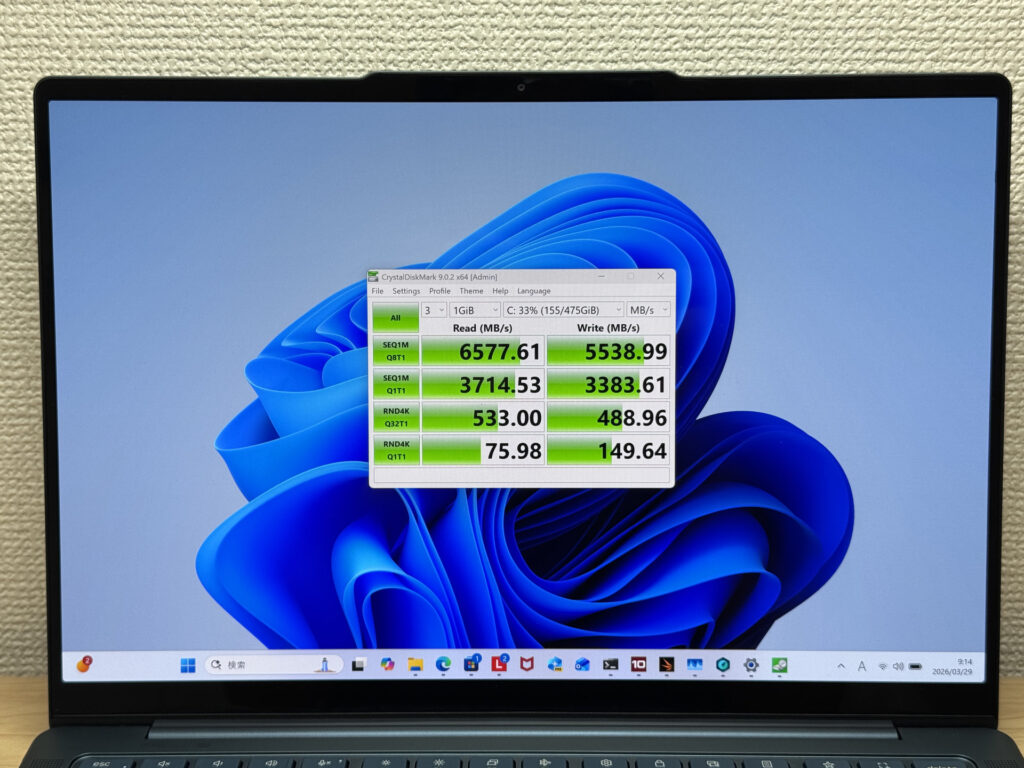 CrystalDiskMark sequential read: 6,577 MB/s
Battery Life
Battery rating: above average
For how thin this laptop is, a 70Wh battery is genuinely surprising — in a good way. That's a serious capacity for a machine this slim. For everyday use like browsing, writing, and video calls, you're looking at solid all-day runtime. The OLED panel and 120Hz refresh rate do draw more power under heavy use or at high brightness, so if you're pushing it hard, expect the battery to reflect that. But for typical workloads, you're in good shape. Your mileage may vary depending on usage, but the 70Wh foundation gives you a real buffer.
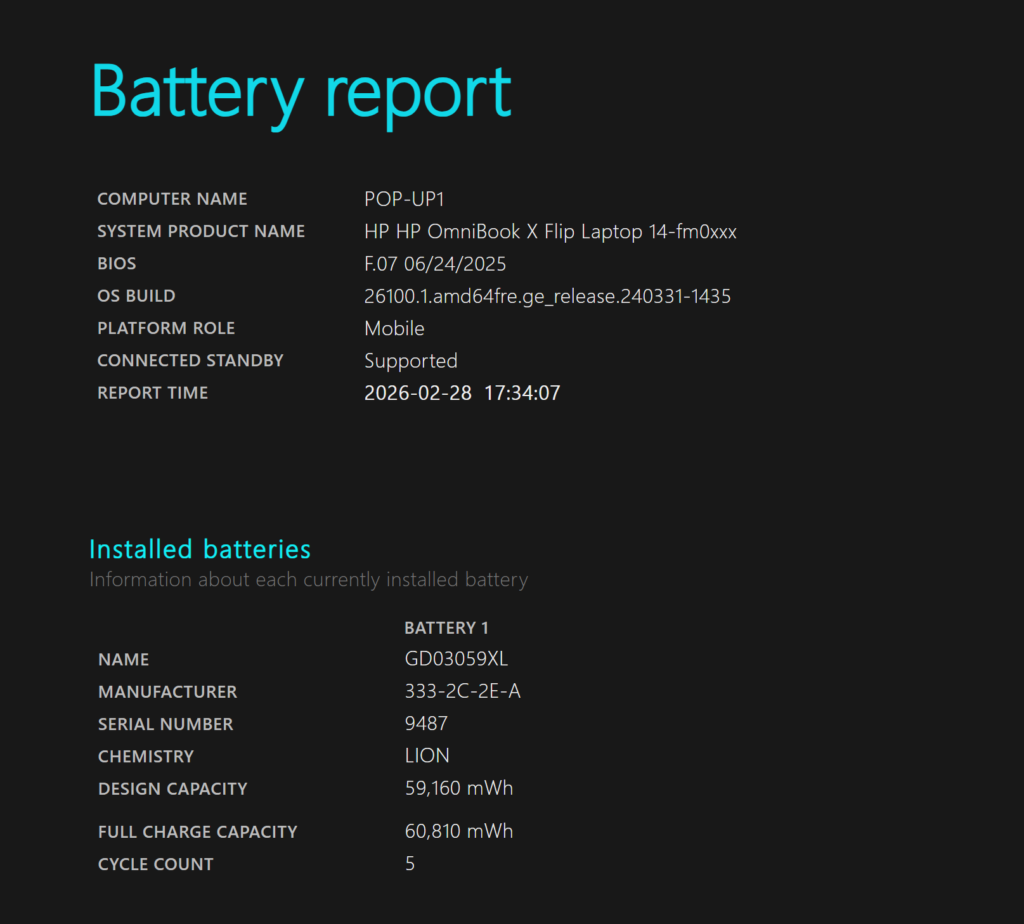 Battery capacity confirmed at 70Wh
USB-C charging support is a nice bonus here. Pick up a compact GaN charger, toss it in your bag, and you won't even need to think about the included brick.
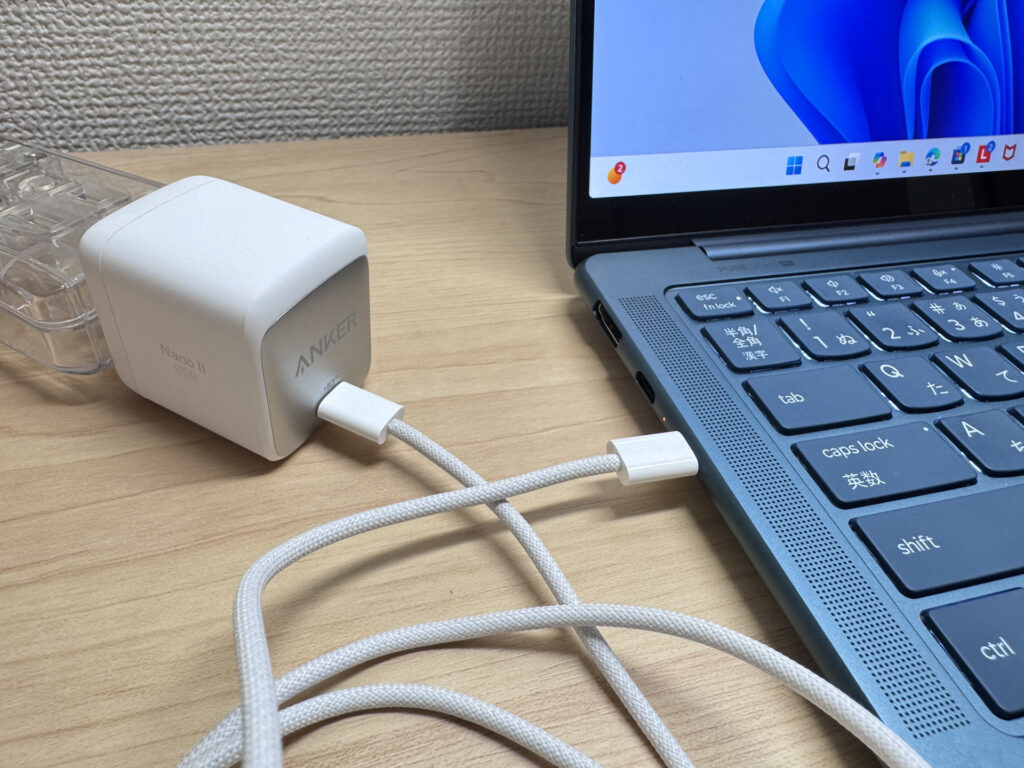 USB-C charging keeps your bag light
Fan Noise and Heat
At idle, my meter read below 30 dB — effectively silent. You can use this in a library or quiet office without anyone noticing.
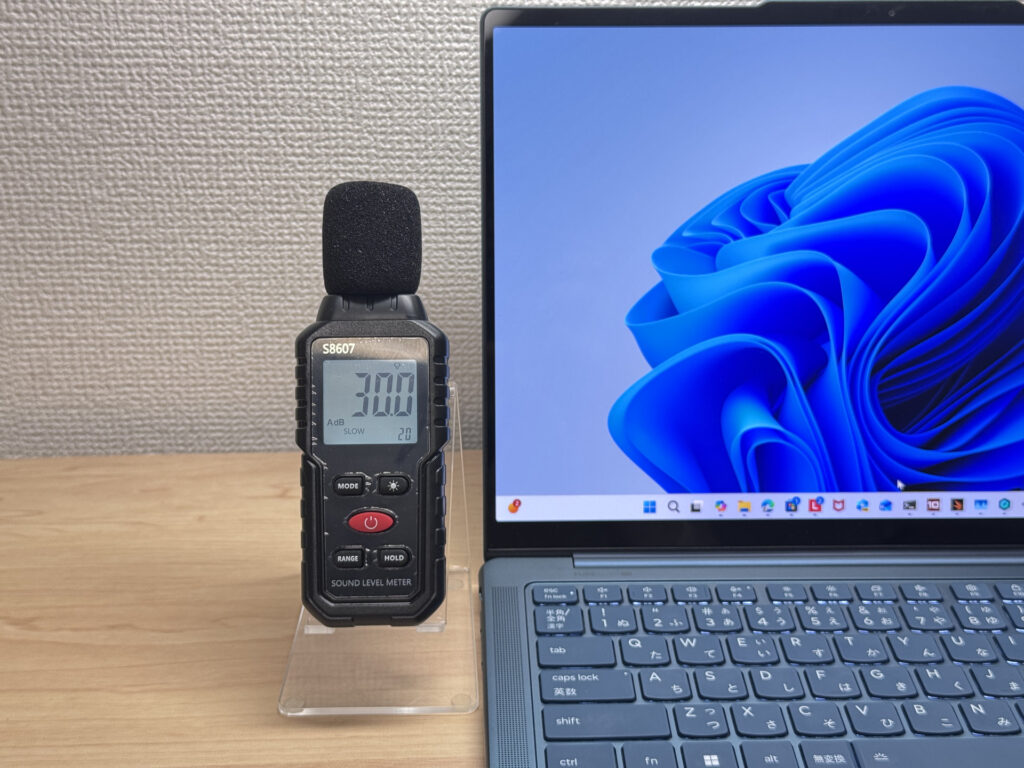 Near-silent at idle
Under sustained load, it climbed to 42 dB. That's audible — you'll hear it in a quiet room. On the flip side, the fans are doing their job: the system stayed stable and didn't throttle. Think of it as "fans spin up when they need to, not before." The exhaust vents are on the rear of the chassis, so heat blows away from you rather than at your hands. Smart placement.
| Noise Level | Rating | Feel |
|---|---|---|
| Under 30 dB | Near-silent | Fan noise is barely perceptible — library-quiet and ideal for focused work. |
| 30–35 dB | Quiet | Faintly audible but non-distracting. Easy to work in a quiet room. |
| 35–40 dB | Noticeable | You can tell the fan is spinning, but it rarely interrupts work. |
| 40–45 dB | Somewhat loud Load | Can become distracting in quiet environments. Headphones start to help. |
| 45–50 dB | Loud | Noticeable stress over extended use. Cooling is clearly prioritized. |
| 50 dB+ | Very loud | Prominent fan noise under load — gaming/high-performance thermal design. |
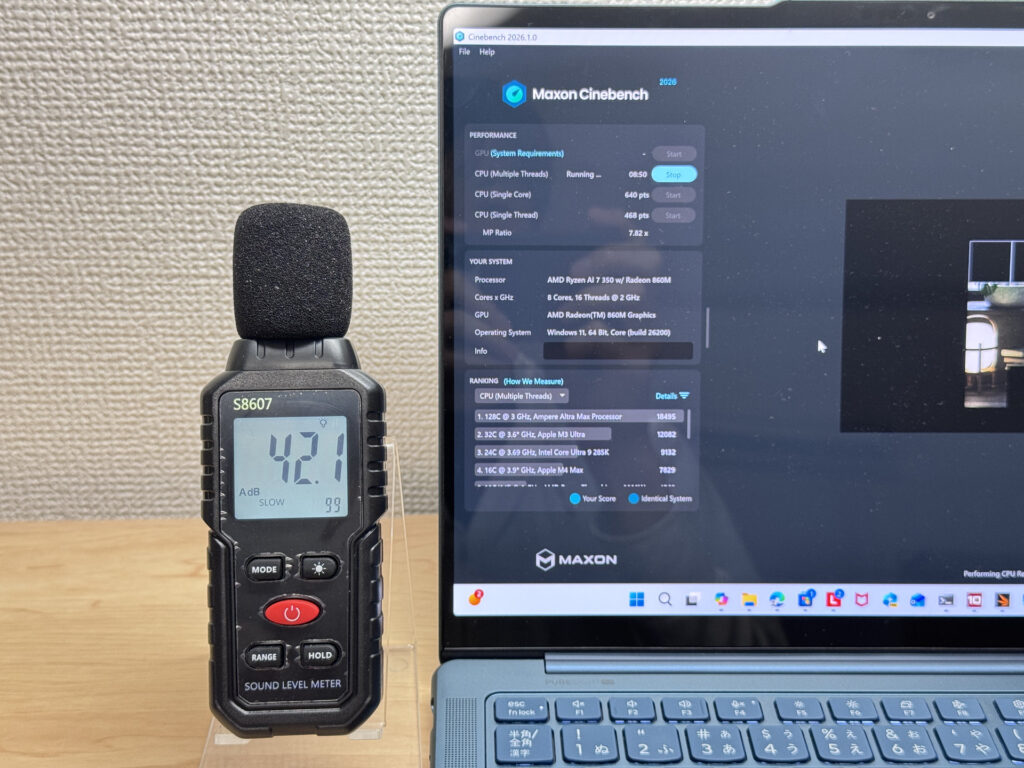 Fan noise under load: 42 dB
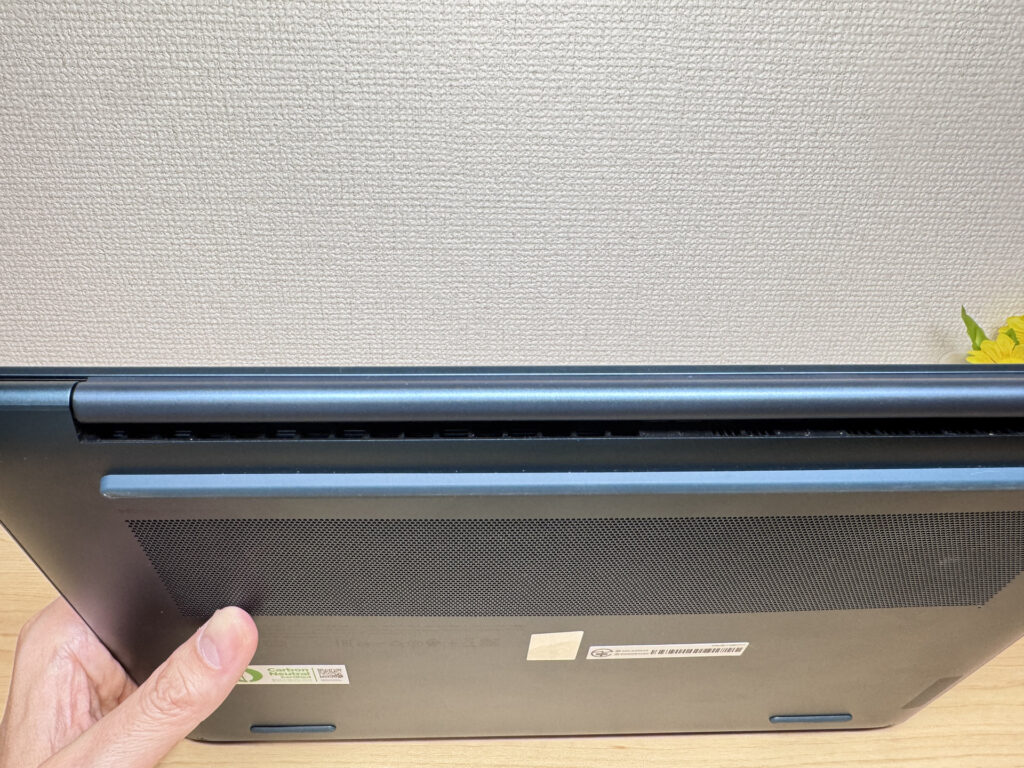 Rear exhaust vents keep heat away from your hands
Ports
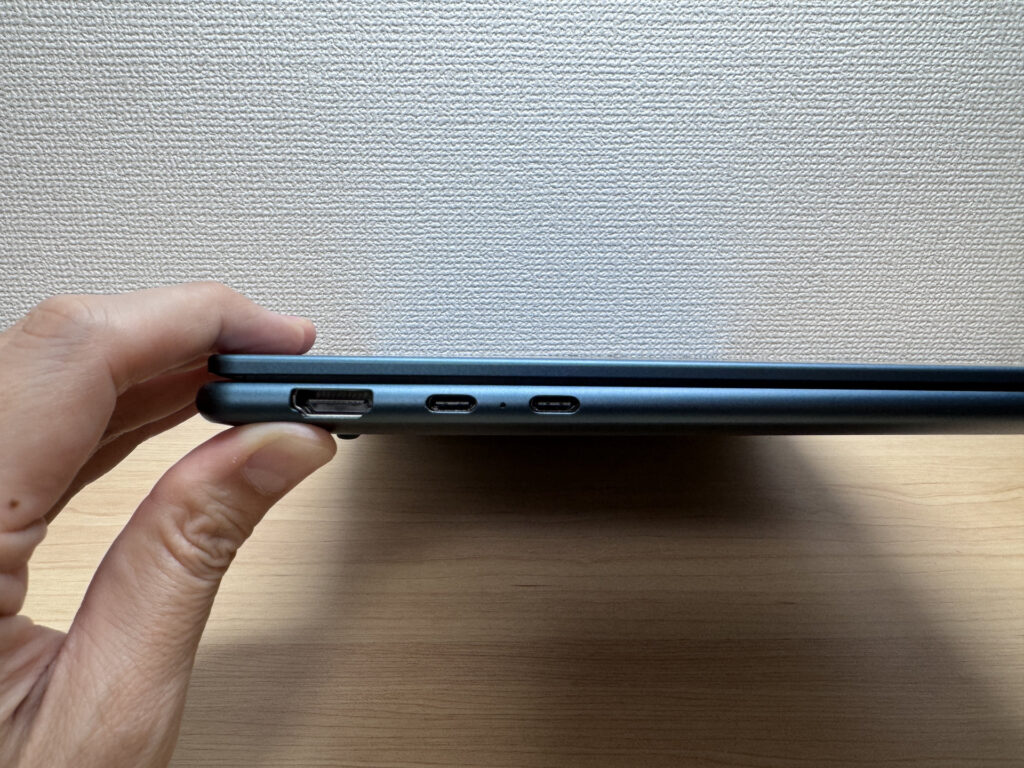
For a laptop this thin, the port selection is genuinely good: one HDMI, two USB-C (USB4), one USB-A, and a headphone jack. You can plug in a flash drive, connect to a projector, and output to a monitor without touching a dongle. That's the kind of real-world usability that thin laptops often sacrifice — and Yoga Slim 7 Gen10 (14" AMD) mostly avoids that trap.
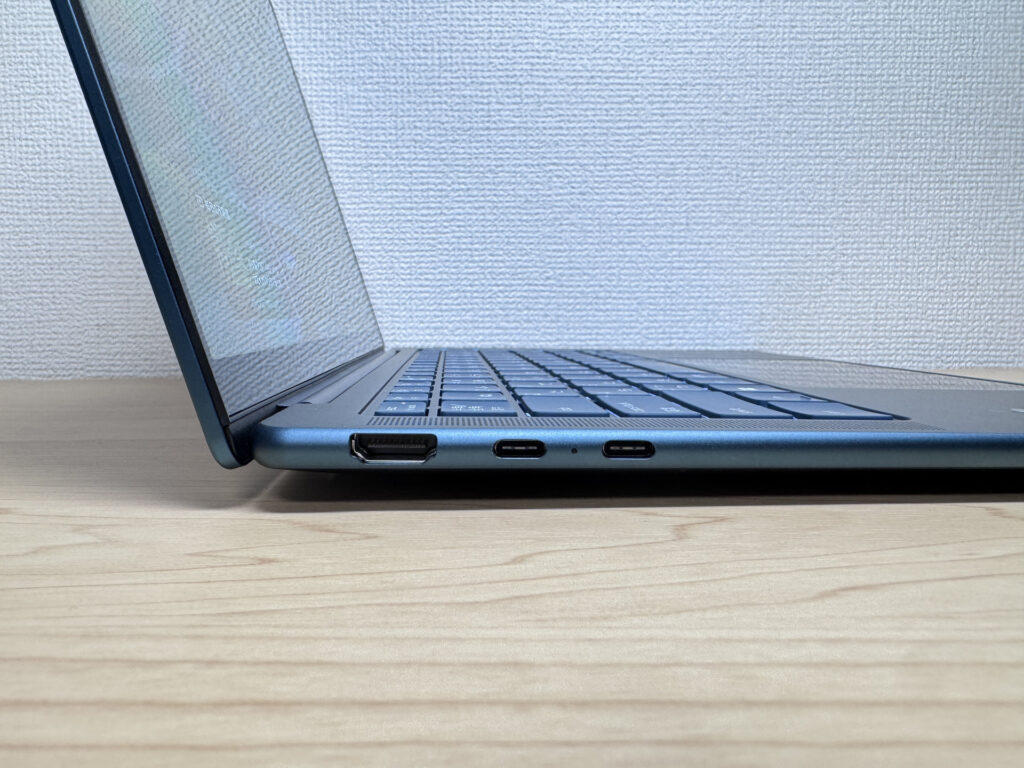 Left-side ports
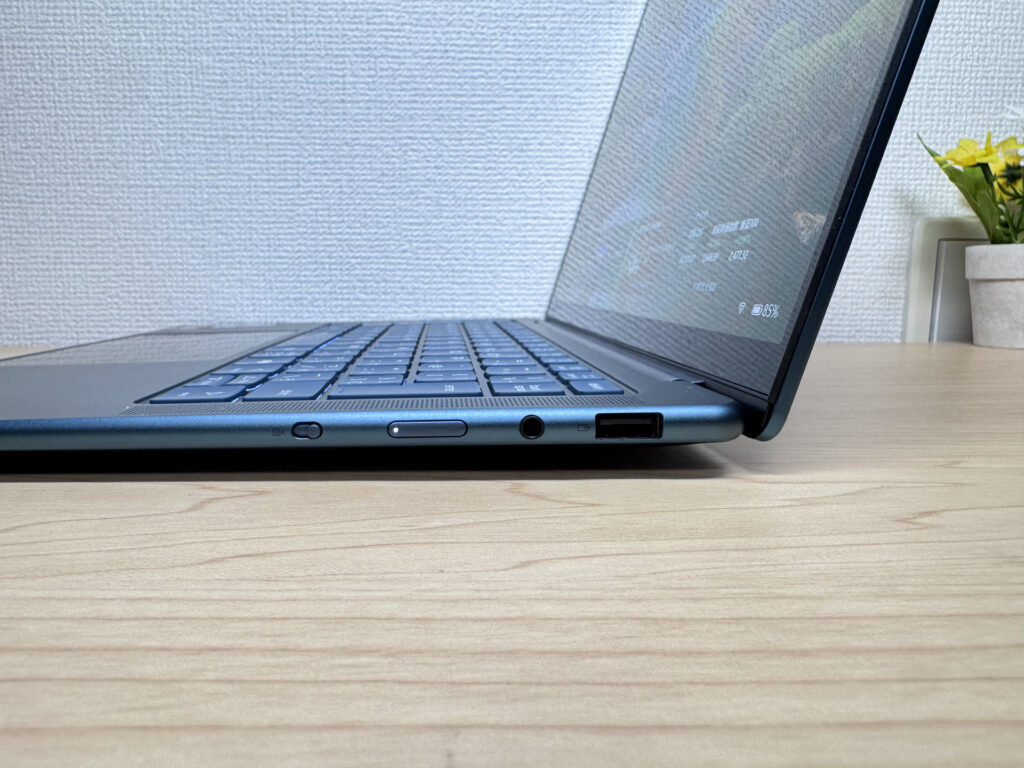 Right-side ports
I tested the HDMI port with a 4K monitor — worked perfectly. And for anyone working from home, I also tested a triple-display setup using both USB-C ports simultaneously. It handled it without issue. One laptop, three screens — that's a solid home office setup.
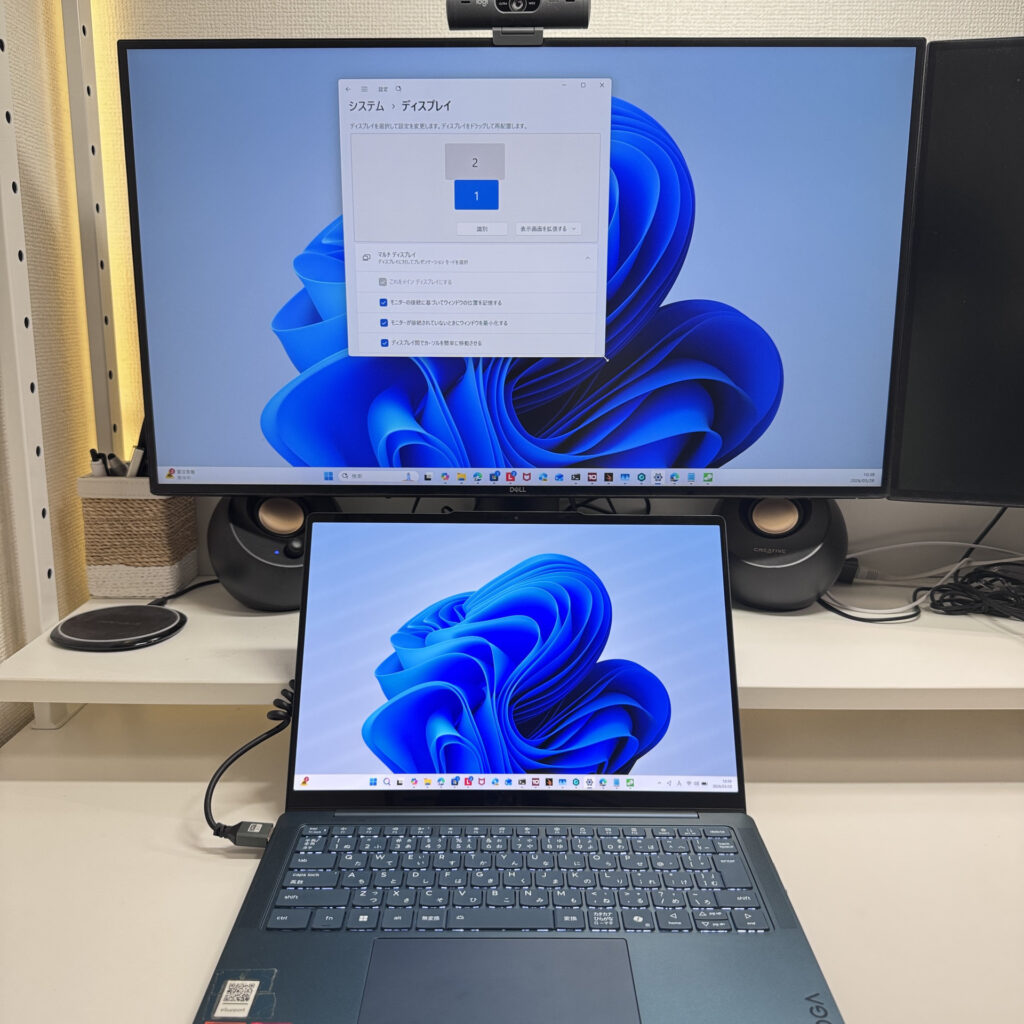 4K output via HDMI
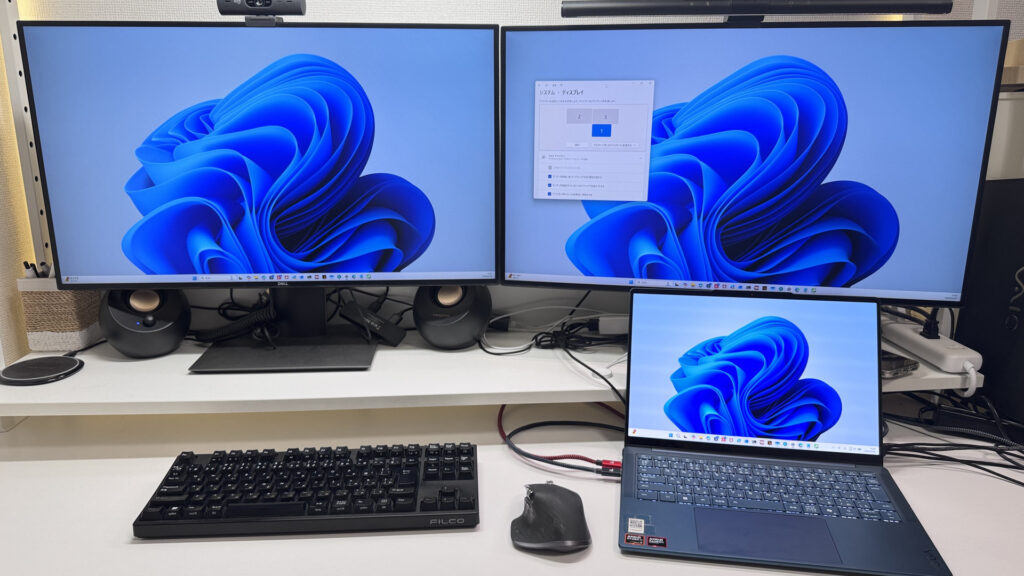 Triple-display setup via dual USB-C
Webcam
The webcam produces natural, accurate color — good enough for video calls and remote meetings without looking washed out or weirdly saturated. Nothing fancy, but it does the job.
 Webcam produces natural-looking video
What I liked more than the camera itself is the physical privacy shutter on the side of the laptop. One click and it's covered — no software menu, no guessing. Honestly, I prefer physical shutters over software toggles every time. When you suddenly need to cover the camera, you want it to be muscle memory, not a menu dig.
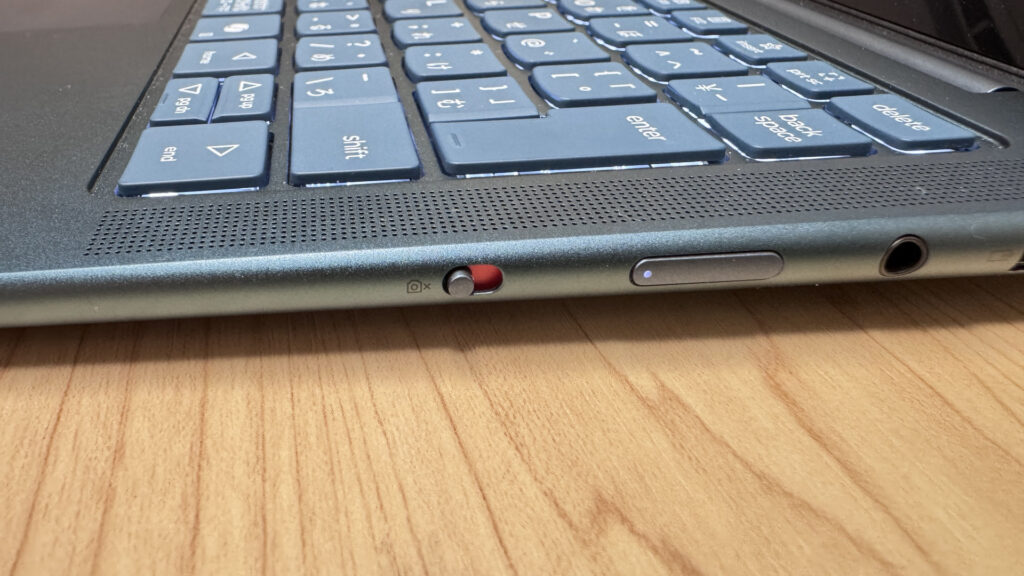 Physical privacy shutter on the side panel
Speakers
Speaker quality is better than I expected for a mid-range ultraportable. There's actual bass presence — not just tinny highs — and the overall sound is full enough to enjoy a movie without headphones. I wouldn't say it replaces a good Bluetooth speaker, but it's more than capable for casual video content.
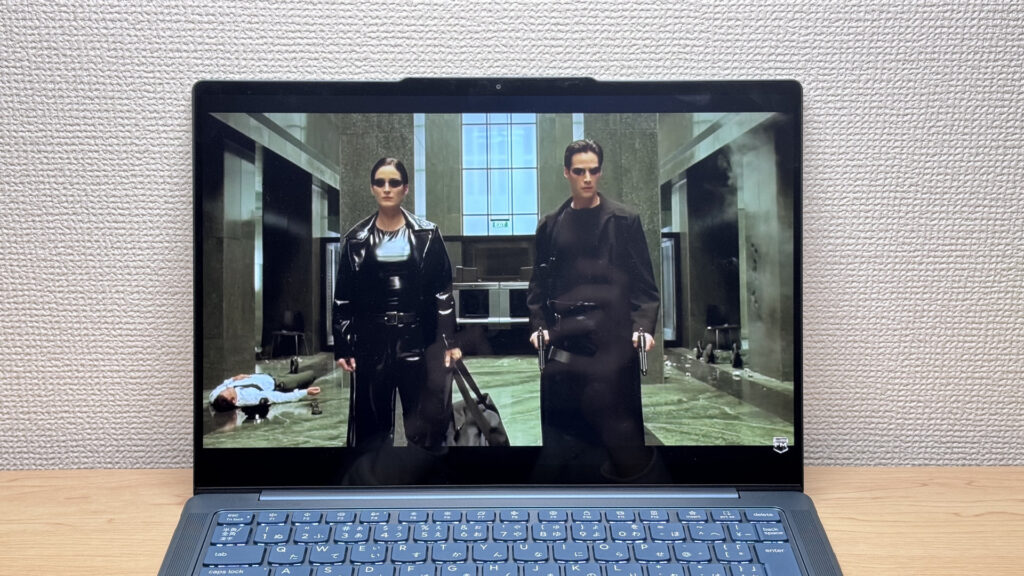 Speakers with solid bass for a thin laptop
Security
Windows Hello facial recognition is on board, and it's fast. Open the lid, glance at the screen, and you're in — no PIN, no password. Once you get used to it, going back to typing a password feels archaic. It just works.
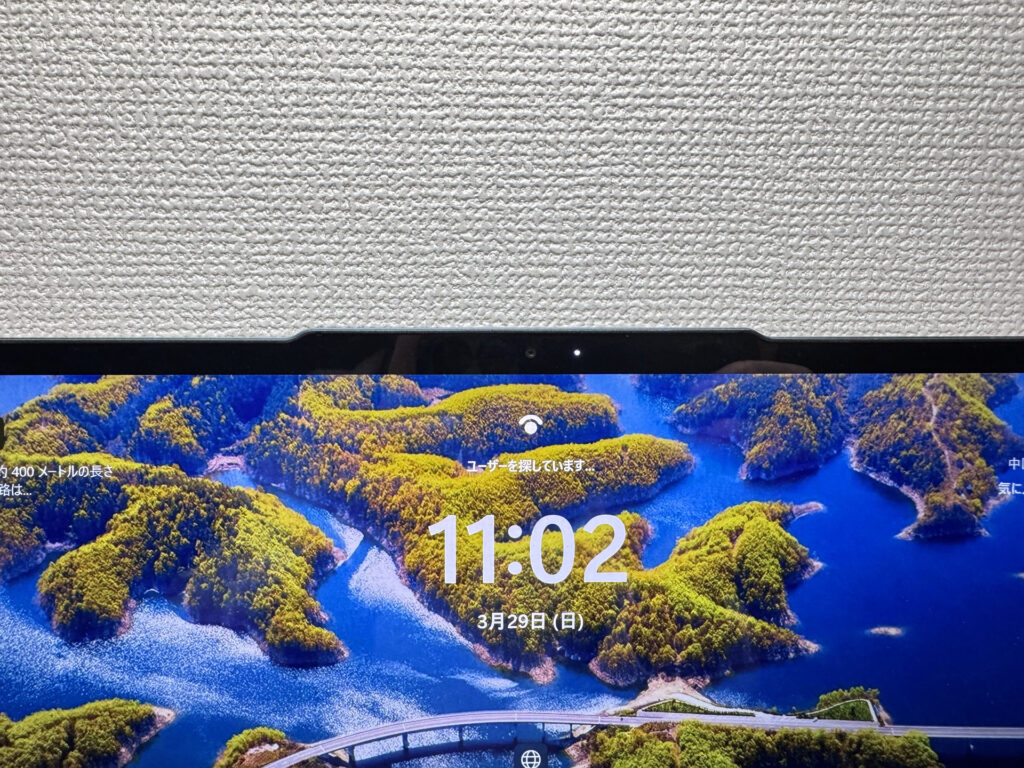 Face recognition login via Windows Hello
Final Verdict
The Yoga Slim 7 Gen 10 is one of the most well-rounded thin-and-light laptops I've used at this price point. At 1.3 kg (~2.9 lbs) and 13.9mm thick, it's genuinely portable — and the OLED display is the kind of screen that makes you forget other laptops exist. A 70Wh battery backs up the portability promise. The glossy panel and audible fans under load are real trade-offs, and this isn't the machine for serious gaming or heavy creative work. But for anyone who carries a laptop every day and wants a beautiful screen for work, content, and everything in between, this is a strong pick.
✅ Great fit if you...
- Carry your laptop with you every day
- Want a display that makes Netflix and work look great
- Need all-day battery without hunting for outlets
- Want to plug into monitors or projectors without a dongle
⚠️ Think twice if you...
- Need it for serious gaming or pro-level video editing
- Work in dead-quiet environments and run demanding tasks
Thin, light, and OLED — the mid-range ultraportable that's hard to beat.
Where to Buy
* Prices may vary. Please check each store for the latest price and availability.
About the author