ZippyScore
ZippyScore is a proprietary rating based on 6 criteria: performance, portability, display, battery, value, and connectivity.
See rating criteria
- Performance: CPU / GPU performance
- Portability: Screen size & weight
- Display: Panel type, aspect ratio & refresh rate
- Battery: Rated battery life
- Value: Specs-to-price balance
- Connectivity: Port types & count
Pros & Cons
Pros
- Light for a 2-in-1 at 1.4 kg (~3.1 lbs), and just 15.45 mm thin — easy to carry every day
- 14-inch OLED as standard — colors and contrast are excellent
- Ryzen AI 5 340 + 16 GB RAM — multitasking stays snappy
- HDMI and USB-A included — no hub required
- Tablet mode, pen input, and display mode — genuinely flexible use cases
Cons
- Price sits on the higher end given the specs and feature set
- Glossy OLED panel can reflect light in bright environments
Specs Summary
| OS | Windows 11 Home |
|---|---|
| CPU | AMD Ryzen AI 5 340 (PassMark: 19,609) AMD Ryzen AI 7 350 (PassMark: 24,959) |
| RAM | 16GB |
| Storage | 1TB |
| Display | 14" OLED (Touchscreen) 1920x1200 (16:10) |
| Weight | 1.40 kg (3.09 lbs) |
| Ports | USB-C × 2 (10Gbps/PD/Video out), USB-A × 1 (5Gbps), HDMI × 1, microSD × 1, Headphone jack × 1 |
| GPU | AMD Radeon 840M (G3D Mark: 3,805) AMD Radeon 860M (G3D Mark: 4,882) |
| Biometrics | Face Recognition |
| Battery | Up to 14 h (Capacity: 70 Wh) |
| Camera | 5.0 MP |
| Dimensions | Approx. 317 × 228 × 15.45 mm (W × D × H) |
| Wi-Fi | Wi-Fi 7 |
| Bluetooth | Bluetooth 5.4 |
| Color | Seashell |
Configurations vary by retailer, region, and availability.
Feature Review
Design
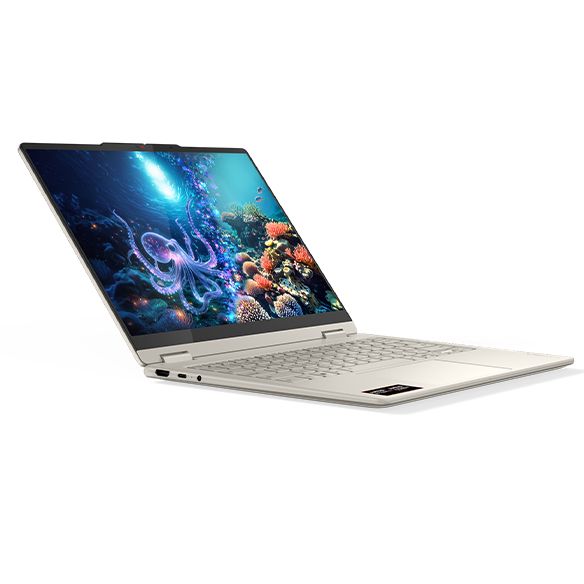
Yoga 7 2-in-1 Gen 10 comes in a colorway called Seashell — understated, not flashy, the kind of laptop you can pull out in a coffee shop without looking like you're trying too hard. Lenovo's Yoga line has a reputation for mid-range-punching build quality, and I'd expect this one to carry that forward.
 That signature Yoga look
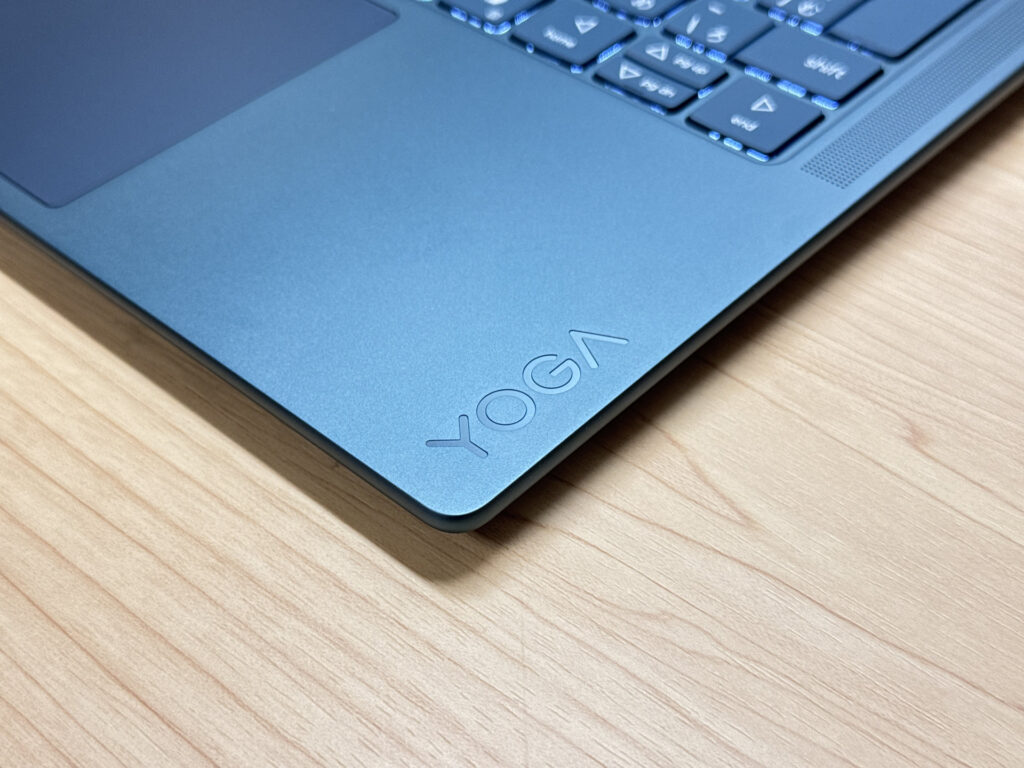 I've used non-2-in-1 Yoga models before — the chassis quality is genuinely good
The back is clean too, with a logo that doesn't scream for attention. No complaints there.
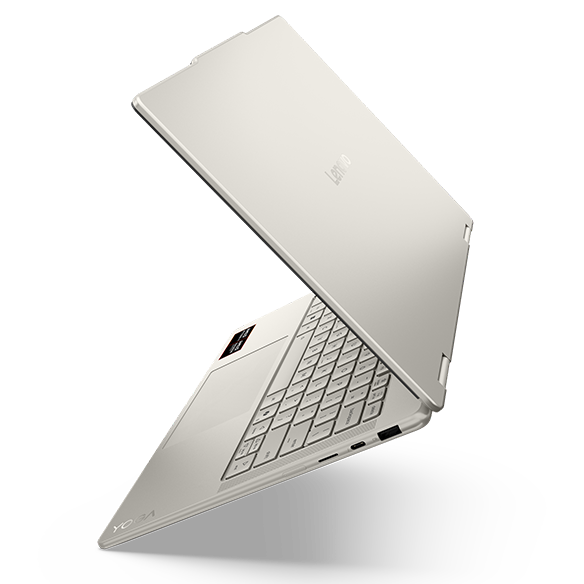 Simple, no-fuss rear design
The standout here is the thickness: 15.45 mm. That's thin for any laptop, but for a 2-in-1 with a full hinge mechanism inside? Squeezing a convertible hinge into 15.45 mm is genuinely impressive engineering. Slides right into a backpack without the bulk you'd normally expect.
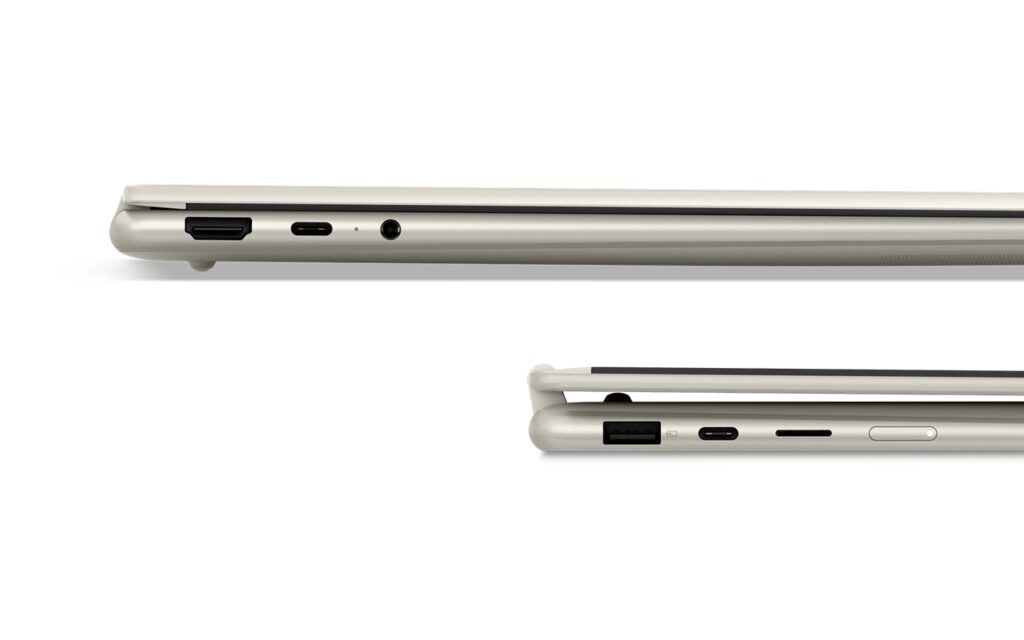 Slim enough that you forget it converts
2-in-1 Versatility
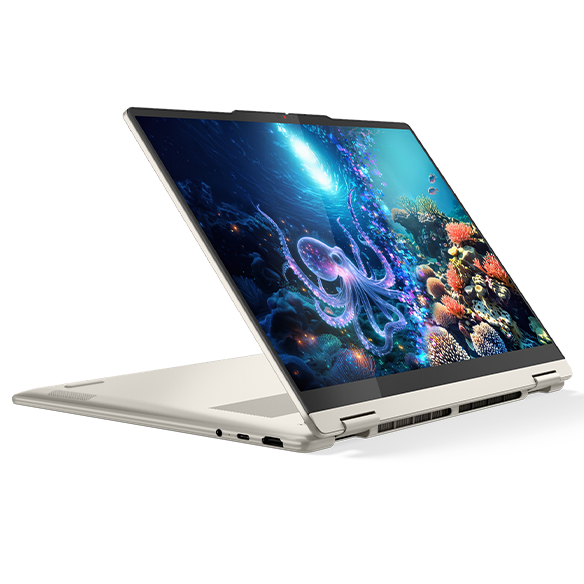
Now for the main event — what you actually get out of the 2-in-1 form factor. Flip it into tablet mode and you can browse or watch video on the couch, or prop it up to read through code (honestly one of my favorite use cases). Pen input is supported too, so you can scribble notes, sketch ideas, or do light illustration work directly on screen.
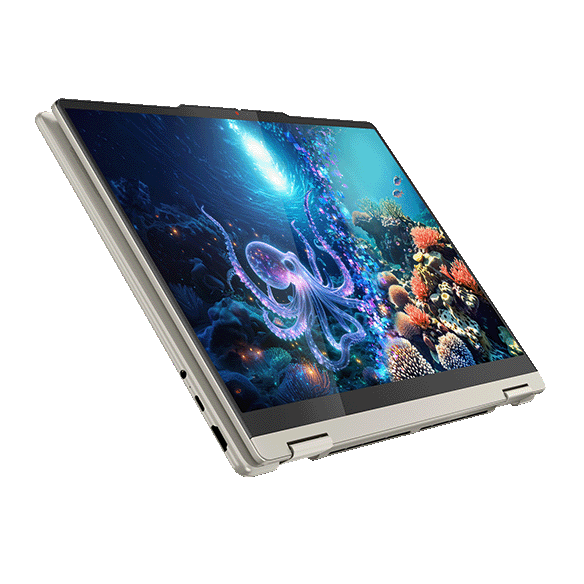 Full tablet mode — works surprisingly well
Pen plus 2-in-1 is a combo that actually earns its keep here.
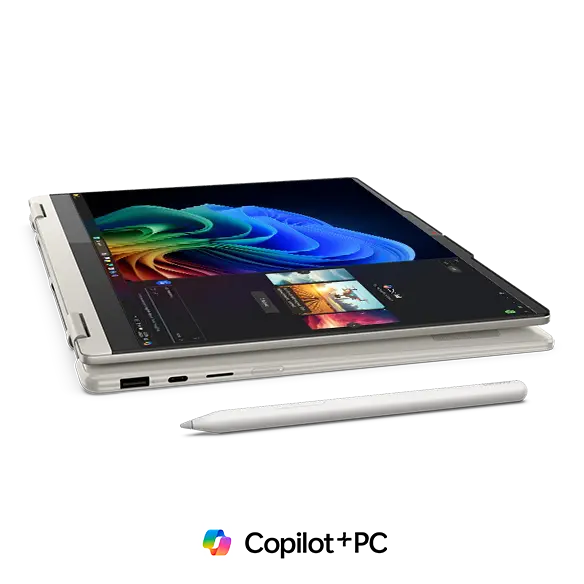 Pen input for notes or drawing
Personally, the display mode is my recommendation. Flip the keyboard face-down, hook up an external keyboard and mouse, and you've got a clean little desktop setup wherever you are. Great if you're not a fan of the built-in keyboard or just want more desk ergonomics.
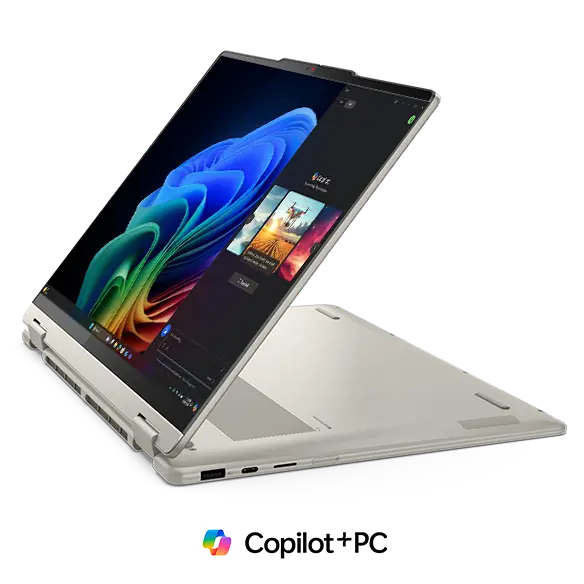 Display mode: your own mini desktop anywhere
 This is exactly what 2-in-1 PCs are made for 👍
Portability
Weight comes in at about 1.4 kg (~3.1 lbs). Not ultralight by any stretch, but for a 2-in-1 with a full hinge mechanism, it's impressively light for the category. Convertibles tend to run heavy — getting it under 1.4 kg is a real win. Should be fine to carry in a backpack every day without noticing it.
 Carry-friendly weight for a convertible
Display Quality
Here's where it gets interesting: the Yoga 7 2-in-1 Gen 10 ships with a 14-inch OLED panel as standard. WUXGA (1920×1200), DCI-P3 100%, 600-nit HDR peak. The colors are going to be excellent — OLED blacks are deep and inky, which means movies, streaming, and photo or video editing all look fantastic on this screen. The 16:10 aspect ratio gives you more vertical real estate, which makes browsing and working with documents noticeably better. Touch support means you can swipe and tap like you're on a phone.
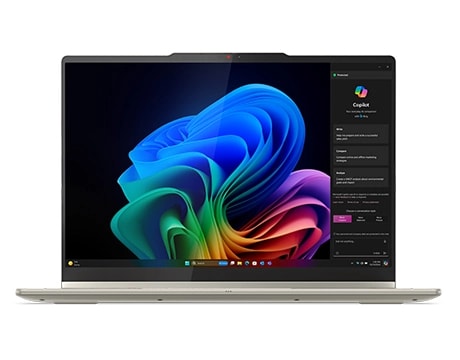 OLED contrast — genuinely hard to go back after this
Keyboard Feel
The key layout is clean and sensible — no weird flex or compressed keys that trip you up. Yoga keyboards have always had a nice soft-touch feel on the keycaps, and I'd expect this one to be comfortable for long typing sessions. Backlit too, so low-light typing isn't an issue.
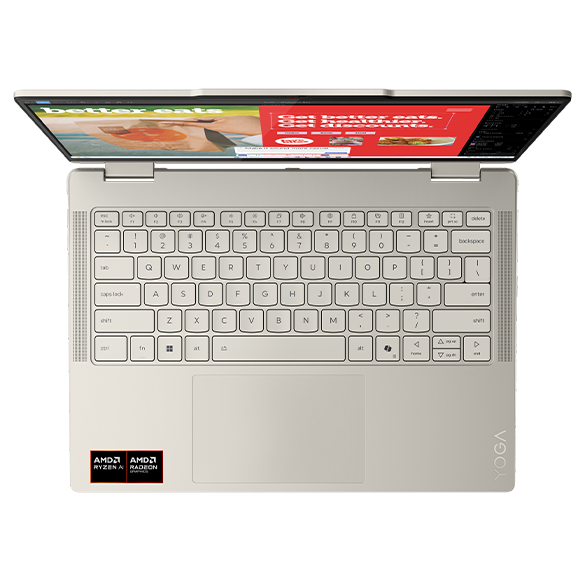 Straightforward layout, no quirks
 That classic Yoga soft-touch feel on the keys
Performance
CPU is the AMD Ryzen AI 5 340 — solid everyday performance. Daily driver tasks, light video editing, and casual gaming should all be in range. The 16 GB LPDDR5x RAM means multitasking stays snappy even with a bunch of tabs and apps open. 2 TB SSD is generous — you're not going to run out of space anytime soon.
 Ryzen AI 5 340 handles the daily grind just fine
Battery Life
Battery rating: long
70 Wh battery should give you solid all-day runtime. Worth noting that OLED panels are power-hungry, so keep that in mind — but with 70 Wh in the tank, you've got enough headroom to work through the day without scrambling for an outlet. Charges via USB-C, so a small GaN charger in your bag is all you need.
Connectivity
This is genuinely one of the best parts of the Yoga 7 2-in-1 Gen 10. For a slim 2-in-1, the port selection is great: HDMI, 2× USB-C, 1× USB-A, microSD reader. A lot of thin laptops go USB-C only and leave you hunting for a hub — having all the everyday ports in one place is a real convenience win. Both USB-C ports support PD charging and video output, so you're covered either way.
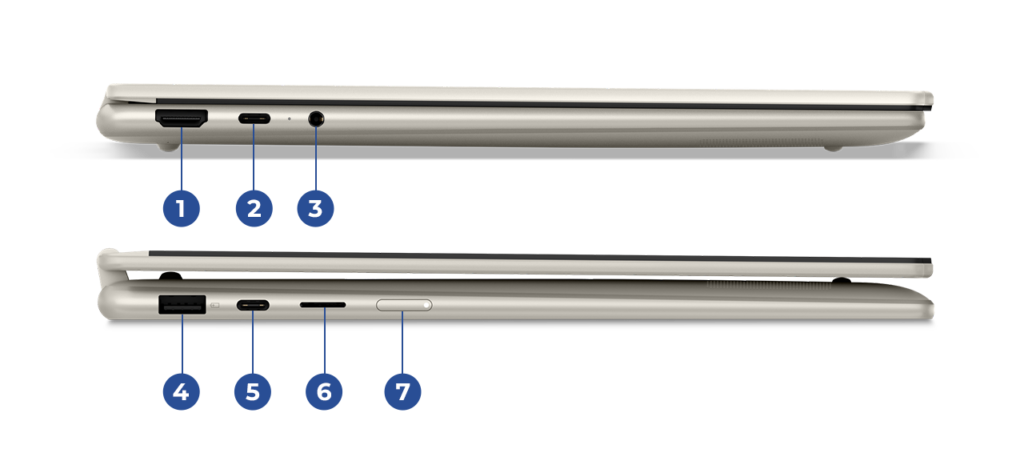 Solid port lineup — no dongle life required
Webcam
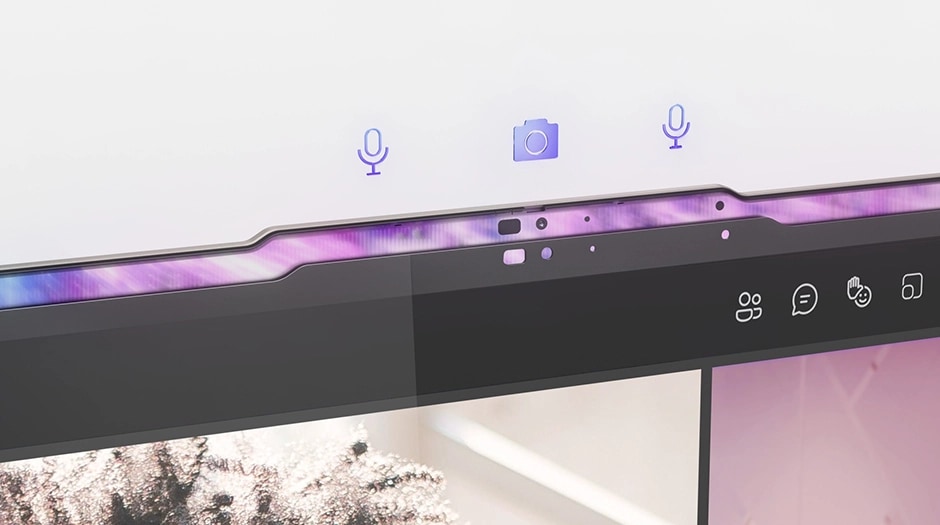
Built-in webcam is 5 MP — noticeably better than the 2 MP cameras you see on a lot of budget machines. Video calls and remote meetings should look decent. IR support for Windows Hello face unlock, plus a physical privacy shutter, so you can cover the lens when you're not using it.
 5 MP webcam — good enough for remote work
Speakers
Dolby Atmos support means the speakers are going to sound better than average. Paired with that OLED screen, this is a genuinely capable all-in-one entertainment machine.
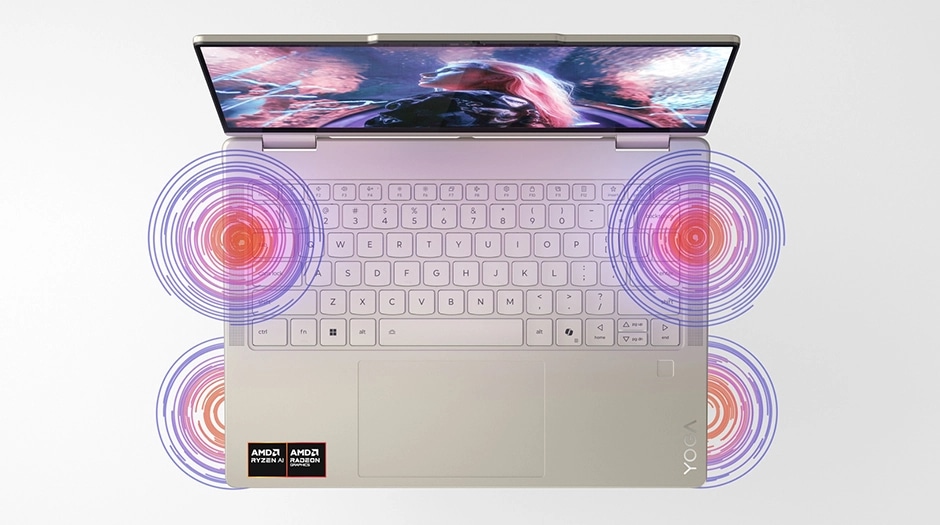 Dolby Atmos audio + OLED display = solid movie nights
Security
Face unlock via IR camera means you're logged in as soon as you open the lid. One less thing to think about in the morning.
 Face unlock on lid open — no password needed
Price
If I'm being honest, the price is probably the one sticking point. Everything else checks out, but this configuration isn't cheap. That said, given the OLED display, the port lineup, and the 2-in-1 flexibility, the value proposition is actually pretty solid. And when it goes on sale — which it does — the deal gets even better.
Verdict
The Yoga 7 2-in-1 Gen 10 nails the hard stuff: good performance, beautiful OLED, complete port selection, and a 2-in-1 form factor that doesn't feel like a compromise. The only real criticism is that it's not cheap. But honestly, finding a laptop this well-rounded at any price takes effort. If you want a single machine that handles tablet use, video, pen input, and daily productivity — this is a strong pick.
Where to Buy
* Prices may vary. Please check each store for the latest price and availability.
Where this laptop ranks


About the author